How to open Acer TravelMate P4 Spin (TMP414RN-53) – disassembly and upgrade options
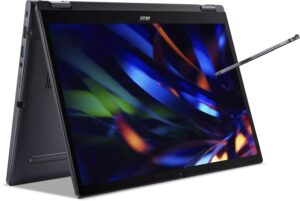
Opening the Acer TravelMate P4 Spin
Hint: Ensure the laptop is powered off and unplugged before starting.
- Undo the 10 Torx-head screws securing the bottom panel of the laptop.
- Use a lever tool to pop the areas behind the hinges to begin loosening the panel.
- Fully pry the back with a thin plastic tool, then carefully work your way around the other three sides to release the internal clips.
- While the stylus can be removed for convenience, it is not necessary for disassembly.
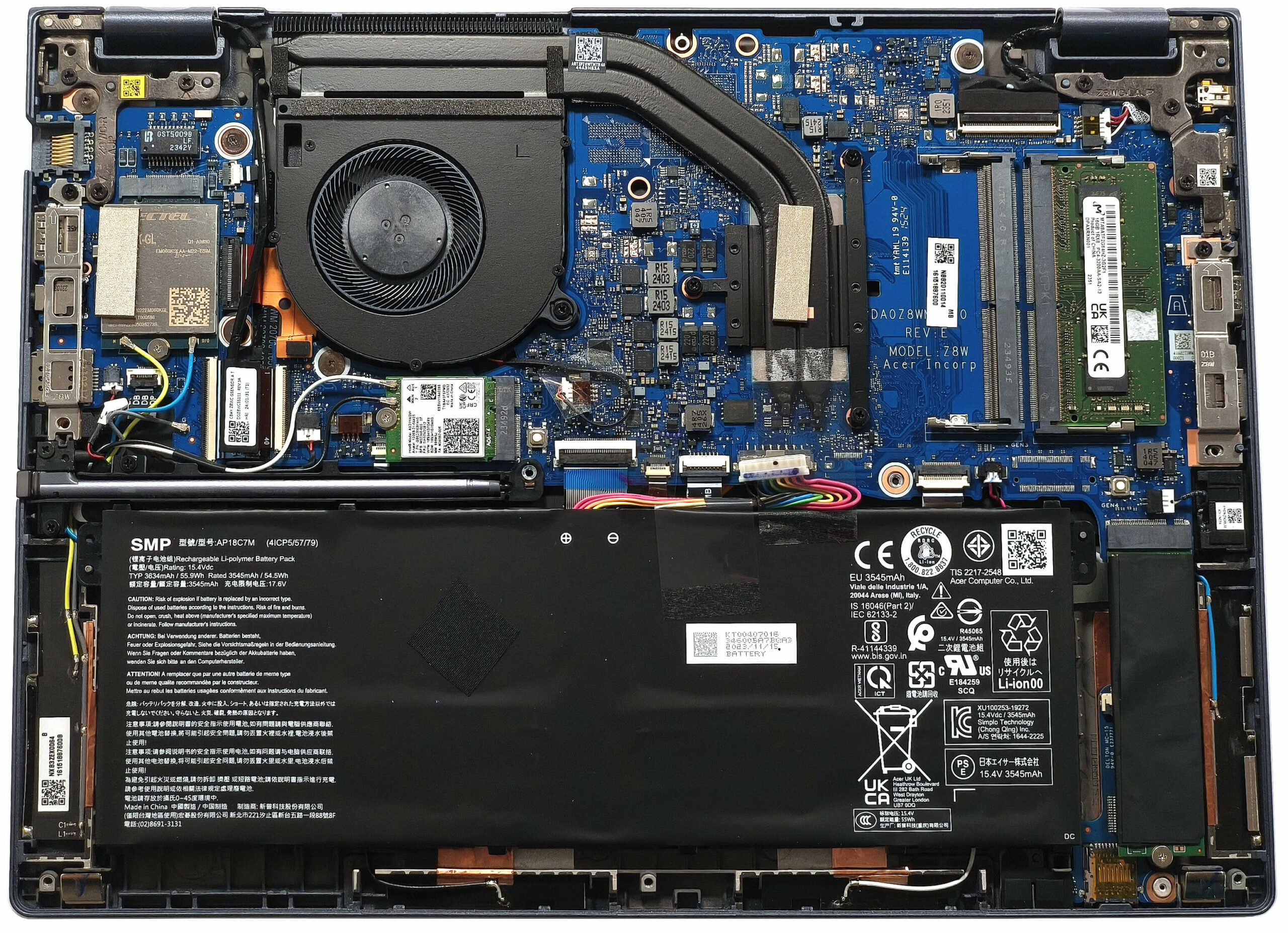
More info: The bottom panel provides access to key components, including a dedicated socket for the battery to hold it in place.
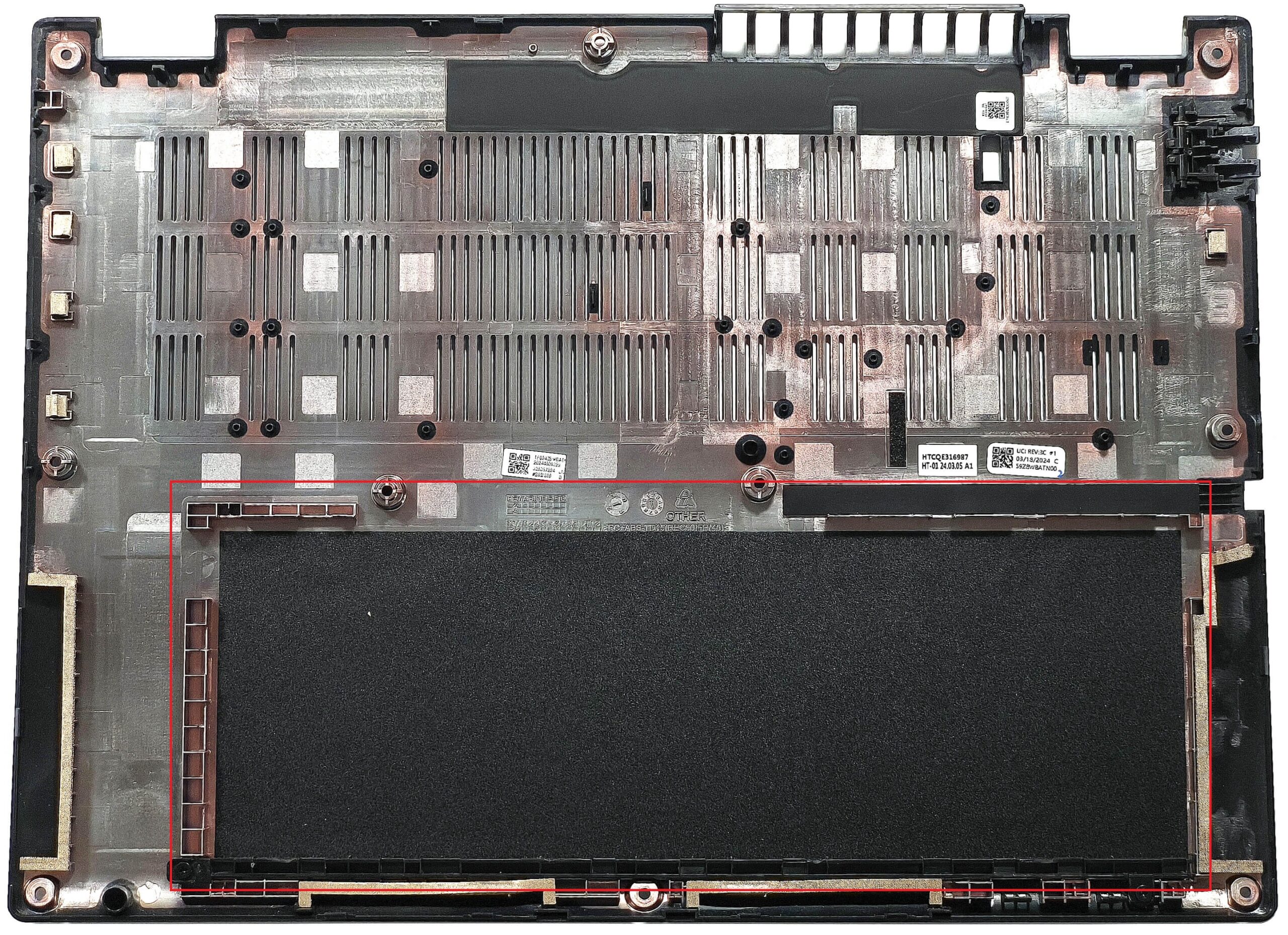
Battery Removal
Caution: Handle the battery with care to avoid damage or electrical hazards.
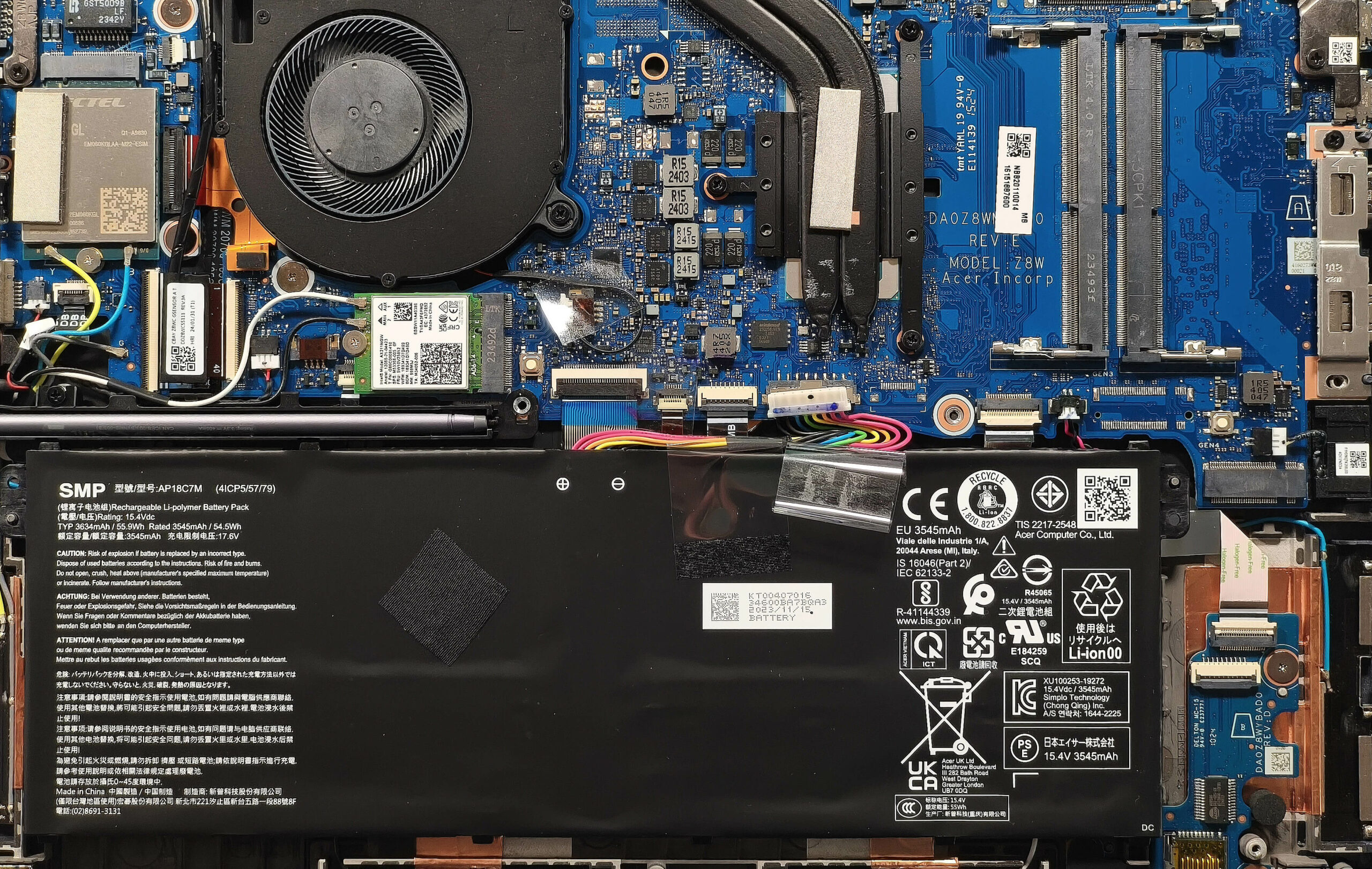
- Disconnect the battery by unplugging the connector from the motherboard, pulling it gently toward the battery unit.
- Lift the battery out of the chassis.
More info: The default 56Wh battery provides up to 10 hours of video playback, while an optional 65Wh battery offers longer usage for those requiring extended autonomy.
You can find compatible batteries here: Buy from Amazon.com (#CommissionsEarned)
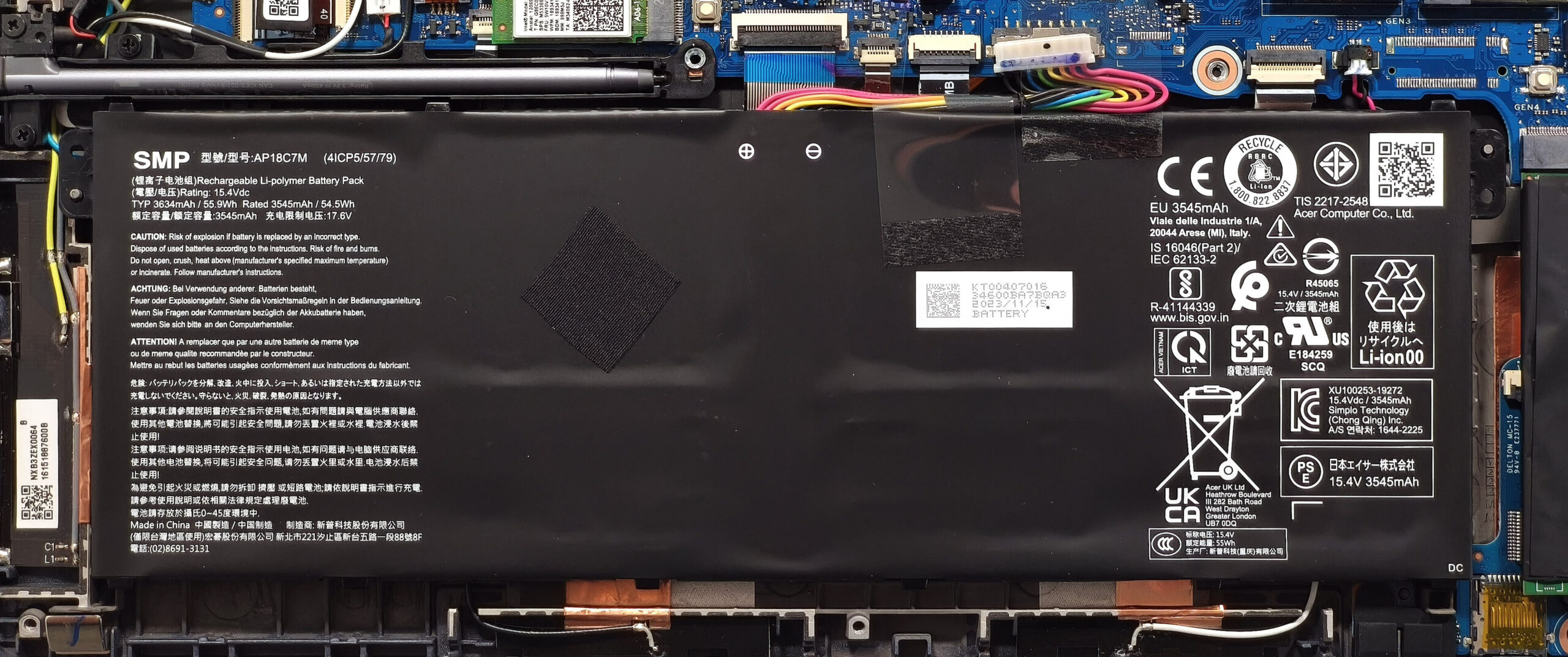
Memory Upgrade
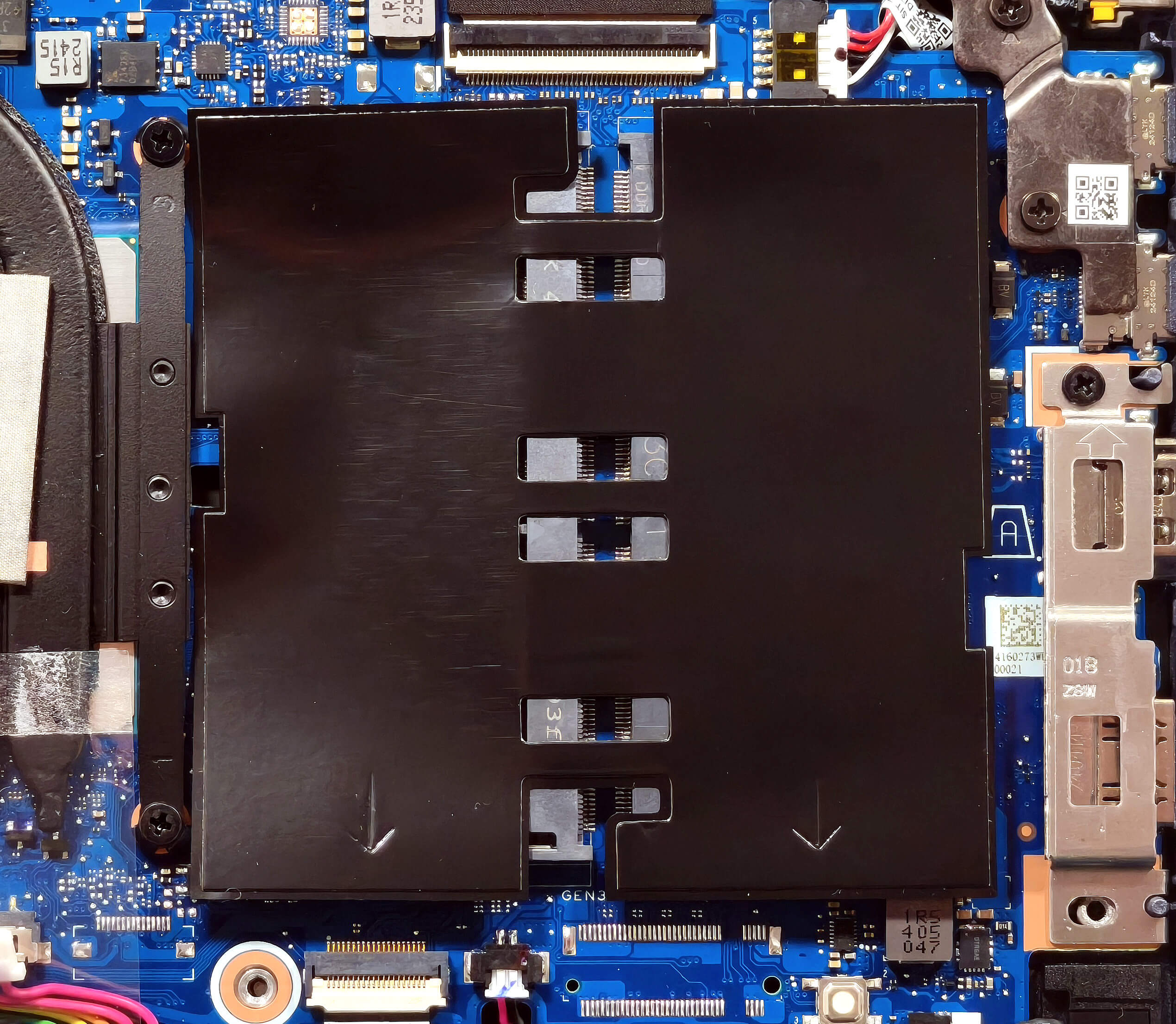
Note: The memory slots are protected by a Mylar film that must be peeled back for access.
- Peel back the Mylar film to reveal the RAM slots.
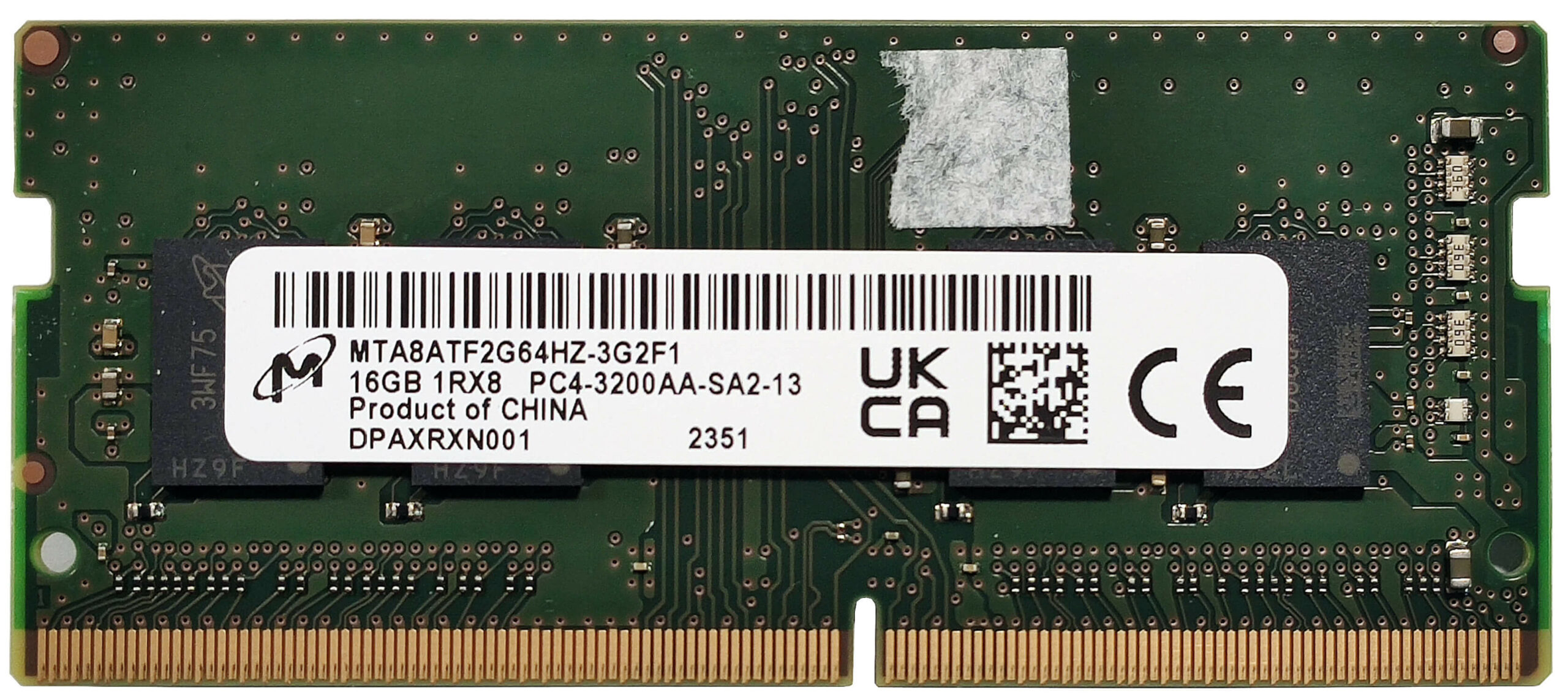
- Insert up to 64GB of DDR4-3200MHz RAM in dual-channel mode, as specified by Acer. The CPU can support up to 96GB, allowing for potential higher capacity upgrades.
- Press the RAM modules gently into the slots until they click into place.
More info: Ensure you select compatible RAM for optimal performance and stability.
You can find compatible RAM here: Buy from Amazon.com (#CommissionsEarned)
Storage Upgrade
Hint: Handle SSD components carefully to avoid damage or data loss.
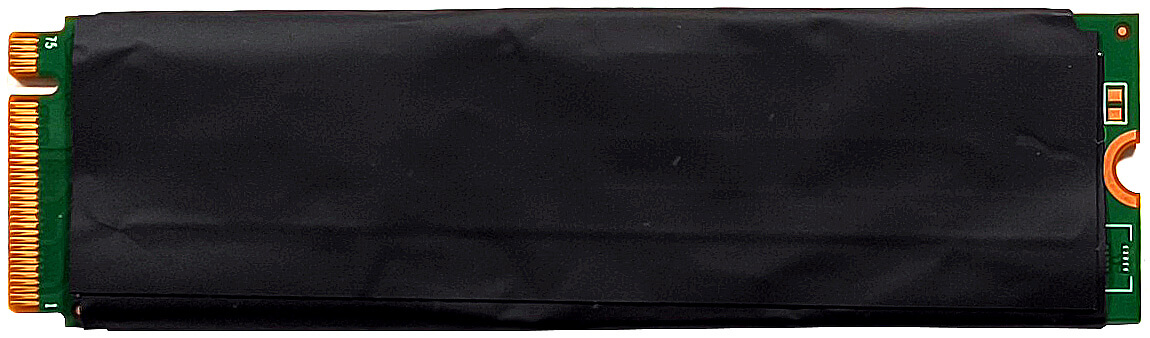
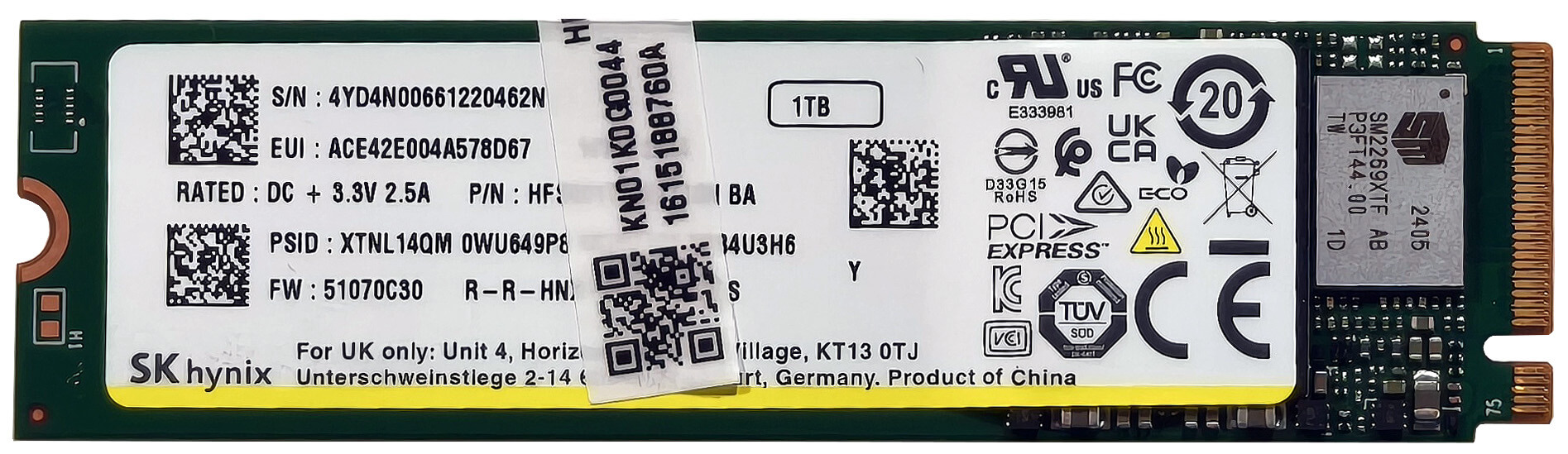
- Locate the single M.2 slot, which is compatible with 2280 Gen 4 SSDs.
- The preinstalled NVMe drive is covered with a heat shield. Remove the shield carefully to access the SSD.
- Insert your new SSD into the slot at a slight angle, ensuring it is securely seated, and replace the heat shield.
More info: The heat shield helps manage thermal performance during operation.
You can find compatible SSDs here: Buy from Amazon.com (#CommissionsEarned)
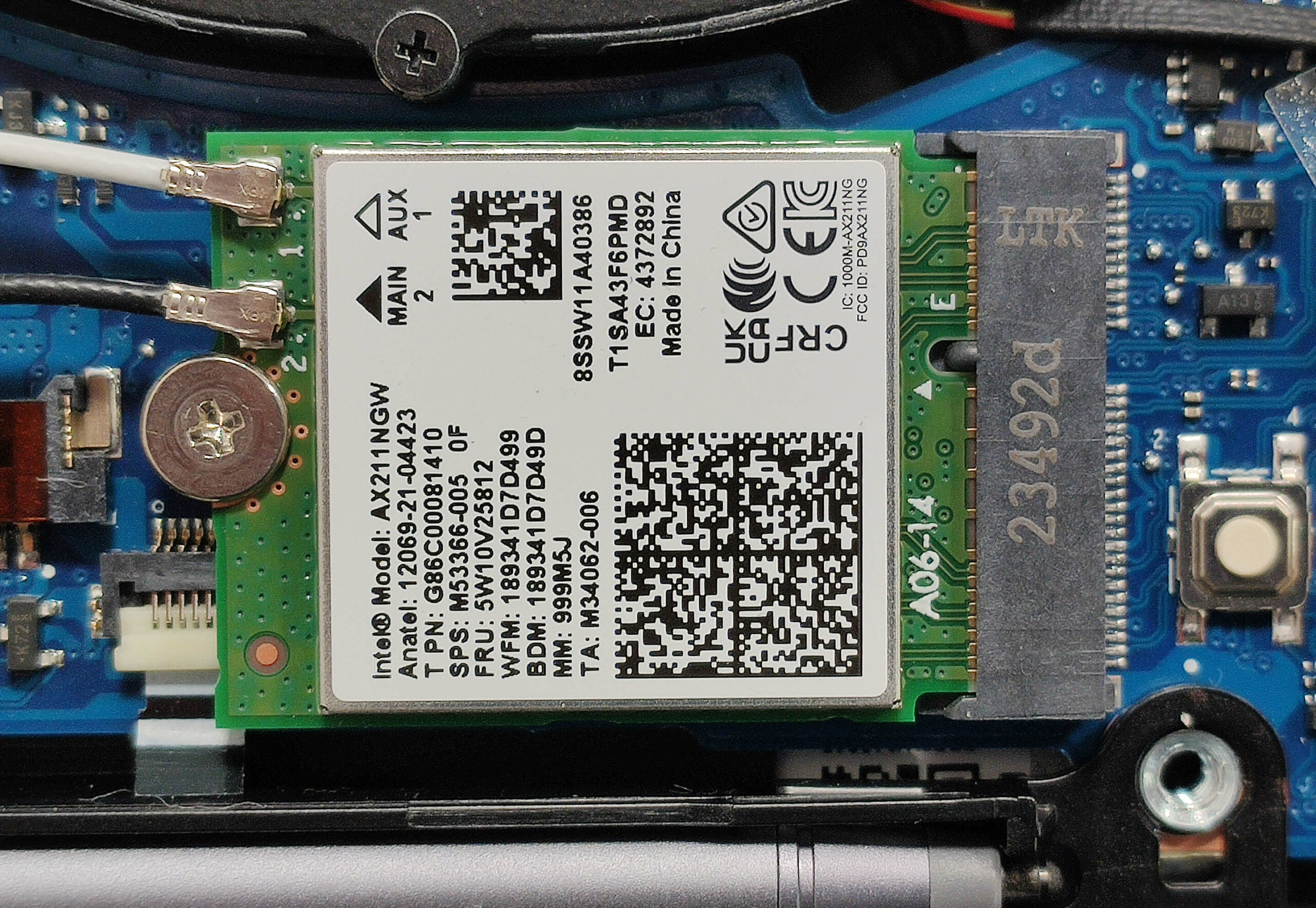
Wi-Fi Card
More Info: The Wi-Fi 6E card is placed below the fan and the WWAN slot for optional LTE connectivity is on the left.
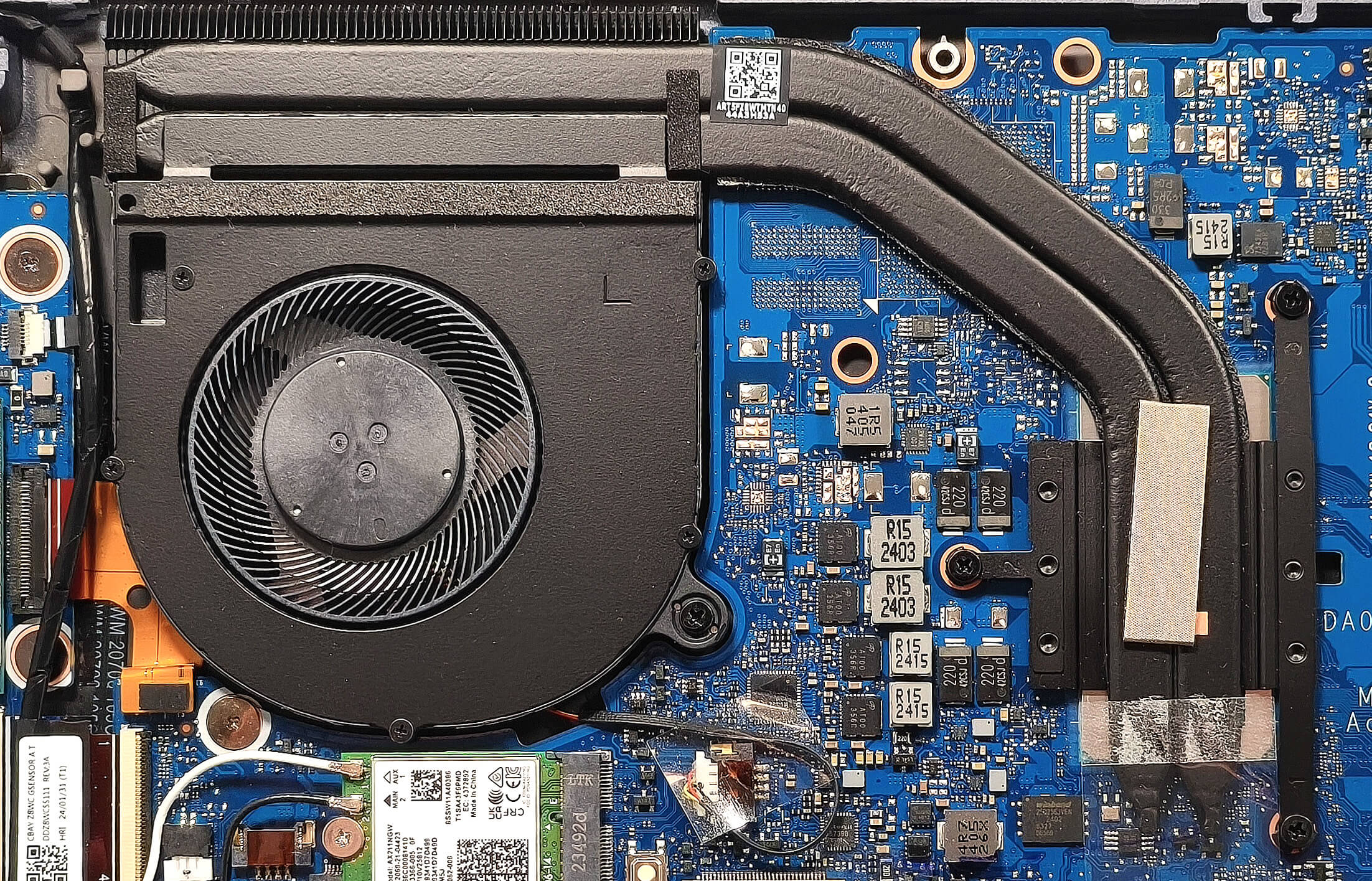
Cooling System Overview
- A decently sized fan ensures proper airflow over the internal components.
- Two heat pipes and a top-mounted heat sink work together to dissipate heat effectively.
- A heat spreader further enhances cooling performance.
- The Wi-Fi 6E card is located below the fan, and an optional WWAN slot for LTE connectivity is on the left side.
Tip: Regularly inspect and clean the fan and heat pipes to maintain optimal cooling performance.
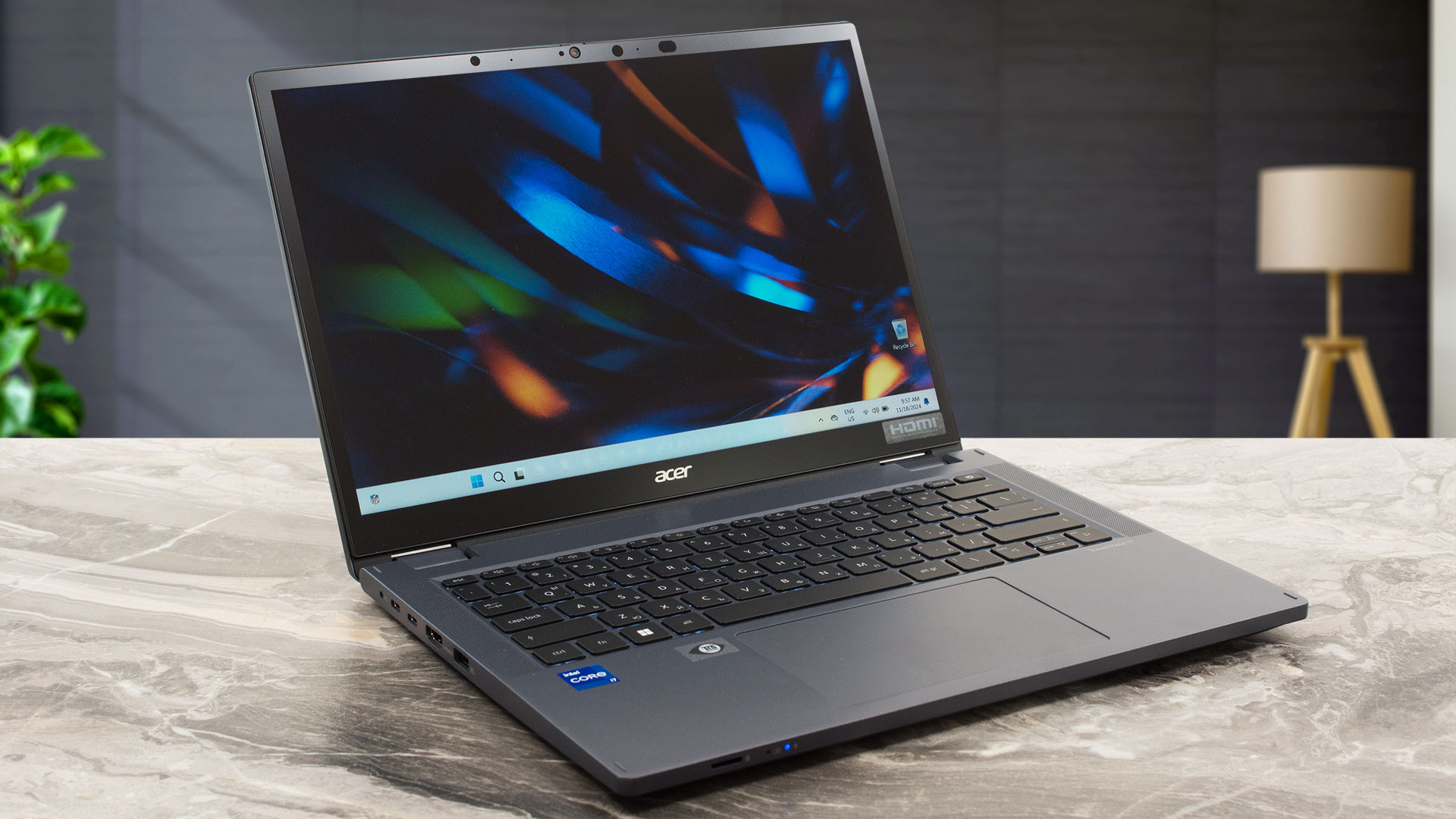
Acer TravelMate Spin P4 (TMP414RN-53/54) in-depth review
The Acer TravelMate P4 Spin (TMP414RN-53) could impress future buyers with its pleasant price and a good amount of features. This compact 2-in-1 14-inch machine is offered with 15W Intel Raptor Lake-U processors. Yep, these ones lack a dedicated NPU for accelerated AI productivity which can be a dealbreaker for people who need such functionality. On the other hand, the 3D rendering power of the 13th gen chips isn't too far behind the Meteor Lake-U successors.The manufacturer has to cut corners here and there to lower the end price. That's why this fella relies on DDR4 RAM. On the bright s[...]
Pros
- Solid built quality
- 360-degree hinge - laptop, tent, and tablet modes are supported
- Comfortable spill-resistant backlit keyboard
- Smooth glass touchpad
- Almost quiet fan during heavy CPU stress in “Best performance” mode
- PWM-free (BOE0AE8)
- 16:10 aspect ratio and wide viewing angles (BOE0AE8)
- Relatively light for a 14-inch 2-in-1 machine (1.491 kg)
- Fingerprint reader, privacy shutter, dTPM 2.0 chip, Lock slot
- Optional 1080p@60FPS IR Web camera
- 2x Thunderbolt 4 ports + MicroSD card reader + 2x Type-As
- Optional Smart Card reader, LTE connectivity, and stylus
- Replaceable Wi-Fi and WWAN cards
- 2x SODIMMs
- Decently fast SSD (SK Hynix HFS001TEJ9X110N)
- The overall performance is enough for normal daily or office tasks
- Not expensive
- Long battery life (~ 10 hours of videos)
- Dust Defender system
- Good sound quality
- Metal lid
Cons
- 1x M.2 slot
- 97°C CPU temperatures in long loads
- 79°C NVMe temperatures during benchmarking
- You can't open the lid with one hand
- Low sRGB coverage and max brightness (BOE0AE8)
- The bottom display bezel gets hot when the CPU is doing the heavy lifting
 Author: Dimitar Stalev

![[August 2026] Amazon Italy: Top 10 Best-Selling Laptops – Apple MacBook Neo Claims the Crown as Budget and Mid-Range Windows Machines Dominate Volume](https://laptopmedia.com/wp-content/uploads/2026/09/Best-Selling-Laptops-IT-Top-10-400x225.jpg)
![[August 2026] Amazon Italy: Top 7 Best-Selling Gaming Laptops – ASUS V16 Claims the #1 Spot Amid Strong Mid-Range Demand](https://laptopmedia.com/wp-content/uploads/2026/09/Best-Selling-Gaming-Laptops-IT-Top-10-400x225.jpg)
![[August 2026] Best-Selling Laptop Brands on Amazon Italy – Lenovo Dominates Market Share and Revenue Leadership](https://laptopmedia.com/wp-content/uploads/2026/09/IT-Best-Brands-400x225.jpg)
![[August 2026] Amazon India: Top 10 Best-Selling Laptops – Apple MacBook Neo Dominates the Charts with Massive Sales Lead](https://laptopmedia.com/wp-content/uploads/2026/09/Best-Selling-Laptops-IN-Top-10-400x225.jpg)
![[August 2026] Amazon India: Top 10 Best-Selling Gaming Laptops – HP Victus 15 Dominates the Market with Massive Unit Lead](https://laptopmedia.com/wp-content/uploads/2026/09/Best-Selling-Gaming-Laptops-IN-Top-10-400x225.jpg)
