How to open ASUS ROG Strix G18 G815 (2025) – disassembly and upgrade options
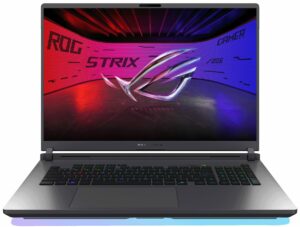
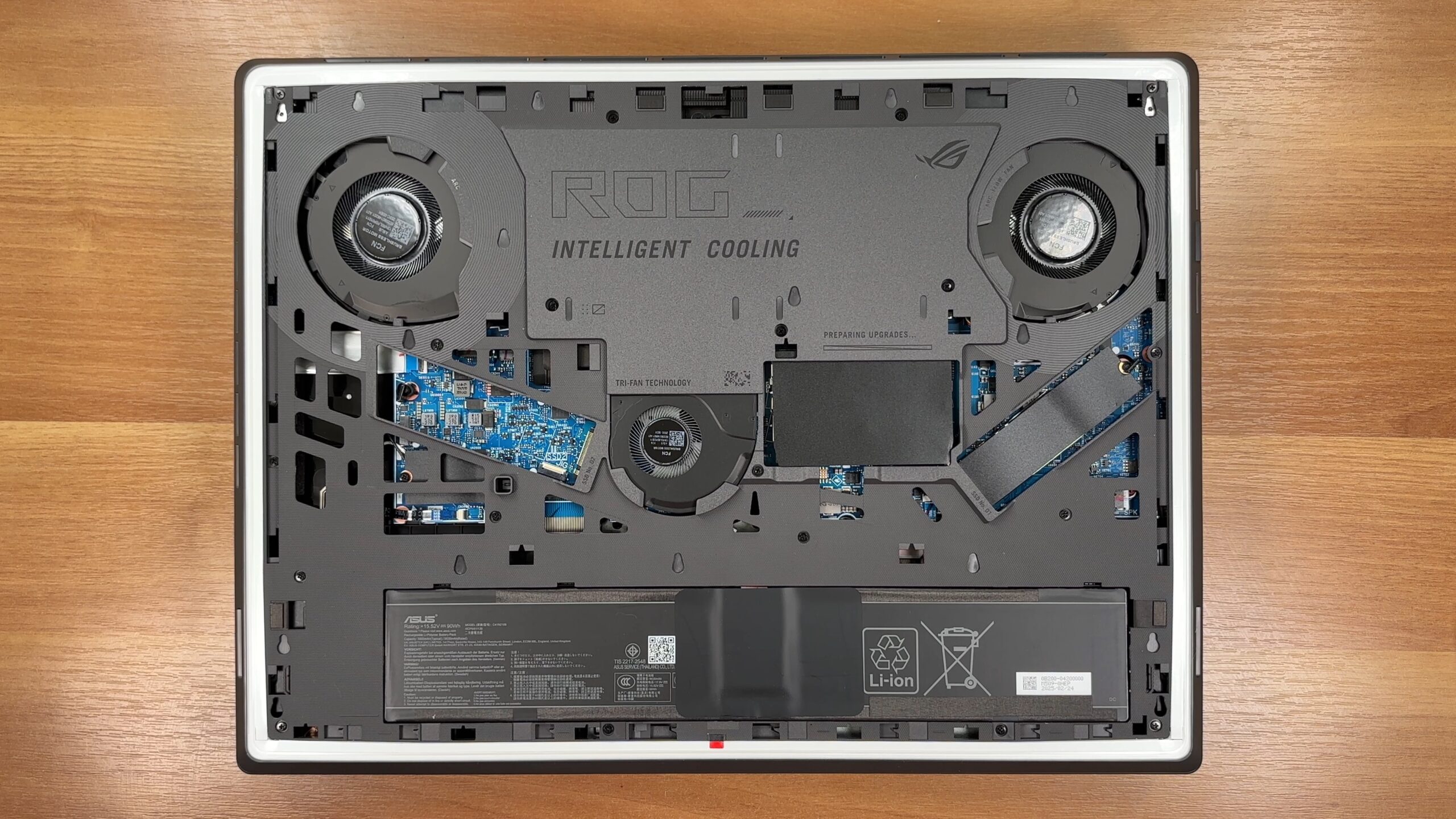
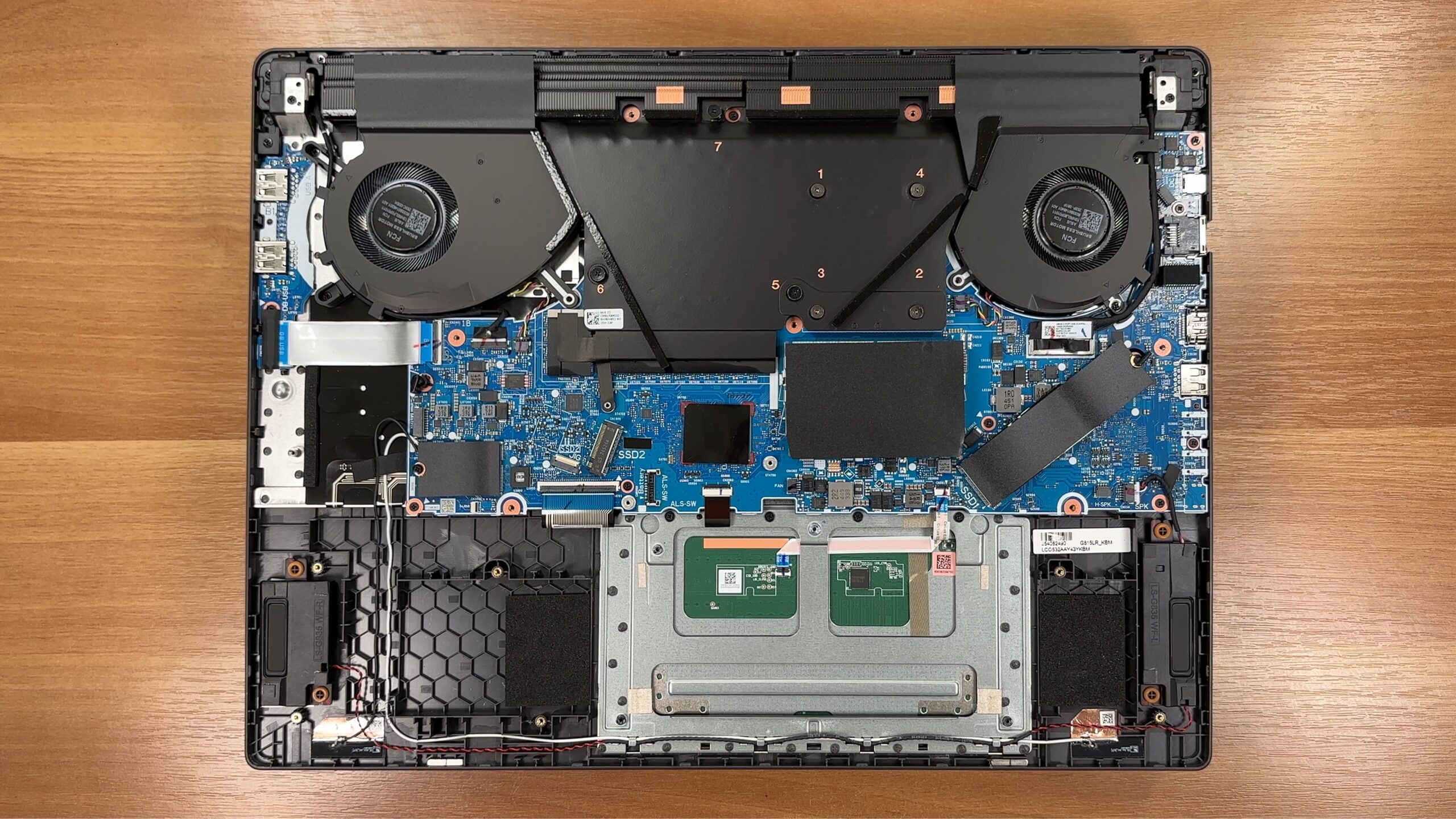
Step 1: Opening the ASUS ROG Strix G18 G815 (2025)
- Shut down the laptop and place it on a soft surface.
- Slide the two Q-latch tabs until the red markers appear. The bottom panel will release and slide off without screws.
- Underneath, remove the large “ROG Intelligent Cooling” shield, secured with 19 JIS screws (2 × M2 × 5.5 mm in the rear corners and 17 × M2 × 10 mm elsewhere). Don’t forget to disconnect the ribbon cable before lifting the shield.
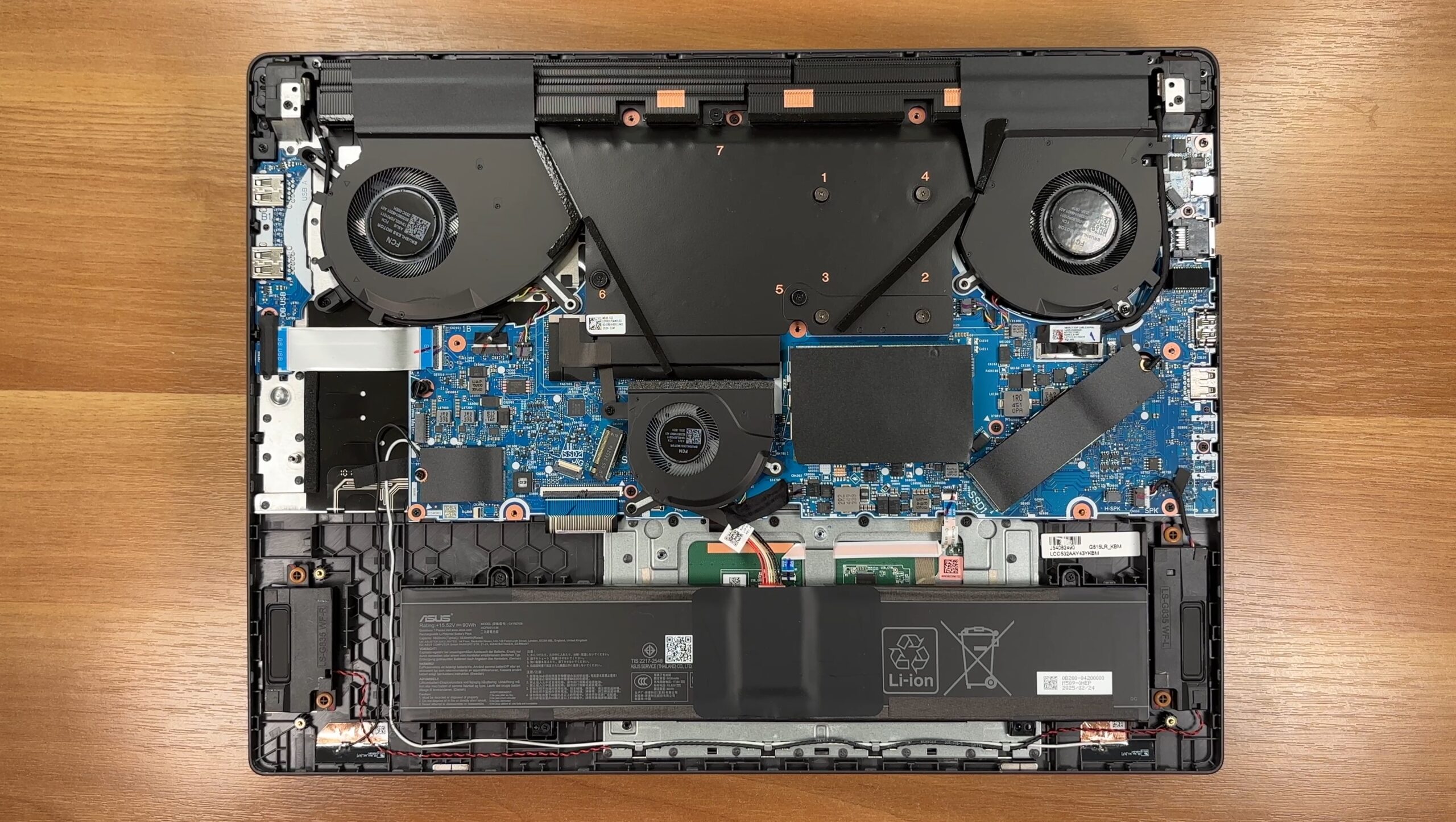
Battery
- The 90Wh battery spans the front edge of the chassis.
- Unplug the upward-pull connector, which is tucked beneath the centre fan.
- Undo the 4 Phillips-head screws that secure the unit, then lift it out safely.
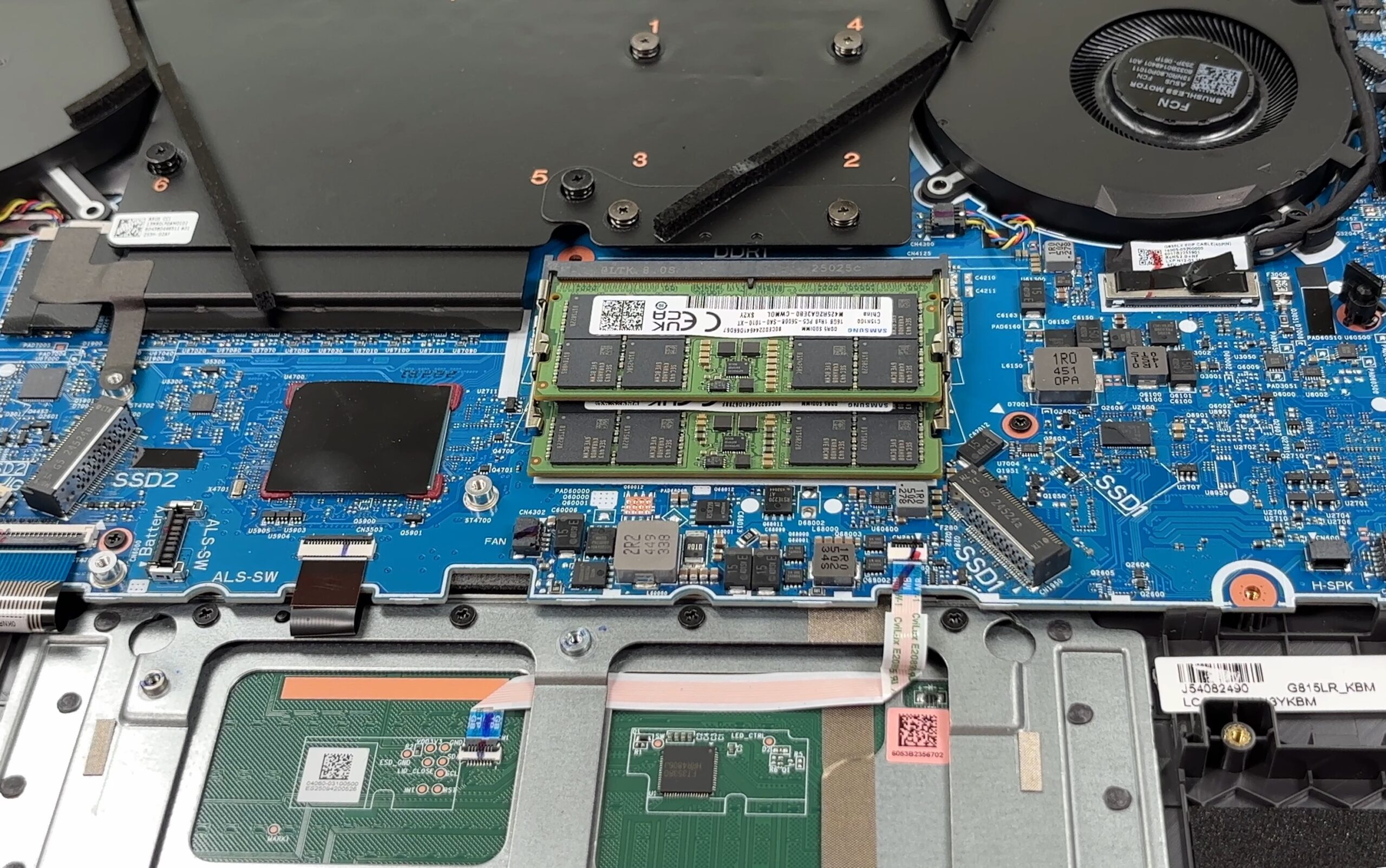
Memory Upgrades
- The Strix G18 provides two DDR5 SO-DIMM slots for user-replaceable RAM.
- Modules are easily accessible once the cooling shield is removed.
You can buy DDR5 RAM modules here: Buy from Amazon.com (#CommissionsEarned)
Storage Upgrades
- There are two M.2 bays supporting PCIe Gen 4 / Gen 5 SSDs.
- Both slots use ASUS’ tool-less locking levers for quick installation or removal.
- Pre-applied thermal pads ensure adequate cooling for the drives.
Hint: Consider reviewing our Top M.2 SSDs Performance Rankings to select the best storage solution for your needs.
You can buy Gen 4 or Gen 5 NVMe drives here: Buy from Amazon.com (#CommissionsEarned)
Wireless Module
- The Wi-Fi 7 card sits on the right edge of the board.
- It’s fastened by a single screw and can be upgraded if needed.
Cooling System
- The laptop features a tri-fan cooling system with a large vapor-chamber plate.
- Air is channelled via the keyboard cut-out and exhausted through rear-hinge vents.
- Color-coded screws and modular design make cleaning or repasting straightforward for enthusiasts.
ASUS ROG Strix G18 G815 in-depth review
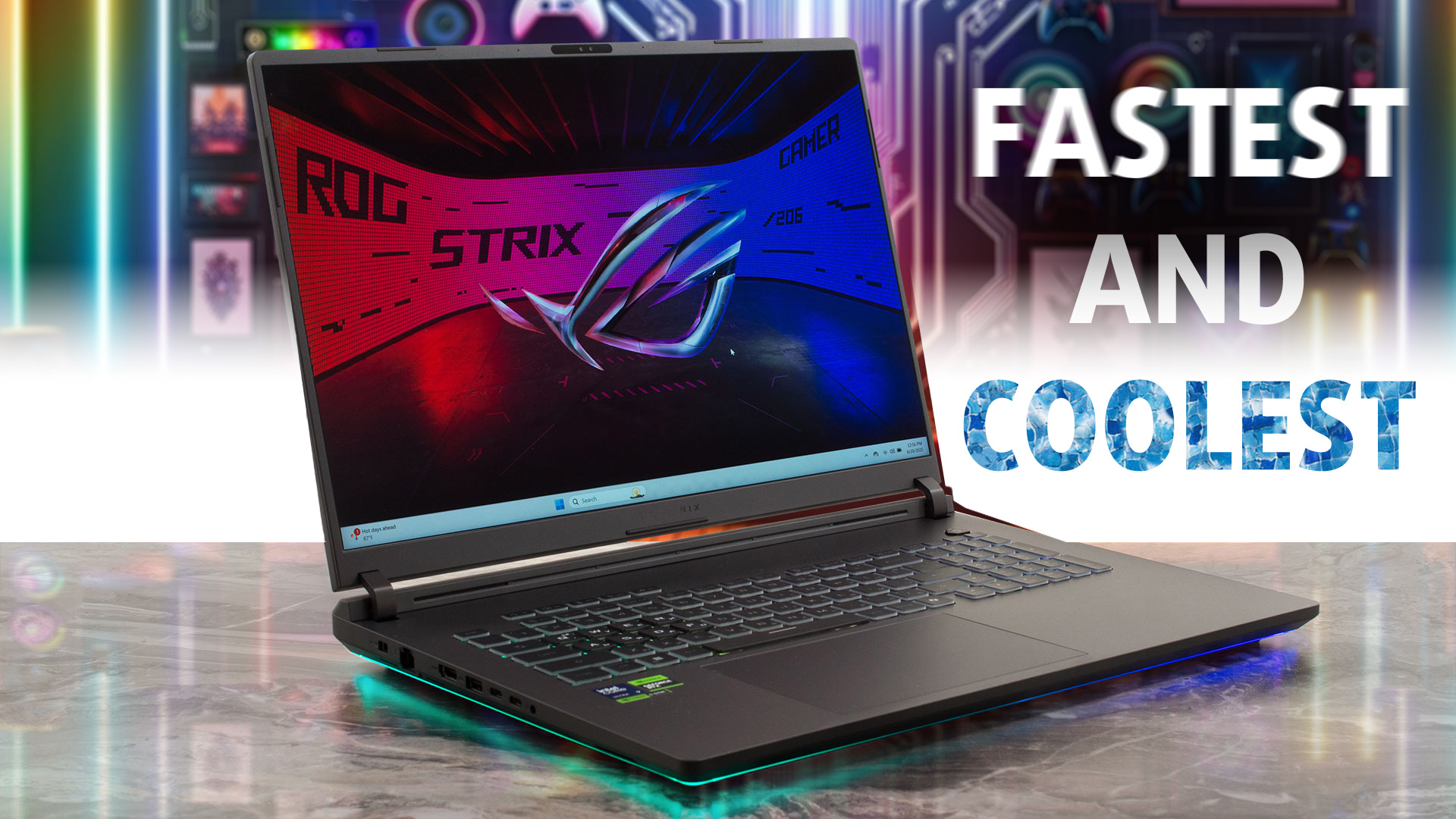
In the world of high-performance gaming laptops, size is often a direct indicator of power. The ASUS ROG Strix G18 G815 (2025) takes this principle to heart, using its massive 18-inch frame not just for a bigger screen, but to house a cooling system that sets a new standard for thermal performance. The result is a machine that doesn't just contain powerful components - it unleashes them, allowing them to run faster and cooler than nearly any competitor. This isn't just another big laptop; it's a statement about what's possible when a manufacturer fully commits to a no-compromise desktop re[...]
Pros
- Chart-topping CPU and GPU performance for its class
- Exceptional thermal management keeps the system cool and fast
- Excellent 18-inch 240Hz display with great colors and low glare
- Completely PWM-free screen for superior eye comfort
- Rock-solid build quality and comfortable keyboard with NumPad
- User-friendly upgradeability for RAM and storage
Cons
- Poor battery life
- Very large and heavy, limiting portability
- No physical privacy shutter for the webcam
 Author: Dimitar Stalev

![[June 2026] Best-Selling Laptop Brands on Amazon Global – Apple’s Unrivaled Dominance in Units and Revenue](https://laptopmedia.com/wp-content/uploads/2026/07/GLOBAL-Best-Brands-400x225.jpg)
![[June 2026] Amazon Global: Top 10 Best-Selling Laptops – Apple’s New MacBook Neo Storms to #1, Reshaping the Market with Affordability](https://laptopmedia.com/wp-content/uploads/2026/07/Best-Selling-Laptops-GLOBAL-Top-10-400x225.jpg)
![[June 2026] Amazon Global: Top 10 Best-Selling Gaming Laptops – Acer’s Nitro V 16S AI Dominates Sales, While ASUS Leads Overall Revenue](https://laptopmedia.com/wp-content/uploads/2026/07/Best-Selling-Gaming-Laptops-GLOBAL-Top-10-400x225.jpg)
![[June 2026] Global Ranking of Best-Selling Laptop GPUs on Amazon – NVIDIA RTX 5060 is the Top-Selling Dedicated GPU](https://laptopmedia.com/wp-content/uploads/2026/07/Best-Selling-GPUs-GLOBAL-Top-10-400x225.jpg)
![[June 2026] Global Ranking of Best-Selling Laptop CPUs on Amazon – Apple M5 Dominates, AMD Ryzen 7 260 Gets Solid Premium Share](https://laptopmedia.com/wp-content/uploads/2026/07/Best-Selling-CPUs-GLOBAL-Top-10-400x225.jpg)
