How to open ASUS ROG Strix SCAR 18 G835 (2025) – disassembly and upgrade options
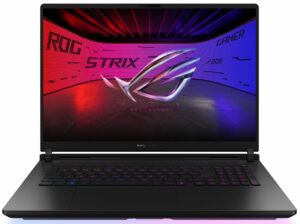
Opening the ASUS ROG Strix SCAR 18 G835
Hint: This model features a tool-less rear access panel with a locking mechanism—no screws required.
- Ensure both locking markers show red—this indicates the unlocked position.
- Pull the locking switch and slide the rear cover in the indicated direction.
- Once unlocked, lift the cover to access the internal components.
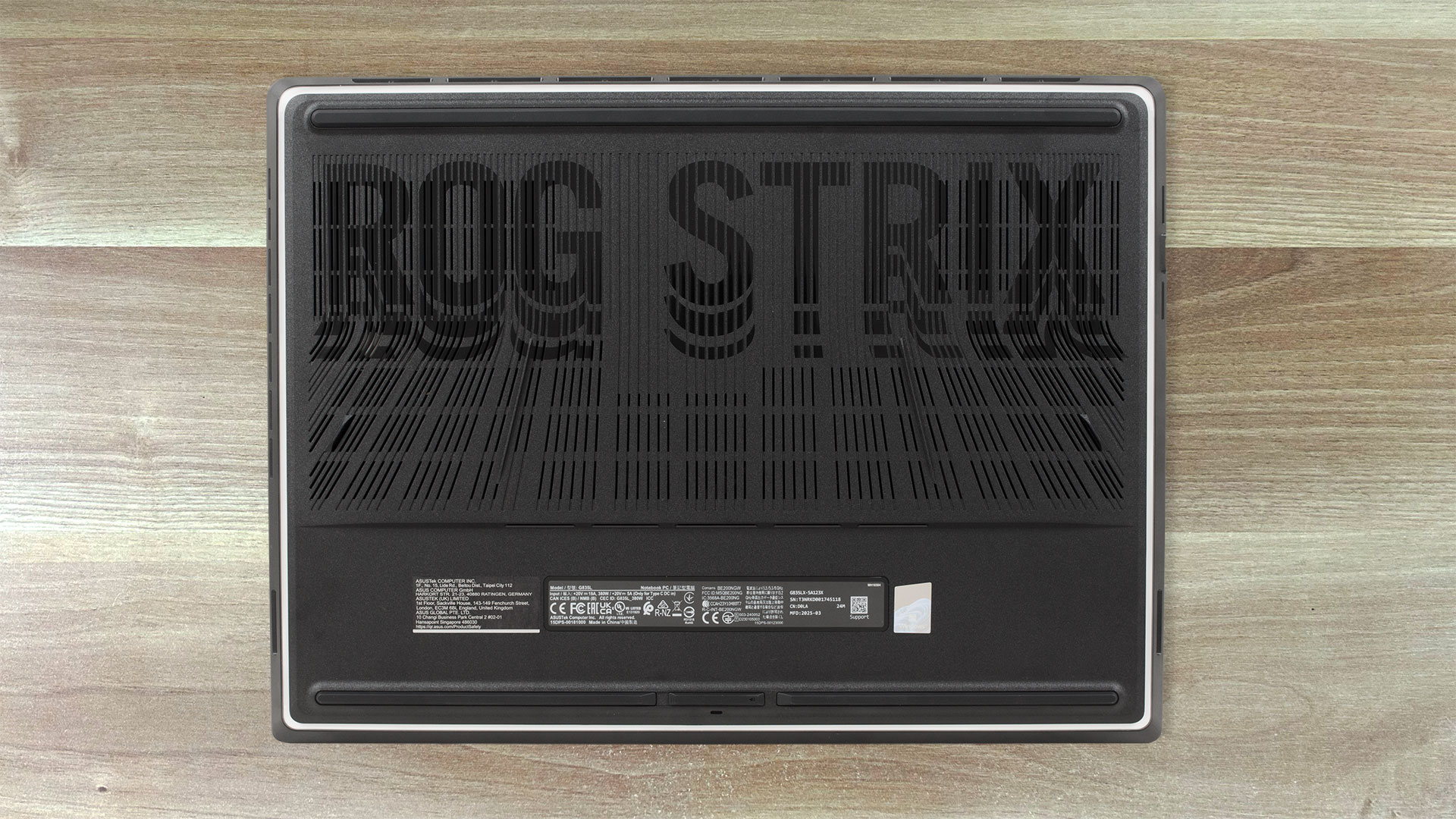
More info: This new tool-less design provides quick access to the RAM, SSDs, and fan filters, making it ideal for user-friendly upgrades and maintenance.
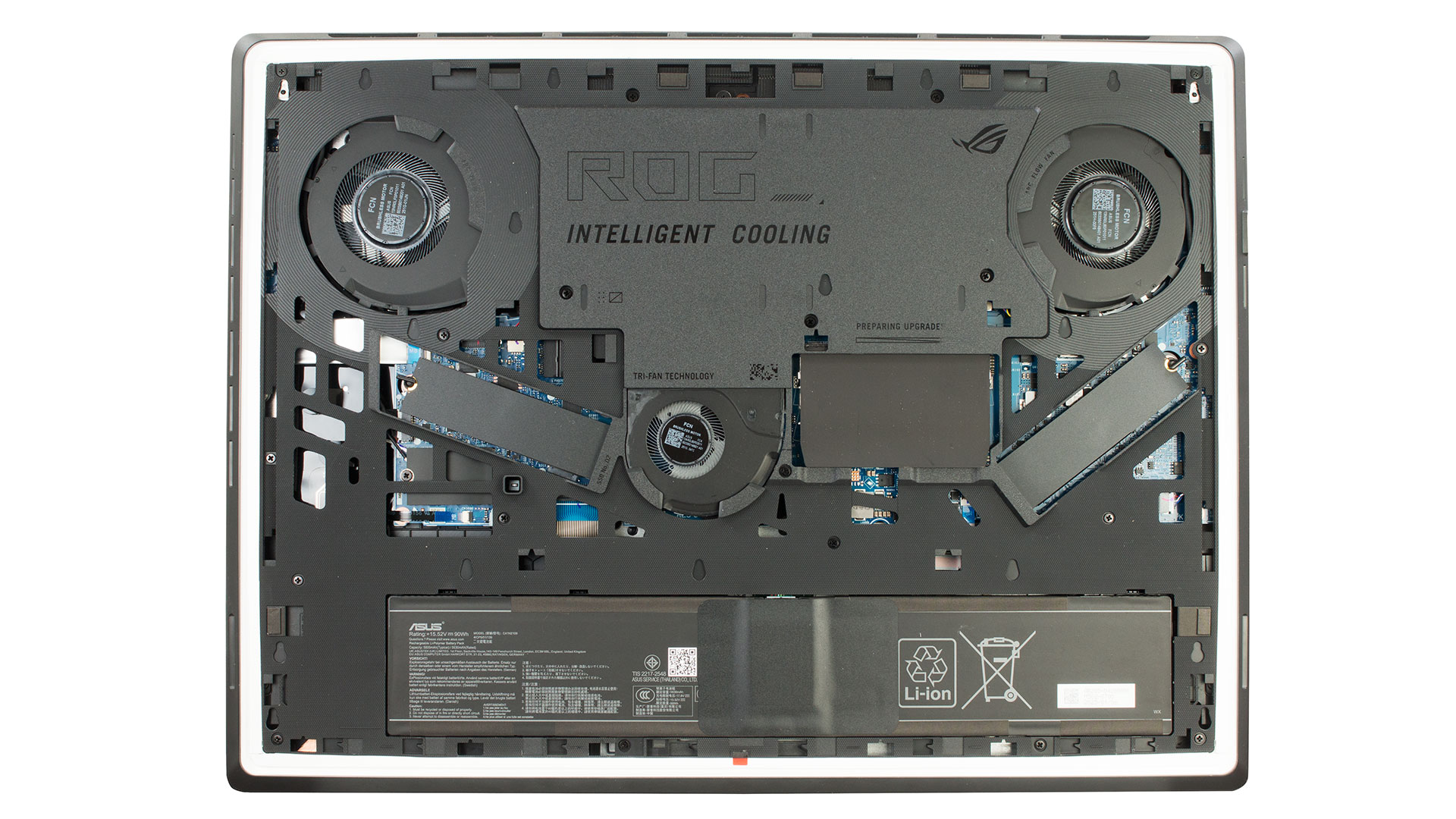
Storage Upgrade
Hint: Use the Q-Latch system to remove SSDs—no screwdriver needed.
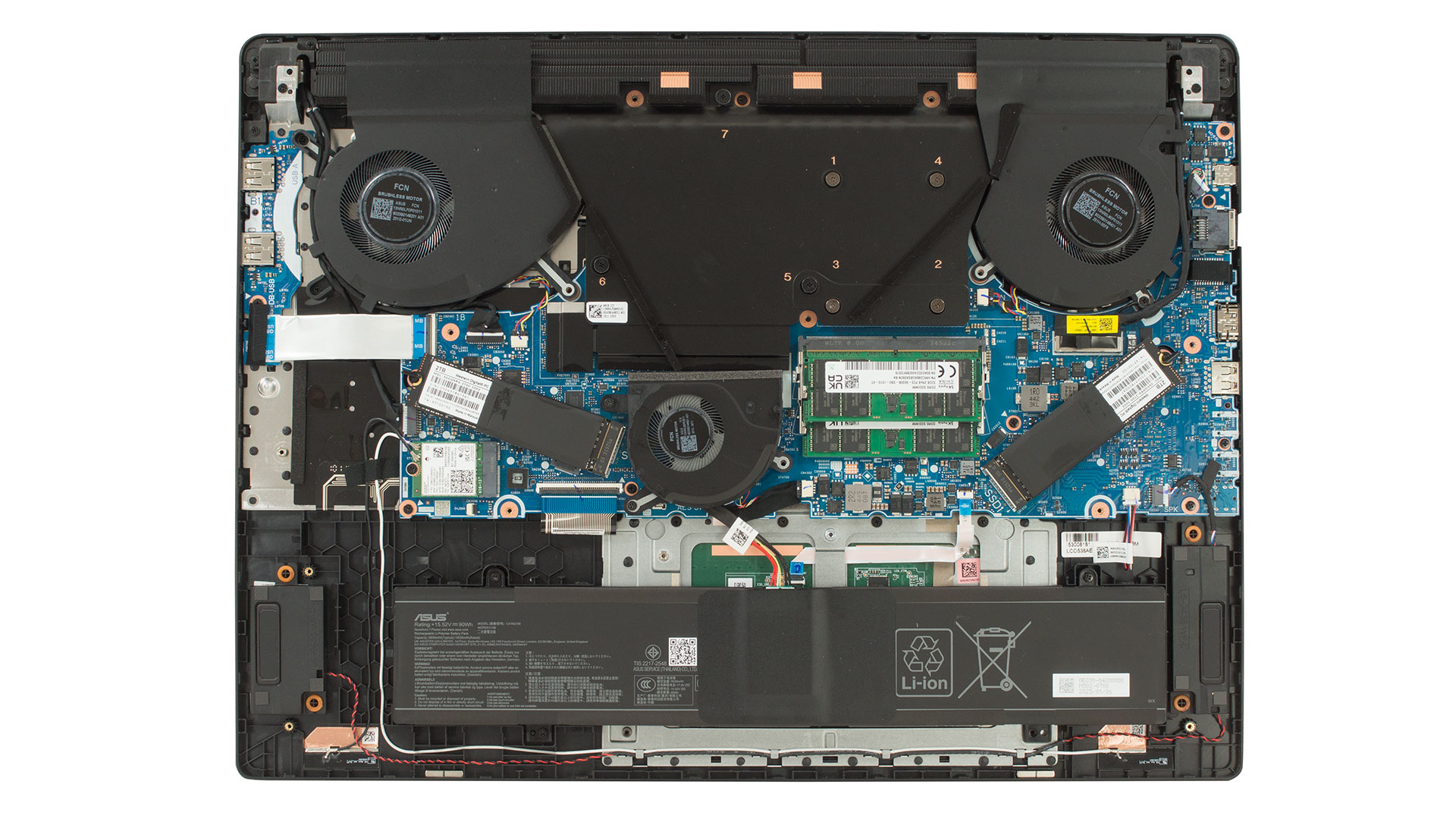
- Peel off the protective stickers covering the two M.2 SSD slots.
- Use the Q-Latch mechanism to release and remove each 2280 PCIe Gen 4 NVMe SSD.
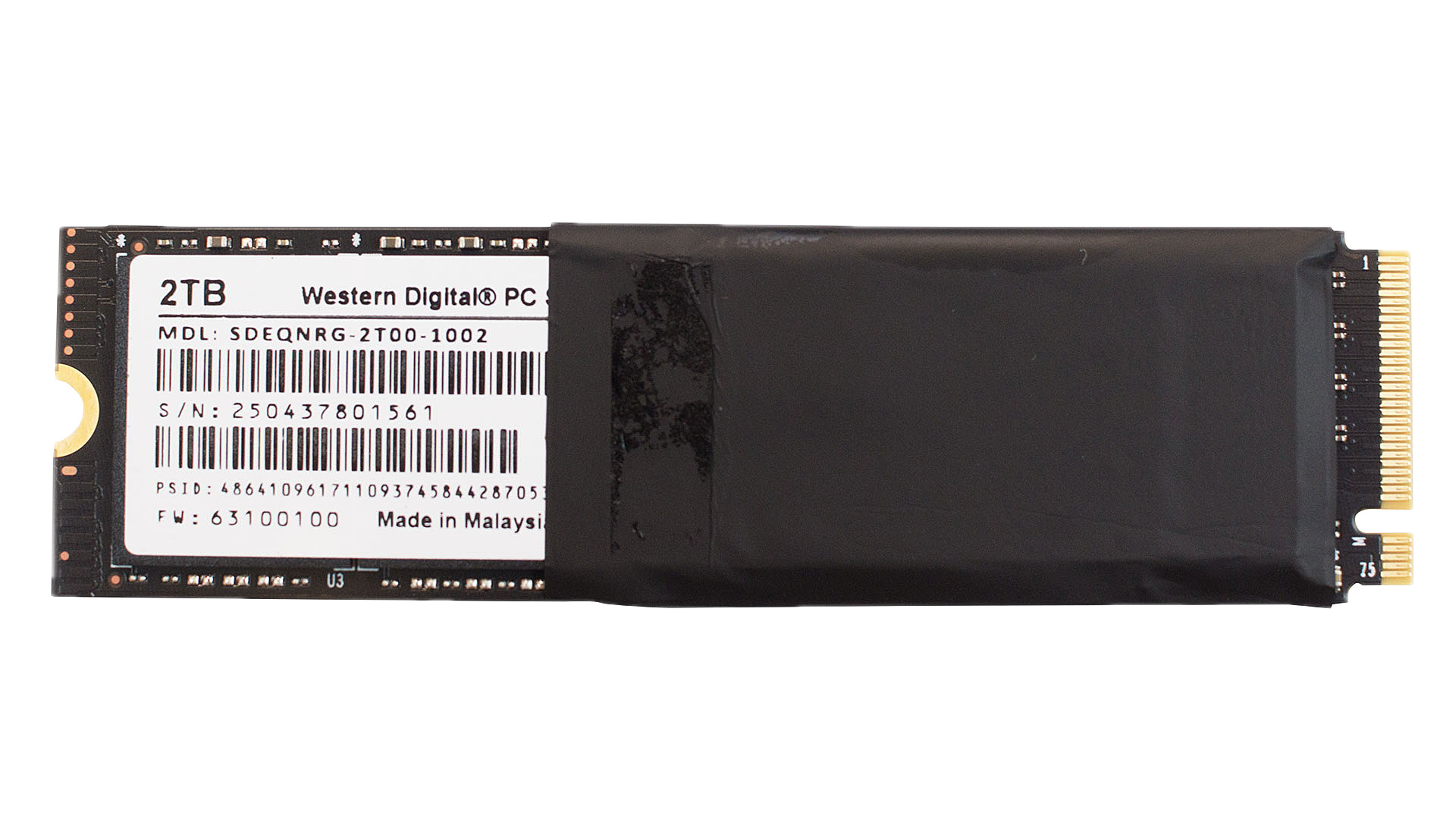
More info: This laptop supports two Gen 4 M.2 SSDs. The tested unit includes two 2TB Western Digital NVMe drives (model SDEQNRG-2T00).
You can find compatible SSDs here: Buy from Amazon.com (#CommissionsEarned)
Memory Upgrade
Note: RAM modules are accessible without removing the internal frame.
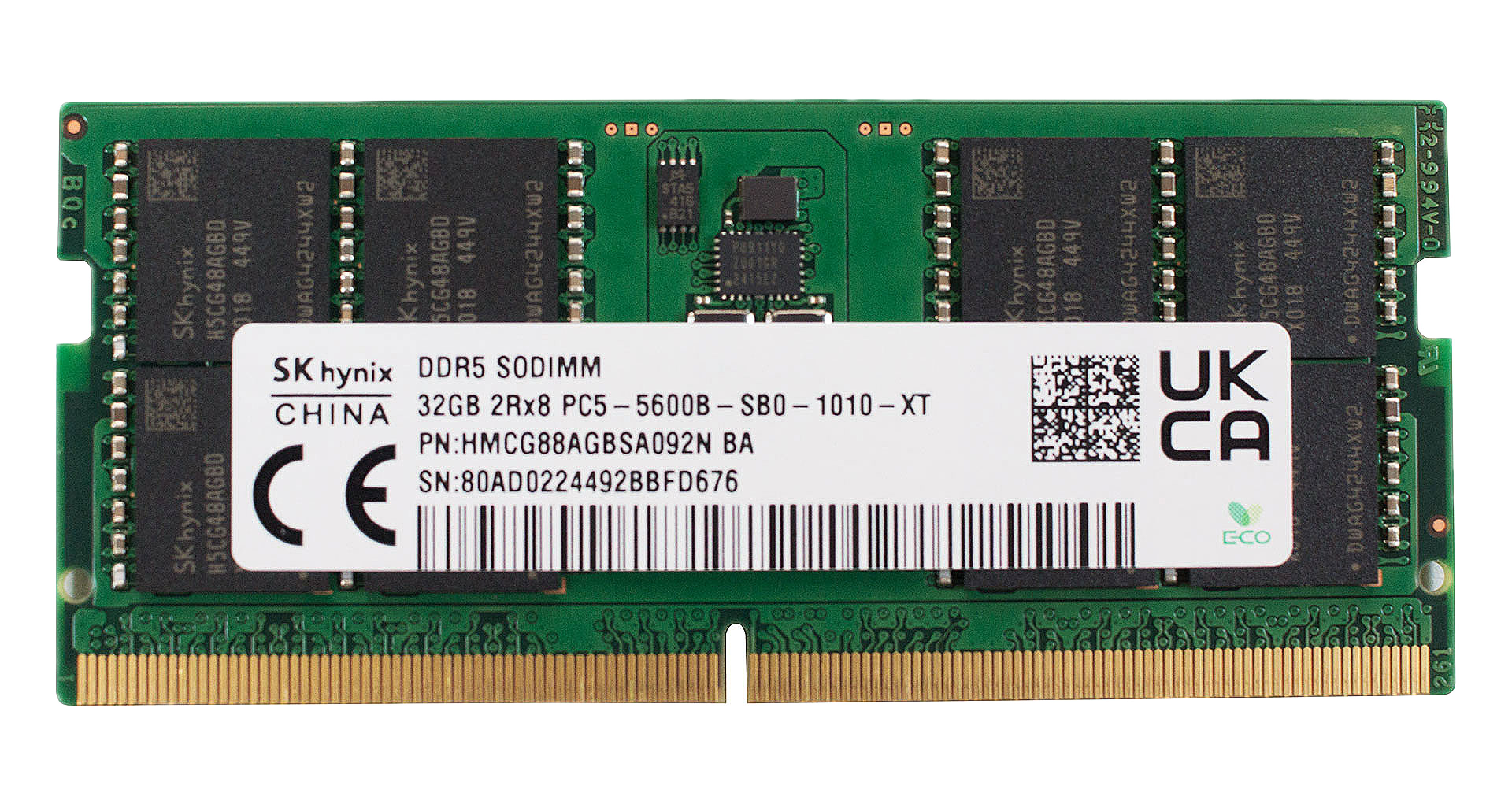
- Remove the protective stickers covering the RAM slots.
- Replace or upgrade the DDR5 memory modules as needed.
More info: The tested configuration includes 64GB (2x32GB) DDR5-5600 MHz RAM. The laptop supports dual-channel upgrades.
You can find compatible RAM here: Buy from Amazon.com (#CommissionsEarned)
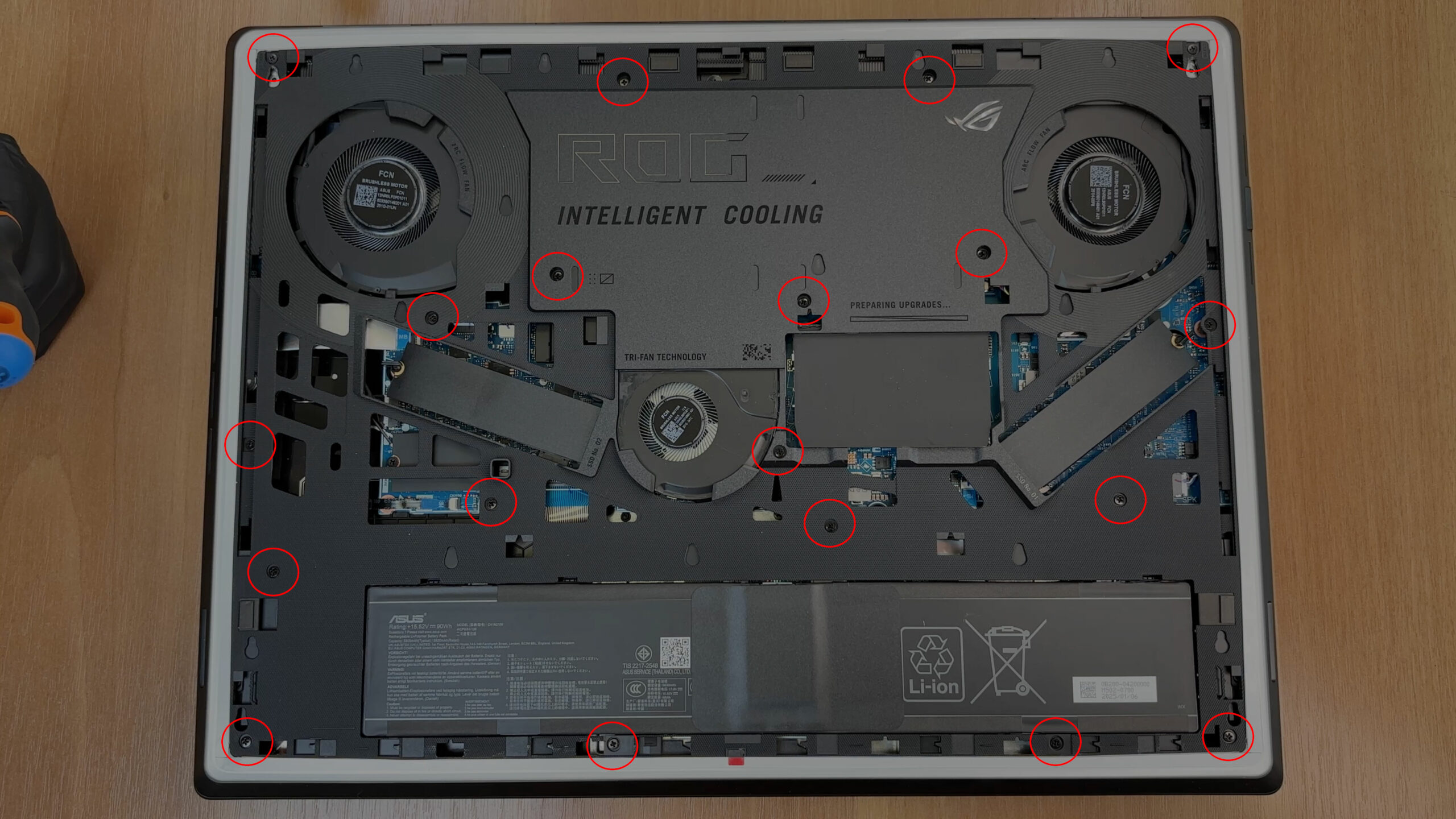
Internal Frame and Full Motherboard Access
Caution: Keep track of screw lengths and positions during disassembly.
- Unscrew two M2x5.5 and seventeen M2x10 screws securing the internal frame.
- Use a thin plastic tool to carefully release the plastic clips, starting ~1 cm from the outer edge of the frame.
More info: Removing this frame reveals access to the motherboard, battery, fans, and deeper internals.
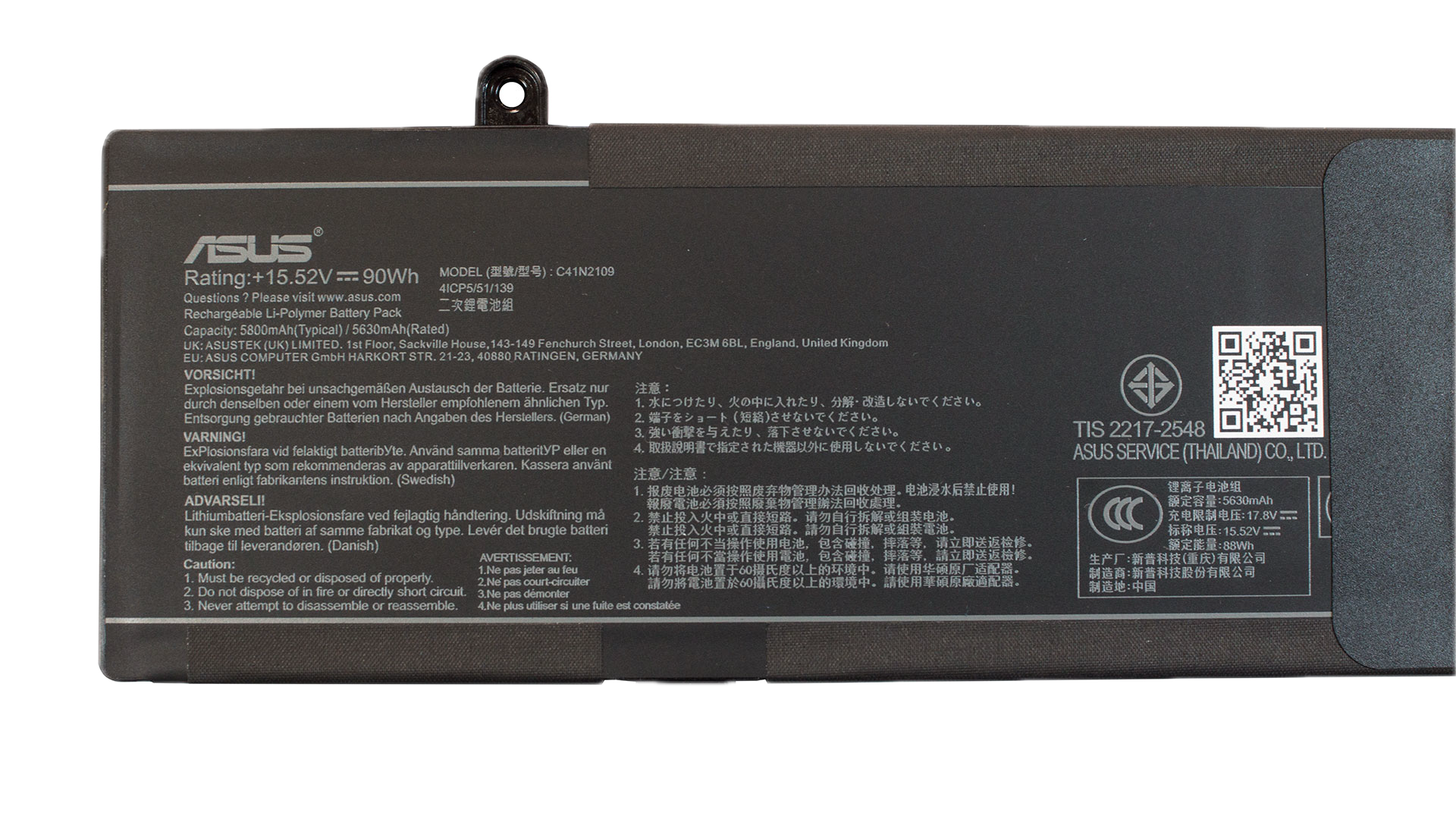
Battery Removal
Caution: Disconnect the battery last during disassembly and first during reassembly.
- Remove the fan above the battery connector by undoing two screws (the third was removed with the frame).
- Disconnect the battery by lifting the connector vertically.
- Remove three of the four screws securing the battery (one remains attached to the frame).
More info: The lithium-polymer battery (model C41N2109) has a 90Wh capacity (15.52V, 5800 mAh), offering long gaming or productivity uptime.
You can find compatible batteries here: Buy from Amazon.com (#CommissionsEarned)
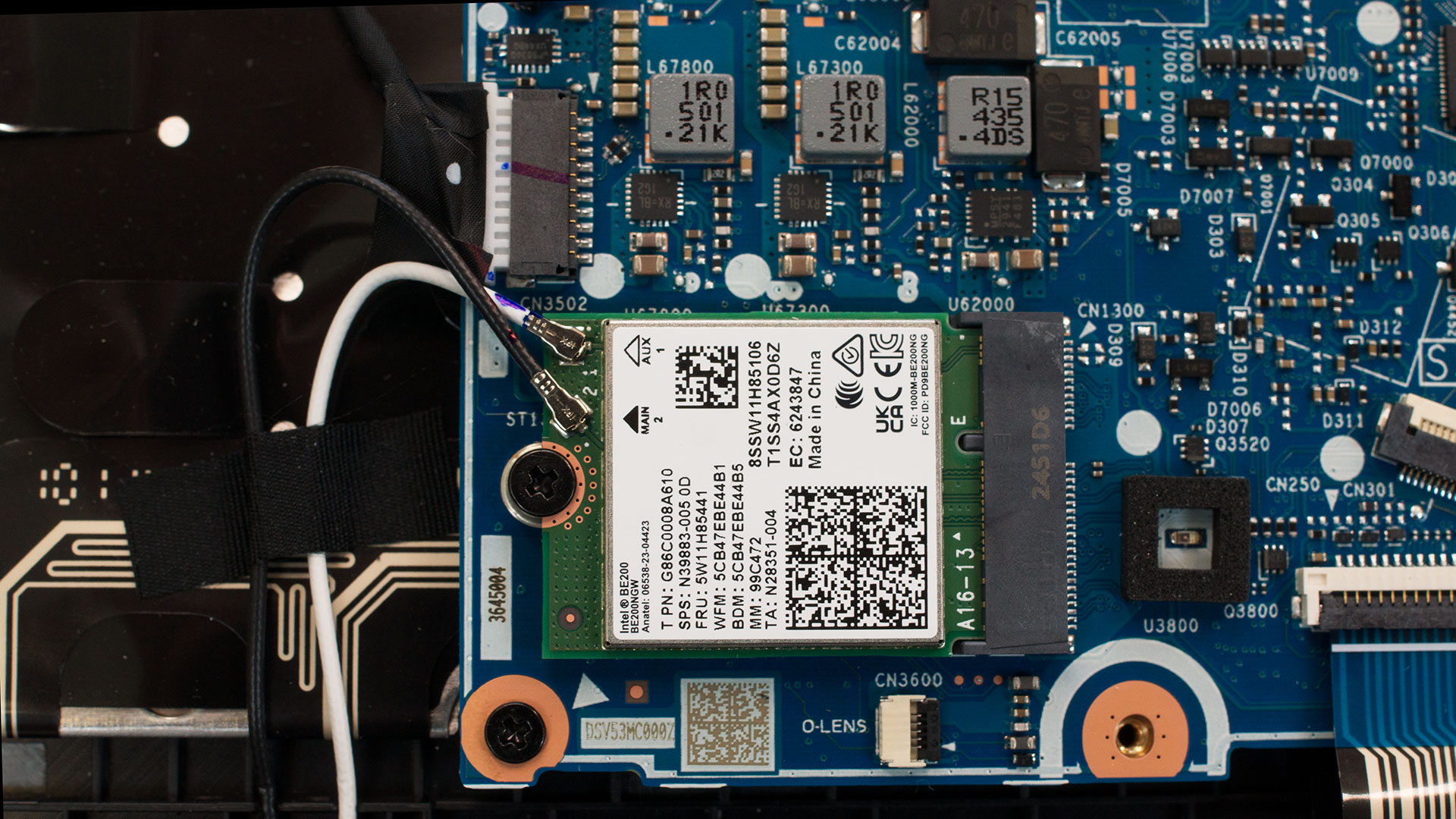
Wi-Fi Upgrade
More info:
- The Intel BE200NGV module supports Wi-Fi 7 (802.11be) and Bluetooth 5.4.
- It features a 2×2 antenna configuration for fast speeds and reliable connectivity.
You can find compatible modules here: Buy from Amazon.com (#CommissionsEarned)
Cooling System Overview
More info: The SCAR 18 G835 is equipped with a next-gen thermal design for high-end gaming and content creation workloads.
- A large custom vapor chamber extends toward rear exhausts for maximum heat distribution.
- Three fans: two primary units for CPU/GPU, and one auxiliary fan for video memory and extra heat zones.
- Dense cooling fins, side and keyboard air intakes, and rear-placed exhaust vents improve comfort and efficiency.
- Dust filters at air intakes reduce internal contamination and improve long-term performance.
Tip: Clean dust filters regularly and inspect the fans to keep performance and acoustics optimal.
ASUS ROG Strix SCAR 18 G835 in-depth review
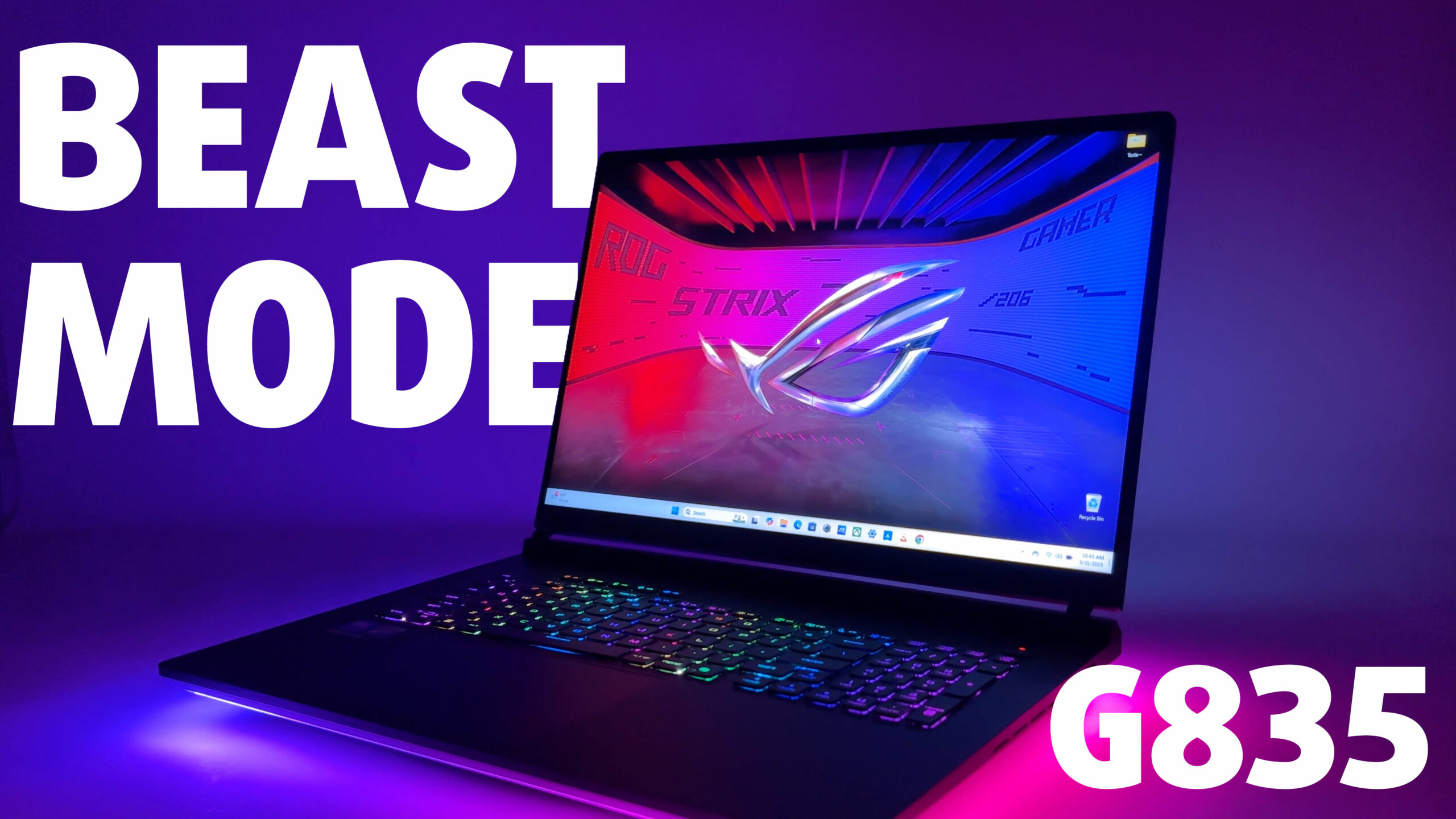
When ASUS unveils a new ROG Strix SCAR, the gaming world takes notice. The 2025 edition, the SCAR 18 G835, arrives not just with next-generation silicon promising chart-topping performance, but also a bold redesign featuring eye-catching elements like the AniMe Matrix lid. Is this formidable machine the ultimate desktop replacement powerhouse it claims to be, blending raw speed with a premium experience? Or does its ambition come with compromises potential buyers need to be aware of?In this comprehensive review, we'll dive deep into every facet of the ASUS ROG Strix SCAR 18 G835 (2025). We[...]
Pros
- Exceptional performance from Core Ultra 9 and RTX 5090
- Stunningly bright and vibrant 18-inch 240Hz Mini-LED display
- Excellent factory color accuracy covering 100% sRGB and DCI-P3
- Future-proof connectivity with Thunderbolt 5, Wi-Fi 7, and 2.5Gbps LAN
- Comfortable keyboard with deep travel and huge, smooth trackpad
- Solid build quality and user-friendly tool-less access for upgrades
- Very low screen reflectance enhances visibility
- High-quality 4-speaker audio system
Cons
- Display uses PWM across all brightness levels, potentially causing eye strain for sensitive users
- Very large and heavy, limiting portability
- Lacks biometric login options (fingerprint or IR camera)
 Author: Dimitar Stalev

![[August 2026] Amazon USA: Top 10 Best-Selling Laptops – Apple MacBook Neo Dominates the Market with Massive Unit Sales!](https://laptopmedia.com/wp-content/uploads/2026/09/Best-Selling-Laptops-COM-Top-10-400x225.jpg)
![[August 2026] Amazon USA: Top 10 Best-Selling Gaming Laptops – ASUS ROG Strix G16 Dominates the Market with Massive Unit Sales](https://laptopmedia.com/wp-content/uploads/2026/09/Best-Selling-Gaming-Laptops-COM-Top-10-400x225.jpg)
![[July 2026] Amazon Global: Top 10 Best-Selling Laptops – Apple MacBook Neo Dominates the Charts as Budget and Premium Notebooks Split the Market](https://laptopmedia.com/wp-content/uploads/2026/08/Best-Selling-Laptops-GLOBAL-Top-10-400x225.jpg)
![[July 2026] Amazon Global: Top 10 Best-Selling Gaming Laptops – ASUS ROG Strix G16 Dominates the Global Market with Record-Breaking Unit Sales](https://laptopmedia.com/wp-content/uploads/2026/08/Best-Selling-Gaming-Laptops-GLOBAL-Top-10-400x225.jpg)
![[July 2026] Global Ranking of Best-Selling Laptop GPUs on Amazon – RTX 5060 Dominate Premium, Intel Still Rules Budget](https://laptopmedia.com/wp-content/uploads/2026/08/Best-Selling-GPUs-GLOBAL-Top-10-400x225.jpg)
