How to open ASUS TUF Gaming A16 FA608 – disassembly and upgrade options
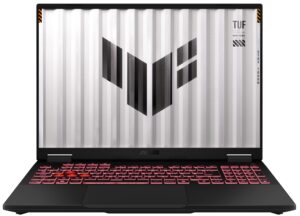
Opening the ASUS TUF Gaming A16
Hint: Ensure the laptop is powered off and unplugged before starting.
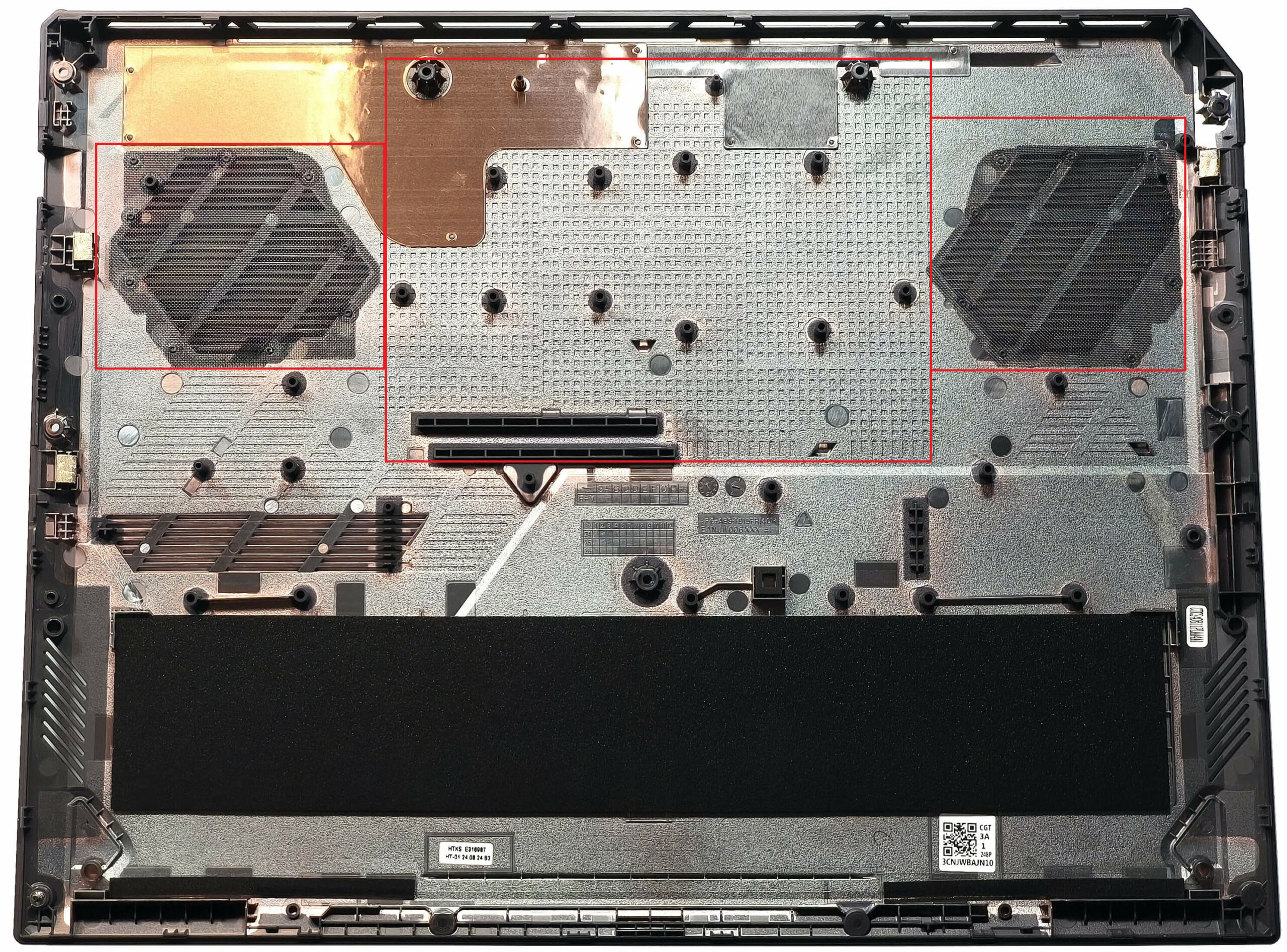
- Undo the 11 Phillips-head screws securing the bottom panel to the chassis. Note that the screw on the bottom right edge is captive and will lift the panel in this area, simplifying disassembly.
- Use a thin plastic tool to pry the front, sides, and rear of the panel to release the internal clips.
- Carefully remove the bottom panel to access the internals.
More info: The bottom panel includes dust filters in front of the two vents and numerous plastic elements that enhance structural support.
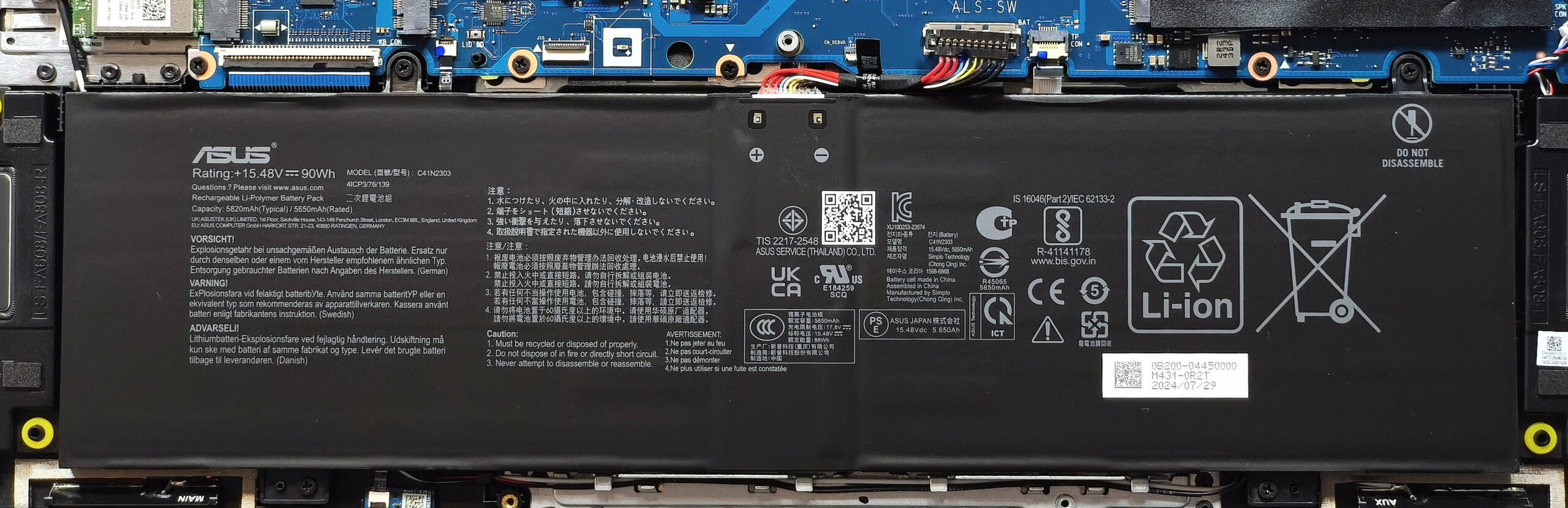
Battery Removal
Caution: Wear gloves to avoid short circuits when handling the battery.
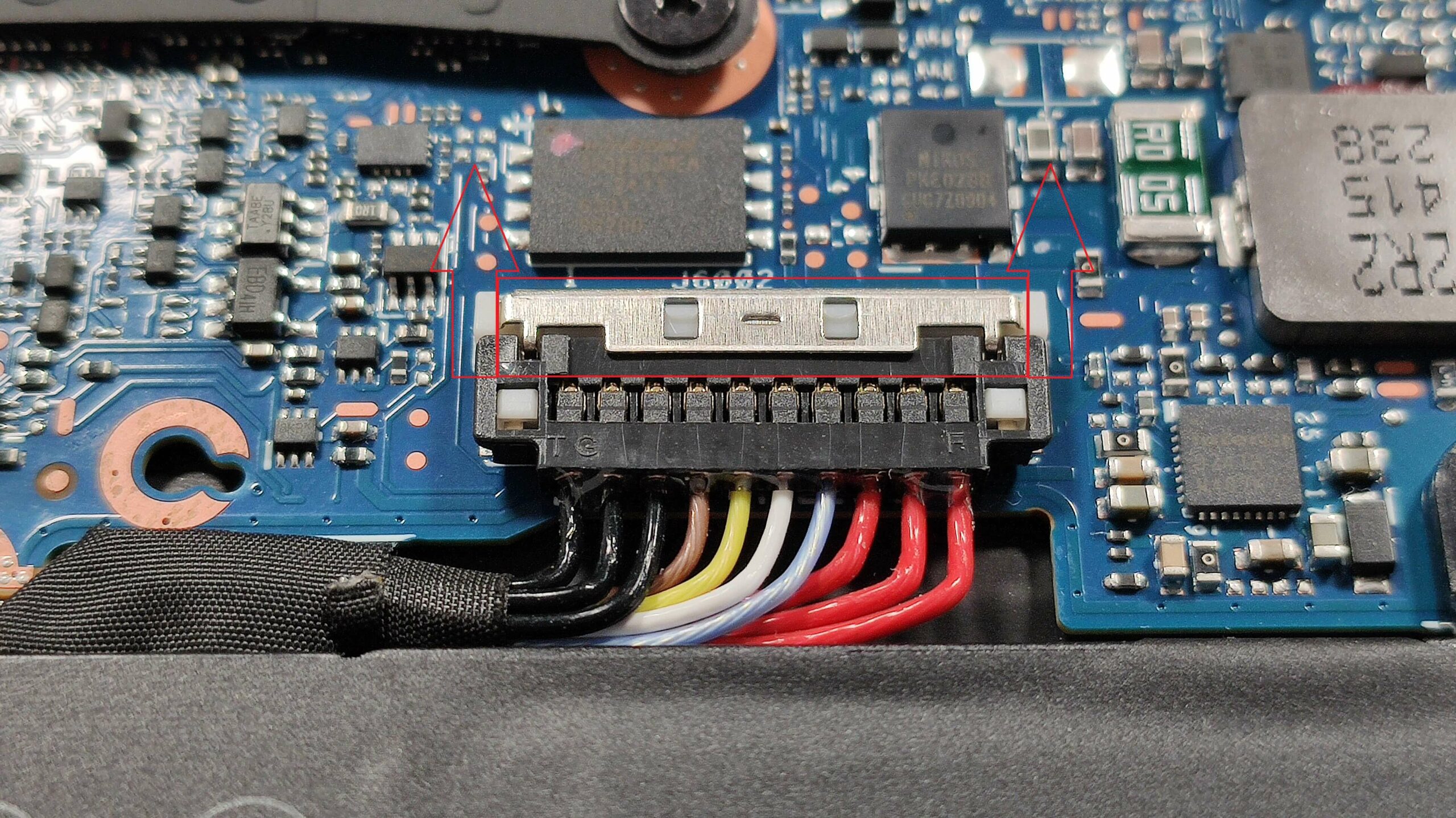
- Slide up the small metal cap on top of the battery connector to release it.
- Carefully lift the connector by its sides using plastic tools to disconnect it from the motherboard.
- Undo the four Phillips-head screws securing the 90Wh battery to the chassis.
- Lift and remove the battery from the laptop.
More info: The 90Wh battery provides approximately 8 hours of video playback, making it suitable for gaming and productivity tasks.
You can find compatible batteries here: Buy from Amazon.com (#CommissionsEarned)
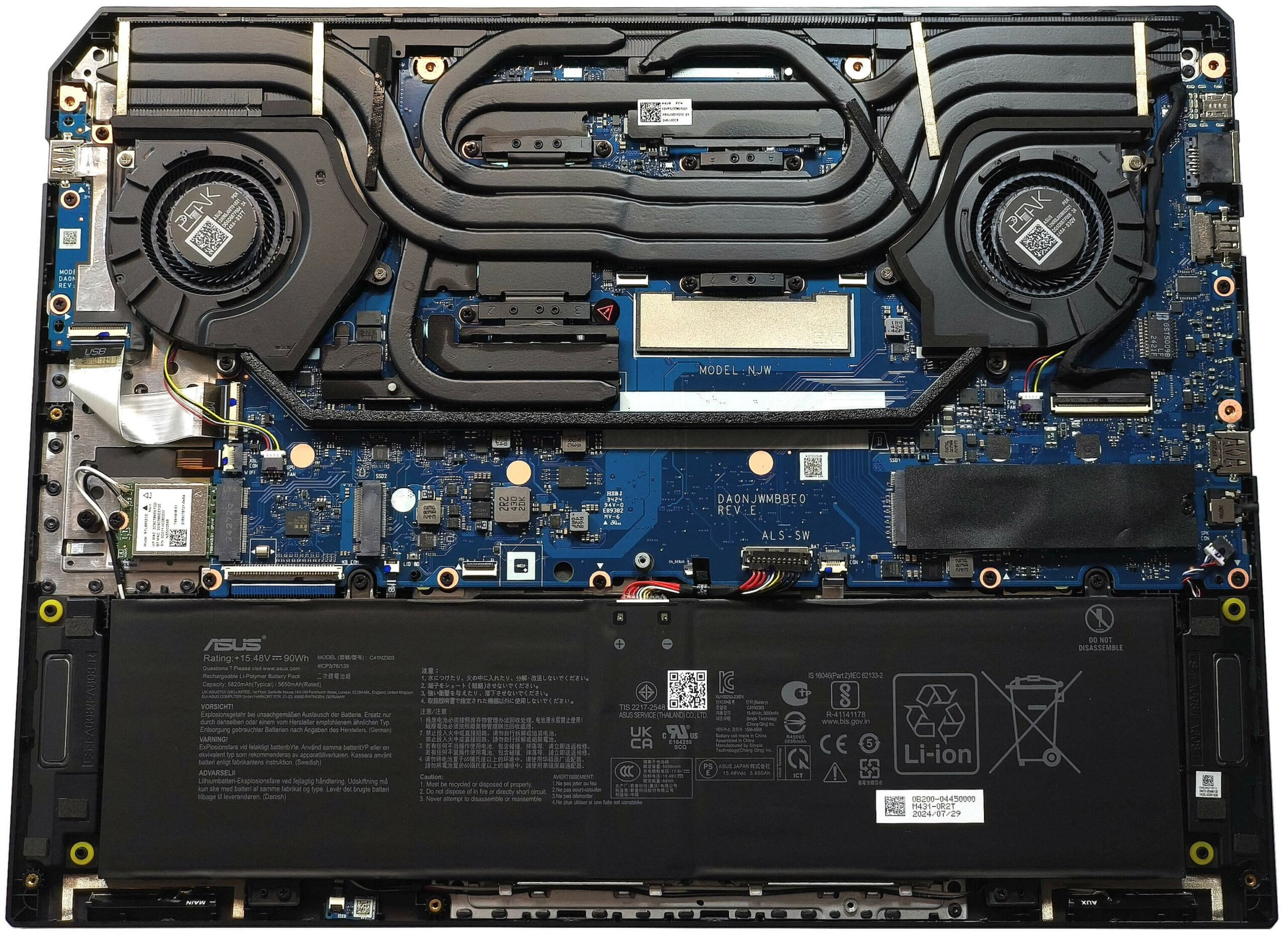
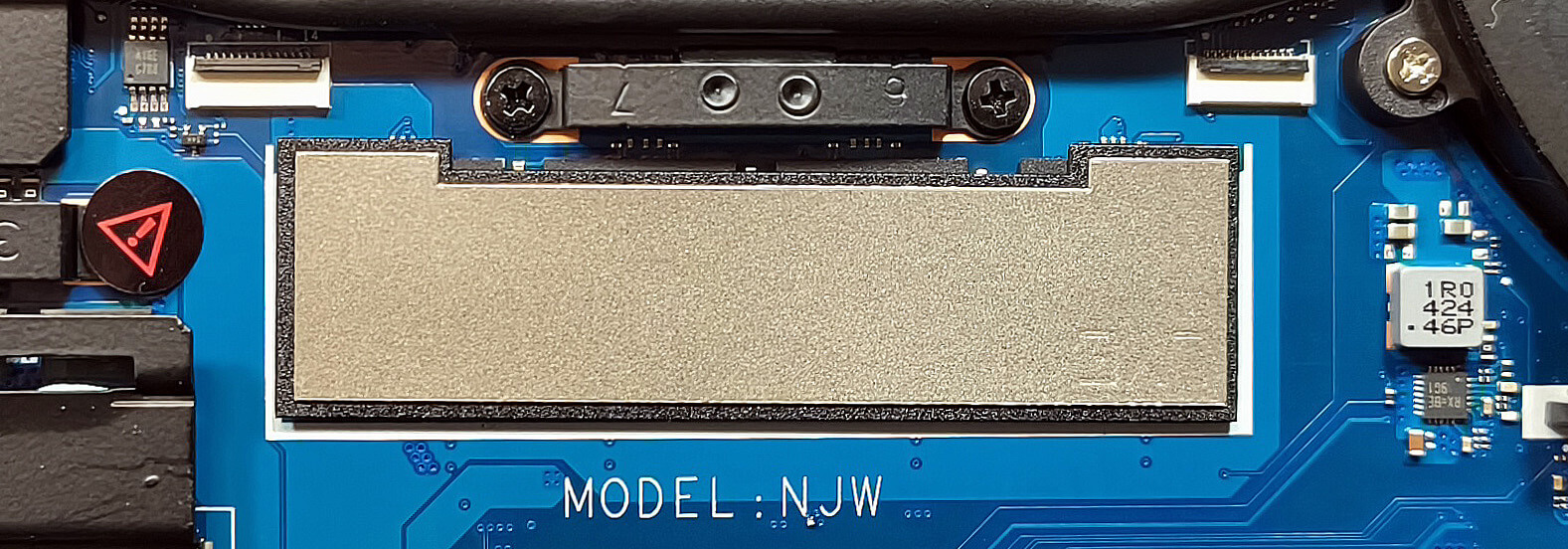
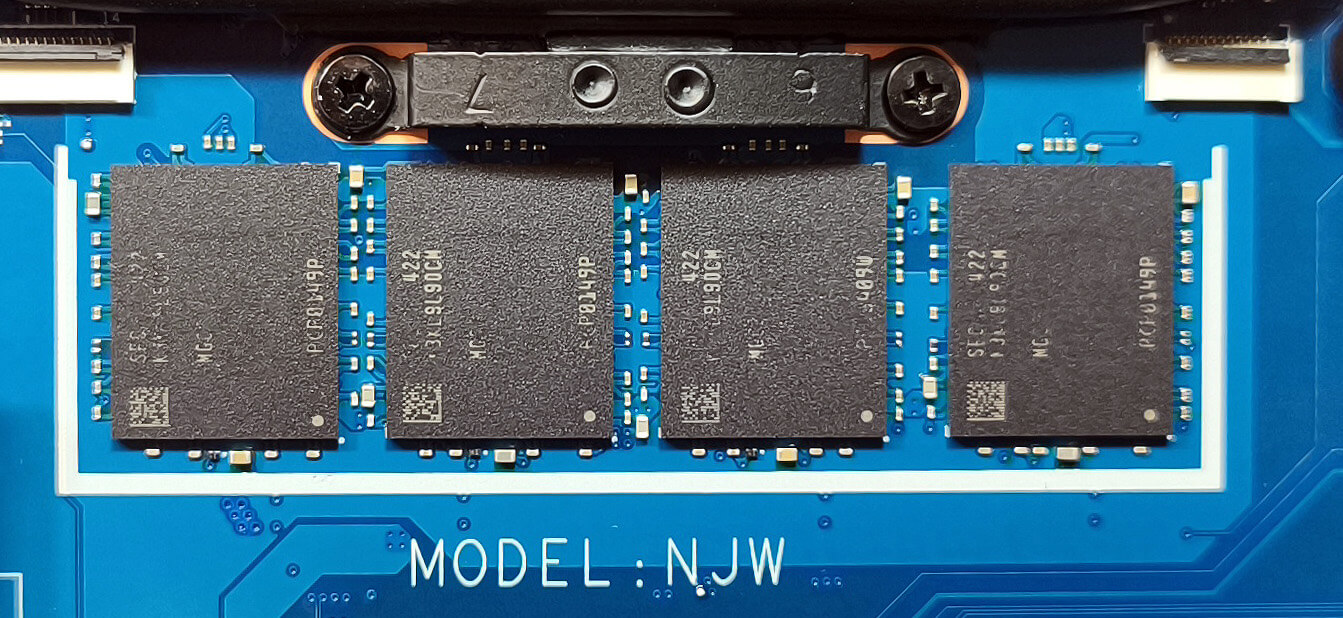
Memory Details
Note: The memory is soldered and not user-upgradeable.
More info: The laptop supports up to 32GB of LPDDR5x-7500MHz RAM in dual-channel mode, providing ample capacity for gaming and multitasking.
Storage Upgrade
Hint: Handle SSD components carefully to avoid damage or data loss.
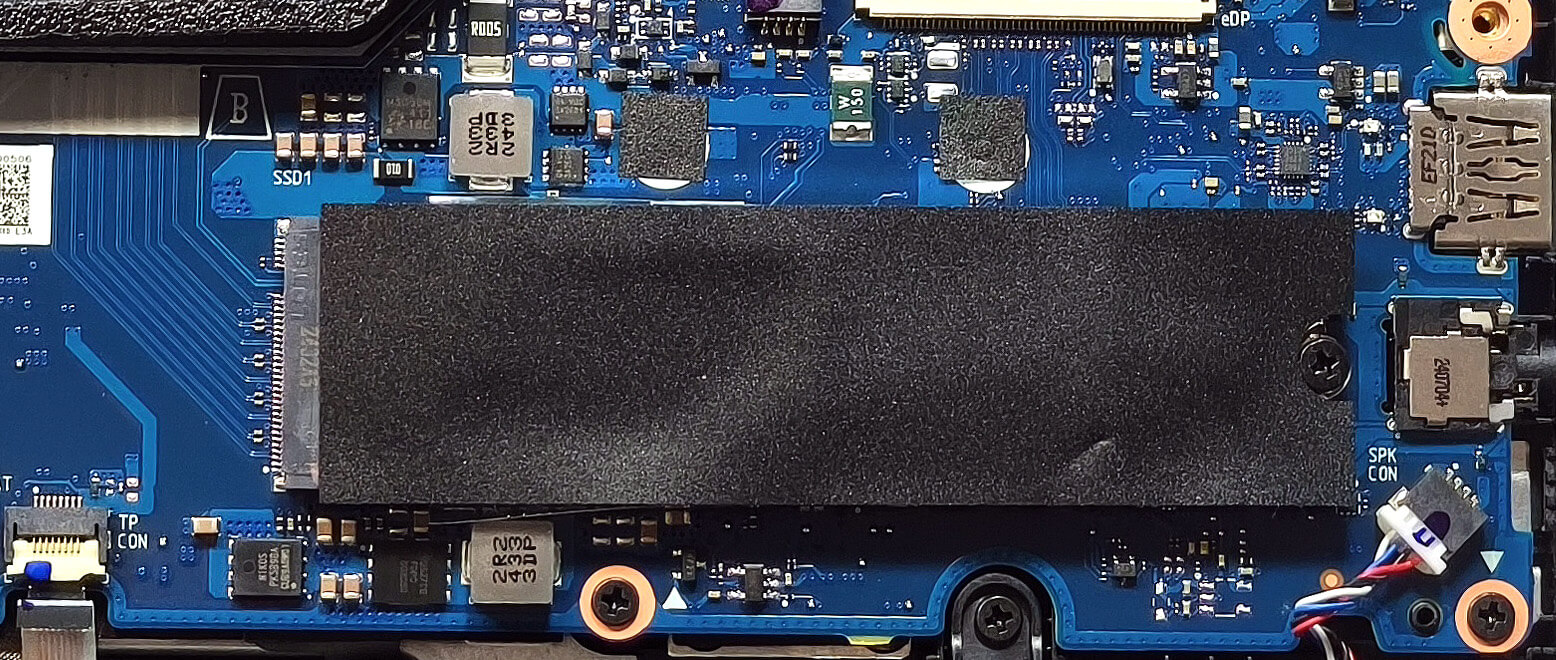
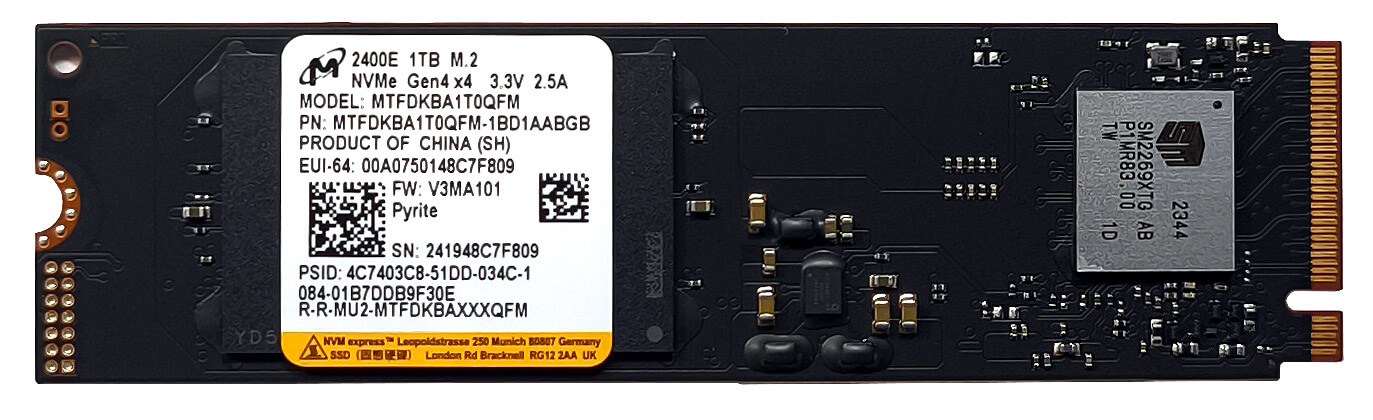
- Locate the two M.2 slots, both compatible with 2280 Gen 4 SSDs.
- The right slot supports PCIe 4.0 x4, while the left slot supports PCIe 4.0 x2. Choose the right slot for faster performance.
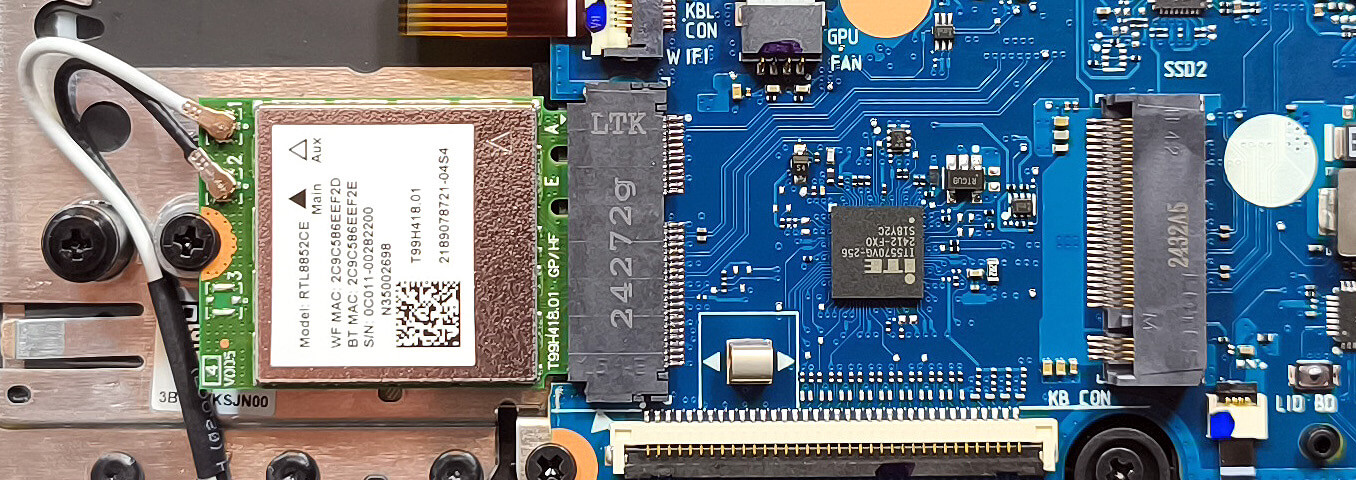
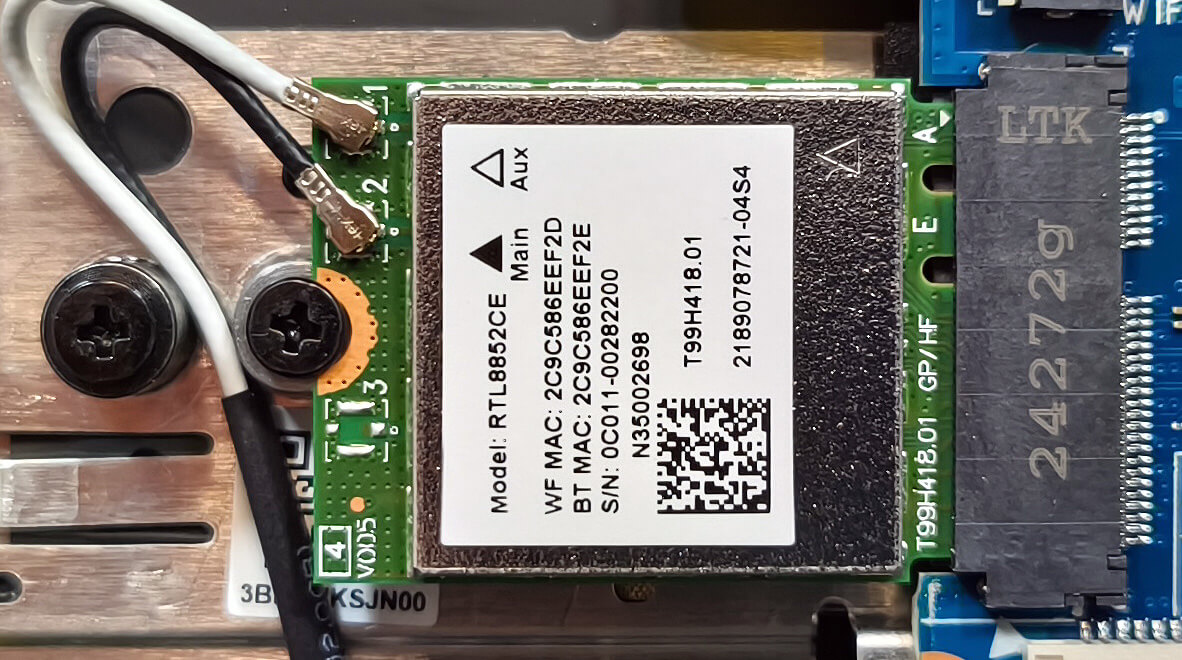
- If using the left slot, note that an installed NVMe drive will almost completely cover the Wi-Fi 6E card, potentially causing wireless connection issues.
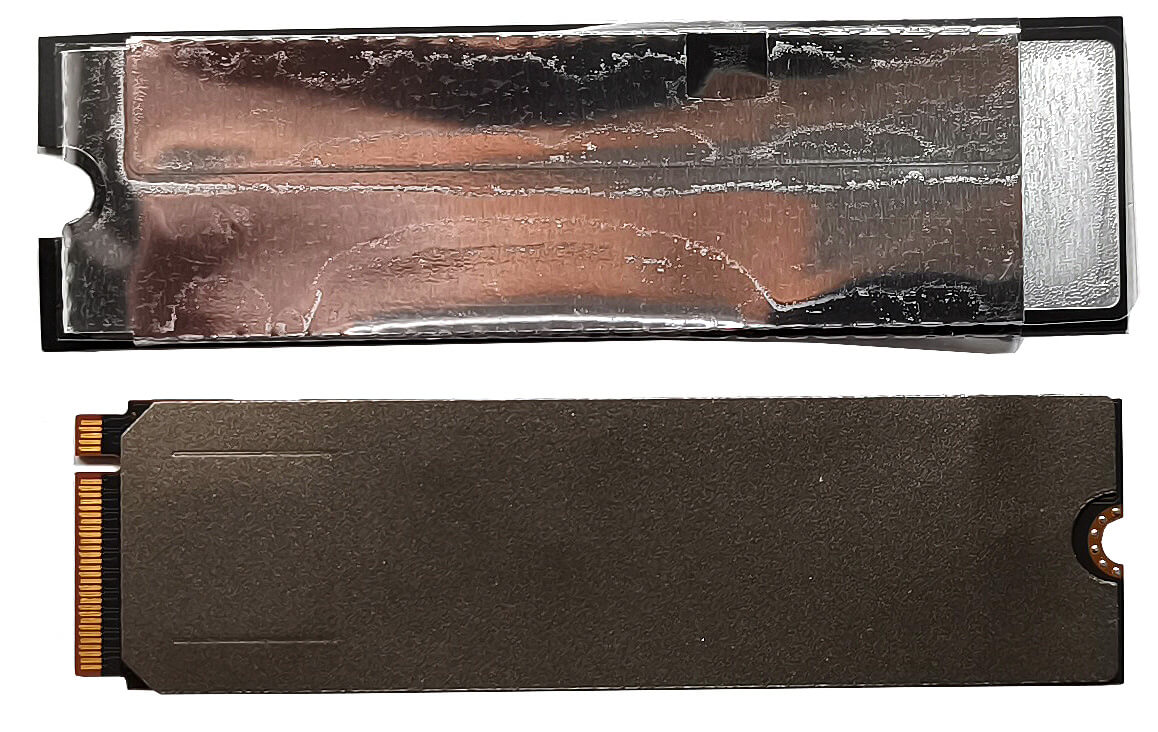
- The system NVMe drive is covered with a heat shield and a protective plastic film. Remove these carefully before upgrading.
More info: The heat shield aids in managing thermal performance for the SSDs.
You can find compatible SSDs here: Buy from Amazon.com (#CommissionsEarned)

Connectivity Options
More info: The Wi-Fi 6E card is placed in front of the left SSD slot. If you do install an NVMe there, it’ll cover almost the entire wireless card which could lead to connection problems.
Cooling System Overview
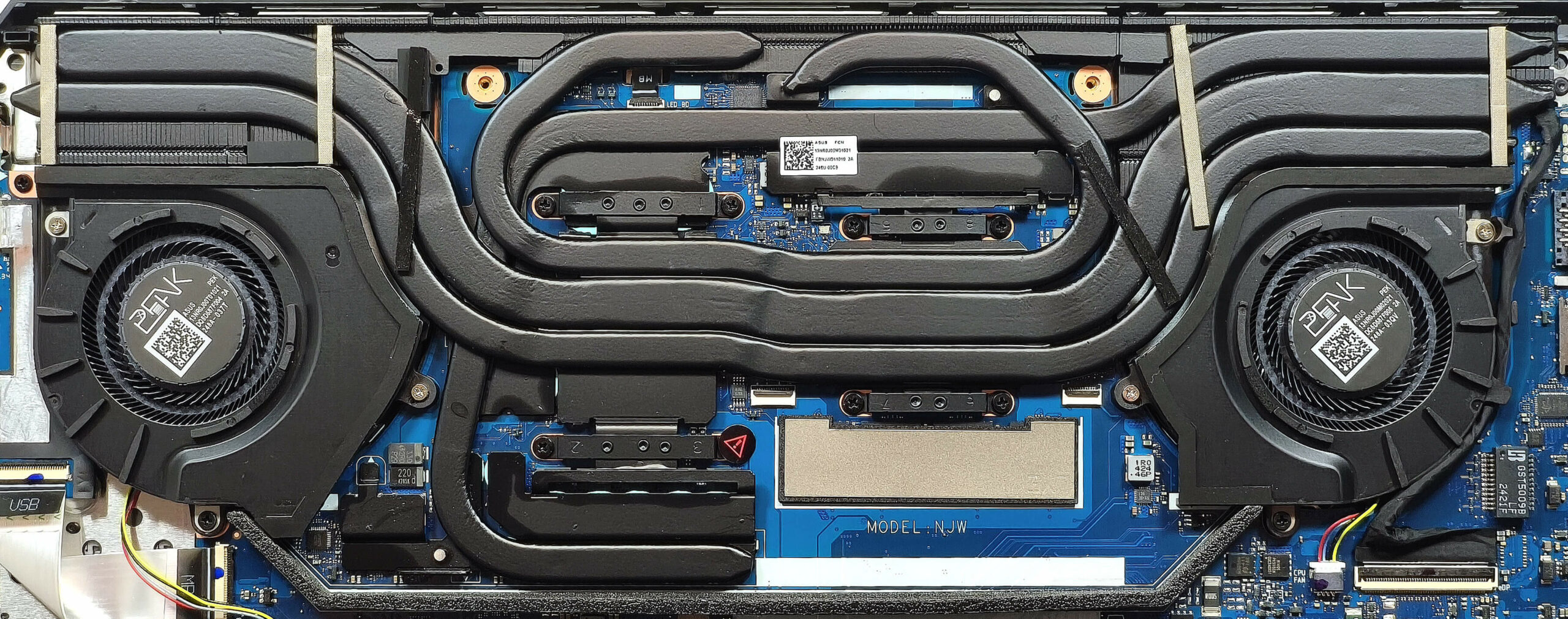
More info: The ASUS TUF Gaming A16 features a robust cooling system designed for high-performance gaming.
- The system includes two Arc Flow fans for efficient airflow.
- Five heat pipes are shared between the CPU and GPU, ensuring balanced cooling.
- Three large heat sinks and multiple heat spreaders enhance thermal dissipation.
Tip: Regularly clean the fans and heat pipes to maintain optimal cooling performance, especially during intensive gaming sessions.
ASUS TUF Gaming A16 FA608 in-depth review
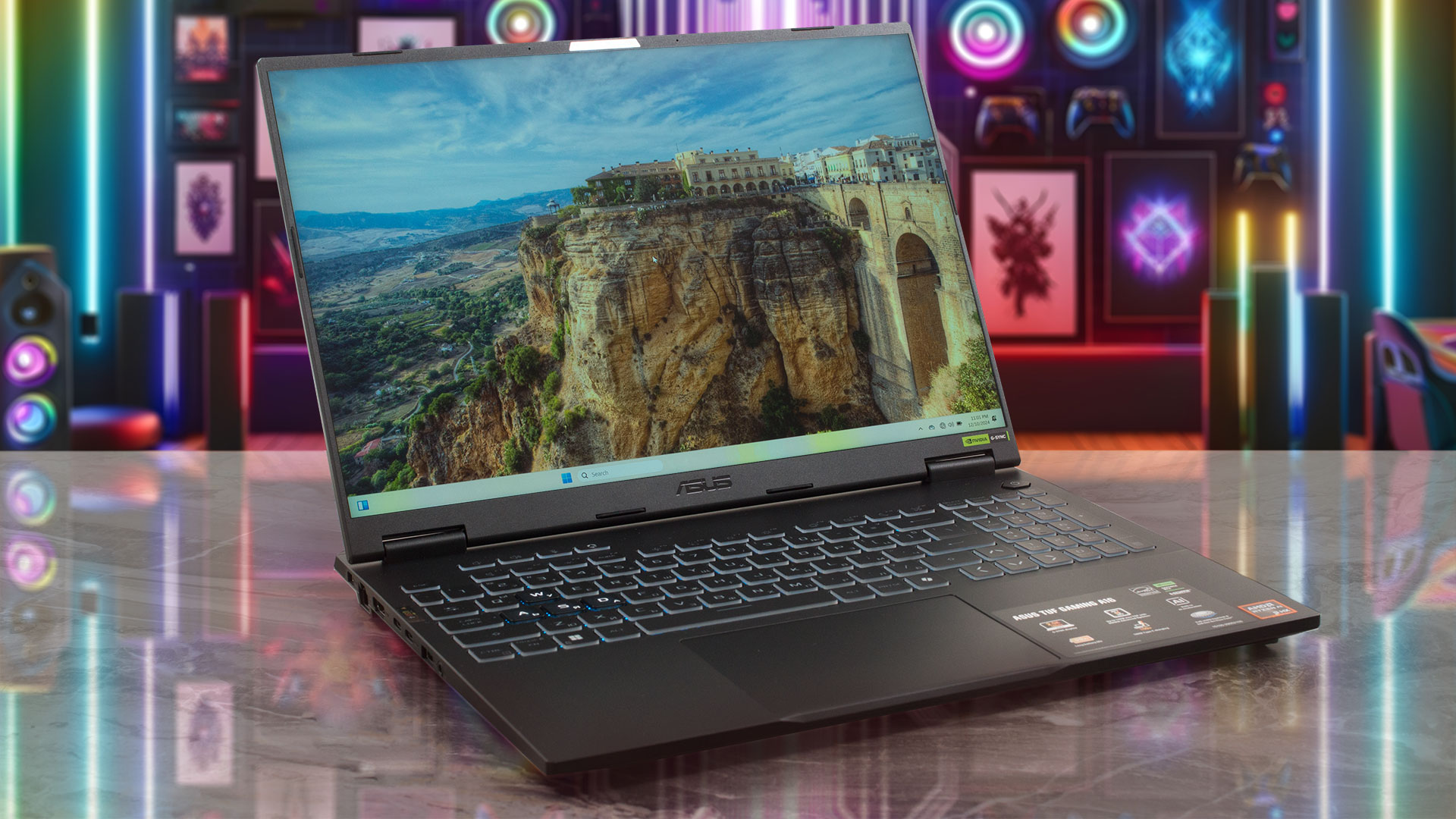
The TUF Gaming A16 FA608 is a compact 16-inch machine with almost zero compromises when it comes to power and features. The only notable con is the soldered memory. The other specs are pretty good which applies to the port selection full of different connectors, the storage upgradability, and the powerful hardware.This reminds us that all devices of this ASUS series come with the Zen 5 AMD Ryzen AI 9 HX 370 which has a mighty 50 TOPs NPU for AI productivity. The device may not be huge, but the GPUs power limits are hefty which is possible thanks to the sizable cooling solution with five he[...]
Pros
- 2x M.2 slots
- Great overall performance
- Zen 5 CPU
- High CPU clocks and power limits during heavy stress (4.45 GHz / 3.30 GHz P and E-core clock + 80W)
- Great "Performance" mode that offers 4.05 GHz / 3.15 GHz P and E-core clock and 95W GPU TGP + low noise levels
- The RTX 4070 can maintain ~ 130W during gaming
- MUX switch + NVIDIA Advanced Optimus + G-SYNC
- Four USBs + Wi-Fi 6E and Bluetooth 5.3
- PWM-free (BOE0C80)
- Snappy panel (8.9 ms) + 165Hz refresh rate (BOE0C80)
- 99% sRGB coverage + accurate color thanks to our "Design and Office Work" profile (BOE0C80)
- 402 nit max brightness (BOE0C80)
- The Armoury crate app offers tons of customization options
- Comfortable backlit keyboard + precise touchpad
- Long battery life (~ 8 hours of videos)
- The fans don't spin during light loads in "Silent" mode
- Solid build quality
- Well-cooled SSD (Micron 2400E)
Cons
- Soldered RAM
- Pricey
- QLC NVMe
- The second SSD slot is limited to PCIe Gen 4x2 speed
- The Wi-Fi card is positioned in front of the left SSD slot which could lead to connection problems
 Author: Dimitar Stalev

![[June 2026] Best-Selling Laptop Brands on Amazon Global – Apple’s Unrivaled Dominance in Units and Revenue](https://laptopmedia.com/wp-content/uploads/2026/07/GLOBAL-Best-Brands-400x225.jpg)
![[June 2026] Amazon Global: Top 10 Best-Selling Laptops – Apple’s New MacBook Neo Storms to #1, Reshaping the Market with Affordability](https://laptopmedia.com/wp-content/uploads/2026/07/Best-Selling-Laptops-GLOBAL-Top-10-400x225.jpg)
![[June 2026] Amazon Global: Top 10 Best-Selling Gaming Laptops – Acer’s Nitro V 16S AI Dominates Sales, While ASUS Leads Overall Revenue](https://laptopmedia.com/wp-content/uploads/2026/07/Best-Selling-Gaming-Laptops-GLOBAL-Top-10-400x225.jpg)
![[June 2026] Global Ranking of Best-Selling Laptop GPUs on Amazon – NVIDIA RTX 5060 is the Top-Selling Dedicated GPU](https://laptopmedia.com/wp-content/uploads/2026/07/Best-Selling-GPUs-GLOBAL-Top-10-400x225.jpg)
![[June 2026] Global Ranking of Best-Selling Laptop CPUs on Amazon – Apple M5 Dominates, AMD Ryzen 7 260 Gets Solid Premium Share](https://laptopmedia.com/wp-content/uploads/2026/07/Best-Selling-CPUs-GLOBAL-Top-10-400x225.jpg)
