How to open Dell Latitude 5455 – disassembly and upgrade options
#CommissionsEarned

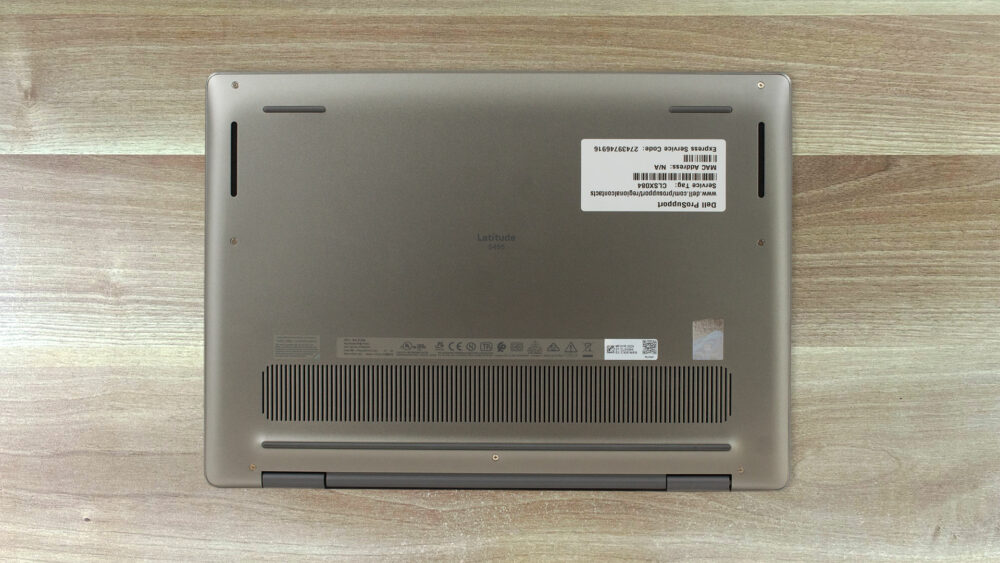
Step 1: Opening the Dell Latitude 5455
- Power off the laptop and disconnect it from any power source. Place it on a clean, static-free surface.
- Using a JIS №0 screwdriver, unscrew the seven screws securing the bottom panel. Note that the two outer screws near the hinges are captive – they stay attached to the panel, which helps prevent losing them during disassembly.
- Insert a thin plastic pry tool between the bottom panel and the chassis near one of the hinge areas. Gently work your way around the edges, releasing the internal clips without applying excessive force.
- Once all clips are released, lift the bottom panel off to expose the internal components.
Upgrade and Maintenance Opportunities
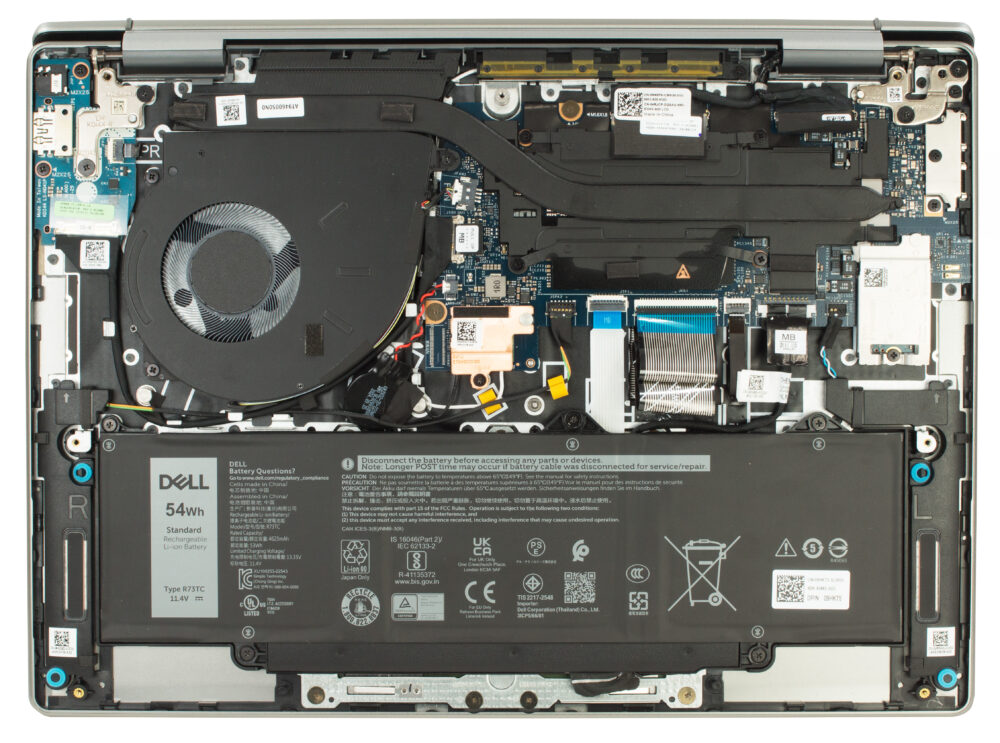
- With the panel removed, you’ll have clear access to components like the cooling system, battery, storage, memory, and wireless module, allowing you to clean, replace, or upgrade as needed.
- Inspect the cooling fan and heat sink area for dust buildup and clean it carefully using compressed air to maintain optimal thermal performance.
Hint: Don’t forget to check out our Top M.2 SSDs Performance Rankings for insights on the best storage options available.
Dell Latitude 14 5455 in-depth review
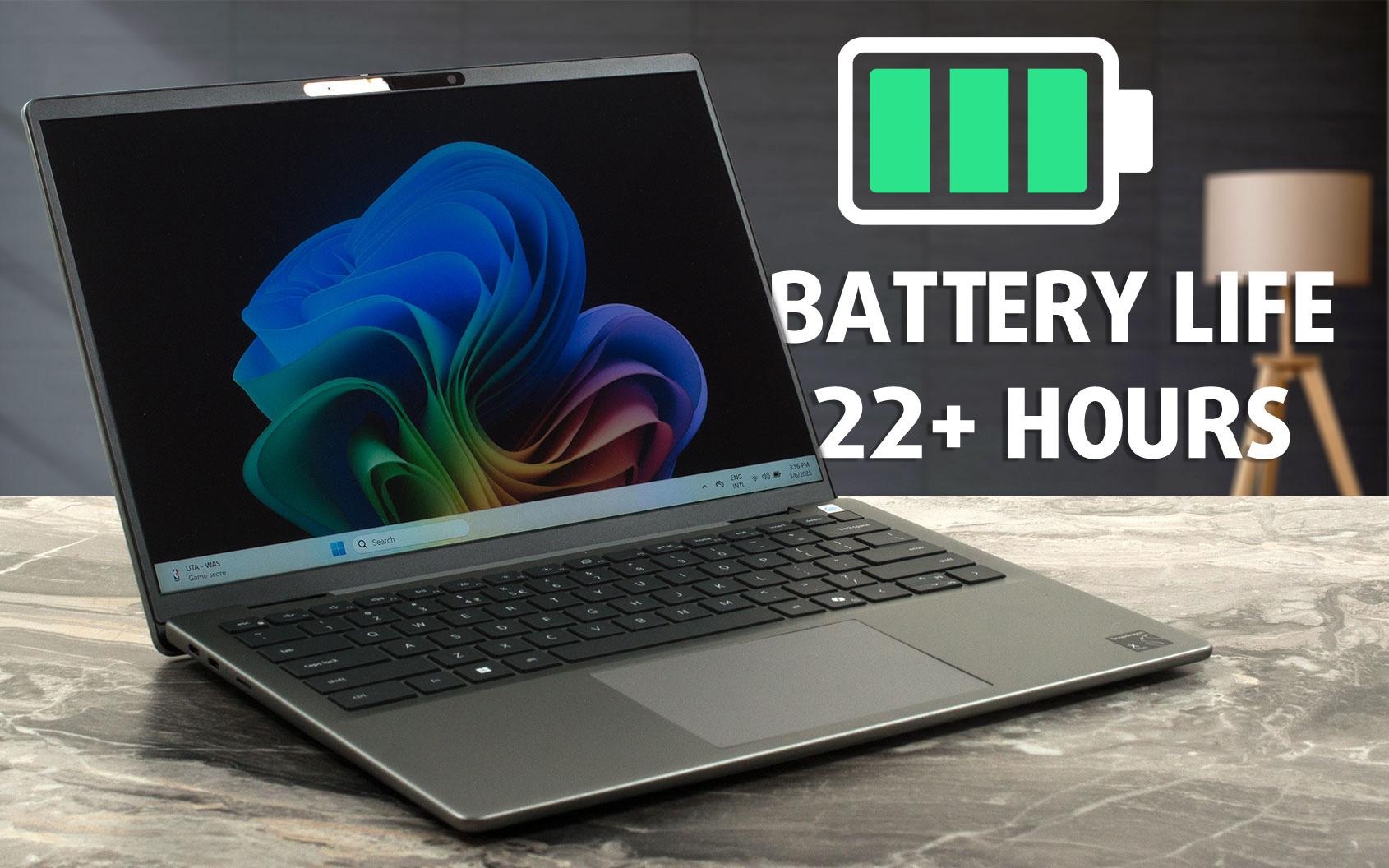
Imagine a laptop that you charge on Monday morning and potentially don't need to plug in again until Wednesday afternoon. That's not a fantasy; it's the reality offered by the new Dell Latitude 5455, powered by Qualcomm's energy-sipping Snapdragon X Plus processor. With over 22 hours of battery life in our tests, this sleek, sustainably built machine immediately sets a new benchmark for mobile endurance, all wrapped in an elegant "Titan Grey" aluminum chassis that feels as premium as it looks.But does this incredible longevity come with significant trade-offs elsewhere? Beyond its marathon[...]
Pros
- Astonishing, class-leading battery life (22+ hours)
- Elegant, minimalist design with premium, sustainable aluminum construction
- Impressively thin and lightweight, highly portable
- Solid build quality with good fingerprint resistance
- Comfortable keyboard with backlight and integrated fingerprint reader
- Physical webcam privacy shutter and advanced IR camera features
- Dual USB4 40Gbps ports with Power Delivery and DisplayPort 2.1
- Cutting-edge Wi-Fi 7 connectivity
- PWM-free display backlight for comfortable viewing
- Meets Copilot+ AI PC requirements with integrated NPU
- Good sound quality
Cons
- Severely limited display color gamut (only 50% sRGB), unsuitable for color-sensitive work
- Mediocre color accuracy
- ARM-based architecture leads to very limited gaming performance and potential software compatibility issues
- Minimalist port selection (no native HDMI or Ethernet)
- Only one USB Type-A port
- SSD speeds on the 512GB model are somewhat limited compared to higher capacities
#CommissionsEarned
 Author: Dimitar Stalev
Subscribe
0 Comments


![[August 2026] Best-Selling Laptop Brands on Amazon Japan – Apple Dominates Market Share and Revenue Led by Strong Unit Sales](https://laptopmedia.com/wp-content/uploads/2026/09/CO.JP-Best-Brands-1-400x225.jpg)
![[August 2026] Best-Selling Laptop Brands on Amazon USA – Apple Dominates Market Revenue and Volume Despite Lower Model Diversity](https://laptopmedia.com/wp-content/uploads/2026/09/COM-Best-Brands-1-400x225.jpg)
![[August 2026] Amazon Germany: Top 8 Best-Selling Gaming Laptops – Acer Dominates the Market as the Premium Nitro V 17 AI Takes the #1 Spot](https://laptopmedia.com/wp-content/uploads/2026/09/Best-Selling-Gaming-Laptops-DE-Top-10-1-400x225.jpg)
![[August 2026] Best-Selling Laptop Brands on Amazon France – Apple Dominates Revenue Despite Lenovo and HP Leading in Catalog Breadth and Volume](https://laptopmedia.com/wp-content/uploads/2026/09/FR-Best-Brands-1-400x225.jpg)
![[August 2026] Amazon Italy: Top 10 Best-Selling Laptops – Apple MacBook Neo Claims the Crown as Budget and Mid-Range Windows Machines Dominate Volume](https://laptopmedia.com/wp-content/uploads/2026/09/Best-Selling-Laptops-IT-Top-10-400x225.jpg)
