How to open Dell XPS 13 9345 – disassembly and upgrade options
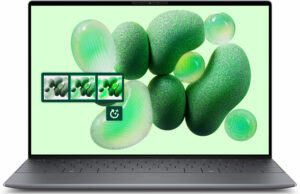
Opening the Device
Hint: Ensure the laptop is powered off and disconnected from any power source before starting.
- Undo the six Torx-head screws on the bottom of the laptop.
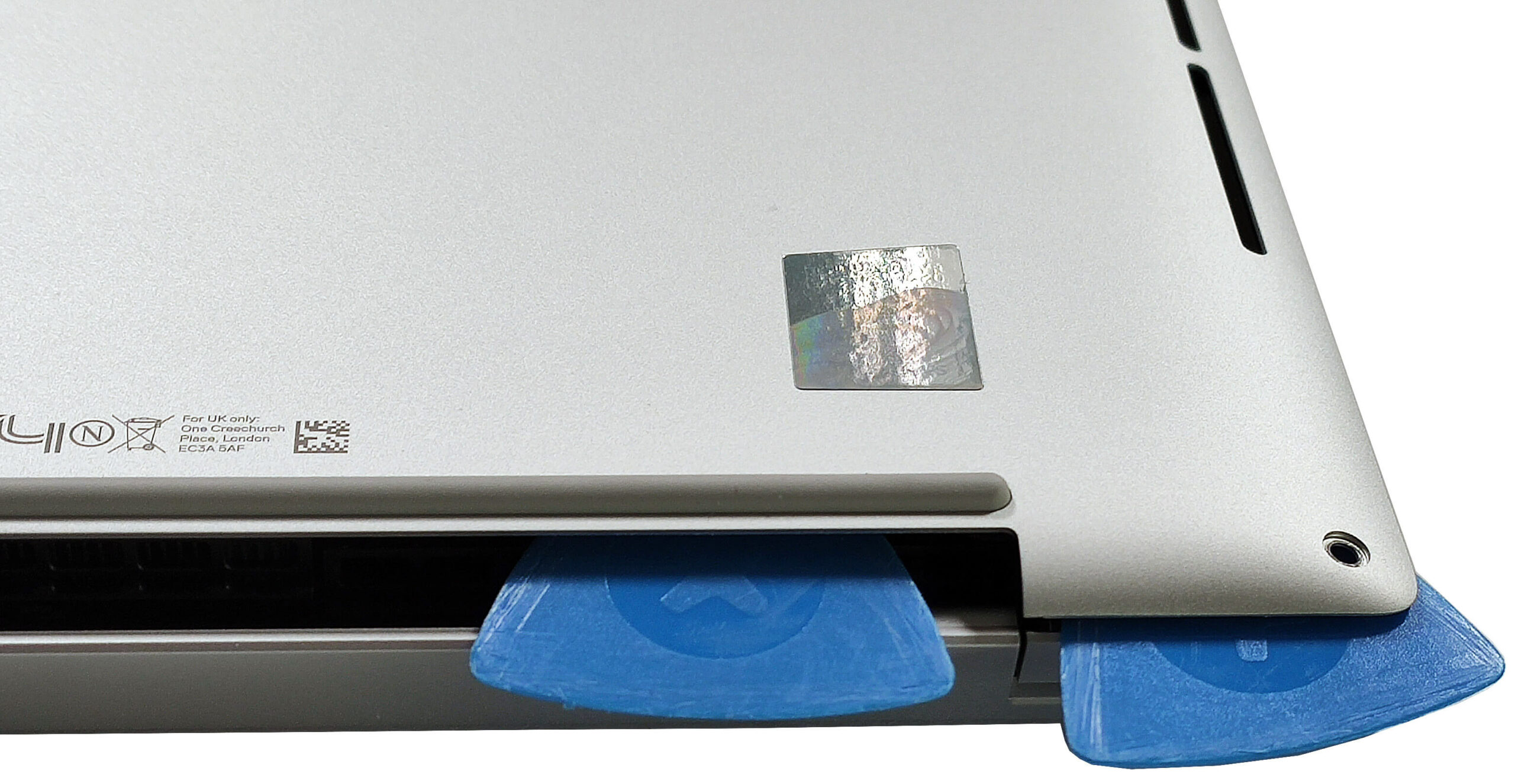
- Insert a thin plastic tool close to one of the top two edges to create a gap.
- Pop the top corner, the side, the front, and the other side of the back cover.
- Raise the front of the plate and tilt the panel to release the rear clips.
- If the rear clips are not released, pry the sides around the central vent on the back.
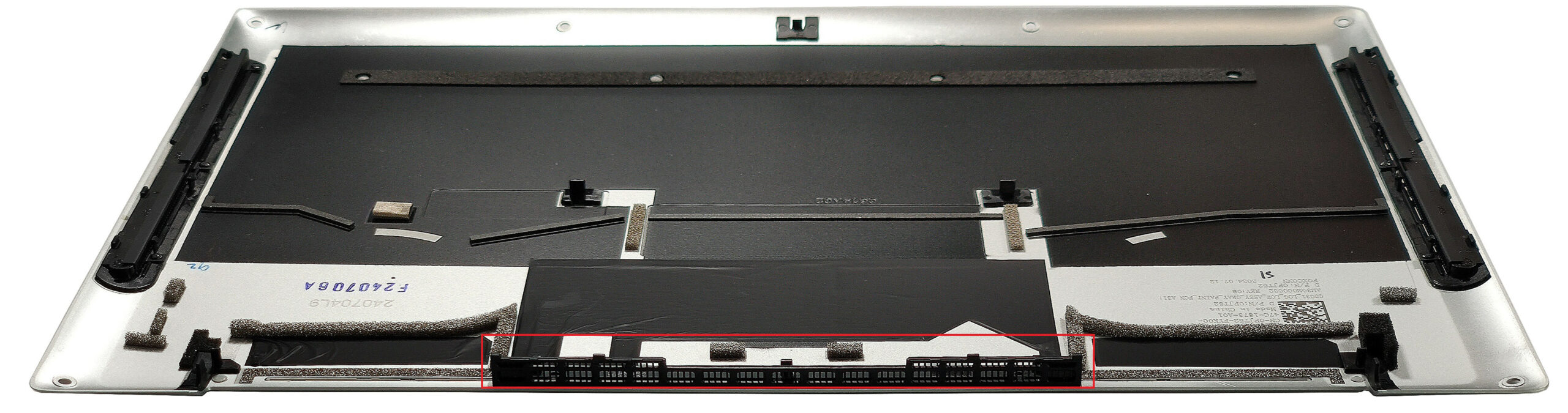
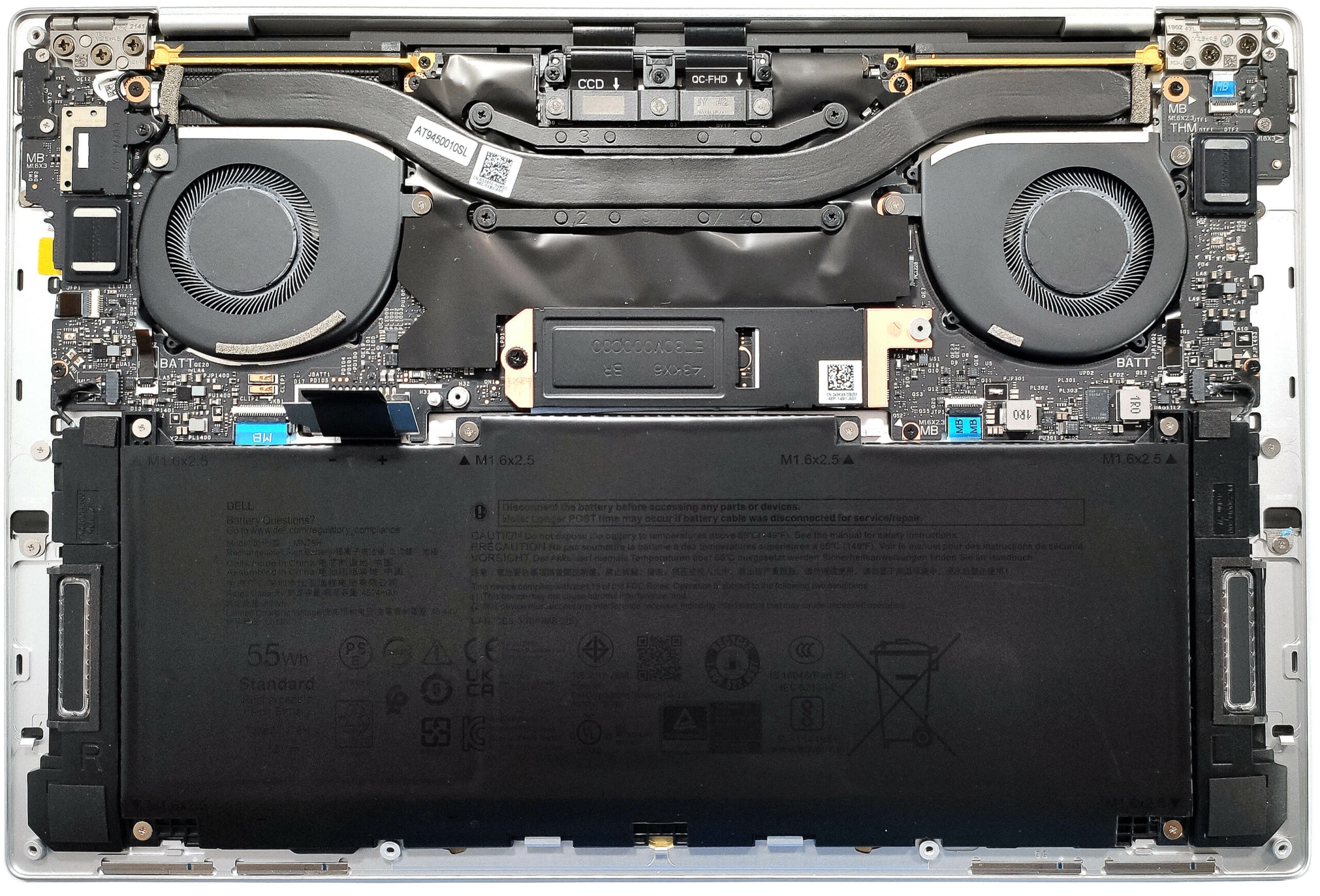
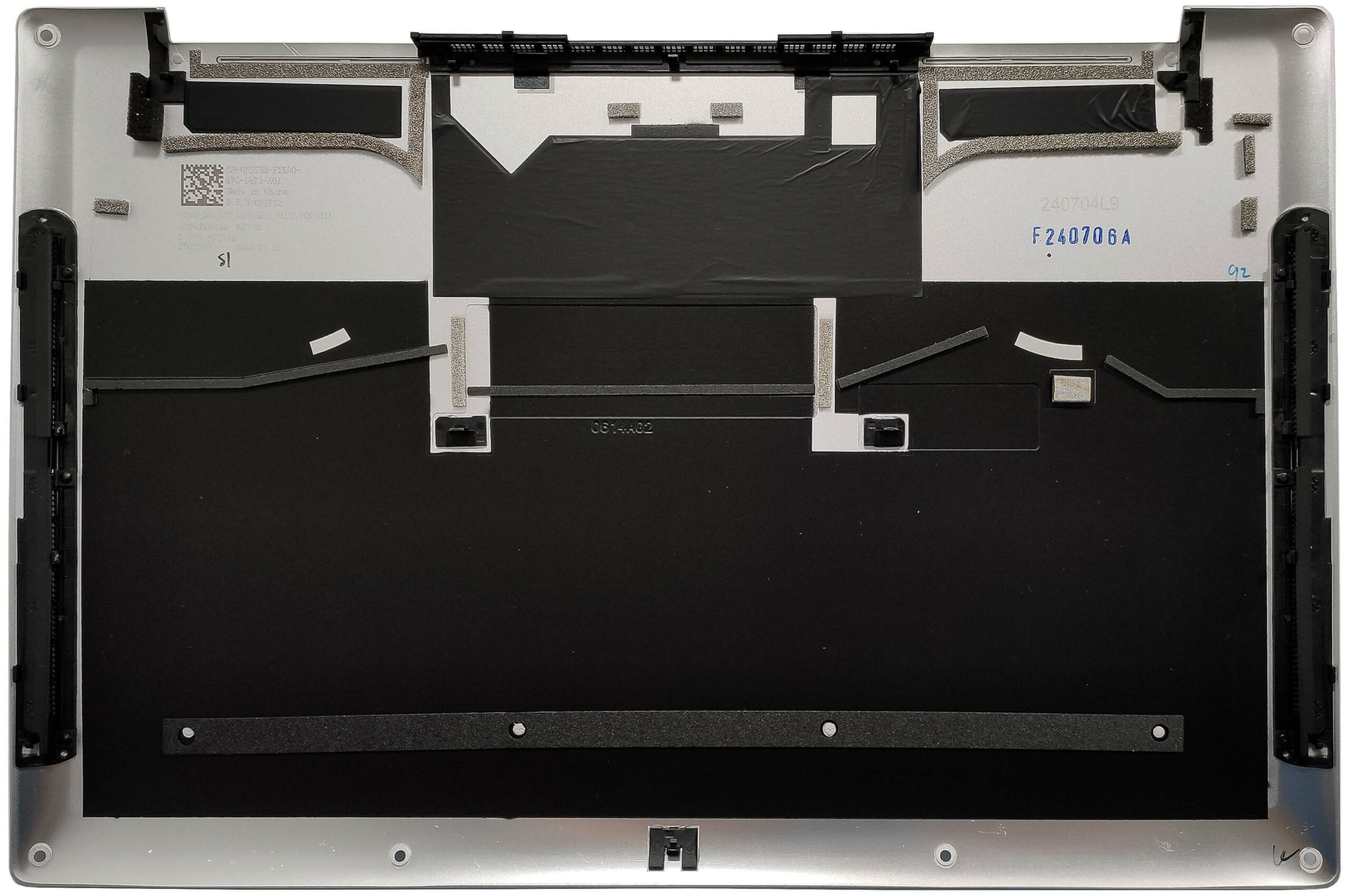
More info: The inside of the bottom plate houses numerous plastic elements to enhance internal structural support alongside dust filters for the fans and the speakers.
Battery Removal
Caution: Handle the battery with care to avoid damage or injury.
- Grab your gloves before tackling any electrical work.
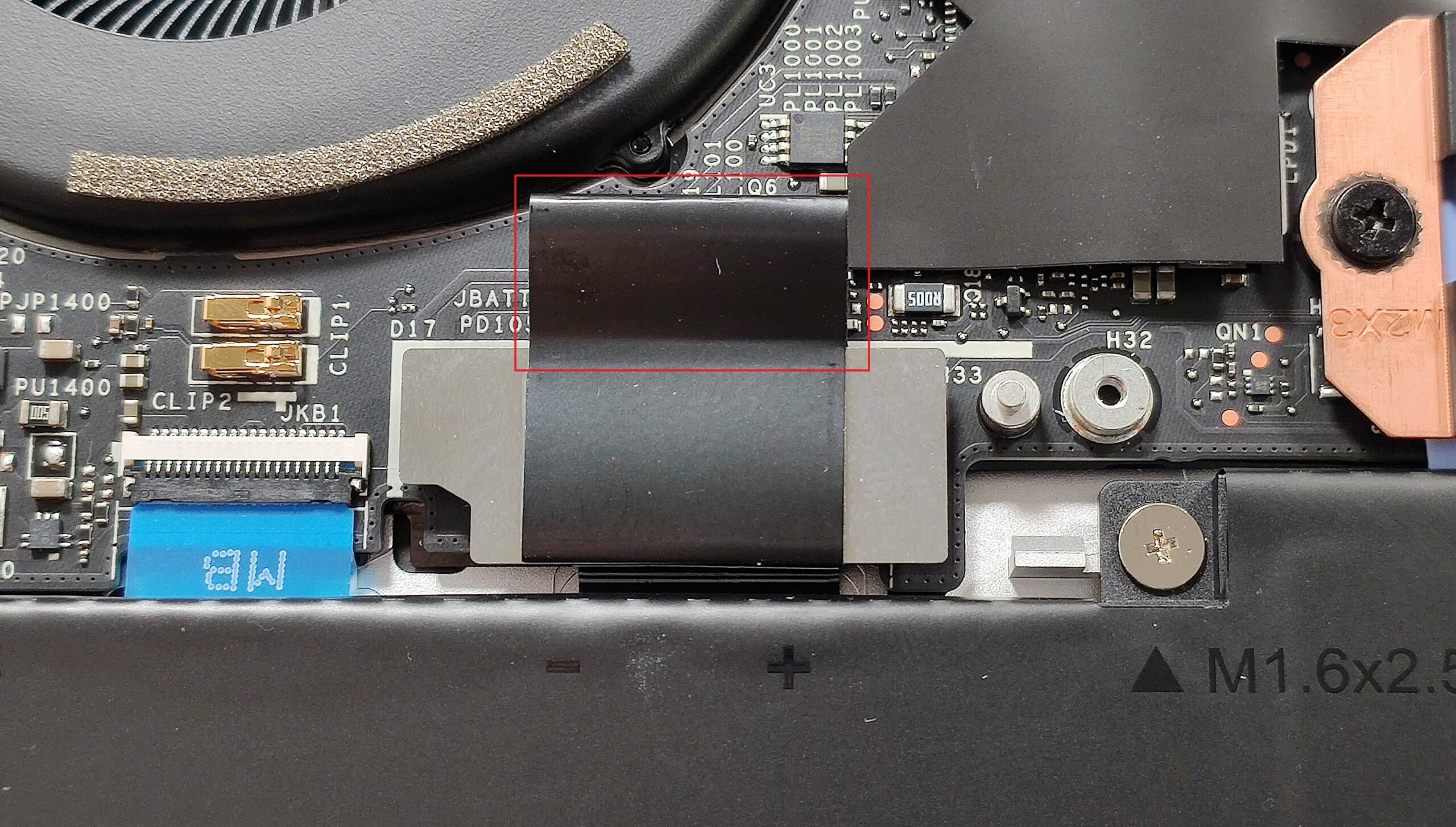
- Undo the single screw that secures the metal cap in place.
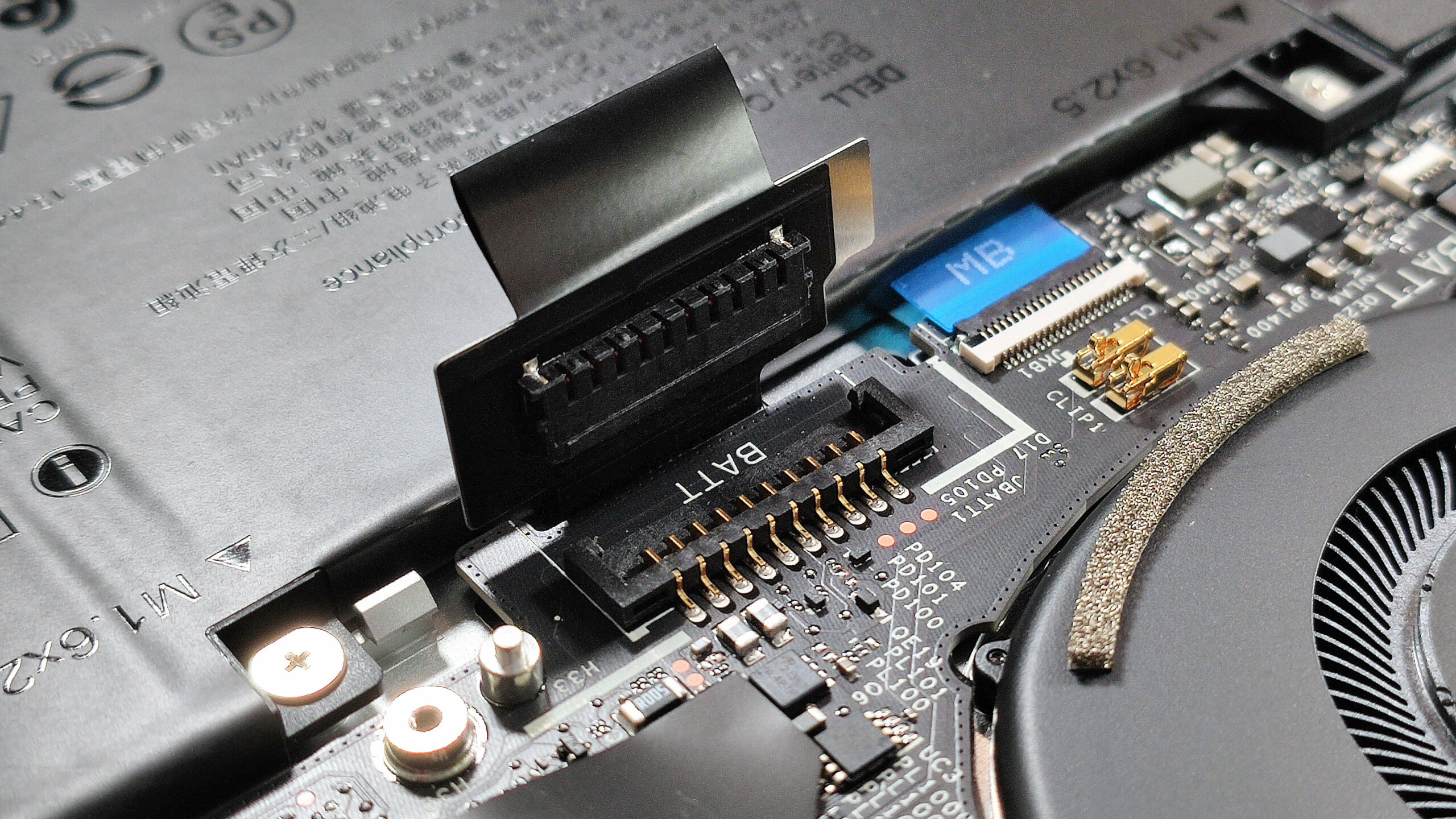
- Slide the tiny shield to the left to access the battery connector.
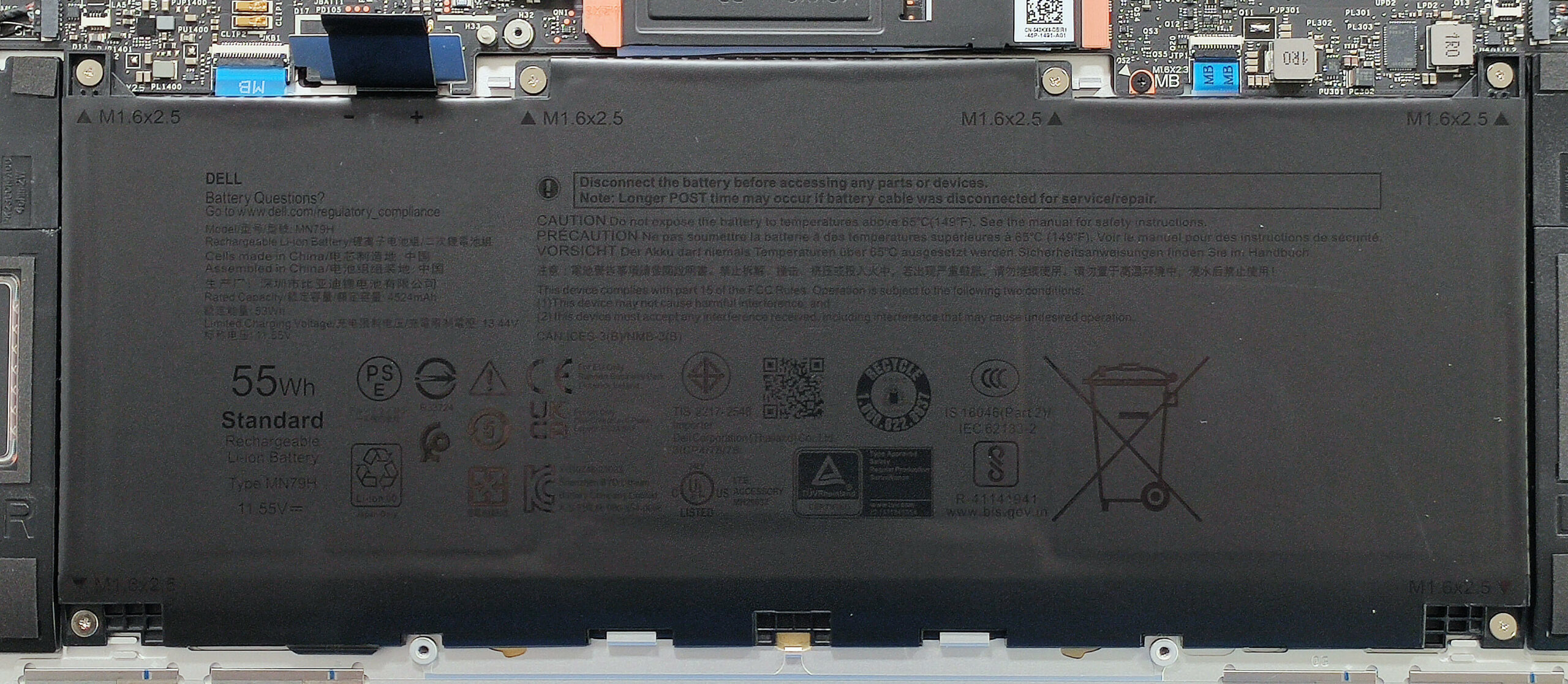
- Undo the six Phillips-head screws that fix the battery unit to the chassis.
- Carefully unplug the battery connector by pulling it towards the bottom of the laptop, holding its rubber handle.
- Safely remove the battery from the laptop.
More info: The notebook is equipped with a base 45Wh battery variant. For longer autonomous life, the optional 60Wh model is available, providing around 20 hours of video playback.
You can buy compatible batteries here: Buy from Amazon.com (#CommissionsEarned)
Storage and Memory Upgrade, and Wi-Fi Card Placement
Hint: Handle the SSD with care to avoid any data loss or damage during installation.
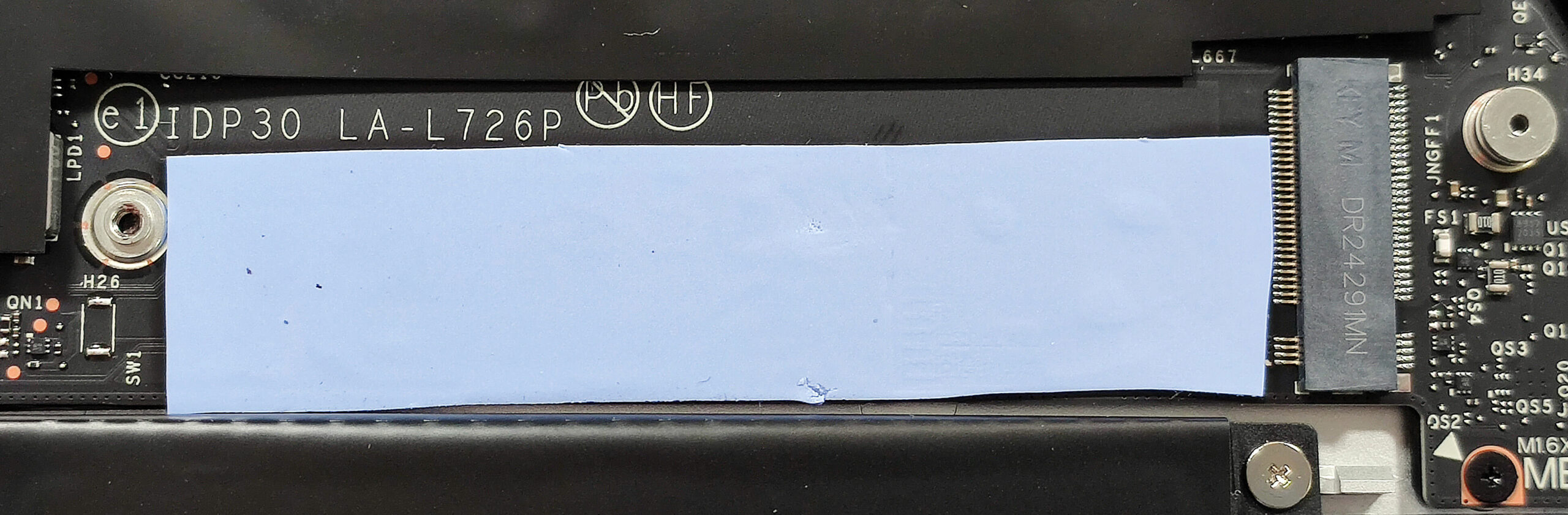
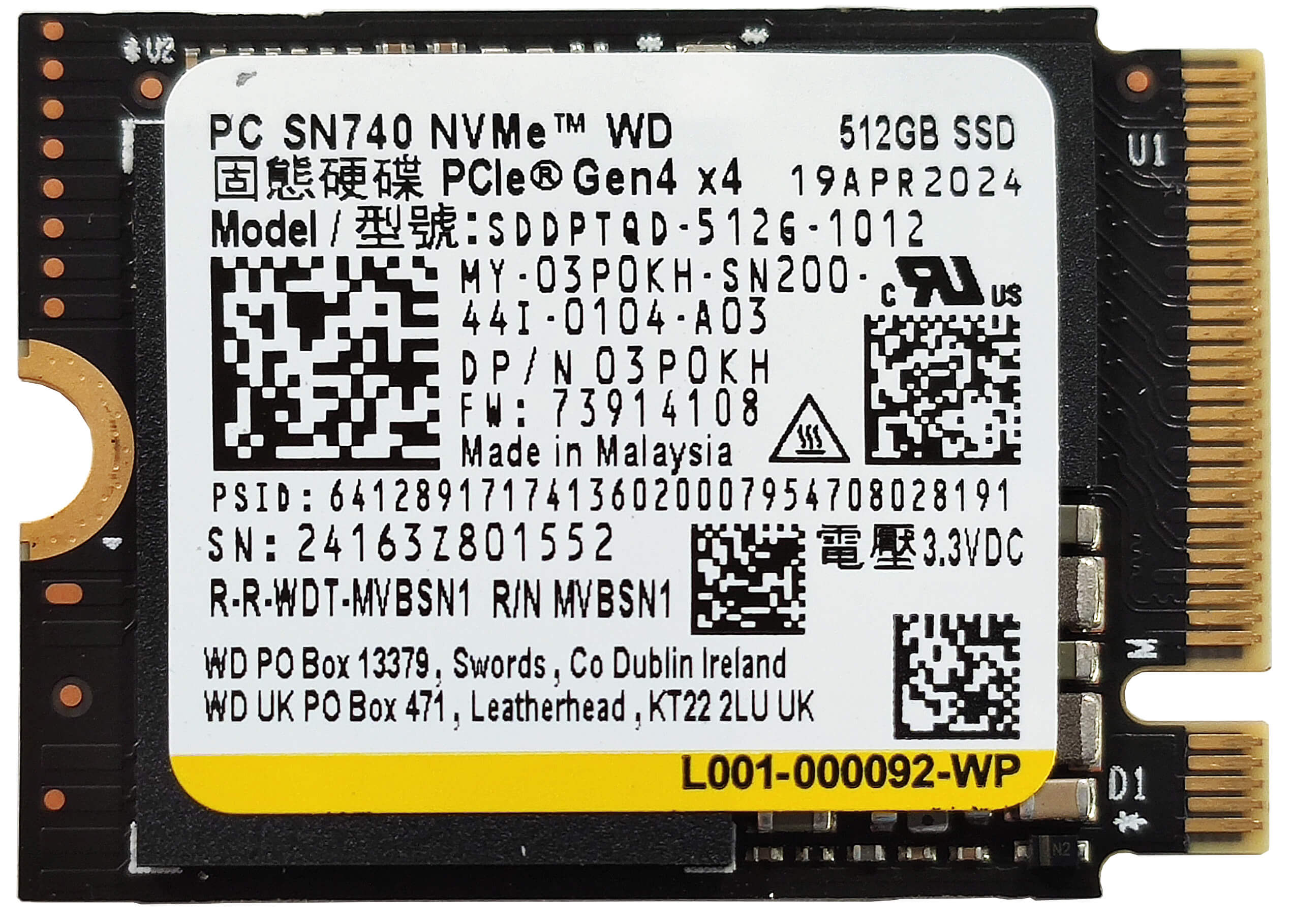
- Locate the single M.2 slot compatible with 2230 or 2280 Gen 4 NVMe drives.
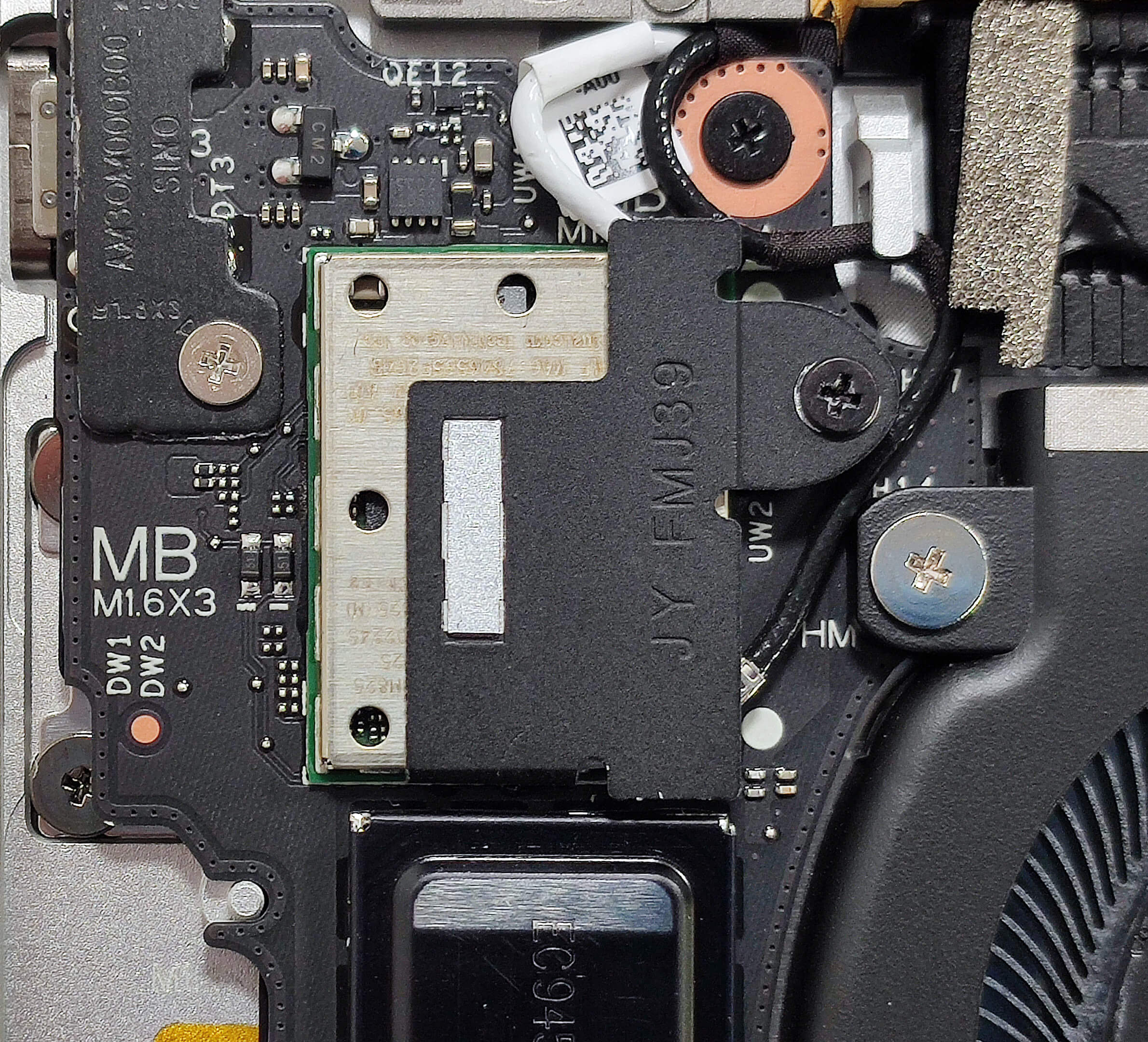
- Peel the Mylar heat shield over the storage section to access the SSD slot.
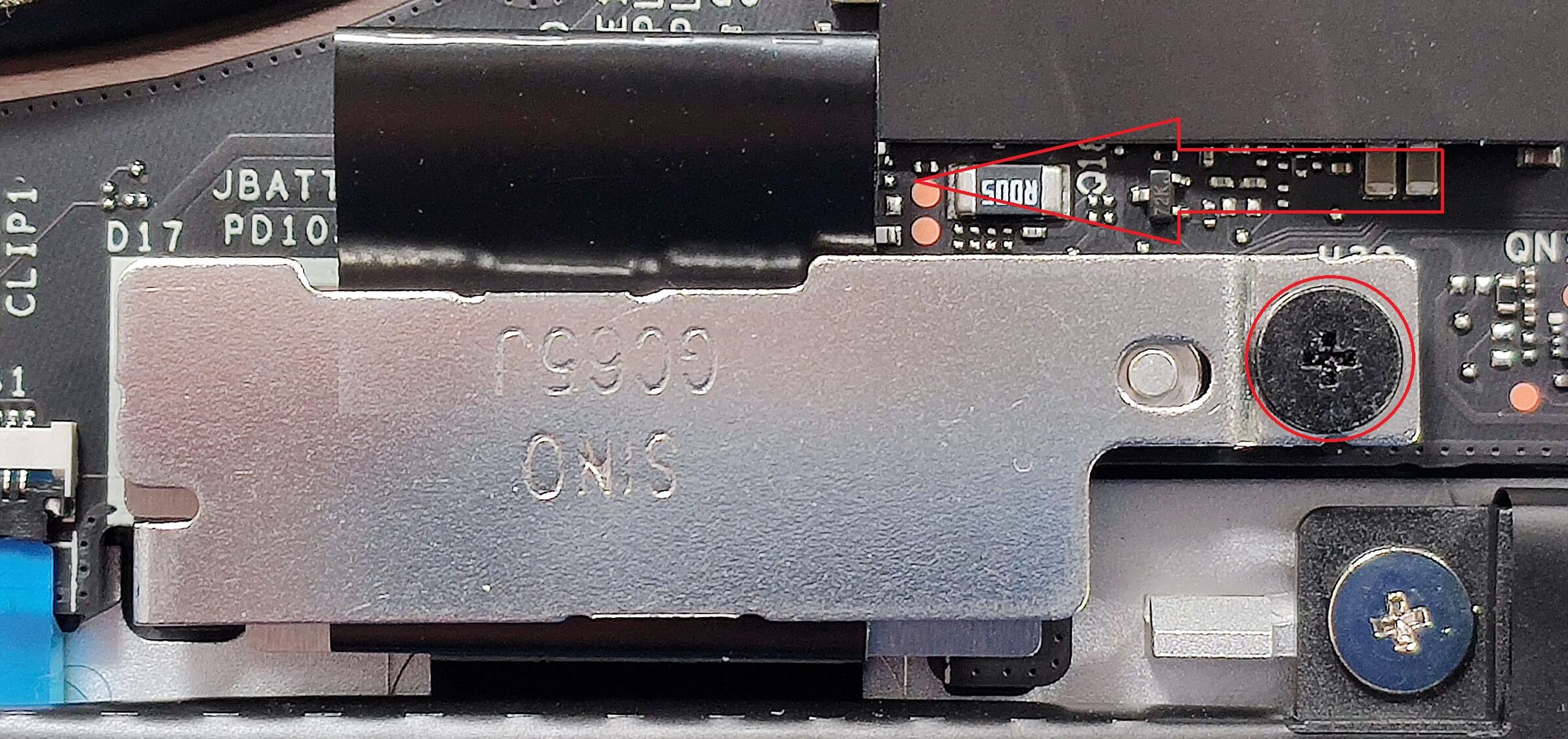
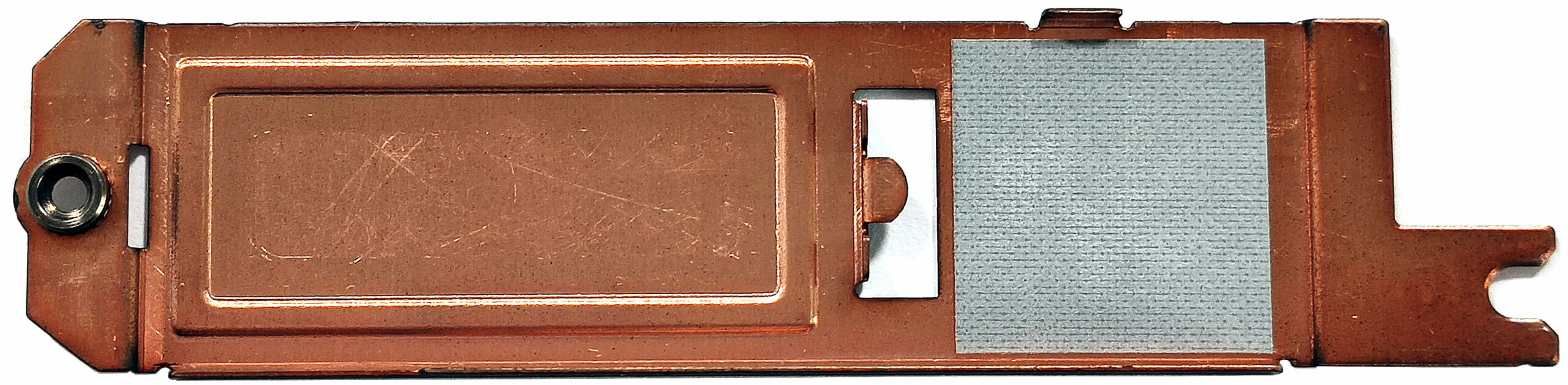
- Undo the single Phillips-head screw securing the metal shield on top of the SSD.
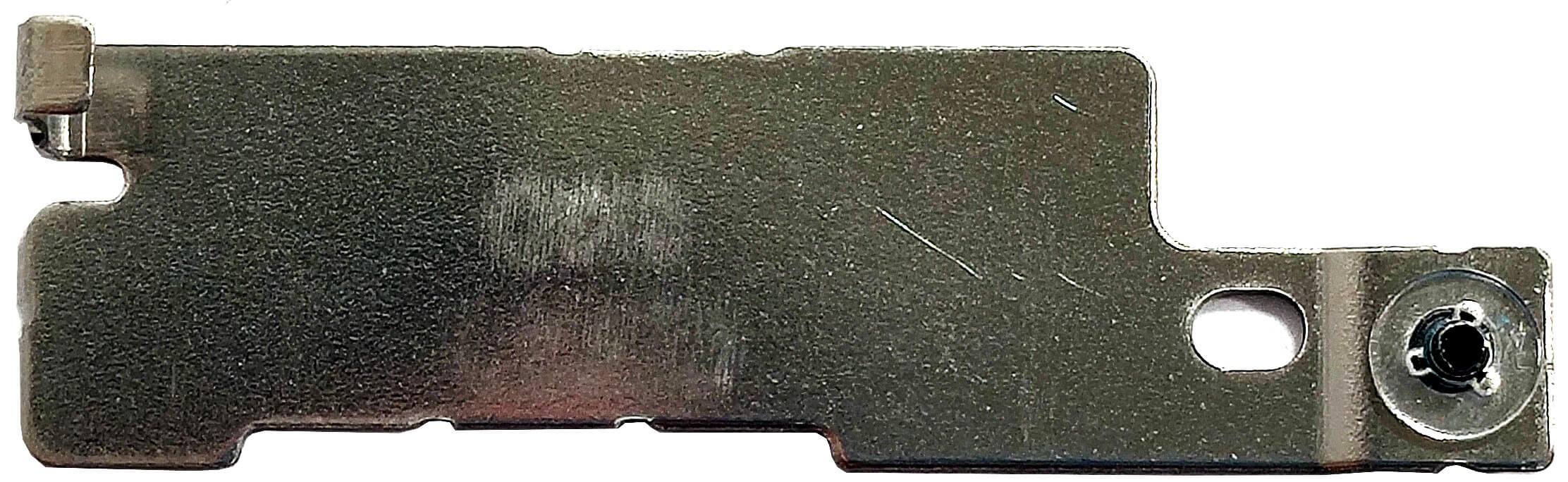
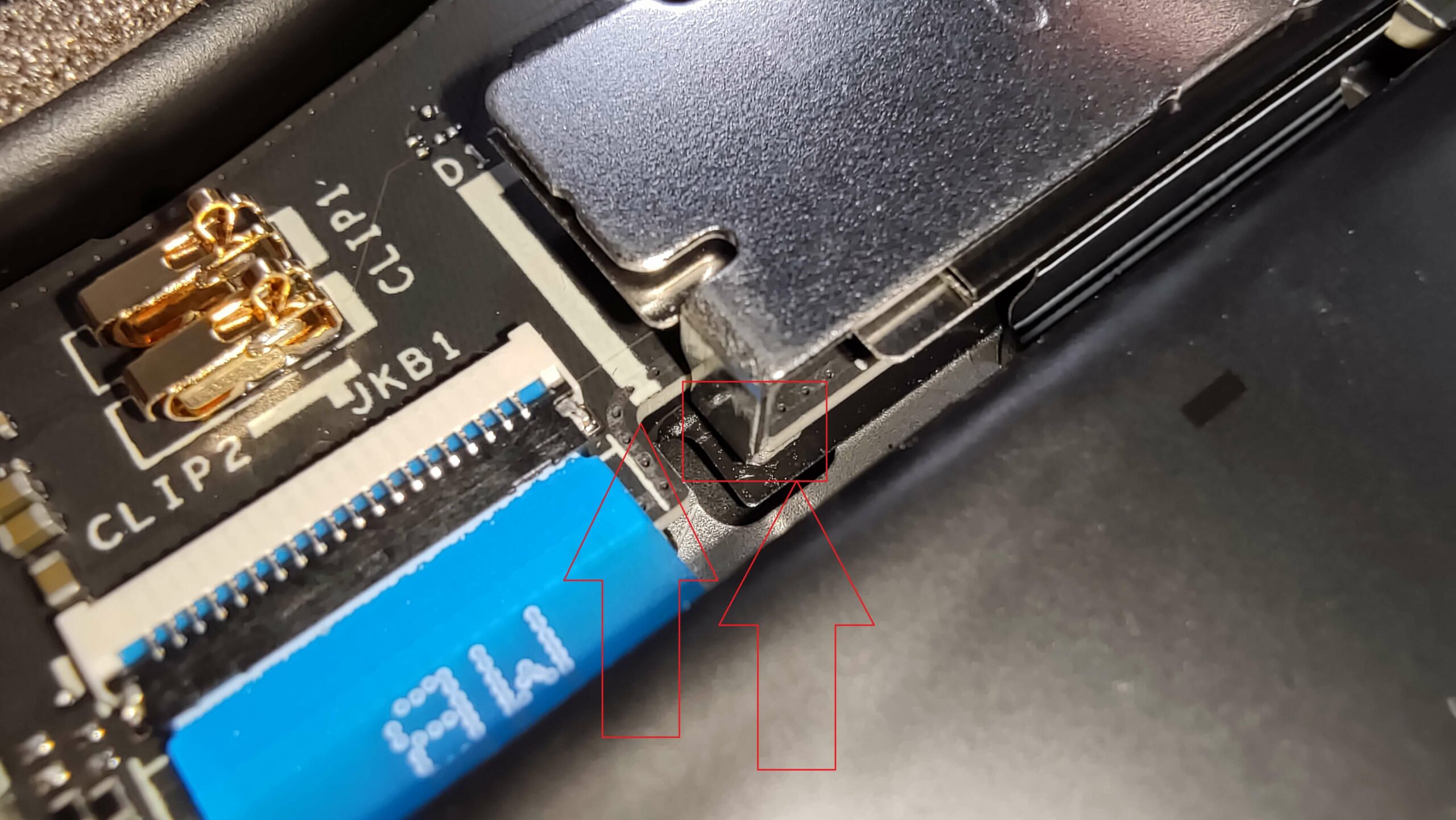
- Slide the metal shield to the left and lift it away from the chassis.
- Insert the new Gen 4 M.2 NVMe SSD into the slot and secure it with the Phillips-head screw.
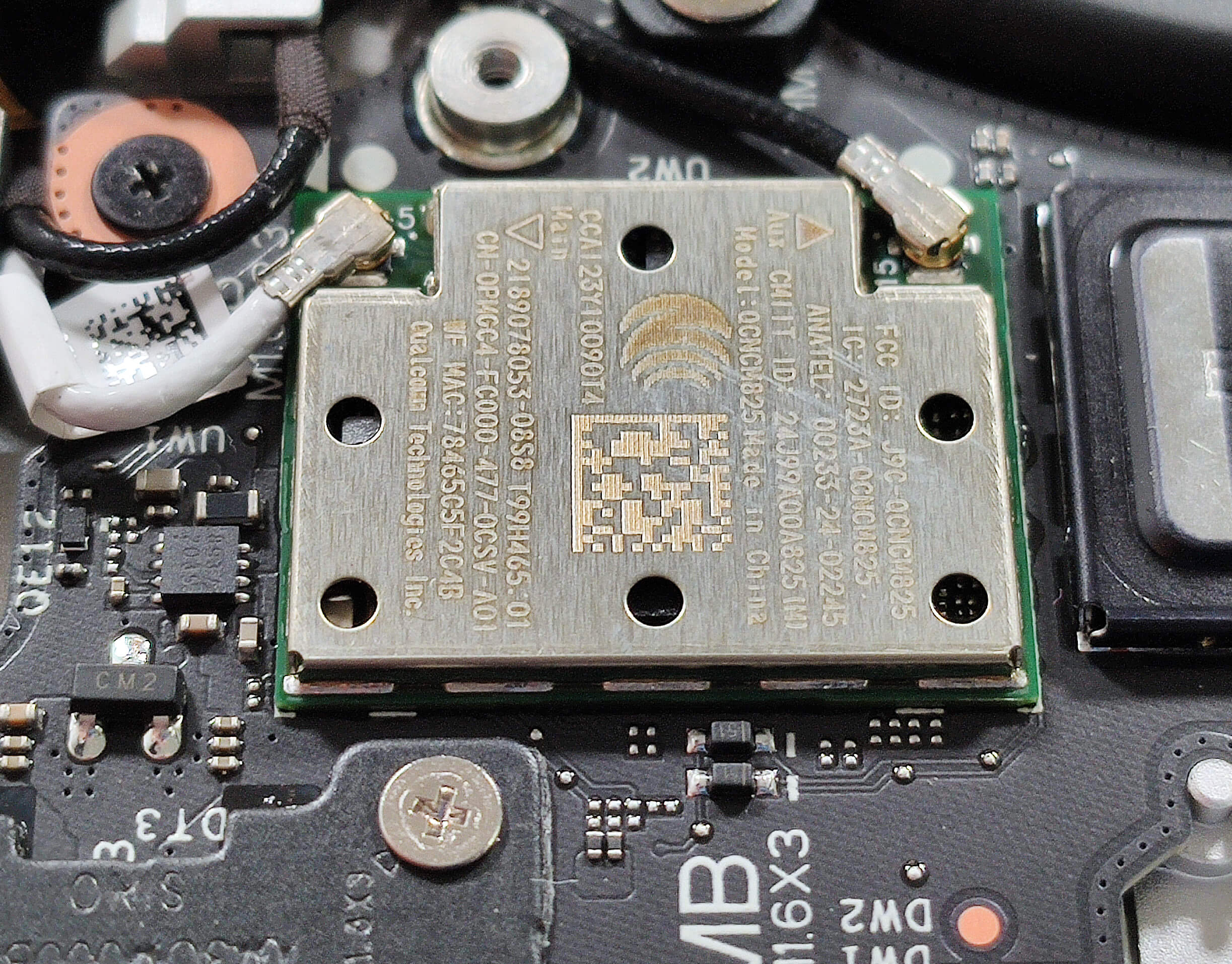
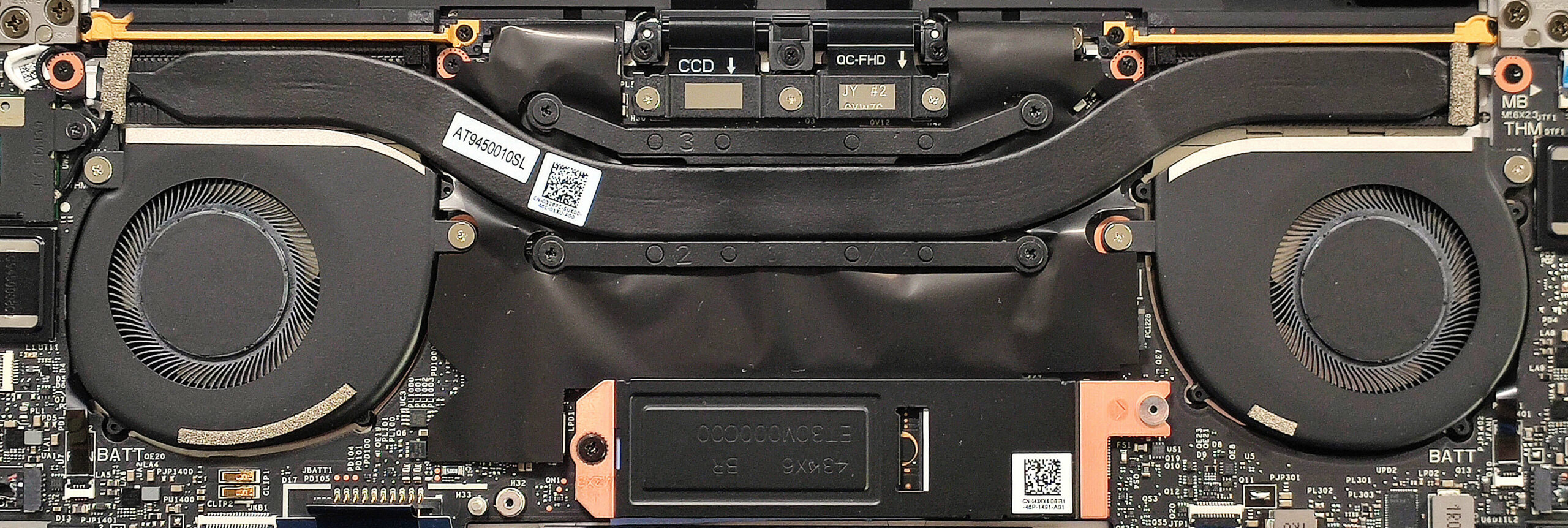
- The Wi-Fi 7 card is also soldered and it’s placed close to the left fan.
More info: The SSD is additionally cooled by a thermal pad below the metal plate and another pad underneath the SSD itself. Storage-wise, this device offers just one M.2 slot compatible with 2230 or 2280 Gen 4 NVMe drives. The position of the pad below the NVMe isn’t optimal but can be fixed easily.
More info: You get up to 64GB of soldered LPDDR5x-8448MHz RAM in dual-channel mode, providing a future-proof memory capacity. However, the lack of SODIMM slots could be a limitation for some users.
Note: This laptop features soldered RAM modules, which are not user-upgradable.
Hint: Don’t forget to check out our Top M.2 SSDs Performance Rankings for insights on the best storage options available.
You can buy compatible SSDs here: Buy from Amazon.com (#CommissionsEarned)
Cooling System Overview
More info: The cooling system is efficient for a 14-inch laptop. It includes a pair of fans, one long thick heat pipe, two heat sinks, and a heat spreader to ensure effective thermal management.
- Inspect the pair of fans to ensure they are free of dust and debris.
- Check the one long thick heat pipe for any signs of wear or damage.
- Verify that the two heat sinks are properly seated and unobstructed.
- Ensure that the heat spreader is securely in place to maintain optimal cooling performance.
Dell XPS 13 9345 in-depth review
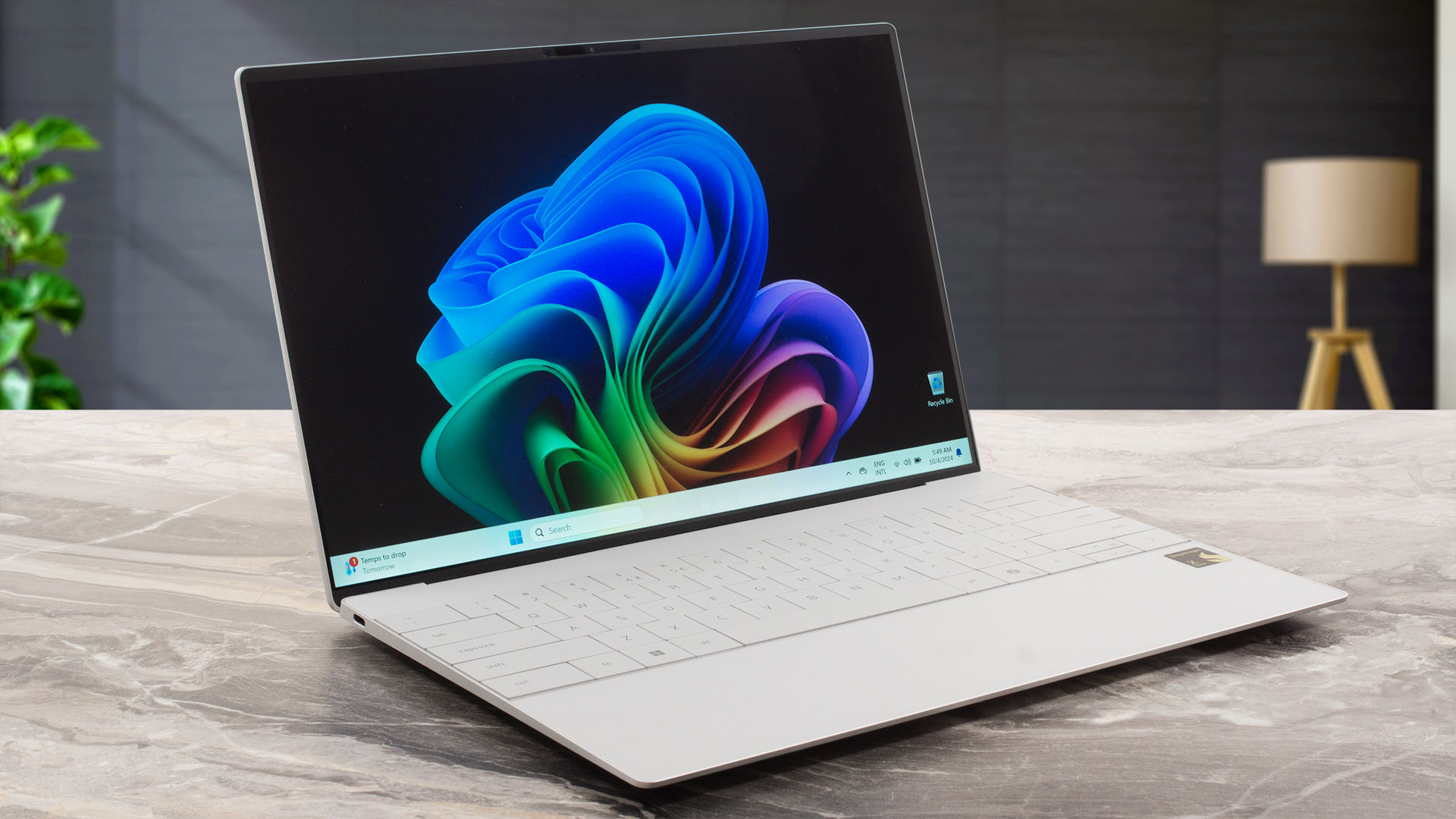
Snapdragon Copilot+ devices are appealing to users seeking powerful AI and 3D rendering capabilities. On top of that, the Dell XPS 13 9345 offers great portability and a very long battery life. We bought a bit more modest configuration with that base 1200p 120Hz IPS panel, 16GB of LPDDR5x RAM, and a 512GB 2230 SSD. This one seems powerful enough for work. Light gaming may be possible but it depends on the title. Counter-Strike 2 runs fine on Low details.In terms of display, there are two optional touchscreens, one 120Hz 1600p IPS model, and a 60Hz 2880 x 1800p OLED variant. Since this devi[...]
Pros
- The fans are almost quiet during max CPU loads in "Ultra Performance" mode
- Aluminum chassis built like a tank
- Light and thin (up to 1.24 kg / 15.95 mm)
- Comfortable keyboard
- PWM-free (SHP1593)
- 95% sRGB coverage + accurate colors with our "Design and Gaming" profile (SHP1593)
- 2000:1 contrast ratio + 470 nit max brightness (SHP1593)
- 2x USB4 ports with PowerDelivery and DisplayPort capabilities
- Very long battery life (20 hours of videos)
- 1080p IR Web camera
- Fingerprint reader
- The CPU can sustain a 3.81 GHz clock in short and medium loads
- Good comfort during max stress
- Well-cooled and snappy NVMe (512GB WD PC SN740)
- Good 3D rendering performnce
- Up to 64GB of LPDDR5x memory
- Wi-Fi 7 + Bluetooth 5.4
Cons
- Soldered RAM + only one M.2 slot
- Too limited port selection + no Type-A ports
- Some apps and games don’t work at all
- The touchpad feels too sensitive which leads to a lot of accidental clicks
 Author: Dimitar Stalev

![[June 2026] Best-Selling Laptop Brands on Amazon Global – Apple’s Unrivaled Dominance in Units and Revenue](https://laptopmedia.com/wp-content/uploads/2026/07/GLOBAL-Best-Brands-400x225.jpg)
![[June 2026] Amazon Global: Top 10 Best-Selling Laptops – Apple’s New MacBook Neo Storms to #1, Reshaping the Market with Affordability](https://laptopmedia.com/wp-content/uploads/2026/07/Best-Selling-Laptops-GLOBAL-Top-10-400x225.jpg)
![[June 2026] Amazon Global: Top 10 Best-Selling Gaming Laptops – Acer’s Nitro V 16S AI Dominates Sales, While ASUS Leads Overall Revenue](https://laptopmedia.com/wp-content/uploads/2026/07/Best-Selling-Gaming-Laptops-GLOBAL-Top-10-400x225.jpg)
![[June 2026] Global Ranking of Best-Selling Laptop GPUs on Amazon – NVIDIA RTX 5060 is the Top-Selling Dedicated GPU](https://laptopmedia.com/wp-content/uploads/2026/07/Best-Selling-GPUs-GLOBAL-Top-10-400x225.jpg)
![[June 2026] Global Ranking of Best-Selling Laptop CPUs on Amazon – Apple M5 Dominates, AMD Ryzen 7 260 Gets Solid Premium Share](https://laptopmedia.com/wp-content/uploads/2026/07/Best-Selling-CPUs-GLOBAL-Top-10-400x225.jpg)
