How to open HP Dragonfly G4 – disassembly and upgrade options
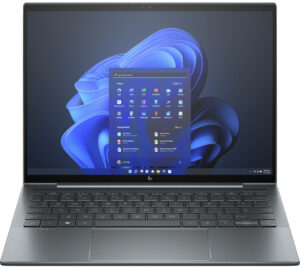
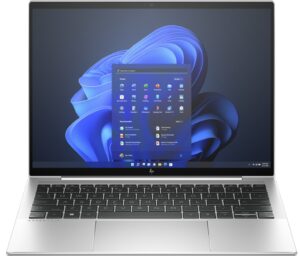
Opening the HP Dragonfly G4
Hint: Ensure the laptop is powered off and unplugged before starting.
- Undo the four captive Torx-head screws securing the bottom panel of the laptop.
- Lift the top two edges with a thin plastic tool and pry the back near the hinge cover using a lever tool.
- Carefully lift the rear and slide the panel towards the back of the laptop. If needed, pry the sides to fully release the bottom cover.
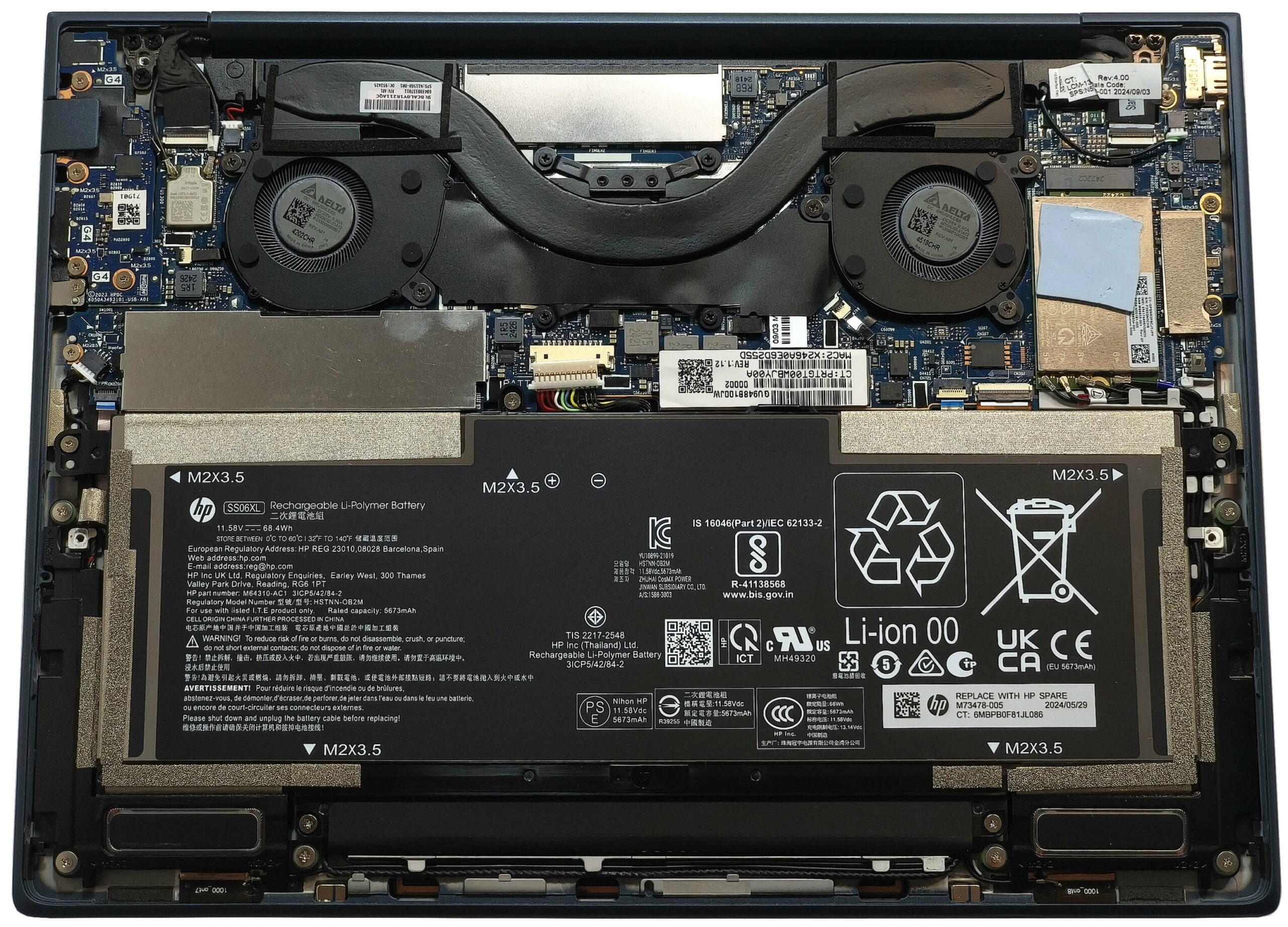
More info: The inside of the bottom plate houses two dust filters for improved airflow and dust management.
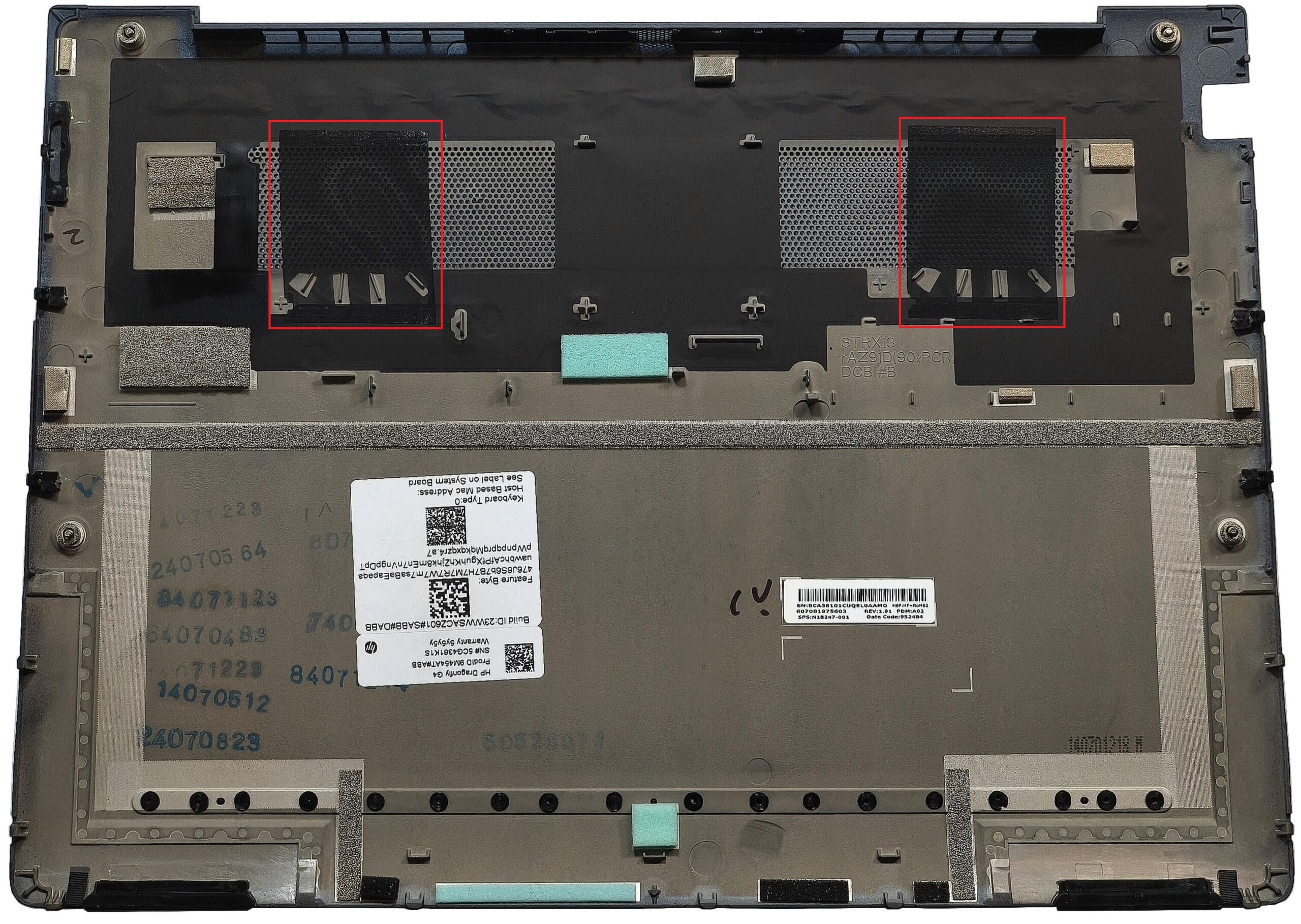
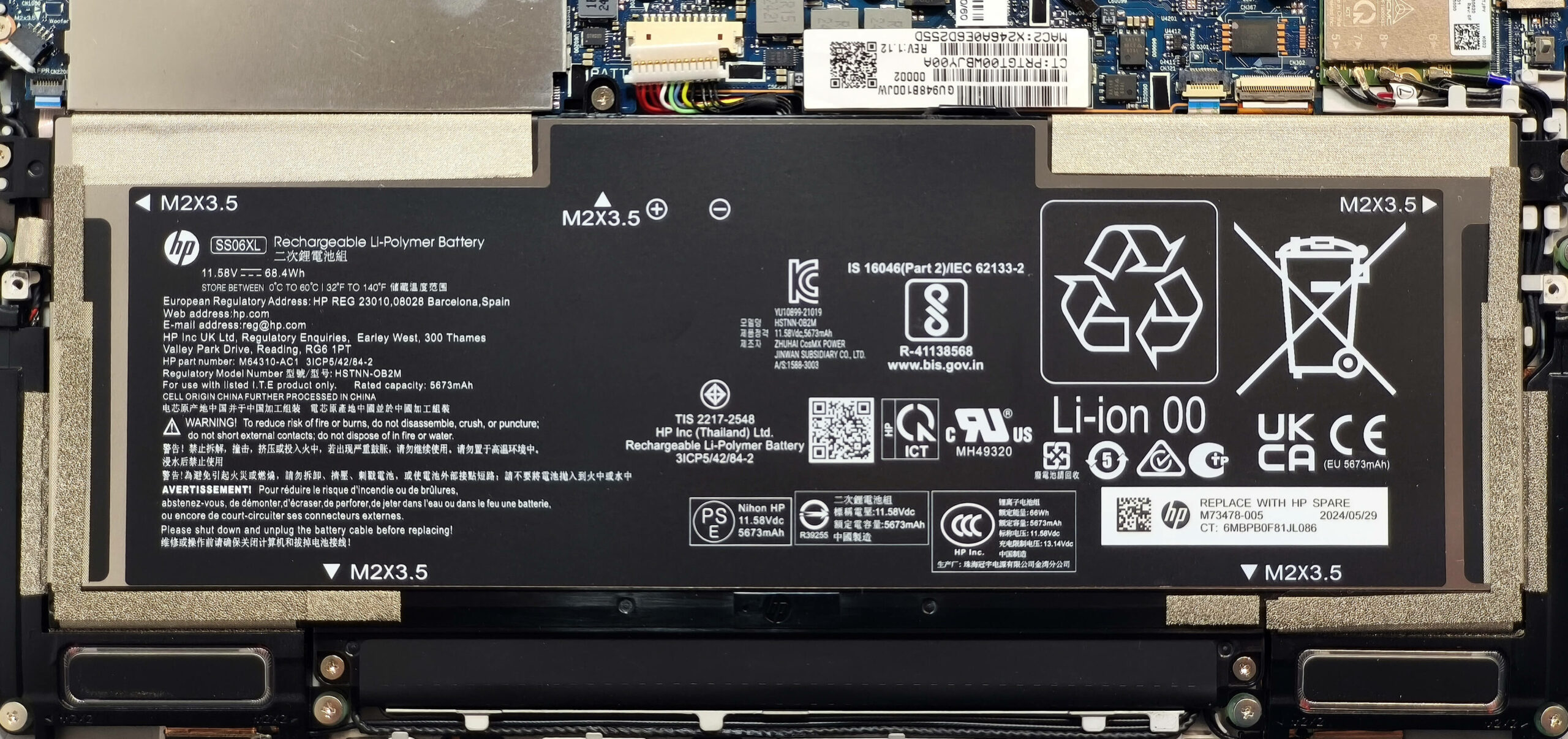
Battery Removal
Caution: Handle the battery with care to avoid damage or electrical hazards.
- Disconnect the battery by gently pulling the connector towards the battery.
- Undo the five Phillips-head screws securing the battery to the chassis.
- Carefully lift and remove the battery from the laptop.
More info: The optional 68Wh battery provides up to 14 hours of video playback, while the default 45Wh battery is suitable for lighter workloads.
You can find compatible batteries here: Buy from Amazon.com (#CommissionsEarned)
Memory Upgrade
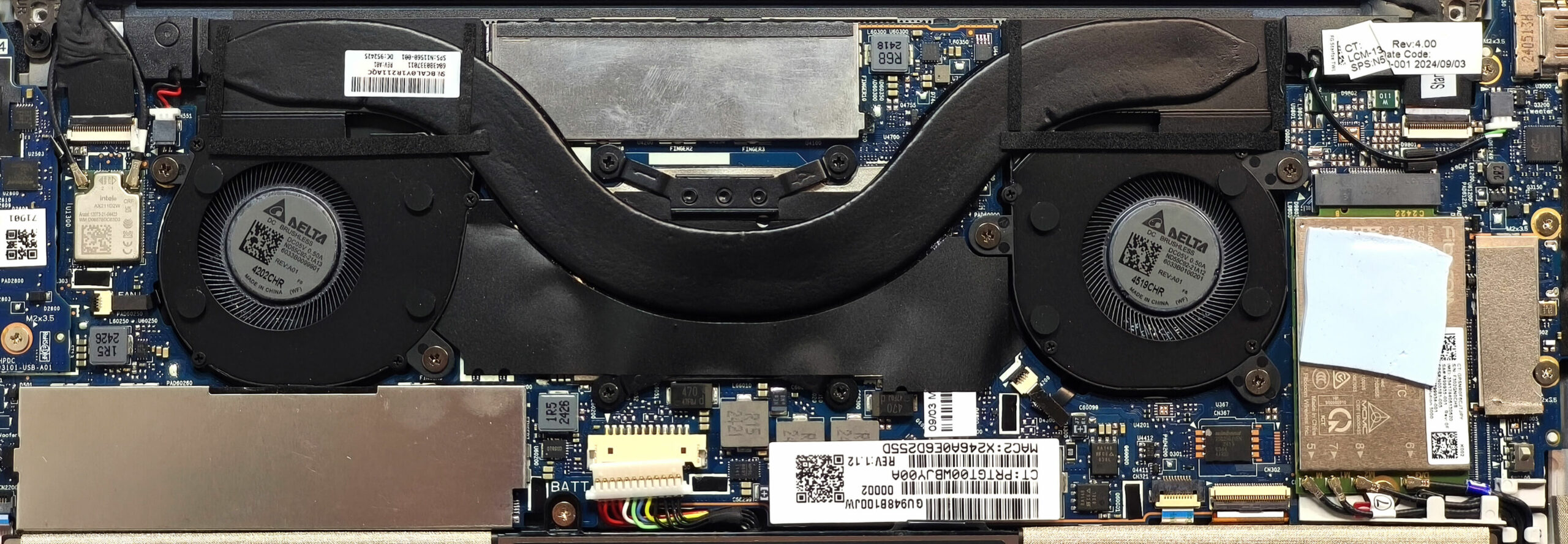
Note: The memory is soldered and not user-upgradeable.
More info: The laptop comes with 16GB or 32GB of LPDDR5-6400MHz RAM in dual-channel mode, sufficient for business and professional use. Be sure to choose a configuration that meets your needs when purchasing.
Storage Upgrade
Hint: Handle SSD components carefully to avoid damage or data loss.
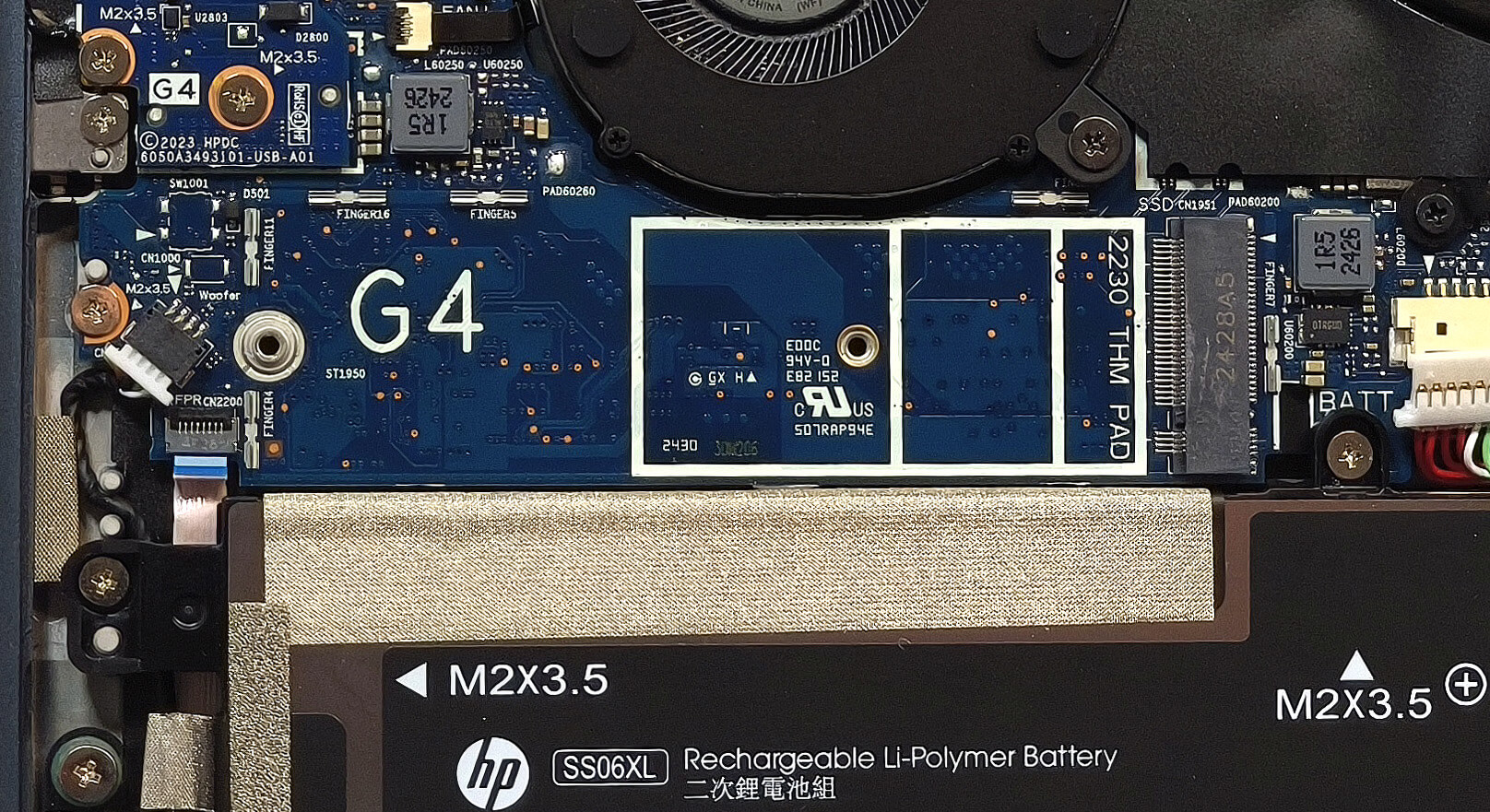
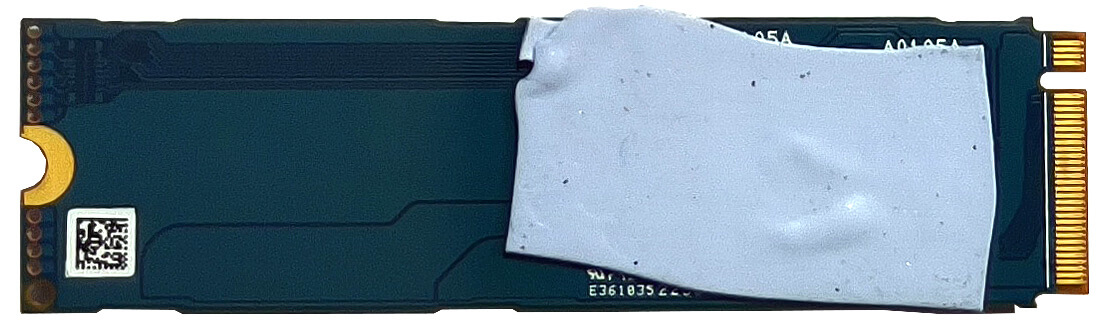
- Locate the single M.2 slot, which is compatible with 2280 Gen 4 SSDs.
- The storage drive is covered by a metal shield. Use a lever tool to pop off the shield carefully.
- A cooling pad is located underneath the NVMe drive for heat management. Replace the shield after installing the new SSD.
More info: The laptop supports fast storage upgrades, thanks to the Gen 4 compatibility and integrated cooling solutions.
You can find compatible SSDs here: Buy from Amazon.com (#CommissionsEarned)
Connectivity Options
More info: The HP Dragonfly G4 includes features for mobile connectivity.
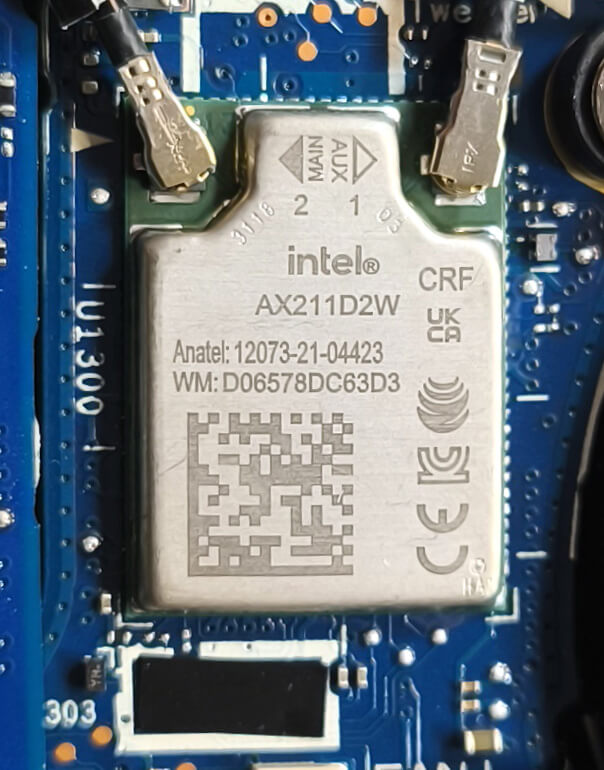
- A WWAN slot on the right supports optional LTE or 5G connectivity.
- The installed unit is additionally cooled by a thermal pad to maintain stable performance.
- The Wi-Fi 6E card is non-replaceable and positioned near the left fan.
Cooling System Overview
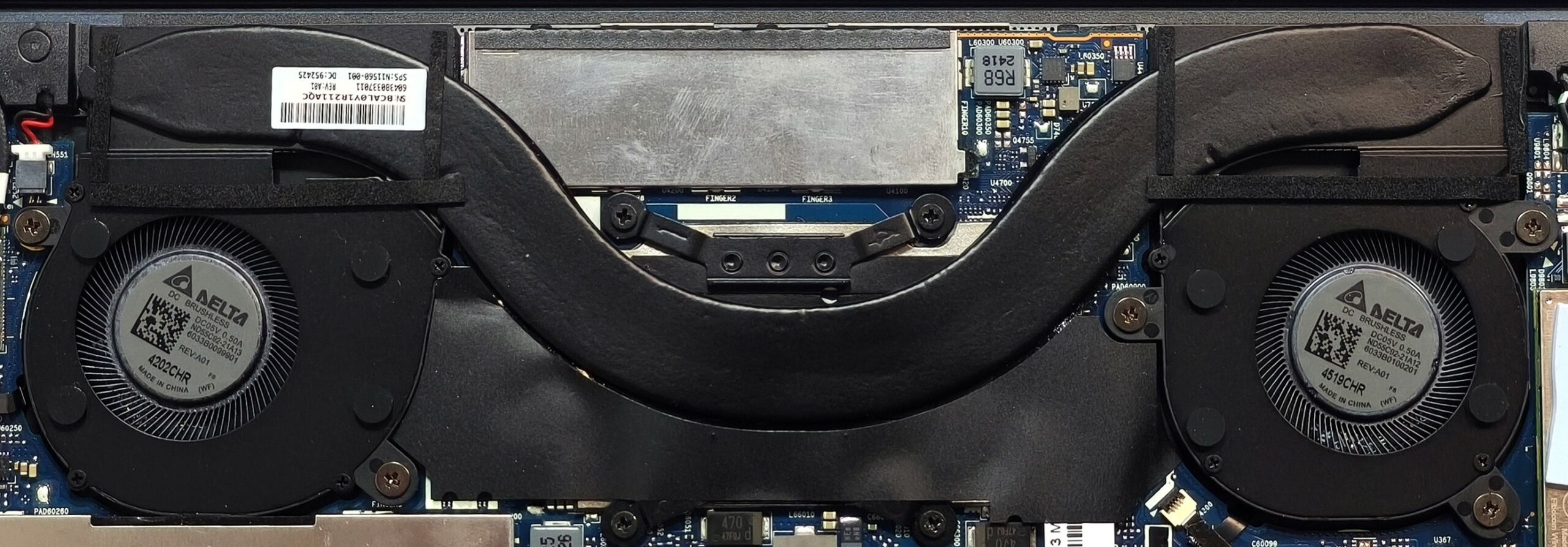
- The system includes two small fans for efficient airflow.
- One long, wide heat pipe directs heat away from critical components.
- Two heat sinks and a centrally placed heat spreader complement the cooling system for optimal thermal performance.
Tip: Regularly inspect and clean the fans and heat sinks to maintain optimal cooling efficiency.
HP Elite Dragonfly G4 in-depth review
Carrying around a hefty laptop on a daily basis could be annoying and even exhausting. The HP Dragonfly G4 solves this issue thanks to its sub-1 kg weight and powerful enough hardware for normal usage. This business machine relies on a 13th generation Intel Raptor Lake-U series processor options. These chips still meet the necessary standards for work but the lack of a dedicated NPU unit for AI-accelerated productivity could be a dealbreaker for some of you. It's not a surprise that the upgradability is almost non-existent because of the compact dimensions. On the other hand, the port selectio[...]

Pros
- Clean design
- The matte finish is almost fingerprint-proof
- Solid metal build
- Super light (0.99 kg starting weight)
- Good comfort during full CPU stress
- Adequate performance for office work
- Wide viewing angles and 364 nits of max brightness (LGD074C)
- PWM-free (LGD074C)
- 90% sRGB coverage + accurate colors when our "Design and Office Work" profile is applied (LGD074C)
- Comfortable keyboard and touchpad
- 2x Thunderbolt 4s + 1x Type-A ports
- The fan is almost quiet in "Performance" mode even when the processor is stressed at max
- Long battery battery life (~ 14 hours of videos)
- Lid with a lever design
- Fingerprint reader + 5MP Web camera
- The P cores of the Core i7-1355U boost to ~ 2.25 GHz in long loads
- Facial recognition, NFC, backlight, LTE / 5G connectivity (all are optional)
- Quality audio by Bang & Olufsen
- 180-degree hinge
Cons
- Limited upgradability
- High price
- The keyboard backlight is optional
- High CPU temperatures no matter the load
 Author: Dimitar Stalev

![[August 2026] Amazon Italy: Top 10 Best-Selling Laptops – Apple MacBook Neo Claims the Crown as Budget and Mid-Range Windows Machines Dominate Volume](https://laptopmedia.com/wp-content/uploads/2026/09/Best-Selling-Laptops-IT-Top-10-400x225.jpg)
![[August 2026] Amazon Italy: Top 7 Best-Selling Gaming Laptops – ASUS V16 Claims the #1 Spot Amid Strong Mid-Range Demand](https://laptopmedia.com/wp-content/uploads/2026/09/Best-Selling-Gaming-Laptops-IT-Top-10-400x225.jpg)
![[August 2026] Best-Selling Laptop Brands on Amazon Italy – Lenovo Dominates Market Share and Revenue Leadership](https://laptopmedia.com/wp-content/uploads/2026/09/IT-Best-Brands-400x225.jpg)
![[August 2026] Amazon India: Top 10 Best-Selling Laptops – Apple MacBook Neo Dominates the Charts with Massive Sales Lead](https://laptopmedia.com/wp-content/uploads/2026/09/Best-Selling-Laptops-IN-Top-10-400x225.jpg)
![[August 2026] Amazon India: Top 10 Best-Selling Gaming Laptops – HP Victus 15 Dominates the Market with Massive Unit Lead](https://laptopmedia.com/wp-content/uploads/2026/09/Best-Selling-Gaming-Laptops-IN-Top-10-400x225.jpg)
