How to open HP EliteBook 1040 G11 – disassembly and upgrade options

Opening the HP EliteBook 1040 G11
Hint: Power off the laptop and unplug any cables before proceeding.
- Undo the four captive Phillips-head screws securing the bottom panel.
- Use a thin plastic tool to pry the two bottom corners.
- Begin popping the clips along the front, then work your way around the sides to release the entire bottom cover.
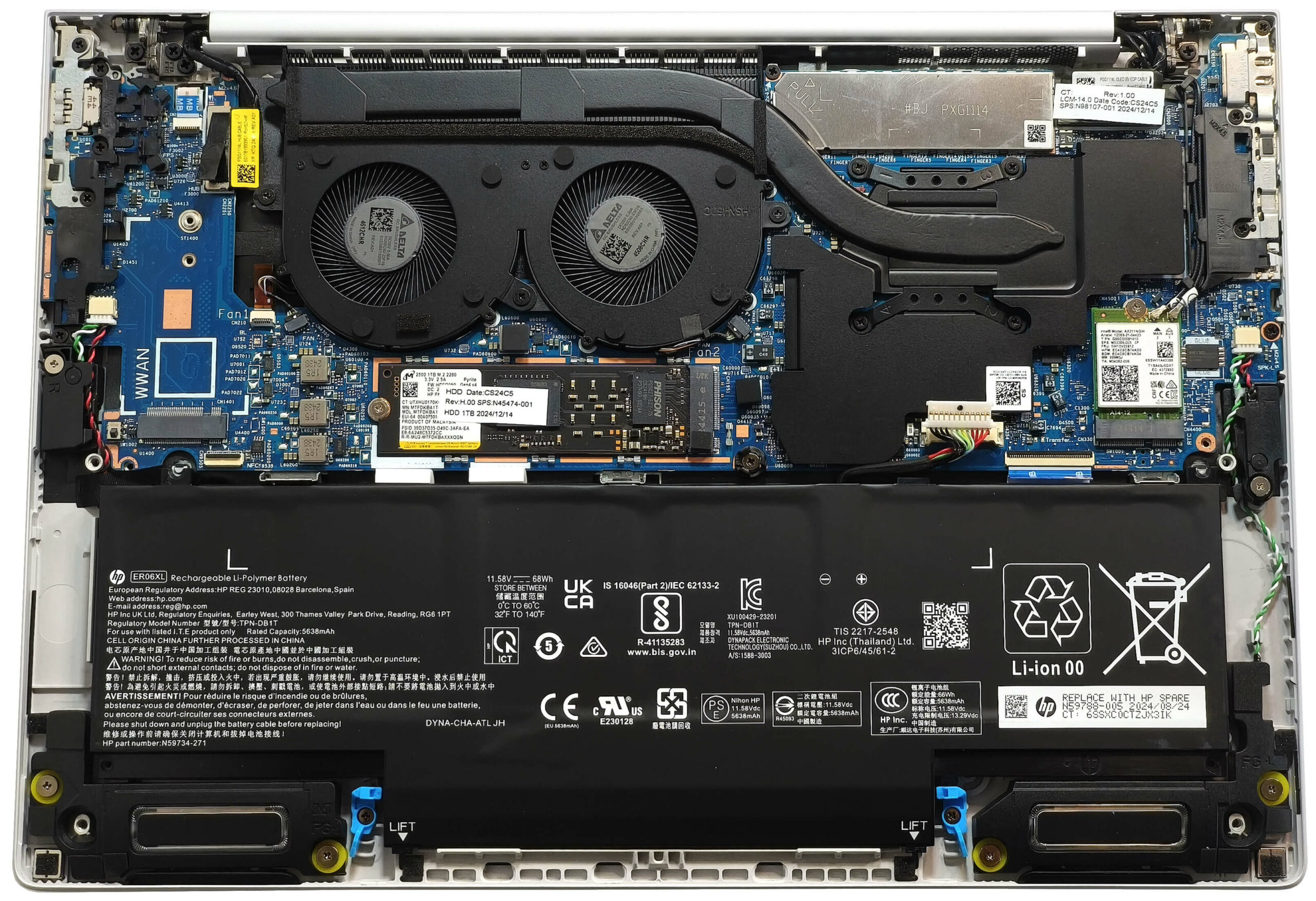
More info: The bottom panel gives access to the battery, SSD, Wi-Fi module, and cooling system, while the RAM remains soldered.
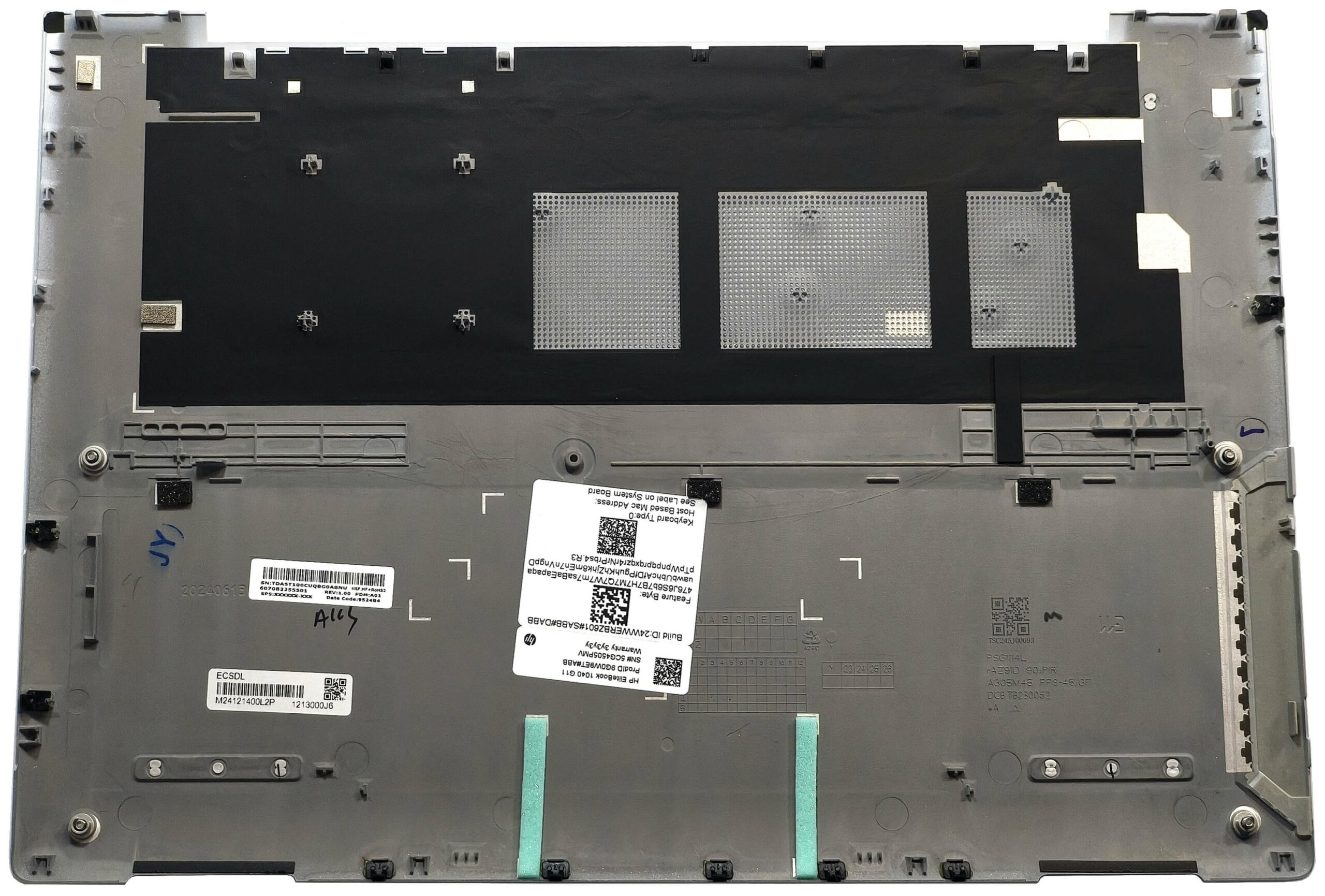
Battery Removal
Caution: Wear gloves and use non-metallic tools to avoid damaging internal components.
- Pull the battery connector gently toward the battery to detach it.
- Rotate the two blue clips located on the bottom of the battery to unlock it.
- Lift and remove the 68Wh battery from the chassis.
More info: The tested model features the optional 68Wh battery, offering around 11 hours of video playback when using the “Energy Saver” preset in Windows and Smart Sense mode in the MyHP app. The base variant comes with a 56Wh battery.
You can find compatible batteries here: Buy from Amazon.com (#CommissionsEarned)
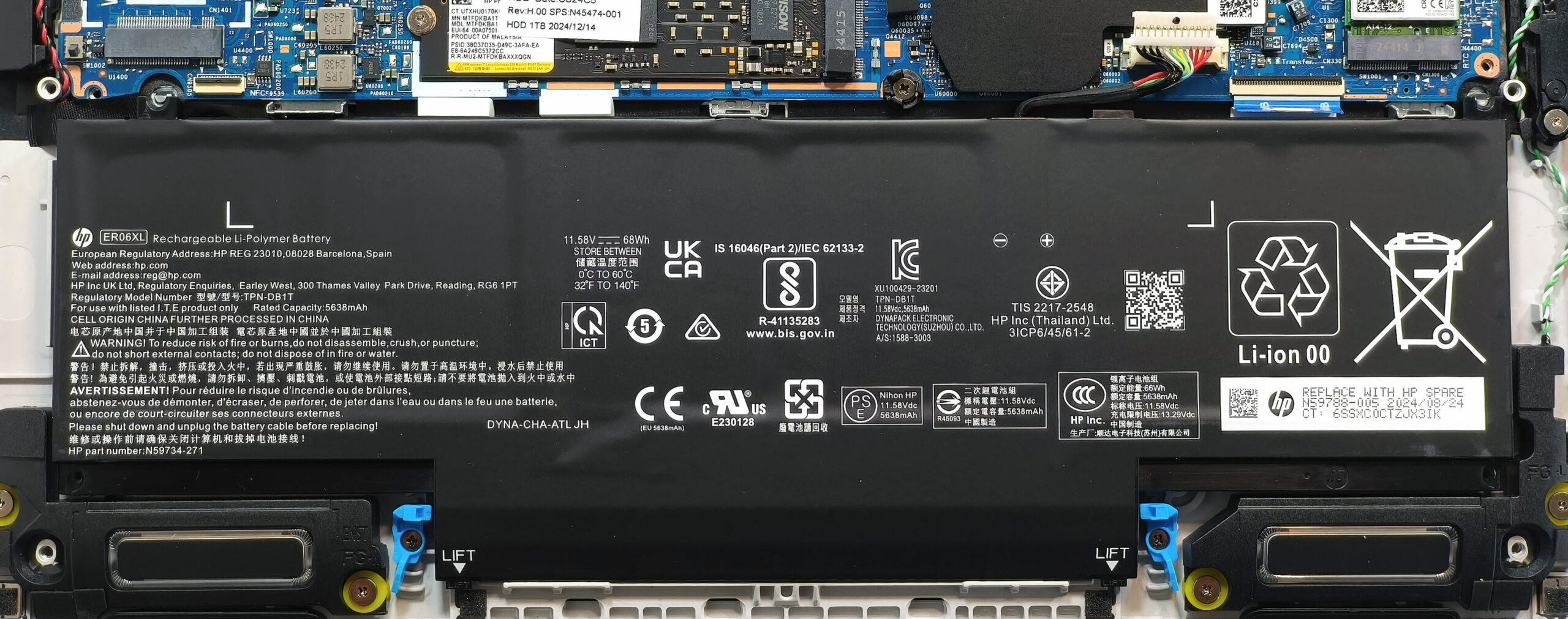
Memory Configuration
Note: The RAM is soldered and not upgradeable.
More info: The EliteBook 1040 G11 supports up to 64GB of LPDDR5x-7467MHz RAM in dual-channel mode. The memory chips are hidden beneath a small metal cap placed over the heat spreader of the cooling assembly.
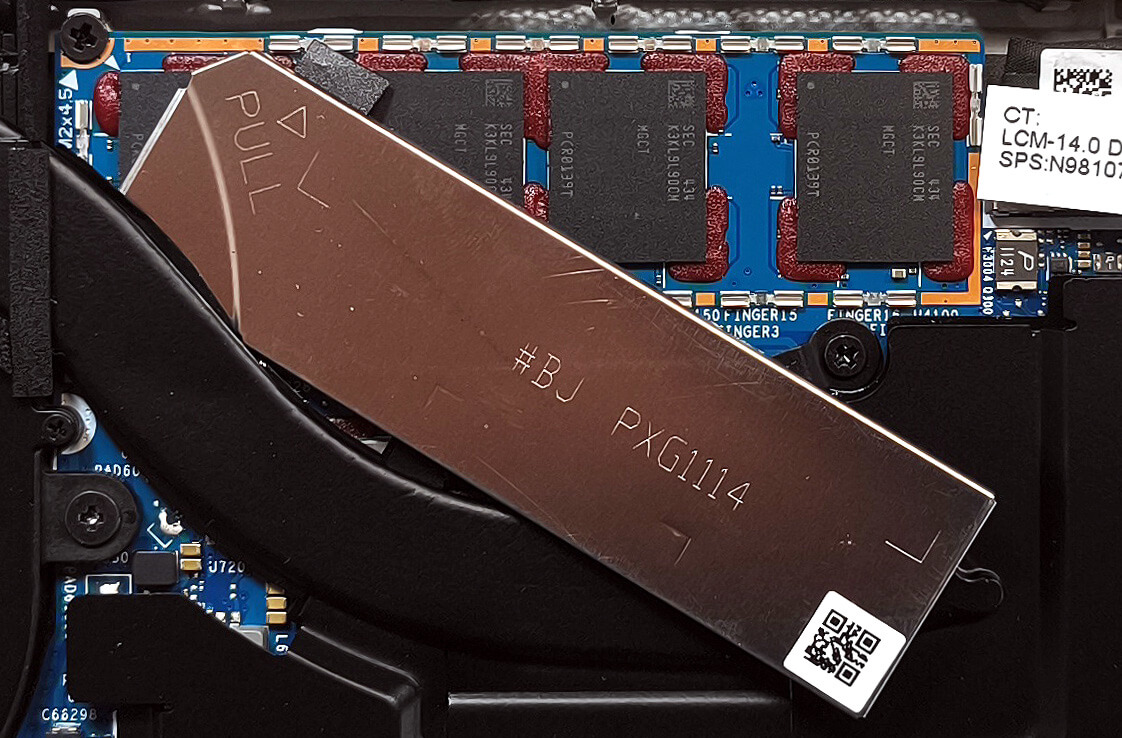
Storage Upgrade
Hint: Be cautious when handling the SSD and avoid damaging the thermal pad.
- Locate the single M.2 slot, compatible with 2280 Gen 4 NVMe SSDs.
- The preinstalled drive has a thermal pad underneath to assist with cooling.
- Install or replace the SSD and ensure the thermal pad maintains contact for optimal performance.
More info: While limited to one storage slot, Gen 4 SSDs offer high-speed performance for demanding workloads.
You can find compatible SSDs here: Buy from Amazon.com (#CommissionsEarned)
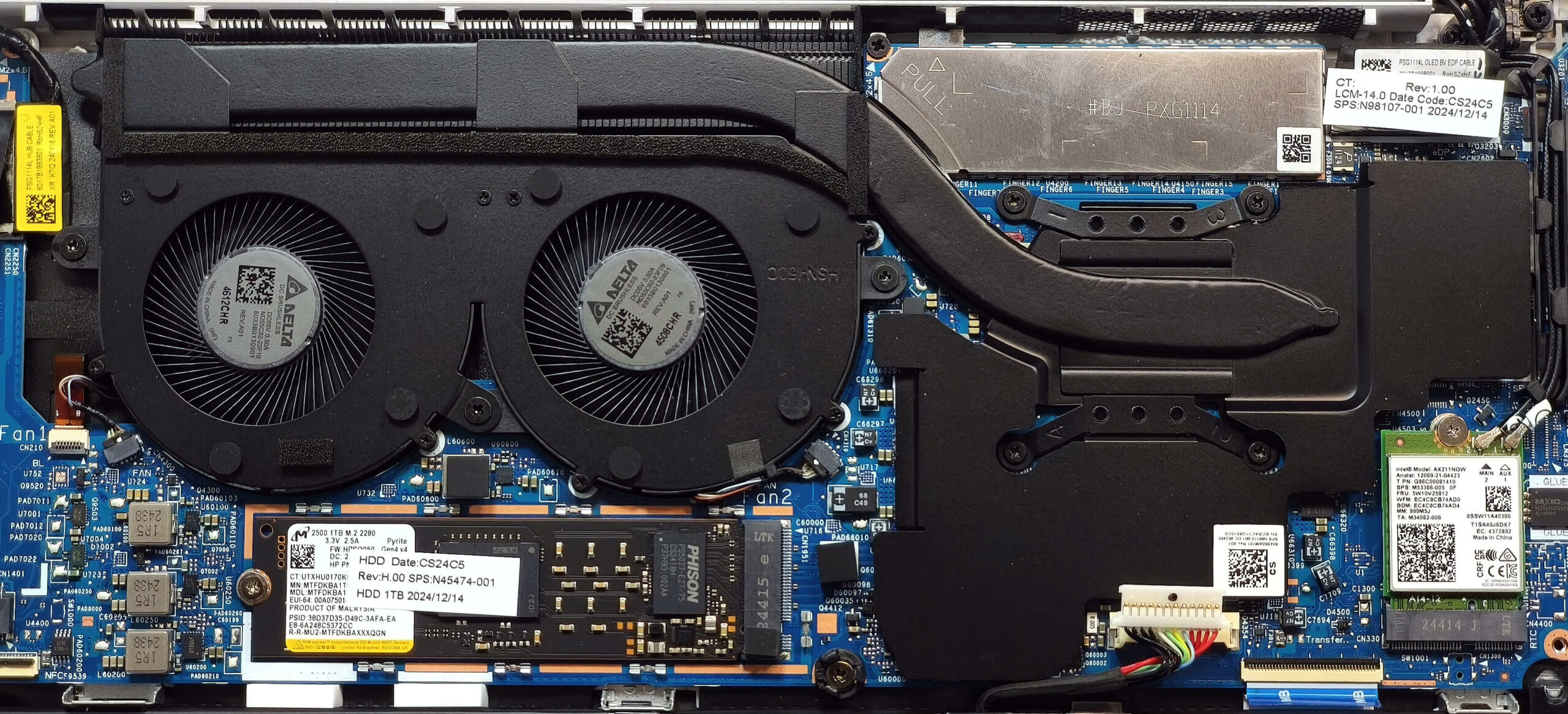
Connectivity Options
More info:
- The WWAN slot on the left supports optional 4G or 5G LTE connectivity.
- The Wi-Fi card is user-replaceable, which is a welcome upgrade path for future wireless standards.
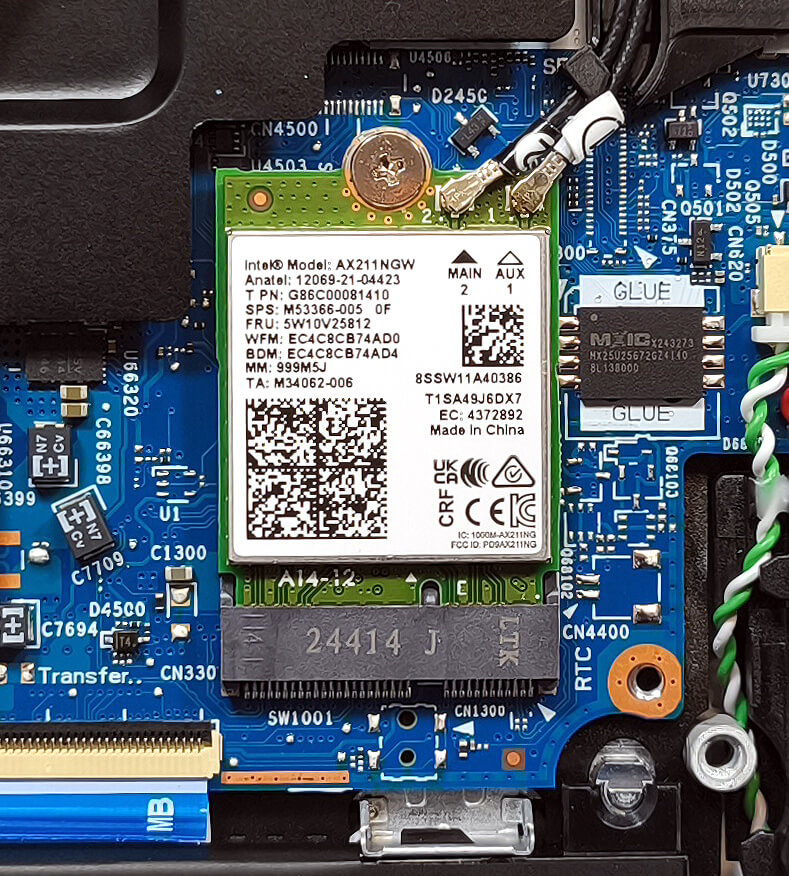
Cooling System Overview
More info: Despite its compact form, the HP EliteBook 1040 G11 features a capable cooling setup.
- Two fans circulate airflow across internal components.
- A single long heat pipe channels heat from the CPU area.
- The heat pipe is connected to a sizable heat sink and a large heat spreader for consistent cooling.
Tip: Regularly clean the fan vents and heat sink fins to maintain thermal efficiency and system stability.
HP EliteBook 1040 G11 in-depth review
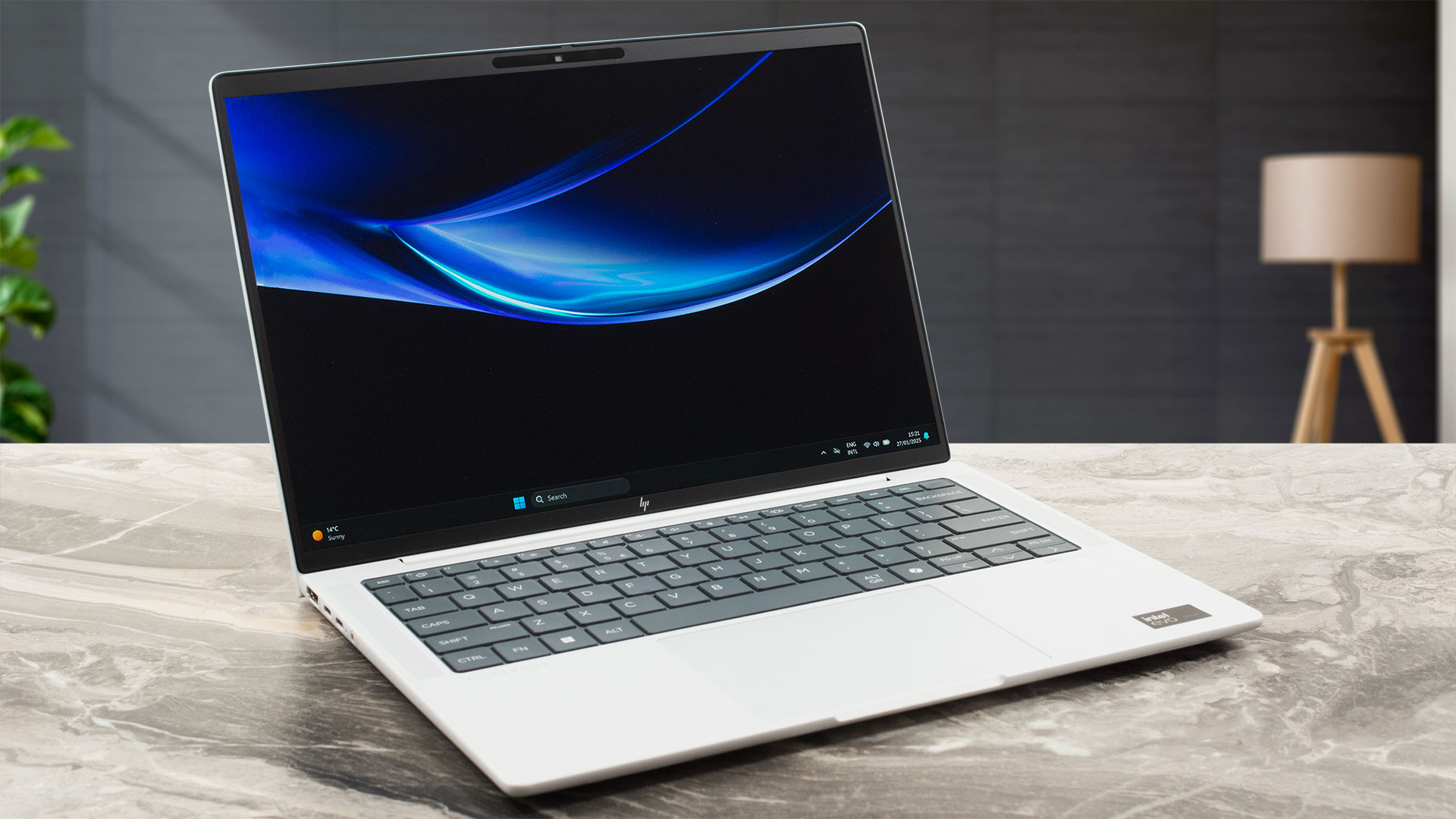
The EliteBook 1040 G11 is the non-2-in-1 sibling of the HP Elite x360 1040 G11 that we have already reviewed. We were impressed with the x360's performance and anticipate even greater power from the 1040 G11. In short, it is still the same modern-looking machine that could be ordered with 28W or 15W Intel Meteor Lake CPUs. vPro functionality remains optional as well as the NFC, the WWAN card, and the Wi-Fi 7 connectivity. The fingerprint reader will also cost you an additional amount of money. However, all models include a Webcam that supports facial recognition, which is a welcome inclusion. [...]
Pros
- Solid metal chassis
- The matte finish is almost fingerprint-proof
- Light and thin (1.18 kg / 10.5 - 14.9 mm)
- The Core Ultra 7 155H sustains ~ 2.15 GHz / 1.80 GHz P and E core clocks in long loads
- Wide viewing angles + 16:10 aspect ratio (SDC4197)
- 400 nits of max brightness in SDR mode + infinite contrast ratio (SDC4197)
- 100% sRGB and DCI-P3 coverage + accurate colors with our "Design and Office" profile (SDC4197)
- 2880 x 1800 120Hz OLED screen with variable refresh rate support (VRR)
- Good keyboard
- Smooth and precise touchpad
- 3x Type-Cs + 1x Type-A ports
- The fans aren't noisy in "Performance" mode during heavy CPU loads
- Long battery battery life with the optional 68Wh capacity (~11 hours of videos)
- 5MP IR Web camera with a privacy shutter
- Fast NVMe (Micron 2500)
- Good sound quality
- NFC, fingerprint reader, vPro, Intel Evo, eSIM, backlit keyboard. Wi-Fi 7 (all are optional)
- Up to 64GB LPDDR5x memory
- Replaceable WWAN and Wi-Fi cards
- HP Sure View privacy screen
- Great iGPU performance
- You can open the lid with one hand
Cons
- Just one M.2 slot + soldered RAM
- Too many optional features
- 97°C CPU temperature in medium loads
 Author: Dimitar Stalev

![[June 2026] Best-Selling Laptop Brands on Amazon Global – Apple’s Unrivaled Dominance in Units and Revenue](https://laptopmedia.com/wp-content/uploads/2026/07/GLOBAL-Best-Brands-400x225.jpg)
![[June 2026] Amazon Global: Top 10 Best-Selling Laptops – Apple’s New MacBook Neo Storms to #1, Reshaping the Market with Affordability](https://laptopmedia.com/wp-content/uploads/2026/07/Best-Selling-Laptops-GLOBAL-Top-10-400x225.jpg)
![[June 2026] Amazon Global: Top 10 Best-Selling Gaming Laptops – Acer’s Nitro V 16S AI Dominates Sales, While ASUS Leads Overall Revenue](https://laptopmedia.com/wp-content/uploads/2026/07/Best-Selling-Gaming-Laptops-GLOBAL-Top-10-400x225.jpg)
![[June 2026] Global Ranking of Best-Selling Laptop GPUs on Amazon – NVIDIA RTX 5060 is the Top-Selling Dedicated GPU](https://laptopmedia.com/wp-content/uploads/2026/07/Best-Selling-GPUs-GLOBAL-Top-10-400x225.jpg)
![[June 2026] Global Ranking of Best-Selling Laptop CPUs on Amazon – Apple M5 Dominates, AMD Ryzen 7 260 Gets Solid Premium Share](https://laptopmedia.com/wp-content/uploads/2026/07/Best-Selling-CPUs-GLOBAL-Top-10-400x225.jpg)
