How to open HP EliteBook 840 G11 – disassembly and upgrade options
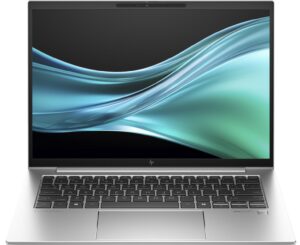
Opening the Device
Hint: Ensure the laptop is powered off and disconnected from any power source before starting.
- Undo the five Phillips-head screws on the bottom of the laptop.
- Use a lever tool to pop the rear around the hinge cover.
- Start with the two spots near the top edges and pry the central zone carefully.
- Once the central zone is pried, the clips on the back should be fully released.
- Pry the sides and the front of the laptop to fully remove the back cover.
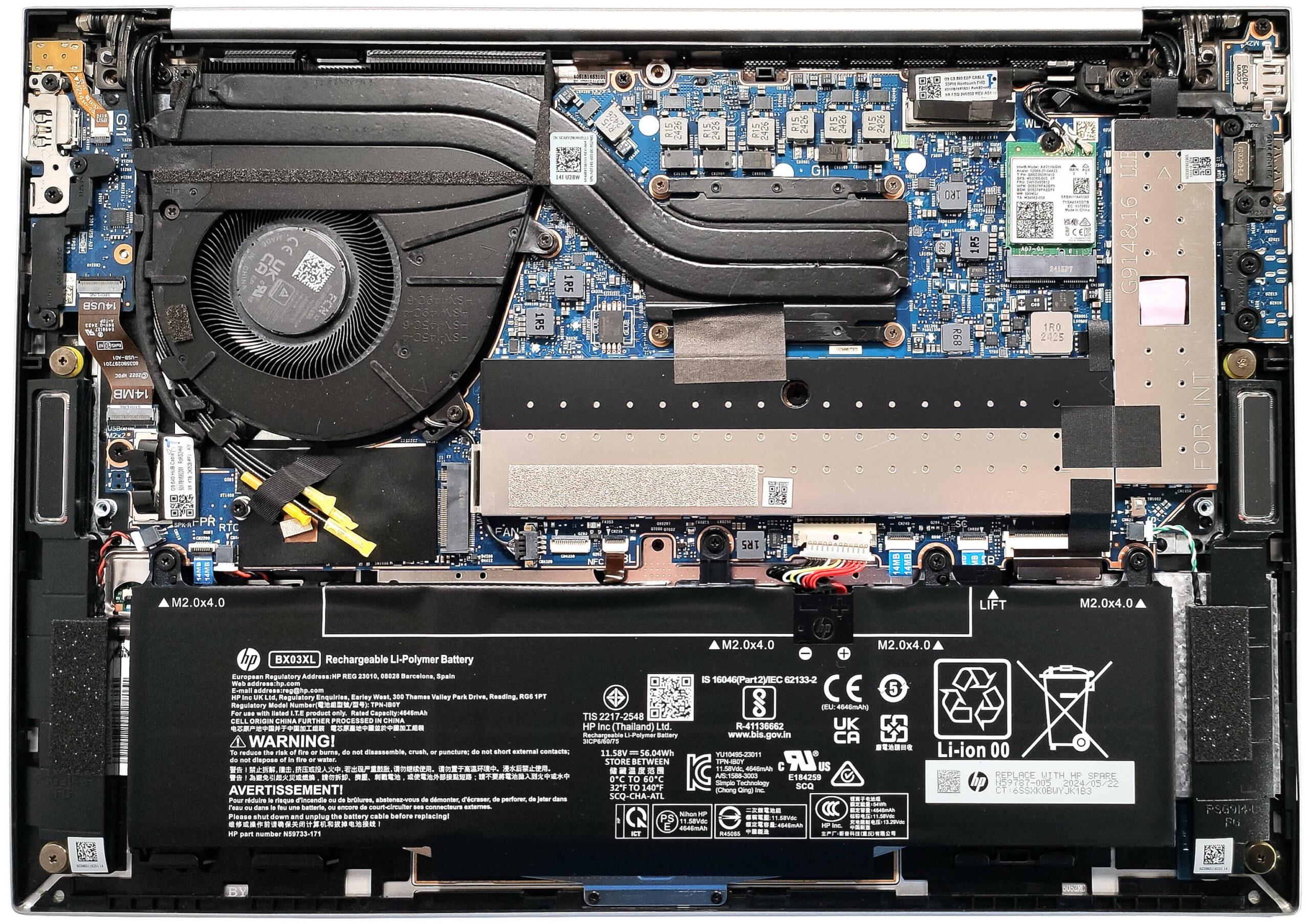
More info: The inside of the bottom plate houses a cooling pad for the WWAN slot, enhancing thermal management and supporting optional 5G or 4G LTE connectivity.
Battery Removal
Caution: Handle the battery with care to avoid damage or injury.
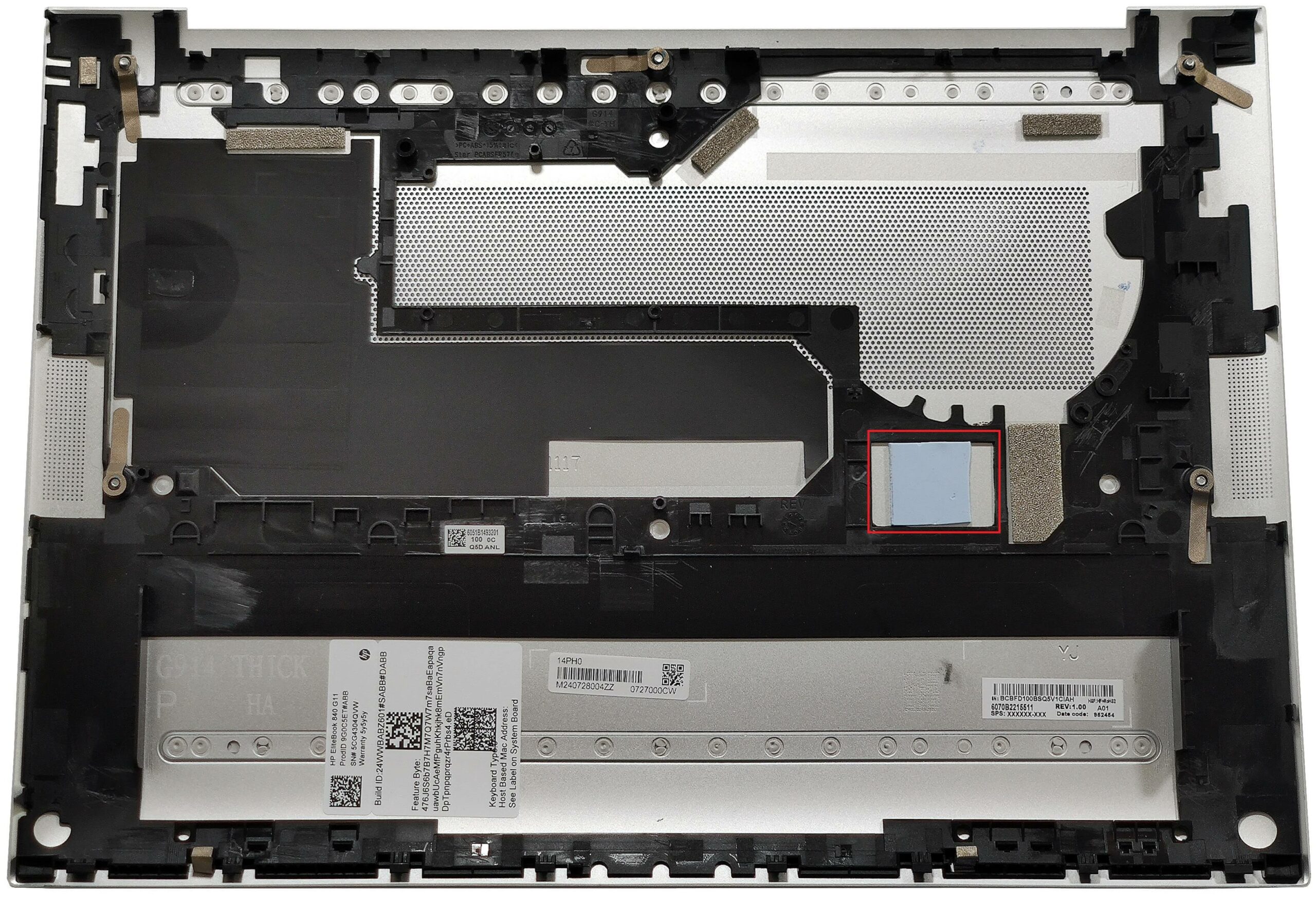
- Pull out the battery connector from the motherboard.
- Undo the four Phillips-head screws securing the 56Wh battery to the base.
- Carefully detach the battery from the laptop.
More info: The laptop is equipped with a 56Wh battery, providing around 12 hours of video playback.
You can buy compatible batteries here: Buy from Amazon.com (#CommissionsEarned)
Memory and Storage Upgrade, and Wi-Fi Card Placement
Hint: Ensure you are grounded to prevent static discharge when handling memory modules.
Hint: Handle the SSD with care to avoid any data loss or damage during installation.
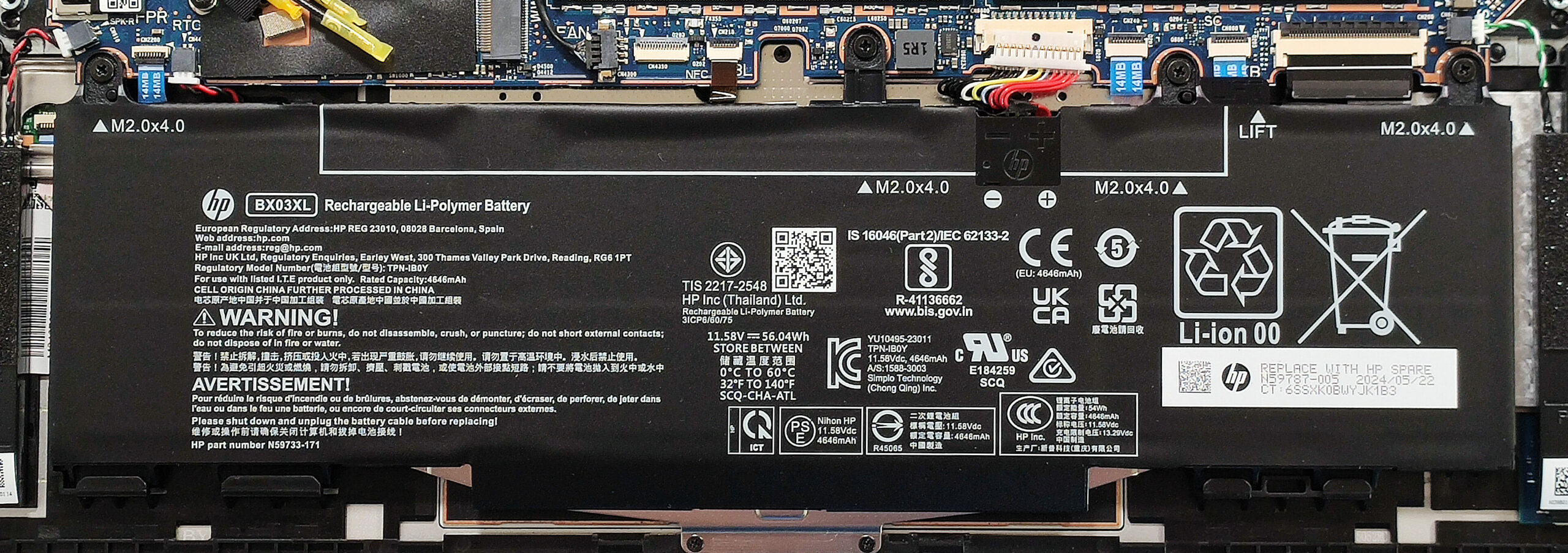
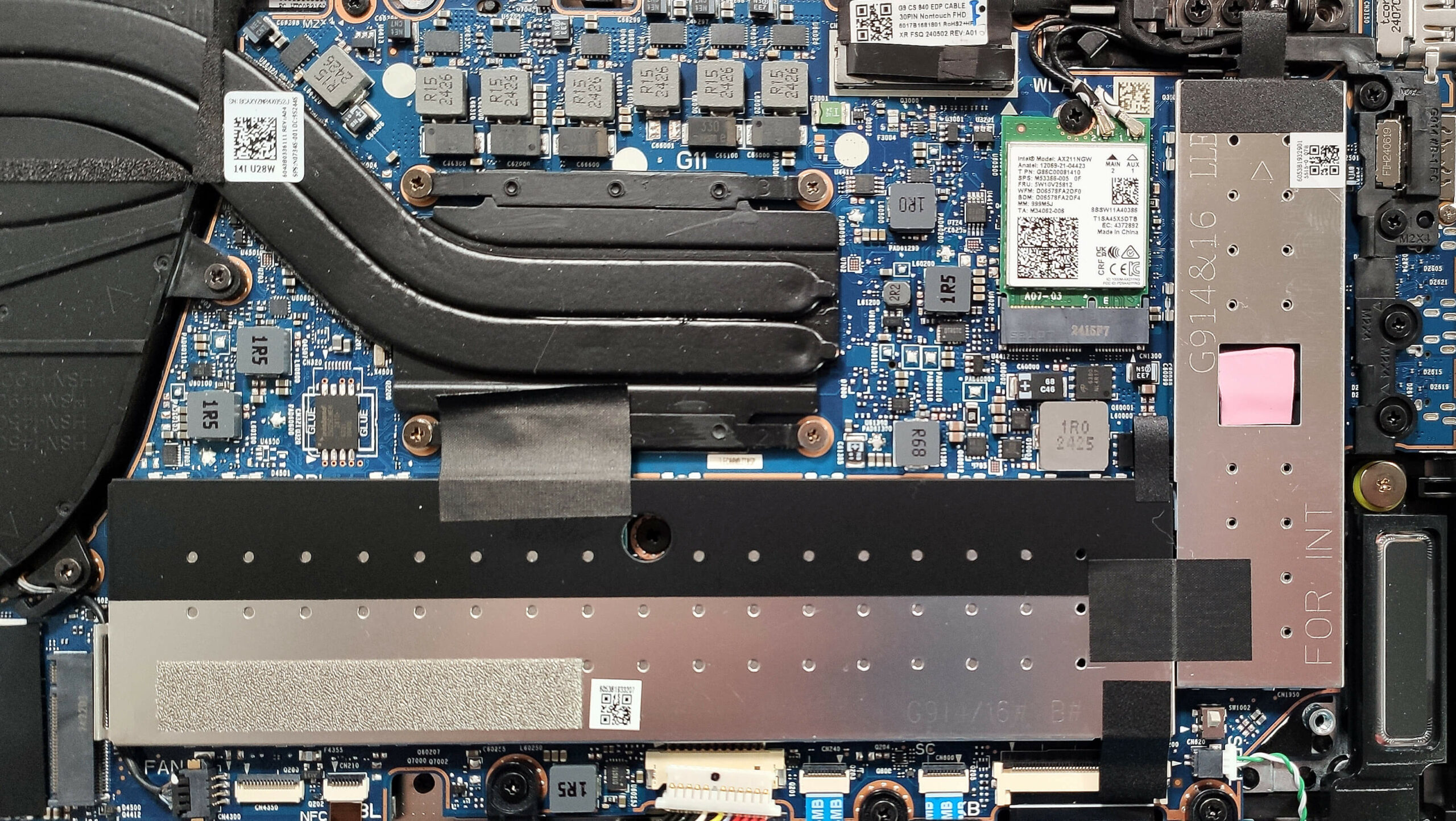
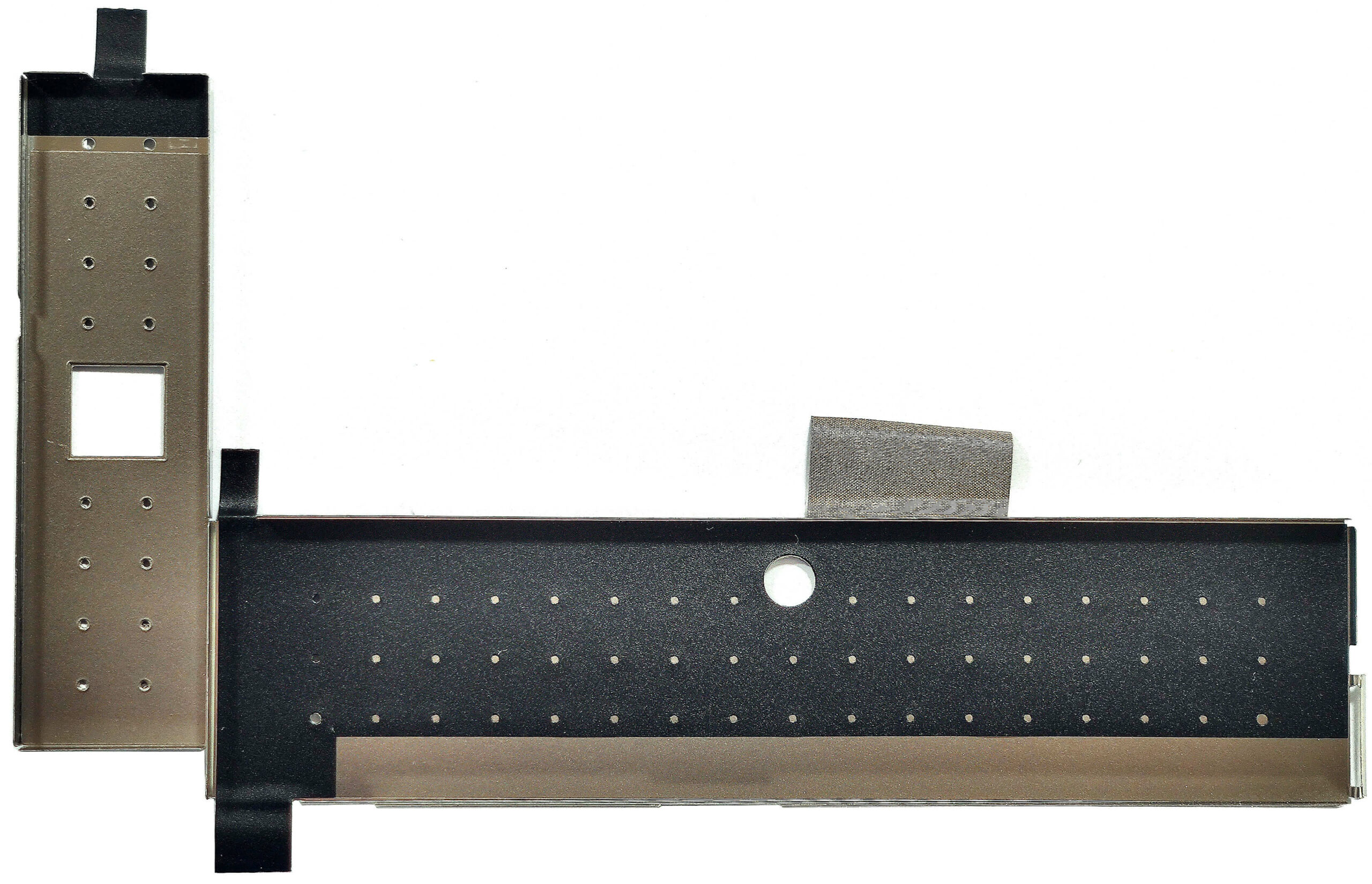
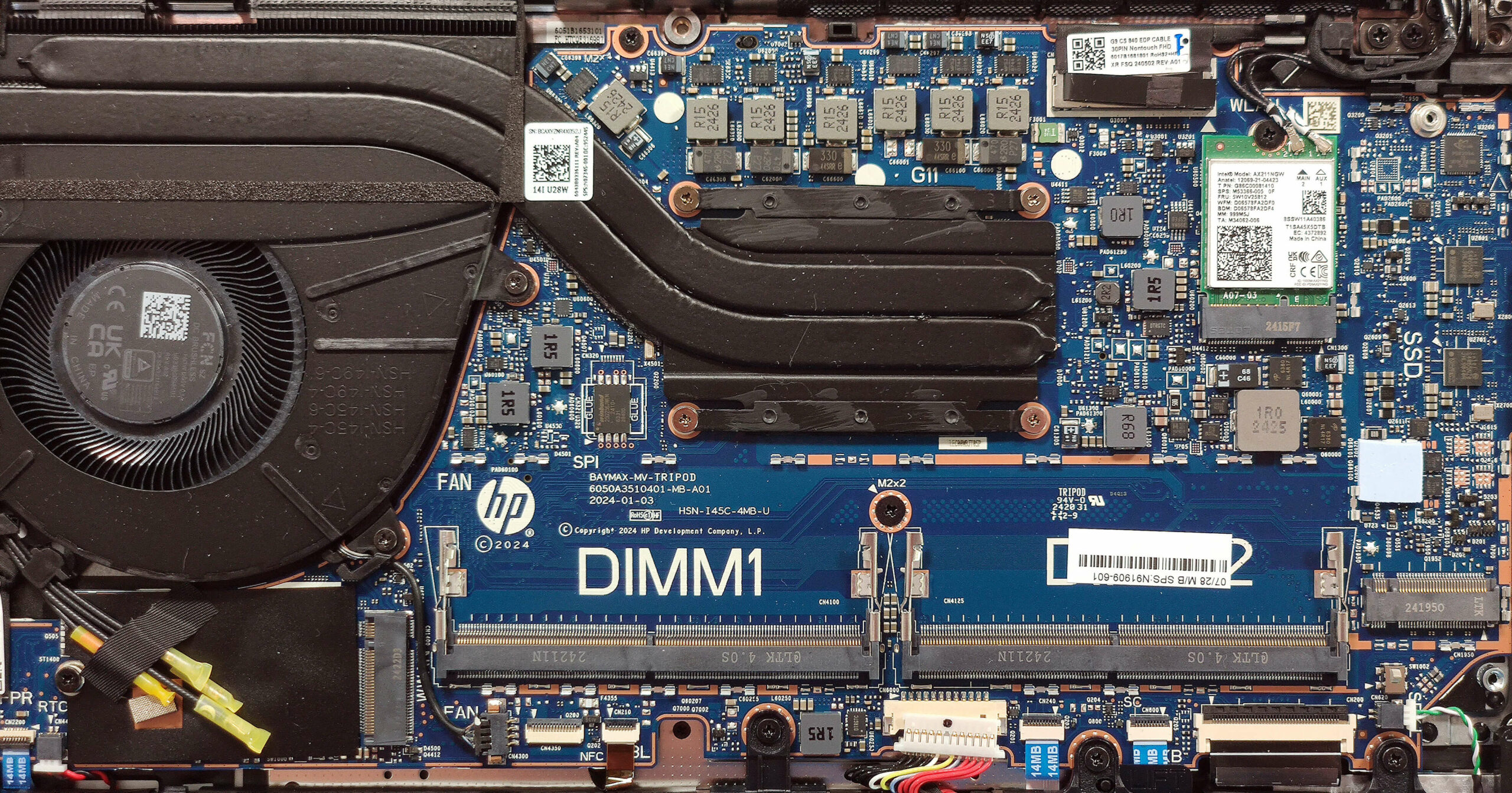
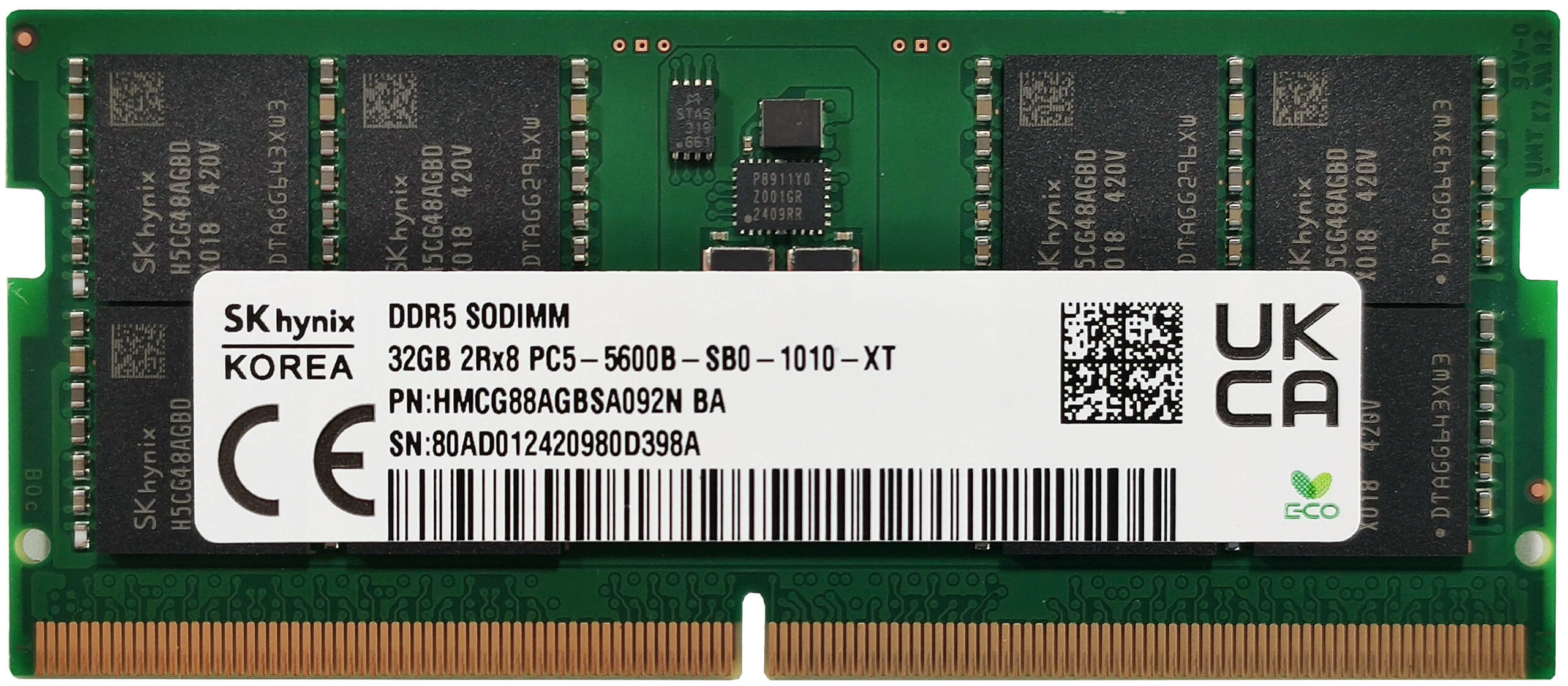
- Locate the RAM zone covered by a metal cap.
- Carefully lift the attached fabric handles to remove the metal caps.
- Insert the new DDR5-5600 MHz RAM modules into the SODIMM slots, ensuring they are properly seated.
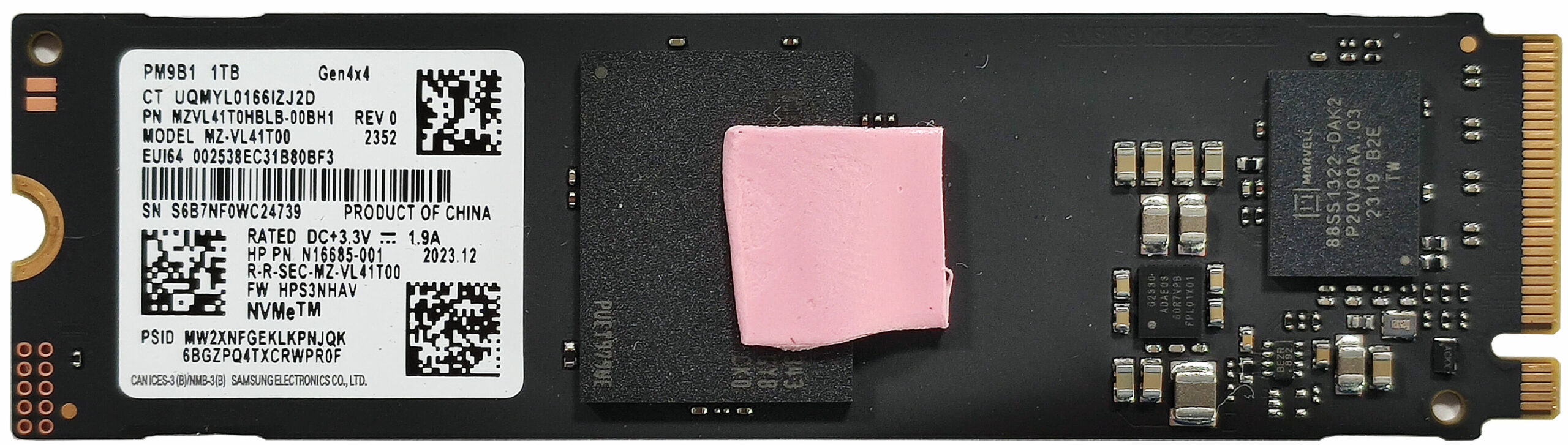
- Locate the single M.2 slot compatible with 2280 Gen 4 SSDs.
- Remove the metal cap covering the preinstalled NVMe SSD by lifting the attached fabric handles.
- Insert the new Gen 4 M.2 SSD into the slot and secure it with the metal cap.
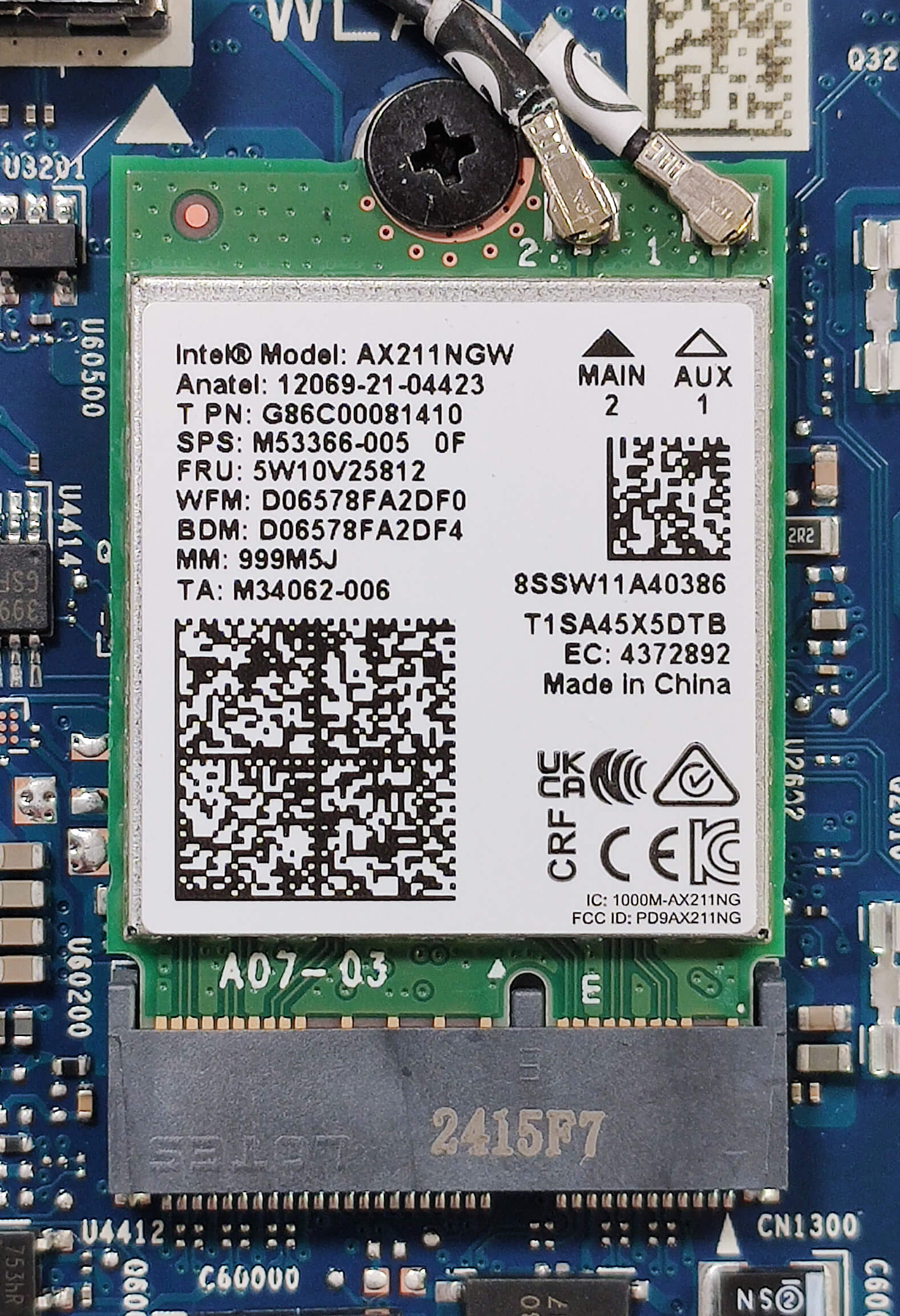
- The Wi-Fi 6E card is placed on the top right side of the mainboard.
More info: The laptop supports up to 64GB of DDR5-5600 MHz RAM in dual-channel mode. Although the CPU can handle up to 96GB, it is recommended to adhere to the manufacturer’s specified limit for optimal performance.
More info: The NVMe drive is additionally cooled by a small thermal pad on its top and bottom sides, ensuring optimal performance and longevity.
Hint: Don’t forget to check out our Top M.2 SSDs Performance Rankings for insights on the best storage options available.
You can buy compatible RAM modules here: Buy from Amazon.com (#CommissionsEarned)
You can buy compatible SSDs here: Buy from Amazon.com (#CommissionsEarned)
Cooling System Overview
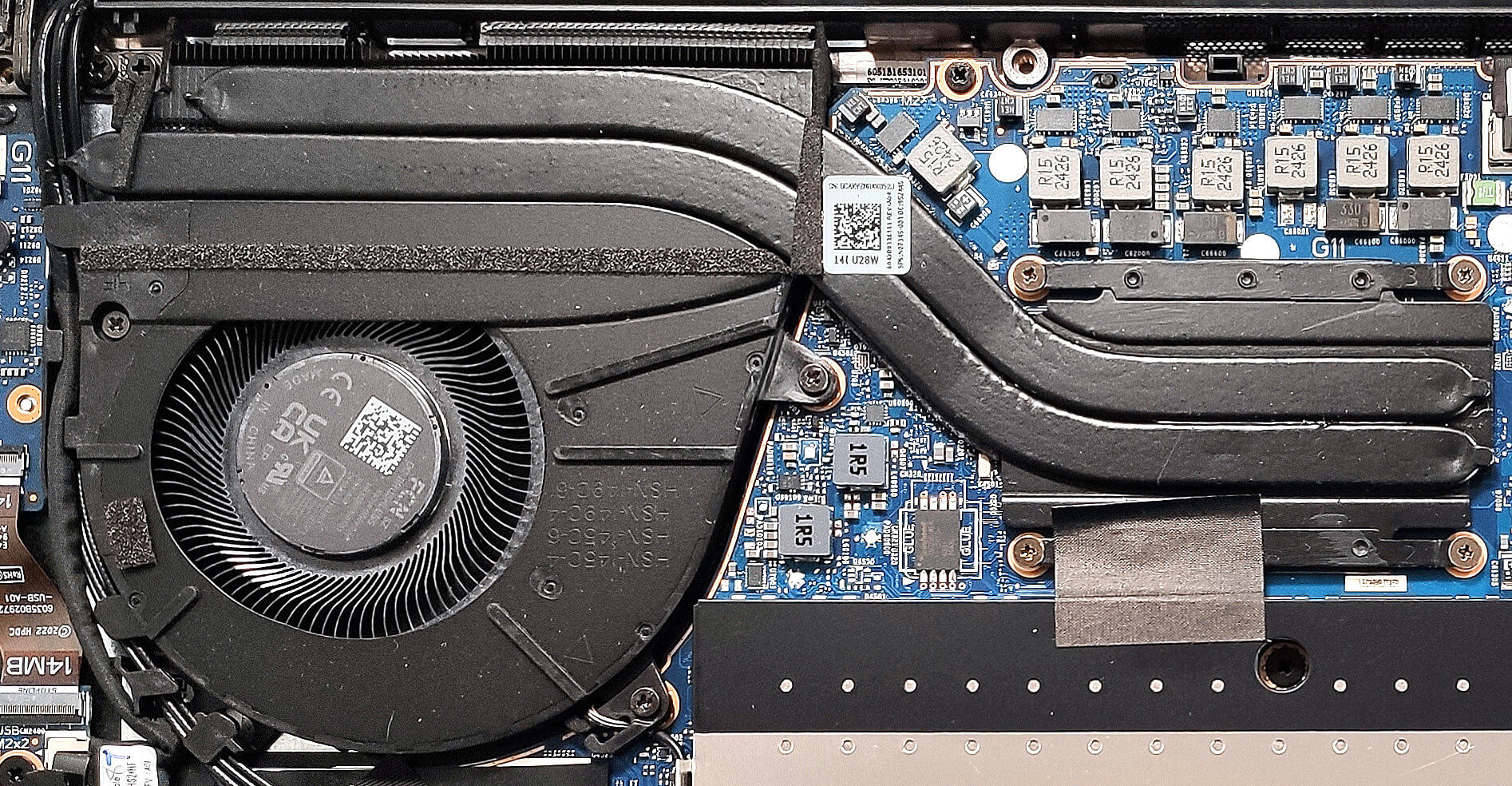
More info: The cooling system is sufficient for a 14-inch laptop without dedicated graphics. It comprises a big fan, two long heat pipes, a decently-sized heat sink, and a heat spreader, ensuring efficient thermal management.
- Inspect the big fan to ensure it is free of dust and debris.
- Check the two long heat pipes for any signs of wear or damage.
- Verify that the heat sink is properly seated and not obstructed.
- Ensure the heat spreader is securely in place to maintain optimal cooling performance.
HP EliteBook 840 G11 in-depth review
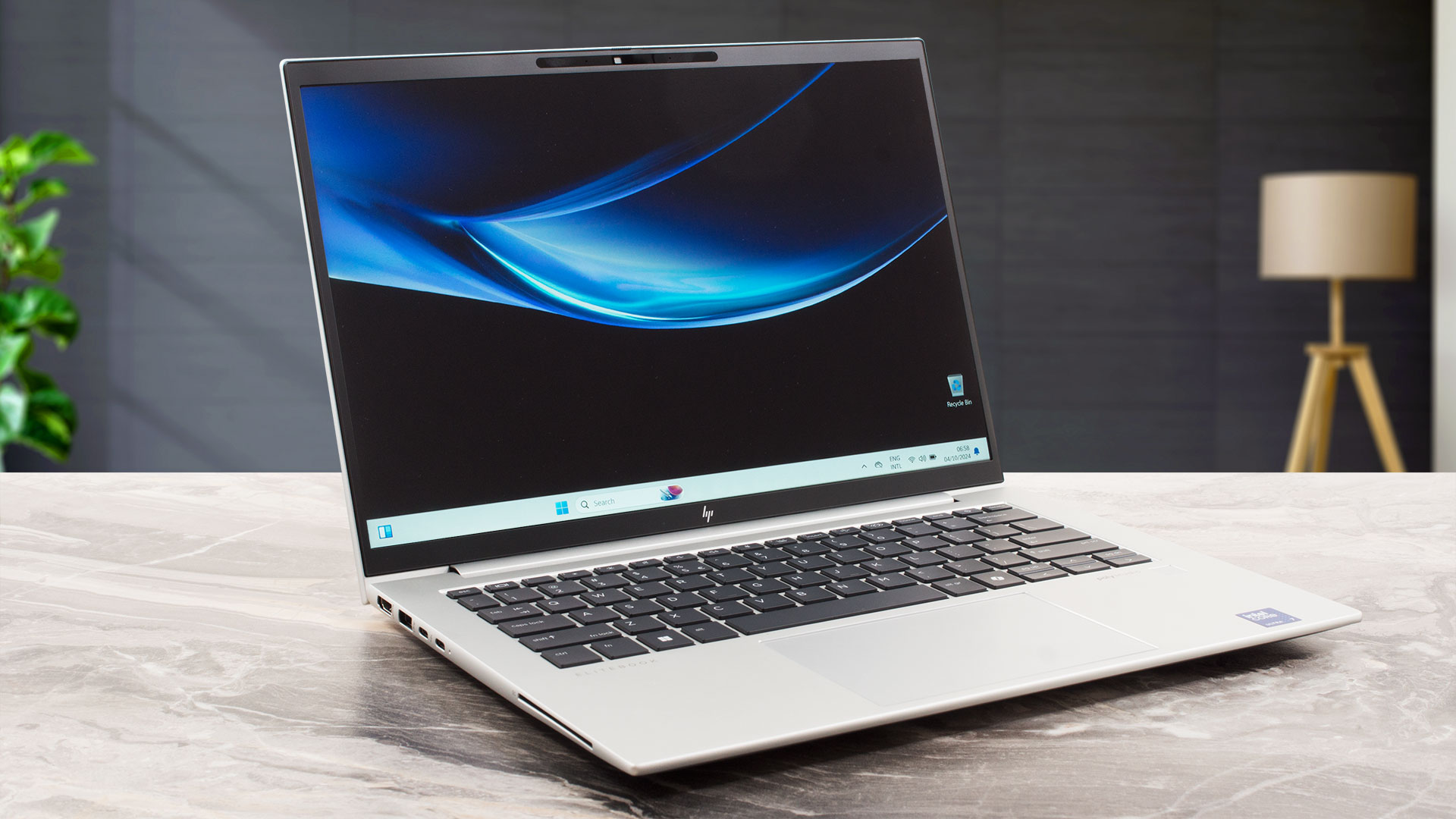
Despite being a 14-inch machine, the EliteBook 840 G11 offers almost identical features to its bigger 860 G11 sibling. When we opened the device, we found the same cooling system and upgrade options. The port selection looks unchanged which is actually great news since you get four USB ports in such a small notebook. The keyboard also provides a similar typing experience but of course, it lacks a NumPad because of the reduced main body size.You can choose from a plethora of IPS display variants including two 1200p touchscreens and three more non-touch models with the same resolution. If yo[...]
Pros
- Solid metal build
- The matte finish of the chassis is almost smudge-proof
- Compact (1.418 kg / 9.04 mm - 16.35 mm)
- The Core Ultra 7 155H sustains 2.68 GHz / 2.16 GHz P and E core clocks in medium loads
- Wide viewing angles + 16:10 aspect ratio (LGD0791)
- 332 nits of max brightness (LGD0791)
- PWM-free (LGD0791)
- Great spill-resistant keyboard
- Smooth glass touchpad
- 2x Thunderbolt 4 + 2x Type-A ports
- The fan is nearly quiet in "Performance" mode during heavy CPU loads
- Almost silent fan in "Smart Sense" mode during heavy CPU loads
- Long battery battery life given the modest 56Wh capacity and the 28W CPU (~12 hours of video playback)
- 5MP Web camera with a privacy shutter
- Fast and well-cooled NVMe (SAMSUNG PM9B1)
- Lid with a lever design
- Good sound quality
- Smart Card Reader, NFC, fingerprint reader, IR Web camera, vPro, Intel Evo, eSIM, backlit keyboard (all are optional)
Cons
- Just a single M.2 slot
- Tons of optional features
- 53% sRGB coverage (LGD0791)
 Author: Dimitar Stalev

![[June 2026] Best-Selling Laptop Brands on Amazon Global – Apple’s Unrivaled Dominance in Units and Revenue](https://laptopmedia.com/wp-content/uploads/2026/07/GLOBAL-Best-Brands-400x225.jpg)
![[June 2026] Amazon Global: Top 10 Best-Selling Laptops – Apple’s New MacBook Neo Storms to #1, Reshaping the Market with Affordability](https://laptopmedia.com/wp-content/uploads/2026/07/Best-Selling-Laptops-GLOBAL-Top-10-400x225.jpg)
![[June 2026] Amazon Global: Top 10 Best-Selling Gaming Laptops – Acer’s Nitro V 16S AI Dominates Sales, While ASUS Leads Overall Revenue](https://laptopmedia.com/wp-content/uploads/2026/07/Best-Selling-Gaming-Laptops-GLOBAL-Top-10-400x225.jpg)
![[June 2026] Global Ranking of Best-Selling Laptop GPUs on Amazon – NVIDIA RTX 5060 is the Top-Selling Dedicated GPU](https://laptopmedia.com/wp-content/uploads/2026/07/Best-Selling-GPUs-GLOBAL-Top-10-400x225.jpg)
![[June 2026] Global Ranking of Best-Selling Laptop CPUs on Amazon – Apple M5 Dominates, AMD Ryzen 7 260 Gets Solid Premium Share](https://laptopmedia.com/wp-content/uploads/2026/07/Best-Selling-CPUs-GLOBAL-Top-10-400x225.jpg)
