How to open Lenovo Legion Slim 5 (16, Gen 9) – disassembly and upgrade options

Step 1: Opening the Lenovo Legion Slim 5 (16, Gen 9)
- Ensure the Lenovo Legion Slim 5 is powered off and placed on a non-scratch surface.
- Undo the 10 Phillips-head screws from the back panel of the laptop.
- Use a thin plastic tool to pry the front edge of the bottom panel, and then carefully work your way around the sides and the rear to remove the panel.
Note: Remember to insert the tool horizontally between the plate and the base and lift upwards to release the clips securely without causing damage.

Step 2: Battery Removal
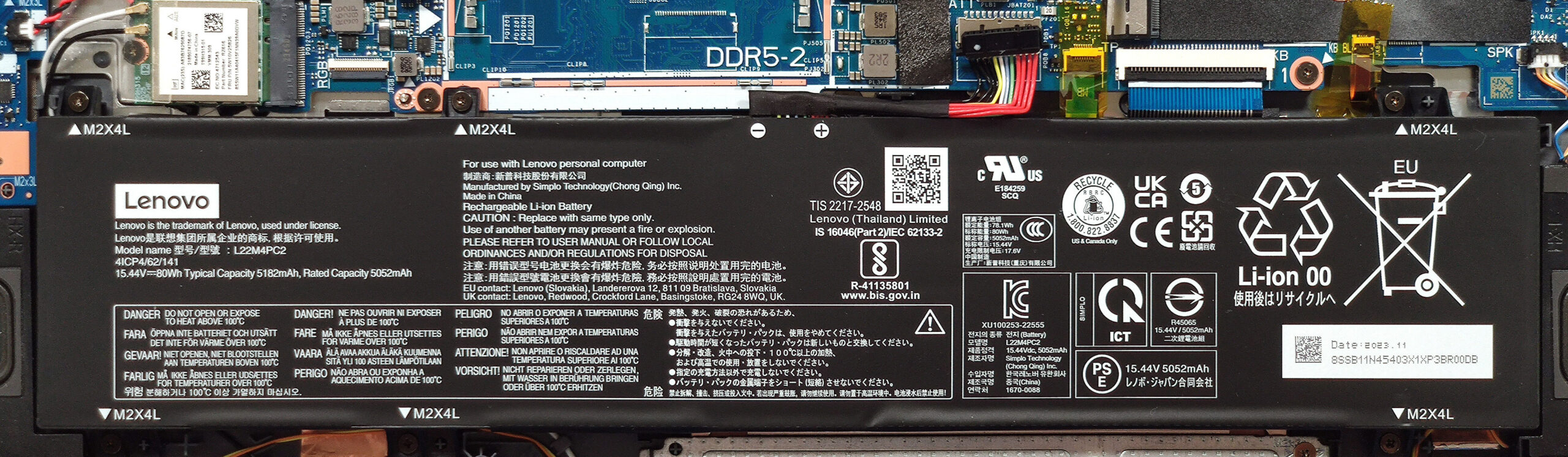
- Disconnect the 80Wh battery by pulling out its connector from the motherboard.
- Remove the six Phillips-head screws and lift the battery out of the laptop.
More info: This battery supports approximately 11 hours of web browsing or 10 hours of video playback, providing all-day productivity without needing a power source.
Memory Upgrade
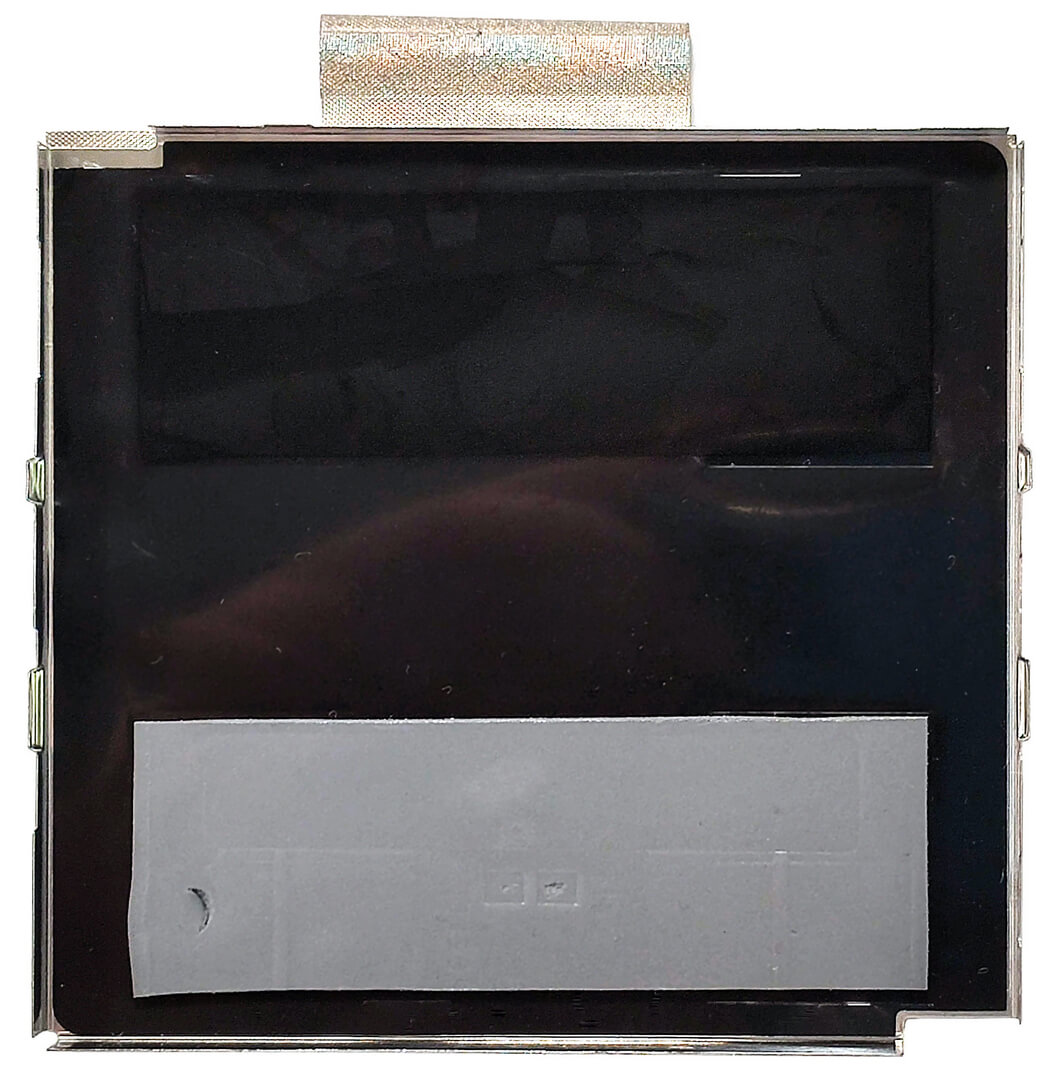
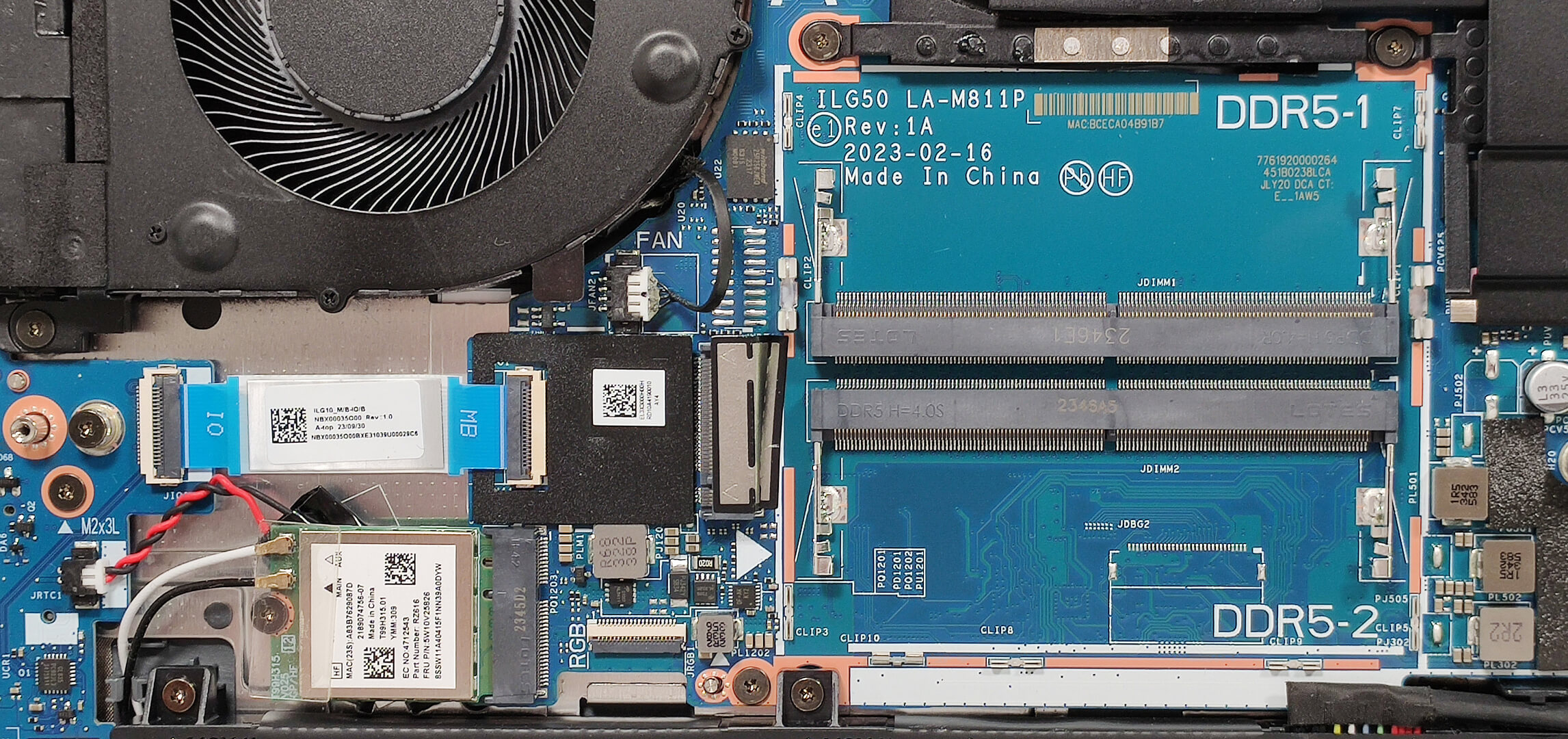
- Locate the metal shield covering the memory slots and use a lever tool to pop it open.
- Notice the two thermal pads making direct contact with the RAM modules for improved thermal management.
More info: The laptop supports up to 64GB of DDR5-5600MHz RAM in dual-channel configuration. The CPU’s capability to handle up to 256GB suggests potential compatibility with more memory than officially stated.
You can buy DDR5 RAM modules here: Buy from Amazon.com (#CommissionsEarned)
Hint: Don’t forget to check out our Top M.2 SSDs Performance Rankings for insights on the best storage options available.


Storage Upgrade
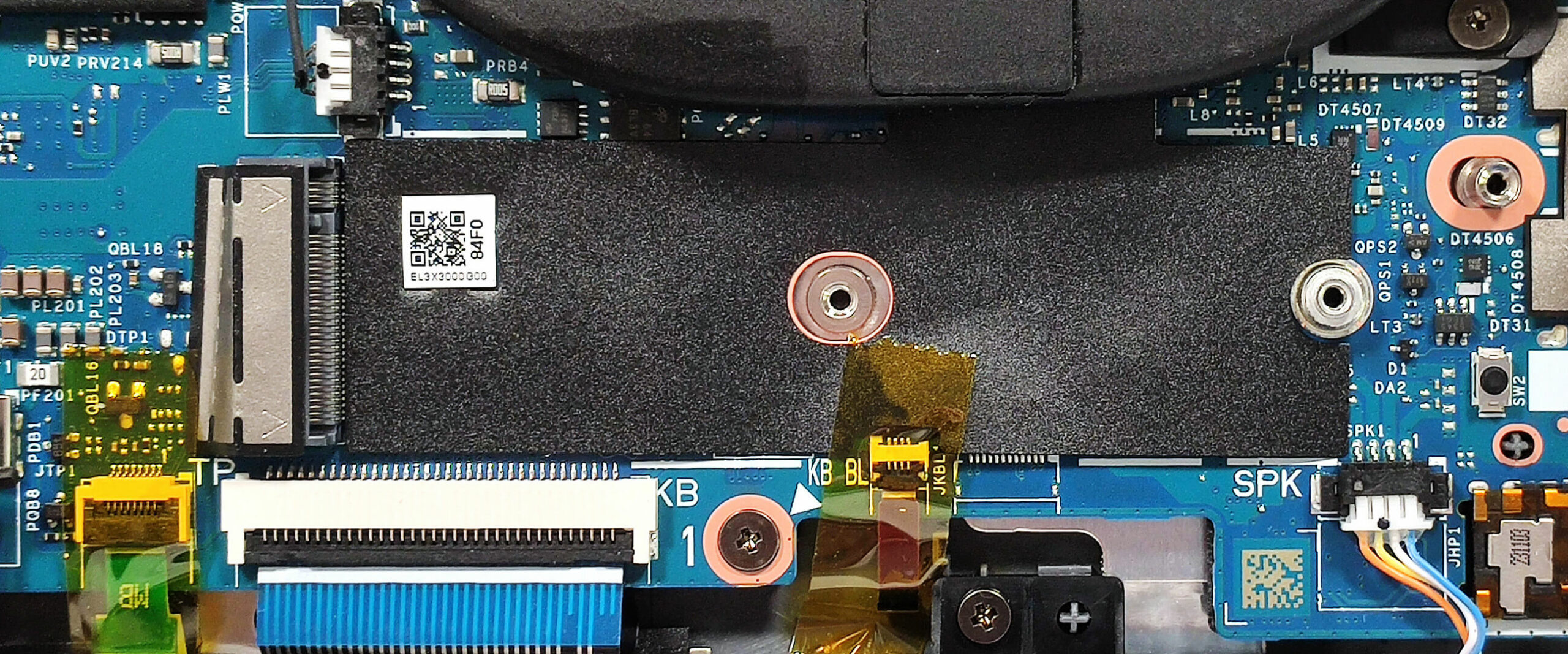
- Identify the two M.2 slots designed for Gen 4 SSDs, located beneath the cooling system.
- Consider upgrading to a higher capacity or faster SSD to enhance overall system performance and storage capability.
Upgrade Tip: SSD upgrades can significantly increase your system’s responsiveness and speed up data access.
You can buy Gen 4 M.2 SSD modules here: Buy from Amazon.com (#CommissionsEarned)

Step 3: Cooling System Overview
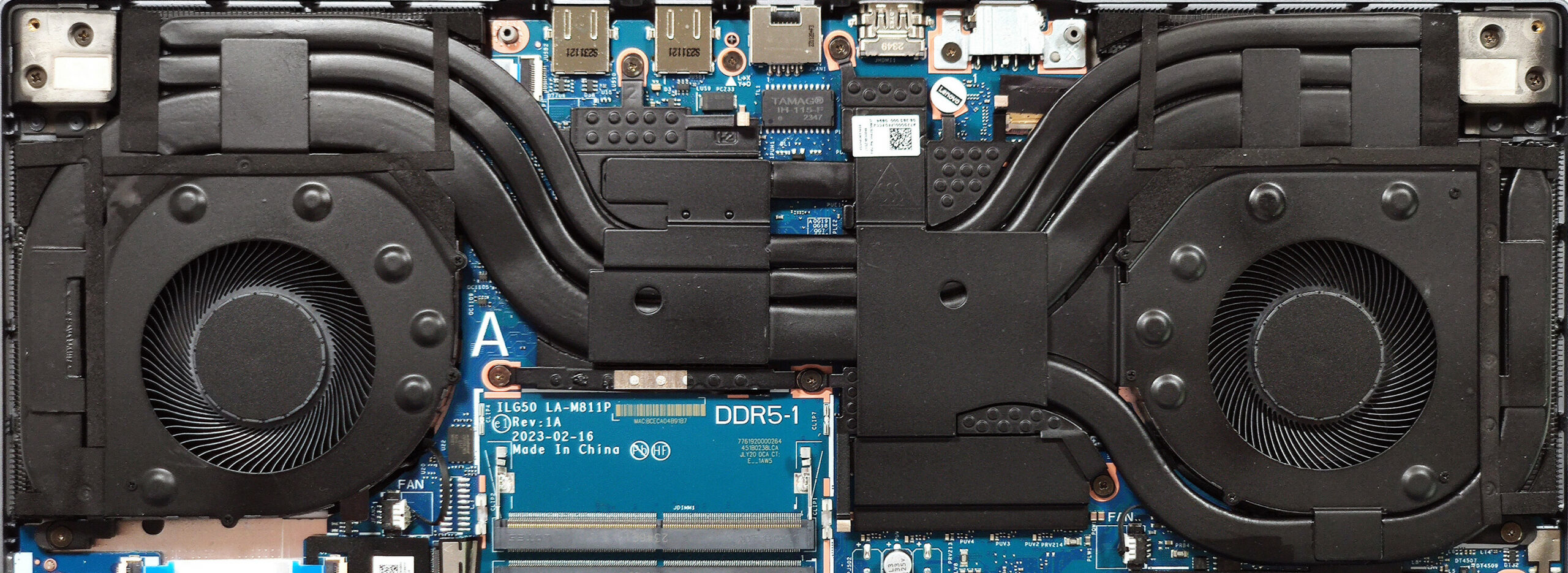
- Examine the extensive cooling system, which includes two large fans and multiple heat pipes that distribute thermal energy efficiently across the CPU and GPU.
- Note the additional dedicated heat pipe for the GPU, enhancing its cooling during high-performance tasks.
More info: The robust cooling setup ensures optimal performance under load, preventing thermal throttling and maintaining system stability.
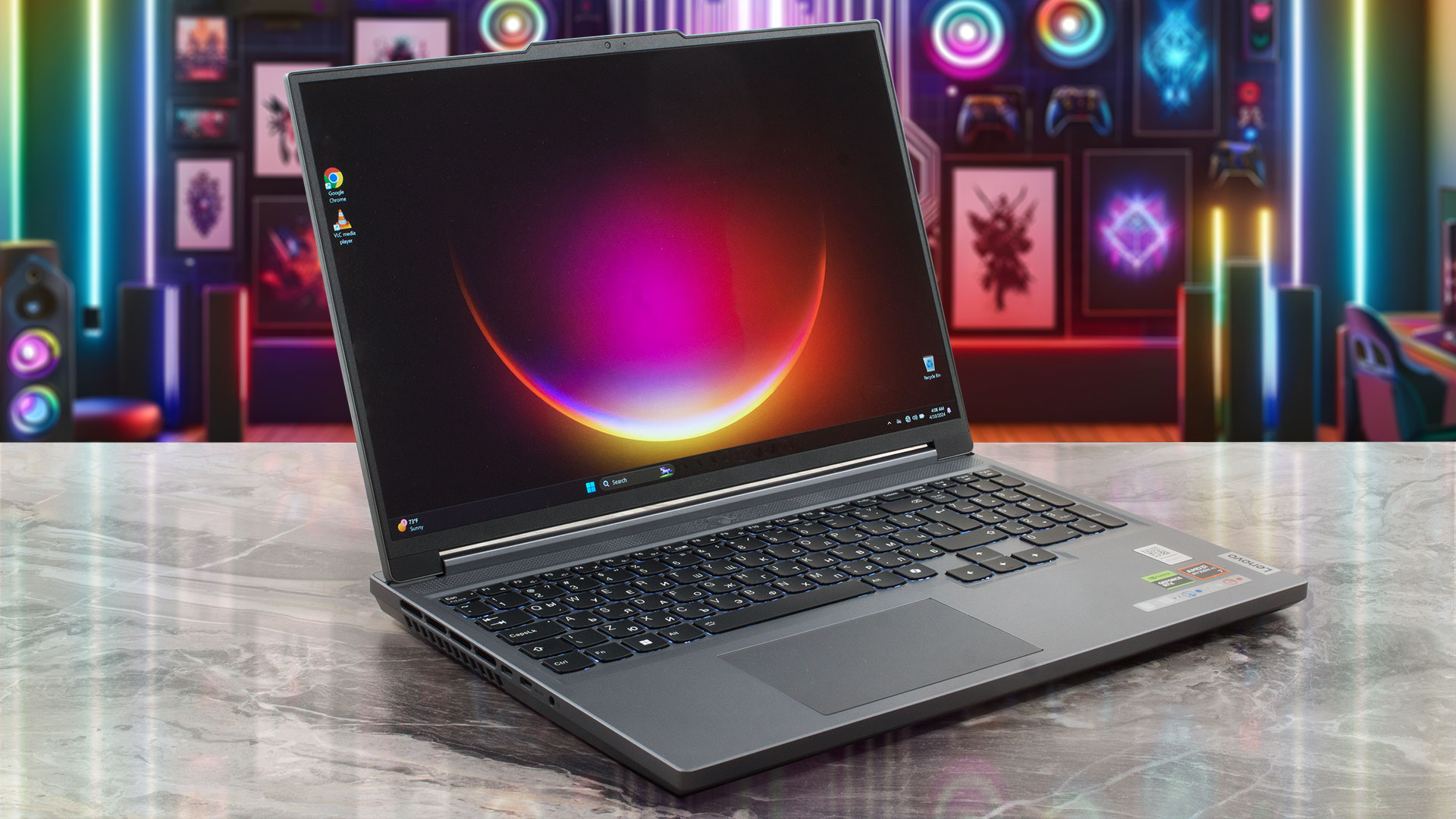
Lenovo Legion Slim 5 (16", Gen 9) in-depth review
Thin gaming laptops are a specific niche of machine for people who need a device with gaming capabilities that don't weigh a ton. The Legion Slim 5 (16, Gen 9) is part of Lenovo's Slim lineup. The manufacturer states that their creation is suitable for "gamers and students". Perhaps these days people need a lot of power for educational purposes. Yep, this notebook relies on the new Hawk Point-HS AMD Zen 4 chip called AMD Ryzen 7 8845HS. This means 16 threads and a TDP of 45W. The maximum possible GPU option for the series is the 140W GeForce RTX 4070 and we bought a device with this graphics c[...]
Pros
- Long battery life
- Zen 4 CPU
- Solid build
- Modern port selection
- PWM-free (BOE NE160QDM-NYC (BOE0B38))
- 98% sRGB coverage + great color accuracy when our "Design and Gaming" profile is applied (BOE NE160QDM-NYC (BOE0B38))
- 165Hz refresh rate and 1600p resolution (BOE NE160QDM-NYC (BOE0B38))
- The fans aren't too noisy in "Balance" mode
- Has an optional 1080p Web camera with an E-shutter
- High CPU and GPU clocks during long loads
- Comfortable keyboard
- Supports NVIDIA G-SYNC and Advanced Optimus (BOE NE160QDM-NYC (BOE0B38))
- Has a MUX switch
Cons
- Plastic body
- In some games, the RTX 4070 performance isn't optimal
- High CPU and NVMe temperatures during benchmarking
 Author: Severin Kolakov

![[June 2026] Best-Selling Laptop Brands on Amazon Global – Apple’s Unrivaled Dominance in Units and Revenue](https://laptopmedia.com/wp-content/uploads/2026/07/GLOBAL-Best-Brands-400x225.jpg)
![[June 2026] Amazon Global: Top 10 Best-Selling Laptops – Apple’s New MacBook Neo Storms to #1, Reshaping the Market with Affordability](https://laptopmedia.com/wp-content/uploads/2026/07/Best-Selling-Laptops-GLOBAL-Top-10-400x225.jpg)
![[June 2026] Amazon Global: Top 10 Best-Selling Gaming Laptops – Acer’s Nitro V 16S AI Dominates Sales, While ASUS Leads Overall Revenue](https://laptopmedia.com/wp-content/uploads/2026/07/Best-Selling-Gaming-Laptops-GLOBAL-Top-10-400x225.jpg)
![[June 2026] Global Ranking of Best-Selling Laptop GPUs on Amazon – NVIDIA RTX 5060 is the Top-Selling Dedicated GPU](https://laptopmedia.com/wp-content/uploads/2026/07/Best-Selling-GPUs-GLOBAL-Top-10-400x225.jpg)
![[June 2026] Global Ranking of Best-Selling Laptop CPUs on Amazon – Apple M5 Dominates, AMD Ryzen 7 260 Gets Solid Premium Share](https://laptopmedia.com/wp-content/uploads/2026/07/Best-Selling-CPUs-GLOBAL-Top-10-400x225.jpg)

Hello.
Can a double-sided drive be mounted in SSD 1 or SSD 2 slots? For example, KC3000?