How to open Lenovo Thinkbook 13x Gen 4 – disassembly and upgrade options

Opening the Lenovo Thinkbook 13x Gen 4
- Undo the six Torx-head screws on the bottom panel.
- Lift one of the top edges with a lever tool or your thumb to create a gap.
- Insert a thin plastic tool in the gap and start prying along the side, front, and other side.
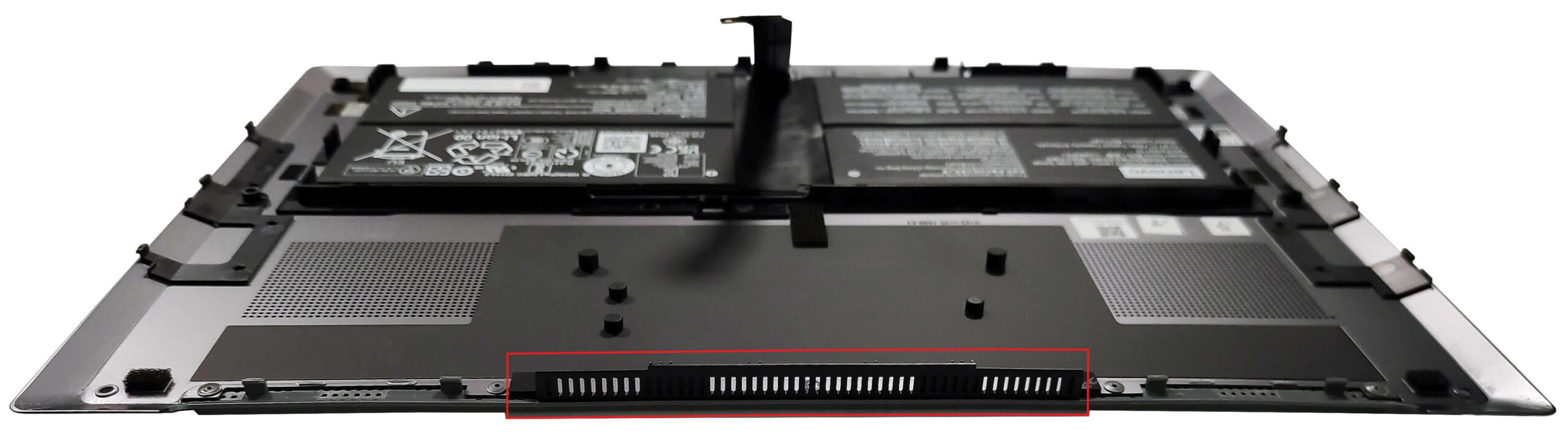
- The middle exhaust vent is attached to the bottom panel, so pop the left and right zones of the rear before focusing on the central part.
- Raise the plate from the back and carefully flip it over.
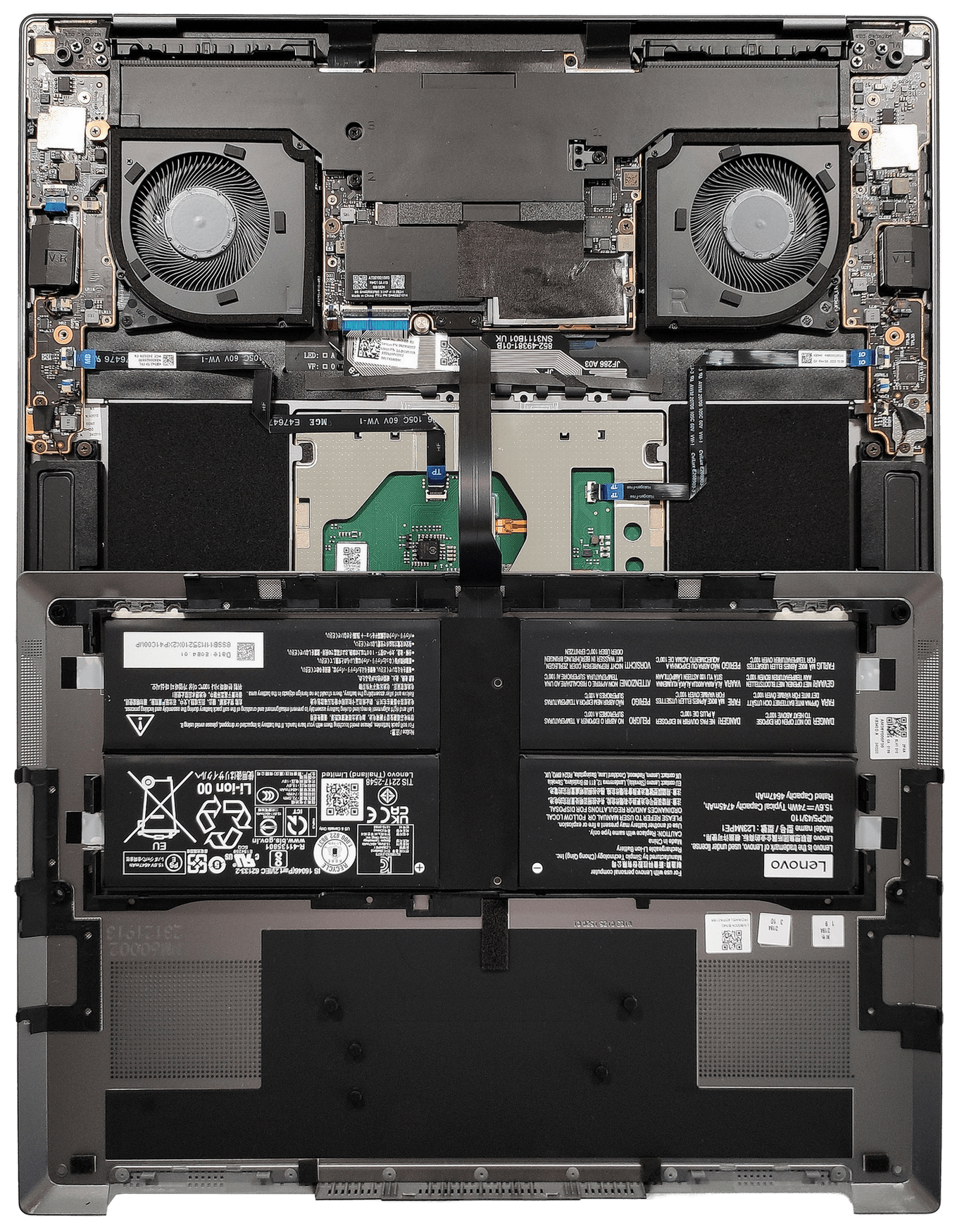
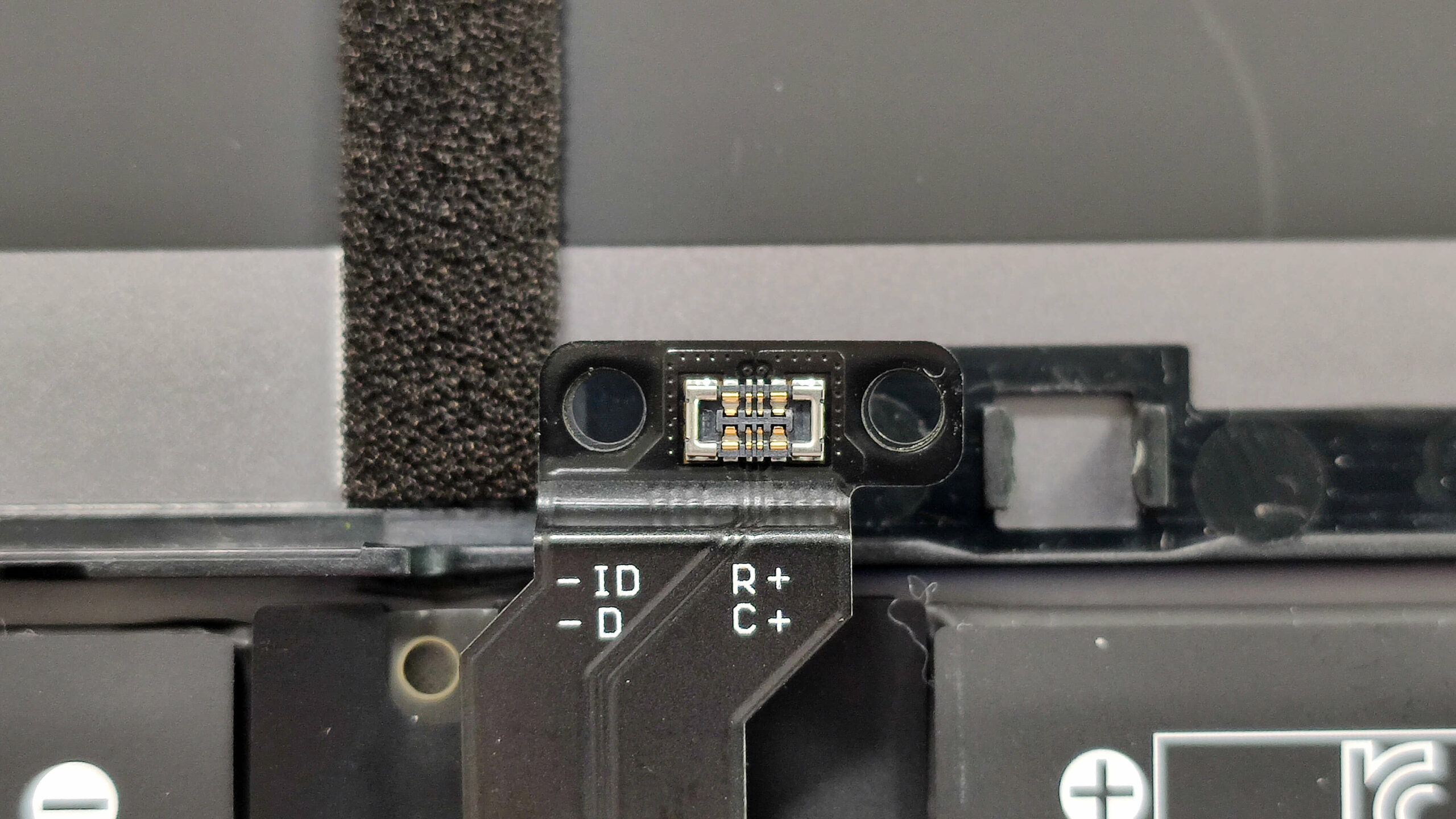
Undo the two screws that hold the battery connector and gently disconnect it.
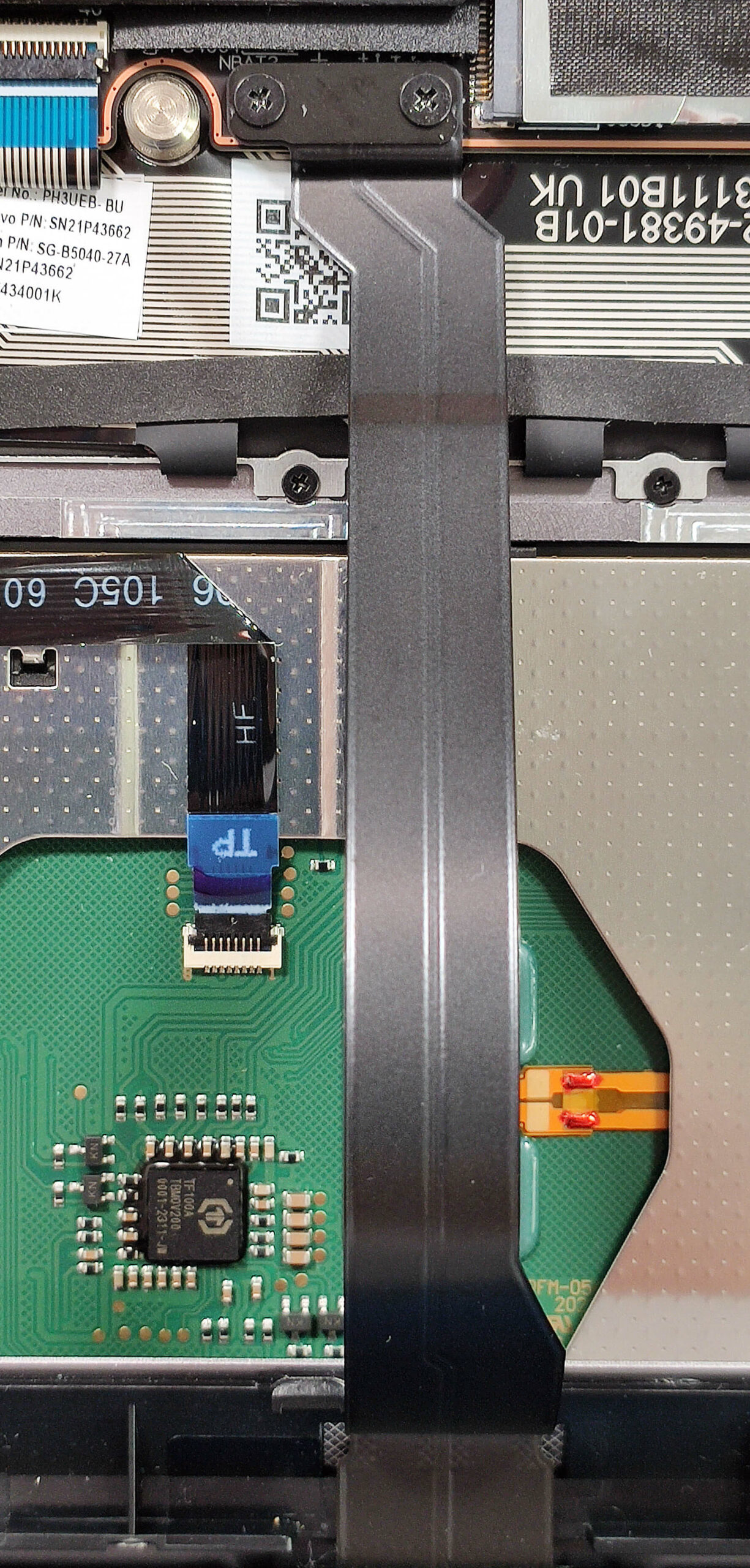
Wear gloves to avoid short circuits.
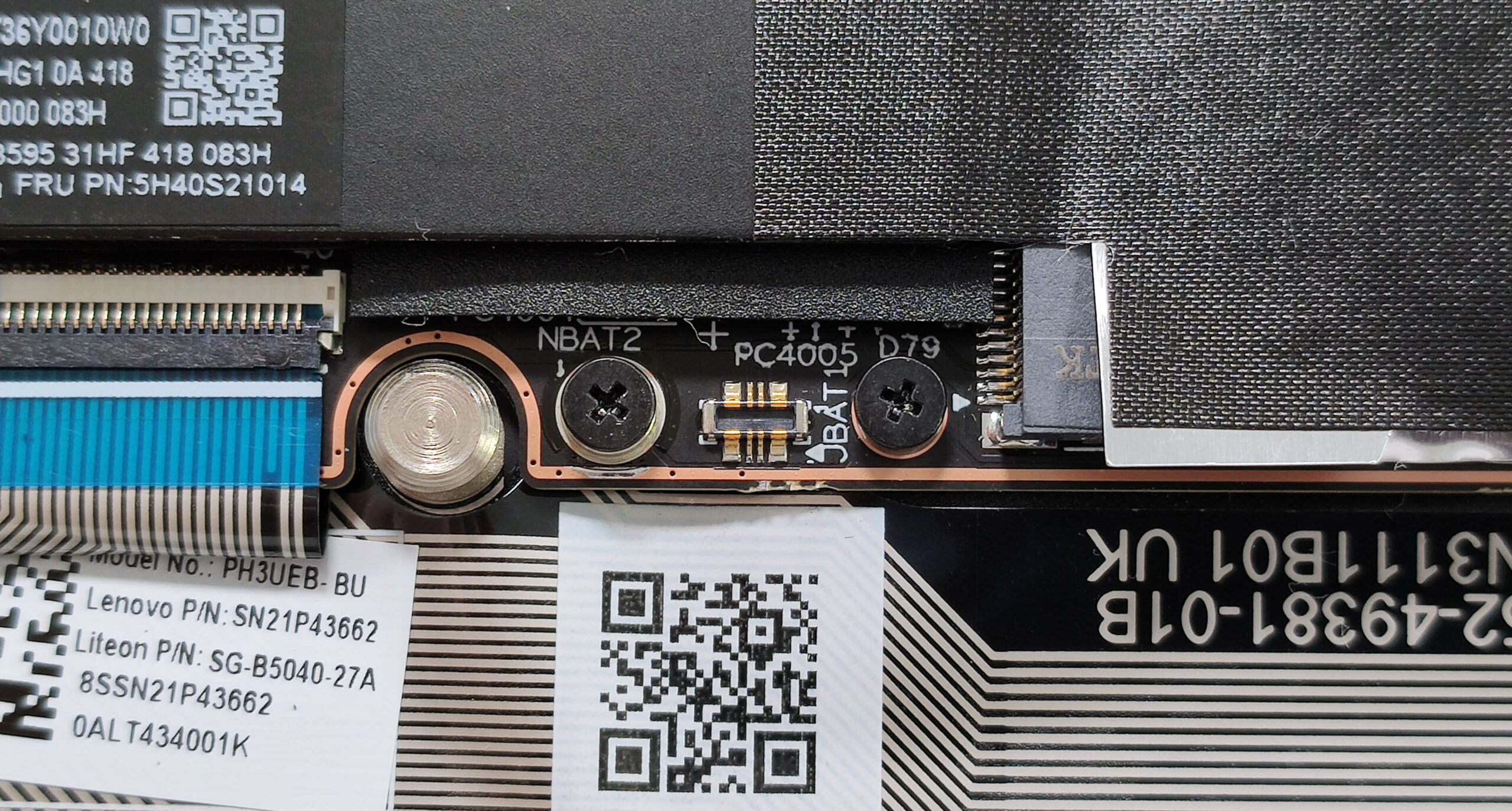
More info: Here’s how the motherboard looks once exposed.
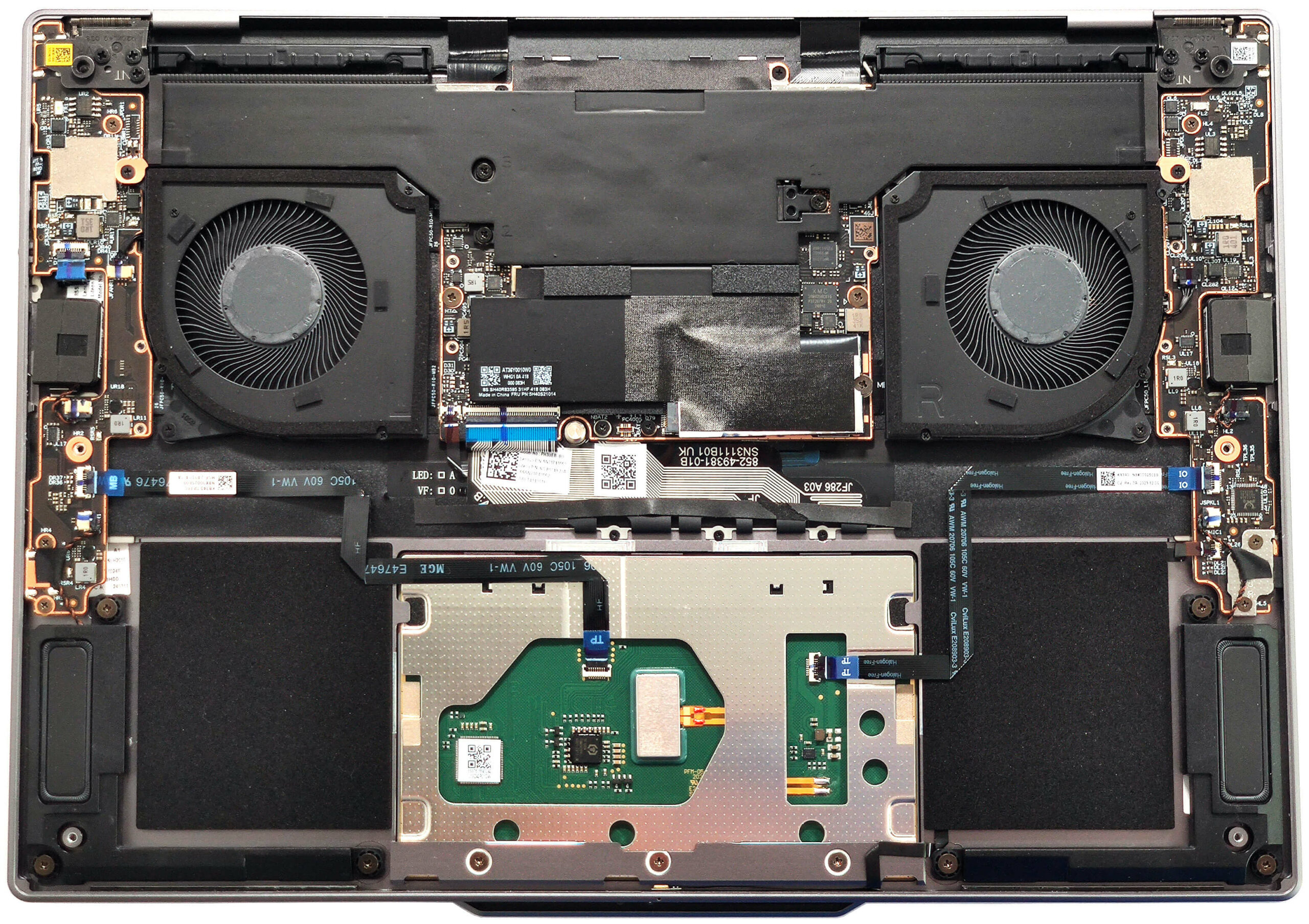
Here’s how the bottom plate looks on the inside.
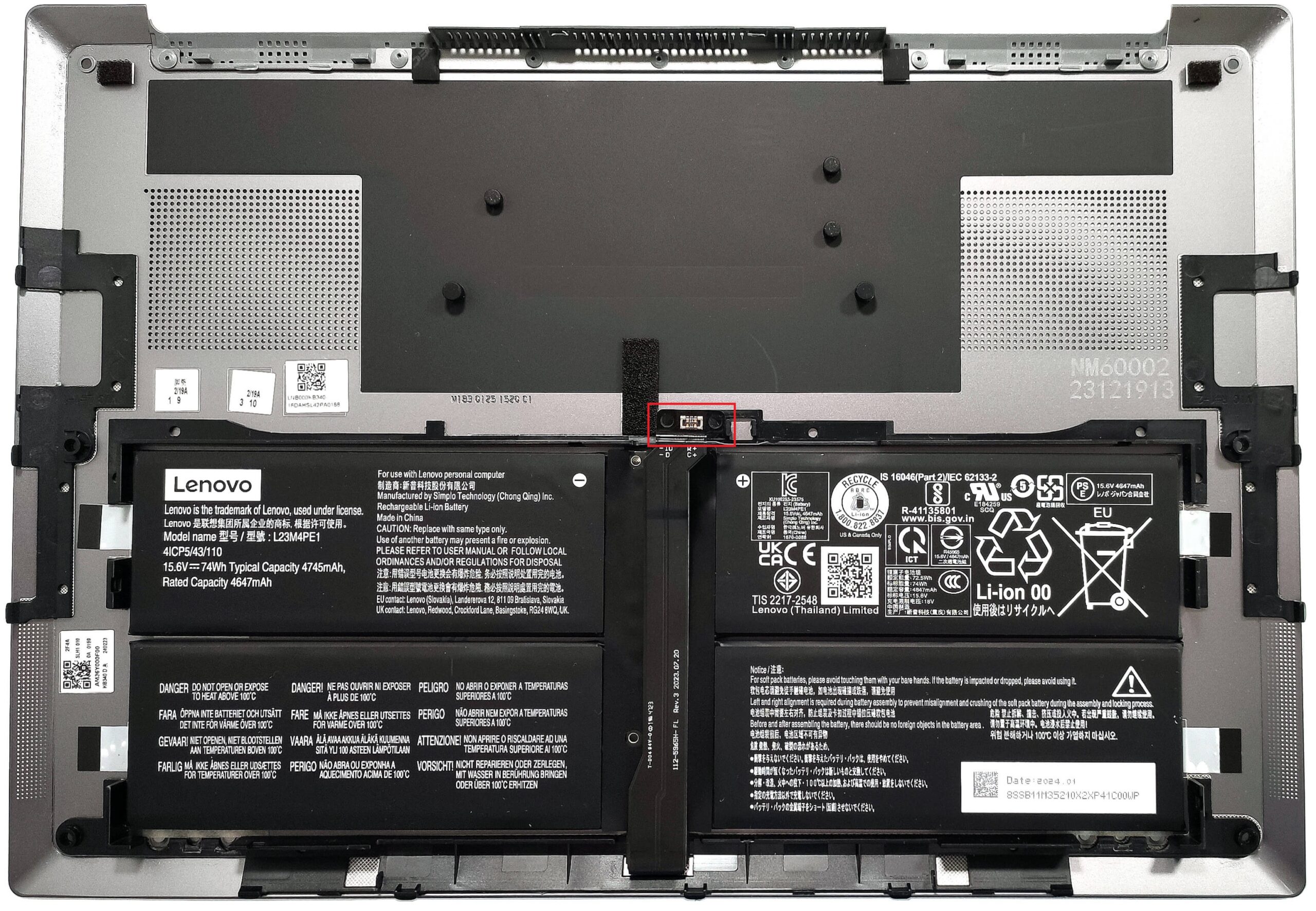
Battery Removal
- Undo the two screws holding the battery connector.
- Carefully disconnect the battery connector from the motherboard.
- Wear gloves to avoid short circuits.
Note: The 74Wh battery is glued to the metal bottom plate and offers around 17 hours and 30 minutes of video playback.
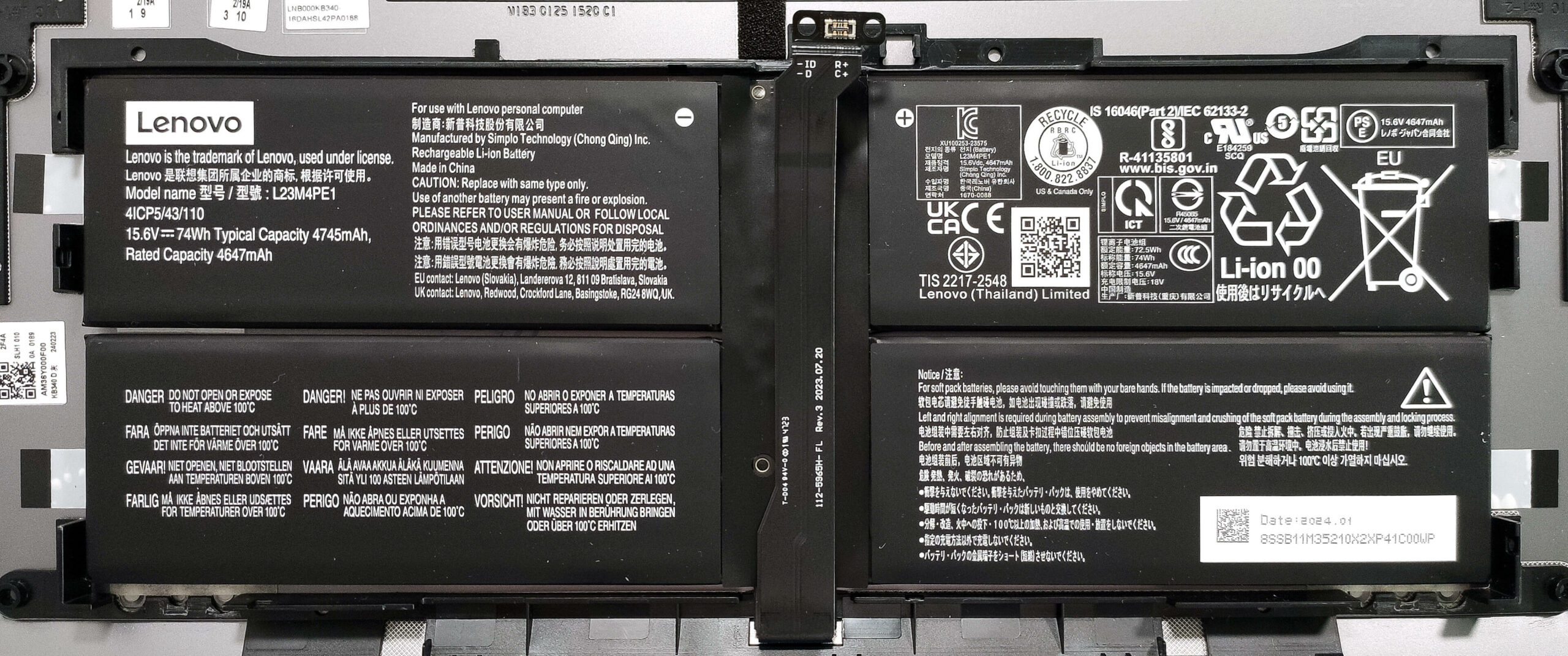
Memory and Storage
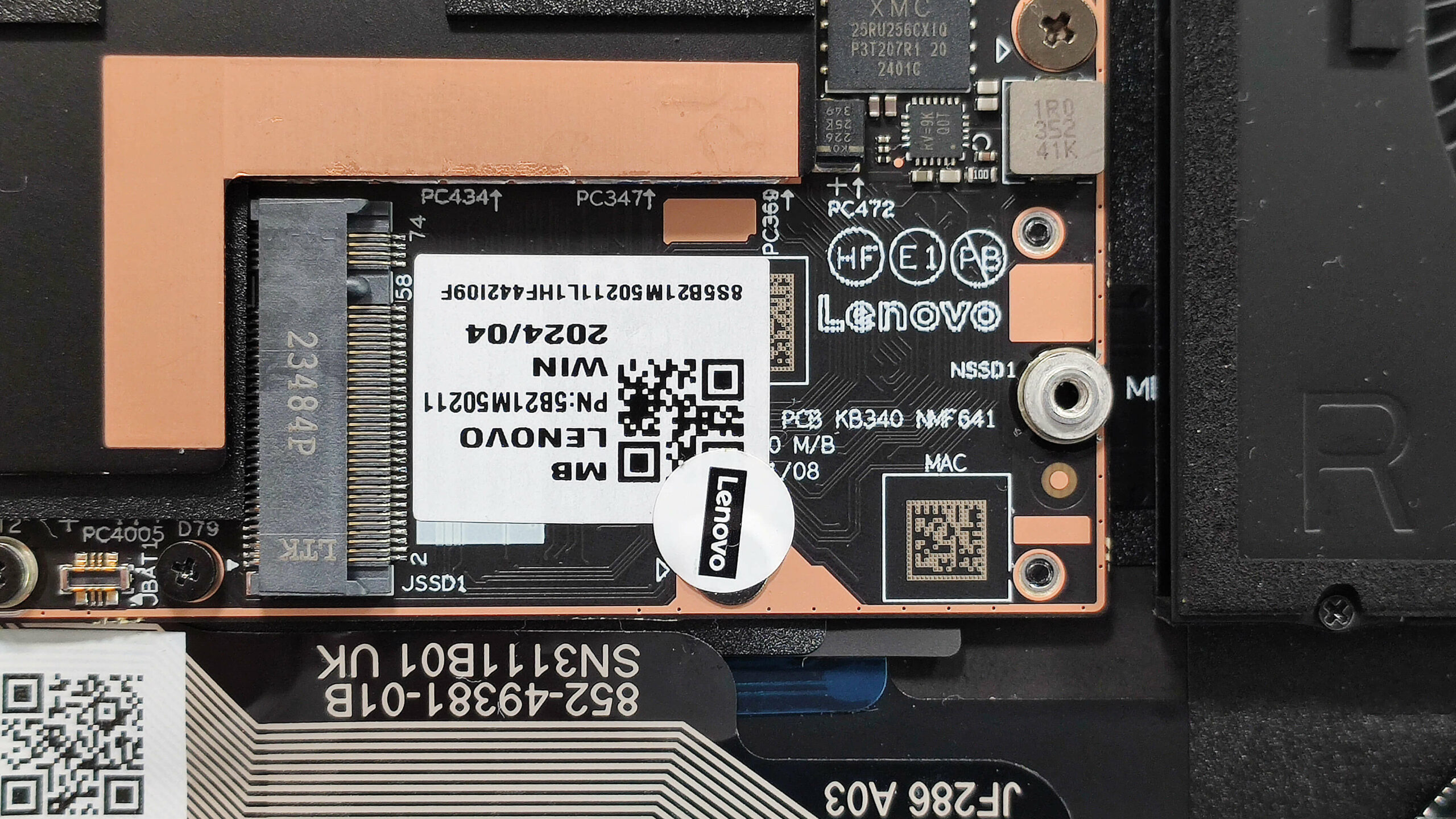
- The memory is soldered, but you can get up to 32GB of LPDDR5x-8400 MHz RAM in dual-channel mode, which is sufficient for most tasks.
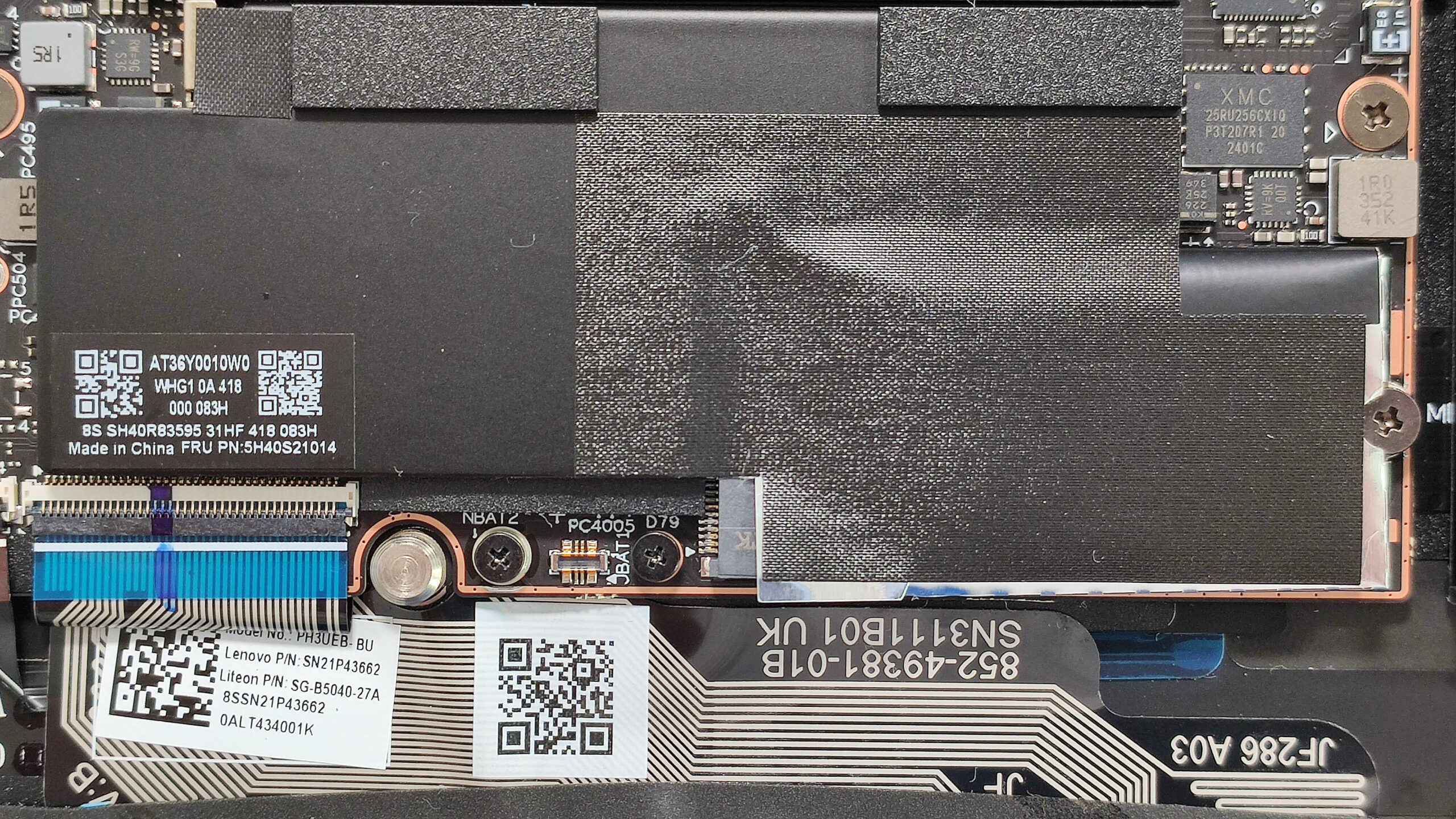
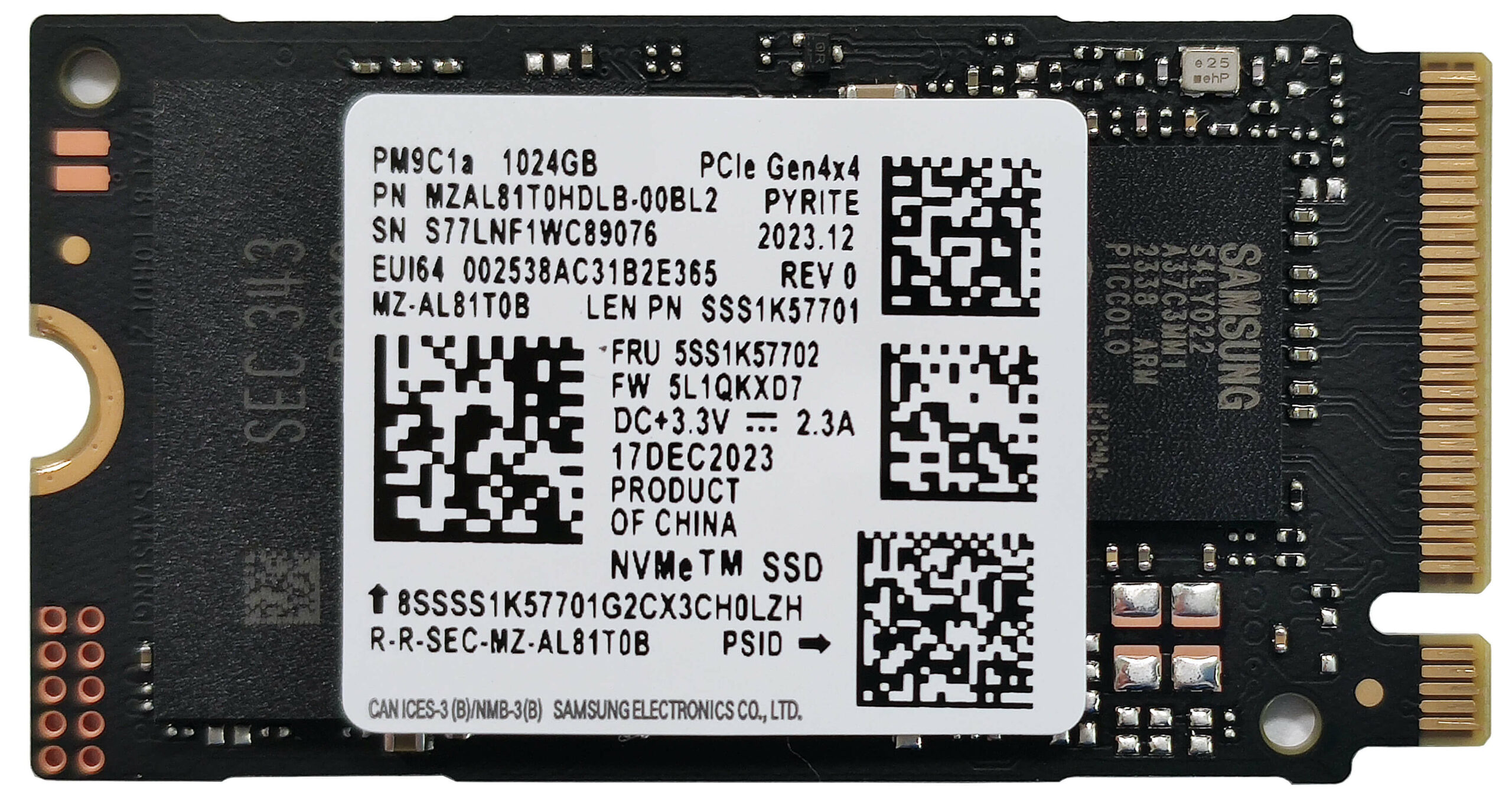
- There is just one M.2 slot compatible with 2242 Gen 4 SSDs. The preinstalled NVMe drive is covered with a heat shield. When removing the tape on top, do so carefully to avoid damage.
Hint: Sadly, there is no additional cooling for the SSD, so consider upgrading only when necessary.
Cooling System
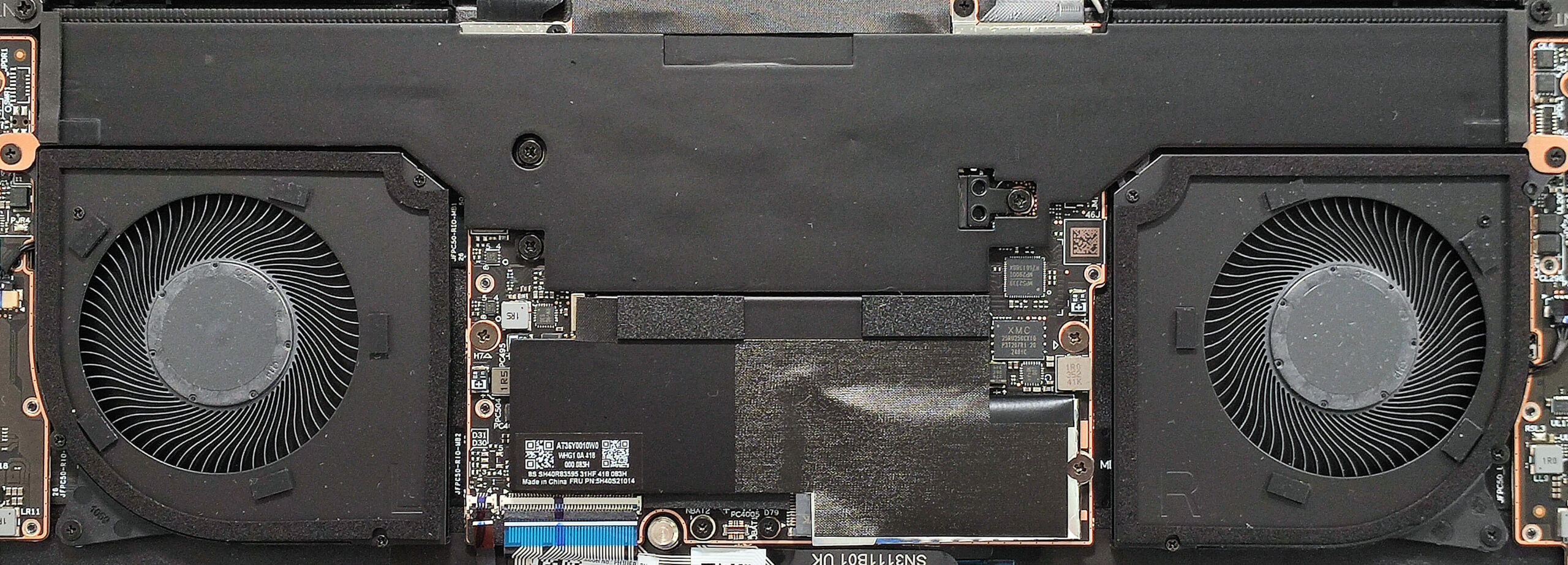
- The vapor chamber thermal system comprises a sizable central contact plate.
- It features two large fans and a pair of top-mounted heat sinks for efficient cooling.
Lenovo ThinkBook 13x Gen 4 in-depth review
The positive evolution of ultra-portable devices is undeniable. Now, you can get a 1-kilo machine like the Thinkbook 13x Gen 4 with the mighty Core Ultra 9 185H under the bonnet. Despite the compact dimensions, Lenovo has found a way to fit a big 74Wh battery. This, combined with the optional Intel Evo certification is a receipt for long autonomous life. It's not a surprise that the upgradability is limited because of the thin profile.Interestingly, if you pop the bottom plate (which makes almost zero sense since only the SSD is replaceable) you'll find a pretty sizable thermal system, whi[...]
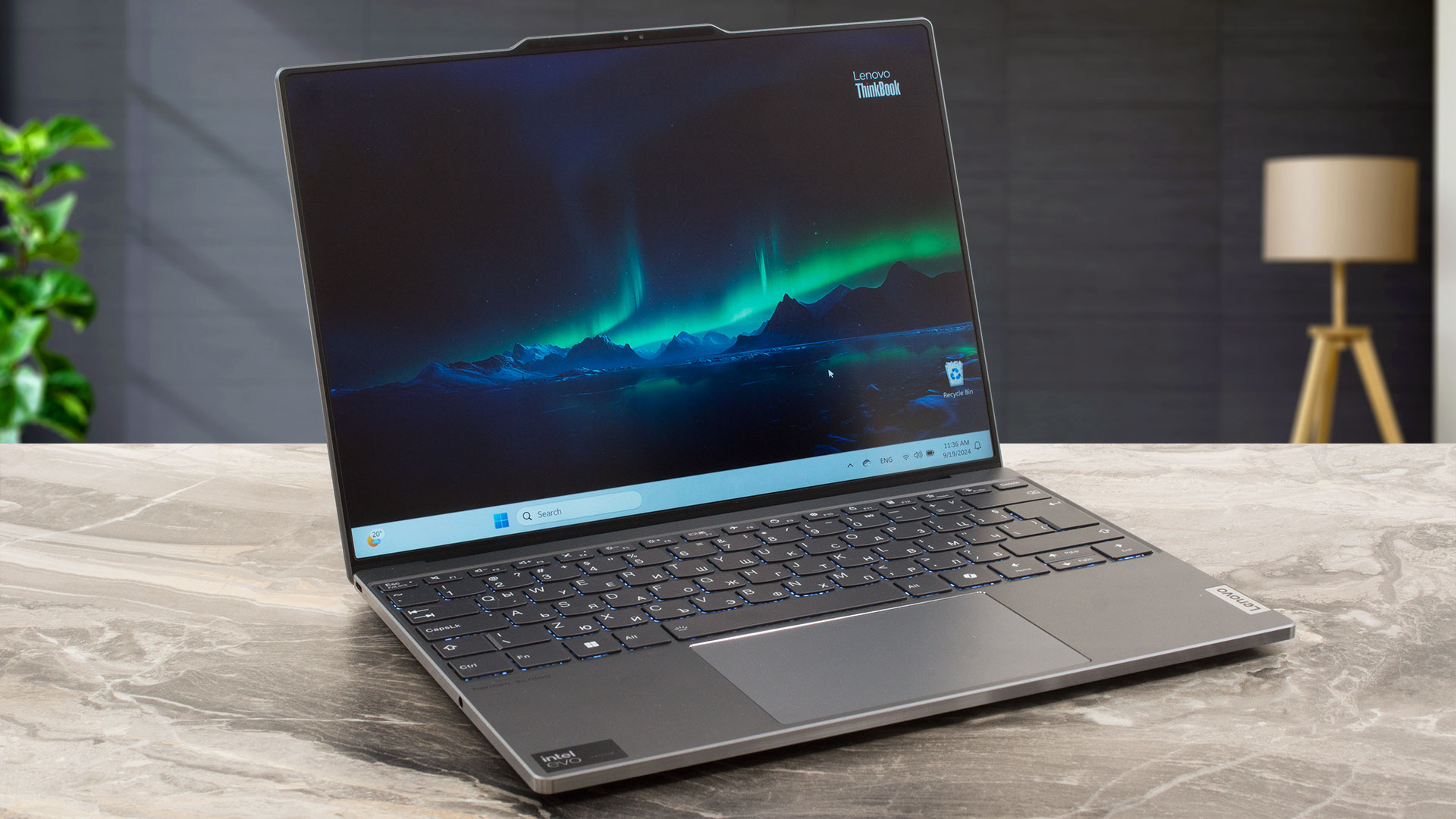
Pros
- The aluminum chassis is built like a tank
- The fans are non-intrusive during max CPU loads
- Precise glass touchpad
- Compact and light (12.9 mm / up to 1.23 kg)
- Lighter magnesium version is also available (1 kg)
- Good performance given the form factor
- Up to 32GB of LPDDR5x-8400MHz RAM
- PWM-free display (LEN135WQ+)
- 3:2 aspect ratio and wide viewing angles (LEN135WQ+)
- 96% sRGB coverage + accurate colors with our "Design and Gaming" profile (LEN135WQ+)
- 488 nits of max brightness (LEN135WQ+)
- 2880 x 1920 resolution + 120Hz refresh rate (LEN135WQ+)
- IR Web camera + fingerprint reader
- E-shutter switch
- Well-lit keyboard with big keycaps and Smart sense backlight
- 3x Thunderbolt 4 ports
- Decent clocks in long loads (2.34 GHz / 2.06 GHz for the P and E cores of the Core Ultra 9 185H)
- Very long battery life (~17 hours of videos)
- Good comfort under max processor stress
- Snappy iGPU (140 FPS in CS2 on Medium details)
Cons
- Short key travel
- Complicated disassembly (the battery is attached to the bottom panel and the connector is held in place by two screws)
- High CPU temperatures in medium loads (91°C)
- No Type-A ports
 Author: Dimitar Stalev

![[August 2026] Amazon Italy: Top 10 Best-Selling Laptops – Apple MacBook Neo Claims the Crown as Budget and Mid-Range Windows Machines Dominate Volume](https://laptopmedia.com/wp-content/uploads/2026/09/Best-Selling-Laptops-IT-Top-10-400x225.jpg)
![[August 2026] Amazon Italy: Top 7 Best-Selling Gaming Laptops – ASUS V16 Claims the #1 Spot Amid Strong Mid-Range Demand](https://laptopmedia.com/wp-content/uploads/2026/09/Best-Selling-Gaming-Laptops-IT-Top-10-400x225.jpg)
![[August 2026] Best-Selling Laptop Brands on Amazon Italy – Lenovo Dominates Market Share and Revenue Leadership](https://laptopmedia.com/wp-content/uploads/2026/09/IT-Best-Brands-400x225.jpg)
![[August 2026] Amazon India: Top 10 Best-Selling Laptops – Apple MacBook Neo Dominates the Charts with Massive Sales Lead](https://laptopmedia.com/wp-content/uploads/2026/09/Best-Selling-Laptops-IN-Top-10-400x225.jpg)
![[August 2026] Amazon India: Top 10 Best-Selling Gaming Laptops – HP Victus 15 Dominates the Market with Massive Unit Lead](https://laptopmedia.com/wp-content/uploads/2026/09/Best-Selling-Gaming-Laptops-IN-Top-10-400x225.jpg)

Que interessante essa matéria que acabei de ler, até compartilhei no meu Facebook. https://noticiasdaweb.com.br/rio-de-premios/