How to open Lenovo ThinkPad L14 Gen 5 – disassembly and upgrade options
#CommissionsEarned
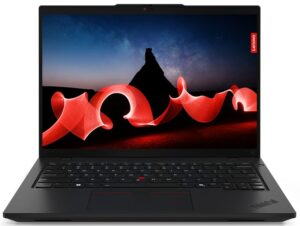
Opening the Lenovo ThinkPad L14 Gen 5
- Undo 10 captive Phillips-head screws and eject the SIM card tray on the back.
- Pop the zones behind the hinges using a lever tool.
- Pry the back and sides with a thin plastic tool (no need to pop the front).
- Lift the rear end of the panel, tilt it, and remove it from the base.
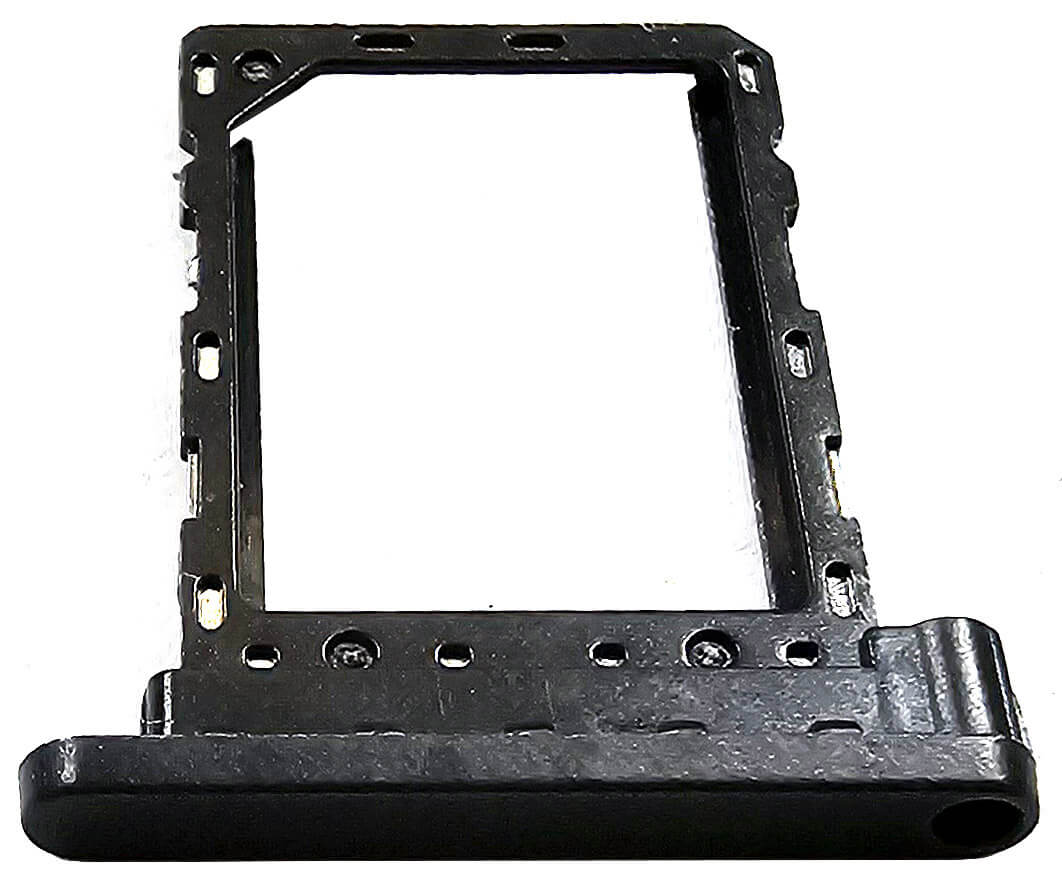
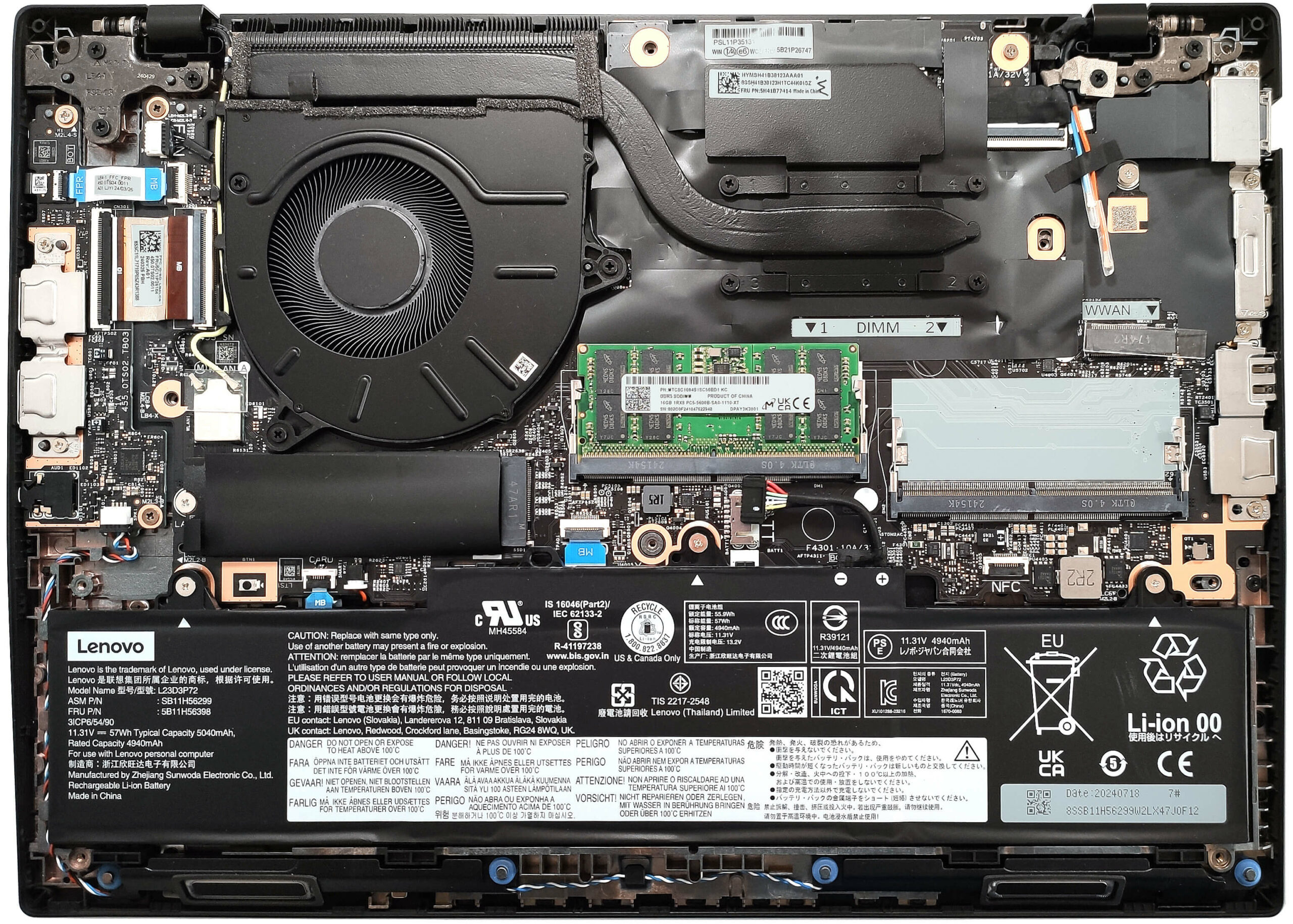
Note: The bottom panel is shown with its internal structure after removal.

Battery Removal
- The laptop comes with an optional 57Wh battery (base version is 46.5Wh).
- To remove the battery, disconnect the connector from the motherboard and undo the three Phillips-head screws.
Note: The 57Wh battery offers around 14 hours of video playback.

Memory and Storage
- The memory section and SSD are covered by Mylar heat shields. Peel the shield to access the RAM.
- The two SODIMMs support up to 64GB of DDR5-5600MHz RAM in dual-channel mode, but the CPU can handle up to 96GB.
- There is a single M.2 slot for 2280 Gen 4 SSDs, with the NVMe drive cooled by a thermal pad underneath.


Additional Features
- The WWAN slot for optional eSIM functionality is located next to the cooling system.
- The soldered Wi-Fi card is positioned above the M.2 slot.

Cooling System
- The thermal system includes one large fan, a heat pipe, a heat sink, and a heat spreader.

Lenovo ThinkPad L14 Gen 5 (Intel) in-depth review
The Intel version of the Lenovo ThinkPad L14 Gen 5 may be a dream come true for the modern-day business employee. The compact device relies on 15W or 28W Intel Meteor Lake CPUs with an NPU unit for enhanced AI-assisted productivity alongside good upgradability and great port selection. Yep, it's a rare find to spot a 14-incher with five USB connectors and a Gigabit LAN. By the way, one of the USBs is based on the 2.0 standard and it's mentioned by the manufacturer as "Hi-Speed USB"!Security is very important for such a laptop that's why it offers a dTPM 2.0 chip for data encryption, a Lock[...]

Pros
- Solid build
- Feels snappy for work
- The fan is quiet during long max CPU loads in "Best Performance" mode
- PWM-free display (LEN403D)
- Comfortable viewing angles + 16:10 aspect ratio (LEN403D)
- 442 nits of max brightness (LEN403D)
- Web camera with a privacy shutter
- Modern port selection with 5x USB ports and a Gigabit LAN
- Comfortable keyboard and touchpad
- 2x SODIMMs
- vPro CPU, IR Web camera, fingerprint reader, Nano-SIM card slot, Smart card reader, Wi-Fi 7, NFC (all are optional)
- The Core Ultra 7 155U sustains a 2.26 GHz / 1.87 GHz P and E-core clock in longer loads
- The bottom plate can be popped easily
- Fast and well-cooled SSD (SK Hynix HFS512GEJ9X164N)
Cons
- 95°C CPU temperature in medium loads
- Too many optional features
- Just 1x M.2 slot + soldered Wi-Fi card
- One of the USBs is based on 2.0 standard
#CommissionsEarned
 Author: Dimitar Stalev
Subscribe
0 Comments


![[June 2026] Best-Selling Laptop Brands on Amazon Global – Apple’s Unrivaled Dominance in Units and Revenue](https://laptopmedia.com/wp-content/uploads/2026/07/GLOBAL-Best-Brands-400x225.jpg)
![[June 2026] Amazon Global: Top 10 Best-Selling Laptops – Apple’s New MacBook Neo Storms to #1, Reshaping the Market with Affordability](https://laptopmedia.com/wp-content/uploads/2026/07/Best-Selling-Laptops-GLOBAL-Top-10-400x225.jpg)
![[June 2026] Amazon Global: Top 10 Best-Selling Gaming Laptops – Acer’s Nitro V 16S AI Dominates Sales, While ASUS Leads Overall Revenue](https://laptopmedia.com/wp-content/uploads/2026/07/Best-Selling-Gaming-Laptops-GLOBAL-Top-10-400x225.jpg)
![[June 2026] Global Ranking of Best-Selling Laptop GPUs on Amazon – NVIDIA RTX 5060 is the Top-Selling Dedicated GPU](https://laptopmedia.com/wp-content/uploads/2026/07/Best-Selling-GPUs-GLOBAL-Top-10-400x225.jpg)
![[June 2026] Global Ranking of Best-Selling Laptop CPUs on Amazon – Apple M5 Dominates, AMD Ryzen 7 260 Gets Solid Premium Share](https://laptopmedia.com/wp-content/uploads/2026/07/Best-Selling-CPUs-GLOBAL-Top-10-400x225.jpg)
