How to open Lenovo ThinkPad Z16 Gen 2 – disassembly and upgrade options
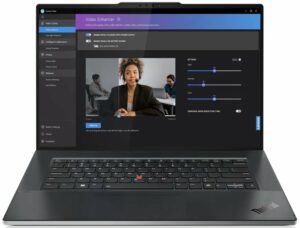
Opening the Lenovo ThinkPad Z16 Gen 2
Hint: Power off the device and unplug all peripherals before opening the chassis.
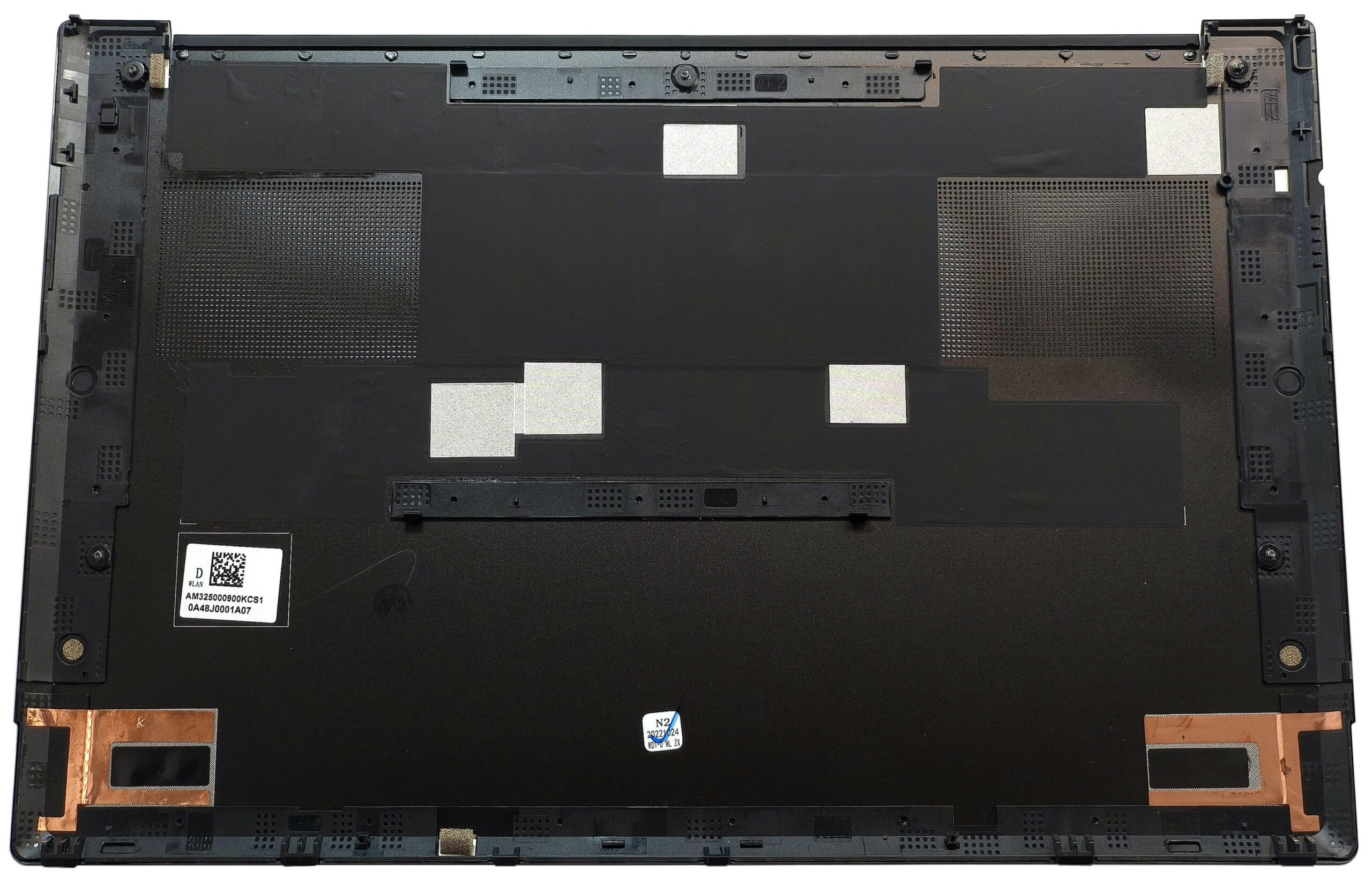
- Undo the five captive Phillips-head screws securing the bottom panel.
- Use a lever tool to pop the area behind the hinge cover, starting at the two zones near the top edges.
- Pop the rear corners with a thin plastic tool, then carefully pry along the sides. Prying the front is optional.
- Lift the back of the panel until the front clips disengage, then remove the bottom plate entirely.
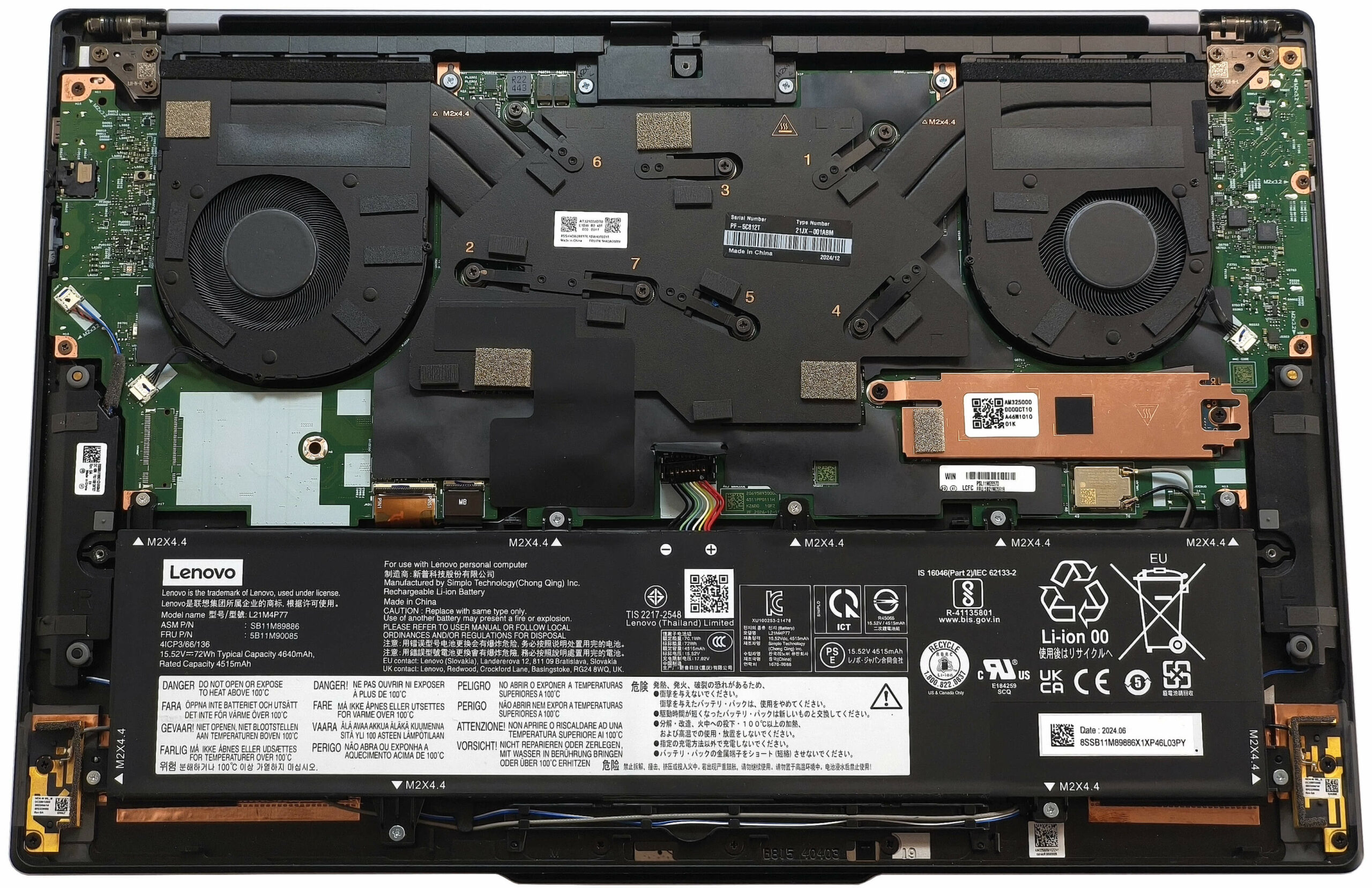
More info: The bottom panel provides access to the battery, storage, and cooling system but not the RAM, as it is soldered.
Battery Removal
Caution: Use gloves and non-metal tools to avoid short circuits.
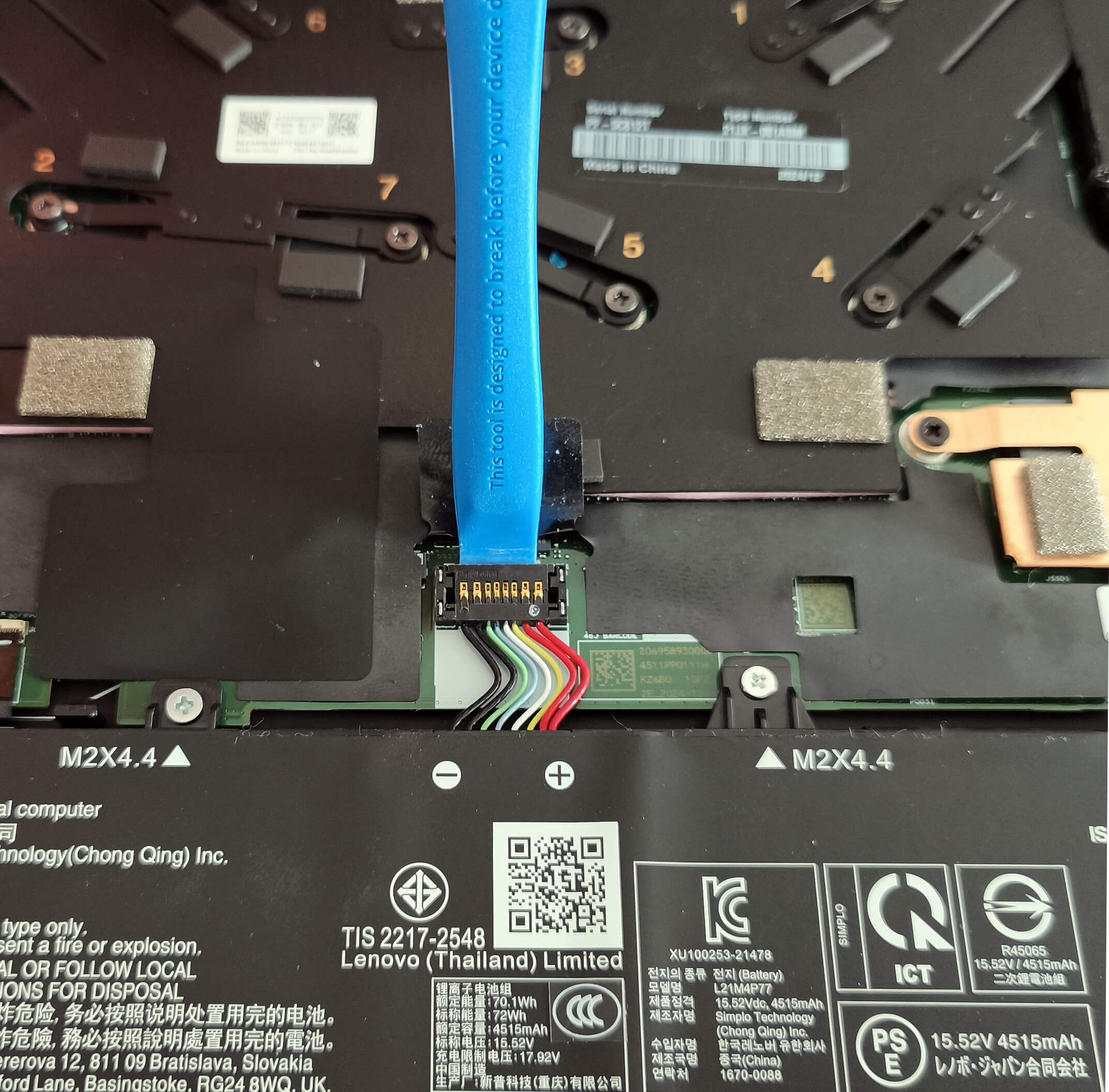
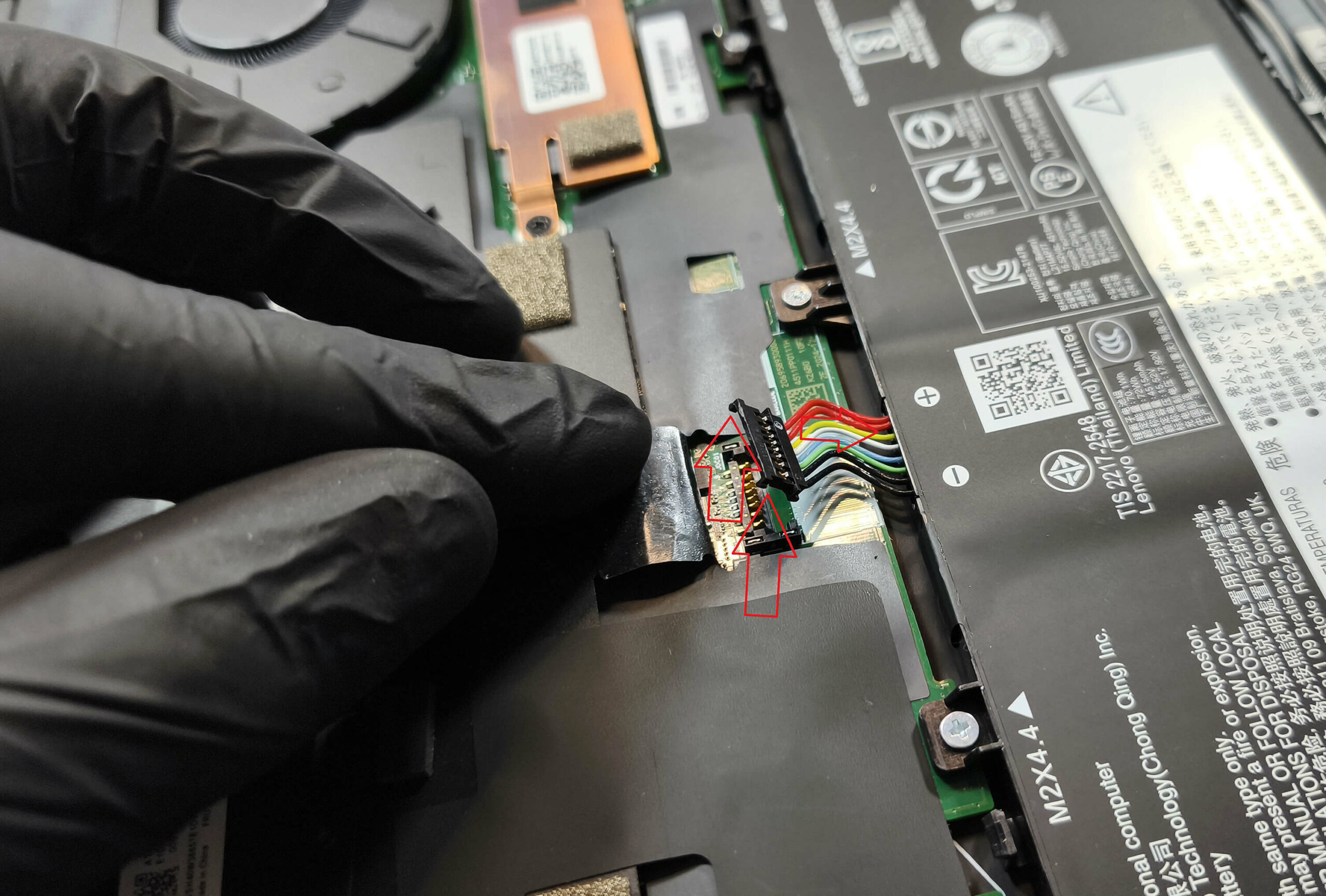
- Use a lever tool to pop up the front of the battery connector.
- Gently push the rear of the connector toward the battery to release the small plastic feet from its housing.
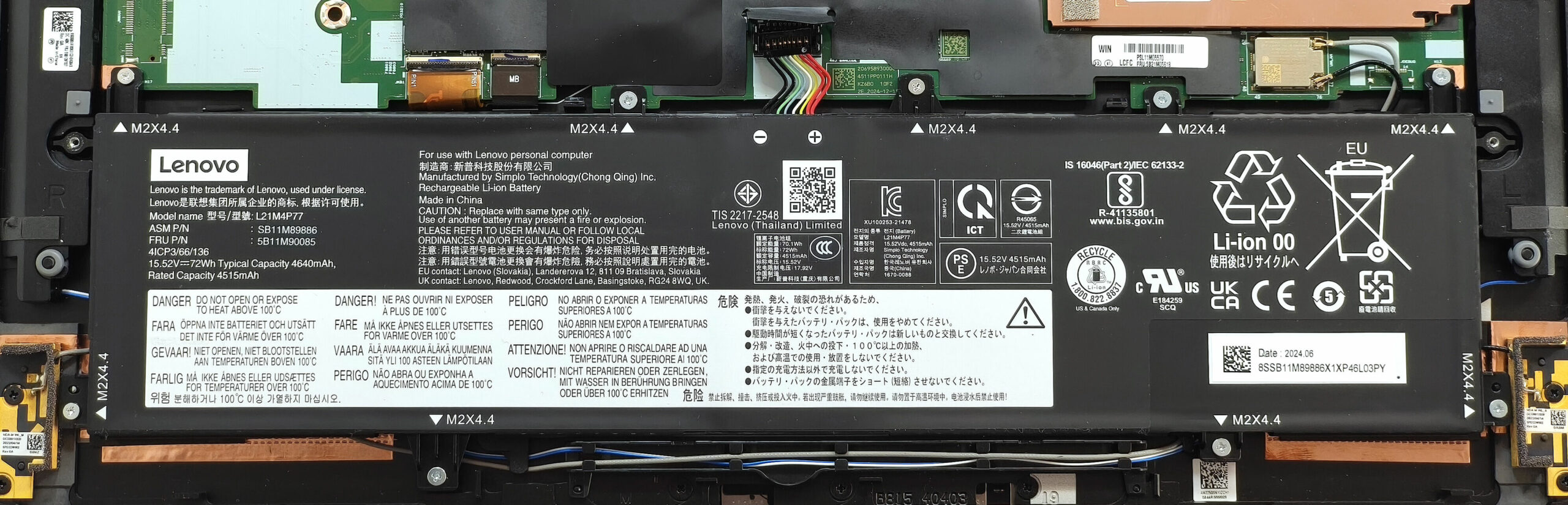
- Undo the nine Phillips-head screws securing the 72Wh battery to the chassis.
- Lift and remove the battery from the device.
More info: The 72Wh battery provides around 8 hours of video playback, offering respectable endurance for such a powerful machine.
You can find compatible batteries here: Buy from Amazon.com (#CommissionsEarned)
Memory Configuration
Note: The RAM is soldered and not user-upgradeable.
More info: The ThinkPad Z16 Gen 2 can be configured with up to 64GB of LPDDR5x-6400MHz memory in dual-channel mode. Although the memory chips are rated at 7500MHz, they operate at 6400MHz due to platform limitations, which is still more than sufficient for most professional workloads.
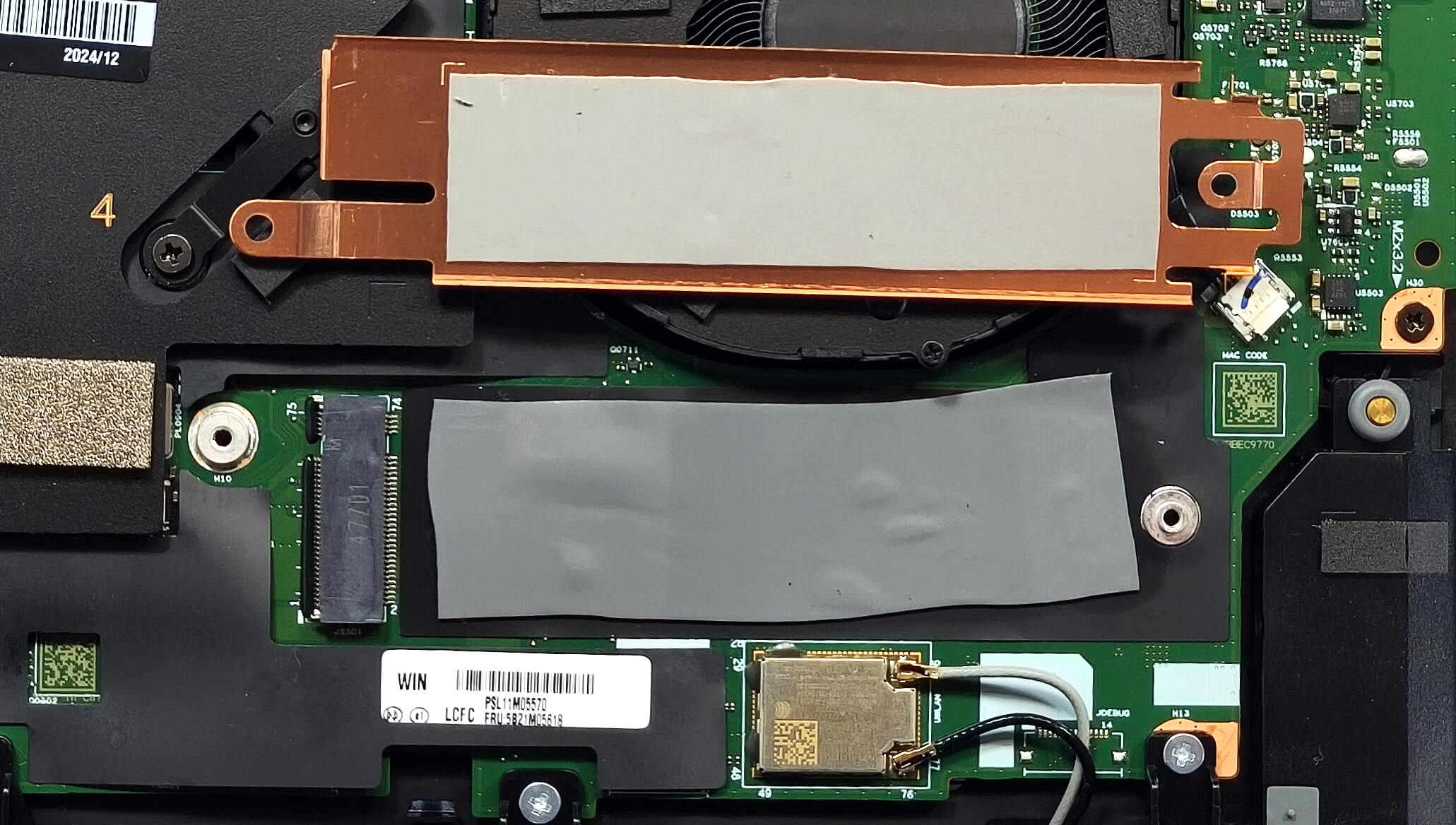
Storage Upgrade
Hint: Be cautious when handling SSD and thermal components.
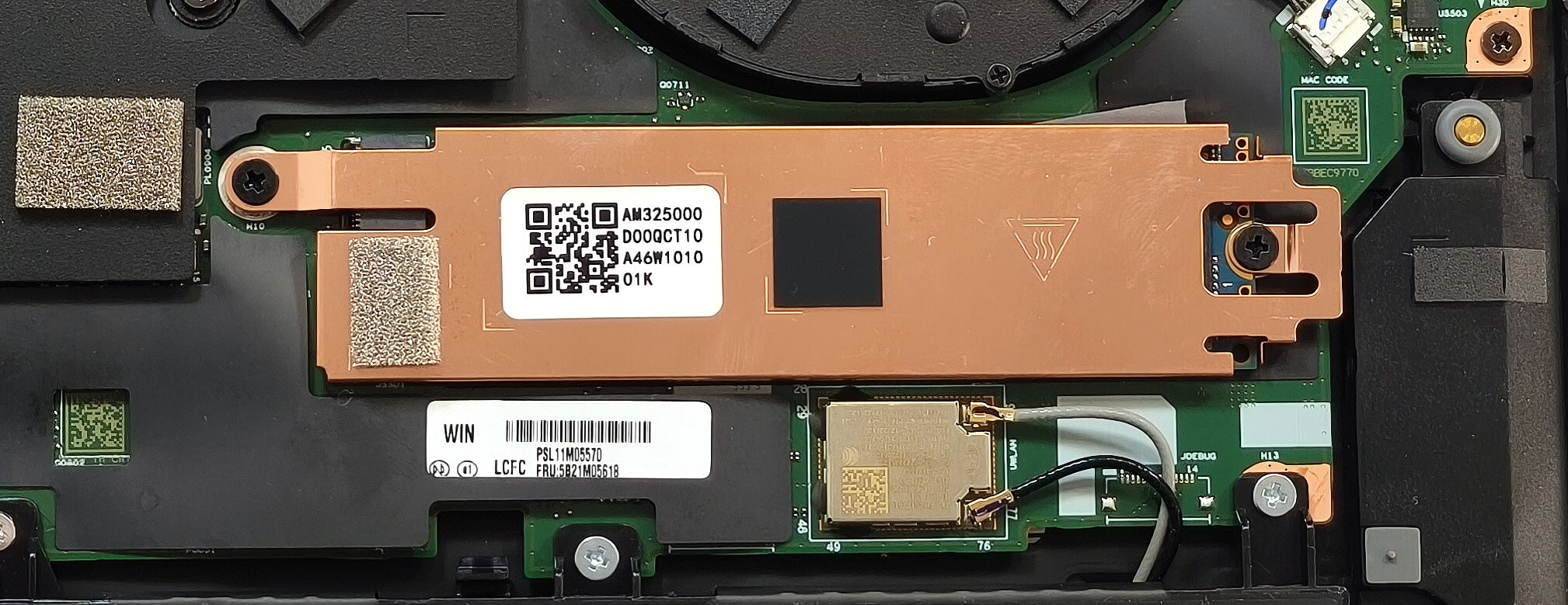
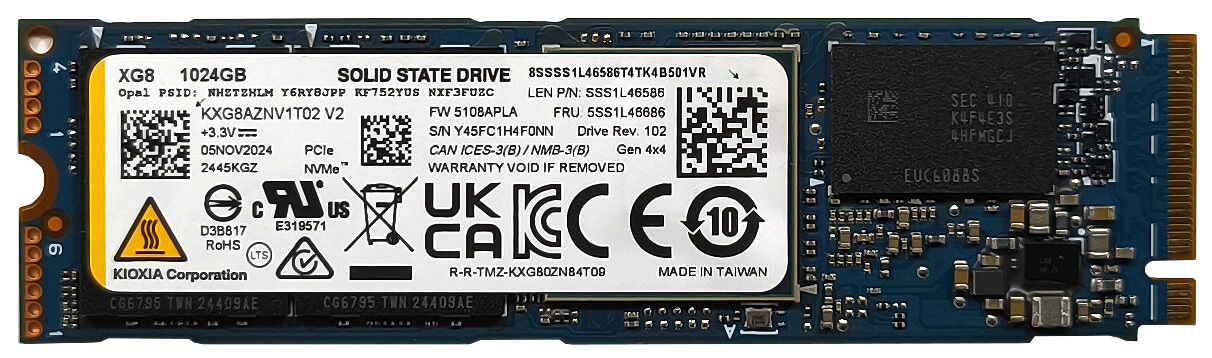
- Locate the single M.2 slot compatible with 2280 Gen 4 NVMe SSDs.
- The preinstalled SSD is protected by a metal cap secured with two screws. Remove the screws and lift the cap gently.
- The cap includes a thermal pad, and there is an additional cooling pad underneath the SSD.
More info: Despite having just one slot, Gen 4 support ensures top-tier storage speeds.
You can find compatible SSDs here: Buy from Amazon.com (#CommissionsEarned)
Connectivity Options
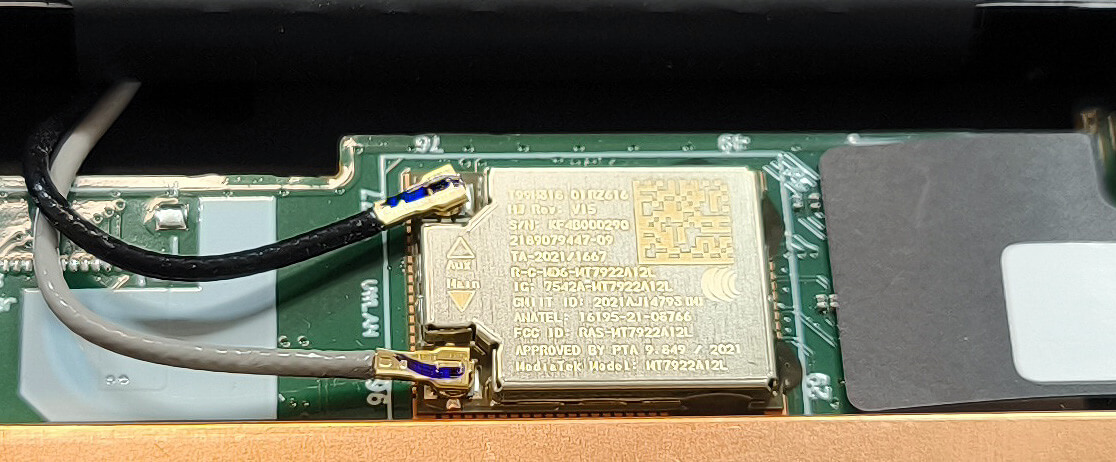
More info:
- The Wi-Fi 6E card is soldered and non-upgradable, located just below the SSD slot.
Cooling System Overview
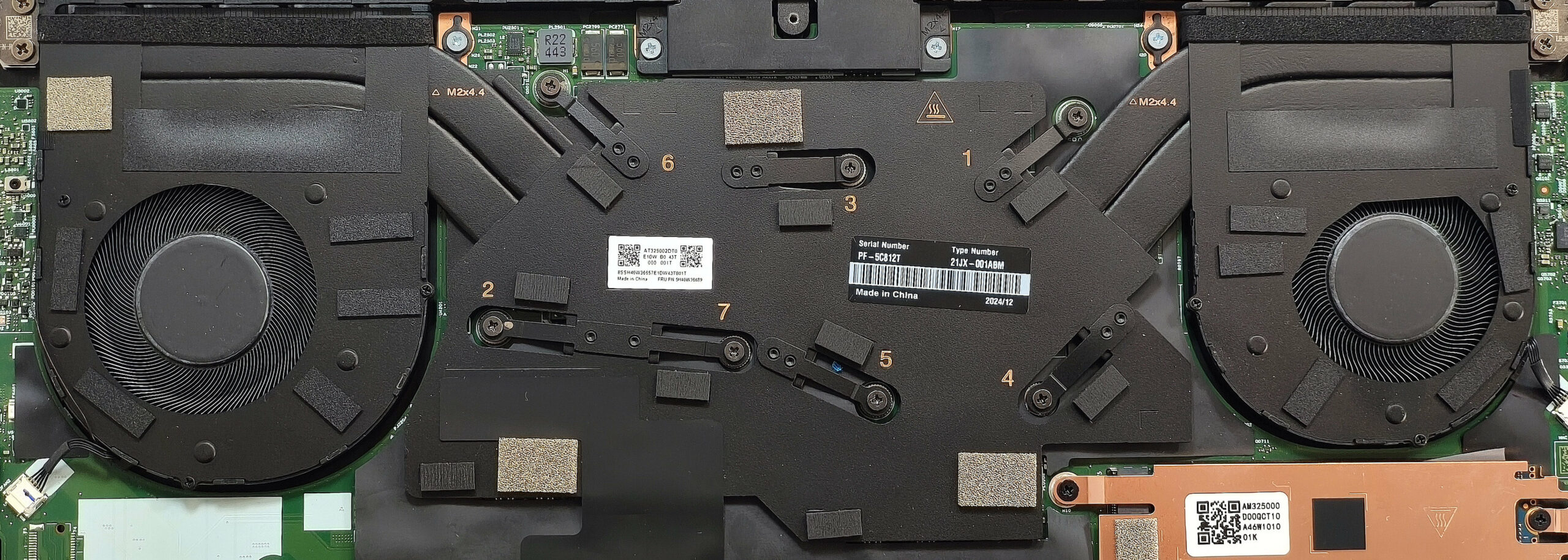
More info: The ThinkPad Z16 Gen 2 features an impressive vapor chamber-based cooling system, especially for a thin premium laptop.
- Two fans help dissipate heat efficiently.
- Two heat pipes are shared between the CPU and GPU for effective thermal transfer.
- Two top-mounted heat sinks improve airflow direction and dissipation.
- A large vapor chamber spans the entire CPU and GPU area, including memory chips and VRMs, offering enhanced coverage and cooling stability.
Tip: Clean the fans and vapor chamber vents periodically to maintain peak thermal performance.
Lenovo ThinkPad Z16 Gen 2 in-depth review
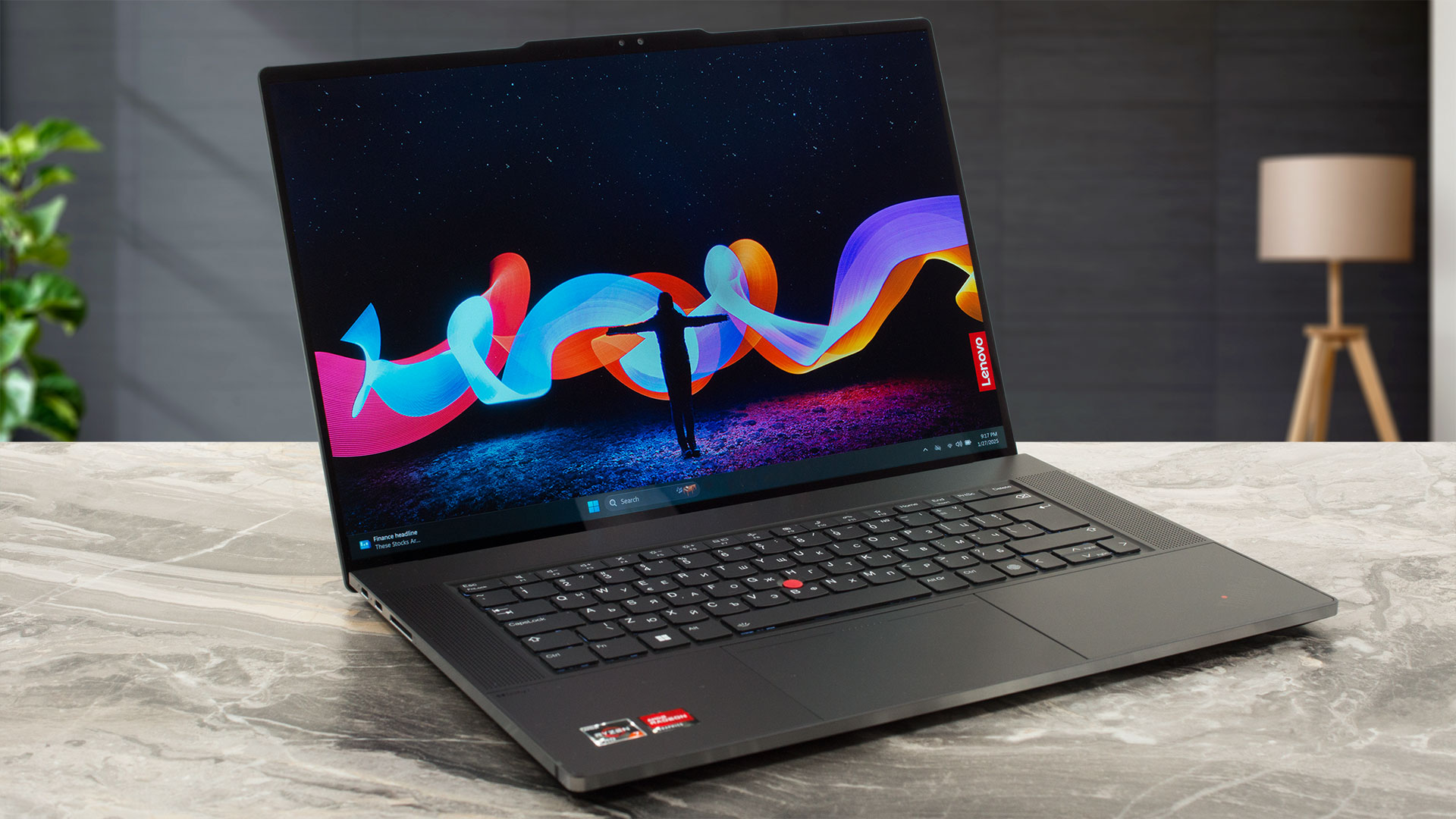
Lenovo promotes the ThinkPad Z16 Gen 2 as a machine that "redefines the term powerhouse". We can describe it as a compact premium device with powerful AMD Phoenix-HS Zen 4 CPU options. It's also very thin for a 16-incher and that's why the memory is soldered. The storage upgradability is limited to just one M.2 slot. The port selection is modern with its trio of Type-Cs but it lacks Type-A connectors which could be an issue for some users.If you need something more punchy than the integrated AMD Radeon 760M and 780M, you can pick a laptop with the optional RDNA 2-based Radeon RX 6550M. It [...]
Pros
- Great design
- Solid premium metal build
- Good performance for normal office work
- The fans aren't loud during long 100% CPU loads in "Best Performance" mode
- Comfortable viewing angles + 16:10 aspect ratio (LEN4146)
- ~ 400 nits of max brightness in SDR and ~ 600 nits in HDR mode (LEN4146)
- 100% sRGB and DCI-P3 coverage (LEN4146)
- Very good color accuracy with our "Design and Office" profile (LEN4146)
- 1080p Web camera with an E-shutter
- Modern port selection with 3x Type-Cs
- Great touchpad
- Up to 64GB of soldered LPDDR5x RAM
- dTPM 2.0 chip, IR Web camera, fingerprint reader, self-healing BIOS
- The Ryzen 7 PRO 7840HS maintains above 4.00 GHz clock in short and medium loads
- The Radeon RX 6550M sustains almost 2740 MHz during gaming
- The bottom plate can be easily popped
- Decently fast SSD (KIOXIA KXG8AZNV1T02)
- You can open the lid with one hand
- Good battery life considering the powerful hardware and the 2400p OLED screen (~ 8 hours of videos)
- Vapor chamber cooling
- Light and thin for a 16-incher (1.81 kg / 15.8 mm)
- Good sound quality
Cons
- 90°C CPU temperature in medium loads
- Solderd RAM + only one M.2 slot
- Pricey, especially with the OLED screen and a dGPU
- Not the best performance in long loads
- No Type-A ports
- PWM usage (LEN4146)
 Author: Dimitar Stalev

![[June 2026] Best-Selling Laptop Brands on Amazon Global – Apple’s Unrivaled Dominance in Units and Revenue](https://laptopmedia.com/wp-content/uploads/2026/07/GLOBAL-Best-Brands-400x225.jpg)
![[June 2026] Amazon Global: Top 10 Best-Selling Laptops – Apple’s New MacBook Neo Storms to #1, Reshaping the Market with Affordability](https://laptopmedia.com/wp-content/uploads/2026/07/Best-Selling-Laptops-GLOBAL-Top-10-400x225.jpg)
![[June 2026] Amazon Global: Top 10 Best-Selling Gaming Laptops – Acer’s Nitro V 16S AI Dominates Sales, While ASUS Leads Overall Revenue](https://laptopmedia.com/wp-content/uploads/2026/07/Best-Selling-Gaming-Laptops-GLOBAL-Top-10-400x225.jpg)
![[June 2026] Global Ranking of Best-Selling Laptop GPUs on Amazon – NVIDIA RTX 5060 is the Top-Selling Dedicated GPU](https://laptopmedia.com/wp-content/uploads/2026/07/Best-Selling-GPUs-GLOBAL-Top-10-400x225.jpg)
![[June 2026] Global Ranking of Best-Selling Laptop CPUs on Amazon – Apple M5 Dominates, AMD Ryzen 7 260 Gets Solid Premium Share](https://laptopmedia.com/wp-content/uploads/2026/07/Best-Selling-CPUs-GLOBAL-Top-10-400x225.jpg)
