How to open Lenovo Yoga 7i 2-in-1 (14″, Gen 10 / 14ILL10) – disassembly and upgrade options

Accessing the Lenovo Yoga 7i 2-in-1 (14″, Gen 10 / 14ILL10) starts with a Torx T5 driver. Remove seven screws from the bottom plate: four short 3 mm screws near the front and three longer 7.5 mm screws by the hinges. Using a thin plastic pry tool, release the side clips, then a small suction cup helps detach five hidden posts between the hinges, avoiding unnecessary stress on the lid assembly.
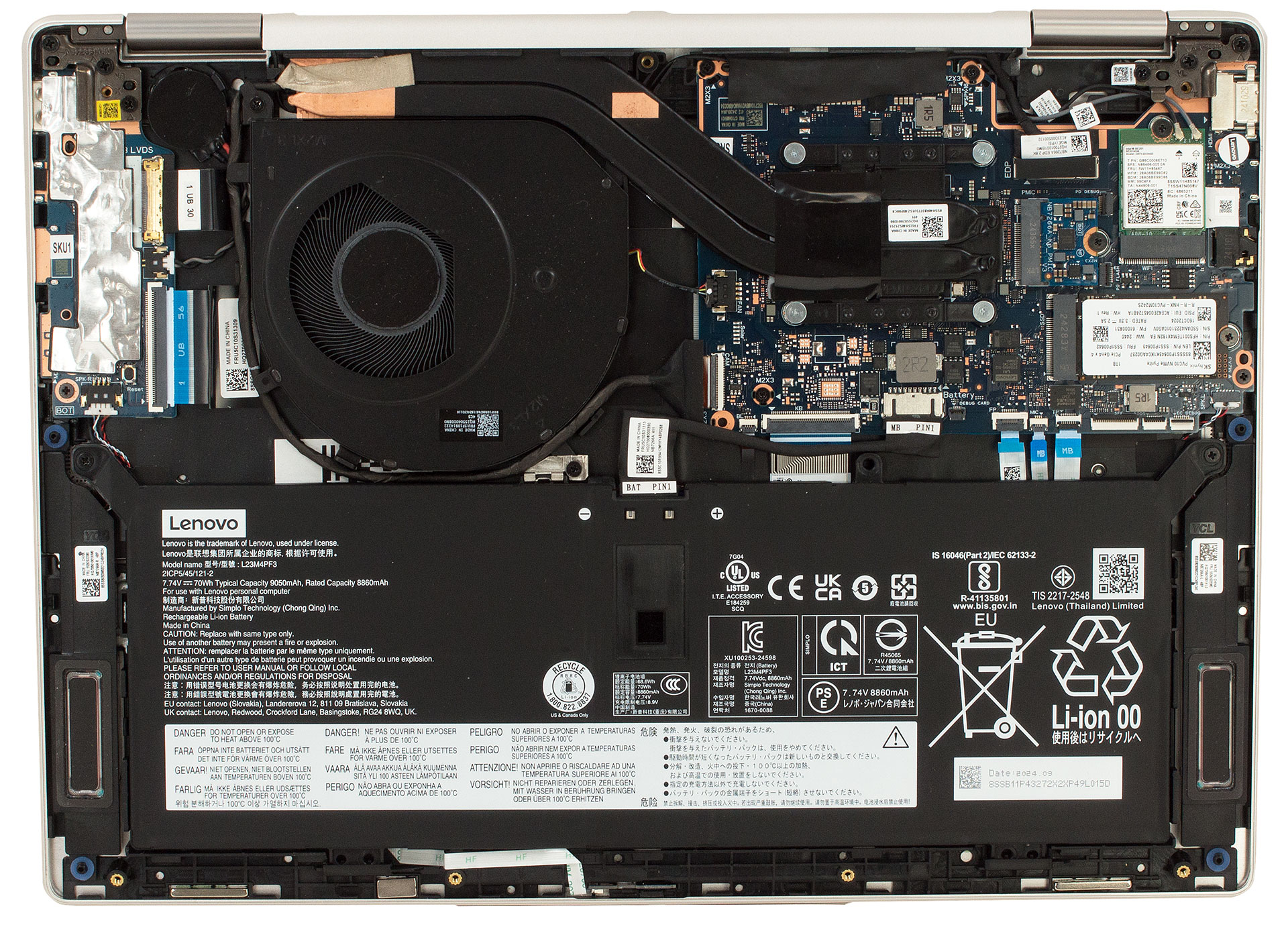
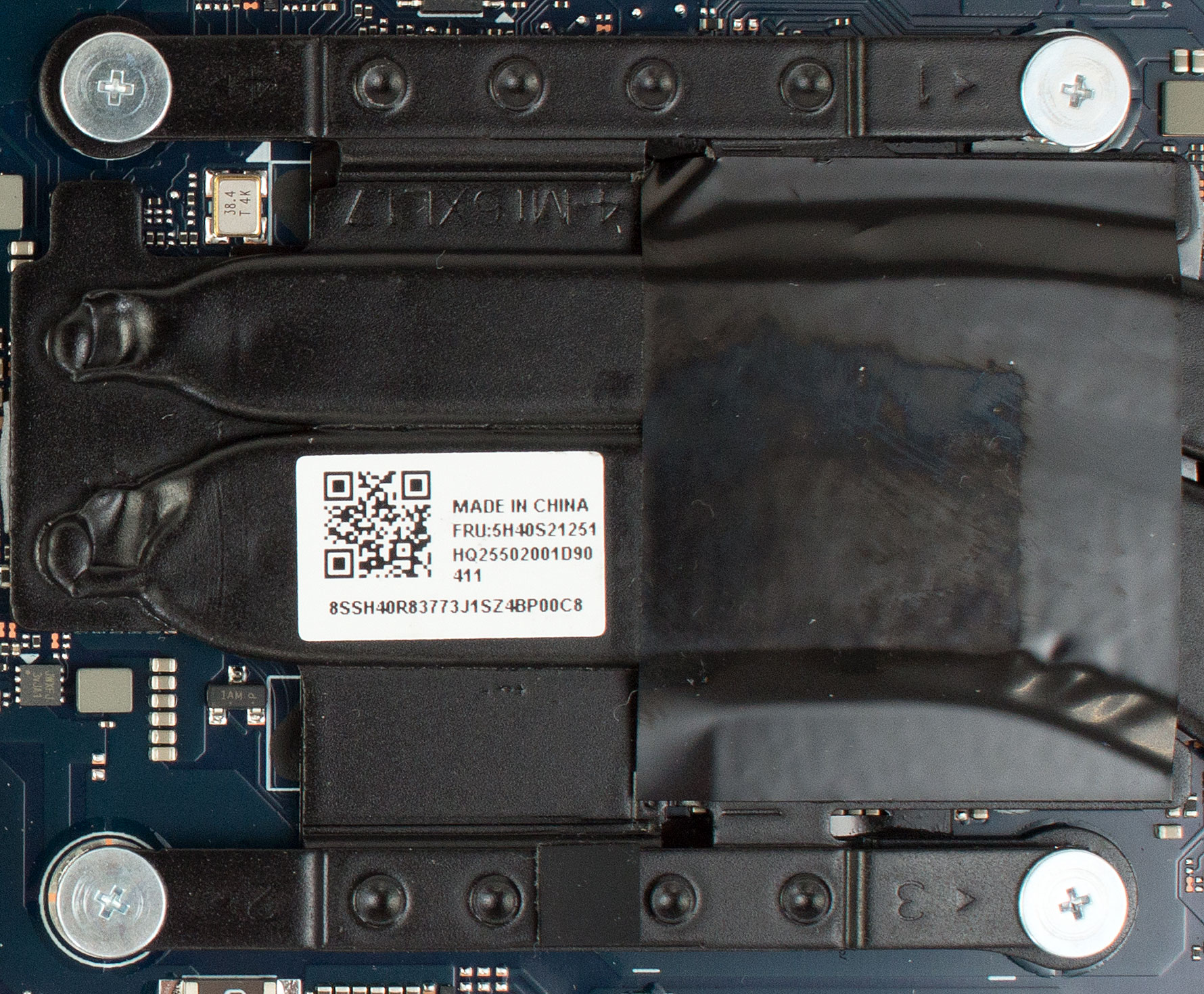
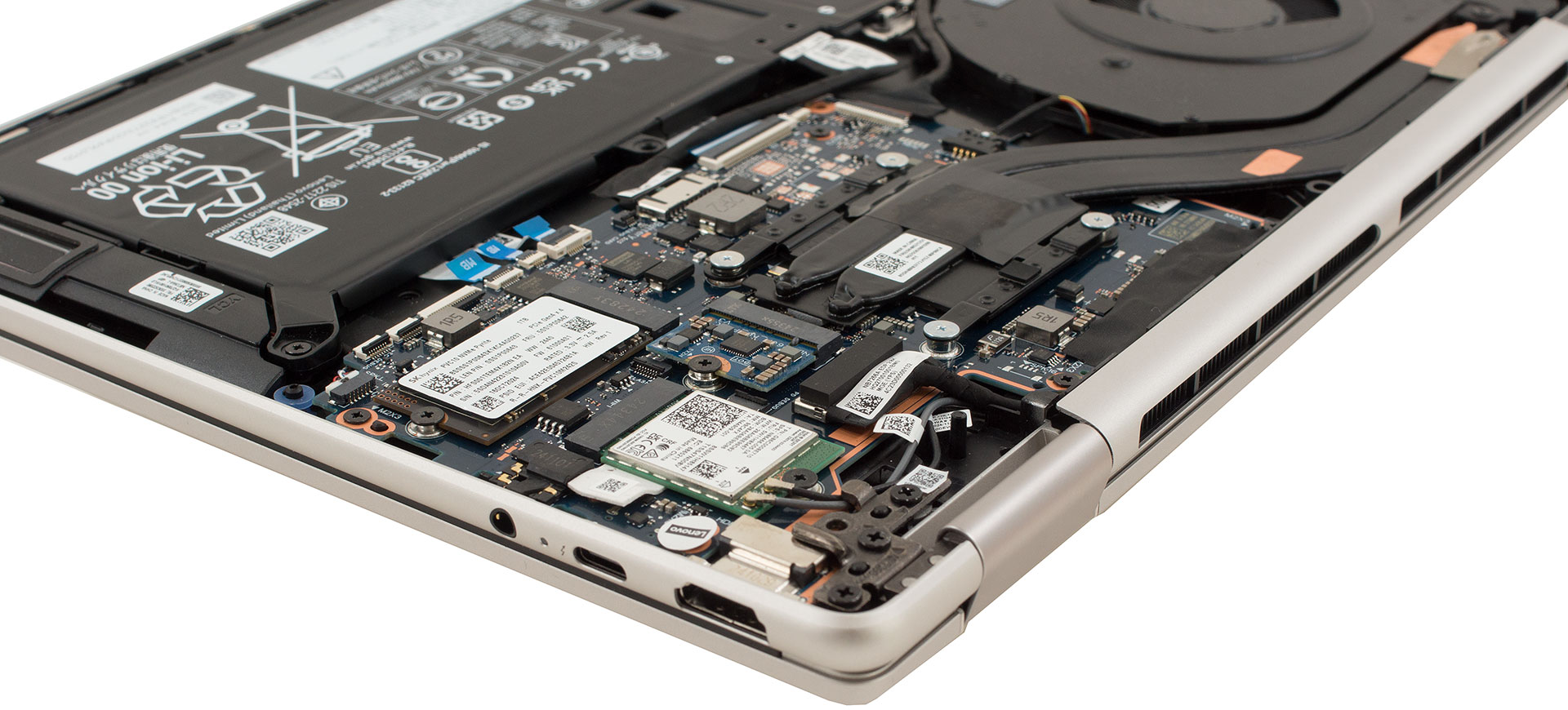
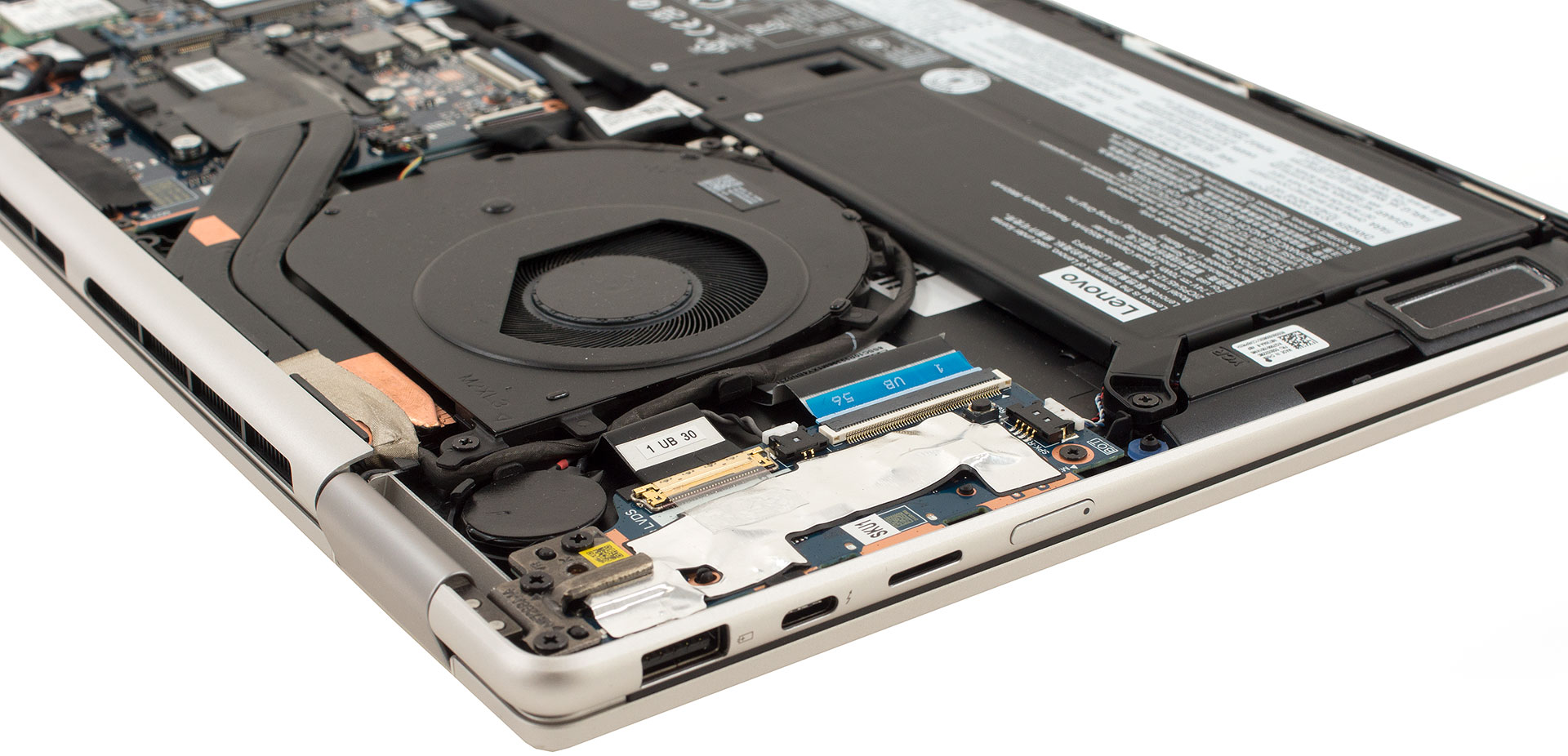
Once opened, the chassis reveals a tidy internal layout dominated by a single-fan cooling module stretching across the rear. Two flattened copper heat pipes connect vapor-chamber cold plates on the CPU and discrete power components to a blower fan, with foam seals guiding airflow efficiently through the fins and out the wide rear vents. The entire assembly is fastened by spring-loaded Phillips screws, making future thermal paste replacement simple.
Memory and Storage
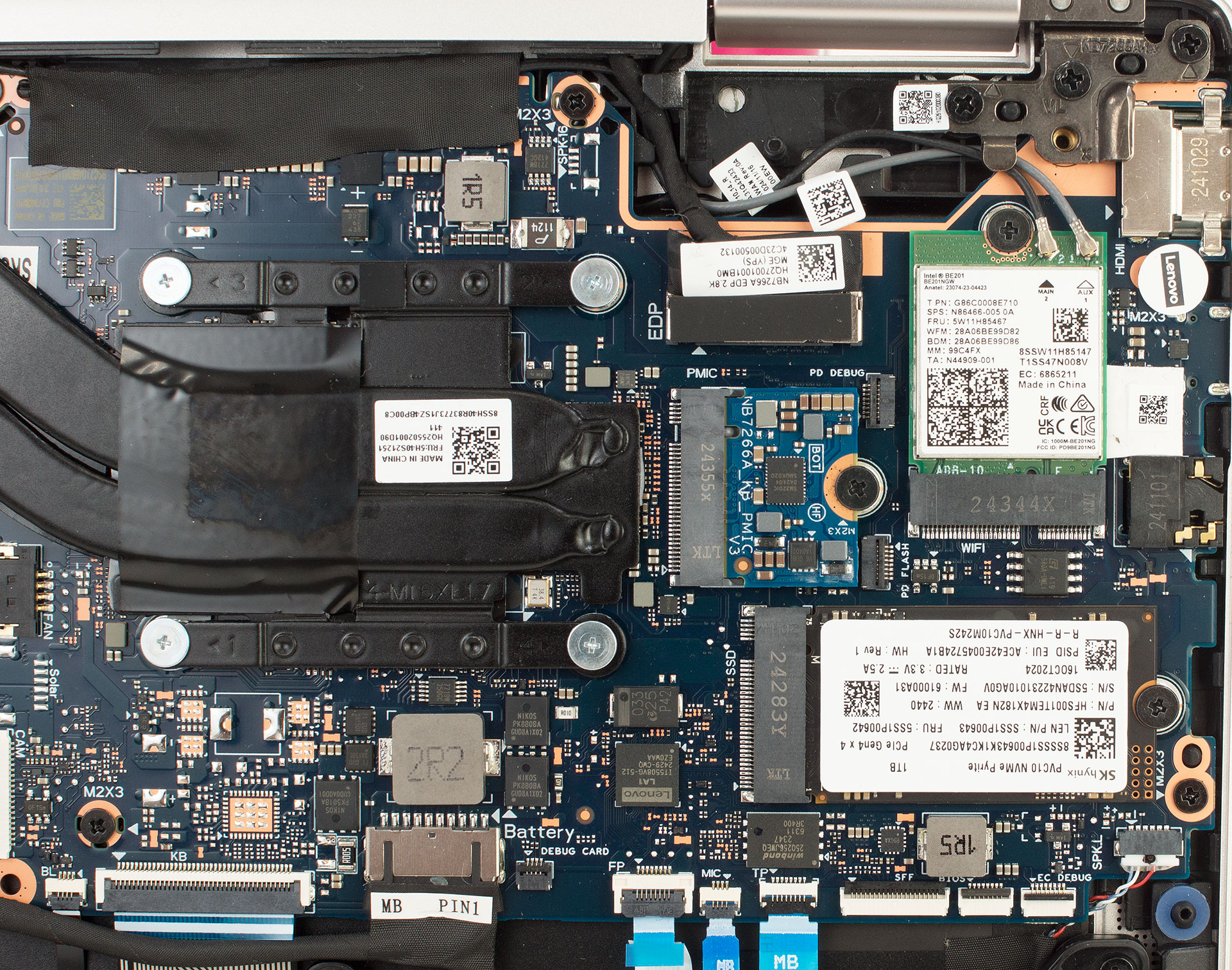
- Memory is soldered onto the board, available with either 16 GB or 32 GB of LPDDR5X-8533 RAM in dual-channel configuration. Since there are no SO-DIMM slots, the factory-installed RAM is the maximum capacity.
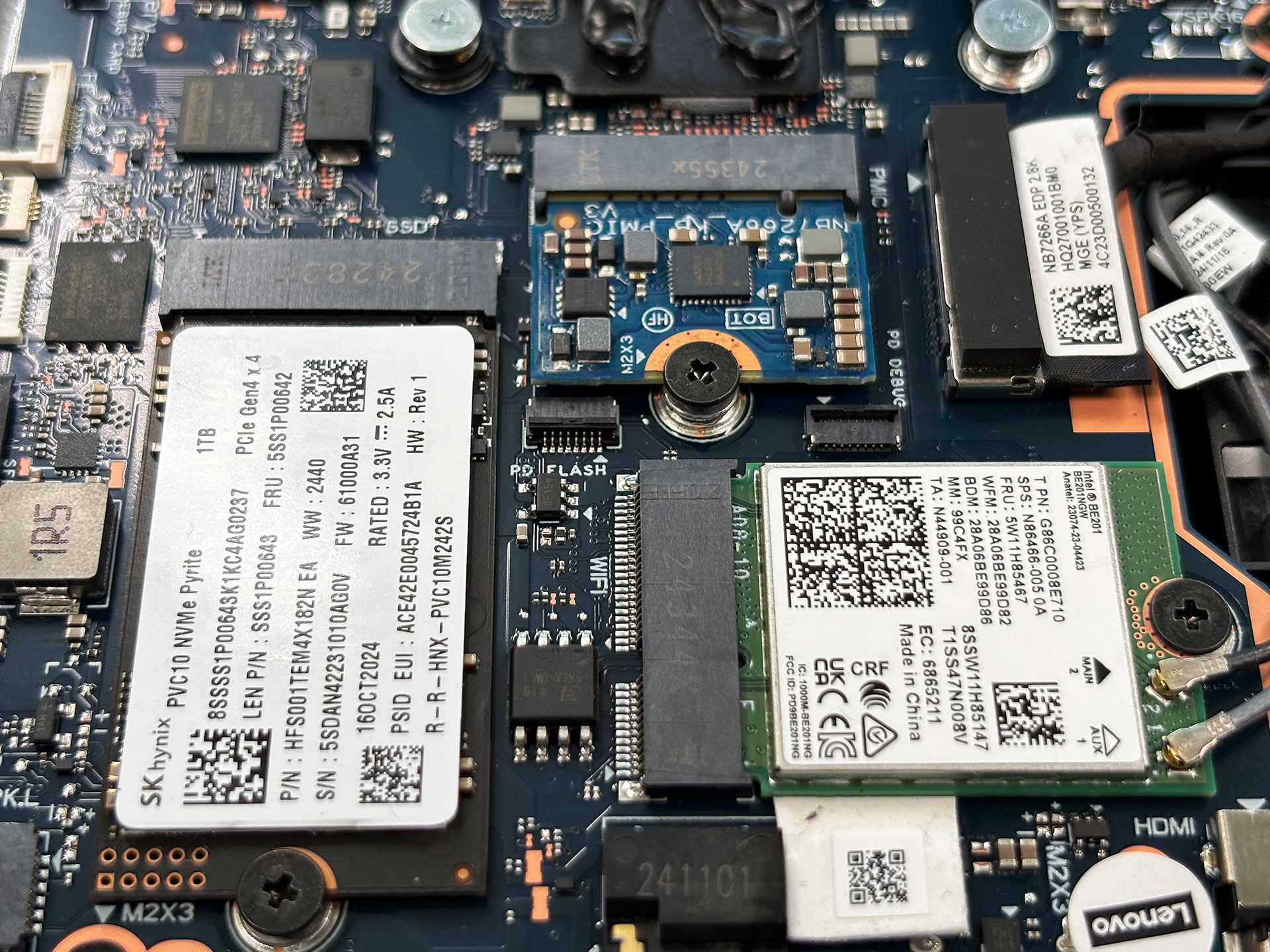
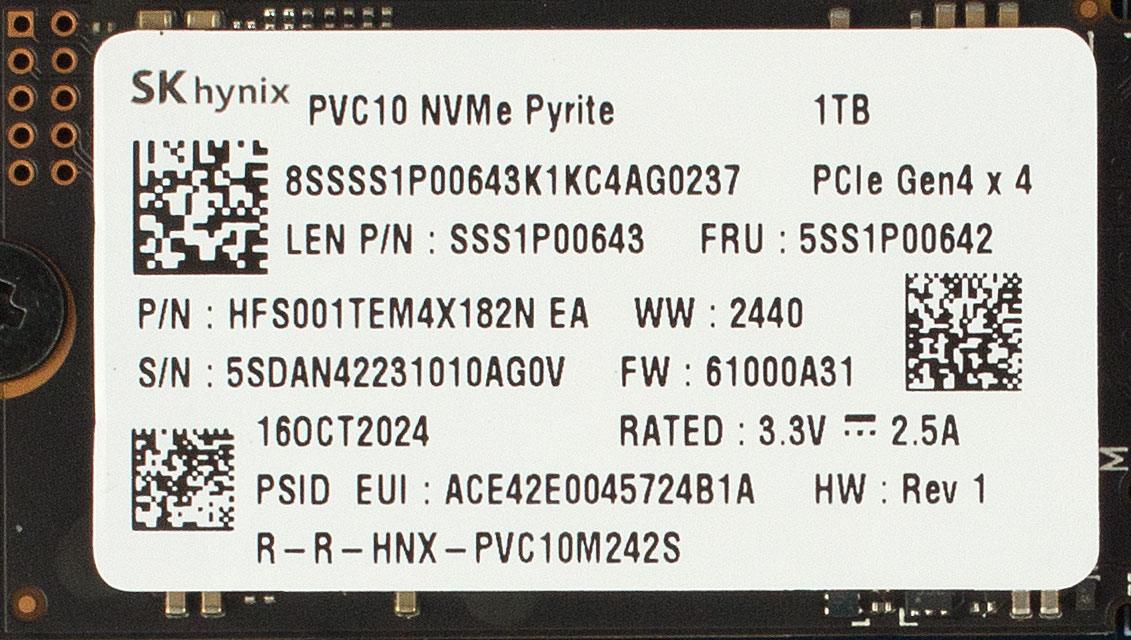
- The M.2 storage is handled by a single 2242 PCIe 4.0 ×4 slot; our unit uses a 1 TB SK Hynix NVMe SSD. Storage upgrades are straightforward as the drive is easily accessible once the bottom cover is off.
Hint: Don’t forget to check out our Top M.2 SSDs Performance Rankings for insights on the best storage options available.
Wireless and Battery
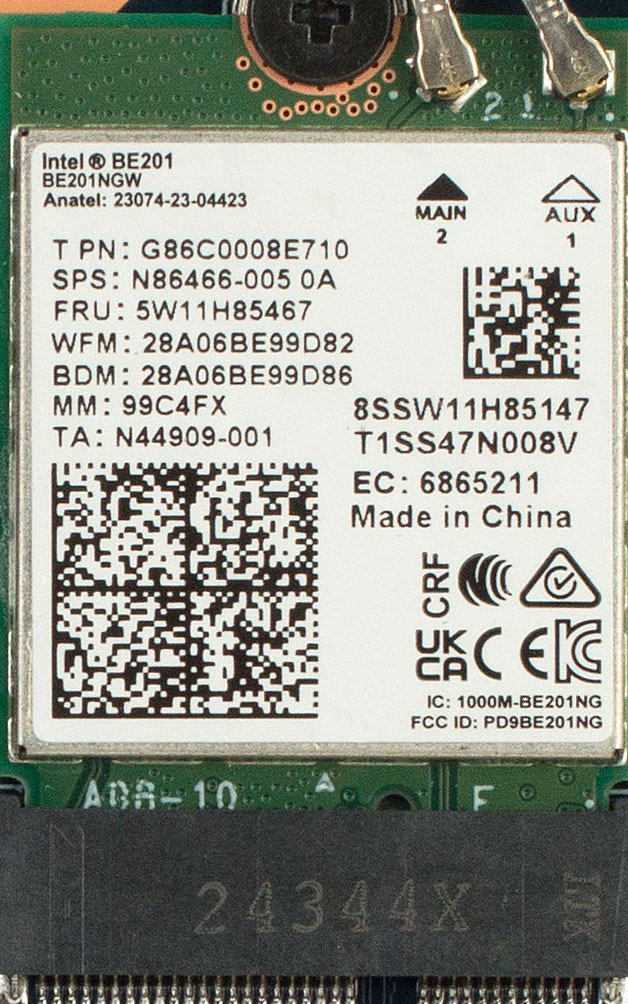
- The Wi-Fi 6E module sits just above the SSD and is user-replaceable, secured by a single screw, enabling easy wireless upgrades.
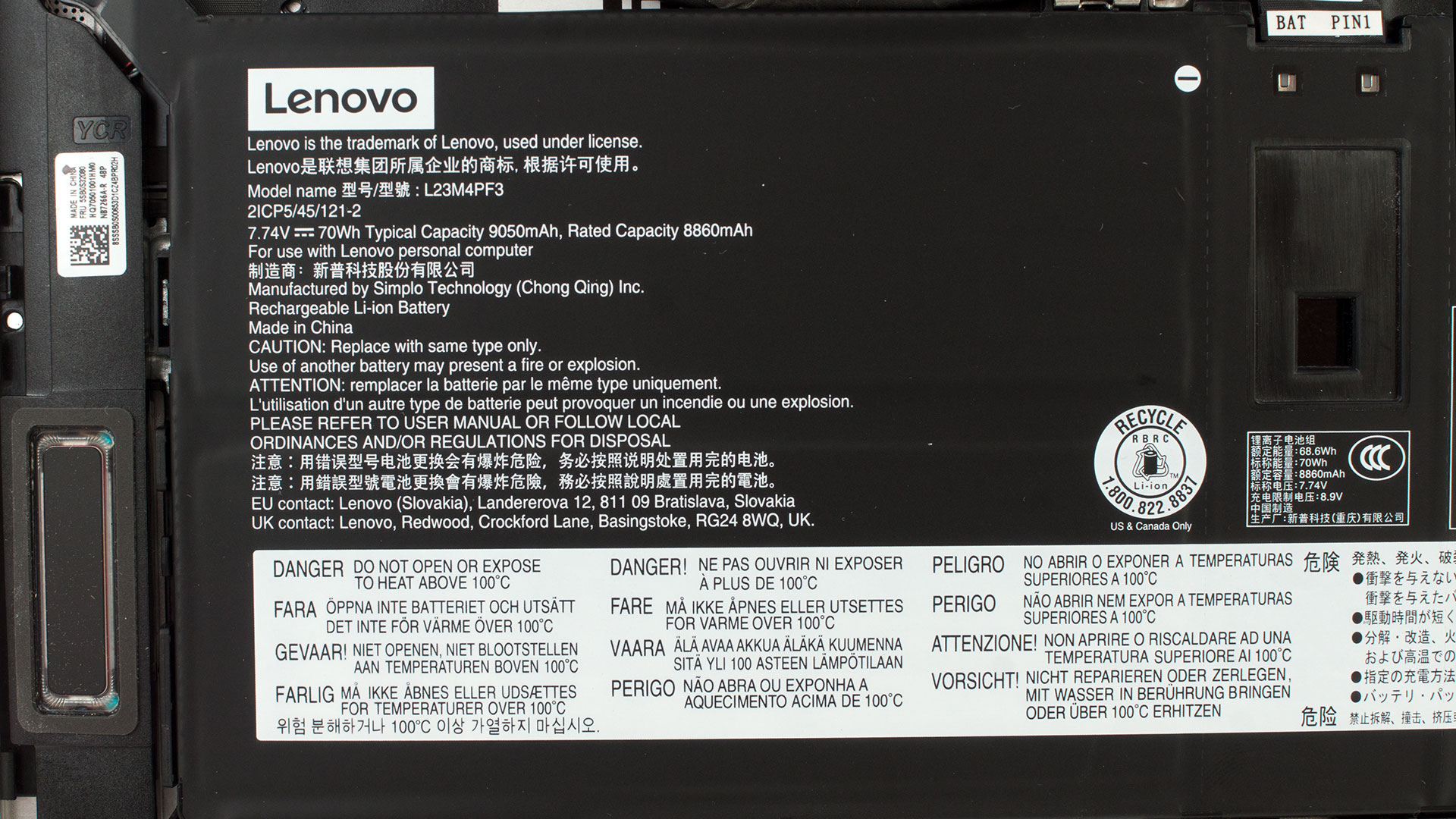
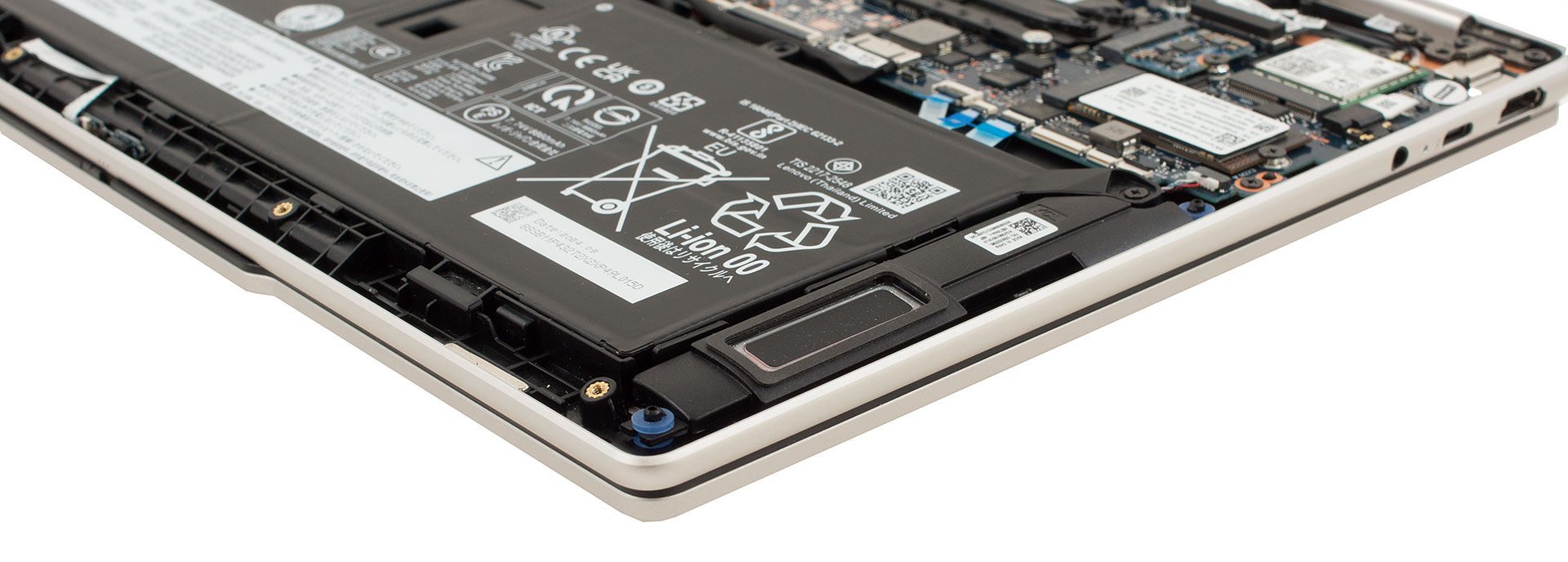
- The 70 Wh lithium-ion battery (7.74 V, 9050 mAh typical) is fixed with three 3 mm Phillips screws. After unplugging the cable, the battery lifts out easily, supporting straightforward replacement or servicing. Stereo speakers are mounted on either side of the battery along the front edge.
Additional Components
Daughter-boards for USB ports, audio circuitry, and the fingerprint reader connect via ribbon cables, allowing individual replacement if needed. This modular approach boosts long-term serviceability without requiring a full motherboard swap.
Overall, Lenovo’s Yoga 7i 14ILL10 offers above-average serviceability for an ultraportable: every critical component except the soldered RAM can be maintained or upgraded in minutes using basic tools.
Lenovo Yoga 7i 2-in-1 (14", Gen 10) in-depth review
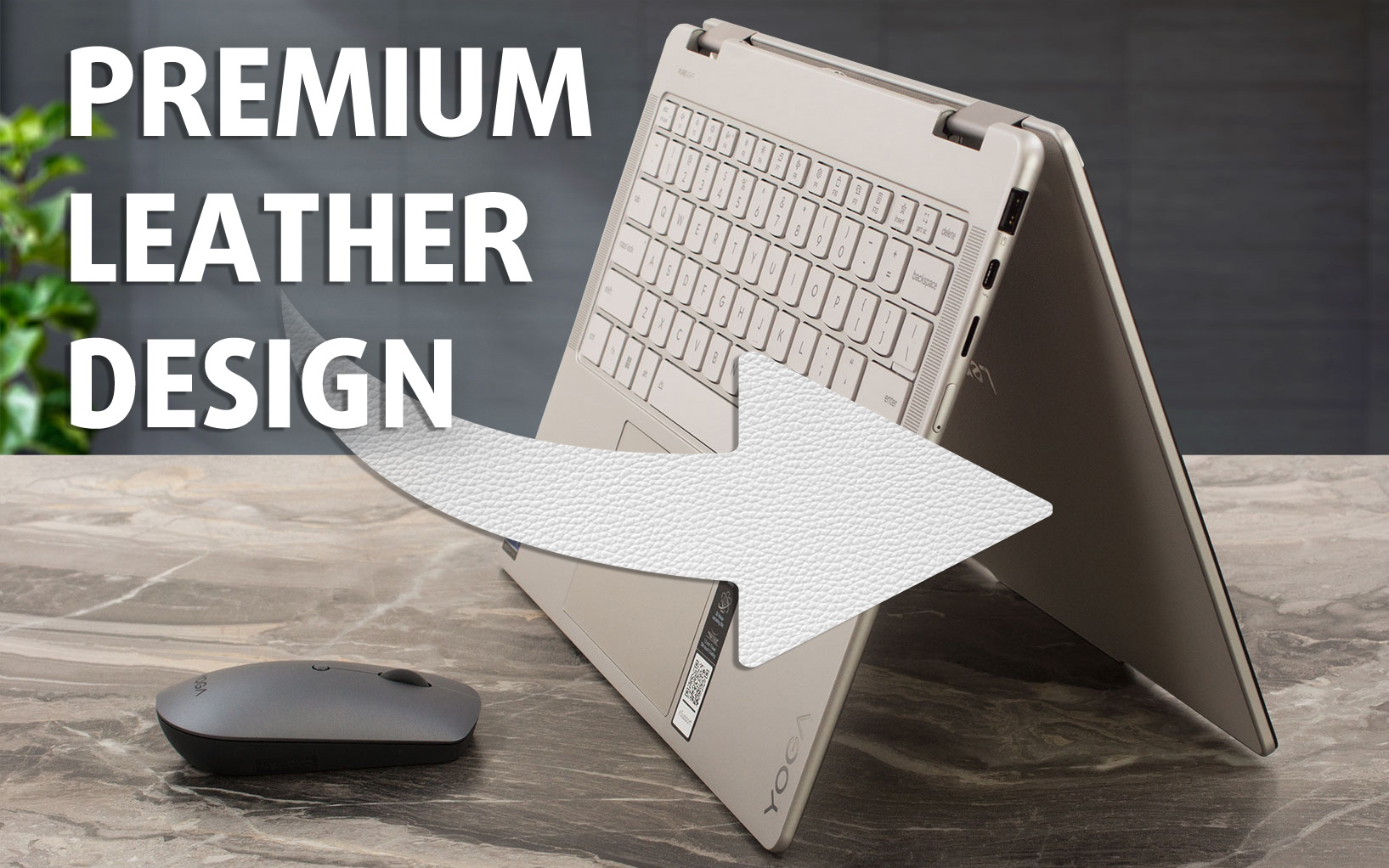
This is a laptop that not only turns heads with its stunning design (particularly our "Seashell" unit with its delightful vegan leather lid) but also packs a breathtaking 14-inch, 120Hz OLED screen and battery life that stretches past the 15-hour mark. That's the compelling package Lenovo offers with the new Yoga 7i 2-in-1 (14", Gen 10), a device that feels as premium as it looks and comes ready for action with an included Yoga Pen.But in a market filled with sleek convertibles, can the Yoga 7i truly deliver on all its promises? Does its performance match its sophisticated style, and how d[...]
Pros
- Absolutely stunning and premium design, especially with vegan leather lid option
- Excellent build quality with fingerprint-resistant finish
- Gorgeous 14-inch 2.8K 120Hz OLED touchscreen with full DCI-P3 coverage
- Excellent brightness, contrast, and good factory color accuracy
- Virtually PWM-free display backlight for comfortable viewing
- Strong performance from Intel® Core™ Ultra CPUs and Arc graphics
- Excellent battery life (15+ hours)
- Versatile 2-in-1 form factor with robust 360-degree hinge
- Modern and comprehensive port selection including dual Thunderbolt 4 and Wi-Fi 7
- Comfortable keyboard with backlight and dual biometric login options (IR camera & fingerprint)
- Includes Lenovo Yoga Pen (and potentially other accessories depending on region)
- Good sound quality
Cons
- OLED screen is quite reflective, leading to glare in bright conditions
- CPU can run hotter than some competitors under sustained heavy load
- Soldered RAM limits future upgradeability
 Author: Dimitar Stalev

![[June 2026] Best-Selling Laptop Brands on Amazon Global – Apple’s Unrivaled Dominance in Units and Revenue](https://laptopmedia.com/wp-content/uploads/2026/07/GLOBAL-Best-Brands-400x225.jpg)
![[June 2026] Amazon Global: Top 10 Best-Selling Laptops – Apple’s New MacBook Neo Storms to #1, Reshaping the Market with Affordability](https://laptopmedia.com/wp-content/uploads/2026/07/Best-Selling-Laptops-GLOBAL-Top-10-400x225.jpg)
![[June 2026] Amazon Global: Top 10 Best-Selling Gaming Laptops – Acer’s Nitro V 16S AI Dominates Sales, While ASUS Leads Overall Revenue](https://laptopmedia.com/wp-content/uploads/2026/07/Best-Selling-Gaming-Laptops-GLOBAL-Top-10-400x225.jpg)
![[June 2026] Global Ranking of Best-Selling Laptop GPUs on Amazon – NVIDIA RTX 5060 is the Top-Selling Dedicated GPU](https://laptopmedia.com/wp-content/uploads/2026/07/Best-Selling-GPUs-GLOBAL-Top-10-400x225.jpg)
![[June 2026] Global Ranking of Best-Selling Laptop CPUs on Amazon – Apple M5 Dominates, AMD Ryzen 7 260 Gets Solid Premium Share](https://laptopmedia.com/wp-content/uploads/2026/07/Best-Selling-CPUs-GLOBAL-Top-10-400x225.jpg)

What is the serial number of this laptop?