How to open Lenovo Yoga Slim 7x Gen 9 (14″ Snapdragon) – disassembly and upgrade options
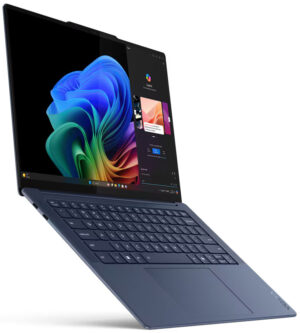
Opening the Lenovo Yoga Slim 7x Gen 9
Hint: Ensure the laptop is powered off and unplugged before starting.
- Undo the four Torx-head screws securing the bottom panel of the laptop.
- Use a lever tool to pop the back panel near the top corners.
- Fully pry open the rear with a thin plastic tool, then carefully work your way around the sides and the front to release the clips.
- To release the stiff internal clip in the center, lift the panel on the left or right side and wiggle it slightly until it disengages.
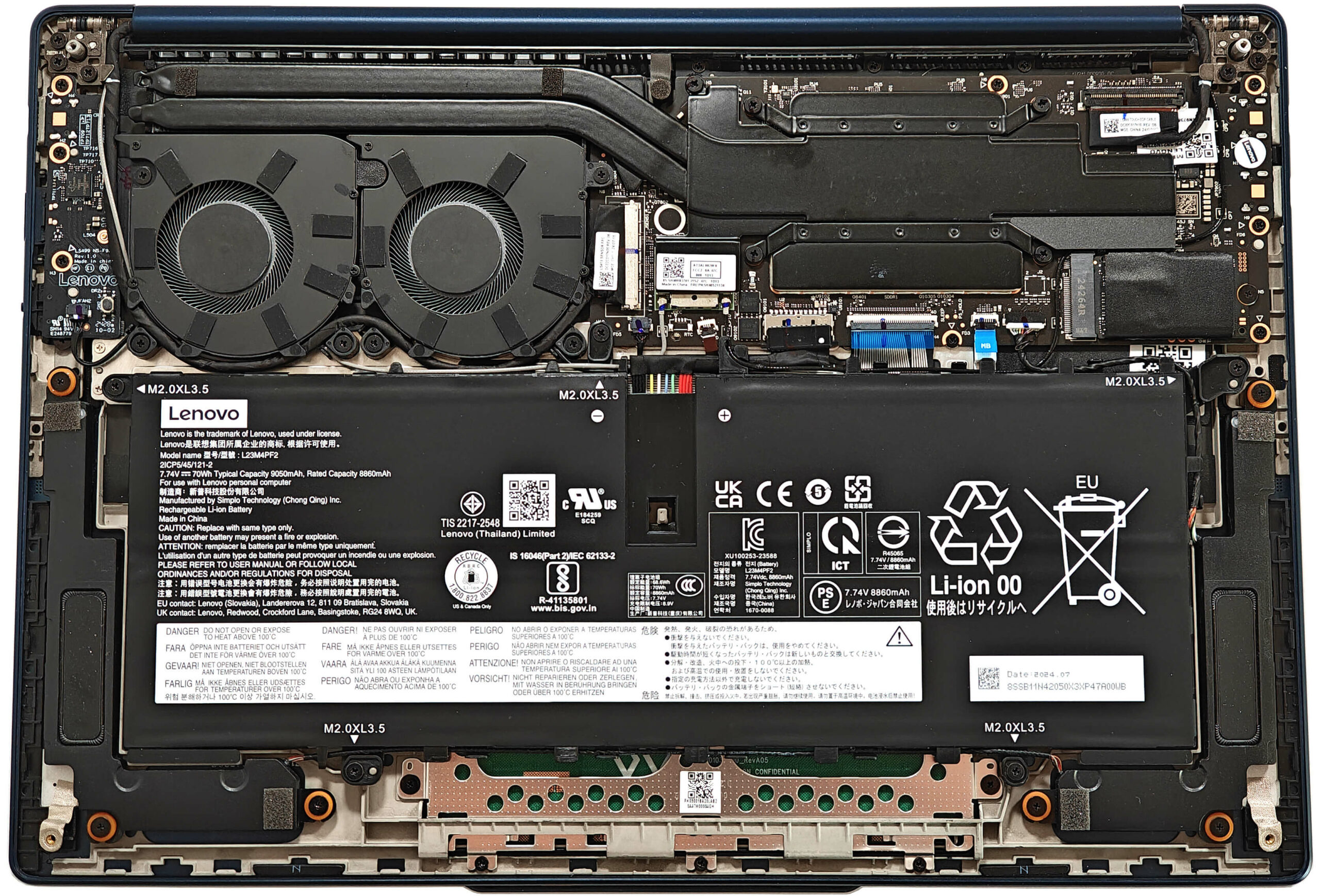
More info: The bottom plate houses internal components and includes areas designed for improved cooling.
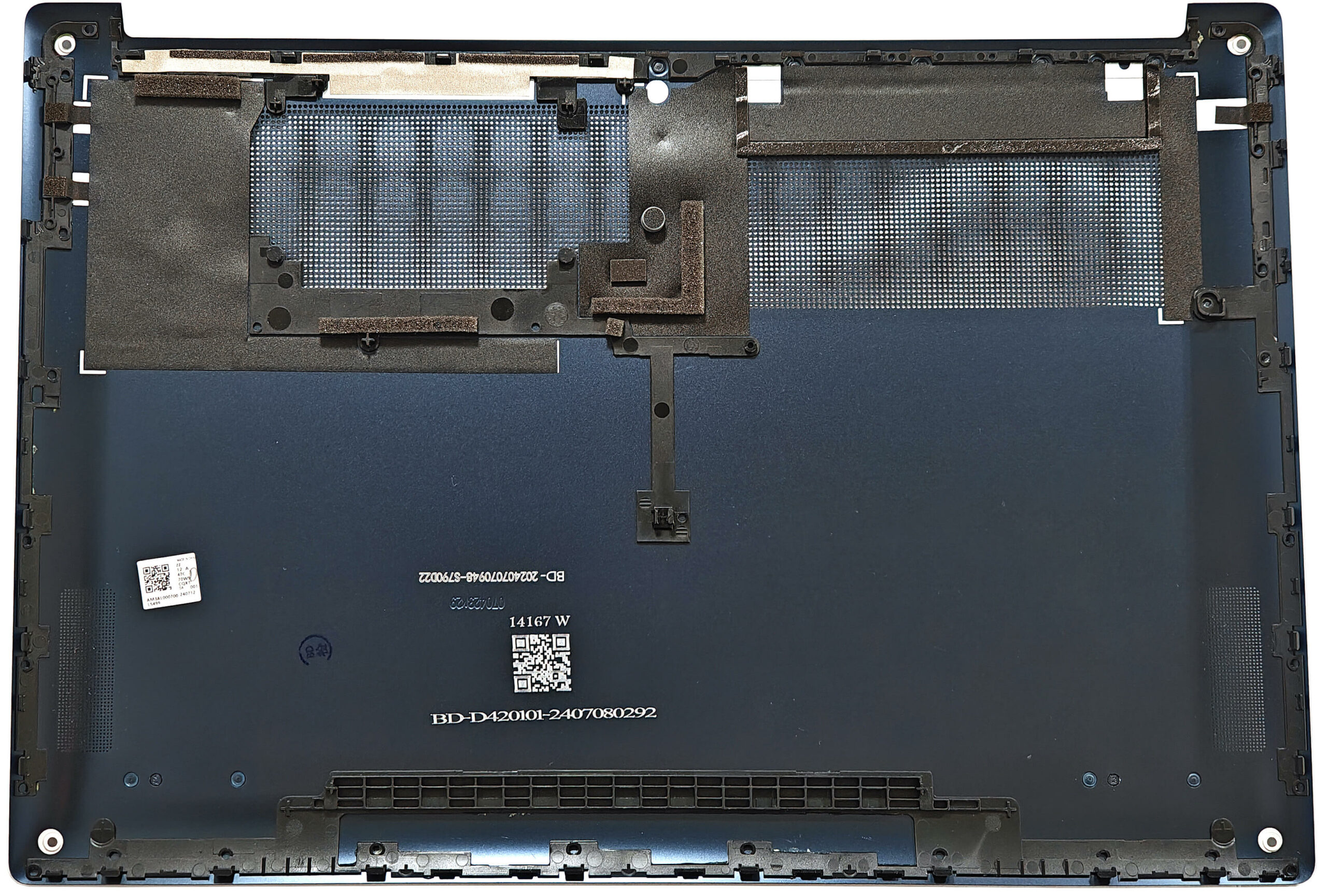
Battery Removal
Caution: Handle the battery carefully to avoid damage or electrical hazards.
- Disconnect the battery by unplugging the connector from the motherboard, pulling it gently towards the battery.
- Untangle the Wi-Fi card and speaker cables around the battery housing to ensure smooth removal.
- Undo the five Phillips-head screws securing the 70Wh battery to the chassis.
- Carefully lift and remove the battery from the laptop.
More info: The 70Wh battery offers approximately 16 hours of video playback, a remarkable achievement given the high-resolution OLED display.
You can find compatible batteries here: Buy from Amazon.com (#CommissionsEarned)
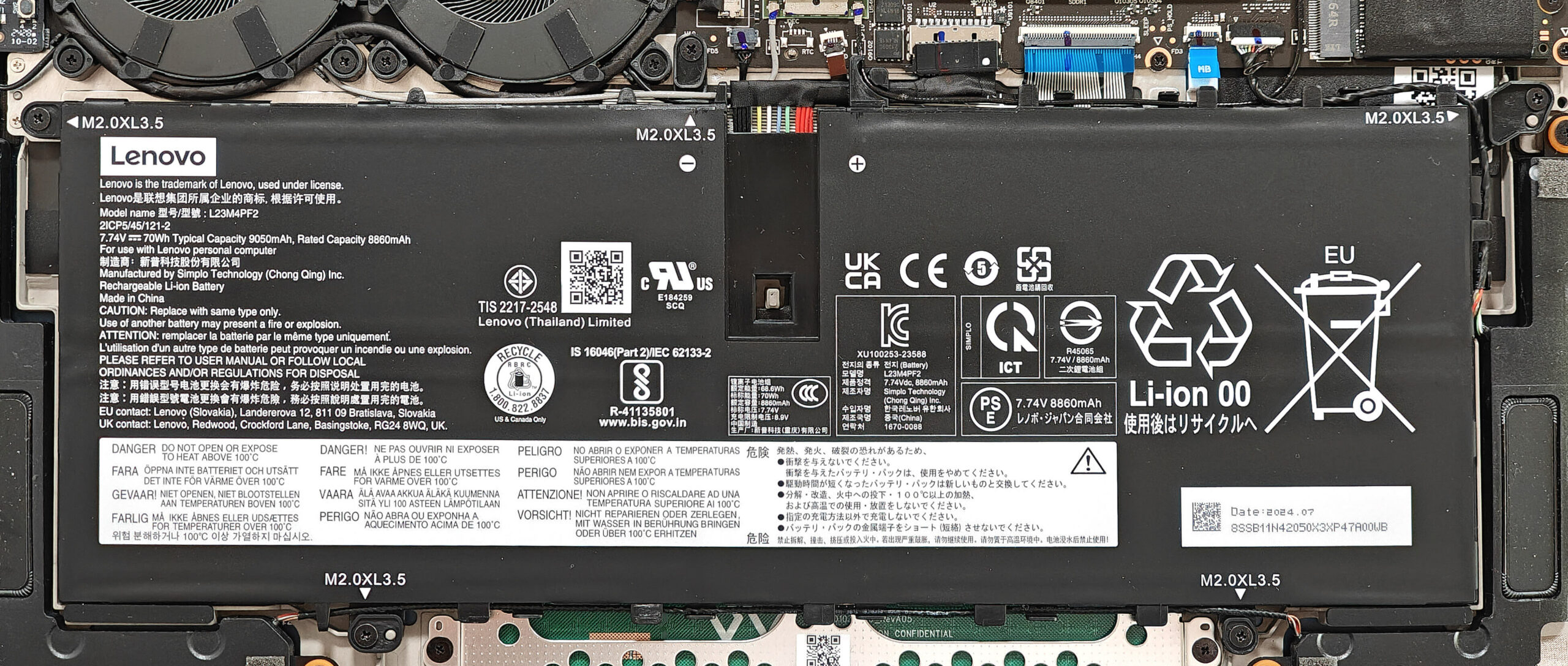
Memory Upgrade
Note: The memory is soldered and not user-upgradeable.
More info: The laptop comes with 16GB or 32GB of LPDDR5x-8448MHz RAM in dual-channel mode. Choose a configuration that meets your current and future needs when purchasing.
Storage Upgrade
Hint: Handle SSD components carefully to avoid damage or data loss.
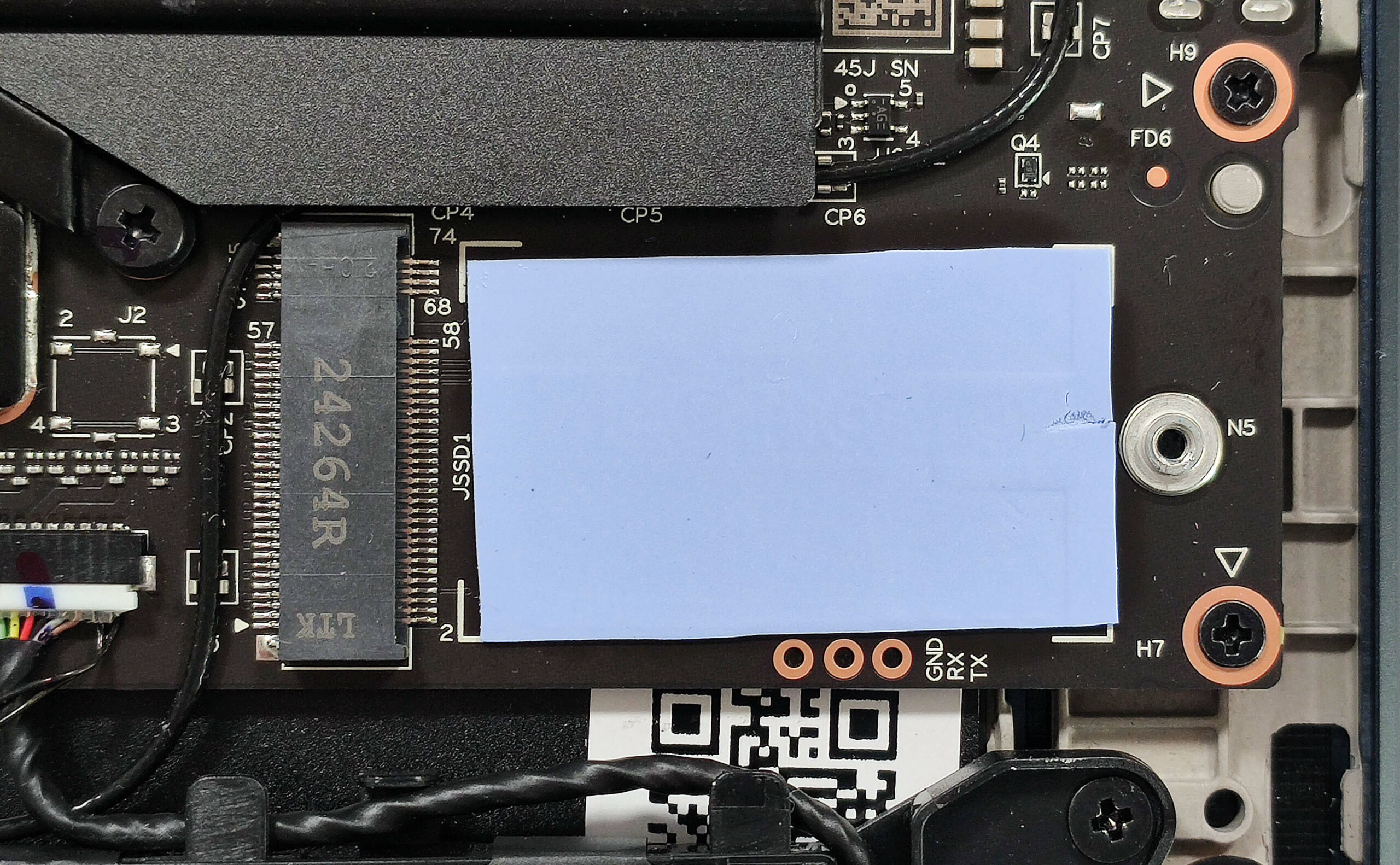
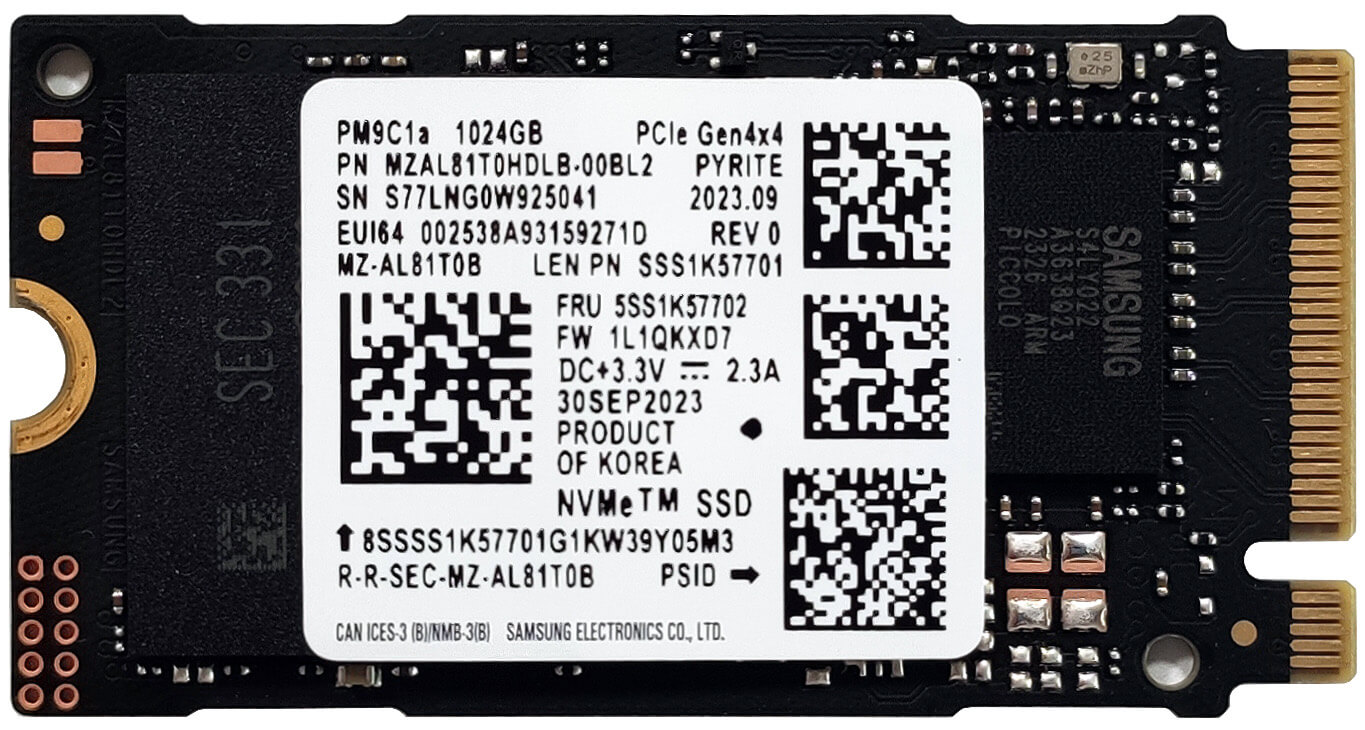
- Locate the single M.2 slot, which is compatible with 2242 Gen 4 SSDs.
- The NVMe drive is covered with a Mylar heat shield. Remove the shield carefully to access the SSD.
- Below the SSD, you’ll find a thermal pad to aid in heat dissipation.
- Install the new M.2 SSD, ensuring it is securely seated and replace the heat shield.
More info: The Mylar heat shield and thermal pad enhance cooling for consistent performance.
You can find compatible SSDs here: Buy from Amazon.com (#CommissionsEarned)

Wi-Fi Card
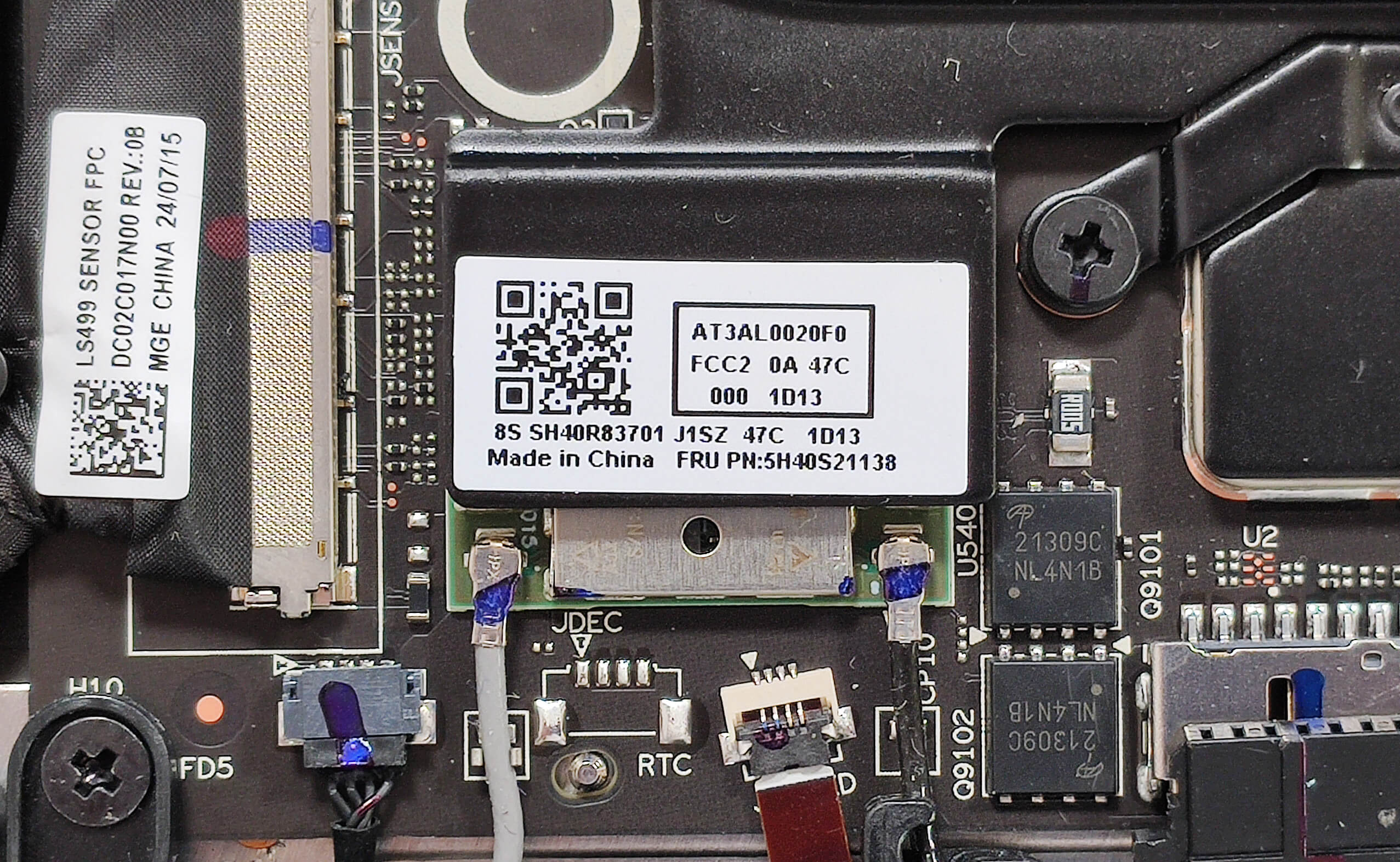
More Info: The Wi-Fi 7 card isn’t replaceable and it’s almost entirely hidden under the bottom left side of the thermal system.
Cooling System Overview
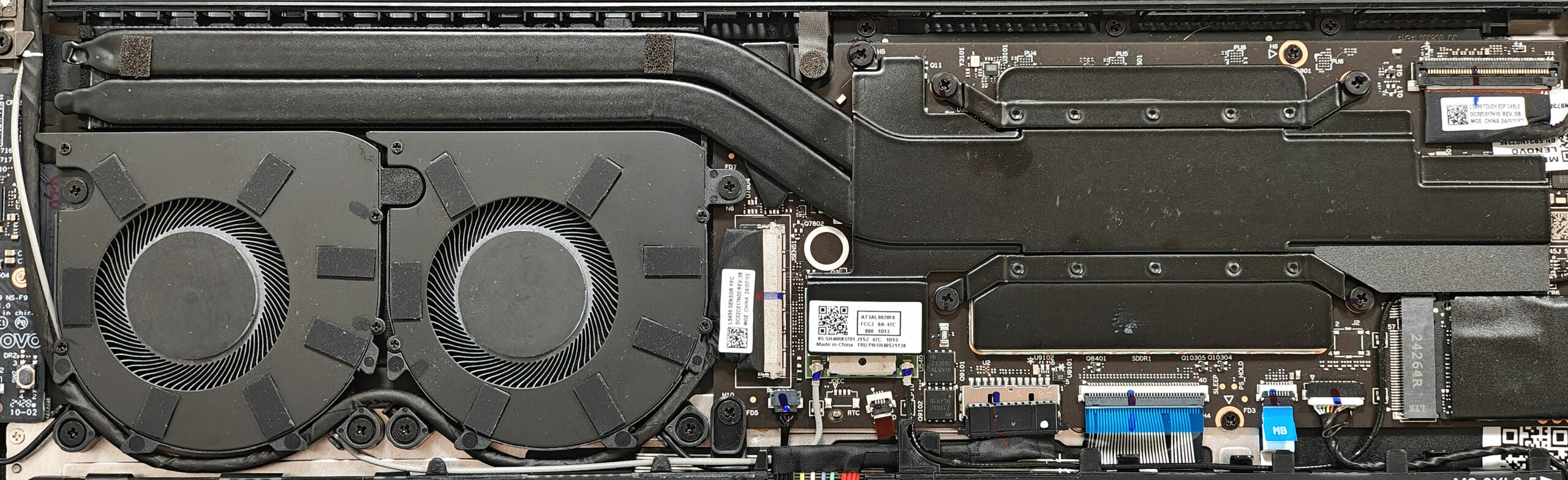
More info: The Lenovo Yoga Slim 7x Gen 9 features an efficient cooling system suitable for a Snapdragon-based device without a dedicated GPU.
- The system includes two fans for optimal airflow.
- A pair of extra-long heat pipes dissipate heat from key components efficiently.
- A sizable top-mounted heat sink and a hefty metal plate aid in maintaining low temperatures during extended use.
- The non-replaceable Wi-Fi 7 card is positioned under the bottom left side of the thermal system.
Lenovo Yoga Slim 7x (14Q8X9) in-depth review
The 14.5-inch Lenovo Yoga Slim 7x Gen 9 is one of the latest Copilot+ PCs. All devices of this series come as a full package with a few exceptions here and there. This laptop has minimal optional features which is good news. You can choose between a 10-core Snapdragon X Plus X1P-64-100 or a 12-core X Elite X1E-78-100 CPU. We picked a machine with the latter. As you may already know, these chips are pretty powerful when it comes to AI tasks but they are also efficient at the same time. Yes, the battery life is great! You can change the 2242 SSD but the Wi-Fi 7 card is soldered as well as the RA[...]

Pros
- Quiet fans during heavy loads in "Best Performance" mode
- Thin and light (12.9 mm / 1.28 kg)
- Solid aluminum build
- Feels super responsive for daily or office tasks
- 90Hz OLED touchscreen with 2944x1840 resolution (LEN8AC2)
- 16:10 aspect ratio and wide viewing angles (LEN8AC2)
- 100% sRGB and DCI-P3 coverage (LEN8AC2)
- Infinite contract ratio (LEN8AC2)
- 502 nits / 929 nits of max brightness in SDR / HDR mode (LEN8AC2)
- HDR and Dolby Vision capabilities (LEN8AC2)
- 1080p IR Web camera
- E-shutter switch
- Comfortable backlit keyboard
- Smooth and accurate touchpad
- Modern port selection 3x USB4 ports
- The Snapdragon X Elite X1E-78-100 sustains a 3.42 GHz / 2.42 GHz frequency in short and long loads
- Very long battery life (~16 hours of videos)
- Fast SSD (SAMSUNG PM9C1a)
- Quality audio
- Wi-Fi 7 + Bluetooth 5.4
Cons
- No Type-A ports
- No fingerprint reader
- PWM usage (LEN8AC2)
- Some apps and games still don't work at all
- Soldered RAM and Wi-Fi card + just one M.2 slot
- Poor iGPU gaming performance
 Author: Dimitar Stalev

![[August 2026] Amazon Italy: Top 10 Best-Selling Laptops – Apple MacBook Neo Claims the Crown as Budget and Mid-Range Windows Machines Dominate Volume](https://laptopmedia.com/wp-content/uploads/2026/09/Best-Selling-Laptops-IT-Top-10-400x225.jpg)
![[August 2026] Amazon Italy: Top 7 Best-Selling Gaming Laptops – ASUS V16 Claims the #1 Spot Amid Strong Mid-Range Demand](https://laptopmedia.com/wp-content/uploads/2026/09/Best-Selling-Gaming-Laptops-IT-Top-10-400x225.jpg)
![[August 2026] Best-Selling Laptop Brands on Amazon Italy – Lenovo Dominates Market Share and Revenue Leadership](https://laptopmedia.com/wp-content/uploads/2026/09/IT-Best-Brands-400x225.jpg)
![[August 2026] Amazon India: Top 10 Best-Selling Laptops – Apple MacBook Neo Dominates the Charts with Massive Sales Lead](https://laptopmedia.com/wp-content/uploads/2026/09/Best-Selling-Laptops-IN-Top-10-400x225.jpg)
![[August 2026] Amazon India: Top 10 Best-Selling Gaming Laptops – HP Victus 15 Dominates the Market with Massive Unit Lead](https://laptopmedia.com/wp-content/uploads/2026/09/Best-Selling-Gaming-Laptops-IN-Top-10-400x225.jpg)
