How to open MSI Titan 18 HX A2XW – disassembly and upgrade options
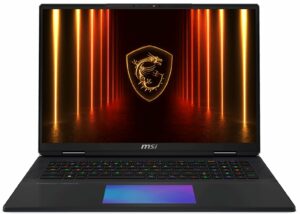
Step 1: Opening the MSI Titan 18 HX A2XW
- Shut down the laptop and place it on a soft surface.
- Undo 12 JIS #1 screws securing the bottom panel.
- Work a plastic pry tool around the edges until the plate pops free.
- Lift the bottom cover away to reveal the internals.
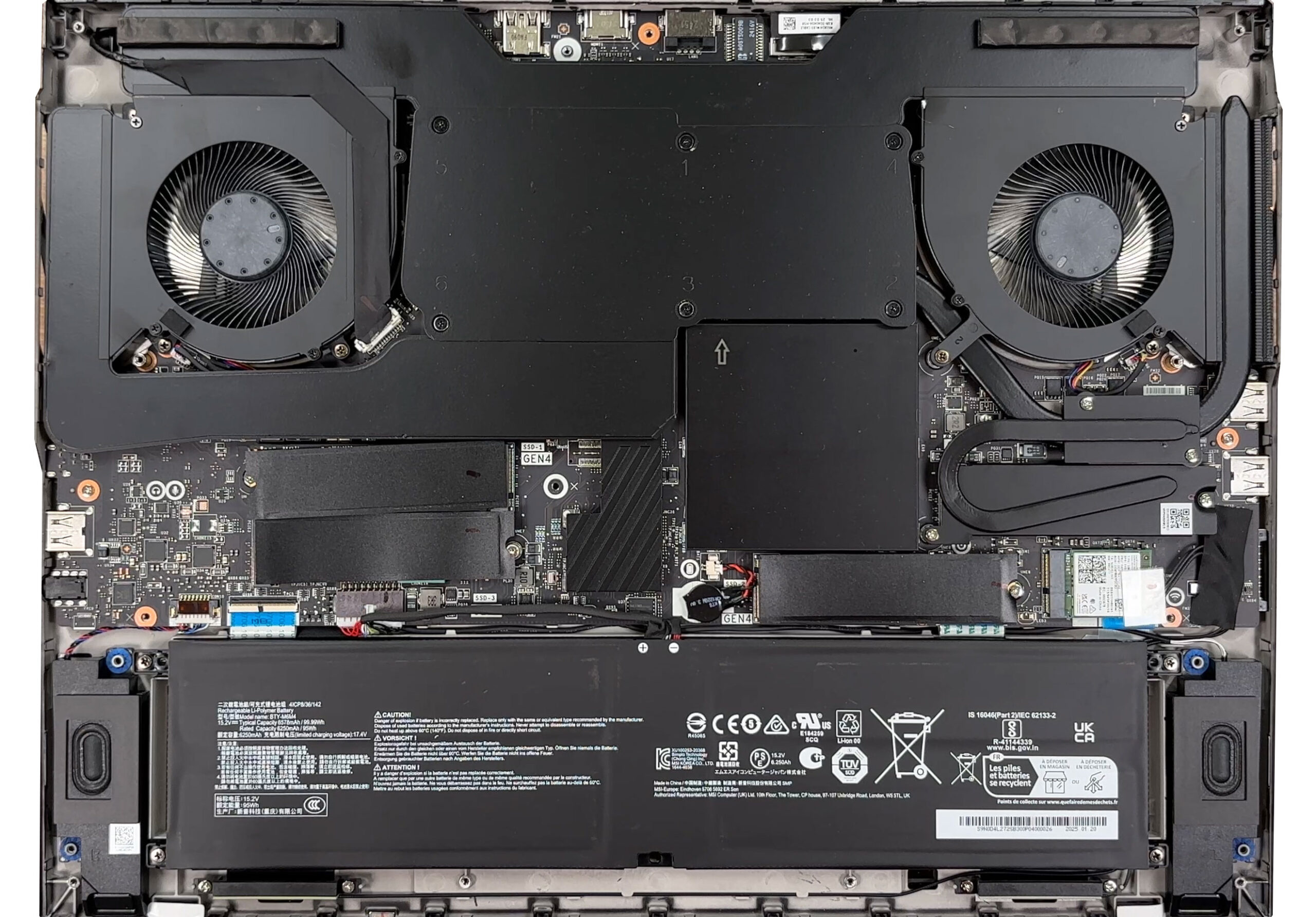
Battery
- The chassis is dominated by a 99.9 Wh Li-Poly battery (model BTY-M6M4, rated 15.2 V, 6250 mAh / 6578 mAh typical).
- Detach the connector from the motherboard before removal.
- Undo the screws that fix it in place and lift the unit carefully.
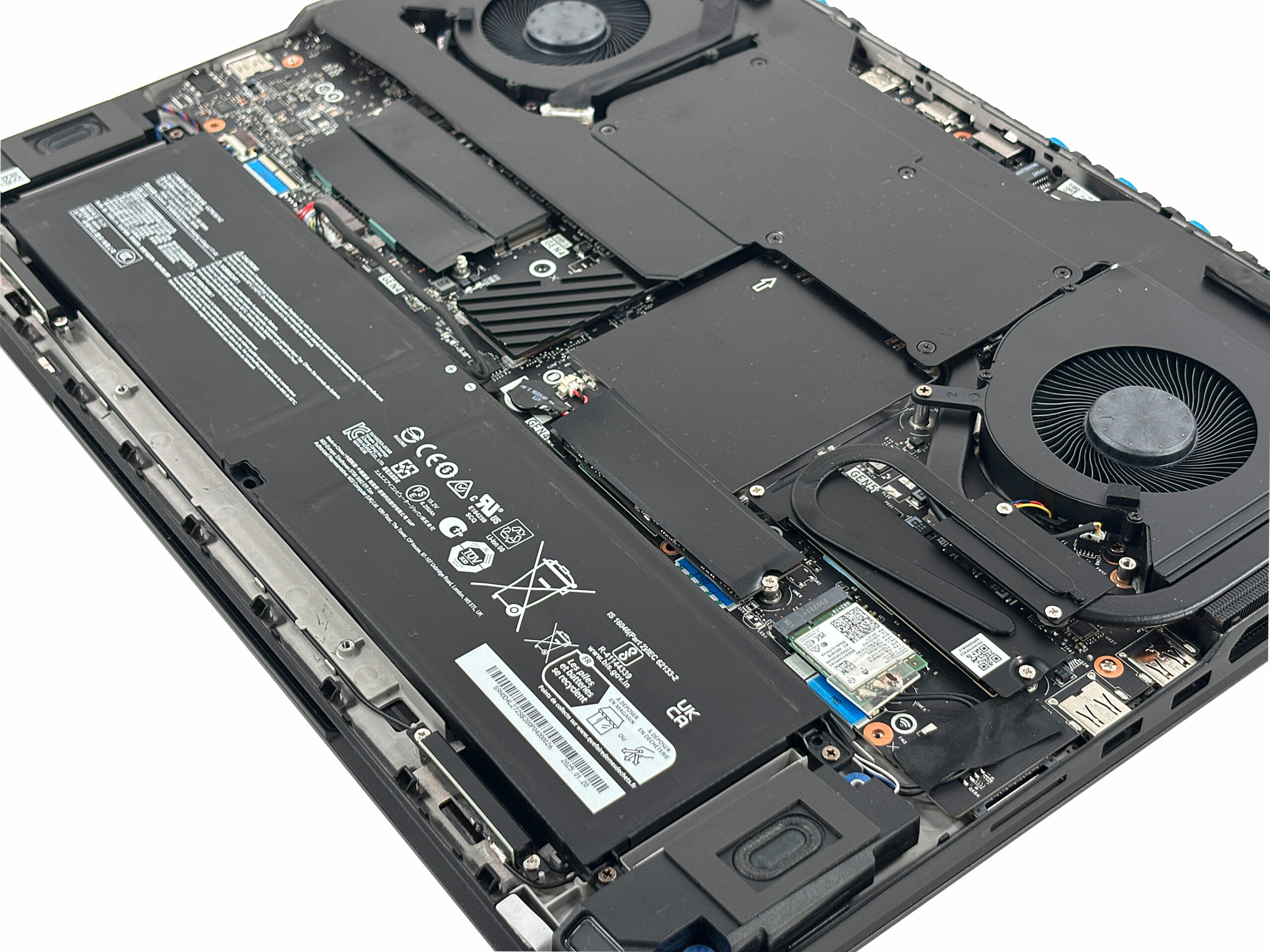
Memory Upgrades
- Memory slots are hidden under a removable metal box slightly left of centre.
- Use a suction cup or pry tool to lift the cover—patience is key as adhesive pads may resist.
- The two DDR5 slots support up to 64 GB of RAM. The factory configuration includes Micron CSODIMM sticks at 6400 MT/s.
You can buy DDR5 RAM modules here: Buy from Amazon.com (#CommissionsEarned)
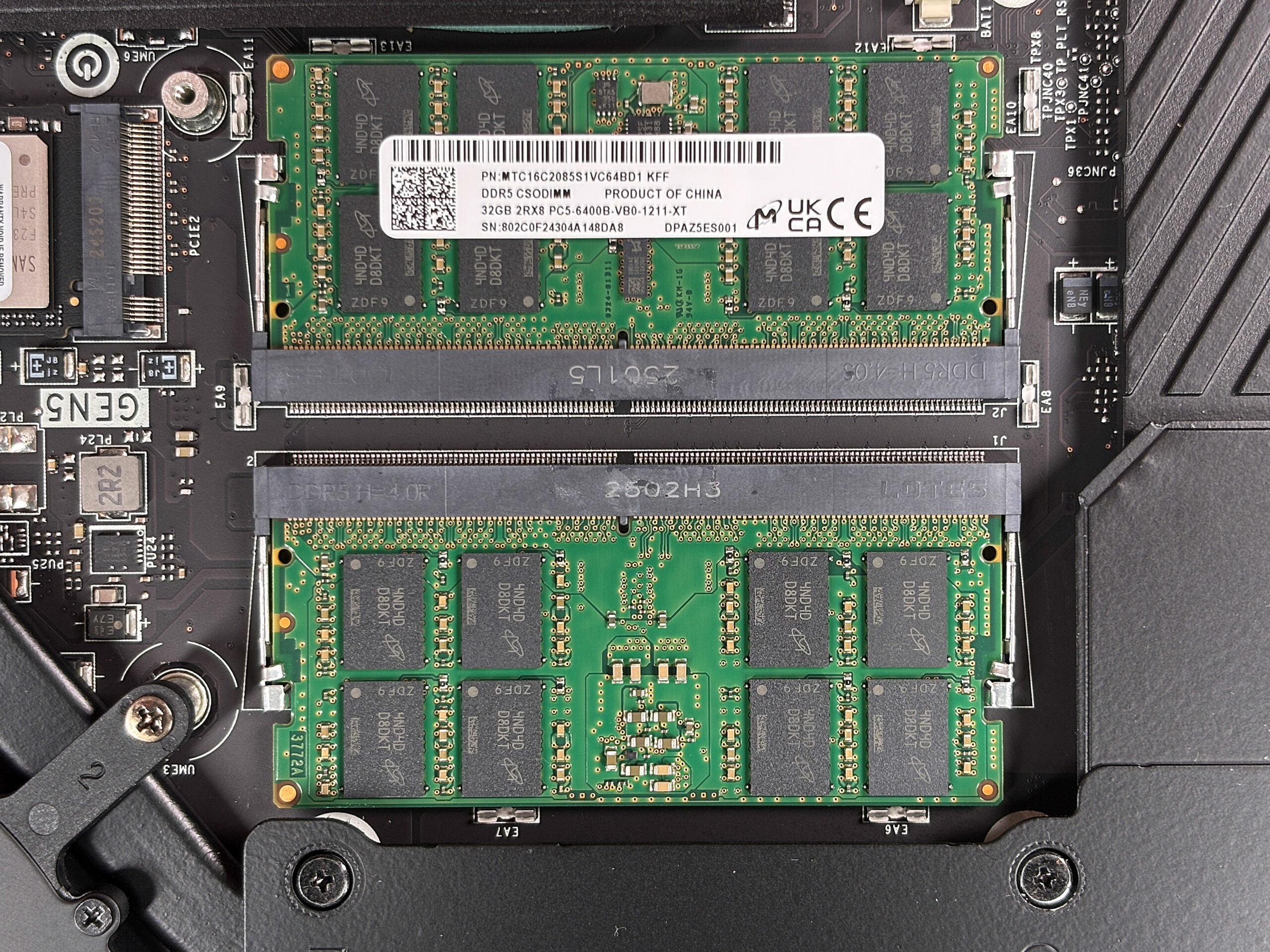
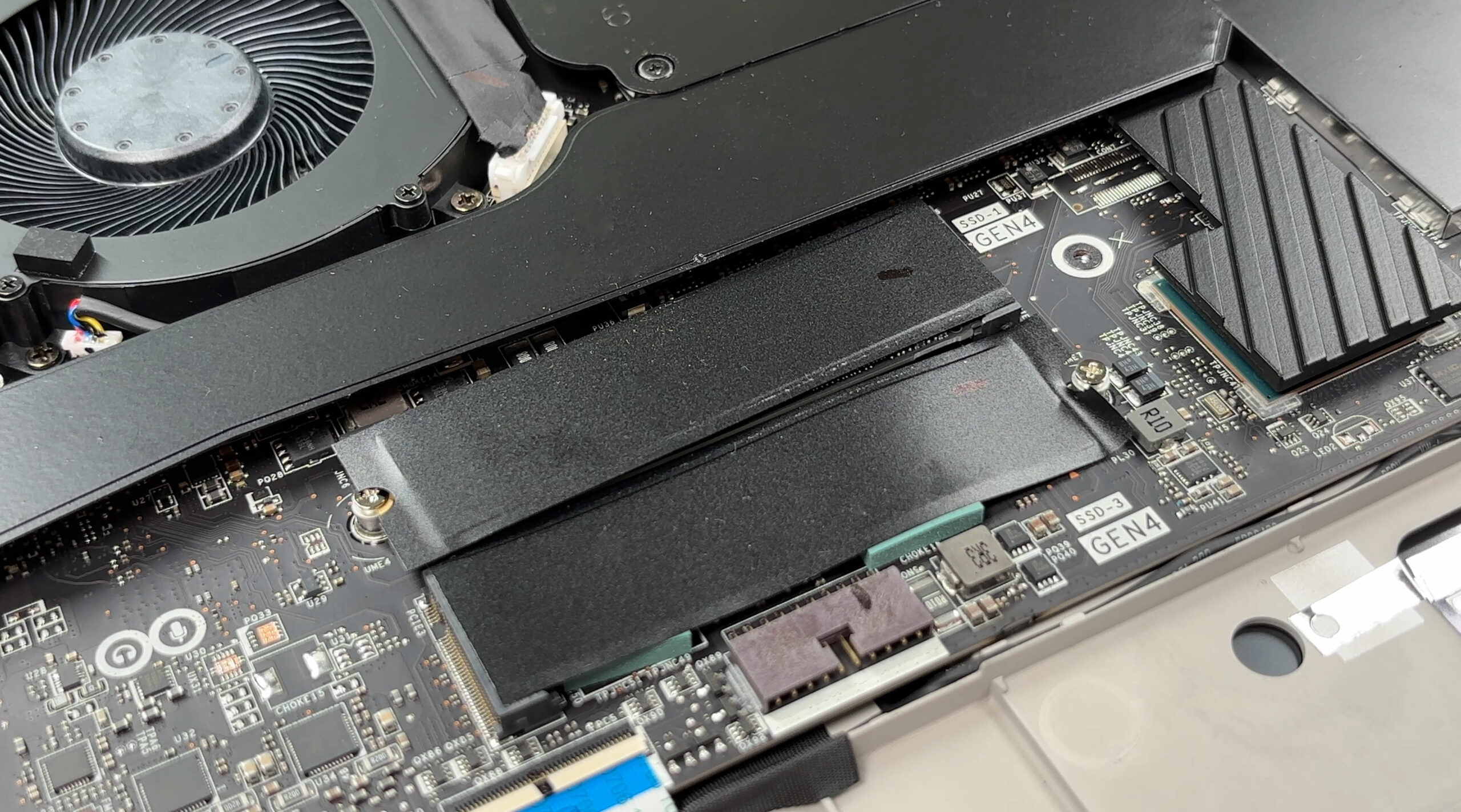
Storage Upgrades
- The laptop offers three PCIe Gen 4 M.2 slots, each under low-profile EMI lids secured by a screw and adhesive pad.
- A fourth slot supports PCIe Gen 5 SSDs and sits beneath its own heatsink with a dedicated cooling pipe.
- Removing a Gen5 SSD requires undoing three screws and the retainer; apply gentle heat to release the adhesive safely.
Hint: Consider reviewing our Top M.2 SSDs Performance Rankings to select the best storage solution for your needs.
You can buy Gen 4 and Gen 5 NVMe SSDs here: Buy from Amazon.com (#CommissionsEarned)
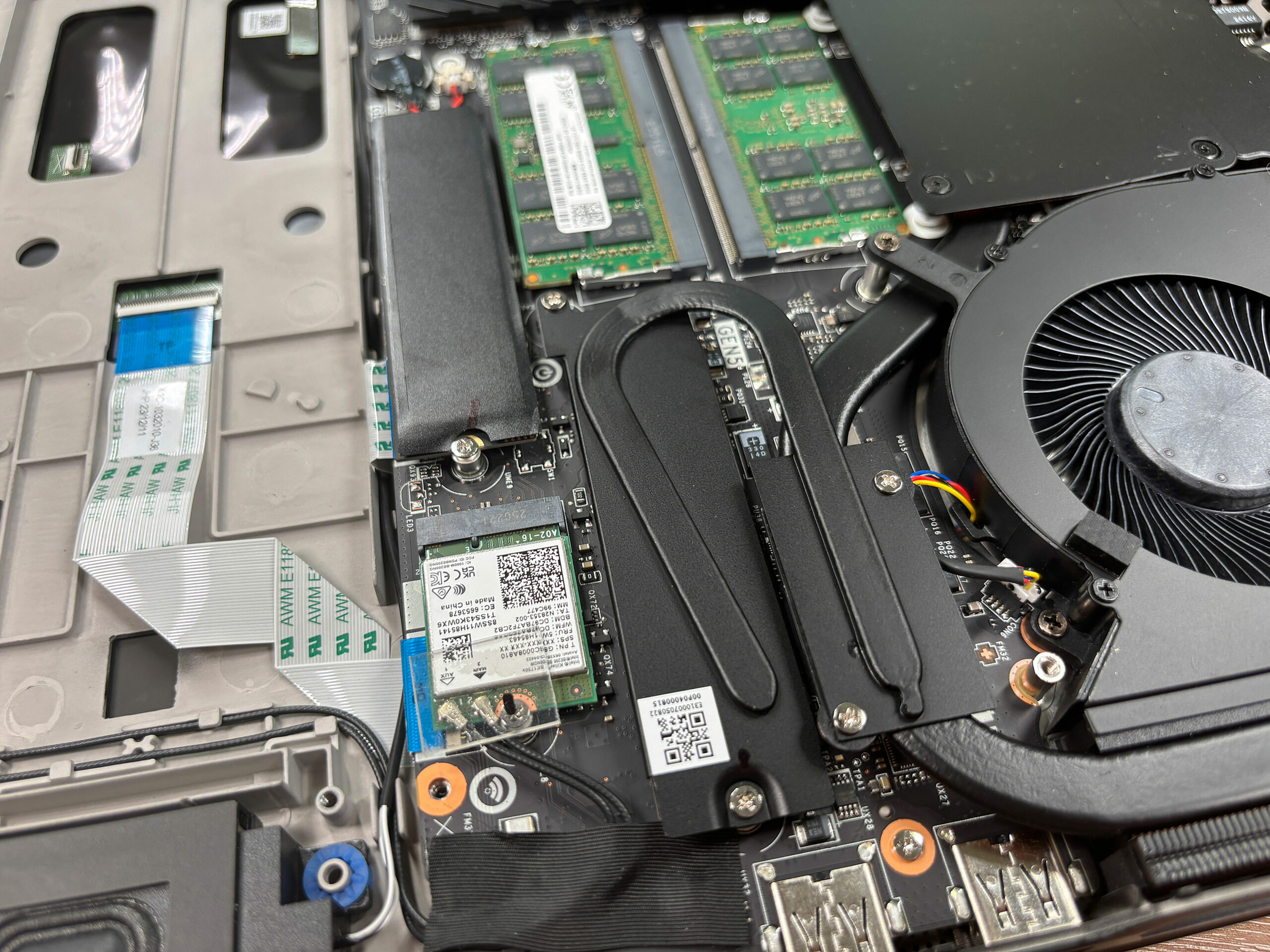
Wireless and Other Components
- The Wi-Fi 7 card is replaceable and secured by a single screw.
- Speakers, CMOS battery, and even the ribbon-fed keyboard backlight can be serviced without removing the mainboard.
- Keep in mind that many shields are attached with sticky thermal pads, so careful handling is necessary during disassembly and reassembly.
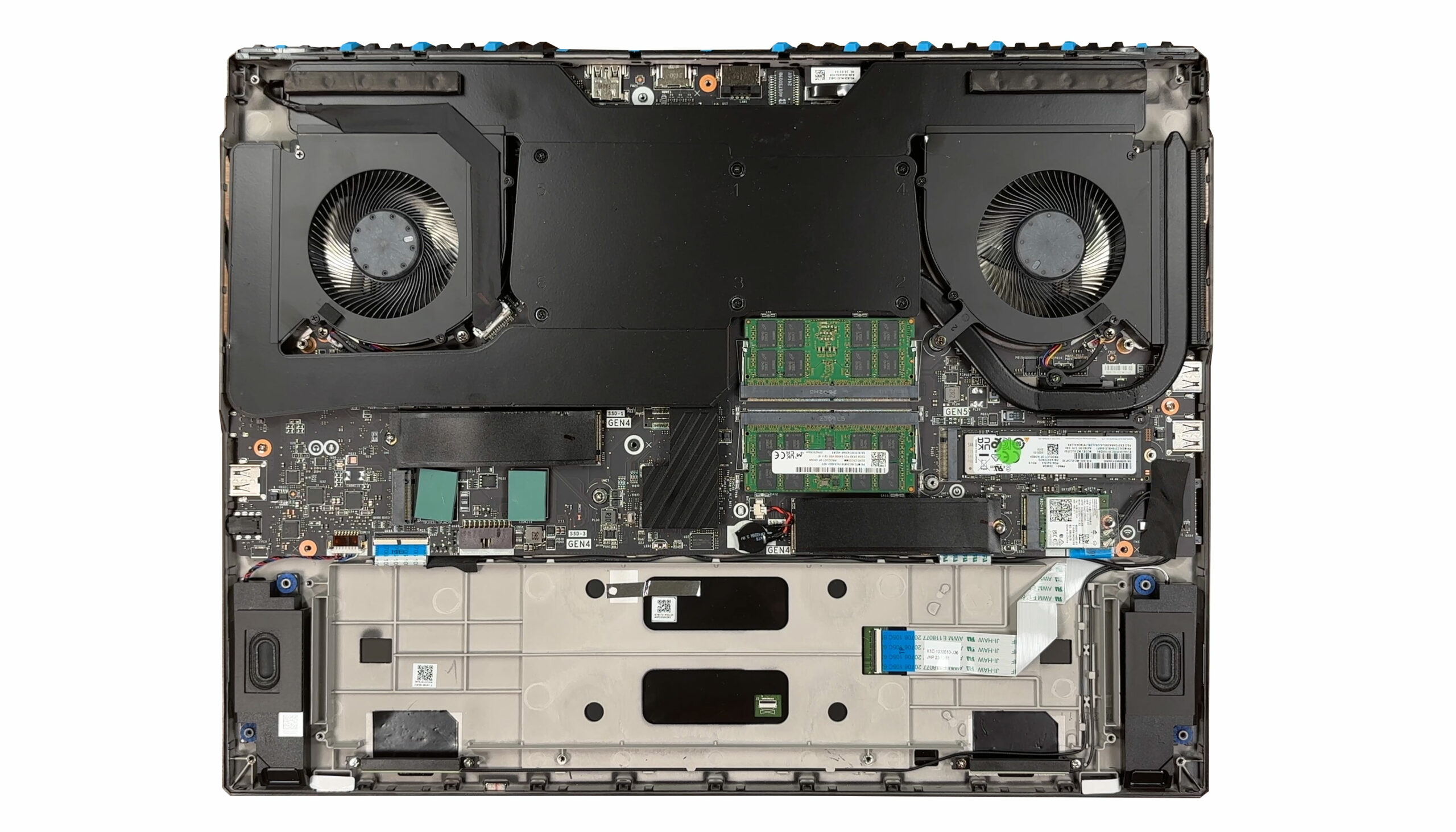
Cooling System
- The cooling solution is massive, consisting of two turbine fans, a full-width vapor chamber, and four exhaust vents.
- An additional dedicated pipe cools the Gen5 SSD slot.
- The Cooler Boost Titan vapor-chamber assembly spans nearly the full motherboard width, ensuring stability for up to 270 W combined CPU+GPU loads.
More info: The Titan 18 HX offers superb upgradeability, but the process is more involved than most laptops. If you’re unsure, consider watching our full video walkthrough before attempting it yourself.
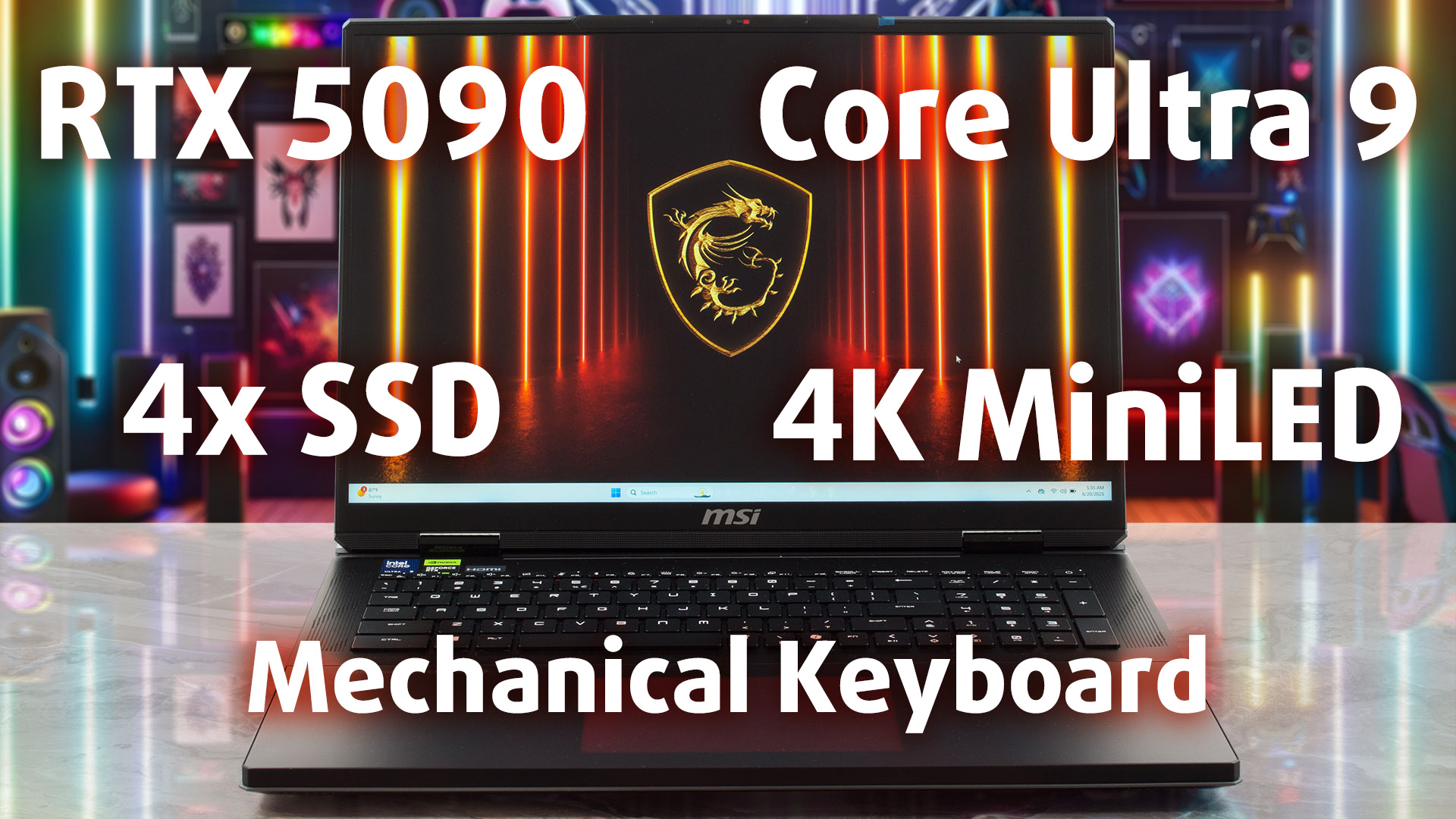
MSI Titan 18 HX AI (A2XWx) in-depth review
When a laptop lands on our test bench with a staggering €6500 price tag (likely the most expensive we've ever ordered), expectations aren't just high; they're astronomical. On paper, the MSI Titan 18 HX A2XW promises the absolute maximum: the most powerful mobile CPU ever created, the most powerful GPU on the market, and a feature set that reads like an enthusiast's dream. This isn't just a laptop; it's a no-compromise desktop replacement, a true monolith of engineering.But does throwing the best of everything into a chassis, no matter how immense, result in a flawless experience? Or[...]
Pros
- Exceptional and premium Mg-Al alloy build quality
- Phenomenal Cherry MX mechanical keyboard on the main deck
- Unrivaled storage options with four M.2 slots (1x Gen5) and insane RAID speeds
- Stunning and bright 4K MiniLED display with 100% DCI-P3 coverage
- Chart-topping CPU performance, the fastest we've tested
- Future-proof connectivity with a powerful 140W Thunderbolt 5 port
Cons
- Extremely poor battery life, one of the worst on record
- Aggressive PWM on the display is a major concern for eye comfort
- Inconsistent keyboard with a mix of mechanical and membrane switches
- GPU performance is slightly behind шге Legion Pro 7i Gen 10 (16″ Intel)
- Difficult to open and upgrade
 Author: Dimitar Stalev

![[August 2026] Amazon USA: Top 10 Best-Selling Laptops – Apple MacBook Neo Dominates the Market with Massive Unit Sales!](https://laptopmedia.com/wp-content/uploads/2026/09/Best-Selling-Laptops-COM-Top-10-400x225.jpg)
![[August 2026] Amazon USA: Top 10 Best-Selling Gaming Laptops – ASUS ROG Strix G16 Dominates the Market with Massive Unit Sales](https://laptopmedia.com/wp-content/uploads/2026/09/Best-Selling-Gaming-Laptops-COM-Top-10-400x225.jpg)
![[July 2026] Amazon Global: Top 10 Best-Selling Laptops – Apple MacBook Neo Dominates the Charts as Budget and Premium Notebooks Split the Market](https://laptopmedia.com/wp-content/uploads/2026/08/Best-Selling-Laptops-GLOBAL-Top-10-400x225.jpg)
![[July 2026] Amazon Global: Top 10 Best-Selling Gaming Laptops – ASUS ROG Strix G16 Dominates the Global Market with Record-Breaking Unit Sales](https://laptopmedia.com/wp-content/uploads/2026/08/Best-Selling-Gaming-Laptops-GLOBAL-Top-10-400x225.jpg)
![[July 2026] Global Ranking of Best-Selling Laptop GPUs on Amazon – RTX 5060 Dominate Premium, Intel Still Rules Budget](https://laptopmedia.com/wp-content/uploads/2026/08/Best-Selling-GPUs-GLOBAL-Top-10-400x225.jpg)
