How to open MSI Vector 18 HX AI A2XW – disassembly and upgrade options
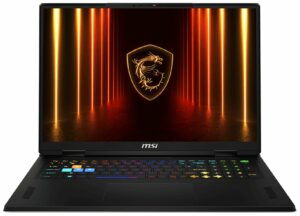
Step 1: Removing the bottom panel
- Power off the laptop and place it on a soft, clean surface.
- Undo the 12 screws securing the bottom panel.
- Use a thin plastic pry tool to carefully release the clips around the perimeter. The clips are firm, so work patiently to avoid bending the panel.
- Lift the bottom cover away from the chassis.
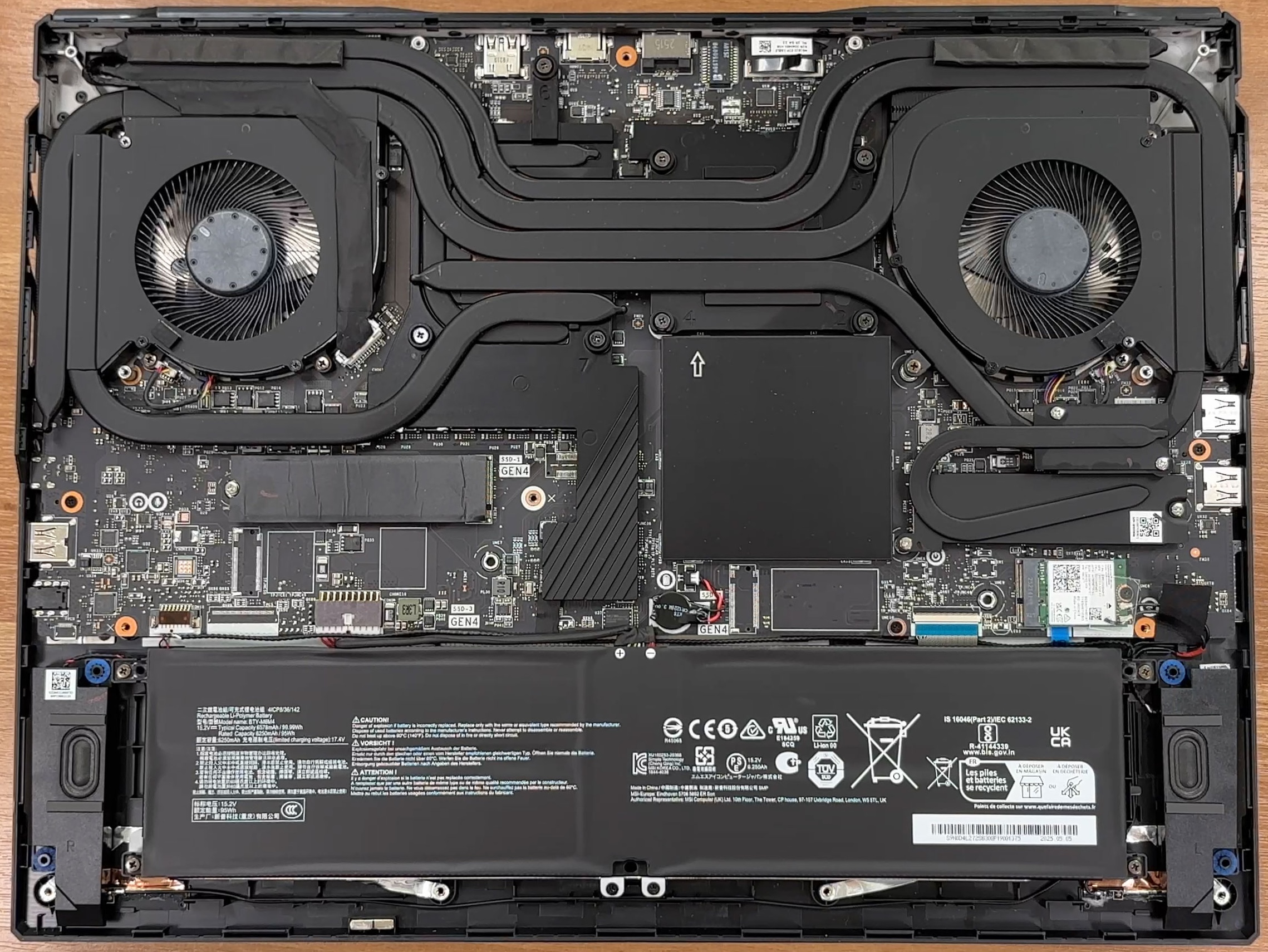
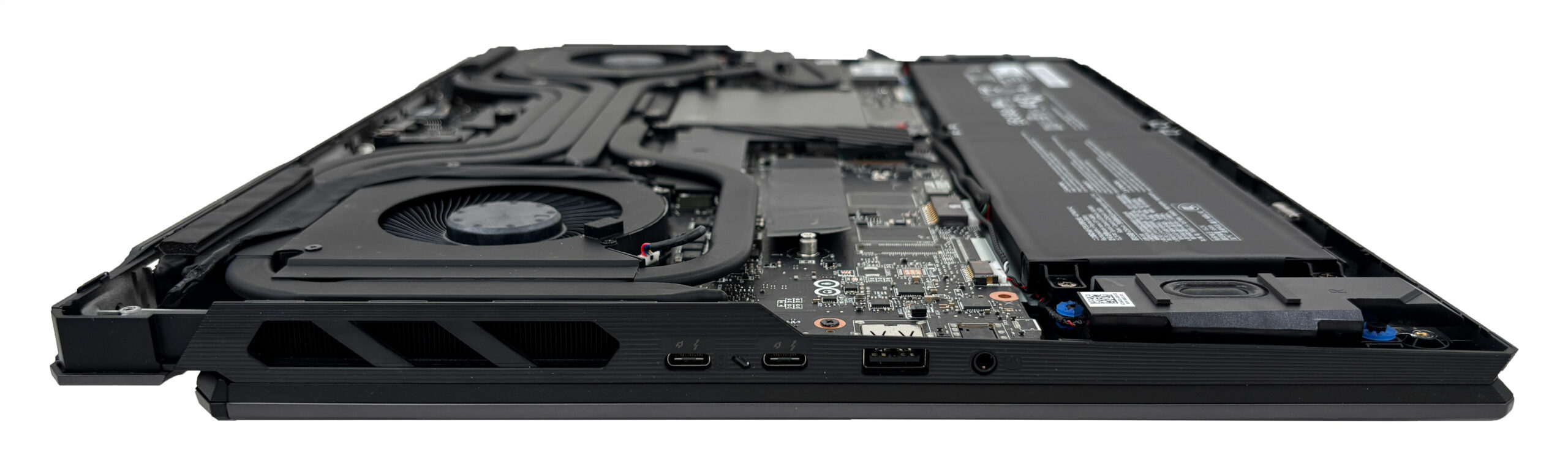
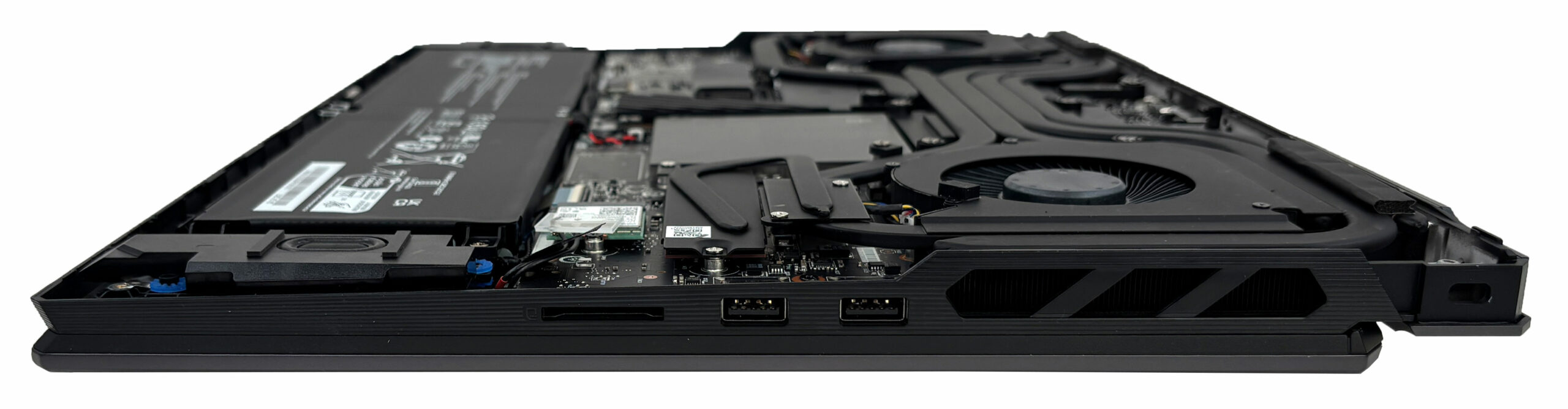
More info: Once the cover is removed, you get full access to the cooling system, battery, storage, memory, Wi-Fi card, and speakers.
Step 2: Battery removal
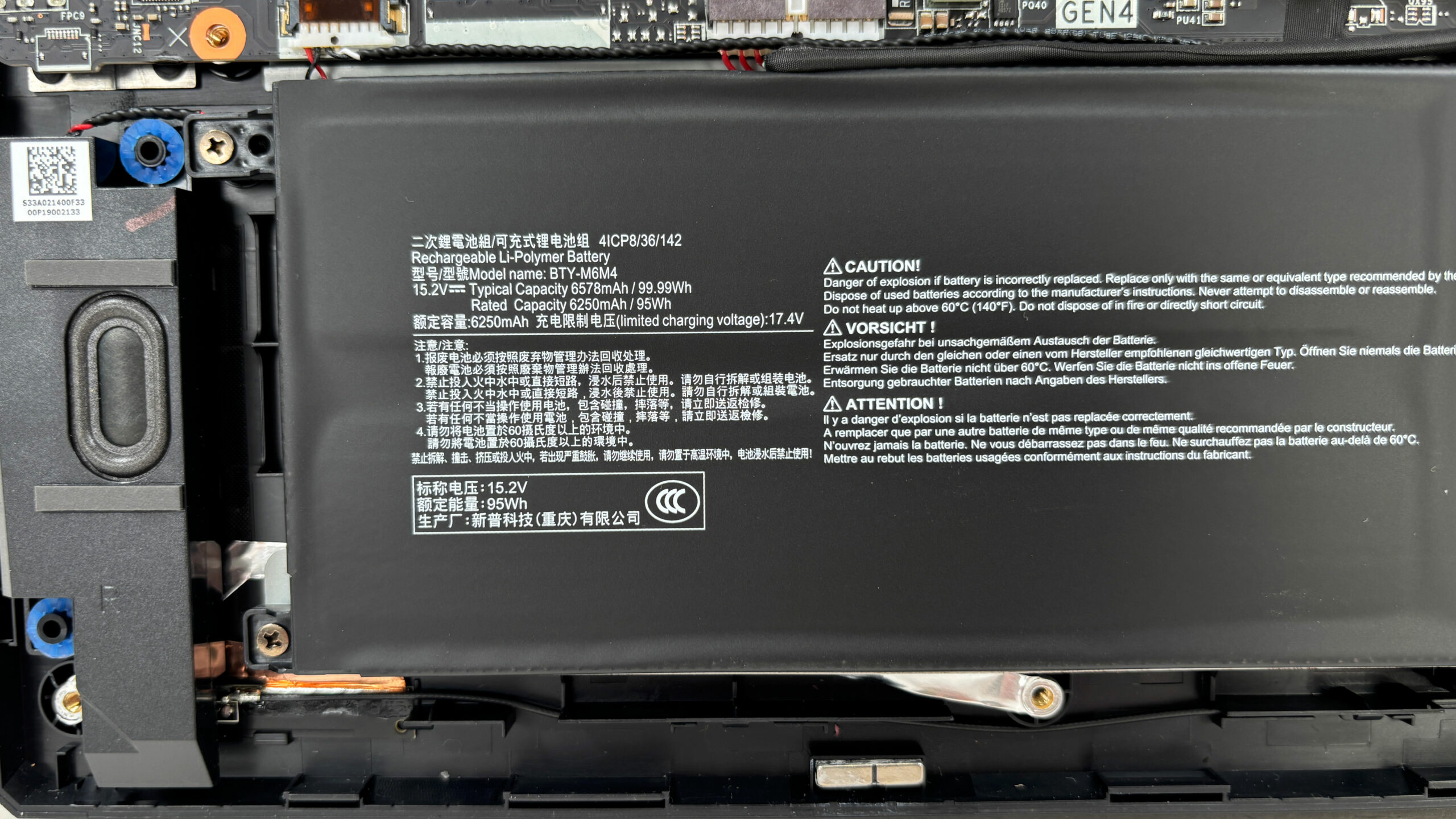
- Locate the large 4-cell Li-Polymer battery pack, model BTY-M6M4.
- The connector sits very close to the battery pack. If access is tight, loosen the battery screws first, then carefully shift the pack just enough to disconnect the cable safely.
- After the connector is unplugged, remove the remaining screws securing the battery.
- Lift the battery out of the chassis.
More info: The battery label shows 95Wh rated capacity and 99.99Wh typical capacity, matching MSI’s official 99Wh specification.
Step 3: Memory Upgrade
- The memory is hidden under a separate metal shield.
- Remove the shield carefully to access the two DDR5 SO-DIMM slots.
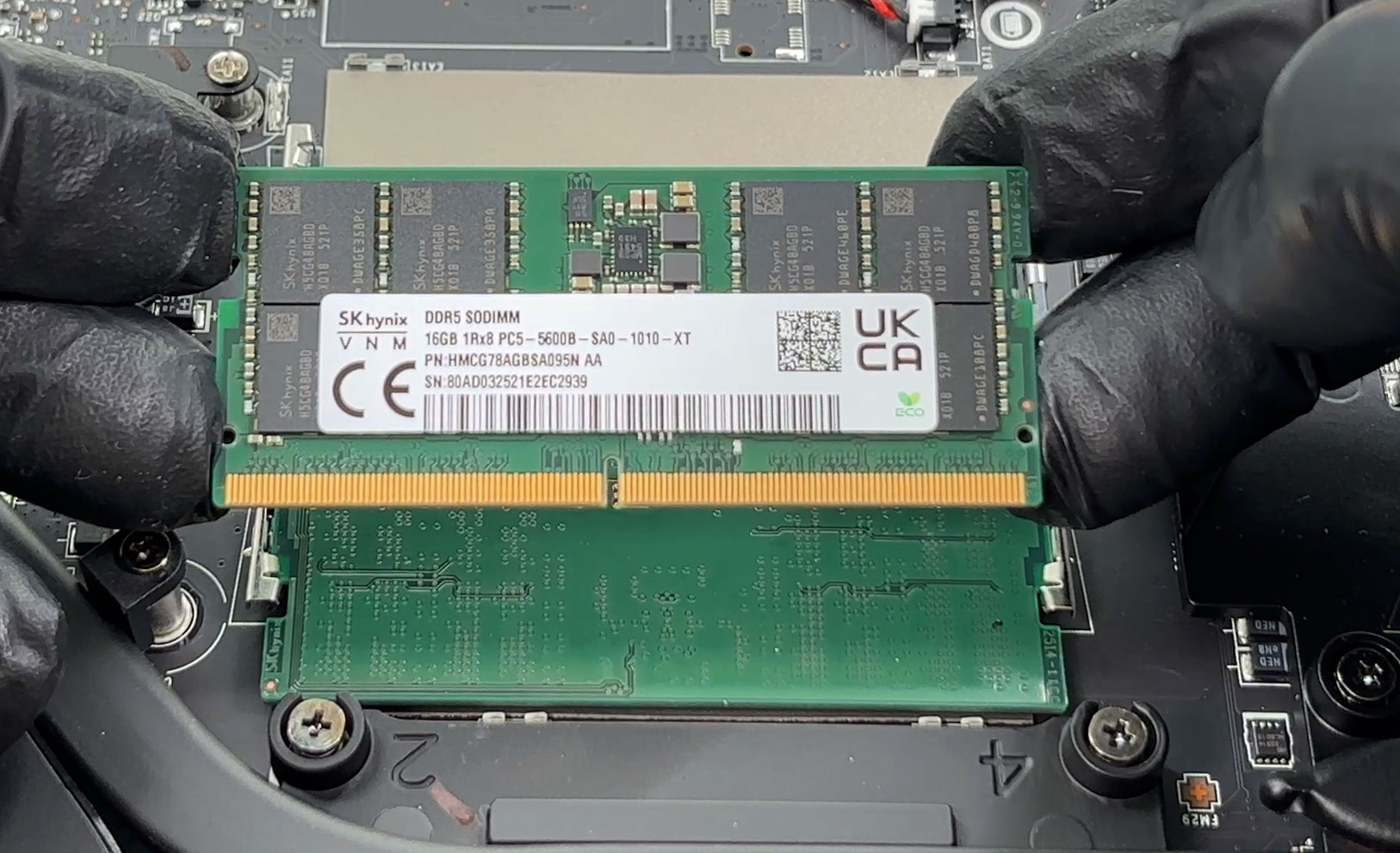
- Our unit comes with one SK hynix 16GB DDR5-5600 module installed.
- MSI officially supports up to 96GB of DDR5 memory, with speeds up to DDR5-6400 depending on the CPU and memory configuration.
- To upgrade the RAM, insert the module at an angle and press it down until the side clips lock it in place.
You can buy DDR5 RAM modules here: Buy from Amazon.com (#CommissionsEarned)
Step 4: Storage Upgrade
- The laptop has two M.2 SSD slots in total.
- One slot supports NVMe PCIe Gen 4 drives, while the other is PCIe Gen 5-compatible.
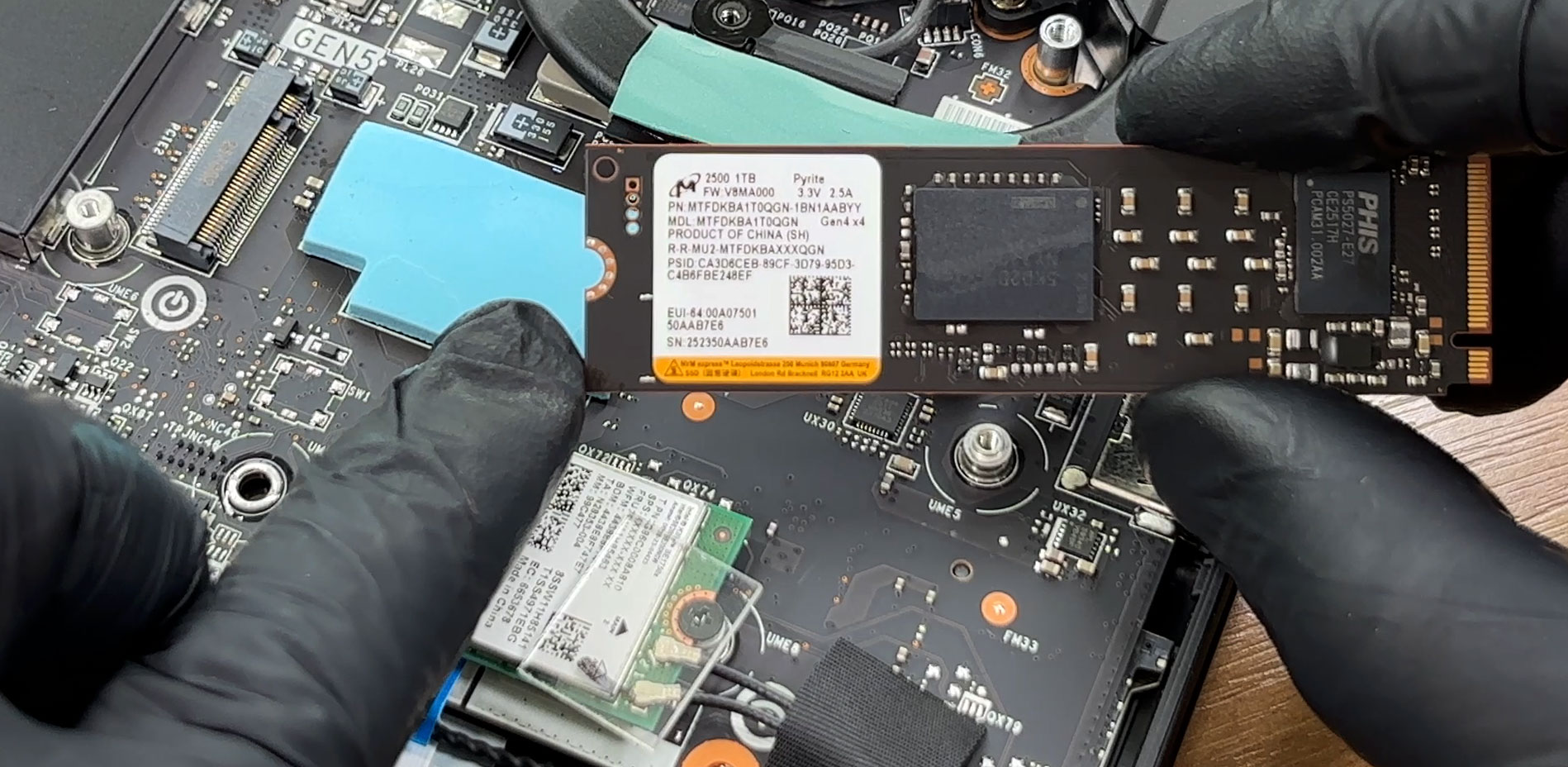
- Our configuration comes with a Micron 2500 1TB PCIe Gen 4 x4 NVMe SSD installed.
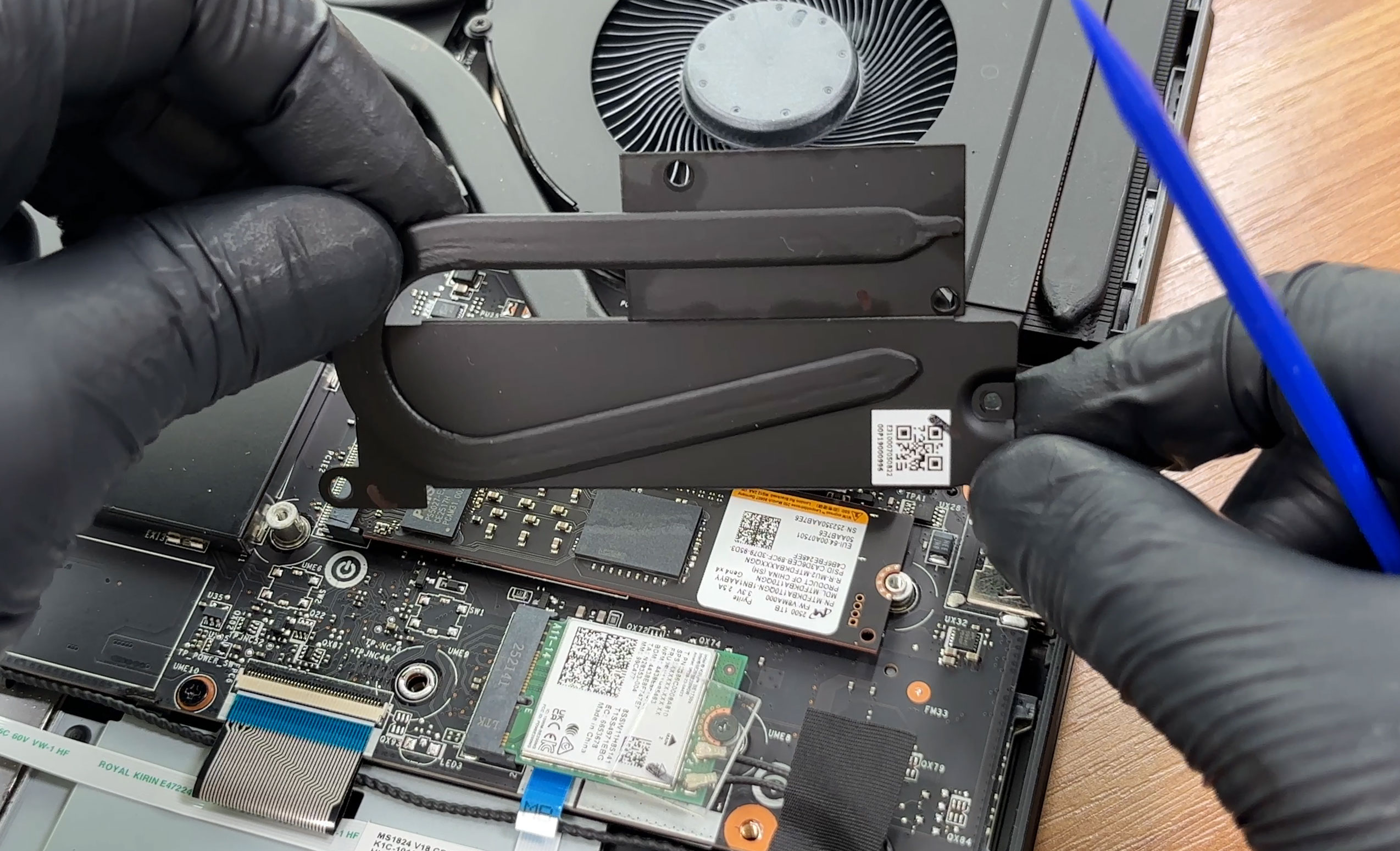
- The primary SSD is cooled by a dedicated metal shield, thermal pads, and a small heat pipe connected to the main cooling assembly.
- The second slot is empty in our unit, but it already has the mounting point, thermal pad, and EMI/RFI shielding prepared for an additional SSD.
You can buy Gen 4 M.2 SSDs here: Buy from Amazon.com (#CommissionsEarned)
You can buy Gen 5 M.2 SSDs here: Buy from Amazon.com (#CommissionsEarned)
Hint: Don’t forget to check out our Top M.2 SSDs Performance Rankings for insights on the best storage options available.
Step 5: Cooling system overview
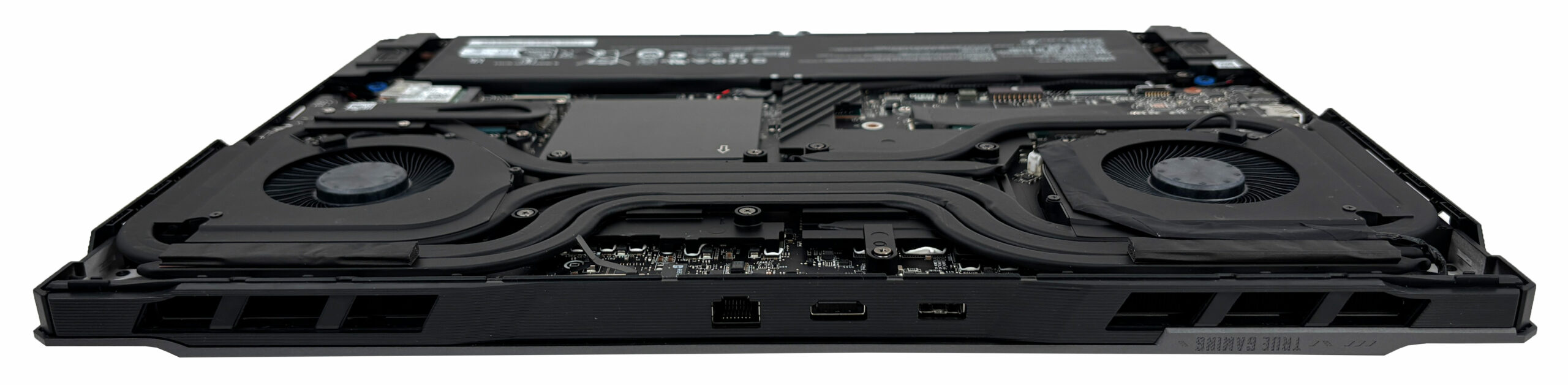
- The cooling system uses two large fans and a complex heat-pipe layout that stretches across the CPU and the dedicated NVIDIA GPU area.
- Large exhaust zones at the rear and sides help the system move hot air away from the chassis.
- The primary SSD also benefits from a small dedicated heat pipe, which is a nice touch for sustained storage loads.
- Basic fan and heatsink cleaning is possible after removing the bottom cover, while full repasting requires removing the dense cooling assembly.
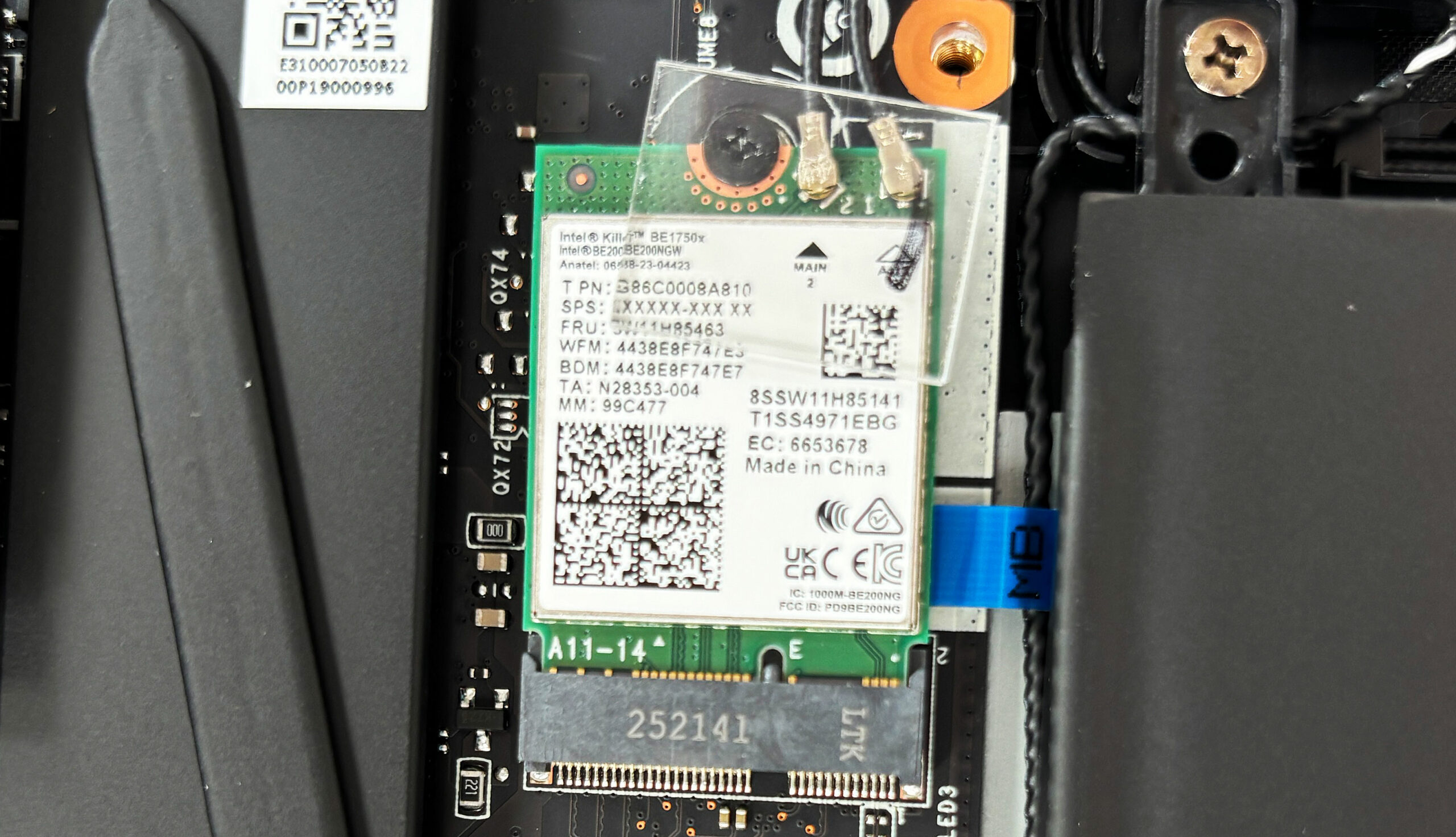
More info: The Wi-Fi card is replaceable. Our unit uses an Intel Killer BE1750x module with Wi-Fi 7 and Bluetooth 5.4 support.
More info: The two speakers sit near the front corners. The RAM, both SSD positions, Wi-Fi card, battery, fans, and cooling assembly are accessible for servicing or replacement, while the CPU and GPU are soldered to the motherboard.
MSI Vector 18 HX AI (A2XWx) in-depth review
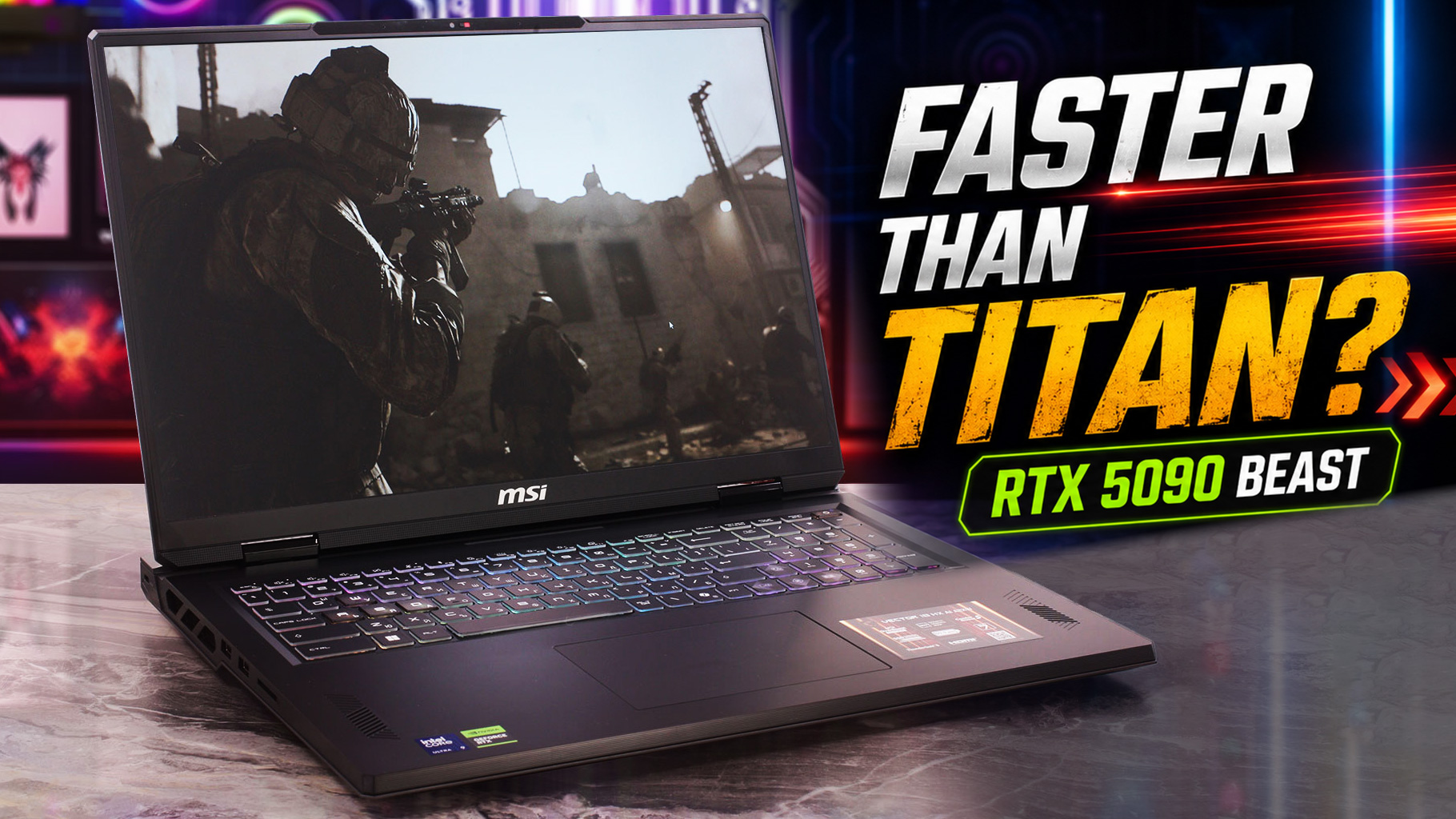
In the top tier of gaming laptops, conventional wisdom suggests that the most expensive, flagship model is always the fastest. The MSI Vector 18 HX AI (A2XWx) is here to shatter that assumption. While it sits just below MSI's ultra-premium Titan series in the lineup, saving money by swapping a full-metal chassis for a sturdy plastic one, it hides a ferocious secret under the hood. In our testing, this "second-tier" behemoth didn't just perform well; it managed to outpace nearly every other machine on the market, including its flagship sibling, claiming the crown for the best RTX 5090 perfo[...]
Pros
- Astounding, chart-topping RTX 5090 gaming performance
- Excellent GPU thermal management keeps the system stable
- Stunning 240Hz QHD+ display with near-perfect colors
- Completely PWM-free screen is great for eye comfort
- Class-leading battery life for an 18-inch powerhouse
- Future-proof connectivity with dual Thunderbolt 5 ports
Cons
- CPU runs extremely hot (99°C) under sustained load
- Cramped arrow keys on a massive keyboard deck
- All-plastic chassis may feel less premium for the price
 Author: Dimitar Stalev

![[June 2026] Best-Selling Laptop Brands on Amazon Global – Apple’s Unrivaled Dominance in Units and Revenue](https://laptopmedia.com/wp-content/uploads/2026/07/GLOBAL-Best-Brands-400x225.jpg)
![[June 2026] Amazon Global: Top 10 Best-Selling Laptops – Apple’s New MacBook Neo Storms to #1, Reshaping the Market with Affordability](https://laptopmedia.com/wp-content/uploads/2026/07/Best-Selling-Laptops-GLOBAL-Top-10-400x225.jpg)
![[June 2026] Amazon Global: Top 10 Best-Selling Gaming Laptops – Acer’s Nitro V 16S AI Dominates Sales, While ASUS Leads Overall Revenue](https://laptopmedia.com/wp-content/uploads/2026/07/Best-Selling-Gaming-Laptops-GLOBAL-Top-10-400x225.jpg)
![[June 2026] Global Ranking of Best-Selling Laptop GPUs on Amazon – NVIDIA RTX 5060 is the Top-Selling Dedicated GPU](https://laptopmedia.com/wp-content/uploads/2026/07/Best-Selling-GPUs-GLOBAL-Top-10-400x225.jpg)
![[June 2026] Global Ranking of Best-Selling Laptop CPUs on Amazon – Apple M5 Dominates, AMD Ryzen 7 260 Gets Solid Premium Share](https://laptopmedia.com/wp-content/uploads/2026/07/Best-Selling-CPUs-GLOBAL-Top-10-400x225.jpg)
