How to open ASUS TUF Gaming A17 (FA707, 2023) – disassembly and upgrade options

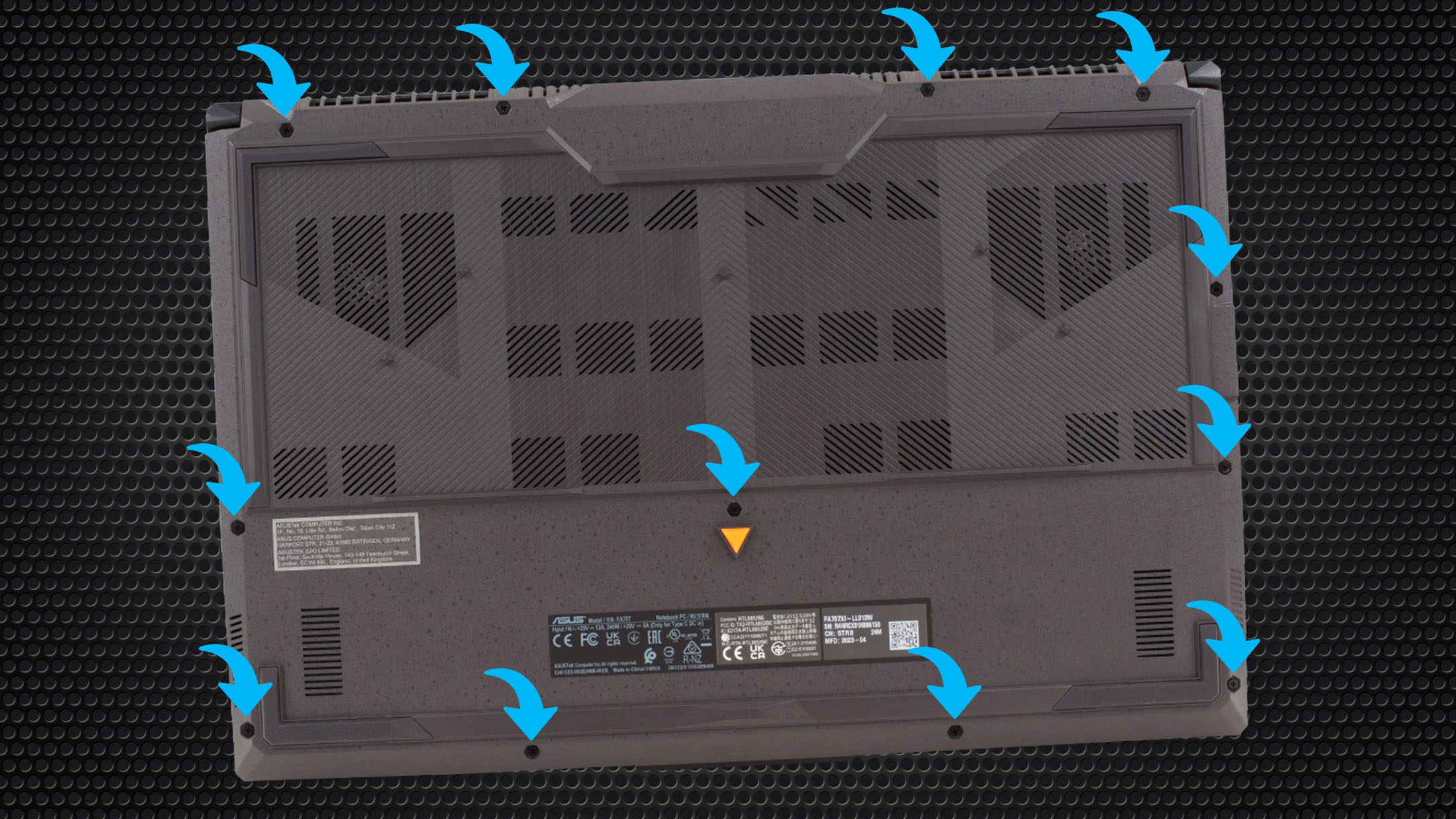
1. Opening the Bottom Panel
– Ensure the laptop is powered off and unplugged from any power source.
– Using a Phillips-head screwdriver, remove the 12 screws securing the bottom panel. Note that one of the screws is captive and helps in lifting a corner of the panel.
– Begin the prying process from the corner where the captive screw lifted the panel.
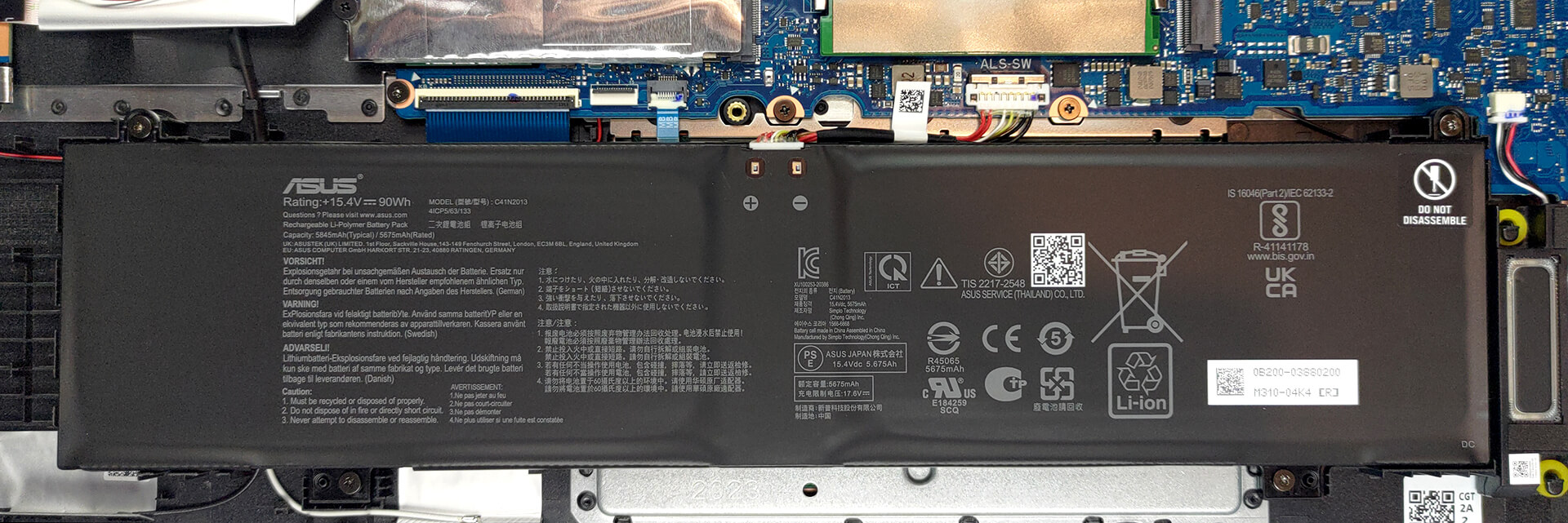
2. Battery Removal
– Start by unplugging the battery connector from the motherboard.
– Proceed to unscrew the four Phillips-head screws holding the 90Wh battery pack in place.
– Gently lift and remove the battery.
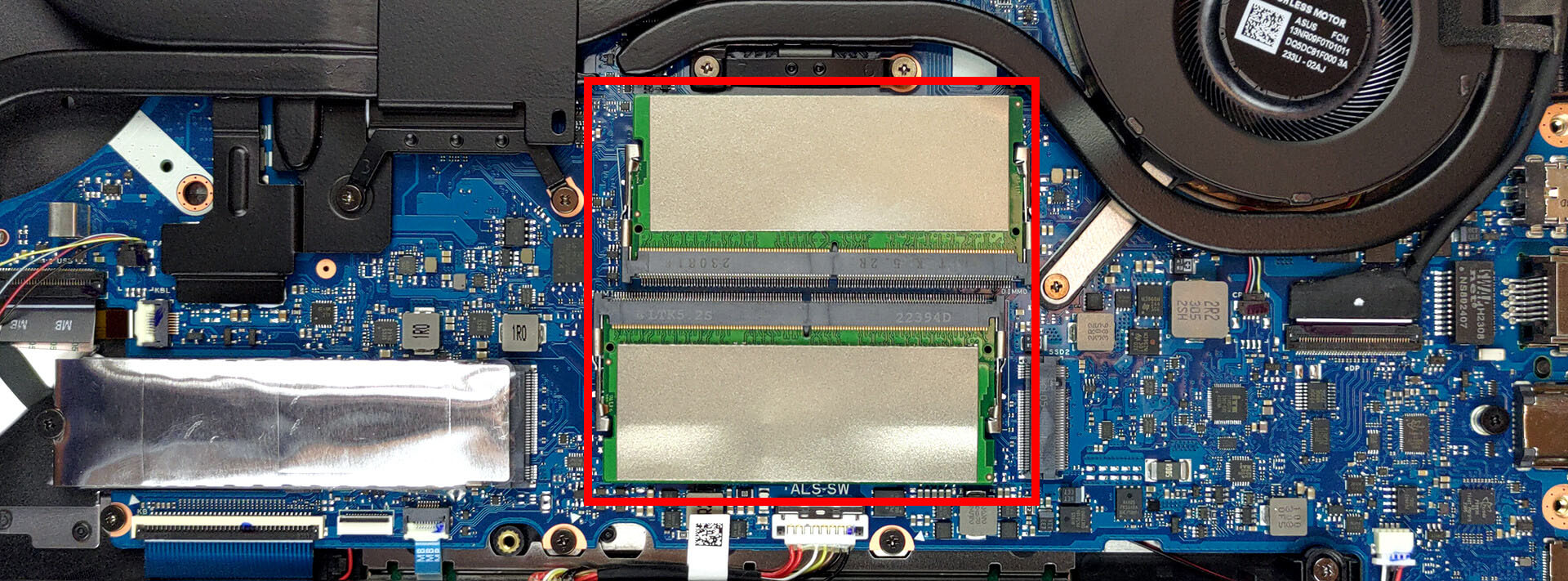
3. Accessing and Upgrading the RAM
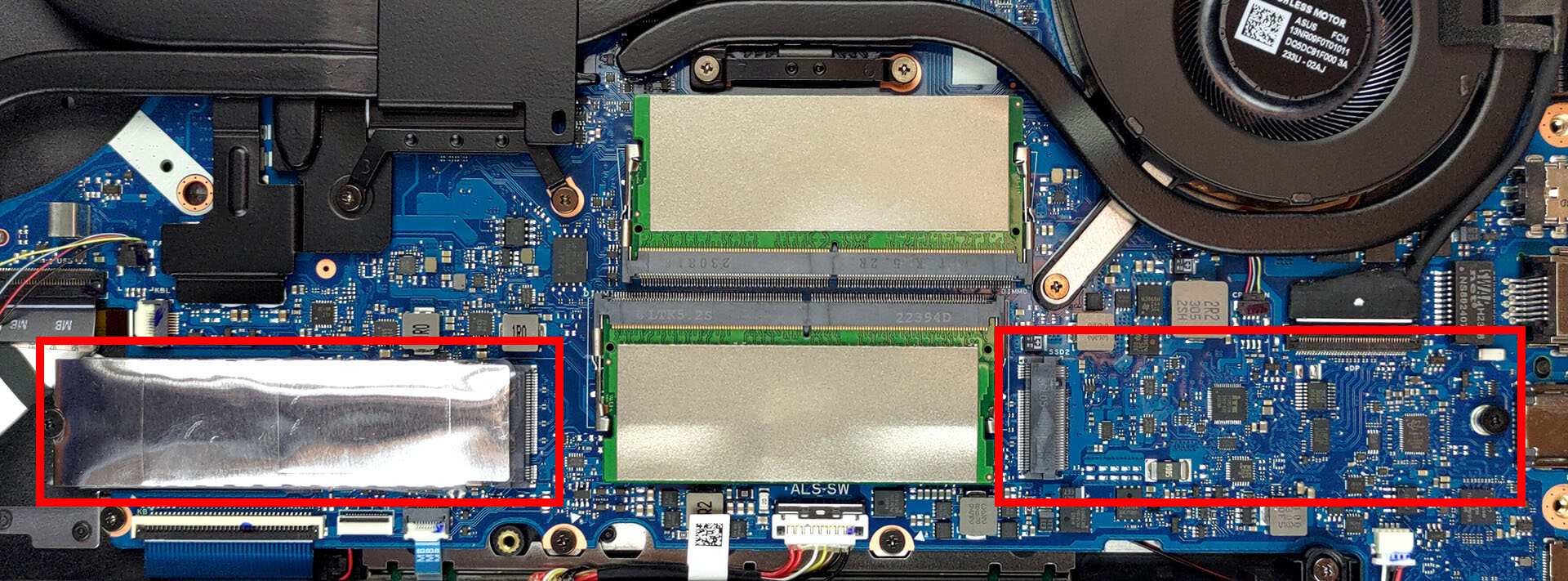
– The laptop features two SODIMM slots for RAM expansion.
– These slots are designed for DDR5 RAM modules.
You can buy DDR5 RAM modules here: Buy from Amazon.com (#CommissionsEarned)
4. Upgrading the Storage
– The ASUS TUF Gaming A17 provides two M.2 PCIe x4 slots for storage.
– Both of these slots are compatible with Gen 4 SSDs.
You can buy Gen 4 M.2 SSD modules here: Buy from Amazon.com (#CommissionsEarned)
5. Overview of the Cooling System
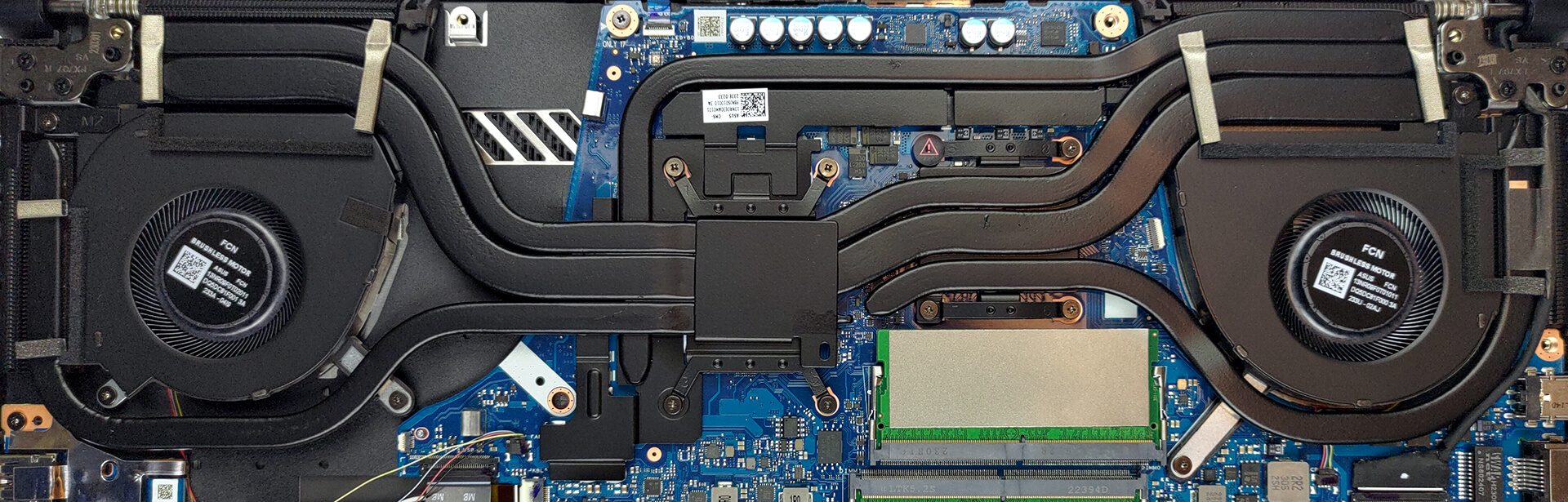
– The device employs an efficient cooling system to manage heat.
– There are two shared heat pipes between the CPU and the GPU.
– One additional heat pipe is dedicated to the CPU, another to the GPU, and a fifth pipe specifically cools the graphics memory and the VRMs.
– Four heat sinks and two fans are incorporated for optimal heat dissipation.
Hint: Keeping the cooling system clean and ensuring proper thermal paste application can greatly enhance performance and device longevity.
To reassemble the device, simply follow these steps in reverse order. Ensure that all connectors are reattached properly and all screws are tightened securely.
ASUS TUF Gaming A17 (FA707, 2023) in-depth review
The TUF Gaming series is quite interesting. It offers both Intel and AMD options, which are easily distinguished by their name. In our case, it is the TUF Gaming A17 (FA707, 2023).Finally, we are going to get a real taste of the proper Ryzen 7000 experience in the variant of a Ryzen 9 7940HS. It is based on the Zen 4 architecture, which is built on a 4nm node.It will be interesting how will the efficiency stack against the Intel counterpart. Ultimately, the gaming performance is something much more needed in the case of the TUF Gaming A17 (A707, 2023).In addition to that, the top-[...]
Pros
- Sustained boost of 4.70 GHz on all cores
- MUX Switch and G-Sync
- 2x M.2 PCIe x4 Gen 4 slot, 2x DDR5 RAM SODIMM slots in dual channel
- 100% DCI-P3 coverage and accurate colors (BOE NE173QHM-NZ2 (BOE0B69))
- 240Hz refresh rate (BOE NE173QHM-NZ2 (BOE0B69))
- No PWM (BOE NE173QHM-NZ2 (BOE0B69))
- Fantastic battery life
- Adequate build quality
Cons
- No SD card
- A bit pricey
 Author: Severin Kolakov

![[August 2026] Amazon USA: Top 10 Best-Selling Laptops – Apple MacBook Neo Dominates the Market with Massive Unit Sales!](https://laptopmedia.com/wp-content/uploads/2026/09/Best-Selling-Laptops-COM-Top-10-400x225.jpg)
![[August 2026] Amazon USA: Top 10 Best-Selling Gaming Laptops – ASUS ROG Strix G16 Dominates the Market with Massive Unit Sales](https://laptopmedia.com/wp-content/uploads/2026/09/Best-Selling-Gaming-Laptops-COM-Top-10-400x225.jpg)
![[July 2026] Amazon Global: Top 10 Best-Selling Laptops – Apple MacBook Neo Dominates the Charts as Budget and Premium Notebooks Split the Market](https://laptopmedia.com/wp-content/uploads/2026/08/Best-Selling-Laptops-GLOBAL-Top-10-400x225.jpg)
![[July 2026] Amazon Global: Top 10 Best-Selling Gaming Laptops – ASUS ROG Strix G16 Dominates the Global Market with Record-Breaking Unit Sales](https://laptopmedia.com/wp-content/uploads/2026/08/Best-Selling-Gaming-Laptops-GLOBAL-Top-10-400x225.jpg)
![[July 2026] Global Ranking of Best-Selling Laptop GPUs on Amazon – RTX 5060 Dominate Premium, Intel Still Rules Budget](https://laptopmedia.com/wp-content/uploads/2026/08/Best-Selling-GPUs-GLOBAL-Top-10-400x225.jpg)
