How to open ASUS Vivobook 17 (X1702) – disassembly and upgrade options
Despite its low price, the Vivobook 17 (X1702) doesn’t prevent its users to upgrade it down the line.
Check out all ASUS Vivobook 17 (X1702) prices and configurations in our Specs System, or read more in our In-Depth review.
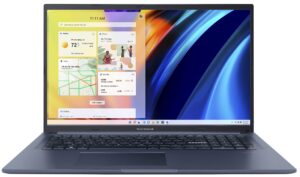
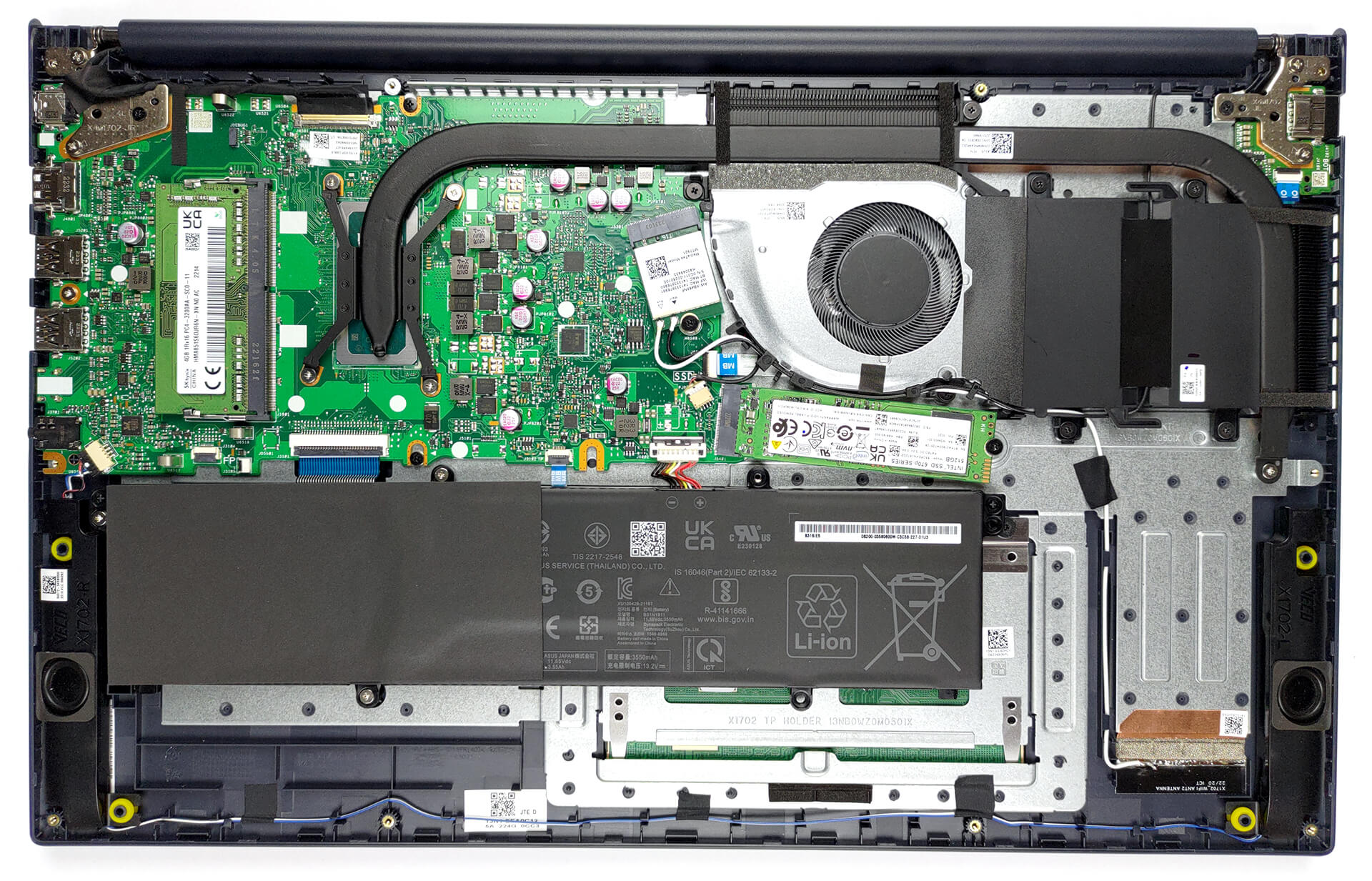
1. Remove the bottom plate
To access this notebook’s internals, you need to undo 11 Phillips-head screws. Then, pry the bottom panel with a plastic tool and lift it away from the chassis.
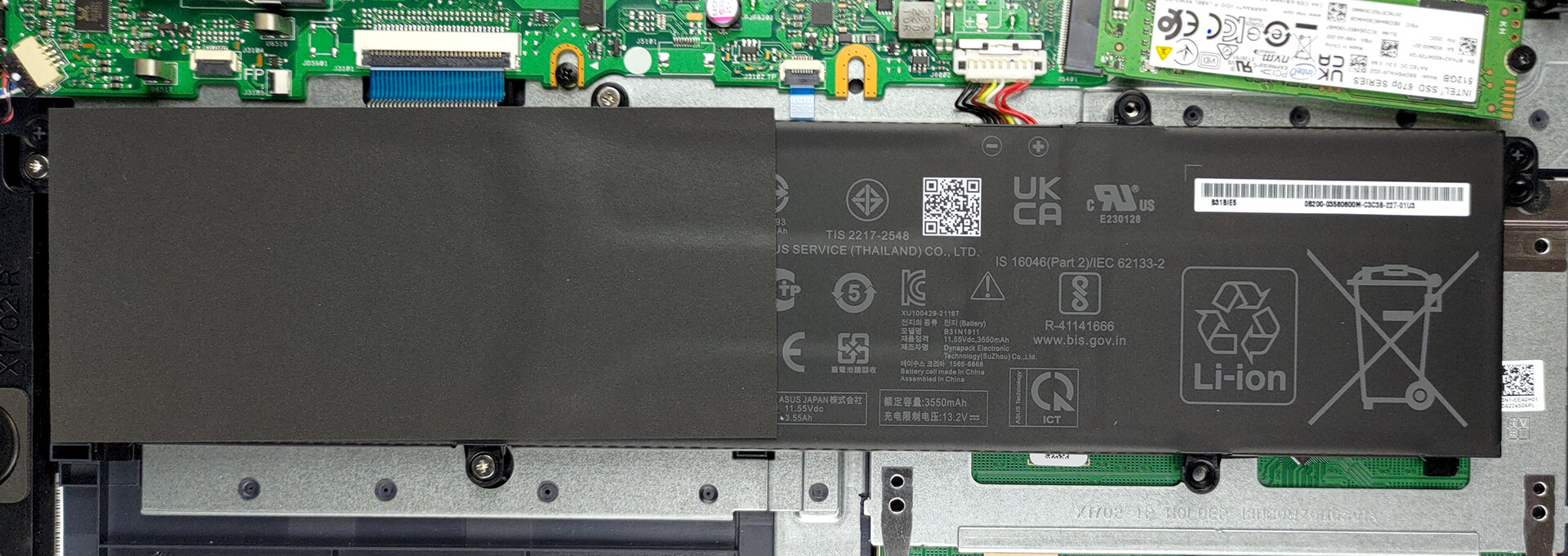
2. Remove the battery
Here, we find a 42Wh battery pack. To remove it, unplug the connector from the motherboard, and undo all three Phillips-head screws.
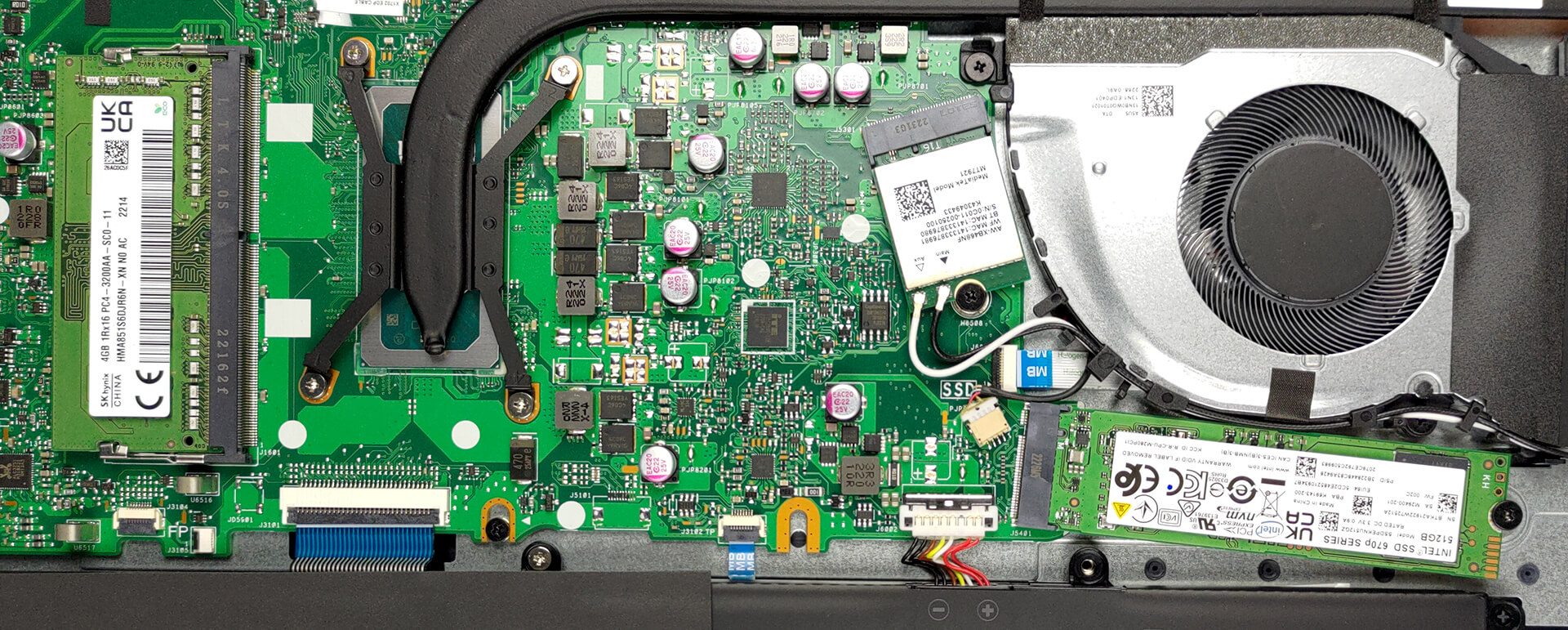
3. Upgrade memory and storage
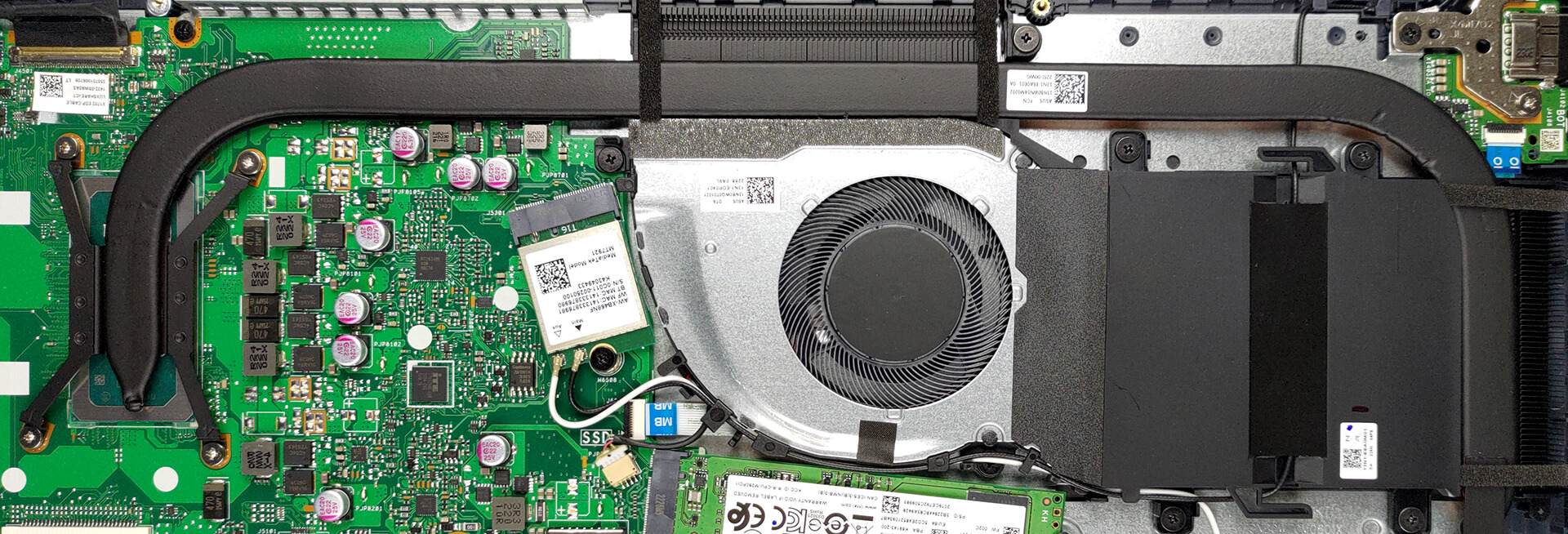
This machine comes with either 4 or 8GB of DDR4 RAM soldered to the motherboard. You can expand it further via the single SODIMM slot. Storage-wise, there is one M.2 PCIe x4 slot, which supports Gen 4 SSDs.
4. Cooling system
And for cooling, you get a long heat pipe, connecting to two heat sinks, where a single fan blows the heat away from the chassis.
Check out all ASUS Vivobook 17 (X1702) prices and configurations in our Specs System, or read more in our In-Depth review.
ASUS Vivobook 17 (X1702 / S1702 / M1702) in-depth review
ASUS was really strong in 2022. Regardless if we're talking about its super-premium notebooks, the ROGs that delivered the most powerful tablet, or the budget-conscious systems. Now, we are happy to see that 2023 starts pretty well, with the Vivobook 17 (X1702).It is an affordable 17-incher, which is not scared of anything. You can find it with a 12th Gen Intel processor from either the U-series or the P-series. What makes them different, is the internal design, which gives the latter more P-cores, and a higher TDP limit of 28W. Likewise, the U-series should be more efficient, as their TD[...]
Pros
- 1x SODIMM + 1x M.2 PCIe x4 Gen 4
- Comfortable keyboard
- No PWM (BOE NV173FHM-N49 (BOE084E))
- Optional fingerprint reader
- Decent performance
- Antibacterial coating
Cons
- Covers only 52% of sRGB (BOE NV173FHM-N49 (BOE084E))
- USB Type-C port is data-transfer only
- No keyboard backlight
- Lacks an SD card reader
 Author: Alex Iliev

![[June 2026] Best-Selling Laptop Brands on Amazon Global – Apple’s Unrivaled Dominance in Units and Revenue](https://laptopmedia.com/wp-content/uploads/2026/07/GLOBAL-Best-Brands-400x225.jpg)
![[June 2026] Amazon Global: Top 10 Best-Selling Laptops – Apple’s New MacBook Neo Storms to #1, Reshaping the Market with Affordability](https://laptopmedia.com/wp-content/uploads/2026/07/Best-Selling-Laptops-GLOBAL-Top-10-400x225.jpg)
![[June 2026] Amazon Global: Top 10 Best-Selling Gaming Laptops – Acer’s Nitro V 16S AI Dominates Sales, While ASUS Leads Overall Revenue](https://laptopmedia.com/wp-content/uploads/2026/07/Best-Selling-Gaming-Laptops-GLOBAL-Top-10-400x225.jpg)
![[June 2026] Global Ranking of Best-Selling Laptop GPUs on Amazon – NVIDIA RTX 5060 is the Top-Selling Dedicated GPU](https://laptopmedia.com/wp-content/uploads/2026/07/Best-Selling-GPUs-GLOBAL-Top-10-400x225.jpg)
![[June 2026] Global Ranking of Best-Selling Laptop CPUs on Amazon – Apple M5 Dominates, AMD Ryzen 7 260 Gets Solid Premium Share](https://laptopmedia.com/wp-content/uploads/2026/07/Best-Selling-CPUs-GLOBAL-Top-10-400x225.jpg)
