Inside Acer Aspire F5 / F15 – disassembly, upgrade guide and internal photos
Acer launched its latest mainstream line, Aspire F5, which represents an attempt at offering some high-end build quality for around $500. It’s also known as Aspire F15 (mostly in the USA) and Aspire F5 in the EU, but what’s more important is that the machine features some good specs at an affordable price. For the purposes of our review we chose the configuration with Core i5-6200U, GeForce 940M and 8GB of RAM, but before we dig into the performance tests, let’s check out how the new F5 looks on the inside and what upgrade options it has.
All of the available Acer Aspire F5 / F15 configurations and their prices can be found here:
http://amzn.to/1WPoisA
1. Removing the bottom
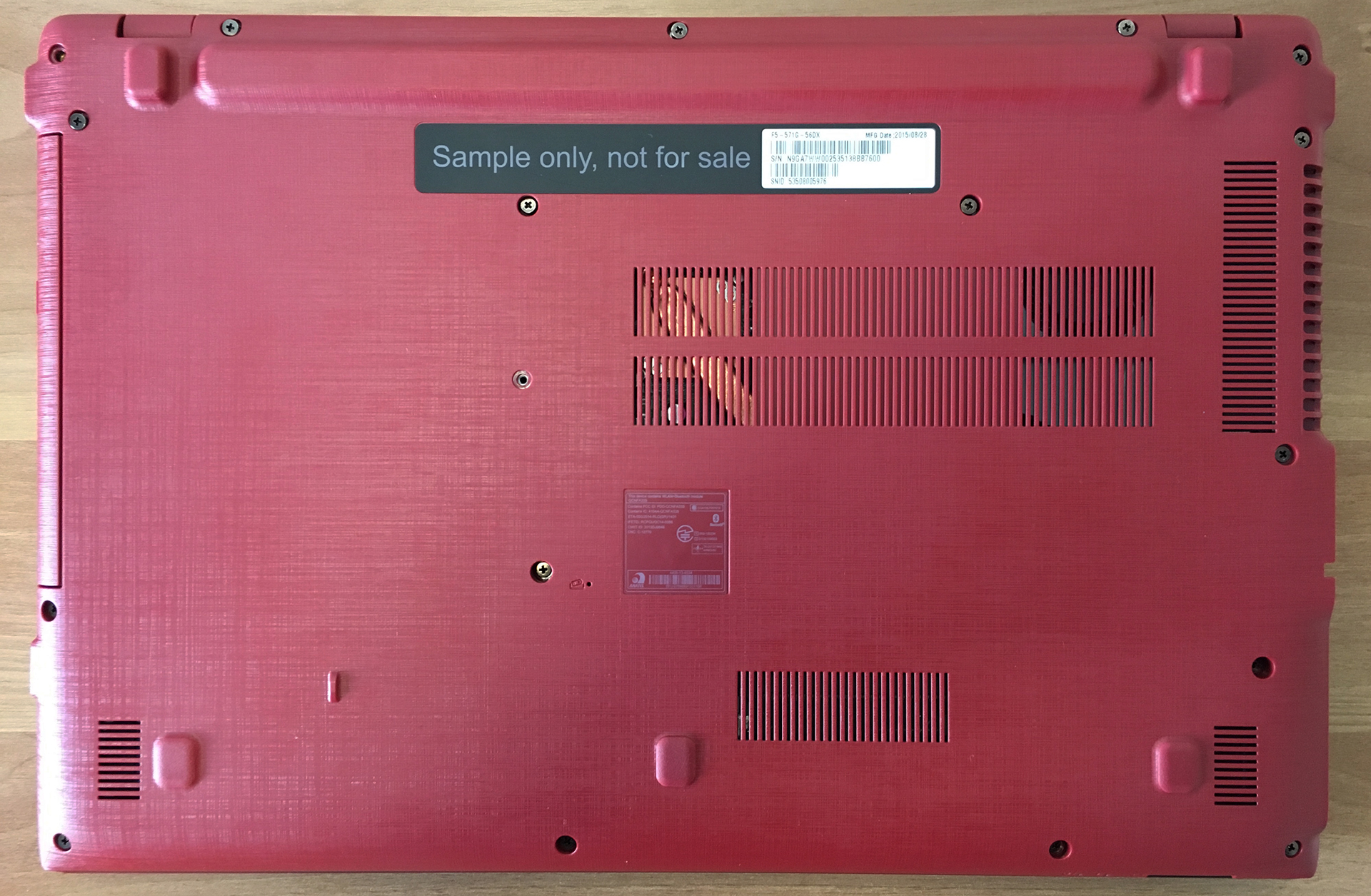
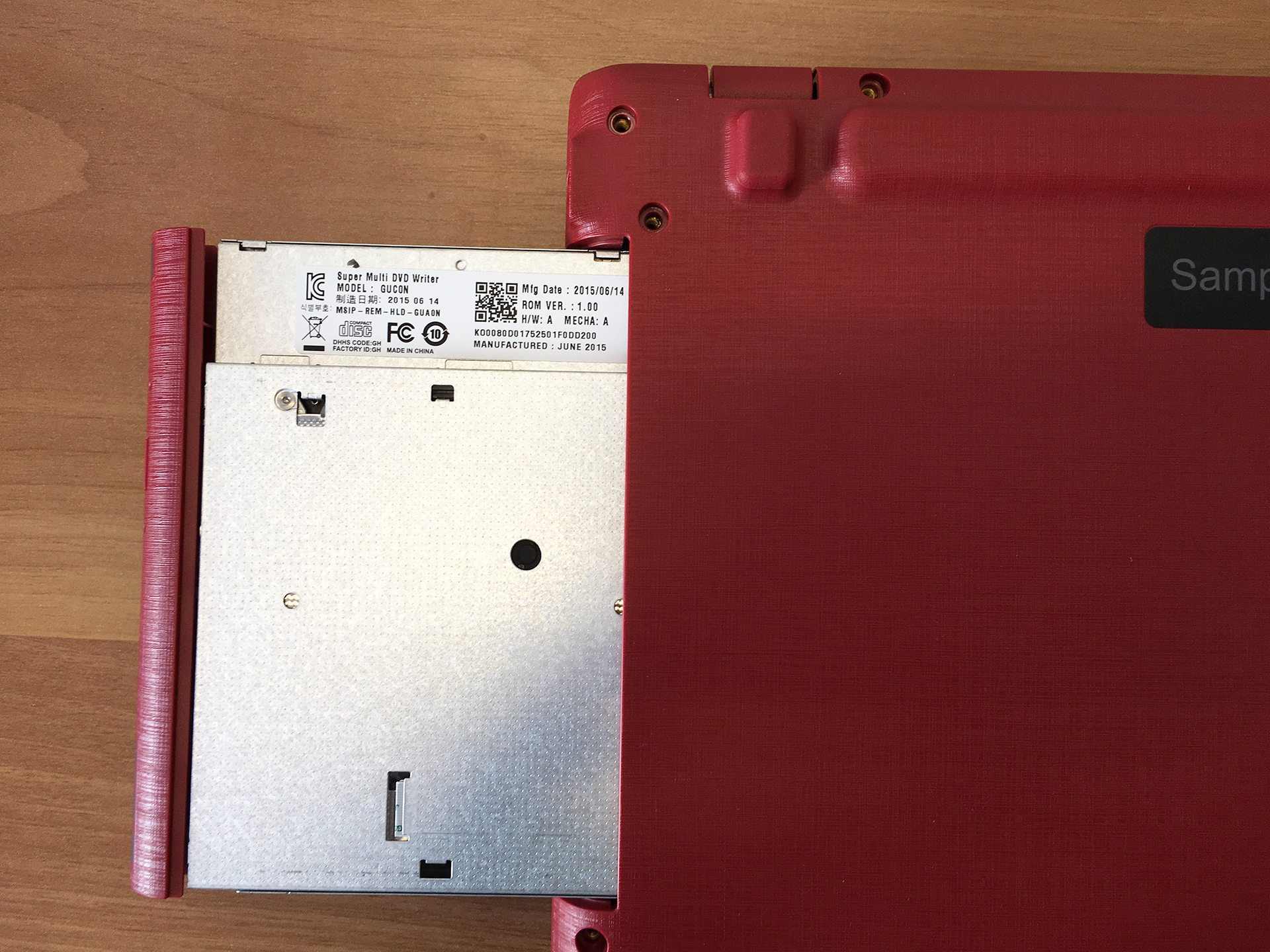
Removing the bottom is not difficult, but you should be careful. First, remove all of the screws – there are 21, but 3 of them are hidden below the DVD tray, so after you remove the visible eighteen, slide out the DVD and you’ll see the rest.
Now you have to be careful – lift the bottom lid a little, but go slowly and take your time not to tear the memory card slot cable. Remove the cable connector from its socket gently and you can proceed to step 2.


2. Get access to everything you may need
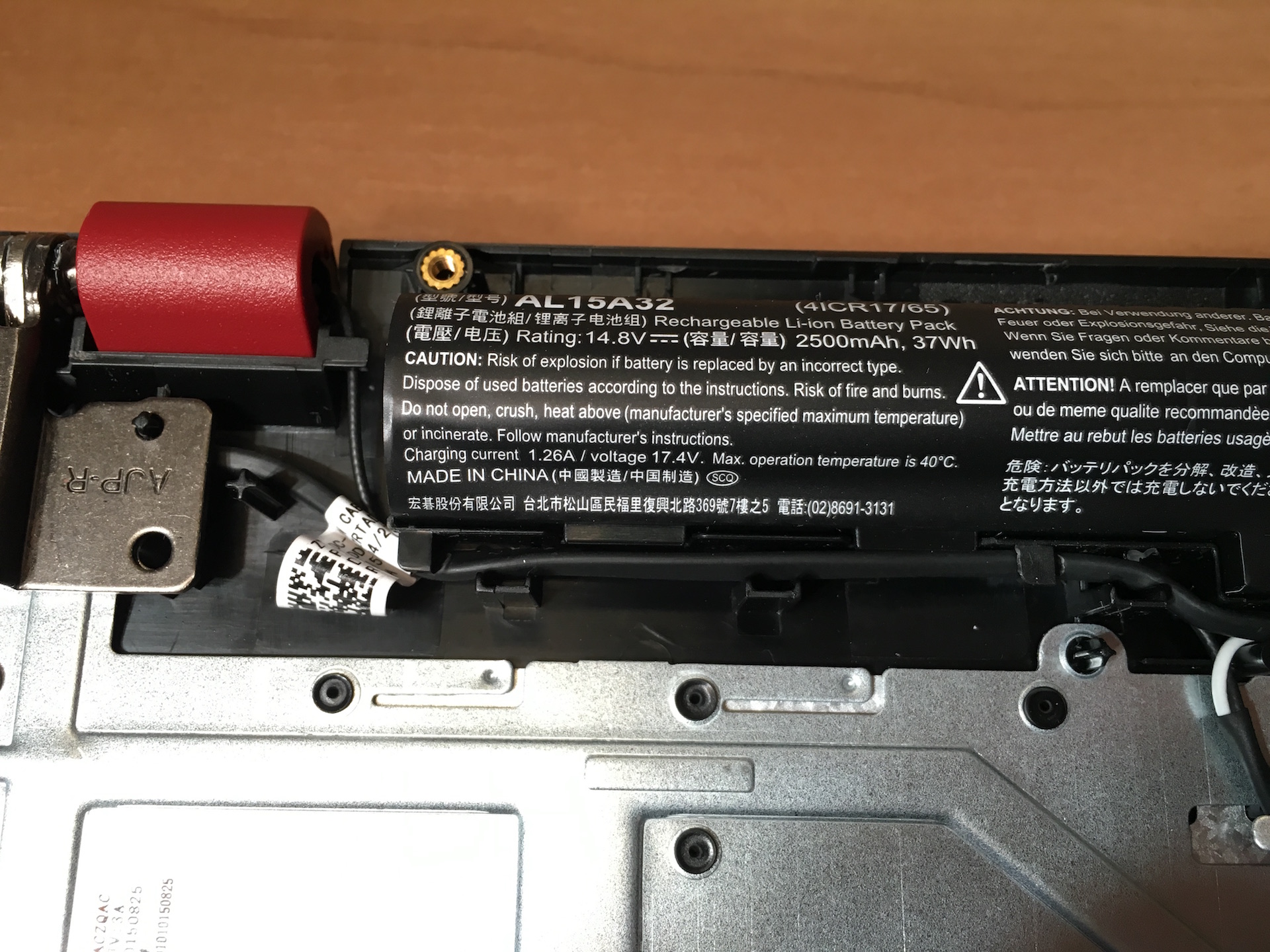
That was easy, wasn’t it? Now you can upgrade your notebook with more RAM (our system has 4GBs of RAM, on one slot), change your HDD (or upgrade it to 2.5” SSD), swap your battery or clean your cooling system.
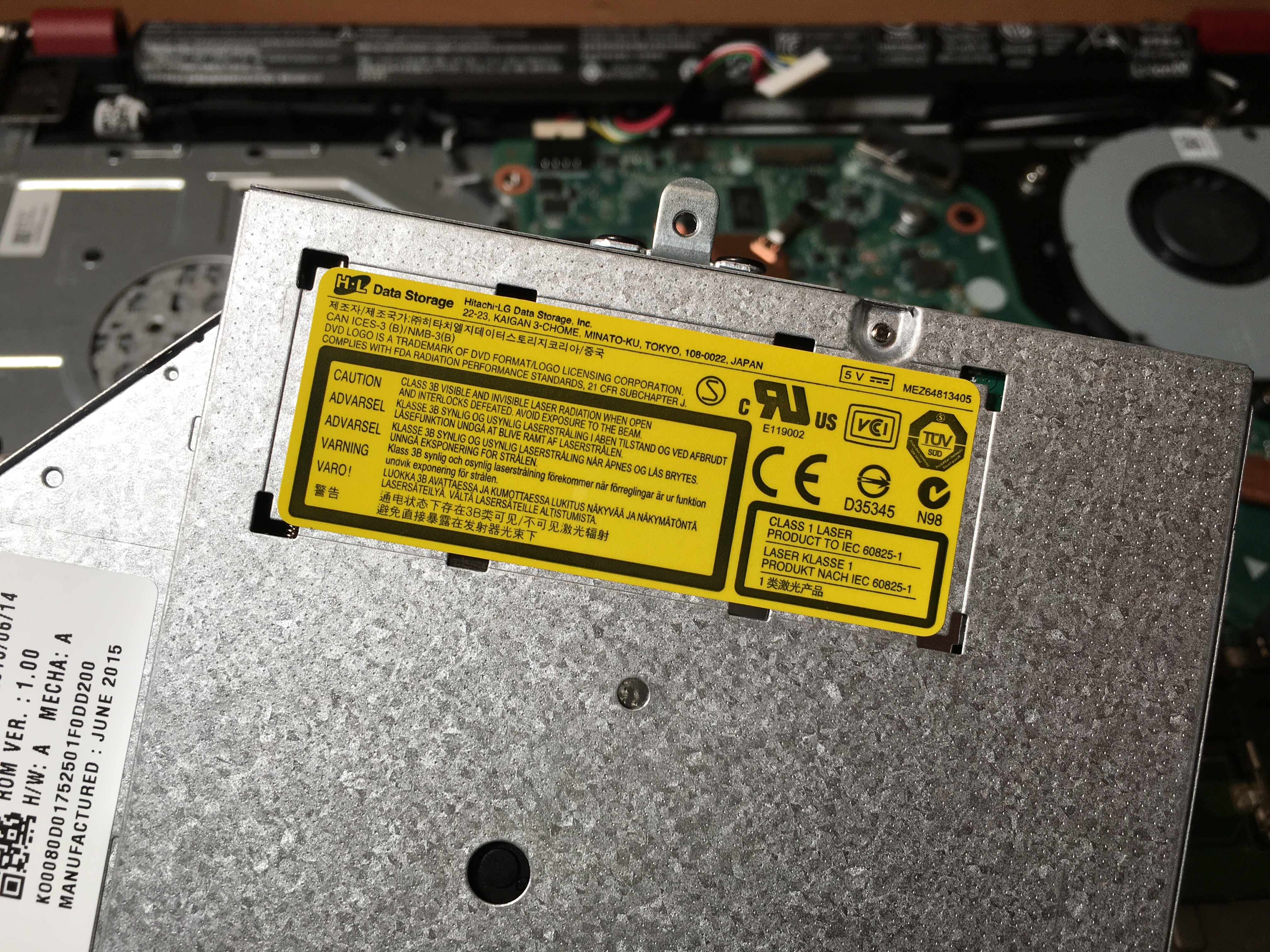
Unfortunately, Aspire F5 doesn’t have an M.2 slot for additional fast storage, but there is a DVD that should come in handy once in a (very) blue moon, right? Or, you could buy a caddy and use your HDD in place of the optical drive and an SSD in you 2.5” slot.

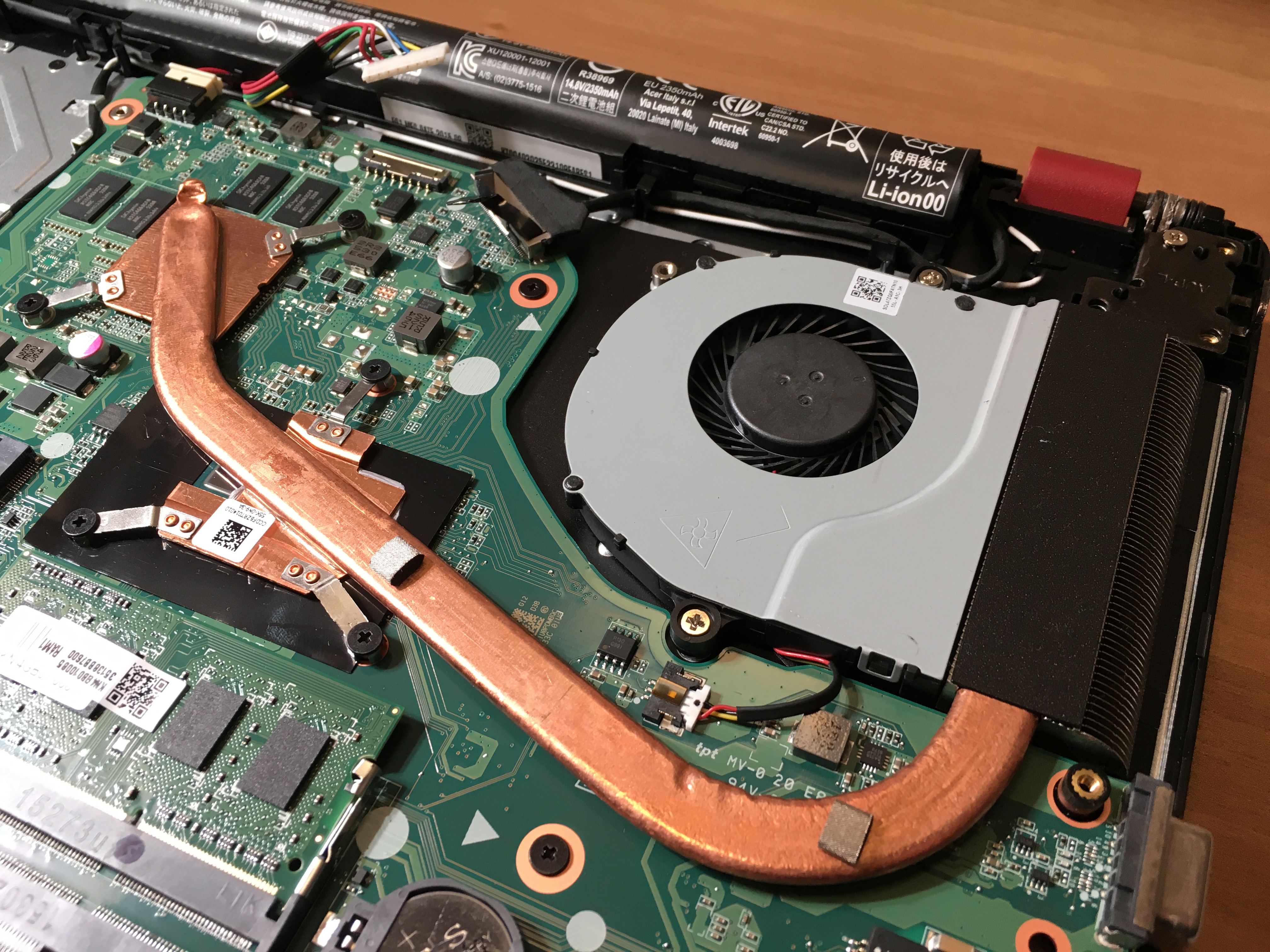
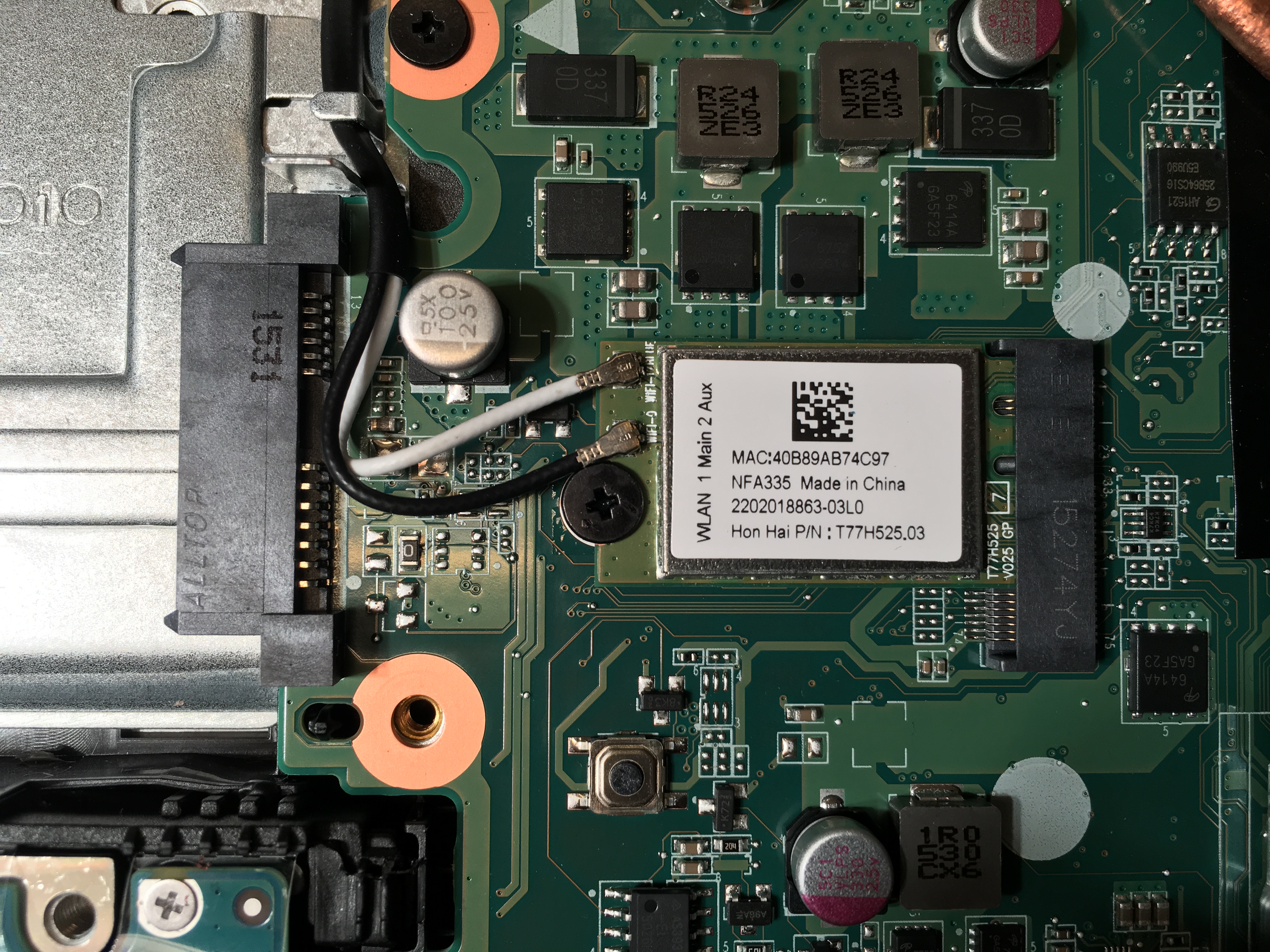
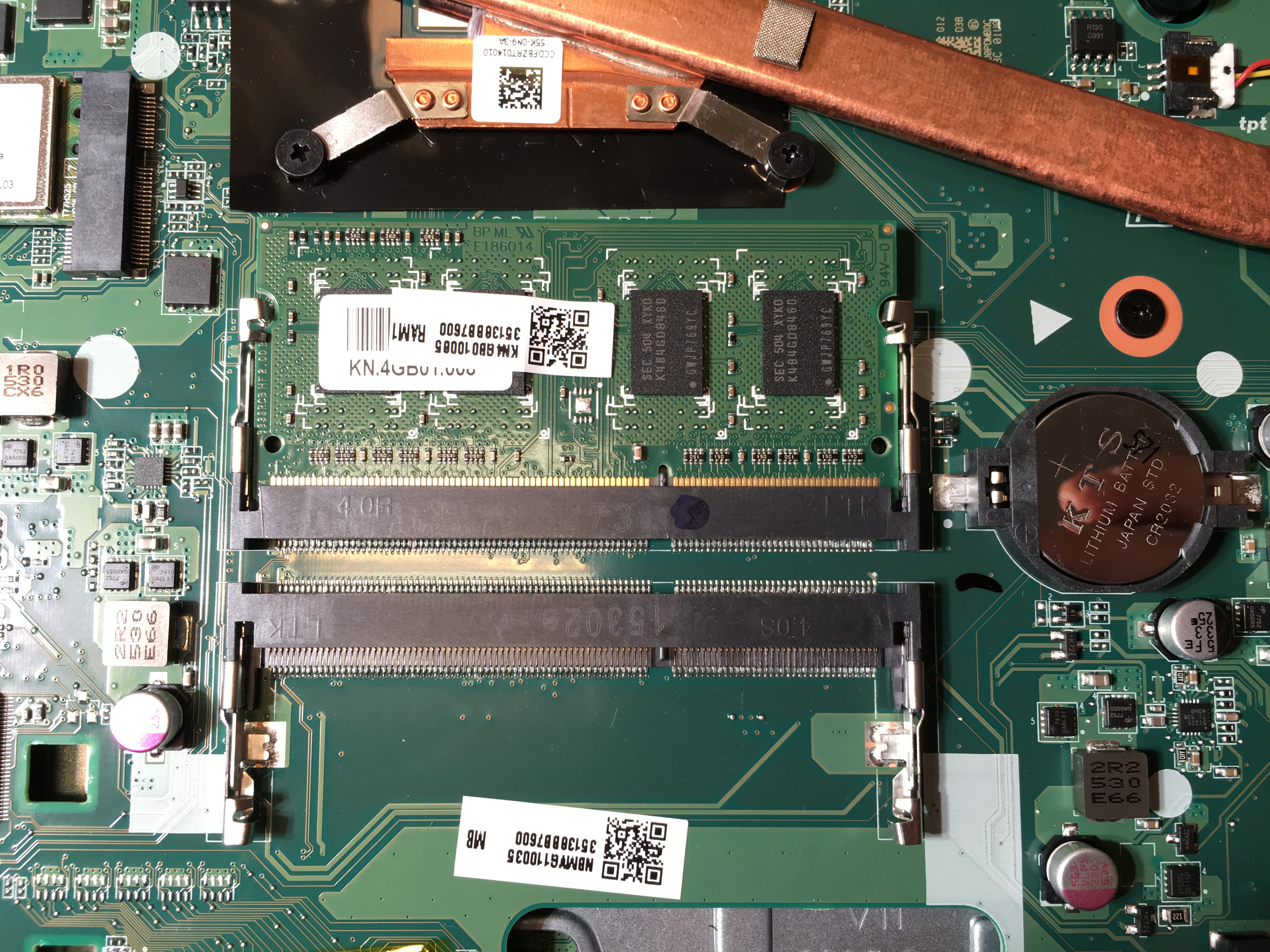
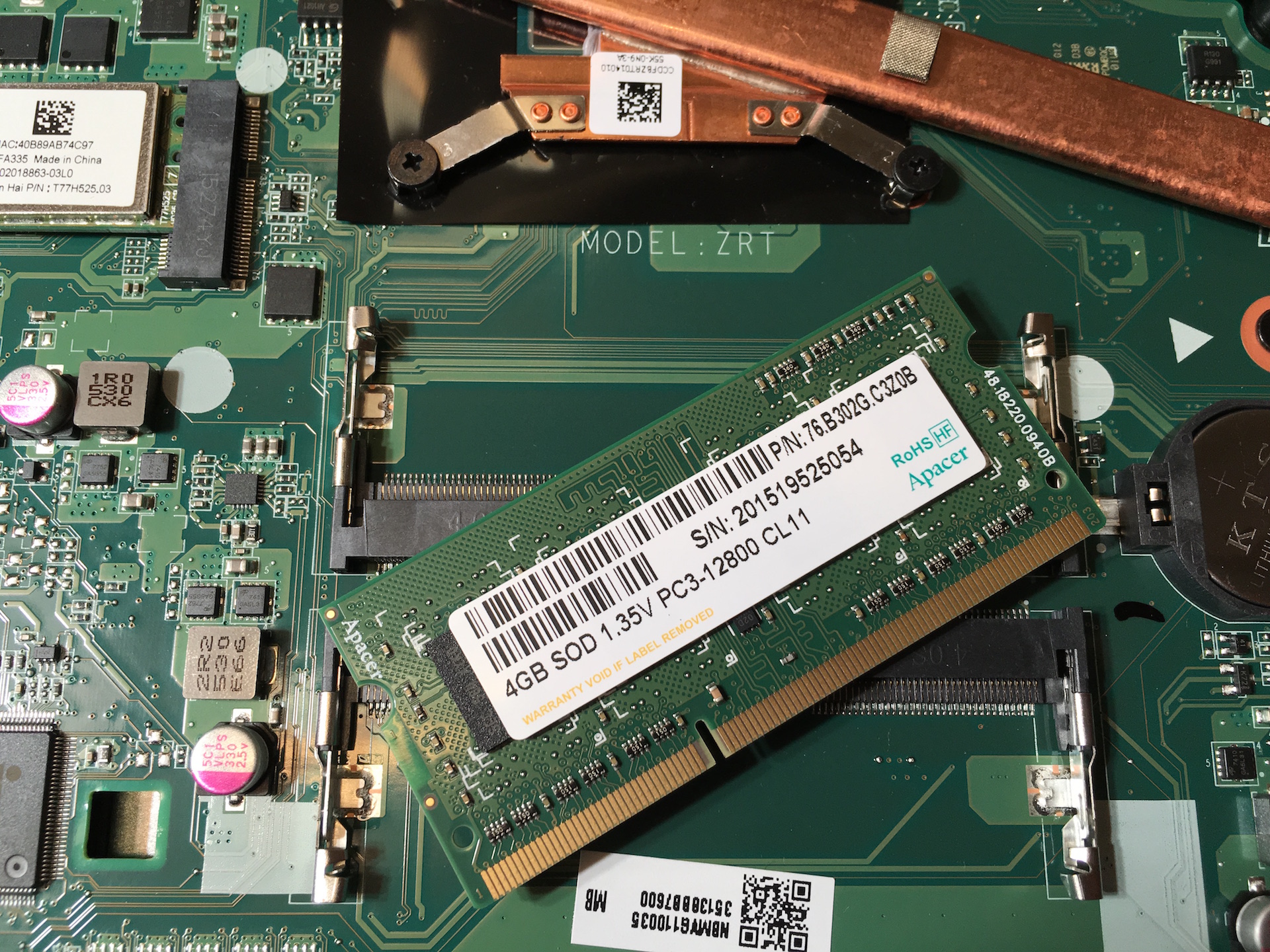
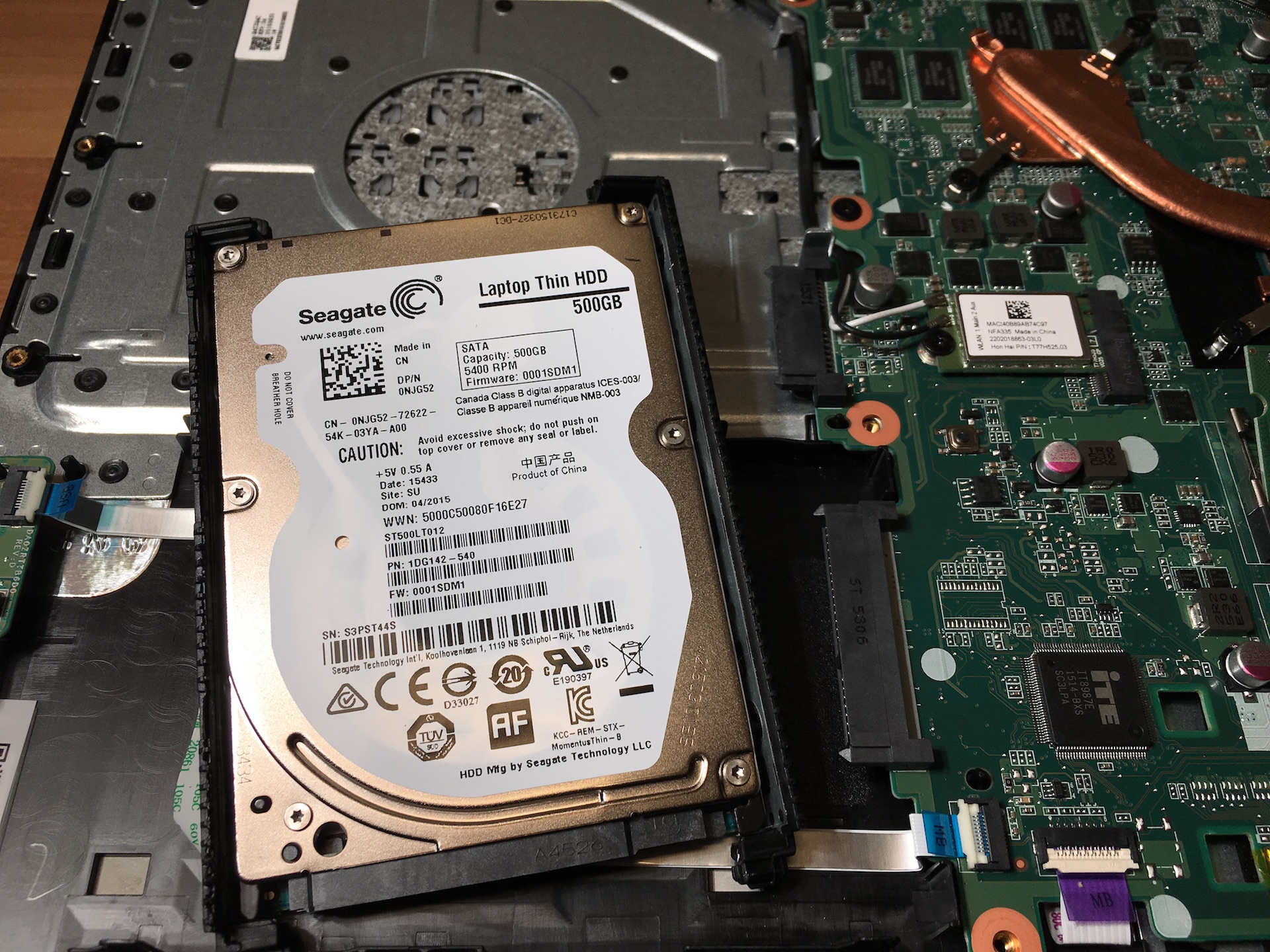
Acer Aspire F5 has just one heat pipe and air vent located at the left side of the notebook. That way the zone where the mouse is won’t be under hot air attack when the computer is heavily loaded, although we don’t expect much heat from a ULV processor and GeForce 940M anyway.
Here are the main components we found in our Acer Aspire F5 / F15:
- Hard Drive: Seagate Laptop Thin ST500LT012 500GB 5400 RPM 16MB Cache SATA 6.0Gb/s (Check Price)
- Battery: Acer AL15A32 (2500 mAh, 37Wh)
- RAM: Apacer 4GB SOD 1.35V PC3-12800 CL11
- Wi-Fi: Foxconn T77H525.03
All of the available Acer Aspire F5 / F15 configurations and their prices can be found here:
http://amzn.to/1WPoisA
 Author: Simeon NikolovEditor-in-Chief at LaptopMedia.com with 20+ years of experience in testing and analyzing laptops and mobile devices.

![[June 2026] Best-Selling Laptop Brands on Amazon Global – Apple’s Unrivaled Dominance in Units and Revenue](https://laptopmedia.com/wp-content/uploads/2026/07/GLOBAL-Best-Brands-400x225.jpg)
![[June 2026] Amazon Global: Top 10 Best-Selling Laptops – Apple’s New MacBook Neo Storms to #1, Reshaping the Market with Affordability](https://laptopmedia.com/wp-content/uploads/2026/07/Best-Selling-Laptops-GLOBAL-Top-10-400x225.jpg)
![[June 2026] Amazon Global: Top 10 Best-Selling Gaming Laptops – Acer’s Nitro V 16S AI Dominates Sales, While ASUS Leads Overall Revenue](https://laptopmedia.com/wp-content/uploads/2026/07/Best-Selling-Gaming-Laptops-GLOBAL-Top-10-400x225.jpg)
![[June 2026] Global Ranking of Best-Selling Laptop GPUs on Amazon – NVIDIA RTX 5060 is the Top-Selling Dedicated GPU](https://laptopmedia.com/wp-content/uploads/2026/07/Best-Selling-GPUs-GLOBAL-Top-10-400x225.jpg)
![[June 2026] Global Ranking of Best-Selling Laptop CPUs on Amazon – Apple M5 Dominates, AMD Ryzen 7 260 Gets Solid Premium Share](https://laptopmedia.com/wp-content/uploads/2026/07/Best-Selling-CPUs-GLOBAL-Top-10-400x225.jpg)

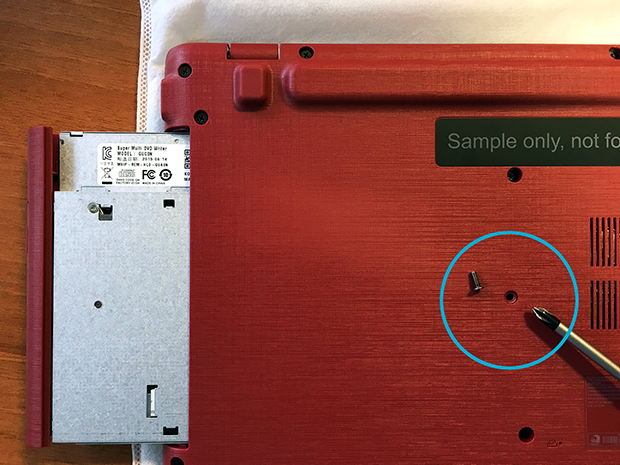
Hi, could you tell me which screw holding CD/DVD drive? Is it neccesary to remove all screws to remove drive?
No, it’s not. You just have to remove this screw (take a look at the photo below) 🙂
This is a brilliant guide – thanks. I didn’t expect the DVD drive to pop out, and couldnt work out how to get to the other screw’s under it.
Thank you so much for this guide. This is my first laptop therefore my first time upgrading ram and an HDD to an ssd. This guide will make things so much easier than it would have been figuring it out on my own. Much appreciated
Thank you for this guide. But I have one question. When I want to disassemble the bottom cover from the upper cover with keyboard I have connectors on left side of the notebook ( such as USBs and HDMI connectors ) stuck in the bottom cover and the motherboard is stuck with the keyboard cover. Is there some screw under some keyboard button? Thank you in advance.
Hi,
Lets say the battery is deteriorated, is that replaceable?
Thanks in advance.
Thanks a lot for this disassembly guide. Acer itself does not provide this detailed information. There are some F15 models like the Acer Aspire F 15 (F5-573G-55KW) which have a HDD + SSD installed. You mentioned that the F15 has no M.2 slot available. So the question comes up how the SSD is connected?
hello, in the case my lap top doesn’t come with the DVD, where I can buy it?
Hey guys just a question if anyone can answer. Is it possible to add extra ram on the F5-572G? Its already 8Gb but wondering if there is an extra slot where I can add another 8Gb ram.
Thanks
where can i find the product key on this laptop because i didnt get it on my package when i got it…
My acer f15 are not on not charging and not charge show
Does this have an msata slot?
Thanks
can i upgrade my proccesor?
Hi, i want to replace the keyboard on this model after spilling a drink. It looks to me like I need to replace the whole plastic top and cant just remove the keyboard like I could with my previous acer aspire. is this right? Many thanks in advance!
Hi there I have the same problem. Was yours not able to be turned on because of the power button being on the keyboard and not a separate button? As I have a battery light (the blue light) but am unable to turn it on as I think the water spilt on it effected the keyboard hence my laptop can’t be turned on because the power button is on the keyboard which must be buggered.Tia
Anyone know the model of the DVD writer ?, my F15 didn’t come with one