Inside ASUS TUF A15 (FA506) – disassembly and upgrade options
One of the best gaming laptops in terms of value is actually a pretty easy unit to disassemble. Take a look.
Check out all ASUS TUF A15 (FA506) prices and configurations in our Specs System or read more in our In-Depth review.
1. Remove the bottom plate
If you’ve seen our TUF A17 disassembly, then you’d pretty much know how to disassemble the 15-inch version as well. There are 11 Phillips-head screws, one of which remains attached to the panel after you undo it. Thoughtfully, it slightly lifts the bottom panel from the chassis, making it easy to pry it up.
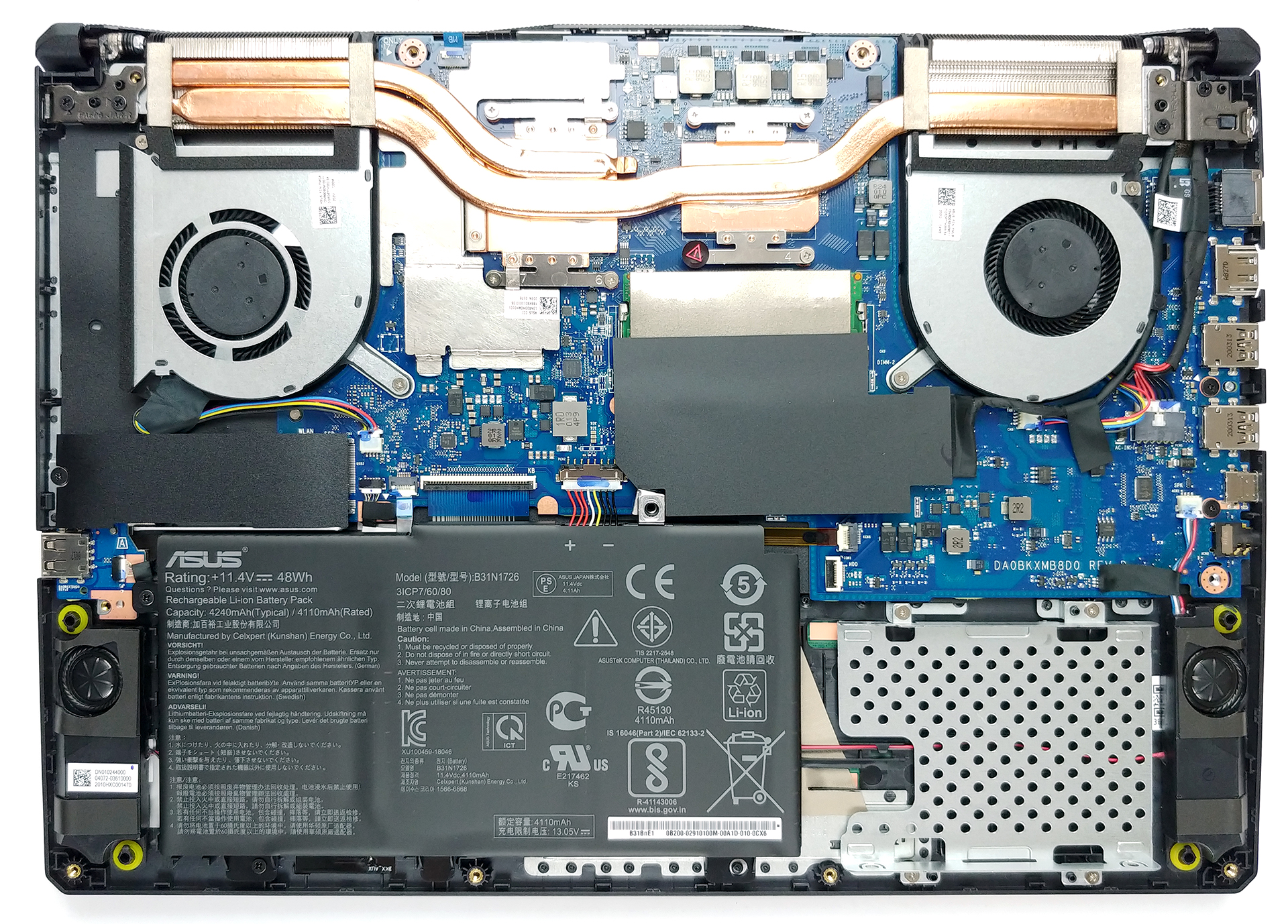
2. Battery
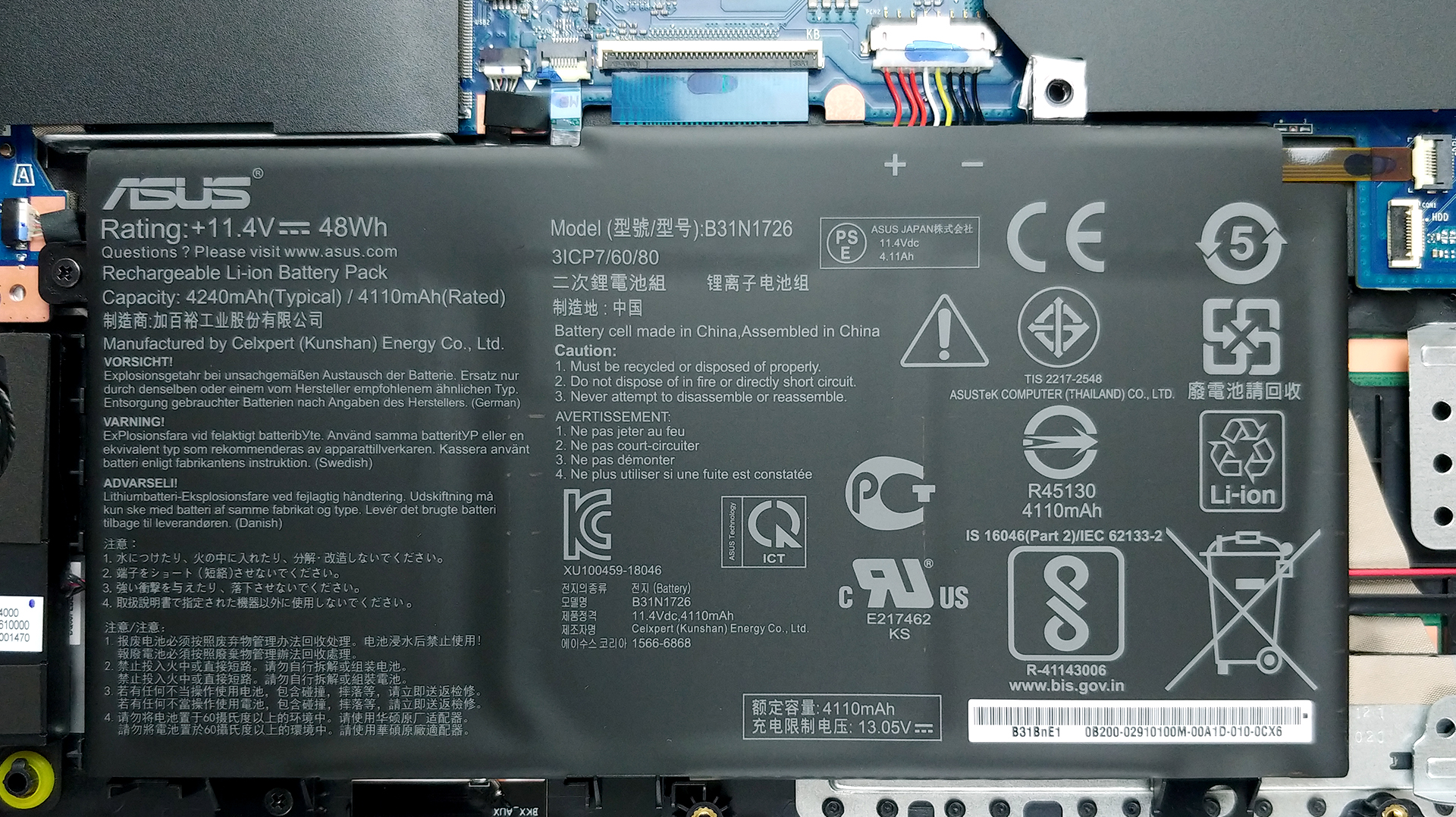
And in terms of the battery, you get two options – a 48Wh and a 90Wh unit.
3. Memory and storage
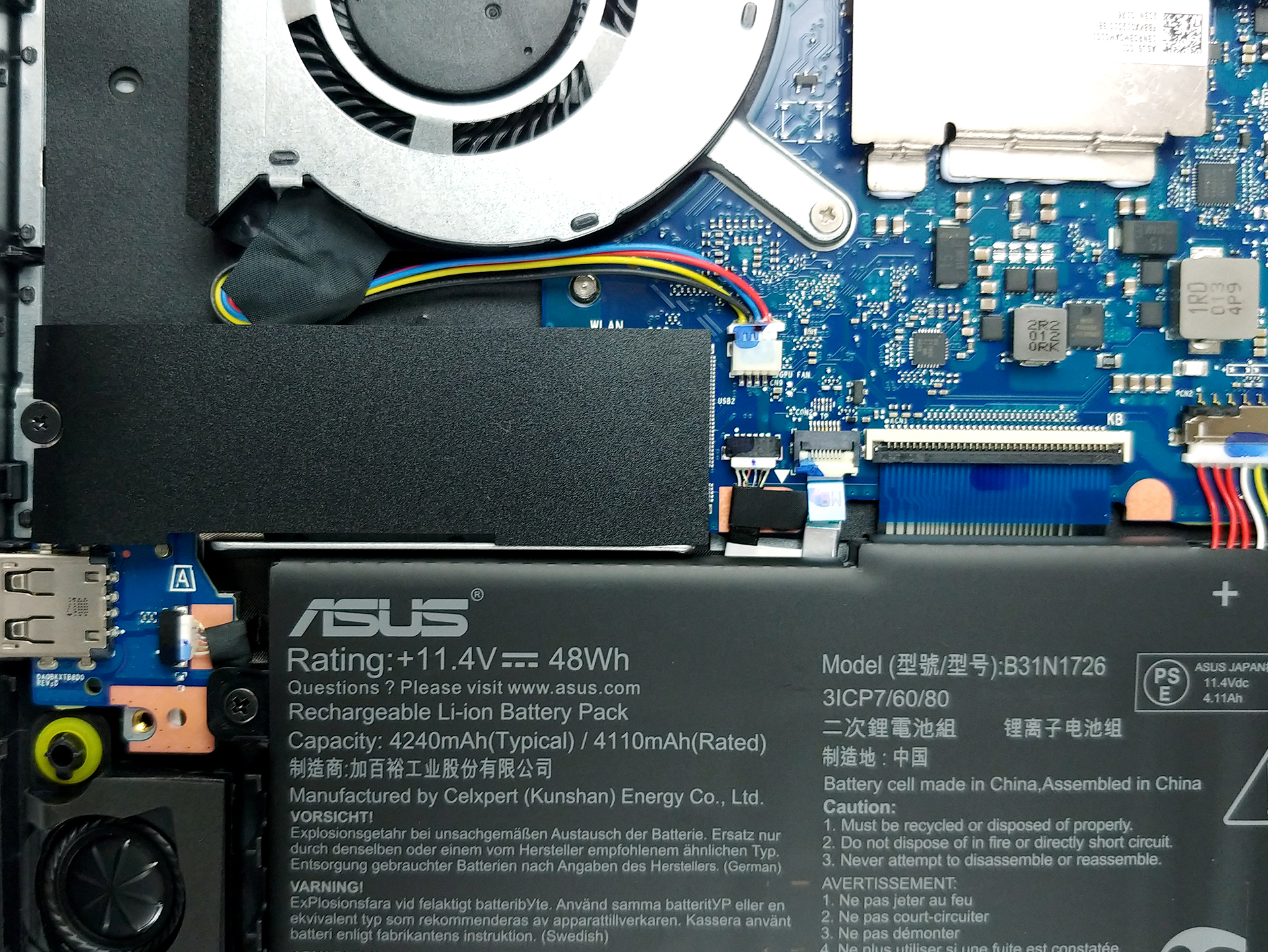
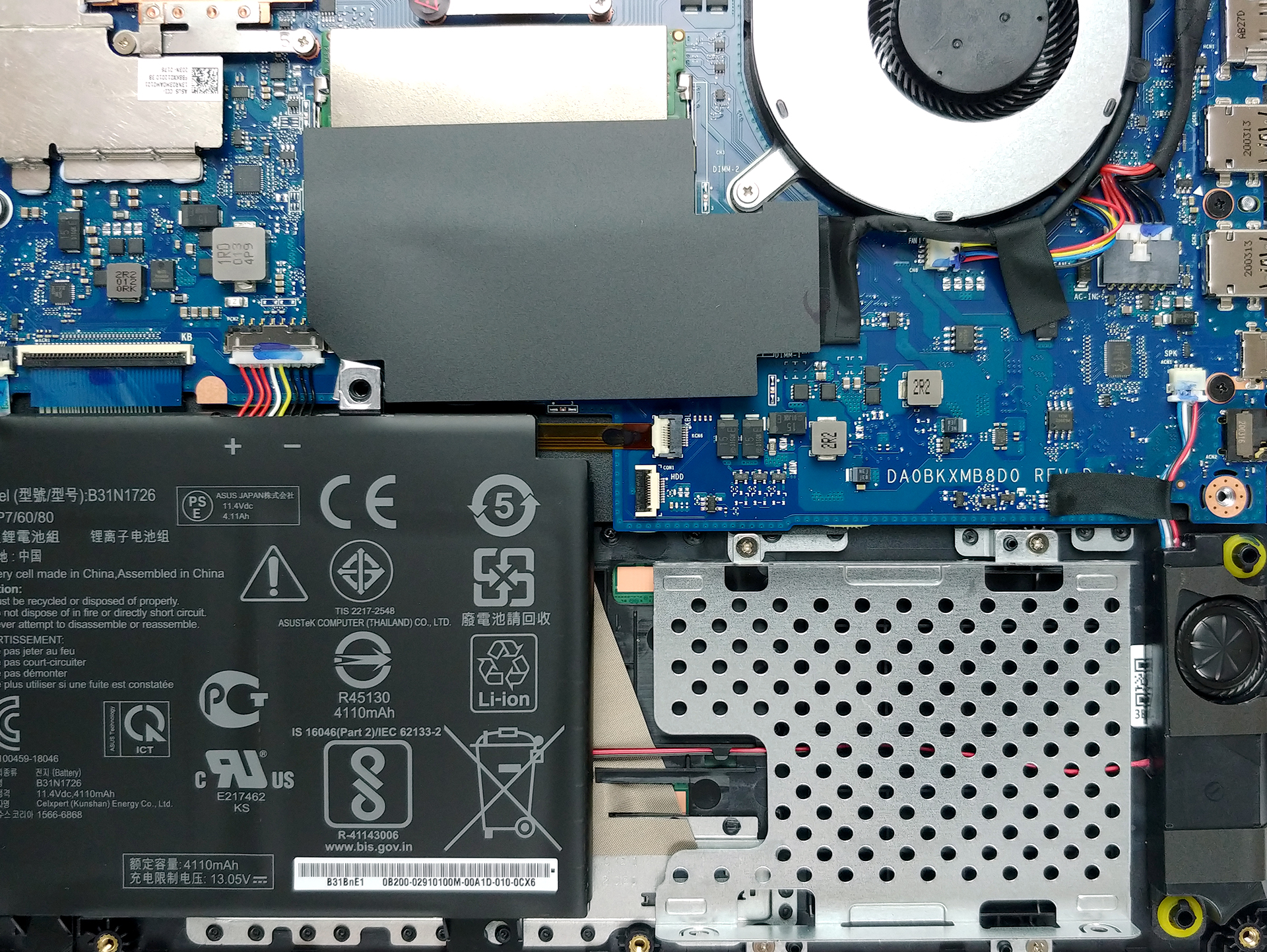
As for the upgradability, there are two RAM SODIMM slots, working in dual-channel. They support up to 32GB of DDR4 memory working at 3200 MHz. Not bad. Storage-wise there is one M.2 NVMe slot and a 2.5-inch SATA drive bay.
4. Cooling system
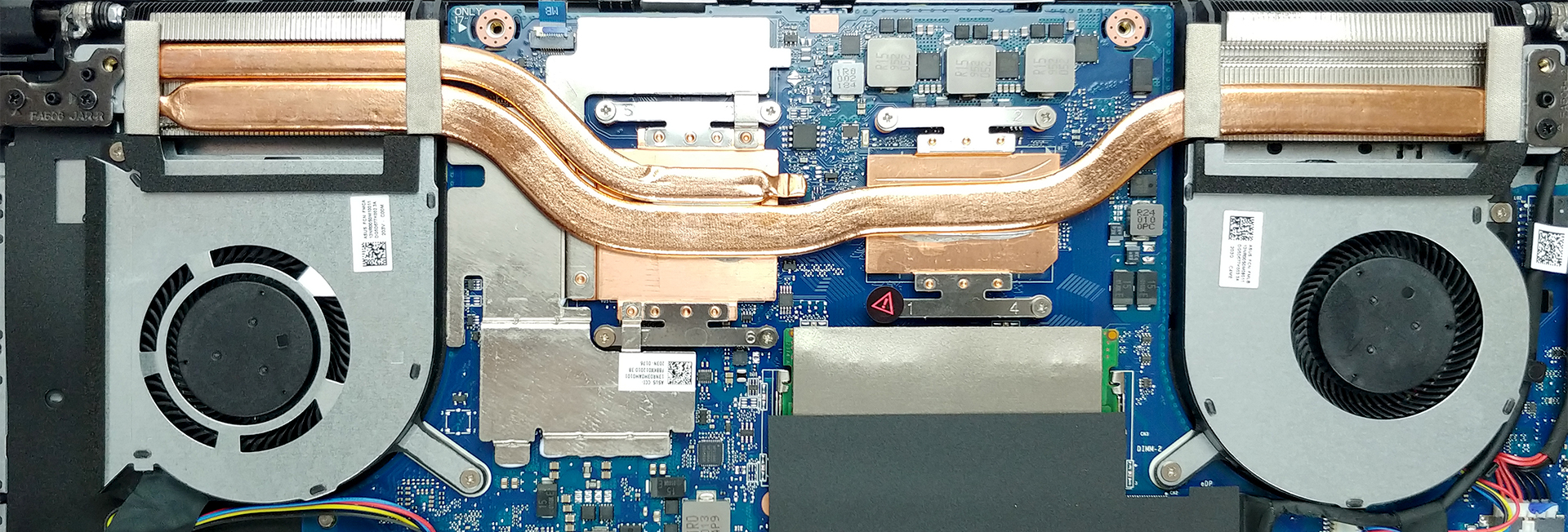
Now that we’re inside, let’s take a quick look at the cooling solution. Our model is equipped with the Ryzen 7 4800H and the GeForce GTX 1650 Ti. Interestingly, there are only two heat pipes, one of which is shared between the CPU and the GPU. Additionally, there are two fans and two heat sinks with a relatively small size for a gaming device.
Check out all ASUS TUF A15 (FA506) prices and configurations in our Specs System or read more in our In-Depth review.
 Author: Alex Iliev

![[August 2026] Amazon Italy: Top 10 Best-Selling Laptops – Apple MacBook Neo Claims the Crown as Budget and Mid-Range Windows Machines Dominate Volume](https://laptopmedia.com/wp-content/uploads/2026/09/Best-Selling-Laptops-IT-Top-10-400x225.jpg)
![[August 2026] Amazon Italy: Top 7 Best-Selling Gaming Laptops – ASUS V16 Claims the #1 Spot Amid Strong Mid-Range Demand](https://laptopmedia.com/wp-content/uploads/2026/09/Best-Selling-Gaming-Laptops-IT-Top-10-400x225.jpg)
![[August 2026] Best-Selling Laptop Brands on Amazon Italy – Lenovo Dominates Market Share and Revenue Leadership](https://laptopmedia.com/wp-content/uploads/2026/09/IT-Best-Brands-400x225.jpg)
![[August 2026] Amazon India: Top 10 Best-Selling Laptops – Apple MacBook Neo Dominates the Charts with Massive Sales Lead](https://laptopmedia.com/wp-content/uploads/2026/09/Best-Selling-Laptops-IN-Top-10-400x225.jpg)
![[August 2026] Amazon India: Top 10 Best-Selling Gaming Laptops – HP Victus 15 Dominates the Market with Massive Unit Lead](https://laptopmedia.com/wp-content/uploads/2026/09/Best-Selling-Gaming-Laptops-IN-Top-10-400x225.jpg)

Does it comes with hdd connector for adding hdd?
yeah i bought it has it
how did you install HDD disk, when i put in the place, screws doesn’t fit. if I flip the disk, cable is not working because is too short, What am doing wrong?
Yes, I have the same issue. I think it’s a case of buying a thin format (7mm) as in new HDD. ASUS product support were of no useful help… Boo to them!
The new Seagate 2Tb HDD’s look the goods, but wanna be sure it will fit. Found also that if I *did* manage to get my older 10mm high drive in without screwing in, the back cover won’t close properly either.
The Thin format requirement needs to be spelt out in their support doco’s.
exactly what happen with my samsung 2tb, the back cover wont close properly. maybe i have to cut the EVA absorber thingy to make it fit.
Hi,
Please advice if single 32 GB DDR 3200 RAM would work on this model?
Can i leave the default 8 GB too to make it 40 GB, total?
Will this work?
Thanks for your help and support.
Regards,
Rajasekaran.
no, maximum ram compatibility is 32gb (16×2)
dont put different ram size for dual channel.
Not true, I have 64GB.
Gpu Upgradable to RTX ?
I don’t know for sure but most likely not – the RTX models have different (better) cooling and even if you could fit an RTX inside, it would overheat.
You cannot upgrade laptop GPUs as they are soldered onto the motherboard
I have the 4900H RTX 2060 model – runs warm… 🙂
Hello. I was thinking to upgrade the ram the one I am ordering is Kingston hyper X 3200mhz 8 gb. I am worried about using two different brands (one stock and one Kingston hyper X ) although they both will be 8gb ddr4 3200 mhz will it be okay?
If you want to use different brands of ram you need to configure it and spend a lot of time and if you don’t know how you need to take it to a technician. it would be easier to just buy 2 8gb ram sticks from the same brand and model
Can you remove the hdd cage and replace the 48wh battery with the 90wh one?
Yes
Can the HDD upgrade accommodate 15mm (5TB)?
thin ssd only I think
can i put a second ram and storage at it ? so my laptop can have more than 512 gb storage and more than 8gb ram
I also want to add a second ssd for more storage. Is it simple as adding a 2nd ssd into the empty slot?
added 2 X 16 GB ram to mine and adding a 2TB SSD be aware you need the .27″ or 7 mm SSD in order for it to fit in and the cover to close It should have had a SATA cable in the box mine was in a small zip-lock baggy . an instruction page was with it on how to add the cable. My biggest gripe is the order page claimed 2 nvme slots and the SSD were included but they Lie only 1 nvme slot is there .
Otherwise nice little machine for this price point .
what maximum hdd capacity ?
as far as can tell what can you afford I added a 2 TB SSD. didn’t see paying the price for anything bigger . at home have a USB-c storage unit with 16 TB of disk I hook into .
Is it possible to increase the VRAM on this laptop, my settings show im currently at 512mb and have 16599mb available but cant figure it out in the BIOS. Is it also possible to just upgrade the hardware somehow?
Can I remove the HDD cage next to the batter and replace the 48whr battery with a 90whr battery?
Just want to confirm if this is right..
so the a15 can have both SSD and HDD at the same time?
not from what I see you can have NVME and SSD Do not belive a hard disk will fit and the cover close properly as it can only be 7 mm thick.
Can I cut all honeycomb and make the airflow better ??
Can I cut all these line on honeycomb design for better air flow ? Because I’m about to buy asus tuf f15 !! I heard a lot about the bad air flow !!
You can, but I doubt it would make any difference. In our review, we noticed that it draws some of its cool air through the keyboard, which results in pretty cool WASD area during gaming. You can see this here: https://laptopmedia.com/review/asus-tuf-a15-fa506-ryzen-7-4800h-gtx-1650-ti-review-reimagine-the-budget-gaming-laptop/#temperatures-and-comfort
What if you use it as a desktop and keep it closed most of the time? Would you consider cutting them out in this use-case?
Where is the BIOS or ROM type stuff located? I am really confused as to how the management of this board occurs