Inside ASUS TUF A15 (FA506) – disassembly and upgrade options
One of the best gaming laptops in terms of value is actually a pretty easy unit to disassemble. Take a look.
Check out all ASUS TUF A15 (FA506) prices and configurations in our Specs System or read more in our In-Depth review.
1. Remove the bottom plate
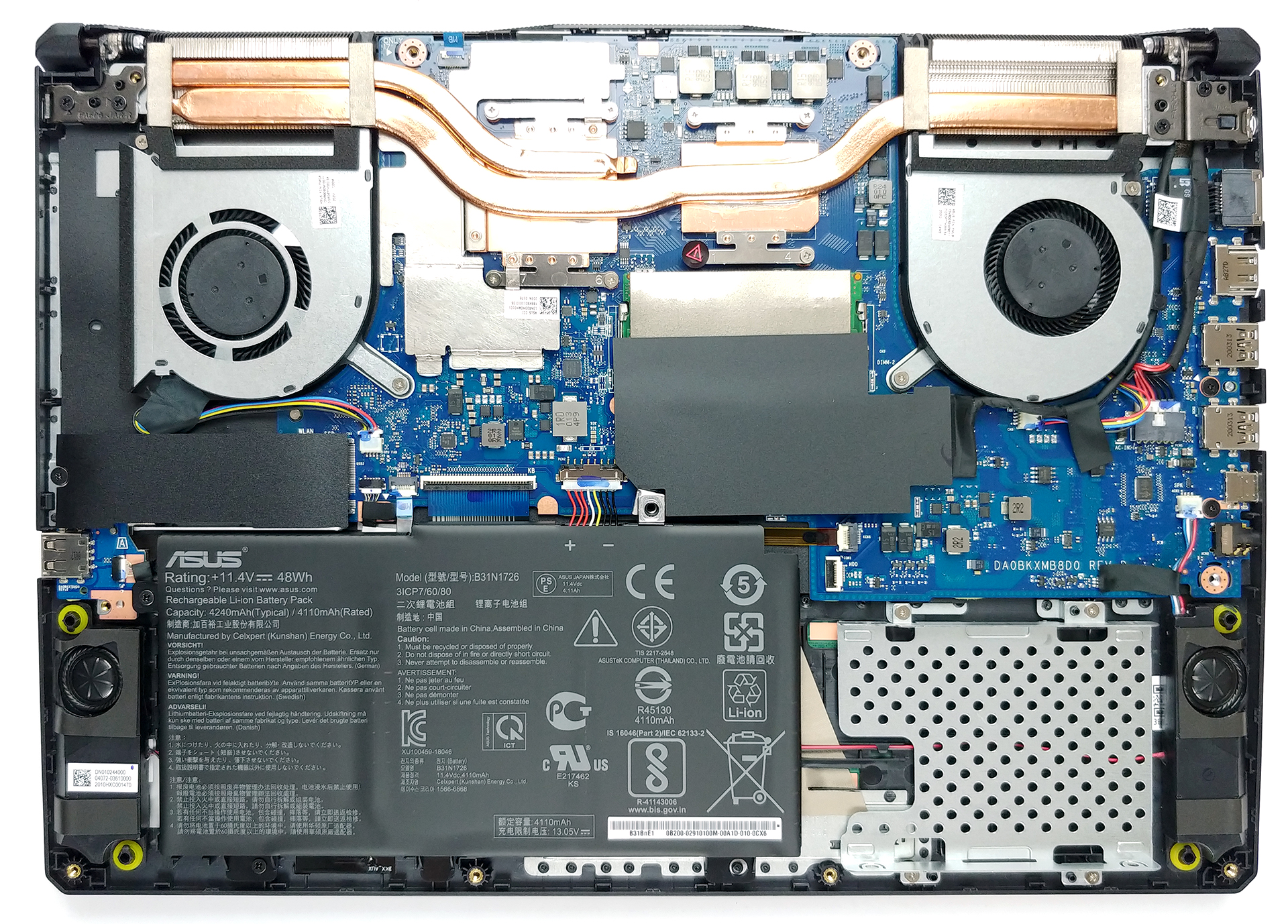
If you’ve seen our TUF A17 disassembly, then you’d pretty much know how to disassemble the 15-inch version as well. There are 11 Phillips-head screws, one of which remains attached to the panel after you undo it. Thoughtfully, it slightly lifts the bottom panel from the chassis, making it easy to pry it up.
2. Battery
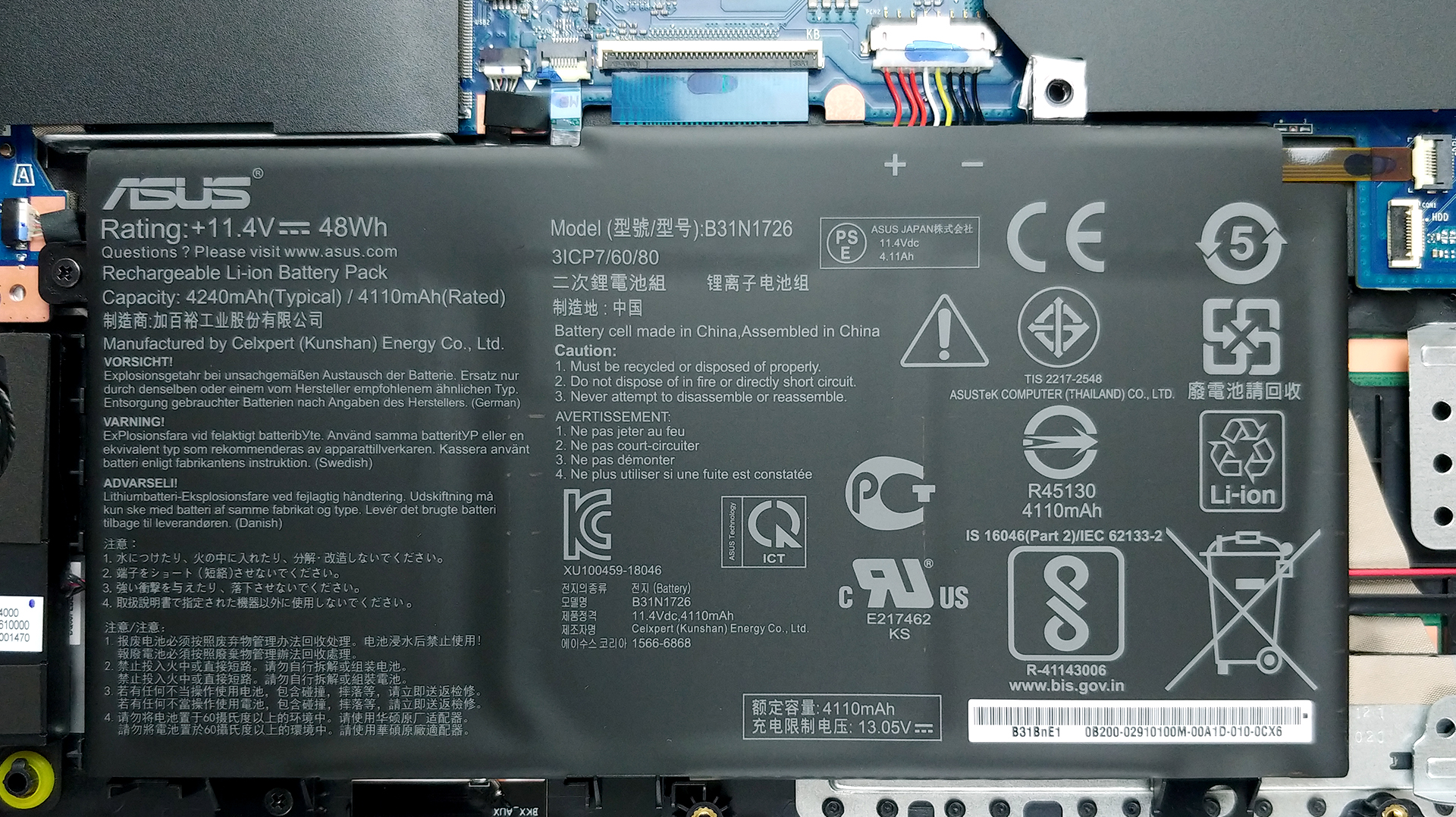
And in terms of the battery, you get two options – a 48Wh and a 90Wh unit.
3. Memory and storage
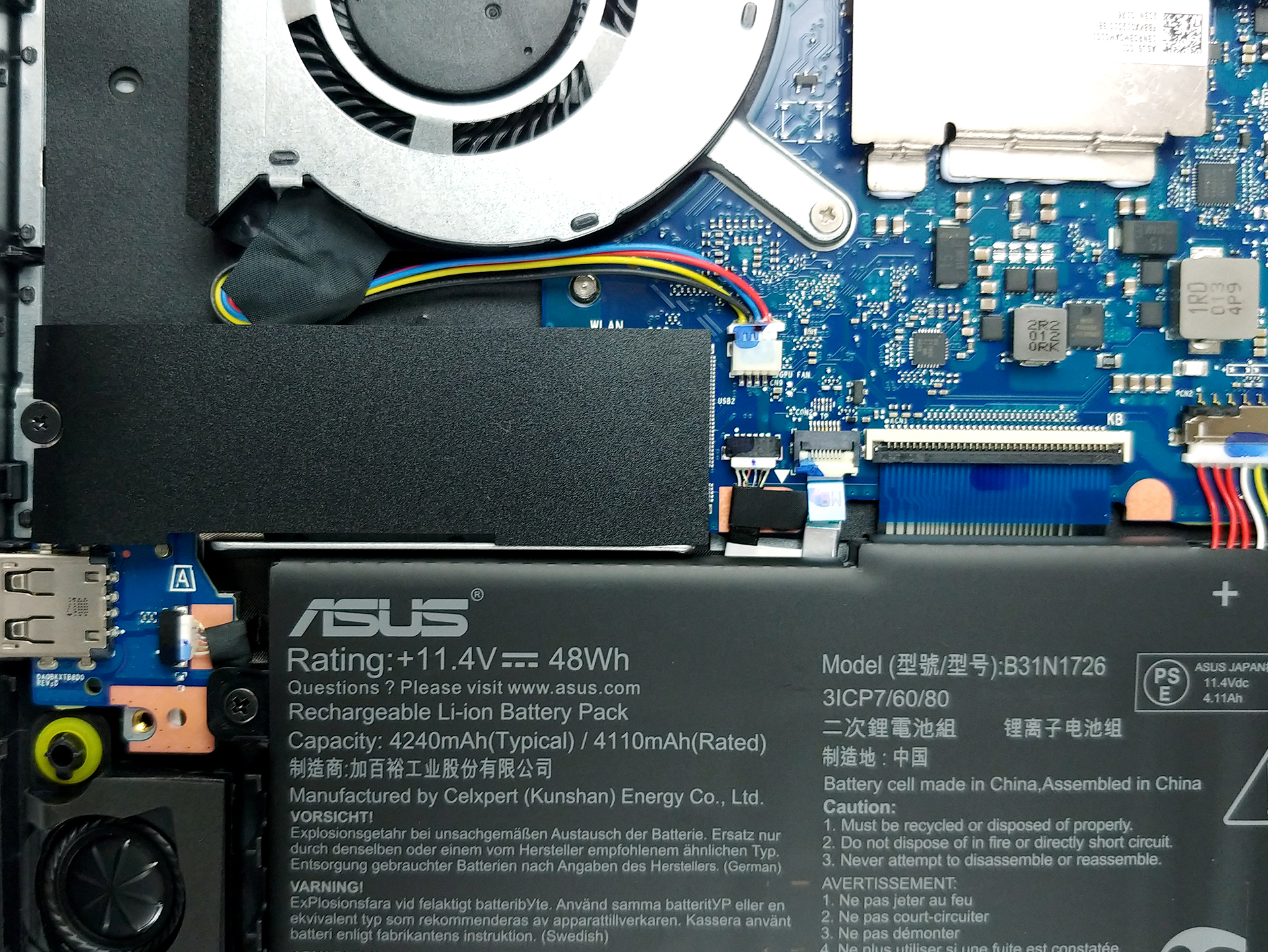
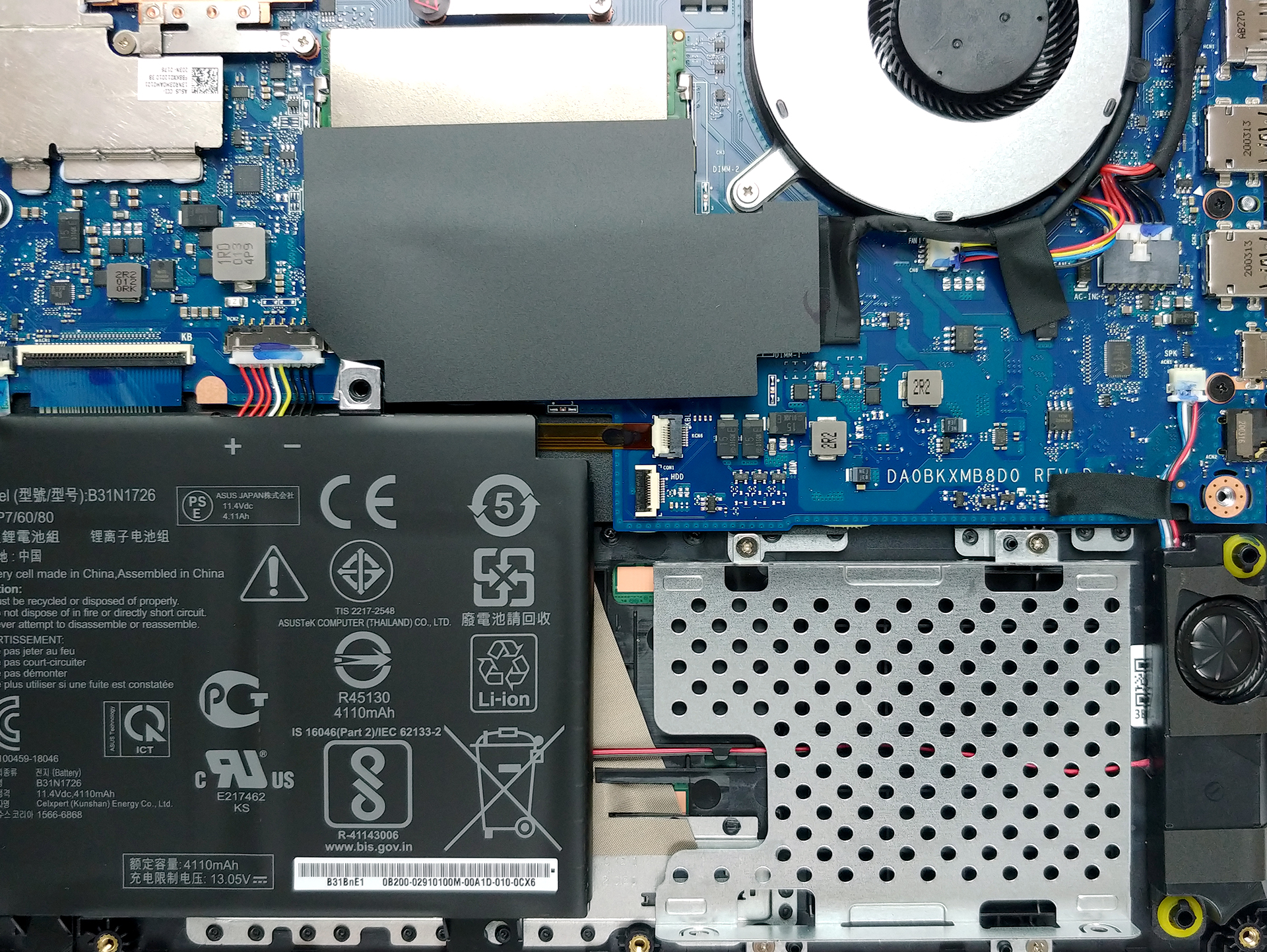
As for the upgradability, there are two RAM SODIMM slots, working in dual-channel. They support up to 32GB of DDR4 memory working at 3200 MHz. Not bad. Storage-wise there is one M.2 NVMe slot and a 2.5-inch SATA drive bay.
4. Cooling system
Now that we’re inside, let’s take a quick look at the cooling solution. Our model is equipped with the Ryzen 7 4800H and the GeForce GTX 1650 Ti. Interestingly, there are only two heat pipes, one of which is shared between the CPU and the GPU. Additionally, there are two fans and two heat sinks with a relatively small size for a gaming device.
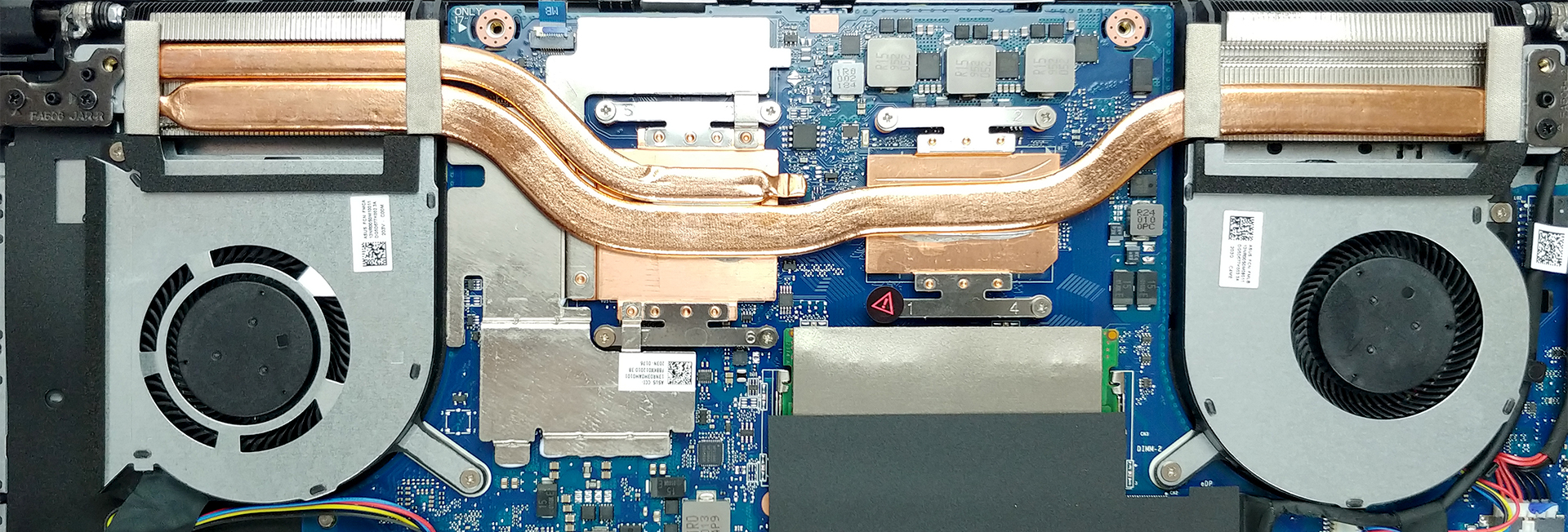
Check out all ASUS TUF A15 (FA506) prices and configurations in our Specs System or read more in our In-Depth review.
 Author: Alex Iliev

![[August 2026] Amazon Italy: Top 10 Best-Selling Laptops – Apple MacBook Neo Claims the Crown as Budget and Mid-Range Windows Machines Dominate Volume](https://laptopmedia.com/wp-content/uploads/2026/09/Best-Selling-Laptops-IT-Top-10-400x225.jpg)
![[August 2026] Amazon Italy: Top 7 Best-Selling Gaming Laptops – ASUS V16 Claims the #1 Spot Amid Strong Mid-Range Demand](https://laptopmedia.com/wp-content/uploads/2026/09/Best-Selling-Gaming-Laptops-IT-Top-10-400x225.jpg)
![[August 2026] Best-Selling Laptop Brands on Amazon Italy – Lenovo Dominates Market Share and Revenue Leadership](https://laptopmedia.com/wp-content/uploads/2026/09/IT-Best-Brands-400x225.jpg)
![[August 2026] Amazon India: Top 10 Best-Selling Laptops – Apple MacBook Neo Dominates the Charts with Massive Sales Lead](https://laptopmedia.com/wp-content/uploads/2026/09/Best-Selling-Laptops-IN-Top-10-400x225.jpg)
![[August 2026] Amazon India: Top 10 Best-Selling Gaming Laptops – HP Victus 15 Dominates the Market with Massive Unit Lead](https://laptopmedia.com/wp-content/uploads/2026/09/Best-Selling-Gaming-Laptops-IN-Top-10-400x225.jpg)

hi, i have the a15 and i want to upgrade the cpu (i5->i7). is that possible??
No. The CPU is hard soldered into the Motherboard, like most laptops. The only option for upgrading is usually increasing the ram and adding more storage.
hello, i wonder how can I plug in the HDD in this laptop?
There is no port next to it
any help will be appreciated. 🙂
Can you replace the wifi 5 for a wifi 6?
Yes, I replaced mine, it is just plug and play.
Is it possible to install higher GPU? What about
Is the maximum ram compatibility 32gb (16×2)
-or-
maximum ram compatibility is 64gb (32×2)?
Can you can upgrade the battery from B31N1726 (48Wh) to C41N1906-1(90Wh) in Asus A15 FA506NCR-HN024W?
i want to upgrade the nvidia graphics card – where can i find a compatability guide?