Inside Dell Vostro 16 5625 – disassembly and upgrade options
Dell is one of the first manufacturers to go to the 16-inch form factor for one of their business notebooks. But how does it look on the inside? Let’s take a look.
Check out all Dell Vostro 16 5625 prices and configurations in our Specs System or read more in our In-Depth review.

1. Remove the bottom plate
To get inside this laptop, you need to undo 9 Phillips-head screws. The two in the back corners are captive and open a huge gap, where you can start the prying process.
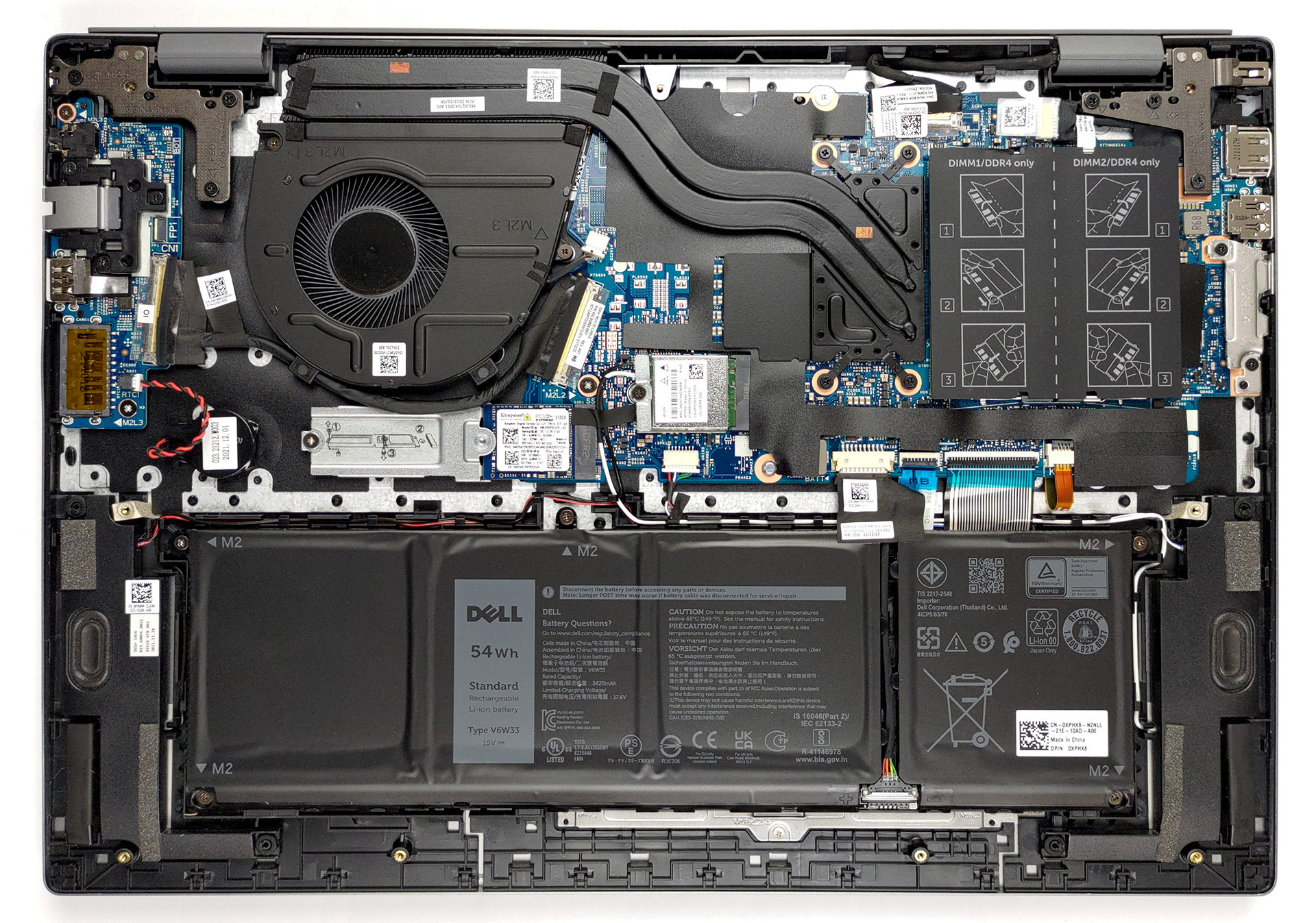
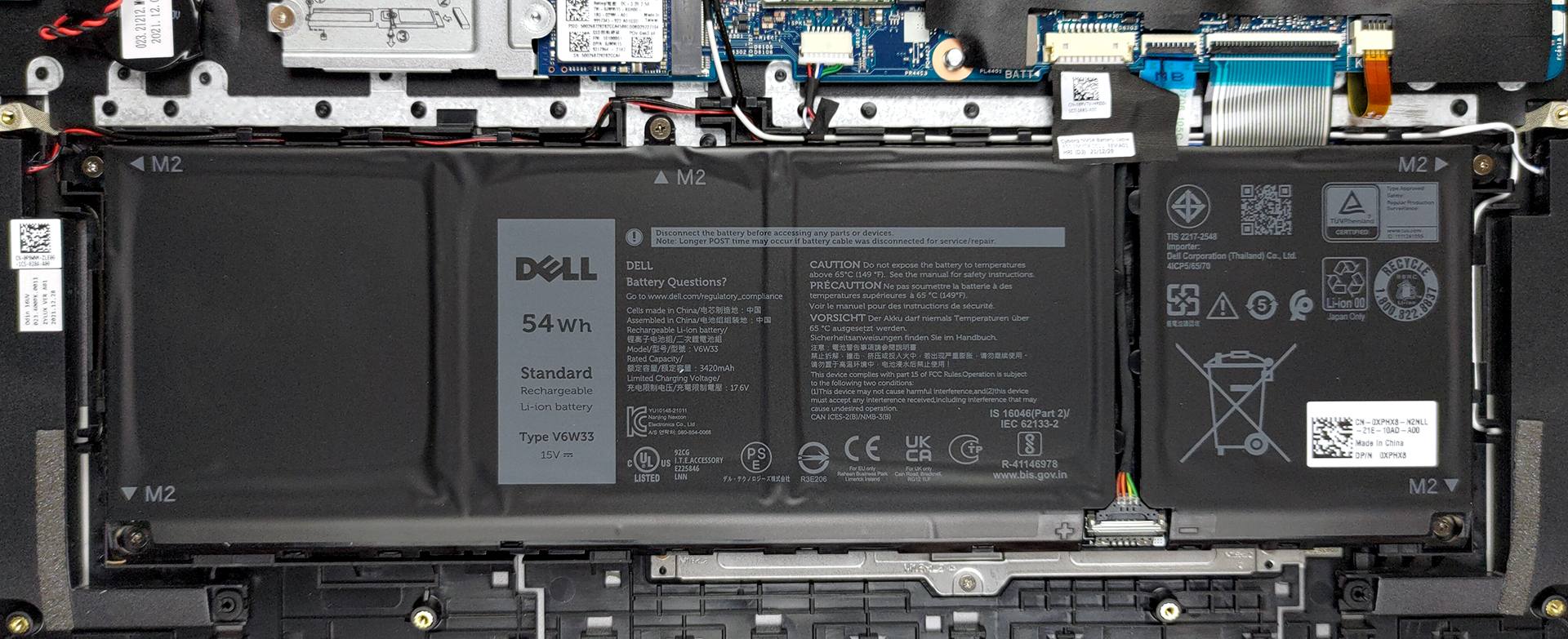
2. Battery
The battery pack here has a capacity of 54Wh. To take it out, unplug the connector from the motherboard. Then, undo all 5 Phillips-head screws, and simply lift it away.
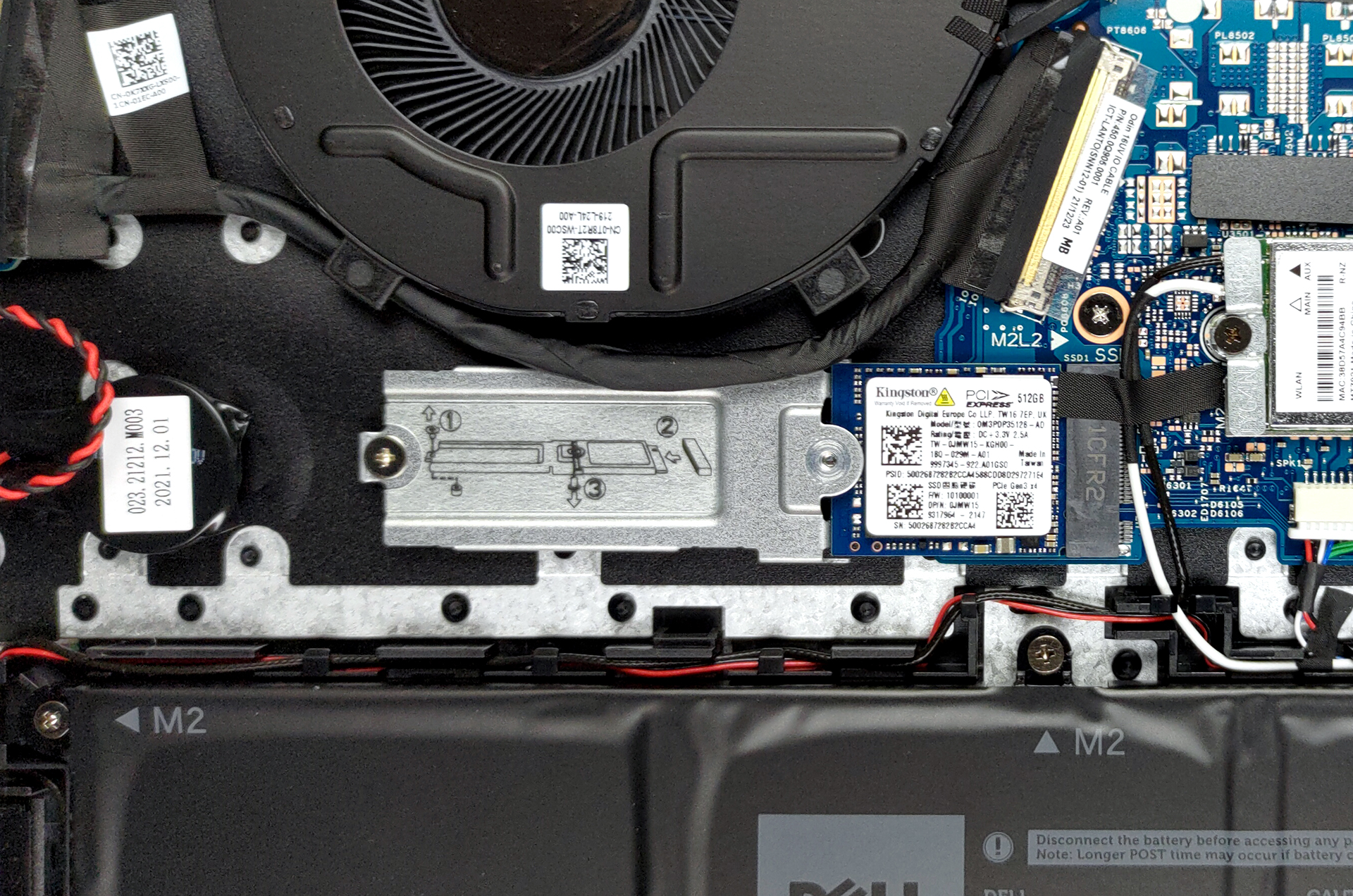
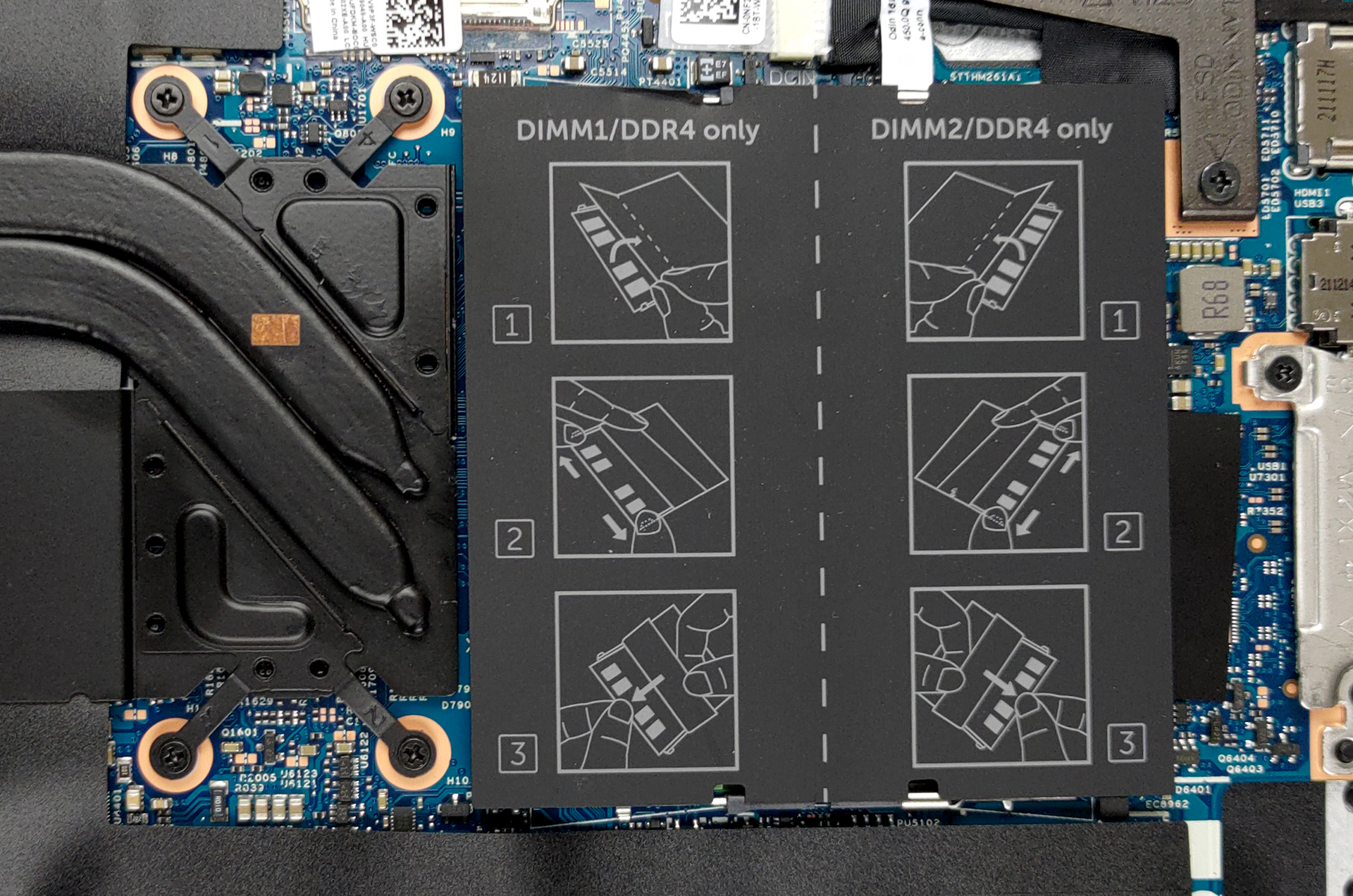
3. Memory and storage
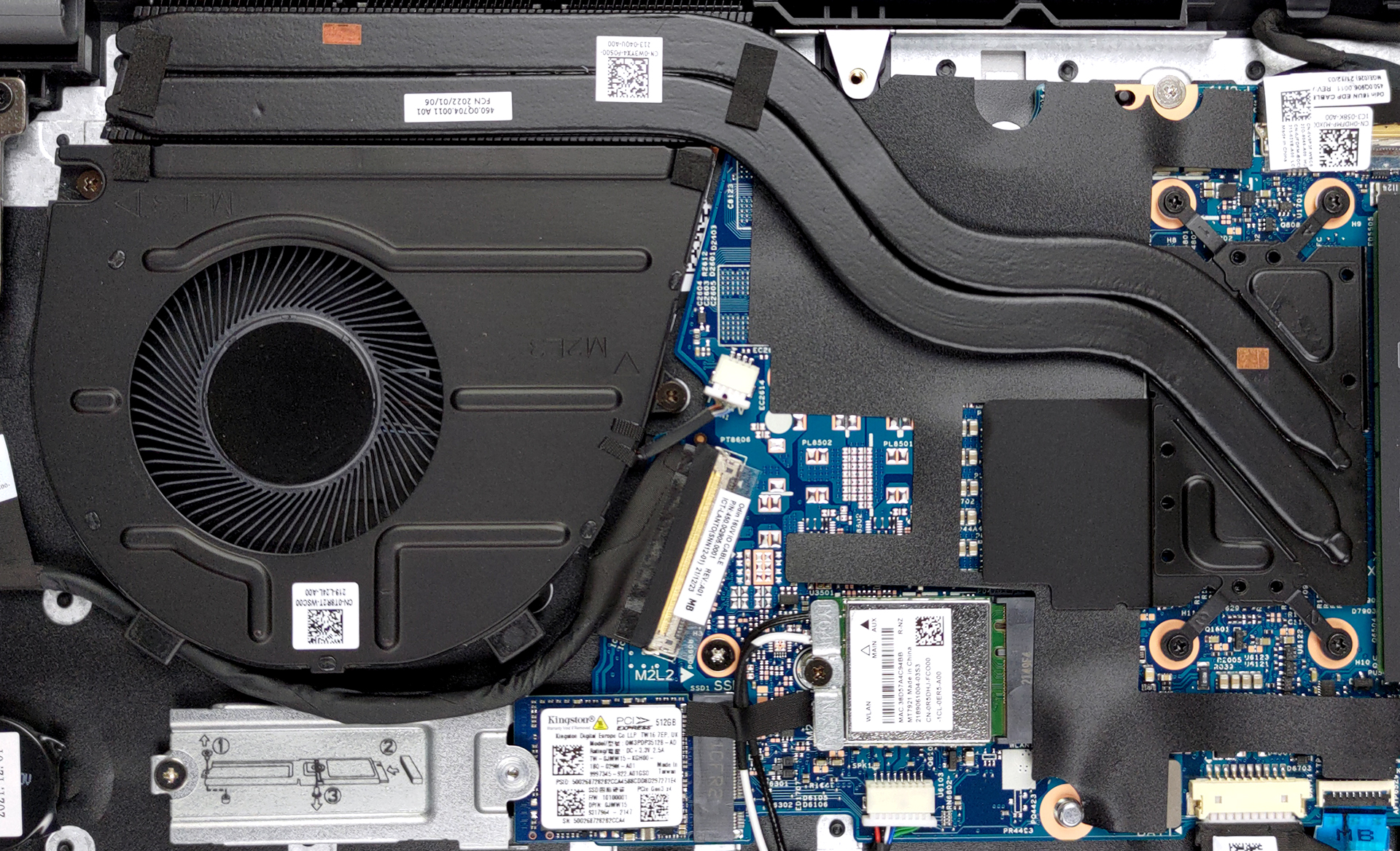
In terms of memory, there are two SODIMM slots, which work in dual-channel mode. Storage-wise, you get one M.2 PCIe x4 slot.
4. Cooling system
It’s good to see that the cooling incorporates two heat pipes, plus a heat sink and fan of decent sizes. Furthermore, the VRMs are cooled by a metal heat spreader.
Check out all Dell Vostro 16 5625 prices and configurations in our Specs System or read more in our In-Depth review.
Dell Vostro 16 5625 in-depth review
Hey, there is one more laptop that falls into the trendy 16-inch category. There is nothing bad about that. In fact, it is great, because the 16:10 aspect ratio means that the notebook has the same footprint as a 15-inch model, and yet, its bezels are now thinner than ever.Powering the machine are the newly updated Ryzen 5000U processors. The top dog now is called the Ryzen 7 5825U. Generally, it is the same as the Ryzen 7 5800U, except for the slightly higher clock speeds.You know, having a high core count is definitely something that will push the performance of this laptop. So it d[...]
Pros
- Great battery life
- Good cooling
- Rigid chassis and good build quality
- Wide I/O with SD card reader
- Wi-Fi 6 support plus an optional fingerprint reader
- 1x M.2 PCIe x4 + 2x SODIMM slots
- No PWM (BOE JFDKM-NV16WUM (BOE0A34))
Cons
- 50% sRGB coverage (BOE JFDKM-NV16WUM (BOE0A34))
- Not the best input devices
 Author: Alex Iliev

![[June 2026] Best-Selling Laptop Brands on Amazon Global – Apple’s Unrivaled Dominance in Units and Revenue](https://laptopmedia.com/wp-content/uploads/2026/07/GLOBAL-Best-Brands-400x225.jpg)
![[June 2026] Amazon Global: Top 10 Best-Selling Laptops – Apple’s New MacBook Neo Storms to #1, Reshaping the Market with Affordability](https://laptopmedia.com/wp-content/uploads/2026/07/Best-Selling-Laptops-GLOBAL-Top-10-400x225.jpg)
![[June 2026] Amazon Global: Top 10 Best-Selling Gaming Laptops – Acer’s Nitro V 16S AI Dominates Sales, While ASUS Leads Overall Revenue](https://laptopmedia.com/wp-content/uploads/2026/07/Best-Selling-Gaming-Laptops-GLOBAL-Top-10-400x225.jpg)
![[June 2026] Global Ranking of Best-Selling Laptop GPUs on Amazon – NVIDIA RTX 5060 is the Top-Selling Dedicated GPU](https://laptopmedia.com/wp-content/uploads/2026/07/Best-Selling-GPUs-GLOBAL-Top-10-400x225.jpg)
![[June 2026] Global Ranking of Best-Selling Laptop CPUs on Amazon – Apple M5 Dominates, AMD Ryzen 7 260 Gets Solid Premium Share](https://laptopmedia.com/wp-content/uploads/2026/07/Best-Selling-CPUs-GLOBAL-Top-10-400x225.jpg)
