Inside Lenovo Ideapad 110 – disassembly, internal photos and upgrade options
We have some great news about the successor of the Ideapad 100! The Ideapad 110 appears to be much easier to disassemble than its predecessor because it doesn’t require the keyboard to be removed. The only thing you have to do in order to access the commonly upgraded components is to just remove the bottom piece.
You may find some of the available models here: http://amzn.to/2ep5S6v
1. Removing the optical drive
Before you start doing anything, we suggest that you unscrew the whole bottom and then remove the optical drive. There might be a few screws hiding there so be careful. Remove them before you attempt to pry it up.
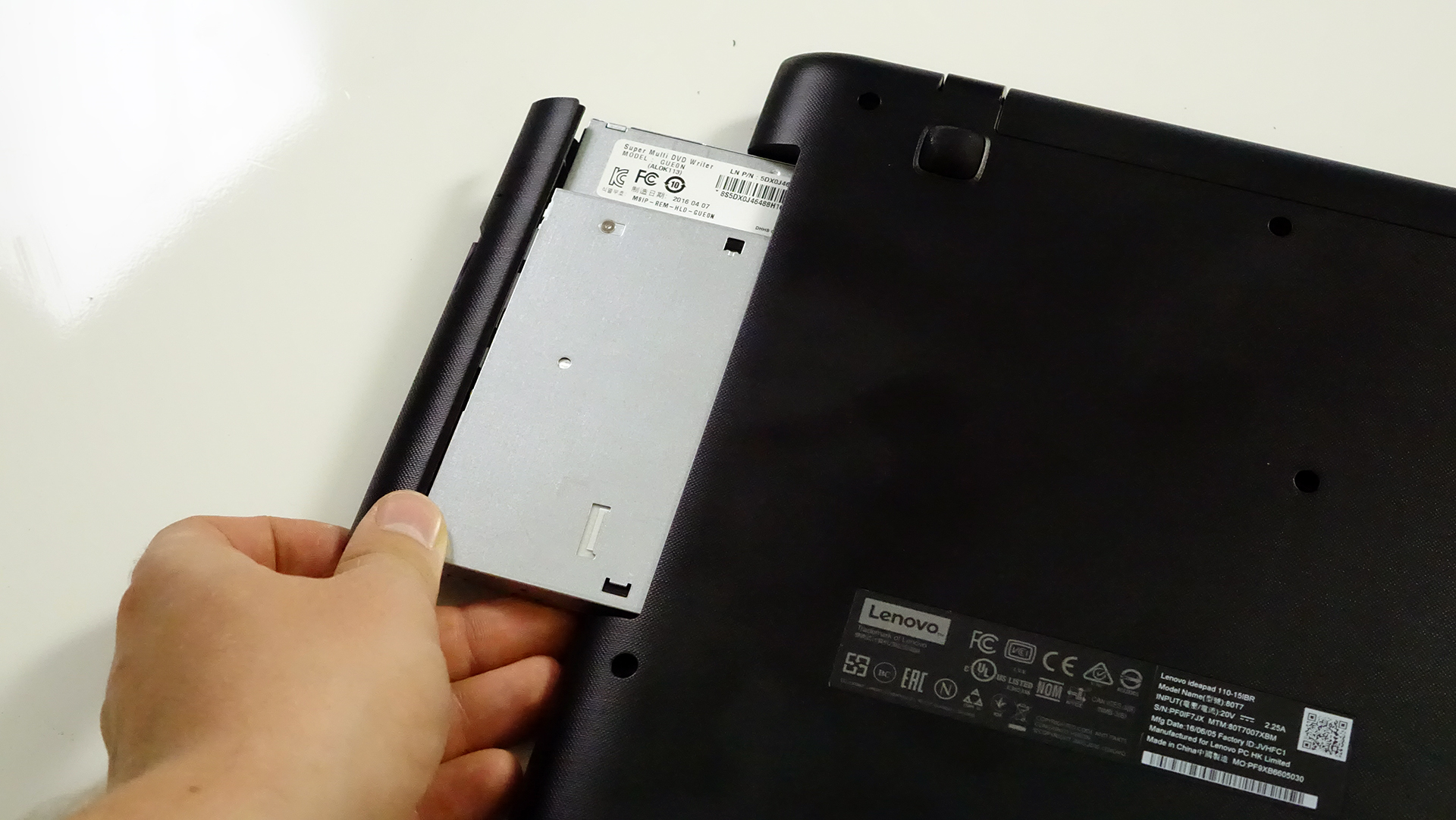
2. Detaching the bottom piece
After the optical drive has been removed, continue with the rest of the screws and pry up the bottom. It should come off easily.
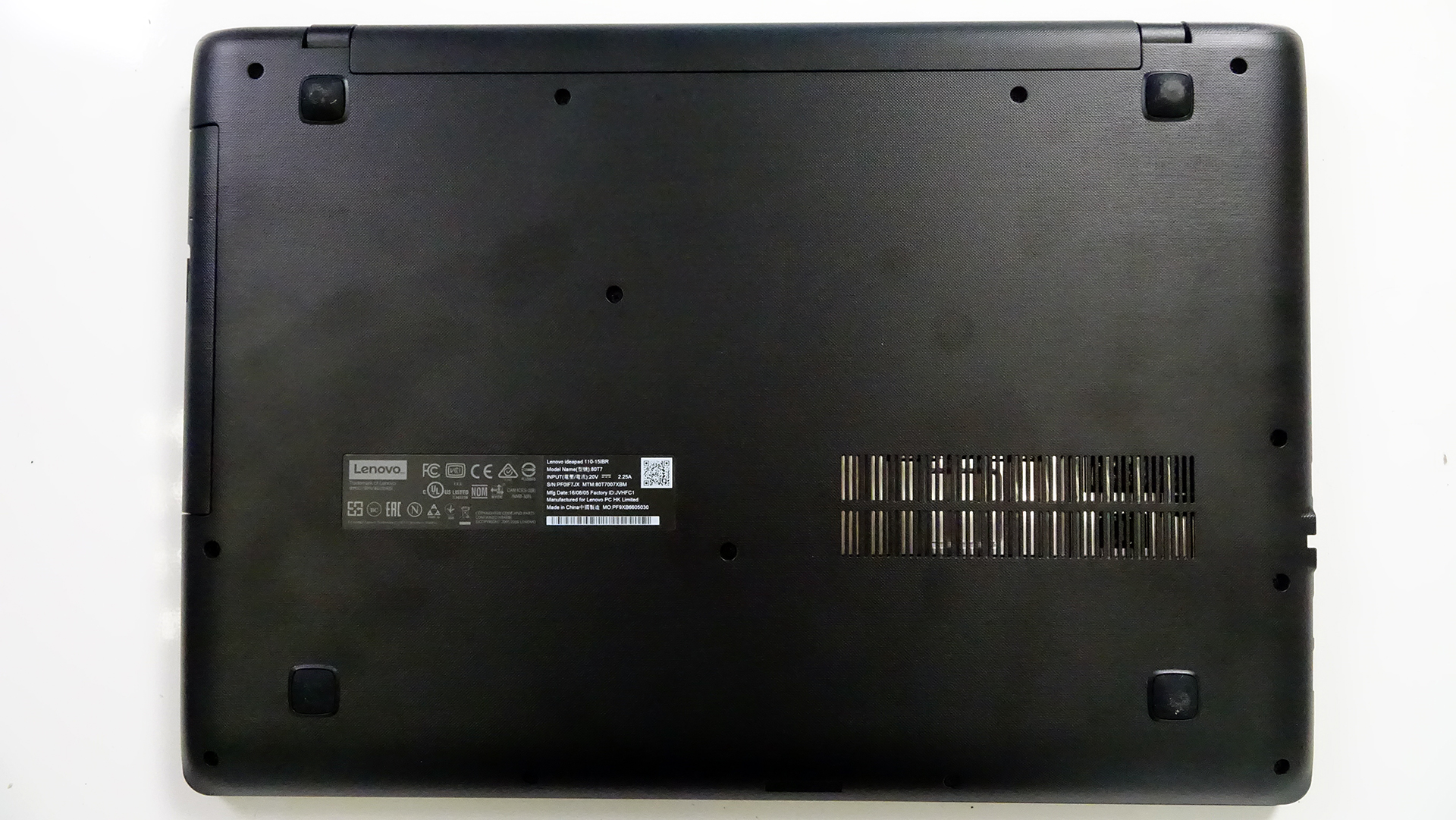
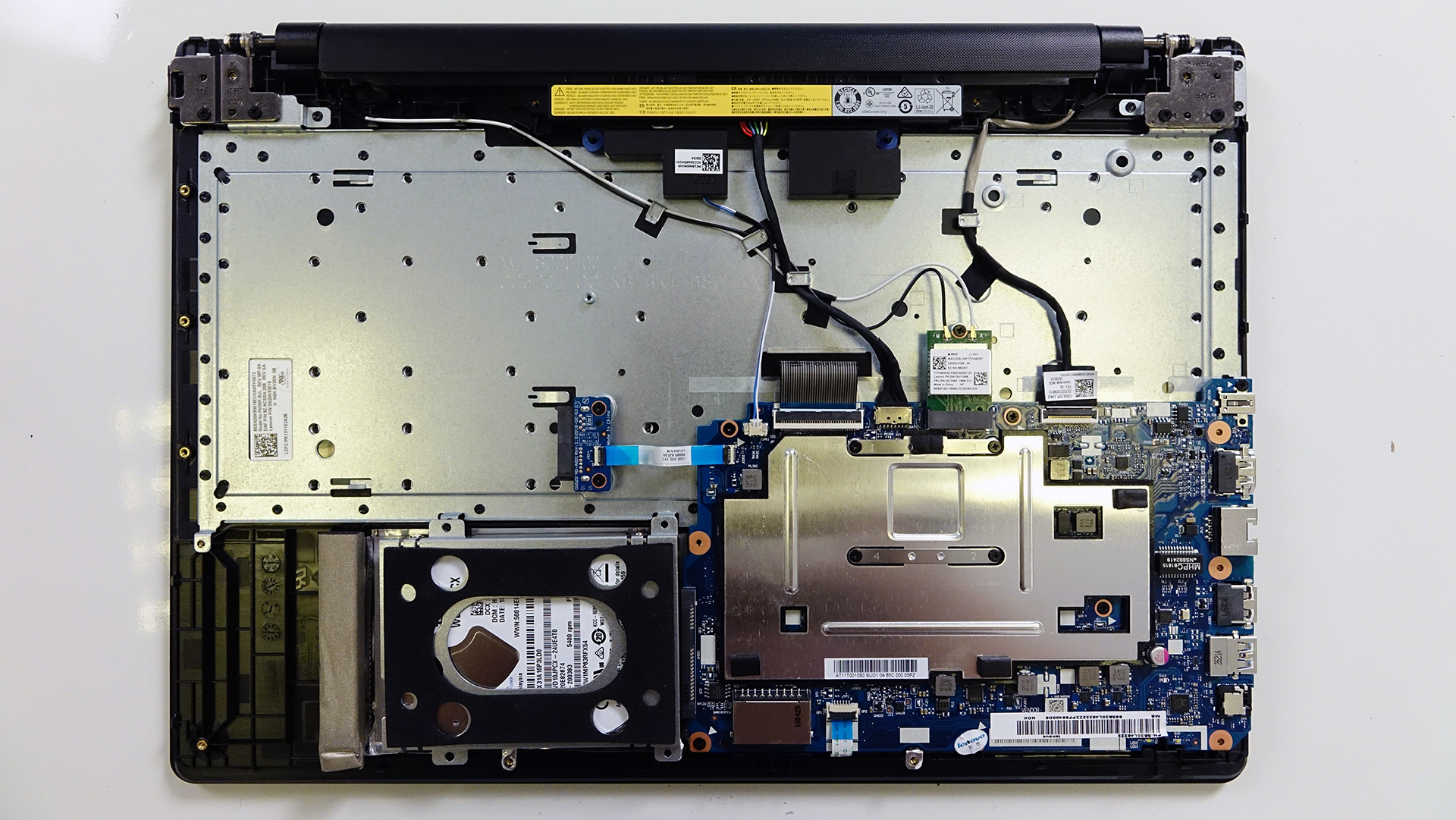
3. Storage and RAM
The notebook uses 4GB of DDR3 soldered RAM so unfortunately, it can’t be upgraded.
However, the 2.5-inch HDD is easily accessible, which in our case is WD packing 1TB of storage. If you throw an SSD in there and preserve the HDD using a caddy instead of the optical drive, you will have yourself an excellent budget performer with lots of space.

4. Wi-Fi card and battery
The Wi-Fi card is located next to the big heat sink plate for the CPU. Its model number is SW10A11648.
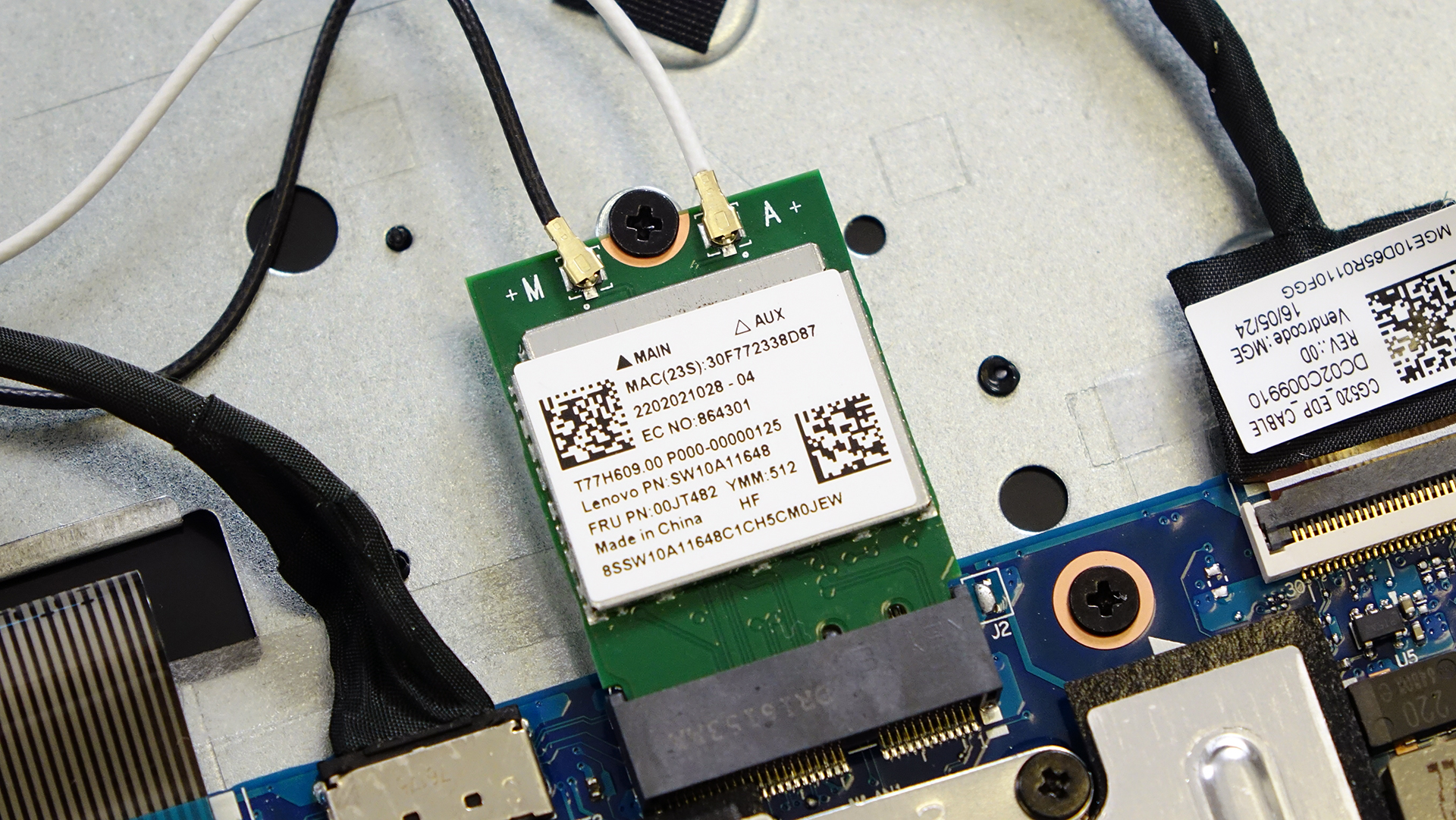
Whereas the battery, it’s located between the screen hinges and it’s rated at 24Wh so we can’t expect any record-breaking battery runtimes.
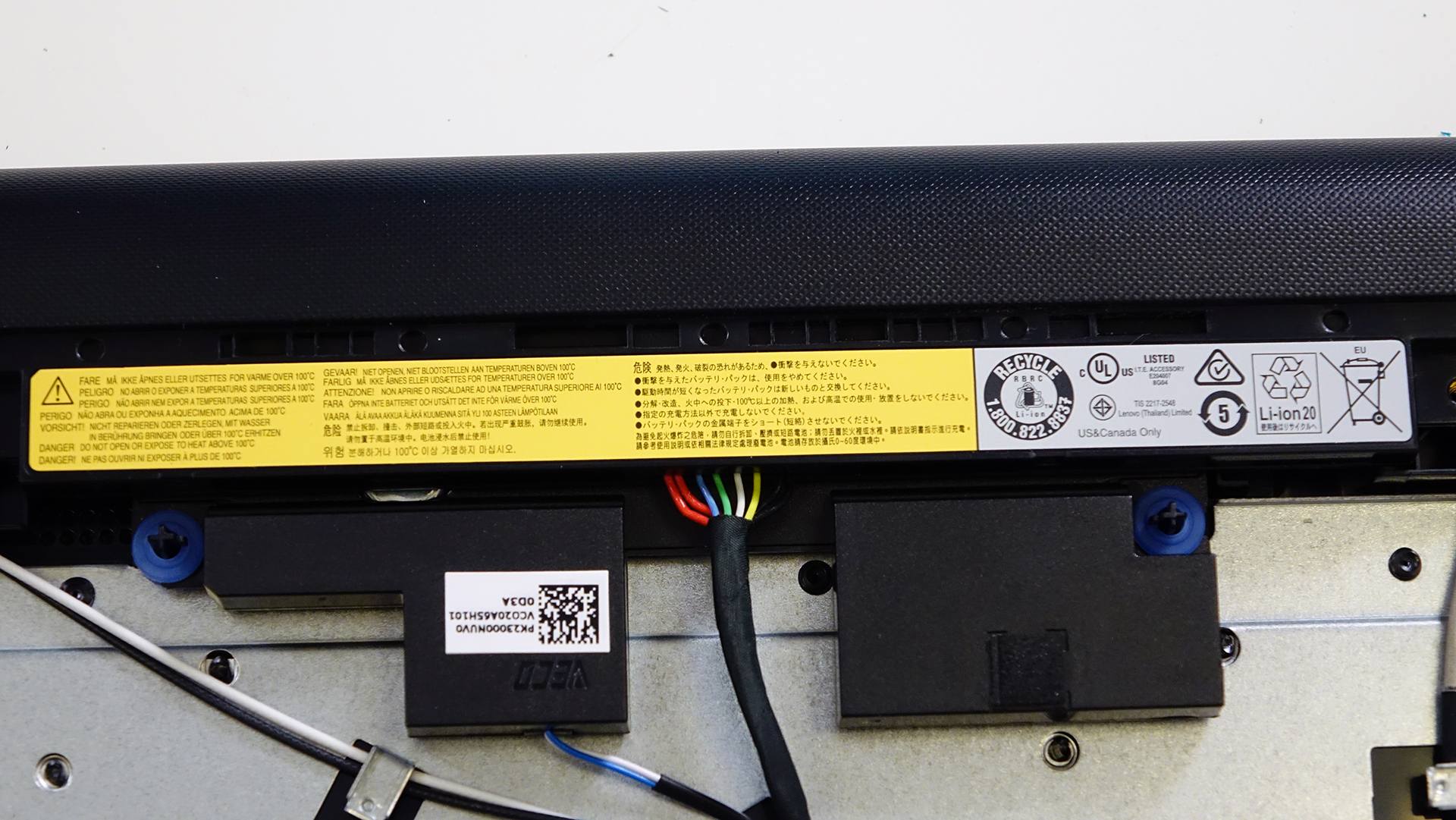
5. Cooling system
Since the notebook is equipped with an Intel Pentium N3710 CPU, it allows for a passive (fanless) cooling system. The only thing for heat dispersion is the metal plate and thermal paste applied on the CPU.
You may find some of the available models here: http://amzn.to/2ep5S6v
 Author: Rossen Pandev

![[June 2026] Best-Selling Laptop Brands on Amazon Global – Apple’s Unrivaled Dominance in Units and Revenue](https://laptopmedia.com/wp-content/uploads/2026/07/GLOBAL-Best-Brands-400x225.jpg)
![[June 2026] Amazon Global: Top 10 Best-Selling Laptops – Apple’s New MacBook Neo Storms to #1, Reshaping the Market with Affordability](https://laptopmedia.com/wp-content/uploads/2026/07/Best-Selling-Laptops-GLOBAL-Top-10-400x225.jpg)
![[June 2026] Amazon Global: Top 10 Best-Selling Gaming Laptops – Acer’s Nitro V 16S AI Dominates Sales, While ASUS Leads Overall Revenue](https://laptopmedia.com/wp-content/uploads/2026/07/Best-Selling-Gaming-Laptops-GLOBAL-Top-10-400x225.jpg)
![[June 2026] Global Ranking of Best-Selling Laptop GPUs on Amazon – NVIDIA RTX 5060 is the Top-Selling Dedicated GPU](https://laptopmedia.com/wp-content/uploads/2026/07/Best-Selling-GPUs-GLOBAL-Top-10-400x225.jpg)
![[June 2026] Global Ranking of Best-Selling Laptop CPUs on Amazon – Apple M5 Dominates, AMD Ryzen 7 260 Gets Solid Premium Share](https://laptopmedia.com/wp-content/uploads/2026/07/Best-Selling-CPUs-GLOBAL-Top-10-400x225.jpg)

what is this optical drive sata connector type / name
Im using a lenovo ideapaeld 110 15acl amd apu a6 with 4gb of ram. Is it possible to upgrade my laptops ram to 8gb?
Not really, if you want to be able to do this, you might just want to buy anew laptop, though it may be pricy. This computer is not really mean’t to be an upgradable computer, as it is 99 bucks on Amazon. Most of the time you’ll have the best bet just buying a new laptop.
I hope this helped you, and I hope this is not too late and this means nothing.
Will someone please tell me how to remove the battery on the basic Lenovo ideapad 110? I’ve looked everywhere and only find pictures that make no sense.
You wont be able to remove the battery directly. First open the back casing of the laptop disabled the cable of battery which is connected to the mother board.Secondly remove those two screws and pull the battery slowly towards your side. Done!
hey man, i want to upgrade where location slot of ram
If you look over near the right of the CPU, you’ll see 2 bars. Those are the memory “sticks” and there should be 1 more slot, or you can replace the ones that are already there.
Sorry for my bad English. I am using Lenovo Ideapad 110. I have a faulty keypad and disassembled whole board and also the casing sealed which cover the keypad. Now after replacing keypad its not possible to seal (Black spots on metal case inside) the case again which is meant to stick the keypad to the laptop. When assembled everything, whenever i type the whole laptop upper casing is not tightly fixed and fitted properly because of the sealing (Black spots on metal casing inside) removed. Kindly help me how to fix it properly, is there any alternative for the… Read more »
Admin of this laptopmedia is slept off. Not bothering to respond.
We are not a repair service. We can only give you advice on how to upgrade and we have general knowledge of the hardware and how to disassemble the notebook. We can’t give you any pointers on how to fix your broken keyboard. Sorry for that. 🙁
Hello any idea how i can clear the CMOS memory?
There should be software that can do that for you.
Where exactly on the mb is the RAM located?
2GB if you want to do the math, go ahead.
I find it completely and utterly ridiculous that Lenovo makes a soldered 4gb ram laptop in 2016.
where can i find my RAM in the board? (P.S. it looks the same with the picture in number 3)
Where can I get a data cable which connects power to screen on lenovo IdeaPad 110
CG520-eDP CABLE
I’m not buying this laptop
Where is the RAM located?
Kan i upgrade mu cpu on this thing kinda pist that you cant upgrade the ram neather so please anny body to help me with advice i would apreciate it
Hi, My mom bought an Ideapad 110-15IBR but lately after windows 10 starts the screen turns crazy and shutdown, or sometimes, keeps on the damaged screen and freeze. Hope somebody can help me. Thanks anyway