Inside Lenovo Ideapad 5 (15) – disassembly and upgrade options
The brand new Ideapad 5 (15) brings Ice Lake and the GeForce MX350 along with its new naming scheme. Let’s dig inside of it and see what you can change and what you cannot.
Check out all Lenovo Ideapad 5 (15) prices and configurations in our Specs System or read more in our In-Depth review.
1. Remove the bottom plate
All you need to have to get to this device’s internals is a Torx screwdriver and a plastic pry tool. First, undo all 9 Torx-headed screws and then start prying from one of the front edges.
That’s all.
2. Battery
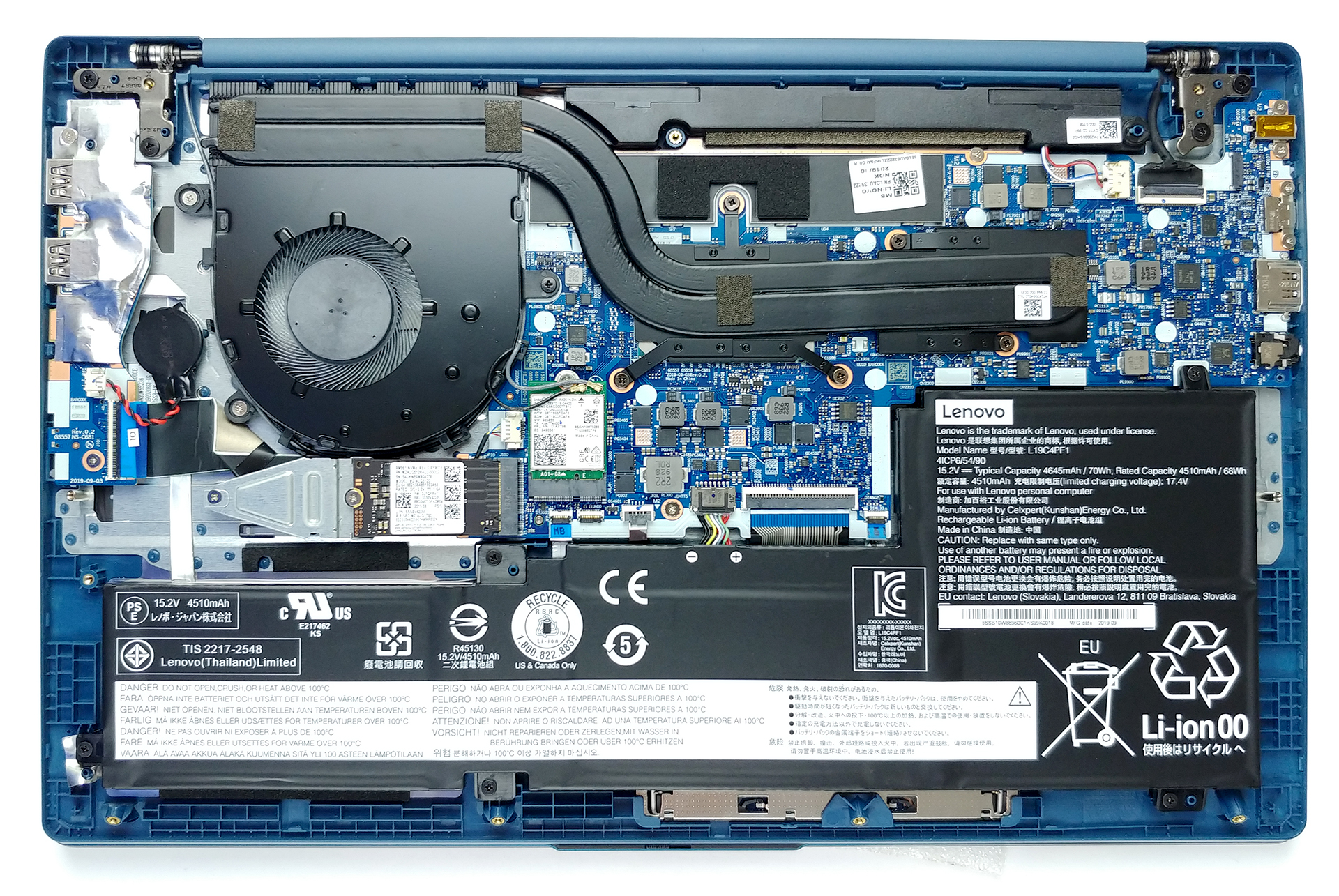
This device comes with three different batteries of choice. The smaller one is a 45Wh unit, the next has 57Wh of capacity, and the third, and largest option, is a 70Wh beast.

3. Memory and storage
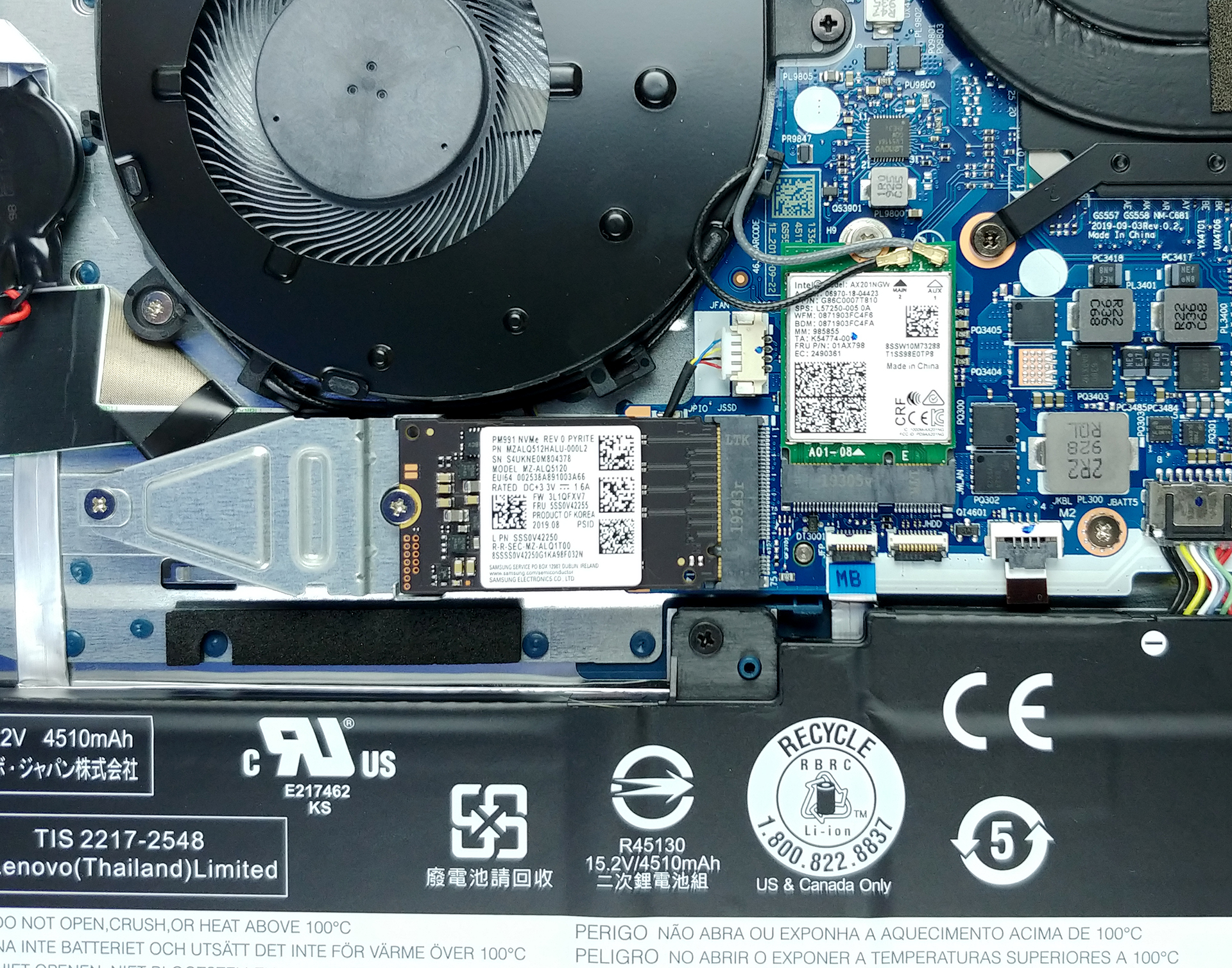
Unfortunately, upgradability is a bit poor. All of the memory is soldered to the motherboard, although, it works at 3200 MHz and if you get the 8GB, 12GB, or 16GB options, it will be configured in dual-channel mode. In terms of storage, there is one M.2 slot that supports PCIe x4 drives. Interestingly, if you buy the laptop with some of the smaller battery options, you’ll get a 2.5-inch SATA drive slot, as well.
4. Cooling system
Cooling-wise we have two heat pipes cooling both the processor and the graphics card, and there is a single fan there to blow the heat away from the quite narrow heat spreader.

Check out all Lenovo Ideapad 5 (15) prices and configurations in our Specs System or read more in our In-Depth review.
 Author: Alex Iliev

![[August 2026] Amazon Italy: Top 10 Best-Selling Laptops – Apple MacBook Neo Claims the Crown as Budget and Mid-Range Windows Machines Dominate Volume](https://laptopmedia.com/wp-content/uploads/2026/09/Best-Selling-Laptops-IT-Top-10-400x225.jpg)
![[August 2026] Amazon Italy: Top 7 Best-Selling Gaming Laptops – ASUS V16 Claims the #1 Spot Amid Strong Mid-Range Demand](https://laptopmedia.com/wp-content/uploads/2026/09/Best-Selling-Gaming-Laptops-IT-Top-10-400x225.jpg)
![[August 2026] Best-Selling Laptop Brands on Amazon Italy – Lenovo Dominates Market Share and Revenue Leadership](https://laptopmedia.com/wp-content/uploads/2026/09/IT-Best-Brands-400x225.jpg)
![[August 2026] Amazon India: Top 10 Best-Selling Laptops – Apple MacBook Neo Dominates the Charts with Massive Sales Lead](https://laptopmedia.com/wp-content/uploads/2026/09/Best-Selling-Laptops-IN-Top-10-400x225.jpg)
![[August 2026] Amazon India: Top 10 Best-Selling Gaming Laptops – HP Victus 15 Dominates the Market with Massive Unit Lead](https://laptopmedia.com/wp-content/uploads/2026/09/Best-Selling-Gaming-Laptops-IN-Top-10-400x225.jpg)

Have one of these and the battery life sucks need a bigger battery where can i purchase this device.
Thanks very much for your tutorial and the pictures. I just opened mine up in hopes of adding an SSD, however, although you are correct, if you have a smaller battery, there is an SSD slot, but it isn’t useable. Mine isn’t, anyway. Lenevo did include the enclosure, but there is no SATA controller cable available to connect the SSD to.You don’t have any pictures with the battery completely out or of the smaller battery, like mine, which does include the left side segment seen in your #2 Battery picture. It is under there, where the current controller cable runs… Read more »
aleast in the 8 gig version it is in single channel mode i have a 2021 with the 11thgen with 8gig it is in single channel mode. which i am sure is holding this system back it is fast system with 11thgen but i am sure it could be faster with dual channel mode which this system only in single channel mode
are the m/2 slots occupied
Hinges are crap – mine broke off with everyday use and it destroyed the top case.
Does anyone know the maximum memory capacity that the onboard SD Card Reader slot can use? I.E. can it read/write a 1GB SD Card?