Inside Lenovo Legion C7 (15) – disassembly and upgrade options
Having to satisfy the needs of content creators might be a cumbersome job. However, Lenovo is one of the manufacturers that handle this pretty well.
Check out all Lenovo Legion C7 (15) prices and configurations in our Specs System or read more in our In-Depth review.
1. Remove the bottom plate
To take this laptop apart, you have to remove the bottom panel. And to do so, you need to undo 10 Phillips-head screws and pry the panel with a plastic tool.
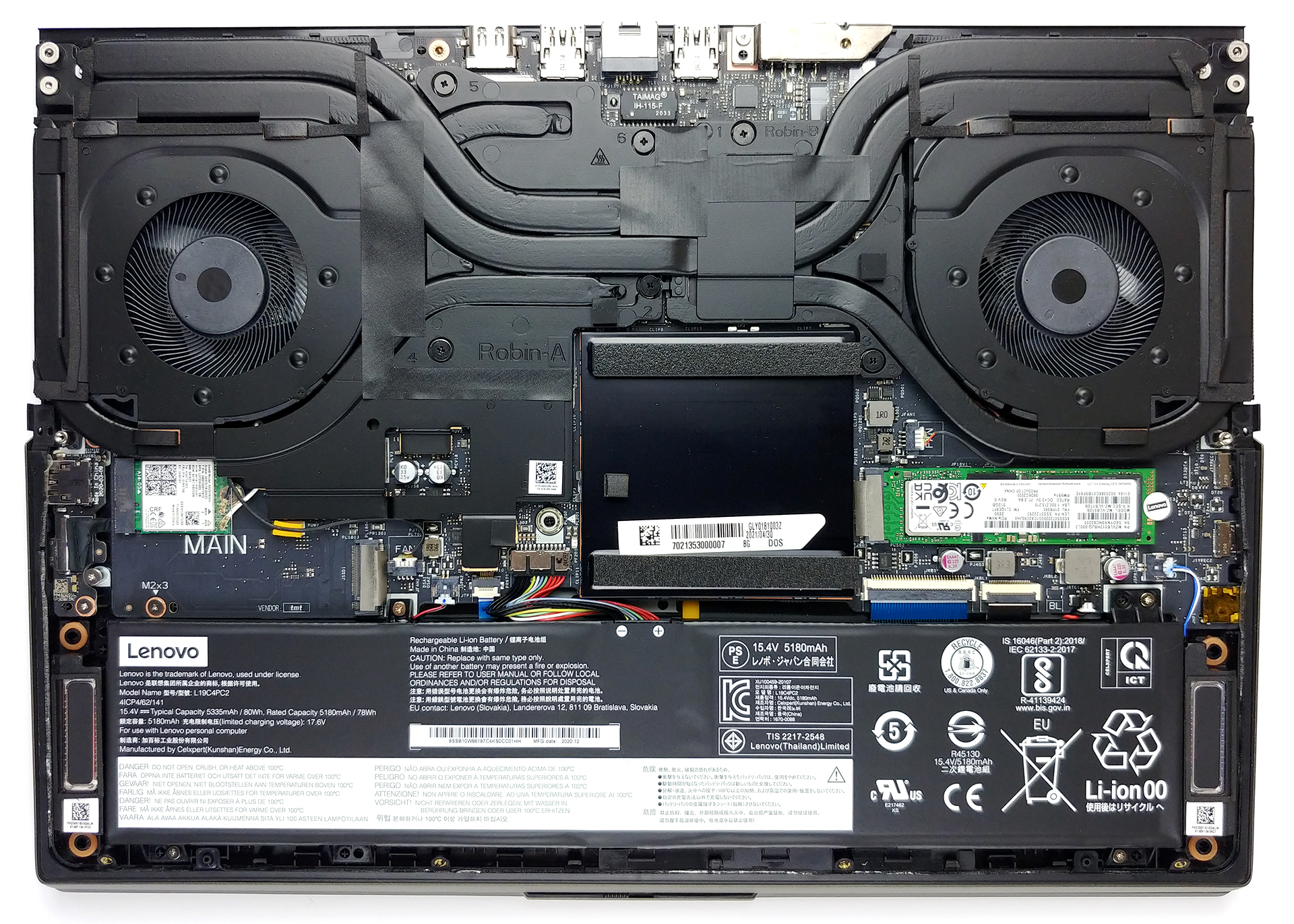
2. Battery
Powering the laptop, when it’s away from the plug, is an 80Wh battery pack.

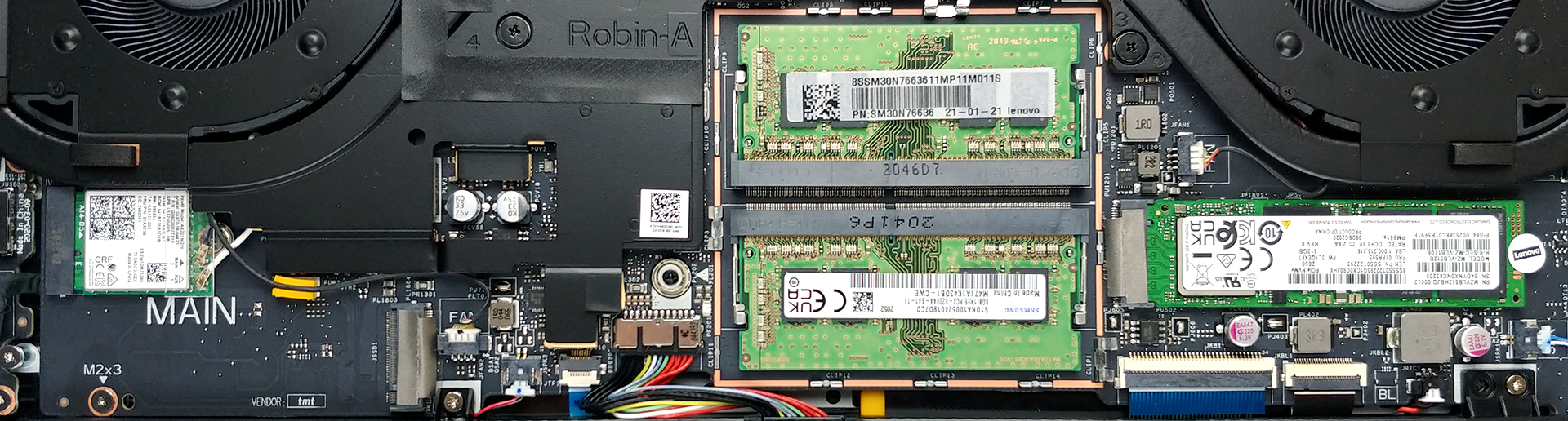
3. Мemory and storage
Here, the memory is hiding beneath a metal shroud. After you remove it, you will see the two SODIMM slots, which should fit up to 64GB of DDR4 RAM in total. Storage-wise, there are two M.2 PCIe x4 slots.
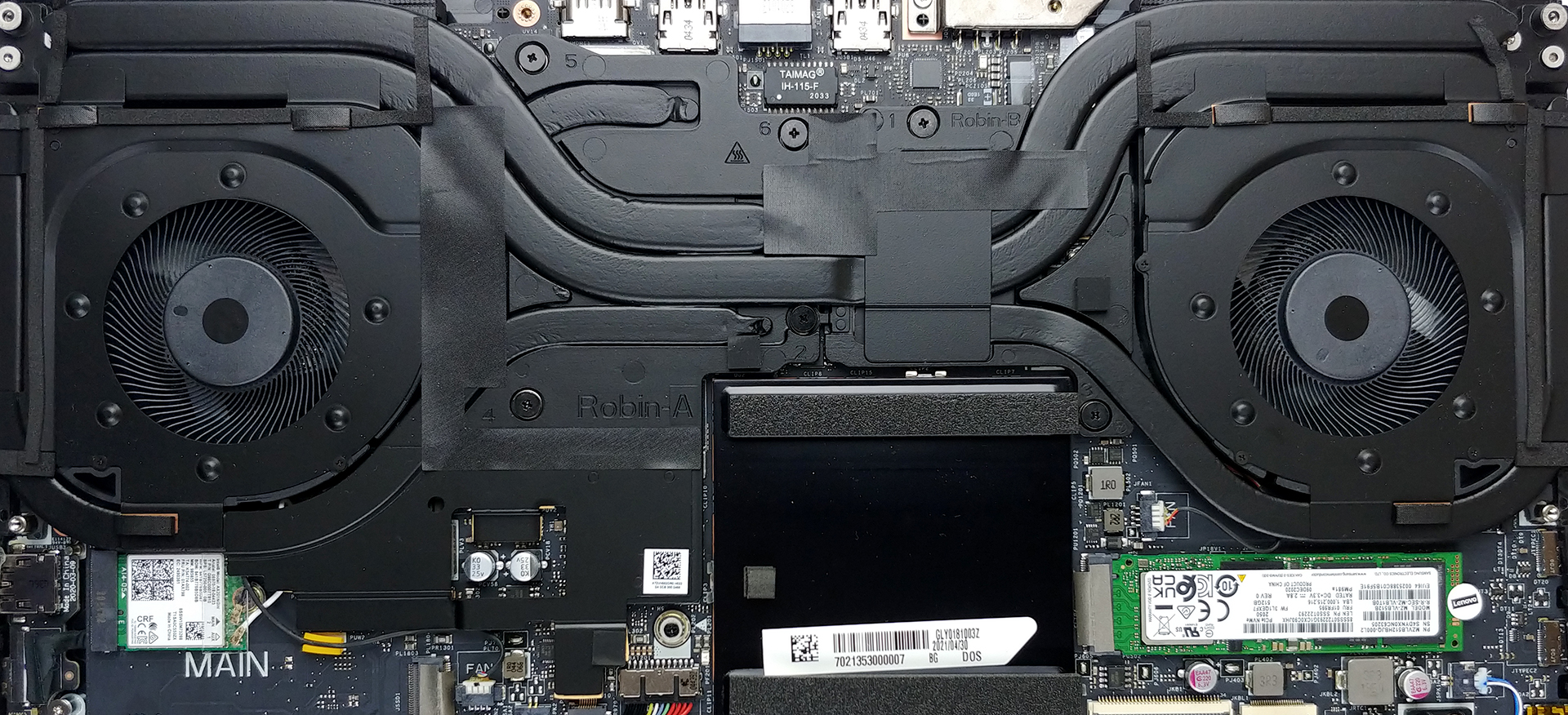
4. Cooling system
Last but not least, we have the cooling. The CPU and the GPU are cooled by a total of five heat pipes, with some metal heat spreaders, and a further heat pipe helping with the VRM and graphics memory temperatures. Also, you will see a total of four heat sinks, and two behemoth fans.
Check out all Lenovo Legion C7 (15) prices and configurations in our Specs System or read more in our In-Depth review.
Lenovo Legion C7 (15") in-depth review
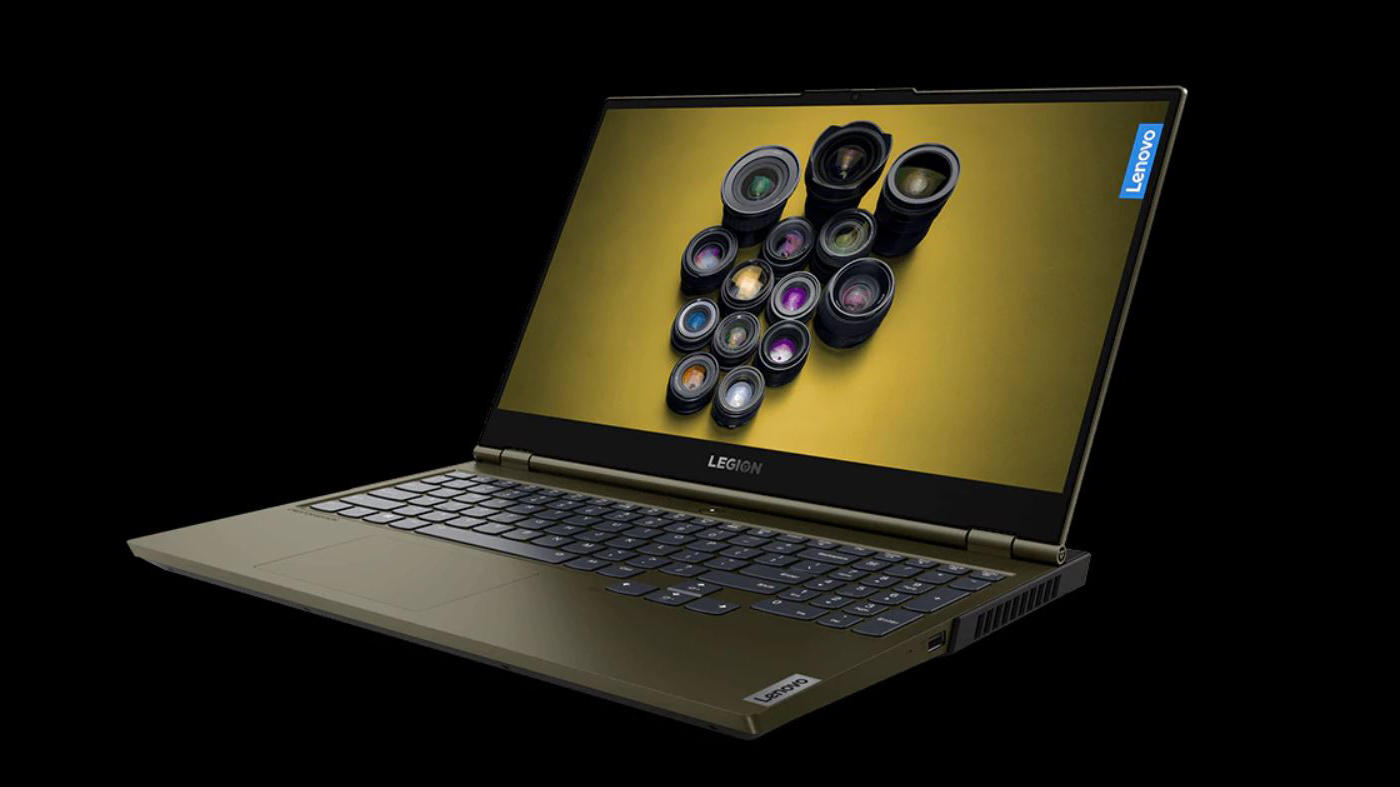
The Lenovo Legion Creator 7 (15), or the Legion C7 (15) as it's more popular, lives in a rather new premium segment of the market. It is the so-called "Creator" niche, where manufacturers compete for the regards of YouTubers, designers, videographers, and other types of content creators. Its competition includes the MSI Creator 15 A10Sx, the ConceptD series of Acer, the HP Envy 15 (15-ep0000), the MacBook Pro 16's of the world, and pretty much all gaming notebooks on the market.But what exactly is the difference between a Content Creator laptop and a gaming device. Although both can do ea[...]
Pros
- Great input devices (RGB backlight on the keyboard and illuminated Legion logo)
- Takes up to 64GB of DDR4 memory and has two M.2 slots
- The display is PWM-free (BOE NV156FHM-NY5)
- Full sRGB coverage + 96% of the DCI-P3 gamut (BOE NV156FHM-NY5)
- Capable hardware inside of a thin, relatively light, and well-built chassis
- Thunderbolt 3 connectivity, multiplexer toggle (for direct connection of the dGPU to the display)
- HDR 400, Dolby Vision, G-Sync, and great speakers
- Good (although loud) cooling
Cons
- Lacks an SD card reader
- Unsatisfactory color accuracy (BOE NV156FHM-NY5)
 Author: Alex Iliev

![[August 2026] Amazon Italy: Top 10 Best-Selling Laptops – Apple MacBook Neo Claims the Crown as Budget and Mid-Range Windows Machines Dominate Volume](https://laptopmedia.com/wp-content/uploads/2026/09/Best-Selling-Laptops-IT-Top-10-400x225.jpg)
![[August 2026] Amazon Italy: Top 7 Best-Selling Gaming Laptops – ASUS V16 Claims the #1 Spot Amid Strong Mid-Range Demand](https://laptopmedia.com/wp-content/uploads/2026/09/Best-Selling-Gaming-Laptops-IT-Top-10-400x225.jpg)
![[August 2026] Best-Selling Laptop Brands on Amazon Italy – Lenovo Dominates Market Share and Revenue Leadership](https://laptopmedia.com/wp-content/uploads/2026/09/IT-Best-Brands-400x225.jpg)
![[August 2026] Amazon India: Top 10 Best-Selling Laptops – Apple MacBook Neo Dominates the Charts with Massive Sales Lead](https://laptopmedia.com/wp-content/uploads/2026/09/Best-Selling-Laptops-IN-Top-10-400x225.jpg)
![[August 2026] Amazon India: Top 10 Best-Selling Gaming Laptops – HP Victus 15 Dominates the Market with Massive Unit Lead](https://laptopmedia.com/wp-content/uploads/2026/09/Best-Selling-Gaming-Laptops-IN-Top-10-400x225.jpg)
