Inside Lenovo ThinkPad E590 – disassembly and upgrade options
As usual for a ThinkPad device, even if it’s a budget-oriented one, we are looking at a well-built chassis. Additionally, it is easier than ever to upgrade and quite frankly the options are more than enough.
Check out all Lenovo ThinkPad E590 prices and configurations in our Specs System or read more in our In-depth Review.
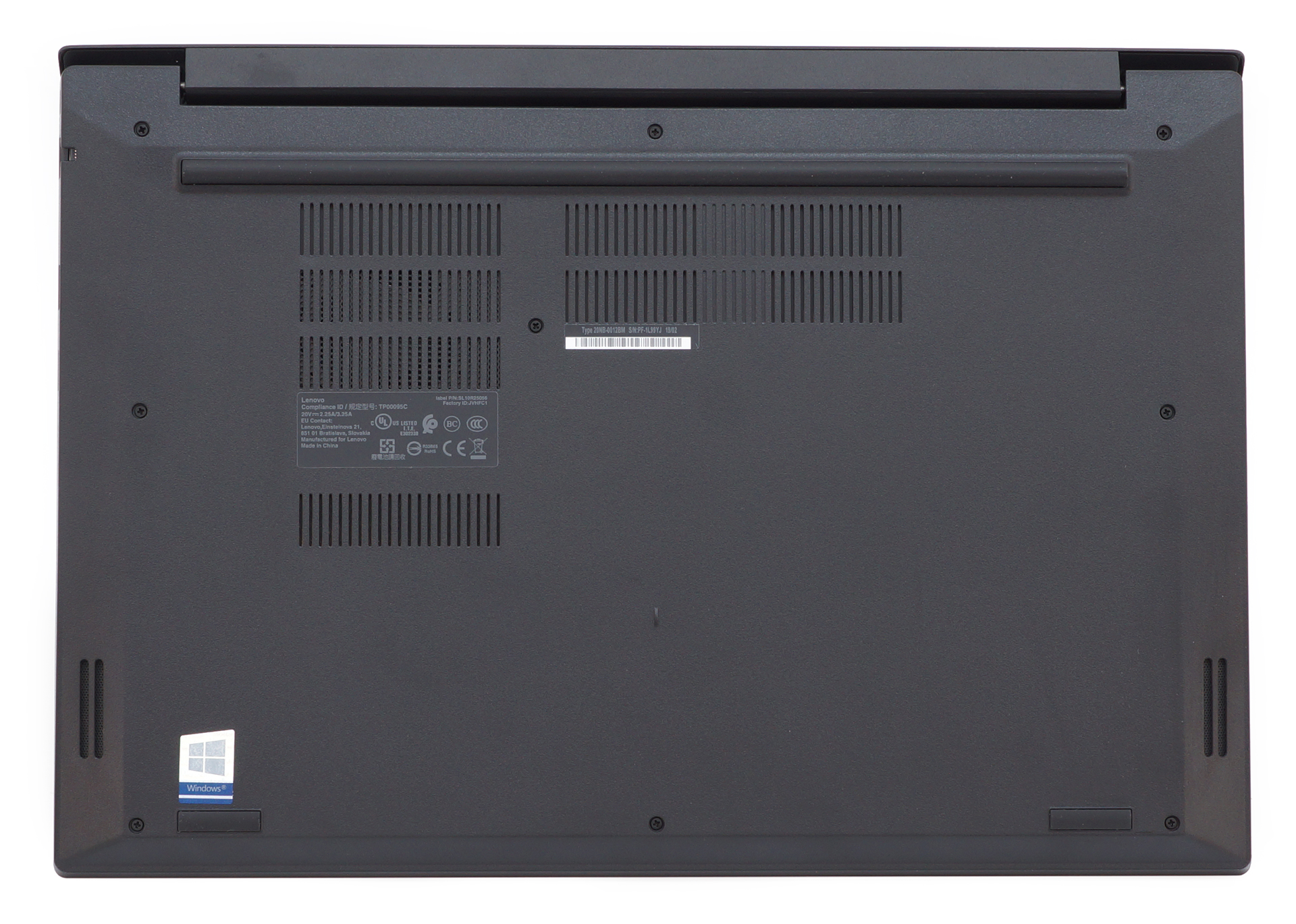
1. Remove the bottom plate
There are a total of 9 Phillips-head screws that are separating you from the insides of this laptop. After you undo them carefully pry the bottom plate up, with the help of a plastic pry tool.
2. Battery
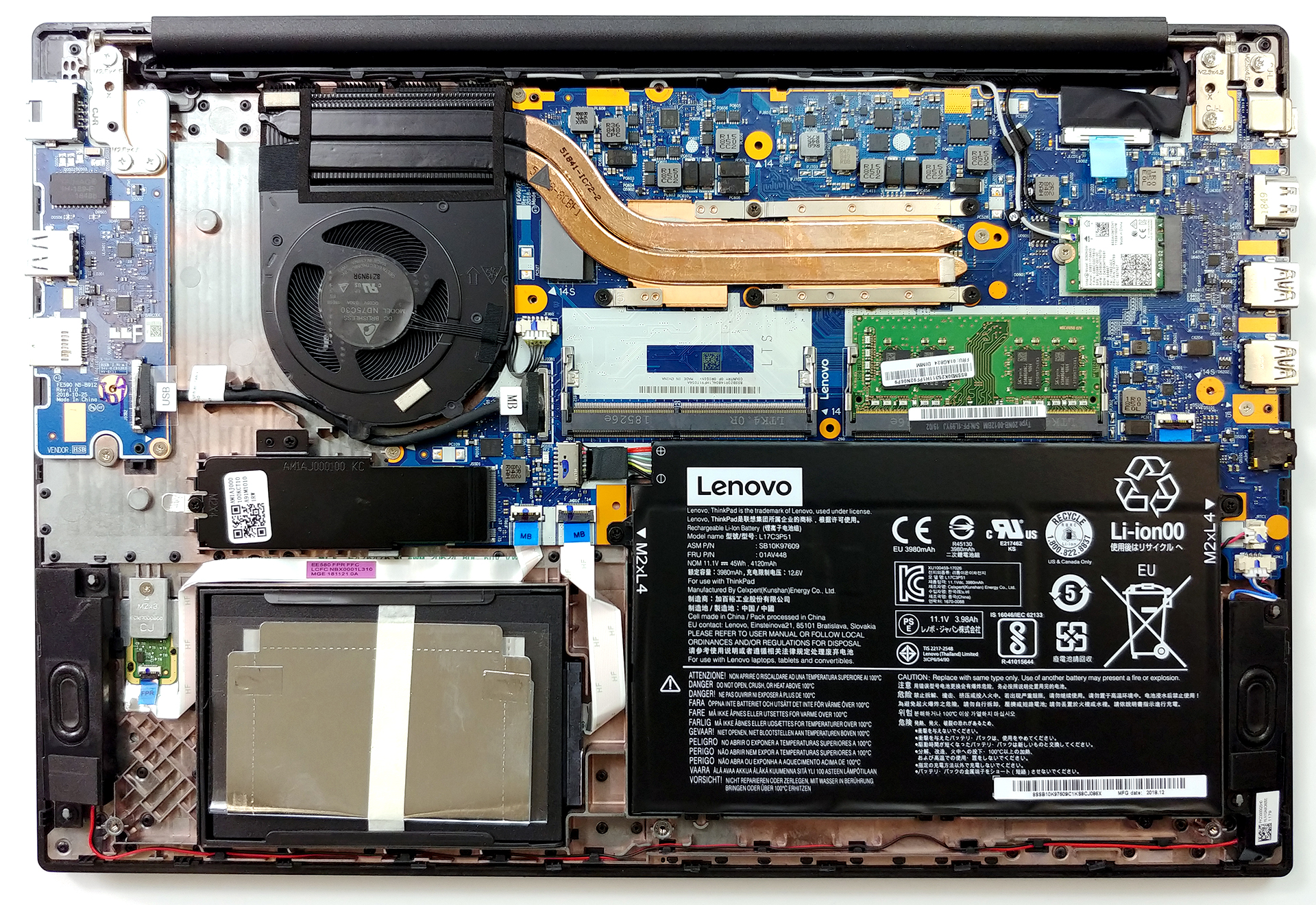
First, let’s take a look at the battery compartment – the ThinkPad E590 is equipped with a rather modest 45Wh battery pack. It is secured in place by two Phillips-head screws. Despite the small size, we were able to extract 10 hours of web browsing and 8 hours and 20 minutes of video playback.

Brightness: 180 nits; Display Mode: SDR
Time to Full Discharge: Higher is Better
In order to simulate real-life conditions, we used our own script for automatic web browsing through over 70 websites.
We use F1 2017’s built-in benchmark on loop in order to simulate real-life gaming.
3. Memory and storage
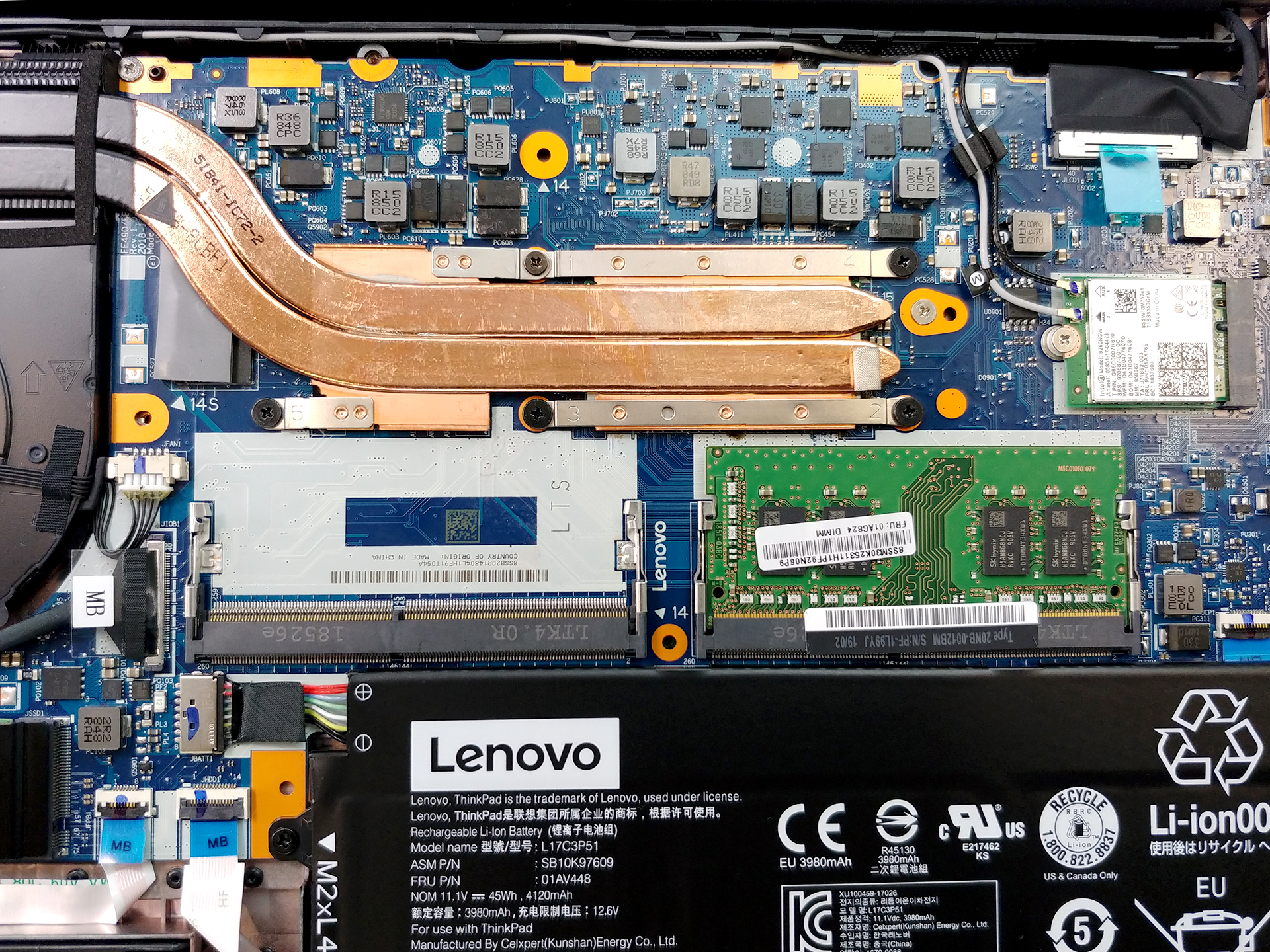
Honestly, there is nothing more to want inside – two RAM DIMMs, supporting up to 32GB of 2400 MHz DDR4 memory, while the storage comprises a SATA slot and an M.2 PCIe slot.
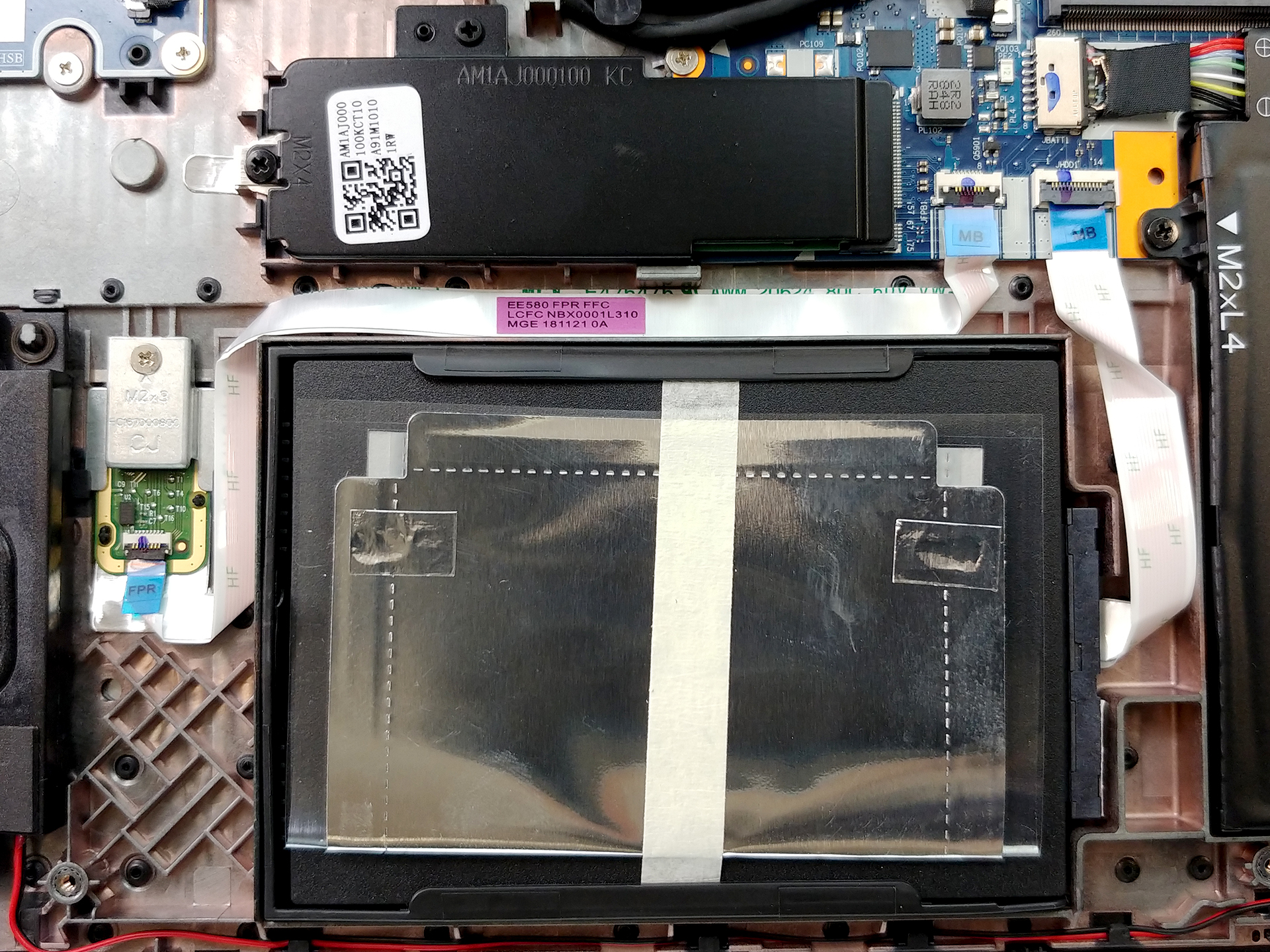
4. Cooling system
Sadly, the cooling solution is not the most efficient out there. It is realized by two heat pipes, cooling (or at least trying) both the CPU and the GPU. This is usually effective if you are only using the processor, however, if you try doing something graphically intensive, the cooling is ready to tap out.
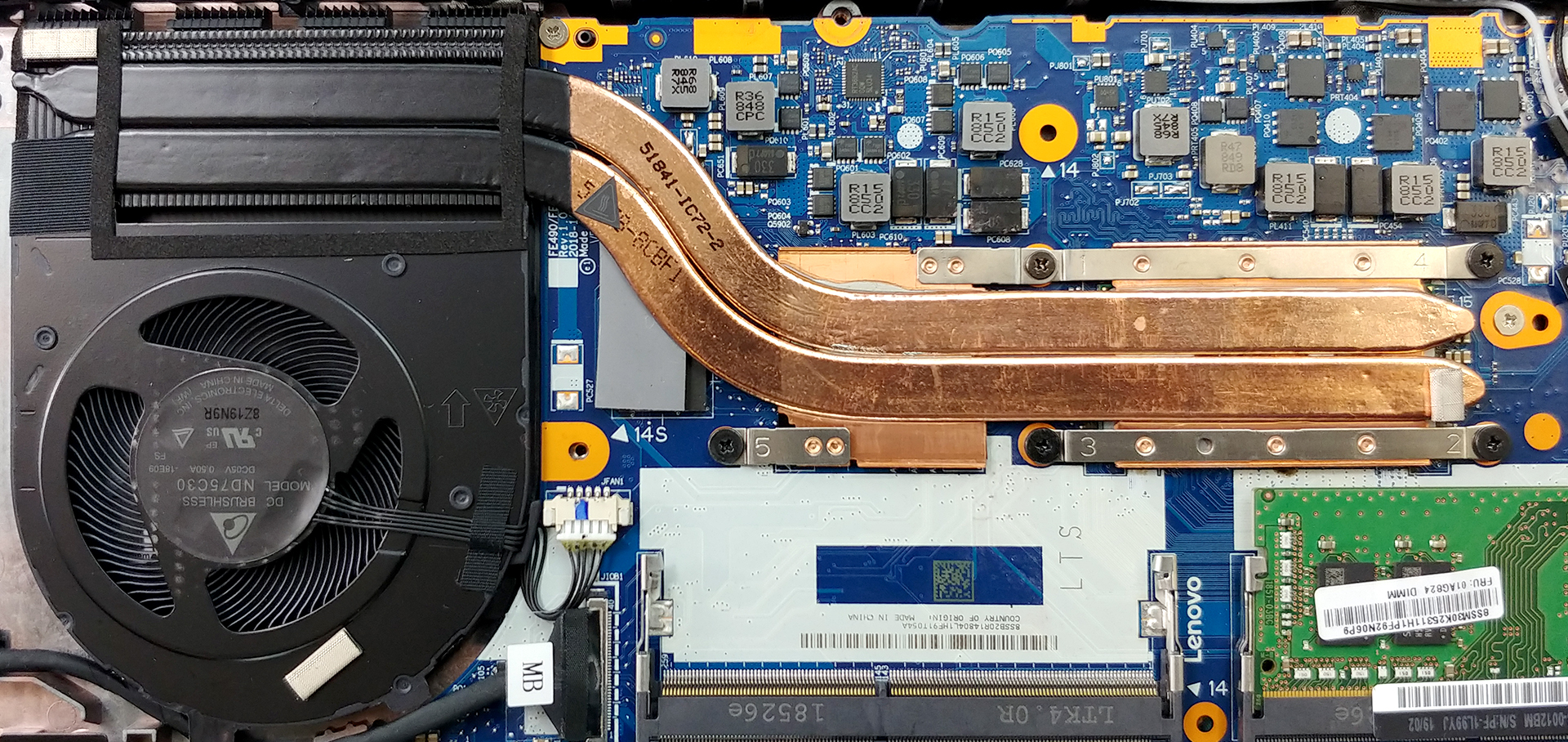
Check out all Lenovo ThinkPad E590 prices and configurations in our Specs System or read more in our In-depth Review.
 Author: Alex Iliev

![[October 2026] Amazon Italy: Top 10 Best-Selling Laptops – ASUS Vivobook 15 Takes the Crown as Productivity and Value Dominate the Market](https://laptopmedia.com/wp-content/uploads/2026/11/Best-Selling-Laptops-IT-Top-10-400x225.jpg)
![[October 2026] Amazon Italy: Top 5 Best-Selling Gaming Laptops – HP OMEN 16 Claims the Crown While Mid-to-High Tier Models Dominate](https://laptopmedia.com/wp-content/uploads/2026/11/Best-Selling-Gaming-Laptops-IT-Top-10-400x225.jpg)
![[October 2026] Best-Selling Laptop Brands on Amazon Italy – ASUS Dominates Revenue While HP Leads in Unit Sales](https://laptopmedia.com/wp-content/uploads/2026/11/IT-Best-Brands-400x225.jpg)
![[October 2026] Amazon India: Top 10 Best-Selling Laptops – Apple MacBook Neo Dominates the Market with Massive Unit Sales](https://laptopmedia.com/wp-content/uploads/2026/11/Best-Selling-Laptops-IN-Top-10-400x225.jpg)
![[October 2026] Amazon India: Top 10 Best-Selling Gaming Laptops – HP Victus 15 Dominates the Market with Massive Unit Sales](https://laptopmedia.com/wp-content/uploads/2026/11/Best-Selling-Gaming-Laptops-IN-Top-10-400x225.jpg)

Thank you for sharing this information. It was useful and interesting.
thanks its very useful