Lenovo ThinkBook 14s Yoga Gen 2 – Top 5 Pros and Cons
 Gen 1 laptops and devices almost always come with some issues, which quickly get resolved once the Gen 2 hits the market.
Today we have the ThinkBook 14s Yoga Gen 2, which comes with much more powerful hardware, thanks to Alder Lake, which transforms the notebook into a portable and performing business-class machine with a great display and a dedicated stylus, which you can use in a business as well as in a Creative manner.
Today we’re giving you a quick overview of the Lenovo ThinkBook 14s Yoga Gen 2.
Lenovo ThinkBook 14s Yoga Gen 2: Full Specs / In-depth Review
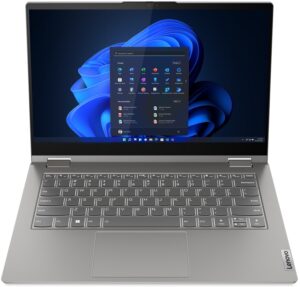
4 reasons to BUY the Lenovo ThinkBook 14s Yoga Gen 2
1. Input devices
The keyboard on the ThinkBook comes with surprisingly long key travel, despite the 16.9 mm profile. The feedback is also very clicky, so we’re sure you’d enjoy typing on it. The board is backlit, so you can’t be stopped even during nighttime. The touchpad has a decent size and a Mylar surface. It’s smooth, precise, and fast to respond.

2. I/O
The laptop offers a decent selection of ports, including one USB Type-C 3.2 (Gen. 2) port, one Thunderbolt 4 port, two USB Type-A 3.2 (Gen. 1) ports, an HDMI 2.0 port, a MicroSD card reader, a 3.5 mm audio jack, and a stylus enclosure.


3. Display quality
The 14-inch Full HD IPS display has excellent viewing angles, a peak brightness of 347 nits in the middle of the screen, 356 nits as an average across the entire display area, and a deviation of just 7%. The contrast ratio is also incredibly high at 2020:1, ensuring deep blacks and good colors. Speaking of colors, the panel is able to reproduce 100% of the sRGB color gamut, while getting incredibly accurate with our Design and Gaming profile.
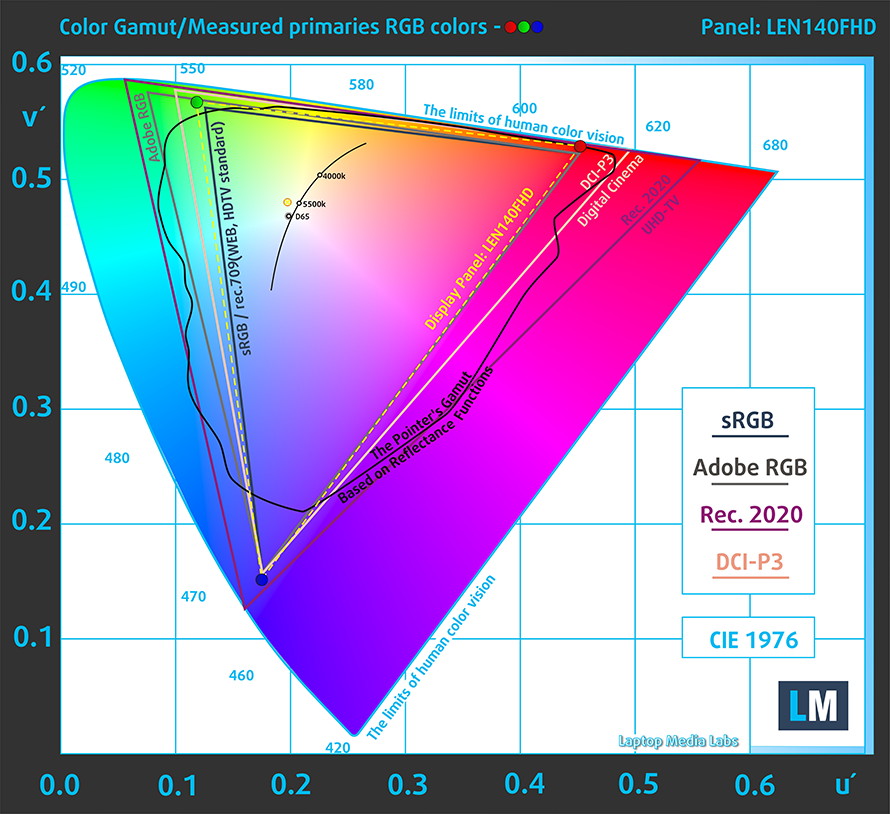
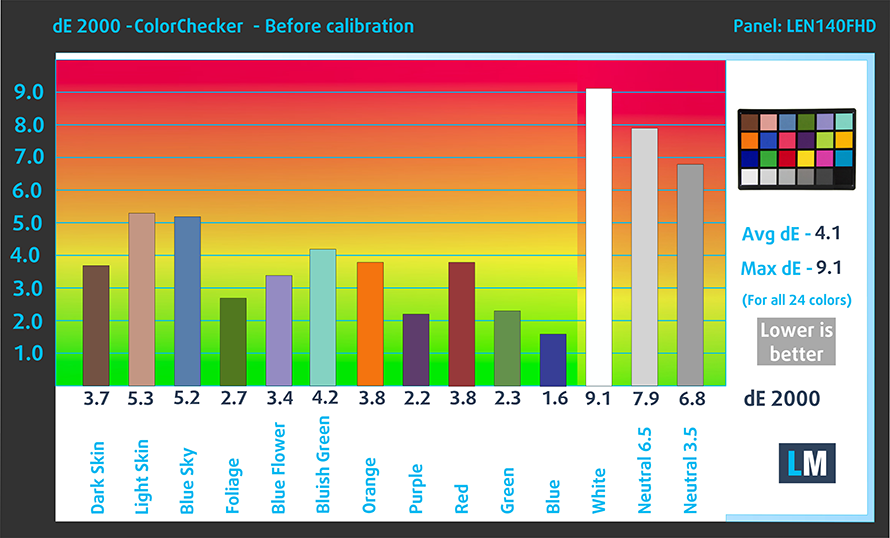
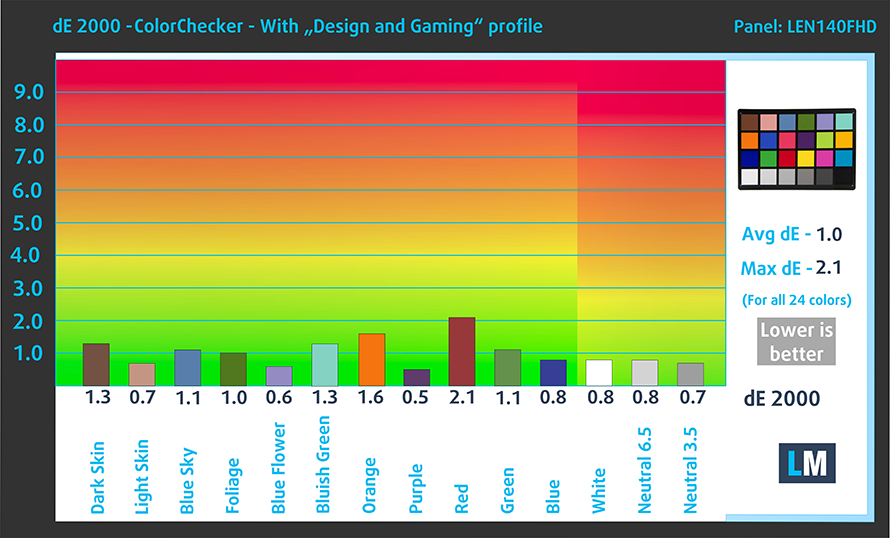
We get a dE value of 1.0 once we applied our profile. Here are the results with the stock settings (left) and with the profile applied (right).
Buy our profiles
Since our profiles are tailored for each individual display model, this article and its respective profile package are meant for Lenovo ThinkBook 14s Yoga Gen 2 configurations with 14.0″ LEN140FHD (LEN889A) (WUXGA, 1920 × 1200) IPS.
*Should you have problems with downloading the purchased file, try using a different browser to open the link you’ll receive via e-mail. If the download target is a .php file instead of an archive, change the file extension to .zip or contact us at [email protected].
Read more about the profiles HERE.
In addition to receiving efficient and health-friendly profiles, by buying LaptopMedia's products you also support the development of our labs, where we test devices in order to produce the most objective reviews possible.

Office Work
Office Work should be used mostly by users who spend most of the time looking at pieces of text, tables or just surfing. This profile aims to deliver better distinctness and clarity by keeping a flat gamma curve (2.20), native color temperature and perceptually accurate colors.

Design and Gaming
This profile is aimed at designers who work with colors professionally, and for games and movies as well. Design and Gaming takes display panels to their limits, making them as accurate as possible in the sRGB IEC61966-2-1 standard for Web and HDTV, at white point D65.

Health-Guard
Health-Guard eliminates the harmful Pulse-Width Modulation (PWM) and reduces the negative Blue Light which affects our eyes and body. Since it’s custom tailored for every panel, it manages to keep the colors perceptually accurate. Health-Guard simulates paper so the pressure on the eyes is greatly reduced.
Get all 3 profiles with 33% discount

4. Battery life
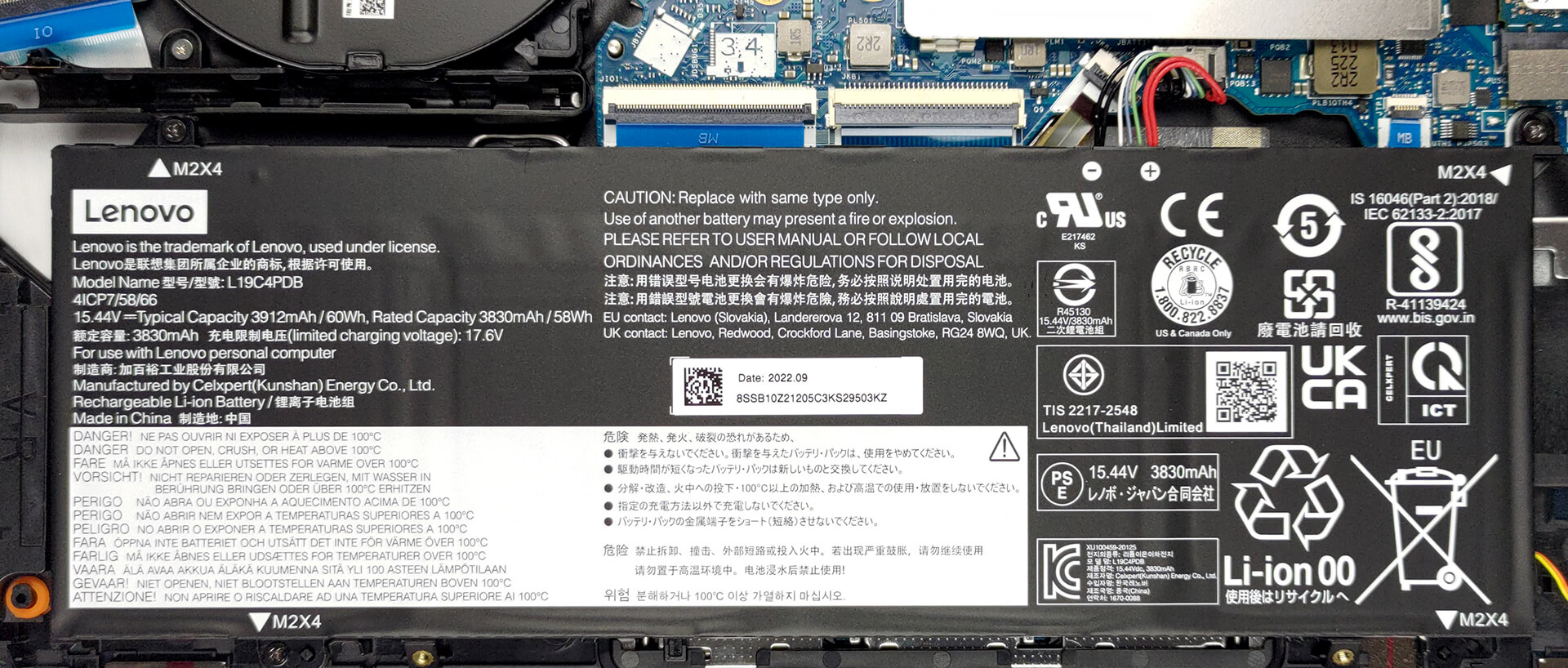
The 60Wh battery pack lasts for 10 hours and 27 minutes of Web browsing, or 8 hours and 28 minutes of video playback. Now, we conduct the battery tests with the Windows Better performance setting turned on, screen brightness adjusted to 120 nits, and all other programs turned off except for the one we are testing the notebook with.
1 reason NOT to buy the Lenovo ThinkBook 14s Yoga Gen 2
1. The weight
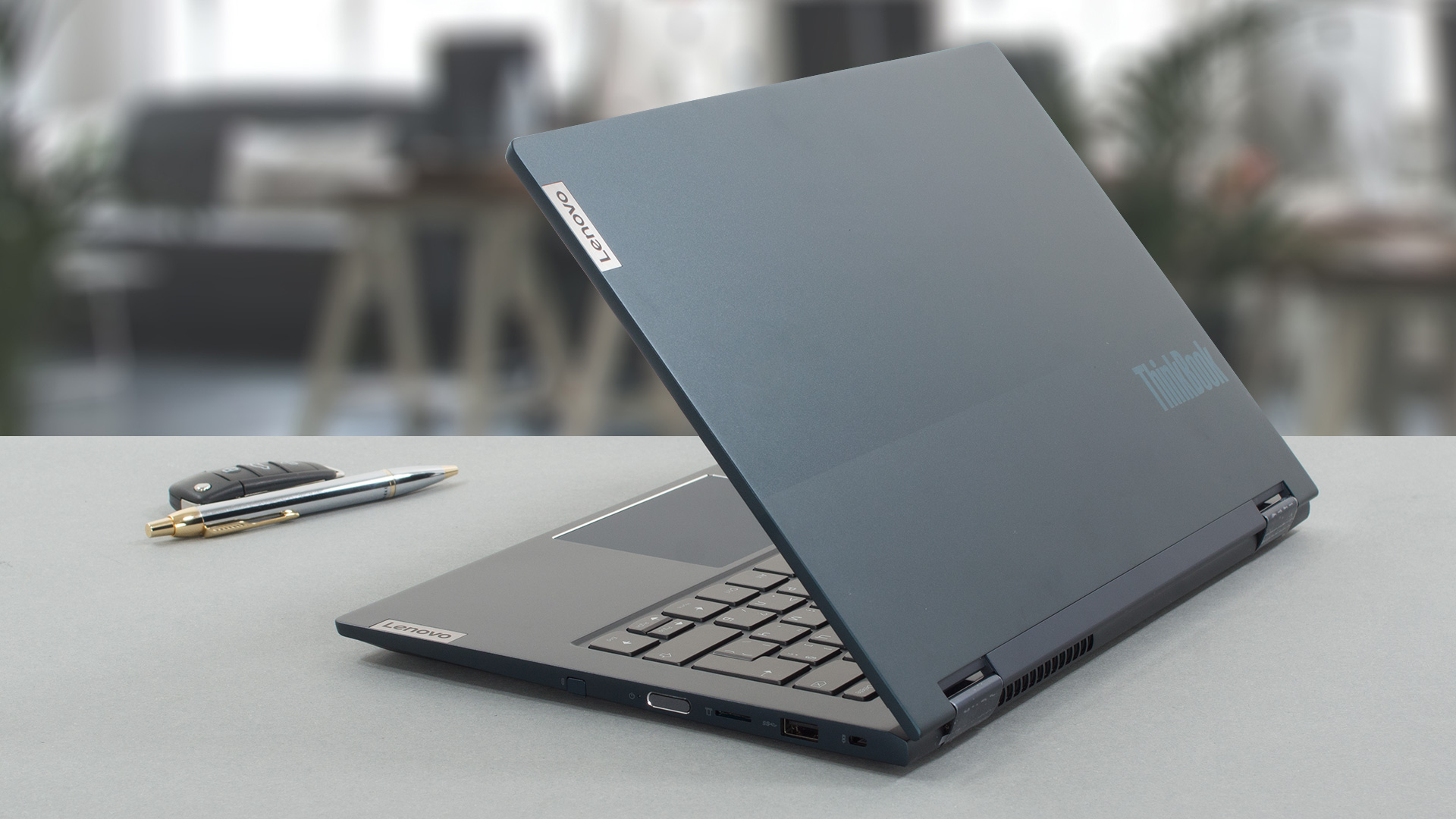
With an aluminum chassis and good durability, Lenovo has chosen to sacrifice a bit of portability, as the device comes with a weight of 1.50 kg, which isn’t exactly very portable when you factor in that you’re buying it largely to use it as a tablet.
All Lenovo ThinkBook 14s Yoga Gen 2 configurations:
 Author: Severin Kolakov

![[June 2026] Best-Selling Laptop Brands on Amazon Global – Apple’s Unrivaled Dominance in Units and Revenue](https://laptopmedia.com/wp-content/uploads/2026/07/GLOBAL-Best-Brands-400x225.jpg)
![[June 2026] Amazon Global: Top 10 Best-Selling Laptops – Apple’s New MacBook Neo Storms to #1, Reshaping the Market with Affordability](https://laptopmedia.com/wp-content/uploads/2026/07/Best-Selling-Laptops-GLOBAL-Top-10-400x225.jpg)
![[June 2026] Amazon Global: Top 10 Best-Selling Gaming Laptops – Acer’s Nitro V 16S AI Dominates Sales, While ASUS Leads Overall Revenue](https://laptopmedia.com/wp-content/uploads/2026/07/Best-Selling-Gaming-Laptops-GLOBAL-Top-10-400x225.jpg)
![[June 2026] Global Ranking of Best-Selling Laptop GPUs on Amazon – NVIDIA RTX 5060 is the Top-Selling Dedicated GPU](https://laptopmedia.com/wp-content/uploads/2026/07/Best-Selling-GPUs-GLOBAL-Top-10-400x225.jpg)
![[June 2026] Global Ranking of Best-Selling Laptop CPUs on Amazon – Apple M5 Dominates, AMD Ryzen 7 260 Gets Solid Premium Share](https://laptopmedia.com/wp-content/uploads/2026/07/Best-Selling-CPUs-GLOBAL-Top-10-400x225.jpg)
