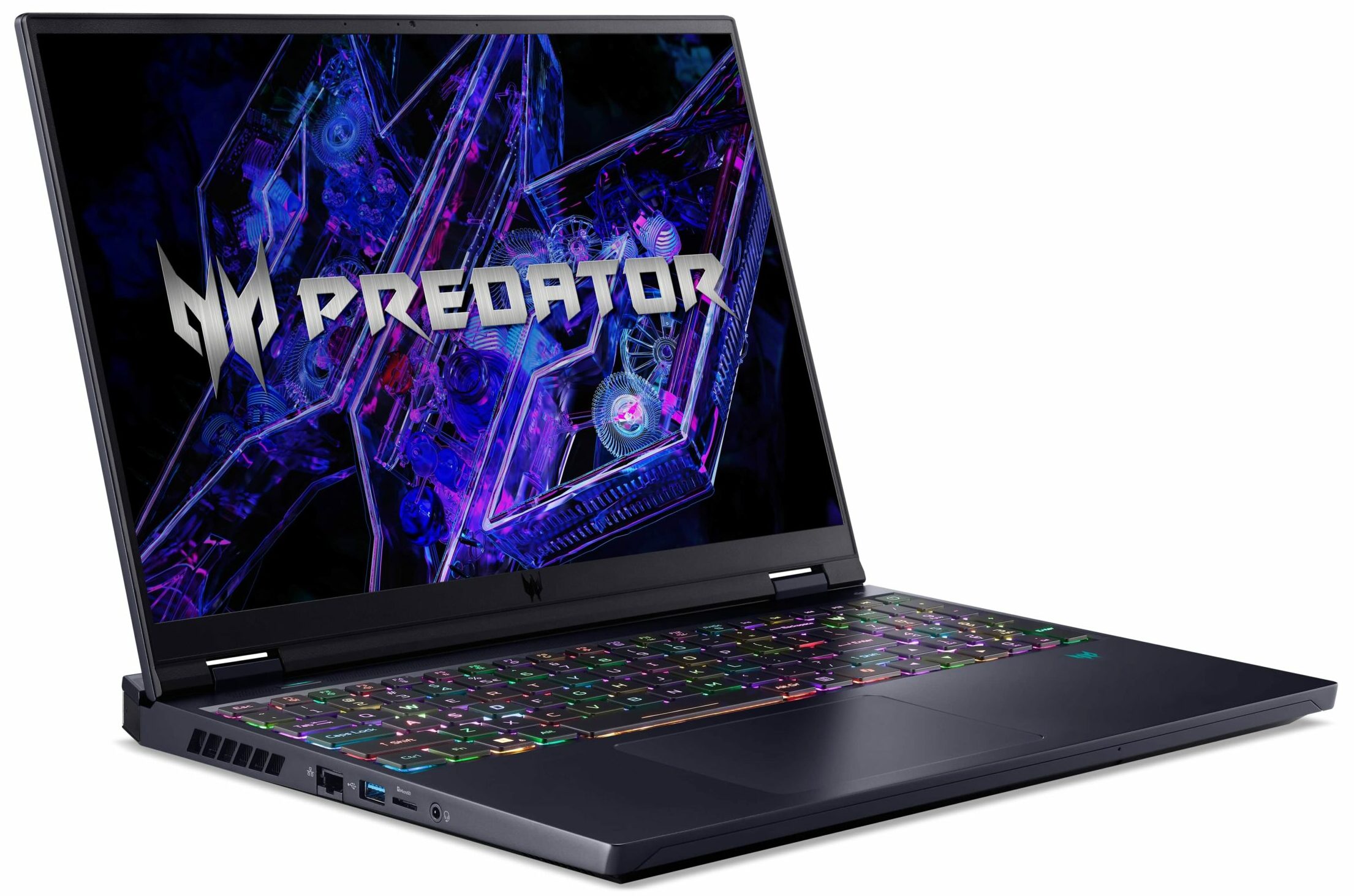
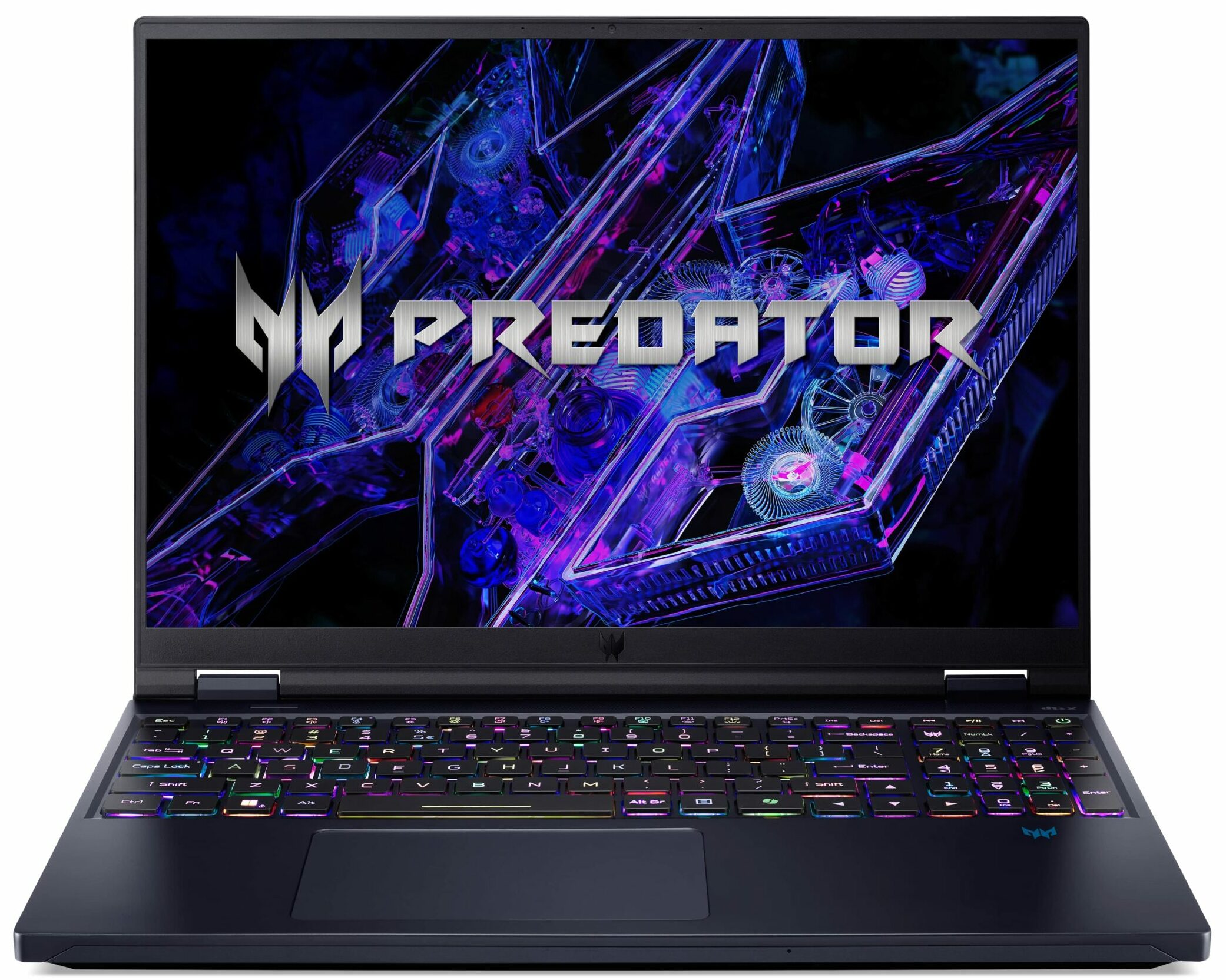
Acer Predator Helios 16


- Date Published: 20 May 2026
- Intel Core i9-14900HX
- NVIDIA GeForce RTX 4080 (Laptop, 175W)
- 16.0", WQXGA (2560 x 1600), 240 Hz, IPS
- 1000GB SSD
- 32GB RAM
- 2.65 kg (5.8 lbs)
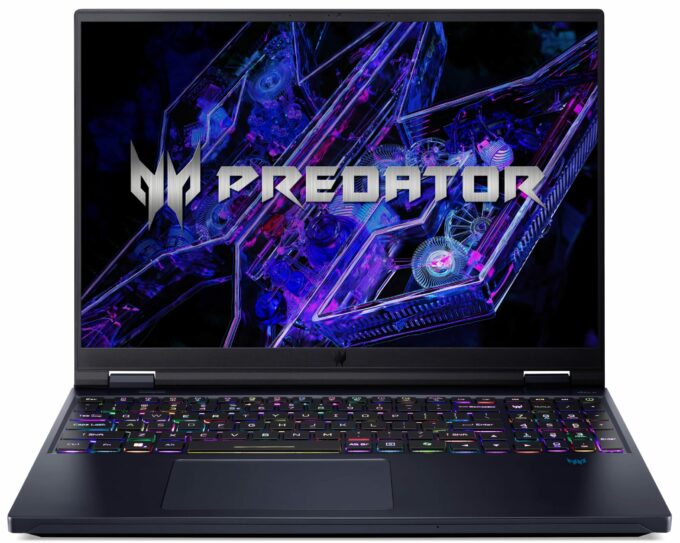
Specs

- HDD/SSD
- 1000GB SSD
- M.2 Slot
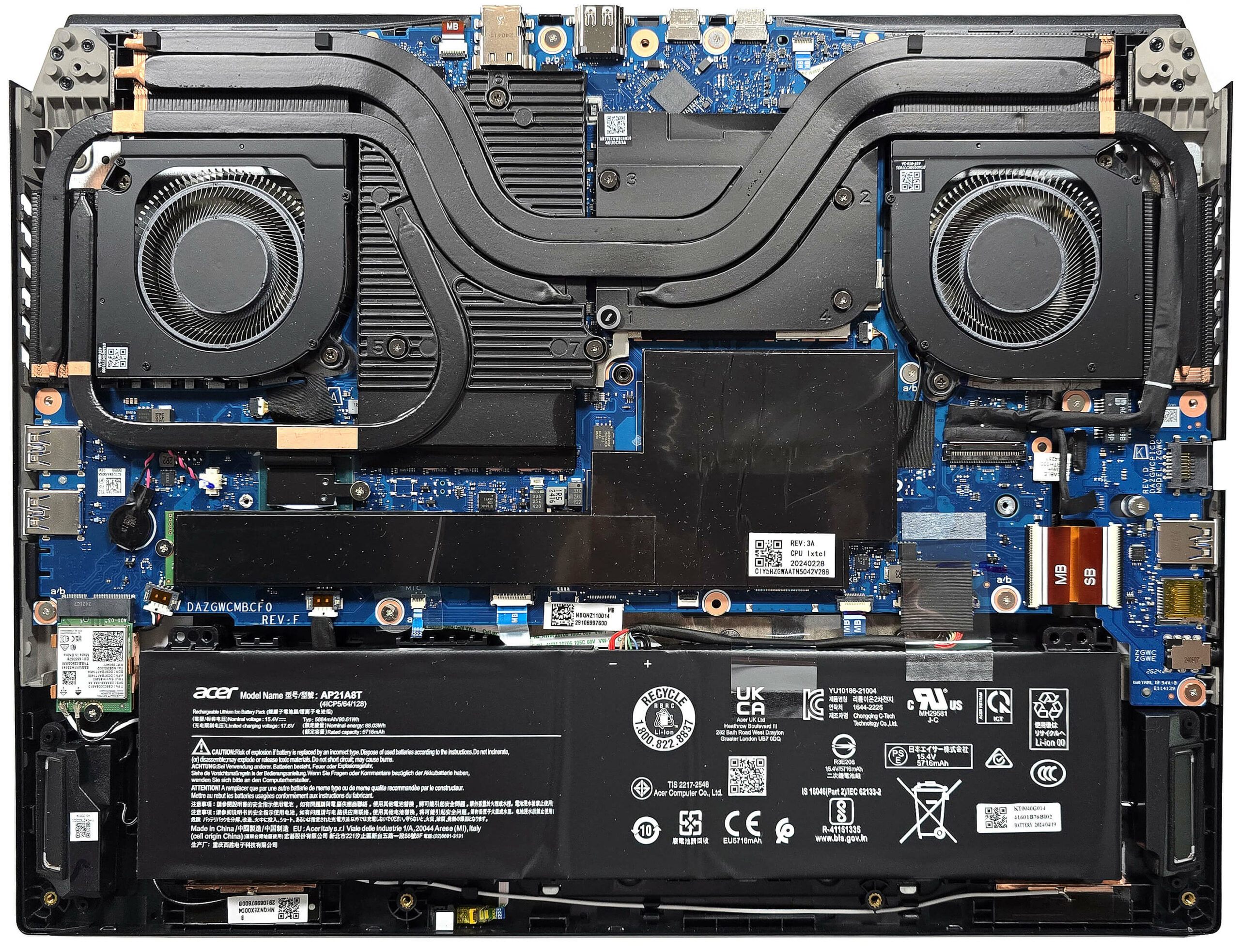
- 2x 2280 M.2 NVMe PCIe 4.0 x4 See photo
- RAM
- 32GB RAM
- OS
- Windows 11 Home
- Body Material
- Plastic / Polycarbonate, Aluminum
- Dimensions
- 357.78 x 277.55 x 24.9 - 26.9 mm (14.09" x 10.93" x 0.98")
- Weight
- 2.65 kg (5.8 lbs)
- Ports and connectivity
- 1x USB Type-A
- 3.2 Gen 1 (5 Gbps)
- 1x USB Type-A
- 3.2 Gen 2 (10 Gbps)
- 1x USB Type-A
- 3.2 Gen 2 (10 Gbps), Sleep and Charge
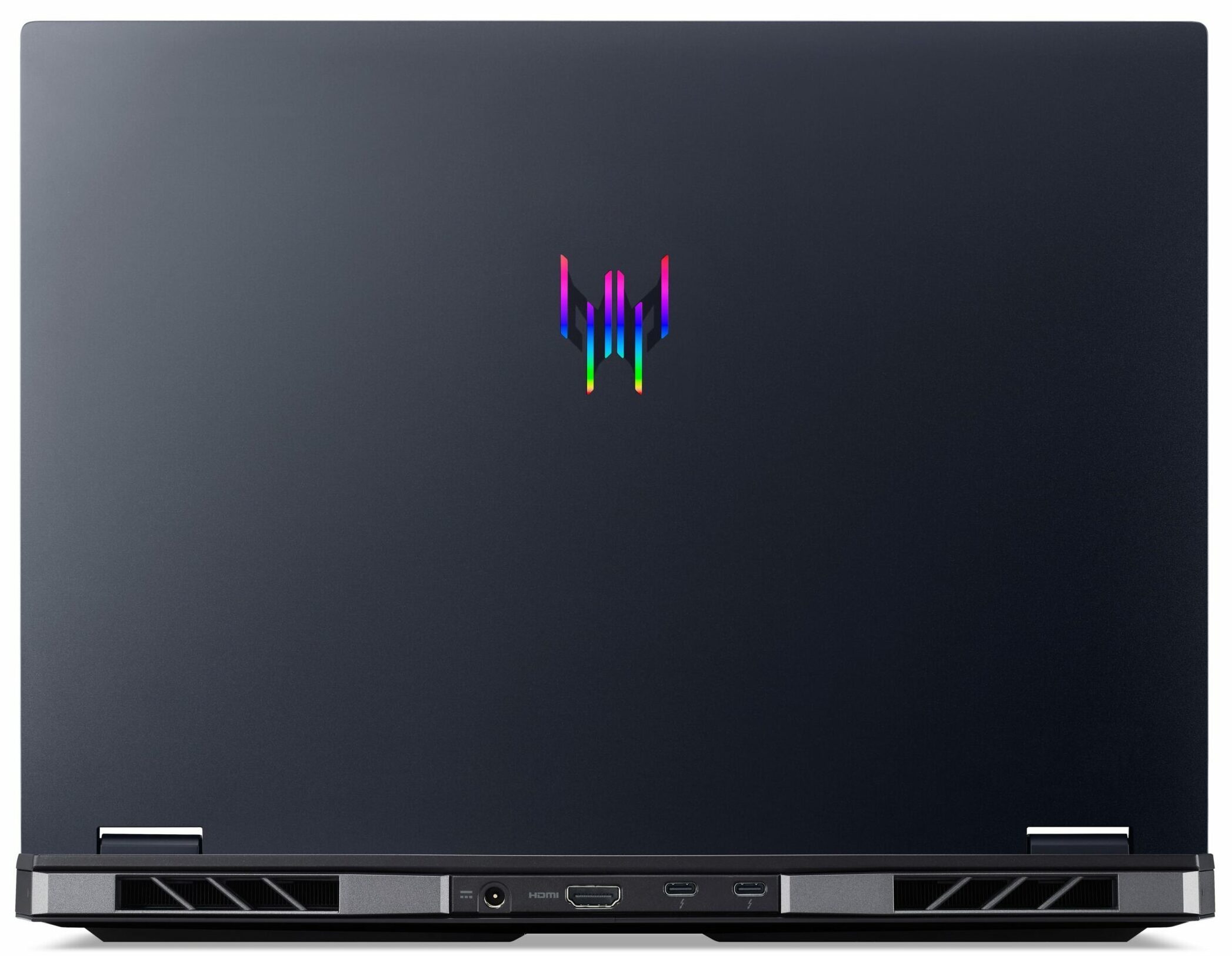
- 2x USB Type-C
- 3.2 Gen 2 (10 Gbps), Thunderbolt 4, Power Delivery (PD), DisplayPort
- HDMI
- 2.1
- Card Reader
- Ethernet LAN
- 10, 100, 1000, 2500 Mbit/s
- Wi-Fi
- 802.11be
- Bluetooth
- 5.3
- Audio jack
- 3.5mm Combo Jack
- Features
- Fingerprint reader
- Web camera
- FHD
- Backlit keyboard
- Microphone
- 2x Microphones with Acer Purified Voice, AI noise reduction
- Speakers
- Stereo Speakers, DTS X: Ultra
- Security Lock slot
- Kensington Lock
Portability
Review
Acer Predator Helios 16 in-depth review
The Acer Predator Helios 16 (PH16-72) is a gaming machine that is offered with high-end hardware. This includes 55W Intel Raptor Lake-HX Refresh CPUs and an RTX 4070 or a mighty 175W RTX 4080. There are zero compromises in terms of gaming features and yes, you get G-SYNC, Advanced Optimus, and MUX switch. The upgradability and the port selection are also very good. When it comes to displays, there are two 1600p IPS models. The base one has a 240Hz refresh rate and the optional mini-LED 250Hz model is only available as an option for the most expensive machines with an i9 processor and 4080 GPU. Still, we decided to buy a device with the default panel which is actually a good choice since it's impressively color-accurate.Wi-Fi 7 is also on board alongside a great full-sized keyboard and[...]
Read the full review
Pros
- 2x SODIMMs + 2x M.2 Gen 4 slots
- 100% sRGB and 98% DCI-P3 coverage + accurate colors with our "Design and Gaming" profile (BOE0B17)
- 240Hz 1600p IPS display with snappy pixel response times of 7.5 ms (BOE0B17)
- PWM-free + high max brightness of 523 nits and wide viewing angles (BOE0B17)
- MUX switch + NVIDIA Advanced Optimus
- Modern selection with two Thunderbolt 4 connectors + two Type-A Gen 2 ports
- Great input devices
- Rigid chassis with a metal lid
- High GPU clocks no matter the load (~3.50 GHz / 2.90 GHz for the P and E cores)
- The bottom plate can be easily opened
- Good overall performance
- The PredatorSense app offers many useful extras
- The "Performance" mode offers much lower noise levels 2.7GHz P-core clock and ~140W GPU TGP
- In idle, the fans are turned off if the CPU temperature is below 50°
Cons
- Short battery life for a 90Wh capacity
- The gaming performance could be a bit better
- Noisy fans in "Turbo" mode
Disassembly, maintenance and upgrade options
Opening the DeviceUndo the 10 Torx-head screws securing the bottom panel. Detach the two plastic caps in front of the vents. Carefully raise the back side while holding the two plastic exhausts at the rear. Avoid applying excessive force. Once half of the panel is popped, hold the left side, swivel it slightly, and rotate it to the right to release all internal clips.More info: The inside of the bottom panel has a dedicated socket for the battery, a thick dust filter in the middle, and a thermal pad for the Wi-Fi card.Battery RemovalUnplug the battery c[...]
Read more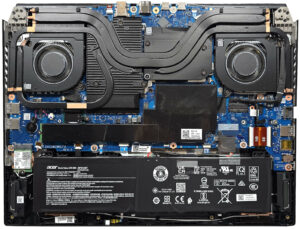


![[June 2026] Best-Selling Laptop Brands on Amazon Global – Apple’s Unrivaled Dominance in Units and Revenue](https://laptopmedia.com/wp-content/uploads/2026/07/GLOBAL-Best-Brands-400x225.jpg)
![[June 2026] Amazon Global: Top 10 Best-Selling Laptops – Apple’s New MacBook Neo Storms to #1, Reshaping the Market with Affordability](https://laptopmedia.com/wp-content/uploads/2026/07/Best-Selling-Laptops-GLOBAL-Top-10-400x225.jpg)
![[June 2026] Amazon Global: Top 10 Best-Selling Gaming Laptops – Acer’s Nitro V 16S AI Dominates Sales, While ASUS Leads Overall Revenue](https://laptopmedia.com/wp-content/uploads/2026/07/Best-Selling-Gaming-Laptops-GLOBAL-Top-10-400x225.jpg)
![[June 2026] Global Ranking of Best-Selling Laptop GPUs on Amazon – NVIDIA RTX 5060 is the Top-Selling Dedicated GPU](https://laptopmedia.com/wp-content/uploads/2026/07/Best-Selling-GPUs-GLOBAL-Top-10-400x225.jpg)
![[June 2026] Global Ranking of Best-Selling Laptop CPUs on Amazon – Apple M5 Dominates, AMD Ryzen 7 260 Gets Solid Premium Share](https://laptopmedia.com/wp-content/uploads/2026/07/Best-Selling-CPUs-GLOBAL-Top-10-400x225.jpg)