Acer Aspire 3 (A315-59) review – affordable but slightly impractical
Verdict
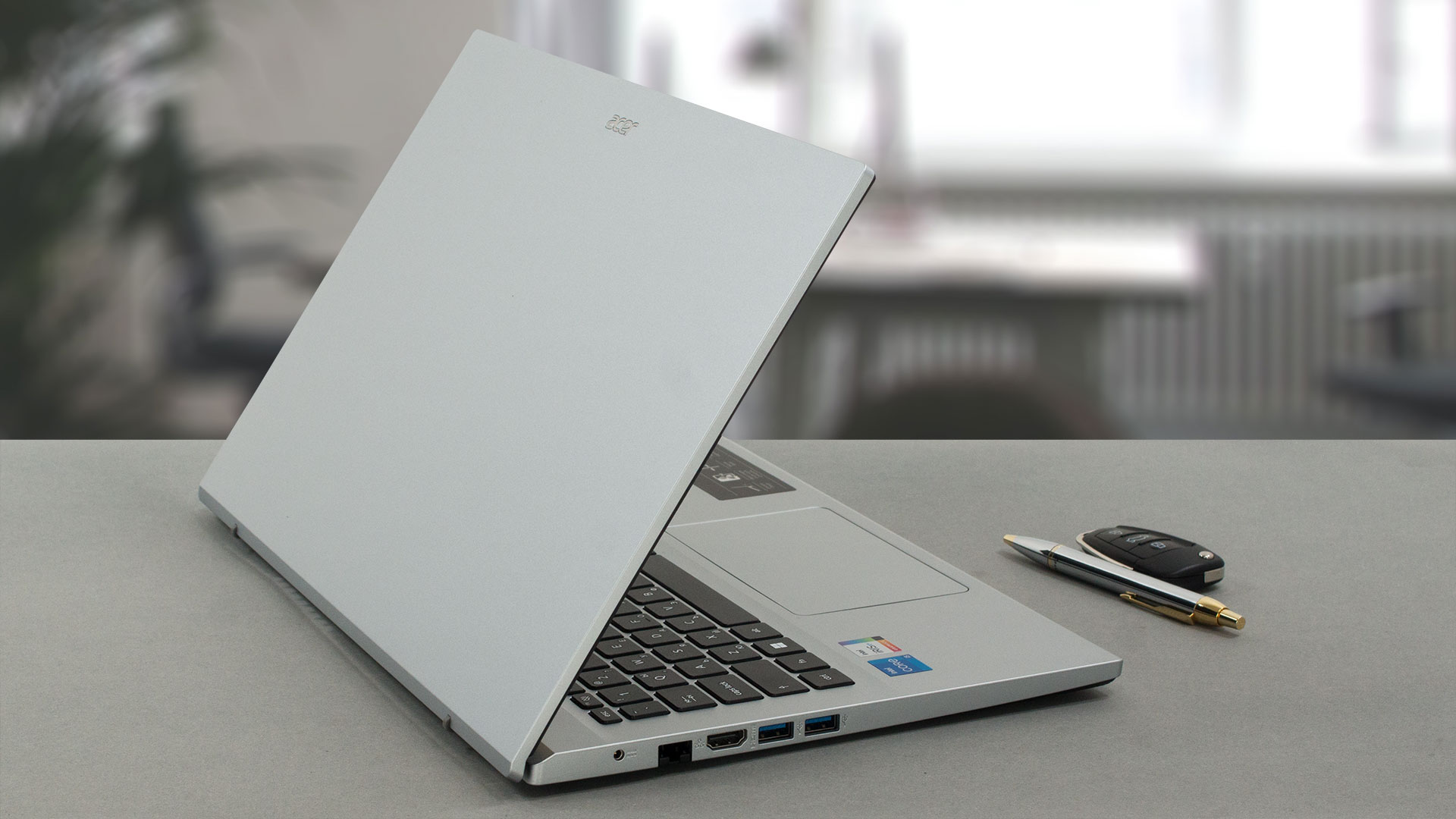 Plainly said, the Acer Aspire 3 (A315-59) feels right at home in the budget-friendly segment of the market. As a computer, it is a great machine. The cooling is sufficient-enough, and the power is utilized perfectly, which gives it an advantage over machines, equipped with larger power adapters.
We were even more intrigued by the upgradeability of the product. There are two SODIMM slots for memory and two M.2 PCIe x4 slots for storage. The RAM type is DDR4, while one of the storage slots is capable of utilizing the full power of Gen 4 SSDs.
Acer Aspire 3 (A315-59)’s IPS panel has a Full HD resolution, comfortable viewing angles, and a very good contrast ratio. Its backlight doesn’t use PWM, which is great, but unfortunately, the color coverage is limited to 56% of sRGB.
Comparing the physical aspects of the device to some of its main opponents reveals that the Aspire 3 is a little heavier. However, the difference is far from big, so this shouldn’t be a deciding factor.
What aspires to be the worst thing about this machine is the port selection. Yes, you get three fast USB Type-As, an HDMI connector, and a LAN port. Unfortunately, there is no sign of an SD card slot or a USB Type-C port. This is not typical for a 2023 laptop.
Now, the battery life is not bad, but it is not too good either. The reason for that, in our opinion, is the small battery capacity. To be frank, we’ve seen laptops with 38Wh battery packs, which last longer.
At the end of the day, the perplexing lack of a USB Type-C port might be a good reason to stay away from the Acer Aspire 3 (A315-59). But, if you don’t care about these little impurities in the crystal, you will get a super stable, fast, reliable, and comfortable computer.
You can check the prices and configurations in our Specs System: https://laptopmedia.com/series/acer-aspire-3-a315-59/
Pros
- 2x SODIMM + 2x M.2 PCIe x4 Gen 4
- Comfortable keyboard
- No PWM (Innolux N156HCA-EAB (CMN15E7))
- Optional fingerprint reader
- Decent performance
- Adequate cooling
Cons
- Covers only 56% of sRGB (Innolux N156HCA-EAB (CMN15E7))
- No USB Type-C port
- No keyboard backlight
- Lacks an SD card reader
 Author: Alex Iliev
 Author: eng. Kroum NikolovHead of Engineering at LaptopMedia.com, inventor and innovator with 40+ years of experience in electronics and high technology.

![[August 2026] Amazon USA: Top 10 Best-Selling Laptops – Apple MacBook Neo Dominates the Market with Massive Unit Sales!](https://laptopmedia.com/wp-content/uploads/2026/09/Best-Selling-Laptops-COM-Top-10-400x225.jpg)
![[August 2026] Amazon USA: Top 10 Best-Selling Gaming Laptops – ASUS ROG Strix G16 Dominates the Market with Massive Unit Sales](https://laptopmedia.com/wp-content/uploads/2026/09/Best-Selling-Gaming-Laptops-COM-Top-10-400x225.jpg)
![[July 2026] Amazon Global: Top 10 Best-Selling Laptops – Apple MacBook Neo Dominates the Charts as Budget and Premium Notebooks Split the Market](https://laptopmedia.com/wp-content/uploads/2026/08/Best-Selling-Laptops-GLOBAL-Top-10-400x225.jpg)
![[July 2026] Amazon Global: Top 10 Best-Selling Gaming Laptops – ASUS ROG Strix G16 Dominates the Global Market with Record-Breaking Unit Sales](https://laptopmedia.com/wp-content/uploads/2026/08/Best-Selling-Gaming-Laptops-GLOBAL-Top-10-400x225.jpg)
![[July 2026] Global Ranking of Best-Selling Laptop GPUs on Amazon – RTX 5060 Dominate Premium, Intel Still Rules Budget](https://laptopmedia.com/wp-content/uploads/2026/08/Best-Selling-GPUs-GLOBAL-Top-10-400x225.jpg)

Buenos dias, tardes o noche. Tengo una duda, se puede colocar HDD en el espacio libre? Con un adaptador o esta bloqueada la opcion devido al doble m.2, y tambien si version con la nvidea mx 550 (a315 – 59 514E )usa la misma placa madre.