Acer Aspire 5 (A514-55) review – good budget daily driver
Disassembly, upgrade options, and maintenance
If you want to remove to remove the bottom plate, you have to unscrew 10 Phillips-head screws. After that, you can pry the panel with a plastic tool. One of the upper two corners looks like the best starting point.
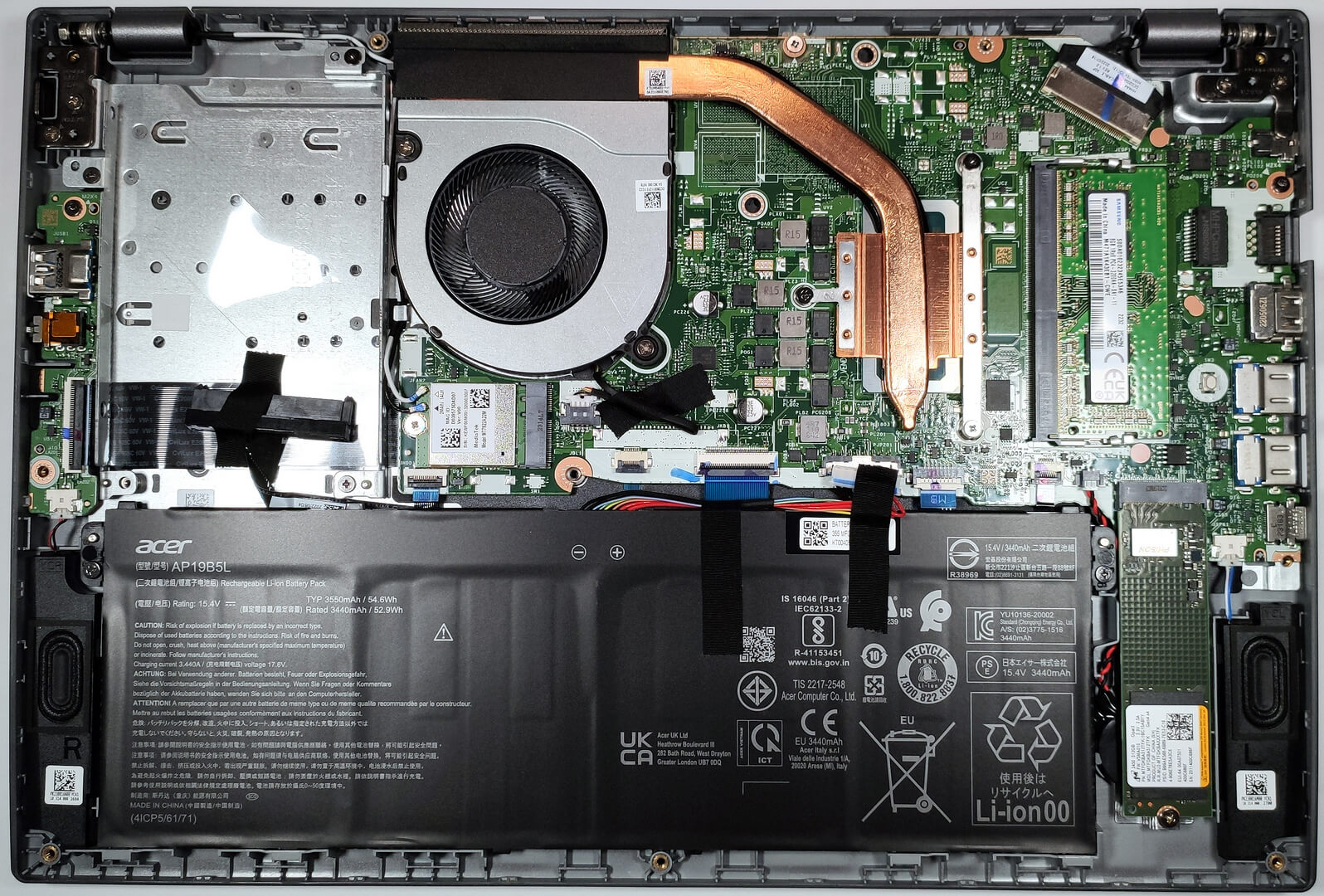
The battery is a 54.6Wh variant. Before taking it out you have to remove the connector from the motherboard. The next procedure is to undo the two Phillips-head screws that are fixing the unit to the base. The capacity is enough for 8 hours and 20 minutes of Web browsing or 6 hours and 40 minutes of video playback. The result is decent.
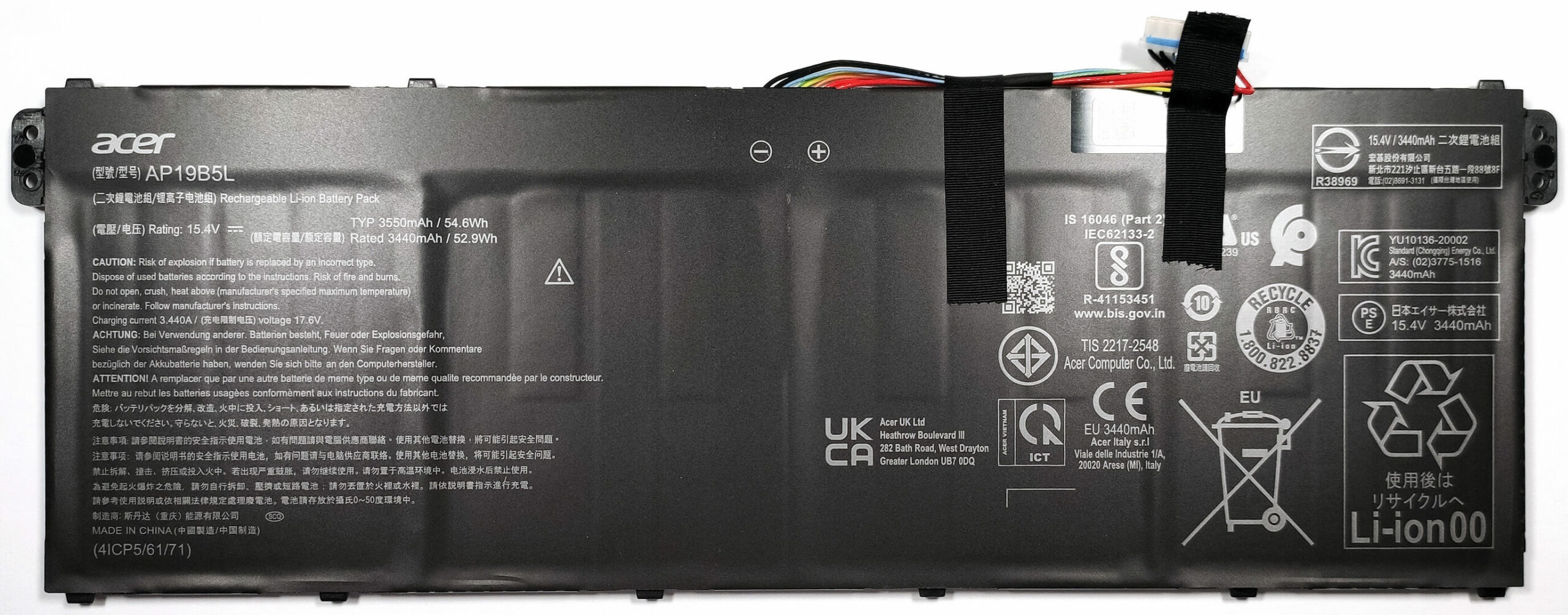
The battery is held in place with a few screws because there is a dedicated socket for it on the inside of the bottom plate.
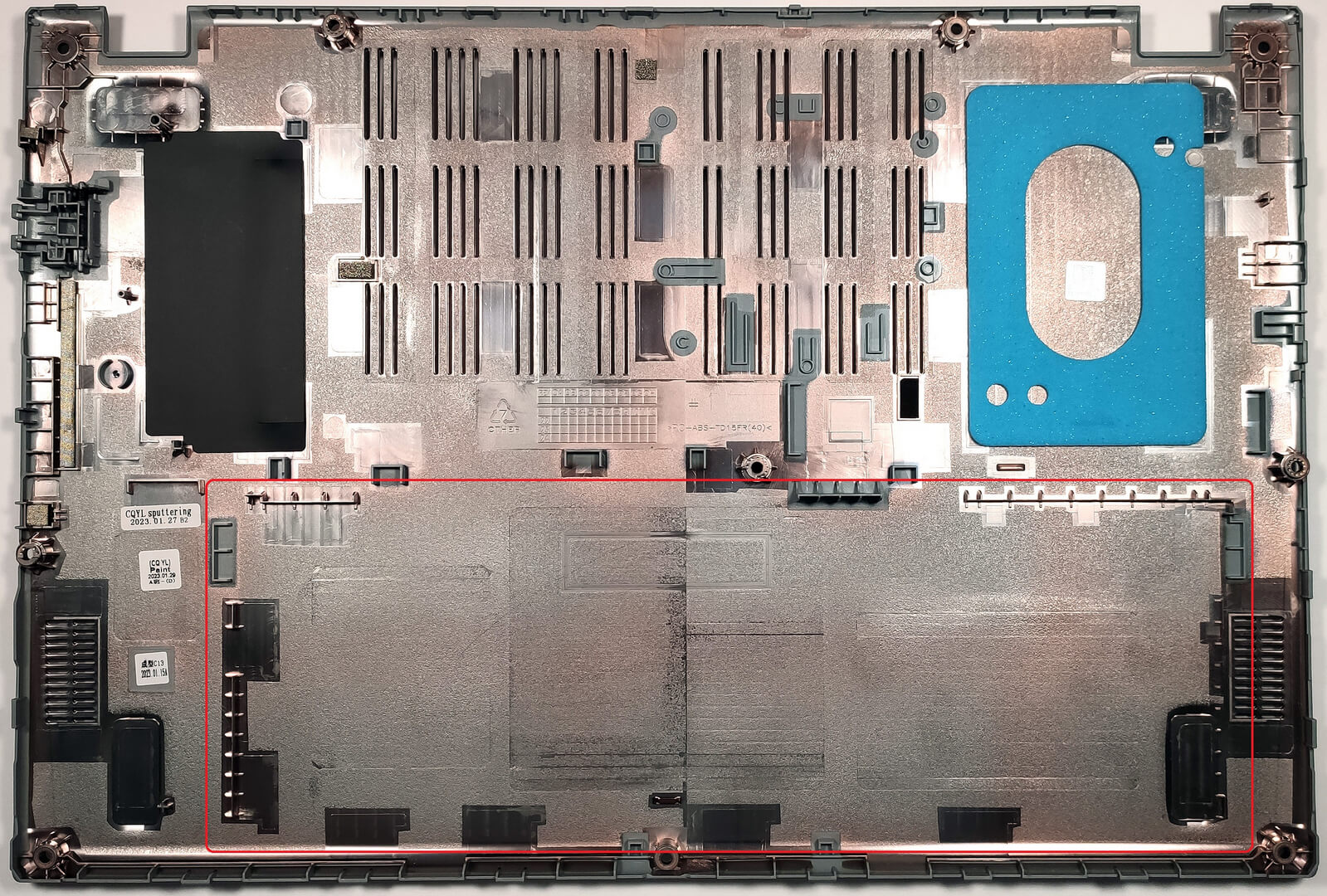
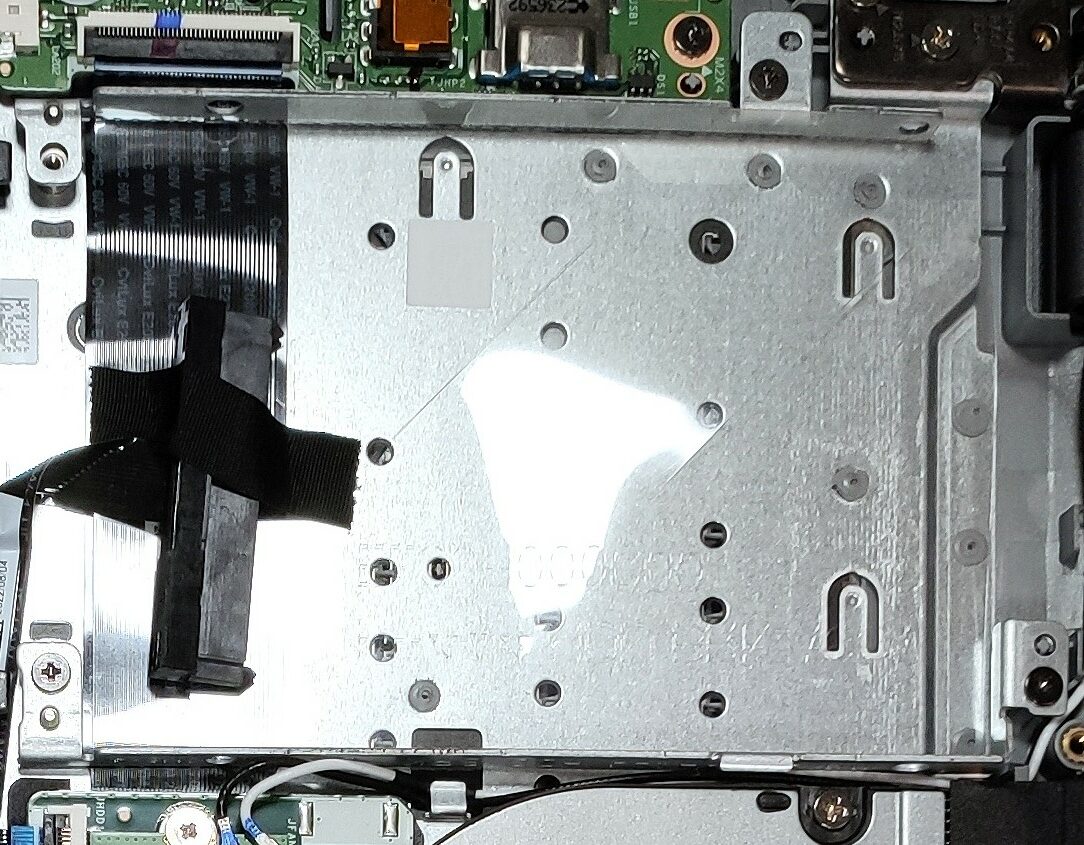
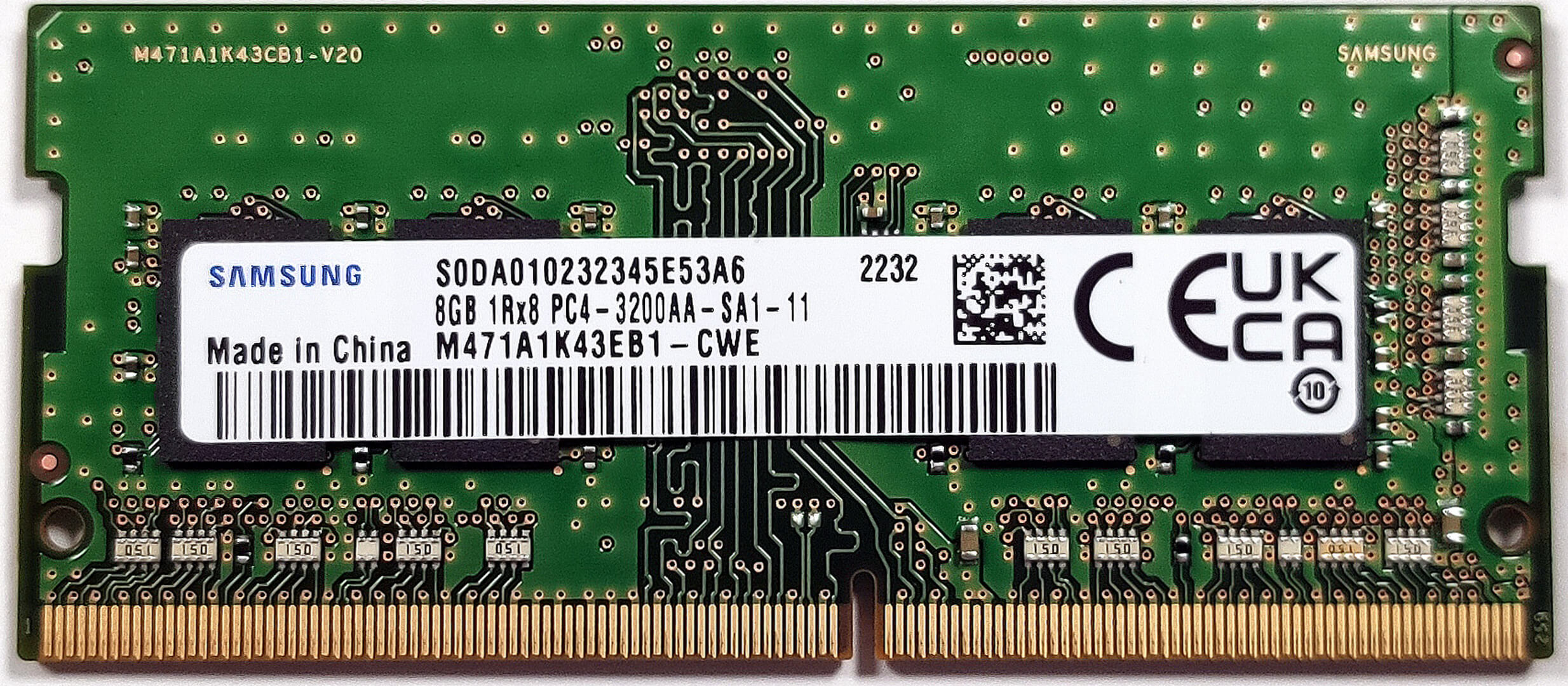
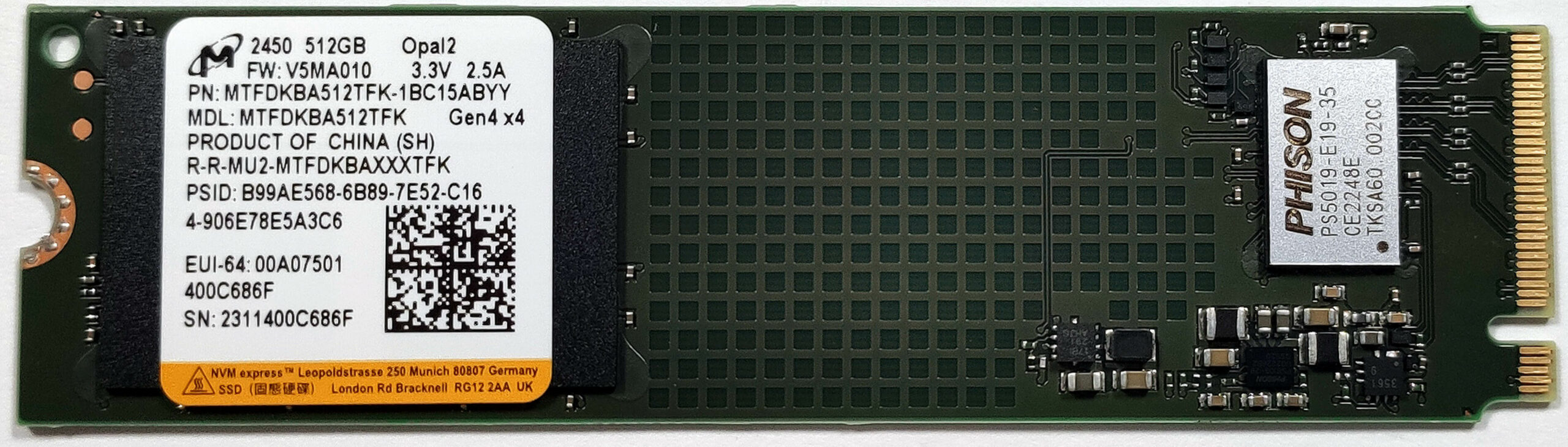
For memory expansion, you get 4 or 8GB of soldered DDR4 RAM. Luckily, there is a SODIMM that can handle up to 16GB of DDR4-3200MHz memory. So, the maximum possible amount of RAM is 24GB in dual-channel mode. For storage, there is one M.2 slot compatible with Gen 4 NVMes and a SATA slot for regular SSDs and HDDs.
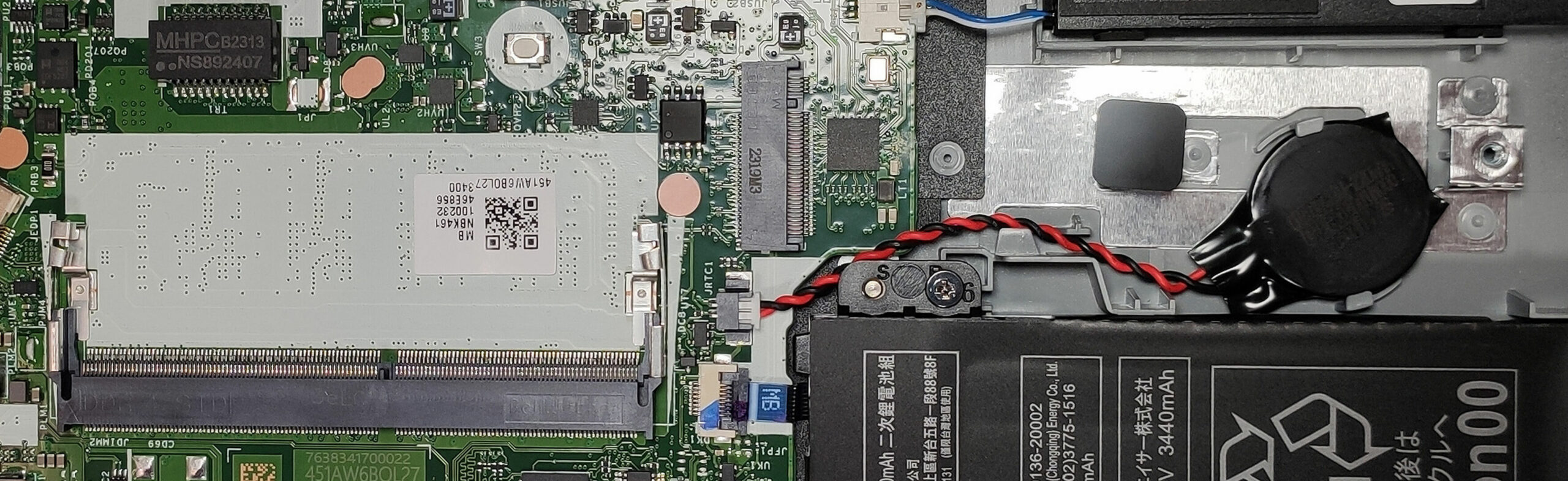
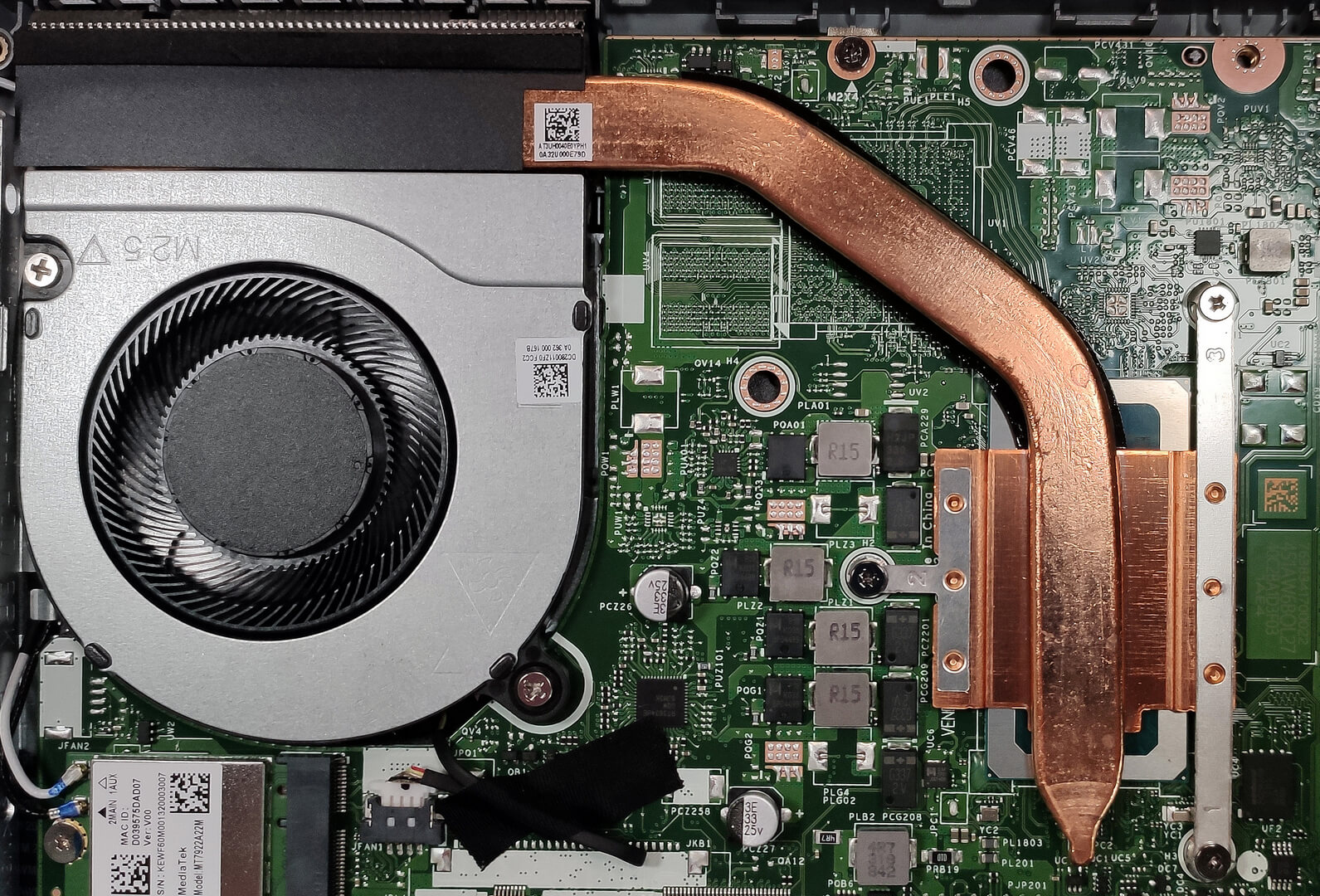
The cooling solution is nothing but basic. It has one fan, one heat pipe, a single heat sink, and a heat spreader.
 Author: Nikolay Palaozov
 Author: eng. Kroum NikolovHead of Engineering at LaptopMedia.com, inventor and innovator with 40+ years of experience in electronics and high technology.

![[August 2026] Amazon Italy: Top 10 Best-Selling Laptops – Apple MacBook Neo Claims the Crown as Budget and Mid-Range Windows Machines Dominate Volume](https://laptopmedia.com/wp-content/uploads/2026/09/Best-Selling-Laptops-IT-Top-10-400x225.jpg)
![[August 2026] Amazon Italy: Top 7 Best-Selling Gaming Laptops – ASUS V16 Claims the #1 Spot Amid Strong Mid-Range Demand](https://laptopmedia.com/wp-content/uploads/2026/09/Best-Selling-Gaming-Laptops-IT-Top-10-400x225.jpg)
![[August 2026] Best-Selling Laptop Brands on Amazon Italy – Lenovo Dominates Market Share and Revenue Leadership](https://laptopmedia.com/wp-content/uploads/2026/09/IT-Best-Brands-400x225.jpg)
![[August 2026] Amazon India: Top 10 Best-Selling Laptops – Apple MacBook Neo Dominates the Charts with Massive Sales Lead](https://laptopmedia.com/wp-content/uploads/2026/09/Best-Selling-Laptops-IN-Top-10-400x225.jpg)
![[August 2026] Amazon India: Top 10 Best-Selling Gaming Laptops – HP Victus 15 Dominates the Market with Massive Unit Lead](https://laptopmedia.com/wp-content/uploads/2026/09/Best-Selling-Gaming-Laptops-IN-Top-10-400x225.jpg)
