Acer Aspire 7 (A715-43G) review – brings ray tracing to the office
Verdict
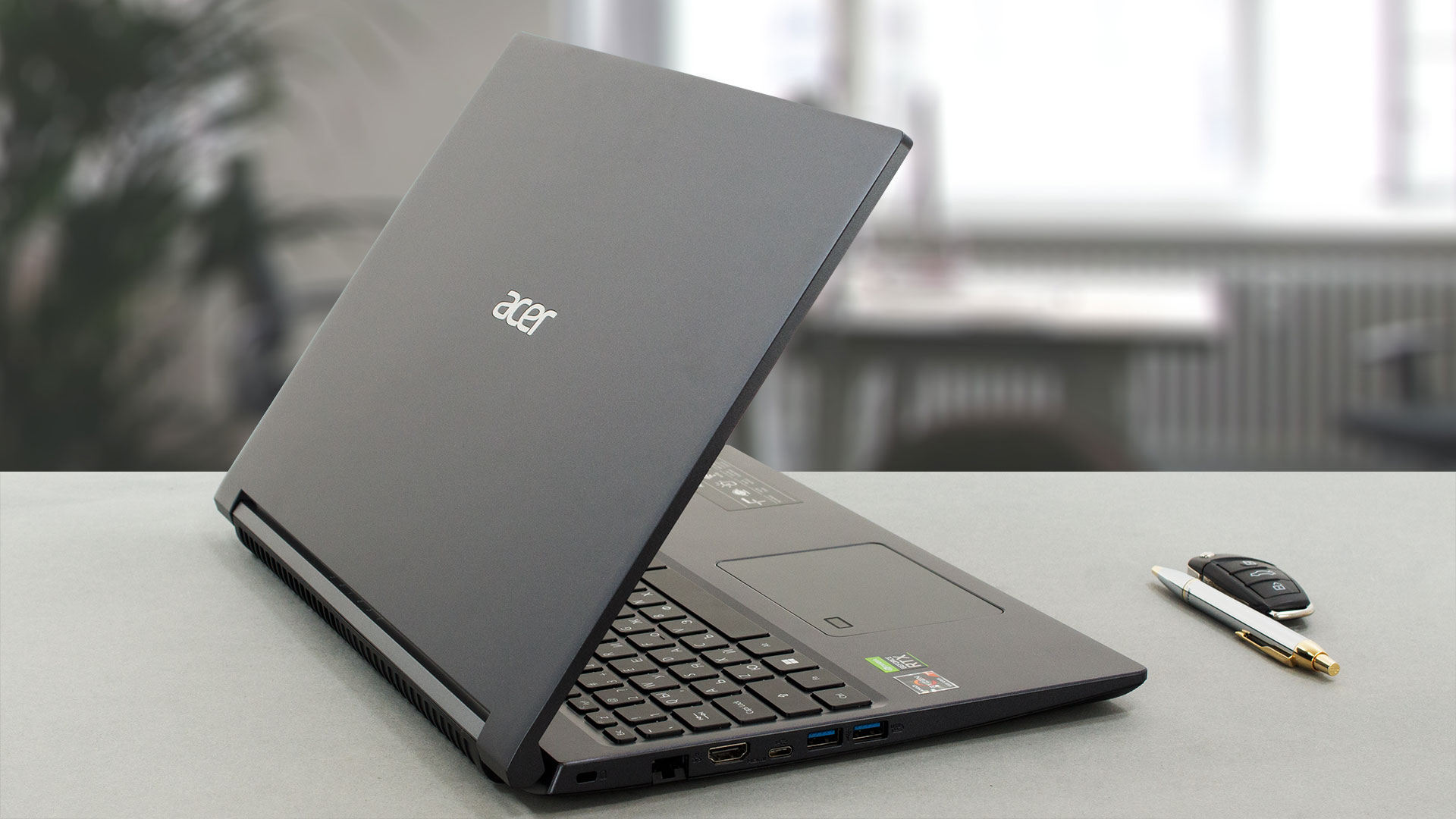 Considering this laptop as a gaming device would be wrong. At the same time, excluding it from the gaming specter is also not right. Then, what it is? Well, the Aspire 7 (A715-43G) falls in a grey area. What is great about it, is that it can deal with the heat, coming from its 60W dedicated graphics card.
Thus, it brings ray-tracing to office computing, which is nothing short of spectacular. However, even the Ryzen 7 5825U can be a bottleneck in some games. Especially if high fps are present. Of course, pairing it with dual-channel memory will always make things better.
Acer Aspire 7 (A715-43G)’s IPS panel has a Full HD resolution, comfortable viewing angles, a very good contrast ratio, and a non-flickering backlight. This makes the laptop adequate for long periods of use at a time. The only downside is that the display covers only 58% of the sRGB color gamut, which results in a slightly dull image.
We are also pretty happy with the battery life. It got us through nearly 11 hours of Web browsing or more than 9 hours of video playback. This means it is on the edge of not being able to last an entire workday on battery power. Hence, the U-series processor choice appears to be completely justified.
Of course, there are a couple of disadvantages we want to discuss. One of them is in regard to the port selection. Yes, you get a total of four USBs – three Type-As, and one Type-C. However, the latter supports only data transfer. To make the matters worse, you won’t be getting an SD card reader either.
A look at the internals reveals that you get two SODIMM slots for memory upgrades. This is great. However, there is only one M.2 PCIe x4 slot for storage. This means that you need to scrap your current SSD in order to fit a new one. Also, the chipset is limited to Gen 3 storage too.
See, the Aspire 7 (A715-43G) has more than 1 shortcoming. And if you compare it to a low-tier gaming machine, it might look a little underwhelming. However, it really establishes itself as a glorified office machine. Yes, there are some compromises that allow Acer to keep the price down. One of them is the plastic used all over the place, while the other is the aforementioned port cuts.
Overall, it is difficult to recommend this device, but if you fall in the niche, where you want to have a lowkey notebook, that can run pretty much every game out there, then, the Aspire 7 will probably make the cut. However, if you don’t mind the more gamer-centric look, the Nitro 5 would be a better choice.
You can check the prices and configurations in our Specs System: https://laptopmedia.com/series/acer-aspire-7-a715-43g/
Pros
- Great cooling, which provides more performance than we expected
- Wi-Fi 6E + 2x SODIMM slots
- Good battery life
- PWM-free display (Innolux N156HCA-EAB (CMN15E7))
- Adequate pricing
Cons
- No Thunderbolt connection or SD card reader
- Covers only 58% of the sRGB color gamut (Innolux N156HCA-EAB (CMN15E7))
- All-plastic build (that feels quite good though)
 Author: Alex Iliev
 Author: eng. Kroum NikolovHead of Engineering at LaptopMedia.com, inventor and innovator with 40+ years of experience in electronics and high technology.

![[June 2026] Best-Selling Laptop Brands on Amazon Global – Apple’s Unrivaled Dominance in Units and Revenue](https://laptopmedia.com/wp-content/uploads/2026/07/GLOBAL-Best-Brands-400x225.jpg)
![[June 2026] Amazon Global: Top 10 Best-Selling Laptops – Apple’s New MacBook Neo Storms to #1, Reshaping the Market with Affordability](https://laptopmedia.com/wp-content/uploads/2026/07/Best-Selling-Laptops-GLOBAL-Top-10-400x225.jpg)
![[June 2026] Amazon Global: Top 10 Best-Selling Gaming Laptops – Acer’s Nitro V 16S AI Dominates Sales, While ASUS Leads Overall Revenue](https://laptopmedia.com/wp-content/uploads/2026/07/Best-Selling-Gaming-Laptops-GLOBAL-Top-10-400x225.jpg)
![[June 2026] Global Ranking of Best-Selling Laptop GPUs on Amazon – NVIDIA RTX 5060 is the Top-Selling Dedicated GPU](https://laptopmedia.com/wp-content/uploads/2026/07/Best-Selling-GPUs-GLOBAL-Top-10-400x225.jpg)
![[June 2026] Global Ranking of Best-Selling Laptop CPUs on Amazon – Apple M5 Dominates, AMD Ryzen 7 260 Gets Solid Premium Share](https://laptopmedia.com/wp-content/uploads/2026/07/Best-Selling-CPUs-GLOBAL-Top-10-400x225.jpg)
