Acer Swift Edge (SFE16-43) review – has a lot of potential but the cooling solution needs a revamp
Disassembly, Upgrade options, and Maintenance
For removing the bottom plate, you have to undo a total of 10 Torx-head screws. Then, you can pry the bottom panel with a plastic tool. The best starting point is one of the two zones beneath the hinges.
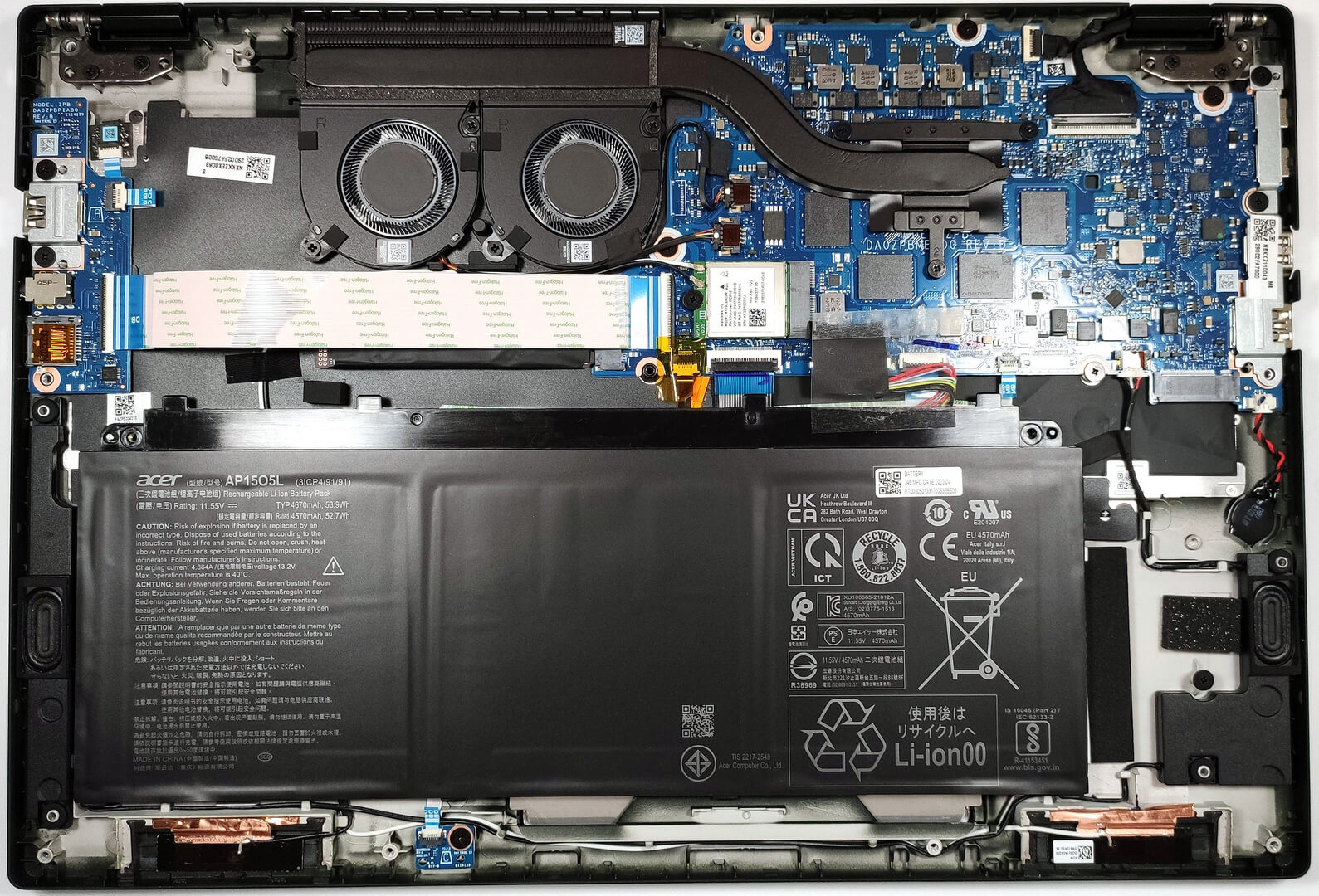
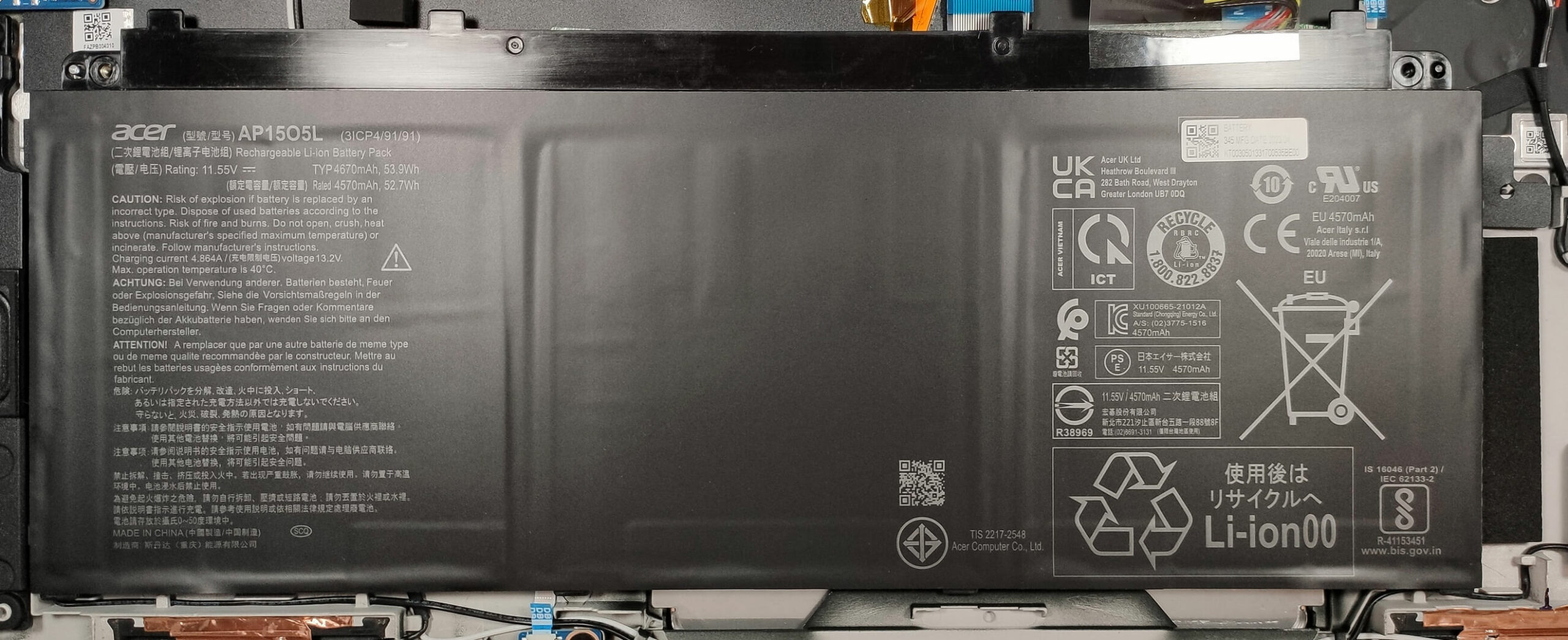
The battery is a 54Wh unit. You have to pull out the connector from the mainboard before upgrading or cleaning the internals. Removing the battery is almost mission impossible. It’s glued to the base and the adhesive is super sticky. Detaching the battery seems dangerous to us because even if you try to gently unglue it starting from one of the four corners the unit feels spongy. If you push harder, the battery starts to flex badly so just don’t try this at home. The capacity of this model is enough for 6 hours and 40 minutes of Web browsing or 5 hours and 53 minutes of video playback.
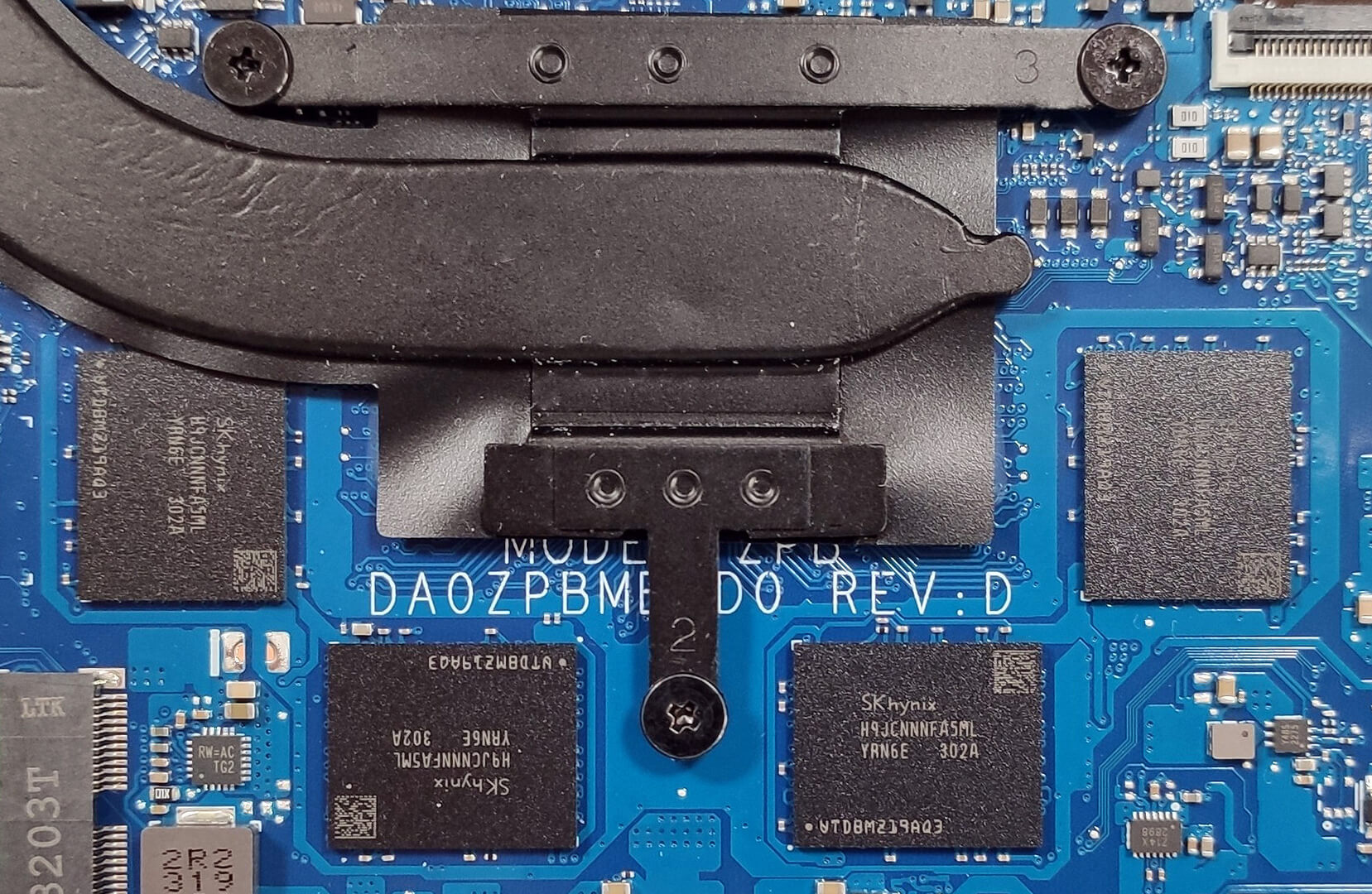
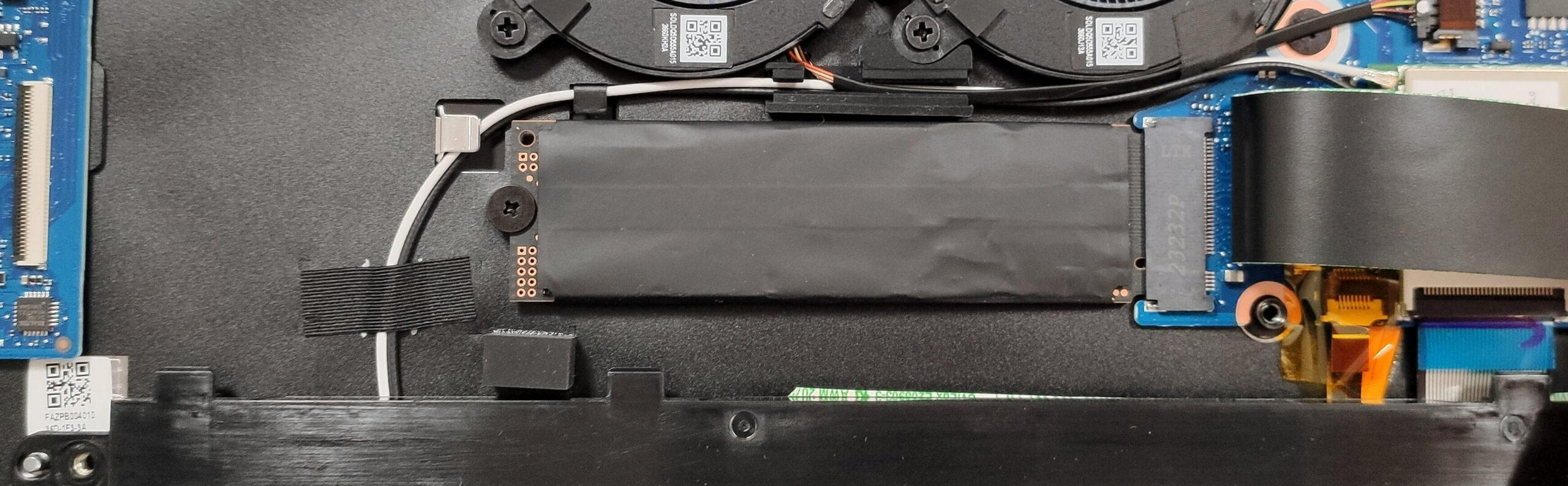
The memory is soldered to the motherboard but at least the maximum possible amount of RAM is 32GB of LPDDR5 in dual-channel which sounds future-proof. For storage, there are two M.2 slots compatible with Gen 4 SSDs. One of them is hidden below a ZIF ribbon connector so first, you have to disconnect it carefully before accessing the NVMe.
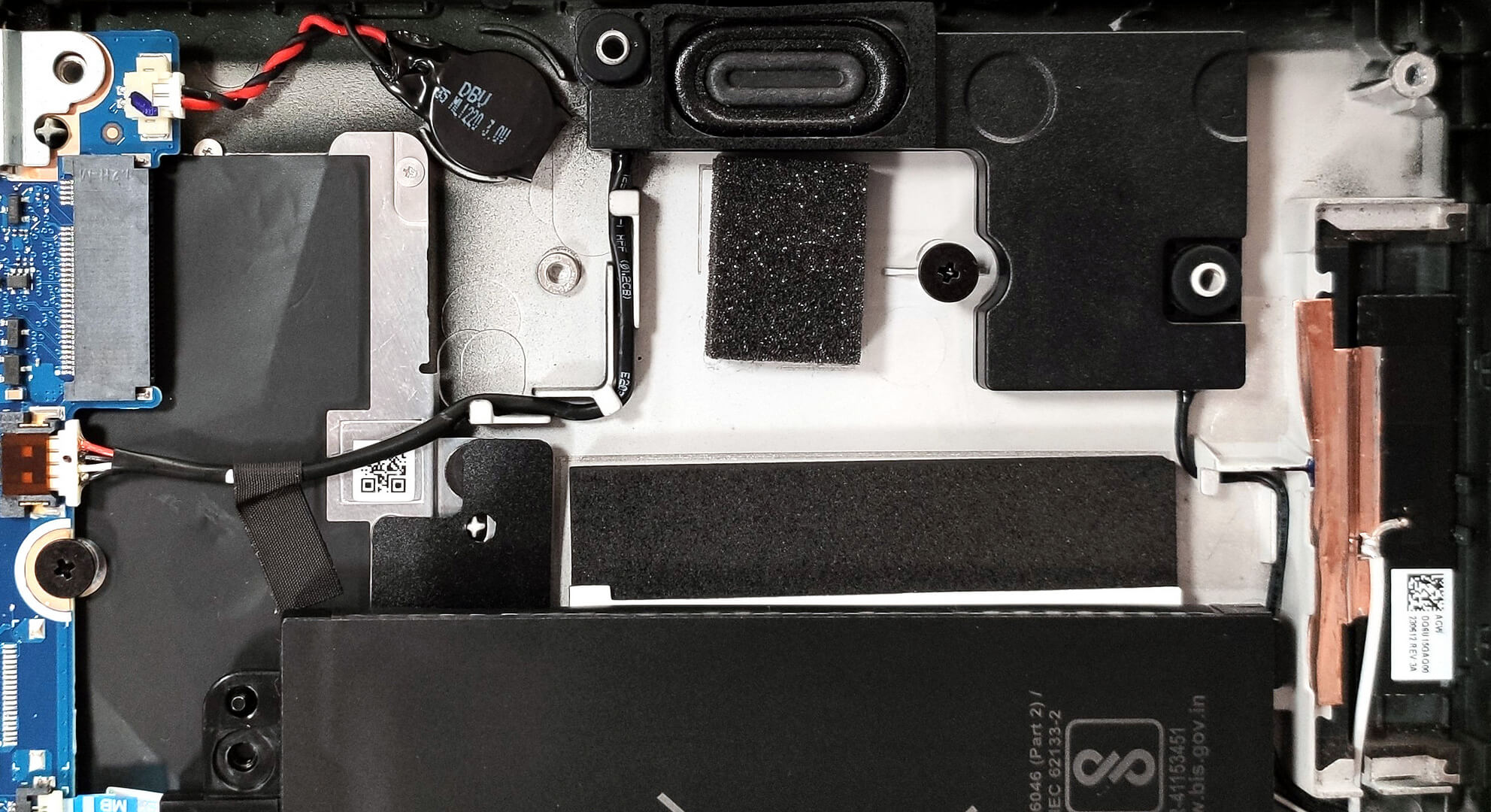
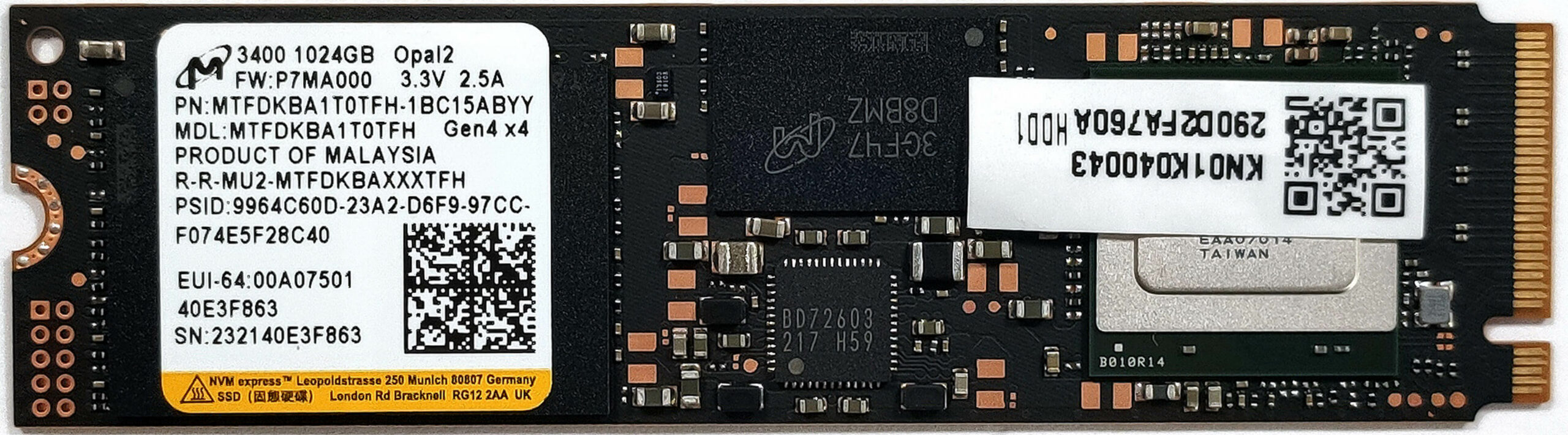
The cooling looks modest. It has two small fans, one heat pipe, one heat sink, and a heat spreader.

 Author: Nikolay Palaozov
 Author: eng. Kroum NikolovHead of Engineering at LaptopMedia.com, inventor and innovator with 40+ years of experience in electronics and high technology.

![[June 2026] Best-Selling Laptop Brands on Amazon Global – Apple’s Unrivaled Dominance in Units and Revenue](https://laptopmedia.com/wp-content/uploads/2026/07/GLOBAL-Best-Brands-400x225.jpg)
![[June 2026] Amazon Global: Top 10 Best-Selling Laptops – Apple’s New MacBook Neo Storms to #1, Reshaping the Market with Affordability](https://laptopmedia.com/wp-content/uploads/2026/07/Best-Selling-Laptops-GLOBAL-Top-10-400x225.jpg)
![[June 2026] Amazon Global: Top 10 Best-Selling Gaming Laptops – Acer’s Nitro V 16S AI Dominates Sales, While ASUS Leads Overall Revenue](https://laptopmedia.com/wp-content/uploads/2026/07/Best-Selling-Gaming-Laptops-GLOBAL-Top-10-400x225.jpg)
![[June 2026] Global Ranking of Best-Selling Laptop GPUs on Amazon – NVIDIA RTX 5060 is the Top-Selling Dedicated GPU](https://laptopmedia.com/wp-content/uploads/2026/07/Best-Selling-GPUs-GLOBAL-Top-10-400x225.jpg)
![[June 2026] Global Ranking of Best-Selling Laptop CPUs on Amazon – Apple M5 Dominates, AMD Ryzen 7 260 Gets Solid Premium Share](https://laptopmedia.com/wp-content/uploads/2026/07/Best-Selling-CPUs-GLOBAL-Top-10-400x225.jpg)

Thanks! Nice review.