ADATA XPG Gammix D35 3200MHz (2x16GB) review – nicely priced memory that has good OC potential
Installation, Setup, Testing, Overclock
The installation is business as usual, you have to put the memory in RAM slots “1” and “3” and after that, you have to start your PC, enter the BIOS, select the XMP profile (and maybe you should set 1.35V DRAM voltage manually depending on your motherboard) and that’s all.
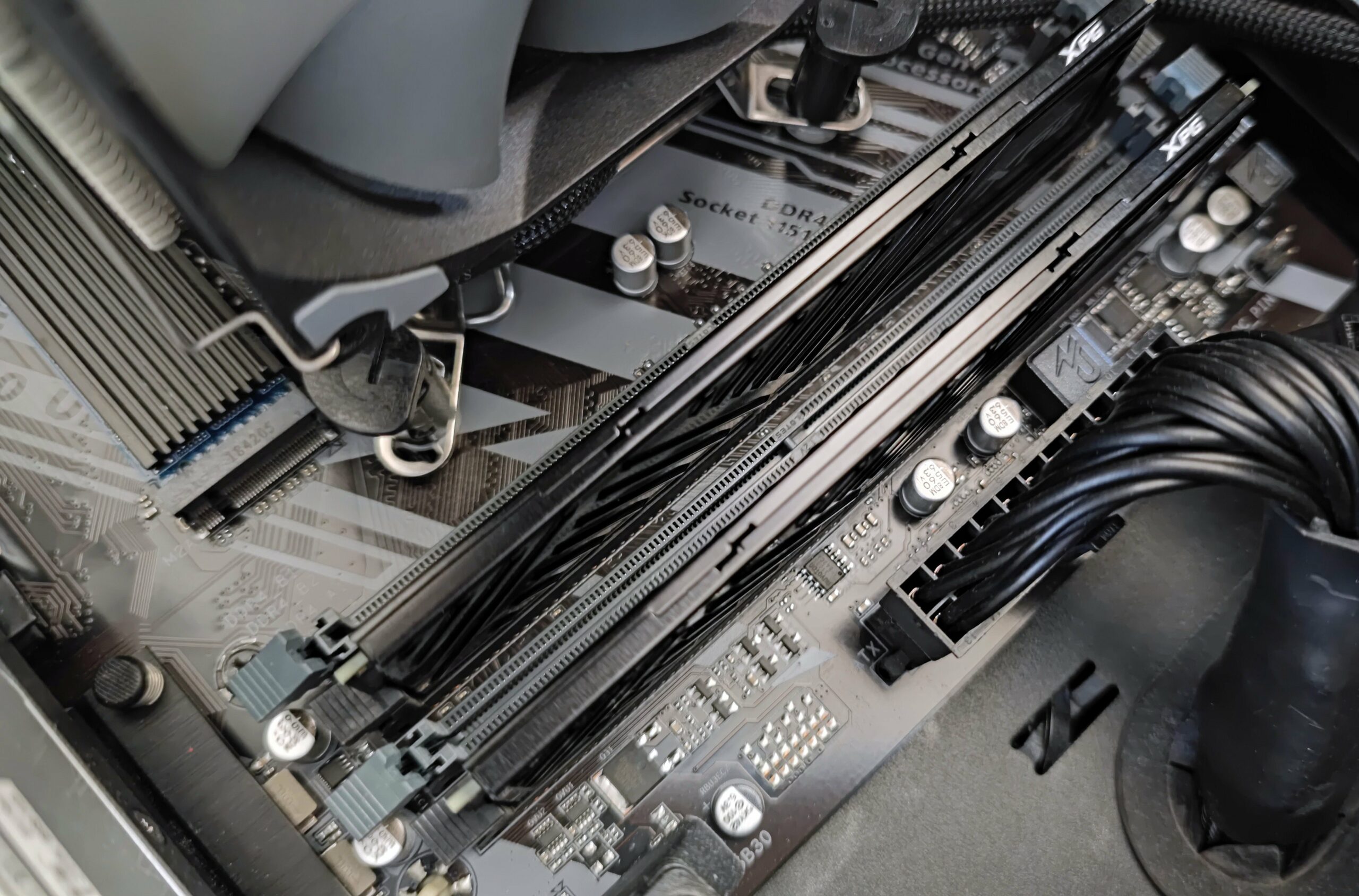
We don’t have an Intel 12th or 13th Gen PC with a DDR4-compatible motherboard in our office so we’re going to use a Coffee Lake-based computer for this review. Here are the specs:
Intel Core [email protected]
Gigabyte Z390 UD
Gigabyte RX6800 (with reference cooler)
ADATA XPG Gammix D35 3200MHz (2x16GB)
Windows 10 21H2
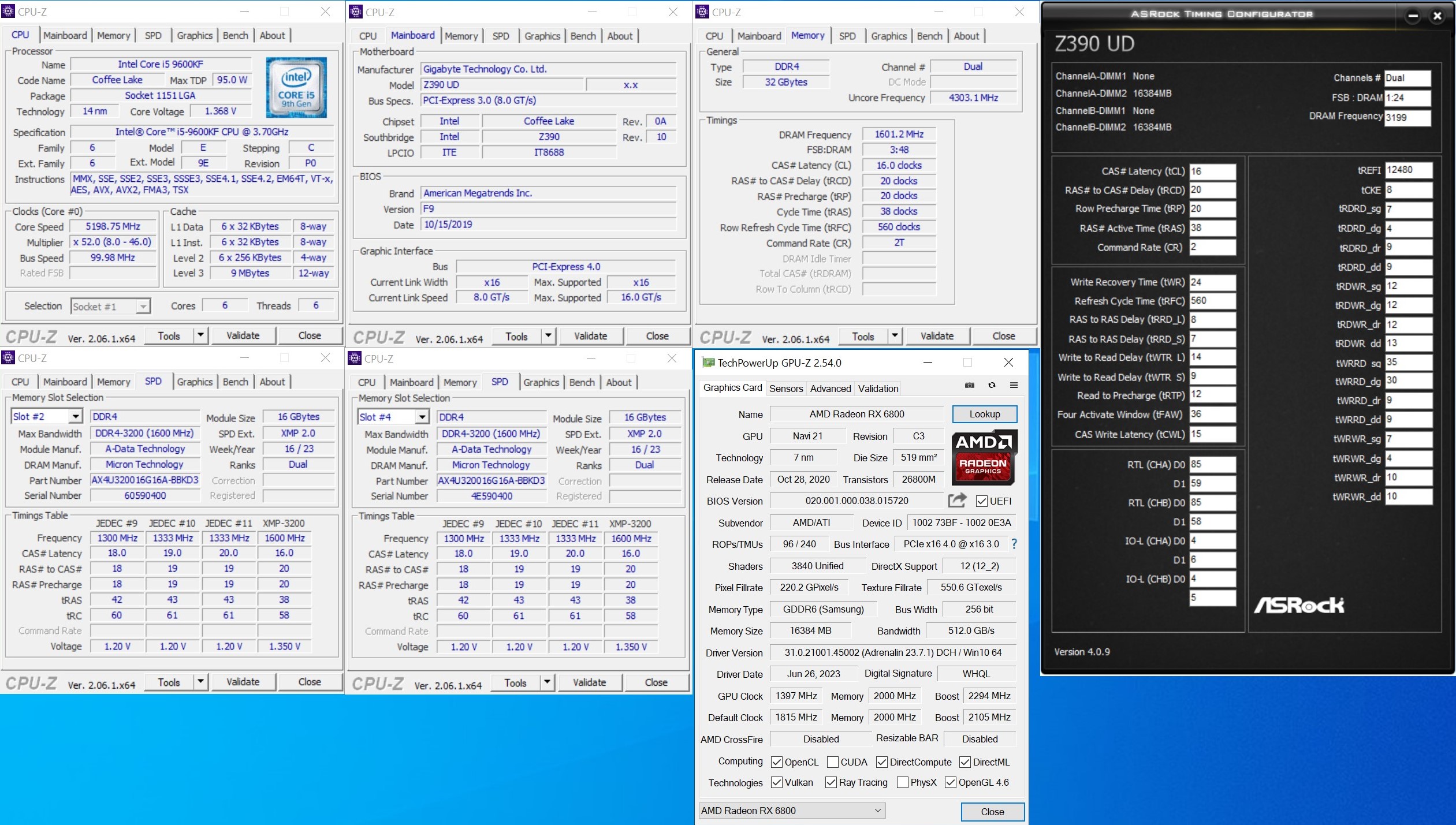
The XPG memory isn’t going to break any benchmark records with its out-of-the-box timings (16-20-20-38-560) but that’s just fine given the end-price. Here, we have Micron E-Die chips. This sounds okay for at least modest overclocking.
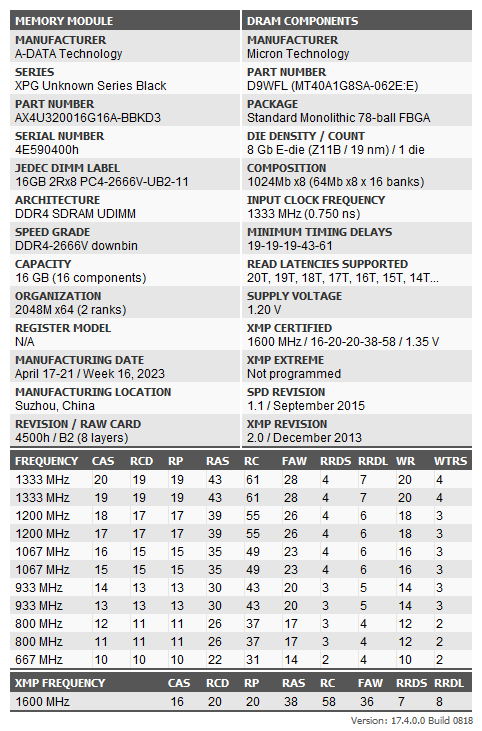
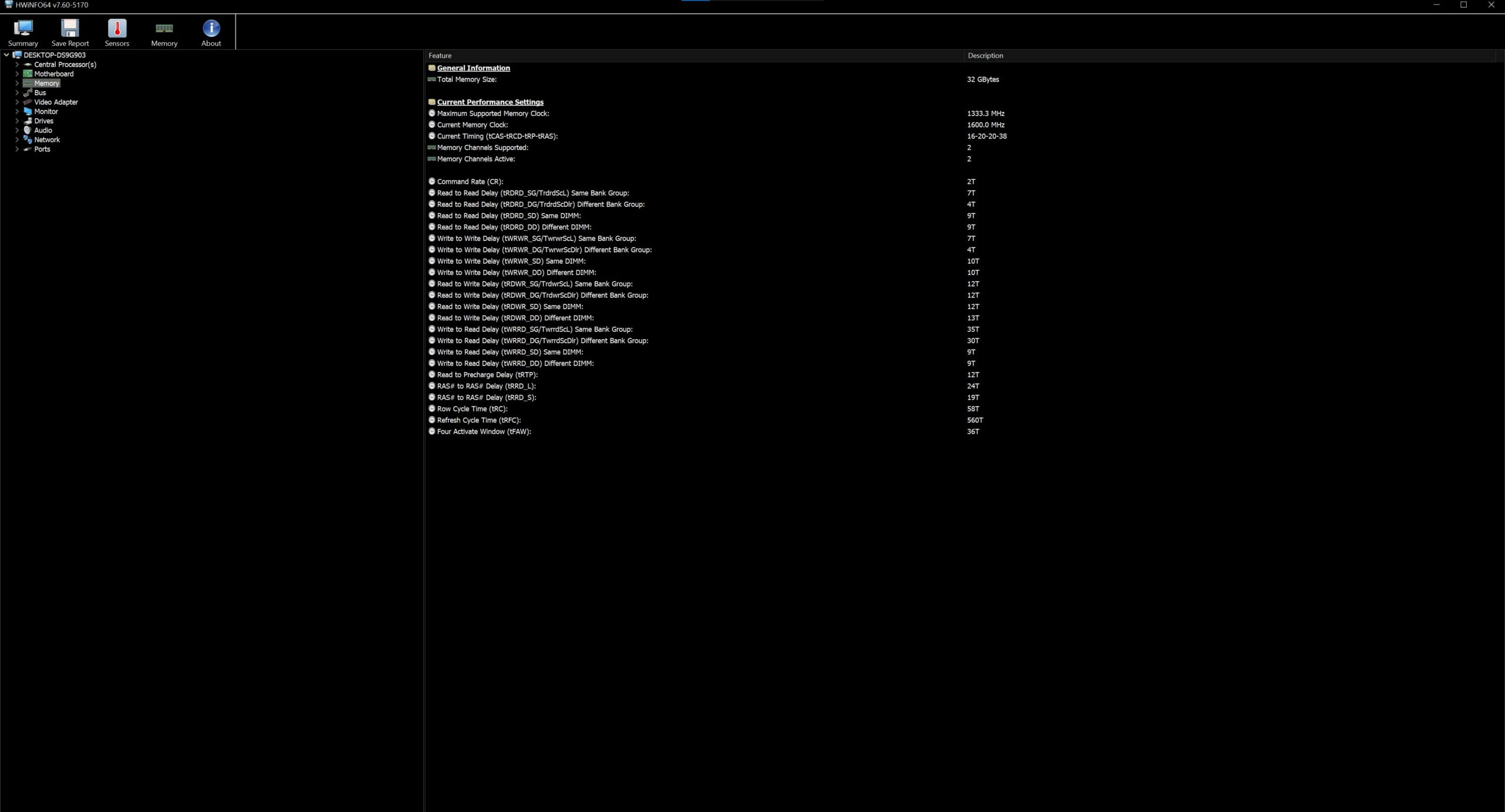
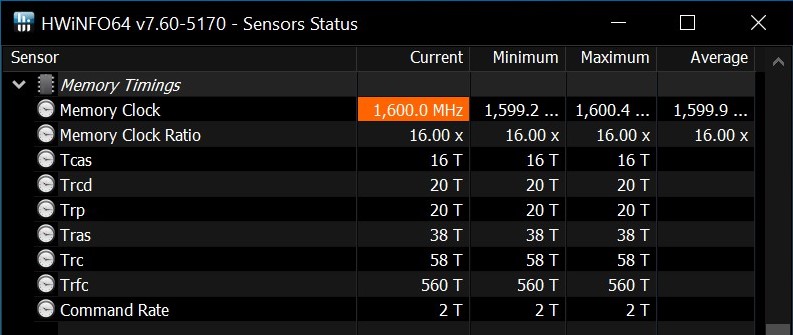
Alright, it’s time for some benchmarks.
Stock results
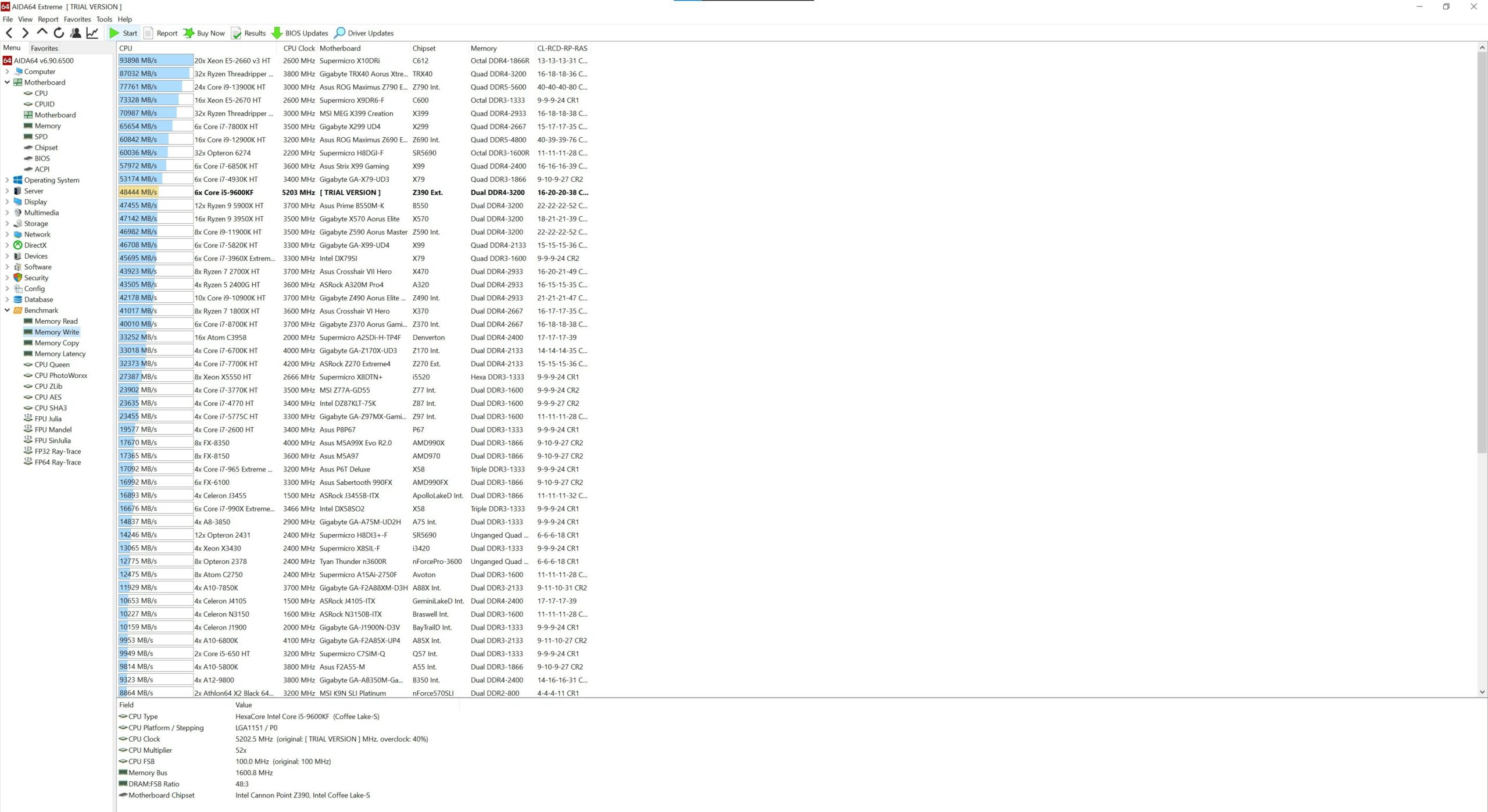
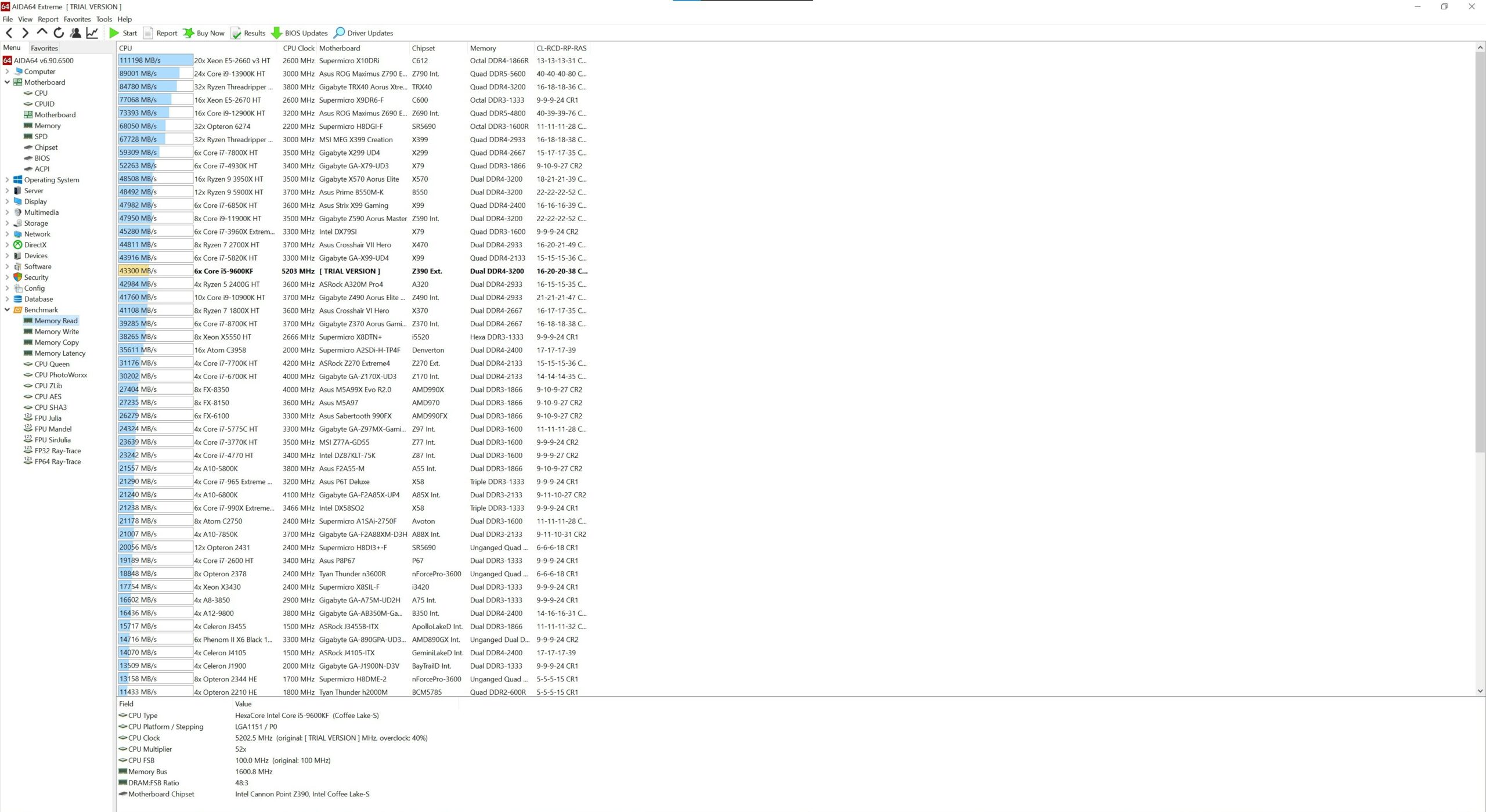
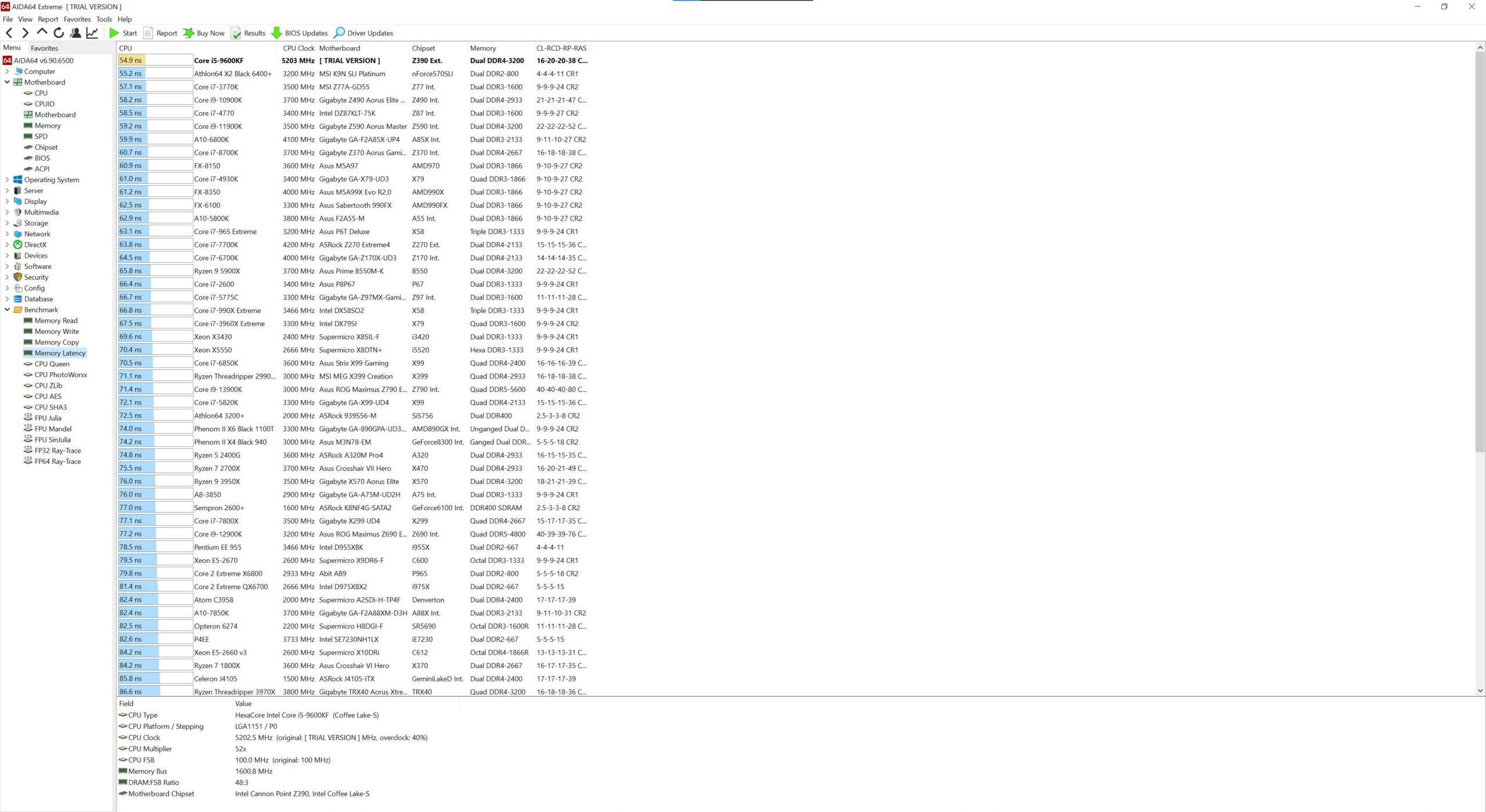
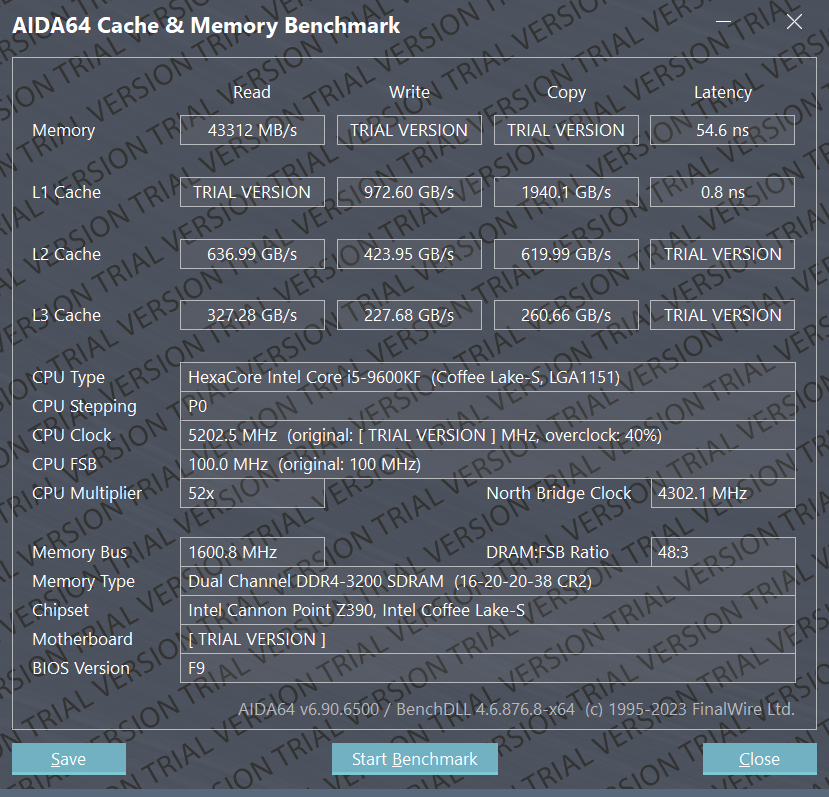
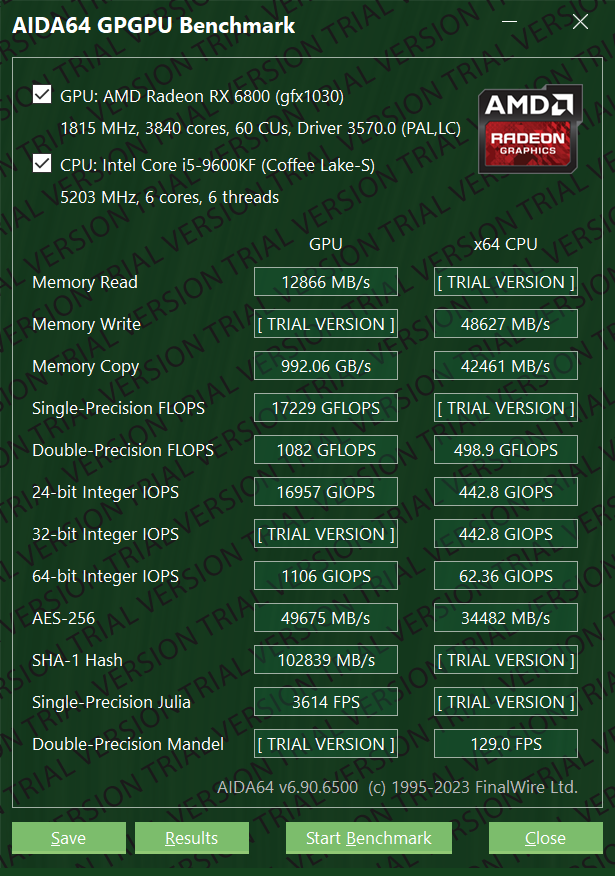
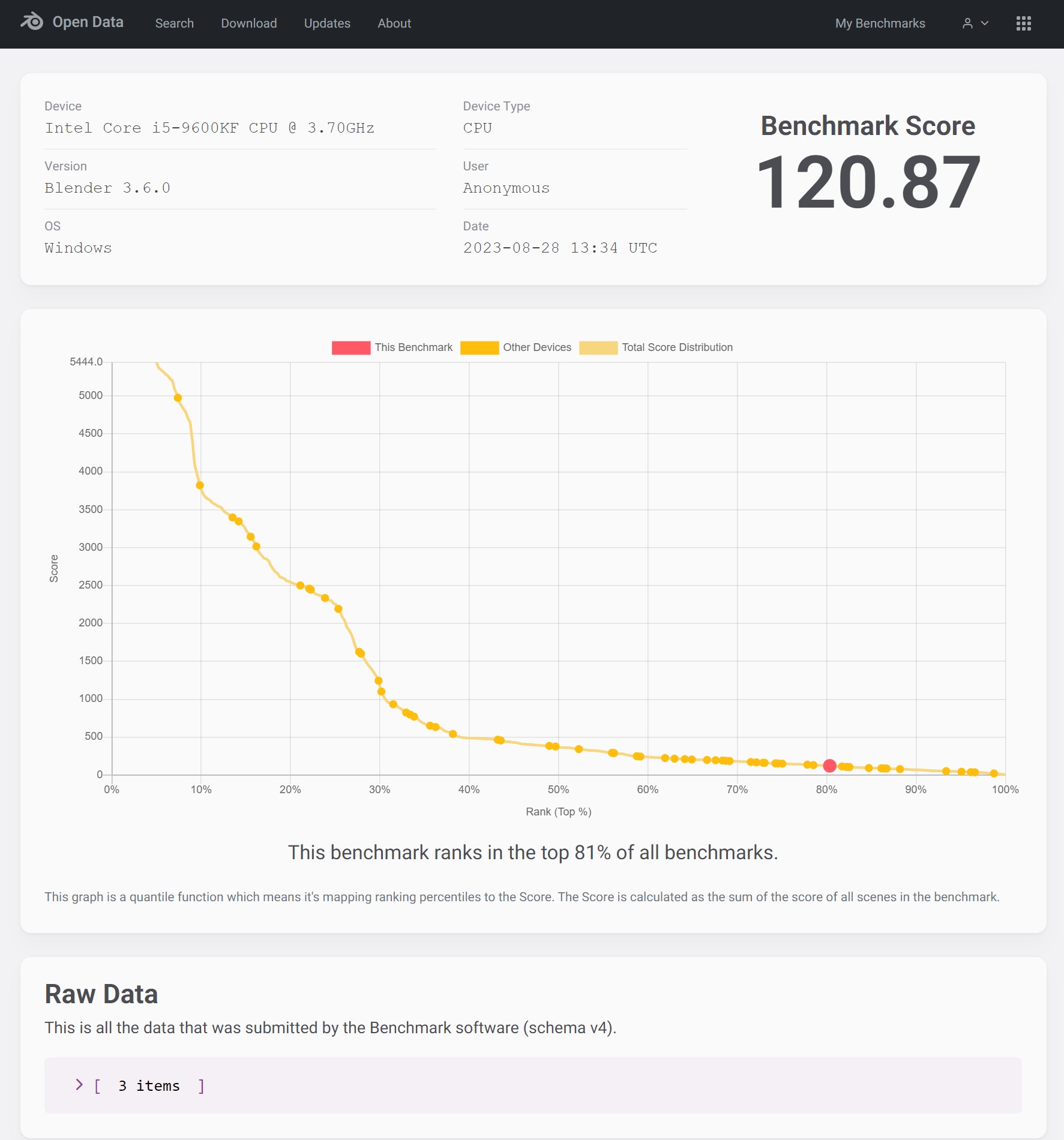
Some Aida64, Cinebench R23, and Blender results.
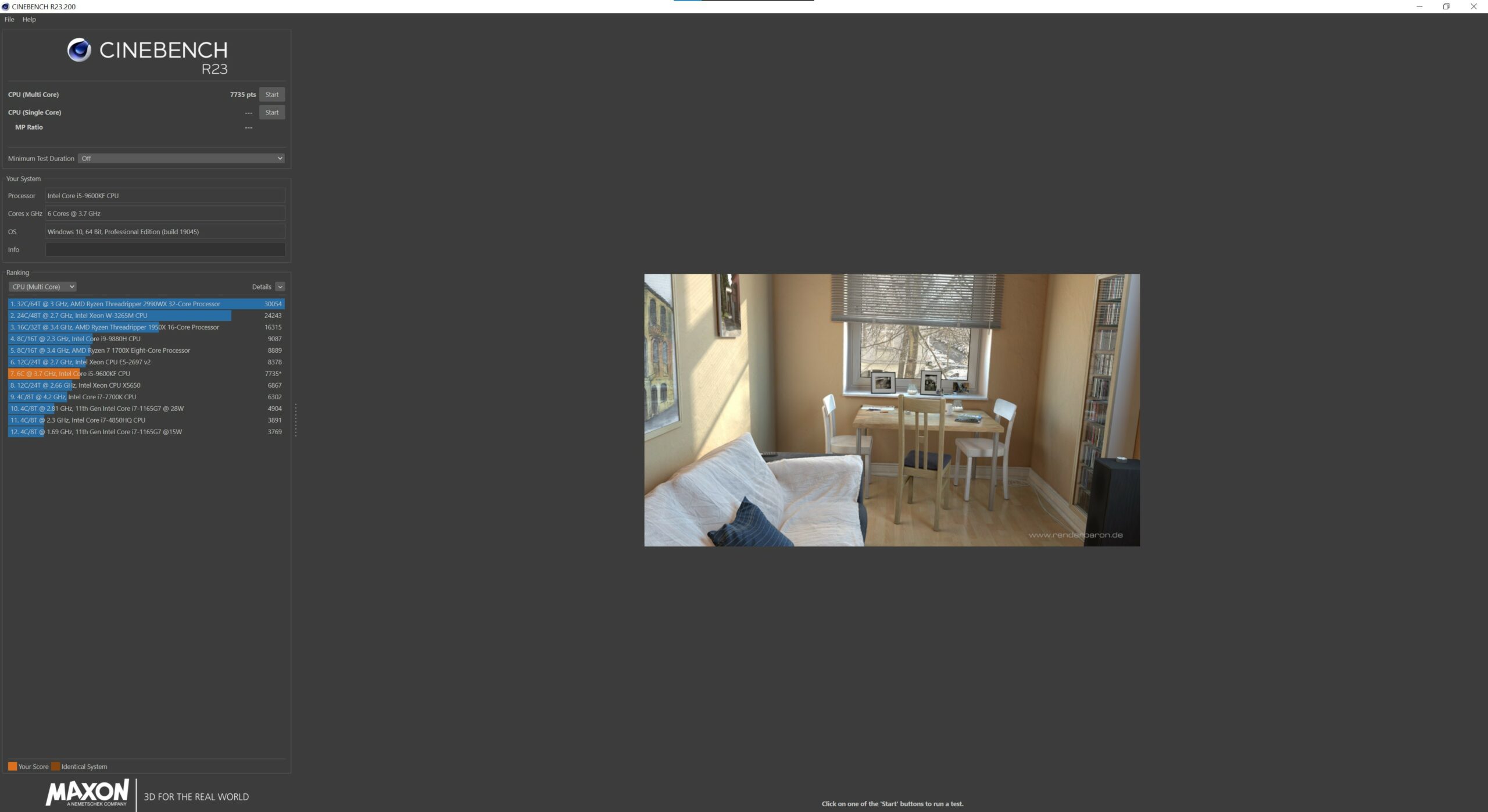
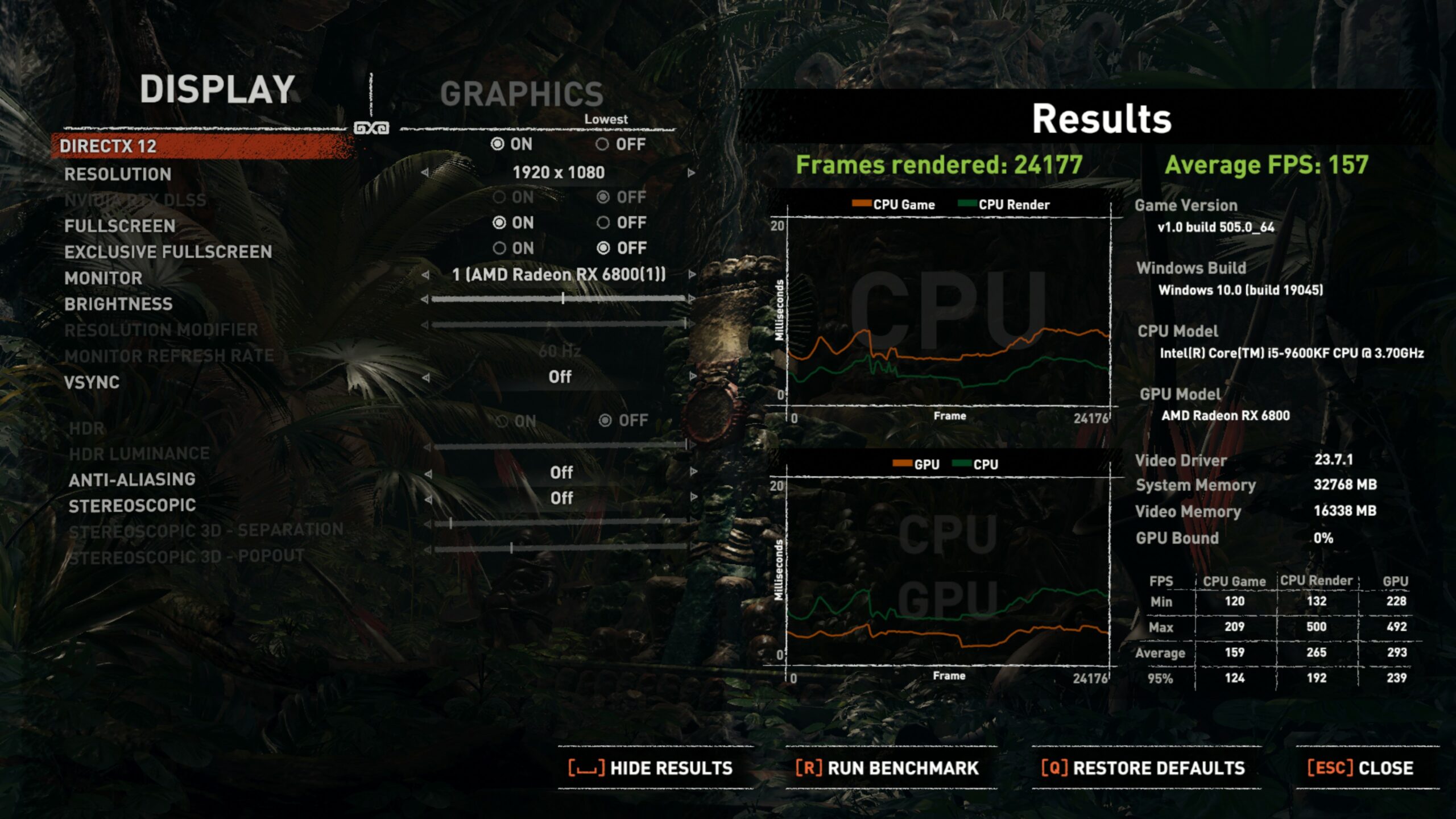
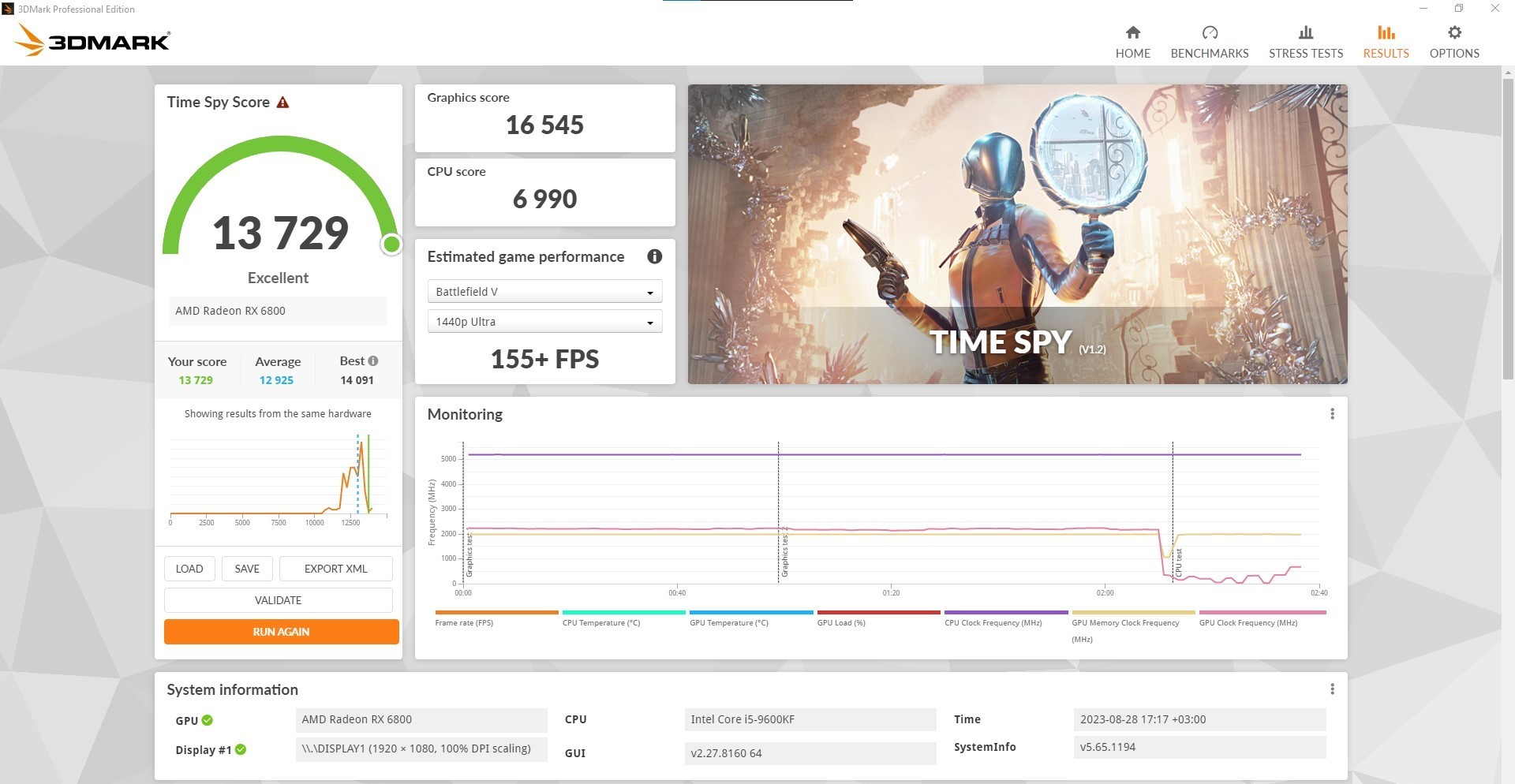
You can also check the 3DMark Time Spy and Shadow Of The Tomb Raider test scores.
OC results
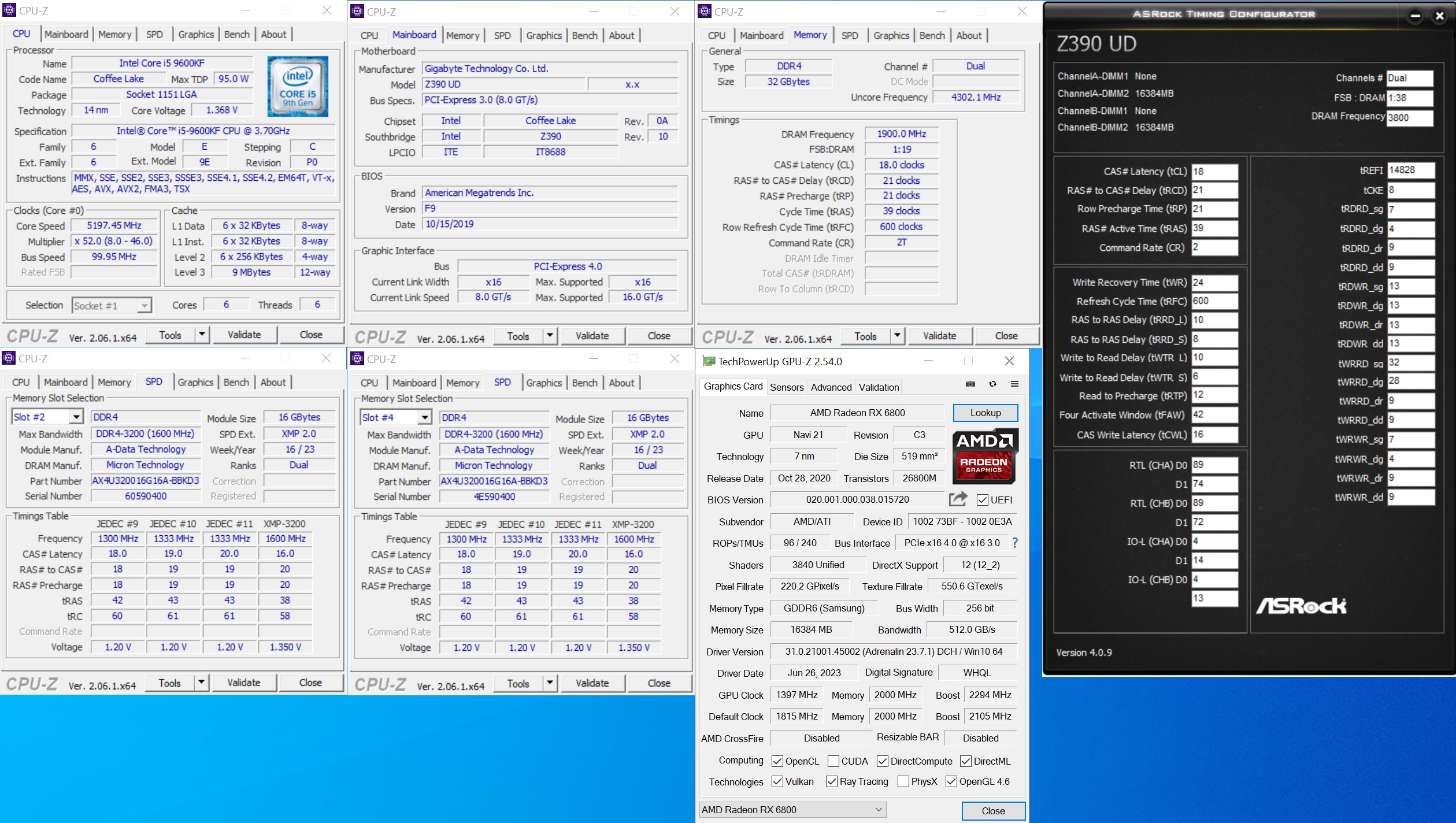
Alright, we were able to overclock the memory to 3800MHz with the following timings – [email protected]. Let’s see if this has a positive impact on the overall performance.
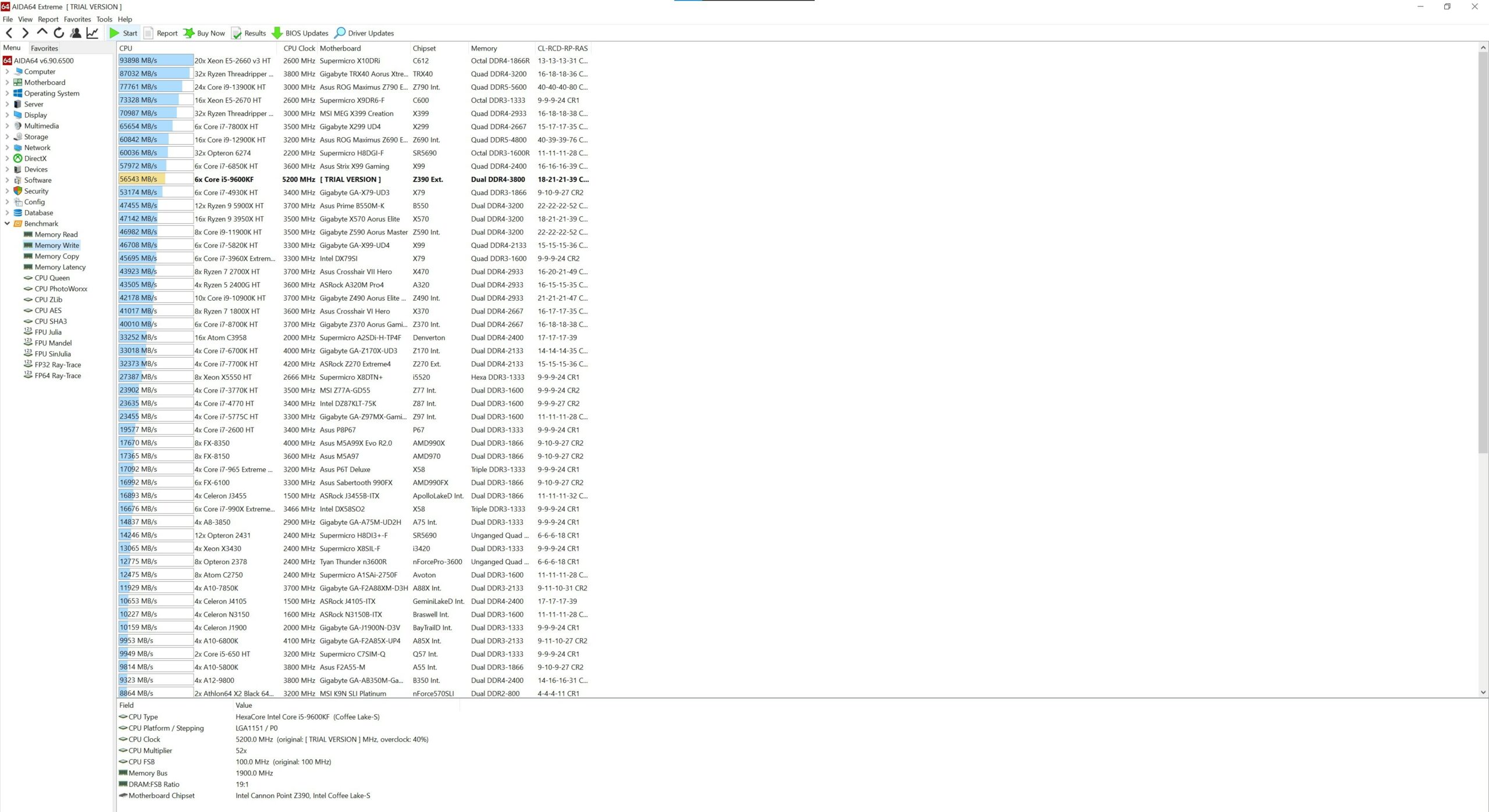
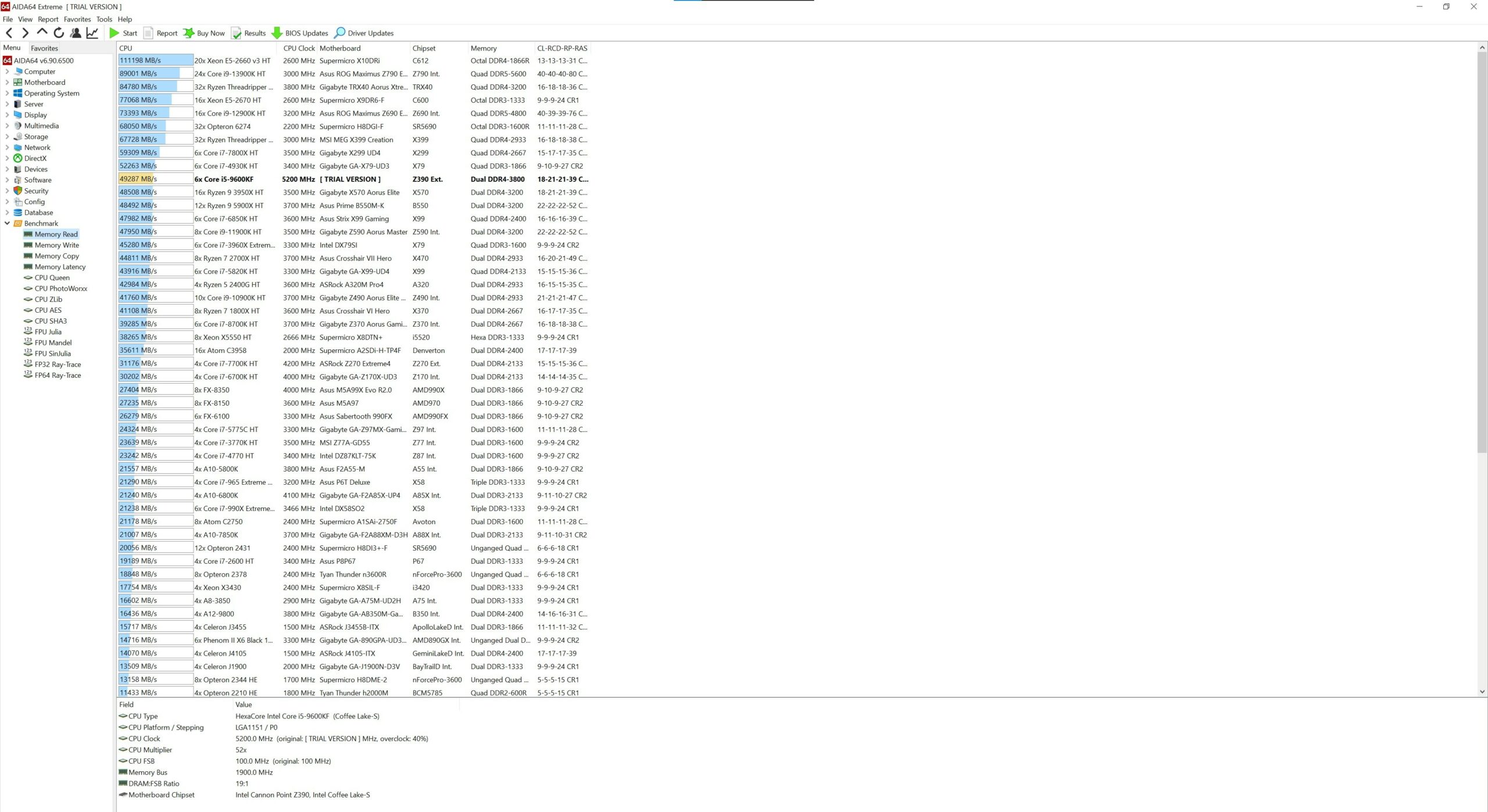
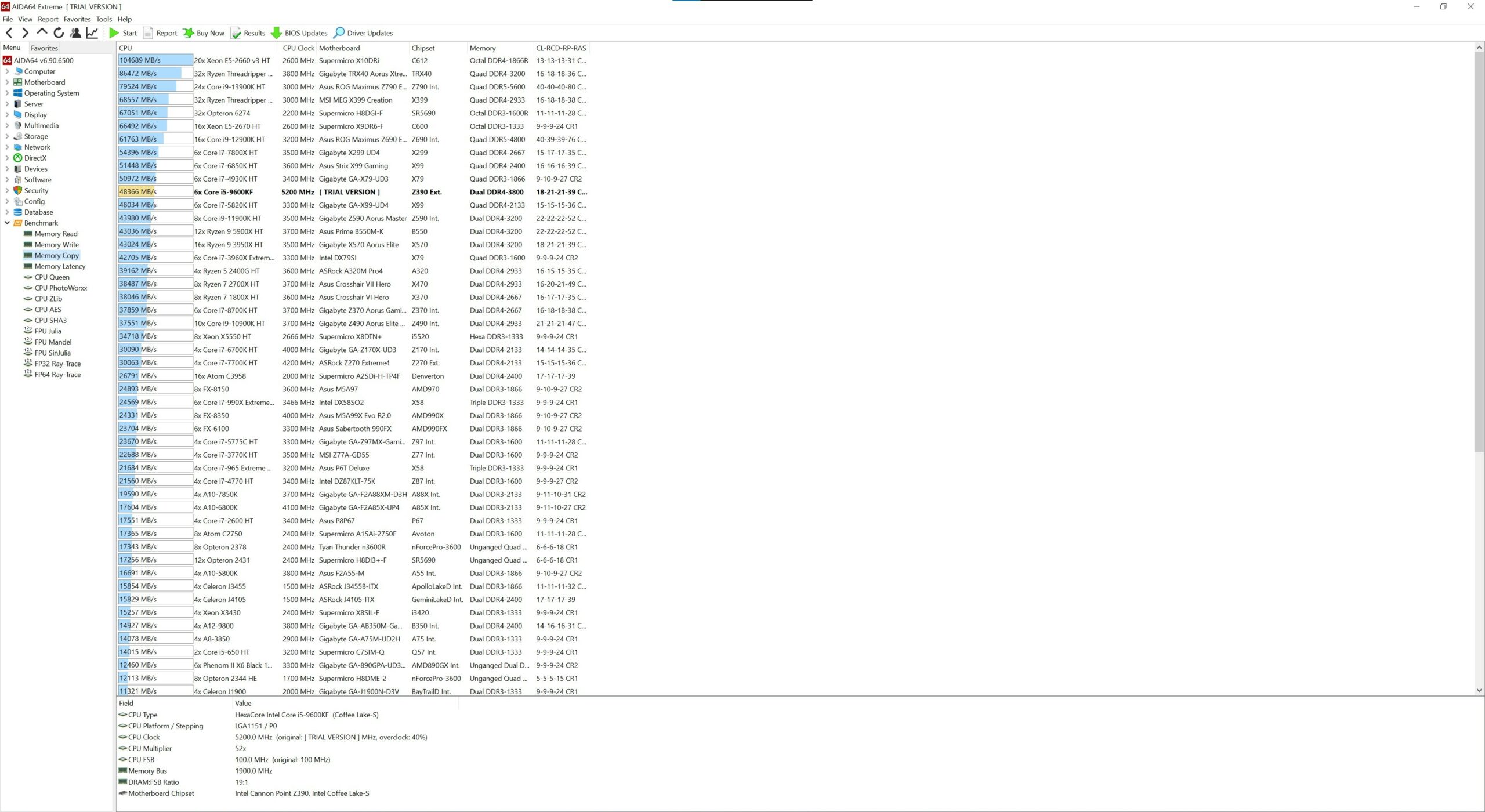
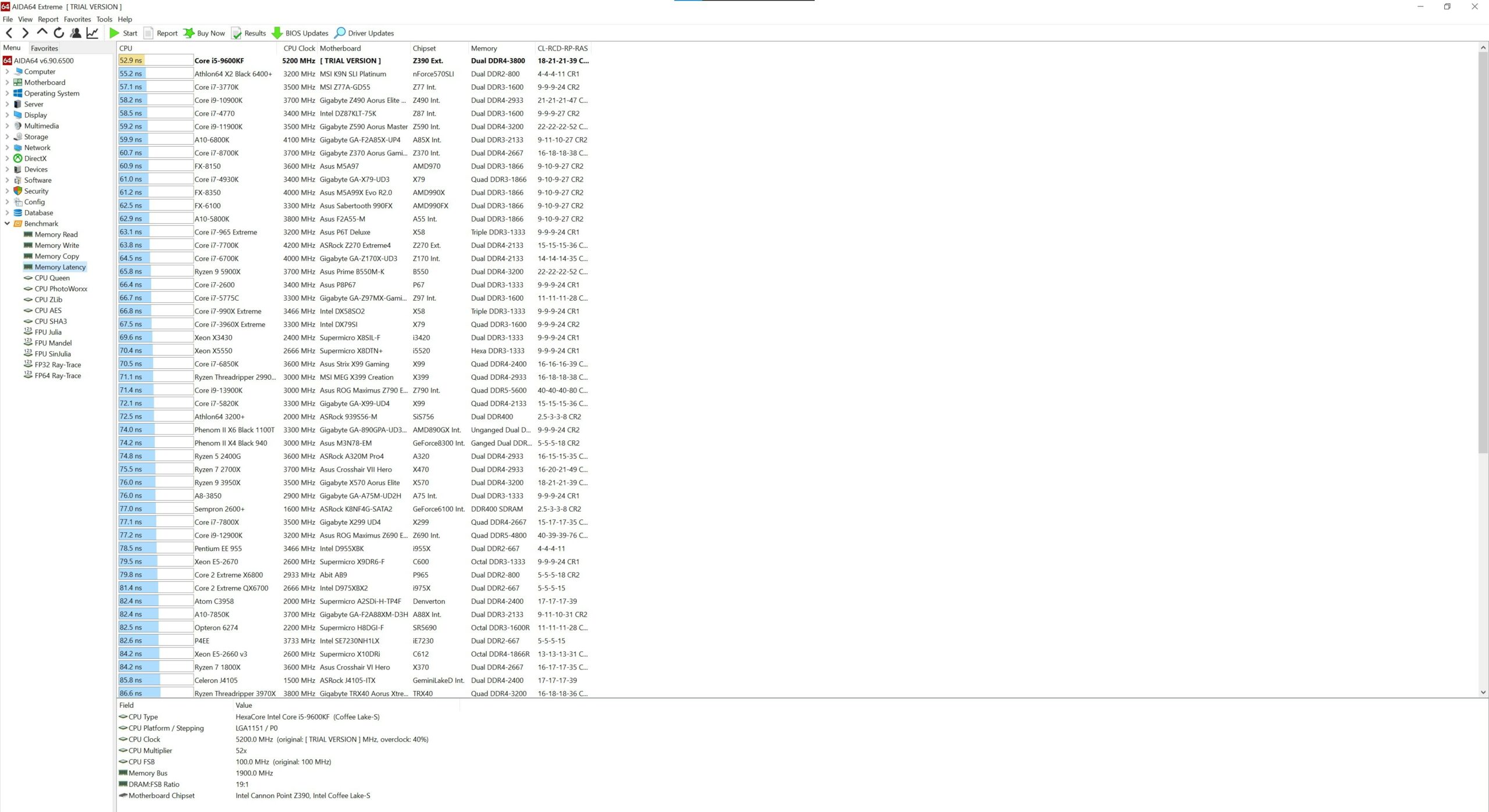
More Aida64 benchmarks.
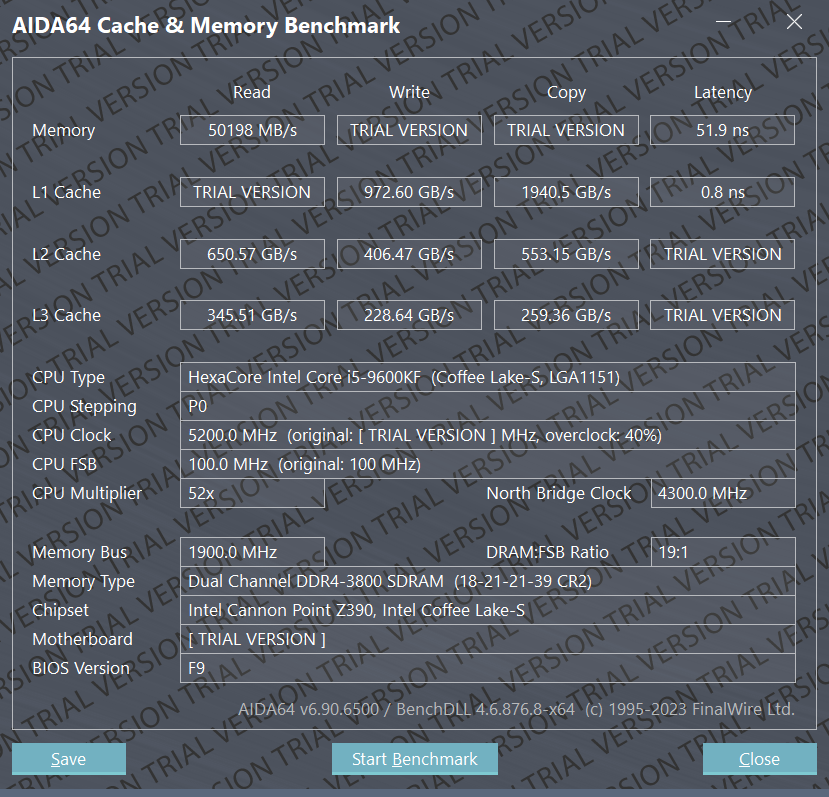
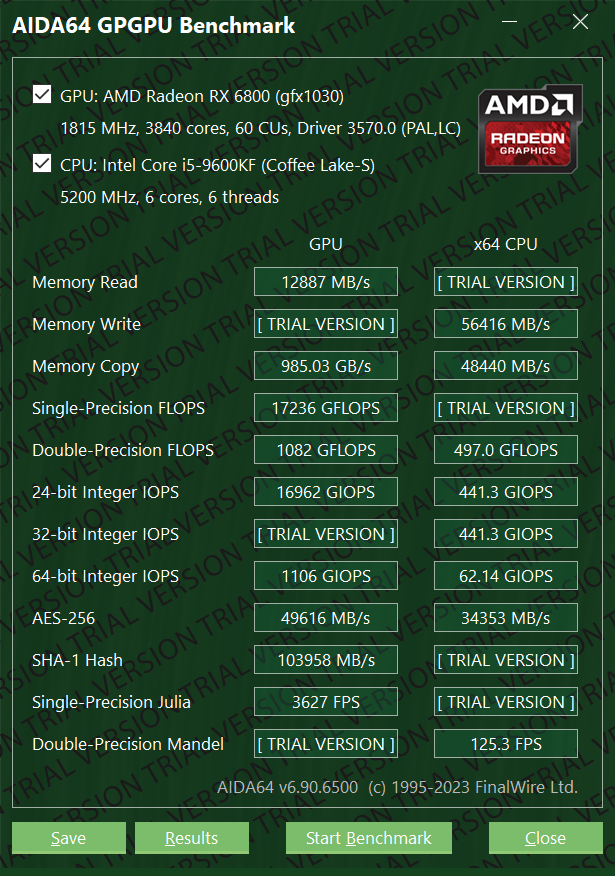
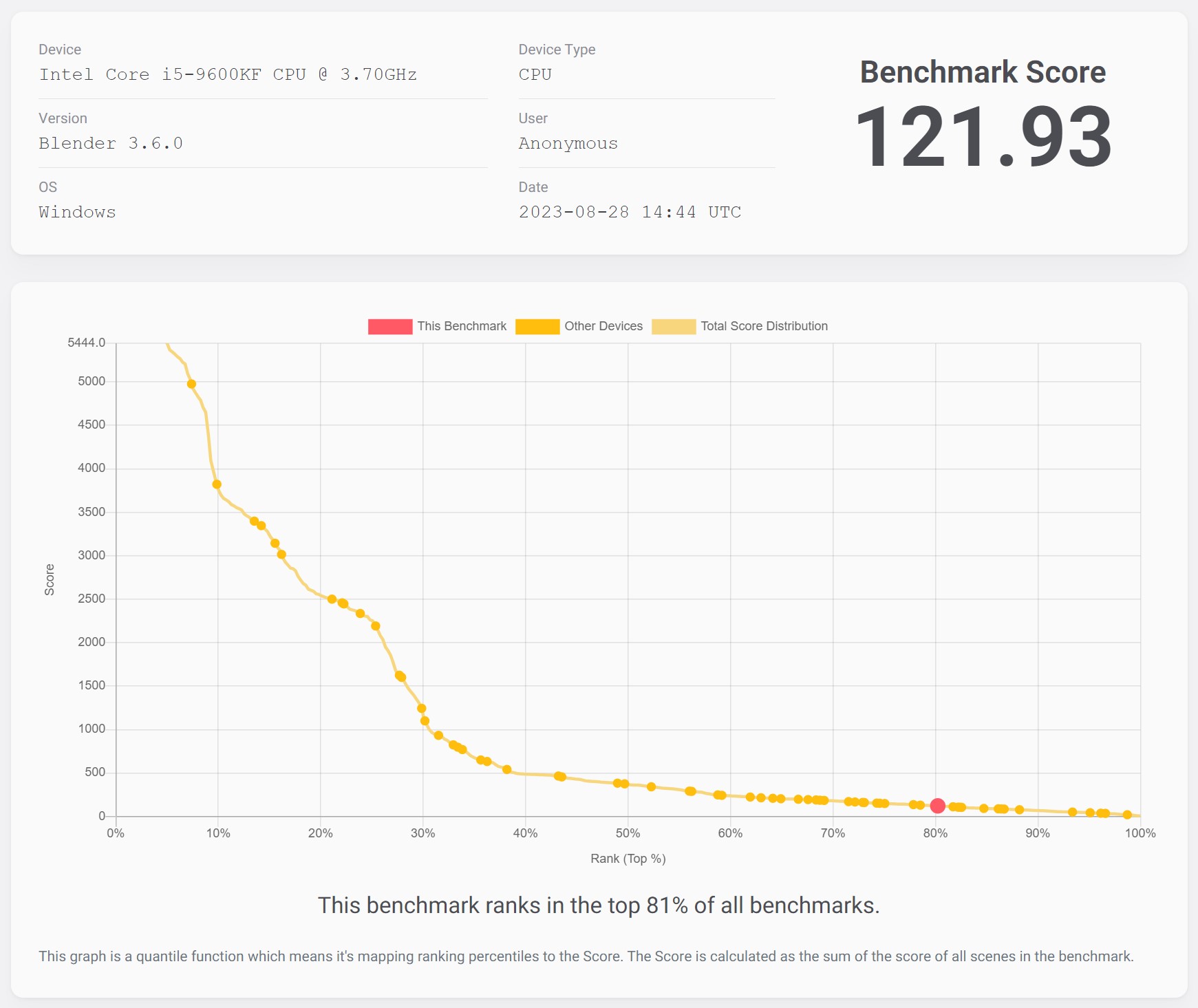
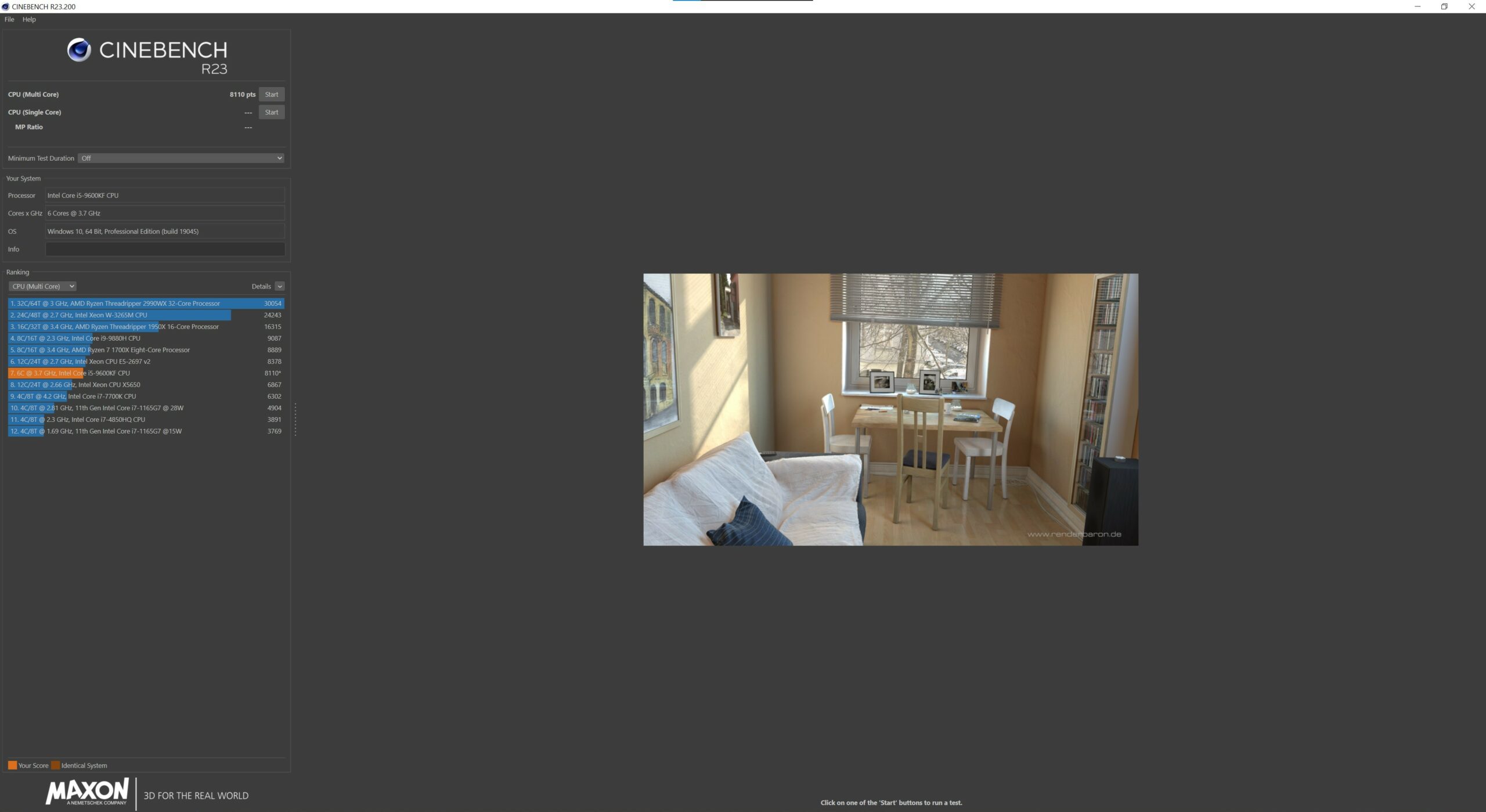
We can spot a 10FPS higher score in Shadow Of The Tomb Raider which is good.
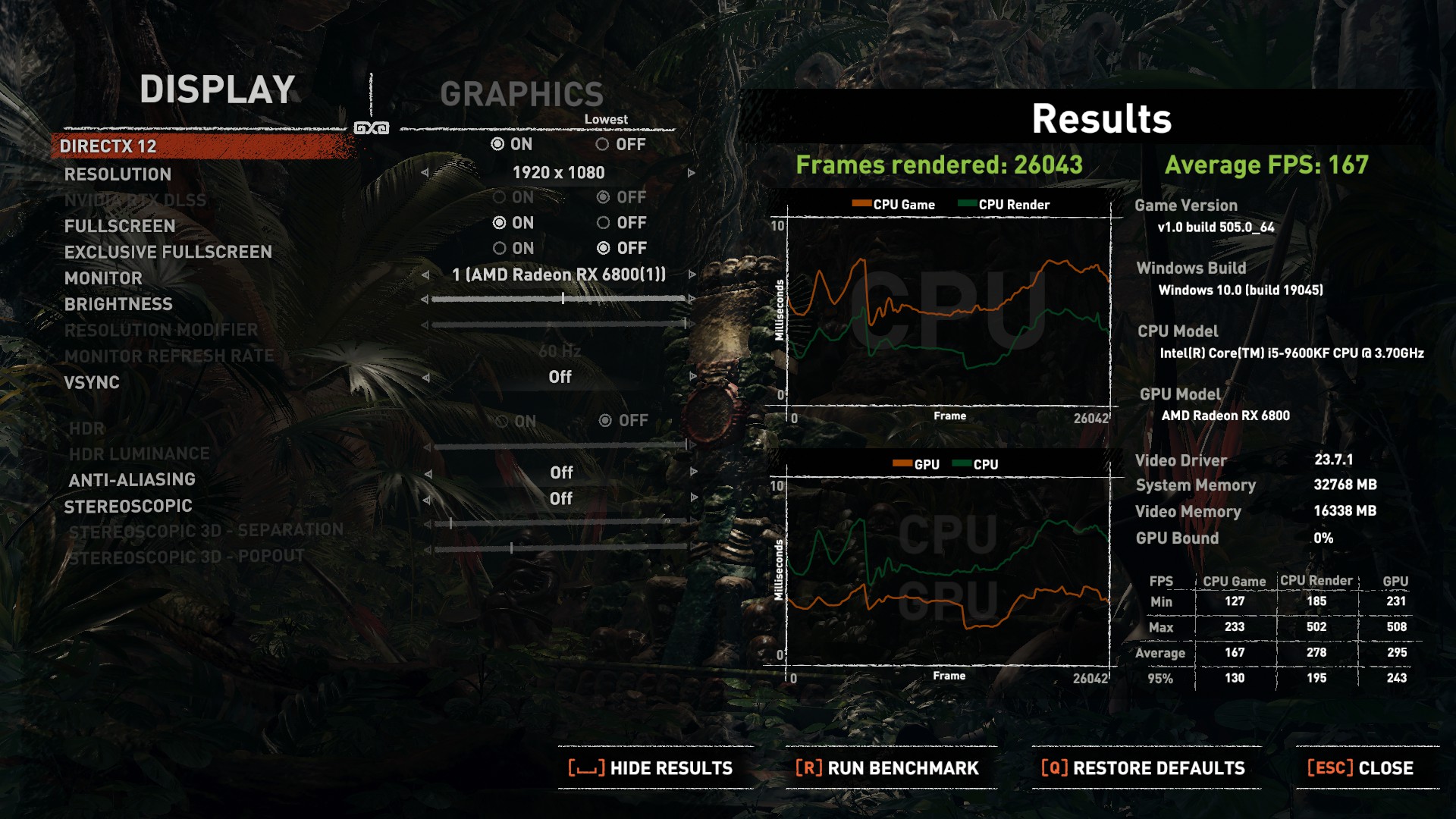
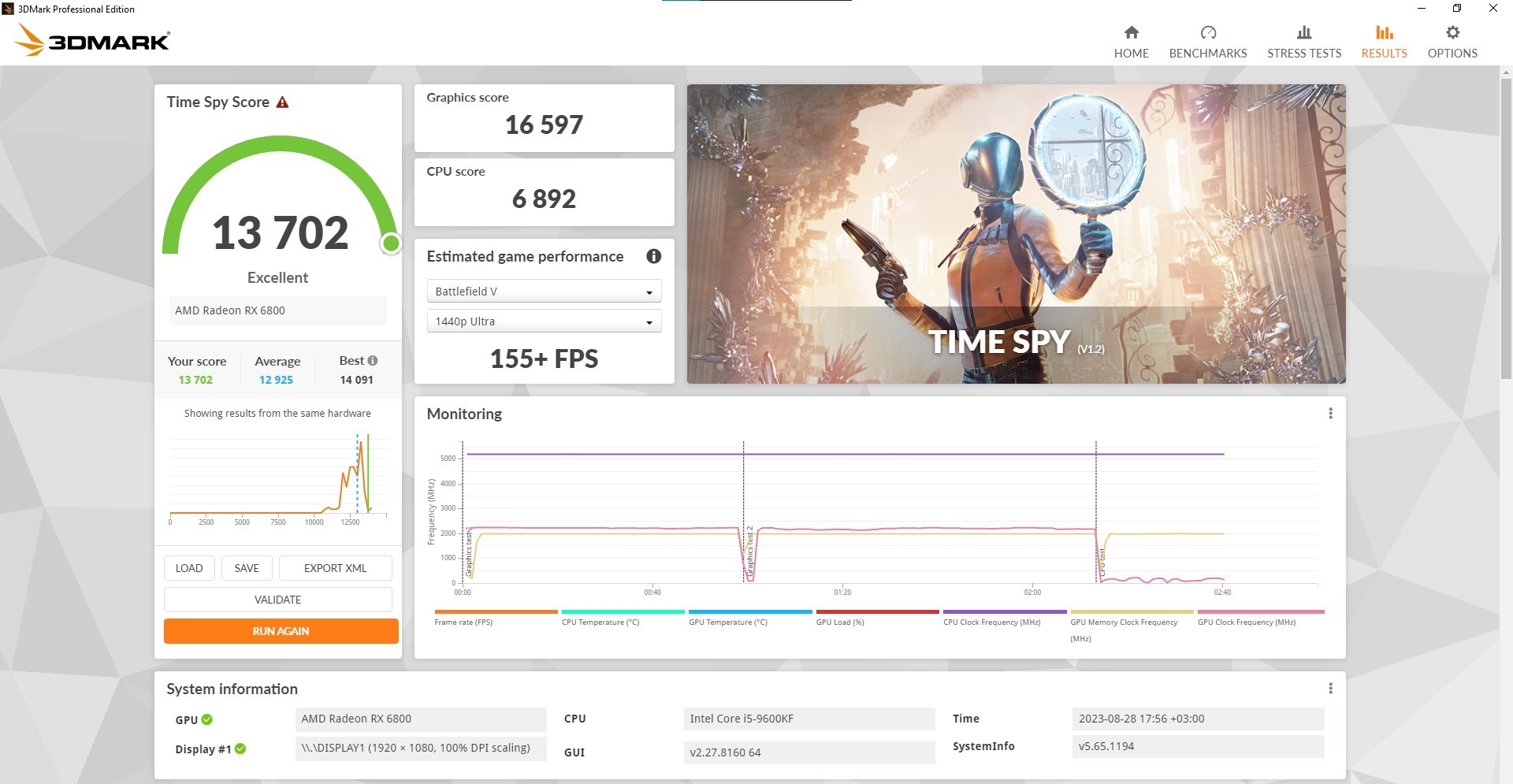
| Aida Memory Write | Aida Memory Read | Aida Memory Copy | Aida Memory Latency | Aida Cache and Memory Read | Aida GPGPU CPU Memory Write | Cinebench R23 | Blender 3.60 Benchmark | Time Spy Score | Shadow of The Tomb Raider FPS | |
|---|---|---|---|---|---|---|---|---|---|---|
| OC | 56543 MB/s | 49287 MB/s | 52.9 ns | 48366 MB/s | 50198 MB/s | 56416 MB/s | 8110 | 121.93 | 13702 | 167 |
| Stock | 48444 MB/s | 43300 MB/s | 54.9 ns | 42235 MB/s | 43312 MB/s | 48627 MB/s | 7735 | 120.87 | 13729 | 157 |
 Author: Nikolay Palaozov

![[June 2026] Best-Selling Laptop Brands on Amazon Global – Apple’s Unrivaled Dominance in Units and Revenue](https://laptopmedia.com/wp-content/uploads/2026/07/GLOBAL-Best-Brands-400x225.jpg)
![[June 2026] Amazon Global: Top 10 Best-Selling Laptops – Apple’s New MacBook Neo Storms to #1, Reshaping the Market with Affordability](https://laptopmedia.com/wp-content/uploads/2026/07/Best-Selling-Laptops-GLOBAL-Top-10-400x225.jpg)
![[June 2026] Amazon Global: Top 10 Best-Selling Gaming Laptops – Acer’s Nitro V 16S AI Dominates Sales, While ASUS Leads Overall Revenue](https://laptopmedia.com/wp-content/uploads/2026/07/Best-Selling-Gaming-Laptops-GLOBAL-Top-10-400x225.jpg)
![[June 2026] Global Ranking of Best-Selling Laptop GPUs on Amazon – NVIDIA RTX 5060 is the Top-Selling Dedicated GPU](https://laptopmedia.com/wp-content/uploads/2026/07/Best-Selling-GPUs-GLOBAL-Top-10-400x225.jpg)
![[June 2026] Global Ranking of Best-Selling Laptop CPUs on Amazon – Apple M5 Dominates, AMD Ryzen 7 260 Gets Solid Premium Share](https://laptopmedia.com/wp-content/uploads/2026/07/Best-Selling-CPUs-GLOBAL-Top-10-400x225.jpg)
