Apple MacBook Air (15.3″, M4) review – The Best Laptop You Can’t Upgrade?

We recently reviewed the 13-inch version of the latest MacBook Air and came away with a clear conclusion: it’s a fantastic computer that is simply not suitable for heavy work. The main reason for this is its passive, fanless cooling, which causes its performance to decrease significantly under sustained load. Furthermore, we found its base storage to be slower than most modern SSDs on the market. This brings us to its larger sibling. The critical question is, does the bigger chassis of the 15-inch MacBook Air help with cooling, and have any of its other underlying problems been solved? Let’s find out!
You can check the prices and configurations in our Specs System: https://laptopmedia.com/series/apple-macbook-air-15-early-2025/
Contents
Specs, What’s in the box
Apple MacBook Air 15 (Early 2025) - Specs
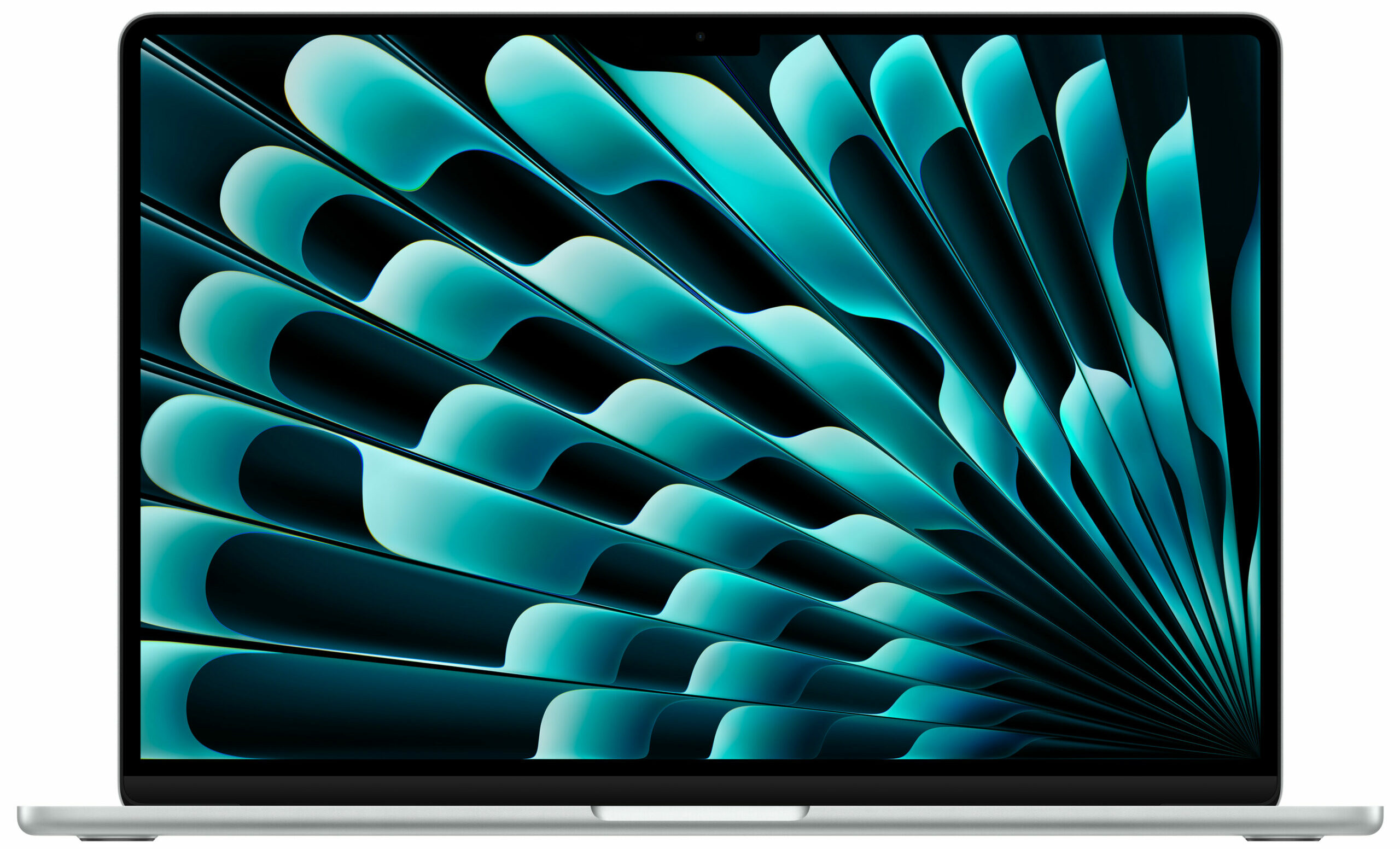
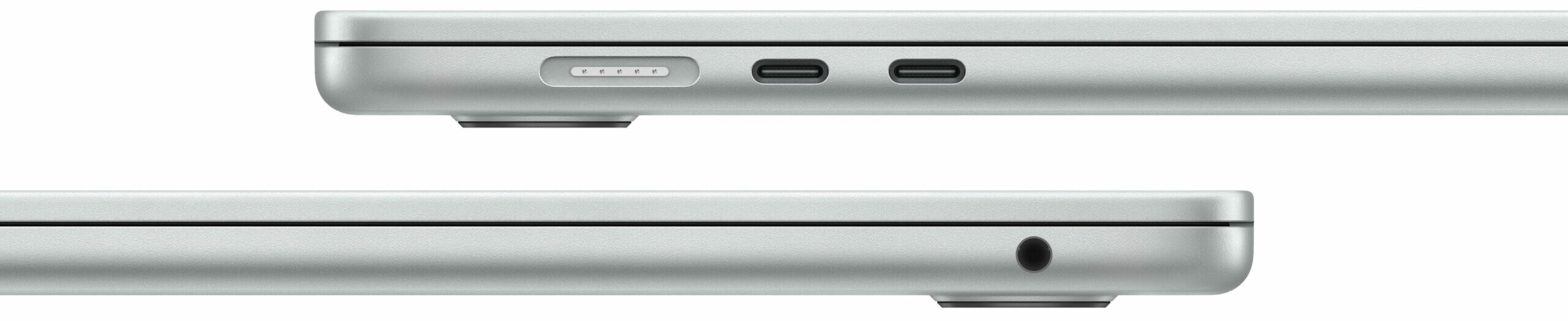
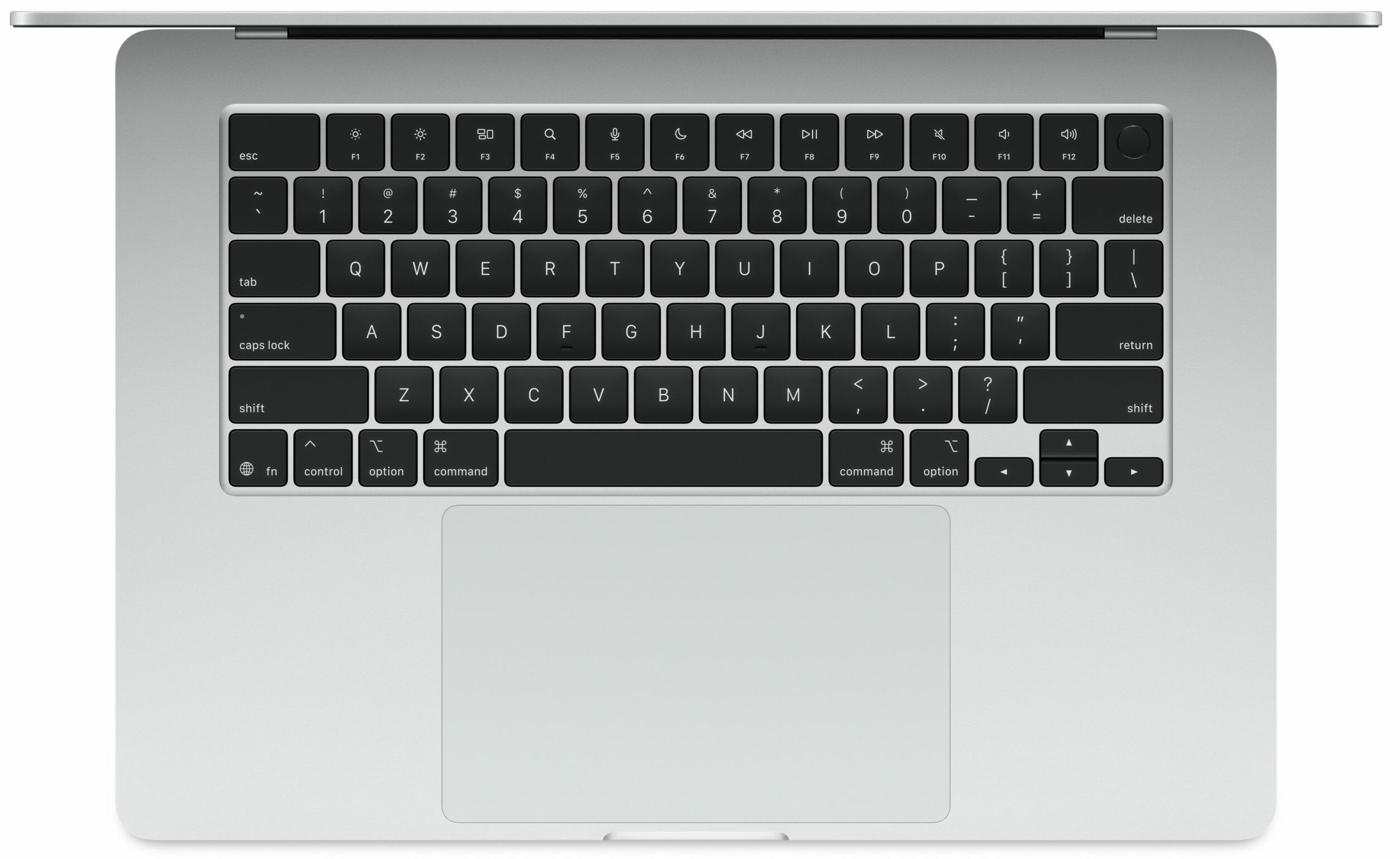
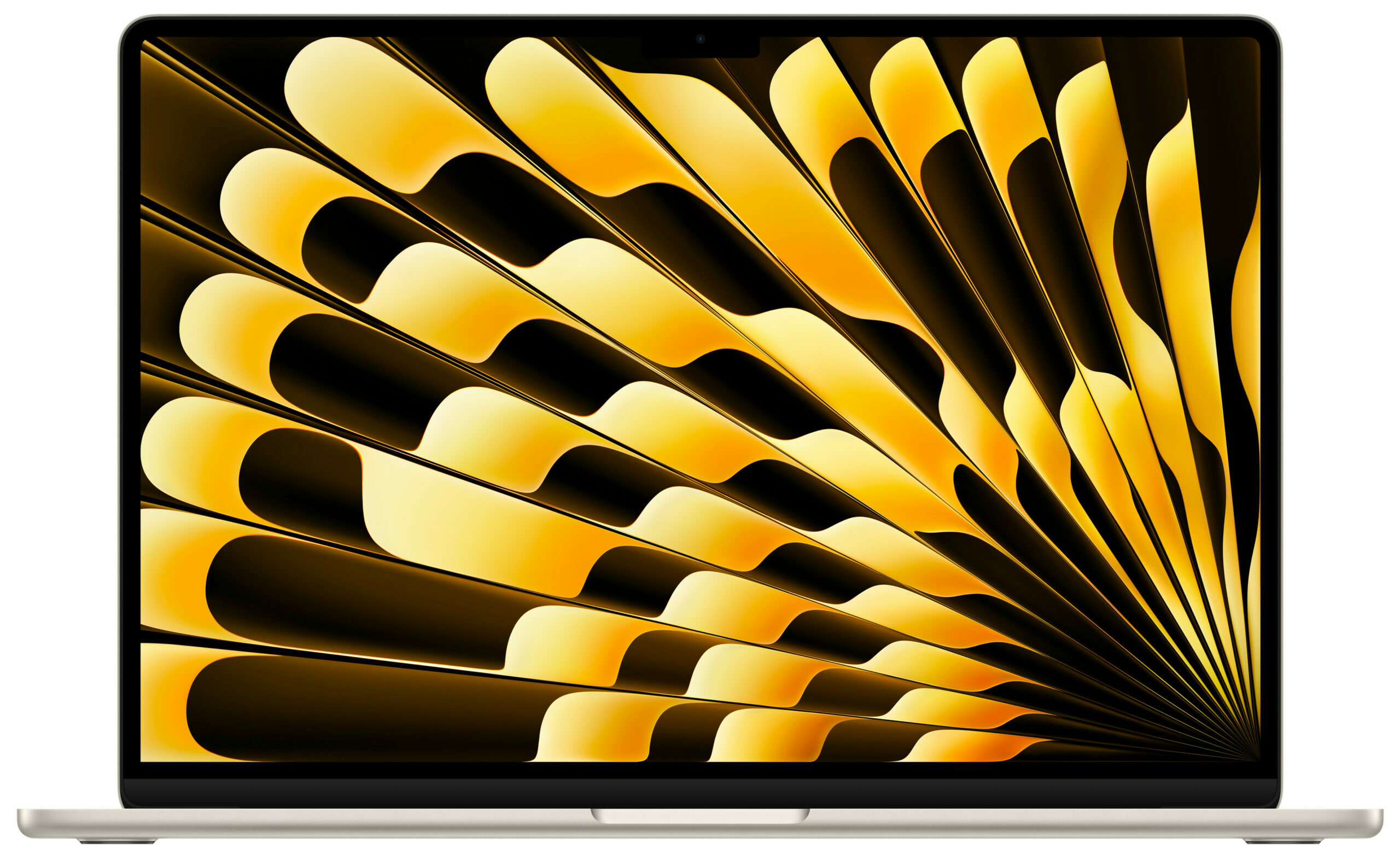
- Display
- 15.3”, 3K (2880 x 1864), IPS

- HDD/SSD
- up to 2000GB SSD
- RAM
- up to 32GB
- OS
- macOS, Chrome OS
- Battery
- 66.5Wh
- Body material
- Aluminum
- Dimensions
- 340.4 x 237.6 x 11.5 mm (13.40" x 9.35" x 0.45")
- Weight
- 1.51 kg (3.3 lbs)
- Ports and connectivity
- 2x USB Type-C
- 4.0, Thunderbolt 4, Power Delivery (PD), DisplayPort
- Card reader
- Ethernet LAN
- Wi-Fi
- Wi-Fi 6E
- Bluetooth
- 5.3
- Audio jack
- 3.5mm Combo Jack
- Features
- Fingerprint reader
- Web camera
- 1080p FaceTime HD camera with Advanced image signal processor with computational video
- Backlit keyboard
- optional
- Microphone
- Three-mic array with directional beamforming, Dolby Atmos
- Speakers
- 6x Surround Speakers with support for Spatial Audio
- Security Lock slot
All Apple MacBook Air 15 (Early 2025) configurations
What’s in the box?
True to form, Apple crafts the unboxing of the 15-inch MacBook Air into a deliberate, premium experience, right down to the packaging itself.
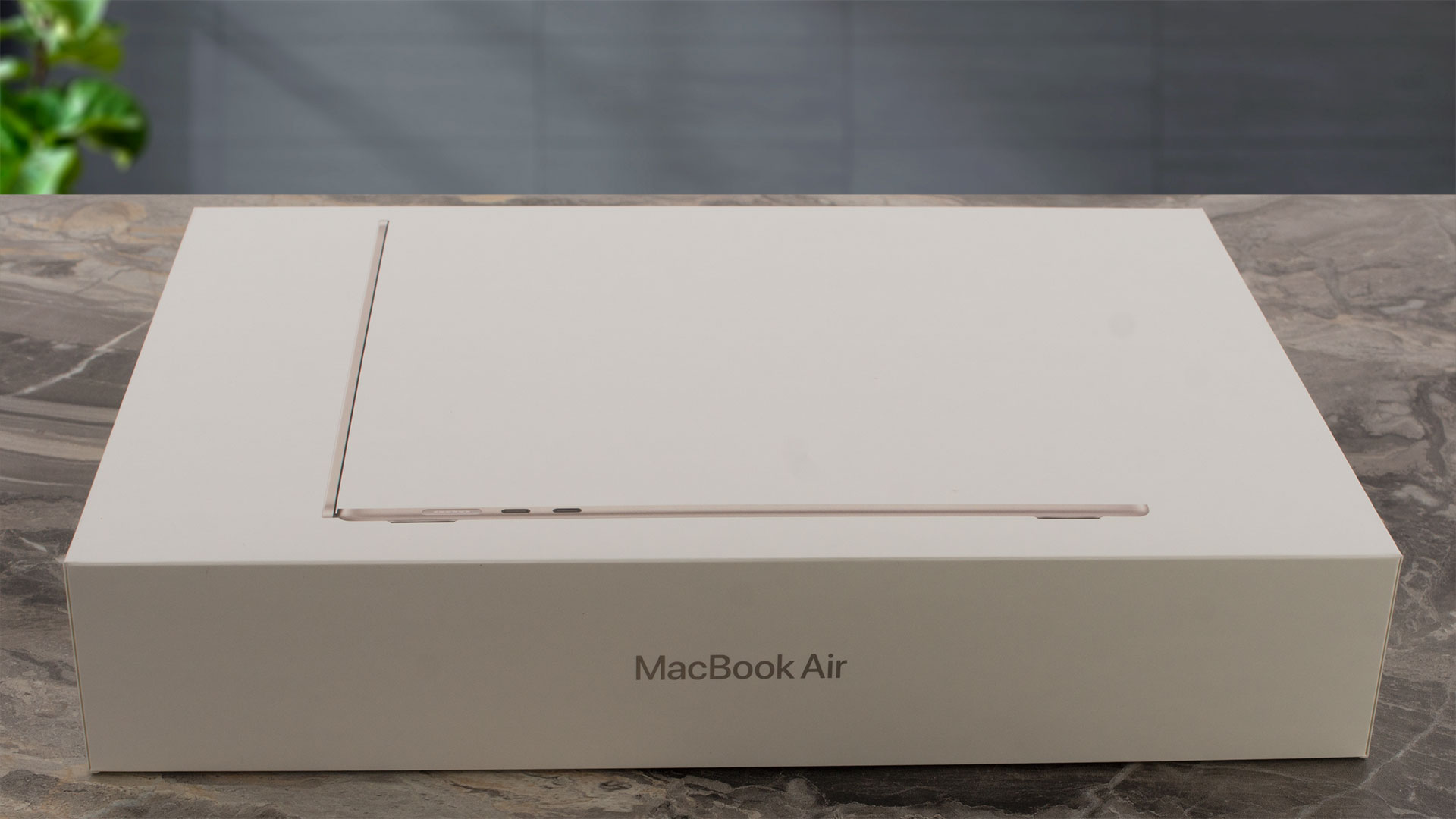
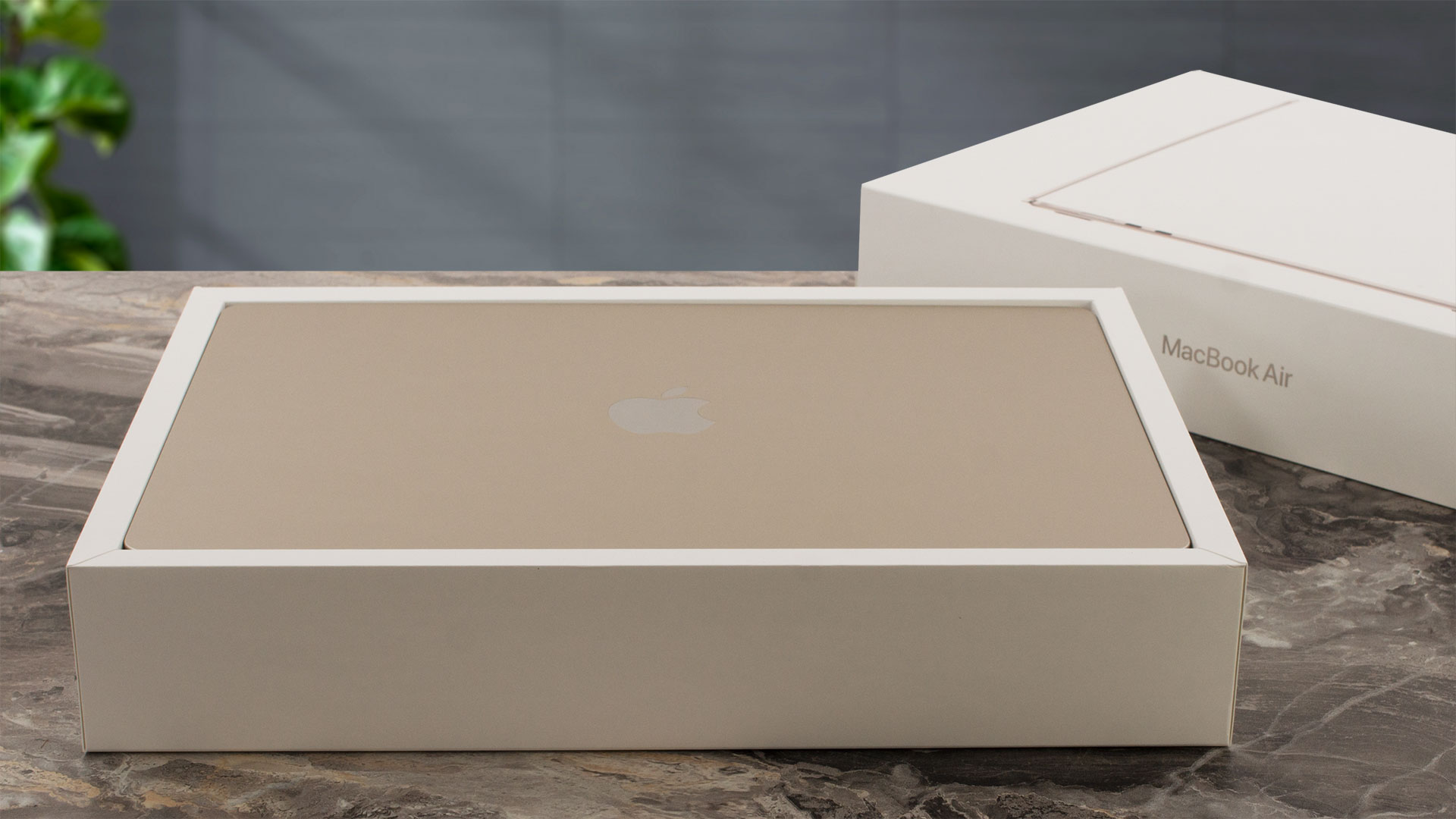
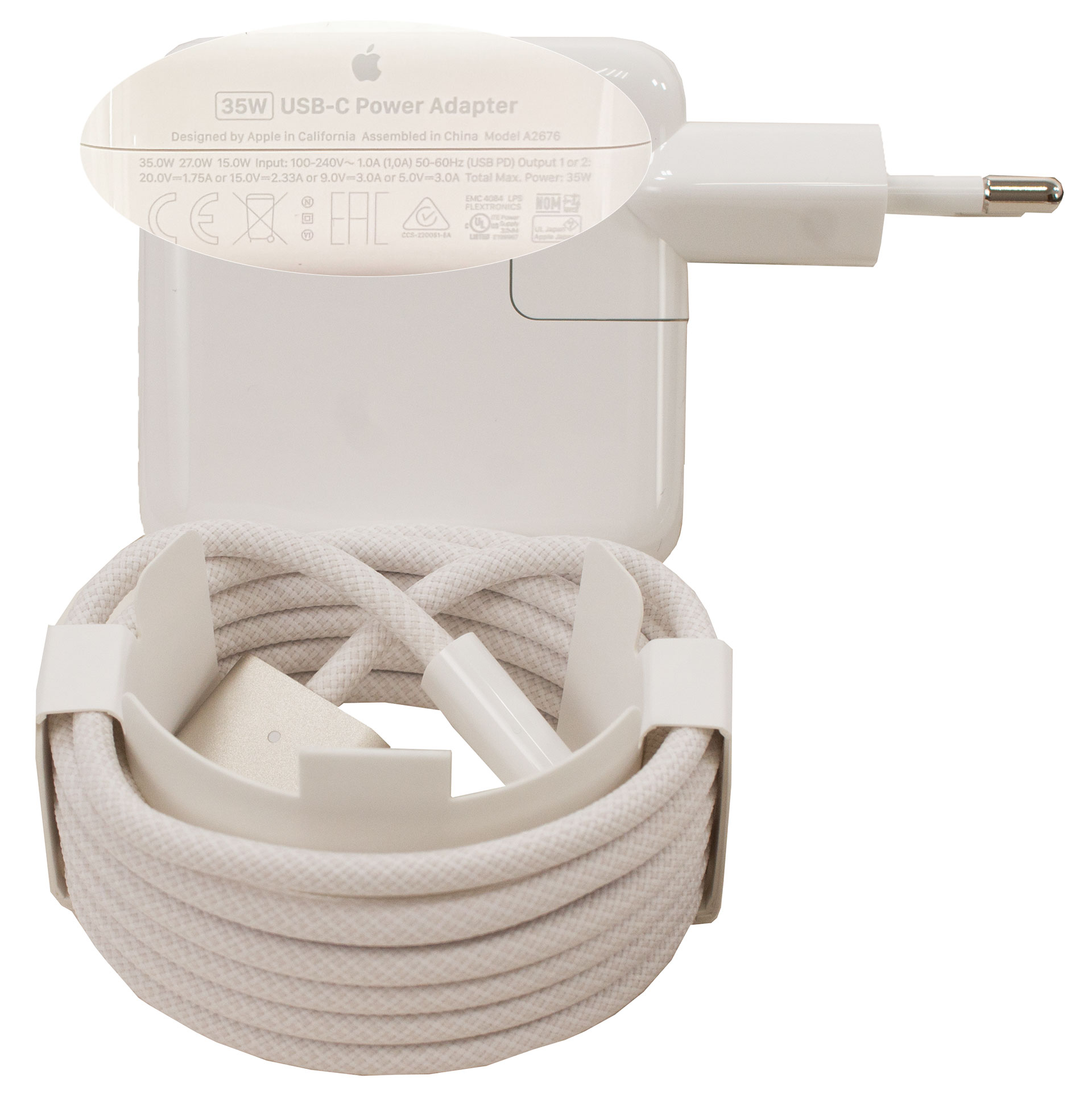
It’s a fun fact that the box lid is engineered to lift slowly, creating a moment of suspense – a classic psychological touch from a company obsessed with user experience. Inside the impeccably arranged interior, you’ll find the laptop itself, the versatile 35W Dual USB-C Port Compact Power Adapter, and a matching 2-meter USB-C to MagSafe 3 cable.
Design and construction
In the realm of industrial design, Apple’s mastery has always been undeniable, and the MacBook Air (15.3″, M4) is a shining example of this continued excellence. While some of us might harbour a bit of nostalgia for the glowing apple logo of yesteryear, there is simply nothing to complain about here.
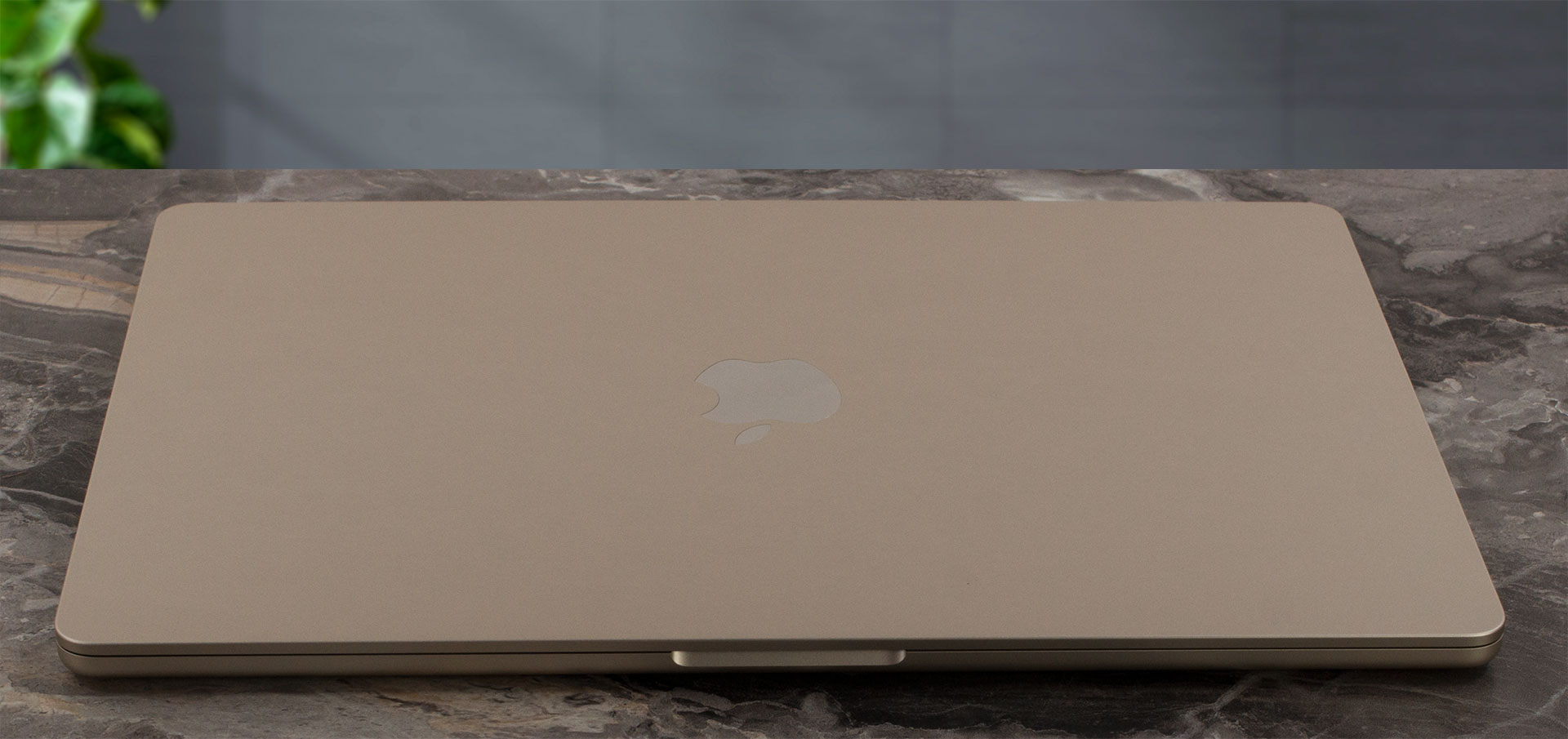
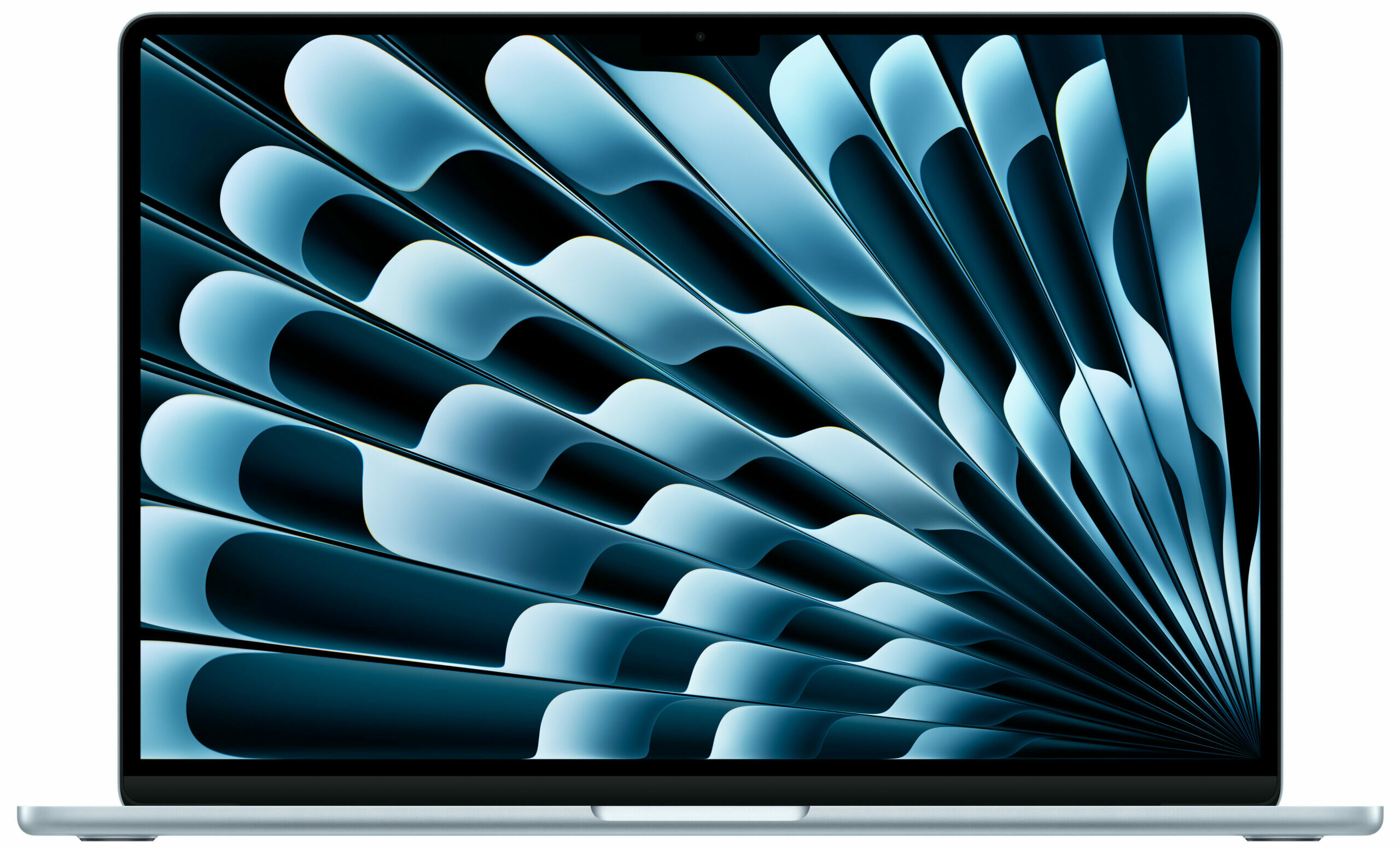
The design is sleek, modern, and has moved on from the classic tapered wedge shape to a more uniform, solid slab of metal. It’s offered in four colours – Sky Blue, Silver, Starlight, and Midnight.
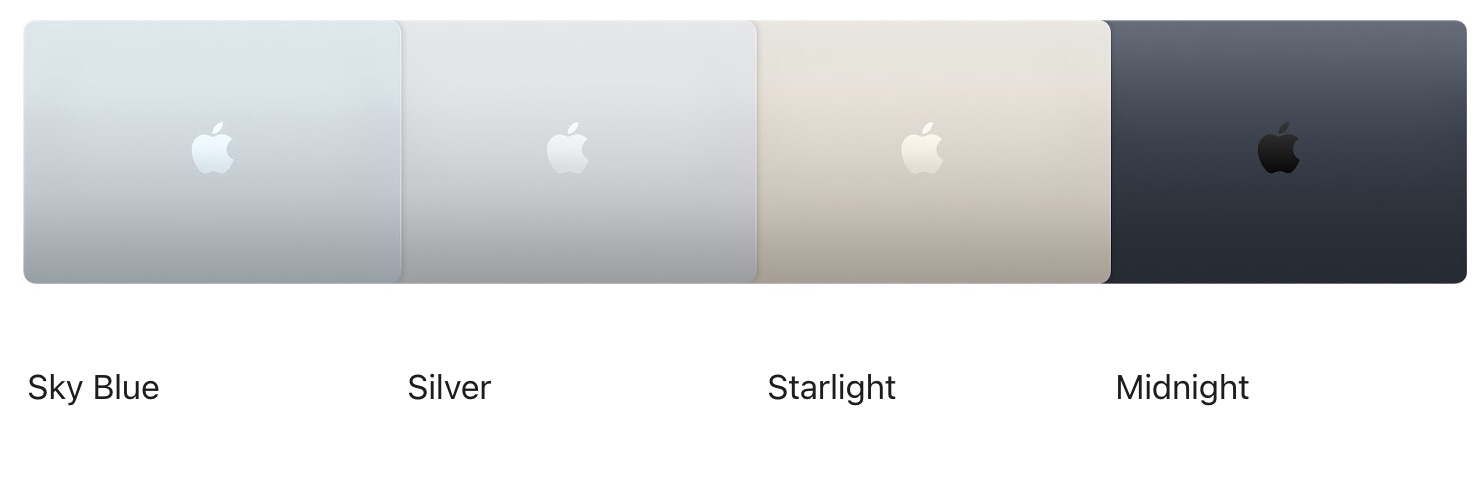
We chose the Starlight finish, which presents as a beautiful “champagne” color – a very subtle hue that’s closer to silver than a full-on gold, looking both elegant and understated. The unibody enclosure is crafted from 100% recycled aluminium, a commitment to sustainability that also extends to numerous internal components like the cobalt in the battery and magnets, and copper in the circuit boards. The build quality is, as expected, superb – the machine feels incredibly solid with no flex, and the finish does an excellent job resisting fingerprints, looking almost new even after weeks of intentional non-wiping.

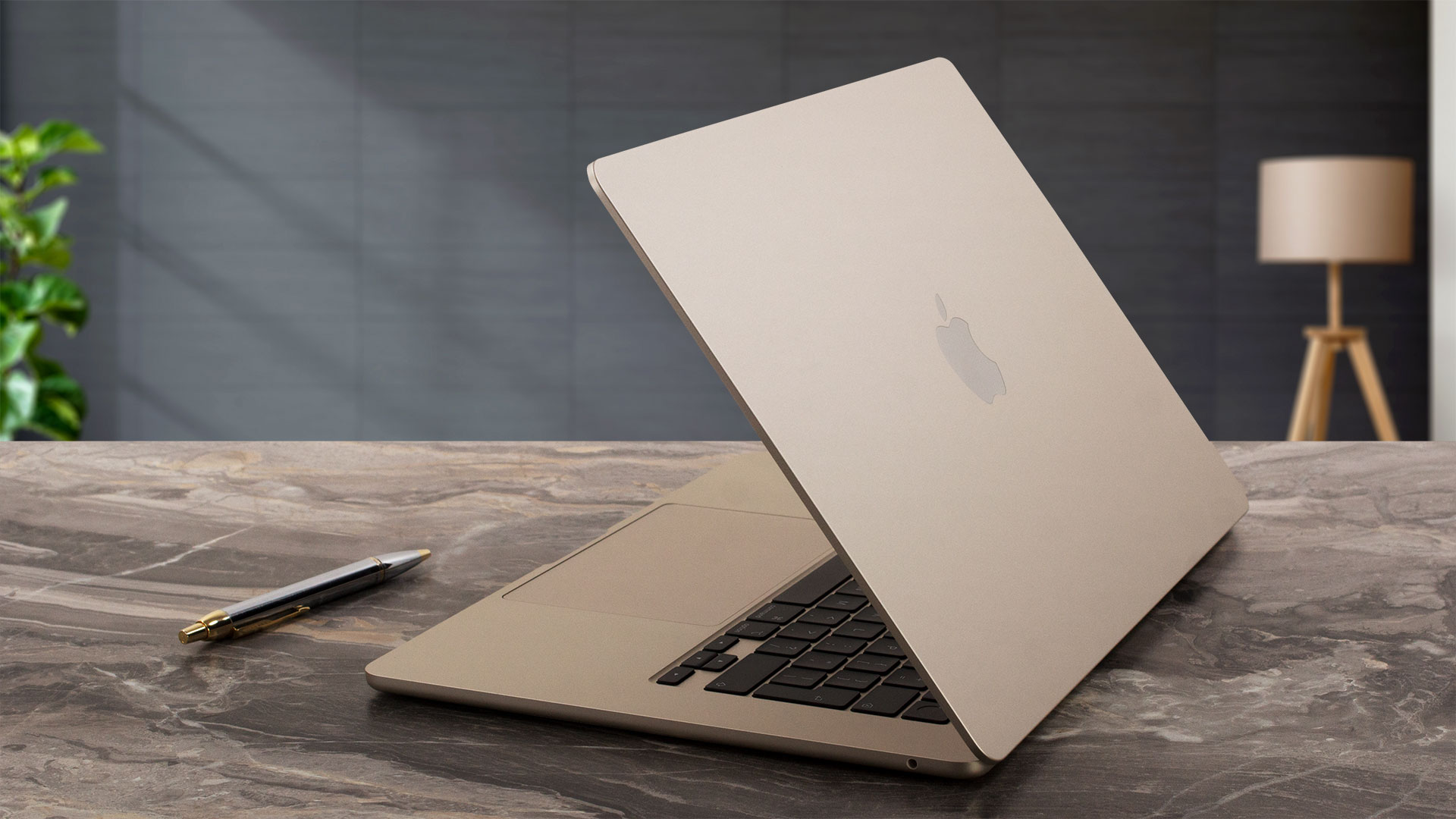
Despite its larger 15.3-inch screen, the MacBook Air remains remarkably thin and portable. Let’s see how it compares to its smaller sibling:
| Feature | 15-inch MacBook Air (M4) | 13-inch MacBook Air (M4) |
|---|---|---|
| Height | 1.15 cm (0.45 inches) | 1.13 cm (0.44 inches) |
| Width | 34.04 cm (13.40 inches) | 30.41 cm (11.97 inches) |
| Depth | 23.76 cm (9.35 inches) | 21.5 cm (8.46 inches) |
| Weight | 1.51 kg (3.3 pounds) | 1.24 kg (2.7 pounds) |
As you can see, it’s only fractionally thicker than the 13-inch version and about 22% heavier, which is an impressive feat of engineering for the significantly larger footprint. The premium feel is reinforced by the perfectly tuned hinge, which allows for a smooth, one-handed open – a hallmark of high-end laptop design. The screen opens to a maximum angle of about 130 degrees, same as the smaller model.
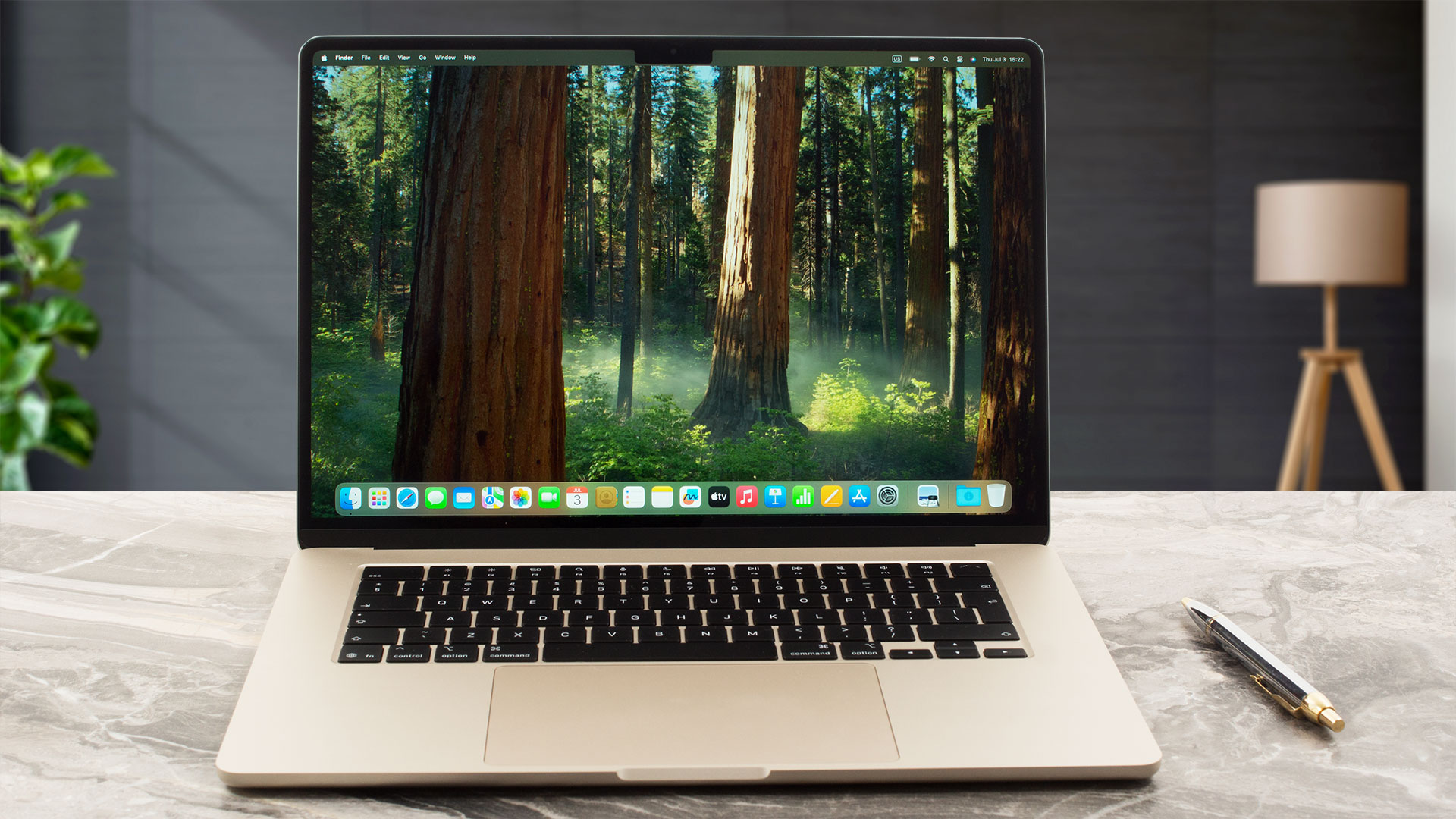
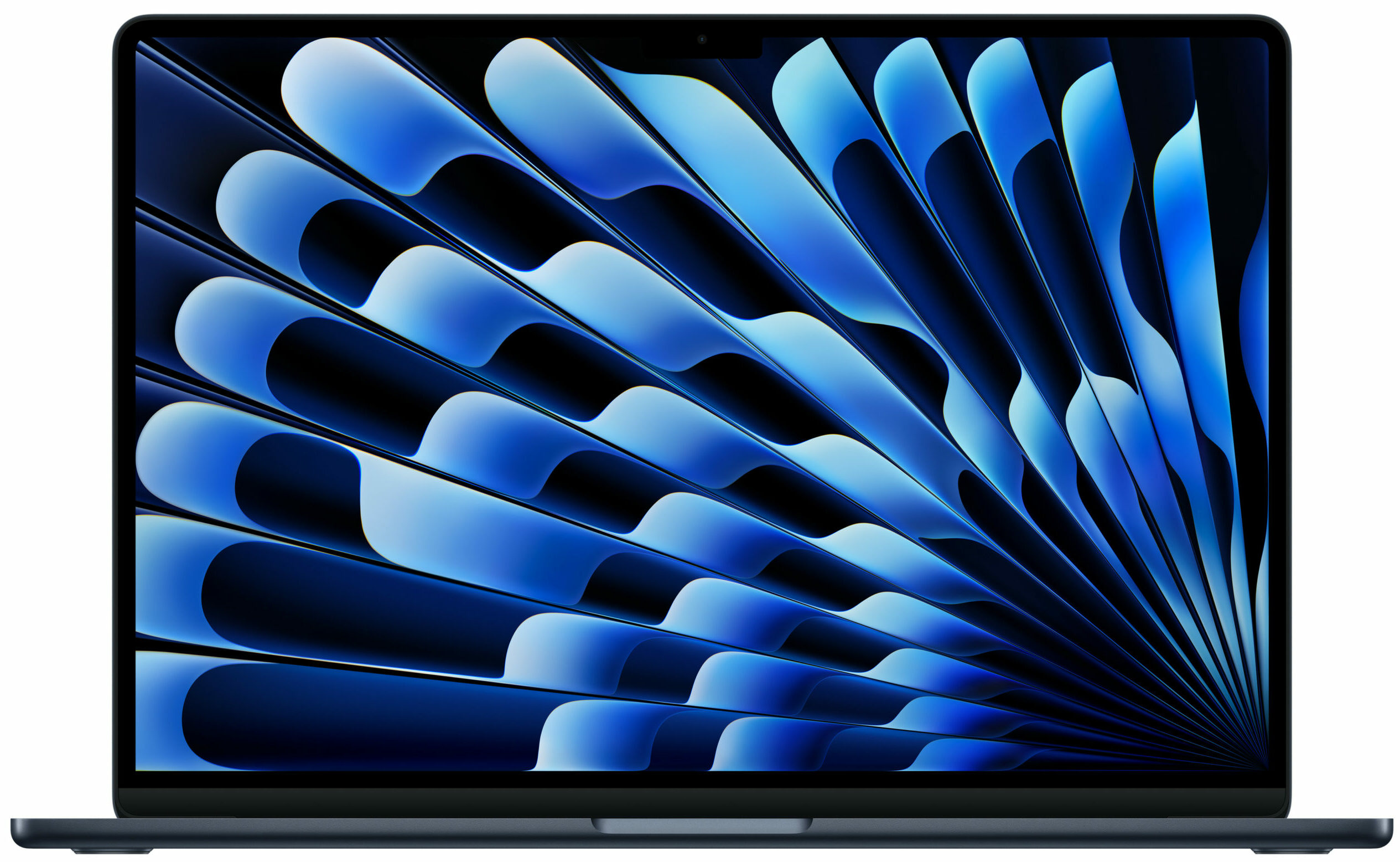
The display is framed by bezels that are 7mm thick, a half-millimeter wider than on the 13-inch version, but they still appear very thin in the context of the larger screen. Front and centre is the now-familiar “notch,” the same style found on the standard iPhone 15, rather than the newer “Dynamic Island” from the Pro models. We can only assume the Dynamic Island is an upgrade reserved for a future generation. Housed within this notch is a very capable 12MP Center Stage camera with an advanced image signal processor and support for features like Desk View.
As with other MacBooks, there is no physical camera shutter. However, Apple’s multi-layered approach to security mitigates most concerns: the green indicator light is hardwired to the camera’s power, so it cannot be active without the light on; closing the lid physically disconnects the microphone at a hardware level; and macOS itself is a highly secure operating system.
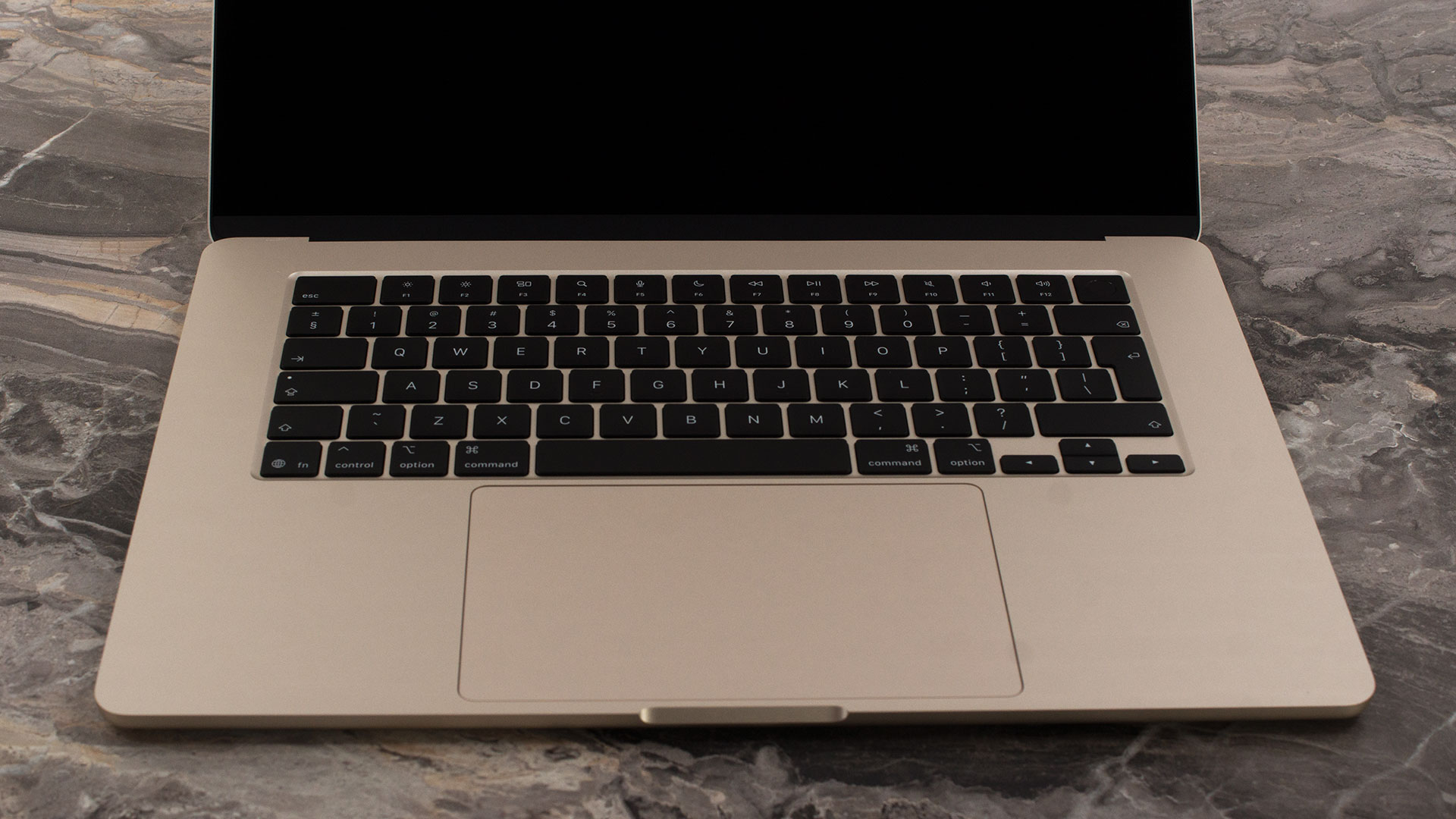
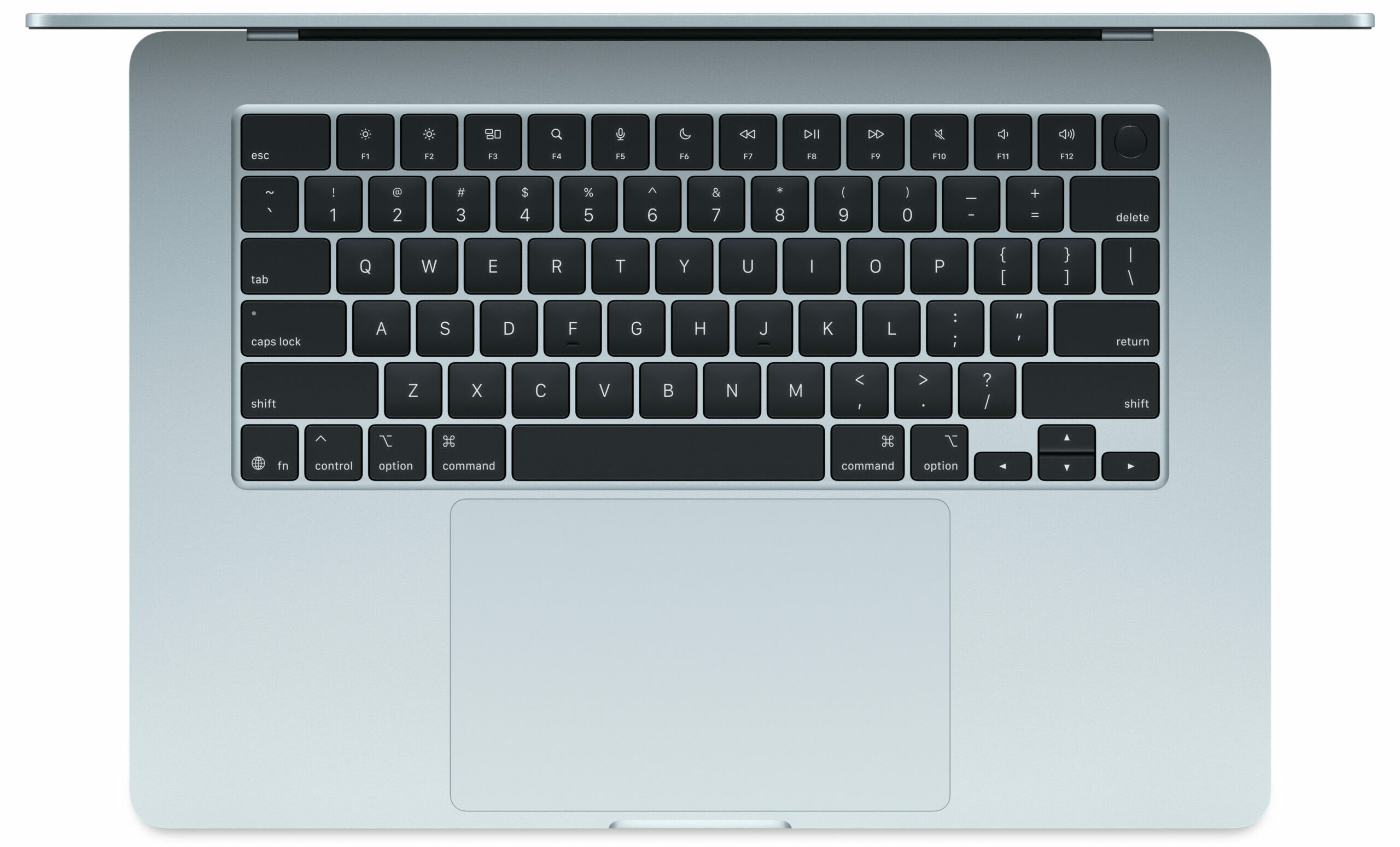
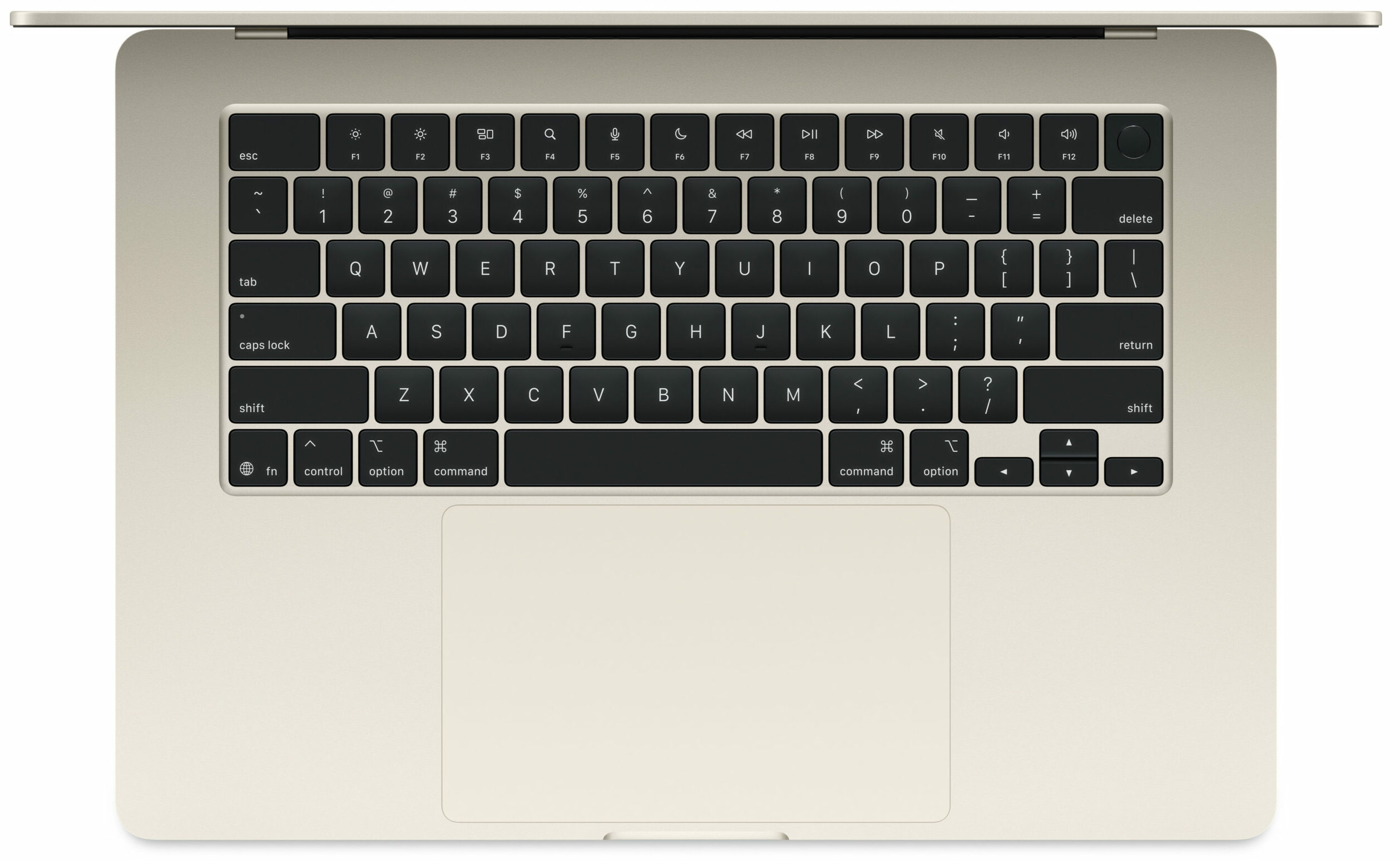
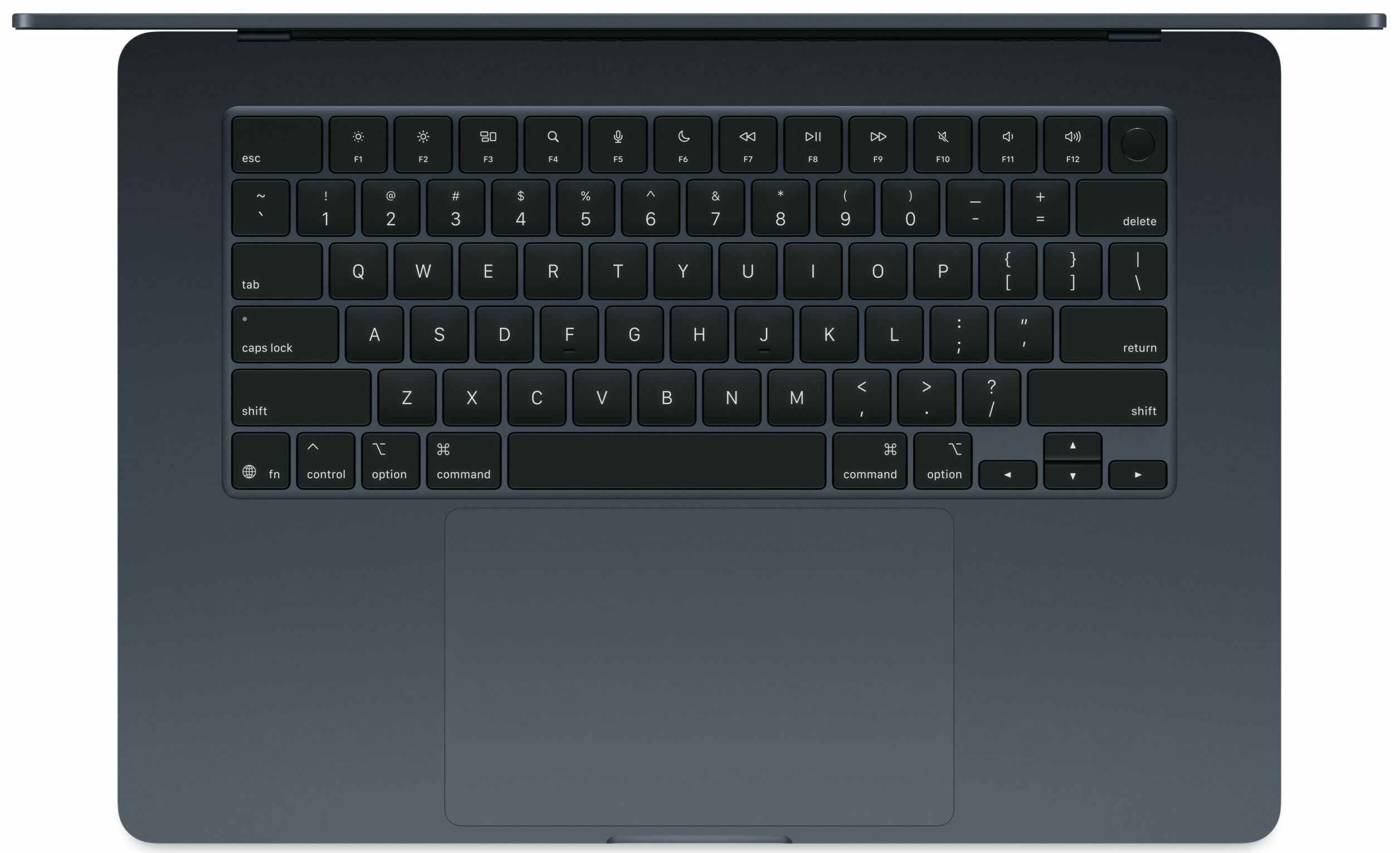
The keyboard deck is expansive and comfortable. Despite the ample space on the 15-inch chassis, Apple has opted not to include a NumPad, likely to maintain a cleaner, more symmetrical aesthetic. The keyboard itself is a joy to use, a far cry from the controversial butterfly keyboards of a few years ago, with satisfying key travel. It features a backlight that can activate automatically thanks to an ambient light sensor. For secure login, the power button doubles as a fast and reliable Touch ID sensor.
Below the keyboard lies the massive Force Touch trackpad, measuring an enormous 148 x 92 mm (5.83 x 3.62 inches). It’s more than just a large surface; its pressure-sensing capabilities enable precise cursor control, Force clicks, and a wide range of intuitive Multi-Touch gestures, solidifying its reputation as one of the best trackpads in the industry.
Ports and Connectivity
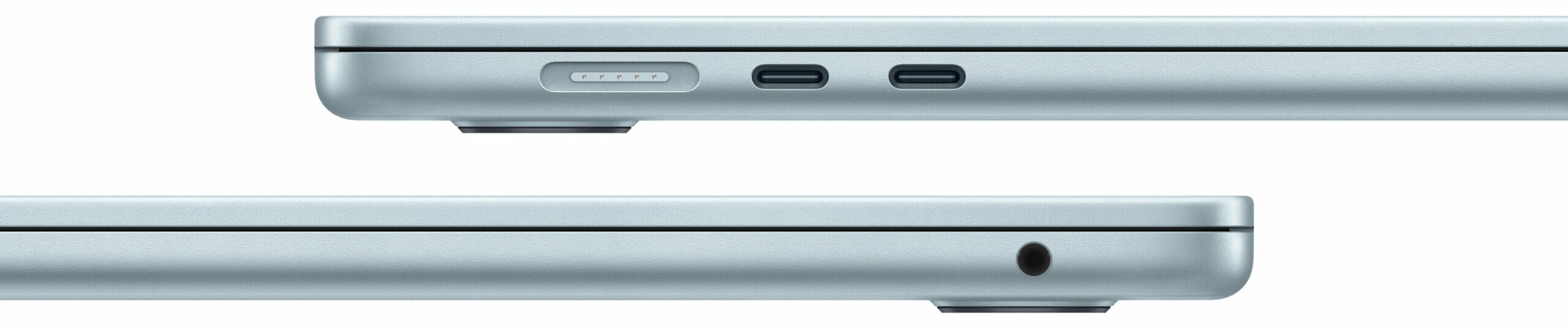
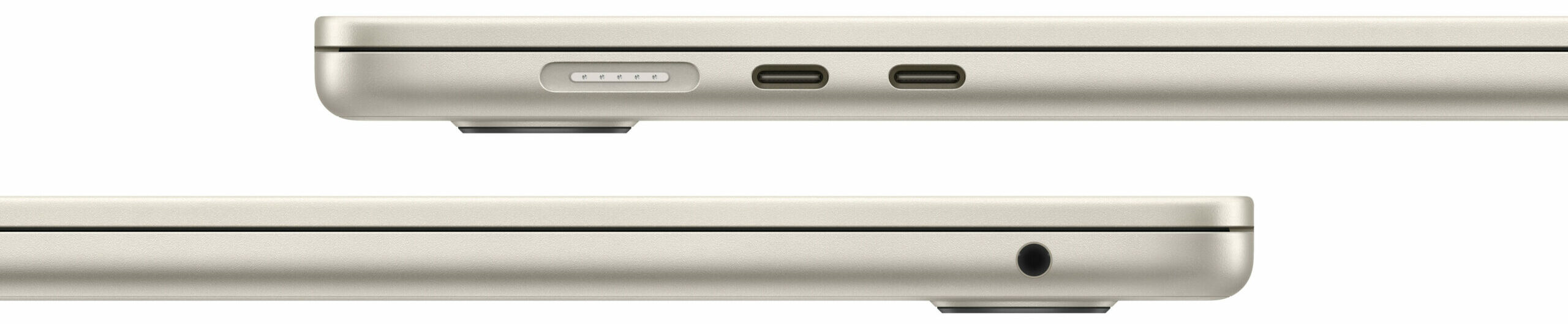
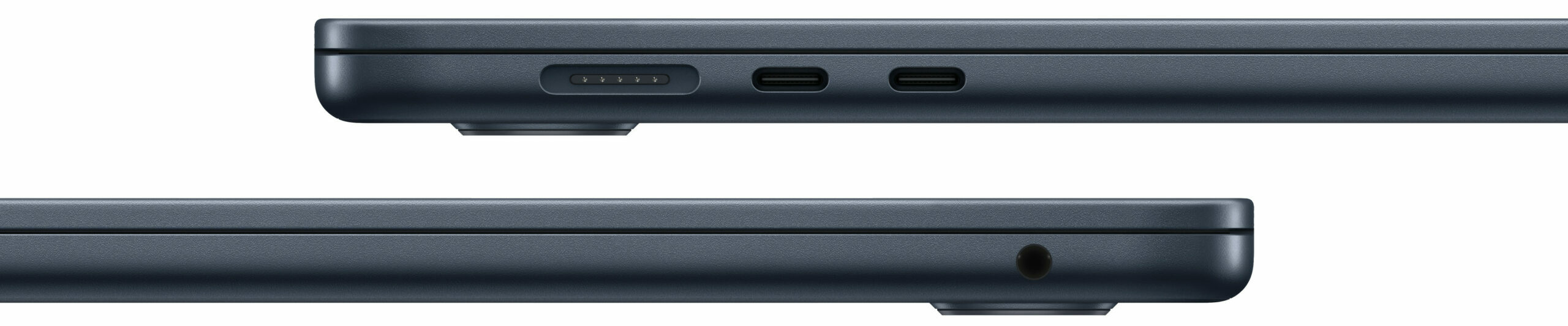
The Apple MacBook Air (15.3″, M4) maintains Apple’s minimalist approach to physical connectivity, with its I/O primarily situated on the left side. Here, you will find the dedicated MagSafe 3 charging port, which allows for quick and secure power connection while leaving the other ports free for peripherals. Alongside it are two versatile Thunderbolt 4 / USB 4 ports. These USB-C connections support high-speed data transfer up to 40Gb/s, charging the laptop itself, and video output via DisplayPort. While this provides flexibility, users should note that using one of these ports for charging via a non-MagSafe charger or a dock will leave only one available for other devices.
The right side of the device is even more streamlined, featuring only a single 3.5mm headphone jack, a welcome inclusion for users with wired audio equipment. A significant and practical upgrade with the M4 chip is the laptop’s ability to natively support up to two external displays simultaneously, each with a resolution up to 6K at 60Hz (when the laptop lid is closed). This is a notable improvement over previous generations and is handled via the two Thunderbolt 4 ports, which utilize the DisplayPort 1.4 standard for video output.

For wireless connectivity, the MacBook Air is equipped with Wi-Fi 6E (802.11ax) and Bluetooth 5.3. While Wi-Fi 6E is a very fast and capable standard that supports the less-congested 6 GHz band, it is worth noting that the device does not feature the newer Wi-Fi 7 standard that some users might have expected. While not a dramatic loss for most current use cases, it’s a point to consider for those looking for the absolute latest in wireless future-proofing.
But do YOU actually need Wi-Fi 7? Read our Wi-Fi 7 vs Wi-Fi 6E: Learn the Key Differences in 10 Seconds article.
Display and Sound Quality, Display Profiles
There is only one screen, there are no other options. And it’ still 60 Hz! Also, the max brightness, color accuracy, and contrast could have been better.
| Apple MacBook Air (15.3″, M4) | |
| Diagonal | 15.3 inches (38.9 cm) |
| Panel Type | IPS „Liquid Retina“ display |
| Resolution | 2880 x 1864 pixels |
| Max Refresh Rate | 60 Hz |
| Aspect Ratio | 14:9 |
| Pixel Density | 224 PPI |
| ‘Retina’ Distance | Greater than or equal to 39 cm |
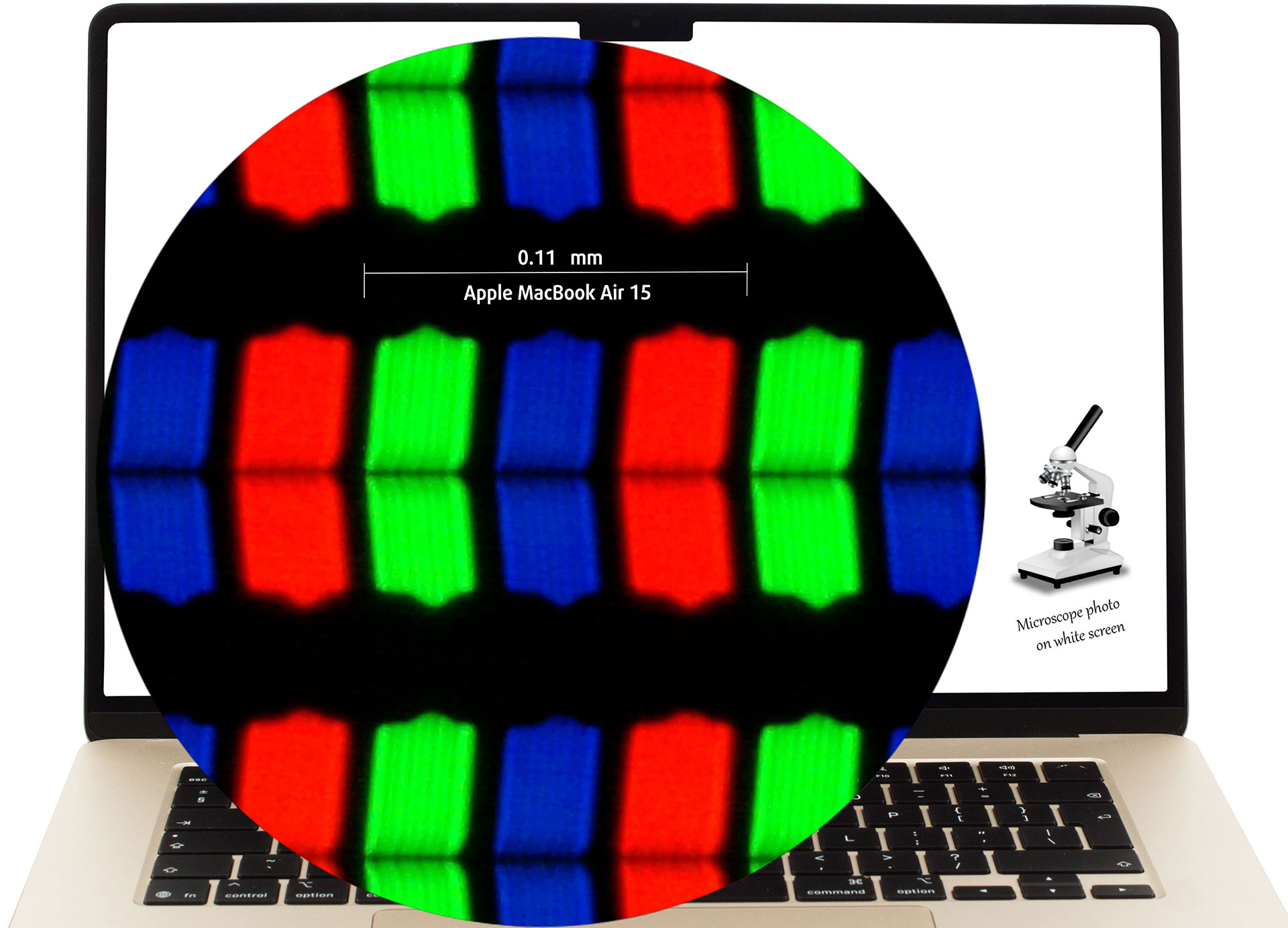
The 15.3-inch IPS „Liquid Retina“ display under our microscope
Viewing Angles
Viewing angles are good. We take photos from different angles to evaluate the quality.

Also, a video with locked focus and exposure.
Color Coverage
The whole “sail-shaped” map below (Fig. 1) consists of all the colors we can see, while the black crooked line shows all the colors from real-world scenes and nature around us.
Then, we’ve drawn some of the most important and interesting color spaces, compared to the colors the panel of Apple MacBook Air (15.3″, M4) can show:
Standard/For Web: sRGB – widely used color space for most consumer devices, ideal for Web design and development
For Print: AdobeRGB – used in professional photo editing, graphic design, and print
For Photographers/Video Editors: DCI-P3 – used in high-end film production, post-production, and digital cinema
Premium HDR: Rec.2020 – the widest consumer ITU color standard, covering a massive 75.8% of the visible spectrum, a benchmark for premium HDR content
Apple MacBook Air (15.3″, M4): the yellow dashed triangle (– – – – – –) represents the range of colors this monitor can show.
In our tests, we calculated the total color coverage of the display at 100% of the sRGB color gamut and 100% of the Display P3 color gamut.
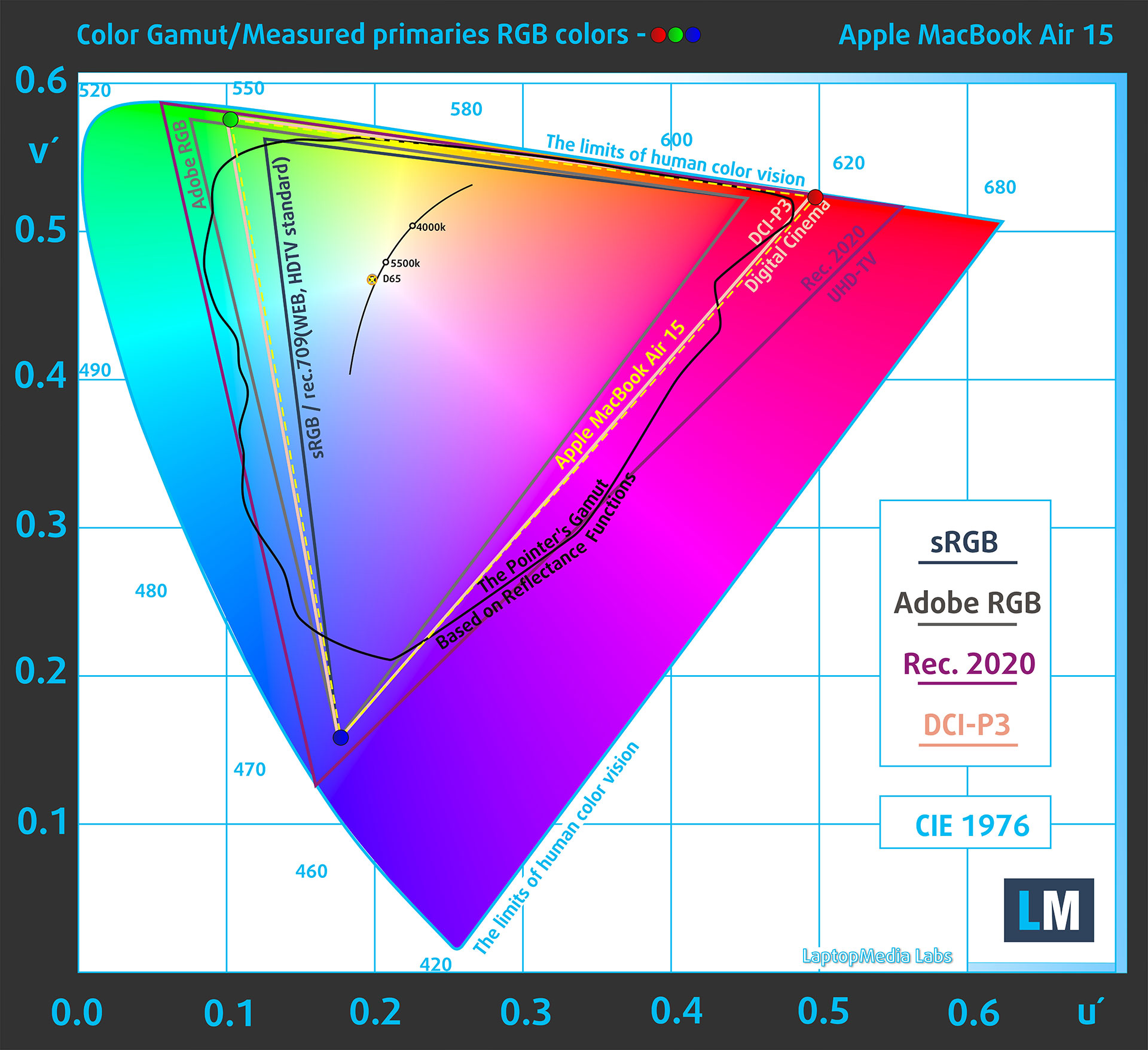
(Fig.2) Apple MacBook Air (15.3″, M4) covers 100% of the Display P3 gamut
When the user opens a web page in a browser on the Apple MacBook Air (15.3″, M4) screen, the content is typically displayed in the sRGB color space by default, although the native coverage is Display P3.
The display on the Apple MacBook Air (15.3″, M4) supports HDR10 and Dolby Vision. This ensures a high-quality viewing experience with vibrant colors and enhanced contrast.
Brightness and Contrast
The maximum brightness in SDR mode is 505 cd/m² in the center of the screen and 492 cd/m² averaged across the surface with a maximum deviation of 7%.
The Correlated Color Temperature (CCT) on a white screen at maximum brightness is 6810K.
The contrast ratio is 1240:1.
Uniformity: Luminance, Contrast, and Color Deviation
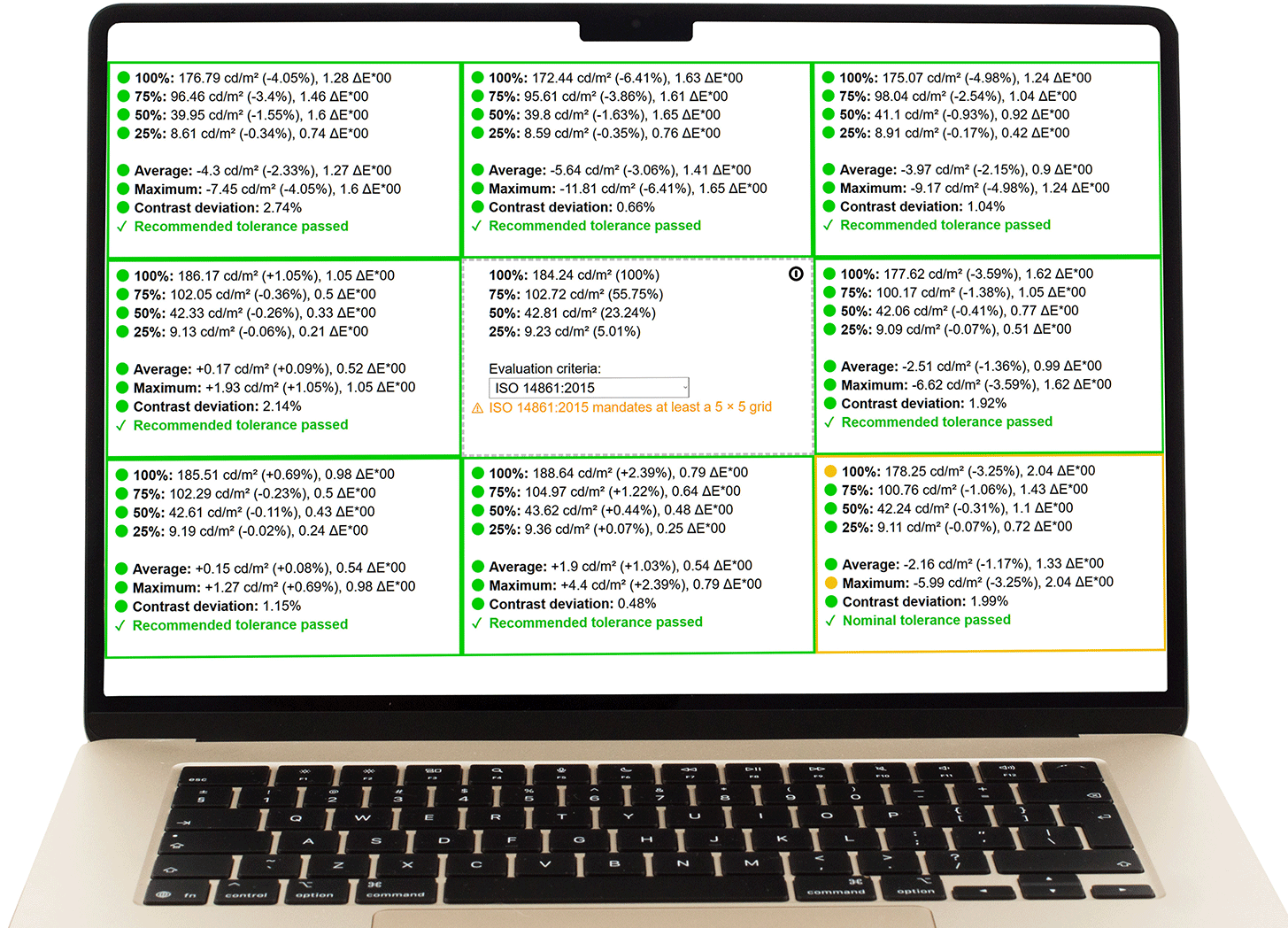
The figure below shows the results from our uniformity test across different sections of the screen. It’s measured at 184 nits (Windows slider = 60%) — a brightness level we consider typical for standard working conditions.
DeltaE values below 4.0 are acceptable for regular users. For those working with colors, screens with DeltaE values no higher than 2.0 are recommended.
Color Accuracy
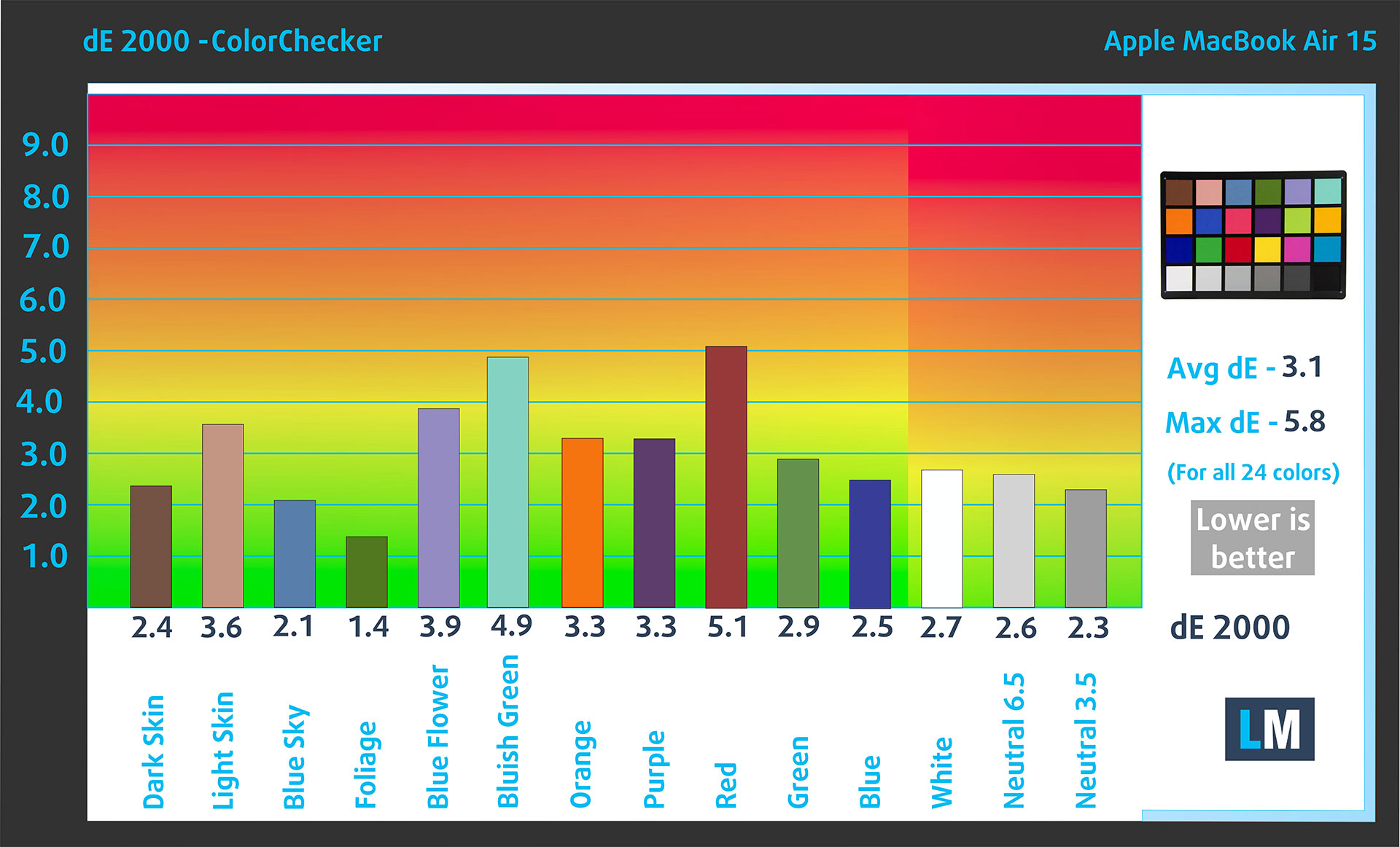
Let’s check the difference between real colors and those you’ll see on the Apple MacBook Air (15.3″, M4). We measure that distance in DeltaE – the higher the number, the more different they look.
Values below 4.0 are acceptable for regular users, while values below 2.0 are suitable for color-sensitive work. A value below 1.0 means the difference is indistinguishable to the naked eye.
For the next graph, we’ve selected 24 common colors, including dark/light skin, blue sky, green grass, etc.
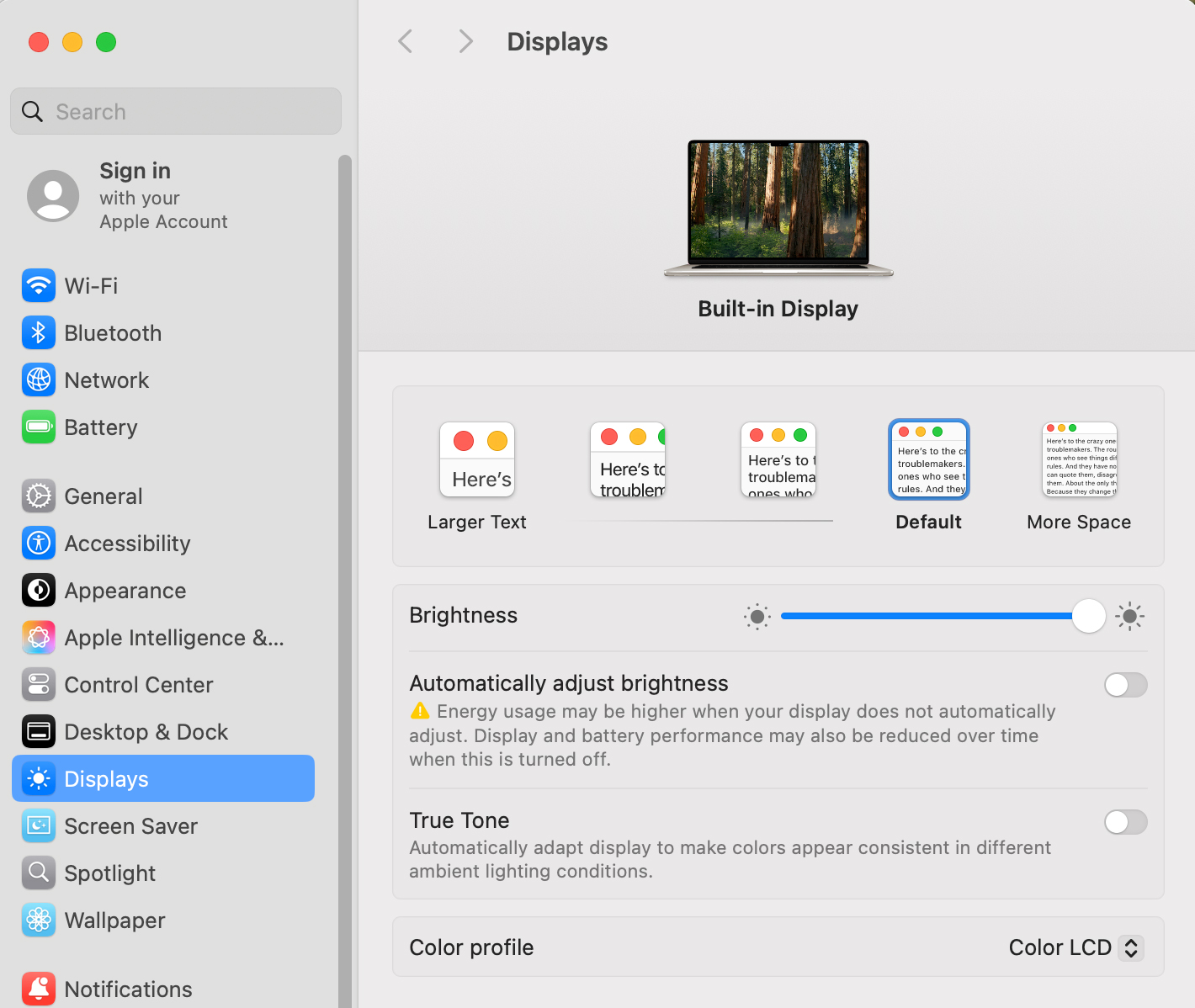
Below are the results of the Apple MacBook Air (15.3″, M4) in its factory condition compared to sRGB color spaces (True tone – off).
Response time (Gaming capabilities)
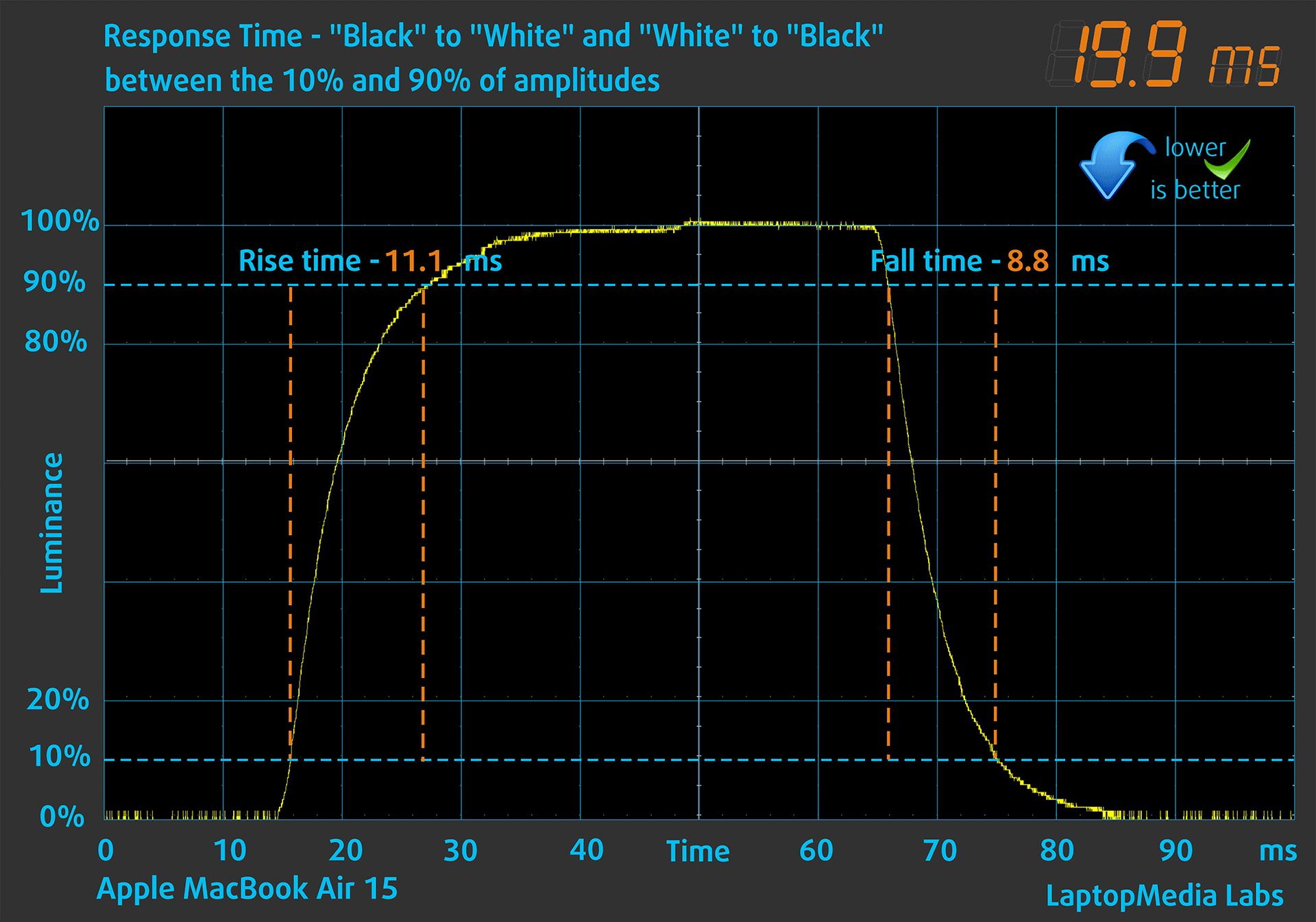
We test the reaction time of the pixels with the usual “black-to-white” and “white-to-black” method from 10% to 90% and vice versa.
We recorded Fall Time + Rise Time = 19.9 ms. Short pixel response time is a prerequisite for a smooth picture in dynamic scenes.
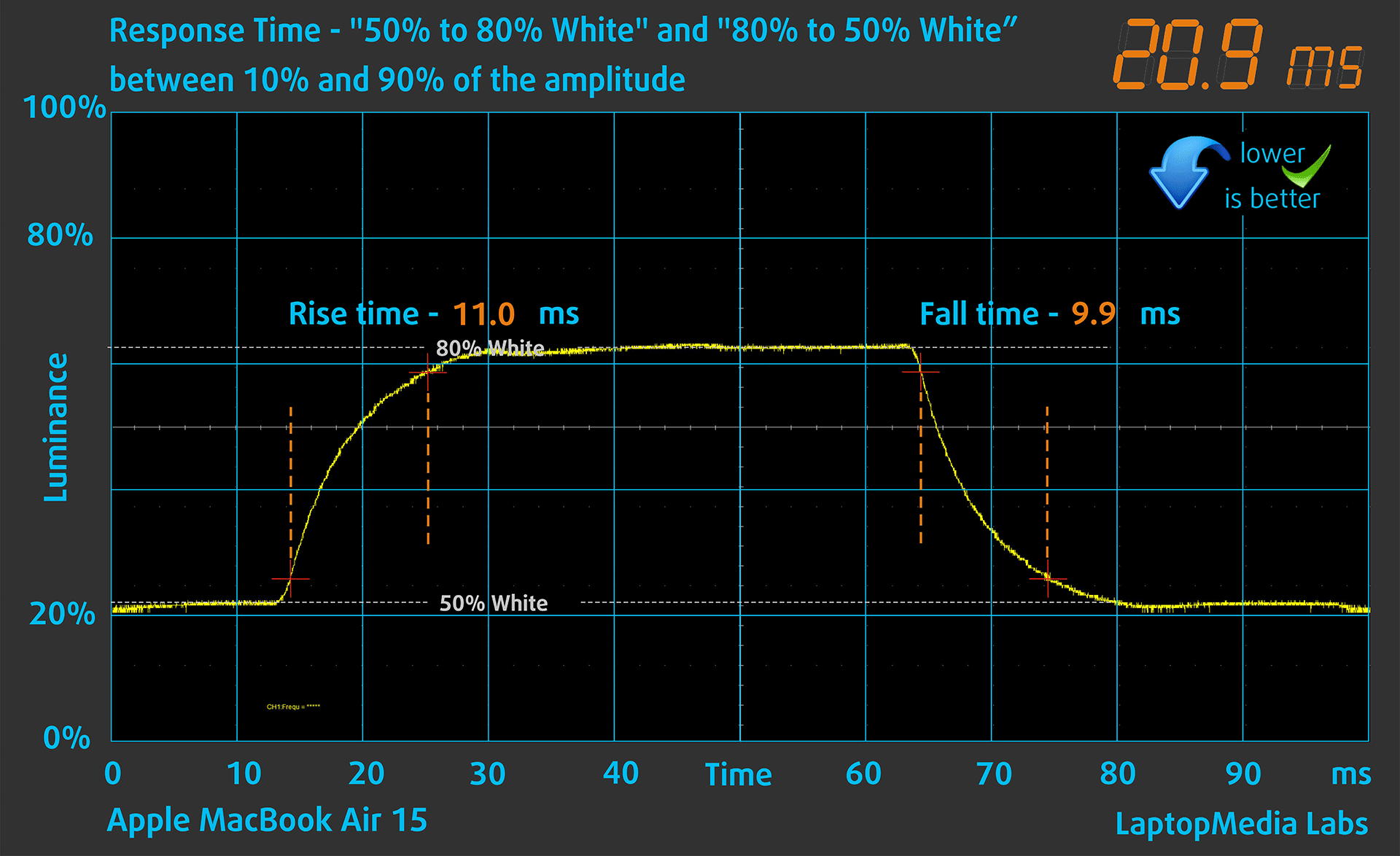
After that, we test the reaction time of the pixels with the usual “Gray-to-Gray” method from 50% White to 80% White and vice versa between 10% and 90% of the amplitude.
Health Impact: PWM (Screen flickering)
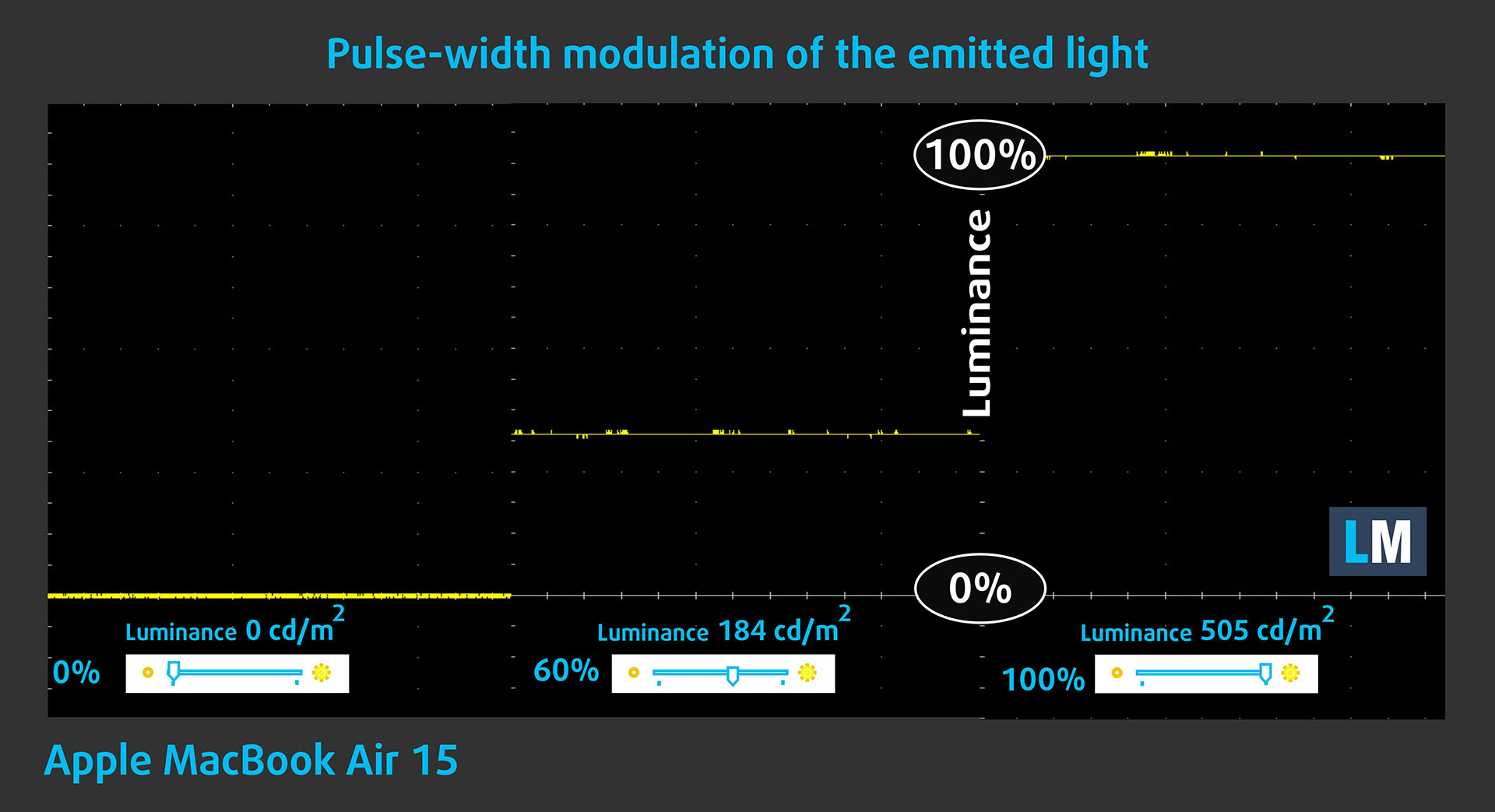
Some use PWM to regulate their brightness, which means that instead of reducing the light intensity, they pulse or flicker. Our brain merges the image, so it appears darker, but this strains both it and our vision, especially when the frequency of the pulses is low. You can read more about that in our dedicated article on PWM.
In the graph below, you see the intensity of light at different brightness levels—on the vertical axis is the brightness of the emitted light, and on the horizontal axis—time.
The backlight of the display of the Apple MacBook Air (15.3″, M4) is not pulse-width modulated, providing visual comfort in the discussed aspect.
Health Impact: Screen Reflectance
Glossy-coated displays can cause eye fatigue in high ambient light conditions due to reflections. We measure the level of screen reflection with the display turned off, at a 60° angle.
The reflectance of the Apple MacBook Air (15.3″, M4)’s screen is 54.5 GU. This is a good result.
High Gloss: >70 GU
Medium Gloss: 30 – 70 GU
Low Gloss: <30 GU
Sound
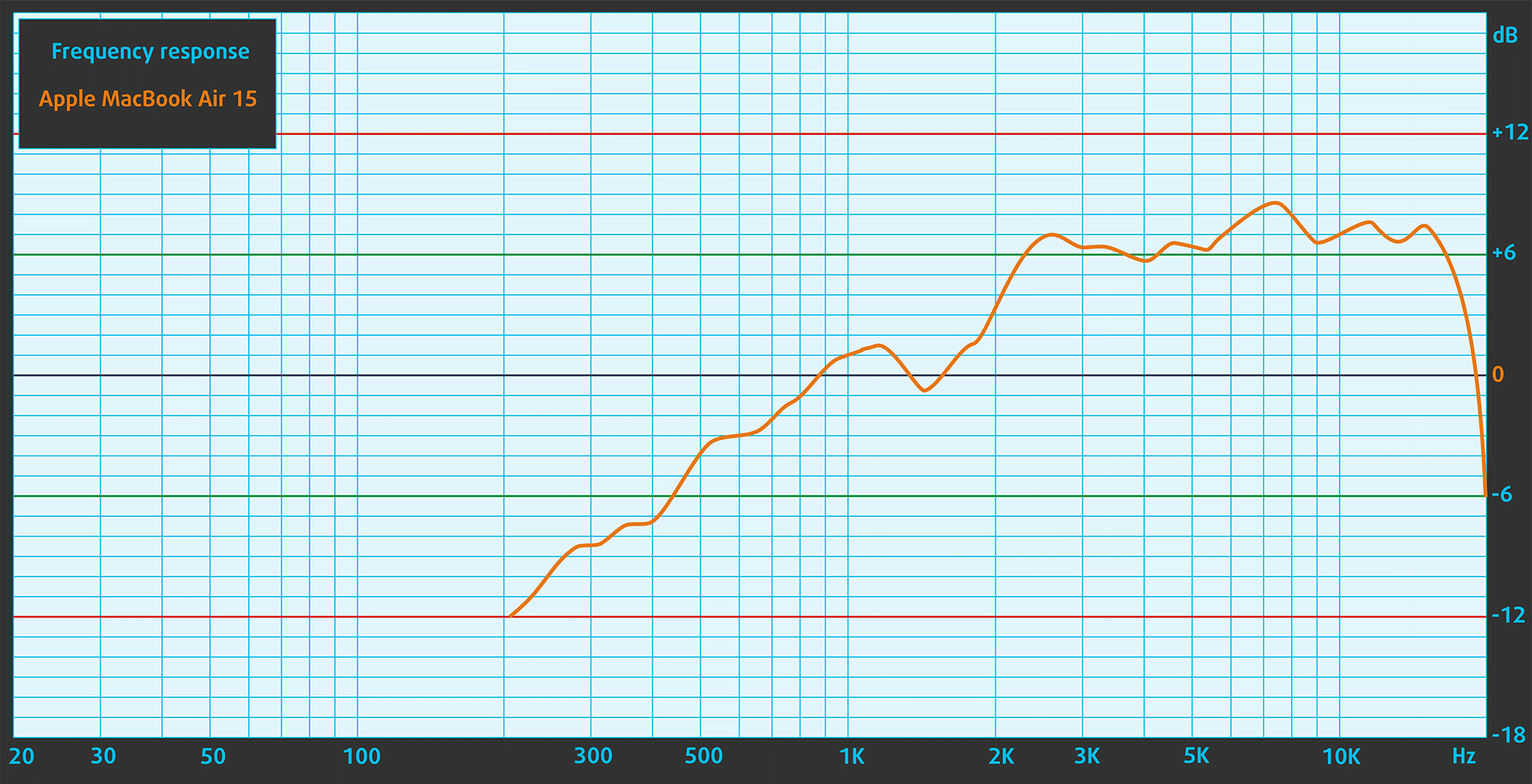
The Apple MacBook Air (15.3″, M4)’s sound is of very good quality. It has a six-speaker sound system, and includes force-cancelling woofers for deeper bass. The low, mid, and high frequencies are clear.
Work Performance: CPU, Storage, AI
CPU and Work Performance
The Apple MacBook Air (15.3″, M4) is powered by Apple’s M4 chip, featuring a 10‑core CPU. This processor offers solid performance for everyday computing, creative workflows, and light multitasking, while maintaining the efficiency Apple’s fanless laptops are known for.
In our Top Laptop CPU Ranking, it currently holds the #56 spot. However, the ranking is more focused on serious workloads where MacBook Air doesn’t shine and you’ll see why a bit later.
In terms of responsiveness, the MacBook Air is great, having exceptional single-core performance. But when it comes to heavy work, the MacBook Pro is what you need.
Single-core performance ensures smooth operation and responsiveness in operating systems, providing a better user experience.
Results are from the Geekbench 6 Single-Core test (higher is better)
Multi-core performance is essential for handling complex and demanding tasks, such as Video editing, CAD, and Scientific simulations.
Results are from the Geekbench 6 Multi-Core test (higher is better)
Here, we evaluate the CPU's performance using a real-world 3D rendering task, assessing its ability to handle complex computations and rendering workloads efficiently.
Results are from the Cinebench 2024 Multi-Core test (higher is better)
Storage Performance
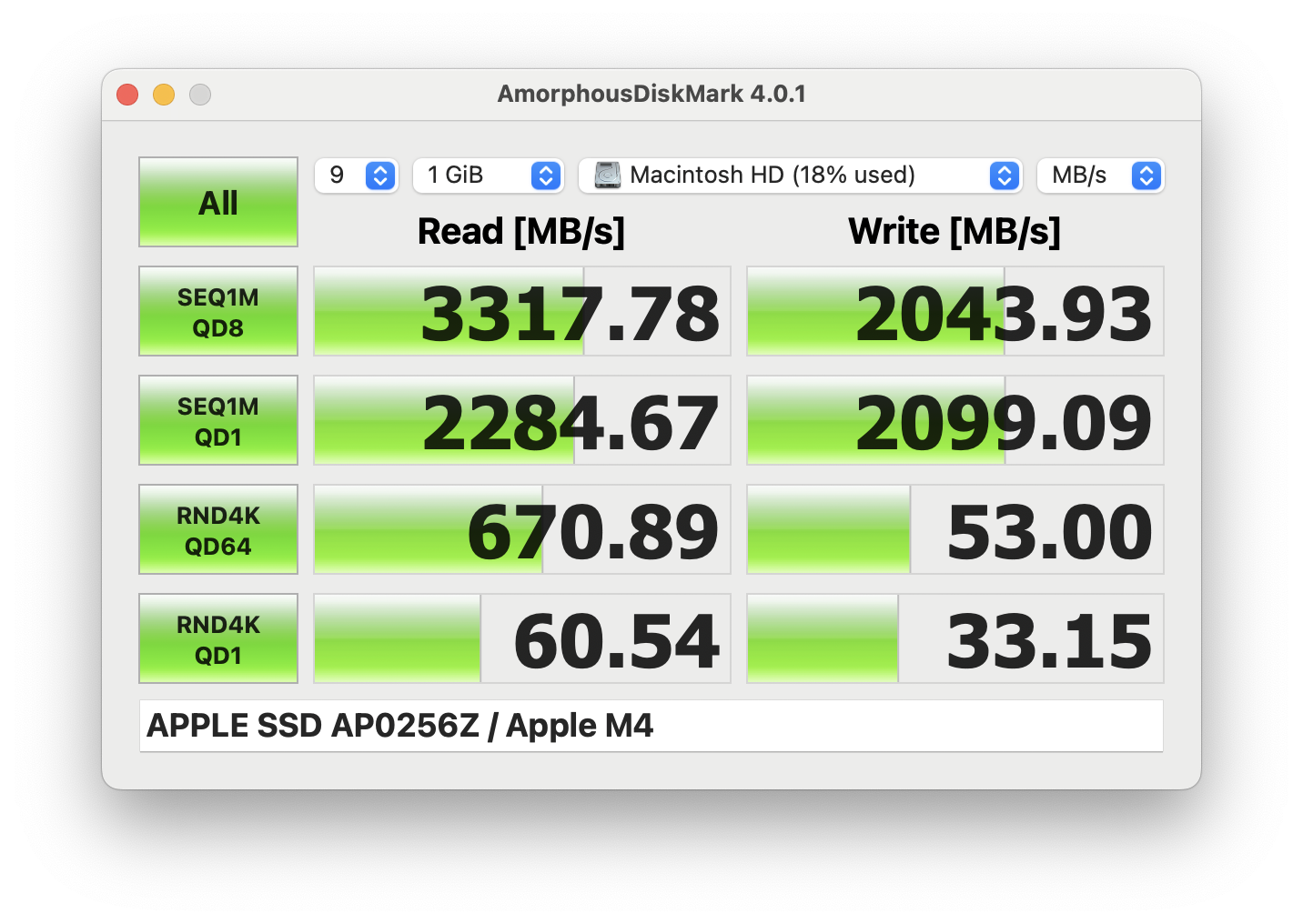
The 256GB variant of MacBook Air 15 has twice lower than most of the modern laptops sequential read and write speeds – 3.3GB/sec, and 2.0GB/sec, respectively. The 512GB variant is faster but still a lot behind the PC competitors.
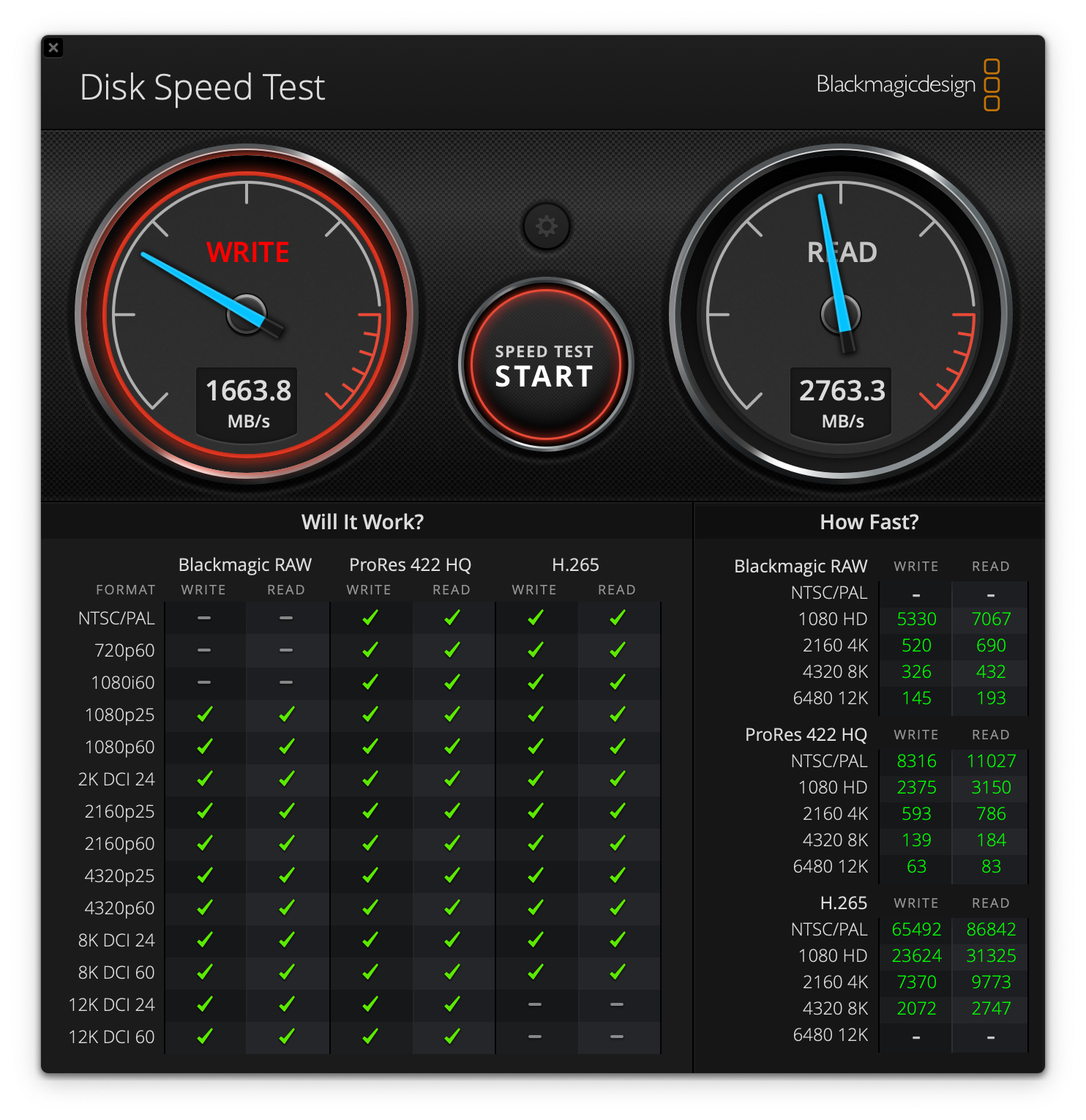
We also ran a test with a 4GB test file using Blackmagic Disk Speed Test. The result was a sequential read speed of 2.8 GB/s and a sequential write speed of 1.7 GB/s.
The results are very similar to the ones we’ve got with the 13-inch MacBook Air M4 (detailed review).
AI Performance
Here you can see the position of the GPUs and CPUs (NPUs) found within the Apple MacBook Air 15 (Early 2025) in our AI Hardware Performance Rankings based on their AI processing power, measured in TOPS (Tera Operations Per Second) - a critical metric indicating the computational throughput, particularly for AI tasks.
The first column shows peak performance for INT8/FP8 precision, which is the most widespread metric for evaluating AI inference capabilities. We exclude Sparsity to provide a more accurate reflection of AI performance in dense computation scenarios where sparsity optimizations may not be applicable. The second and third columns show the performance with Sparsity, and FP4 TFLOPS, when supported.
For SoCs, the results reflect the peak performance of the integrated NPU. Additionally, it’s important to note that, according to Microsoft, a NPU must have at least 40 TOPS of AI computing power for the PC to be considered “AI-capable.”
| # | GPU / CPU (NPU) | TOPS INT8/FP8 No Sparsity | TOPS INT8/FP8 Sparsity | TFLOPS FP4 Sparsity |
|---|---|---|---|---|
| 1649. | Apple M4 (10-core CPU) | 38 | — | — |
GPU and Gaming Performance
On the graphics side, the 15‑inch model comes exclusively with the 10‑core GPU variant of the M4. Unlike the 13‑inch version, which can also be configured with an 8‑core GPU, this model ensures consistent graphics performance across all configurations. While integrated, the M4 GPU is capable of handling light creative work, media consumption, and casual gaming efficiently.
For a better understanding of how it compares to other solutions, visit our Top Laptop Graphics Ranking.
The 20% more cores in this M4, compared to the M4 we’ve bought with MacBook Air 13 (10 GPU cores vs 8 GPU cores), lead to 14% better performance. It’s a good upgrade if you can take advantage of them but if you really need GPU power, you should consider the MacBook Pro lineup which is actively cooled, and can be ordered with M4 Pro, or even M4 Max chips. Or if you REALLY need high GPU performance but you still want a compact device, the ProArt by ASUS is a great choice, coming with up to GeForce RTX 5070.
The results are from 3DMark Wild Life Extreme Unlimited. Higher is better.
Temperatures and Comfort, Noise, Stability
At idle, the CPU package of the Apple MacBook Air (15.3″, M4) maintains a temperature of 45ºC, and the notebook remains completely silent.
Office work, web development, light design
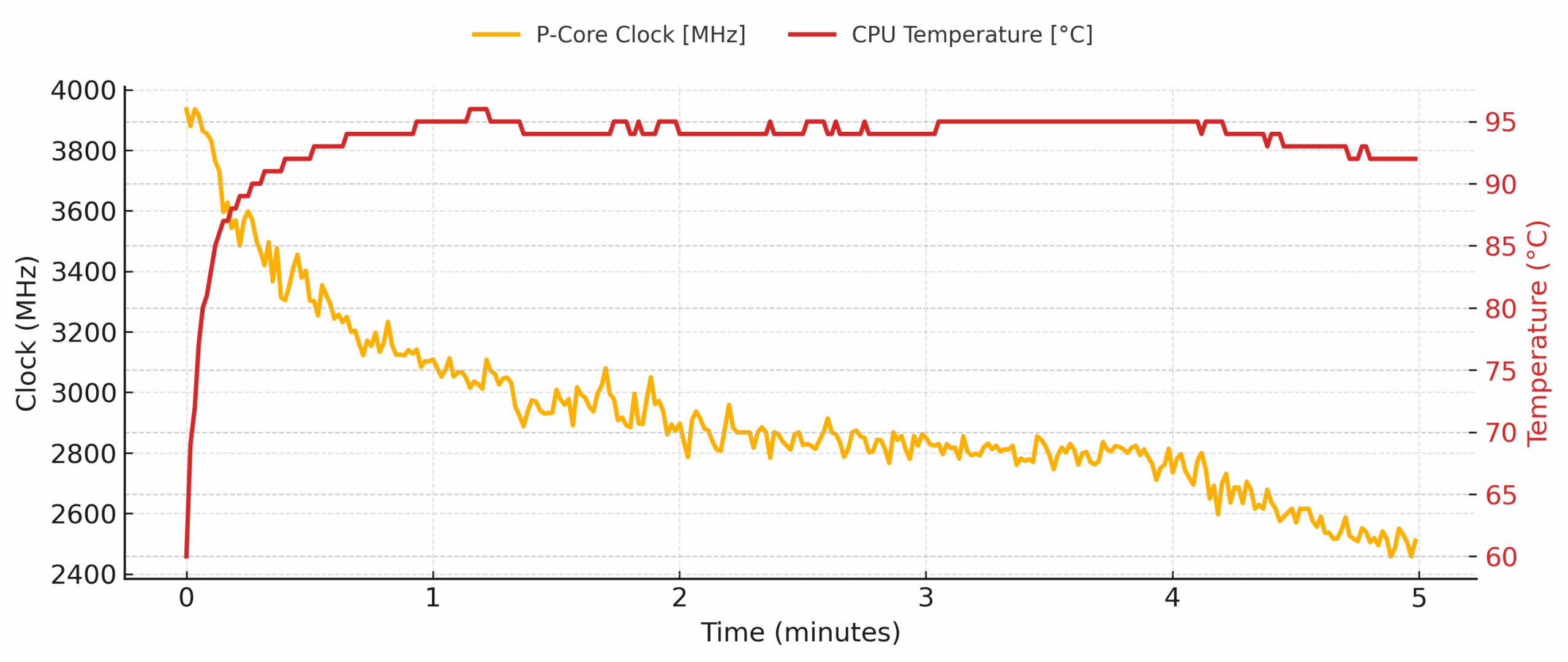
Short periods (0:00 – 0:10 s) of 100 % CPU load
| Apple M4 (10-core) | Avg. P-Core Clock | Avg. CPU Temp. | Avg. CPU Power |
| Apple MacBook Air (13.6″, M4) | 3895 MHz | – | 20 W |
| Apple MacBook Air 15 (2025) | 3831 MHz | 78 °C | 21 W |
During the first ten seconds of a full-core burst the 15-inch spikes to 3936 MHz inside five seconds, averaging 3831 MHz for the interval. Power briefly peaks at 22 W (avg. ≈ 21 W) while the die touches 87 °C, yet the chassis only feels warm. The 13-inch edges ahead on raw clock (3895 MHz avg.) while consuming a watt less.
Video editing, scientific computing, heavy software compilation, 3D rendering
Long periods (0:00 – 30:00 min) of 100 % CPU load
| Apple M4 (10-core) | Avg. P-Core Clock | Avg. CPU Temp. | Avg. CPU Power |
| Apple MacBook Air 15 (2025) | 2313 MHz | 85 °C | 9 W |
| Apple MacBook Air (13.6″, M4) | 2189 MHz | – | 8 W |
Across a half-hour render the 15-inch settles to ≈ 2.31 GHz, a 1.63 GHz drop from its initial spike, holding a steady 85 °C while package power fades to just 9 W. The 13-inch drops a little further to 2.19 GHz and 8 W; its smaller aluminium shell soaks less heat, so the SoC pulls back clocks a touch earlier. Surface temperatures on both notebooks stay comfortable, and of course there is no fan noise to speak of.
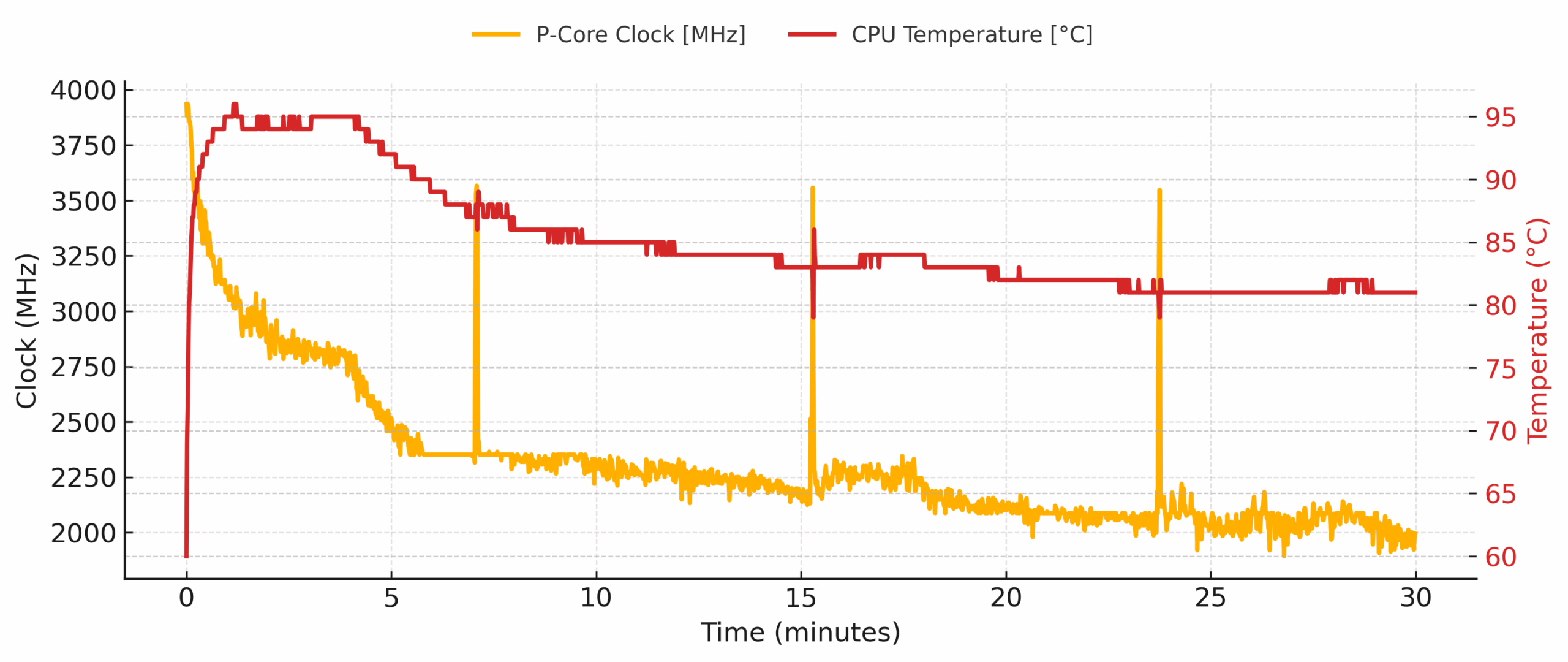
The M4-powered MacBook Air 15 combines an impressive “burst” punch with ultra-low sustained power to keep surface temps friendly and the experience absolutely silent – same as its 13-inch sibling. It excels at everyday creative work and short compute spikes; if your workflow involves hour-long renders or multi-hour code compiles, you may prefer a machine with active cooling, but for everything else this fan-less design strikes a near-perfect balance of speed, thermals and comfort.
Battery Life
The built-in lithium-polymer battery stores 66.5 Wh of energy.
According to Apple, it should last around 18 hours. The Apple tests often match ours but this time, this is not the case. In our test, the 15-inch MacBook Air M4 provided continuous operation of 14 h 24 min – 20% lower than the official number. While this is still a good result, the Lenovo Yoga 9i 2-in-1, for example, provides 50% longer battery life – almost 22 hours.
Check out our Top 100 Laptops by Battery Life ranking.
Brightness: 180 nits; Display Mode: SDR
Time to Full Discharge: Higher is Better
Disassembly, Upgrade options, and Maintenance
Popping the Air open is easier than you might think. Four pentalobe screws secure the bottom plate, but Apple also relies on six internal clips. A small suction cup (or heavy-duty tape) lets you pop those clips free without bending the thin aluminium, after which the panel lifts away cleanly – no plastic picks required in Apple’s official procedure.
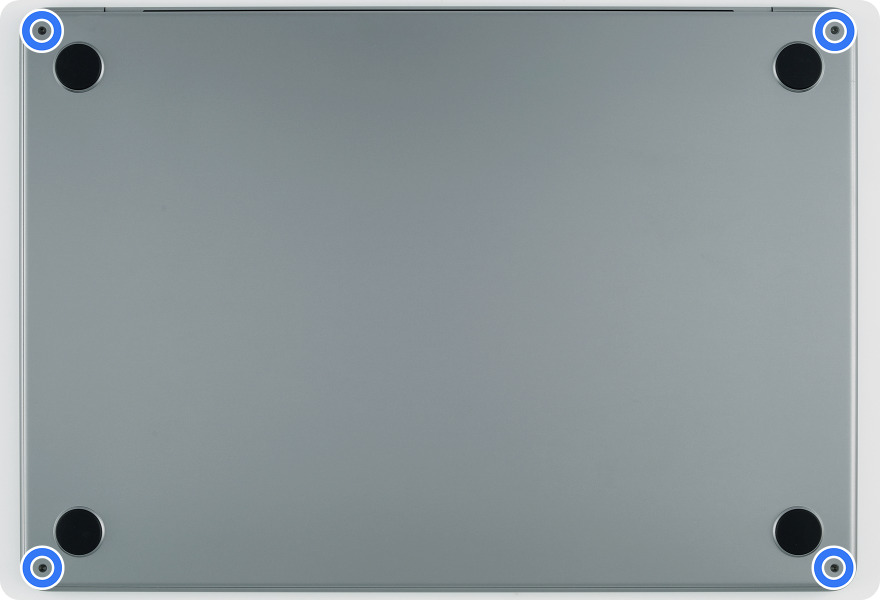
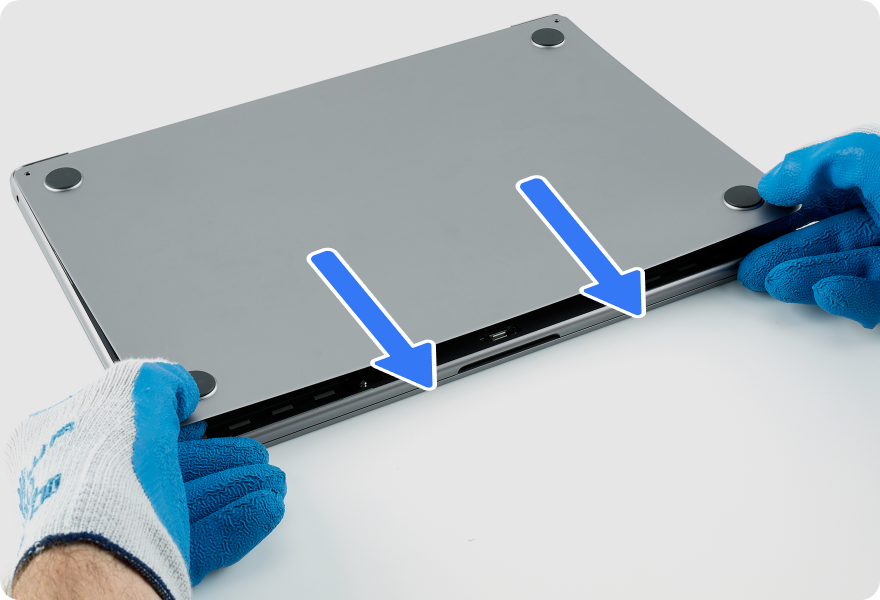
Once inside, you are met by the hallmark fan-less layout: a slim graphite heat-spreader covers the M4 SoC, while nearly the entire floor is devoted to a three-cell 66 Wh battery. Two long resonance-chamber speakers flank the pack, the logic board hugs the rear edge, and smaller daughter-boards handle the MagSafe 3 and dual USB-C ports.
Memory & Storage
Upgrades simply aren’t on the menu. Unified LPDDR5X memory (16 GB / 24 GB / 32 GB) and Apple’s NVMe flash (256 GB–2 TB) sit on the logic-board package itself. If you outgrow either, the entire board must be swapped – an expensive, Apple-calibrated ordeal.
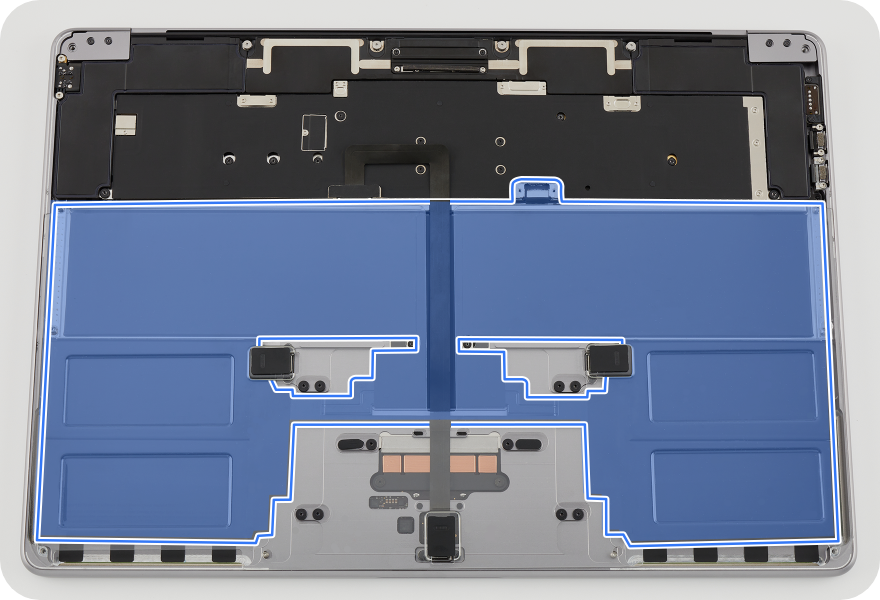
The battery
OK, what IS serviceable?
— Battery: Held by five Torx Plus screws and four stretch-release adhesive strips. Apple includes new adhesive with each replacement; removal is fiddly and requires alcohol wipes and a press jig to reseat the tray. It’s doable in under an hour with patience.
— Speakers: Three screws and a flex tail per side after removing the bottom case and hinge cover. They must be replaced as a matched pair and require running System Configuration afterward so macOS re-profiles the amp.
— I/O and auxiliary boards: MagSafe 3, USB-C ports, trackpad, audio board, antenna bar, and display-related modules are modular and replaceable via the Self-Service Repair program; swapping many of them triggers the same post-repair configuration routine.
— Keyboard / top case: Provided as a single assembly (including battery, speakers, and trackpad), turning it into a major transplant rather than a targeted fix.
The MacBook Air prioritizes a compact, clean internal design. Only a handful of peripherals (battery, speakers, and certain I/O boards) are reasonably serviceable; core performance elements like memory and storage are fixed, so buyers should spec those correctly up front.
Verdict
The Apple MacBook Air 15 (M4) is the quintessential MacBook Air experience, just bigger. It takes the winning formula of its smaller sibling – silent performance, a premium feel, and an incredibly intuitive user experience, and stretches it onto a larger, more immersive 15-inch canvas. It is a masterclass in industrial design and a near-perfect machine for everyday productivity, students, and anyone who values a silent, elegant, and reliable workhorse.
However, it is not a “Pro” machine, and its identity is defined as much by its deliberate limitations as by its many strengths. This is a laptop that knows exactly what it is and, for the right user, it is absolutely brilliant.
✅ The Good
 The first thing you’ll appreciate is the superb unibody aluminium construction. It feels incredibly solid, looks stunning, and remains completely silent under all conditions thanks to its fanless design. The user experience is further elevated by the fantastic keyboard and the massive, industry-leading Force Touch trackpad, which make daily interaction a joy.
The 15.3-inch Liquid Retina display is a beautiful canvas, offering 100% DCI-P3 color coverage and excellent brightness, making it great for content consumption and creative work. Crucially, it is completely PWM-free, a massive win for eye comfort during long sessions. The six-speaker sound system is also exceptional for a laptop this thin, and the new M4 chip’s ability to natively support two external displays is a huge, long-awaited upgrade.
❌ The Bad
The biggest and most significant drawback is the complete lack of upgradeability. With both the RAM and SSD soldered to the motherboard, the configuration you buy is the one you are stuck with forever, a major anti-user decision that hurts long-term value.
The fanless design also means the M4 chip throttles significantly under sustained heavy loads, making this a poor choice for serious video editing or 3D rendering.
While the display is beautiful, it is still only a 60Hz panel, which feels dated on a premium device in 2025.
The port selection remains extremely limited, the base 256GB SSD is noticeably slower than PC competitors, and the lack of Wi-Fi 7 feels like a missed opportunity for future-proofing.
🆚 The Competitors
 The choice between the MacBook Air and its main internal rival, the Apple MacBook Pro 14, Late 2024 (detailed review), is very clear. If your workflow involves any sustained heavy tasks, the Pro’s active cooling system makes it the vastly superior and necessary choice. The Air is for bursty workloads and everyday use.
When compared to a PC alternative like the Lenovo Yoga 9i 2-in-1 (detailed review), the MacBook Air’s main trade-off becomes apparent. The Yoga offers a staggering 50% longer battery life (22 hours) and more versatile connectivity. The decision for users comes down to prioritizing the seamless macOS ecosystem and silent operation of the Air versus the extreme endurance and flexibility of a top-tier Windows machine.
You can check the prices and configurations in our Specs System: https://laptopmedia.com/series/apple-macbook-air-15-early-2025/
Pros
- Superb and elegant all-aluminium unibody construction
- Completely silent fanless operation
- Excellent keyboard and a massive, best-in-class trackpad
- Vibrant and color-accurate PWM-free display
- Fantastic six-speaker sound system
- Native support for two external displays (lid closed)
Cons
- No upgrade options for RAM or SSD (soldered)
- Significant performance throttling under sustained load
- Display is still only 60Hz
- Extremely limited port selection
- Slow base model SSD speeds
 Author: Simeon NikolovEditor-in-Chief at LaptopMedia.com with 20+ years of experience in testing and analyzing laptops and mobile devices.
 Author: eng. Kroum NikolovHead of Engineering at LaptopMedia.com, inventor and innovator with 40+ years of experience in electronics and high technology.

![[August 2026] Best-Selling Laptop Brands on Amazon Japan – Apple Dominates Market Share and Revenue Led by Strong Unit Sales](https://laptopmedia.com/wp-content/uploads/2026/09/CO.JP-Best-Brands-1-400x225.jpg)
![[August 2026] Best-Selling Laptop Brands on Amazon USA – Apple Dominates Market Revenue and Volume Despite Lower Model Diversity](https://laptopmedia.com/wp-content/uploads/2026/09/COM-Best-Brands-1-400x225.jpg)
![[August 2026] Amazon Germany: Top 8 Best-Selling Gaming Laptops – Acer Dominates the Market as the Premium Nitro V 17 AI Takes the #1 Spot](https://laptopmedia.com/wp-content/uploads/2026/09/Best-Selling-Gaming-Laptops-DE-Top-10-1-400x225.jpg)
![[August 2026] Best-Selling Laptop Brands on Amazon France – Apple Dominates Revenue Despite Lenovo and HP Leading in Catalog Breadth and Volume](https://laptopmedia.com/wp-content/uploads/2026/09/FR-Best-Brands-1-400x225.jpg)
![[August 2026] Amazon Italy: Top 10 Best-Selling Laptops – Apple MacBook Neo Claims the Crown as Budget and Mid-Range Windows Machines Dominate Volume](https://laptopmedia.com/wp-content/uploads/2026/09/Best-Selling-Laptops-IT-Top-10-400x225.jpg)

Apple silicon is miles above Intel/NV/AMD but i will never buy their products because i hate their ideology. And let me say about upgradability again. Nobody(almost) should care about what is soldered and what is not. Phones, fridges, cars, lawnmowers, TVs, airplanes etc, nobody cares about “upgrades”. You buy something and it works until it dies then you buy something else. But if they charge alot for every little step in storage and memory, then it sucks. So Apple business model is the problem, not lack of upgradeability, one exclude another. Imagine this device is ubgradeable. How the heck will… Read more »