Apple MacBook Neo review – The $599 MacBook That Changed the Entry-Level Game
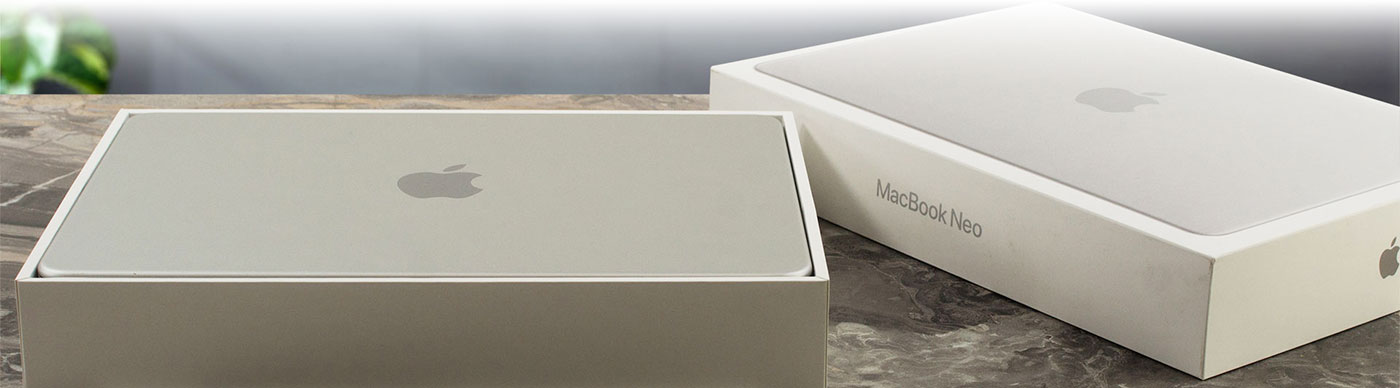
The Apple MacBook Neo is one of the most intriguing devices to come out of Cupertino in years. With a starting price that aggressively undercuts the rest of the Mac lineup, it aims to put a premium Apple laptop into the hands of students and budget-conscious users. To achieve this, Apple has done something unprecedented: they’ve taken the A18 Pro chip straight from their flagship iPhones and put it inside a sleek, 13-inch aluminum chassis. It promises incredible efficiency, a beautiful Liquid Retina display, and legendary Mac build quality for a fraction of the usual cost. But to hit this magical sub-$600 price point, Apple had to use the scalpel. Are the resulting compromises acceptable, or has Apple cut too deep into the core MacBook experience? We put it to the test to find out.
TESTED CONFIGURATION:
– Apple A18 Pro
– Apple A18 Pro GPU (5-core)
– 8GB RAM
– 512GB SSD
– 13.0″, (2408 x 1506), IPS
You can check the prices and configurations in our Specs System: https://laptopmedia.com/series/apple-macbook-neo/

Contents
Specs, What’s in the box
Apple MacBook Neo - Specs








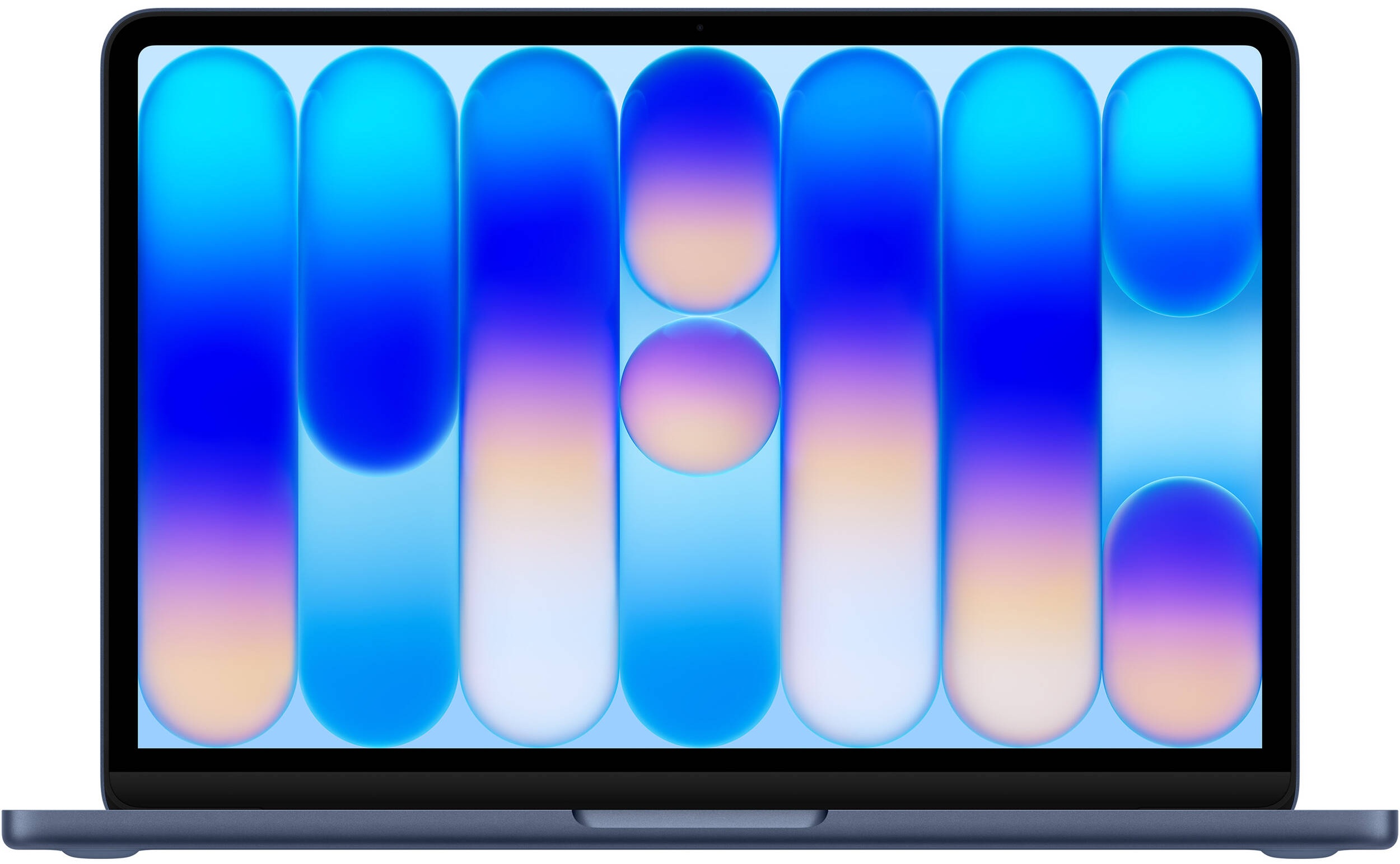
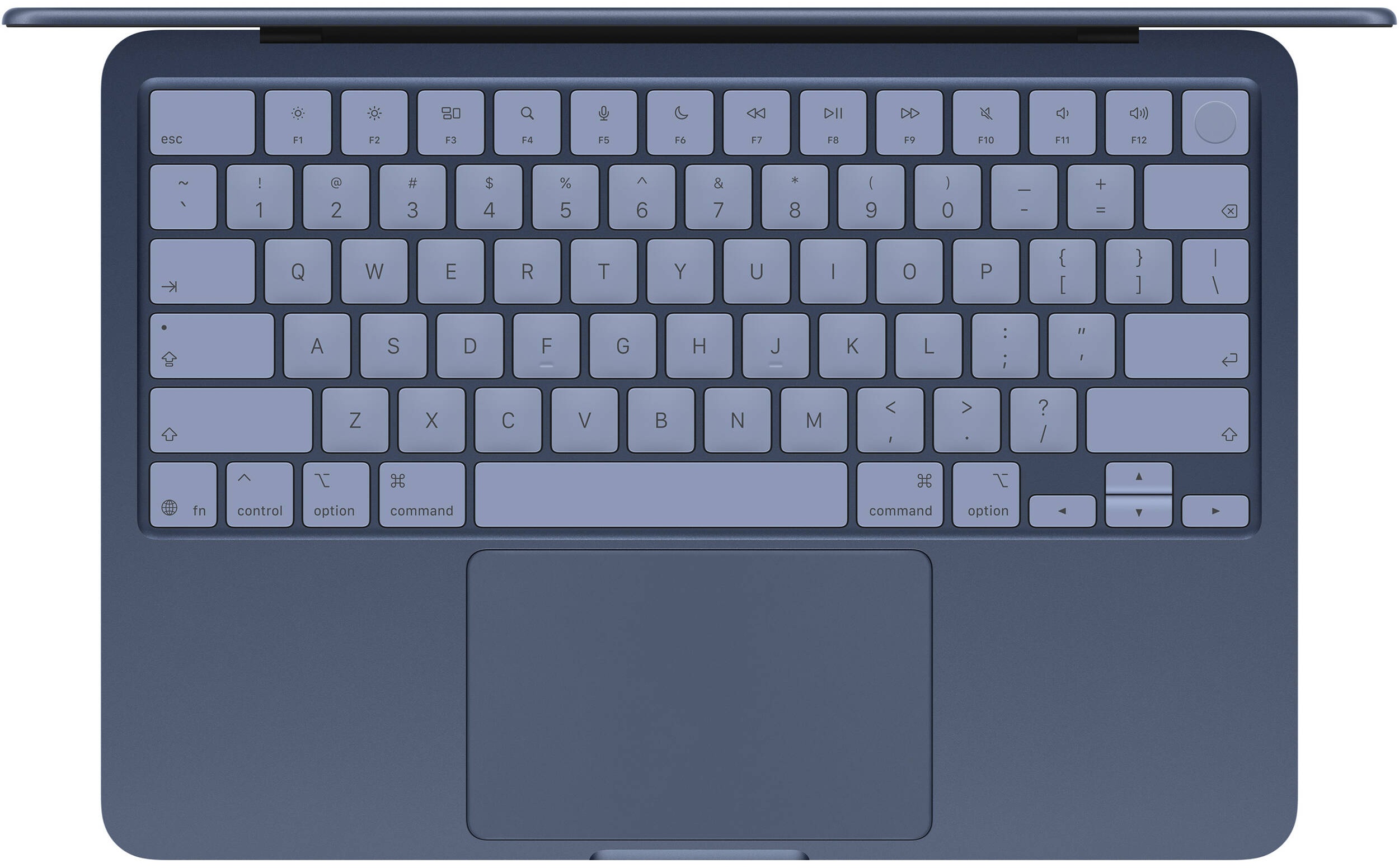
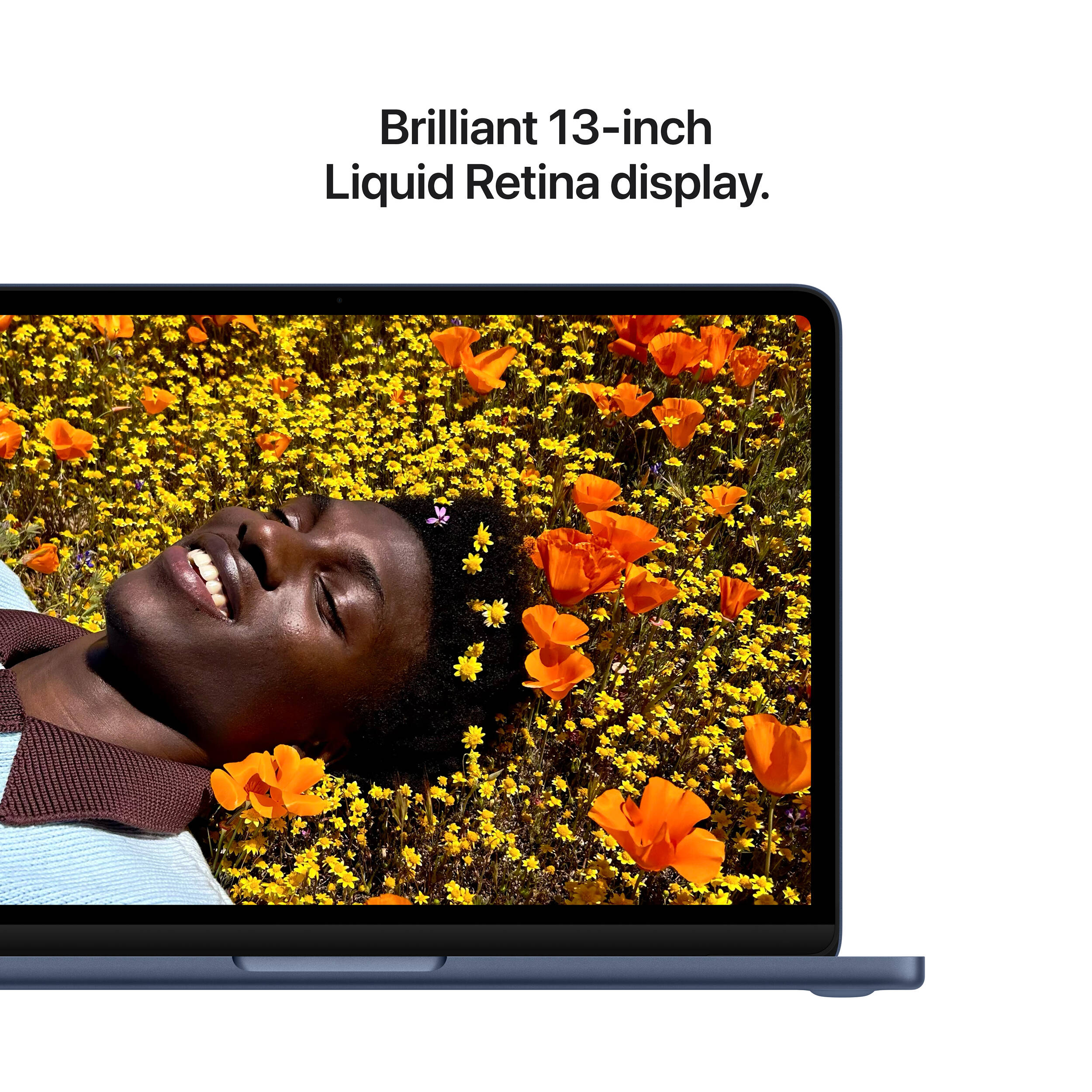

- Display
- 13.0″, (2408 x 1506), IPS
- HDD/SSD
- up to 512GB SSD
- RAM
- up to 8GB
- OS
- macOS, Chrome OS
- Battery
- 36.5Wh
- Body material
- Aluminum
- Dimensions
- 297.5 x 206.4 x 12.7 mm (11.71" x 8.13" x 0.50")
- Weight
- 1.23 kg (2.7 lbs)
- Ports and connectivity
- 1x USB Type-A
- 2.0
- 1x USB Type-C
- 3.2 Gen 2 (10 Gbps), Power Delivery (PD), DisplayPort
- Card reader
- Ethernet LAN
- Wi-Fi
- Wi-Fi 6E
- Bluetooth
- 6.0
- Audio jack
- 3.5mm Combo Jack
- Features
- Fingerprint reader
- optional
- Web camera
- 1080p FaceTime HD camera, 1080p HD video recording with Advanced image signal processor with computational video
- Backlit keyboard
- Microphone
- Dual-mic array with directional beamforming
- Speakers
- Dual-speaker sound system with support for Spatial Audio, Dolby Atmos
- Security Lock slot
All Apple MacBook Neo configurations
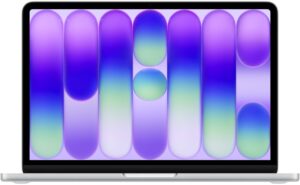
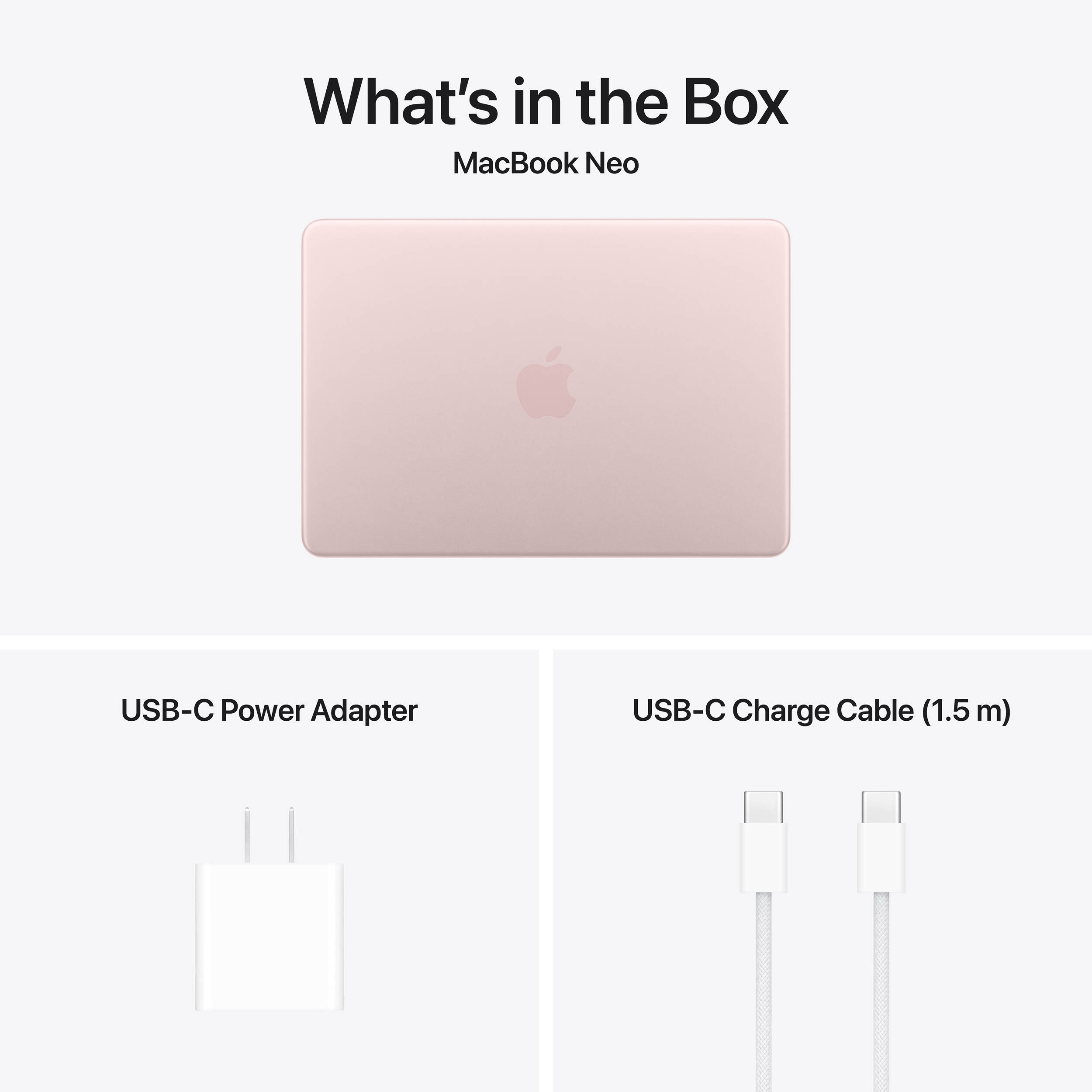
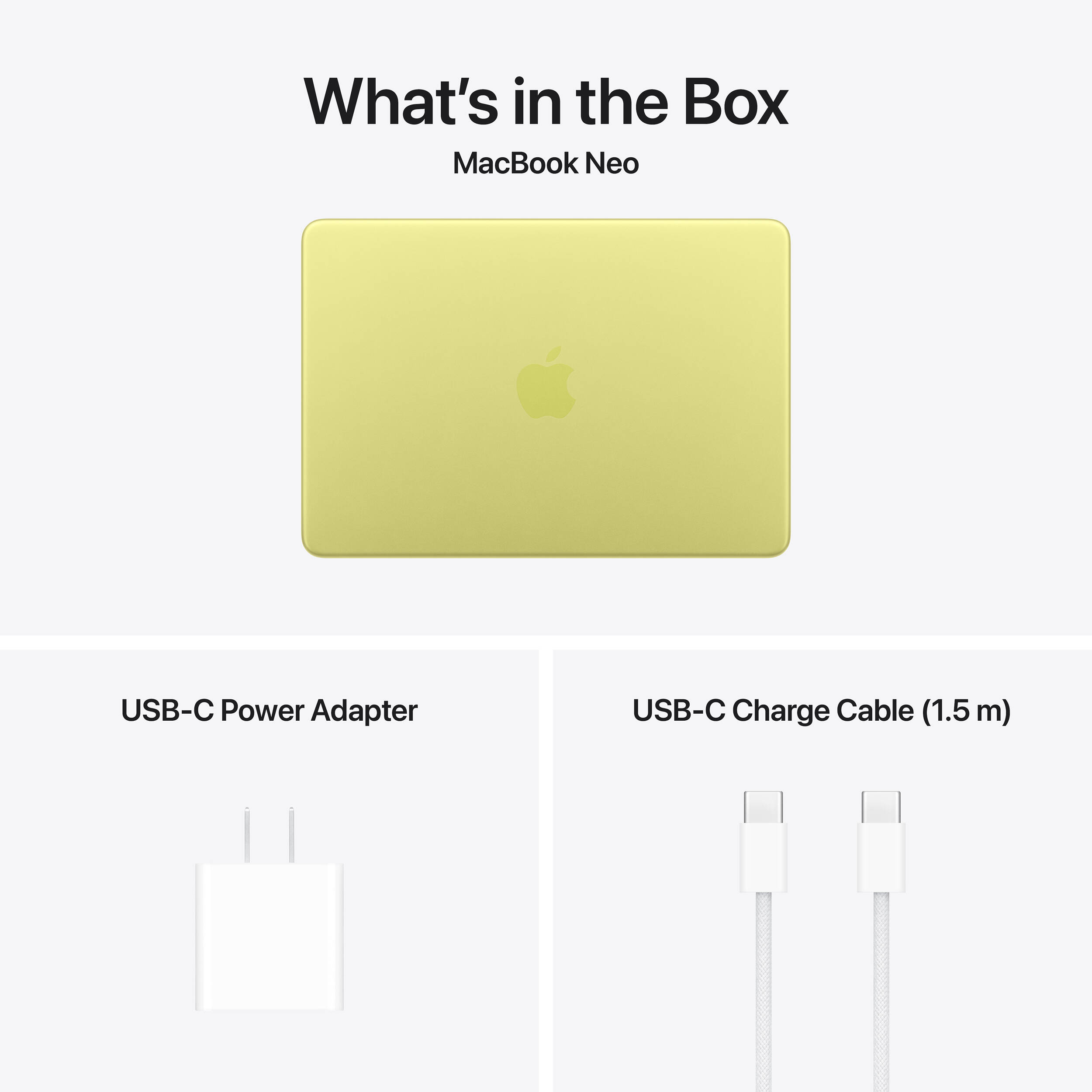
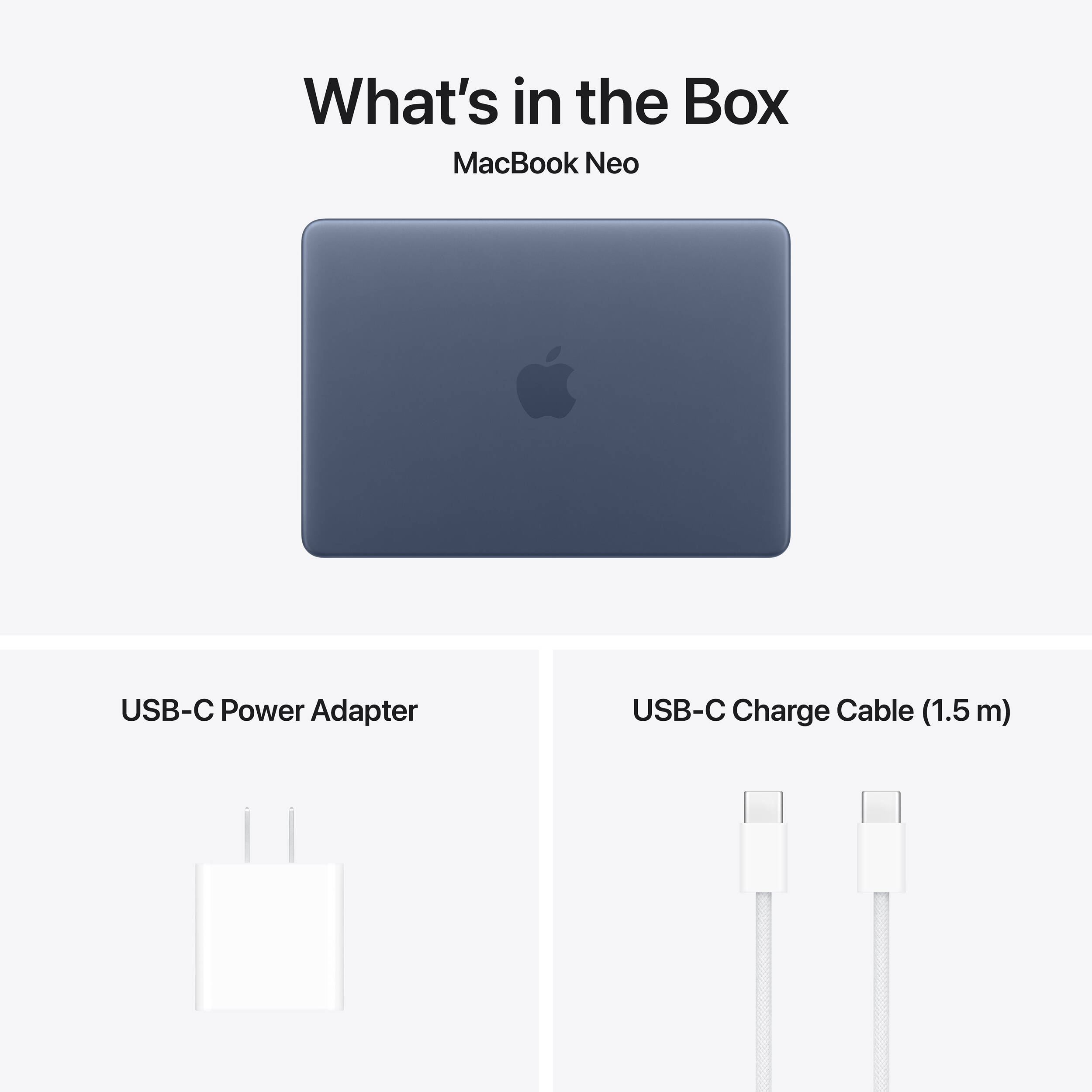
What’s in the box?
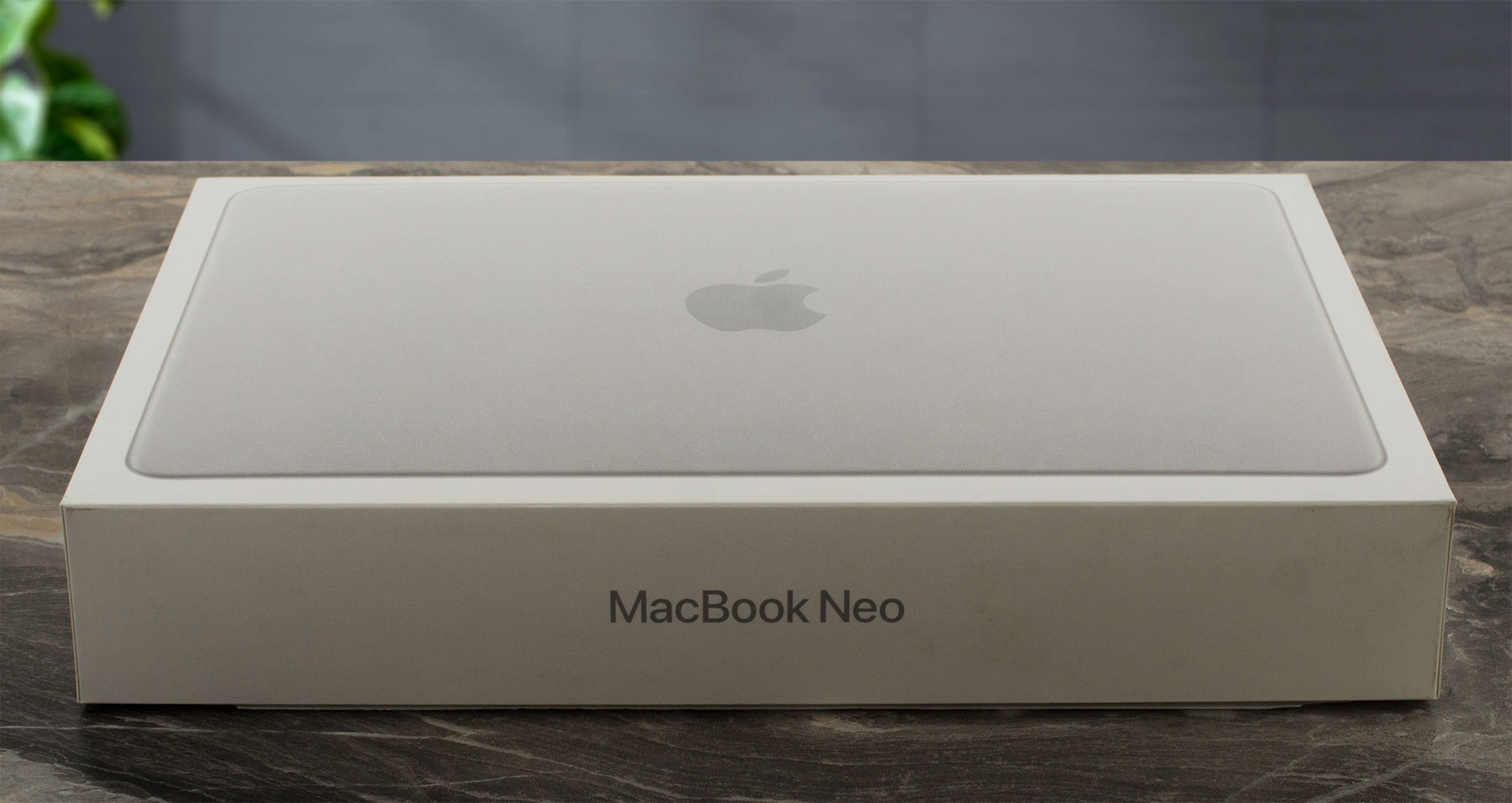
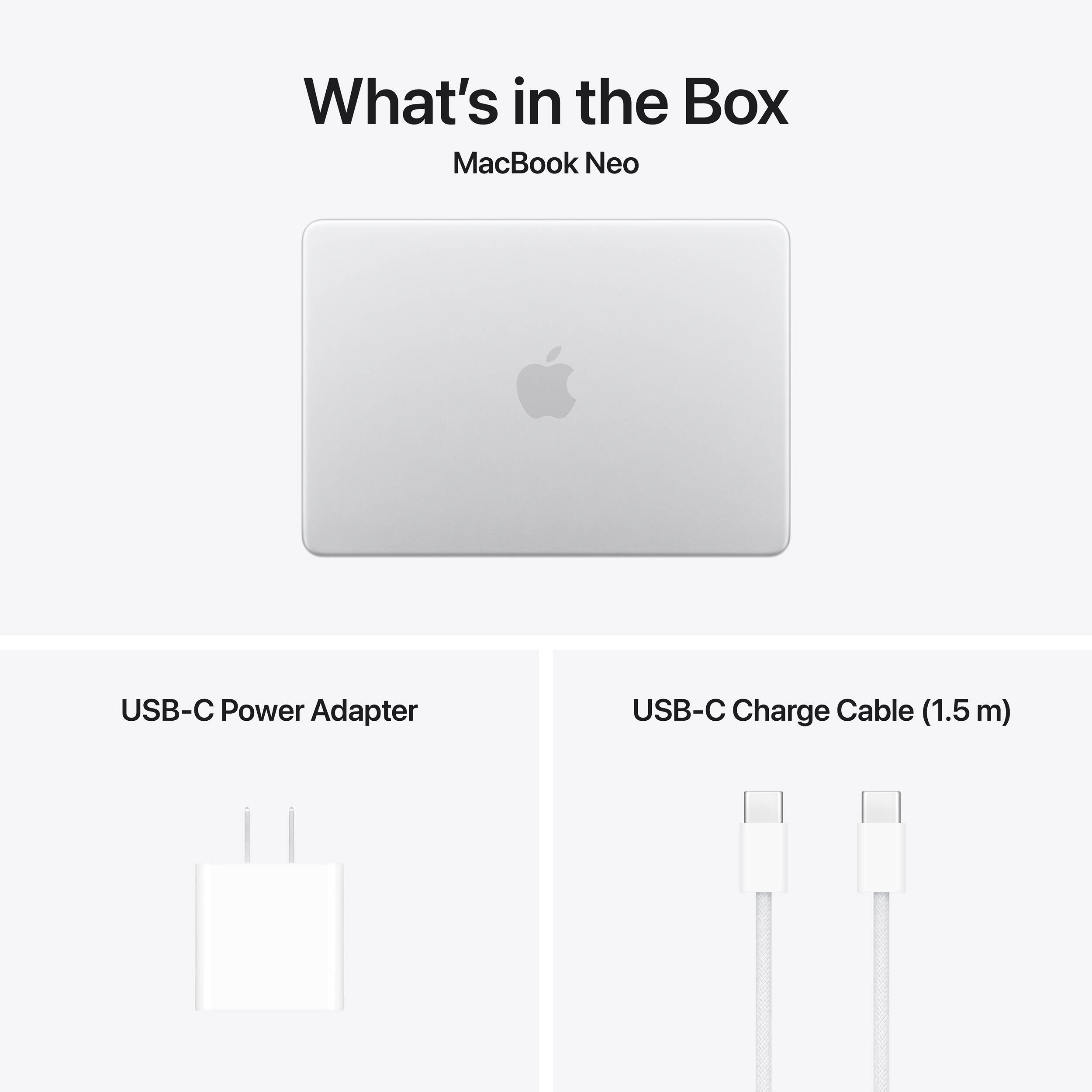
Unboxing the MacBook Neo is an absolute delight, providing that premium Apple feel even though this machine starts at a budget-friendly $599.
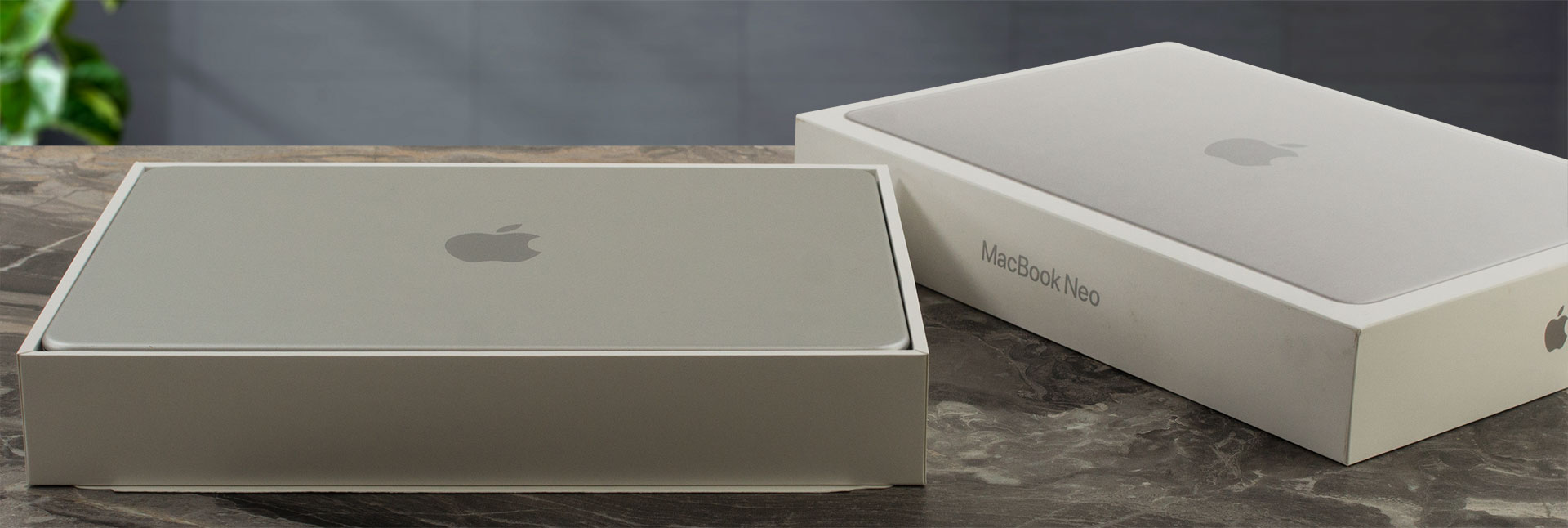
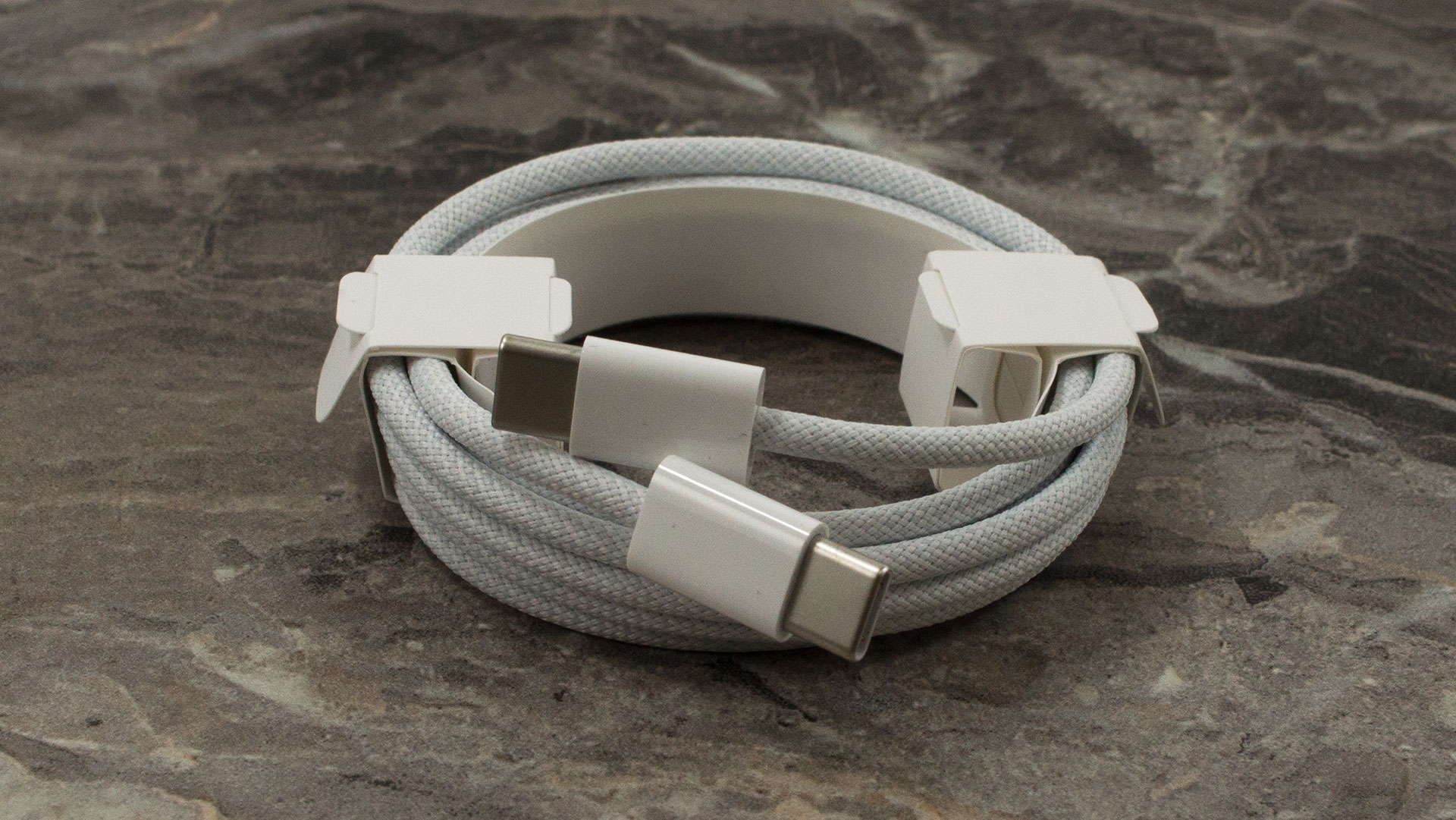
Depending on your region, the box is supposed to contain a 20W USB-C power adapter alongside the 1.5-meter charging cable, but European buyers might draw the short straw.
Our EU model arrived with just the cable and no charger, so you might need to supply your own power brick to get this little notebook up and running.
Design and construction
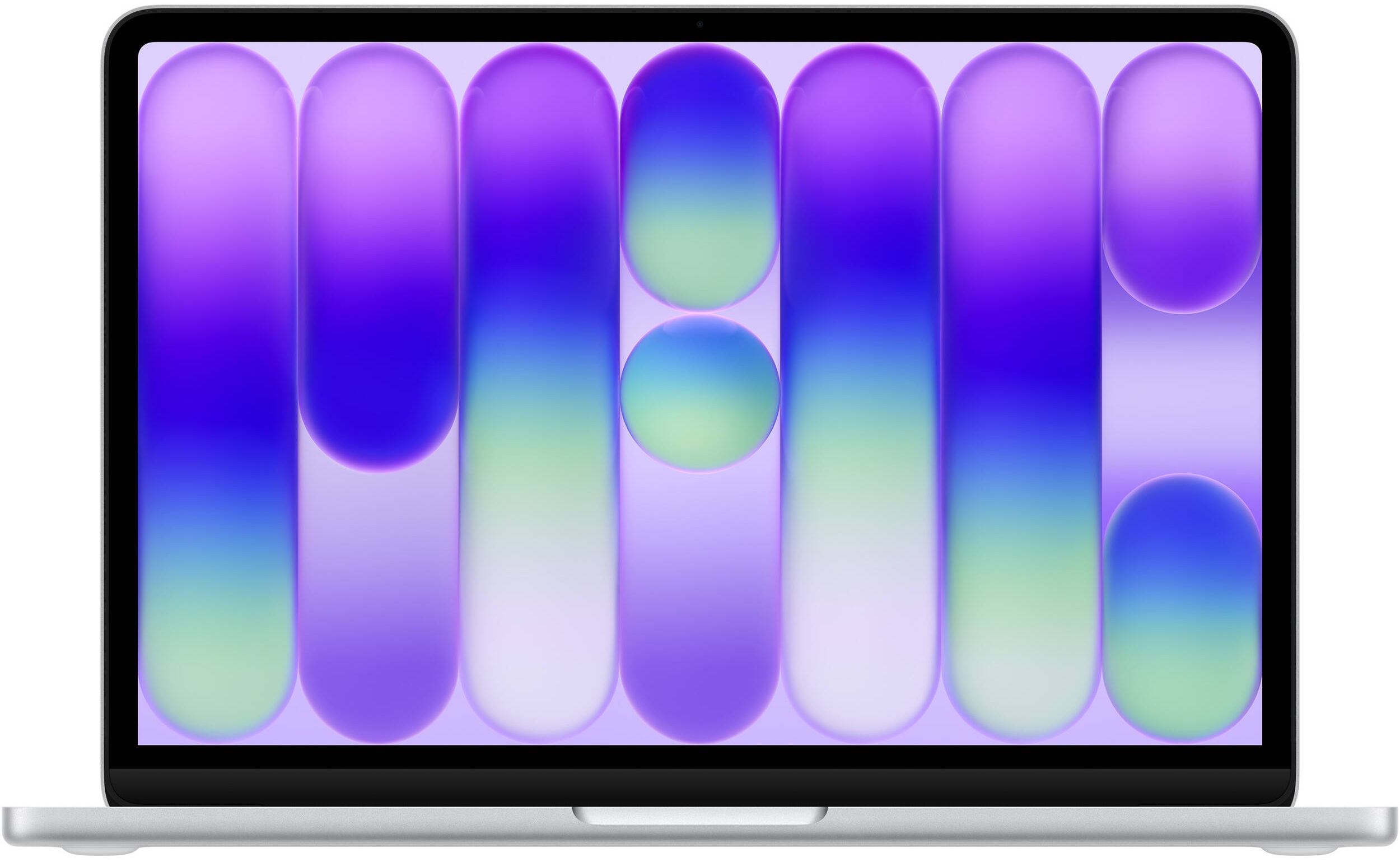
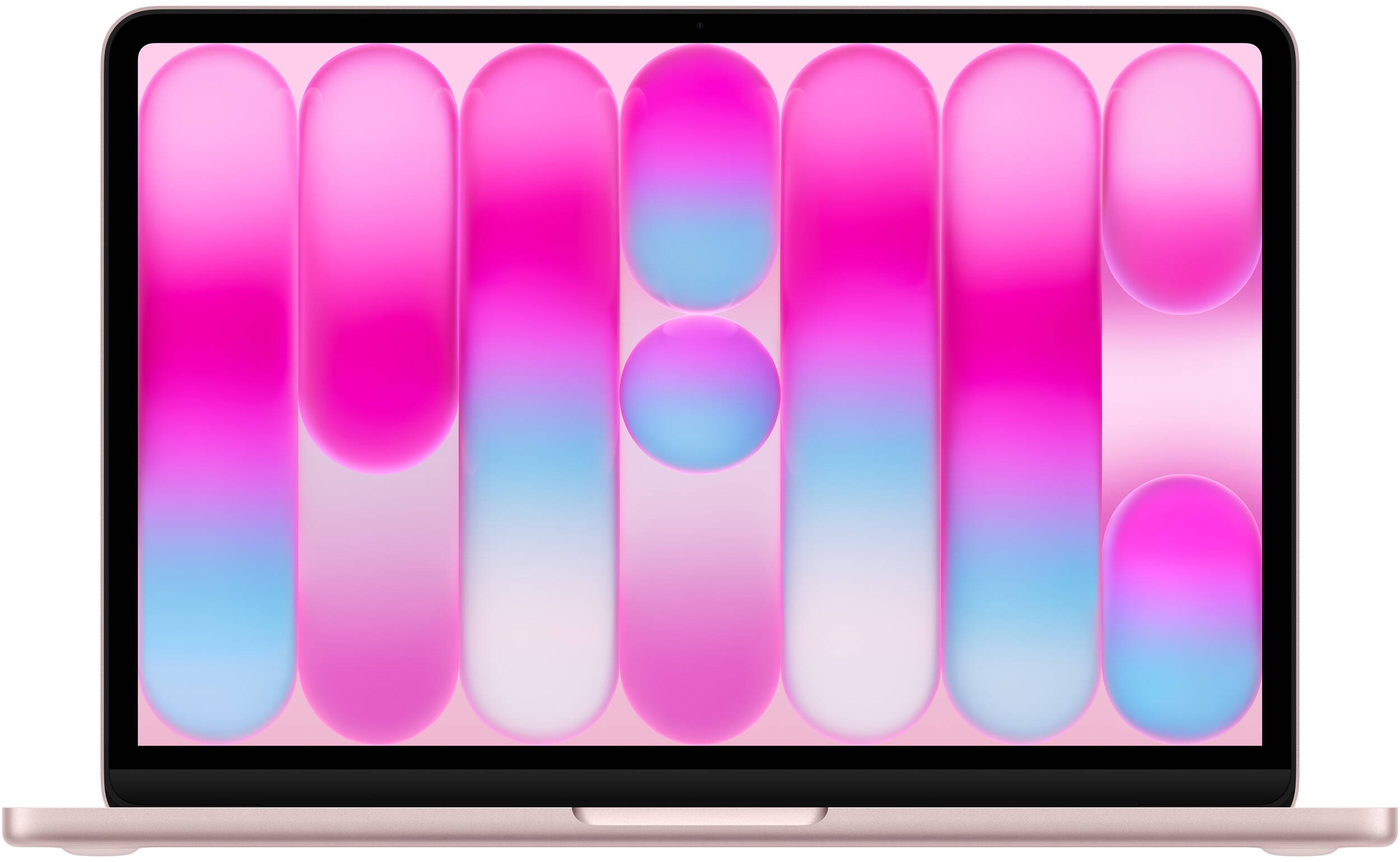
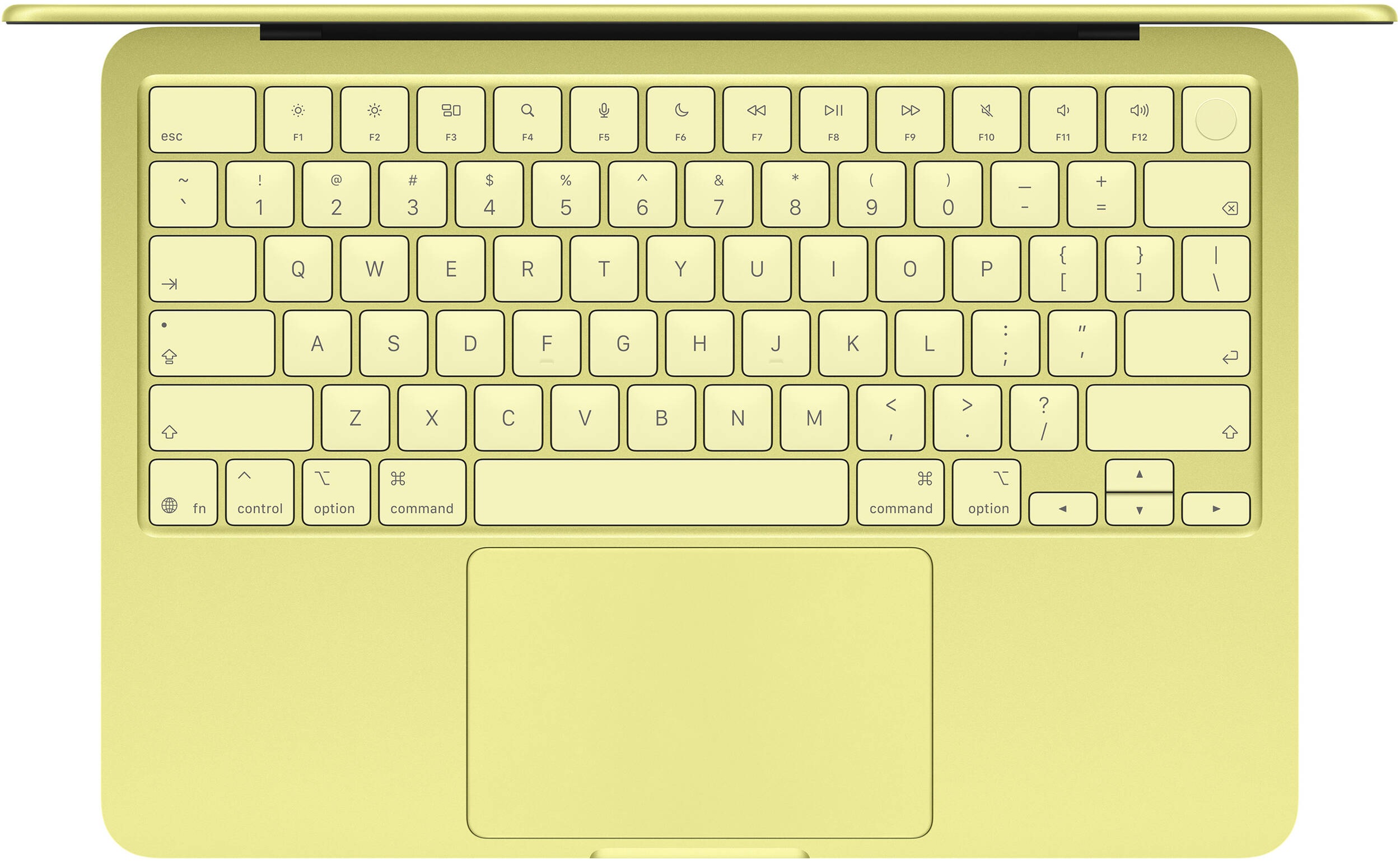
The Apple MacBook Neo brings a wonderfully elegant and highly portable design to the table, featuring soft, rounded edges that make it an absolute joy to carry. Apple offers this compact machine in four distinct colours: Indigo (a lighter, more playful blue than the classic Midnight), Blush (a classy rose gold), Citrus, and Silver. If you want to turn heads at the local café, the Citrus option is incredibly fresh, vibrant, and fun. We, however, opted for the safest, perhaps most “boring” route with the classic Silver.
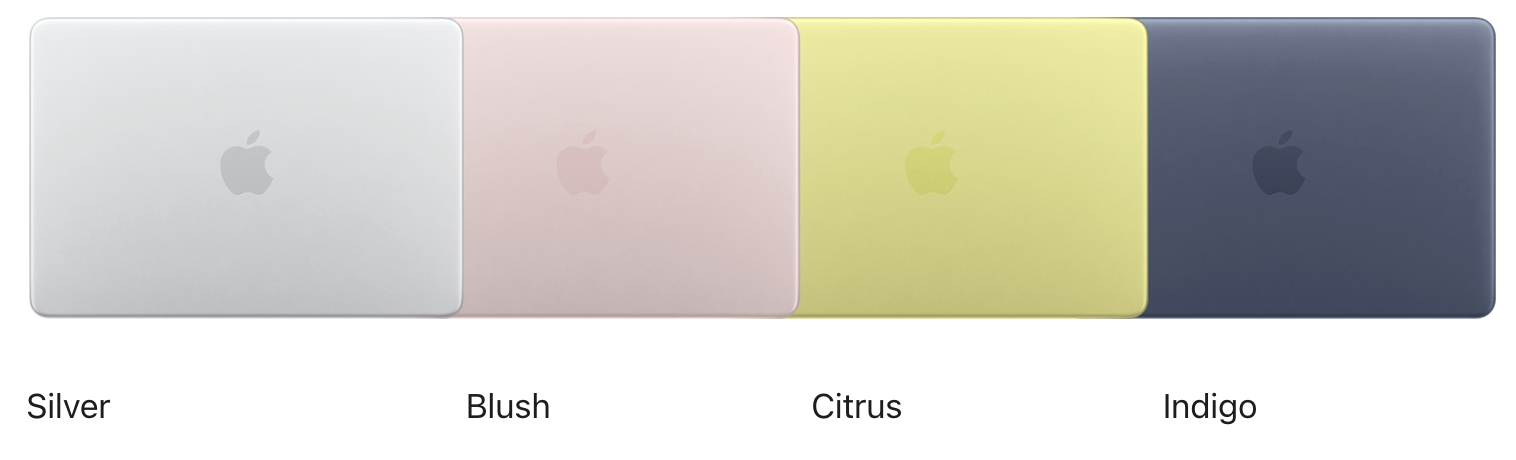
Regardless of the colour you choose, the exterior finish is fantastic at repelling fingerprints; our machine remained remarkably clean and pristine even after prolonged, daily use.
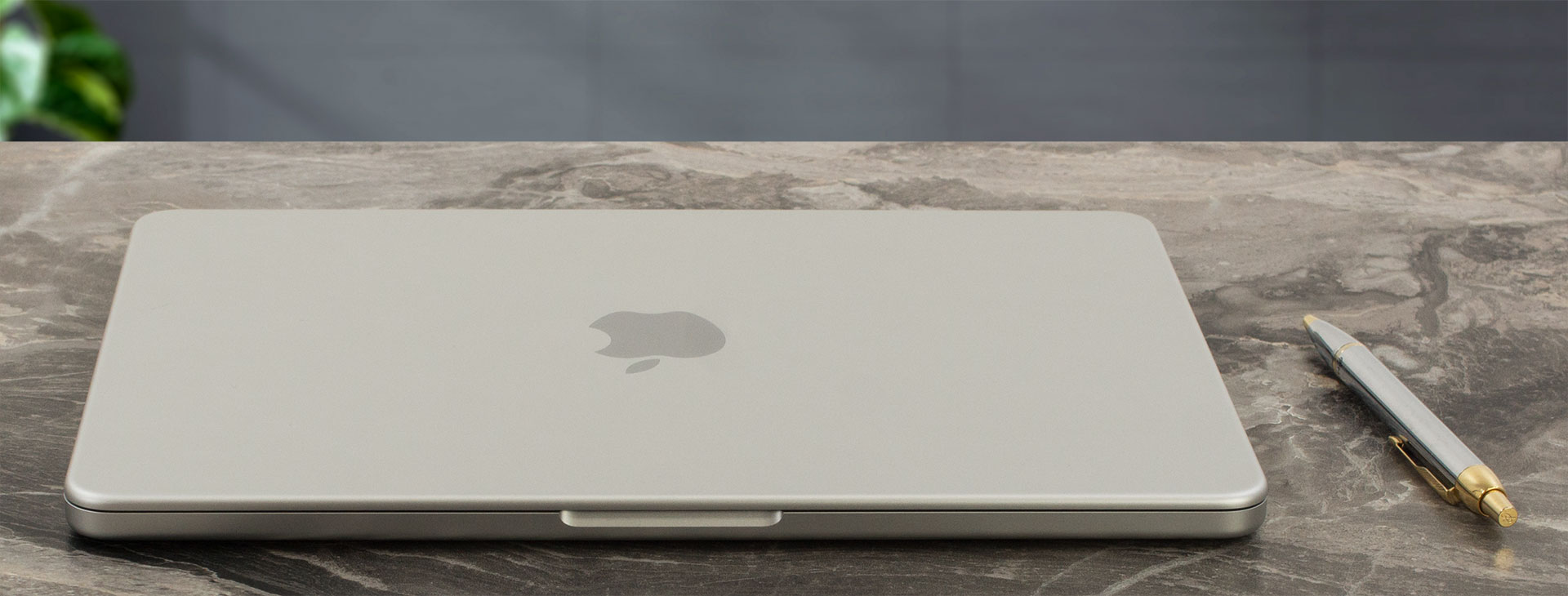
When it comes to its physical footprint, the Neo is clearly engineered for ultimate mobility. It slips effortlessly into almost any bag or sleeve without weighing you down. Here is a quick breakdown of its exact size and weight:
| Apple MacBook Neo | Dimensions | Weight |
| Metric units | 29.75 cm x 20.64 cm x 1.27 cm | 1.23 kg |
| U.S. customary | 11.71 in x 8.12 in x 0.50 in | 2.7 lbs |
The chassis is constructed with a heavy and commendable emphasis on sustainability, utilizing 60% recycled content overall. This includes 90% recycled aluminum for the enclosure, 100% recycled cobalt and 95% recycled lithium in the battery, and a host of other recycled elements across its magnets, circuit boards, and internal steel components. Despite this eco-friendly approach, there are absolutely zero compromises in durability. The laptop is exceptionally sturdy and stable, exhibiting that unyielding, premium build quality we’ve come to expect from Apple devices.
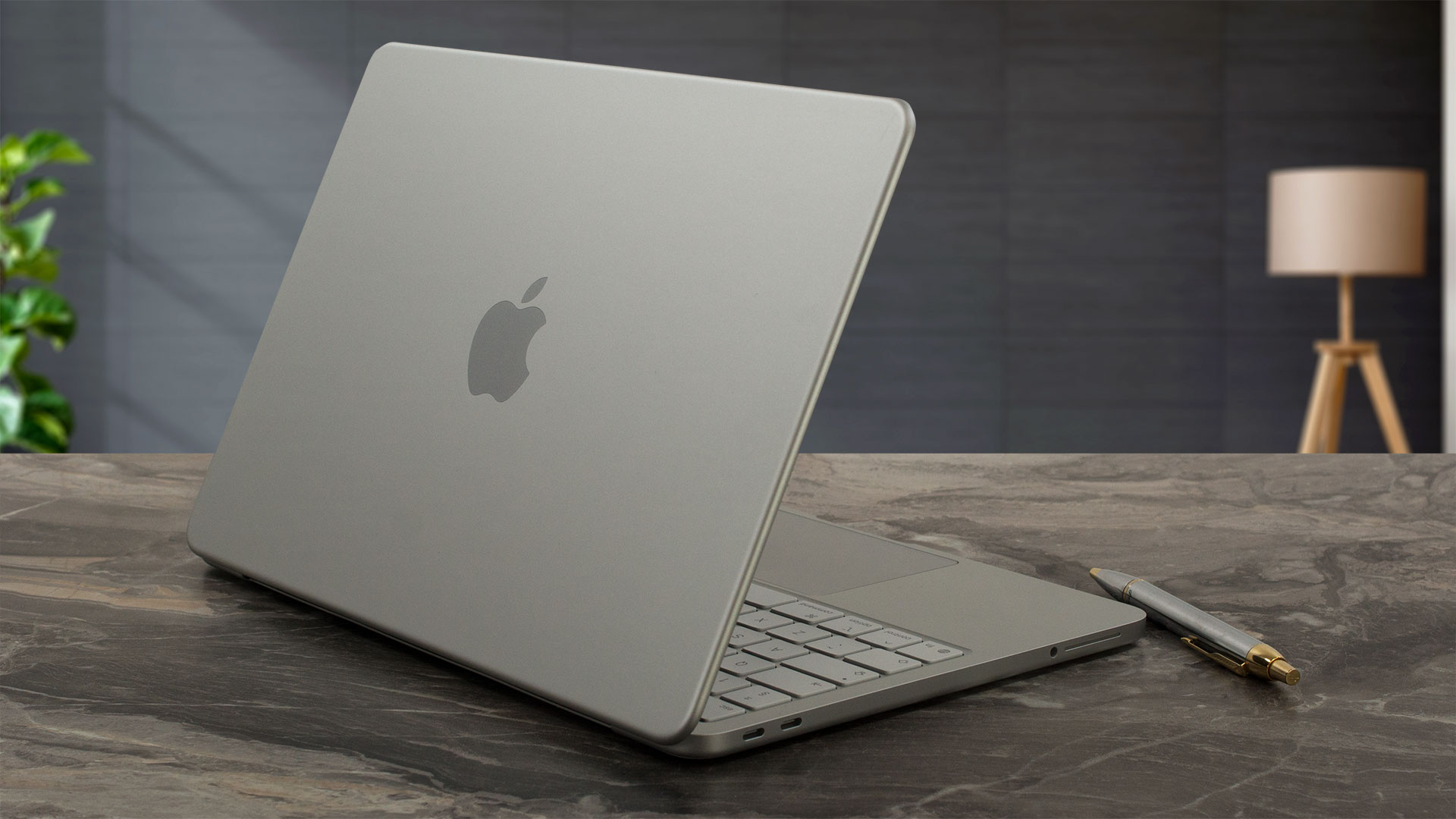

The hinge mechanism is perfectly balanced, allowing for a smooth, effortless one-handed open – a true hallmark of high-end craftsmanship. The display tilts back to a maximum angle of about 110 to 120 degrees, which we found perfectly adequate for standard lap or desk use.
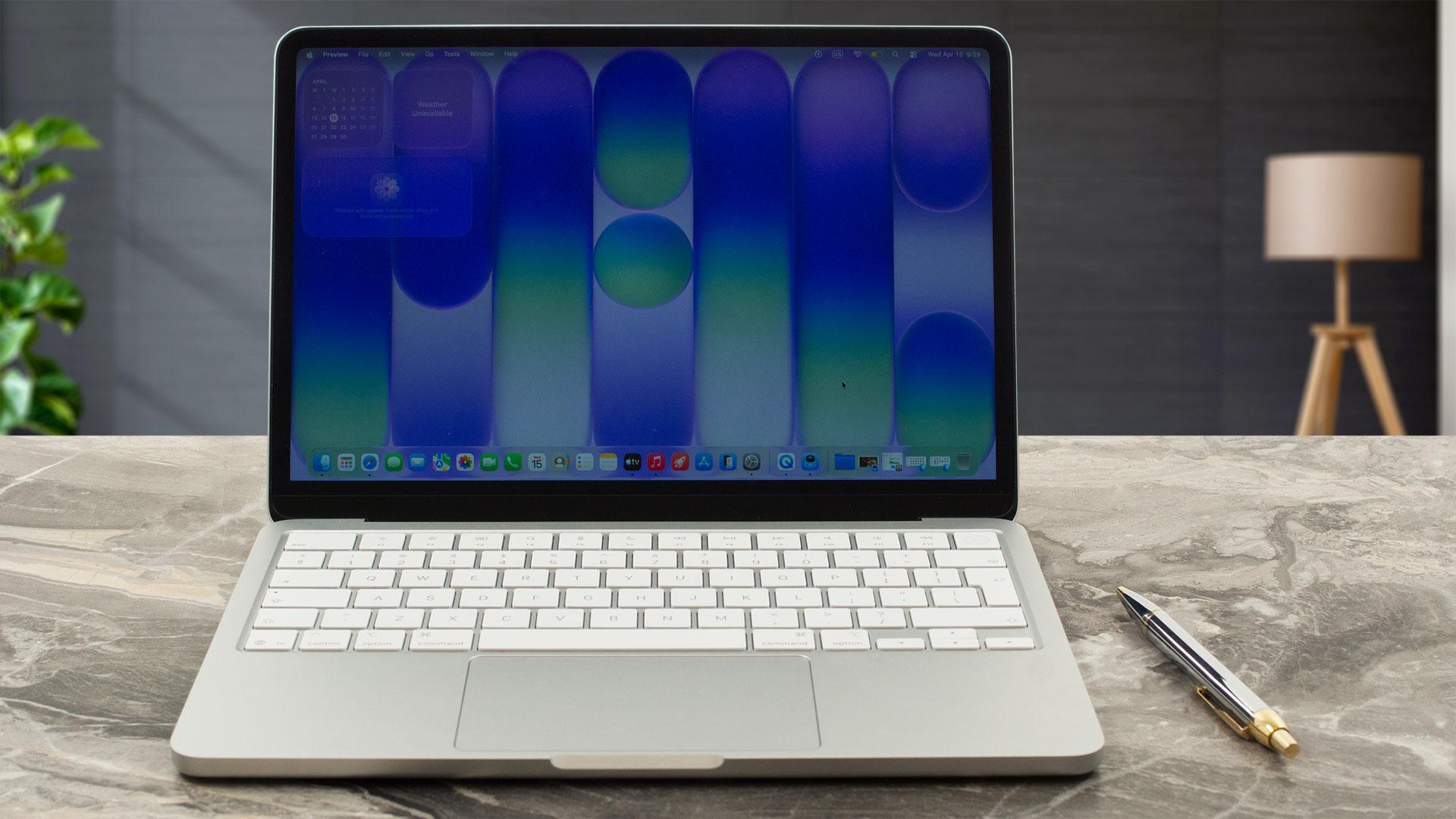
Opening the lid reveals an area where the Neo won’t exactly blow you away: the screen bezels. They are noticeably thick by today’s premium standards, keeping the design grounded rather than pushing for a futuristic, edge-to-edge look. Nestled within that prominent top bezel is a highly capable 1080p FaceTime HD camera that handles 1080p video recording beautifully, ensuring you look sharp during online meetings.
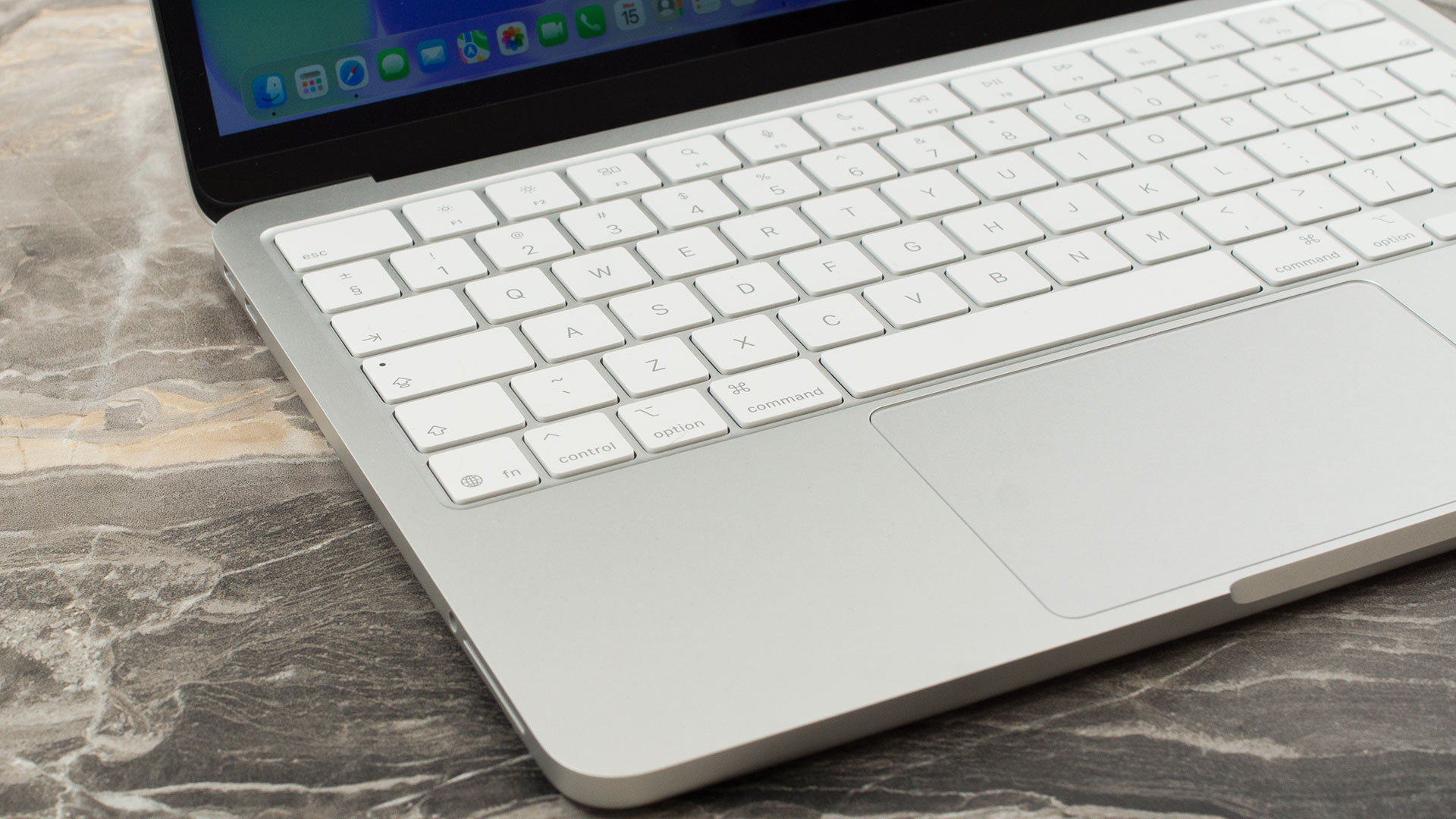
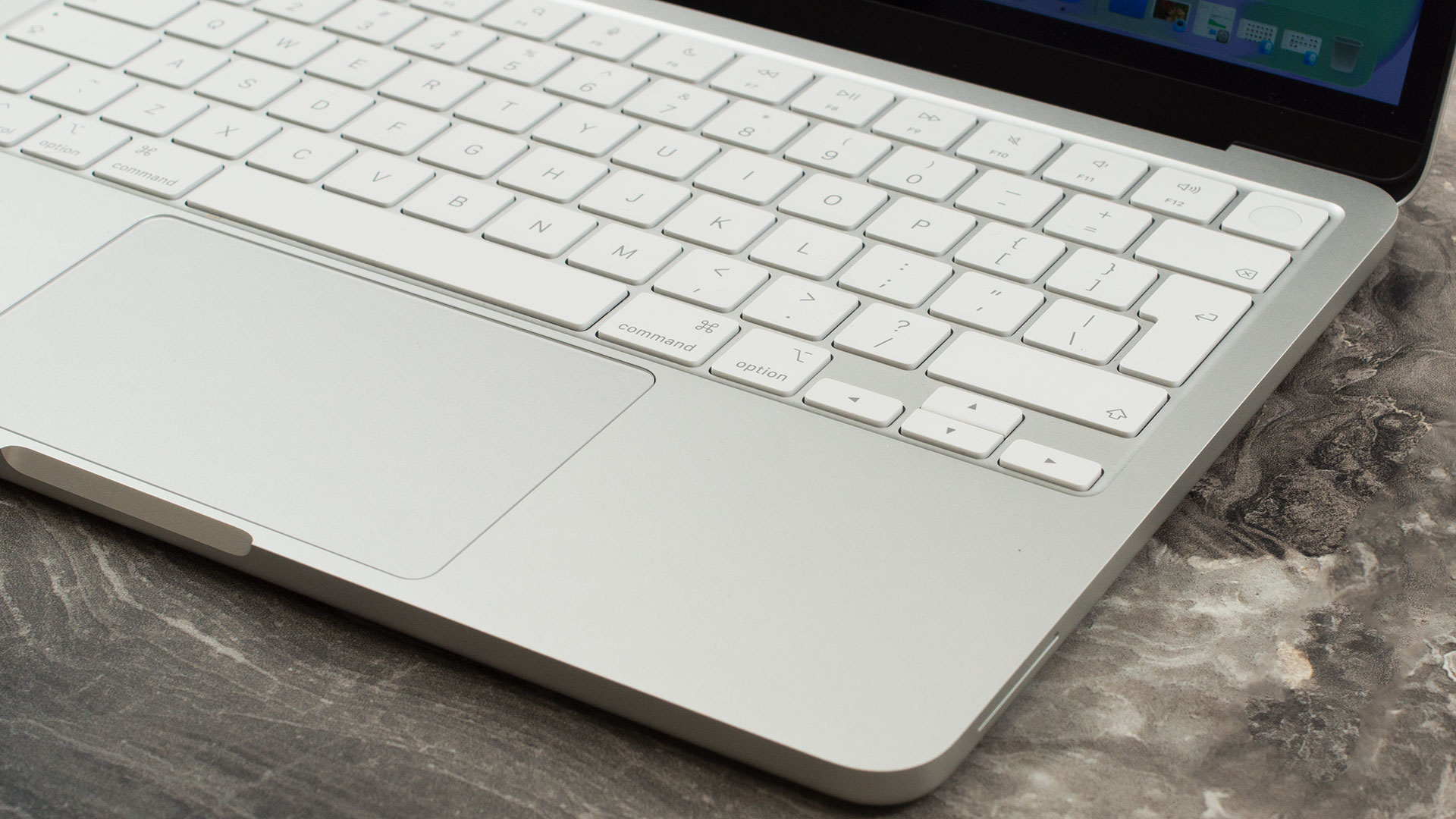
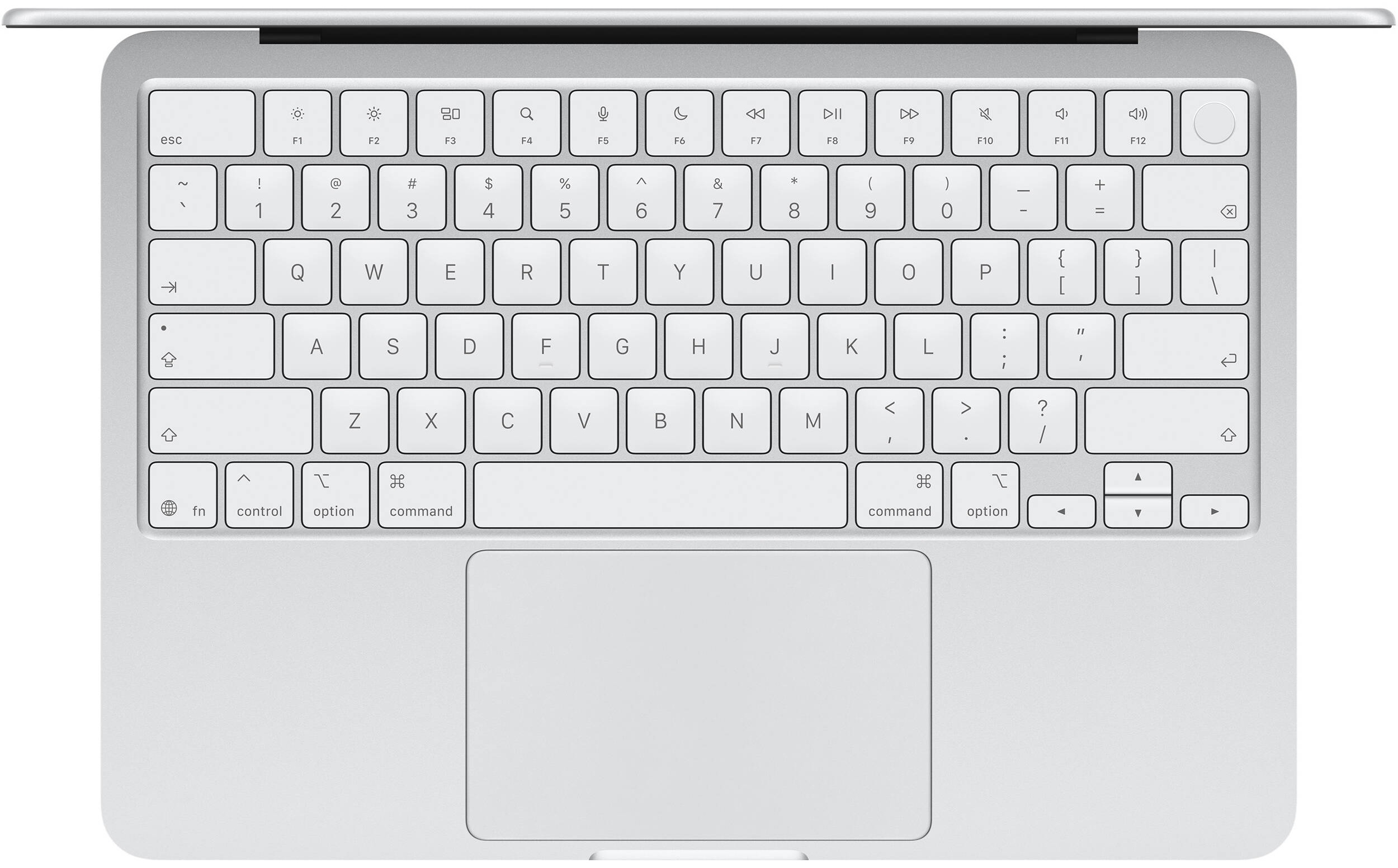
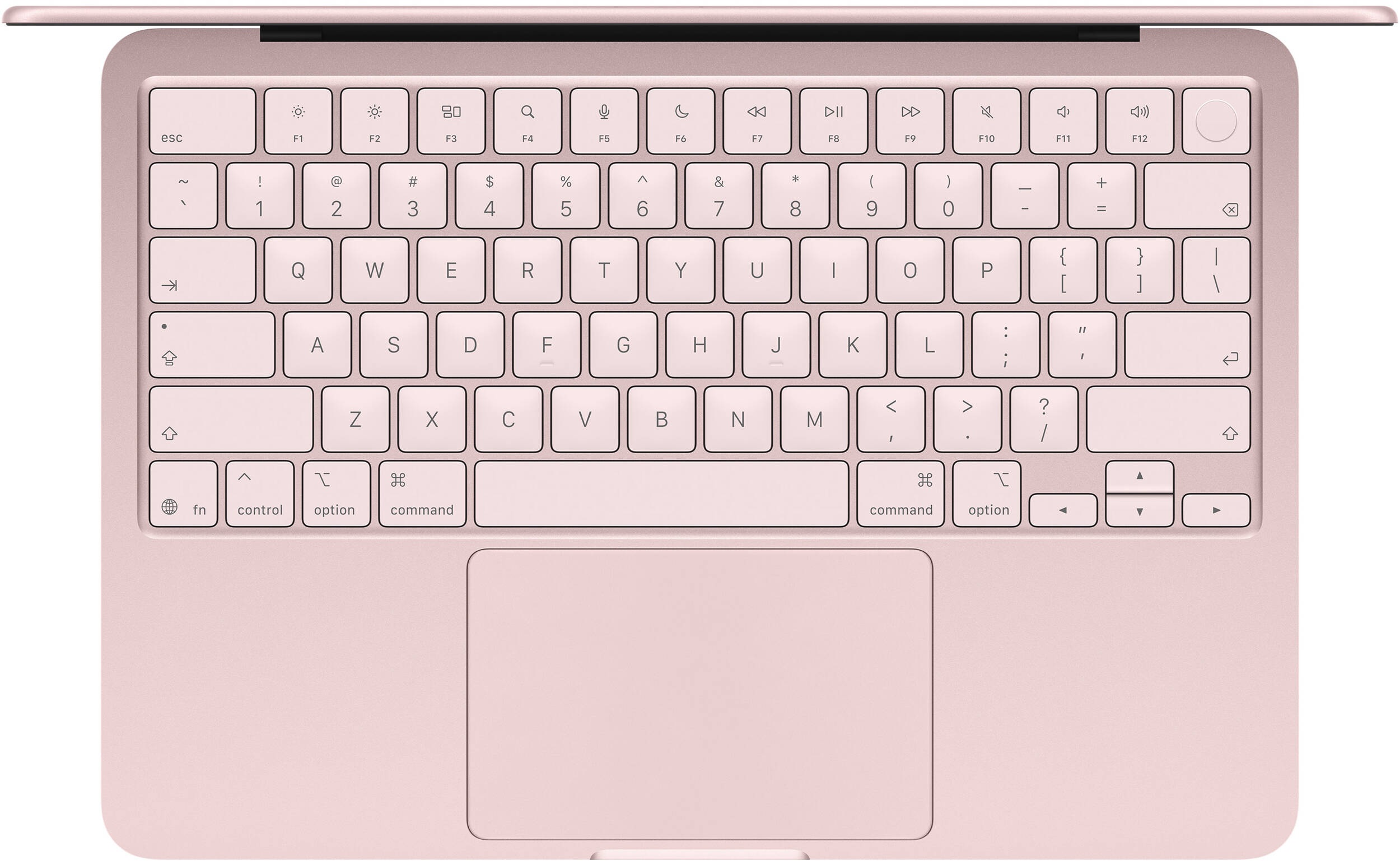
Moving down to the interior deck, the compact size naturally means there is no room for a NumPad. The core typing experience is identical to other modern MacBooks – snappy, precise, and incredibly comfortable for long writing sessions. However, we were genuinely surprised to discover that the keyboard lacks backlighting. While not the end of the world for touch typists, it’s a very noticeable omission, likely a deliberate strategic move by Apple to clearly differentiate the Neo from the MacBook Air so it doesn’t cannibalize its sibling’s sales.
The layout features the standard half-height Up and Down arrow keys, but the empty space above the Left and Right arrows makes them perfectly acceptable to navigate by feel. If biometric security is a priority for you, you must pay very close attention when ordering: Touch ID is only included if you purchase the 512GB SSD configuration. The base 256GB model omits the fingerprint reader entirely!
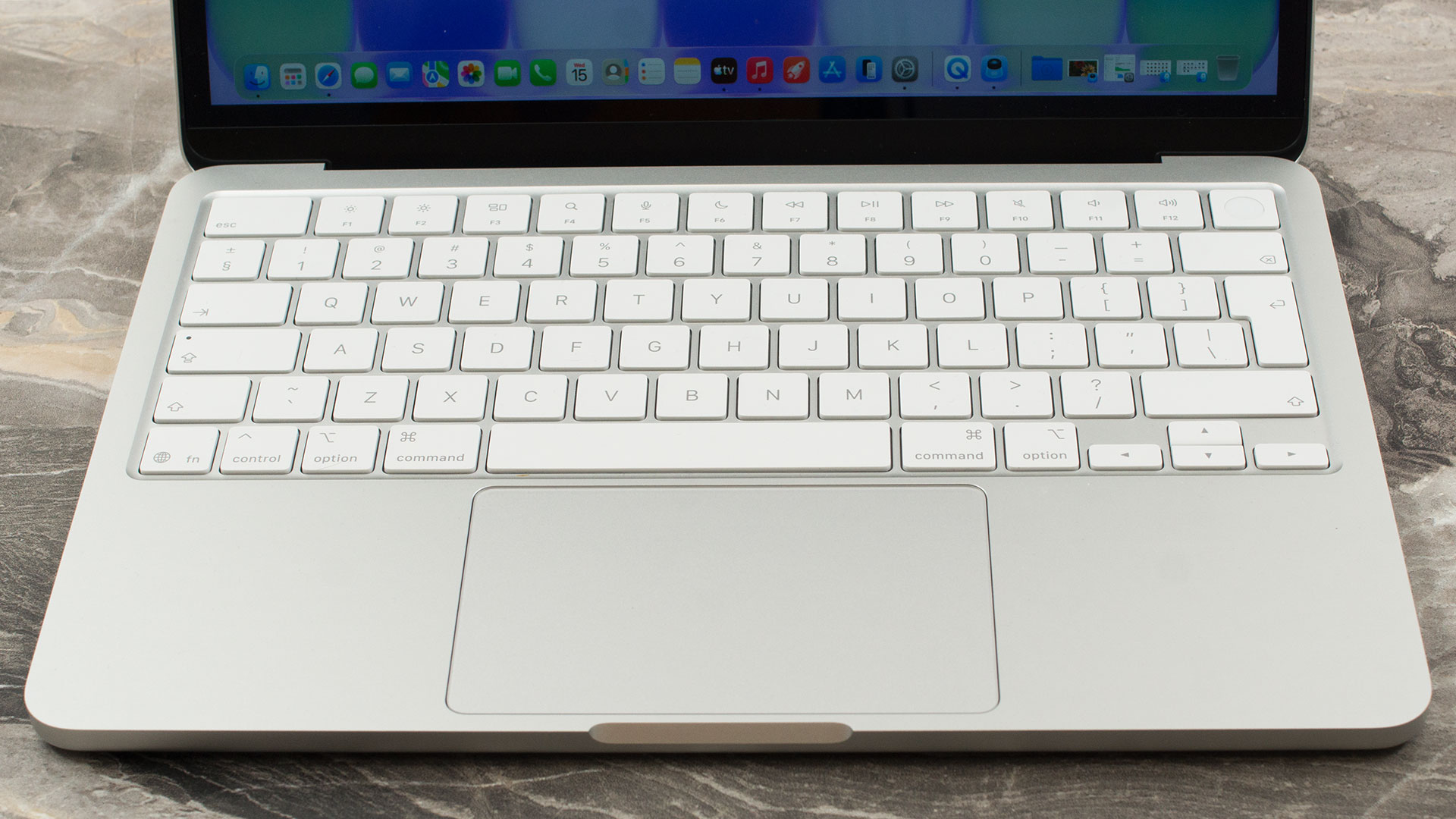
Finally, while the Multi-Touch trackpad isn’t particularly massive – there simply isn’t physical space for a larger one. However, it is brilliantly optimized. It delivers the precise cursor control and fluid gesture support that consistently makes Apple’s trackpads the gold standard in the industry.
Ports and Connectivity
The port selection on the Apple MacBook Neo is exceptionally modest, requiring users to carefully consider their peripheral setup. All of the laptop’s digital I/O is restricted to the left side, which houses just two USB-C ports, and crucially, they are not created equal. The primary port is a capable USB 3 connection offering 10Gbps data transfer speeds (USB 3.2 Gen 2), along with support for charging and video output. However, the secondary port is surprisingly limited to legacy USB 2 speeds (a sluggish 480Mb/s). While it can be used for charging, it is far too slow for external storage drives.
Furthermore, because there is no dedicated MagSafe connector, plugging in the charging cable will occupy one of these two ports, leaving you with just a single free USB-C connection. What’s weird is that the slower port is the one closer to you so you should plug the charger into it, and use the further one for peripherials/flash drives. Not very convenient. Or they probably think that you’ll use a USB-C hub, and plug your charger into it. That’s only way we can make it make sense. The left side also features a standard 3.5mm headphone jack for wired audio.
For display connectivity, the capable 10Gbps USB 3 port utilizes the DisplayPort 1.4 standard. This allows the MacBook Neo to simultaneously drive its built-in screen alongside a single external monitor at a maximum resolution of 4K at 60Hz.

The rest of the chassis is incredibly bare – the right side and the rear of the device are completely devoid of any ports or connections.

Given the severe limitations of the physical ports, robust wireless connectivity is an absolute necessity for this machine, and fortunately, it delivers in this regard. The laptop is equipped with Wi-Fi 6E (802.11ax), allowing it to utilize the less-congested 6 GHz band for fast, low-latency internet access on compatible networks. Additionally, it features the brand-new Bluetooth 6 standard. This inclusion is vital, as it ensures highly efficient, stable, and future-proof connections for the wireless mice, keyboards, and headphones that users will undoubtedly need to rely on to keep their single free USB-C port available.
Display and Sound Quality
The Apple MacBook Neo 13 comes with a Liquid Retina IPS display.
| Apple MacBook Neo 13 | |
| Diagonal | 13.0 inches (33.0 cm) |
| Panel Type | LED-backlit IPS “Liquid Retina” display |
| Resolution | 2408 x 1506 pixels |
| Max Refresh Rate | 60 Hz |
| Aspect Ratio | 16:10 |
| Pixel Density | 219 PPI |
| ‘Retina’ Distance | Greater than or equal to 40 cm |
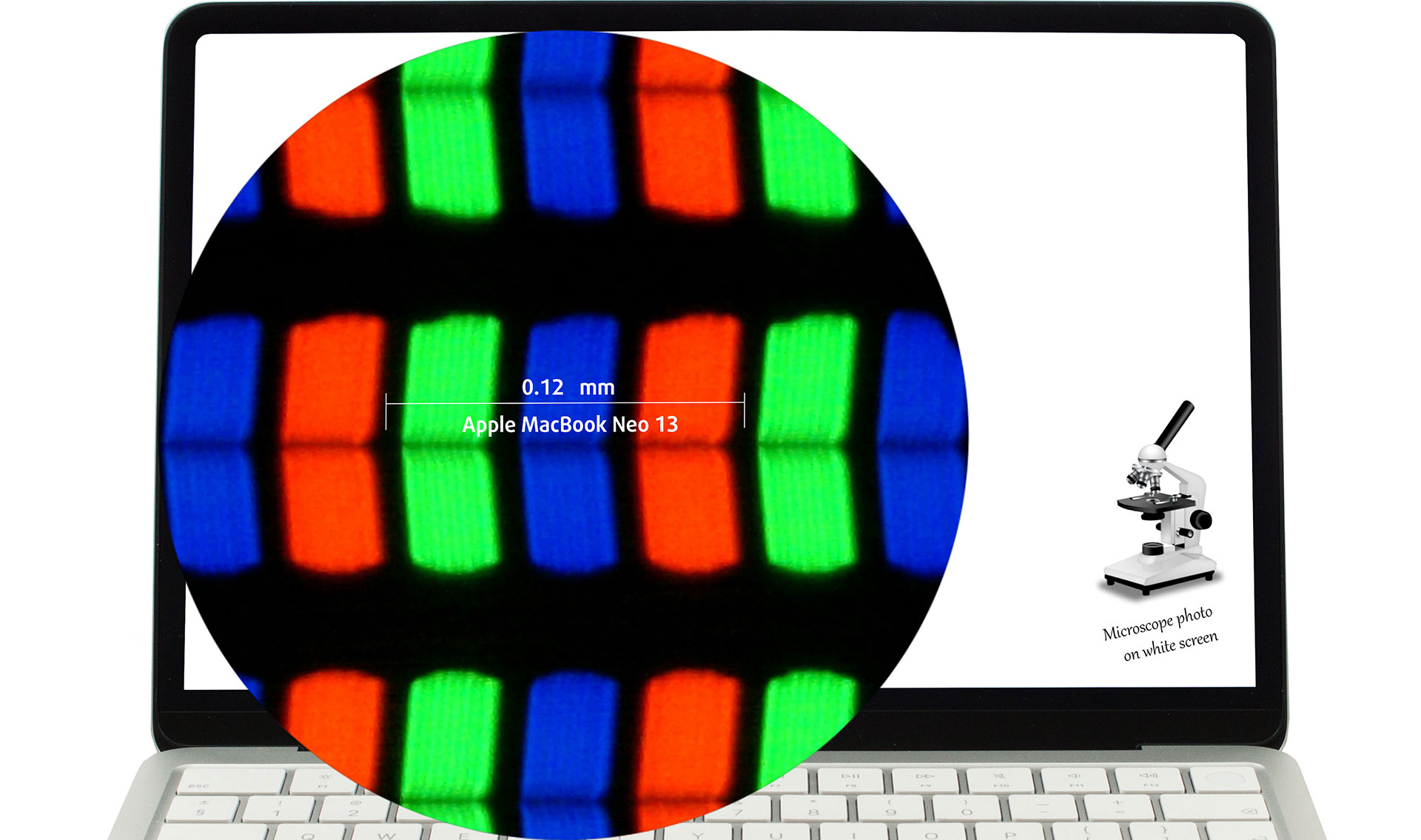
The 2408 × 1506, 60 Hz, IPS Liquid Retina display variant under our microscope
Viewing Angles
Viewing angles are good. We take photos from different angles to evaluate the quality.

Also, a video with locked focus and exposure.
Color Coverage
The whole “sail-shaped” map below consists of all the colors we can see, while the black crooked line shows all the colors from real-world scenes and nature around us.
Then, we’ve drawn some of the most important and interesting color spaces, compared to the colors the panel of Apple MacBook Neo 13 can show:
Standard/For Web: sRGB – widely used color space for most consumer devices, ideal for Web design and development
For Print: AdobeRGB – used in professional photo editing, graphic design, and print
For Photographers/Video Editors: DCI-P3 – used in high-end film production, post-production, and digital cinema
Premium HDR: Rec.2020 – the widest consumer ITU color standard, covering a massive 75.8% of the visible spectrum, a benchmark for premium HDR content
Apple MacBook Neo 13: the yellow dashed triangle (– – – – – –) represents the range of colors this display can show..
In our tests, we calculated the total color coverage of the display at 99% of the sRGB color gamut and 79% of the Display P3 color gamut.
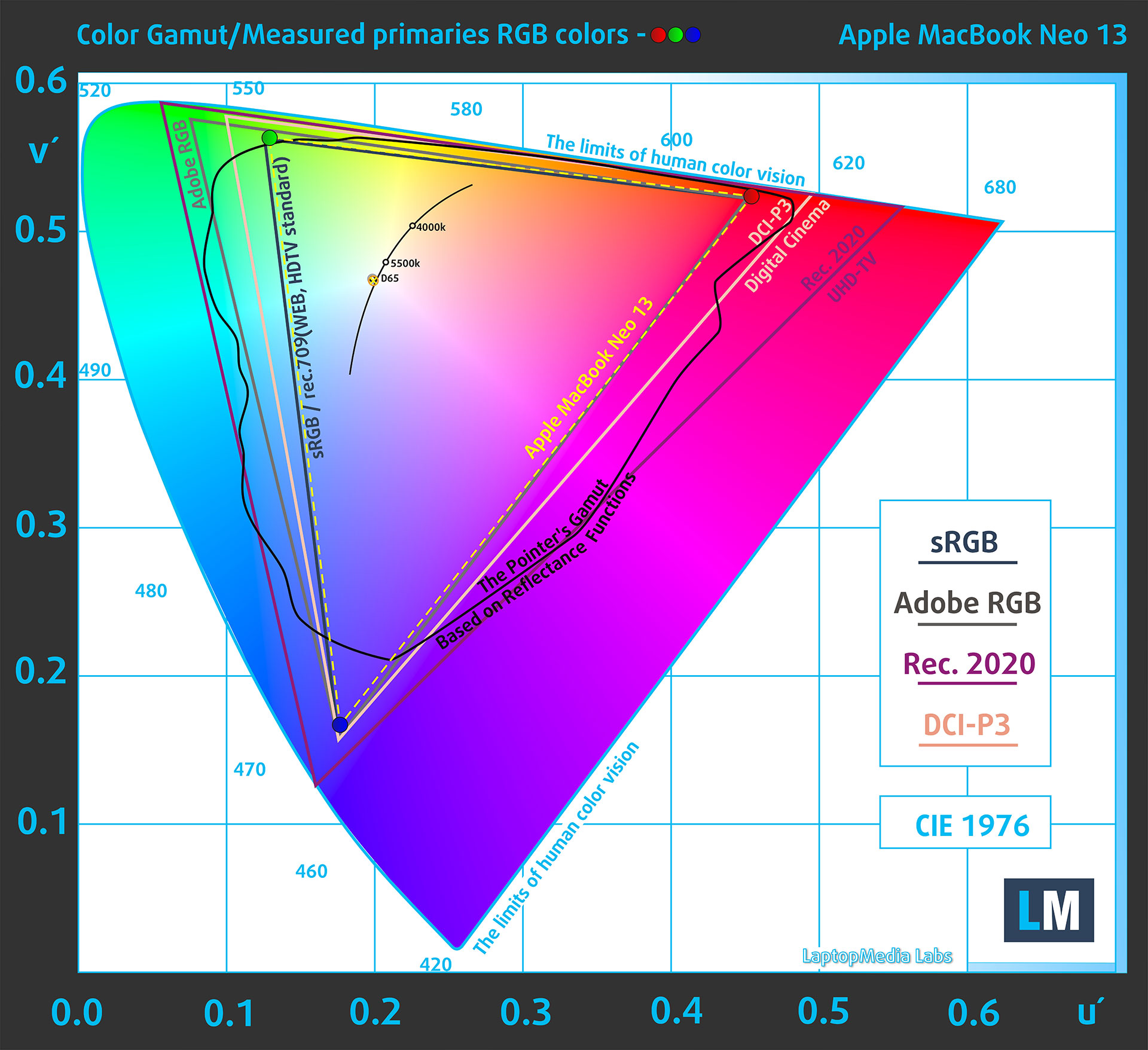
Apple MacBook Neo 13 covers 99% of the sRGB gamut
The Apple MacBook Neo 13 supports HDR video playback, including Dolby Vision, HDR10+/HDR10, and HLG. This means the system can decode and play HDR video formats, but the built-in display itself is specified as an sRGB panel and should not be treated as a true HDR display in the VESA DisplayHDR sense.
Brightness and Contrast
The maximum brightness in SDR mode is 515 cd/m² in the center of the screen and 486 cd/m² averaged across the surface with a maximum deviation of 10%.
The Correlated Color Temperature (CCT) on a white screen at maximum brightness is 6490K.
The contrast ratio is 1050:1.
Uniformity: Luminance, Contrast, and Color Deviation
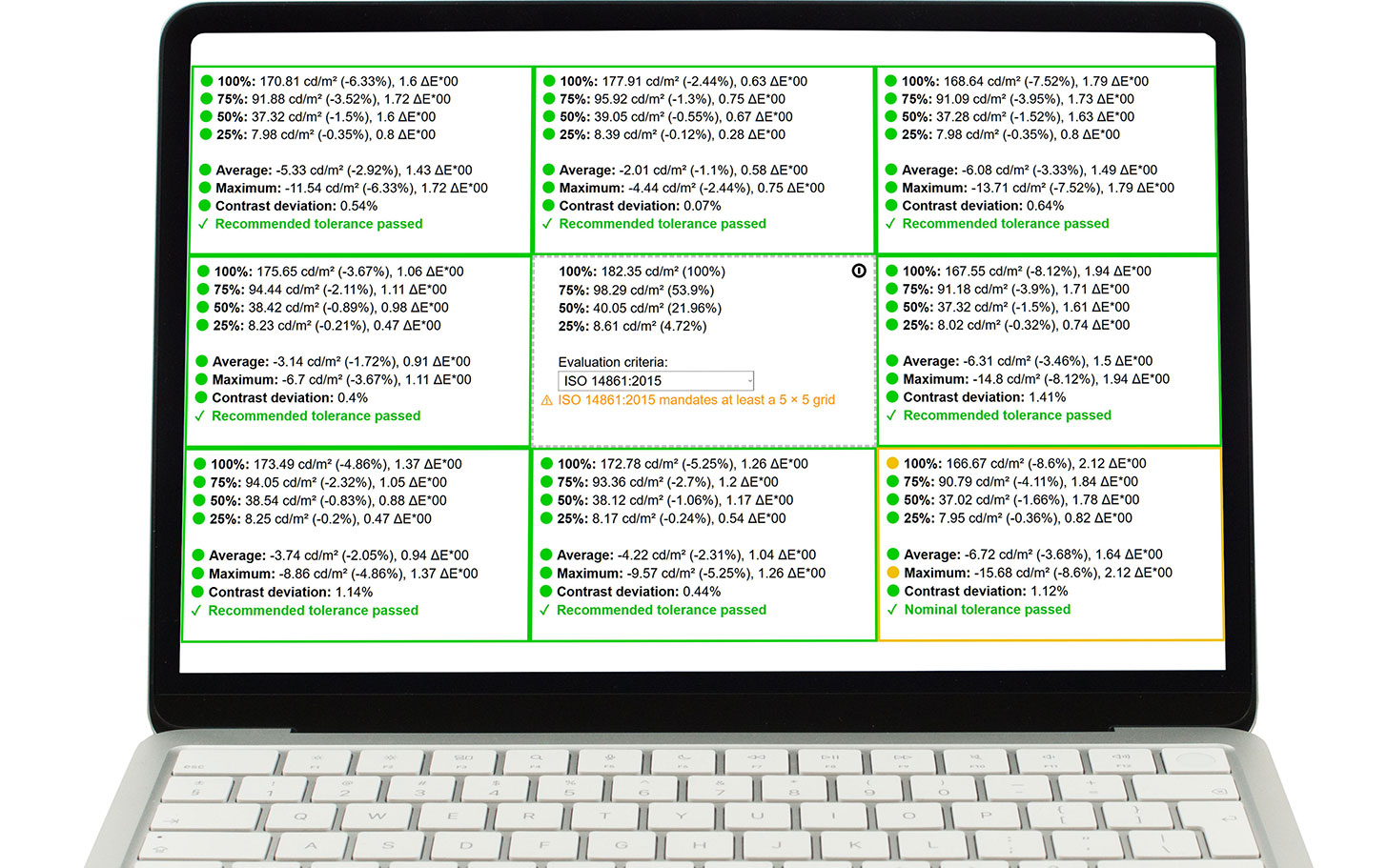
The figure below shows the results from our uniformity test across different sections of the screen. It’s measured at 182 nits (slider = 65%) — a brightness level we consider typical for standard working conditions.
DeltaE values below 4.0 are acceptable for regular users. For those working with colors, screens with DeltaE values no higher than 2.0 are recommended.
Response time (Gaming capabilities)
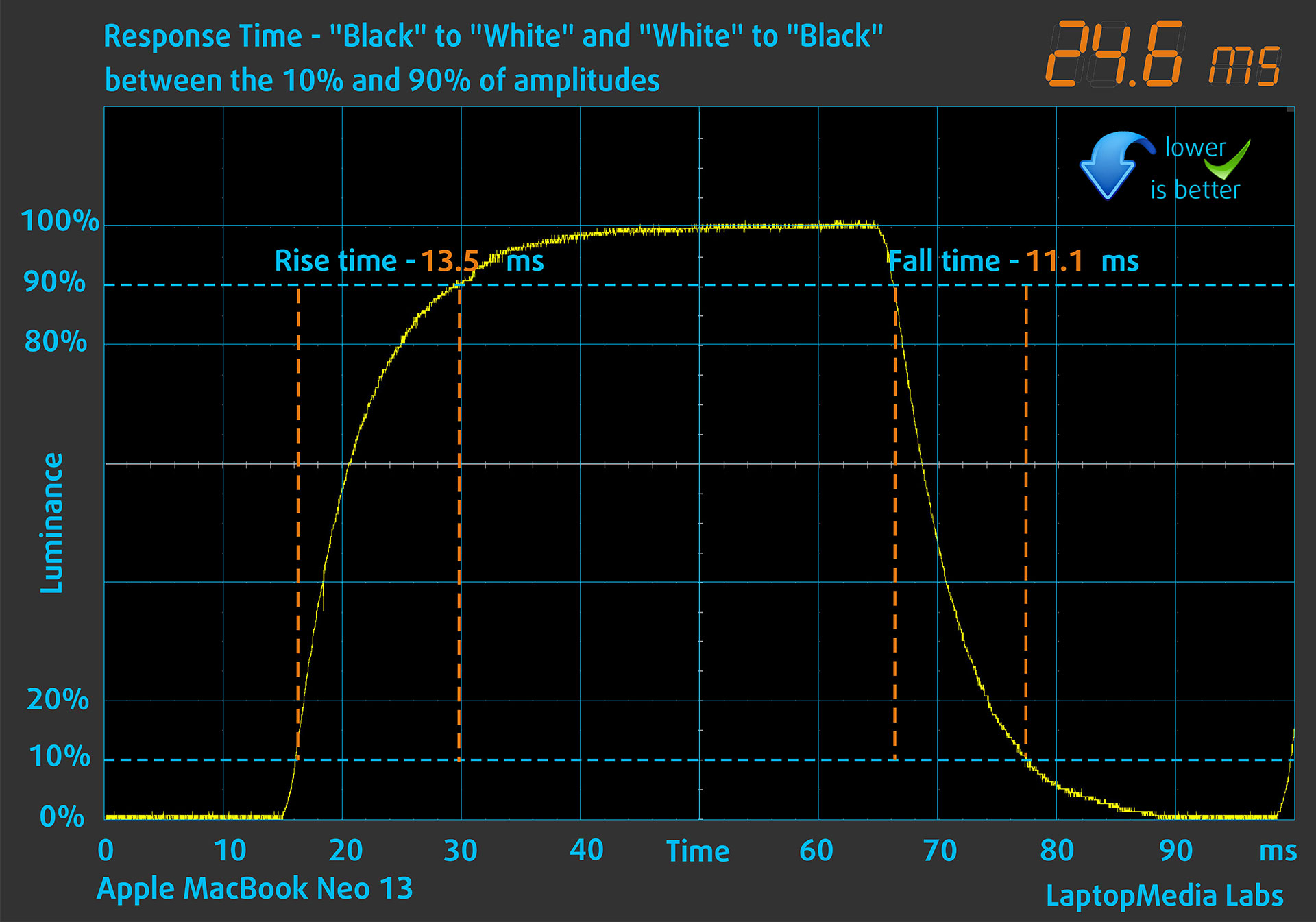
We test the reaction time of the pixels with the usual “black-to-white” and “white-to-black” method from 10% to 90% and vice versa.
We recorded Fall Time + Rise Time = 24.6 ms. A lower pixel response time helps reduce motion blur in dynamic scenes; this result is adequate for everyday use, but the 60 Hz panel is not aimed at competitive gaming.
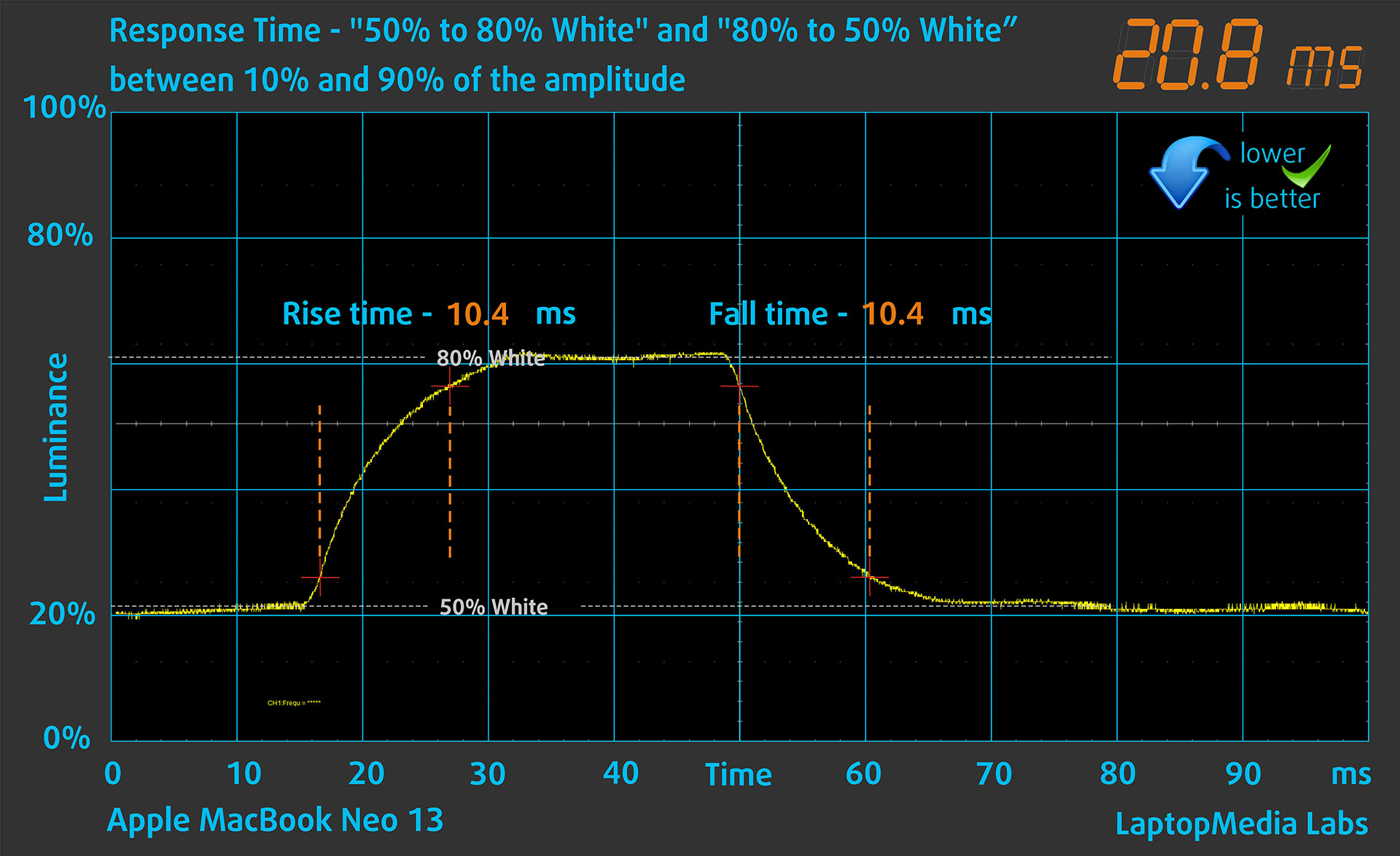
After that, we test the reaction time of the pixels with the usual “Gray-to-Gray” method from 50% White to 80% White and vice versa between 10% and 90% of the amplitude.
Health Impact: PWM (Screen flickering)
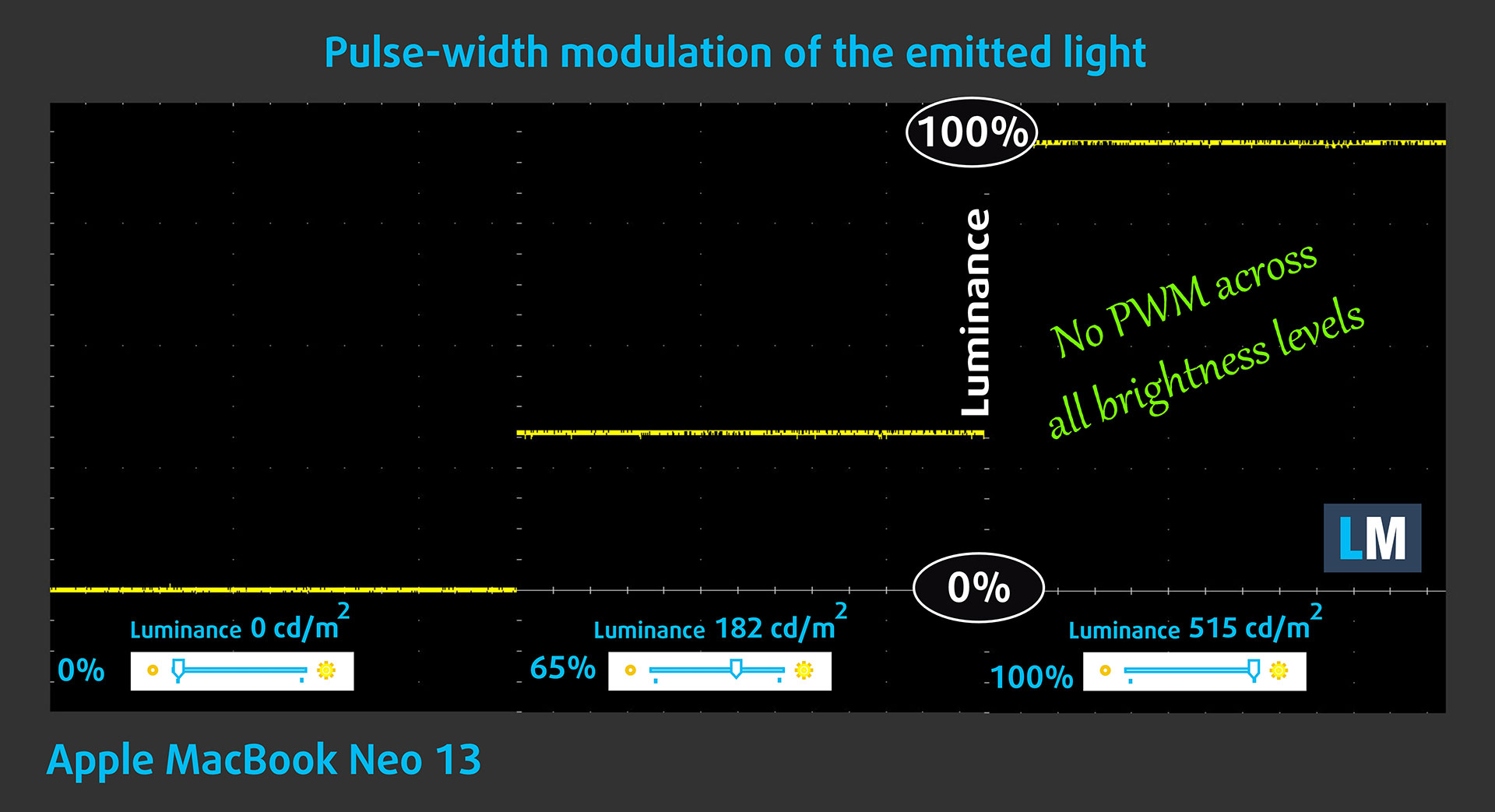
Some displays use PWM to regulate brightness, which means that instead of reducing the light intensity, they pulse or flicker. Our brain merges the image, so it appears darker, but this can strain both the brain and vision, especially when the frequency of the pulses is low. You can read more about that in our dedicated article on PWM.
In the graph below, you see the intensity of light at different brightness levels—on the vertical axis is the brightness of the emitted light, and on the horizontal axis—time.
The backlight of the display of the Apple MacBook Neo 13 is not pulse-width modulated, providing visual comfort in the discussed aspect.
Health Impact: Screen Reflectance
Glossy-coated displays can cause eye fatigue in high ambient light conditions due to reflections. We measure the level of screen reflection with the display turned off, at a 60° angle.
The reflectance of the Apple MacBook Neo 13’s screen is 64.3 GU. Good result.
High Gloss: >70 GU
Medium Gloss: 30 – 70 GU
Low Gloss: <30 GU
Sound
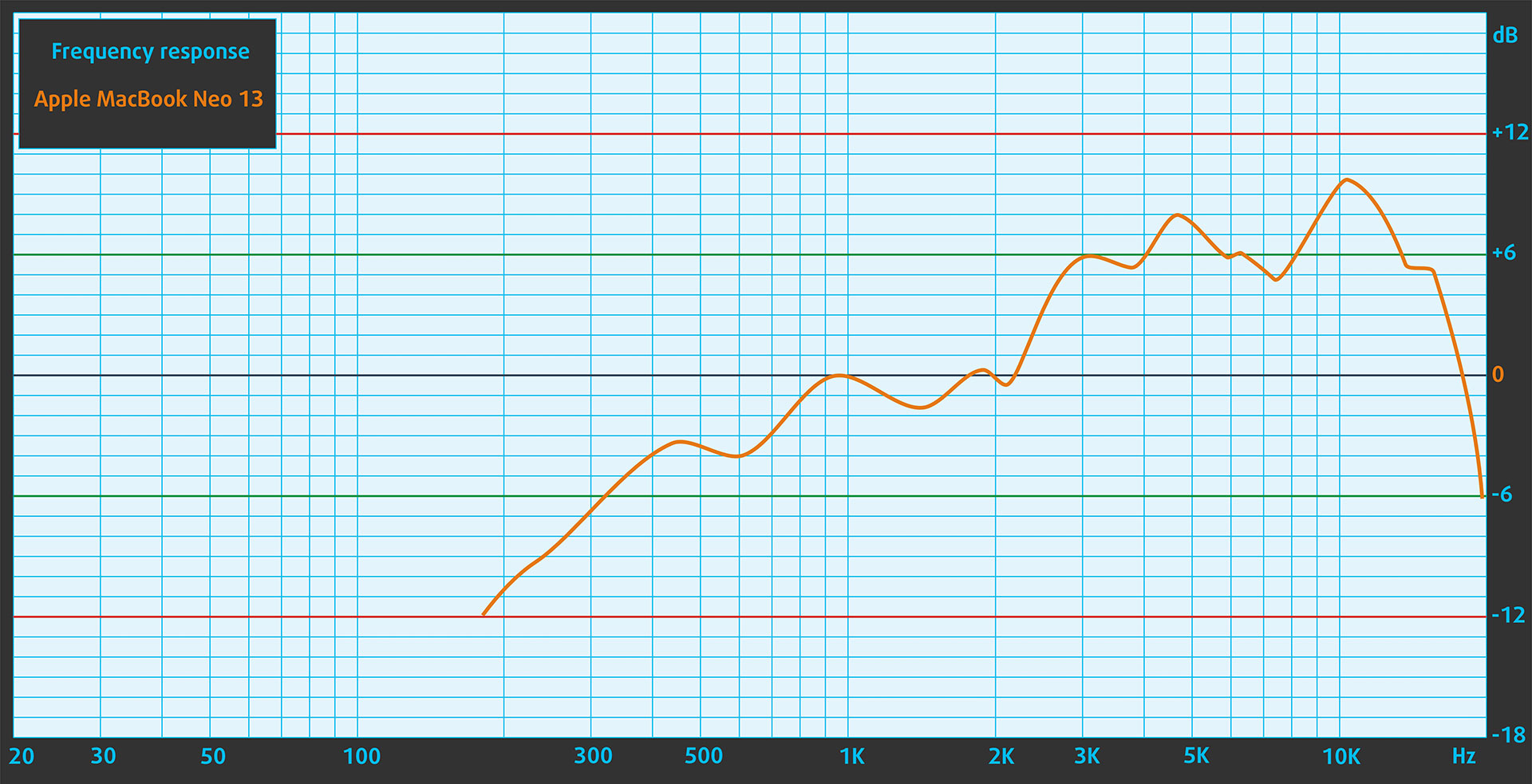
The Apple MacBook Neo 13’s sound is of good quality. Its dual-speaker sound system supports Spatial Audio when playing music or video with Dolby Atmos on the built-in speakers. The low, mid, and high frequencies are clear.
Work Performance: CPU, Storage, AI
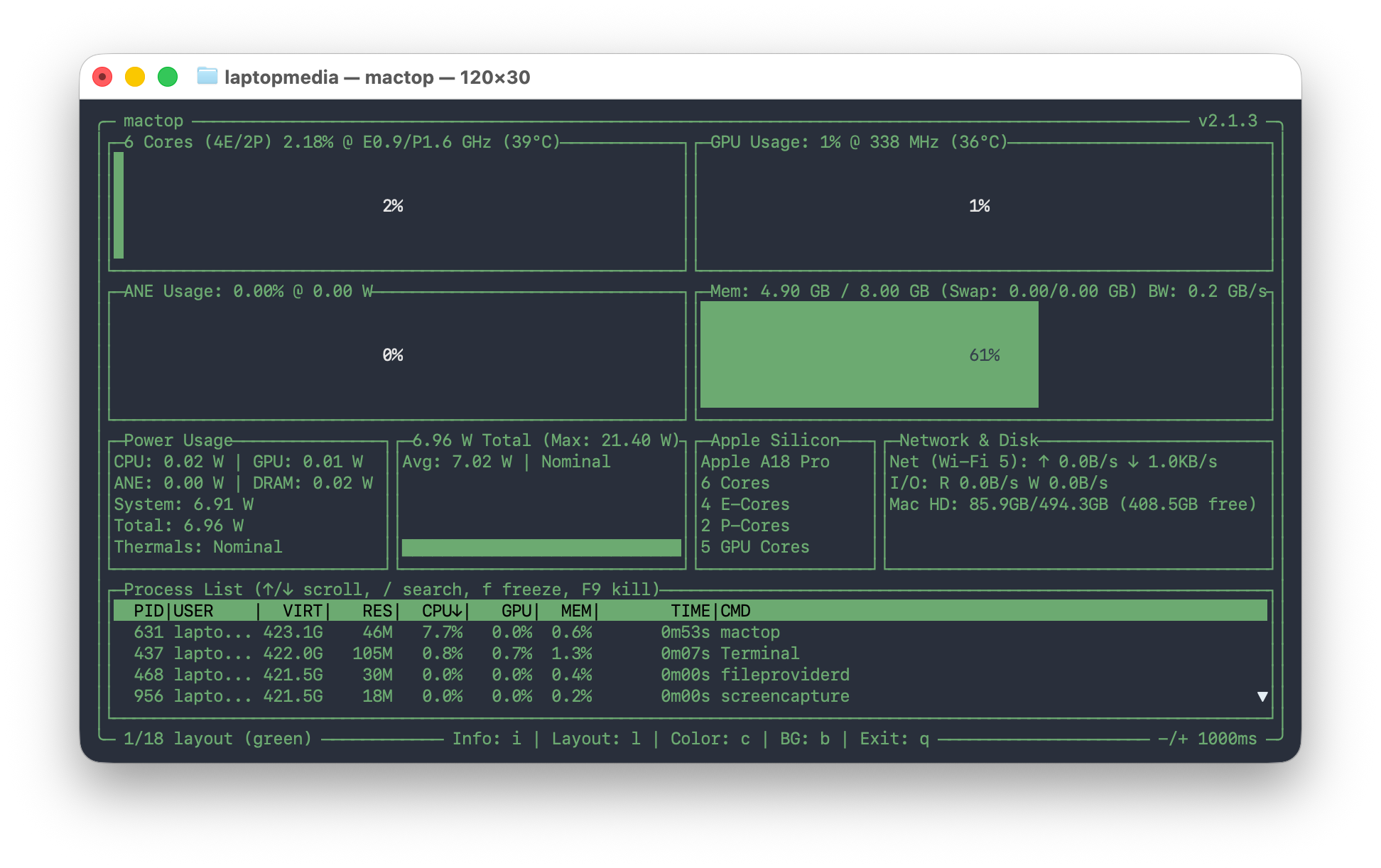
As an entry-level laptop, the MacBook Neo can’t be ordered with more than 8GB of RAM. What you should know is that the operating system alone will take about 4-5GB of that, so you’re left with 3-4GB of RAM, plus your swap file. This is a good reason not to buy a 256GB SSD configuration if you’re planning to use the laptop for anything more than casual web surfing, emails, and documents – you’ll need free space, or performance can easily degrade.
CPU and Work Performance
There are no other CPU options besides the Apple A18 Pro. But here’s the kicker – despite this being one of the most budget-friendly laptops on the market, the single-core performance of this CPU is among the highest out there. So, for everyday tasks, this is one of the most powerful laptops available. Of course, MacBook Air and MacBook Pro models with M5 are faster, but there’s a real chance that you wouldn’t notice the difference.
Apple M5 vs M4, M3, M2, M1 (+Pro/Max/Ultra): Full Comparison!
Single-core performance ensures smooth operation and responsiveness in operating systems, providing a better user experience.
Results are from the Geekbench 6 Single-Core test (higher is better)
Multi-core performance is essential for handling complex and demanding tasks, such as Video editing, CAD, and Scientific simulations.
Results are from the Geekbench 6 Multi-Core test (higher is better)
Here, we evaluate the CPU's performance using a real-world 3D rendering task, assessing its ability to handle complex computations and rendering workloads efficiently.
Results are from the Cinebench 2024 Multi-Core test (higher is better)
Storage Performance
We ordered a configuration with 512GB of storage, and the MacBook Neo arrived with an SSD with the module number AP0512Z.
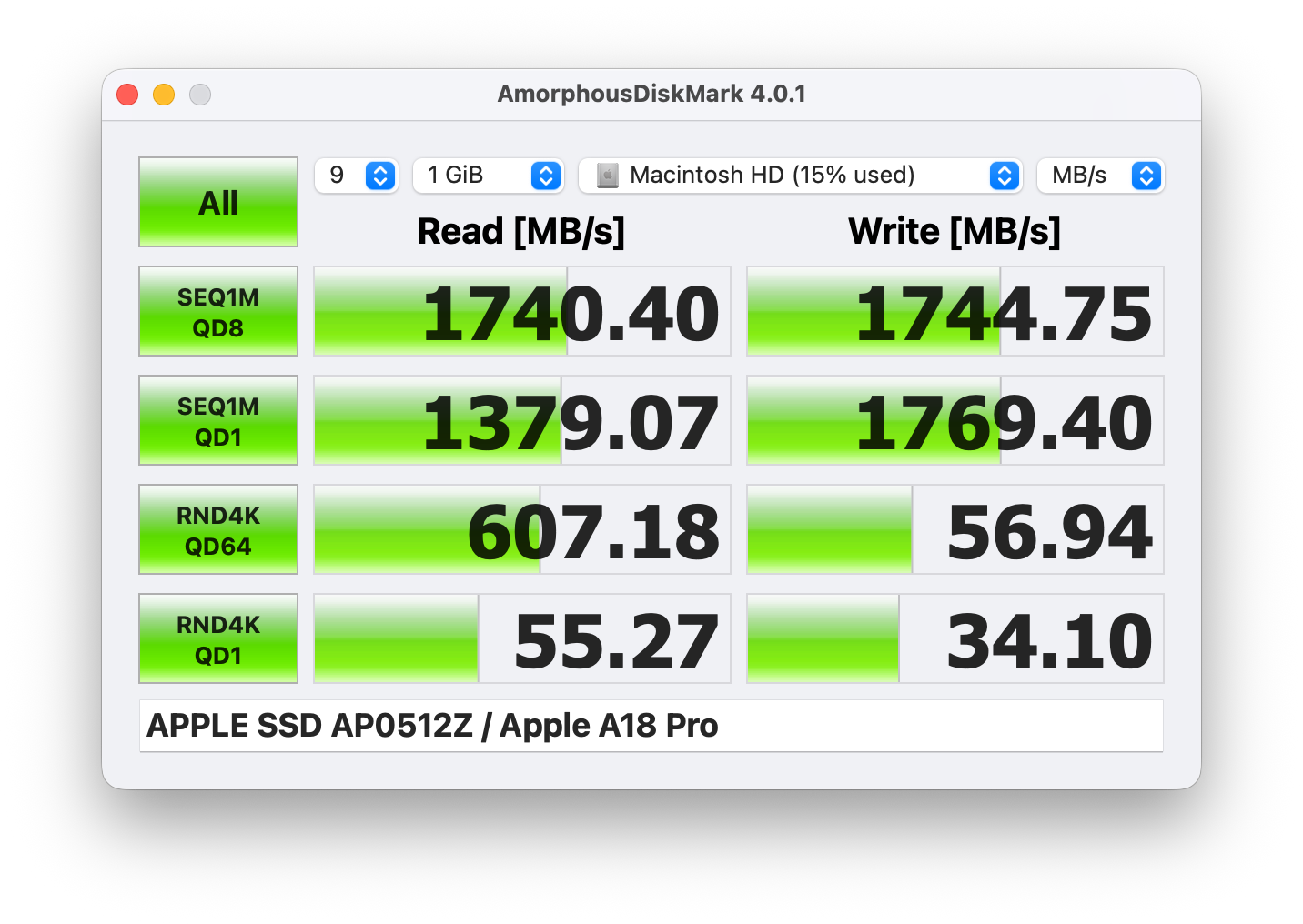
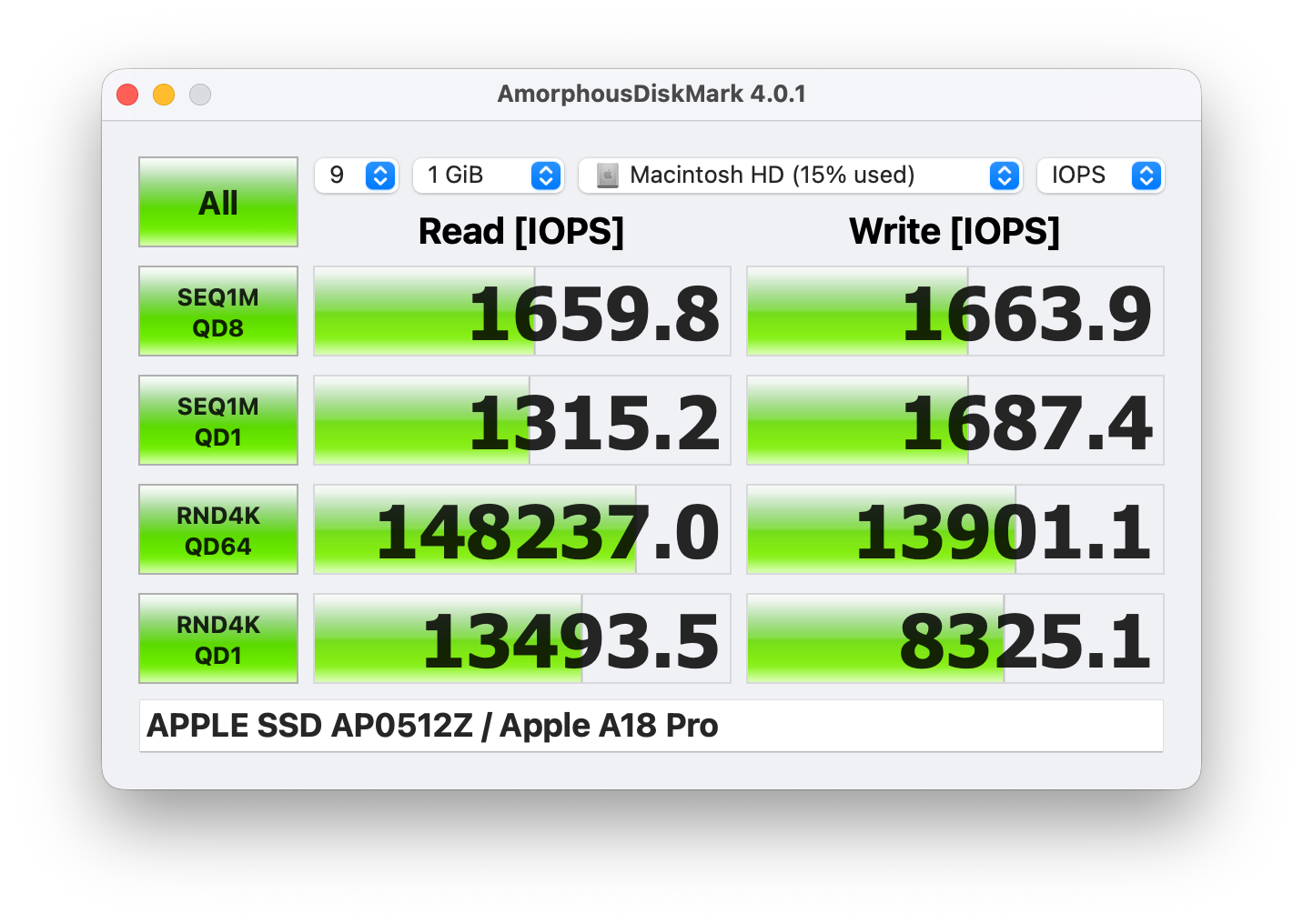
It reaches 1.7GB/s sequential read and 1.7GB/s sequential write speeds in our benchmark, which is much slower than the M5 MacBook Air (7.1GB/s read, 7.2GB/s write). Still, it’s an okay speed for a super-budget machine.
AI Performance
Here you can see the position of the GPUs and CPUs (NPUs) found within the Apple MacBook Neo in our AI Hardware Performance Rankings based on their AI processing power, measured in TOPS (Tera Operations Per Second) - a critical metric indicating the computational throughput, particularly for AI tasks.
The first column shows peak performance for INT8/FP8 precision, which is the most widespread metric for evaluating AI inference capabilities. We exclude Sparsity to provide a more accurate reflection of AI performance in dense computation scenarios where sparsity optimizations may not be applicable. The second and third columns show the performance with Sparsity, and FP4 TFLOPS, when supported.
For SoCs, the results reflect the peak performance of the integrated NPU. Additionally, it’s important to note that, according to Microsoft, a NPU must have at least 40 TOPS of AI computing power for the PC to be considered “AI-capable.”
| # | GPU / CPU (NPU) | TOPS INT8/FP8 No Sparsity | TOPS INT8/FP8 Sparsity | TFLOPS FP4 Sparsity |
|---|---|---|---|---|
| 1672. | Apple A18 Pro | 35 | — | — |
GPU and Gaming Performance
There are no GPU options – you get A18 Pro’s integrated GPU which is actually a more limited version of the one found in iPhone 16 Pro. Don’t worry, it’s more than enough for your everyday tasks, and even for casual gaming.
The results are from 3DMark Wild Life Extreme Unlimited. Higher is better.
Temperatures and Comfort, Noise, Stability
At idle, the CPU package of the A18 Pro maintains a temperature of 39ºC, and the notebook remains completely silent, as expected from a fanless laptop.
Office Work, Web Development, Design
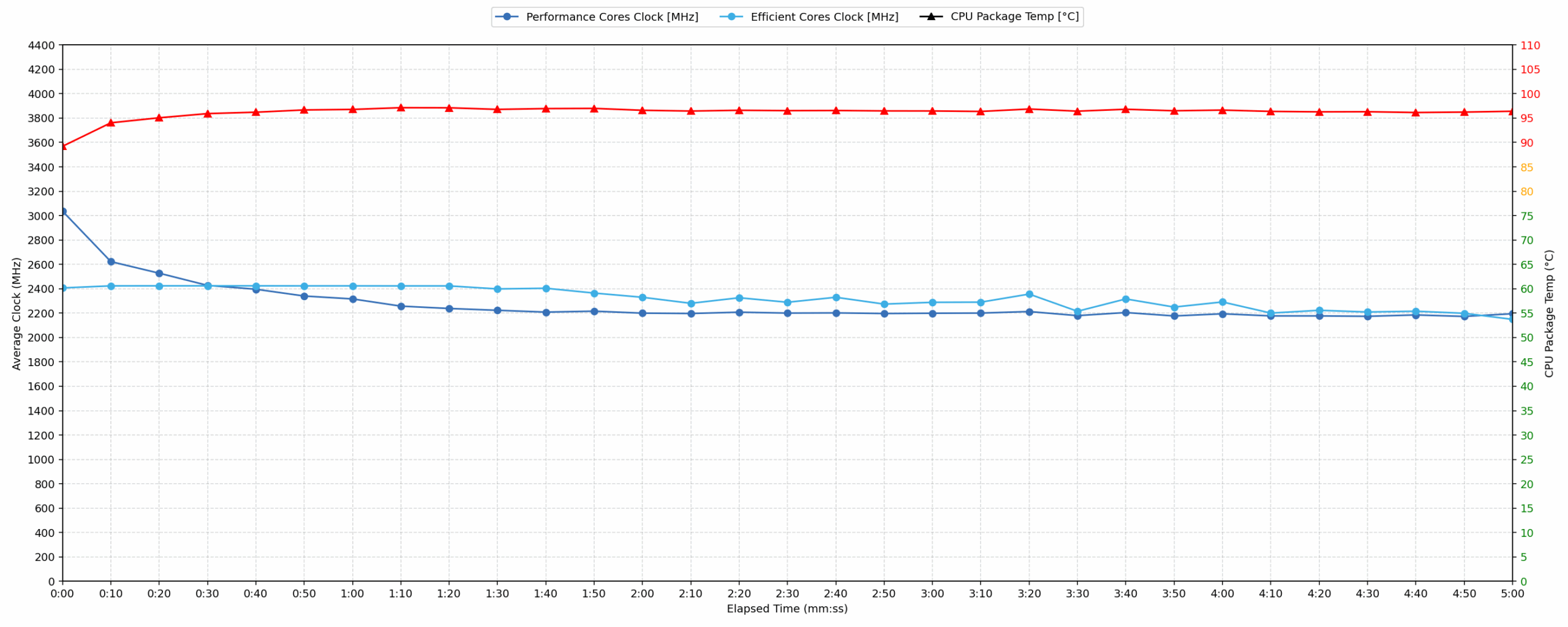
Short periods (0:00 – 0:10 s) of 100 % CPU load
This test shows the CPU behavior during short periods of serious load. It’s important for users who are looking for laptops suitable for tasks like Web Design and Programming.
| Apple A18 Pro | Avg. P-Core Clock | Avg. CPU Temp. | Avg. CPU Power |
| Apple MacBook Neo | 3003 MHz | 89 °C | 16 W |
During brief bursts of demand, the Apple MacBook Neo’s CPU achieves a peak clock speed of 3440 MHz within the first five seconds while consuming up to 17 W of peak power. Over a 10-second period, the processor sustains a high average clock frequency of 3003 MHz at an average power draw of 16 W. Under these short loads, the average CPU temperature reaches 89 °C, which is acceptable. However, the system experiences a peak temperature of 98 °C, which is considered high. These metrics show rapid thermal ramp-up even during brief tasks.
Video editing, Scientific computing, Software compilation, 3D rendering
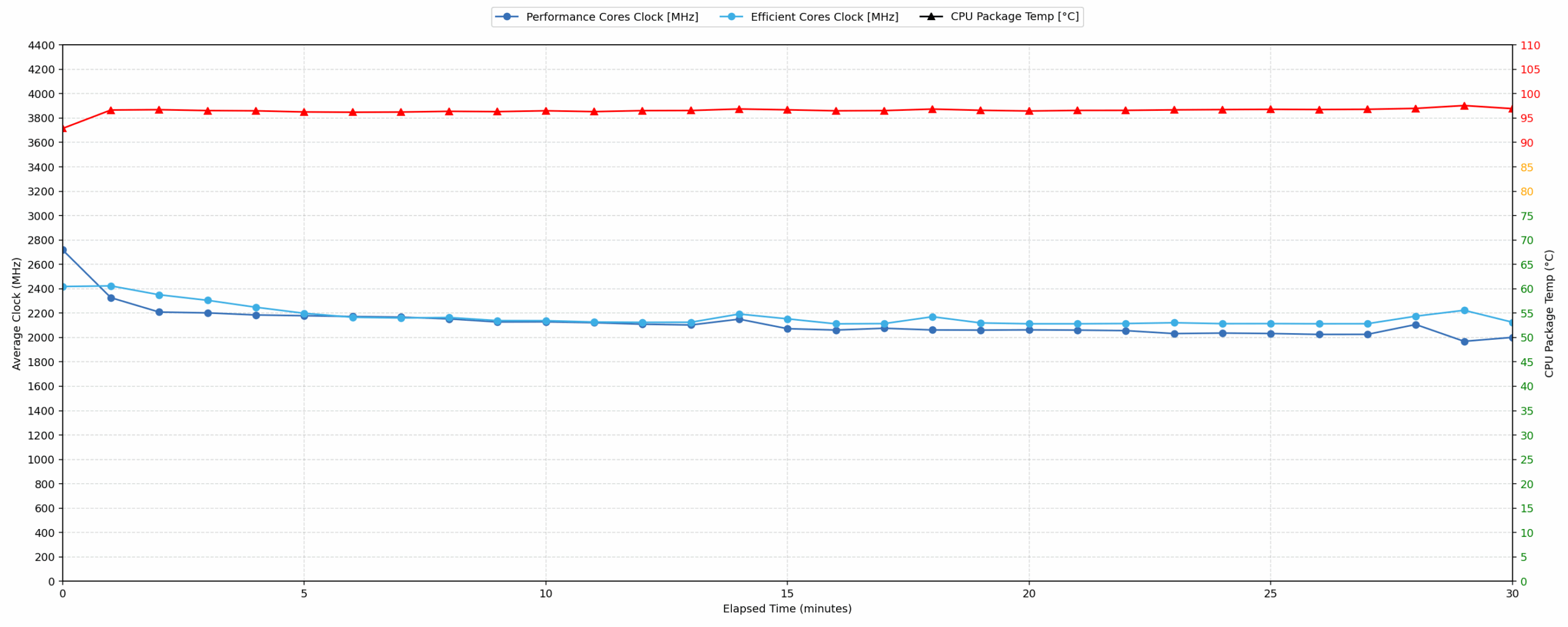
Long periods (0:00 – 30:00 min) of 100 % CPU load
This test shows the CPU behavior during long periods of serious load. It’s important for users who are looking for laptops suitable for tasks like Video Editing and 3D Rendering.
| Apple A18 Pro | Avg. P-Core Clock | Avg. CPU Temp. | Avg. CPU Power |
| Apple MacBook Neo | 2114 MHz | 96 °C | 13 W |
During extended periods of sustained workload, the Apple MacBook Neo maintains an average clock speed of 2114 MHz over 30 minutes, drawing an average power of 13 W. The average CPU temperature under this long load is 96 °C, which is high. During the initial stabilization phase between 30 seconds and 5 minutes, the CPU drops to a minimum clock of 2153 MHz, a drop of 1287 MHz from peak, with average power at 14 W. In comparison to previous tests of this same model, which averaged only 1704 MHz at 98 °C, this unit performs significantly better.
Battery Life
The built-in lithium-ion battery stores 36.5Wh of energy. This is ~1/3 less than MacBook Air 13’s capacity but the CPU is more energy efficient as well. This efficiency is the reason MacBook Neo is able to match the battery life of MacBook Air 15 despite having almost twice smaller battery unit.
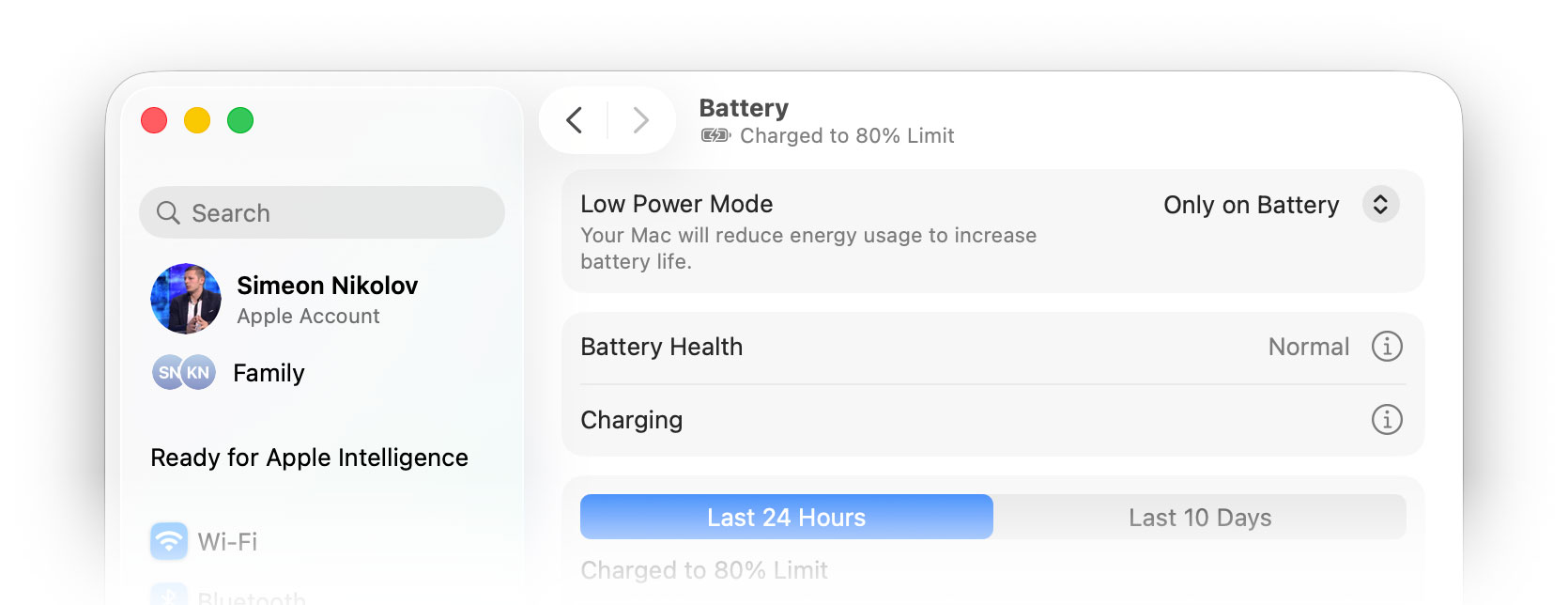
We tested the laptop with Low Power Mode mode selected in System Settings.
Brightness: 180 nits; Display Mode: SDR
Time to Full Discharge: Higher is Better

Disassembly, Upgrade options, and Maintenance
Here’s Apple’s official MacBook Neo Repair Manual.
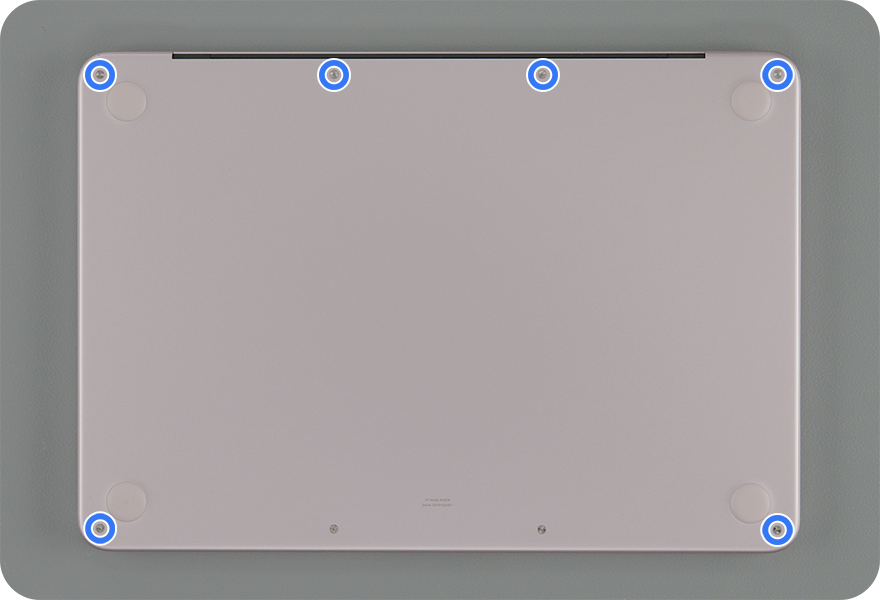
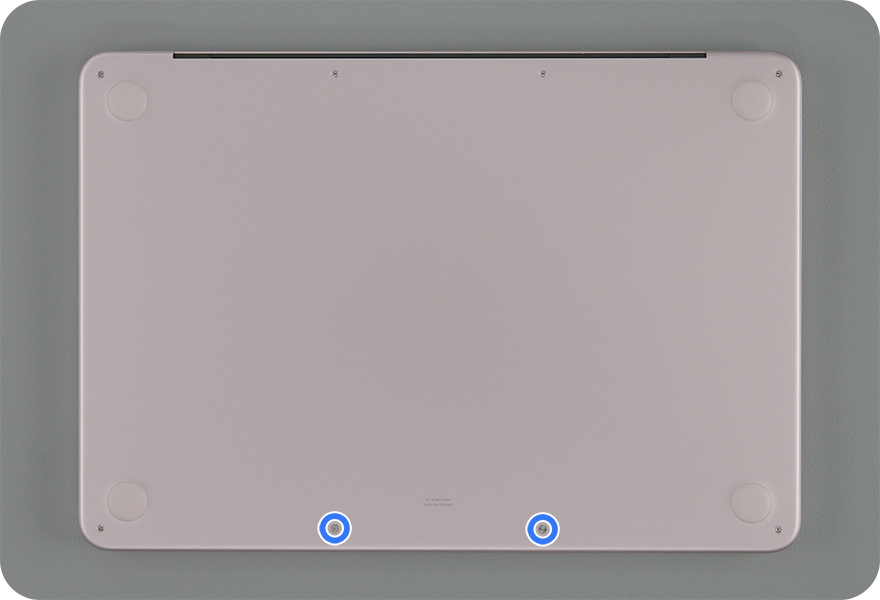
Opening the MacBook Neo is straightforward, but still very Apple-like. The bottom plate is held by eight pentalobe screws in total – six of one type and two shorter ones. There are only two internal clips near the upper corners. After removing the screws, the clips can be released by gently lifting the left and right top corners of the bottom case, so this machine is less dependent on suction-cup gymnastics than the MacBook Air.
Once inside, the layout is clean and compact. There is no traditional upgrade zone, no memory slots, and no M.2 SSD slot. The battery dominates the lower half of the chassis, the two speaker modules sit along its sides, and the logic board is positioned toward the rear. The two USB-C ports are placed on a separate board assembly, while the audio board, trackpad, antenna, display, Touch ID board, and keyboard-related parts are handled as individual service procedures.
Memory & Storage
Upgrades are not on the menu. The MacBook Neo uses Apple’s A18 Pro chip with 8GB of unified memory, and that memory is fixed. Storage options are limited to 256GB or 512GB, and Apple’s repair documentation lists the storage as part of the logic-board configuration rather than as a standard removable drive. In practice, this means the buyer has to choose the right capacity from day one. If you outgrow the RAM or SSD, there is no simple internal upgrade path.
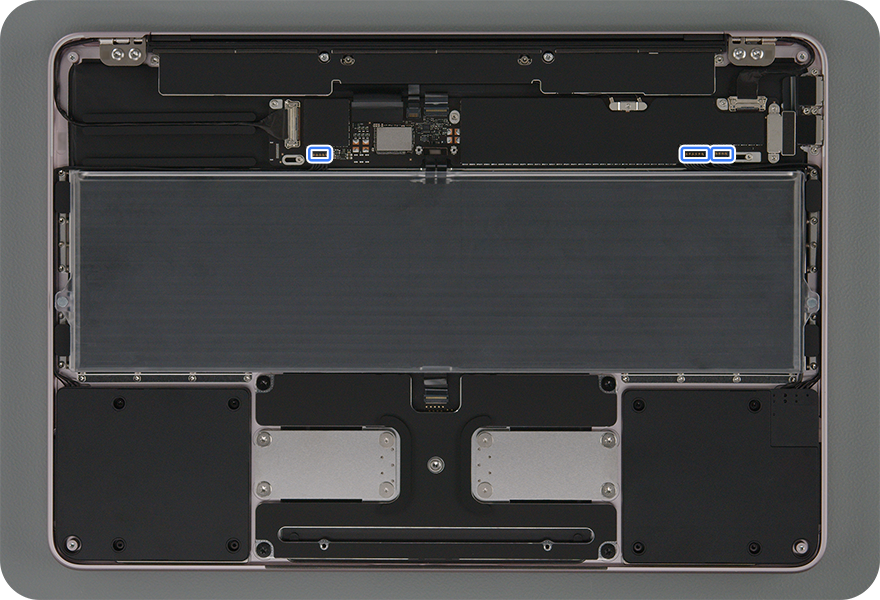
The internal layout
OK, what IS serviceable?
— Battery: The 36.5 Wh battery is replaceable, and the procedure is actually more mechanical than adhesive-heavy. Apple’s manual shows the battery being secured by 18 Torx Plus screws. Before removal, the speaker and audio-board flex cables must be disconnected or moved aside, so the job still requires care, but it is not the same stretch-release-strip procedure used in some MacBook Air models.
— Speakers: The speakers are removable, but Apple treats them as a pair. Replacing them involves disconnecting both speaker flex cables and removing eight Torx Plus screws in total. It is not difficult compared with deeper repairs, but it is still a paired replacement rather than a one-side-only swap.
— USB-C and audio boards: This is one of the better parts of the design. The USB-C ports are on separate boards, held by four screws and connected through a flex cable, so port damage does not automatically mean a full logic-board replacement. The audio board is also a separate module, although Apple’s procedure requires removing the left speaker first.
— Keyboard and Touch ID: The keyboard is technically replaceable, which is better than many ultra-thin laptop designs, but it is not a quick job. Apple’s procedure requires removing many internal parts first, and the keyboard itself is held by 41 screws on ANSI/ISO models with Touch ID, or 42 screws on JIS models. The Touch ID board is also serviceable, but its alignment procedure is quite involved.
— Top case: The top case is the “deep repair” part. Apple’s procedure requires removing almost everything first: bottom case, antenna, speakers, USB-C boards, audio board, logic board, battery, display, trackpad, keyboard shield, Touch ID board, and keyboard. In other words, this is a full transplant, not a casual maintenance operation.
The MacBook Neo is not upgradeable, but it is more modular than its entry-level ultra-thin positioning might suggest. The battery, speakers, USB-C boards, audio board, keyboard, Touch ID board, trackpad, display, and antenna are all serviceable parts, while the important performance components like memory, storage, and the A18 Pro logic-board package are fixed for the life of the machine.
Verdict
 The Apple MacBook Neo is a fascinating experiment that successfully redefines the entry-level Mac experience. By leveraging smartphone silicon in a laptop chassis, Apple has created an incredibly affordable, ultra-portable machine that handles everyday tasks with surprising grace. It is the ultimate student laptop or secondary travel device for those heavily invested in the Apple ecosystem.
However, achieving this aggressive sub-$600 price point required some occasionally baffling compromises. You are getting a premium build and a good screen, but you must be prepared to sacrifice features that have been standard on laptops for over a decade.
Still, for an everyday machine, this is probably the best 13-inch computer on the market.
You can check the prices and configurations in our Specs System: https://laptopmedia.com/series/apple-macbook-neo/
✅ The Good
The standout triumph of the MacBook Neo is its flawless, premium construction. Despite being Apple’s cheapest laptop, the recycled aluminum chassis feels incredibly rigid, and the Liquid Retina IPS screen offers good quality, and is completely PWM-free for ultimate eye comfort.
It also excels in everyday usability thanks to the surprisingly snappy A18 Pro chip. Single-core performance rivals PC laptops ten times its price, making web browsing and document editing feel instantaneous. Furthermore, the extreme efficiency of this smartphone chip results in phenomenal battery life, lasting nearly 16 hours on a tiny 36.5Wh battery, easily getting you through a full day of work or school.
We also love that Apple managed to include an excellent 1080p webcam, and a fantastic dual-speaker setup with Spatial Audio.
❌ The Bad
The cost-cutting measures are not that bad. The lack of keyboard backlighting is an interesting omission in 2026, and Touch ID is absent unless you pay for the 512GB storage upgrade (and we advice you to do it).
The port situation is kind of bizarre, featuring one 10Gbps USB-C port and one ancient USB 2.0 port, meaning you must plan your charging and external drive setup very carefully. The fanless design is great for everyday tasks but if you need to do heavier work, it will cause the CPU to run very hot (96°C) and throttle heavily under sustained multi-core loads. Oh, and you are permanently locked to a maximum of 8GB of RAM. So this is not really a workhorse.
🆚 The Competitors
When compared to the Apple MacBook Air 13 (M5), the Neo’s compromises become stark. The Air offers vastly superior multi-core performance, MagSafe charging, a backlit keyboard, and standard Touch ID across all models, making it the much better choice if your budget can stretch.
Against a Windows alternative like the Dell Pro 14 Plus PB14250 (detailed review), the Neo wins on sheer portability, price, and seamless ecosystem integration. However, the Dell offers significantly more multi-core computing power, a logical port selection, and a less restrictive hardware environment, highlighting the Neo’s role as a strict, light-duty companion rather than a main workstation.
Pros
- Incredible sub-$600 entry price for the macOS ecosystem
- Premium, eco-friendly aluminum unibody design
- Good and PWM-free Liquid Retina display
- Fantastic battery life (nearly 16 hours)
- Incredibly snappy single-core performance for everyday tasks
- Very good trackpad, webcam, and speakers for the price
Cons
- No keyboard backlight
- One of the two USB-C ports is limited to ultra-slow USB 2.0 speeds
- Touch ID is only available on the more expensive 512GB model
- Locked to a maximum of 8GB of RAM with zero upgradeability
- CPU runs hot and throttles heavily under sustained heavy workloads
 Author: Simeon NikolovEditor-in-Chief at LaptopMedia.com with 20+ years of experience in testing and analyzing laptops and mobile devices.
 Author: eng. Kroum NikolovHead of Engineering at LaptopMedia.com, inventor and innovator with 40+ years of experience in electronics and high technology.

![[June 2026] Best-Selling Laptop Brands on Amazon Global – Apple’s Unrivaled Dominance in Units and Revenue](https://laptopmedia.com/wp-content/uploads/2026/07/GLOBAL-Best-Brands-400x225.jpg)
![[June 2026] Amazon Global: Top 10 Best-Selling Laptops – Apple’s New MacBook Neo Storms to #1, Reshaping the Market with Affordability](https://laptopmedia.com/wp-content/uploads/2026/07/Best-Selling-Laptops-GLOBAL-Top-10-400x225.jpg)
![[June 2026] Amazon Global: Top 10 Best-Selling Gaming Laptops – Acer’s Nitro V 16S AI Dominates Sales, While ASUS Leads Overall Revenue](https://laptopmedia.com/wp-content/uploads/2026/07/Best-Selling-Gaming-Laptops-GLOBAL-Top-10-400x225.jpg)
![[June 2026] Global Ranking of Best-Selling Laptop GPUs on Amazon – NVIDIA RTX 5060 is the Top-Selling Dedicated GPU](https://laptopmedia.com/wp-content/uploads/2026/07/Best-Selling-GPUs-GLOBAL-Top-10-400x225.jpg)
![[June 2026] Global Ranking of Best-Selling Laptop CPUs on Amazon – Apple M5 Dominates, AMD Ryzen 7 260 Gets Solid Premium Share](https://laptopmedia.com/wp-content/uploads/2026/07/Best-Selling-CPUs-GLOBAL-Top-10-400x225.jpg)

And now – the big question …MacBook Neo or the new XPS 13?
We’ll prepare an in-depth analysis soon 🙂