Dell Latitude 15 5540 review – tuned for comfort
Verdict
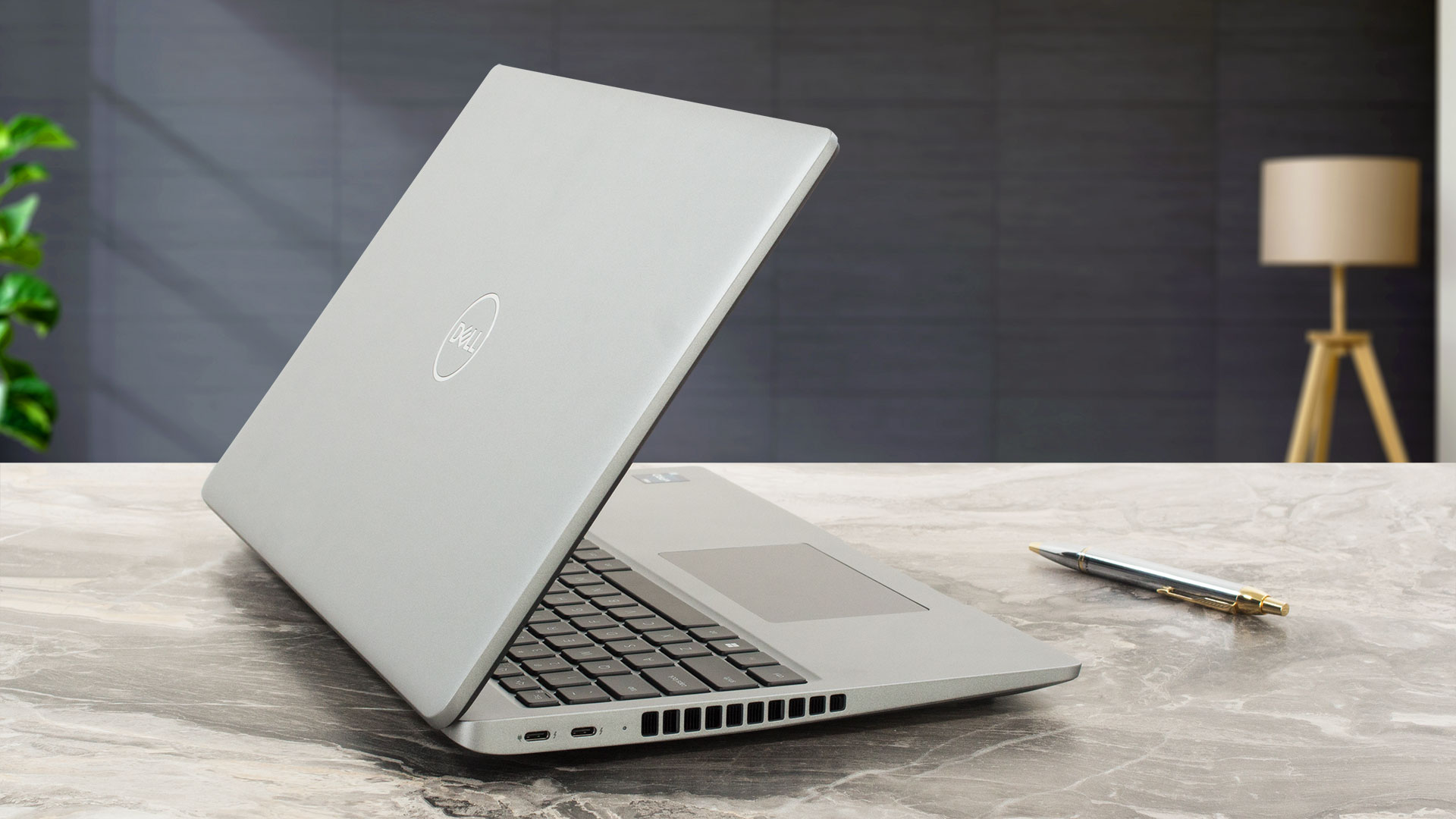 If you are looking for a business machine that offers good comfort under load, the Dell Latitude 15 5540 could be on your shortlist. The keyboard is cozy for usage and the keycaps aren’t noisy on press. The touchpad is near-silent during usage, and it has a smooth surface. The cooling fan is quiet even when the CPU is pushed to its limits. In this scenario, the keyboard feels slightly warm but not too hot.
The P cores of the optional Core i7-1365U can maintain 4.00GHz in short loads and 2.70Ghz in longer CPU stress alongside 2.70GHz for the E cores. This is a good result, especially given the low noise. That’s possible thanks to the cooling system with one large fan and two long heat pipes. Speaking of the internals, the upgradability is good – two SODIMMs + two M.2 slots. Don’t forget that you get DDR4 RAM slots with the U-series CPUs. If you want your device to be as snappy as possible, you should pick a machine with a 28W P chip plus dual-channel memory.
The display (BOE KVVT5-NV15N4V (BOE0A86)) gets the job done for office work. This IPS unit has wide viewing angles and the lack of PWM usage is good news for all users, especially for the ones who will use the laptop for long hours daily. The downside of this panel is the low sRGB coverage.
The I/O is up-to-date thanks to the two Thunderbolt 4 ports. Still, the nano-SIM card slot and the Smart card reader are optional. One of the few cons of this machine is the mediocre lid rigidity and the fact that one of the NVMe slots is compatible with 2230 Gen 3 SSDs. On the bright side, the optional 54Wh battery lasts for more than 12 hours on a single charge.
The Dell Latitude 15 5540 offers good comfort under load, capable cooling, good upgradability, and long battery life.
You can check the prices and configurations in our Specs System: https://laptopmedia.com/series/dell-latitude-15-5540/
Pros
- Capable cooling + quiet fan
- High P and E core frequencies during max CPU stress
- 2x M.2 slots
- 2x SODIMM slots
- PWM-free (BOE KVVT5-NV15N4V (BOE0A86))
- Wide viewing angles (BOE KVVT5-NV15N4V (BOE0A86))
- Modern I/O with two Thunderbolt 4 ports + optional fingerprint reader
- Long battery life
- Comfortable input devices
- Web camera with a privacy shutter + optional face recognition
- Offers optional e-SIM functionality and Smart card reader
Cons
- One of the M.2 slots is for Gen 3 SSDs
- Low sRGB coverage and unimpressive color accuracy (BOE KVVT5-NV15N4V (BOE0A86))
- The lid rigidity could be better
- High NVMe temperatures during benchmarking
 Author: Nikolay Palaozov
 Author: eng. Kroum NikolovHead of Engineering at LaptopMedia.com, inventor and innovator with 40+ years of experience in electronics and high technology.

![[August 2026] Amazon USA: Top 10 Best-Selling Laptops – Apple MacBook Neo Dominates the Market with Massive Unit Sales!](https://laptopmedia.com/wp-content/uploads/2026/09/Best-Selling-Laptops-COM-Top-10-400x225.jpg)
![[August 2026] Amazon USA: Top 10 Best-Selling Gaming Laptops – ASUS ROG Strix G16 Dominates the Market with Massive Unit Sales](https://laptopmedia.com/wp-content/uploads/2026/09/Best-Selling-Gaming-Laptops-COM-Top-10-400x225.jpg)
![[July 2026] Amazon Global: Top 10 Best-Selling Laptops – Apple MacBook Neo Dominates the Charts as Budget and Premium Notebooks Split the Market](https://laptopmedia.com/wp-content/uploads/2026/08/Best-Selling-Laptops-GLOBAL-Top-10-400x225.jpg)
![[July 2026] Amazon Global: Top 10 Best-Selling Gaming Laptops – ASUS ROG Strix G16 Dominates the Global Market with Record-Breaking Unit Sales](https://laptopmedia.com/wp-content/uploads/2026/08/Best-Selling-Gaming-Laptops-GLOBAL-Top-10-400x225.jpg)
![[July 2026] Global Ranking of Best-Selling Laptop GPUs on Amazon – RTX 5060 Dominate Premium, Intel Still Rules Budget](https://laptopmedia.com/wp-content/uploads/2026/08/Best-Selling-GPUs-GLOBAL-Top-10-400x225.jpg)
