Dell Vostro 15 3530 review – this laptop needs better cooling ASAP
Disassembly, Upgrade options, and Maintenance
To remove the bottom plate, you have to undo 8 Phillips-head screws. The ones in the top two corners are captive and after unscrewing them, they will lift the panel slightly and that’s the right time to start popping the plate with a plastic tool.
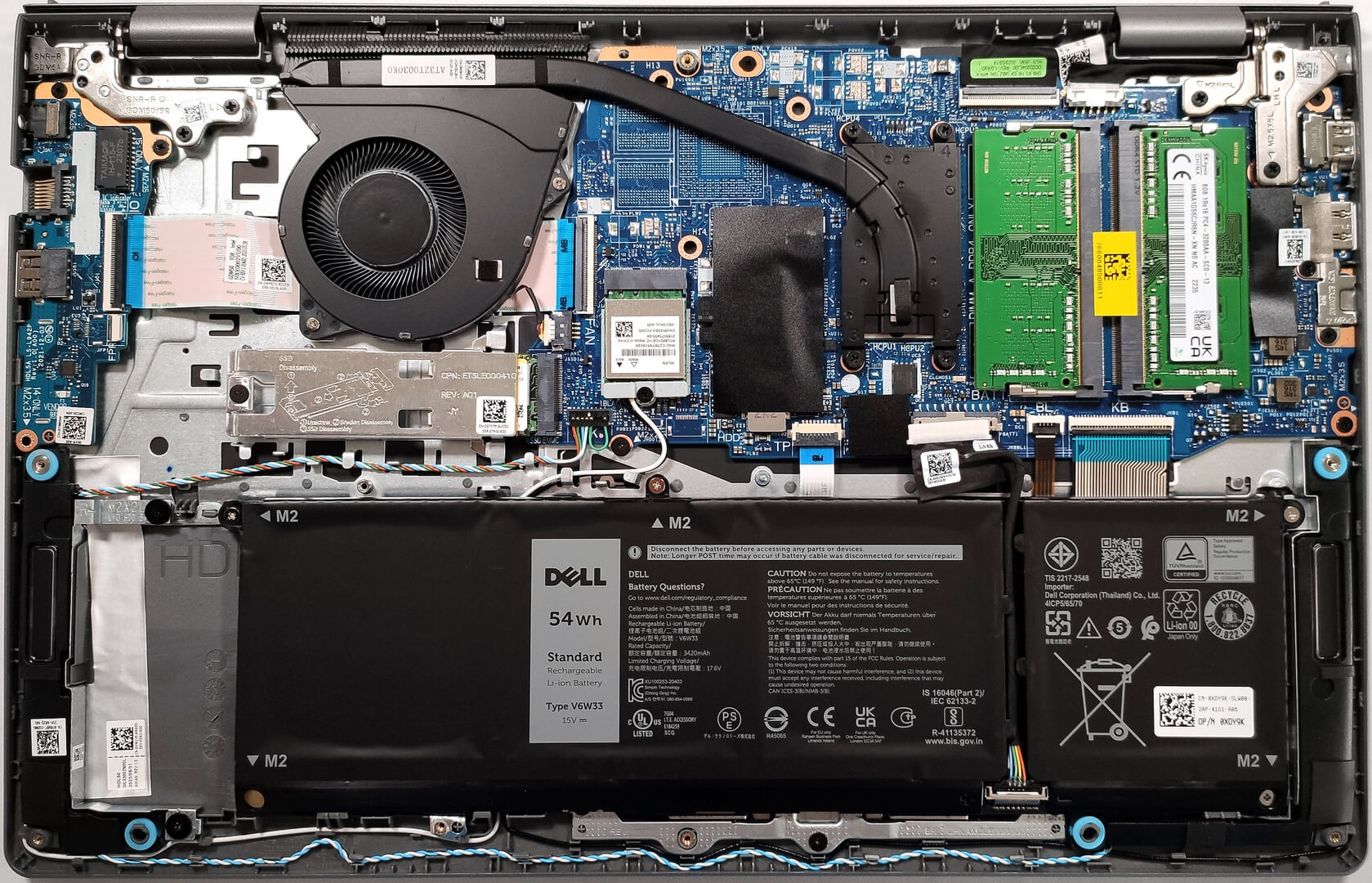
The battery of our laptop is an optional 54Wh unit. The base version is a 41Wh model. If you want to remove the unit, first, you have to pull out the battery connector from the mainboard. Then, you have to undo the four Phillips-head screws that are fixing the battery to the base. The capacity is enough for 10 hours of Web browsing or 7 hours and 9 minutes of video playback.

There are two SODIMMs that can handle up to 16GB of DDR4-3200MHz or DDR4-2666MHz RAM. The devices with a regular Type-C port are shipped with slower memory, while the ones with a Type-C port that supports DisplayPort 1.4 and Power Delivery capabilities are shipped with faster memory.
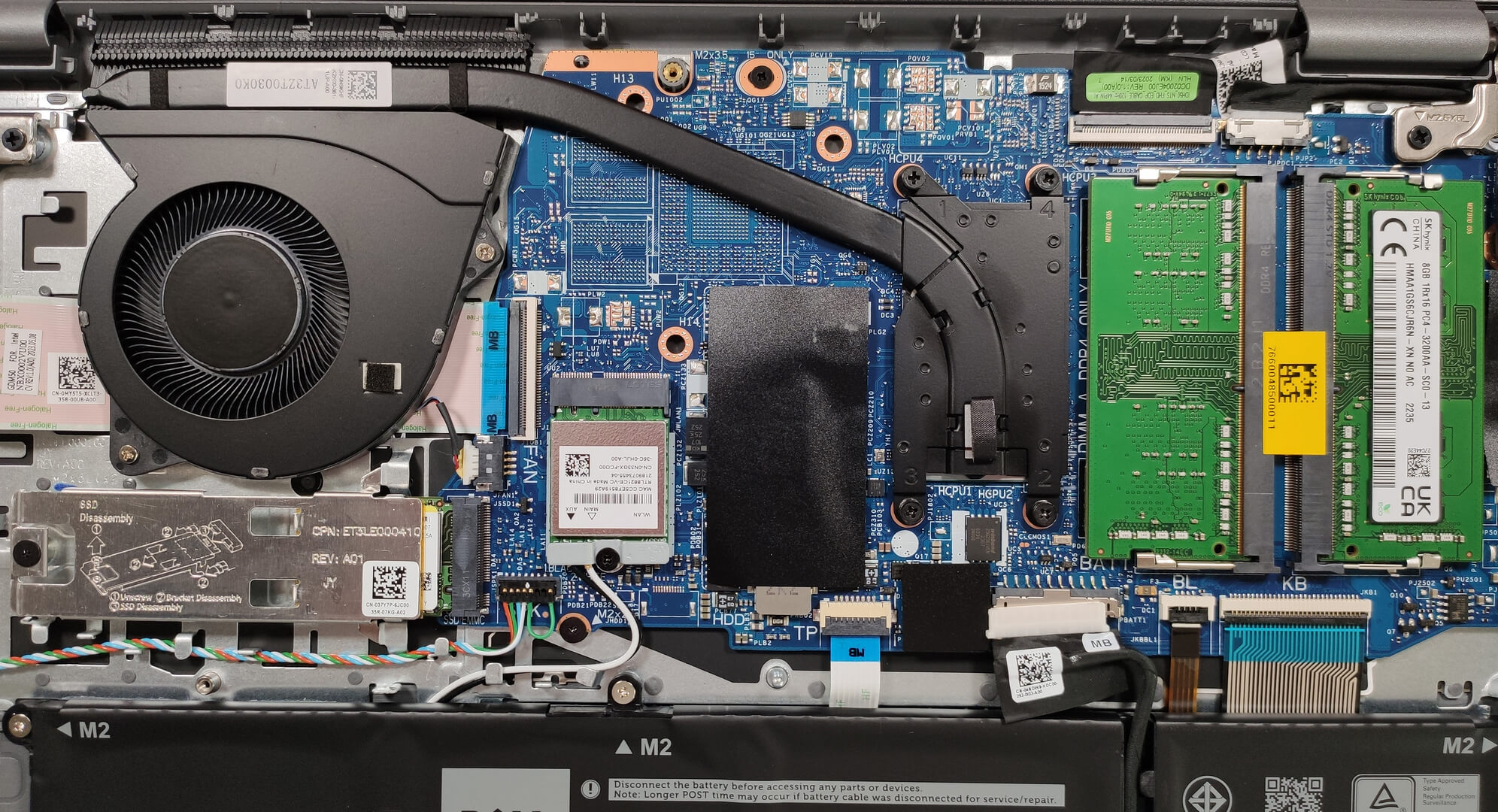
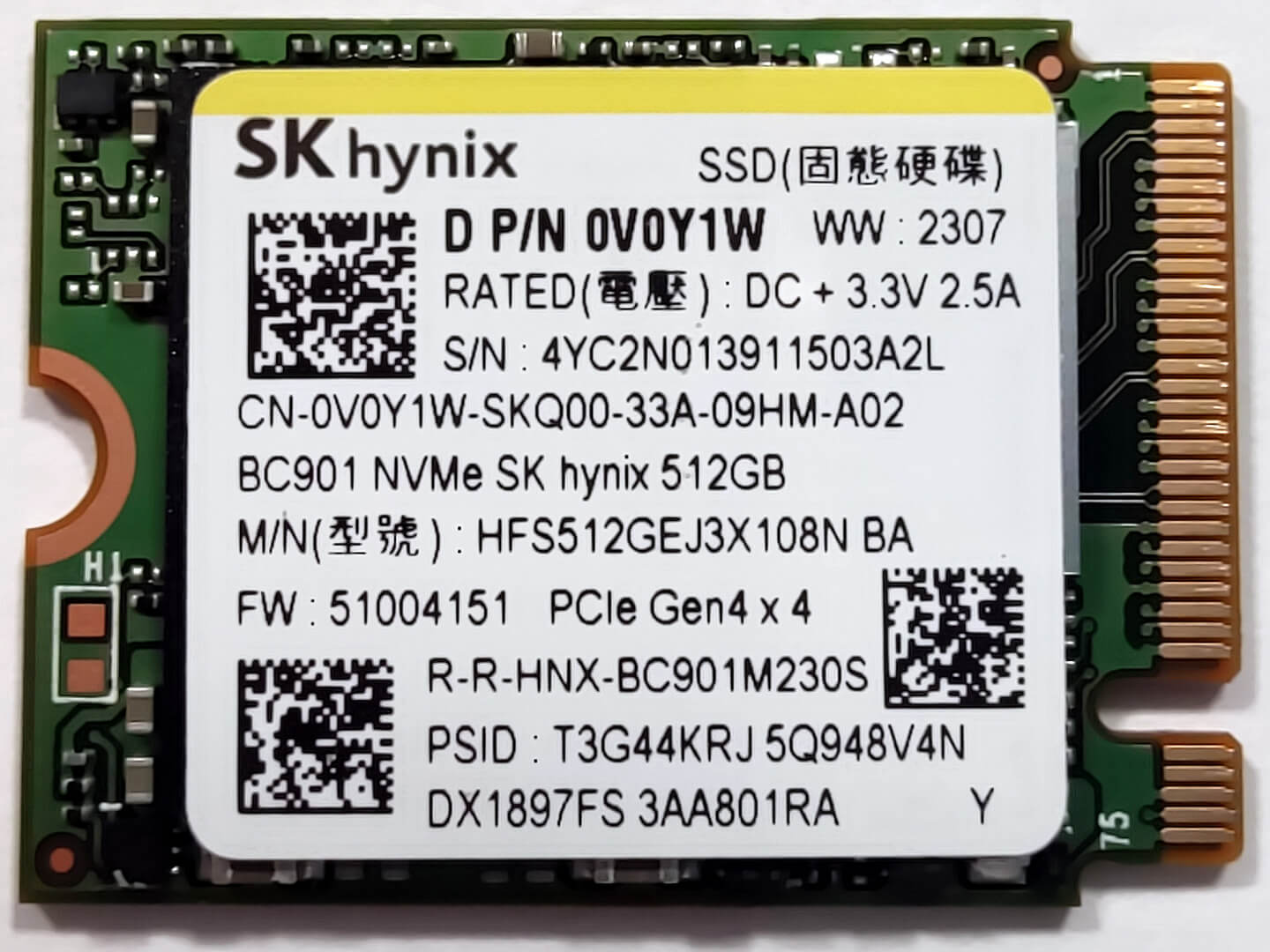
For storage, you can rely on a single M.2 slot compatible with 2230 or 2280 Gen 4 SSDs. As you can see, our device is equipped with a shorter NVMe model. The SSD is protected by a metal shroud that has a small thermal pad on the inside.



The cooling solution is rather basic. It comprises just one fan and one heat pipe. We can also see one heat sink and one heat spreader.

 Author: Nikolay Palaozov
 Author: eng. Kroum NikolovHead of Engineering at LaptopMedia.com, inventor and innovator with 40+ years of experience in electronics and high technology.

![[August 2026] Amazon Italy: Top 10 Best-Selling Laptops – Apple MacBook Neo Claims the Crown as Budget and Mid-Range Windows Machines Dominate Volume](https://laptopmedia.com/wp-content/uploads/2026/09/Best-Selling-Laptops-IT-Top-10-400x225.jpg)
![[August 2026] Amazon Italy: Top 7 Best-Selling Gaming Laptops – ASUS V16 Claims the #1 Spot Amid Strong Mid-Range Demand](https://laptopmedia.com/wp-content/uploads/2026/09/Best-Selling-Gaming-Laptops-IT-Top-10-400x225.jpg)
![[August 2026] Best-Selling Laptop Brands on Amazon Italy – Lenovo Dominates Market Share and Revenue Leadership](https://laptopmedia.com/wp-content/uploads/2026/09/IT-Best-Brands-400x225.jpg)
![[August 2026] Amazon India: Top 10 Best-Selling Laptops – Apple MacBook Neo Dominates the Charts with Massive Sales Lead](https://laptopmedia.com/wp-content/uploads/2026/09/Best-Selling-Laptops-IN-Top-10-400x225.jpg)
![[August 2026] Amazon India: Top 10 Best-Selling Gaming Laptops – HP Victus 15 Dominates the Market with Massive Unit Lead](https://laptopmedia.com/wp-content/uploads/2026/09/Best-Selling-Gaming-Laptops-IN-Top-10-400x225.jpg)

Graphics performance is severely degraded by using 1Rx16 type memory modules.
In my tests, Iris Xe gains around 25% more performance on average with 1Rx8 memories.
Im going to buy the version with 32gb of ram, what do you think about that?
It depends on what you want to use for, does it have keyboard light?