HP Elite x360 1040 G10 review – Transformer with Quiet Fan and Color-Accurate Display
Verdict
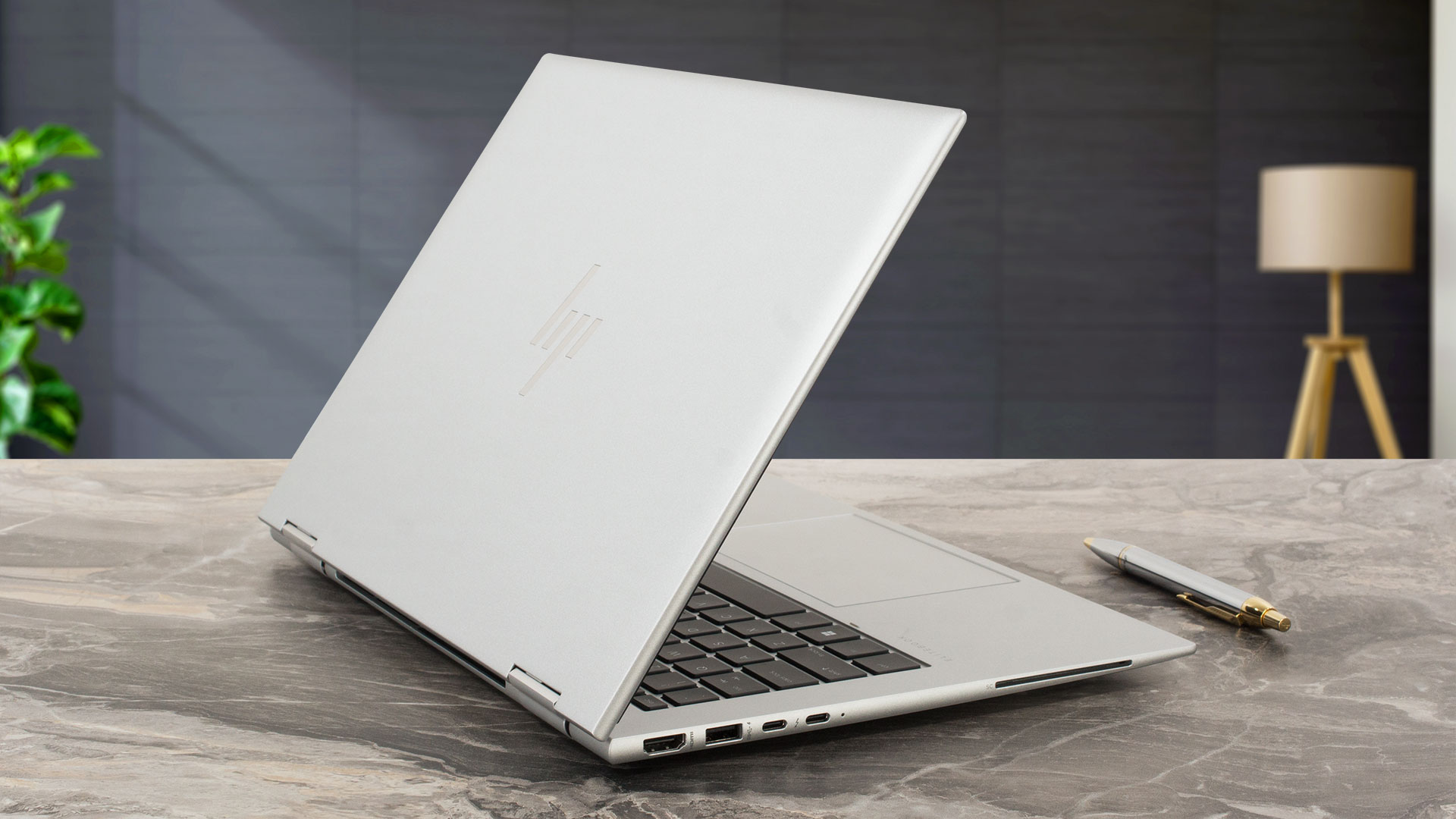 The HP Elite x360 1040 G10 left us with many positive impressions. The magnesium chassis is rigid, and the input devices are comfortable. The Sunon cooling fan is quiet even when the processor is stressed at max and in this scenario, the keyboard doesn’t feel too hot to the touch. In short, the comfort under load is very good.
The fan is quiet but the CPU clocks under load are high which sounds great for a light and compact notebook with transforming capabilities. The NVMe of our device is decently snappy and it doesn’t get toasty during benchmarking. This reminds us that you get just one M.2 slot for storage and the memory is soldered but the maximum amount of 32GB LPDDR5 should be enough for most users.
The 1200p IPS display (AUO AUO2BAB) is a good choice for work or entertainment. The PWM-free panel reaches 419 cd/m2 max brightness and it also offers wide viewing angles. The screen is suitable for professional color-sensitive work thanks to the full sRGB coverage and the excellent color accuracy when our “Design and Gaming” profile is applied.
The port selection looks fine with the 2x Thunderbolt 4 connectors and the HDMI 2.1. Last but not least, the battery life with the optional 51Wh unit is enough for almost two working days away from the charger. Unfortunately, many useful goodies such as the fingerprint reader, the SIM slot, and the Smart card reader are optional. The HP Elite x360 1040 G10 is a compact 2-in-1 business device that offers a nice keyboard, quiet fan, color-accurate IPS display, solid build, and a long battery life.
You can check the prices and configurations in our Specs System: https://laptopmedia.com/series/hp-elitebook-x360-1040-g10/
Pros
- Long battery life
- Solid magnesium chassis
- Comfortable keyboard and touchpad
- 5MP IR camera with a privacy shutter
- Wide viewing angles and very good contrast ratio (AUO AUO2BAB)
- PWM-free (AUO AUO2BAB)
- 100% sRGB coverage and accurate color representation thanks to our “Design and Gaming” profile (AUO AUO2BAB)
- Modern I/O with two Thunderbolt 4 ports + optional Smart card reader and SIM slot
- Three performance modes + “Smart Sense” preset in the HP Power Manager app
- High clocks even under full CPU load
- Good audio quality
- 360-degree hinge
Cons
- Limited upgradability
- Too many optional features
 Author: Nikolay Palaozov
 Author: eng. Kroum NikolovHead of Engineering at LaptopMedia.com, inventor and innovator with 40+ years of experience in electronics and high technology.

![[June 2026] Best-Selling Laptop Brands on Amazon Global – Apple’s Unrivaled Dominance in Units and Revenue](https://laptopmedia.com/wp-content/uploads/2026/07/GLOBAL-Best-Brands-400x225.jpg)
![[June 2026] Amazon Global: Top 10 Best-Selling Laptops – Apple’s New MacBook Neo Storms to #1, Reshaping the Market with Affordability](https://laptopmedia.com/wp-content/uploads/2026/07/Best-Selling-Laptops-GLOBAL-Top-10-400x225.jpg)
![[June 2026] Amazon Global: Top 10 Best-Selling Gaming Laptops – Acer’s Nitro V 16S AI Dominates Sales, While ASUS Leads Overall Revenue](https://laptopmedia.com/wp-content/uploads/2026/07/Best-Selling-Gaming-Laptops-GLOBAL-Top-10-400x225.jpg)
![[June 2026] Global Ranking of Best-Selling Laptop GPUs on Amazon – NVIDIA RTX 5060 is the Top-Selling Dedicated GPU](https://laptopmedia.com/wp-content/uploads/2026/07/Best-Selling-GPUs-GLOBAL-Top-10-400x225.jpg)
![[June 2026] Global Ranking of Best-Selling Laptop CPUs on Amazon – Apple M5 Dominates, AMD Ryzen 7 260 Gets Solid Premium Share](https://laptopmedia.com/wp-content/uploads/2026/07/Best-Selling-CPUs-GLOBAL-Top-10-400x225.jpg)
