HP OMEN 16 (16-ap0000) Review – Exceptional Cooling
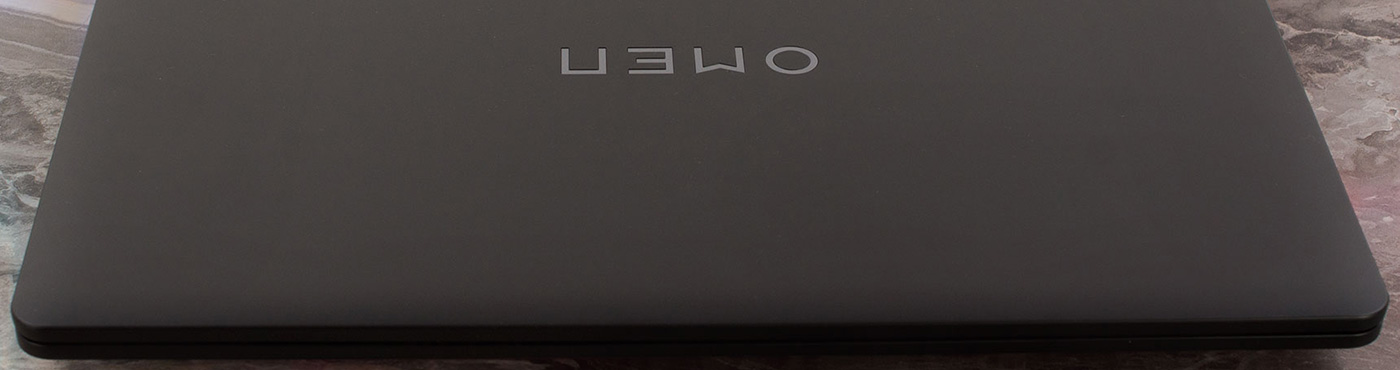
The HP OMEN 16 (16-ap0000) isn’t the flashiest or most premium-feeling gaming laptop on the block, but it might just be the smartest. Instead of chasing the highest possible benchmark scores for a few fleeting seconds, HP has engineered a machine that prioritizes what truly matters for long, enjoyable gaming sessions: cool, quiet, and incredibly stable performance.
The result is a thermal masterpiece that runs with a composure that many of its hotter, louder rivals can only dream of. However, this laser focus on the core gaming experience comes with one very significant and very common compromise that could be a deal-breaker for anyone who wants to do more than just game. Luckily, it can be easily avoided.
You can check the prices and configurations in our Specs System: https://laptopmedia.com/series/hp-omen-16-16-ap0000-2025/
Contents
Specs, Drivers, What’s in the box
HP OMEN 16 (16-ap0000, 2025) - Specs
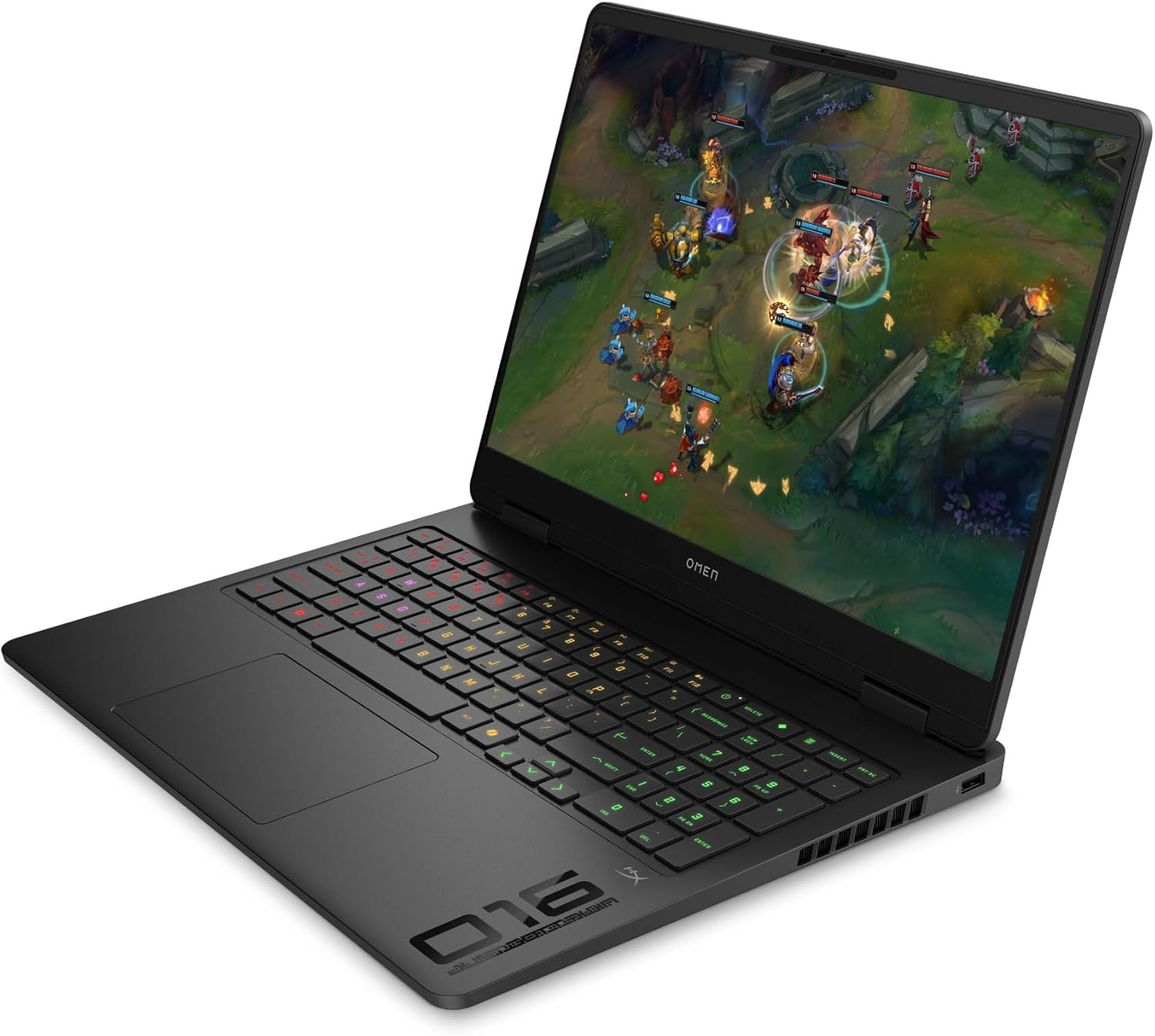
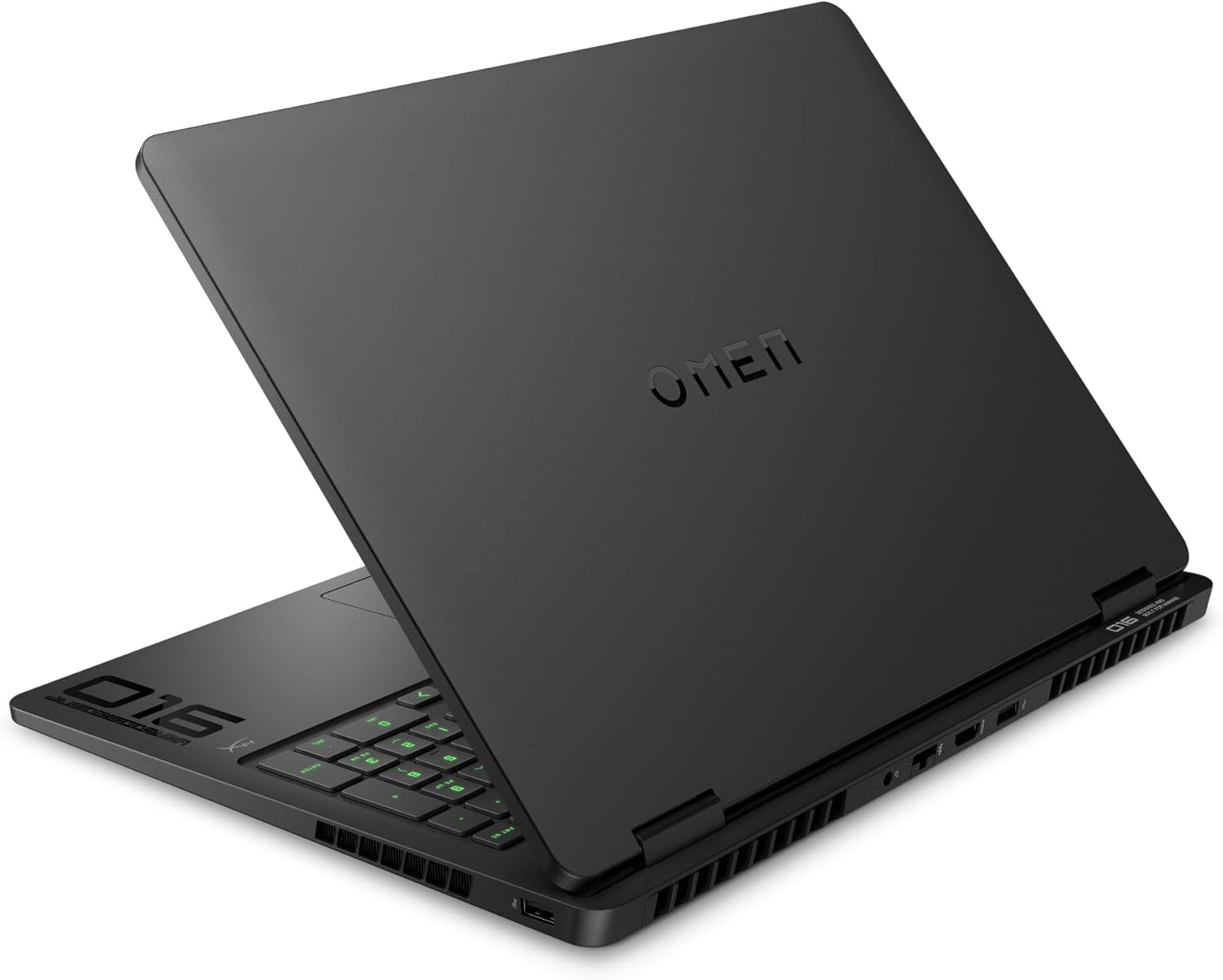

- HDD/SSD
- up to 8000GB SSD
- M.2 Slot
- 1x 2280 M.2 NVMe PCIe 4.0 x4 + 1x 2230 M.2 NVMe PCIe 4.0 x4
- RAM
- up to 64GB
- OS
- Windows 11 Pro, Windows 11 Home, No OS, DOS, Windows 10 Pro
- Battery
- 83Wh
- Body material
- Plastic / Polycarbonate
- Dimensions
- 357.5 x 269 x 23.7 mm (14.07" x 10.59" x 0.93")
- Weight
- 2.44 kg (5.4 lbs)
- Ports and connectivity
- 2x USB Type-A
- 3.2 Gen 1 (5 Gbps)
- 1x USB Type-A
- 3.2 Gen 2 (10 Gbps)
- 1x USB Type-C
- 3.2 Gen 2 (10 Gbps), Power Delivery (PD), DisplayPort, Sleep and Charge
- HDMI
- 2.1
- Card reader
- Ethernet LAN
- 10, 100, 1000 Mbit/s
- Wi-Fi
- Wi-Fi 6 / Wi-Fi 6E
- Bluetooth
- 5.3 / 5.4
- Audio jack
- 3.5mm Combo Jack
- Features
- Fingerprint reader
- Web camera
- FHD IR with Temporal Noise Reduction
- Backlit keyboard
- Microphone
- Dual Array Digital Microphones
- Speakers
- Dual Speakers, HP Audio Boost, DTS:X Ultra, HyperX
- Security Lock slot
All HP OMEN 16 (16-ap0000, 2025) configurations
Drivers
All drivers and utilities for this notebook can be found here: https://support.hp.com/us-en/drivers/omen-16-inch-gaming-laptop-pc-16-ap0000/model/2103062809?sku=BP1Q1UA
What’s in the box?
HP keeps the unboxing for the OMEN 16 (16-ap0000) simple and focused.
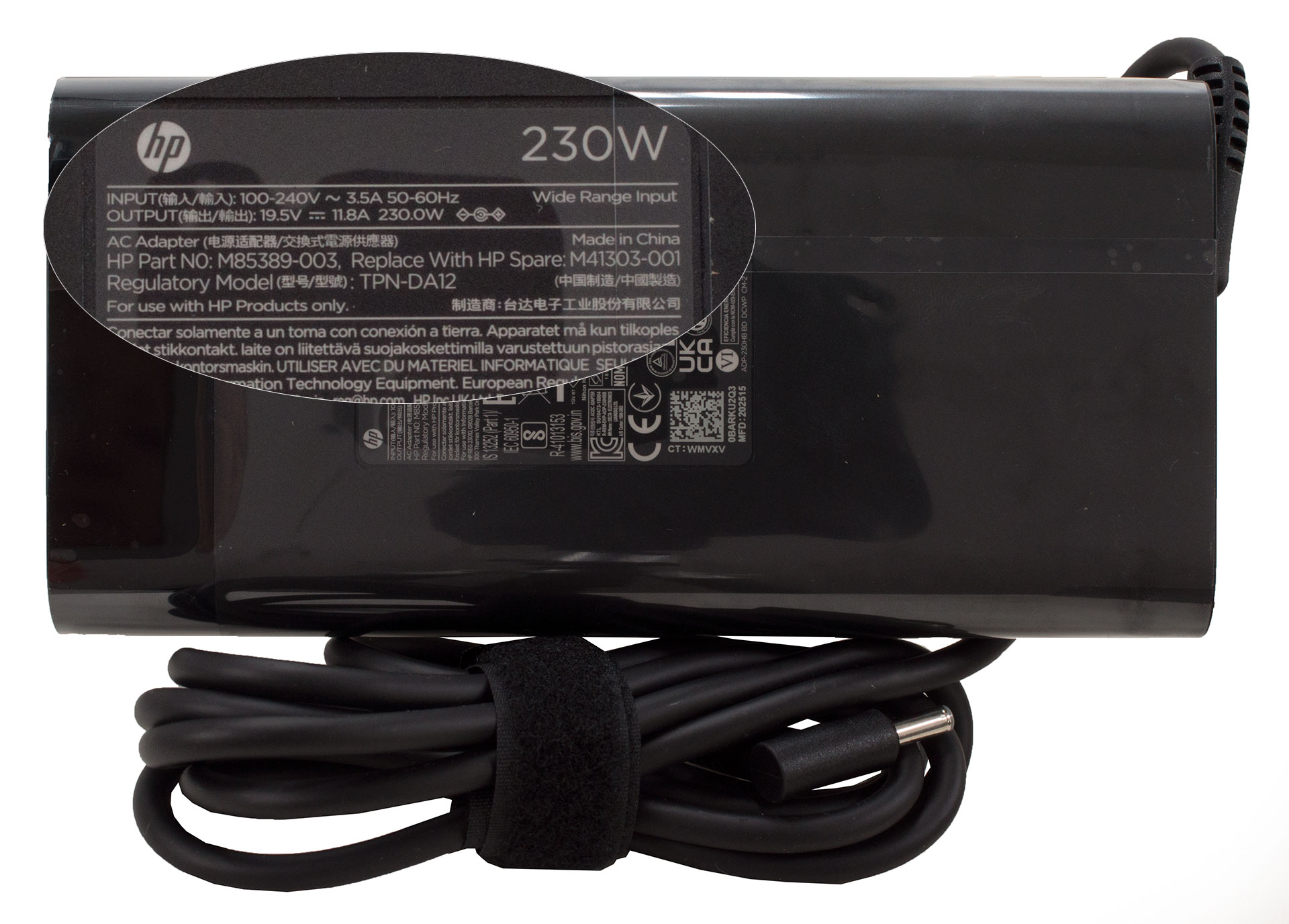
Inside, you’ll find just the absolute essentials: the high-performance laptop itself and its necessary 230W power adapter.
Design and construction
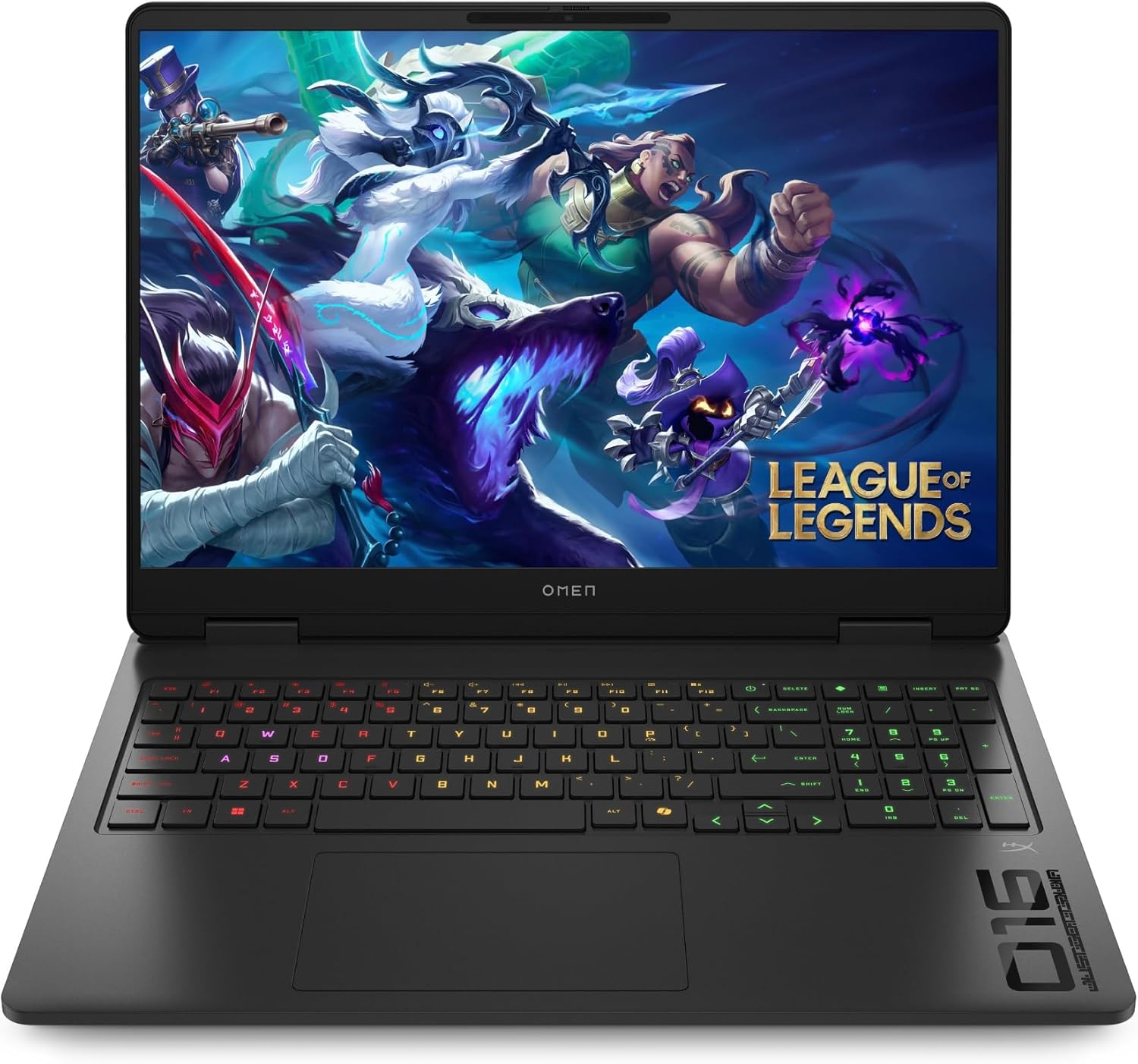
The HP OMEN 16 (16-ap0000) presents a design that skillfully balances sleekness with a hint of aggression.
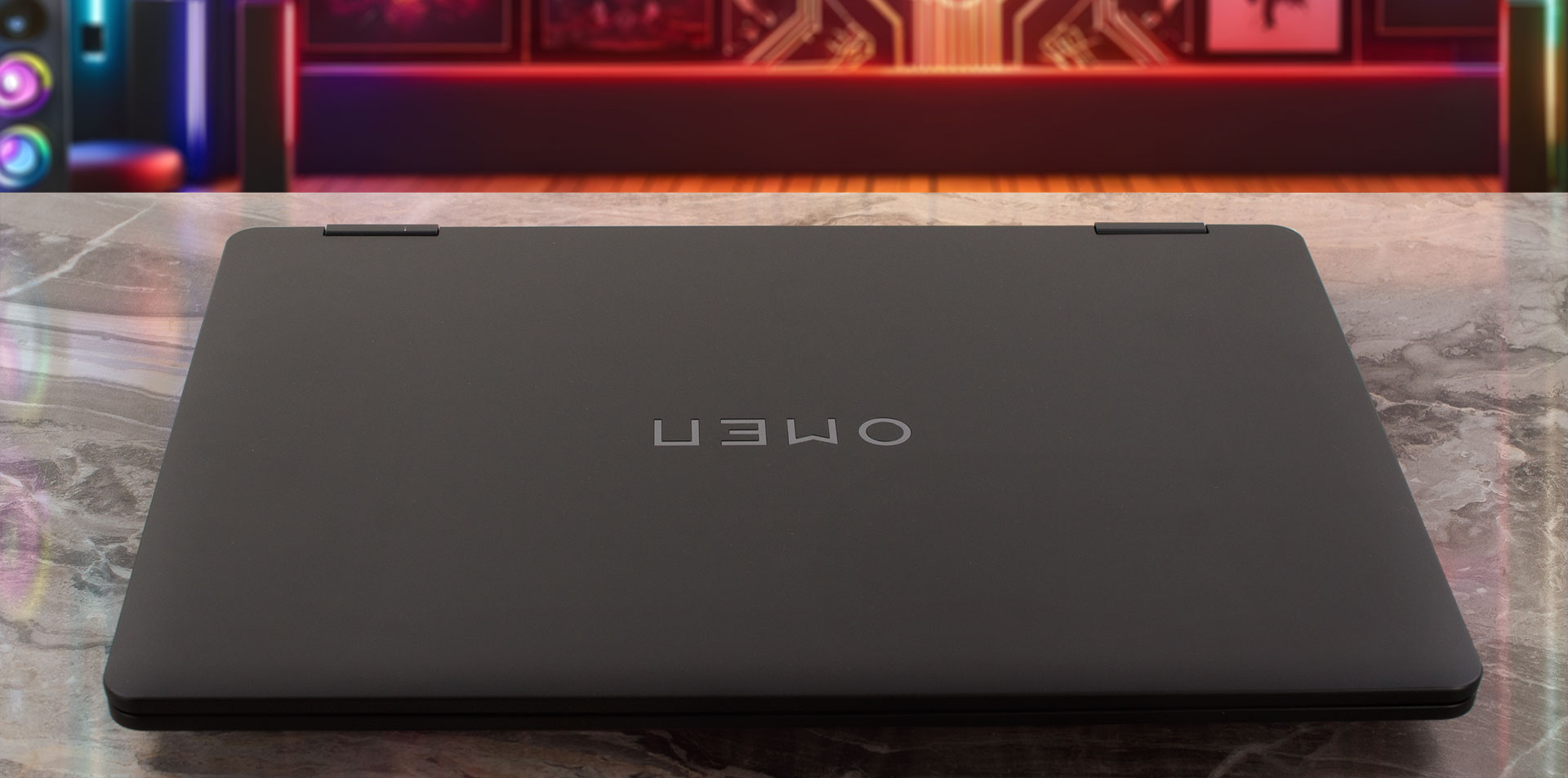
The “Shadow Black” chassis is characterized by smooth, rounded lines that are pleasingly contrasted by sharp design elements, such as the font on the keycaps and the striking, black-chromed OMEN logo on the lid. The entire body is constructed from plastic, and the finish does an excellent job of resisting fingerprints, keeping the laptop looking clean and stealthy. While there is a slight amount of flex if you apply firm pressure to the area between the keyboard and trackpad, it’s nothing concerning and the overall build feels quite solid for daily use.
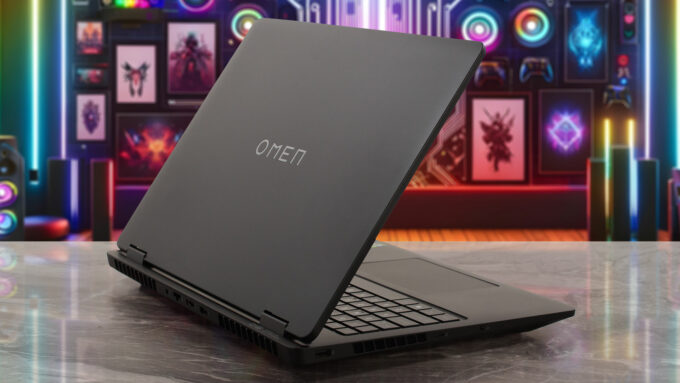
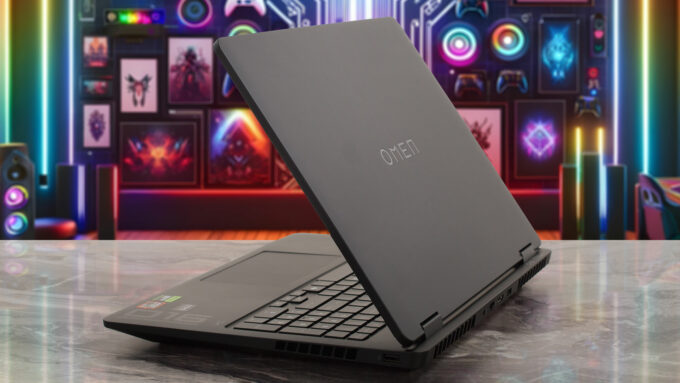
In terms of size, the OMEN 16 measures 35.75 x 26.9 cm with a thickness that’s slightly greater at the front (2.61 cm or 1.03 inches) than at the rear (2.54 cm or 1.00 inch). It weighs in at 2.45 kg (5.40 lbs), which is a very reasonable weight for a 16-inch gaming machine. The screen hinge is well-tuned, holding the display steady and opening to a maximum angle of about 130 degrees. Since there are no touchscreen configurations available, this range is perfectly sufficient for all gaming and viewing needs.
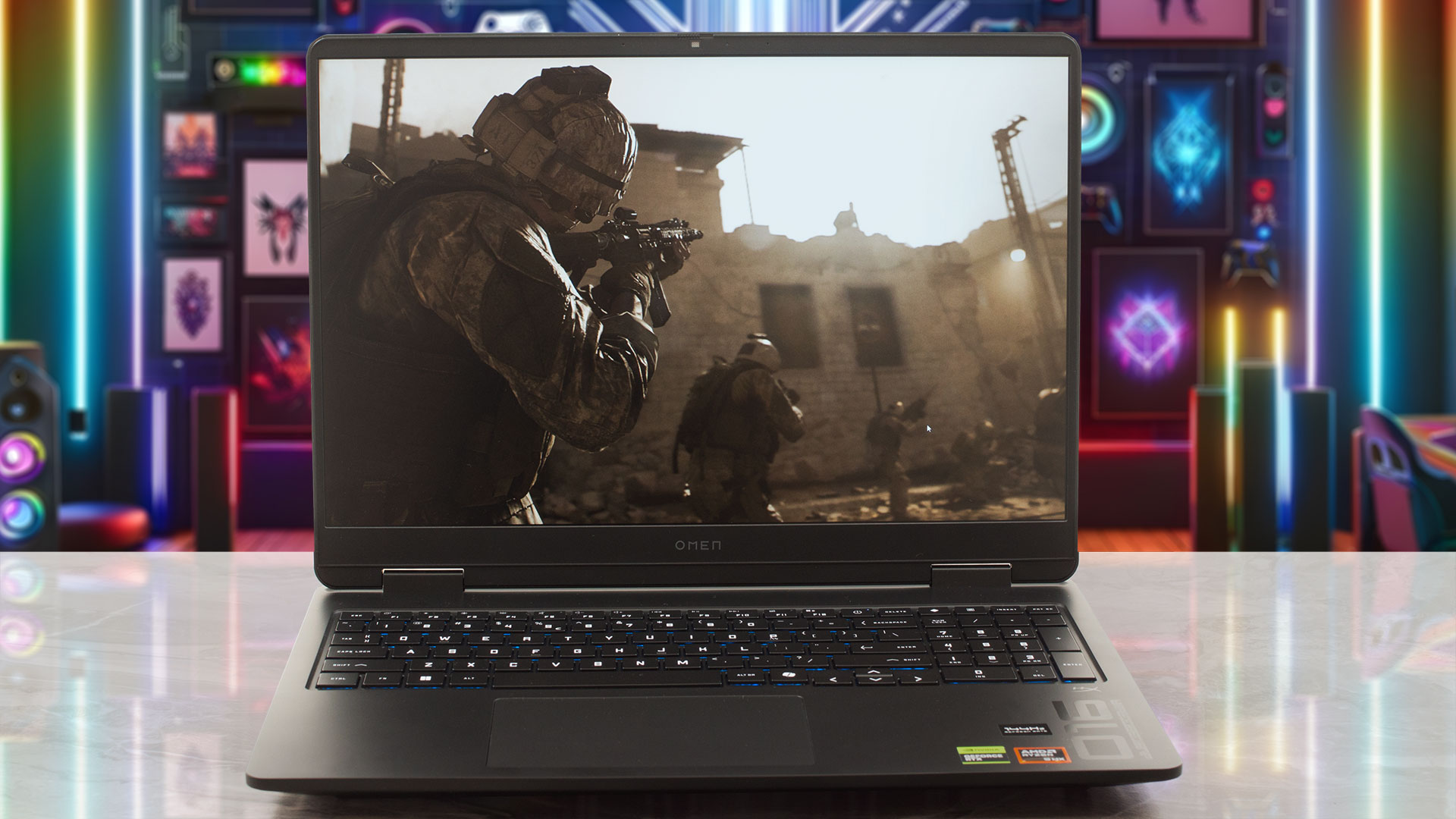
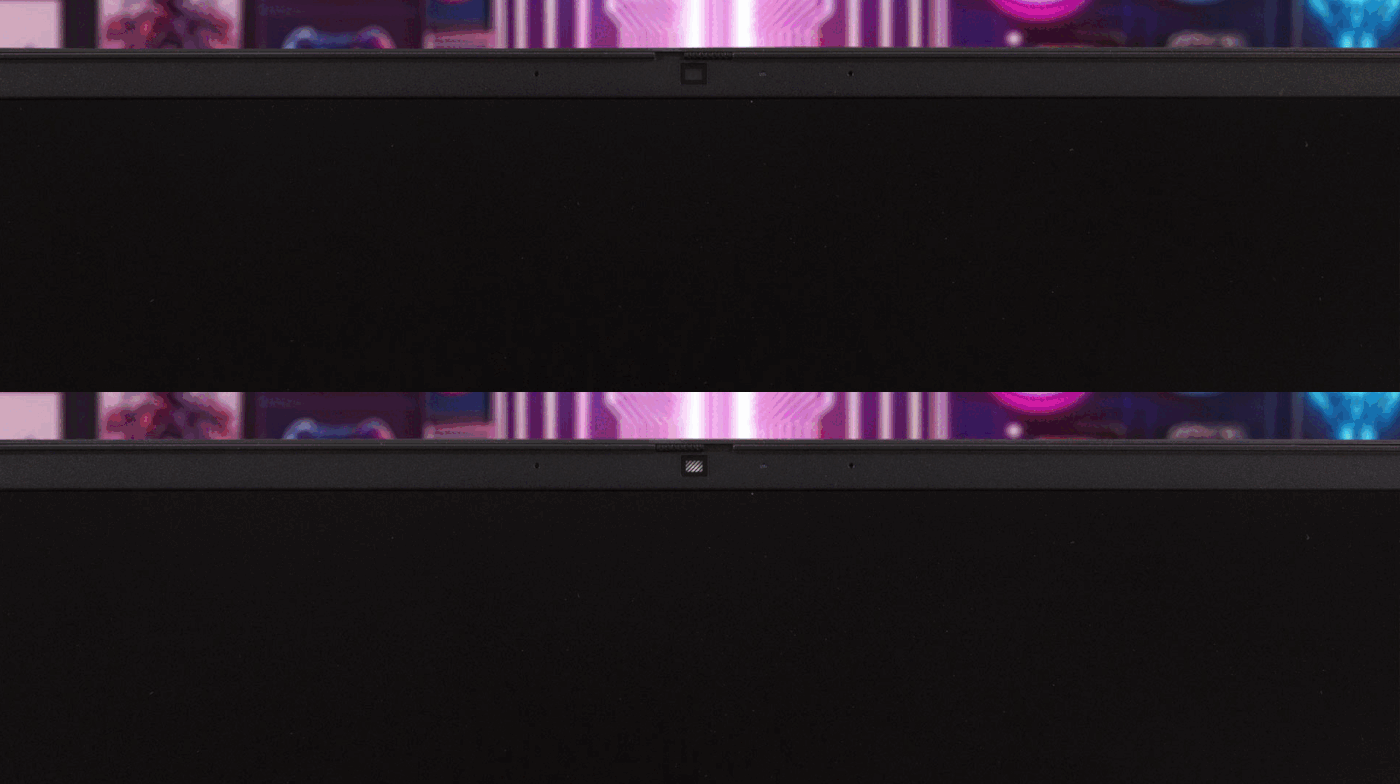
The display is framed by pleasantly thin bezels, measuring 6.5 mm (0.26 inches) on the sides and 11.5 mm (0.45 inches) at the top. This top bezel neatly houses the HP True Vision 1080p FHD camera, which is enhanced with temporal noise reduction, and a dual-array digital microphone setup. In a big win for user privacy, HP has included a physical camera shutter slider, a feature we always appreciate.
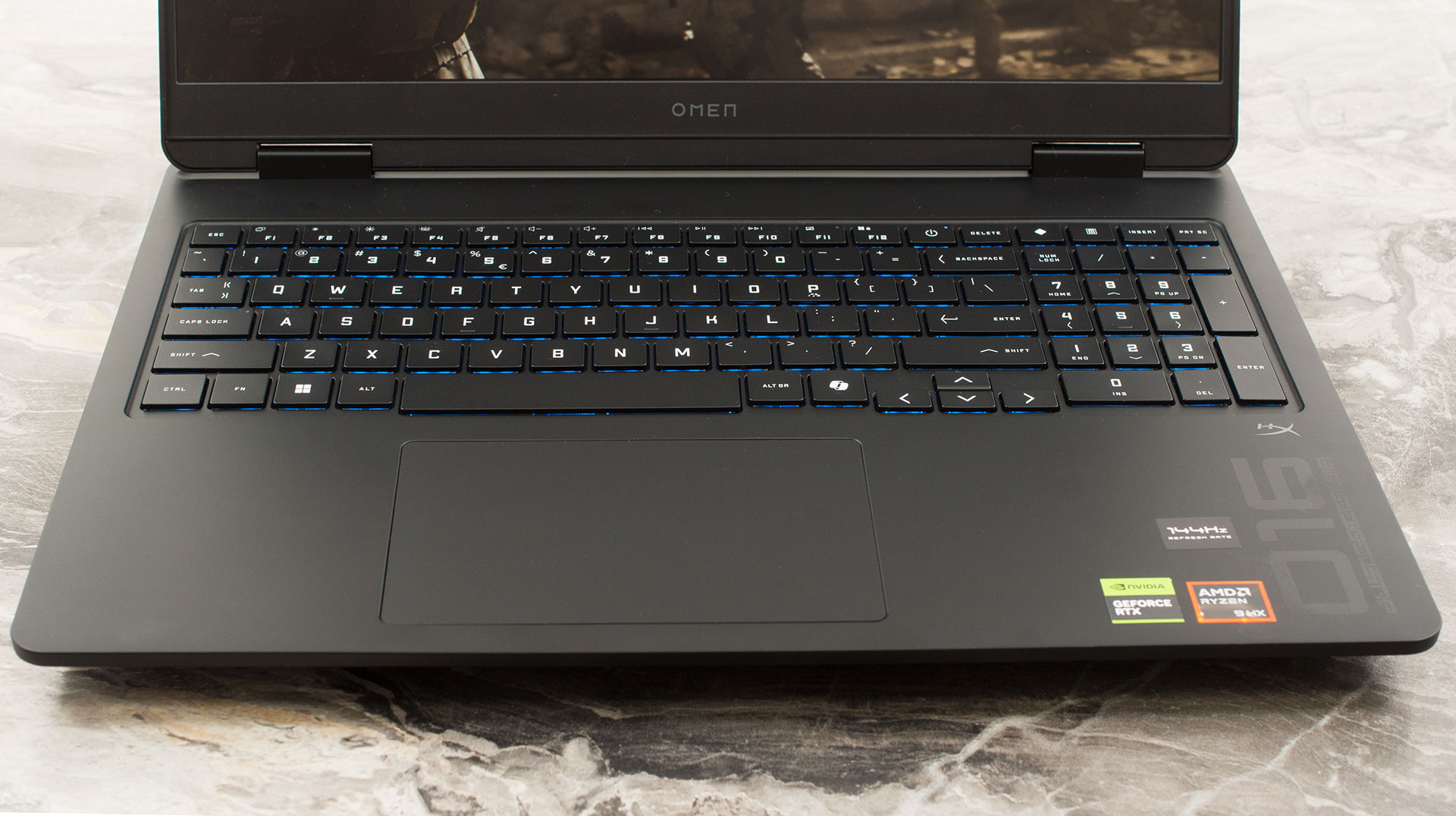
The keyboard deck is well-appointed, featuring a comfortable typing experience and a NumPad with slightly reduced key sizes. It incorporates 26-key rollover anti-ghosting technology, a crucial feature for serious gamers. However, a potential drawback for some is the use of half-height Up and Down arrow keys, a common compromise that isn’t always optimal for a gaming machine. Depending on the configuration, the keyboard comes with either a single-zone white backlight or a more vibrant 4-zone RGB backlight. For biometric login, there’s no dedicated fingerprint sensor, but an IR camera is included for fast and secure access via Windows Hello.
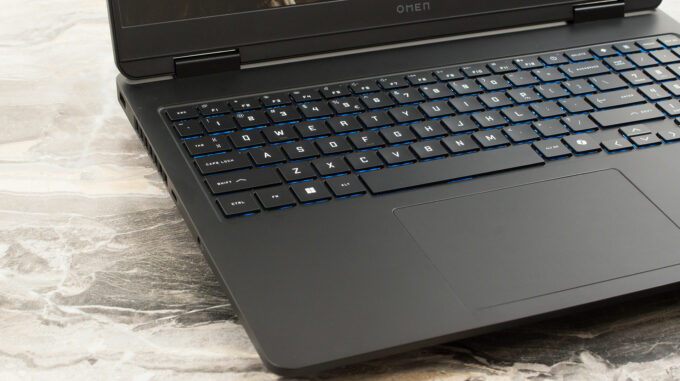
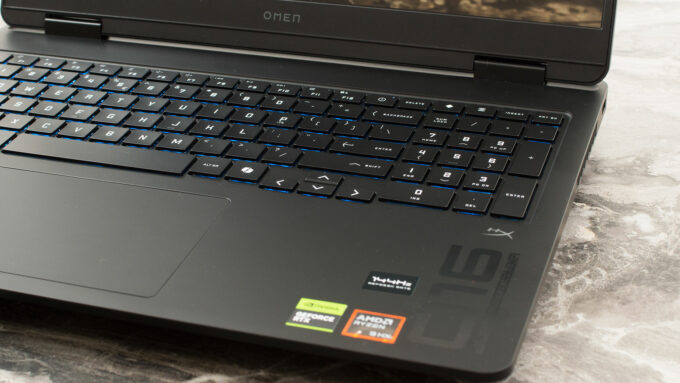
Below the keyboard sits a relatively large and very comfortable trackpad, measuring 125 x 80 mm (approximately 4.92 x 3.15 inches), which provides a smooth and responsive experience for navigation.
Ports and Connectivity
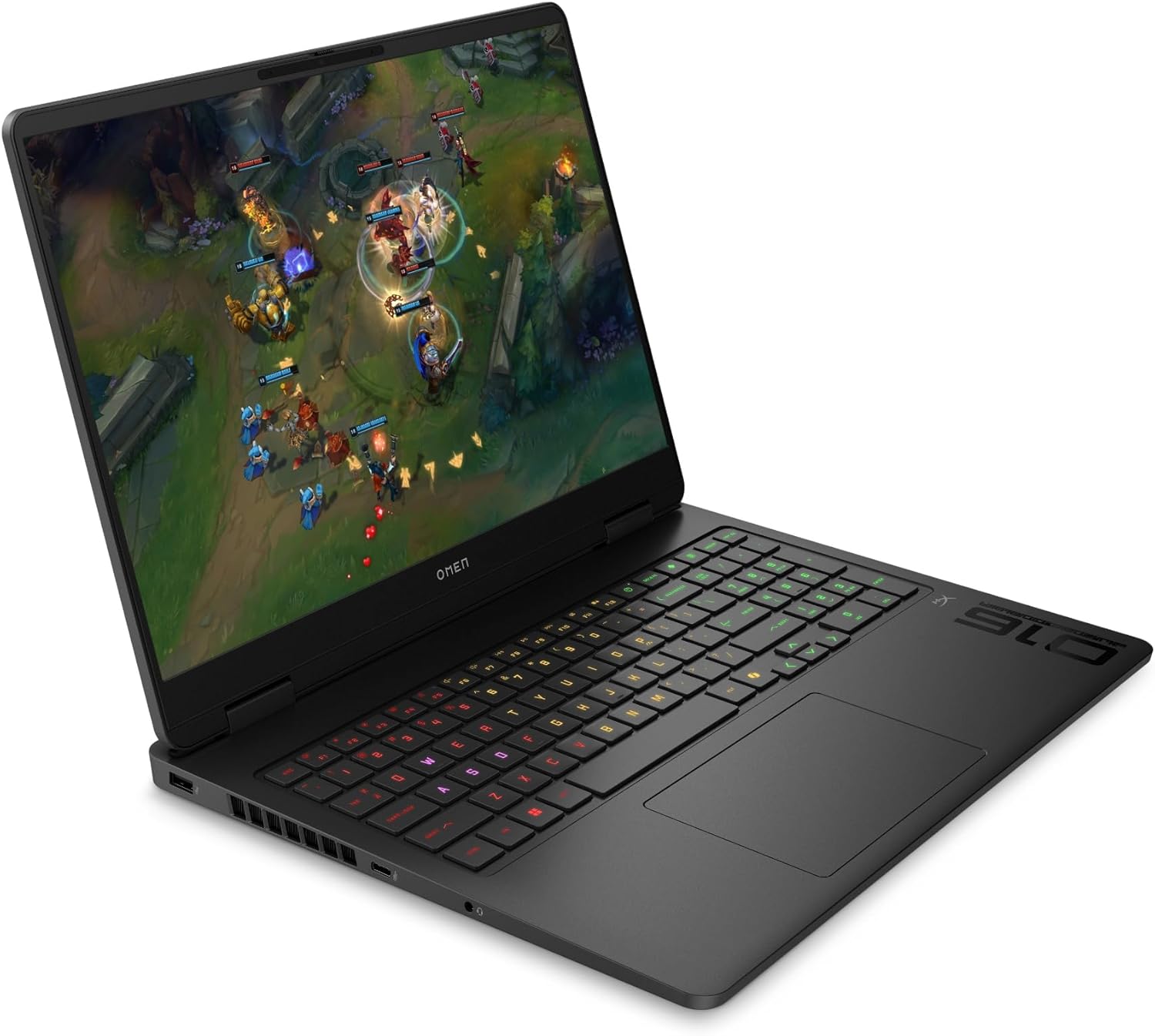
The HP OMEN 16 (16-ap0000) features a practical and well-distributed selection of ports, catering to both gaming and everyday use. On the left side, you’ll find a USB 3.2 Gen 1 Type-A port operating at a 5 Gbps signaling rate. This is accompanied by a more versatile USB 3.2 Gen 2 Type-C port, which offers a faster 10 Gbps signaling rate and supports USB Power Delivery 3.0, DisplayPort 1.4, and HP’s Sleep and Charge feature. A standard headphone/microphone combo port is also conveniently located on this side. The right flank is kept simple to avoid interfering with mouse movement, housing just a single additional USB 3.2 Gen 1 Type-A port (5 Gbps).

To improve cable management, several key connections are located on the rear of the chassis. This includes a high-speed USB 3.2 Gen 2 Type-A port (10 Gbps), which is ideal for an external SSD or other fast peripherals. Also on the back are an RJ-45 port for a stable Gigabit Ethernet connection, a powerful HDMI 2.1 output port for connecting to high-resolution and high-refresh-rate external displays, and the main AC smart pin adapter plug for power. This layout is excellent for keeping the main cables tucked away and maintaining a clean desk setup.

When it comes to wireless connectivity, it’s important to note that the OMEN 16 comes in two variations, so potential buyers should check the specifications carefully. Some models are equipped with a Realtek Wi-Fi 6 (2×2) and Bluetooth 5.4 wireless card. Other configurations come with a MediaTek Wi-Fi 6E MT7922 (2×2) card, which is paired with Bluetooth 5.3. While both are capable Wi-Fi 6 modules, the MediaTek option offers the advantage of Wi-Fi 6E, which adds access to the less-congested 6 GHz band for potentially better performance in supported environments. If this is a priority for you, we recommend confirming the exact wireless card in the model you intend to purchase.

Display and Sound Quality, Display Profiles
We ordered the HP OMEN 16 (16-ap0000) with the 16.0″, WUXGA (1920 x 1200), 144 Hz, IPS screen option. There are two better (on paper) variants – 165 Hz / 1200p, and 240 Hz / 1600p.
Ours is a budget panel, as you’ve noticed from its ratings. It’s good for gaming, though, and most importantly – it’s eye-safe.
| HP OMEN 16 (16-ap0000) | WUXGA (1920 × 1200), 144 Hz, IPS | WUXGA (1920 × 1200), up to 165 Hz, IPS | WQXGA (2560 × 1600), up to 240 Hz, IPS |
| Panel ID | AUODBB2 | — | — |
| Diagonal | 16.0 inches (40.6 cm) | 16.0 inches (40.6 cm) | 16.0 inches (40.6 cm) |
| Panel Type | IPS | IPS | IPS |
| Resolution | 1920 × 1200 pixels | 1920 × 1200 pixels | 2560 × 1600 pixels |
| Max Refresh Rate | 144 Hz | Up to 165 Hz | Up to 240 Hz |
| Aspect Ratio | 16:10 | 16:10 | 16:10 |
| Pixel Density | 141 PPI | 141 PPI | 189 PPI |
| Brightness (typical / peak) | 300 nits (typical) | 400 nits (typical) | 500 nits (typical/peak) |
| Surface | Anti-glare, micro-edge | Anti-glare, micro-edge | Anti-glare, micro-edge |
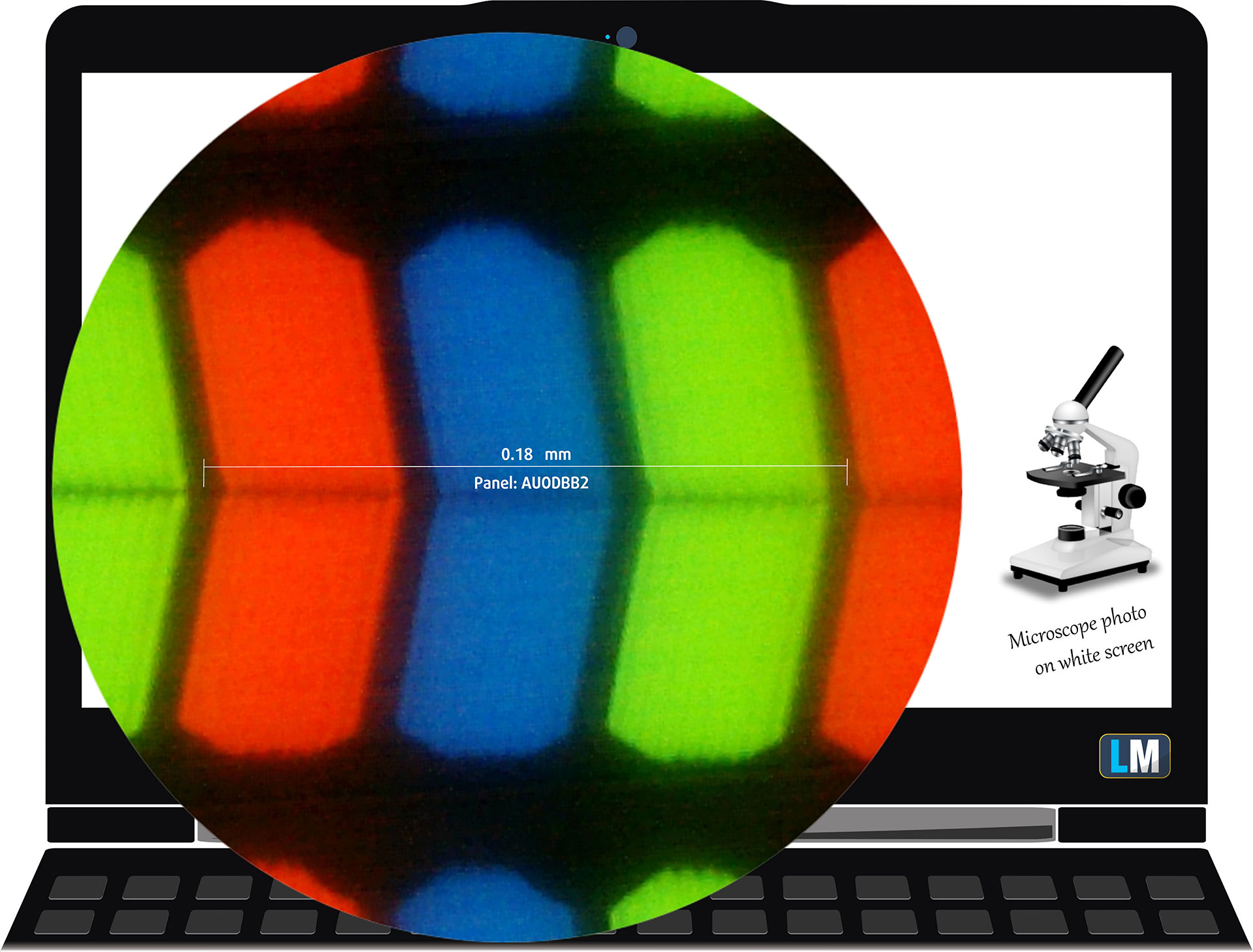 The WUXGA (1920 × 1200), 144 Hz, IPS display variant under our microscope
Viewing Angles
Viewing angles are good. We take photos from different angles to evaluate the quality.
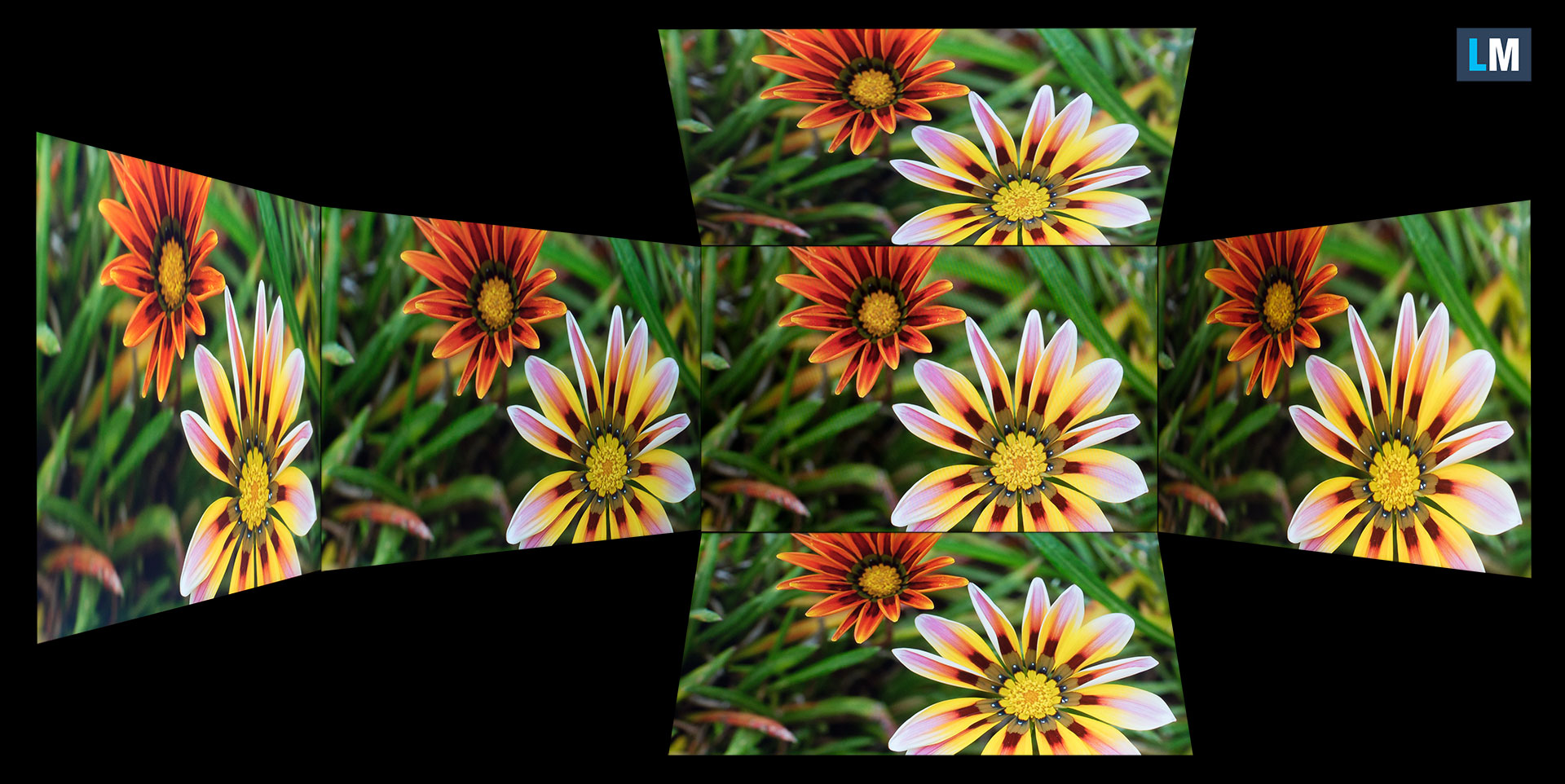
Also, a video with locked focus and exposure.
Color Coverage
The whole “sail-shaped” map below (Fig. 1) consists of all the colors we can see, while the black crooked line shows all the colors from real-world scenes and nature around us.
Then, we’ve drawn some of the most important and interesting color spaces, compared to the colors the panel of HP OMEN 16 (16-ap0000) can show:
Standard/For Web: sRGB – widely used color space for most consumer devices, ideal for Web design and development
For Print: AdobeRGB – used in professional photo editing, graphic design, and print
For Photographers/Video Editors: DCI-P3 – used in high-end film production, post-production, and digital cinema
Premium HDR: Rec.2020 – the widest consumer ITU color standard, covering a massive 75.8% of the visible spectrum, a benchmark for premium HDR content.
HP OMEN 16 (16-ap0000): the yellow dashed triangle (– – – – – –) represents the range of colors this display can show.
In our tests, we calculated the total color coverage of the display at 53% of the sRGB color gamut and 42% of the DCI-P3 color gamut.
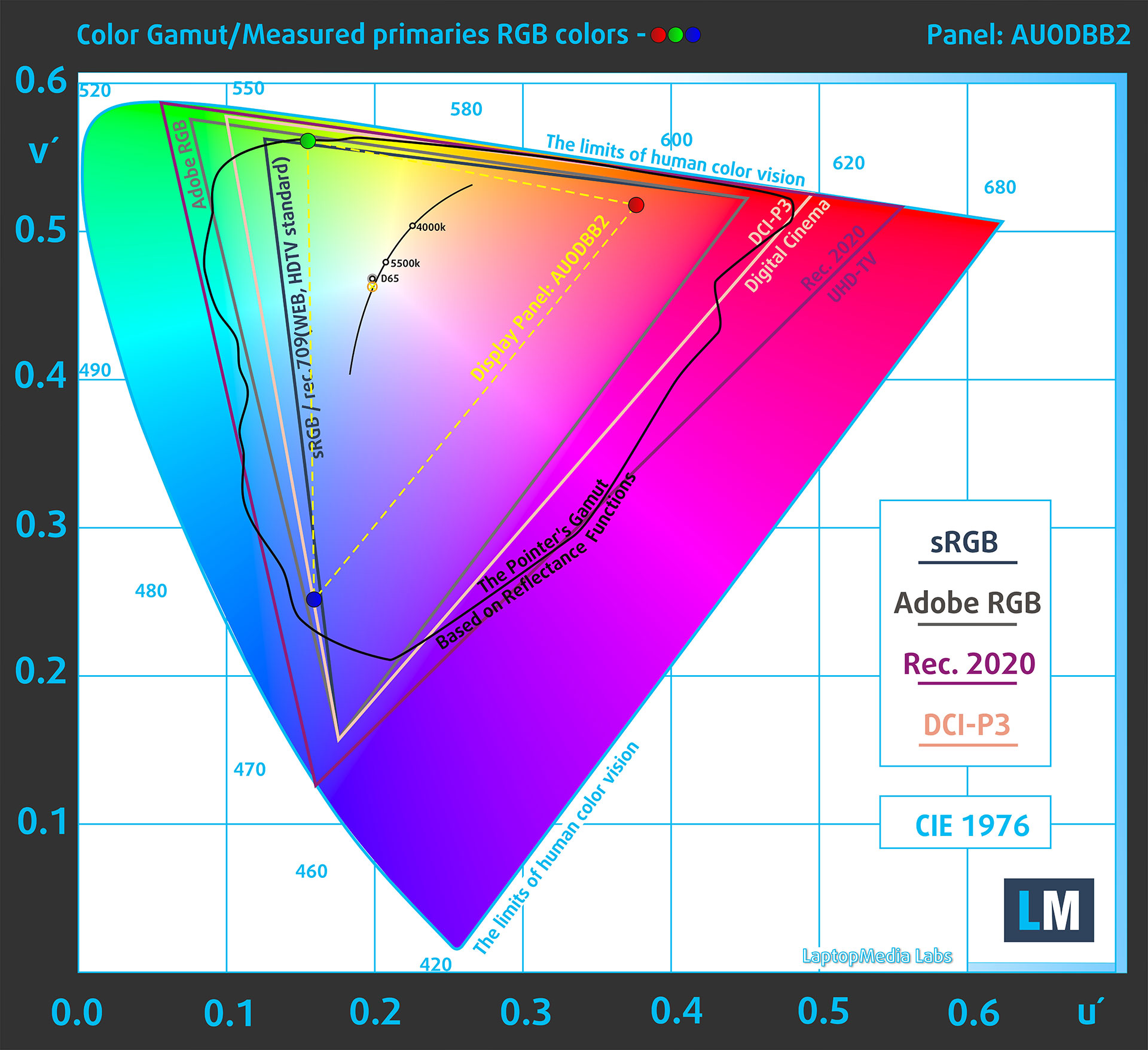
(Fig.1) HP OMEN 16 (16-ap0000) covers 53% of the sRGB gamut
Brightness and Contrast
The maximum brightness in SDR mode is 320 cd/m² in the center of the screen and 306 cd/m² averaged across the surface with a maximum deviation of 10%.
The Correlated Color Temperature (CCT) on a white screen at maximum brightness is 6770K.
The contrast ratio is 1420:1.

Uniformity: Luminance, Contrast, and Color Deviation
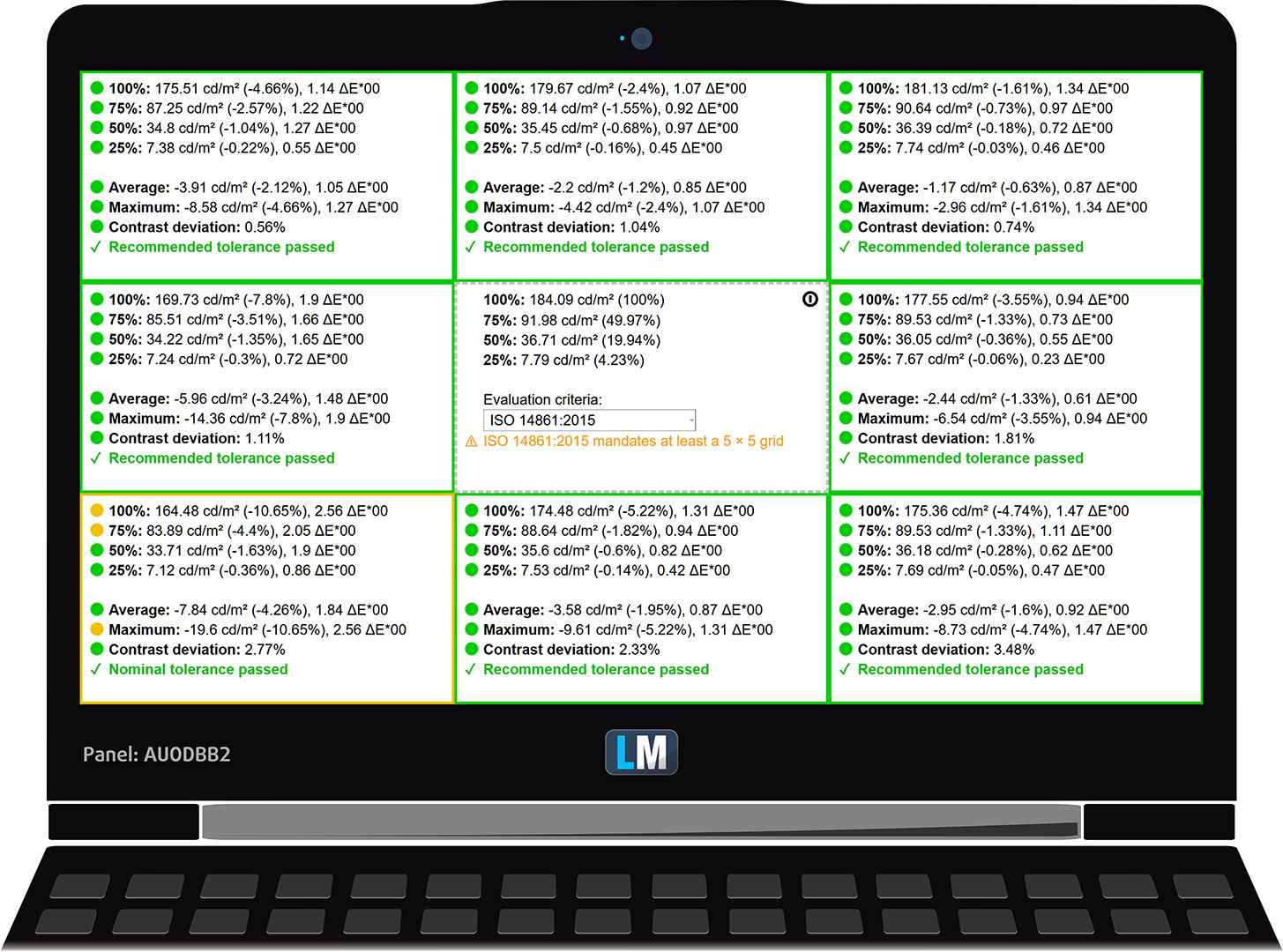
The figure below shows the results from our uniformity test across different sections of the screen. It’s measured at 184 nits (Windows slider = 82%) – a brightness level we consider typical for standard working conditions.
DeltaE values below 4.0 are acceptable for regular users. For those working with colors, screens with DeltaE values no higher than 2.0 are recommended.
Color Accuracy
Let’s check the difference between real colors and those you’ll see on the HP OMEN 16 (16-ap0000). We measure that distance in DeltaE – the higher the number, the more different they look.
Values below 4.0 are acceptable for regular users, while values below 2.0 are suitable for color-sensitive work. A value below 1.0 means the difference is indistinguishable to the naked eye.
For the next graph, we’ve selected 24 common colors, including dark/light skin, blue sky, green grass, etc.
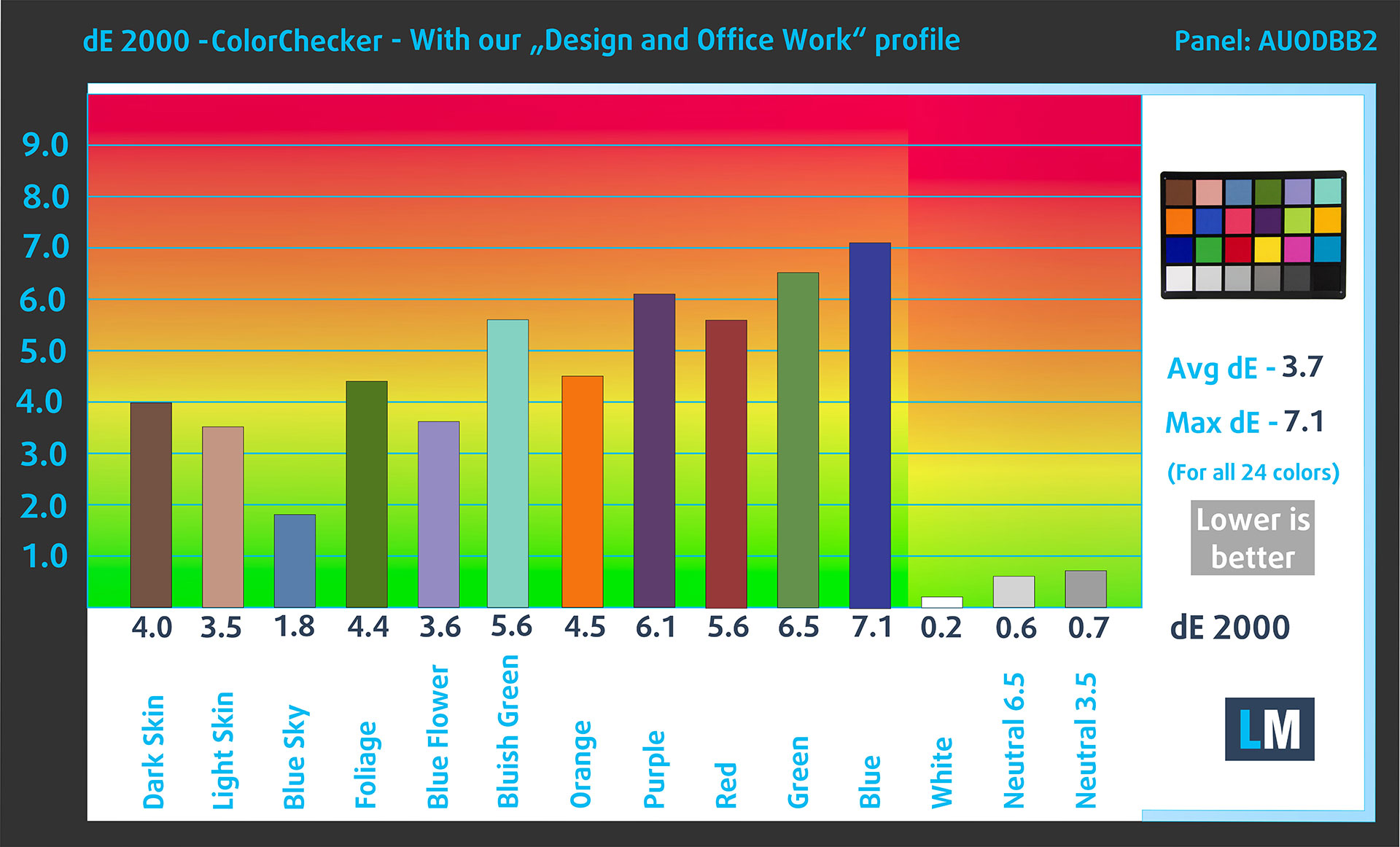
Before our calibration of the HP OMEN 16 (16-ap0000), the Average color accuracy was 4.2 dE (Fig. 2), and with our Design and Gaming profile, it lowered to 3.7 dE (Fig. 3).
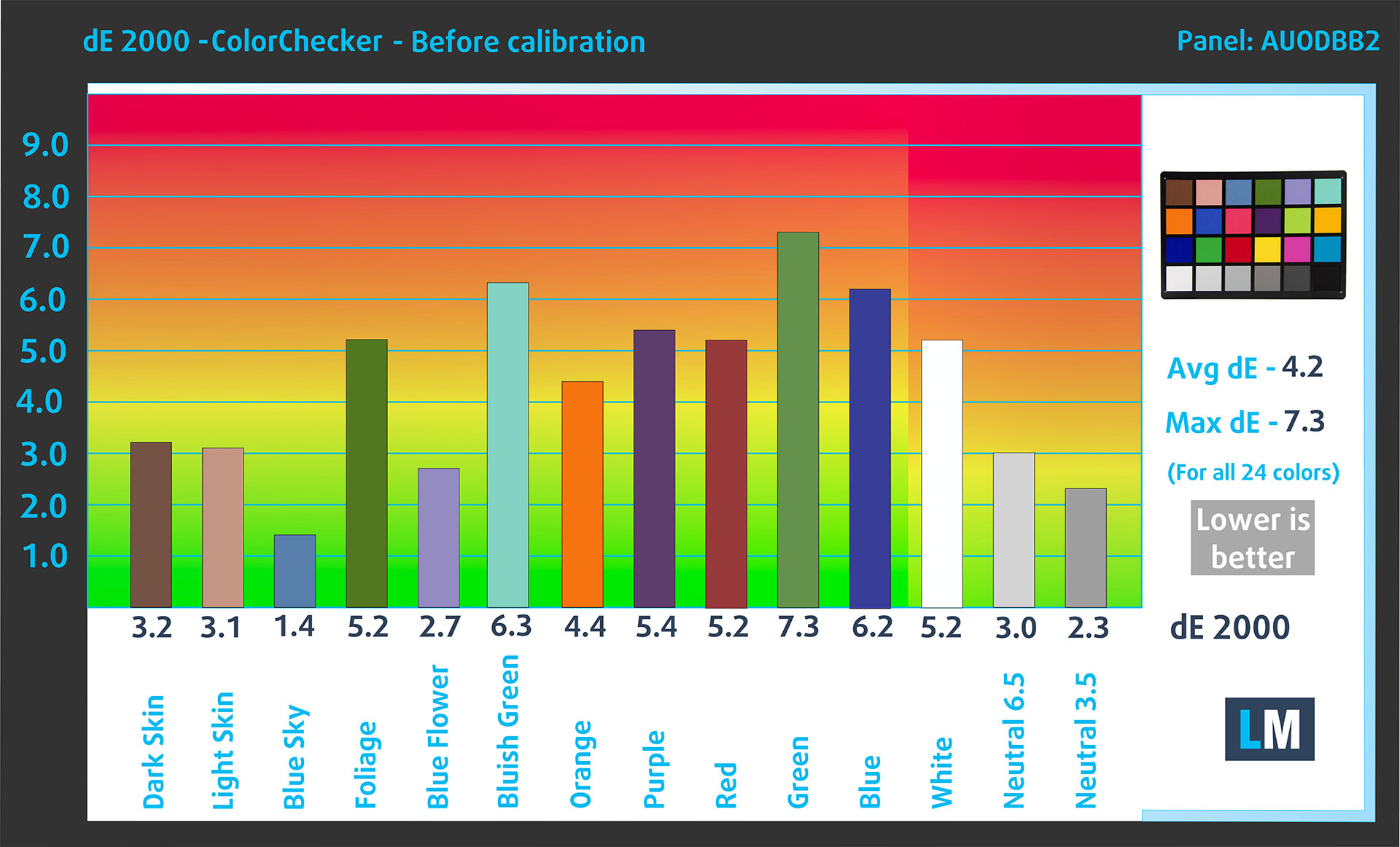
(Fig. 2) HP OMEN 16 (16-ap0000) in its factory condition
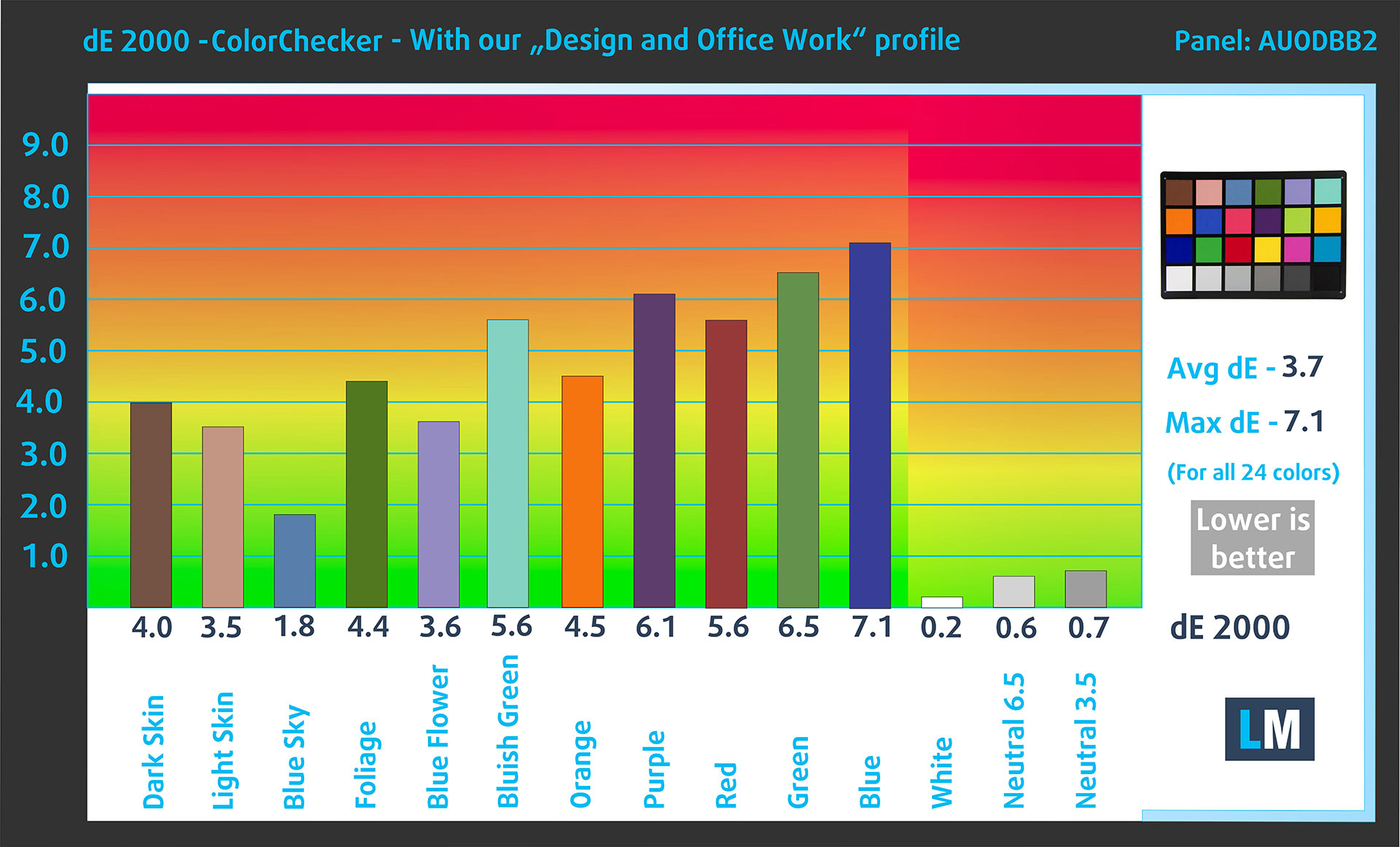
(Fig. 3) HP OMEN 16 (16-ap0000) with our display profile
Comparison in the sRGB color space.
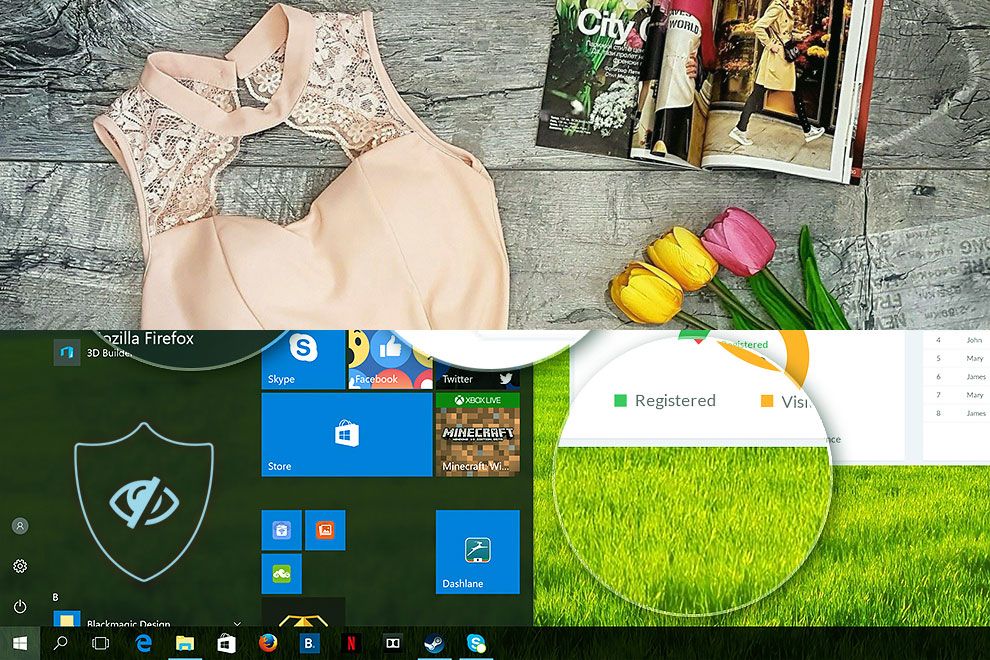
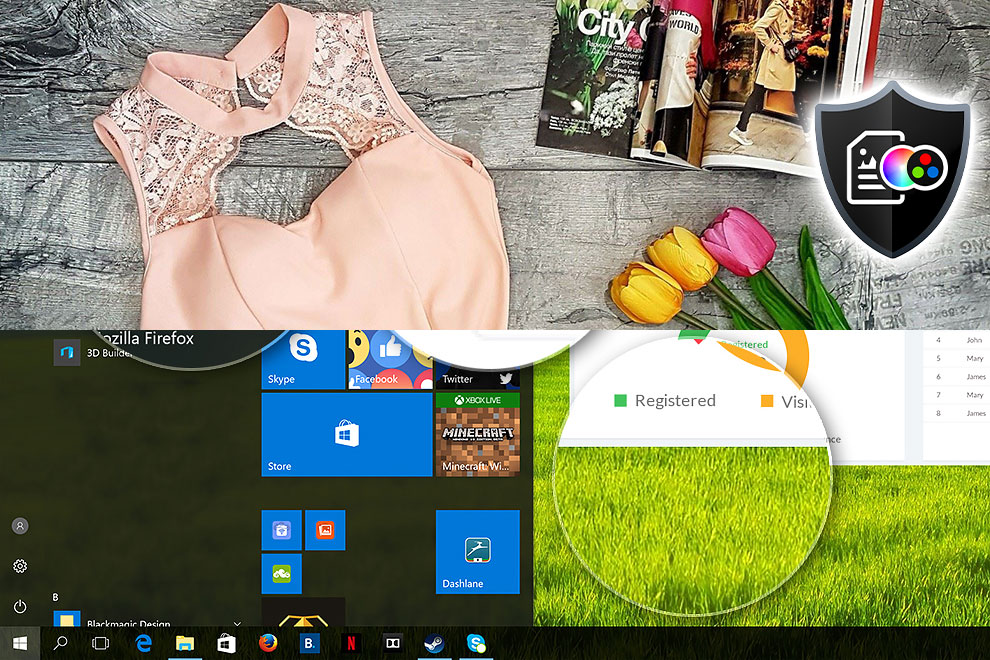
Here’s an illustration of what the Design and Office profile aims to deliver:
Left: No Profile | Drag the slider to see the difference | Right: Design & Office Profile
Visibility in dark scenes
Have you ever watched a movie with dark scenes where you could barely see anything? This often happens because many display panels struggle to differentiate the darkest nuances, making them appear the same.
The next figure illustrates how well the display reproduces these dark nuances. The left side of the image shows the display with stock settings, and the right side shows it with our Gaming and movies profile activated.
On the horizontal axis are the grayscale levels, and on the vertical axis – the corresponding display brightness.
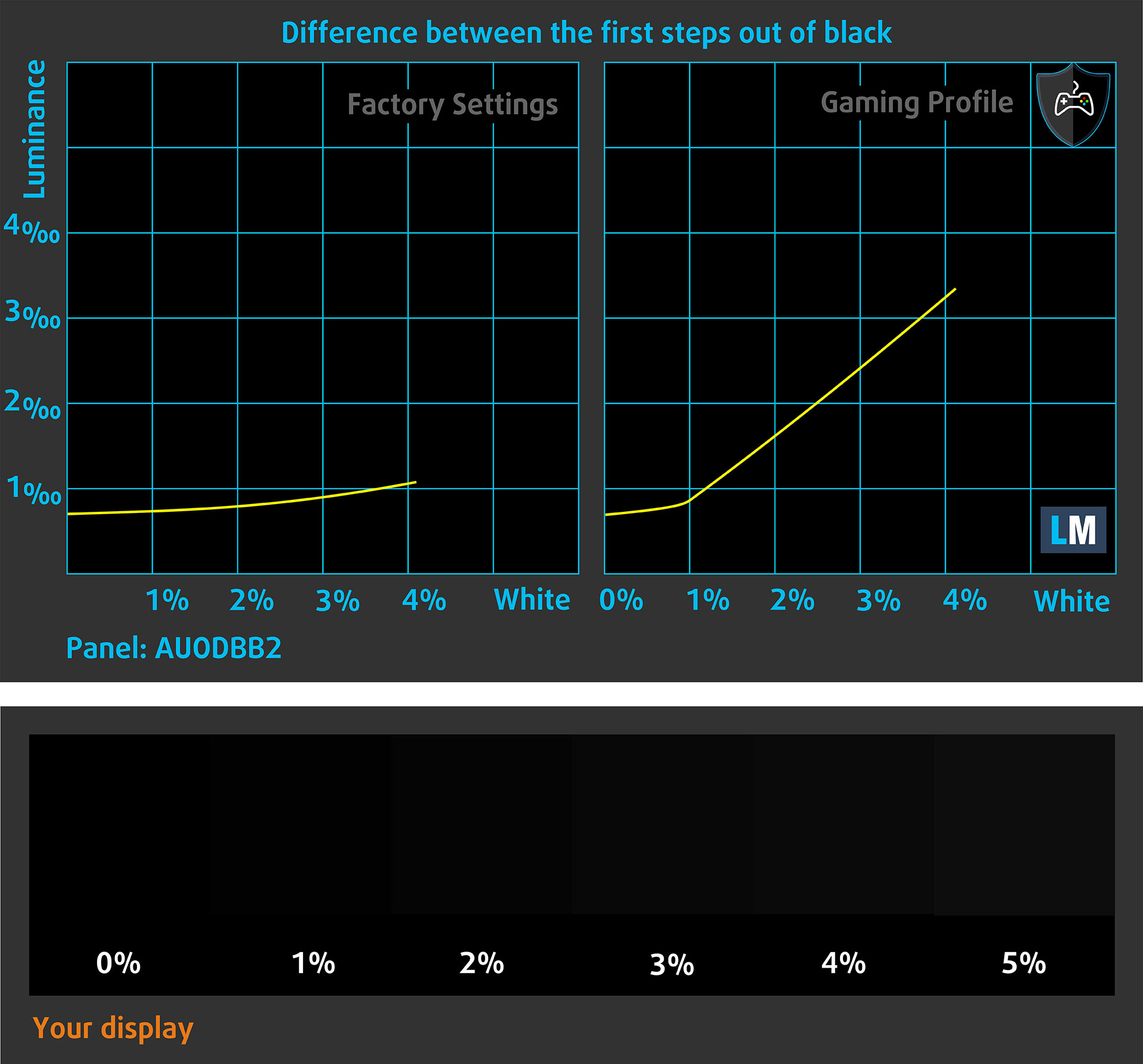
You can also check how your display handles the darkest nuances but keep in mind that this also depends on the settings of your current display and the surrounding light conditions.
Response time (Gaming capabilities)
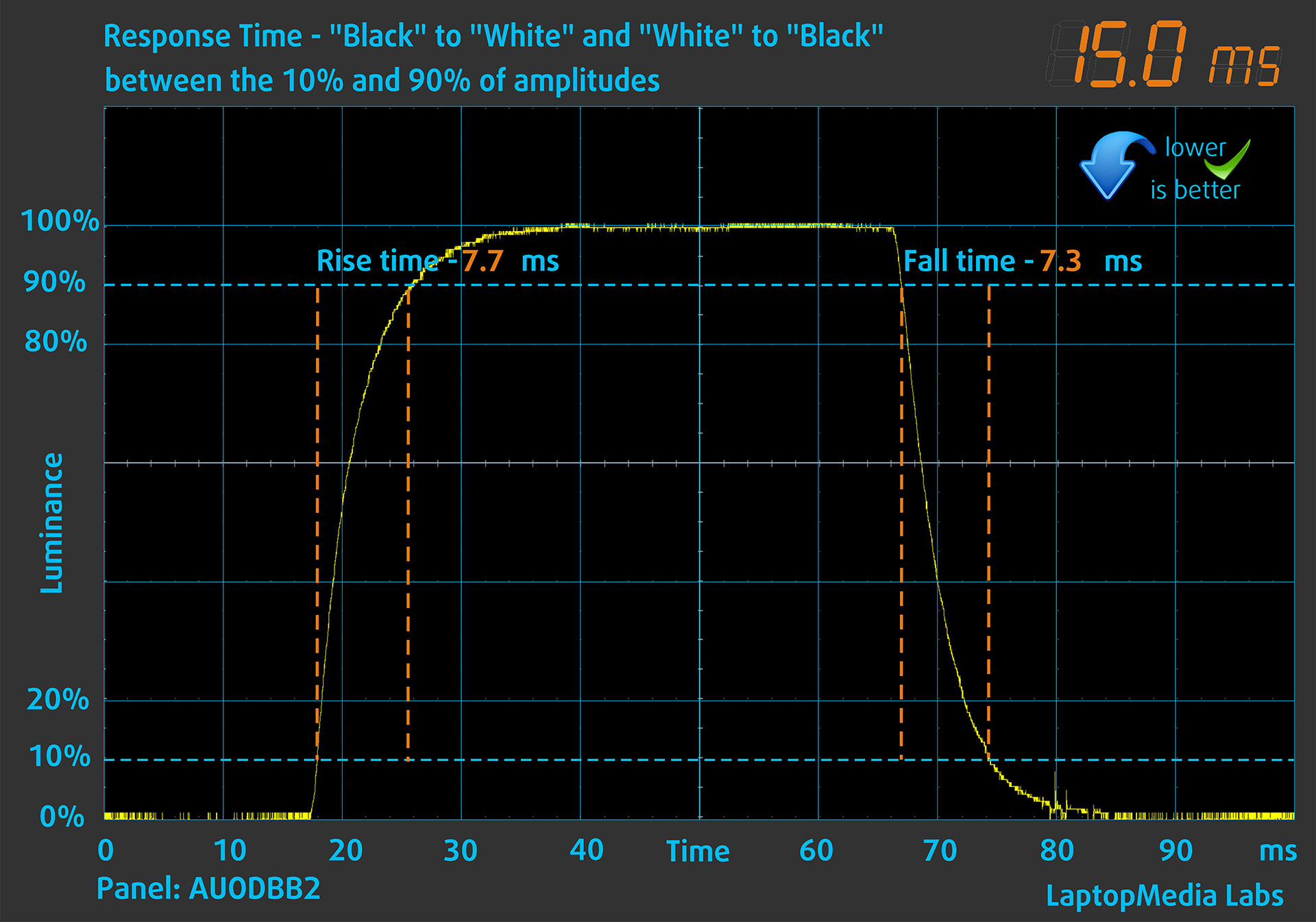
We test the reaction time of the pixels with the usual “black-to-white” and “white-to-black” method from 10% to 90% and vice versa.
We recorded Fall Time + Rise Time = 15.0 ms.
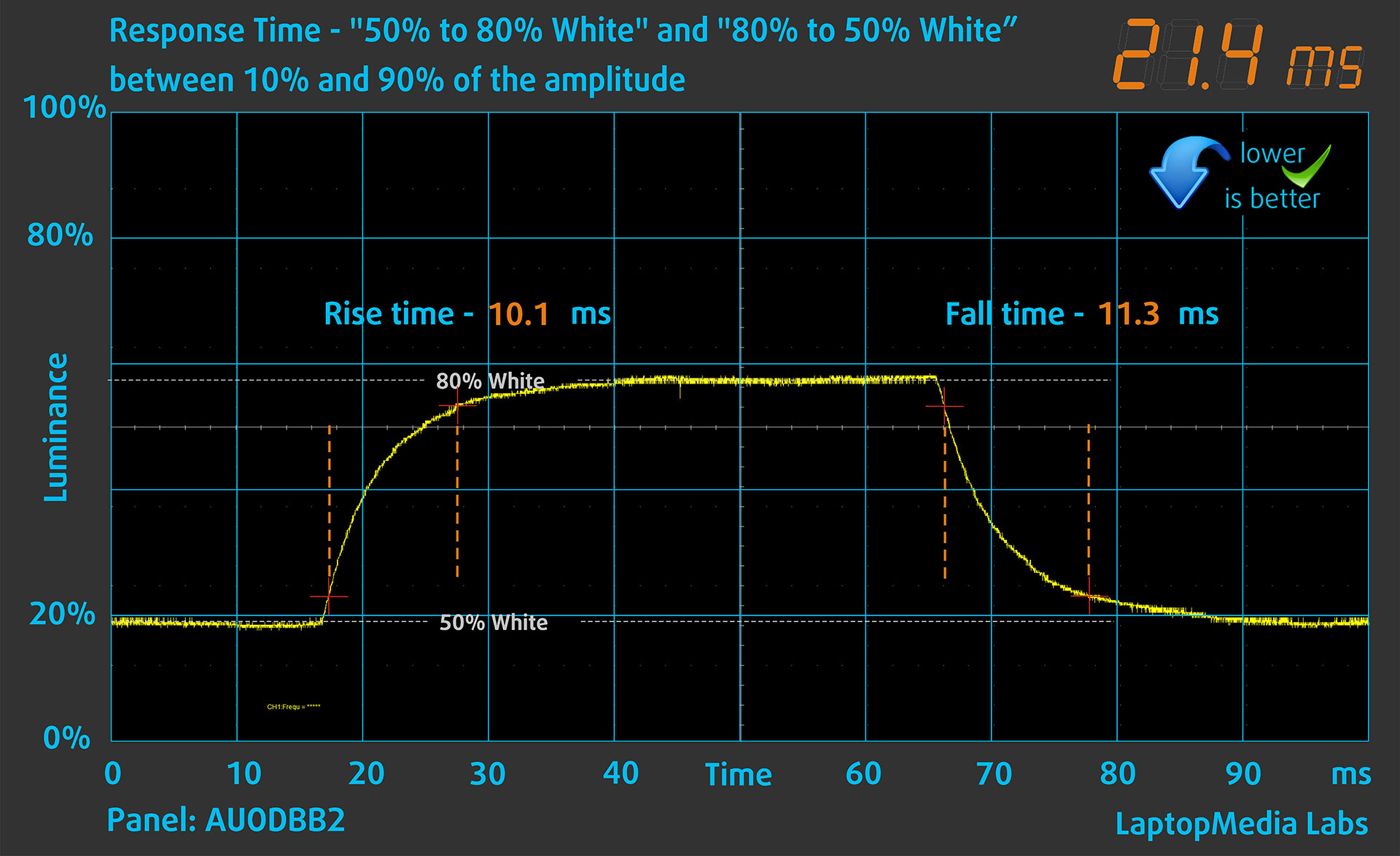
After that, we test the reaction time of the pixels with the usual “Gray-to-Gray” method from 50% White to 80% White and vice versa between 10% and 90% of the amplitude.
Health Impact: PWM (Screen flickering)
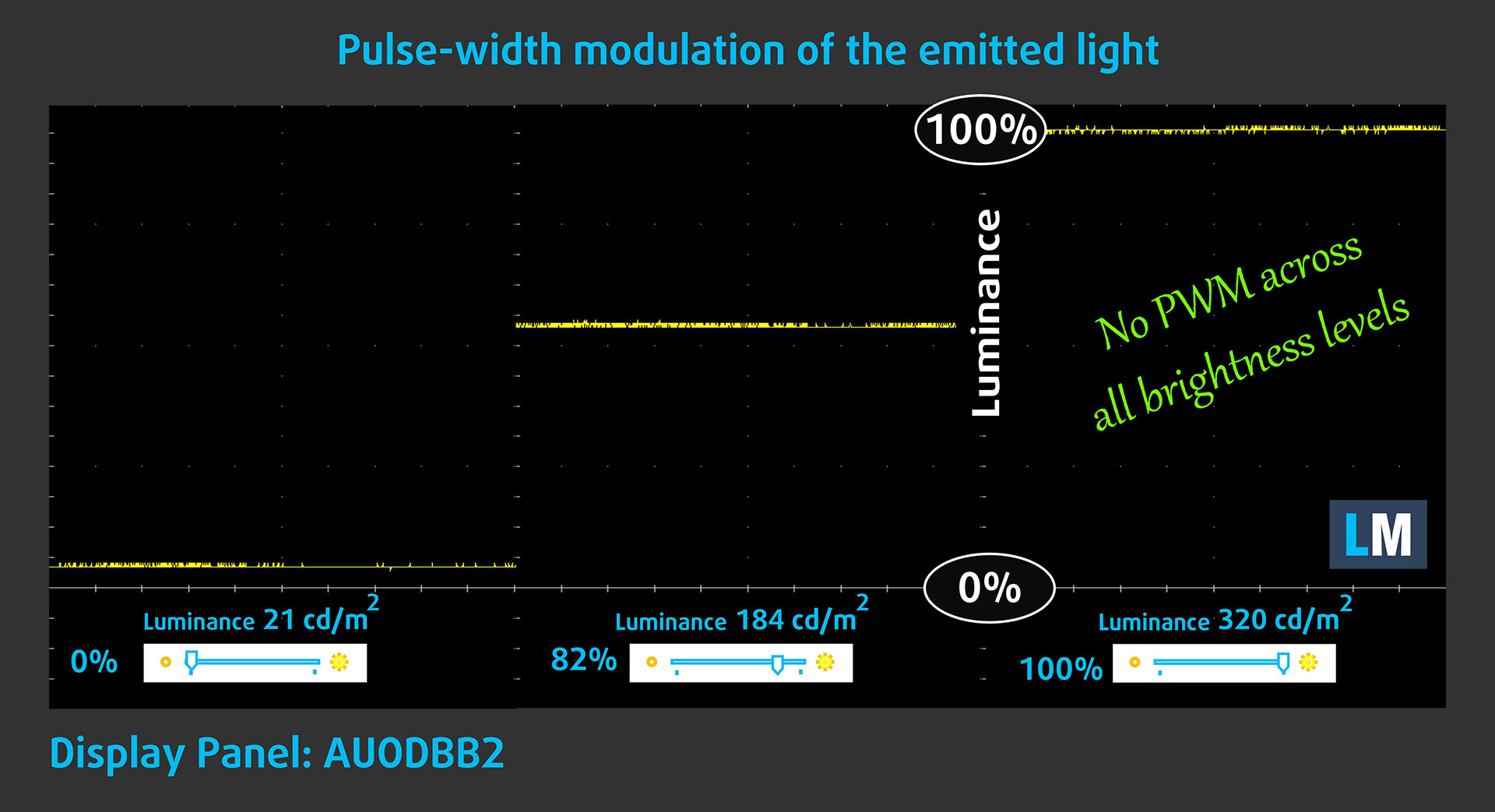
Some use PWM to regulate their brightness, which means that instead of reducing the light intensity, they pulse or flicker. Our brain merges the image, so it appears darker, but this strains both it and our vision, especially when the frequency of the pulses is low. You can read more about that in our dedicated article on PWM.
In the graph below, you see the intensity of light at different brightness levels—on the vertical axis is the brightness of the emitted light, and on the horizontal axis—time.
The light from the backlight of the HP OMEN 16 (16-ap0000) display is not pulse-width modulated, providing visual comfort in the discussed aspect.
Health Impact: Blue light emissions
Installing our Health-Guard profile reduces harmful Blue Light emissions while keeping the colors of the screen perceptually accurate.
If you’re not familiar with the Blue light, the TL;DR version is – emissions that negatively affect your eyes, skin, and your whole body. You can find more information about that in our dedicated article on Blue Light.
Health Impact: Screen Reflectance
Glossy-coated displays can cause eye fatigue in high ambient light conditions due to reflections. We measure the level of screen reflection with the display turned off, at a 60° angle.
The reflectance of the HP OMEN 16 (16-ap0000)’s screen is 51.6 GU. This is a very good result!
High Gloss: >70 GU
Medium Gloss: 30 – 70 GU
Low Gloss: <30 GU
Get our profiles
Since our profiles are tailored for each individual display model, this article and its respective profile package are meant for HP OMEN 16 (16-ap0000) configurations with AUODBB2, 1920 x 1200, IPS panel.
*Should you have problems with downloading the purchased file, try using a different browser to open the link you’ll receive via e-mail. If the download target is a .php file instead of an archive, change the file extension to .zip or contact us at [email protected].
Read more about the profiles HERE.
In addition to receiving efficient and health-friendly profiles, by buying LaptopMedia's products you also support the development of our labs, where we test devices in order to produce the most objective reviews possible.

Design and Office
The Design and Office profile makes display colors as close to real as possible.Ideal not only for professionals but also for everyday users, it meets sRGB standards (D65 white point, sRGB gamma) with minimal DeltaE for precise color reproduction on your panel.

Gaming and Movies
Have you ever watched a movie where, during dark scenes, you can barely see anything? Many displays fail to distinguish dark tones properly. Our Gaming and Movies profile enhances low-light performance, like HDR tech, using a gamma curve tailored to human perception — ideal for gamers seeking faster reactions and clearer visuals.

Health-Guard
Our Health-Guard profile protects your eyes by eliminating PWM flickering, reducing strain and fatigue, and minimizing harmful Blue light exposure that can disrupt sleep and health. It uses software dimming and a gamma curve tailored to human perception for comfort and safety during screen use.
Get All The Profiles With 33% Discount!

Sound
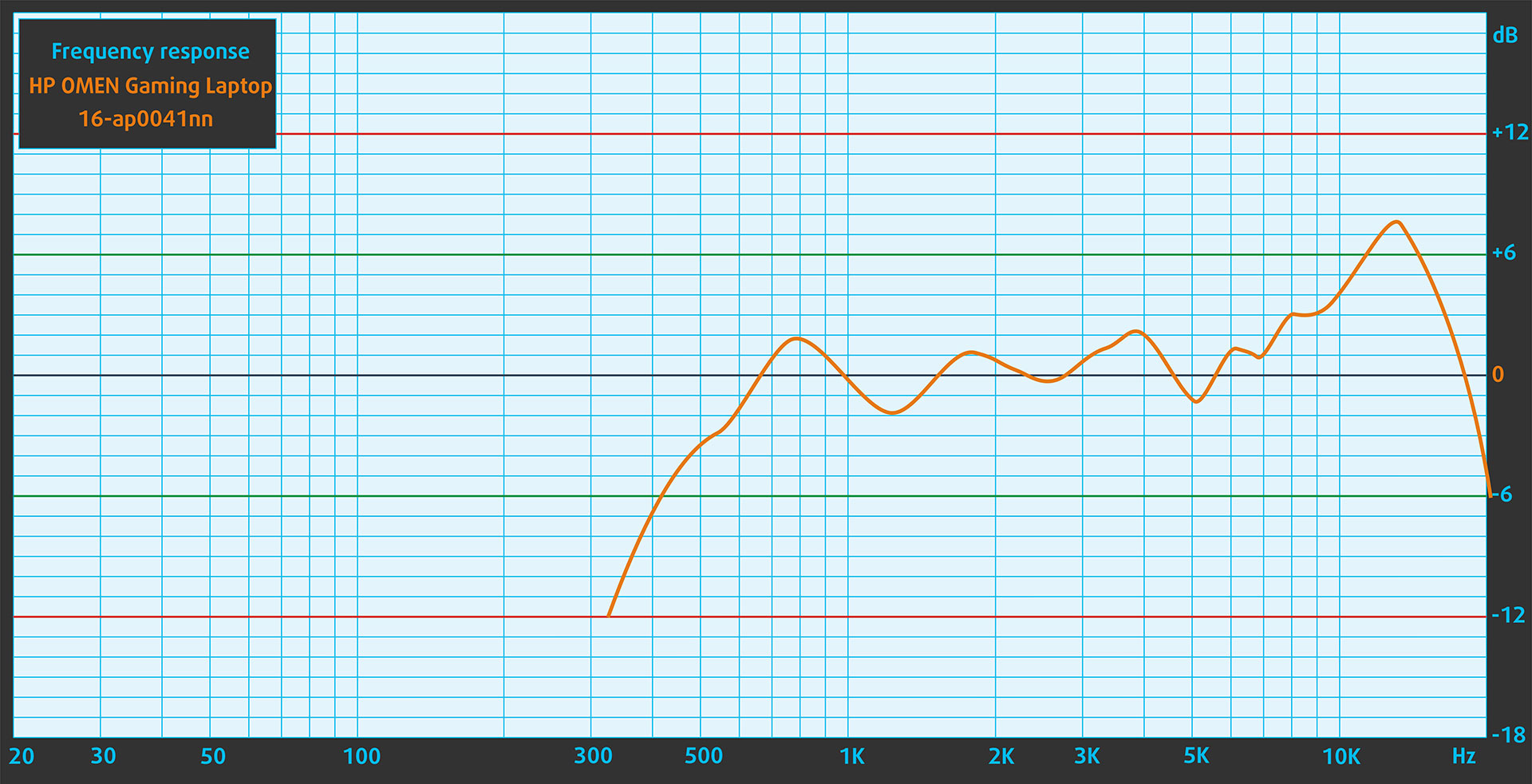
When we subjectively listen to a sound file through the built-in speakers (2x2W speakers), the sound quality offered by the HP OMEN 16 (16-ap0000) is very good. The low, mid, and high frequencies are clear.
Work Performance: CPU, Storage, AI
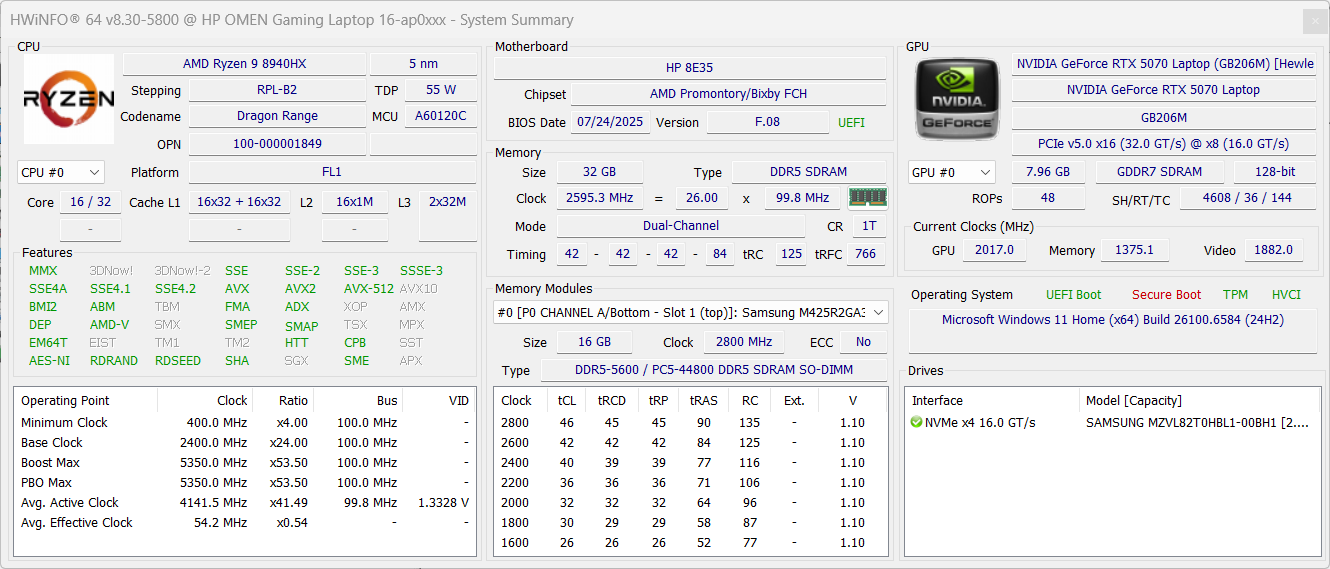
All performance and temperature tests are conducted with “Unleashed” preset activated in OMEN Gaming Hub, and dGPU mode:
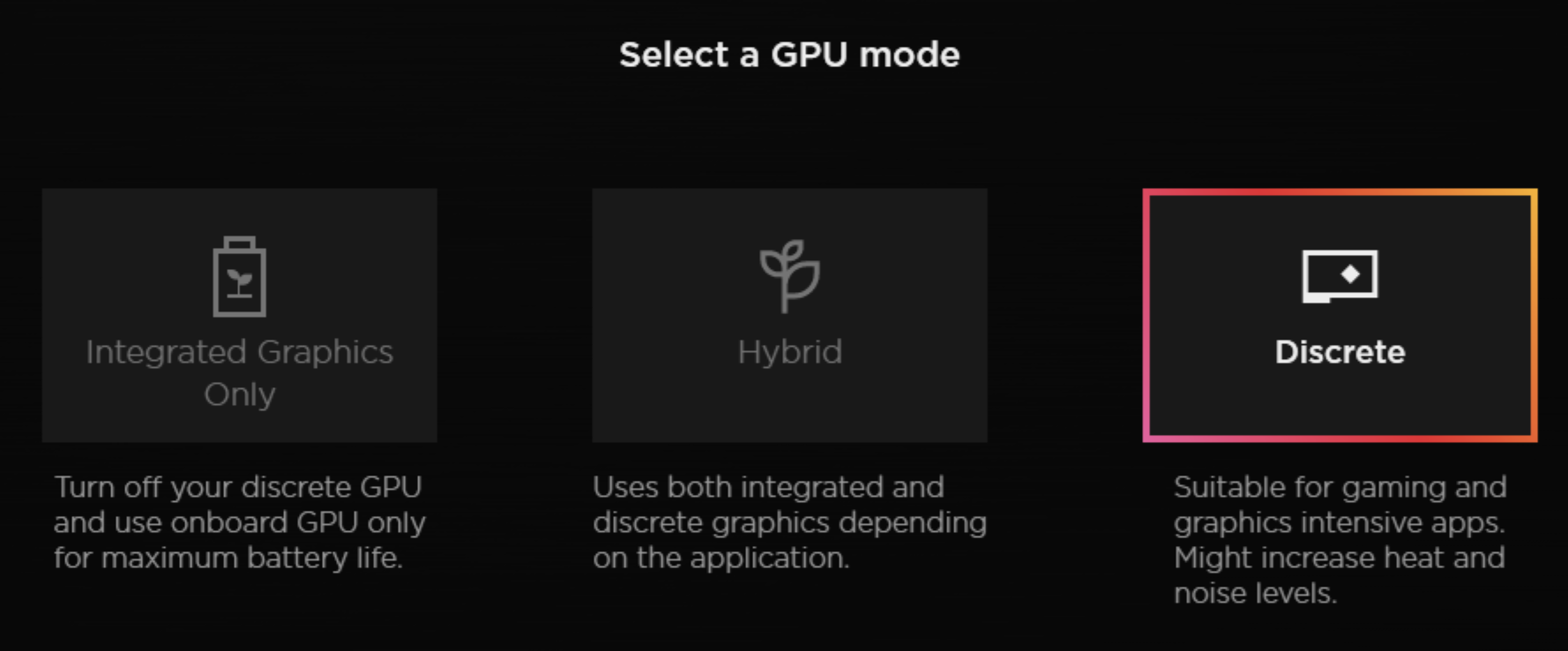
CPU and Work Performance
The HP OMEN 16 (16-ap0000) offers a wide selection of processors from AMD’s latest Ryzen AI lineup as well as a more traditional high-performance HX-series option. Configurations include the Ryzen AI 5 340, AI 7 350, and AI 9 365 – ranked #89, #59, and #36 respectively in our Top Laptop CPU Ranking.
For users seeking even more raw performance, the Ryzen 9 8940HX (#11) is also available, delivering strong multi-core capability suited for demanding workloads and gaming.
OMEN 16 lags behind the 18-inch Nitro, but the advantage for the bigger Acer is negligible. Overall, OMEN 16-ap0000 is a great performer, GPU-wise.
AMD Ryzen 9 8940HX is a bit slower than its competitors in single-core performance, but its much faster in the Cinebench 2024 3D rendering test, with the only exception being the high-end Intel Core Ultra 9 275HX.
Single-core performance ensures smooth operation and responsiveness in operating systems, providing a better user experience.
Results are from the Geekbench 6 Single-Core test (higher is better)
Multi-core performance is essential for handling complex and demanding tasks, such as Video editing, CAD, and Scientific simulations.
Results are from the Geekbench 6 Multi-Core test (higher is better)
Here, we evaluate the CPU's performance using a real-world 3D rendering task, assessing its ability to handle complex computations and rendering workloads efficiently.
Results are from the Cinebench 2024 Multi-Core test (higher is better)
Storage Performance
The HP OMEN 16 (16-ap0000) has 1x 2230 M.2 slot, and 1x 2280 M.2 slot for storage. Both support PCIe Gen 4.0 x4 NVMe drives.
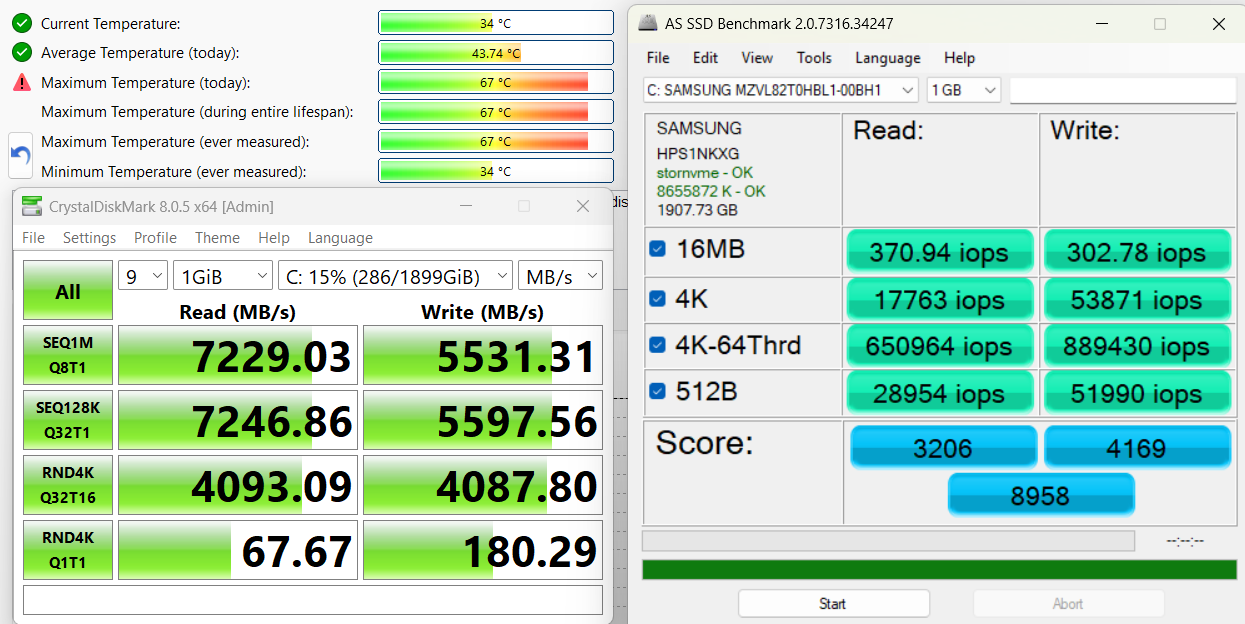
We ordered a 2TB configuration, and it arrived with Samsung MZVL82T0HBL1-00BH1 PCIe 4.0 NVMe SSD, reaching 7.2GB/sec sequential read, and 5.5GB/sec sequential write speeds.
AI Performance
Here you can see the position of the GPUs and CPUs (NPUs) found within the HP OMEN 16 (16-ap0000, 2025) in our AI Hardware Performance Rankings based on their AI processing power, measured in TOPS (Tera Operations Per Second) - a critical metric indicating the computational throughput, particularly for AI tasks.
The first column shows peak performance for INT8/FP8 precision, which is the most widespread metric for evaluating AI inference capabilities. We exclude Sparsity to provide a more accurate reflection of AI performance in dense computation scenarios where sparsity optimizations may not be applicable. The second and third columns show the performance with Sparsity, and FP4 TFLOPS, when supported.
For SoCs, the results reflect the peak performance of the integrated NPU. Additionally, it’s important to note that, according to Microsoft, a NPU must have at least 40 TOPS of AI computing power for the PC to be considered “AI-capable.”
| # | GPU / CPU (NPU) | TOPS INT8/FP8 No Sparsity | TOPS INT8/FP8 Sparsity | TFLOPS FP4 Sparsity |
|---|---|---|---|---|
| 849. | NVIDIA GeForce RTX 5070 (Laptop, 8GB GDDR7) | 173 | 346 | 692 |
| 1015. | NVIDIA GeForce RTX 5060 (Laptop) | 133 | 266 | 532 |
| 1282. | NVIDIA GeForce RTX 4050 (Laptop) | 97 | 194 | — |
| 1553. | AMD Ryzen AI 9 365 | 50 | — | — |
| 1561. | AMD Ryzen AI 5 340 | 50 | — | — |
| 1567. | AMD Ryzen AI 7 350 | 50 | — | — |
GPU and Gaming Performance
Graphics options range from the entry-level GeForce RTX 2050 (Laptop) (#202) to the higher-end RTX 4050 and RTX 5060 (Laptop) (#29), with the RTX 5070 (Laptop) (#19) providing the best overall performance among the configurations. Each GPU supports modern gaming features like ray tracing and DLSS, giving users flexibility between efficiency-oriented and performance-focused setups.
You can explore how these GPUs compare in our Top Laptop Graphics Ranking.
The HP OMEN 16 performs great with its RTX 5070, slightly behind the Acer Nitro 18 AI (AN18-61).
The results are from 3DMark Time Spy (Graphics). Higher is better.
The results are from 3DMark Wild Life Extreme Unlimited. Higher is better.
HP OMEN 16 (16-ap0000, 2025) GPU variants
Here you can see an approximate comparison between the GPUs that can be found in the HP OMEN 16 (16-ap0000, 2025) models on the market. This way you can decide for yourself which HP OMEN 16 (16-ap0000, 2025) model is the best bang for your buck.
Note: The chart shows the cheapest different GPU configurations so you should check what the other specifications of these laptops are by clicking on the laptop’s name / GPU.
The results are from 3DMark Time Spy (Graphics). Higher is better.
Results are from the 3DMark: Wild Life (Graphics) benchmark (higher the score, the better)
Gaming tests

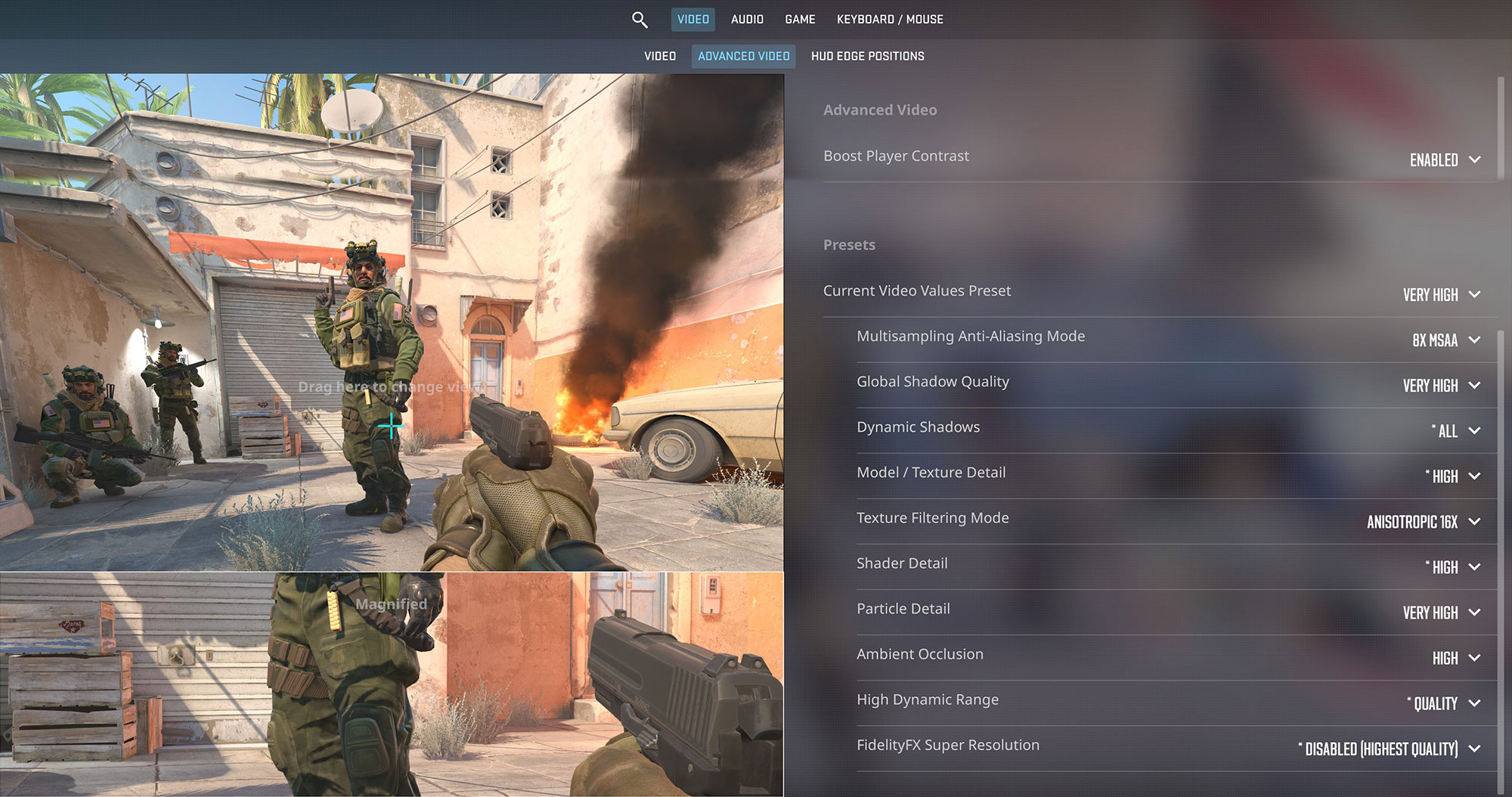
The HP OMEN 16, equipped with the RTX 5070, is a serious esports contender. In Counter-Strike 2, it delivers a phenomenal 305 FPS at 1200p on Very High settings, easily taking full advantage of the 144Hz display for a super-smooth competitive experience.
| Counter Strike 2 | 1200p, Very High (Check settings) |
| Average FPS | 305 FPS |

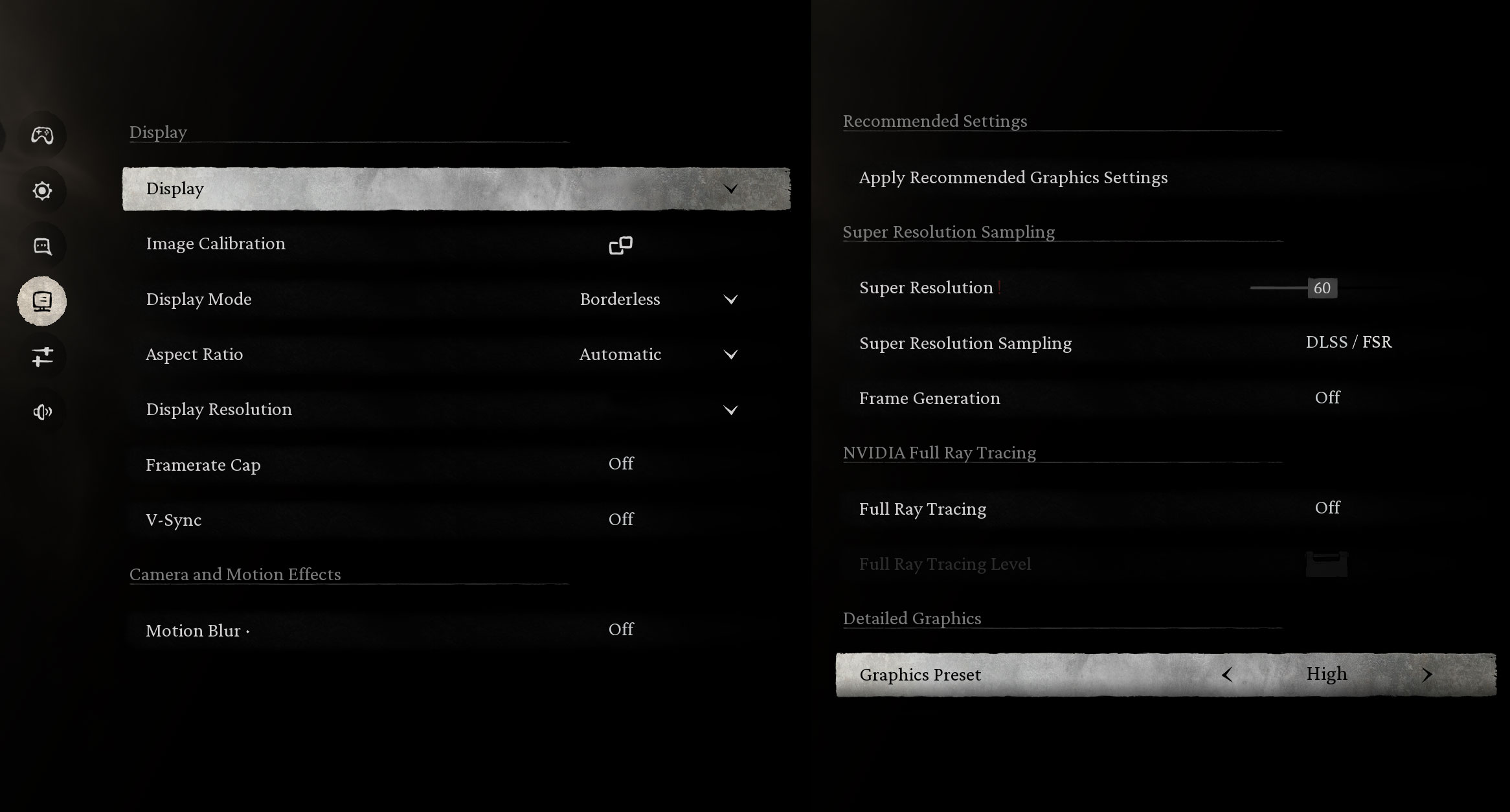
For the visually stunning Black Myth: Wukong, the laptop provides a very smooth 87 FPS at 1200p on High settings. This offers an excellent balance of visual quality and high frame rates for an immersive single-player experience.
| Black Myth: Wukong | 1200p, High (Check settings) |
| Average FPS | 87 FPS |

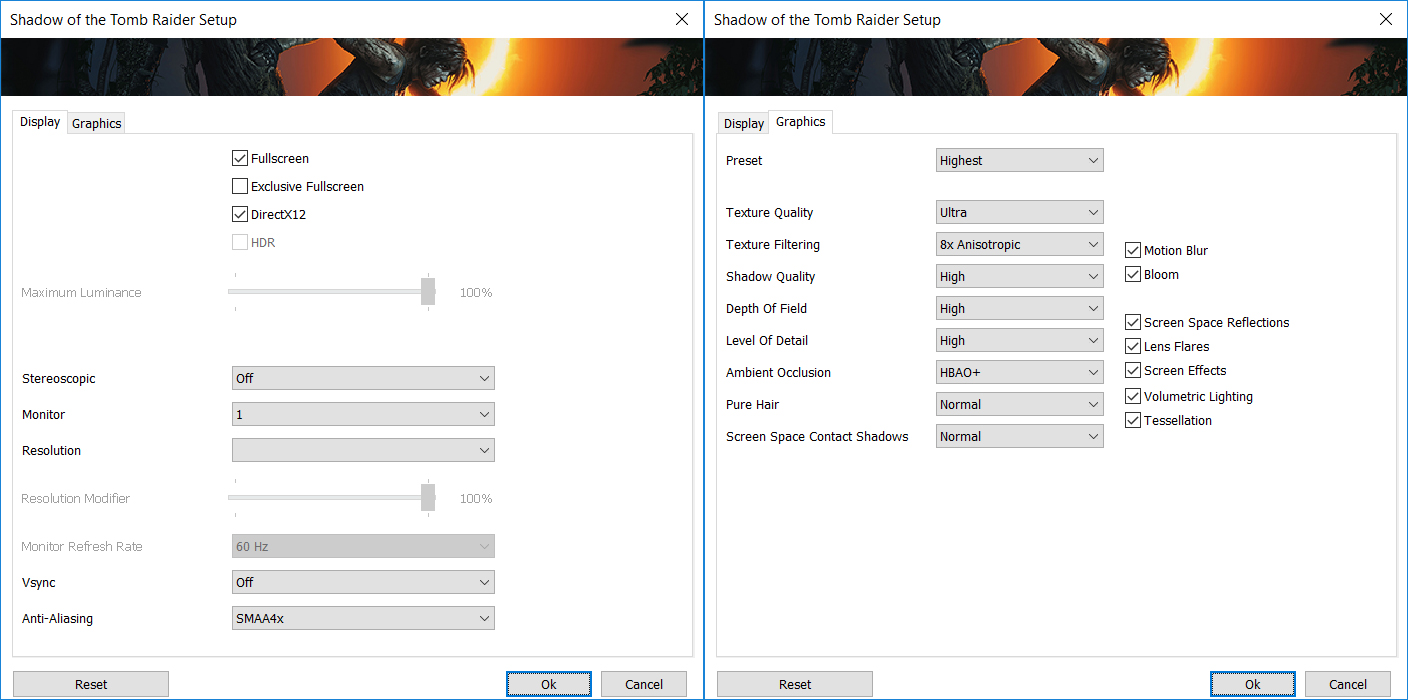
The RTX 5070 in the OMEN 16 makes light work of Shadow of the Tomb Raider. It achieves a fantastic 130 FPS at 1200p on the Highest settings, ensuring a fluid and beautiful adventure.
| Shadow of the Tomb Raider | 1200p, Highest (Check settings) |
| Average FPS | 130 FPS |

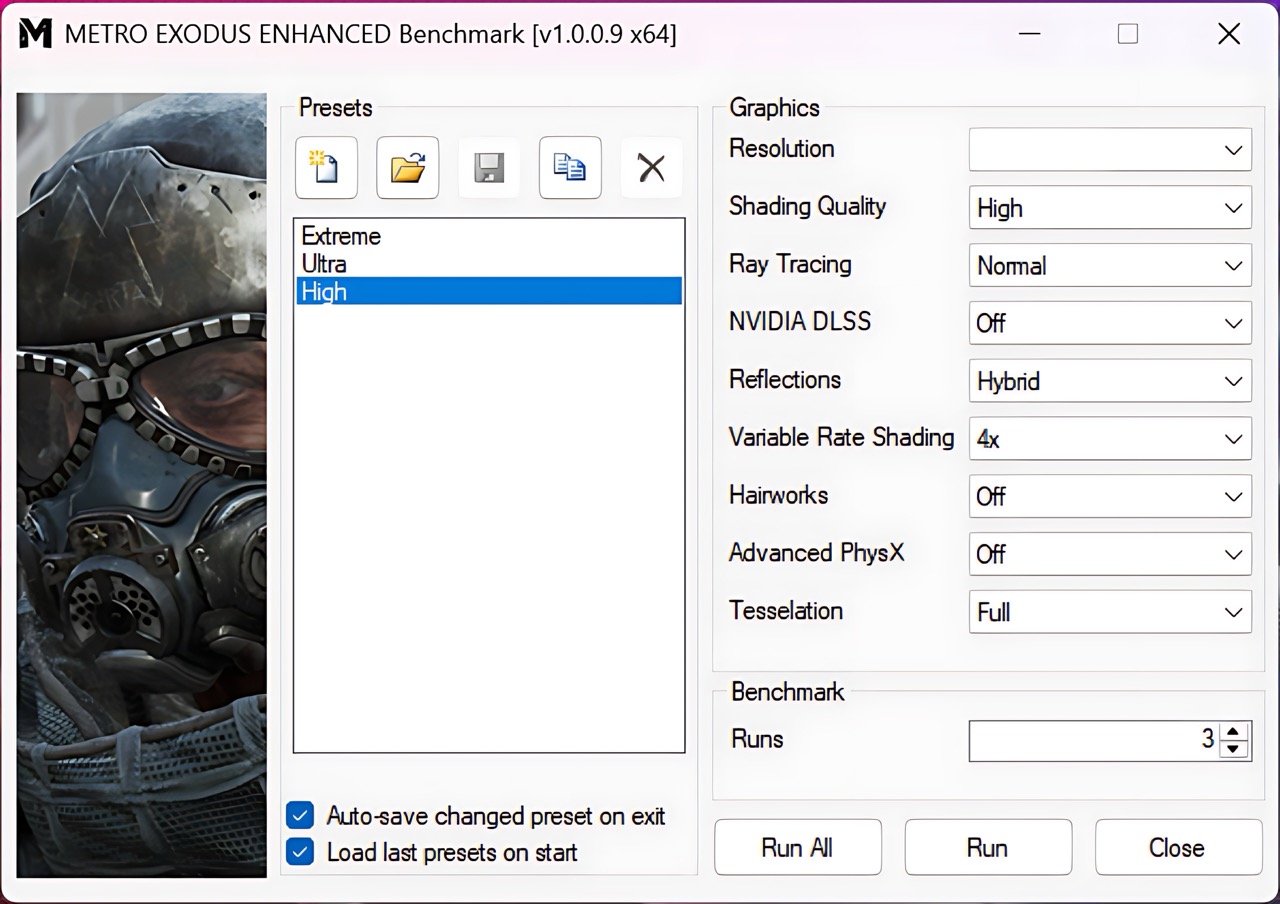
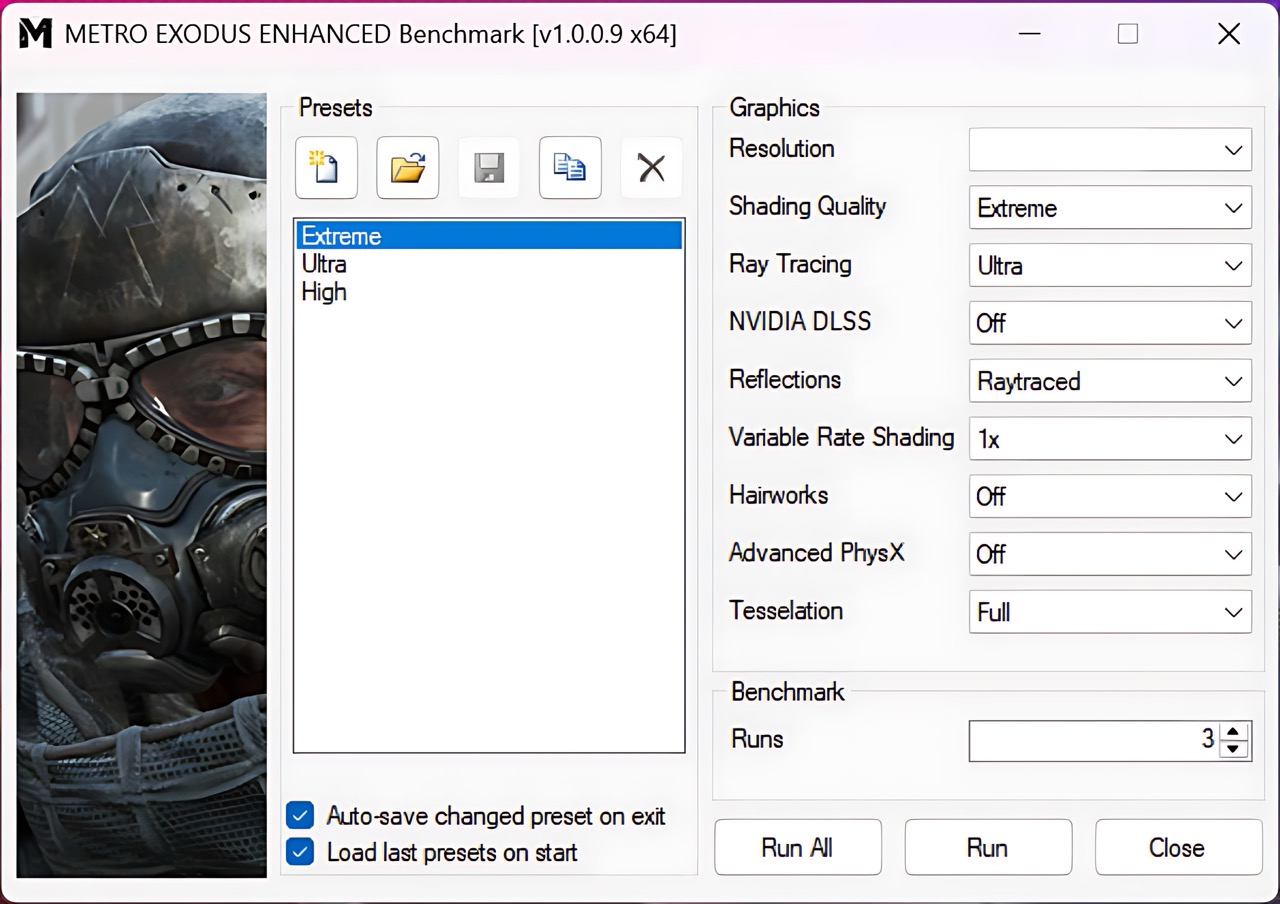
Even in the demanding, ray-tracing-focused Metro Exodus Enhanced Edition, this laptop holds its own. It pushes 109 FPS on High settings at 1200p, and a very playable 55 FPS on the grueling Extreme preset, showcasing its capability with modern titles.
| Metro Exodus Enhanced Edition | 1200p, High (Check settings) | 1200p, Extreme (Check settings) |
| Average FPS | 109 FPS | 55 FPS |
Temperatures and Comfort, Noise, Stability
At idle, the CPU package of the HP OMEN 16 (16-ap0000) maintains a temperature of 49ºC, and the notebook remains completely silent.
Office Work, Web Development, Design
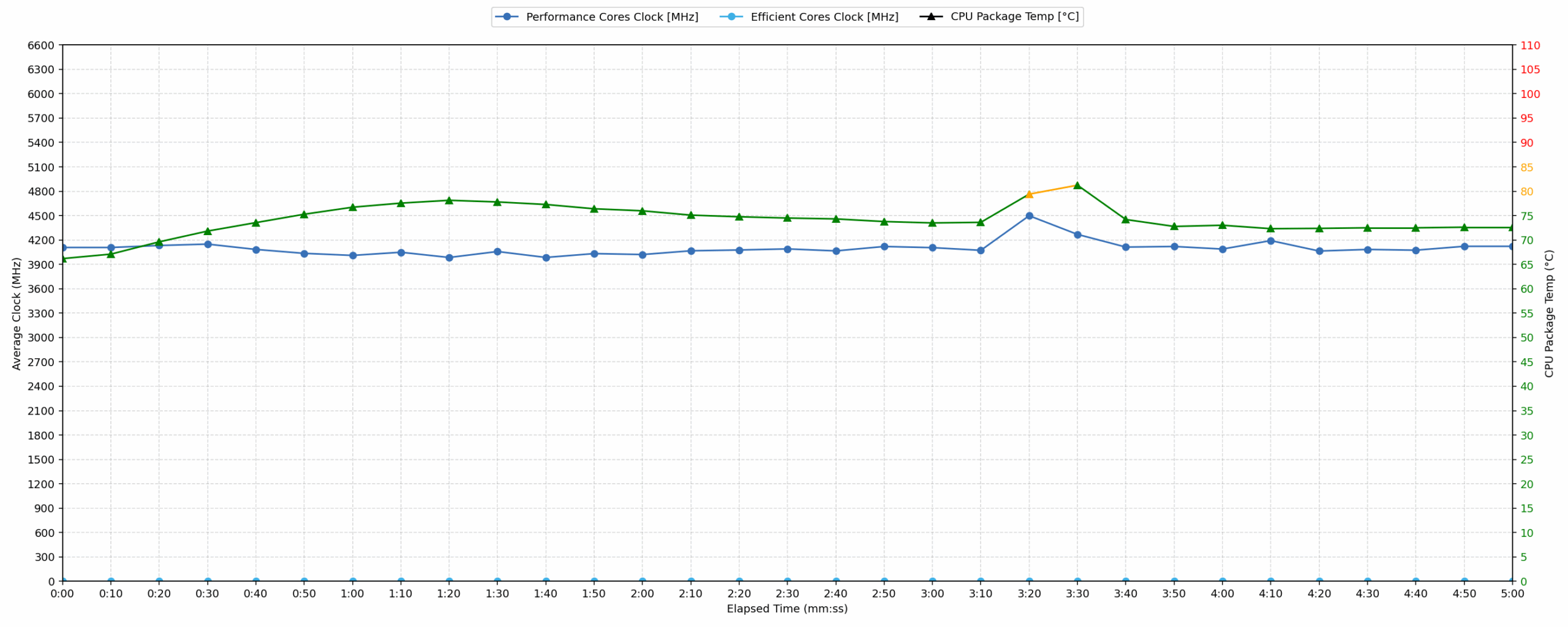
Short periods (0:00 – 0:10 s) of 100 % CPU load
This test shows the CPU behavior during short periods of serious load. It’s important for users who are looking for laptops suitable for tasks like Web Design and Programming.
| AMD Ryzen 9 8940HX | Avg. P-Core Clock | Avg. CPU Temp. | Avg. CPU Power |
| HP OMEN 16 (16-ap0000) | 4108 MHz | 66 °C | 81 W |
The HP OMEN 16 demonstrates strong initial performance under short, intense CPU loads. Within the first 10 seconds, the AMD Ryzen 9 8940HX maintains an average clock speed of 4108 MHz, with a peak clock reaching 4197 MHz in the initial 5 seconds. The average CPU temperature during this period is a very good 66 °C, indicating efficient cooling for burst tasks. Even at peak, the CPU temperature reached an acceptable 87 °C. The CPU consistently drew an average of 81 W, showcasing its ability to deliver sustained power during demanding brief operations, making it well-suited for quick compilations or heavy file processing.
Video editing, Scientific computing, Software compilation, 3D rendering
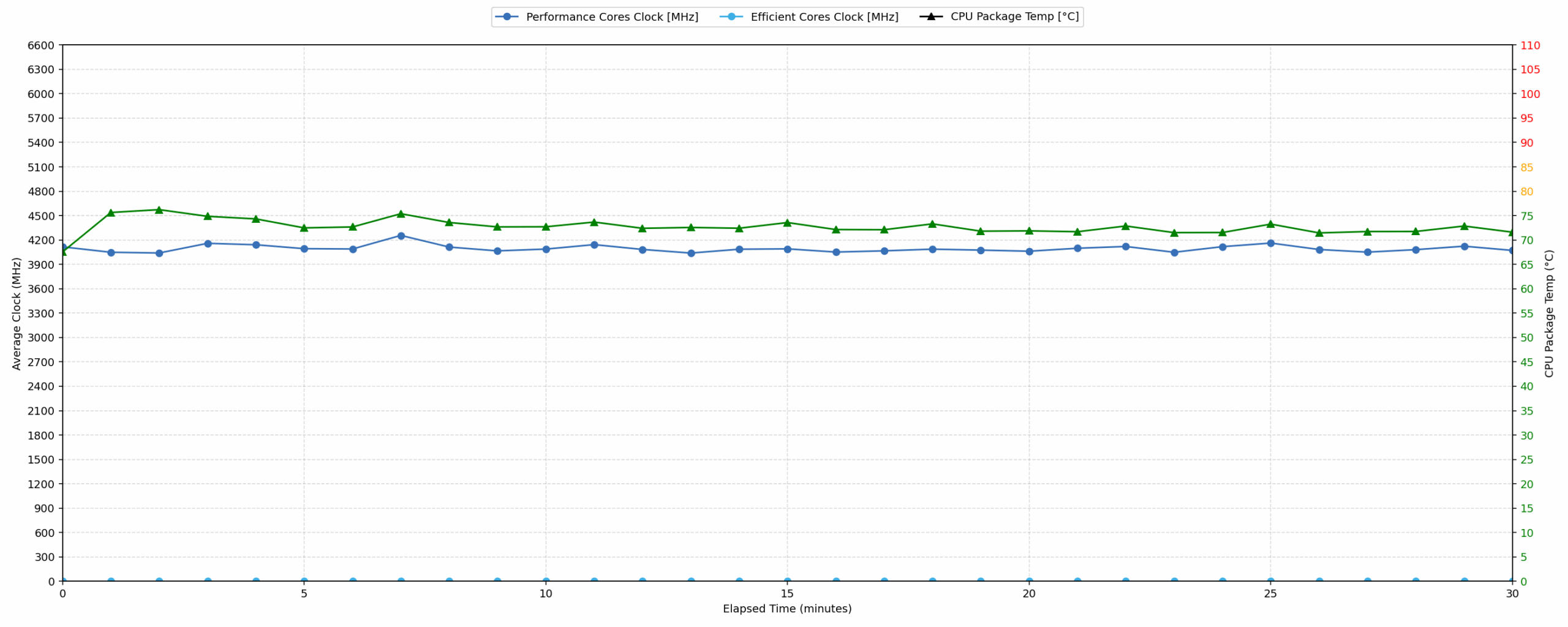
Long periods (0:00 – 30:00 min) of 100 % CPU load
This test shows the CPU behavior during long periods of serious load. It’s important for users who are looking for laptops suitable for tasks like Video Editing and 3D Rendering.
| AMD Ryzen 9 8940HX | Avg. P-Core Clock | Avg. CPU Temp. | Avg. CPU Power |
| HP OMEN 16 (16-ap0000) | 4095 MHz | 72 °C | 81 W |
For extended periods of 100% CPU utilization over 30 minutes, the HP OMEN 16 exhibits remarkable stability. The AMD Ryzen 9 8940HX maintains an average clock speed of 4095 MHz, showing a minimal decrease from its short-load performance. The average CPU temperature stabilizes at a good 72 °C, well within optimal operating ranges even under sustained stress. This consistent thermal management prevents throttling and ensures peak performance for tasks like video editing or scientific computing. The CPU continues to draw an average of 81 W, indicating the cooling solution effectively manages heat while delivering full power.
Gaming Stability
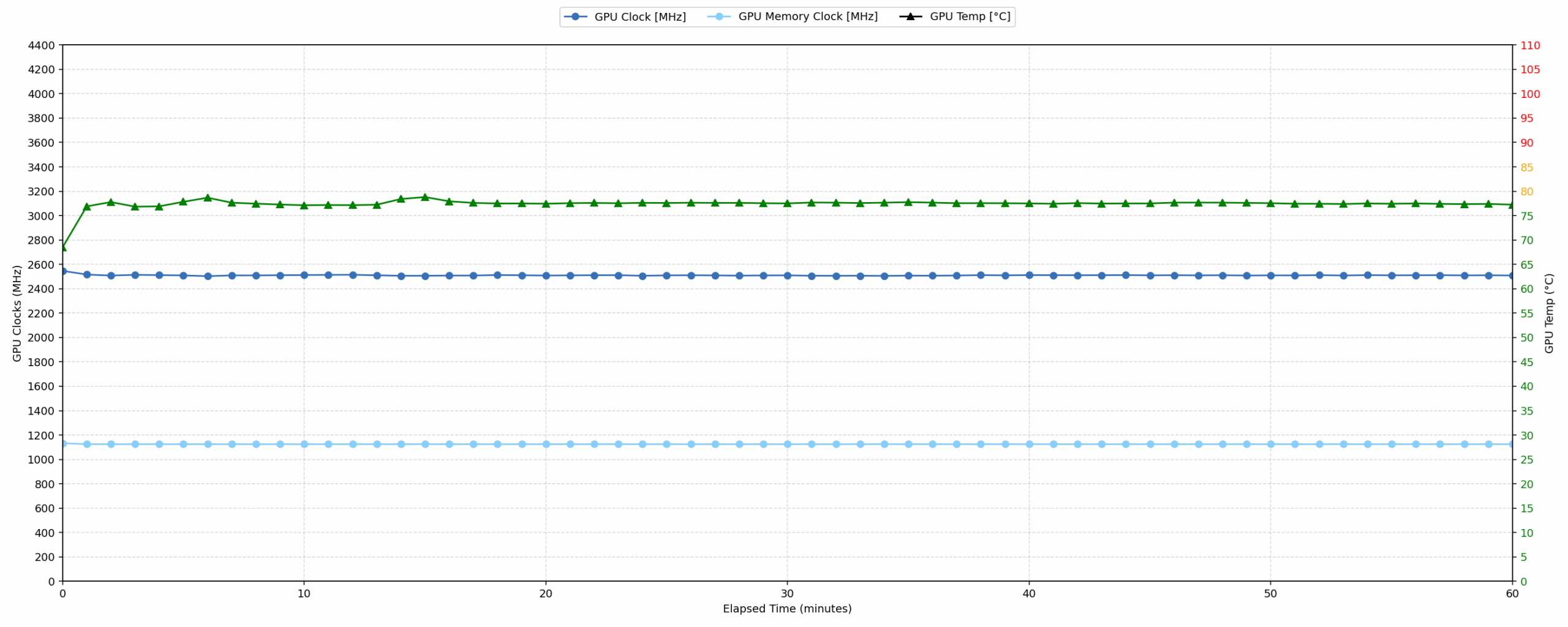
Continuous gaming (1-hour test)
This test evaluates the laptop’s performance under sustained GPU load and high CPU usage.
| NVIDIA GeForce RTX 5070 | Avg. GPU Clock | Avg. GPU Temp. | Avg. Memory Clock | Avg. GPU Mem Temp. | Avg. GPU Power |
| Acer Nitro 18 AI (AN18-61) | 2588 MHz | 79 °C | 1125 MHz | 75 °C | 113 W |
| ASUS ProArt P16 H7606 (2025) | 2553 MHz | 84 °C | 1125 MHz | 83 °C | 102 W |
| HP OMEN 16 (16-ap0000) | 2510 MHz | 77 °C | 1125 MHz | 69 °C | 113 W |
| Acer Nitro V 17 AI (ANV17-41) | 2489 MHz | 82 °C | 1093 MHz | 77 °C | 93 W |
| MSI Katana 17 HX B14W | 2452 MHz | 85 °C | 1125 MHz | 83 °C | 106 W |
| Lenovo Legion 7i (16”, Gen 10 / 16IAX10) | 2441 MHz | 83 °C | 1125 MHz | 75 °C | 104 W |
During continuous gaming over a 60-minute period, the HP OMEN 16 demonstrates strong stability with its NVIDIA GeForce RTX 5070. The GPU maintains an average clock speed of 2510 MHz, performing competitively among other RTX 5070 laptops, surpassing the Lenovo Legion 7i and Acer Nitro V 17 AI. Its average GPU core temperature of 77 °C and memory temperature of 69 °C are both excellent, well below critical thresholds and among the coolest in the comparison set. The peak core and memory temperatures of 80 °C and 72 °C respectively confirm robust thermal management, with the GPU consistently drawing 113 W for sustained performance.
Battery Life
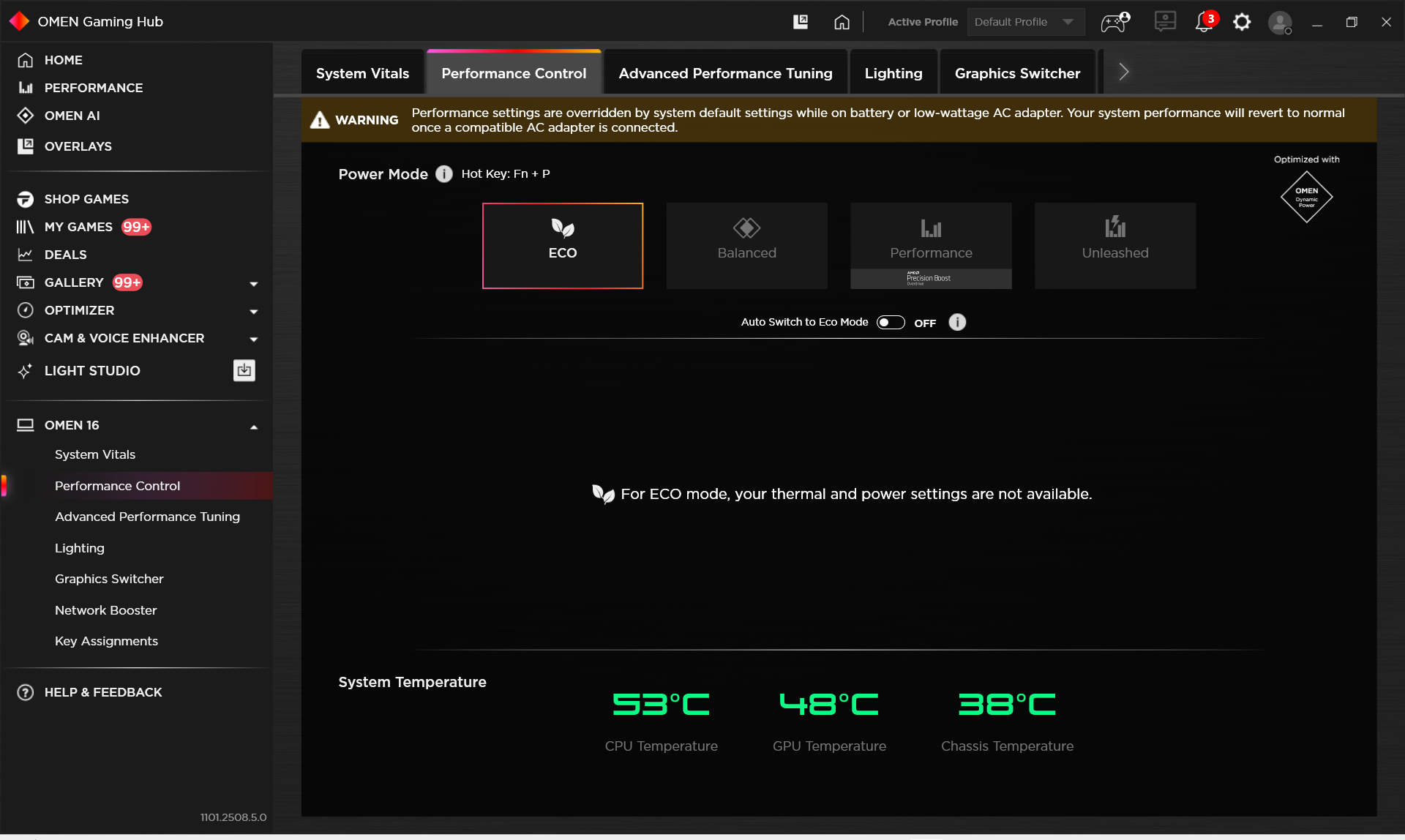
HP OMEN 16 has a 83Wh battery, and supports fast battery charging (50% charged in 30 minutes). We tested it with Eco mode activated in OMEN Gaming Hub.
4 hours and a half is not a great result but it’s kind of expected for an RTX 5070-powered gaming laptop. If you need long battery life in a gaming capable model, the ASUS ProArt P16 (H7606) is a great choice with its 11 hours of runtime on a single charge.
Brightness: 180 nits; Display Mode: SDR
Time to Full Discharge: Higher is Better
Disassembly, Upgrade options, and Maintenance
Opening the HP OMEN 16 (16-ap0000) is straightforward: six Phillips/JIS screws secure the bottom panel and most of them are captive, while a thin plastic pick releases the clips. Inside, the layout is clean with a dual-fan, multi-heat-pipe cooling array and foam seals guiding airflow across the fins. The CPU and discrete GPU sit under large black shrouds with separate VRM and memory plates.
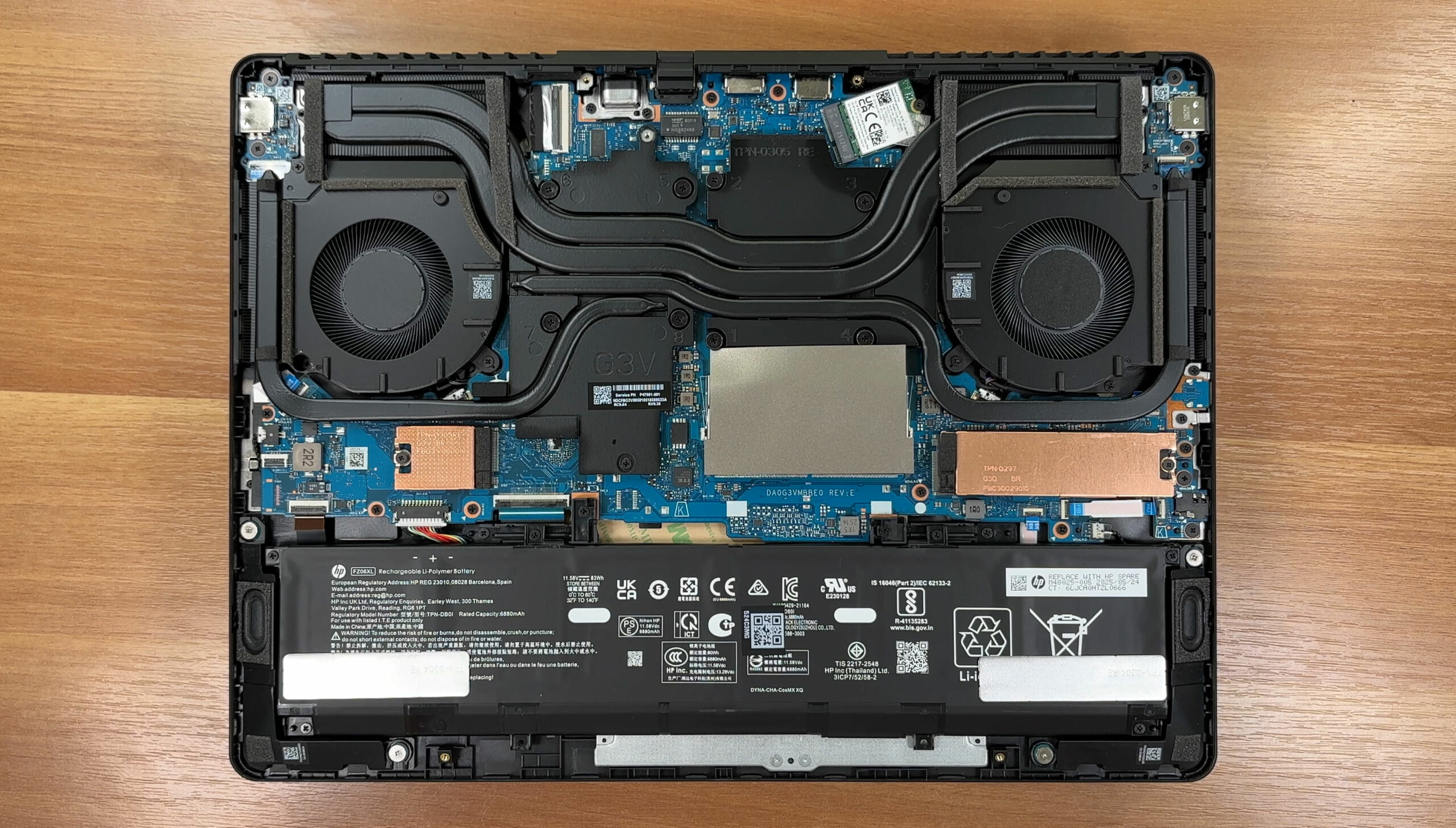
Storage is good for a 16-inch gaming chassis: two M.2 PCIe 4.0 x4 slots – one accept 2280 drives, the other is 2230-sized. Our review unit uses a Samsung PM9C1b 2TB in the primary slot, while the secondary bay is open and topped by a thermal pad and metal shield. Official configurations include 512GB, 1TB, and 2TB options, and certain AMD Ryzen AI versions can ship with two 512GB drives from the factory.
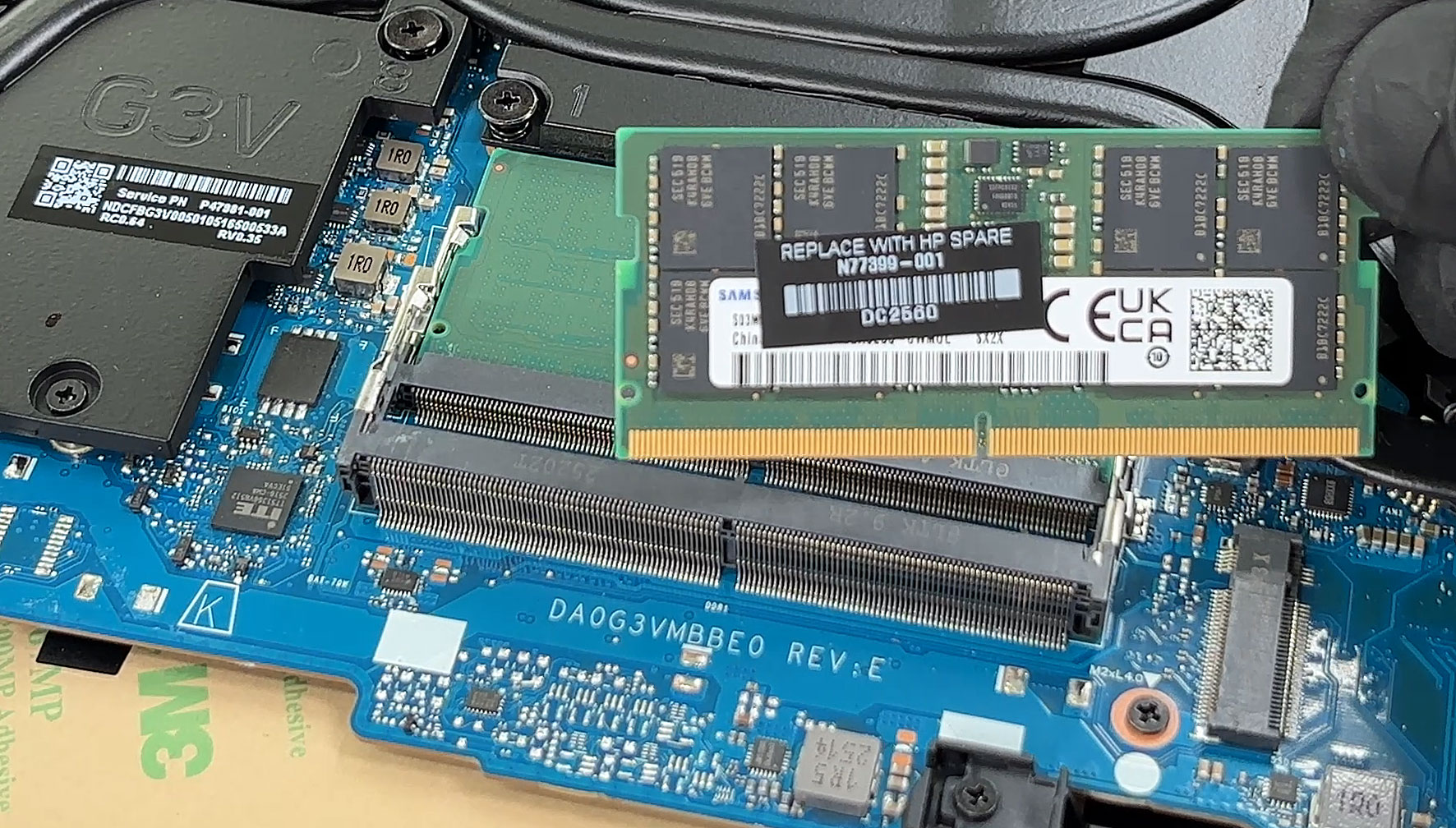
Memory is handled by two accessible SODIMM slots. HP officially supports up to 32GB and states dual-channel operation is available with AMD Ryzen AI processors. Our unit carries Samsung modules with HP spare labeling, and both slots are easy to reach once the shielding tape is peeled back.
The wireless card is an M.2 module and therefore replaceable; HP lists an Intel Killer Wi-Fi 7 BE1750x with Bluetooth 5.4 among the official options. There is also a small I/O daughterboard at the rear corner that hosts a USB-C port and connects via ribbon cable, which makes port-level repairs simpler than full motherboard work.
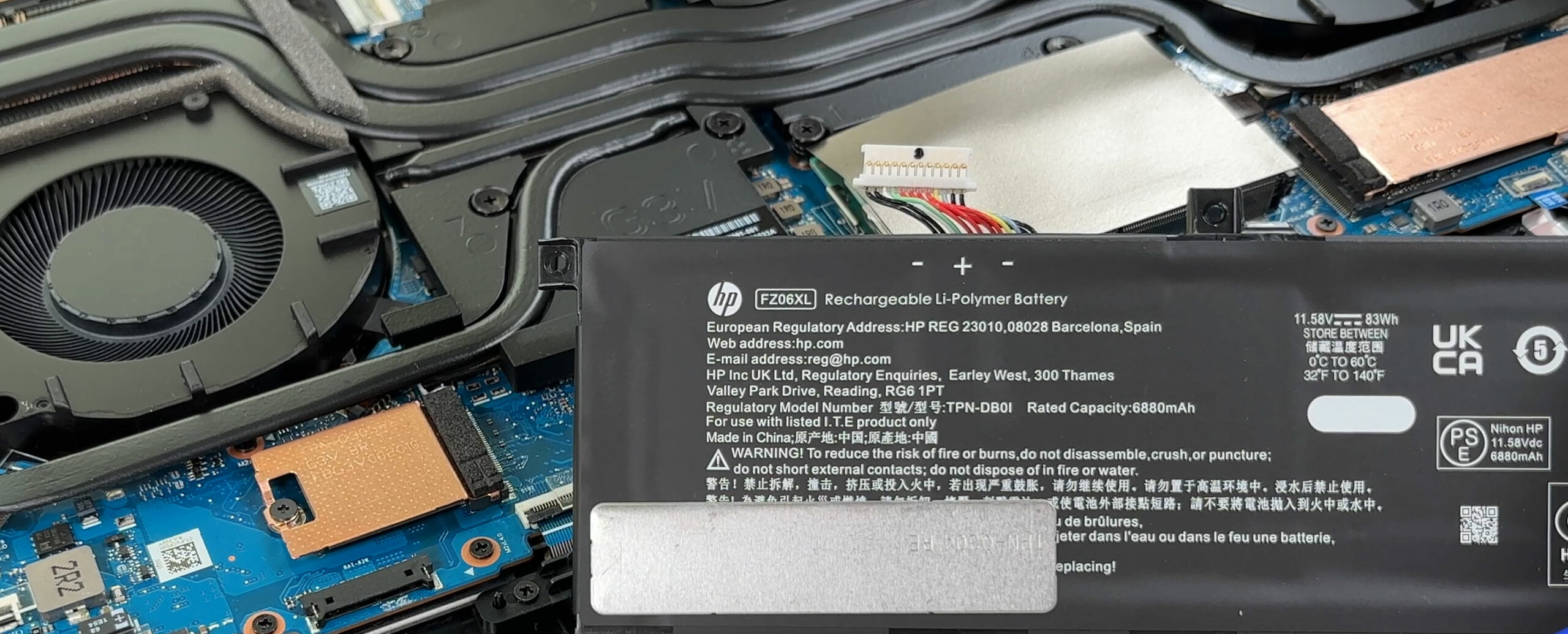
The battery is removable after disconnecting a single cable and undoing six screws. Our unit’s pack is labeled FZ06XL, 11.58V, 83Wh, while HP’s documentation also mentions 70 Wh for some configurations, so capacity may vary by region and SKU.
Verdict
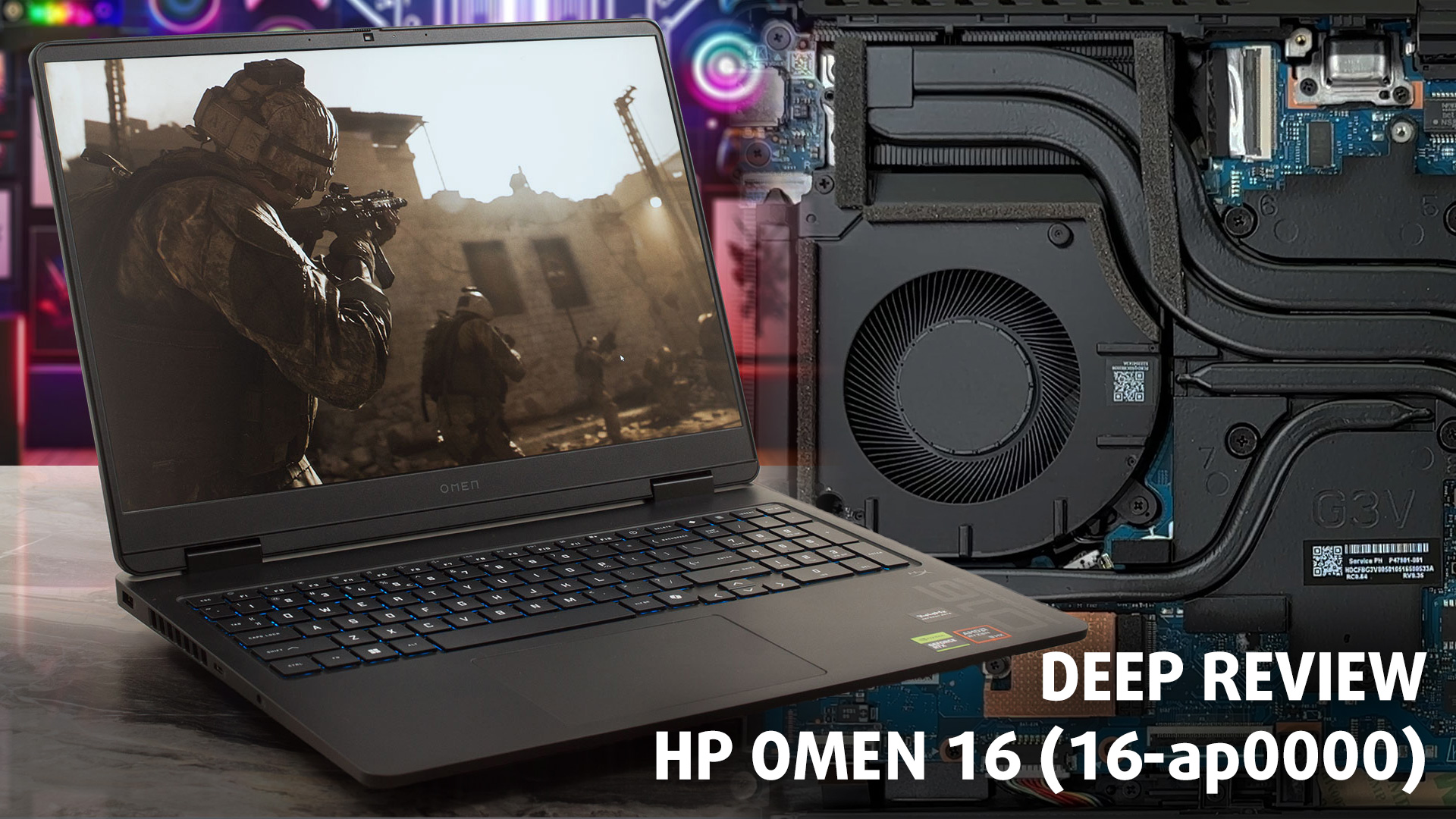 The HP OMEN 16 (16-ap0000, 2025) is a fantastic example of a well-balanced, mid-to-high-range gaming laptop that gets the fundamentals absolutely right. It forgoes flashy, expensive materials in favor of a robust, practical design and a cooling system that is nothing short of exceptional. This is a machine built for the discerning gamer who prioritizes stable, cool, and quiet performance above all else.
While it makes one very common and frustrating compromise with its display (you can order it with a better one), the core experience it provides is so strong, stable, and user-friendly that it stands as one of the most intelligently engineered and compelling gaming laptops in its class.
You can check the prices and configurations in our Specs System: https://laptopmedia.com/series/hp-omen-16-16-ap0000-2025/
✅ The Good
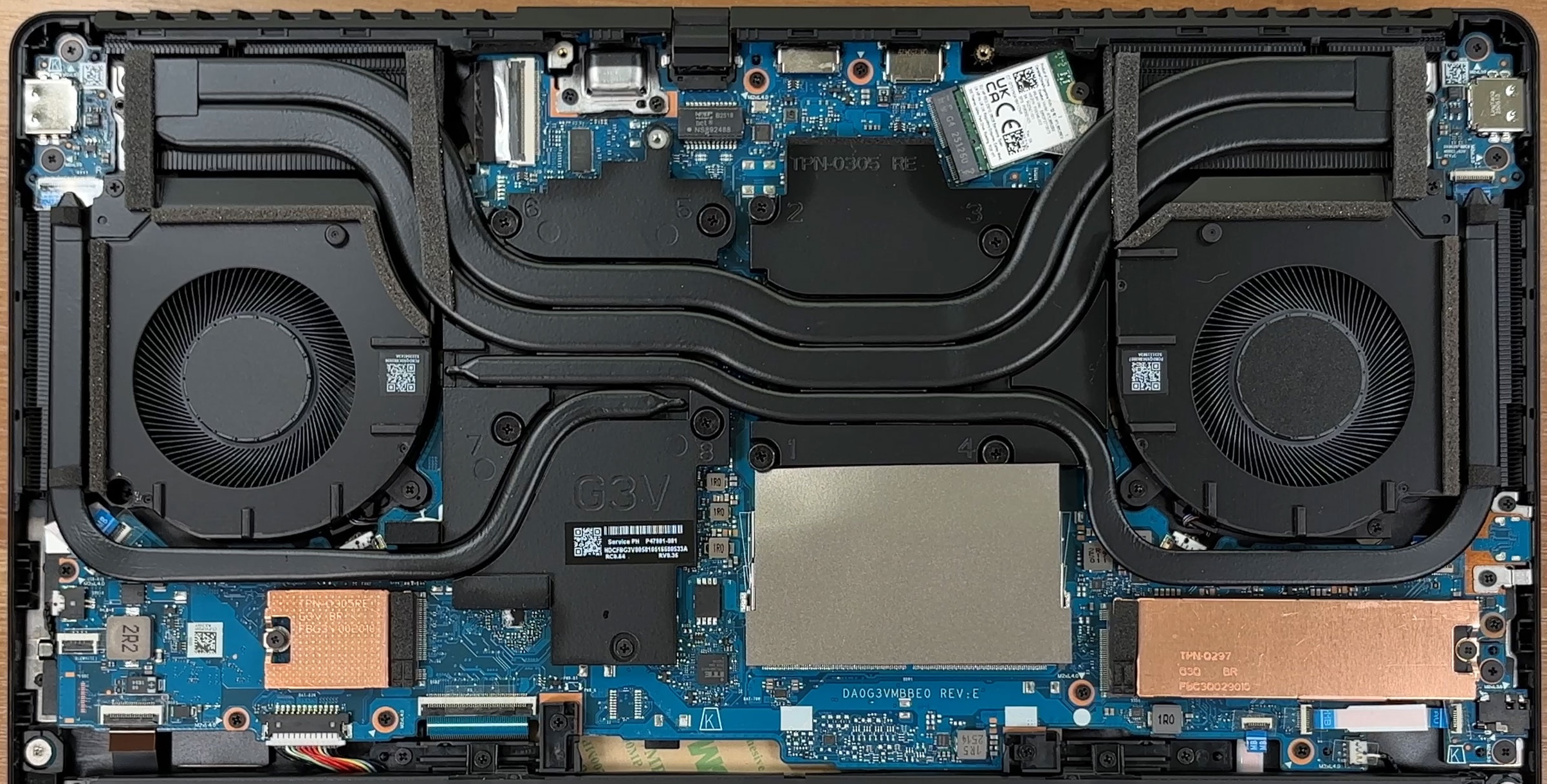 The absolute standout feature of the OMEN 16 is its phenomenal thermal management. The cooling system is a masterpiece, keeping both the powerful AMD Ryzen CPU and the NVIDIA GPU at remarkably low temperatures, even under sustained heavy load. This results in excellent and incredibly stable performance with zero thermal throttling, all while remaining surprisingly quiet.
This fantastic cooling is backed by great user-centric features. The upgradeability is great, with two user-accessible RAM slots and two M.2 slots for storage (although one of them is 2230-sized). The port layout is thoughtfully designed, with major cables placed at the rear to keep your desk tidy. The inclusion of an IR camera with a physical privacy shutter is another huge win for security and convenience.
Even the base-model display, while visually disappointing, has a critical saving grace: it is completely PWM-free and with low reflectance, which is a massive benefit for eye comfort during long gaming sessions.
❌ The Bad
 The single biggest compromise, and a very common one in this segment, is the quality of the base-model display. With very poor color coverage at just 53% sRGB, the screen is dull and washed out, making it completely unsuitable for any color-sensitive creative work. We strongly advise opting for one of the higher-tier screen options with better color reproduction if your budget allows.
The other notable drawbacks are the use of half-height up and down arrow keys, which is never ideal for a gaming laptop, and a storage configuration that pairs one standard 2280 M.2 slot with a smaller, more limiting 2230 slot.
Finally, the all-plastic build, while solid, may not feel as premium as some metal-clad competitors.
🆚 The Competitors
When compared to a rival with similar specs like the Lenovo Legion 7i (16″, Gen 10) (detailed review), the OMEN 16’s philosophy becomes clear. The Legion 7i offers a far more premium, all-metal build and a stunning OLED display, but it runs much hotter and has significantly worse battery life. The OMEN 16 is the more practical and thermally responsible choice.
Against a creative-focused powerhouse like the ASUS ProArt P16 (detailed review), the OMEN 16 can’t match its incredible battery life. However, the OMEN 16 delivers superior and more stable gaming performance, making it the better all-around choice for users who prioritize frame rates and a cool-running system.
Pros
- Exceptional thermal management keeps the system cool, quiet, and stable
- Excellent and consistent gaming performance with no throttling
- Great upgradeability with two RAM and two M.2 slots
- PWM-free display is great for eye comfort
- Thoughtful port layout with rear-facing connections
- Physical privacy shutter for the webcam
Cons
- Base model display has very poor color coverage (53% sRGB)
- Half-height up and down arrow keys
- One of the two M.2 slots is the smaller 2230 format
 Author: Simeon NikolovEditor-in-Chief at LaptopMedia.com with 20+ years of experience in testing and analyzing laptops and mobile devices.
 Author: eng. Kroum NikolovHead of Engineering at LaptopMedia.com, inventor and innovator with 40+ years of experience in electronics and high technology.

![[June 2026] Best-Selling Laptop Brands on Amazon Global – Apple’s Unrivaled Dominance in Units and Revenue](https://laptopmedia.com/wp-content/uploads/2026/07/GLOBAL-Best-Brands-400x225.jpg)
![[June 2026] Amazon Global: Top 10 Best-Selling Laptops – Apple’s New MacBook Neo Storms to #1, Reshaping the Market with Affordability](https://laptopmedia.com/wp-content/uploads/2026/07/Best-Selling-Laptops-GLOBAL-Top-10-400x225.jpg)
![[June 2026] Amazon Global: Top 10 Best-Selling Gaming Laptops – Acer’s Nitro V 16S AI Dominates Sales, While ASUS Leads Overall Revenue](https://laptopmedia.com/wp-content/uploads/2026/07/Best-Selling-Gaming-Laptops-GLOBAL-Top-10-400x225.jpg)
![[June 2026] Global Ranking of Best-Selling Laptop GPUs on Amazon – NVIDIA RTX 5060 is the Top-Selling Dedicated GPU](https://laptopmedia.com/wp-content/uploads/2026/07/Best-Selling-GPUs-GLOBAL-Top-10-400x225.jpg)
![[June 2026] Global Ranking of Best-Selling Laptop CPUs on Amazon – Apple M5 Dominates, AMD Ryzen 7 260 Gets Solid Premium Share](https://laptopmedia.com/wp-content/uploads/2026/07/Best-Selling-CPUs-GLOBAL-Top-10-400x225.jpg)

How would the battery life change with a AMD Ryzen AI 7 350 and a RTX 5060? Would it me meaningful?
Ist für die 2230 Festplatte bereits ein Wärmeleitpad vorhanden?
Kann man das Mainboard auch übers BIOS stromlos machen?