HP ZBook Firefly 16 G9 review – great build quality but disappointing performance
Disassembly, Upgrade options, and Maintenance
To access this notebook’s internals, you need to undo 5 captive Phillips-head screws. Then, pry the bottom panel, starting from the back. It will be best to use a plastic tool.
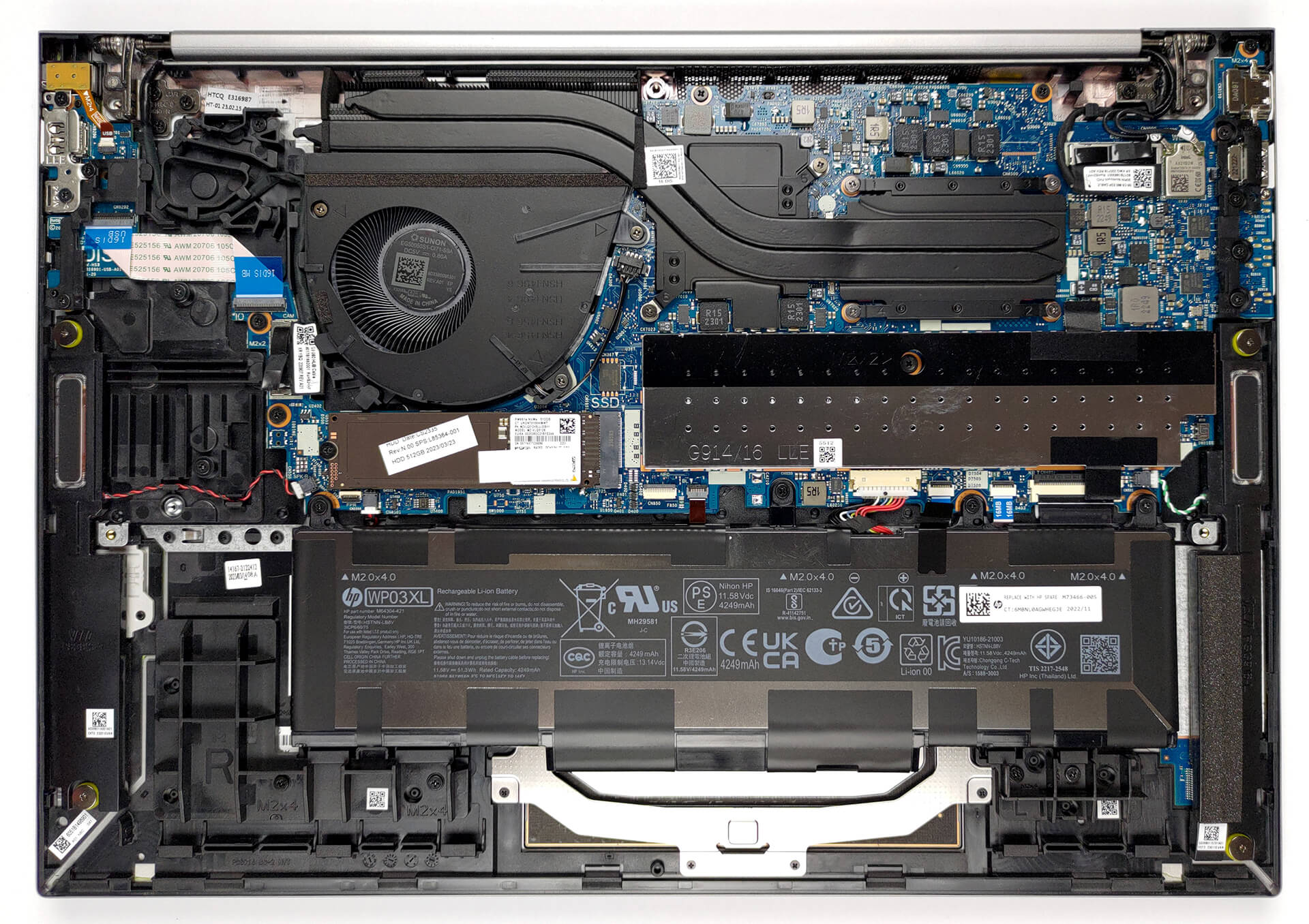
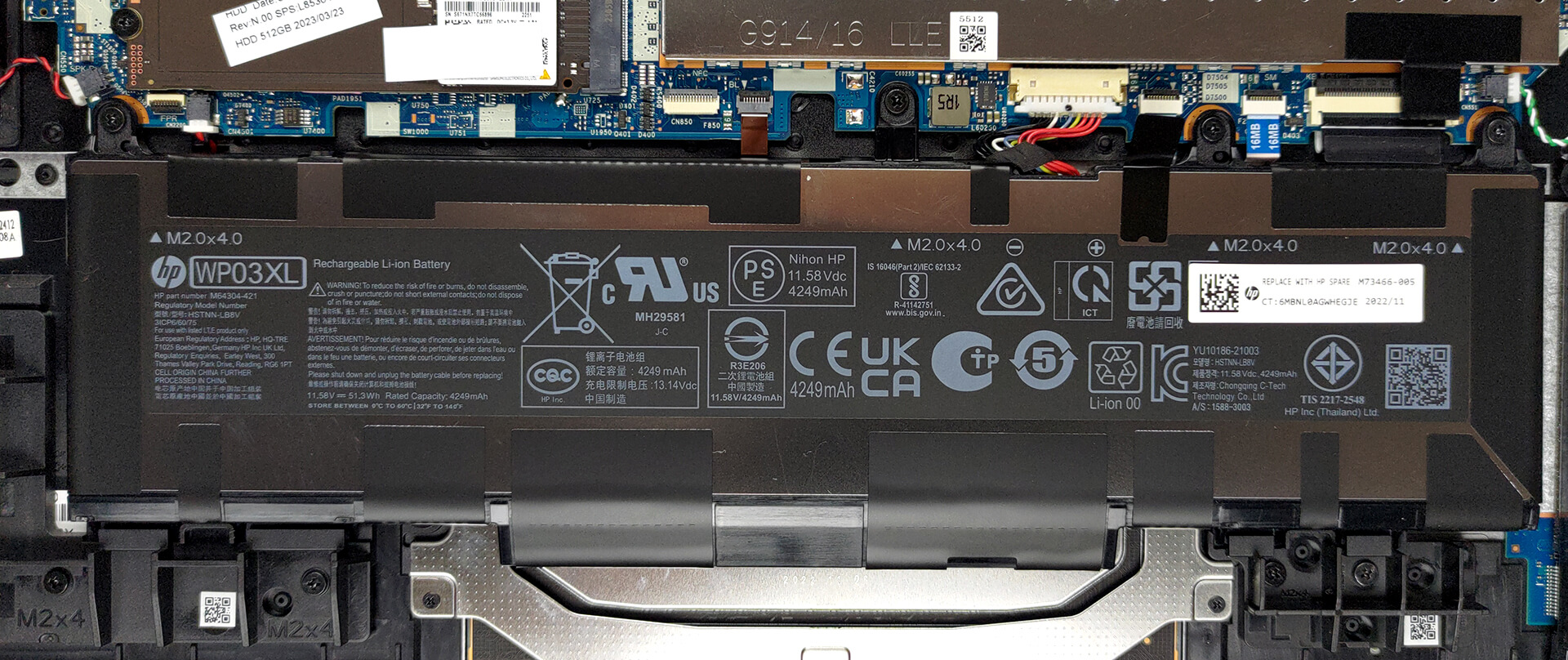
Our configuration is equipped with a 51Wh battery pack. To remove it, unplug the connector from the motherboard, and undo the four Phillips-head screws holding the battery in place.
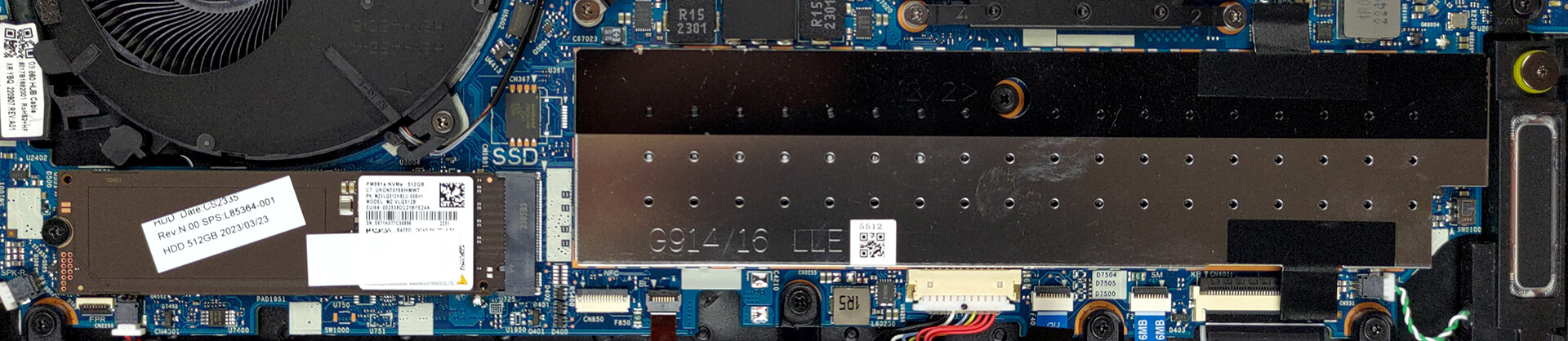
Here, the two SODIMM slots are hidden beneath a metal bracket. The maximum supported capacity is 64GB of DDR5 RAM. As for storage, there is one M.2 PCIe x4 slot, which works with Gen 4 SSDs.
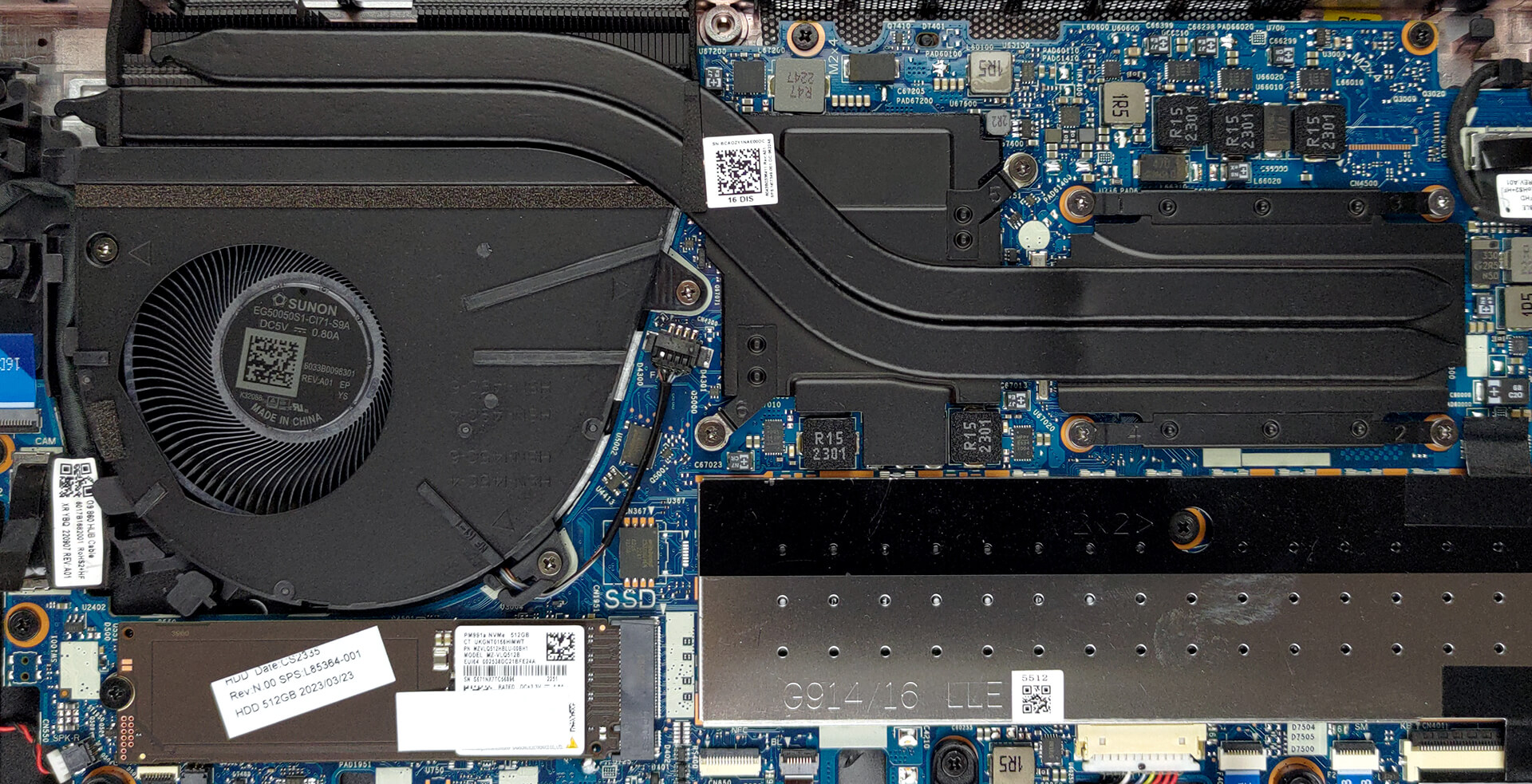
This notebook’s cooling comprises two heat pipes, shared between the CPU and the GPU. In addition, there is one heat sink, one fan with a decent size, and a heat spreader over the graphics memory.
 Author: Alex Iliev
 Author: eng. Kroum NikolovHead of Engineering at LaptopMedia.com, inventor and innovator with 40+ years of experience in electronics and high technology.
Subscribe
0 Comments


![[August 2026] Amazon Italy: Top 10 Best-Selling Laptops – Apple MacBook Neo Claims the Crown as Budget and Mid-Range Windows Machines Dominate Volume](https://laptopmedia.com/wp-content/uploads/2026/09/Best-Selling-Laptops-IT-Top-10-400x225.jpg)
![[August 2026] Amazon Italy: Top 7 Best-Selling Gaming Laptops – ASUS V16 Claims the #1 Spot Amid Strong Mid-Range Demand](https://laptopmedia.com/wp-content/uploads/2026/09/Best-Selling-Gaming-Laptops-IT-Top-10-400x225.jpg)
![[August 2026] Best-Selling Laptop Brands on Amazon Italy – Lenovo Dominates Market Share and Revenue Leadership](https://laptopmedia.com/wp-content/uploads/2026/09/IT-Best-Brands-400x225.jpg)
![[August 2026] Amazon India: Top 10 Best-Selling Laptops – Apple MacBook Neo Dominates the Charts with Massive Sales Lead](https://laptopmedia.com/wp-content/uploads/2026/09/Best-Selling-Laptops-IN-Top-10-400x225.jpg)
![[August 2026] Amazon India: Top 10 Best-Selling Gaming Laptops – HP Victus 15 Dominates the Market with Massive Unit Lead](https://laptopmedia.com/wp-content/uploads/2026/09/Best-Selling-Gaming-Laptops-IN-Top-10-400x225.jpg)
