Lenovo Yoga Pro 7 (14″, 2023) review – takes on the 14-inch MacBook Pro
Disassembly, Upgrade options, and Maintenance
To get access to this notebook’s internals, you need to undo a total of 6 Torx-head screws. Then, pry the bottom panel with a plastic tool, starting from the back.
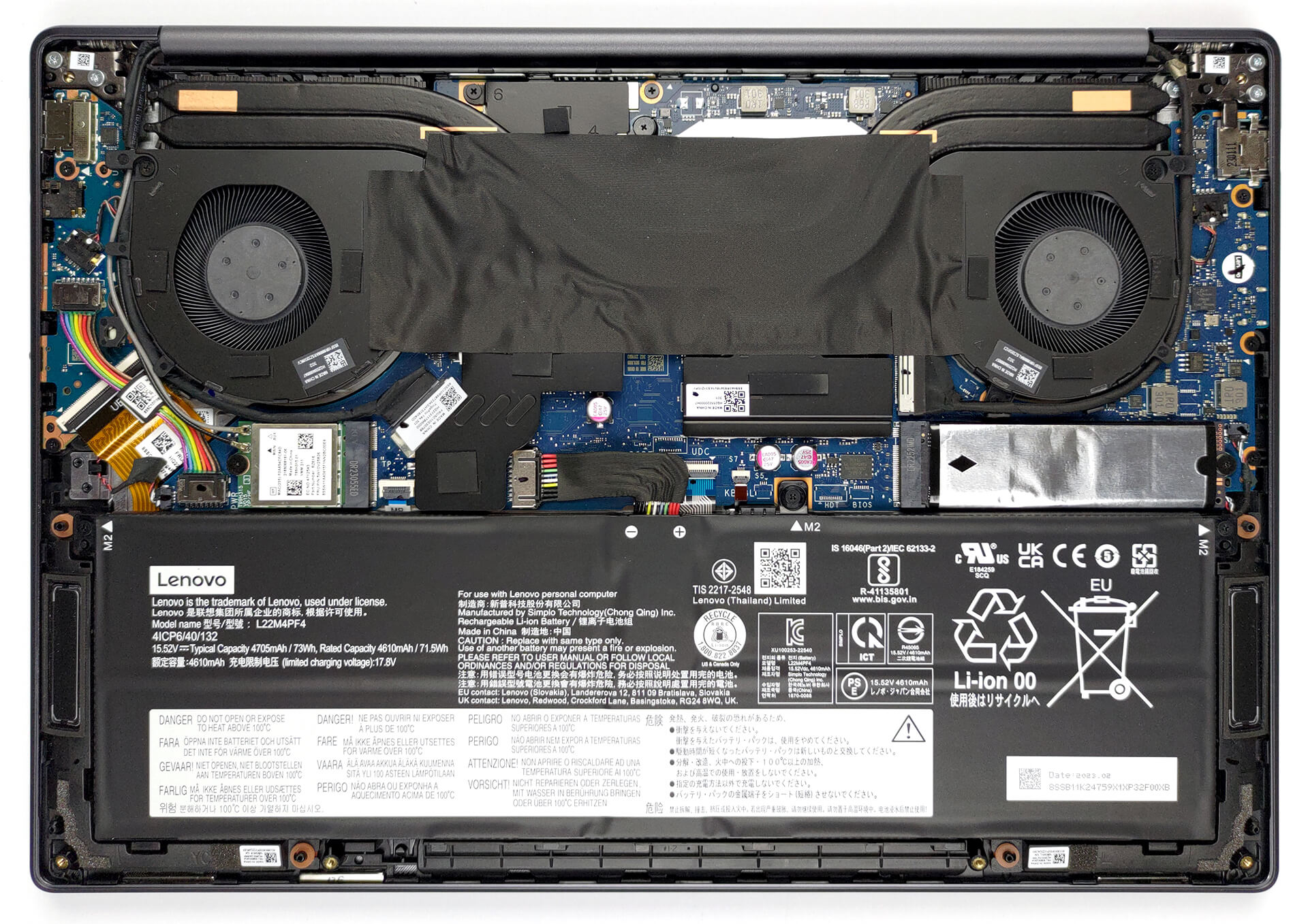
Here, we find a 73Wh battery pack. To take it out, unplug the battery connector, then undo the three Phillips-head screws that keep the unit in place.
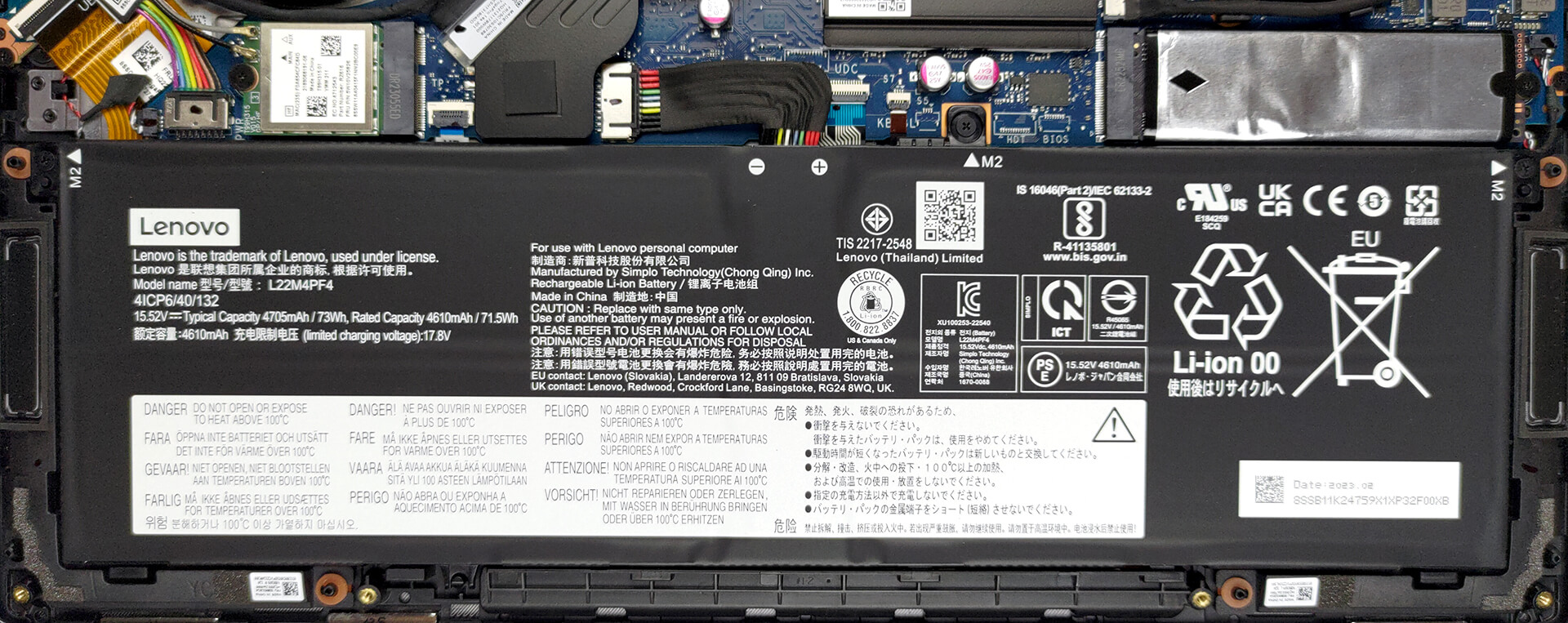
Memory-wise, you get 16GB of LPDDR5 RAM soldered to the motherboard. Unfortunately, it can’t be expanded. However, it runs at 6400MHz, which is pretty fast. As for storage, there is one M.2 PCIe x4 slot, which works with Gen 4 SSDs.
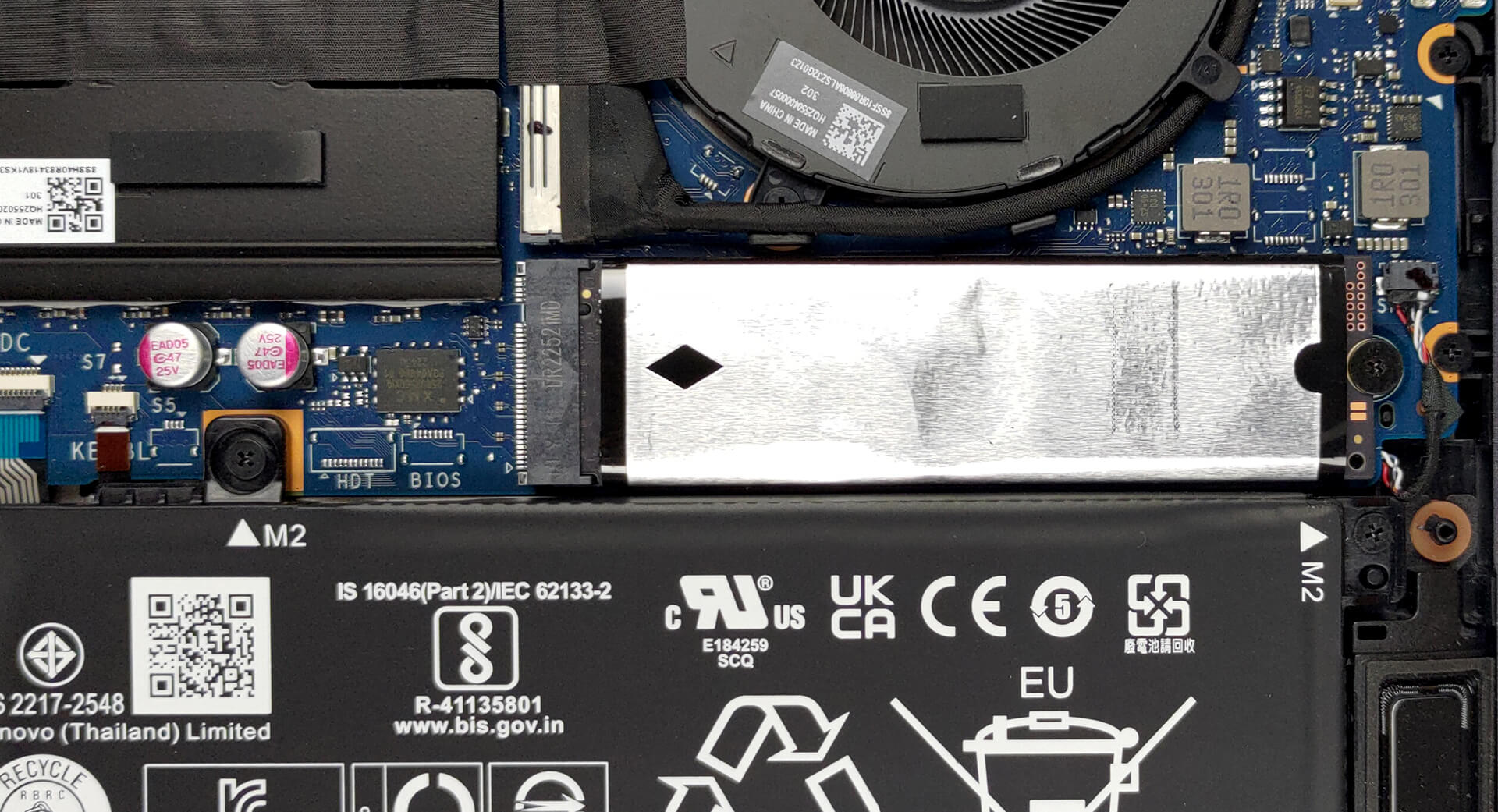
Then comes the cooling. It comprises two heat pipes, two heat sinks, and two fans. In addition, you get some heat spreaders for the VRMs and the graphics memory.
 Author: Alex Iliev
 Author: eng. Kroum NikolovHead of Engineering at LaptopMedia.com, inventor and innovator with 40+ years of experience in electronics and high technology.

![[June 2026] Best-Selling Laptop Brands on Amazon Global – Apple’s Unrivaled Dominance in Units and Revenue](https://laptopmedia.com/wp-content/uploads/2026/07/GLOBAL-Best-Brands-400x225.jpg)
![[June 2026] Amazon Global: Top 10 Best-Selling Laptops – Apple’s New MacBook Neo Storms to #1, Reshaping the Market with Affordability](https://laptopmedia.com/wp-content/uploads/2026/07/Best-Selling-Laptops-GLOBAL-Top-10-400x225.jpg)
![[June 2026] Amazon Global: Top 10 Best-Selling Gaming Laptops – Acer’s Nitro V 16S AI Dominates Sales, While ASUS Leads Overall Revenue](https://laptopmedia.com/wp-content/uploads/2026/07/Best-Selling-Gaming-Laptops-GLOBAL-Top-10-400x225.jpg)
![[June 2026] Global Ranking of Best-Selling Laptop GPUs on Amazon – NVIDIA RTX 5060 is the Top-Selling Dedicated GPU](https://laptopmedia.com/wp-content/uploads/2026/07/Best-Selling-GPUs-GLOBAL-Top-10-400x225.jpg)
![[June 2026] Global Ranking of Best-Selling Laptop CPUs on Amazon – Apple M5 Dominates, AMD Ryzen 7 260 Gets Solid Premium Share](https://laptopmedia.com/wp-content/uploads/2026/07/Best-Selling-CPUs-GLOBAL-Top-10-400x225.jpg)

Yoga brand outside of the US can either be clamshell or convertible. Currently, to distinguish between the two, the Pro (or Slim Pro) moniker applies to the clamshell version like this one, Yoga Pro 7. In the US it’s just Yoga for convertible and Slim for clamshell period – no need for the confusion like elsewhere.
The US is not the centre of the world. If it’s only like that in the US, then too bad for you, but the rest of us have to deal with how it’s being named so these reviews using the global naming schemes is fundamentally correct.
Soldered ram, so what? Almost every laptop out there has soldered rams these days. 16GB is still more than enough. I never use more than 7GB with heavy work. And who needs an SD card reader these days?
You never talked about upgrade options in the upgrade options section! How large of an m.2 disk will it take?