MSI Prestige 13 AI Evo A1MG review – Light and Powerful On-the-Go Companion
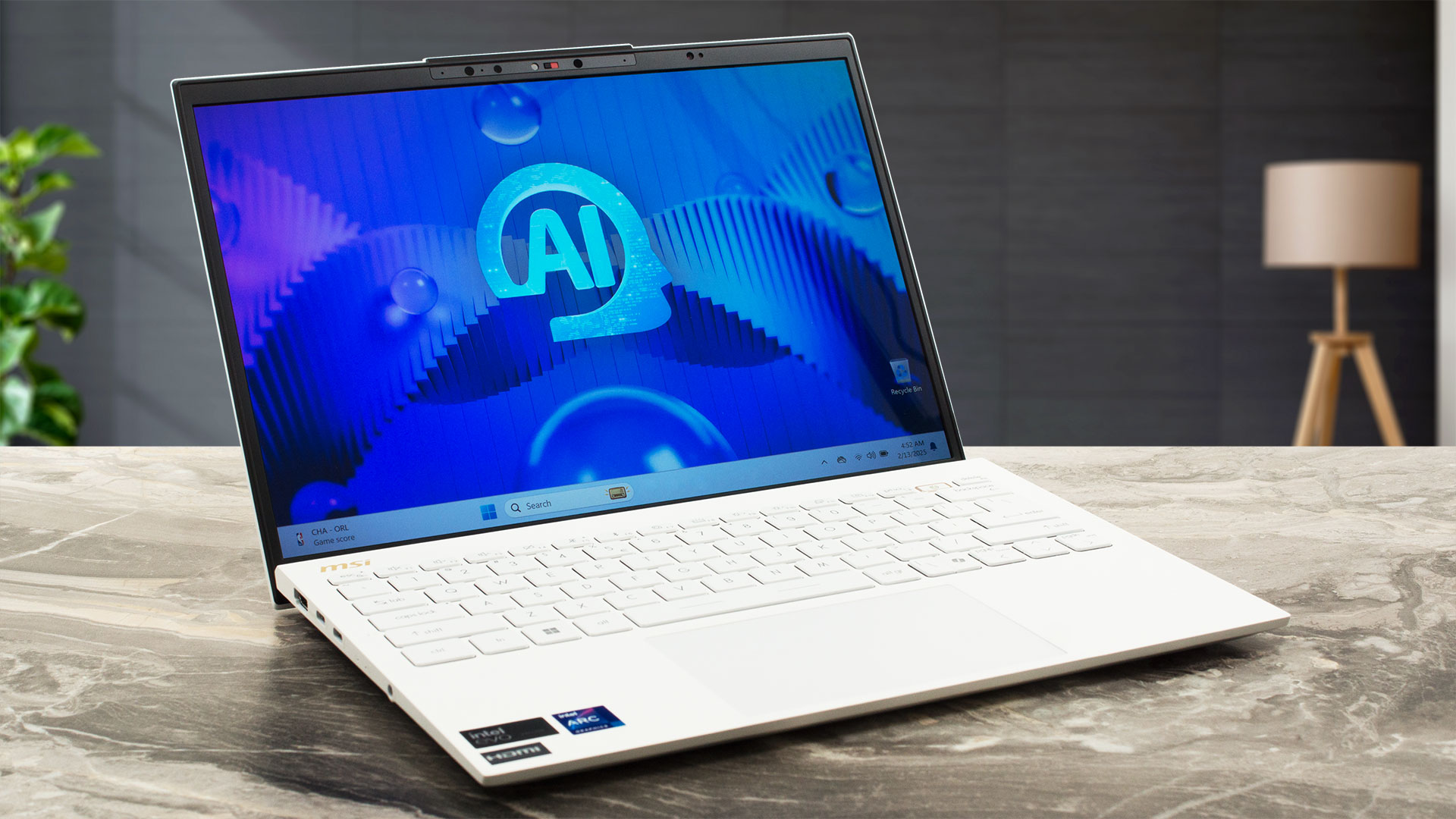 At a glance, the MSI Prestige 13 AI Evo A1MG and the previously tested AI+ Evo A2VM version are almost indistinguishable. The main difference is that the former is powered by a 28W Intel Meteor Lake processors while the latter relies on the more efficient Lunar Lake chips which offer a superior iGPU. Specs-wise, the rest seems the same. You get a rich port selection with a pair of USB4s and Wi-Fi 7 for connectivity. It’s an Intel Evo-certified machine which enhances the battery life and overall snappiness.
Once again, we decided to buy a laptop with the optional 2.8K (2880×1800) OLED. This little beast amazes us with its accurate colors and infinite contrast ratio. If you want to lower the end price, you can pick a device with the base 1200p IPS panel.
This little notebook still sports an additional AI boost thanks to its NPU which isn’t that powerful than the one of the Lunar Lake siblings.
You can check the prices and configurations in our Specs System: https://laptopmedia.com/series/msi-prestige-13-ai-evo-a1mx/

Contents
Specs, Drivers, What’s in the box
MSI Prestige 13 AI Evo (A1Mx) - Specs


- HDD/SSD
- up to 8000GB SSD
- M.2 Slot
- 1x 2280 M.2 NVMe PCIe 4.0 x4
- RAM
- up to 32GB
- OS
- Windows 11 Pro, Windows 11 Home
- Battery
- 75Wh, 4-cell
- Dimensions
- 299 x 210 x 16.9 mm (11.77" x 8.27" x 0.67")
- Weight
- 0.99 kg (2.2 lbs)
- Ports and connectivity
- 2x USB Type-A
- 3.2 Gen 1 (5 Gbps), Thunderbolt 4, DisplayPort
- 2x USB Type-C
- 4.0, Thunderbolt 4, Power Delivery (PD), DisplayPort
- HDMI
- 2.1 (8K@60Hz / 4K@120Hz)
- Card reader
- microSD (microSD, microSDHC, microSDXC)
- Ethernet LAN
- Wi-Fi
- 802.11be
- Bluetooth
- 5.4
- Audio jack
- 3.5mm Combo Jack
- Features
- Fingerprint reader
- optional
- Web camera
- FHD IR (30fps@1080p) with HDR, 3D Noise Reduction+ (3DNR+)
- Backlit keyboard
- Microphone
- 3x Spatial Array Microphone with AI Noise Cancellation Pro
- Speakers
- 2x 2W Stereo Speakers, DTS Audio Processing
- Optical drive
- Security Lock slot
- Kensington Lock
All MSI Prestige 13 AI Evo (A1Mx) configurations
Drivers
All drivers and utilities for this notebook can be found here: https://www.msi.com/Business-Productivity/Prestige-13-AI-Evo-A1MX/support
What’s in the box?
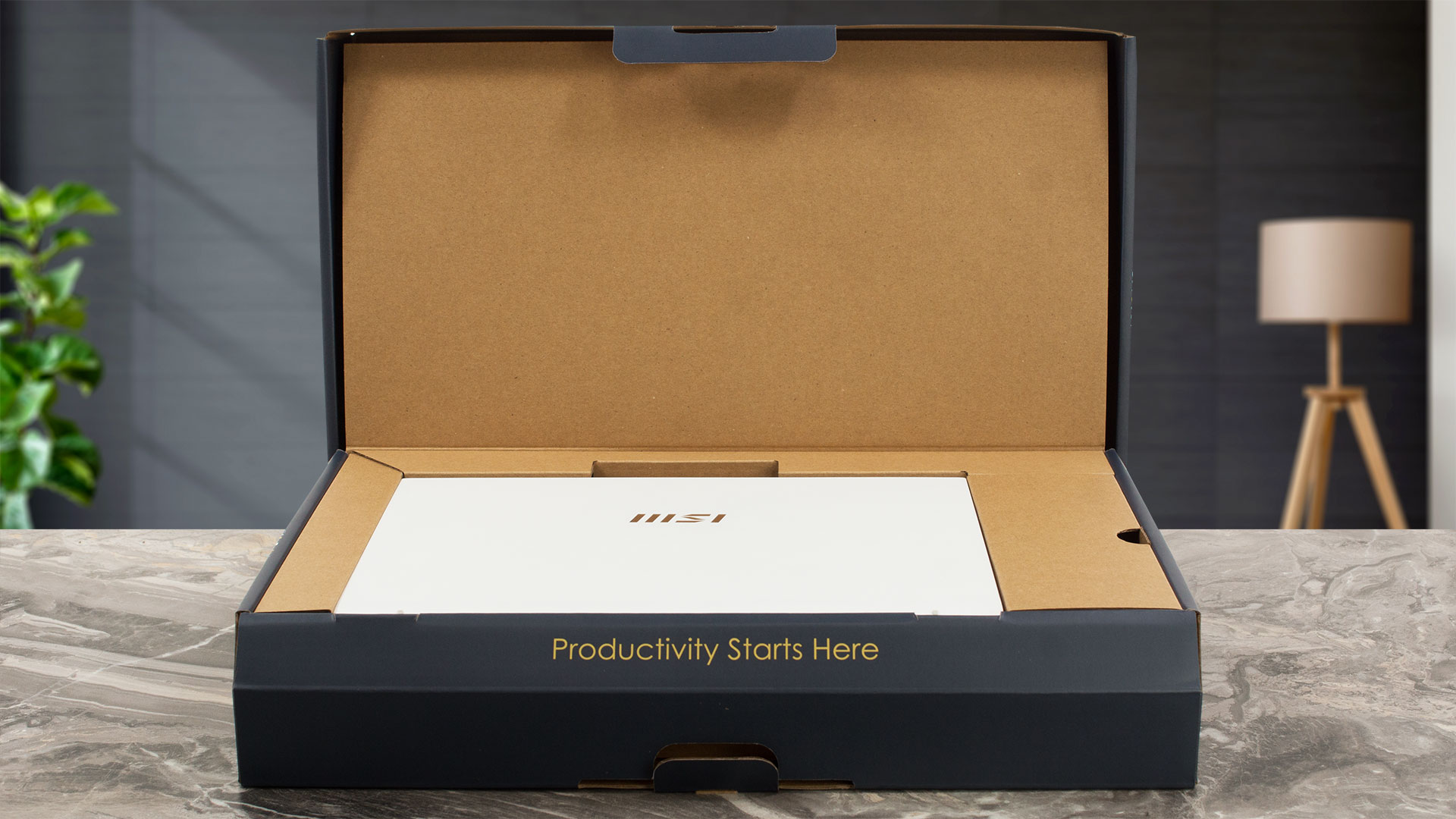
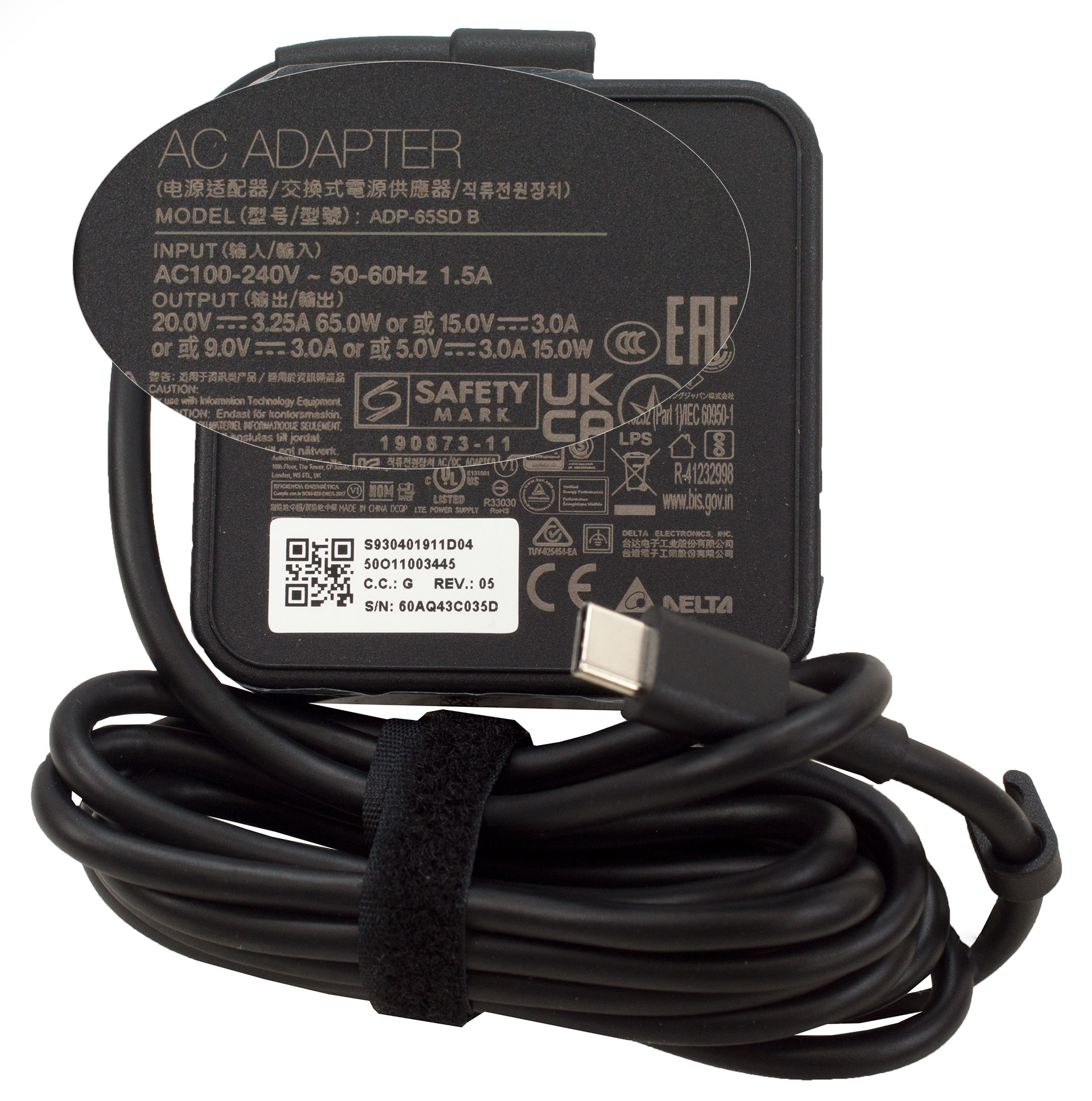
You’ll find the tiny laptop itself and a bit of manuals inside the box. The package also contains a 65W or 100W Type-C adapter.
Design and construction
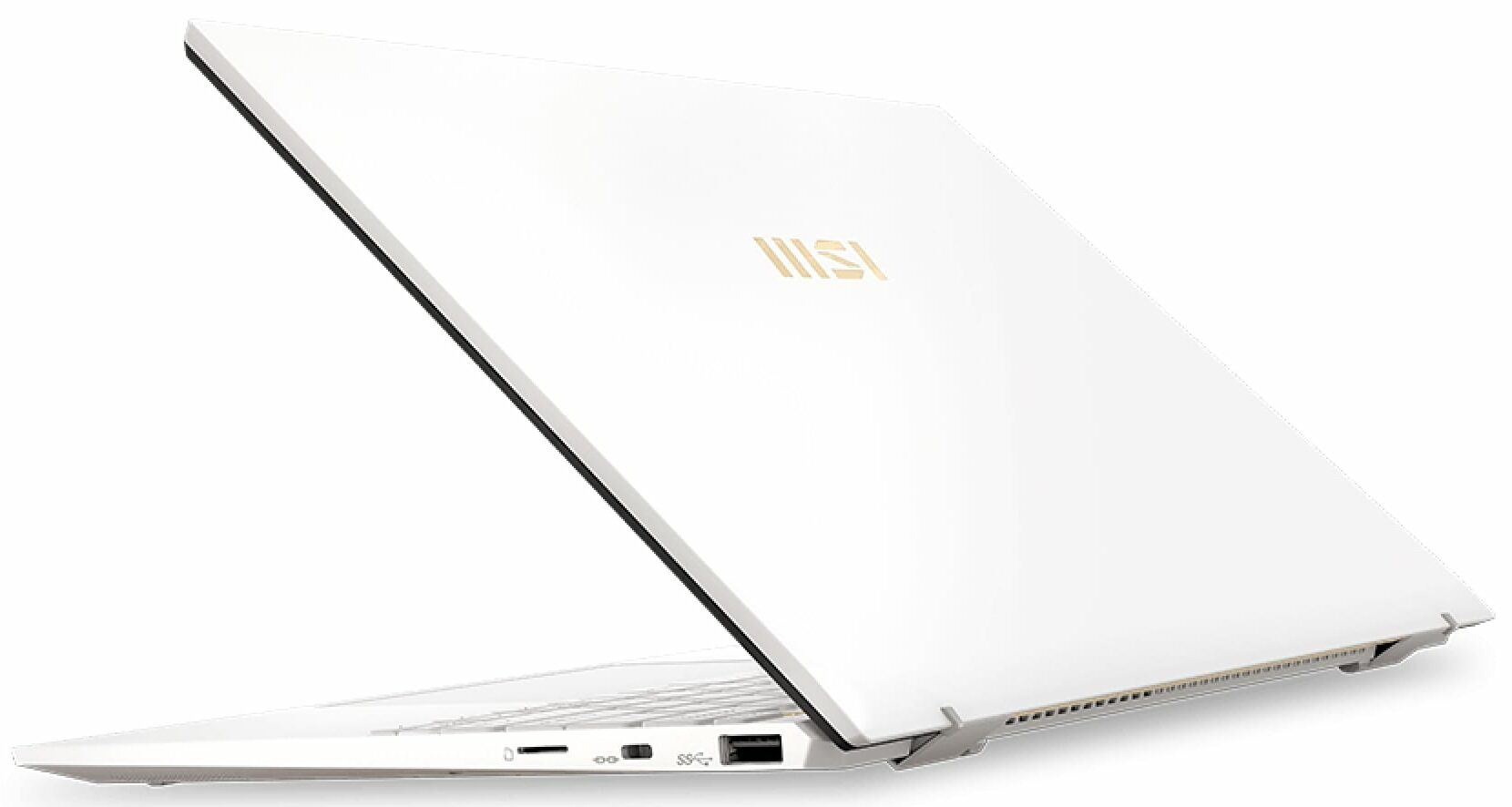
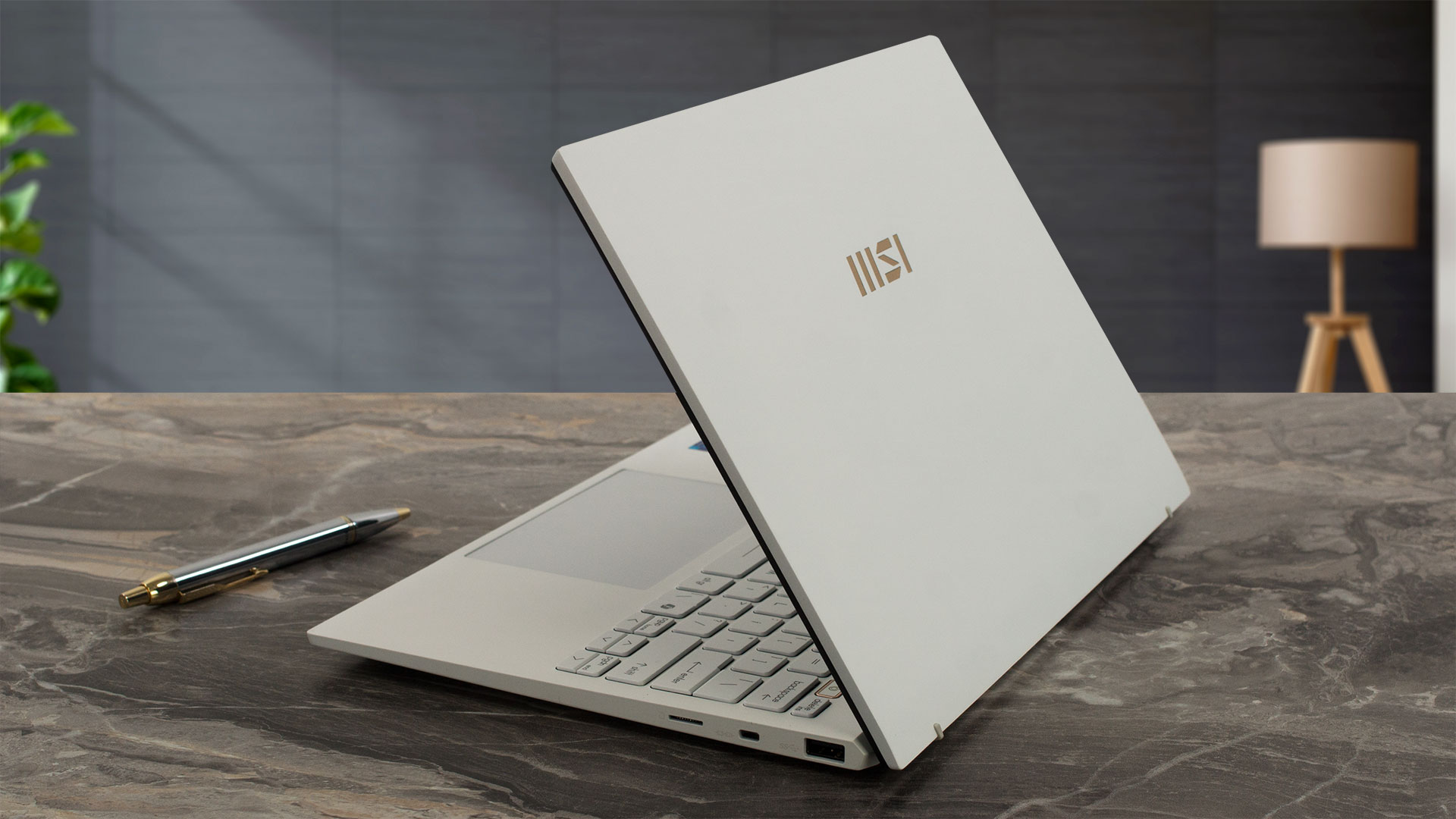
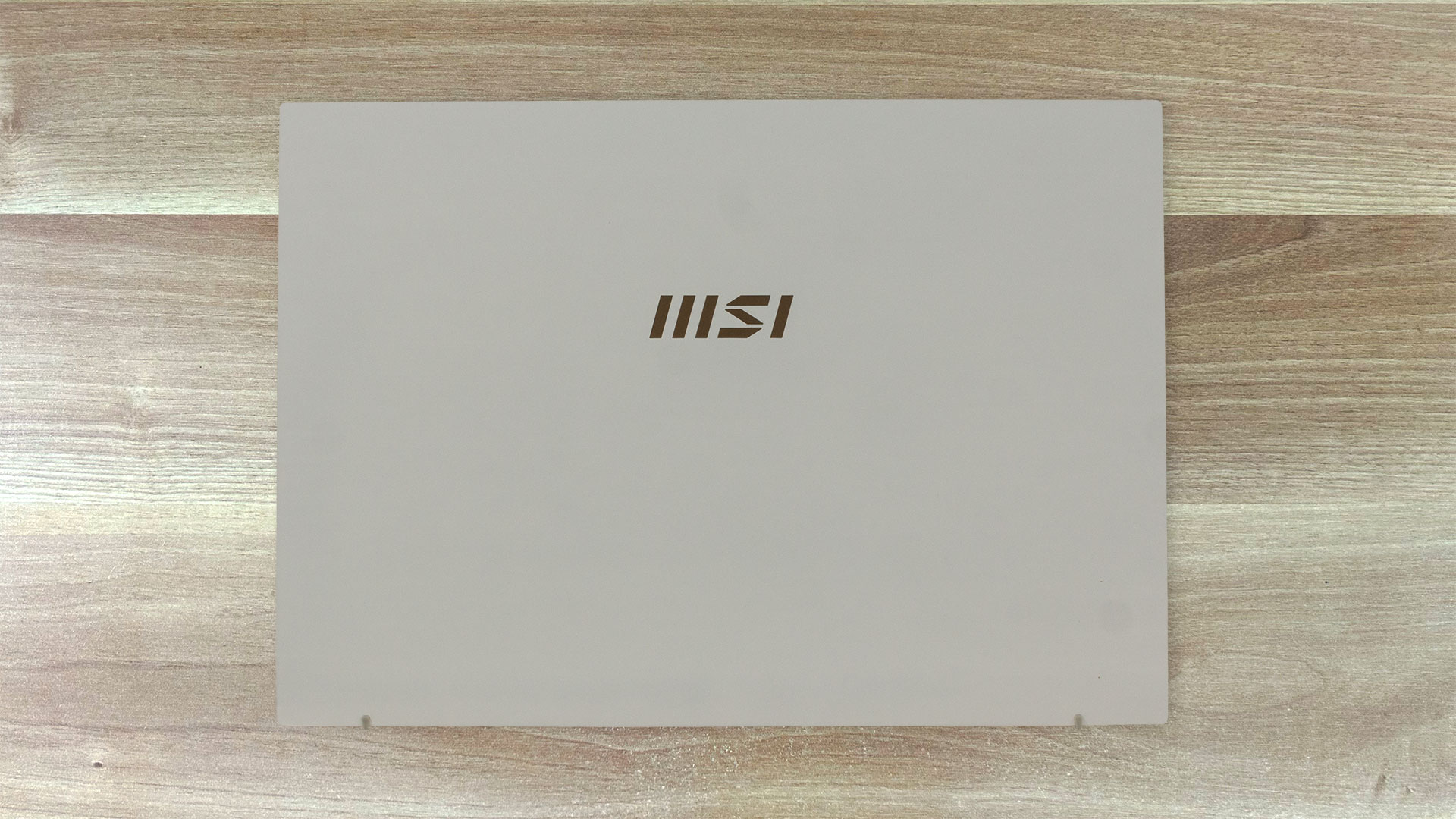
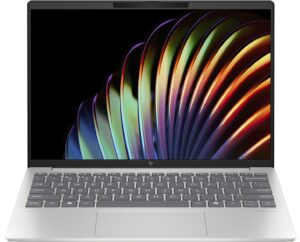
The MSI Prestige 13 AI Evo A1MG looks simply gorgeous in a Pure White finish that seems fingerprint-proof. Just like the same-looking Prestige 13 AI+ Evo A2VM, the build is made of magnesium-aluminum alloy. The chassis is solid with a few exceptions – the lid is bouncy during harsh typing and you can push down the zone above the touchpad but that’s not a problem during normal work.
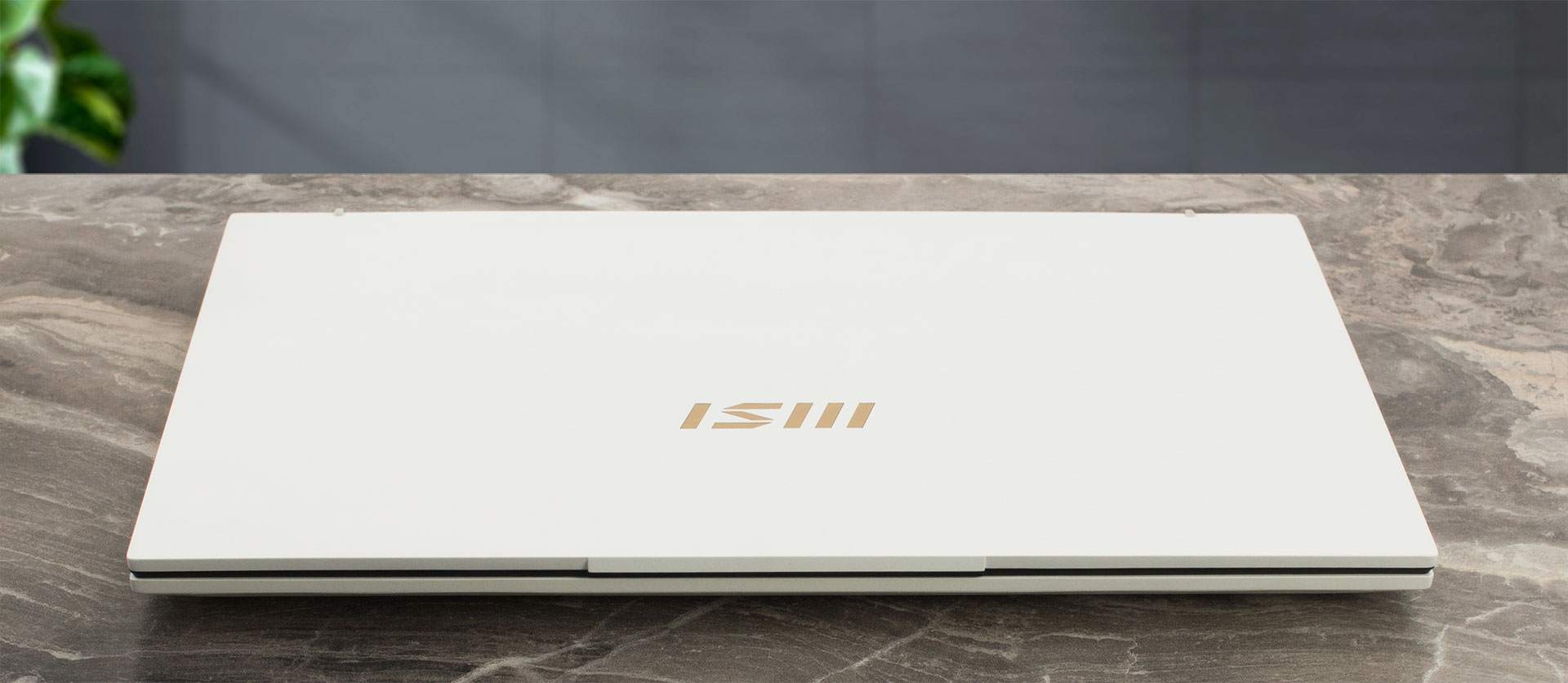
Opening the device with one hand is an easy process. The portability is great because of the 0.99 kg weight and the 16.9 mm profile thickness.
The top bezel is thicker the the other three.
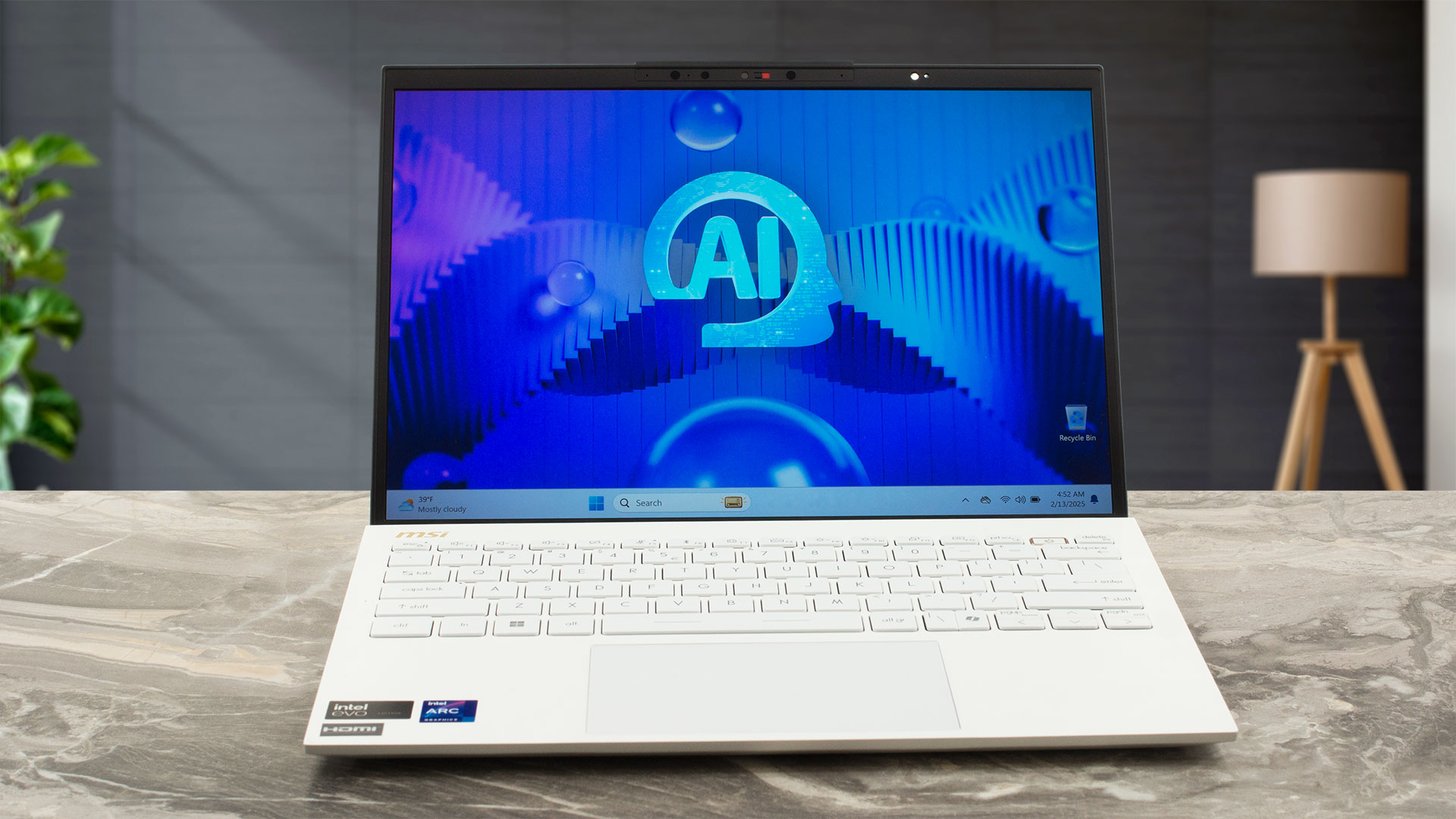
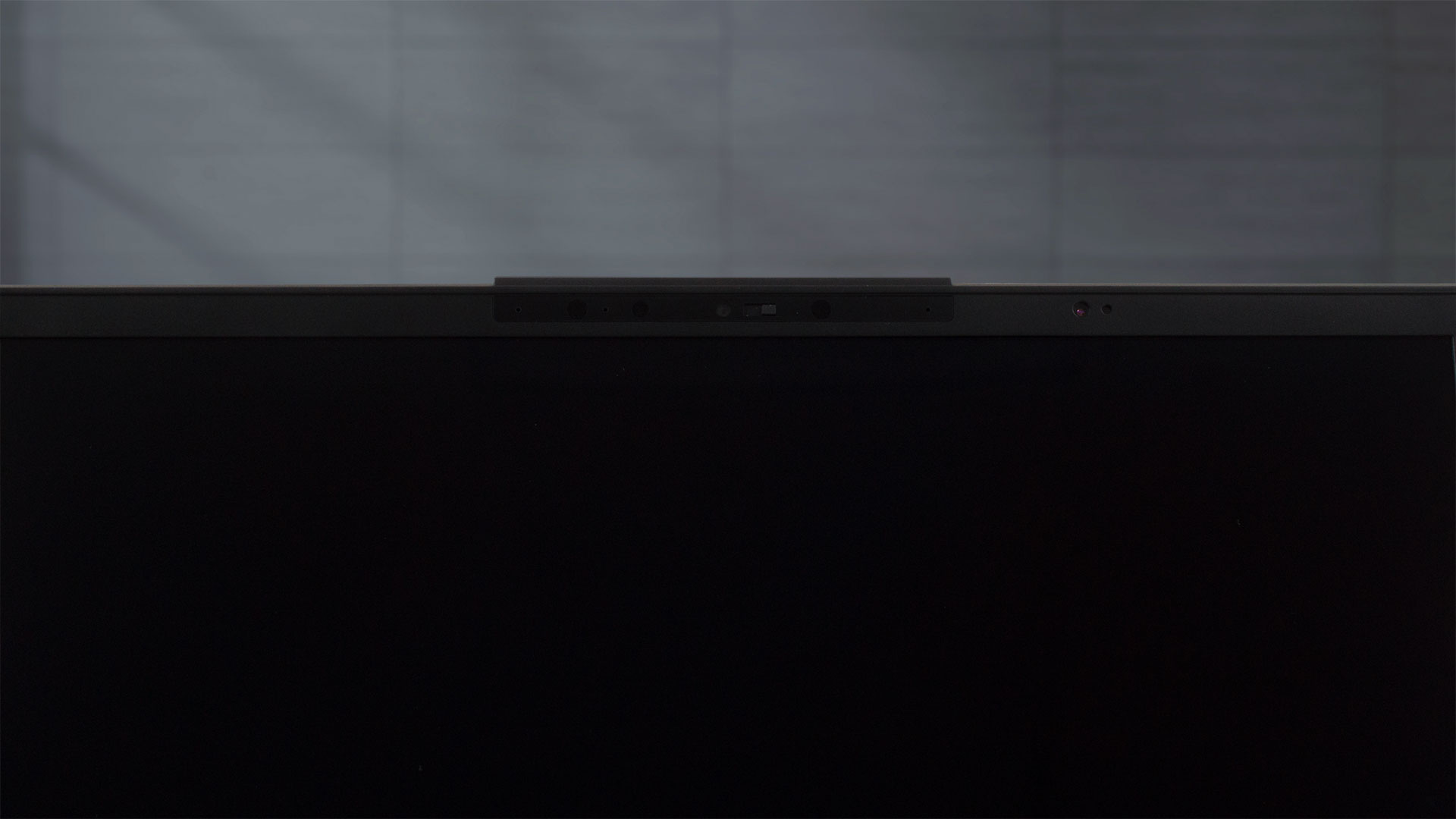
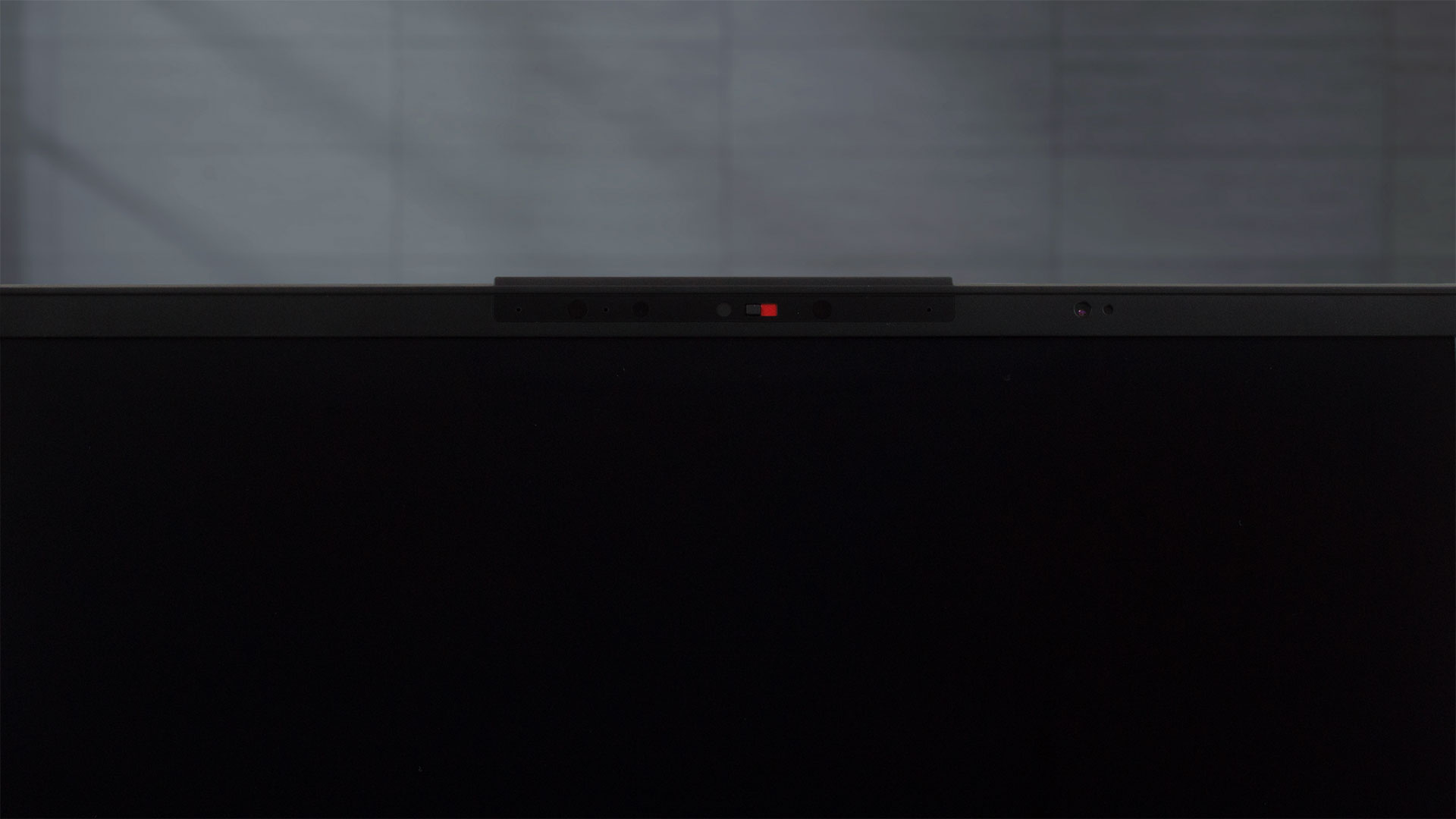
Above the display, we can spot a small “hump” which helps you to properly grip the lid before opening. Underneath it, there is a 1080p IR Web camera for Windows Hello login. The unit boasts HDR capabilities and 3D Noise Reduction+ technology.
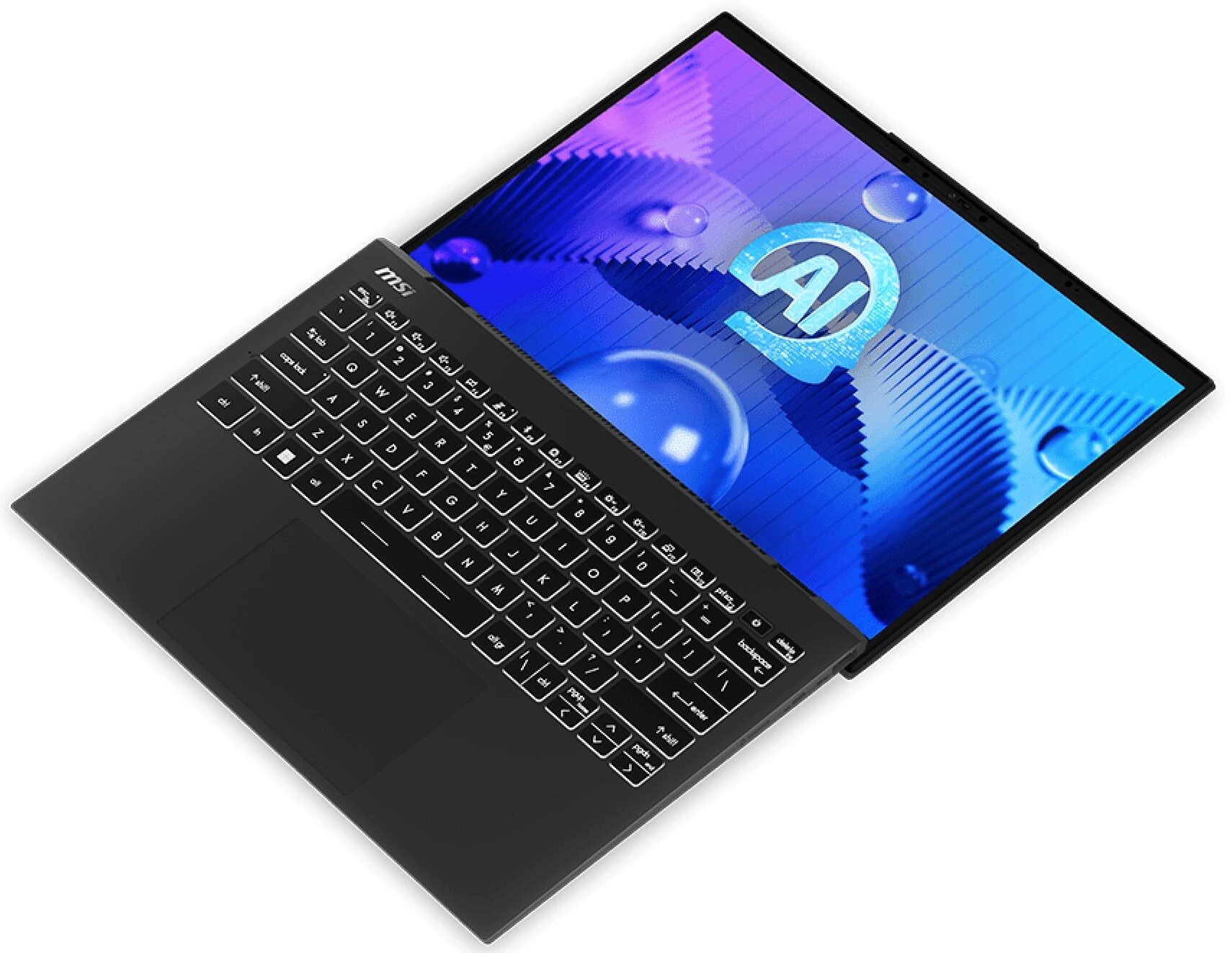
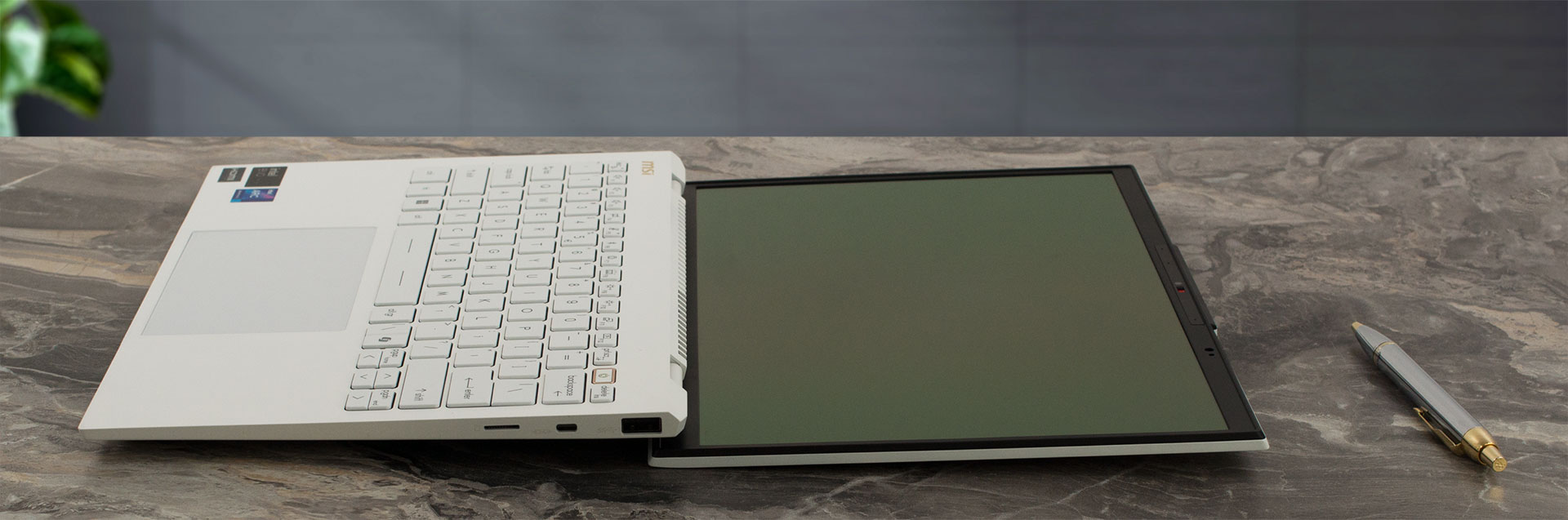
Perhaps you’ll appreciate the ability to lay this laptop almost flat on your desk, simplifying on-screen sharing during meetings.
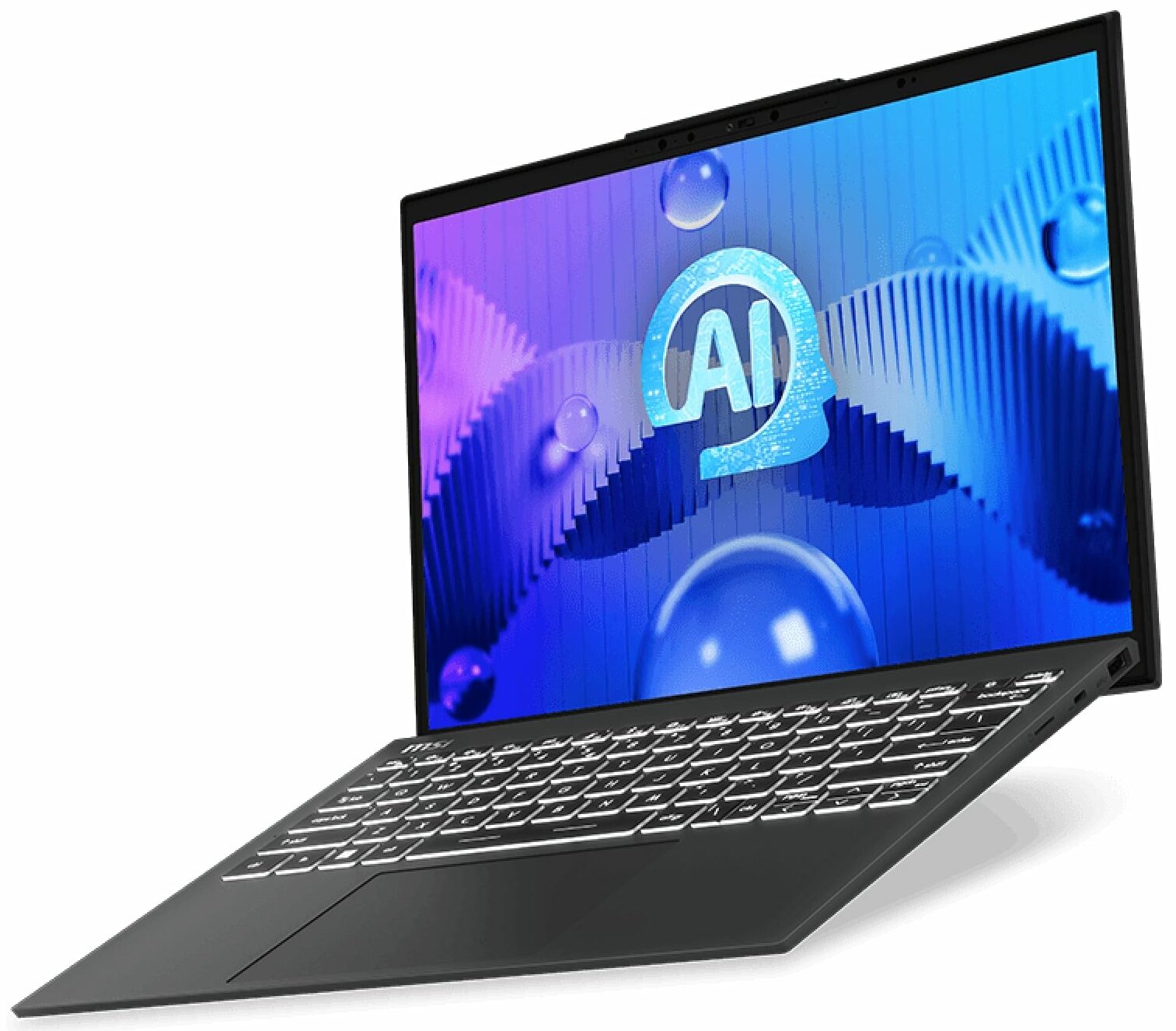
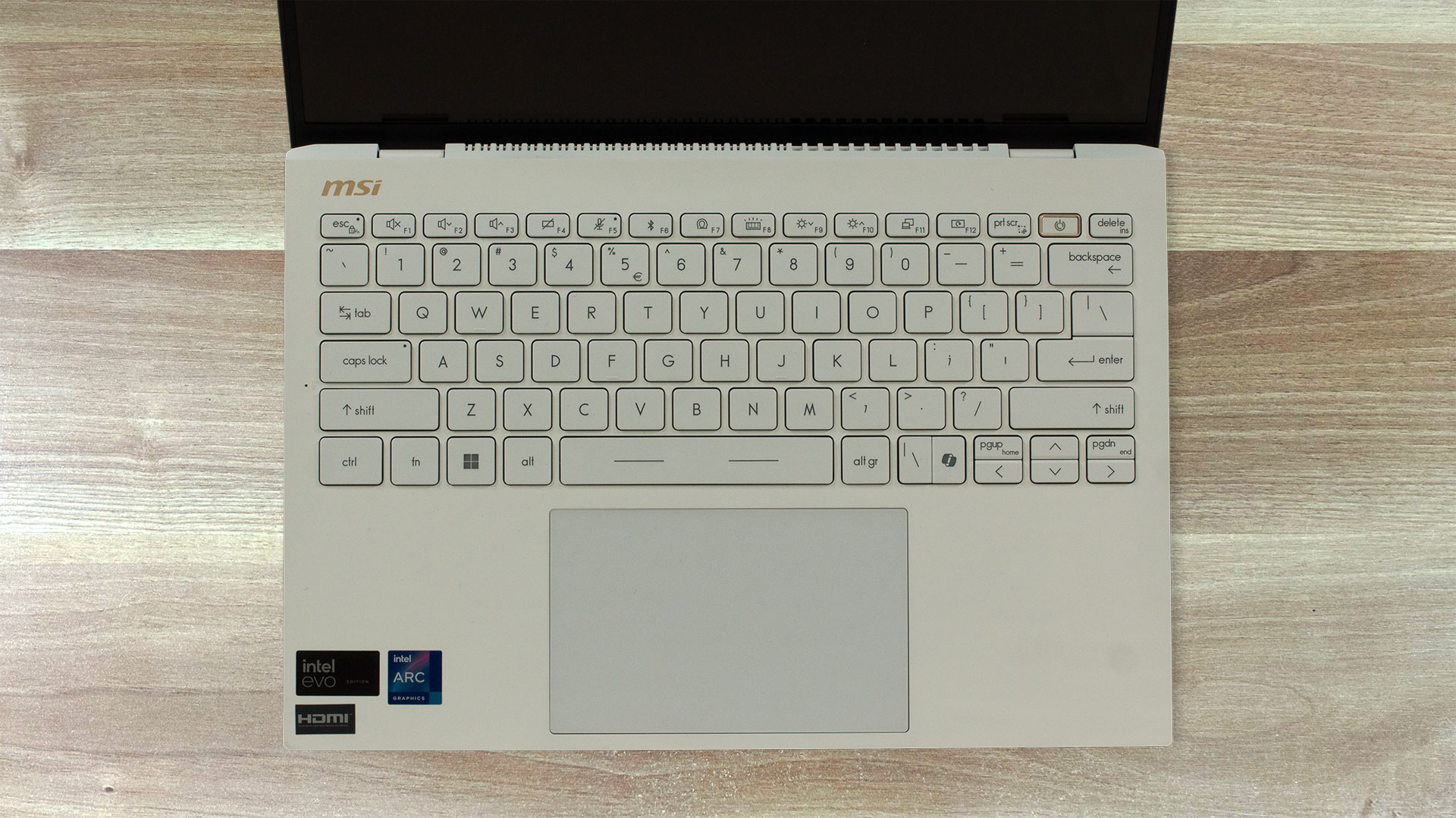
Again, the input devices here look and feel the same as the ones of the Prestige 13 AI+ Evo A2VM. This means a single backlit keyboard that glows in a white color. While the keys are well-spaced and offer ample travel, the feedback feels somewhat shallow. People with big hands will have a hard time when working with the tiny Arrows. The Power button doubles as a fingerprint reader (option).
The touchpad impresses with its smooth cover and accurate tracking.
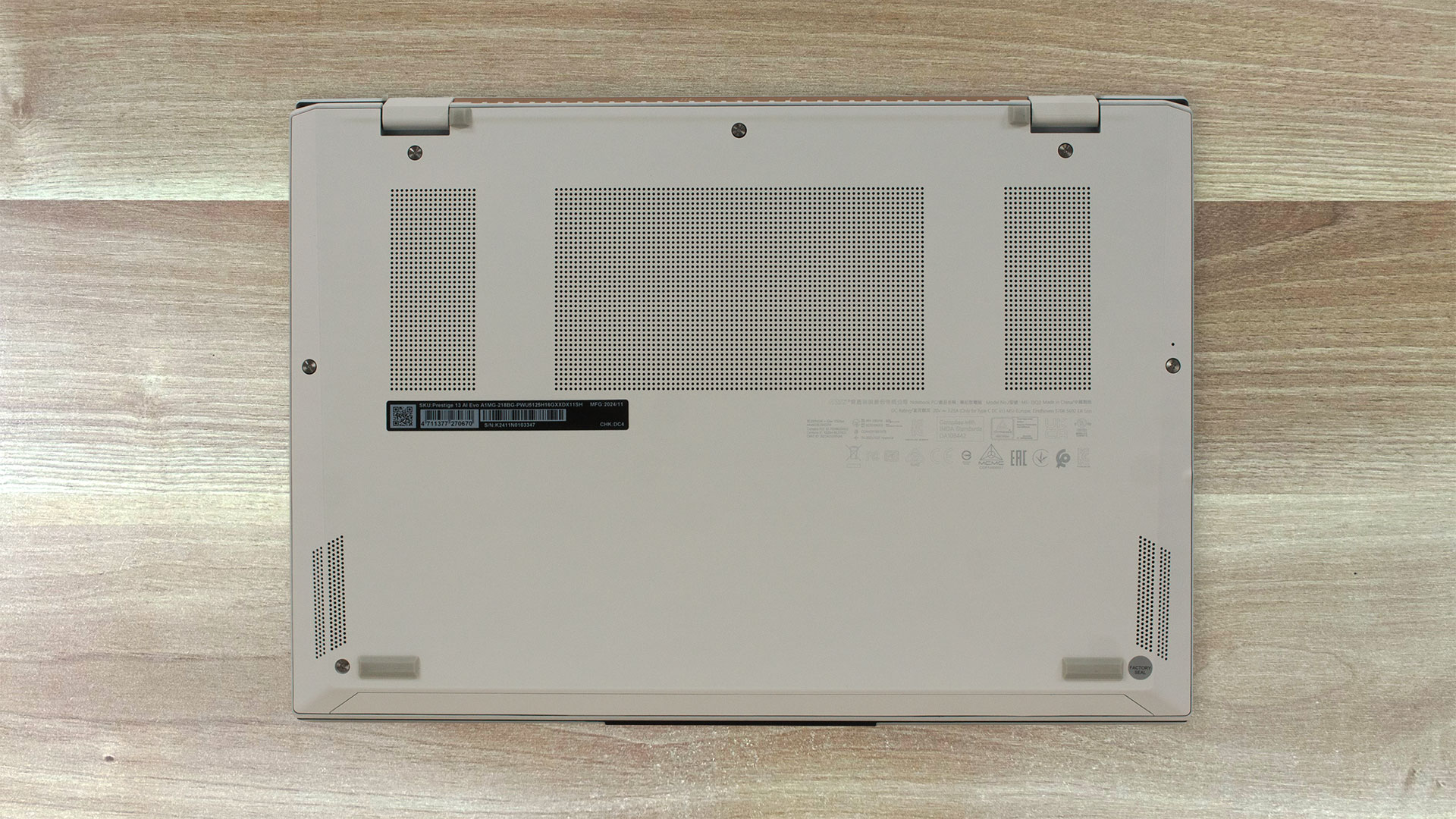
A look underneath and we can see three ventilation grills, four rubber feet, speaker cutouts, and a battery reset hole. The rear exhaust vent, however, directs part of the hot air straight at the lower display bezel when the CPU is pushed to its limits.

Ports
On the left side, there is an HDMI 2.1 for up to 8K@60Hz / 4K@120Hz external displays, a pair of 40 Gbps Thunderbolt 4s with DisplayPort and Power Delivery 3.0, and an Audio combo jack. The right side is home to a 5 Gbps USB Type-A 3.2 (Gen. 1) port, a Lock slot, and a Micro SD Card reader.


Display and Sound Quality, Get our Profiles
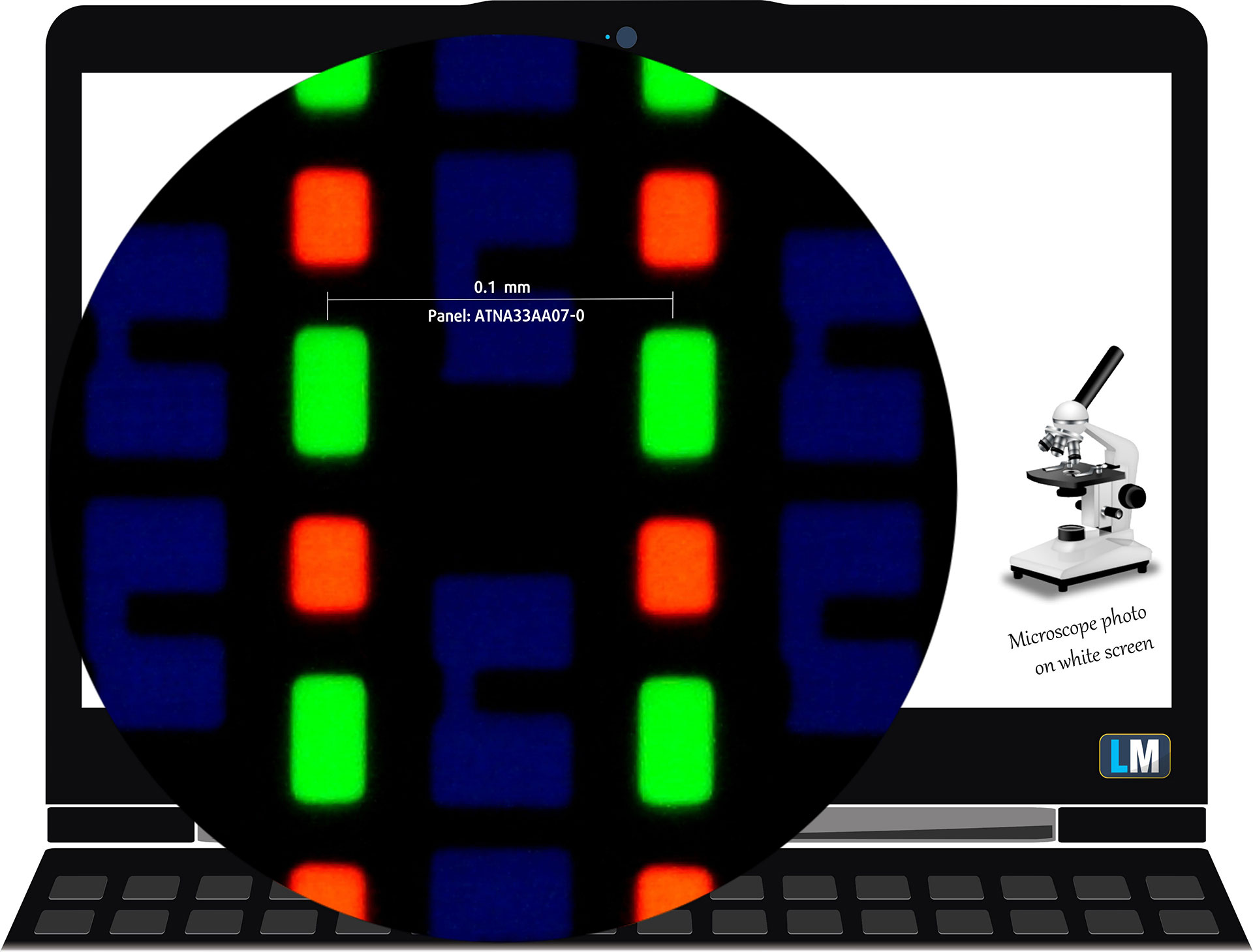
| MSI Prestige 13 AI Evo A1MG | ATNA33AA07-0 (SDC41A8) |
| Diagonal | 13.3 inches (33.8 cm) |
| Panel Type | OLED |
| Resolution | 2880 x 1800 pixels |
| Max Refresh Rate | 60 Hz |
| Aspect Ratio | 16:10 |
| Pixel Density | 255 PPI |
| ‘Retina’ Distance | Greater than or equal to 34 cm |
Viewing Angles
Viewing angles are good. We take photos from different angles to evaluate the quality.

Also, a video with locked focus and exposure.
Color Coverage
The whole “sail-shaped” map below (Fig. 1) consists of all the colors we can see, while the black crooked line shows all the colors from real-world scenes and nature around us.
Then, we’ve drawn some of the most important and interesting color spaces, compared to the colors the panel of MSI Prestige 13 AI Evo A1MG can show:
Standard/For Web: sRGB – widely used color space for most consumer devices, ideal for Web design and development
For Print: AdobeRGB – used in professional photo editing, graphic design, and print
For Photographers/Video Editors: DCI-P3 – used in high-end film production, post-production, and digital cinema
Premium HDR: Rec.2020 – the widest consumer ITU color standard, covering a massive 75.8% of the visible spectrum, a benchmark for premium HDR content
MSI Prestige 13 AI Evo A1MG: the yellow dashed triangle (– – – – – –) represents the range of colors this monitor can display.
In our tests, we calculated the total color coverage of the monitor at 100% of the sRGB color gamut and 100% of the DCI-P3 color gamut.
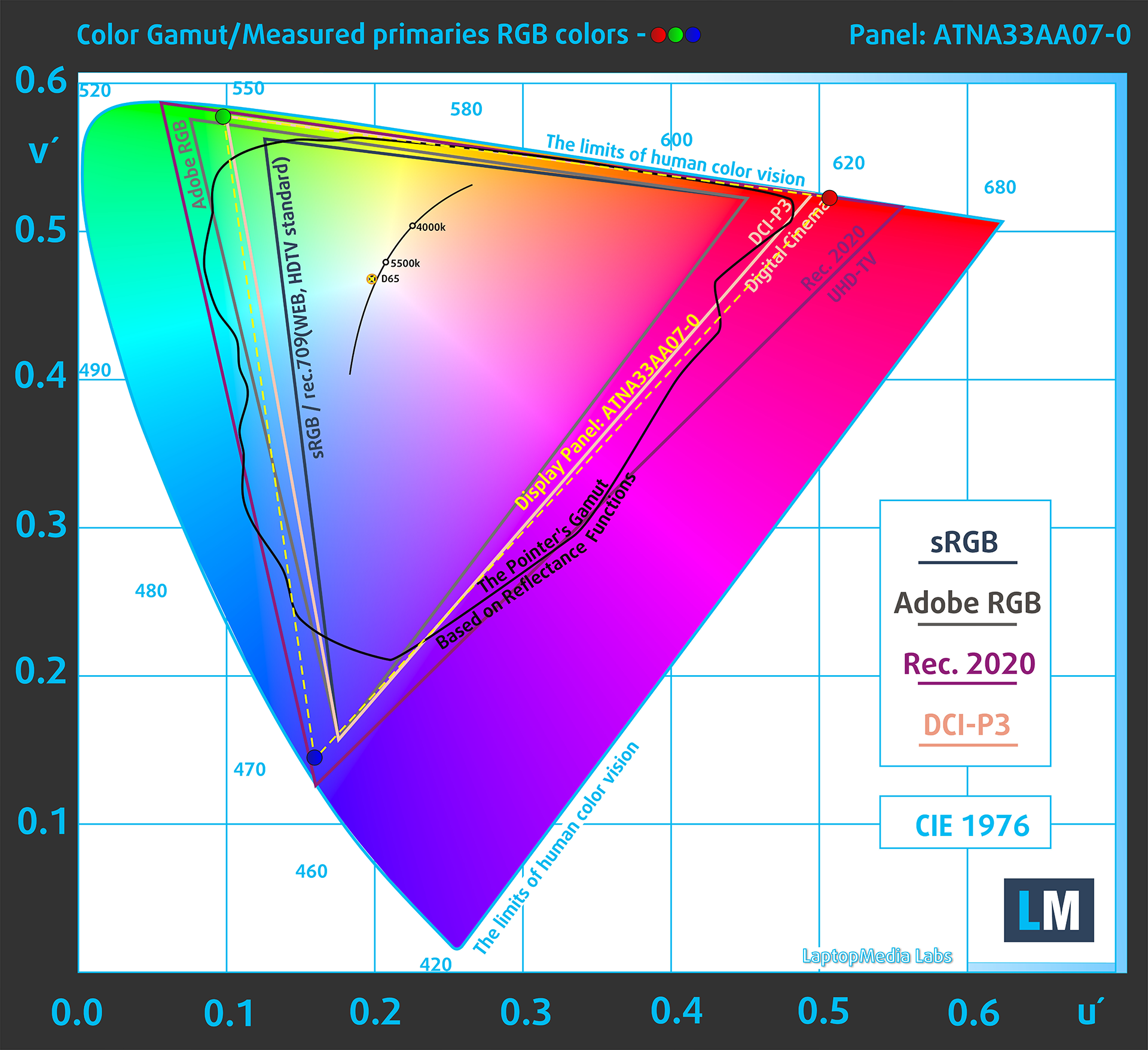
(Fig.1) MSI Prestige 13 AI Evo A1MG covers 100% of the DCI-P3 gamut
Brightness and Contrast
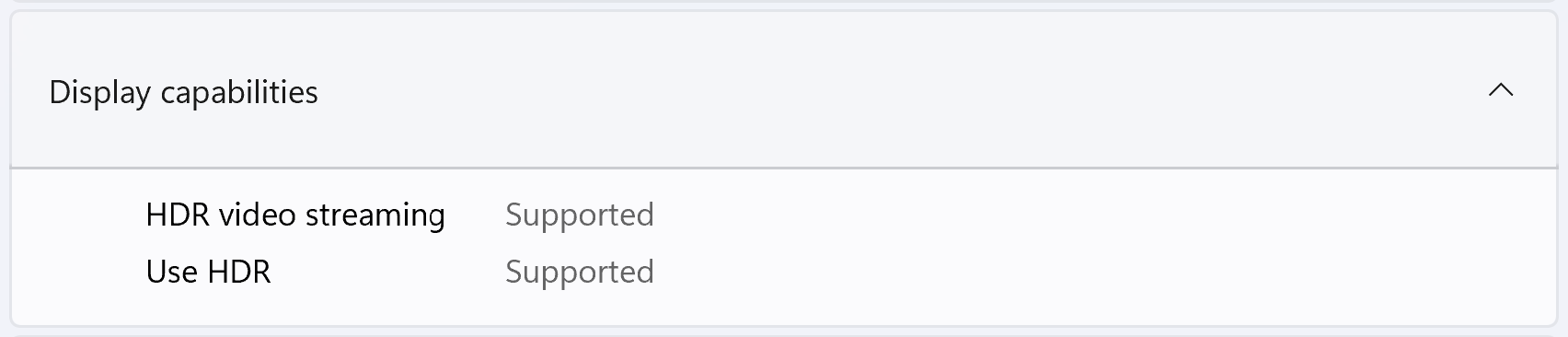
The maximum brightness in HDR mode is 626 cd/m² at 8% white fill and 424 cd/m² on a full white screen.
The maximum brightness in SDR mode is 398 cd/m² in the center of the screen and 395 cd/m² averaged across the surface with a maximum deviation of 2%.
The Correlated Color Temperature (CCT) on a white screen at maximum brightness is 6480K.
The contrast ratio of OLED panels is excellent because the pixels turn off completely when displaying black.
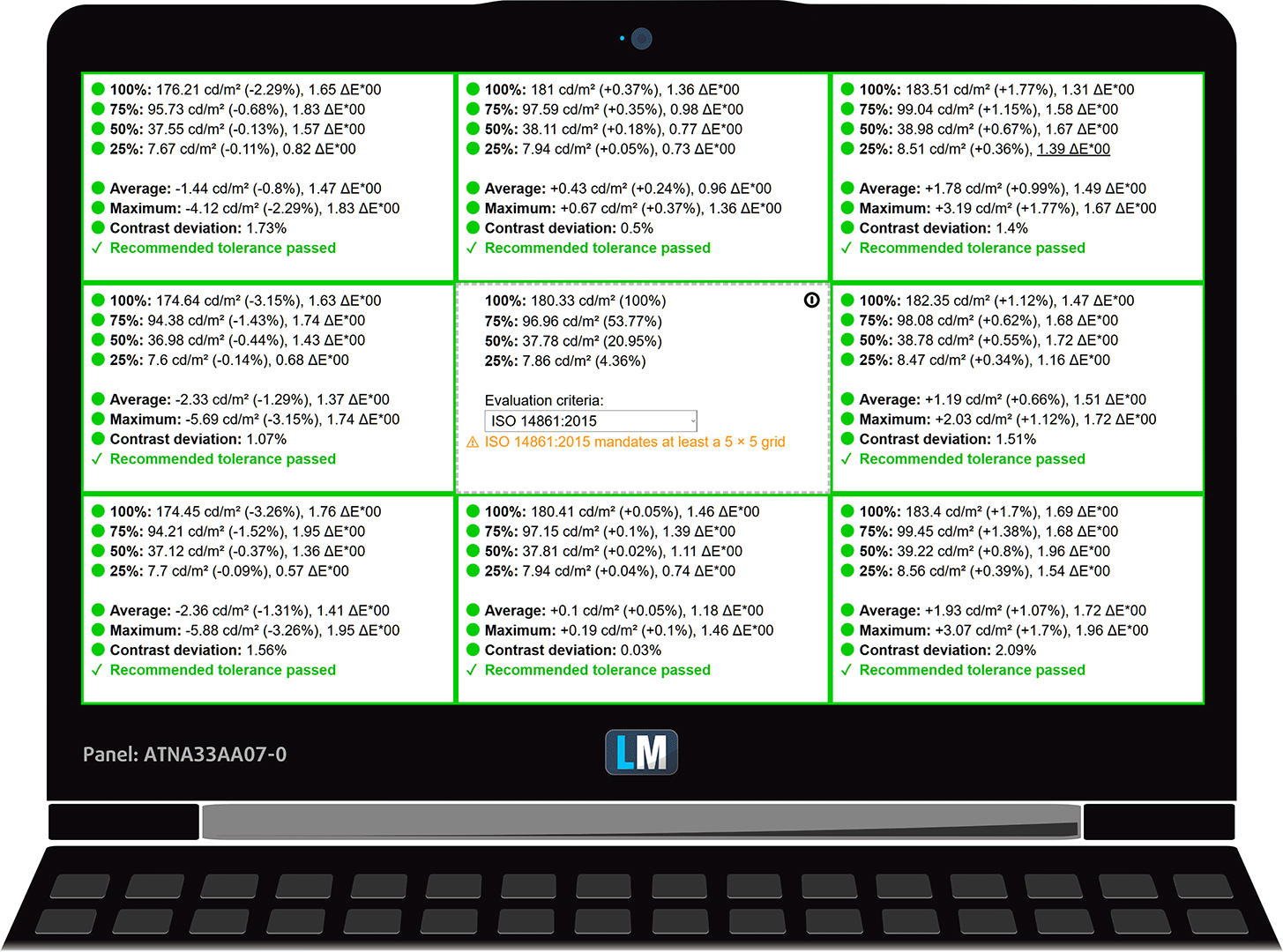
Uniformity: Luminance, Contrast, and Color Deviation
The figure below shows the results from our uniformity test across different sections of the screen. It’s measured at 180 nits (Windows slider = 62%) — a brightness level we consider typical for standard working conditions.
DeltaE values below 4.0 are acceptable for regular users. For those working with colors, screens with DeltaE values no higher than 2.0 are recommended.
Color Accuracy
Let’s check the difference between real colors and those you’ll see on the MSI Prestige 13 AI Evo A1MG. We measure that distance in DeltaE – the higher the number, the more different they look.
Values below 4.0 are acceptable for regular users, while values below 2.0 are suitable for color-sensitive work. A value below 1.0 means the difference is indistinguishable to the naked eye.
For the next graph, we’ve selected 24 common colors, including dark/light skin, blue sky, green grass, etc.
Before our calibration of the MSI Prestige 13 AI Evo A1MG, the Average color accuracy was 1.6 dE (Fig. 2), and with our Design and Gaming profile, it lowered to 1.4 dE (Fig. 3).
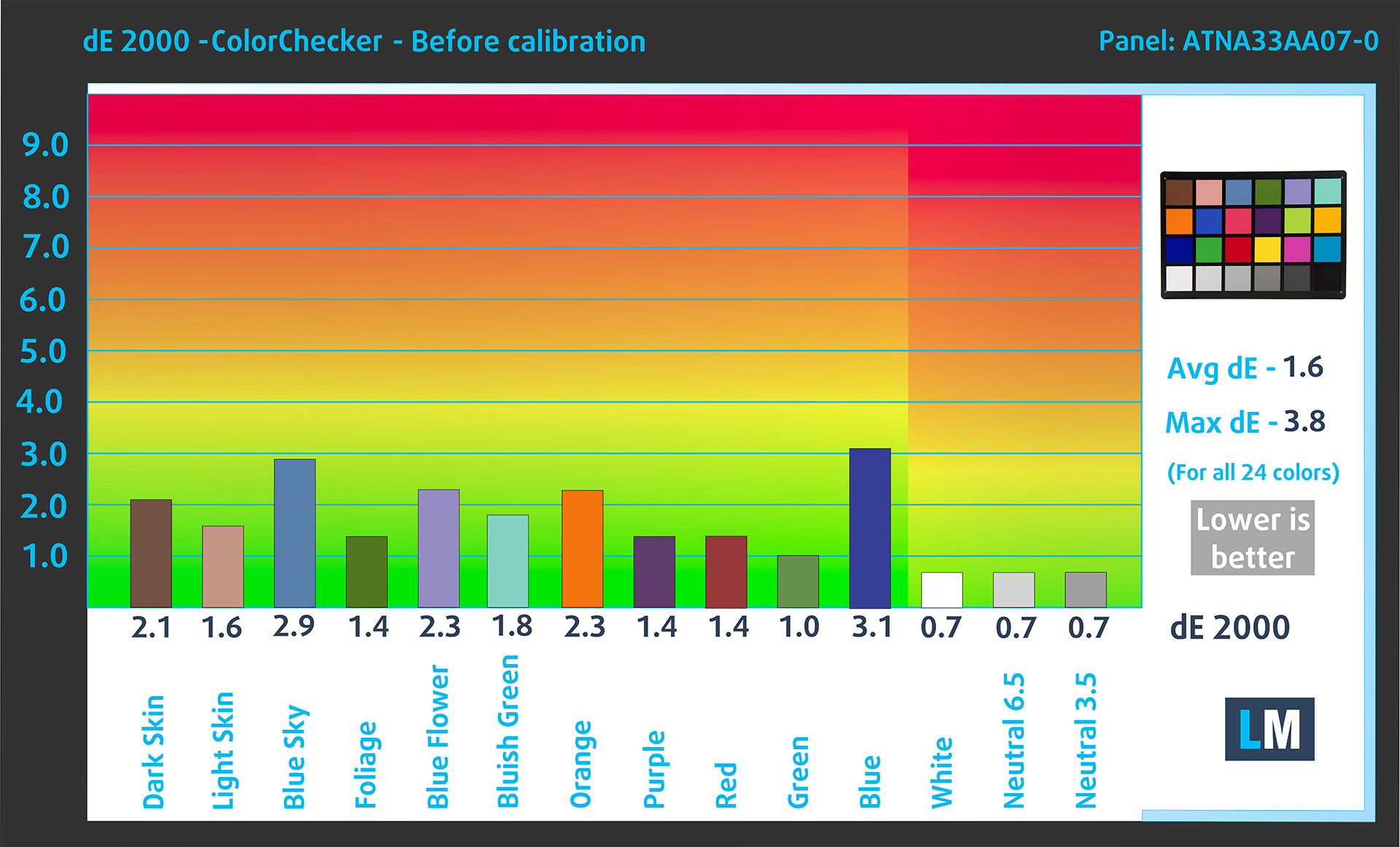
(Fig. 2) MSI Prestige 13 AI Evo A1MG in its factory condition
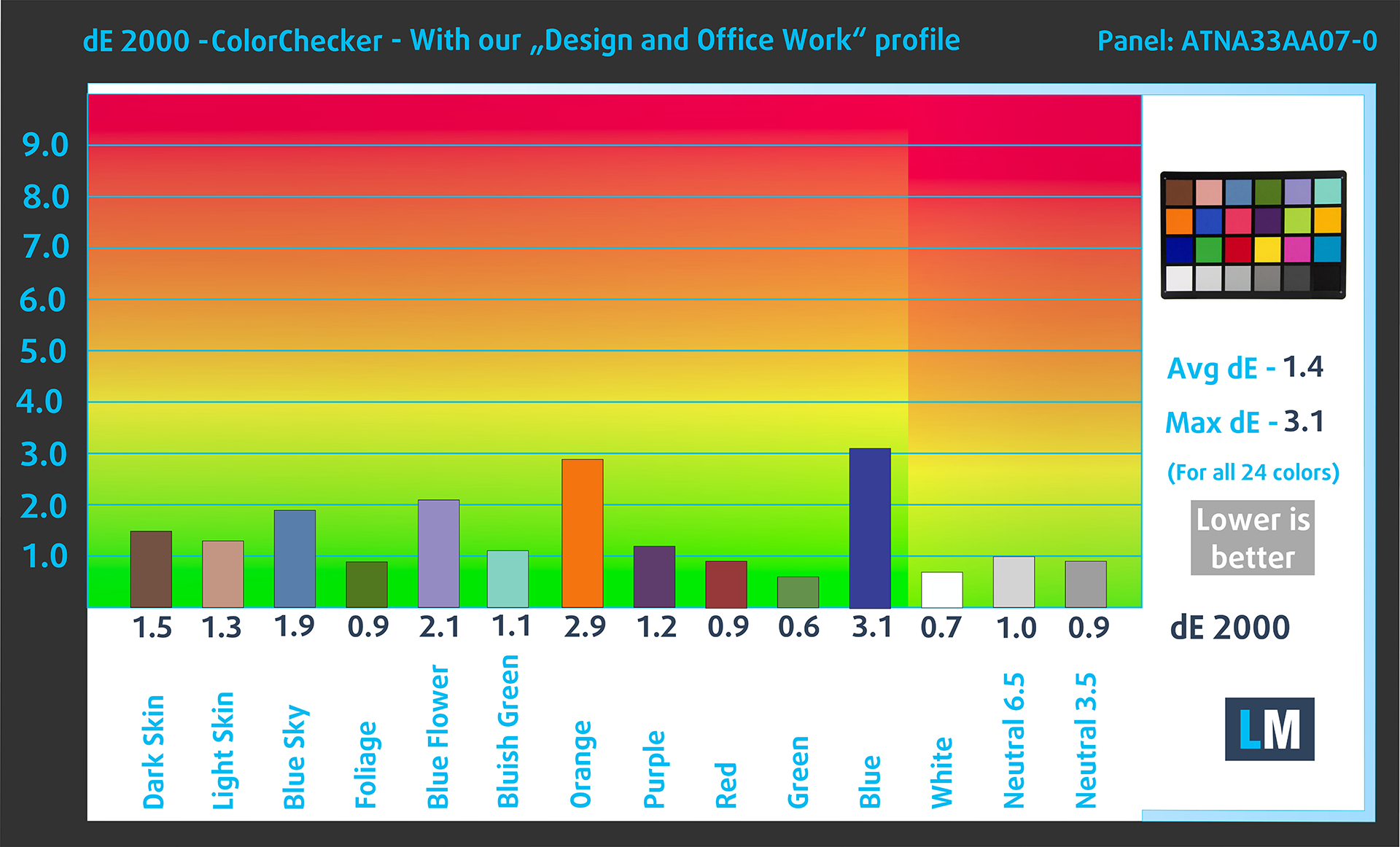
(Fig. 3) MSI Prestige 13 AI Evo A1MG with our display profile
Comparison in the Display P3 color space.
Health Impact: PWM (Screen flickering)
Some use PWM to regulate their brightness, which means that instead of reducing the light intensity, they pulse or flicker. Our brain merges the image, so it appears darker, but this strains both it and our vision, especially when the frequency of the pulses is low. You can read more about that in our dedicated article on PWM.
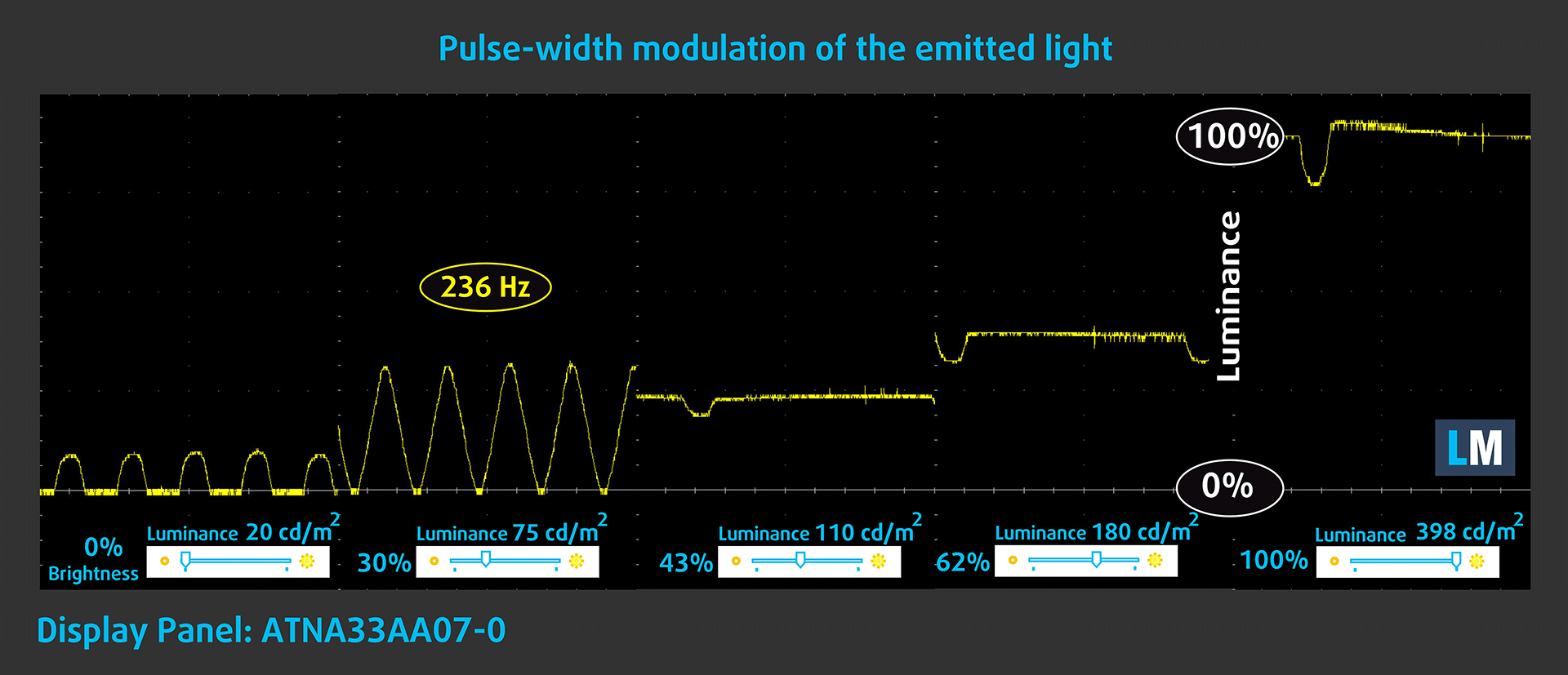
In the graph below, you see the intensity of light at different brightness levels—on the vertical axis is the brightness of the emitted light, and on the horizontal axis—time.
The luminance of the MSI Prestige 13 AI Evo A1MG display is PWM controlled up to about 107 cd/m2. When the brightness is higher, we observe ripples of limited amplitude. Therefore, we consider the display to be sufficiently comfortable for vision in the considered aspect.
Health Impact: Blue light emissions
Installing our Health-Guard profile reduces harmful Blue Light emissions while keeping the colors of the screen perceptually accurate.
If you’re not familiar with the Blue light, the TL;DR version is – emissions that negatively affect your eyes, skin, and your whole body. You can find more information about that in our dedicated article on Blue Light.
Health Impact: Screen Reflectance
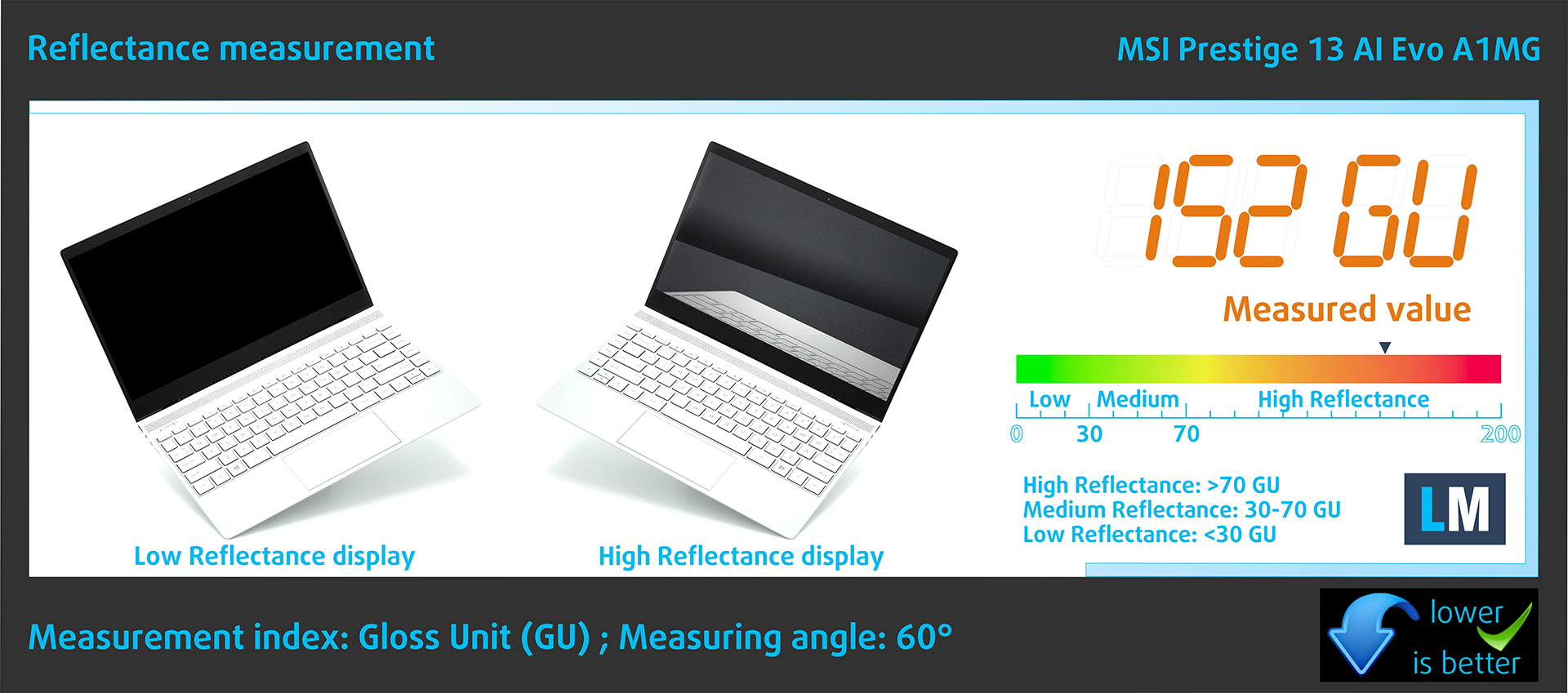
Glossy-coated displays can cause eye fatigue in high ambient light conditions due to reflections. We measure the level of screen reflection with the display turned off, at a 60° angle.
The reflectance of the MSI Prestige 13 AI Evo A1MG’s screen is 152 GU.
High Gloss: >70 GU
Medium Gloss: 30 – 70 GU
Low Gloss: <30 GU
Get our profiles
Since our profiles are tailored for each individual display model, this article and its respective profile package are meant for MSI Prestige 13 AI Evo A1MG configurations with ATNA33AA07-0 (SDC41A8), 2880 x 1800, OLED panel.
*Should you have problems with downloading the purchased file, try using a different browser to open the link you’ll receive via e-mail. If the download target is a .php file instead of an archive, change the file extension to .zip or contact us at [email protected].
Read more about the profiles HERE.
In addition to receiving efficient and health-friendly profiles, by buying LaptopMedia's products you also support the development of our labs, where we test devices in order to produce the most objective reviews possible.

Design and Office
The Design and Office profile makes display colors as close to real as possible.Ideal not only for professionals but also for everyday users, it meets sRGB standards (D65 white point, sRGB gamma) with minimal DeltaE for precise color reproduction on your panel.

Gaming and Movies
Have you ever watched a movie where, during dark scenes, you can barely see anything? Many displays fail to distinguish dark tones properly. Our Gaming and Movies profile enhances low-light performance, like HDR tech, using a gamma curve tailored to human perception — ideal for gamers seeking faster reactions and clearer visuals.

Health-Guard
Our Health-Guard profile protects your eyes by eliminating PWM flickering, reducing strain and fatigue, and minimizing harmful Blue light exposure that can disrupt sleep and health. It uses software dimming and a gamma curve tailored to human perception for comfort and safety during screen use.
Get All The Profiles With 33% Discount!

Sound
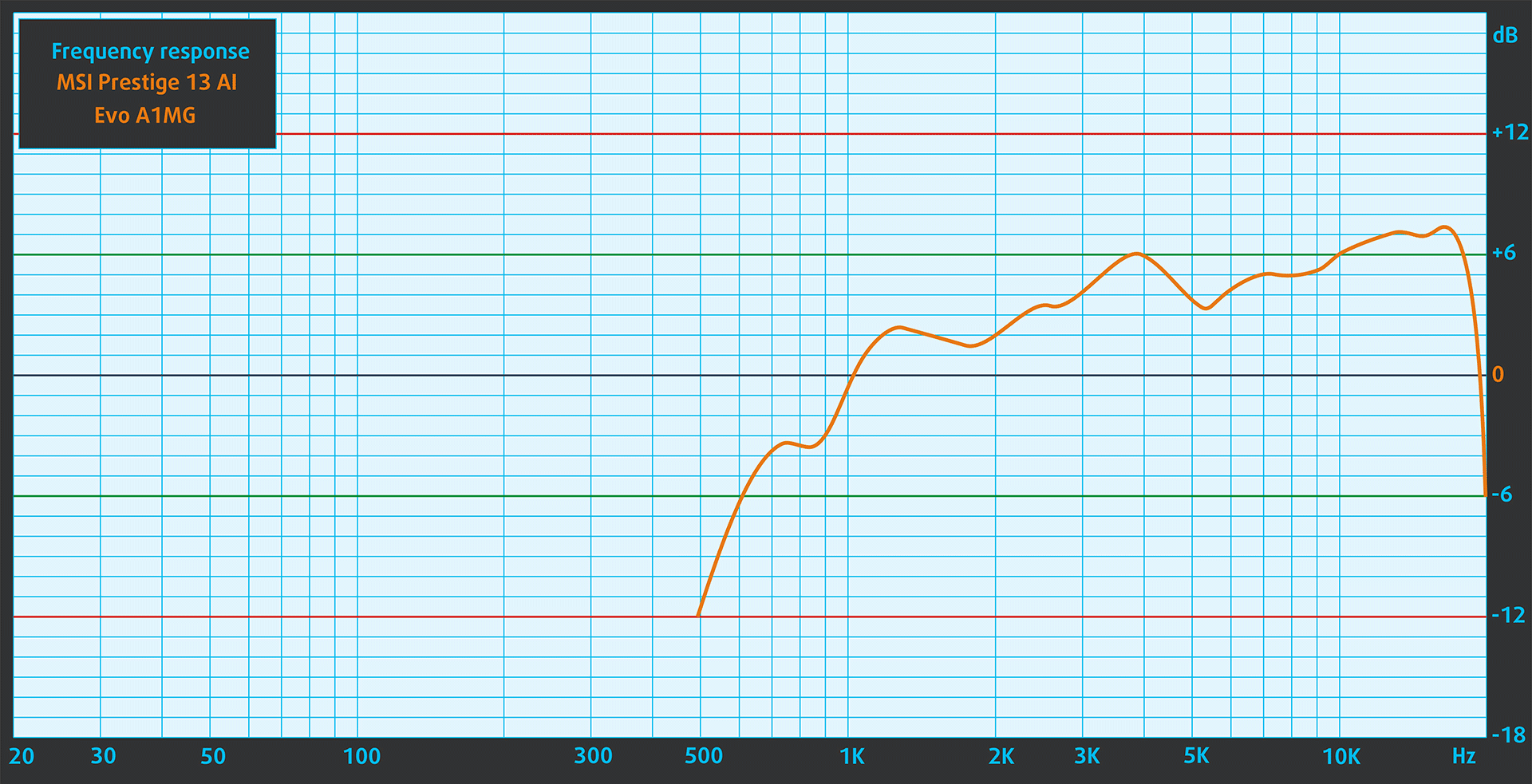
The sound of the MSI Prestige 13 AI Evo A1MG is of relatively good quality. In the subjective listening of a sound file, the low, middle and high frequencies have slight deviations in purity.
Performance: CPU, GPU, Storage
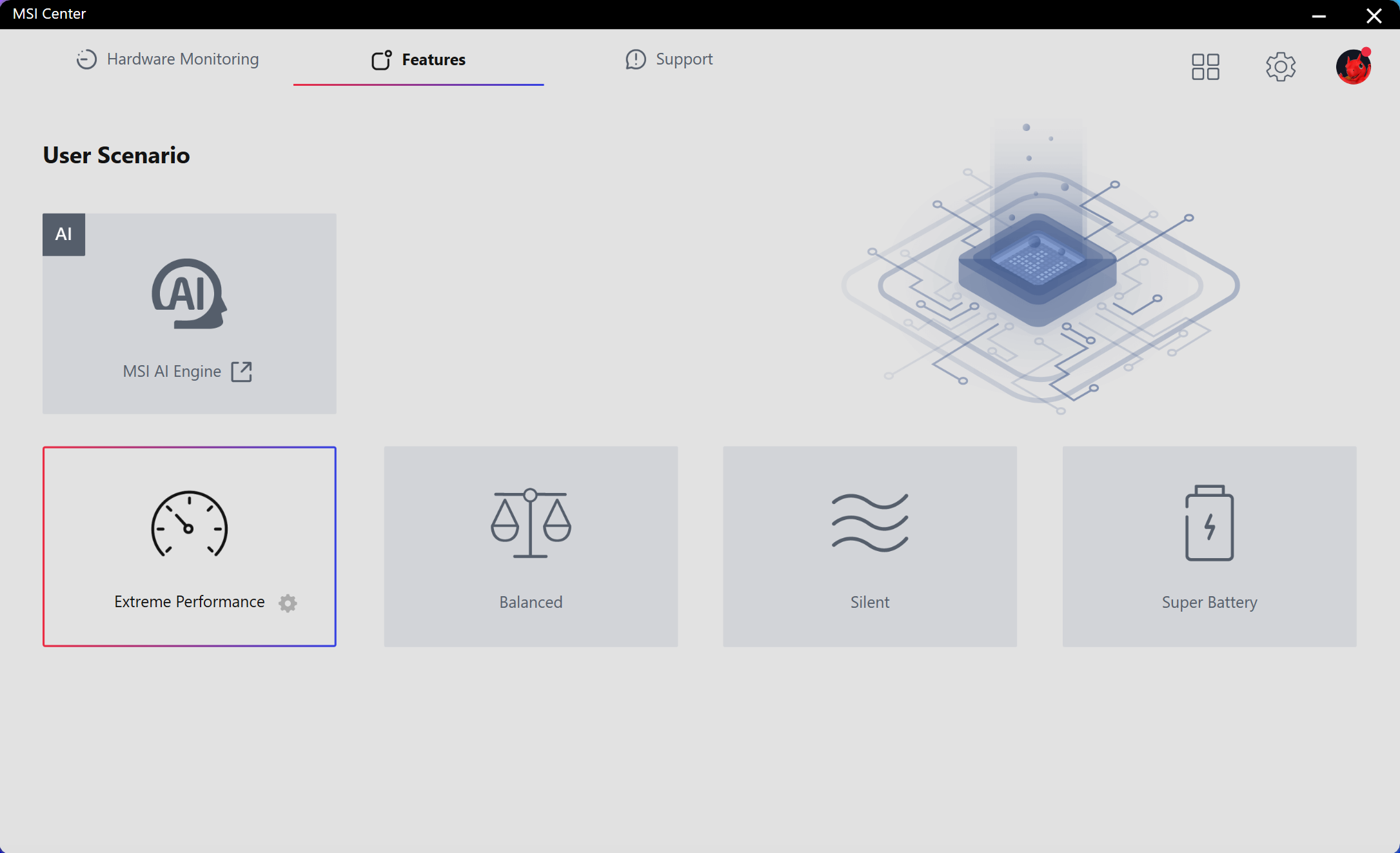
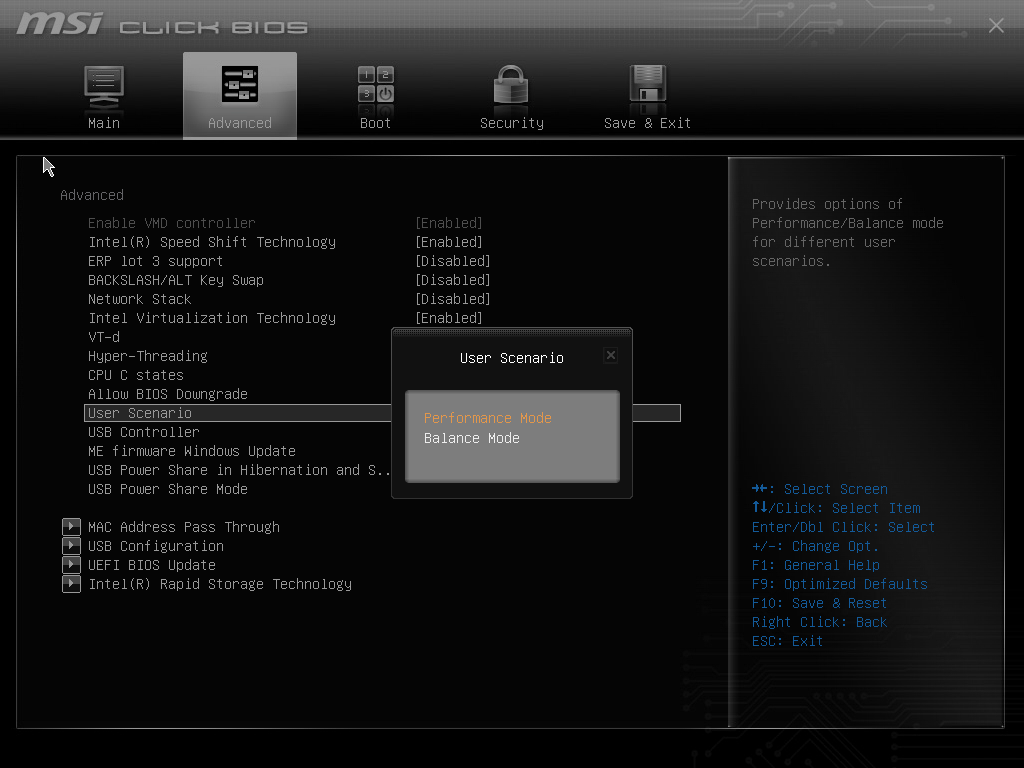
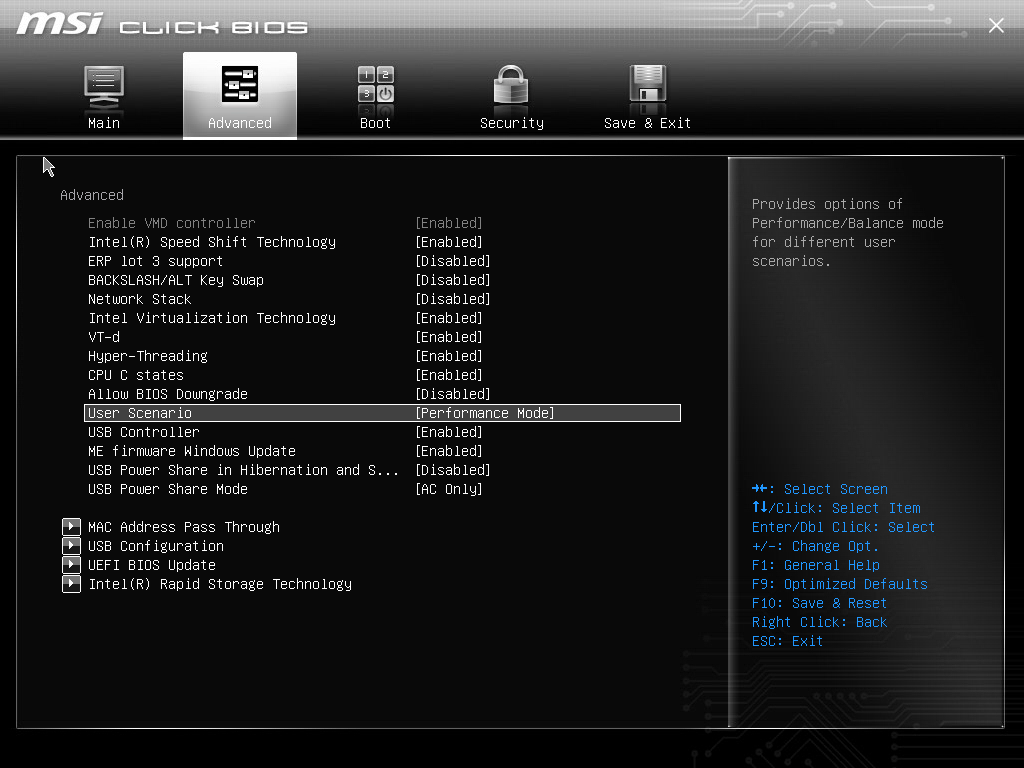
All benchmarks and tests were conducted with the “Extreme Performance” profile activated in the MSI Center. Also, the “Performance mode” is applied in the BIOS in the “User Scenario” section. In addition, the “Best performance” preset is activated in the Windows “Power & Battery” menu.

CPU options
At the time of writing this review, this laptop can be found with Intel Core Ultra 5 125H or Core Ultra 7 155H.
The device that we bought is equipped with a 125H chip.
Single-core performance ensures smooth operation and responsiveness in operating systems, providing a better user experience.
Results are from the Geekbench 6 Single-Core test (higher is better)

Multi-core performance is essential for handling complex and demanding tasks, such as Video editing, CAD, and Scientific simulations.
Results are from the Geekbench 6 Multi-Core test (higher is better)
Here, we evaluate the CPU's performance using a real-world 3D rendering task, assessing its ability to handle complex computations and rendering workloads efficiently.
Results are from the Cinebench 2024 Multi-Core test (higher is better)

GPU options
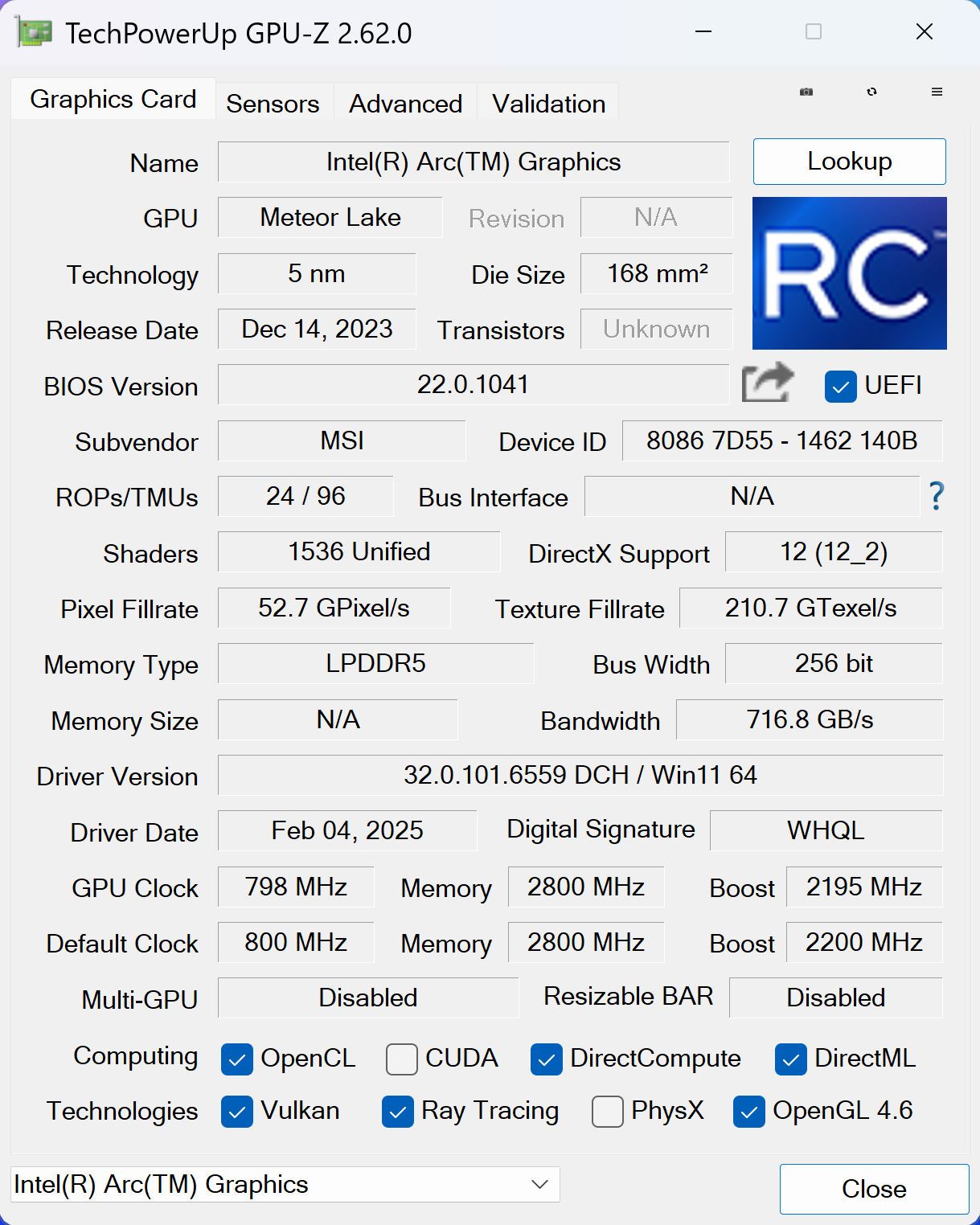
Depending on the CPU model, you get an Intel Arc (8-Cores) or Intel Arc (7-Cores).
Our laptop relies on the iGPU with seven cores.
The results are from 3DMark Time Spy (Graphics). Higher is better.
The results are from 3DMark Wild Life Extreme Unlimited. Higher is better.
Gaming tests

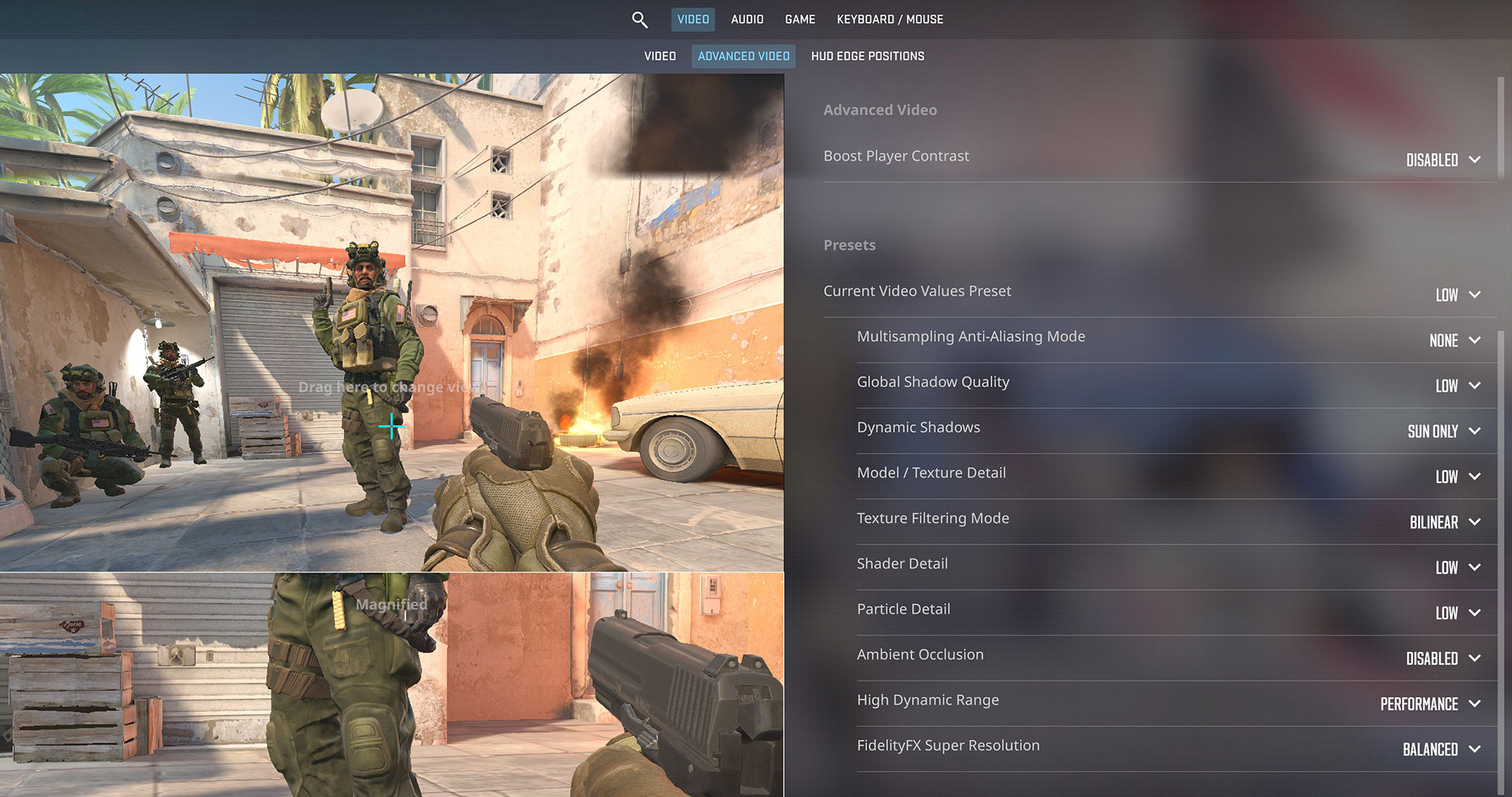
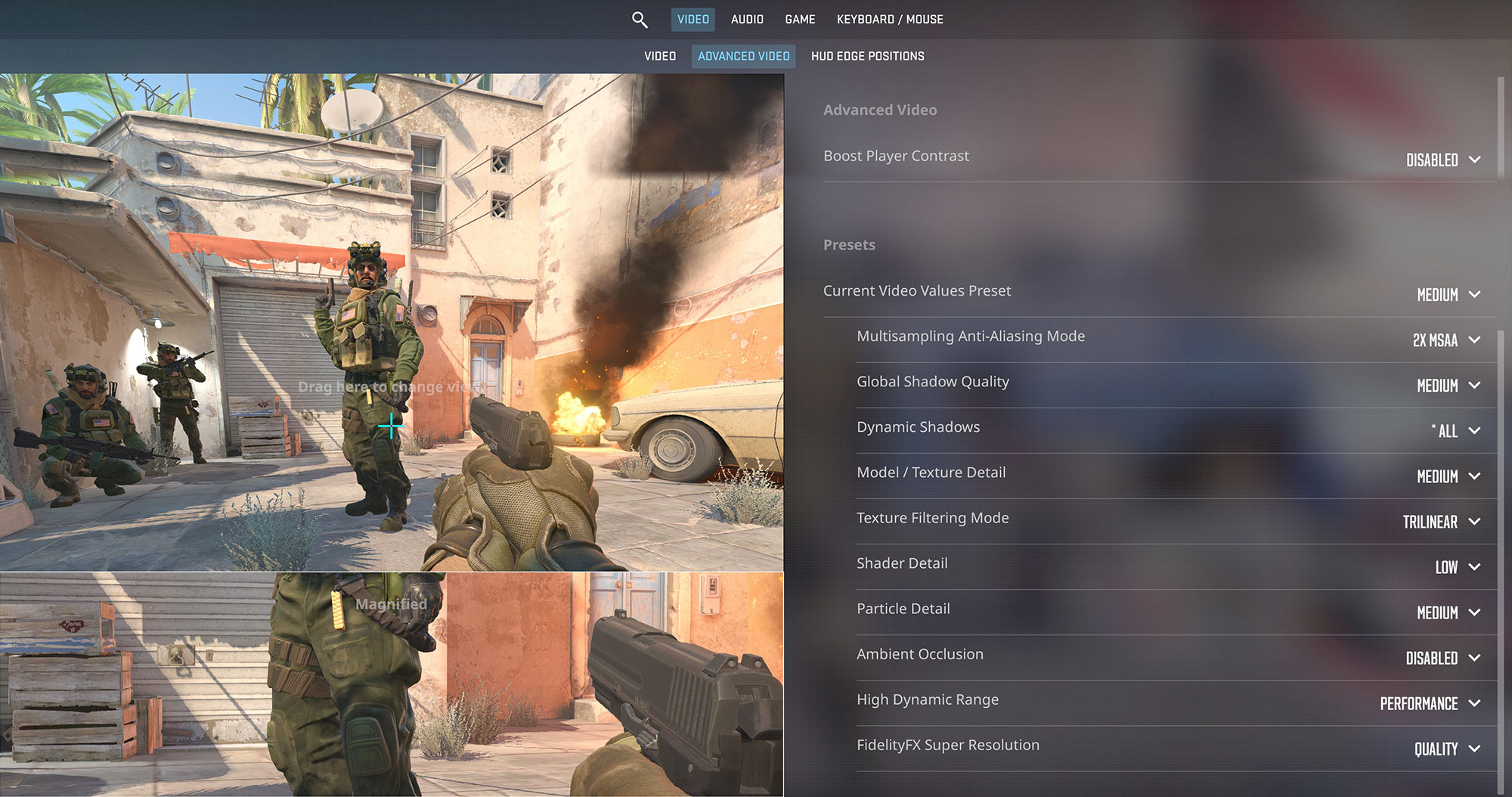
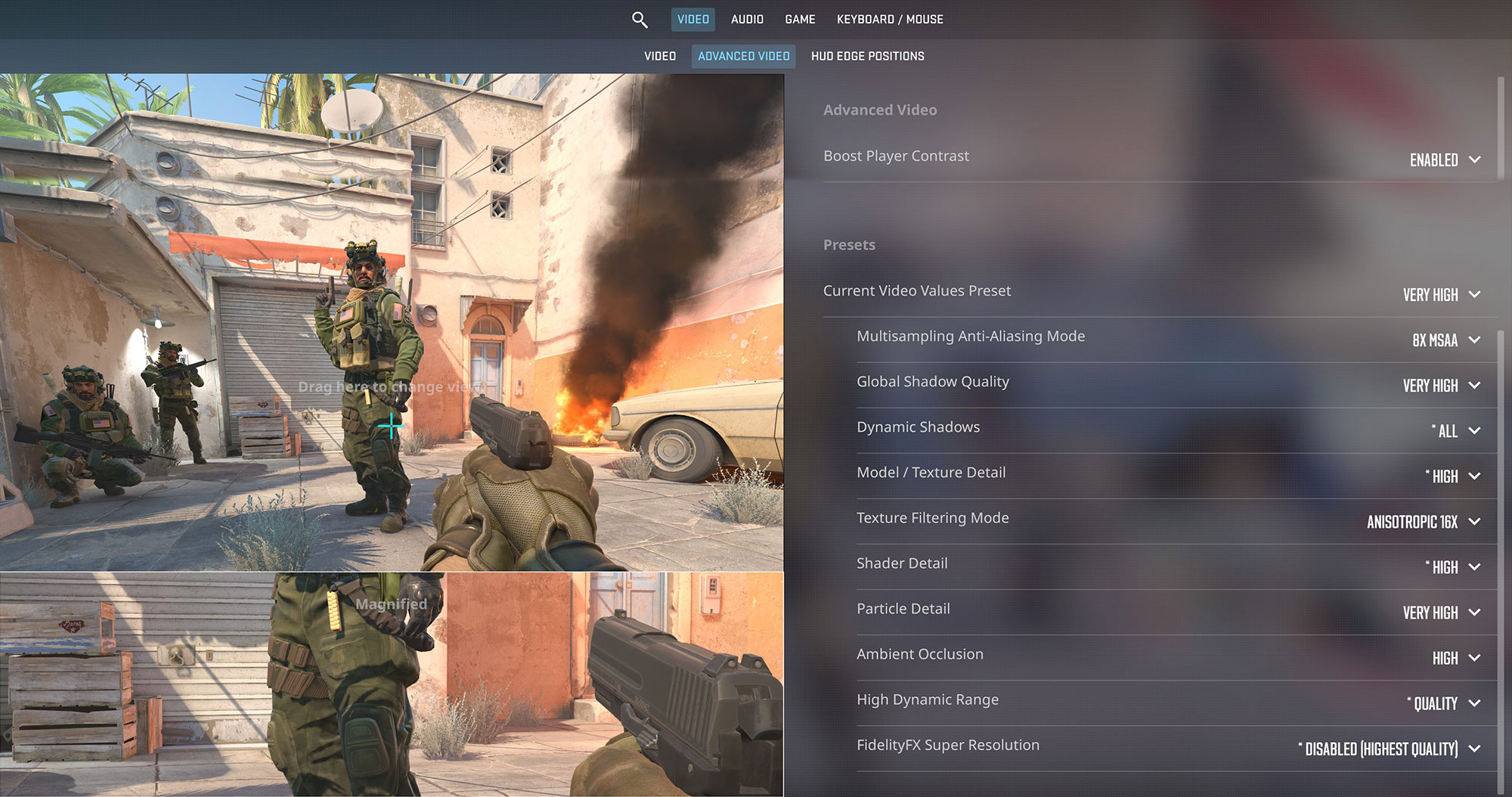
| Counter-Strike 2 | HD 1080p, Low (Check settings) | HD 1080p, Medium (Check settings) | HD 1080p, Very High (Check settings) |
| Average FPS | 142 FPS | 96 FPS | 34 FPS |

| Gears 5 | Full HD, Low (Check settings) | Full HD, Medium (Check settings) | Full HD, High (Check settings) | Full HD, Ultra (Check settings) |
| Average FPS | 59 FPS | 41 FPS | 32 FPS | 25 FPS |
Storage performance
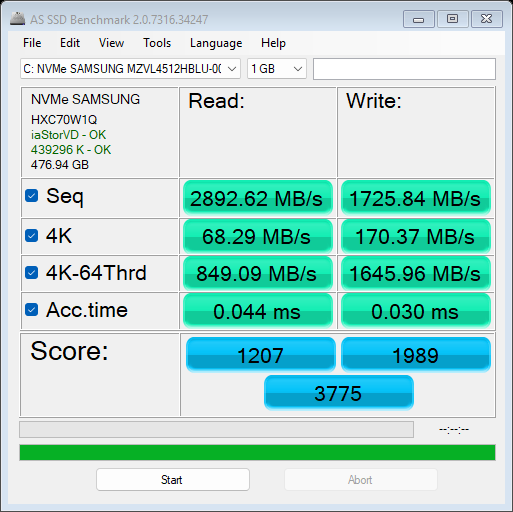
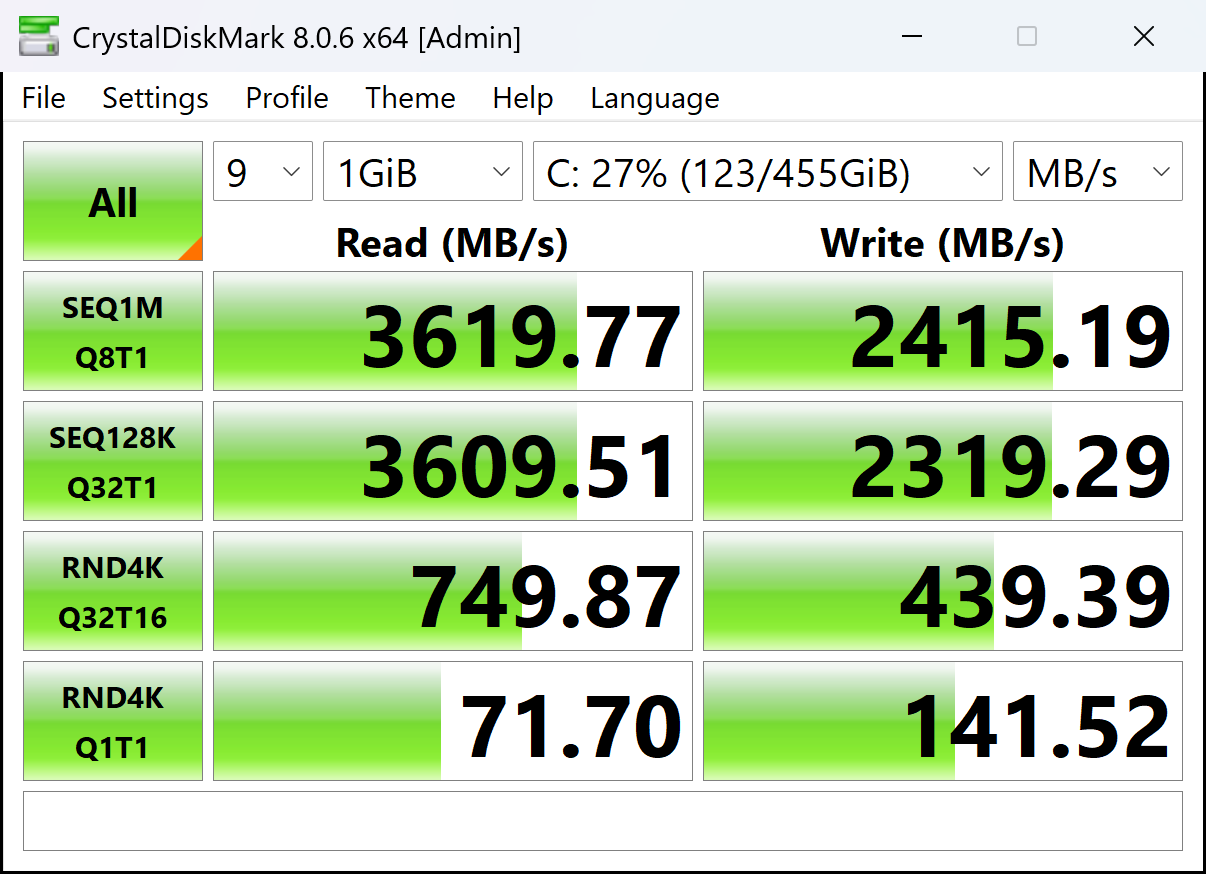
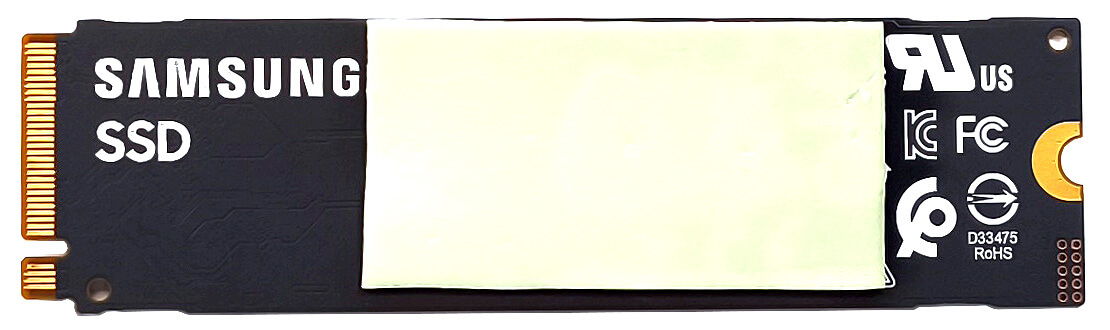
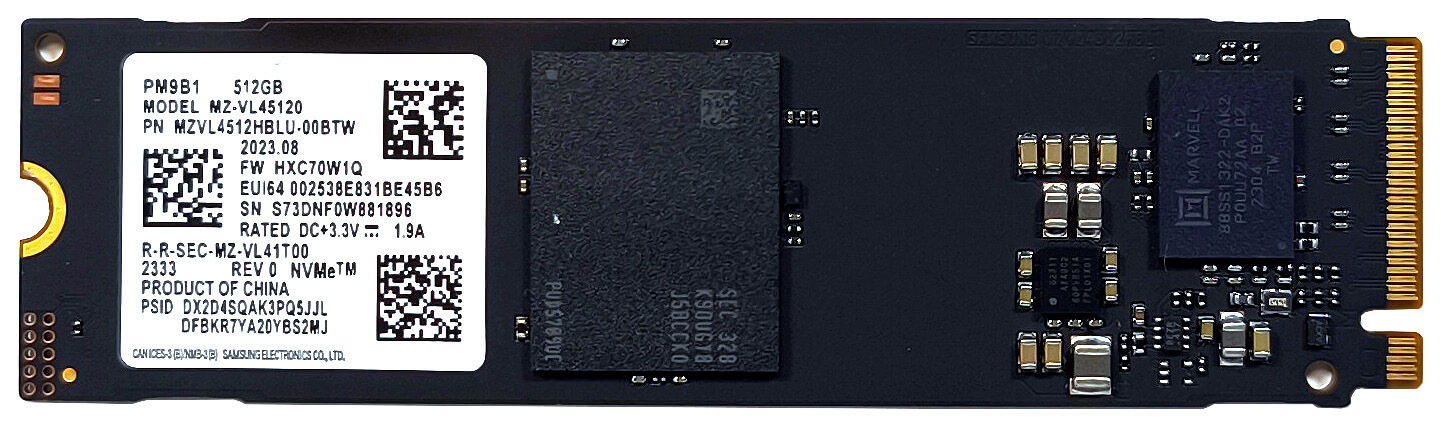
Our device has a 512GB SAMSUNG PM9B1 (MZVL4512HBLU-00BTW). For such a low capacity, its speeds aren’t bad and the SSD doesn’t get too hot during benchmarking.

[eBook Guide + Tools] How to MAX OUT Your Laptop
You can make your laptop Faster. LaptopMedia has tested thousands of models in the last 15 years, and we have yet to see a notebook that couldn't be made more powerful through modifications.
That's why we decided to bundle everything we know about how to achieve this in an Easy-to-Follow, Step-by-Step, and Laboratory-Tested, all in one project.
Read more about it here:
[eBook Guide + Tools] How to MAX OUT Your Laptop
🛠️ GPU Modifications: vBIOS, Overclocking, Undervolting
⚙️ Building Fast/Reliable RAID configuration
💻 Hardware upgrade tips for best results
🖼 Display enhancing
💾 OS Optimization for best performance
Temperatures and comfort, Battery Life
Max CPU load
In this test we use 100% on the CPU cores, monitoring their frequencies and chip temperature. The first column shows a computer’s reaction to a short load (2-10 seconds), the second column simulates a serious task (between 15 and 30 seconds), and the third column is a good indicator of how good the laptop is for long loads such as video rendering.
Average P-core frequency; Average E-core frequency; Average LP E-core frequency; CPU temp.; Package Power
| Intel Core Ultra 5 125H (28W Base Power) | 0:02 – 0:10 sec | 0:15 – 0:30 sec | 10:00 – 15:00 min |
|---|---|---|---|
| MSI Prestige 13 AI Evo A1MG | 2.42 GHz @ 2.12 GHz @ 1.49 GHz @ 75°C @ 28W | 2.33 GHz @ 2.03 GHz @ 1.42 GHz @ 88°C @ 35W | 1.93 GHz @ 1.39 GHz @ 1.07 GHz @ 86°C @ 26W |
The official base clock of the Intel Core Ultra 5 125H is 1.20 GHz for the P cores and 0.70 GHz for both E and LP E cores. As you can see, the CPU here has no problems boosting higher than the mentioned frequencies even in long loads. Yes, the clocks aren’t impressively high but that’s fine for a gadget that weighs ~ 990 grams.
Gaming comfort
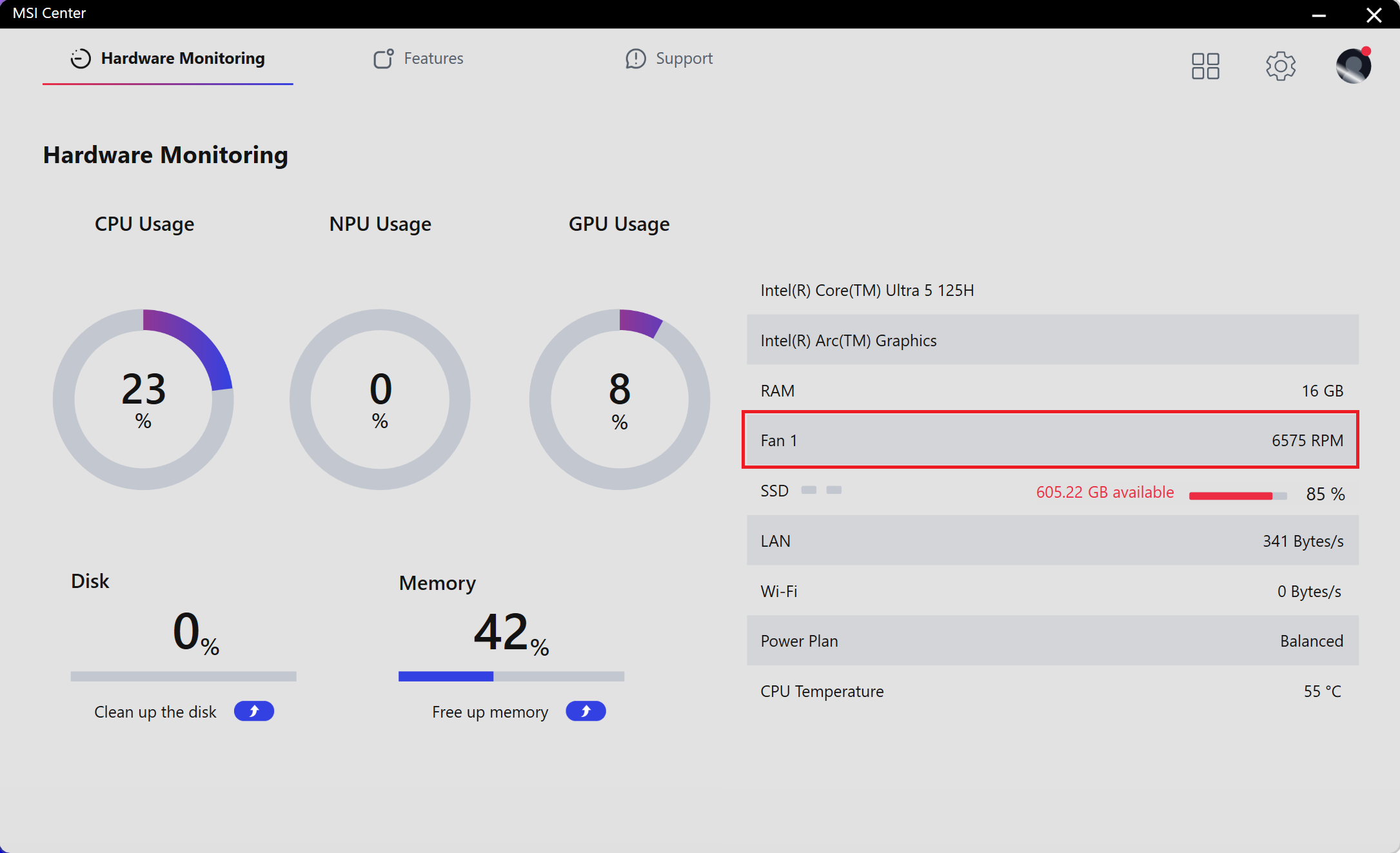
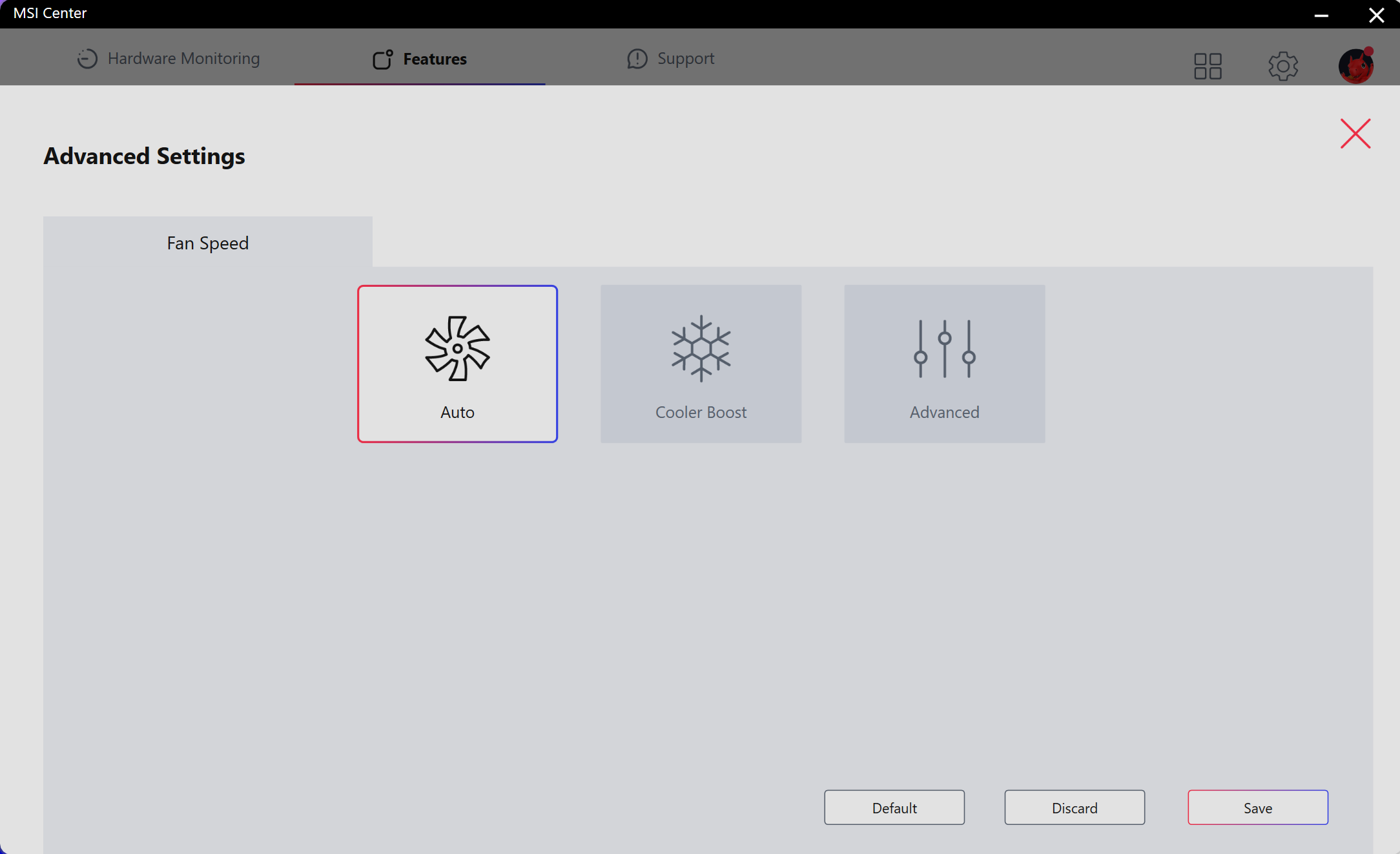
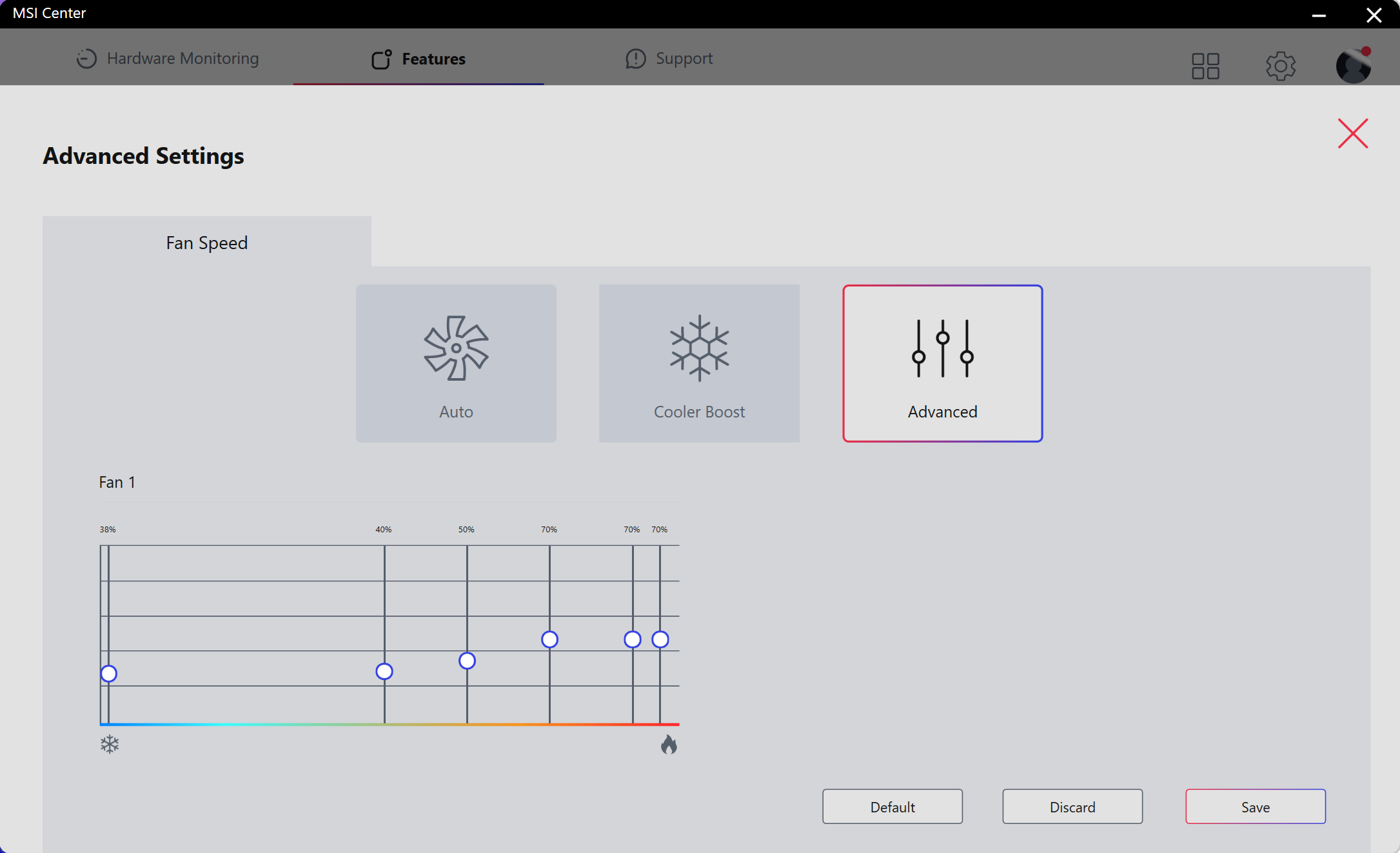
The MSI Center offers plenty of customizations including four presets and an AI-based one. The Cooler Boost mode ramps the fan to ~ 6600 RPM.
The custom fan curve gives you the option to fine-tune the fan speed to your exact preferences.
In idle, there is almost no difference between the noise since both “Extreme Performance” and “Silent” modes bring the fan to around 2400 RPM.
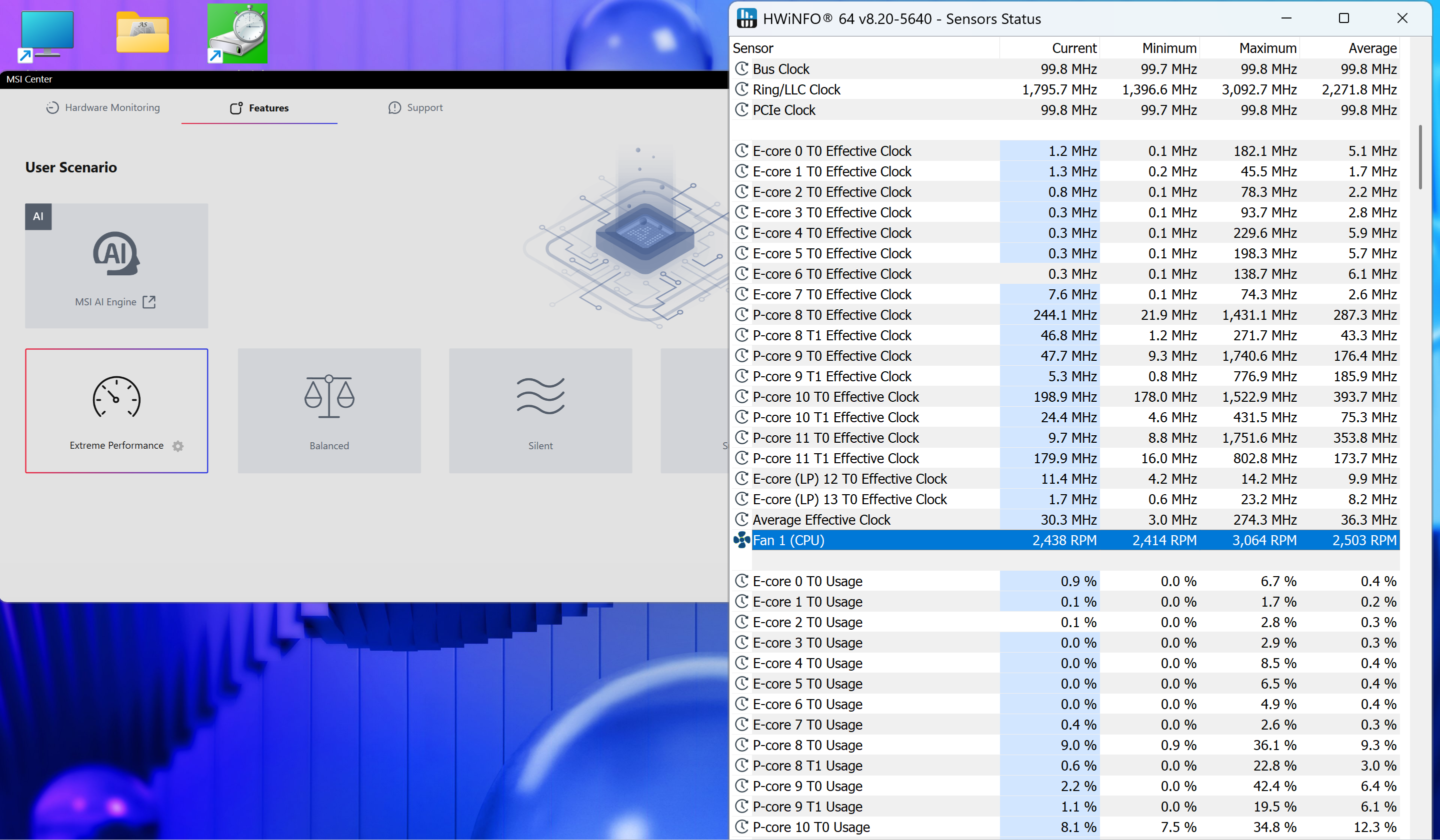 Idle “Extreme Performance”
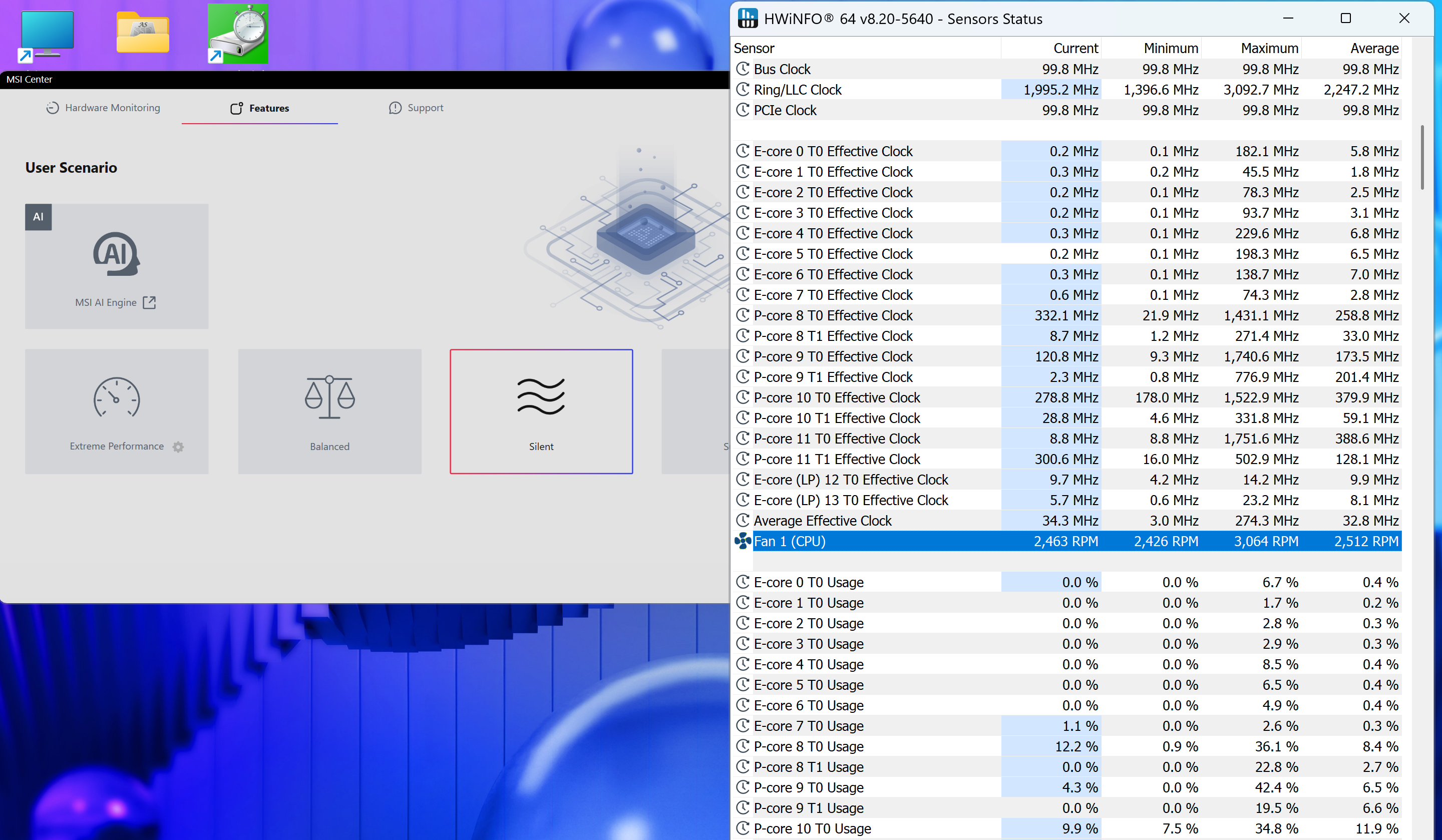 Idle “Silent”
We observed similar behavior in long CPU stress, where the clocks and the fan speed (~ 3000 RPM which aint that loud) between the “Extreme Performance” preset and the “Balanced” preset are nearly identical.
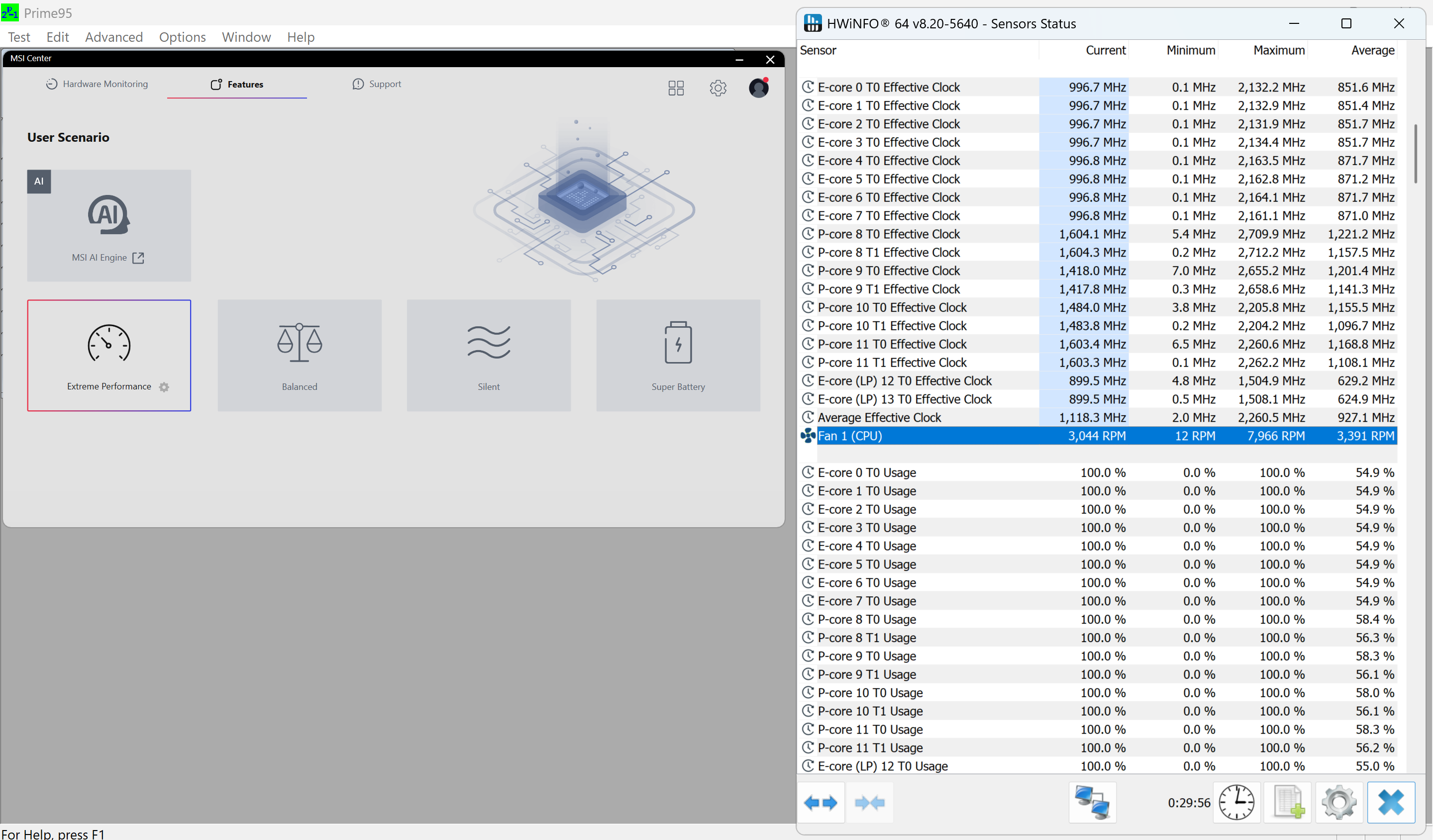 “Extreme Performance”
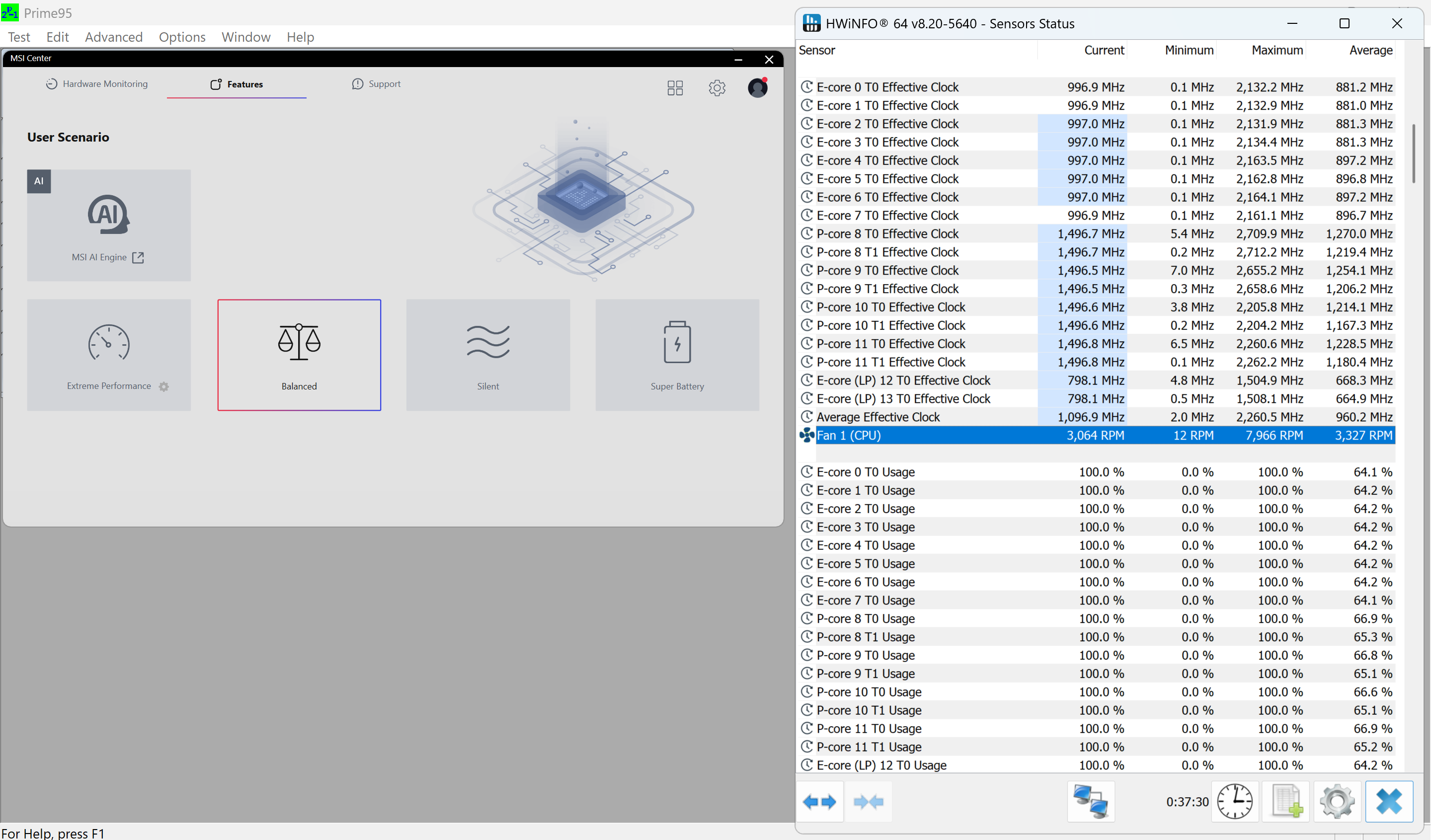 “Balanced”
This is the main menu of the BIOS.
Battery
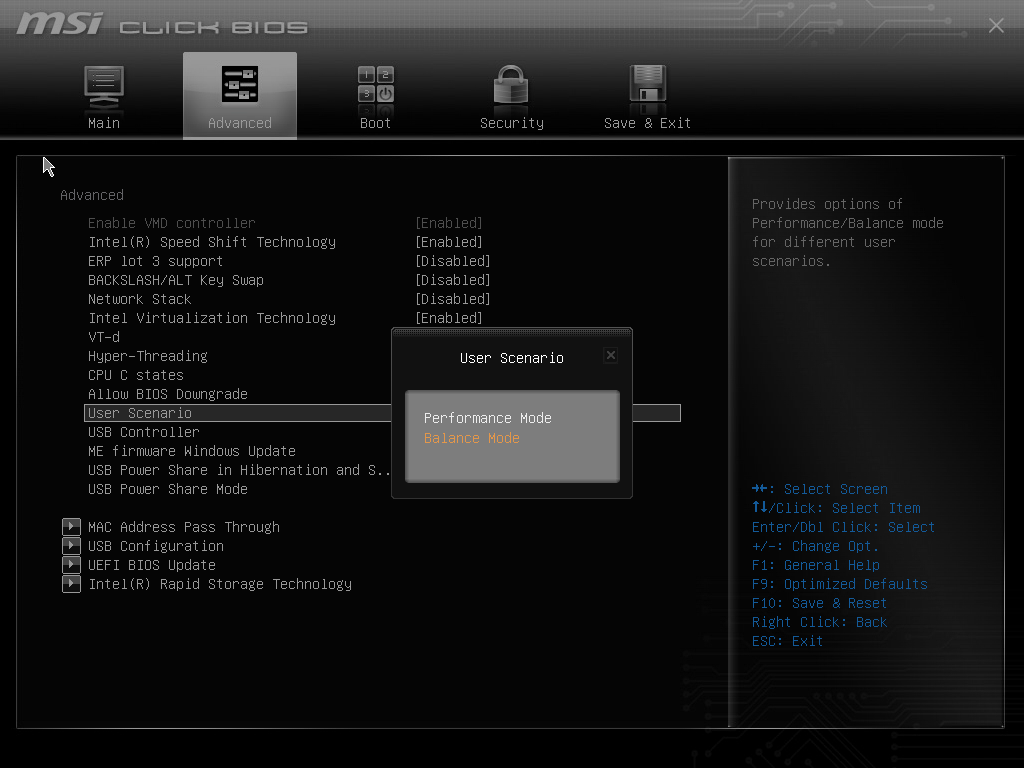
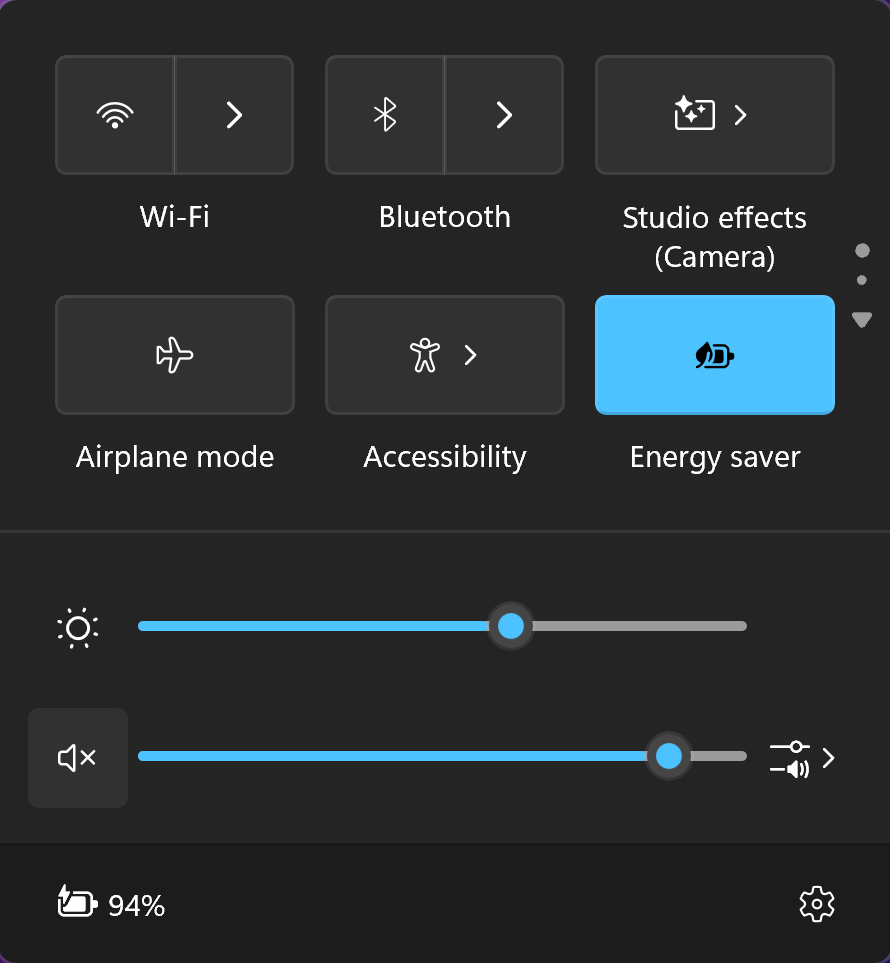
Now, we conduct the battery tests with the Windows Best Power Efficiency setting turned on, screen brightness adjusted to 180 nits and all other programs turned off except for the one we are testing the notebook with. This laptop’s 75Wh battery lasts for around 11 hours of video playback. Оur test was conducted with the “Energy Saver” preset activated in the Windows “Power & Battery” menu and the “Super Battery” mode applied in the MSI Center app. The “Balance” mode should be selected in the BIOS in the “User Scenario” section.

Brightness: 180 nits; Display Mode: SDR
Time to Full Discharge: Higher is Better


Disassembly, Upgrade options, and Maintenance
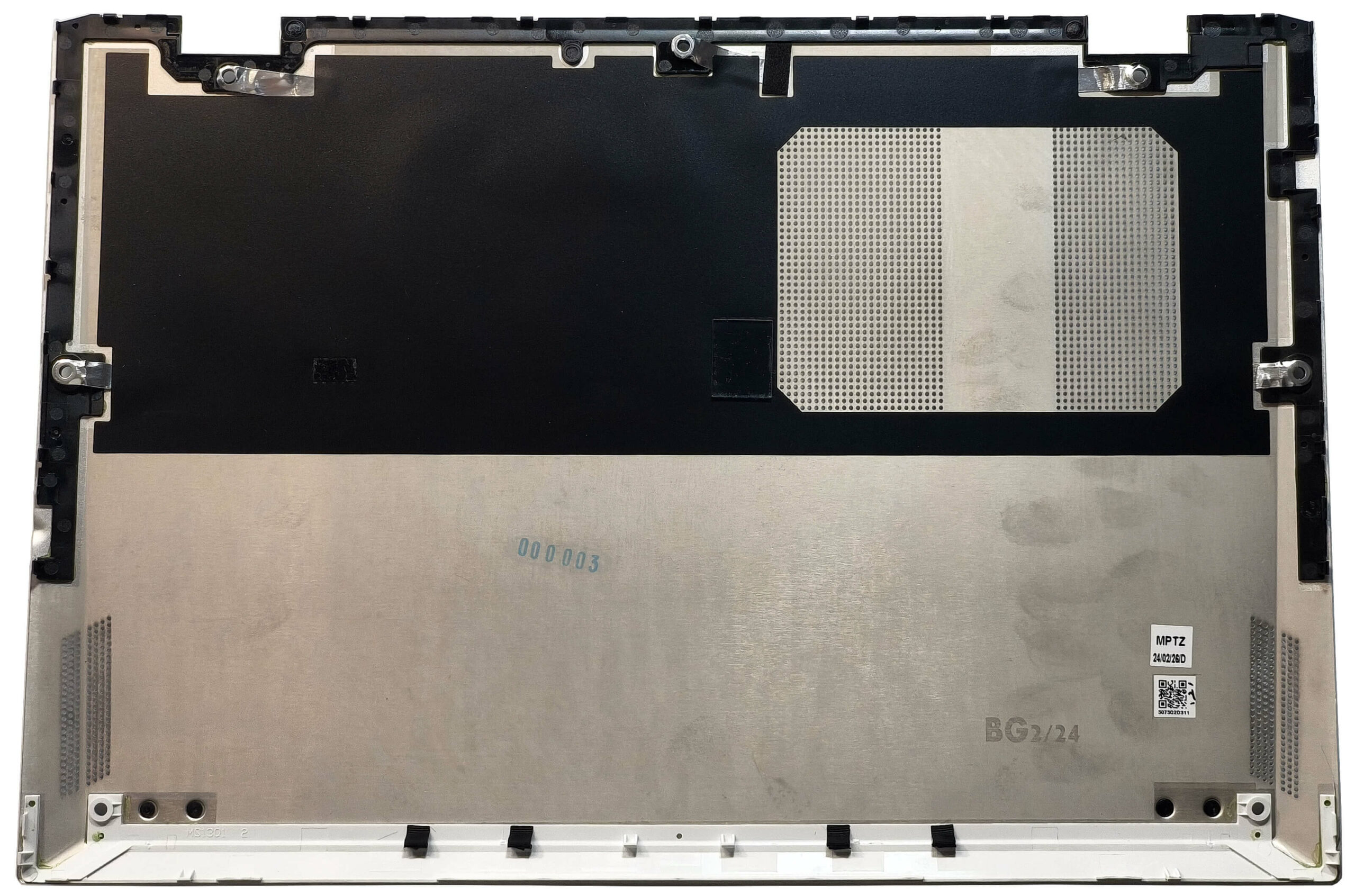
To get this super-light notebook open, you’ll need to unscrew seven Phillips-head screws. Then, you have to pop the areas behind the hinges with a lever tool. After that, pry up the top edges and the back. Once that’s done, pop the sides and the front with the aid of a thin plastic tool.
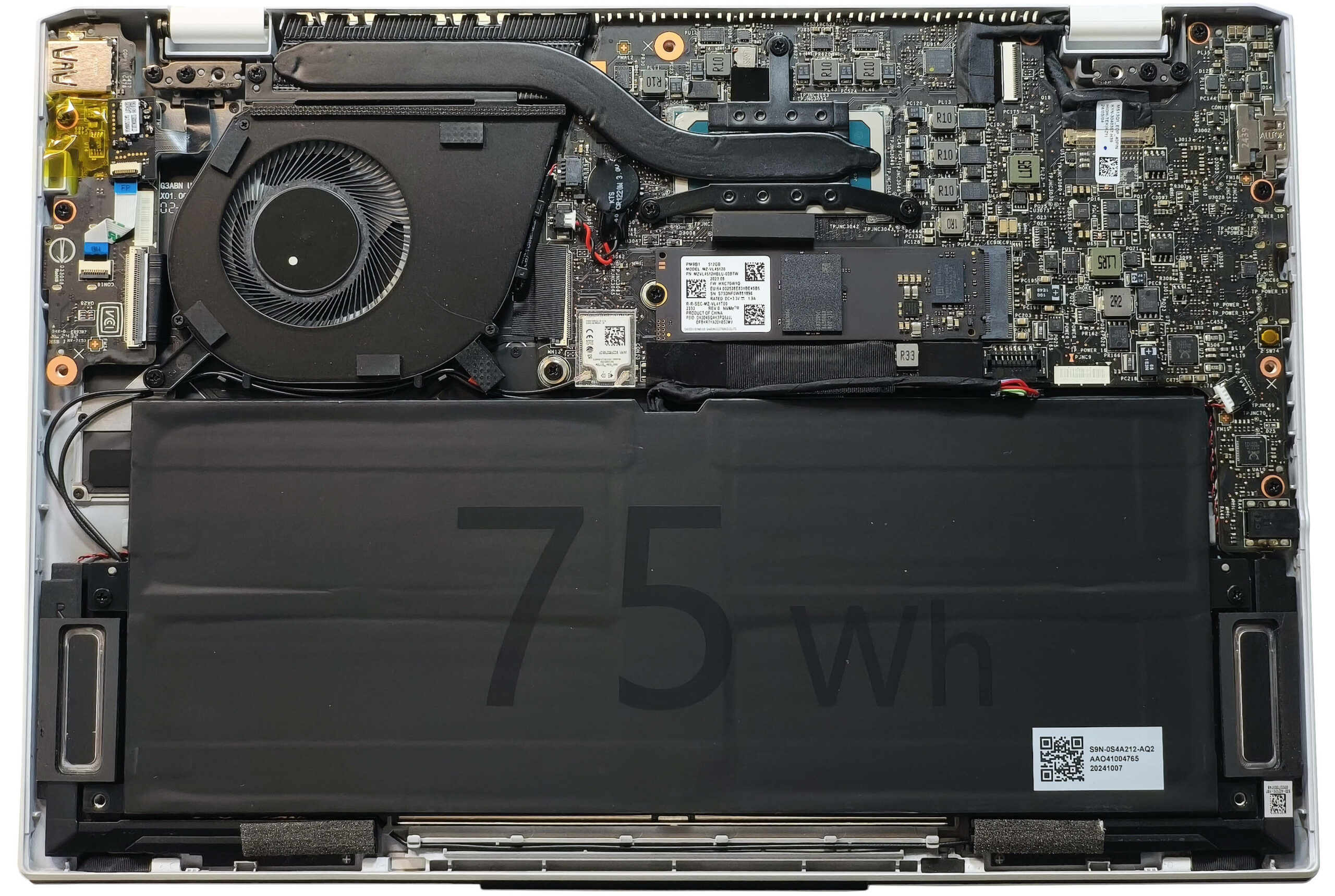
Here’s how the bottom panel looks on the inside.
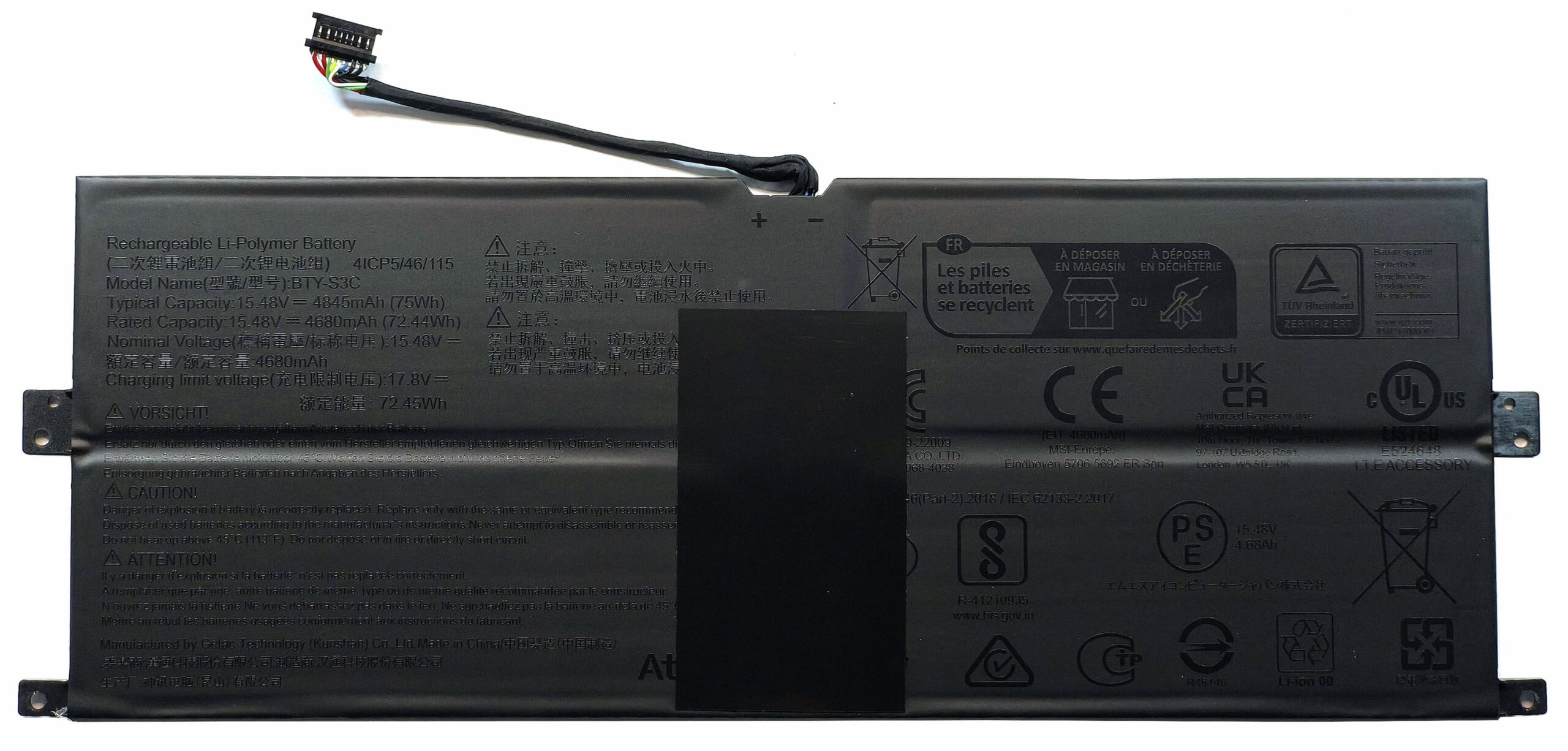
A 75Wh battery is powering this laptop. To take it out, you need to pop off the front of the connector and nudge it a bit towards the NVMe. Then, unscrew the two Phillips-head screws holding the battery down.
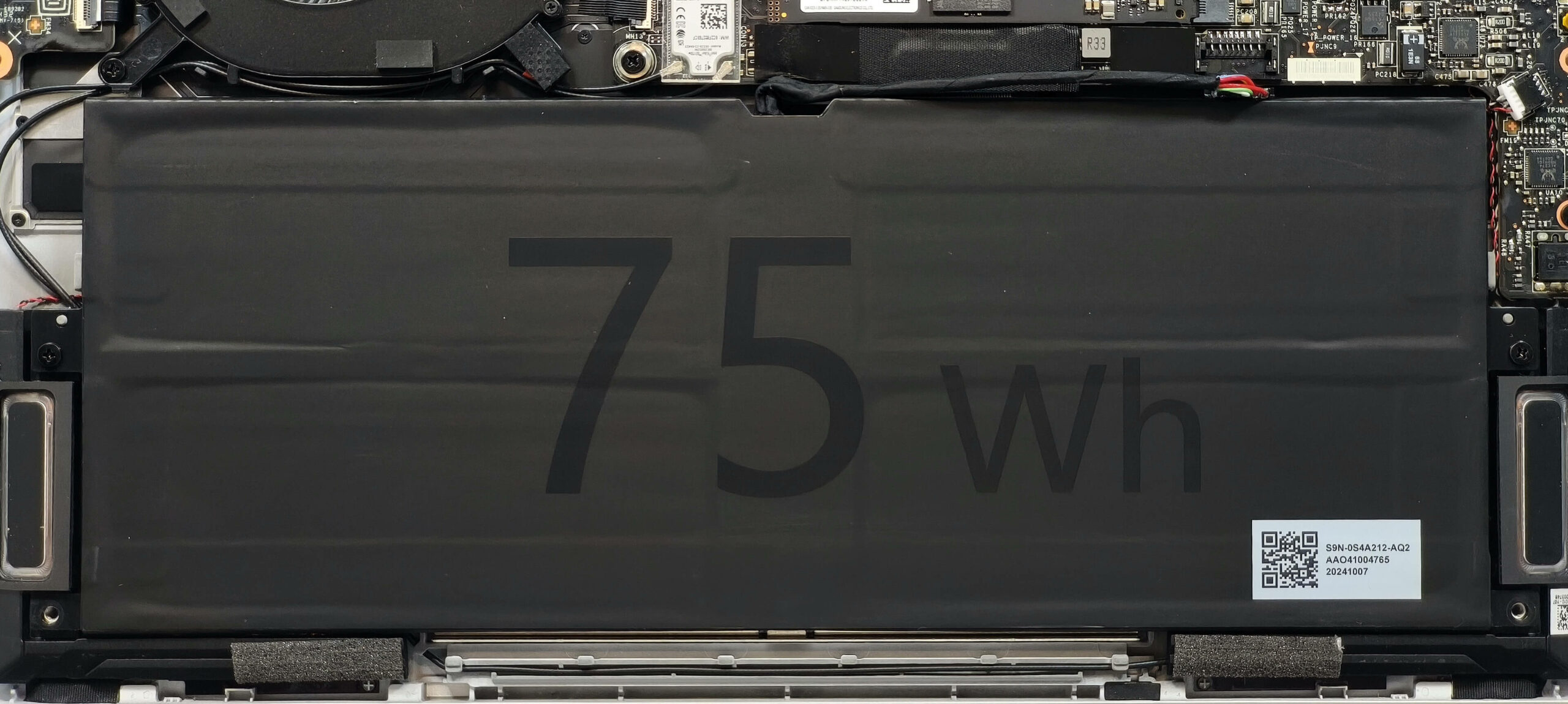
The capacity is enough for around 11 hours of video playback.
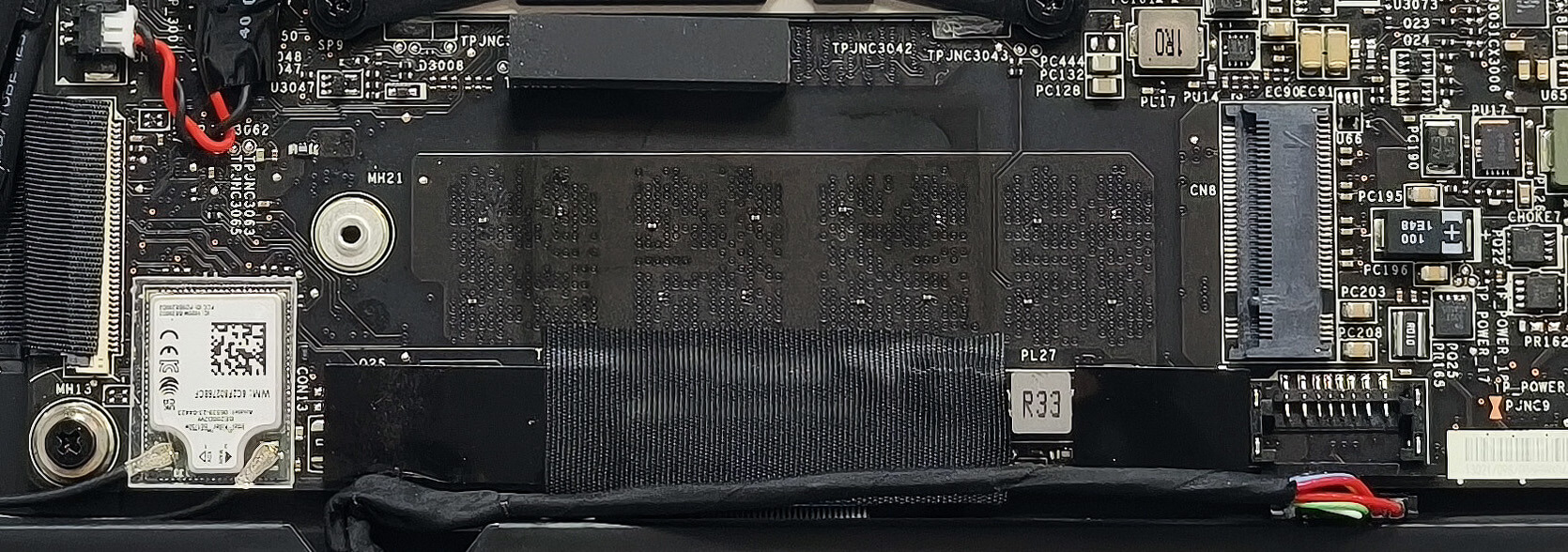
With a weight of less than a kilo, it’s not a surprise that the memory of this device is soldered. Still, you get up to 32GB of LPDDR5-6400 MHz RAM in dual-channel mode which is plenty. For storage, you can rely on a single M.2 slot compatible with 2280 Gen 4 SSDs. The NVMe is additionally cooled by a thermal pad from below.
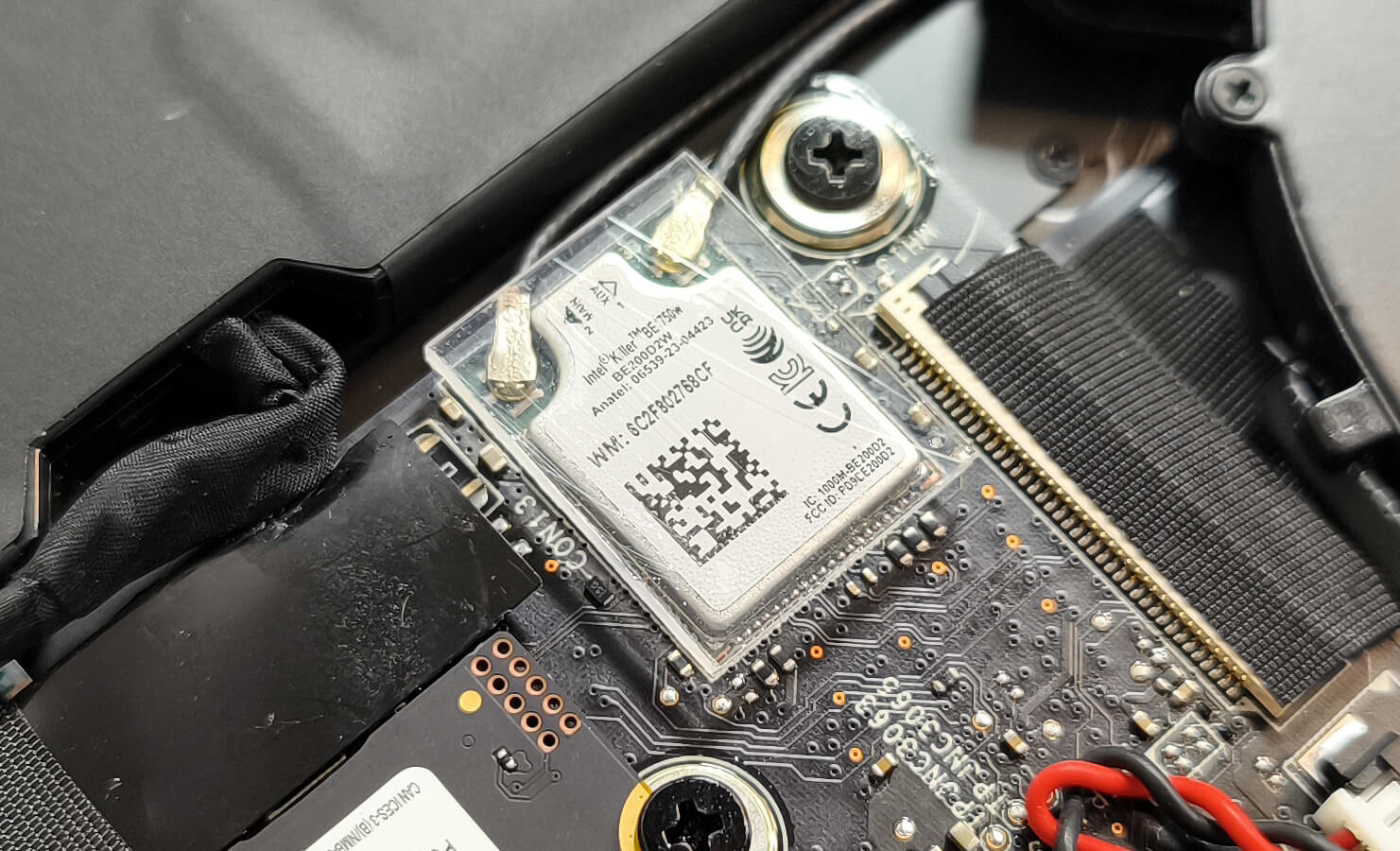
The Wi-Fi 7 card is also soldered.
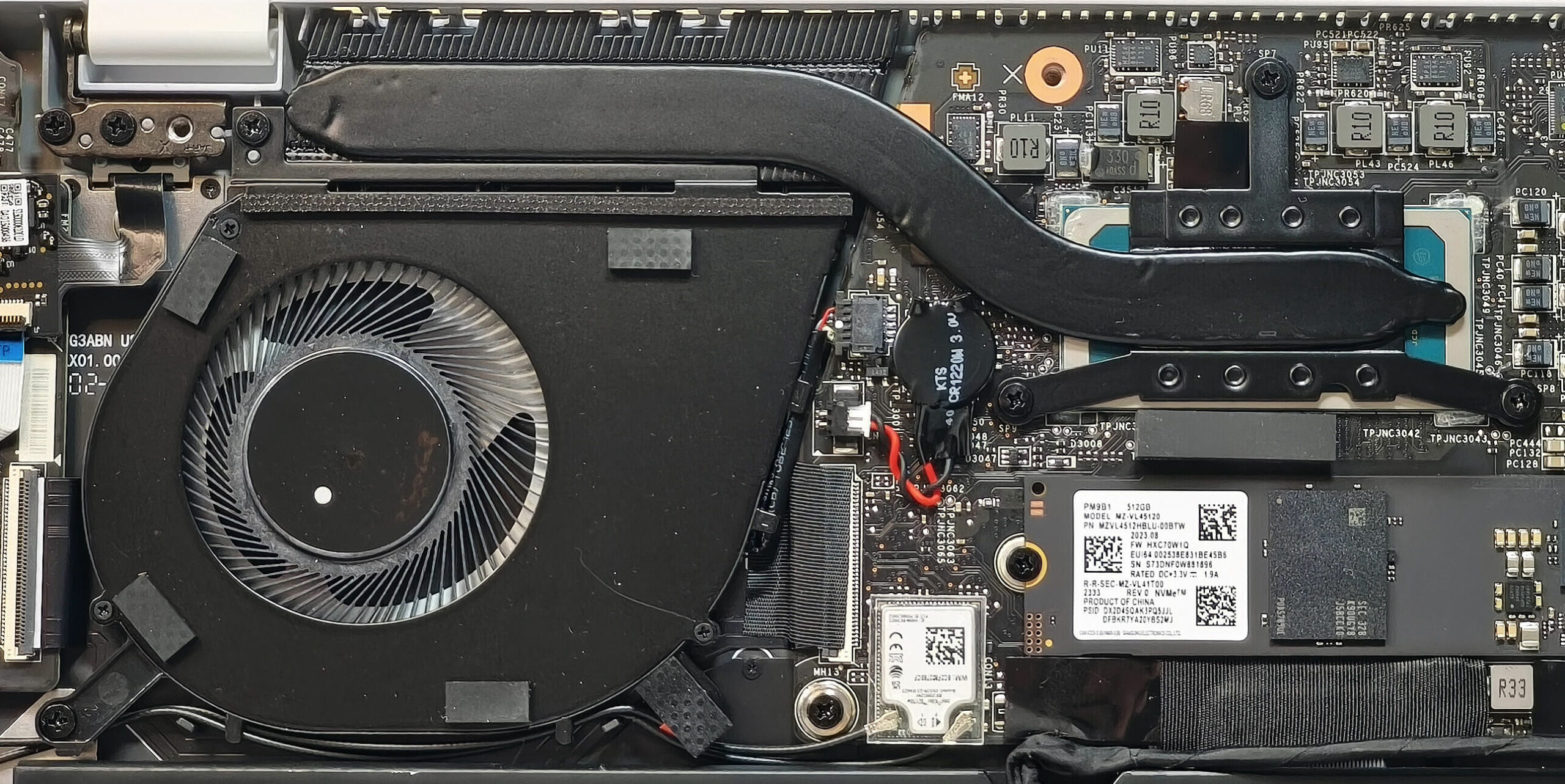
The thermal system has one fan, a single heat pipe, one heat sink, and a heat spreader.
Verdict
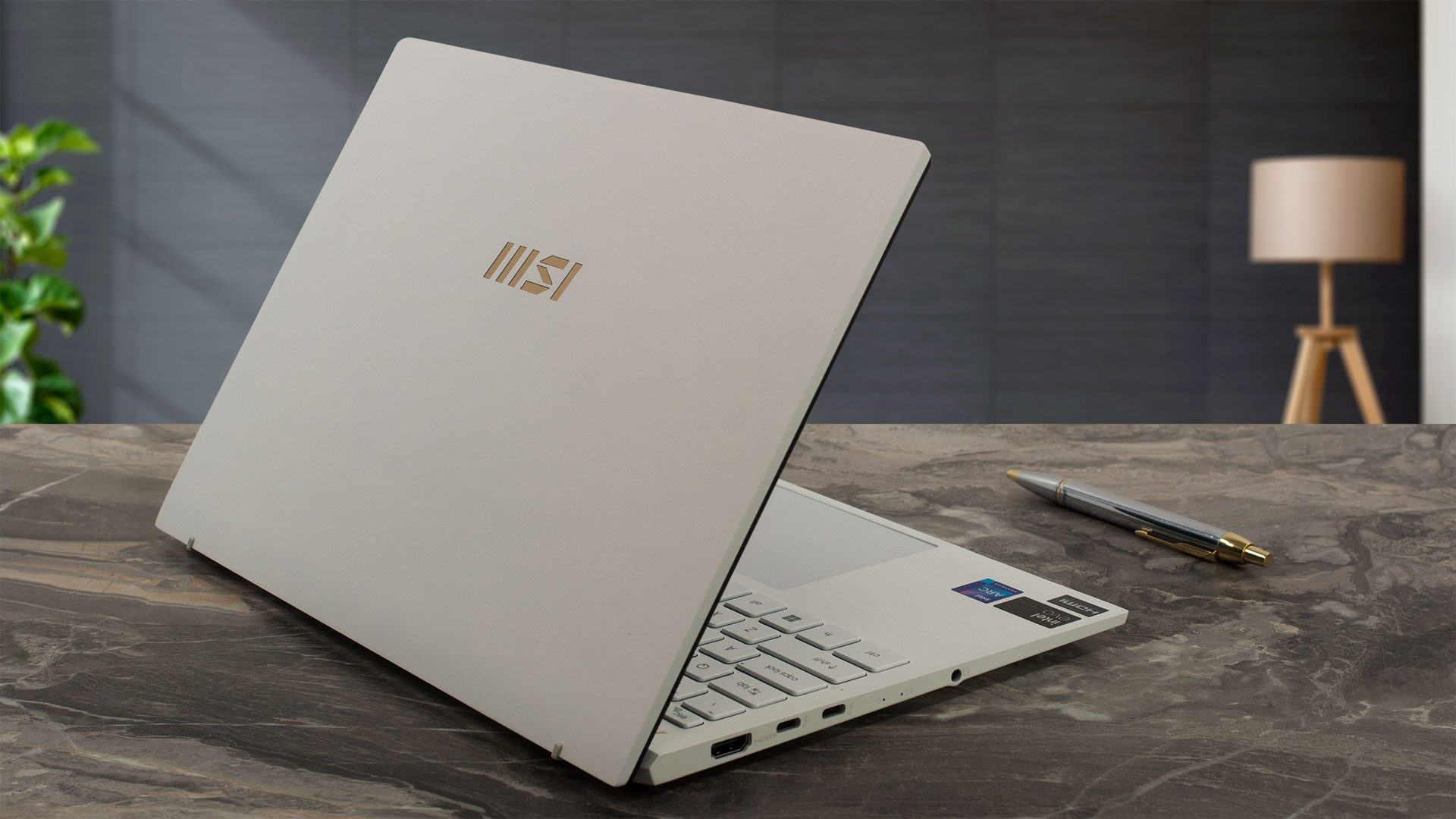 The Prestige 13 AI Evo A1MG is a super compact device that offers plenty of power on the go. The gadget that we bought is equipped with the Intel Core Ultra 5 125H which is the base CPU option for this MSI series. When directly compared to the MSI Prestige 13 AI+ Evo A2VM with a Core Ultra 7 258V (which is also the default processor option for this laptop model), the AI+ Evo A2VM sibling has the upper hand in both CPU and iGPU performance but it costs more. So, the choice is in your hands, if you don’t want to spend too much money on a new laptop, but still need a light and fast device, the Prestige 13 AI Evo A1MG is the right choice. On the other hand, the A2VM brings more power to the table alongside beefy NPU, better Web camera, and faster LPDDR5x memory.
The optional OLED display (ATNA33AA07-0 (SDC41A8)) is near perfect thanks to its full DCI-P3 coverage and very good color accuracy. The only con of the screen is that it isn’t PWM-free.
The Prestige 13 AI Evo A1MG has a magnesium-aluminum chassis, long battery life, up-to-date port selection, Wi-Fi 7, and good performance for the size.
You can check the prices and configurations in our Specs System: https://laptopmedia.com/series/msi-prestige-13-ai-evo-a1mx/
Pros
- Adequate overall performance for a small 13-inch machine
- Up to 32GB LPDDR5
- Infinite contrast ratio + wide viewing angles (SDC41A8)
- 100% DCI-P3 coverage + accurate color with our “Design and Office” profile (SDC41A8)
- ~ 400 nits of max brightness in SDR and 626 nits in HDR mode (SDC41A8)
- 2880x1800p resolution (SDC41A8)
- Relatively good keyboard
- Smooth and accurate touchpad
- Solid magnesium-aluminum chassis
- The Core Ultra 5 125H maintains a 2.42 GHz / 2.12 GHz GHz P and E core clock in short loads
- The MSI Center offers plenty of customizations
- 2x Thunderbolt 4s
- MicroSD Card reader
- 1080p IR Web camera
- Fingerprint reader (option)
- dTPM 2.0, fTPM 2.0, Lock Slot, privacy shutter
- The fan isn’t too intrusive in “Extreme Performance” mode
- 75Wh battery that lasts for around 11 hours of videos on a single charge
- Intel Evo-certified laptop
- Wi-Fi 7 + Bluetooth 5.4
- Light and thin (0.99 kg / 16.9 mm)
Cons
- Limited upgradability
- The lid wobbles during typing
- PWM usage (SDC41A8)
 Author: Nikolay Palaozov
 Author: eng. Kroum NikolovHead of Engineering at LaptopMedia.com, inventor and innovator with 40+ years of experience in electronics and high technology.
TOP 100 GAMING LAPTOPS




TOP LAPTOP RATINGS
HIGHLIGHTS view more
![[August 2026] Best-Selling Laptop Brands on Amazon Japan – Apple Dominates Market Share and Revenue Led by Strong Unit Sales](https://laptopmedia.com/wp-content/uploads/2026/09/CO.JP-Best-Brands-1-400x225.jpg)
[August 2026] Best-Selling Laptop Brands on Amazon Japan – Apple Dominates Market Share and Revenue Led by Strong Unit Sales
Sep 10, 2026![[August 2026] Best-Selling Laptop Brands on Amazon USA – Apple Dominates Market Revenue and Volume Despite Lower Model Diversity](https://laptopmedia.com/wp-content/uploads/2026/09/COM-Best-Brands-1-400x225.jpg)
[August 2026] Best-Selling Laptop Brands on Amazon USA – Apple Dominates Market Revenue and Volume Despite Lower Model Diversity
Sep 10, 2026![[August 2026] Amazon Germany: Top 8 Best-Selling Gaming Laptops – Acer Dominates the Market as the Premium Nitro V 17 AI Takes the #1 Spot](https://laptopmedia.com/wp-content/uploads/2026/09/Best-Selling-Gaming-Laptops-DE-Top-10-1-400x225.jpg)
[August 2026] Amazon Germany: Top 8 Best-Selling Gaming Laptops – Acer Dominates the Market as the Premium Nitro V 17 AI Takes the #1 Spot
Sep 10, 2026![[August 2026] Best-Selling Laptop Brands on Amazon France – Apple Dominates Revenue Despite Lenovo and HP Leading in Catalog Breadth and Volume](https://laptopmedia.com/wp-content/uploads/2026/09/FR-Best-Brands-1-400x225.jpg)
[August 2026] Best-Selling Laptop Brands on Amazon France – Apple Dominates Revenue Despite Lenovo and HP Leading in Catalog Breadth and Volume
Sep 10, 2026![[August 2026] Amazon Italy: Top 10 Best-Selling Laptops – Apple MacBook Neo Claims the Crown as Budget and Mid-Range Windows Machines Dominate Volume](https://laptopmedia.com/wp-content/uploads/2026/09/Best-Selling-Laptops-IT-Top-10-400x225.jpg)
[August 2026] Amazon Italy: Top 10 Best-Selling Laptops – Apple MacBook Neo Claims the Crown as Budget and Mid-Range Windows Machines Dominate Volume
Sep 09, 2026
REVIEWS view more

Acer Nitro V 15 (ANV15-A31) review – A Practical Budget Gamer with One Major Catch
Aug 13, 2026Lenovo IdeaPad Slim 5a (16″, Gen 11) review – 2.8K OLED, Ryzen AI 7 450, and Rare Upgradeability
Aug 09, 2026HP OmniBook 5 16 (16-bc1000) review – Big Screen, Solid CPU, Limited Upgrades
Aug 06, 2026Lenovo ThinkPad X1 Carbon Gen 14 Aura Edition review – The Ultimate Business Laptop Gets Modular
Aug 03, 2026ASUS ExpertBook Ultra (B9406) review – Core Ultra X7 & Tandem OLED Tested
Jul 28, 2026