Samsung 990 Pro quick review – the FASTEST Gen 4 drive alive
Contents
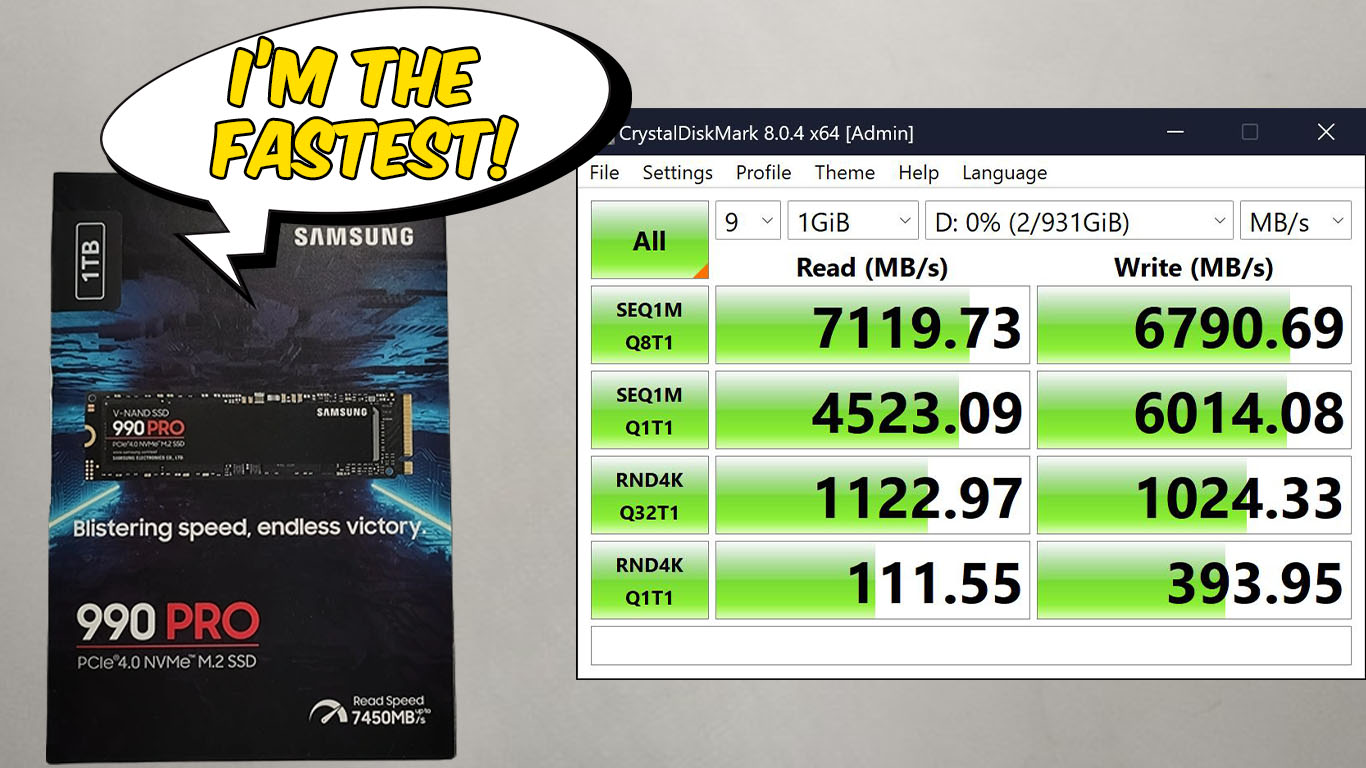
When searching for an SSD, Samsung’s options consistently stand out. They benefit from the robust support of one of the world’s largest corporations, which is crucial in certain scenarios. Take the 990 Pro as a prime example: it faced critical initial issues that were swiftly resolved with a firmware update. It’s essential — if you purchase it — to update the firmware right away.
The 990 Pro, their flagship model, features the faster PCIe Gen 4 interface and dense 176-layer V-NAND chips. Samsung claims sequential speeds of up to 7,450MB/s read and 6,900MB/s write, but that’s something we’ll verify.
As for whether this SSD fits your motherboard or laptop, you can check out Laptop M.2 SSD Compatibility List, which shows you how many slots a certain laptop has. After you’ve figured that out, you can check Top M.2 SSD Performance Ranking, which can give you the best drive in our price point, based on a price-to-performance calculation.
You can check the current price of the Samsung 990 Pro here: Buy from Amazon.com (#CommissionsEarned)
Actually, let’s start the review with that:
Update your firmware!
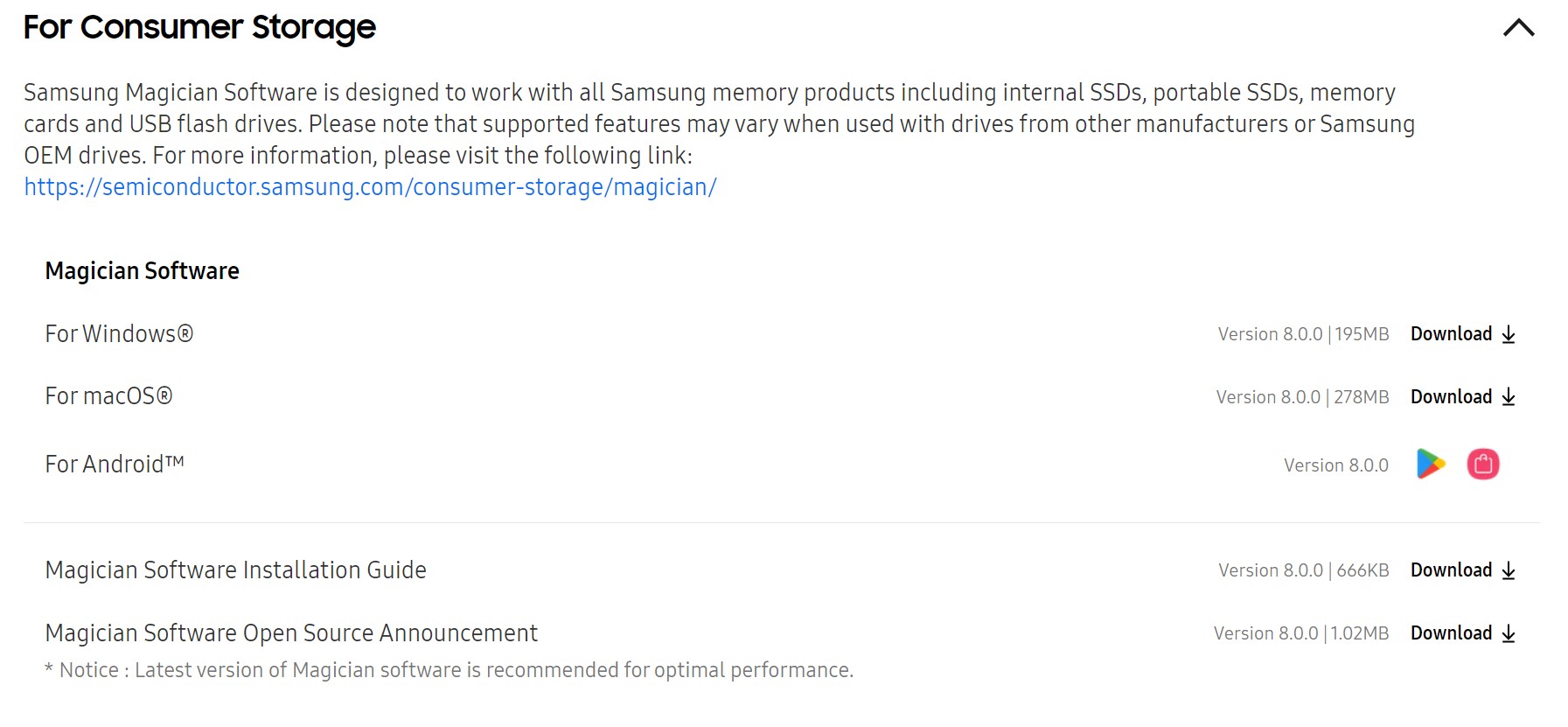
Step 1: Download Samsung Magician Software
Visit the Official Samsung portal and locate “Magician Software”. Click on “Download” to acquire the latest version of Samsung Magician Software. If you’re having trouble finding it, you can click here and click the “Consumer storage” tab!
Step 2: Install Samsung Magician Software
- Open the downloaded “Samsung Magician Software” file.
- Right-click and select “Extract Files”.
- Once extracted, right-click on the software and select “Run as administrator”.
- Follow the prompts to select the installation language, accept the agreement, and create a desktop icon.
- Click on “Install” and wait for the installation process to complete, then click “Finish”.
Step 3: Launch the Samsung Magician Software to update the latest Firmware.
- Double-click the Samsung Magician Software icon on your desktop to launch it.
- Allow the software to scan for installed SSDs.
- Select your Samsung SSD from the drop-down box to view its health status and firmware version.
- If an update is available, click “Update”. Confirm any pop-up prompts to proceed with the firmware update.
- Wait for the firmware update to complete. Your system will notify you and shut down to apply the update.
- After the system reboots, open Samsung Magician Software again to confirm the firmware update.
Specs sheet
| Feature Category | Details |
| Dimensions (WxHxD) | Max. 80 x 22 x 2.3 (mm) |
| Weight | Max 9.0 g |
| Interface | PCIe Gen 4.0 x4, NVMe 2.0 |
| Controller | Samsung In-house Controller |
| Storage memory | Samsung V-NAND 3-bit MLC |
| TRIM Support | Yes |
| S.M.A.R.T. Support | Yes |
| Garbage Collection | Auto GC Algorithm |
| Encryption Support | AES 256-bit Encryption, IEEE1667 (Encrypted drive), TCG/Opal |
| WWN Support | Not Supported |
| Device Sleep Mode Support | Yes |
| Average Power Consumption | Average 7.8 W |
| Power Consumption (Idle) | Max. 50 mW |
| Power Consumption (Sleep) | Max. 5 mW |
| Allowable Voltage | 3.3 V ± 5 % |
| Operating Temperature | 0 – 70 ℃ |
Price per GB
For people who have a fixed budget and need to get the biggest SSD possible, the Price per GB (or TB) metric is very helpful. With it, you can pick the largest drive for your money. For the 990 Pro, there are two versions, either with a heatsink or without one. In terms of capacities, there’s a 1TB version as well as a 2TB version.
With Heatsink:
1TB Samsung 990 Pro: $89.99 – $90 per TB
2TB Samsung 990 Pro: $149.99 – $75 per TB
Without Heatsink:
1TB Samsung 990 Pro: $89.99 – $90 per TB
2TB Samsung 990 Pro: $134.99 – $67.5 per TB
What’s in the box?
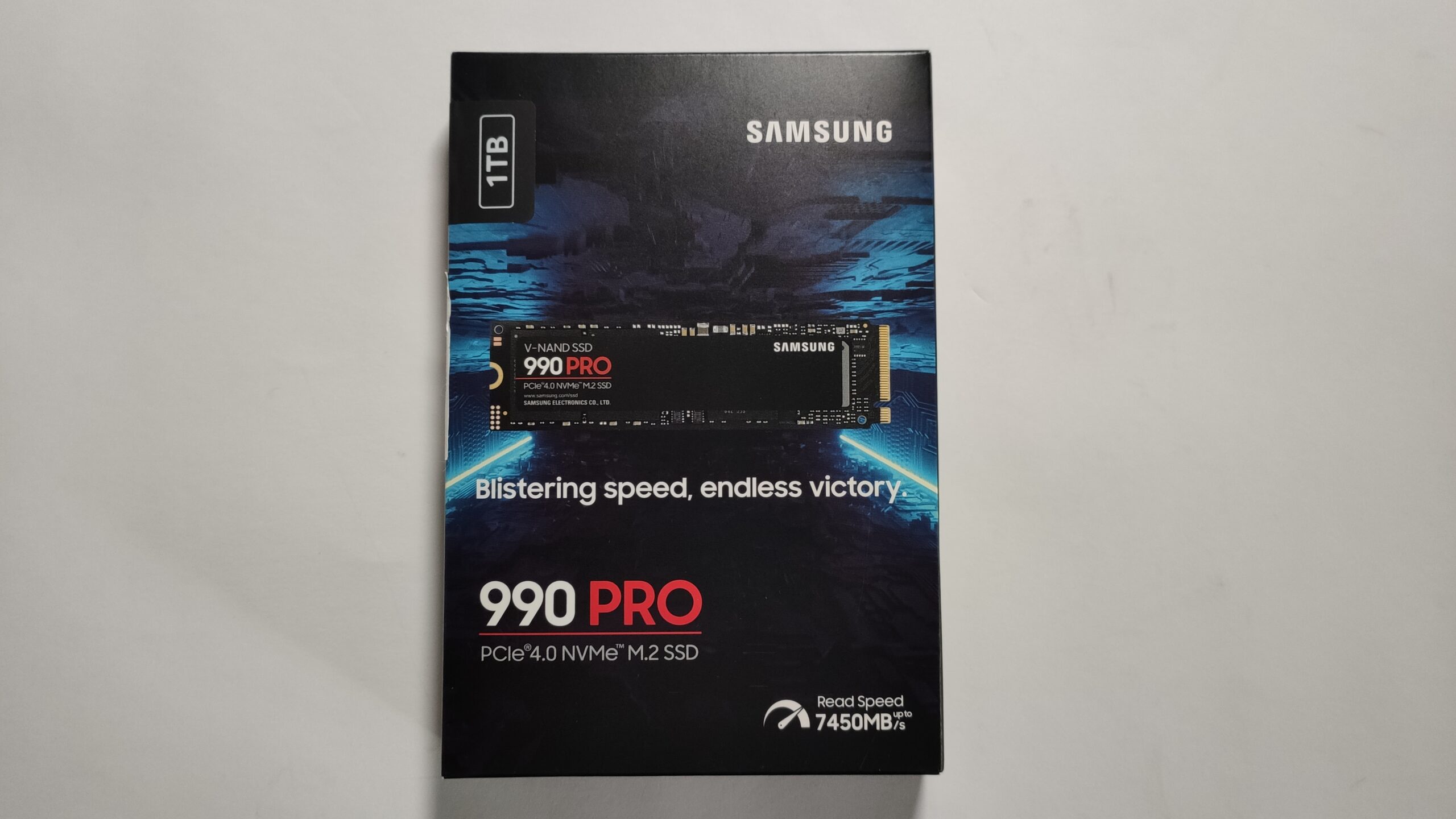
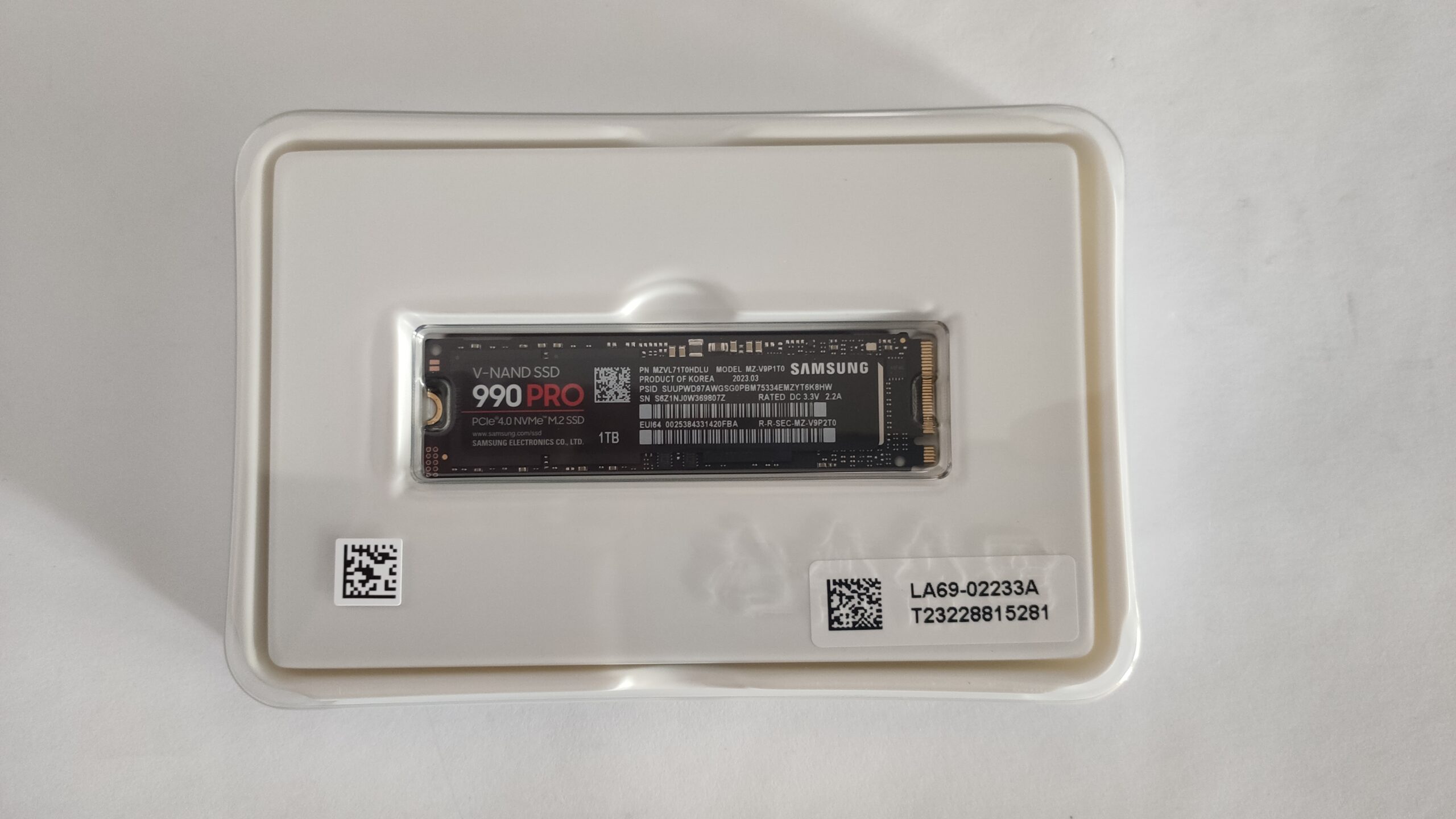
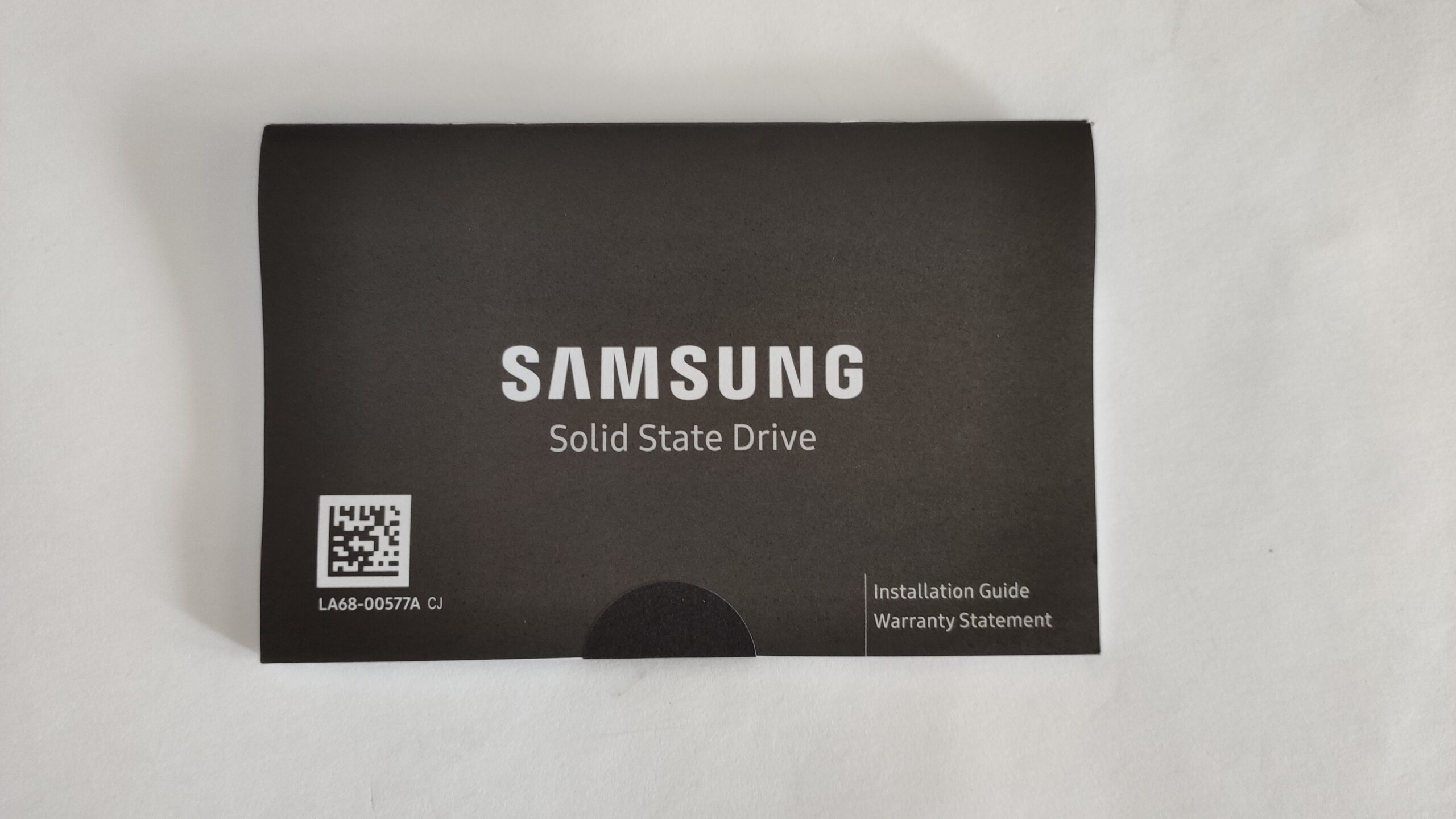
Compared to the more affordable 970 Evo Plus, the 990 Pro comes with something extra in the box, a paper pamphlet that includes an installation guide and a warranty card. The drive is still packaged in plastic, for safer transportation.
Drivers
You can find the latest version of the firmware for the Samsung 990 Pro here:
https://semiconductor.samsung.com/consumer-storage/support/tools/
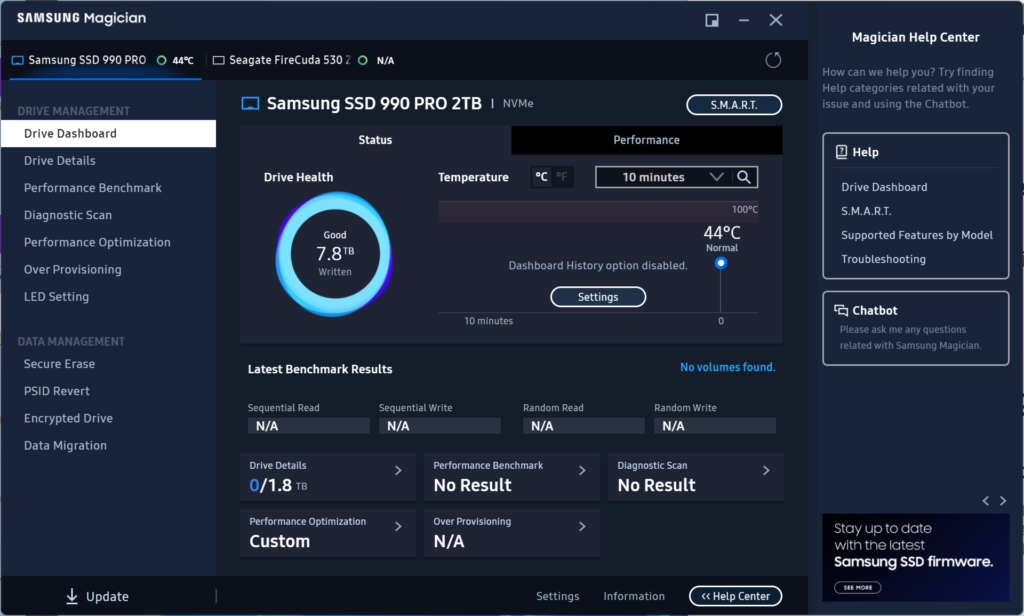
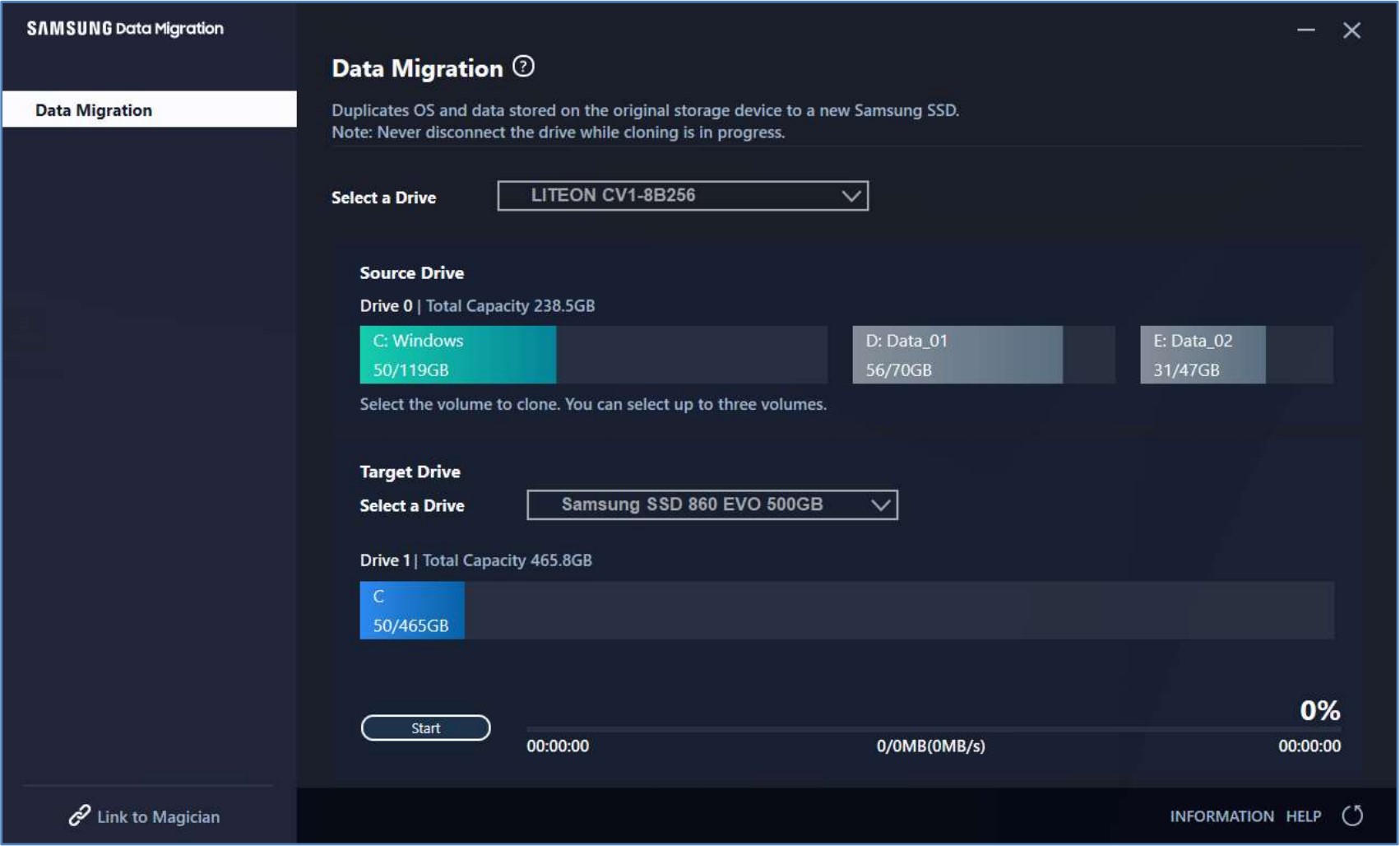
Samsung’s software support is by far the best in the SSD space, with the Magician app offering anything from performance benchmarks to diagnostics and thermal information. The second app is Data Migration, which can clone and back up your drives.
Design
The PCB is rather simple and very similar to the 970 Evo Plus that we’ve previously reviewed. We have two storage chips, a DRAM cache chip, and the Pascal controller. Contrasting the 970 Evo Plus, the 990 Pro has much denser memory chips with 176-layered V-NAND, while doubling the capacity of the DRAM cache chip.
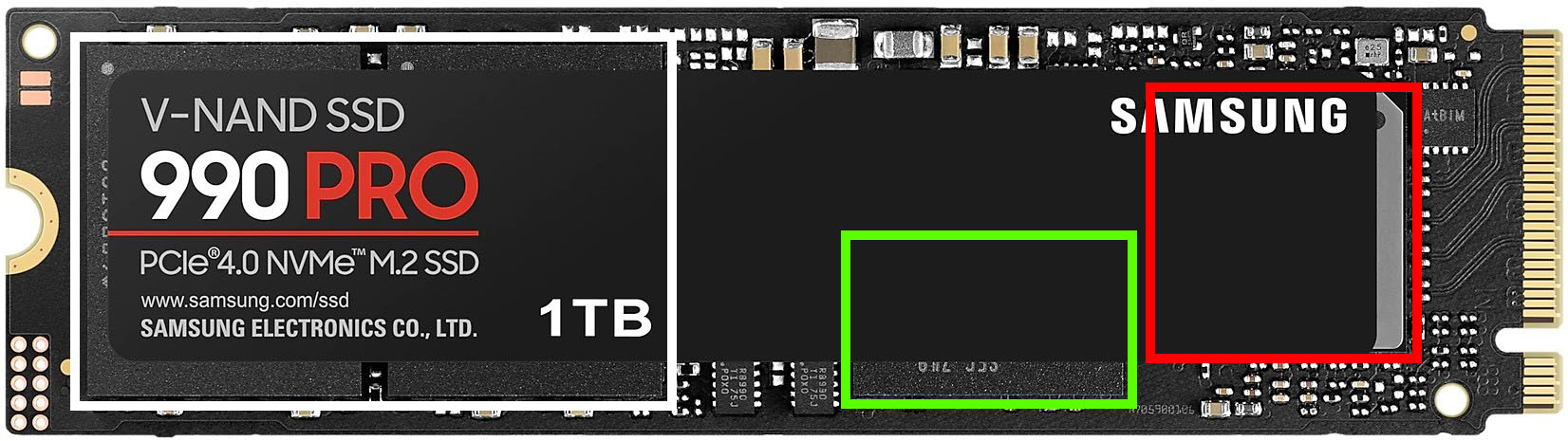 In White: 176-layer V-NAND chips, In Green: 2GB LPDDR4 DRAM IC cache chip, In Red: Samsung Pascal controller
 Author: Severin Kolakov

![[June 2026] Best-Selling Laptop Brands on Amazon Global – Apple’s Unrivaled Dominance in Units and Revenue](https://laptopmedia.com/wp-content/uploads/2026/07/GLOBAL-Best-Brands-400x225.jpg)
![[June 2026] Amazon Global: Top 10 Best-Selling Laptops – Apple’s New MacBook Neo Storms to #1, Reshaping the Market with Affordability](https://laptopmedia.com/wp-content/uploads/2026/07/Best-Selling-Laptops-GLOBAL-Top-10-400x225.jpg)
![[June 2026] Amazon Global: Top 10 Best-Selling Gaming Laptops – Acer’s Nitro V 16S AI Dominates Sales, While ASUS Leads Overall Revenue](https://laptopmedia.com/wp-content/uploads/2026/07/Best-Selling-Gaming-Laptops-GLOBAL-Top-10-400x225.jpg)
![[June 2026] Global Ranking of Best-Selling Laptop GPUs on Amazon – NVIDIA RTX 5060 is the Top-Selling Dedicated GPU](https://laptopmedia.com/wp-content/uploads/2026/07/Best-Selling-GPUs-GLOBAL-Top-10-400x225.jpg)
![[June 2026] Global Ranking of Best-Selling Laptop CPUs on Amazon – Apple M5 Dominates, AMD Ryzen 7 260 Gets Solid Premium Share](https://laptopmedia.com/wp-content/uploads/2026/07/Best-Selling-CPUs-GLOBAL-Top-10-400x225.jpg)
