Display Profiles for Samsung Odyssey G3 27AG320 – The VA Panel Is Not a Disadvantage at All
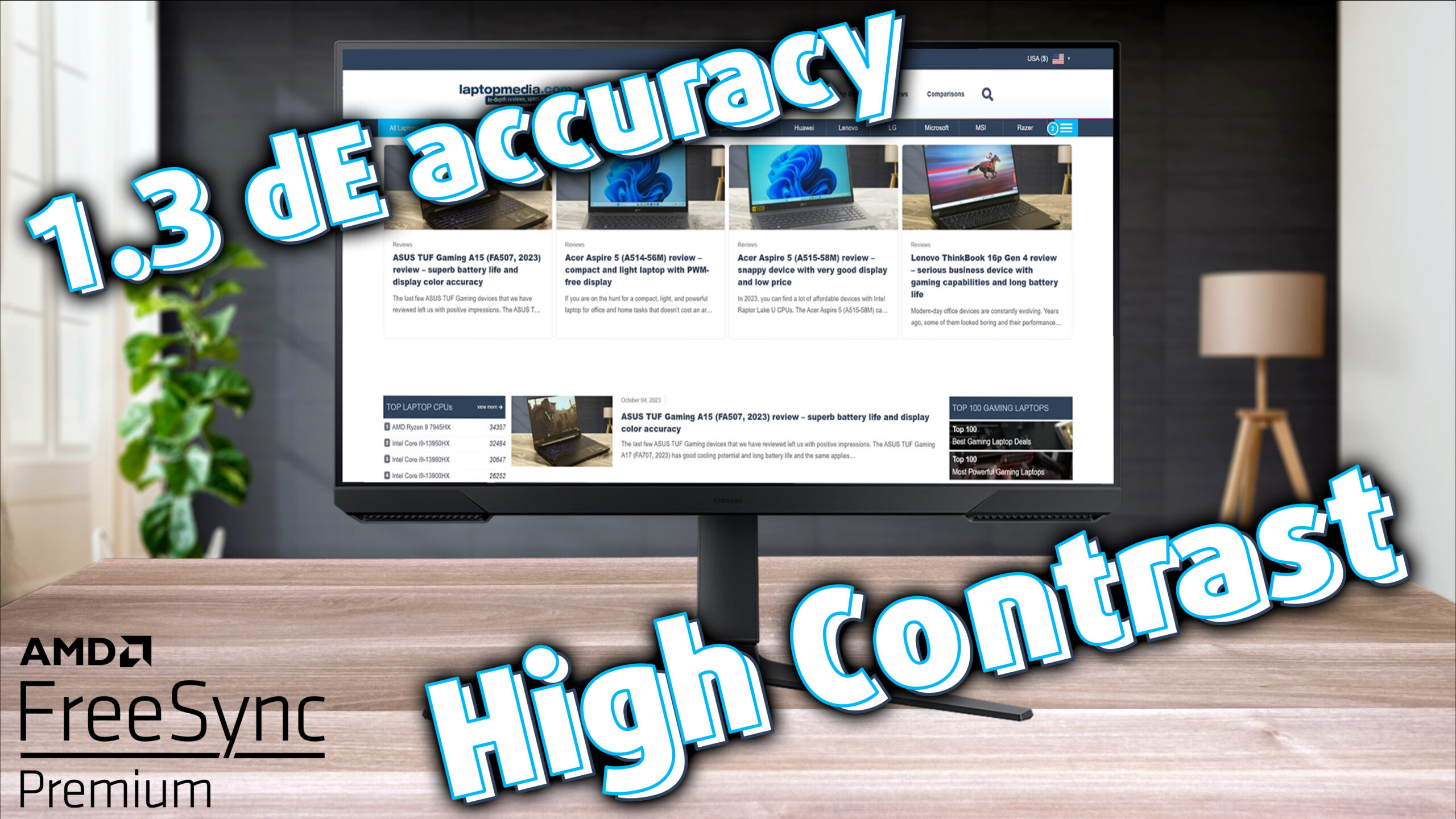 It’s safe to say that at this point, we have had a pleasant experience with Samsung’s Odyssey monitors. Previously, two G4 monitors (the 25-inch and 27-inch models) paid a visit to our lab, and they were very good, thus deserved our recommendation. However, today we have a monitor that sits slightly lower on the totem pole. We’re talking about the Samsung Odyssey G3 27AG320, a 27-inch Full HD VA monitor, with a quick 165Hz refresh rate and a 1ms gray to gray response time.
Today we’re checking out how big of a tune-up the monitor needs, to be the best for gaming, office work, and web design. We’ll check out the color coverage and the color accuracy, as well as show off how our profiles improve it (spoiler alert, they do a great job). While some people might gripe about the VA panel, it’s important to say that this is a more budget model, so some cutbacks are to be expected.
On the other hand, VA panels are still really good, thanks to their very high contrast, so you get a much darker black color, as well as more detailed shadows. All of this can contribute to a better visual experience when watching dark scenes in movies, or playing in a dimly lit area of a game. As you know, seeing something quickly can be the difference between victory and defeat, so in certain scenarios, the VA panel can be better for competitive games.
You can check the current price of the Samsung Odyssey G3 27AG320 here: Buy from Amazon.com (#CommissionsEarned)
Contents
Specs sheet, What’s in the box?, Drivers, Design, Connectivity
| Screen size | 27 inch (68.58 cm) |
|---|---|
| Refresh rate | 165Hz |
| Response time | 1ms |
| Panel type | VA |
| Backlight type | LED |
| Screen finish | Matte |
| Resolution | 1920 x 1080 (FHD) |
| Technologies |
|
| I/O |
|
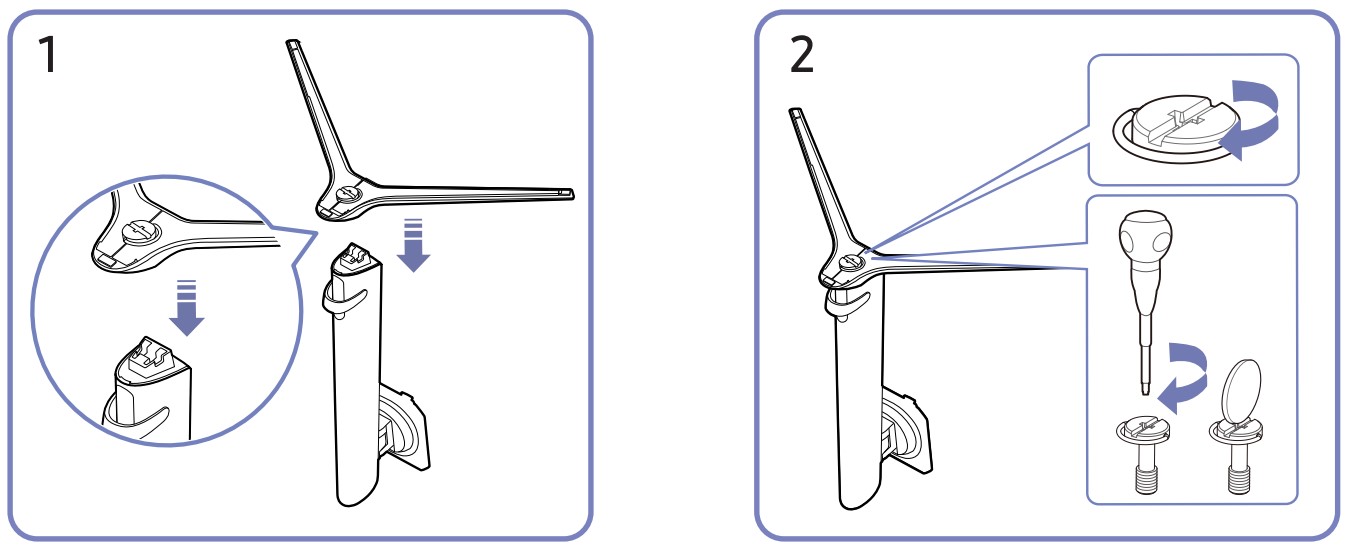
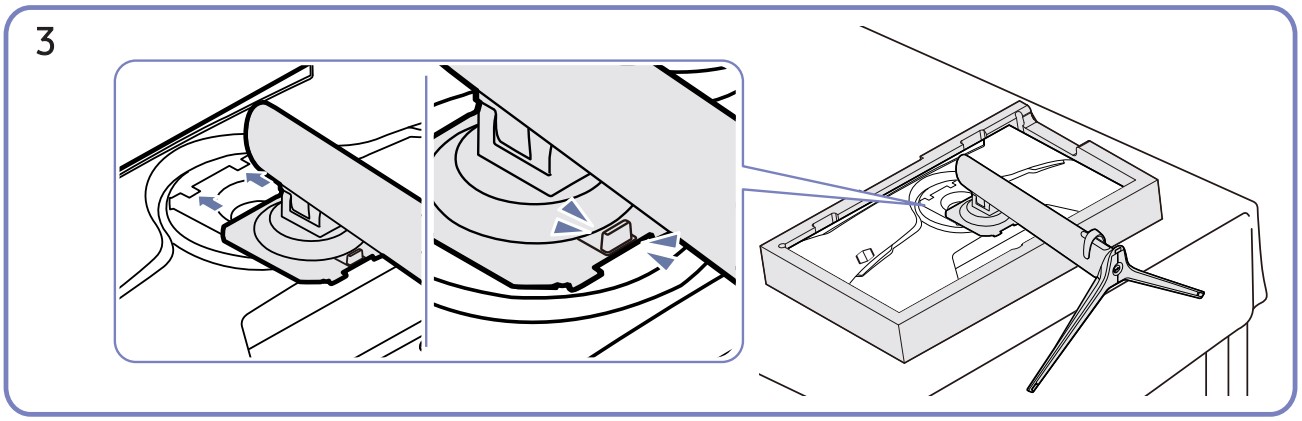
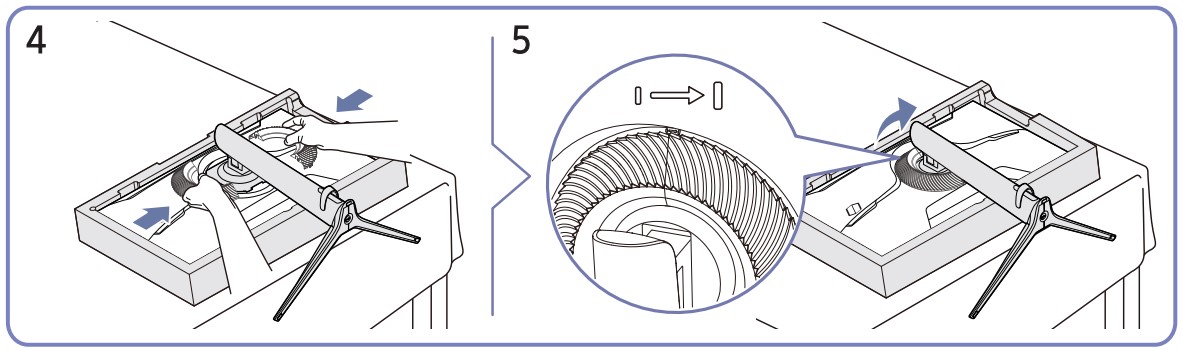
Assembly
Following the steps below, you’ll quickly set up the monitor without even needing a screwdriver.
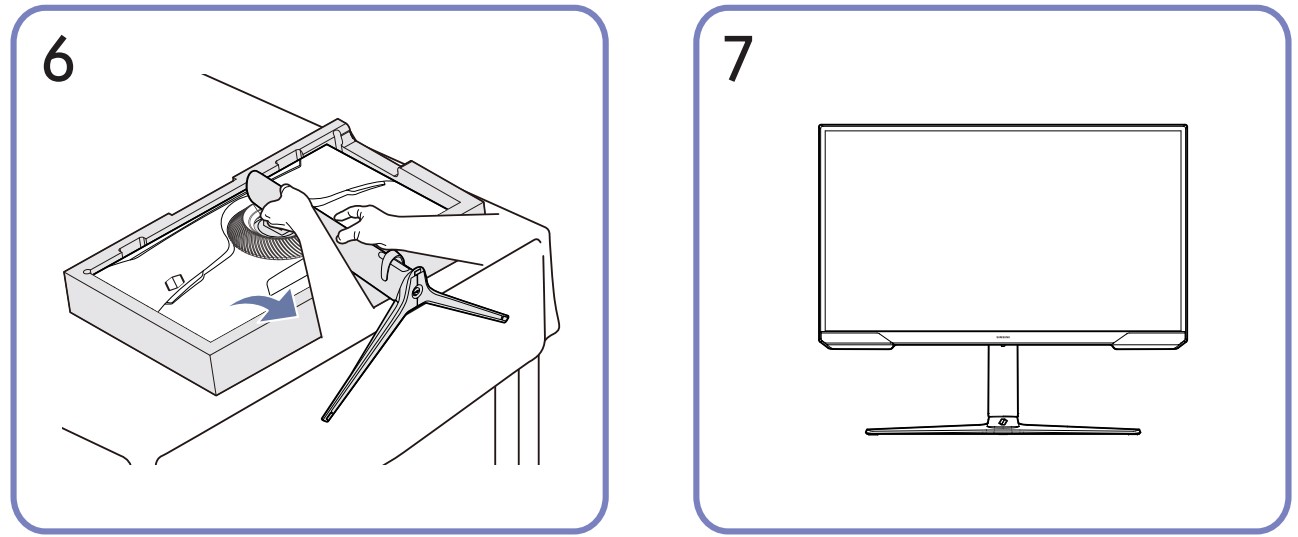
Drivers and Software
You can find the drivers for the Samsung Odyssey G3 27AG320 on Samsung’s Support Page. Unfortunately, there isn’t any other software or OSD replacement tool available for Samsung monitors, so you’d have to rely on the good old-fashioned buttons to adjust brightness, turn features On and Off, and more. There’s only the Easy Setting Box app, which can create grids and layouts so you have a better multitasking experience.
Design and Connectivity
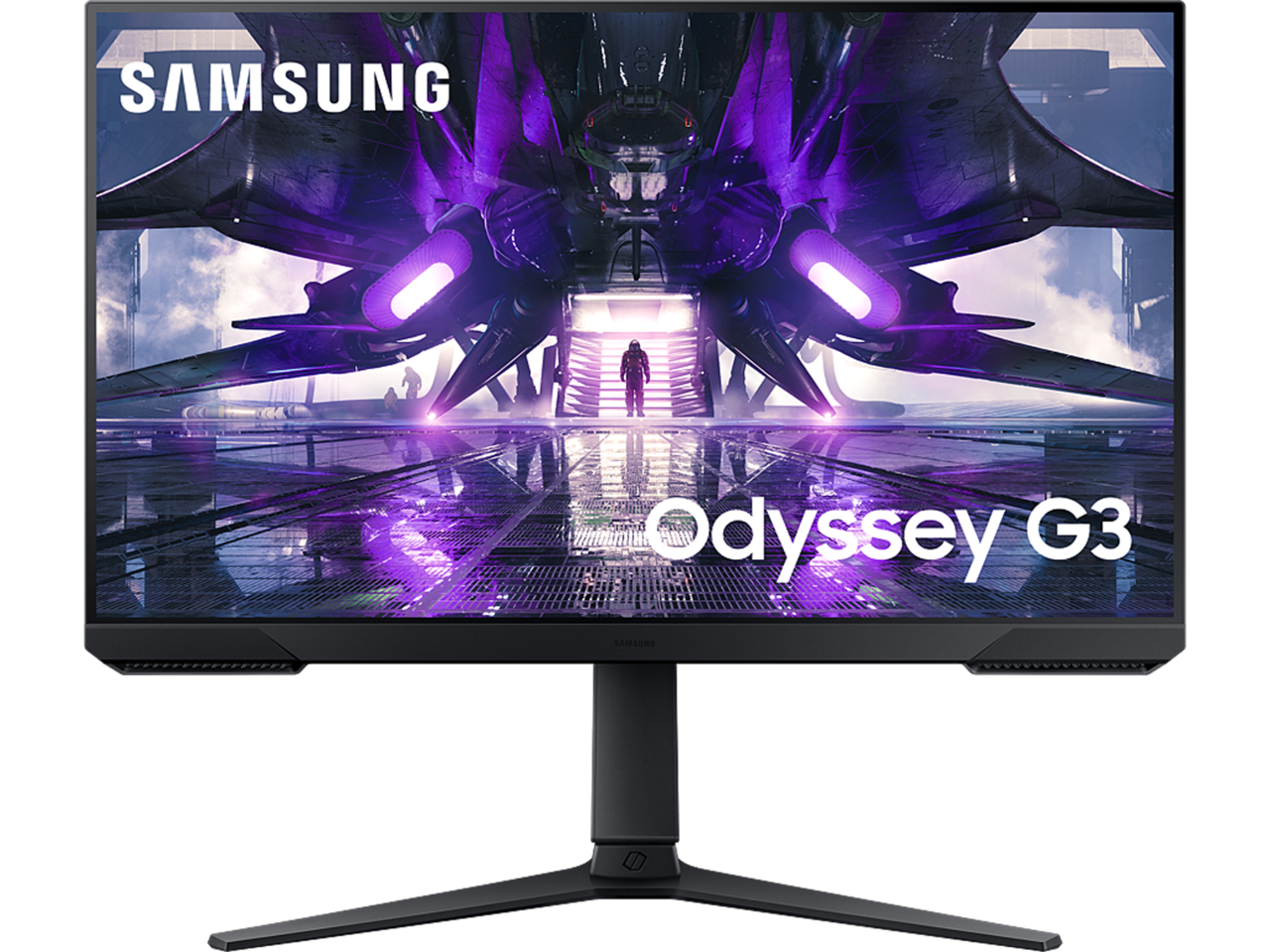
After the assembly, you’ve got a super mobile stand, which can move in all directions. You can adjust the height up and down with a range of 120mm and tilt the monitor to get a better viewing angle. Lastly, there’s a Pivot hinge too so that you can rotate the monitor into portrait mode. This is good for those multi-monitor setups, and you can get very creative with it.
For the overall design of the monitor, it’s entirely black, with a slightly thicker chin, but otherwise thin bezels. The blue “halo” on the back still remains, as it acts like a locking mechanism for the stand.
On the back of the stand, there’s also a hook for your cables, which can help with cable management. It’s not the best, as the space is rather small, however, it’s better than nothing.
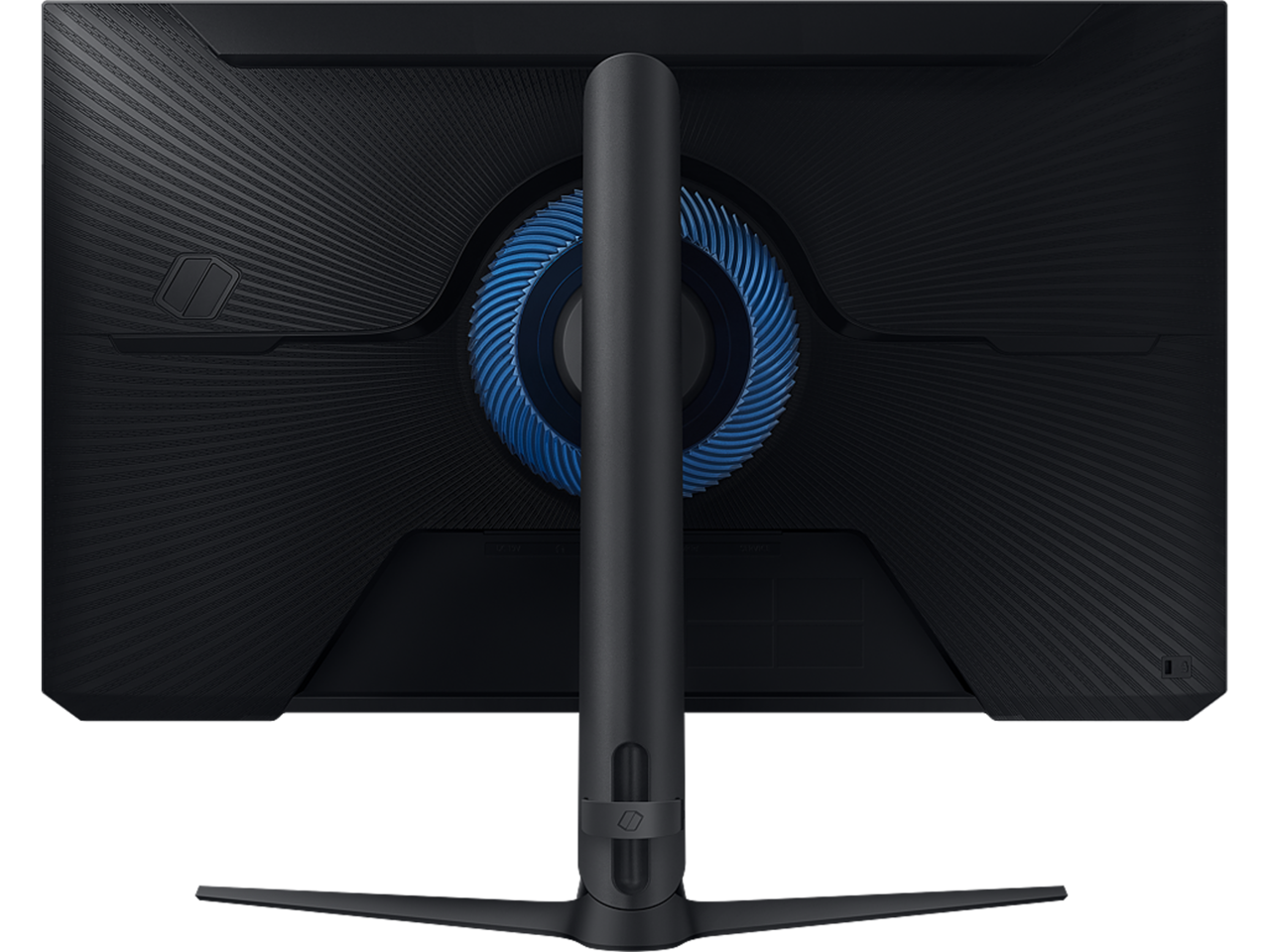
The ports on the back consist of a power plug, a headphone jack, an HDMI 1.4 port, a single DisplayPort 1.2, and a USB port.

 Author: Severin Kolakov

![[August 2026] Amazon Italy: Top 10 Best-Selling Laptops – Apple MacBook Neo Claims the Crown as Budget and Mid-Range Windows Machines Dominate Volume](https://laptopmedia.com/wp-content/uploads/2026/09/Best-Selling-Laptops-IT-Top-10-400x225.jpg)
![[August 2026] Amazon Italy: Top 7 Best-Selling Gaming Laptops – ASUS V16 Claims the #1 Spot Amid Strong Mid-Range Demand](https://laptopmedia.com/wp-content/uploads/2026/09/Best-Selling-Gaming-Laptops-IT-Top-10-400x225.jpg)
![[August 2026] Best-Selling Laptop Brands on Amazon Italy – Lenovo Dominates Market Share and Revenue Leadership](https://laptopmedia.com/wp-content/uploads/2026/09/IT-Best-Brands-400x225.jpg)
![[August 2026] Amazon India: Top 10 Best-Selling Laptops – Apple MacBook Neo Dominates the Charts with Massive Sales Lead](https://laptopmedia.com/wp-content/uploads/2026/09/Best-Selling-Laptops-IN-Top-10-400x225.jpg)
![[August 2026] Amazon India: Top 10 Best-Selling Gaming Laptops – HP Victus 15 Dominates the Market with Massive Unit Lead](https://laptopmedia.com/wp-content/uploads/2026/09/Best-Selling-Gaming-Laptops-IN-Top-10-400x225.jpg)
