How to open ASUS Vivobook 18 (M1807) – disassembly and upgrade options
Contents
Disassembly, Upgrade options, and Maintenance
Getting inside the ASUS Vivobook 18 (M1807) starts with removing the bottom panel, which is held in place by 11 screws. One of them is captive and helps lift the panel slightly, giving you a starting point for the plastic clips. Keep in mind that some of the screws are shorter than the others, so it is worth separating them during disassembly. Once the bottom cover is removed, the layout is easy to understand: the large battery occupies the front section, while the motherboard, cooling system, and upgradeable components are positioned toward the rear and center-right area.
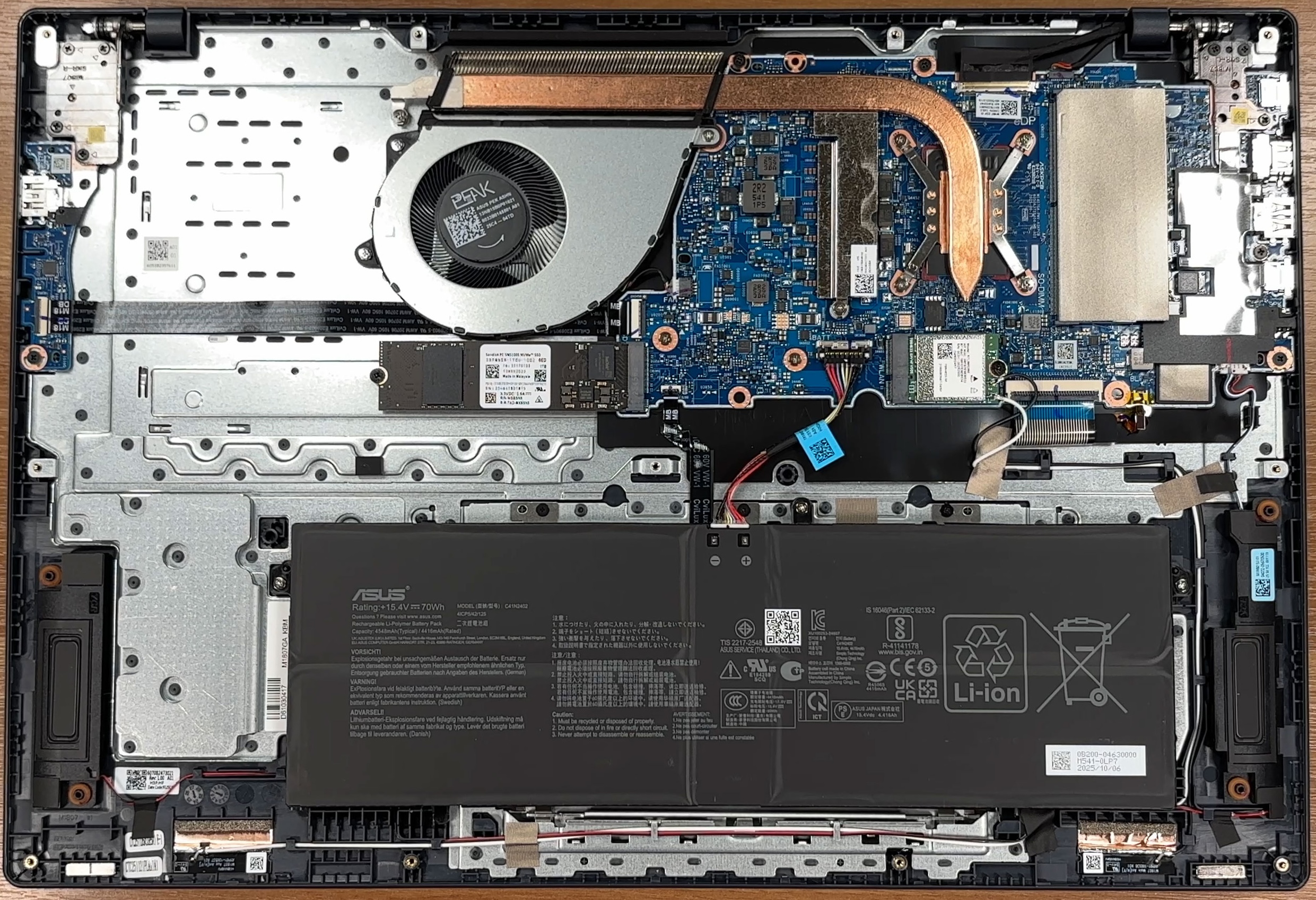
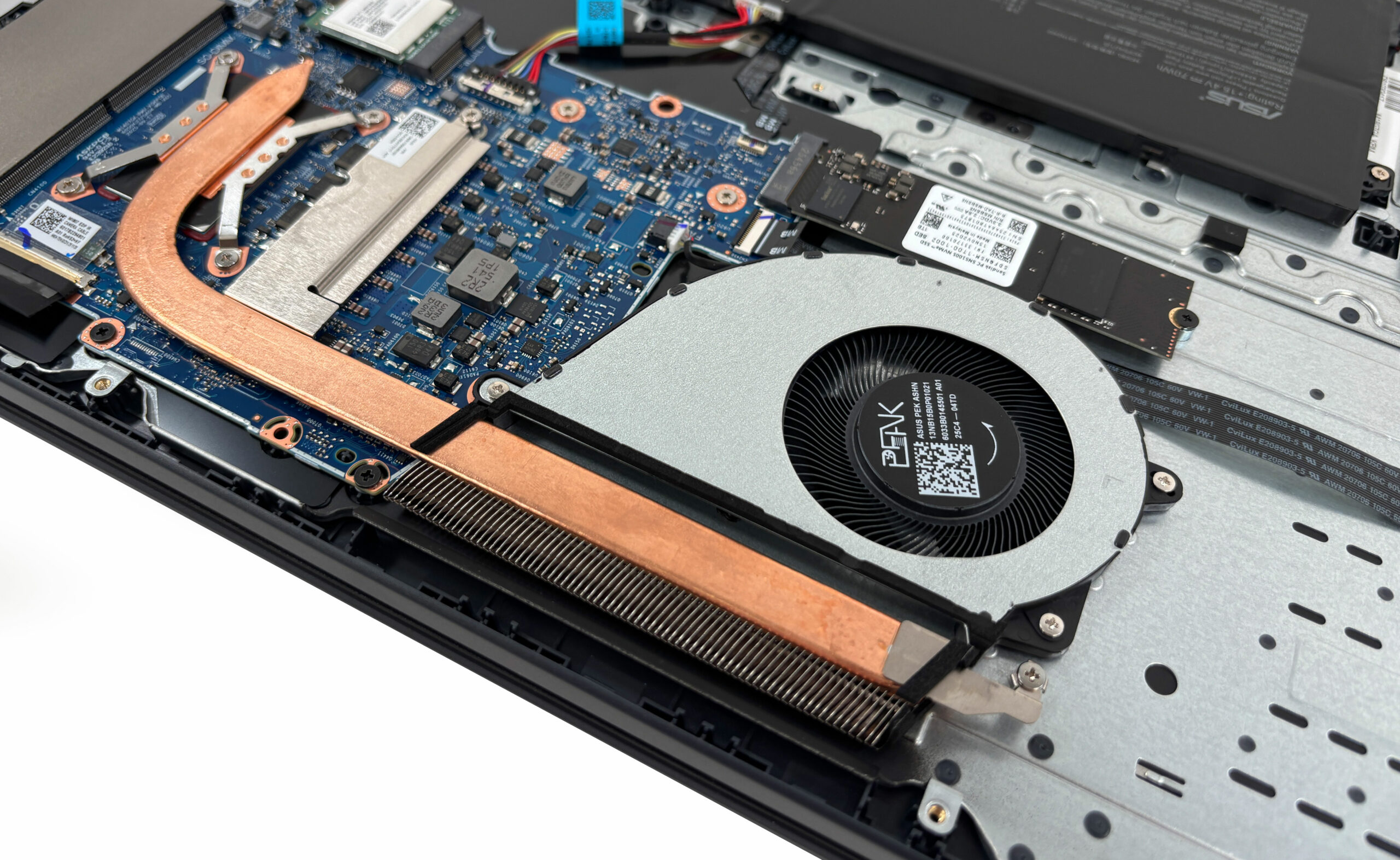
The cooling system is simple, which makes sense for a large Vivobook without a dedicated GPU. It uses a single fan and one main heat pipe, which covers the processor area and leads to a long heatsink at the rear. The AMD Radeon graphics are integrated inside the processor, so there is no separate GPU chip or dedicated video memory to cool. The fan is easy to reach for dust cleaning, and the cooling assembly should also be serviceable if thermal paste replacement is needed later.
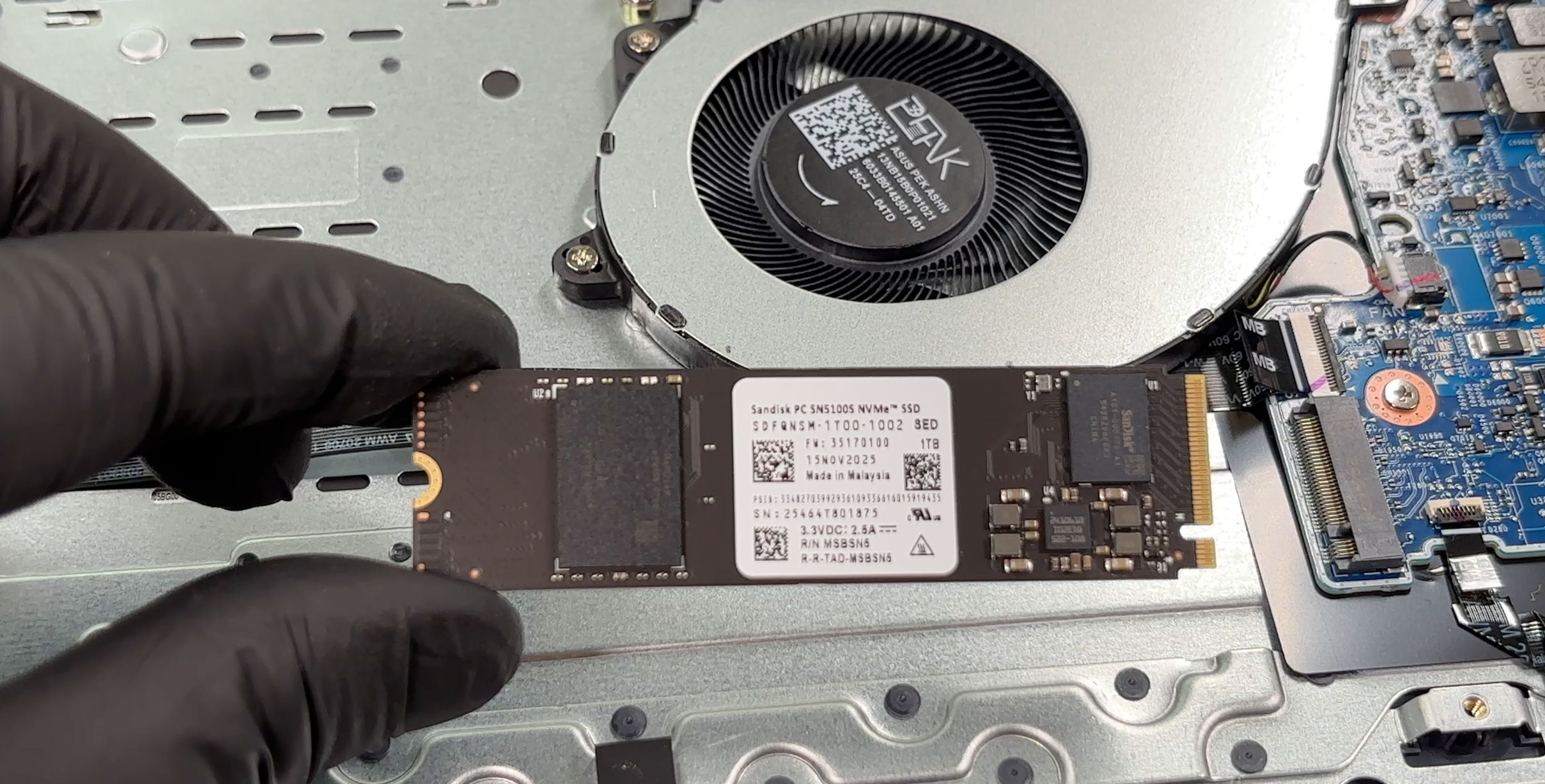
Storage is handled by one M.2 2280 slot. In our configuration, it is occupied by a 1TB SanDisk PC SN5100S NVMe SSD. The slot supports a standard 2280 drive, but there is no second M.2 slot visible inside the chassis. This means storage upgrades are possible, but they require replacing the existing SSD instead of simply adding another drive.
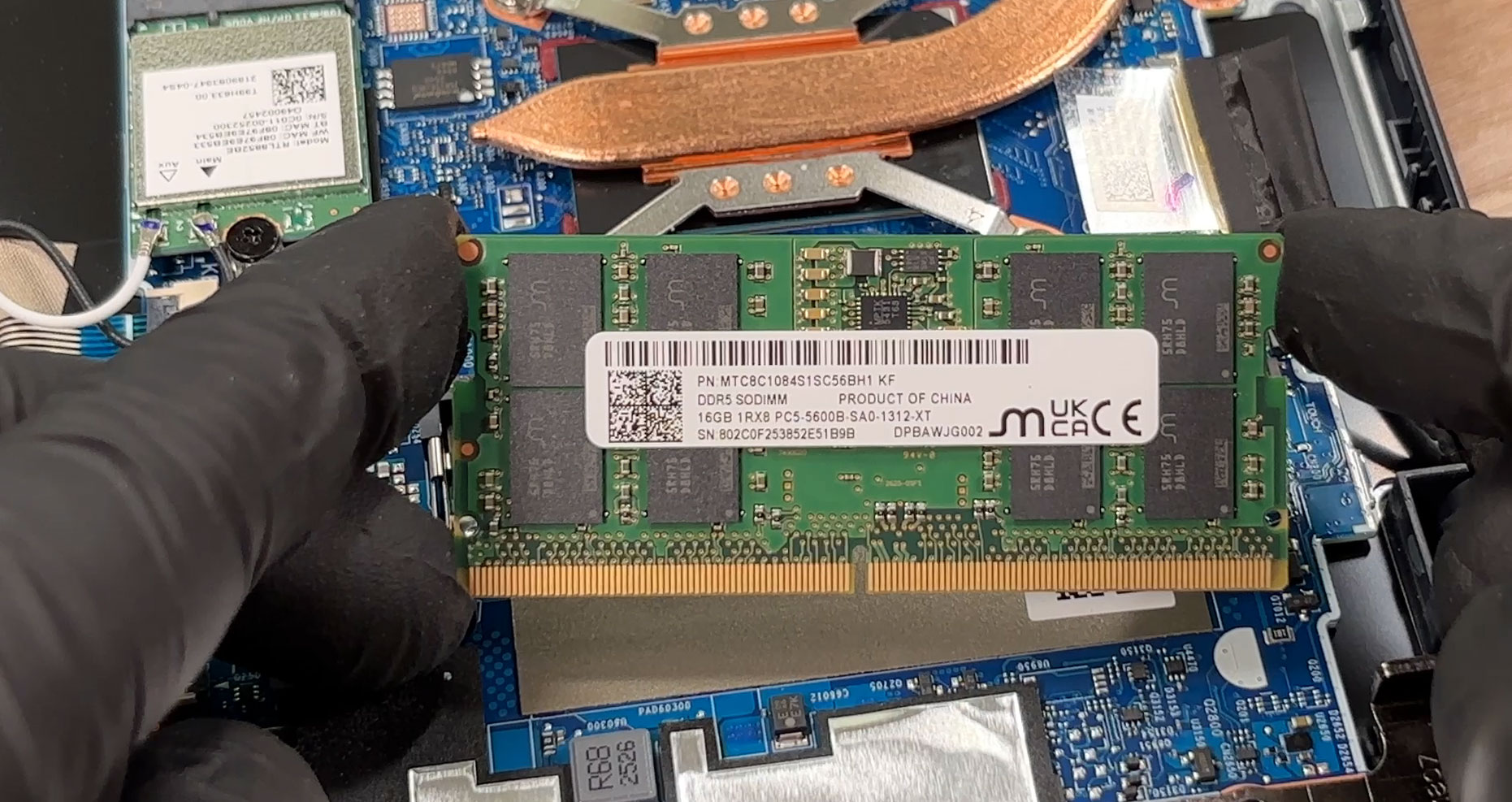
Memory is partially upgradeable. The laptop uses a combination of soldered DDR5 memory and one DDR5 SODIMM slot. Our unit comes with a 16GB DDR5-5600 SODIMM installed, bringing the total system memory to 32GB together with the soldered RAM. The accessible memory slot is good news for long-term serviceability, but the upgrade path still depends on the amount of memory soldered to the motherboard in the exact configuration you buy.
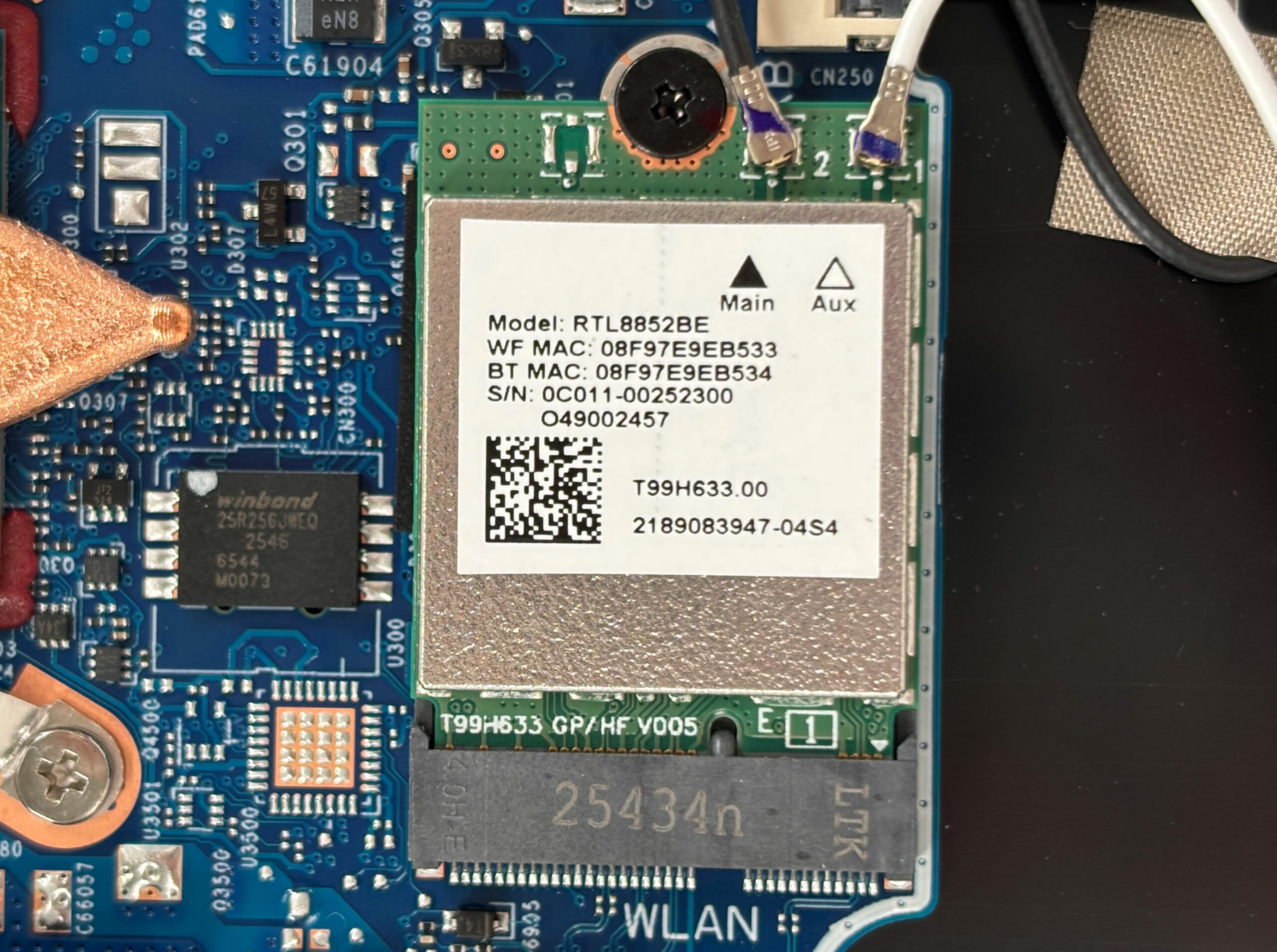
The wireless card is also replaceable. Our unit uses a Realtek RTL8852BE M.2 module, connected to two antenna cables labeled Main and Aux. This is a practical choice from a maintenance perspective, since the Wi-Fi module is not soldered and can be replaced if it fails or if a future upgrade is needed.
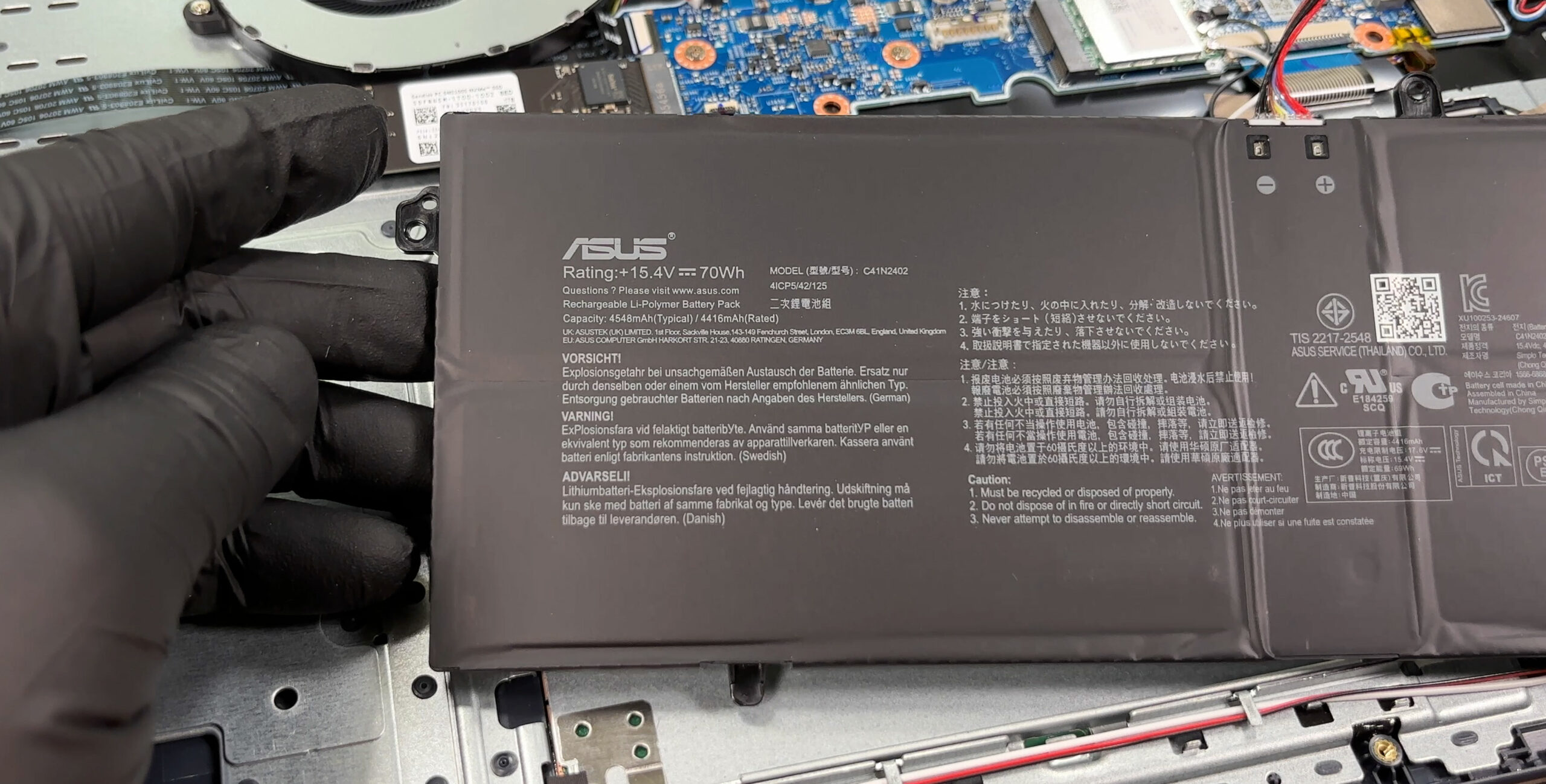
The battery is a large 70Wh ASUS lithium-ion unit rated at 15.4V. It spans across the front half of the chassis and is secured with screws, while the cable connection to the motherboard is easy to identify. As usual, disconnecting the battery should be the first step before working on the SSD, memory, wireless card, or cooling system.
With the battery removed, the touchpad area, speakers, daughterboards, and several ribbon cables become visible. These parts are physically accessible after removing the bottom cover, but they require more care than the SSD or RAM because of the smaller connectors and flat cables involved.
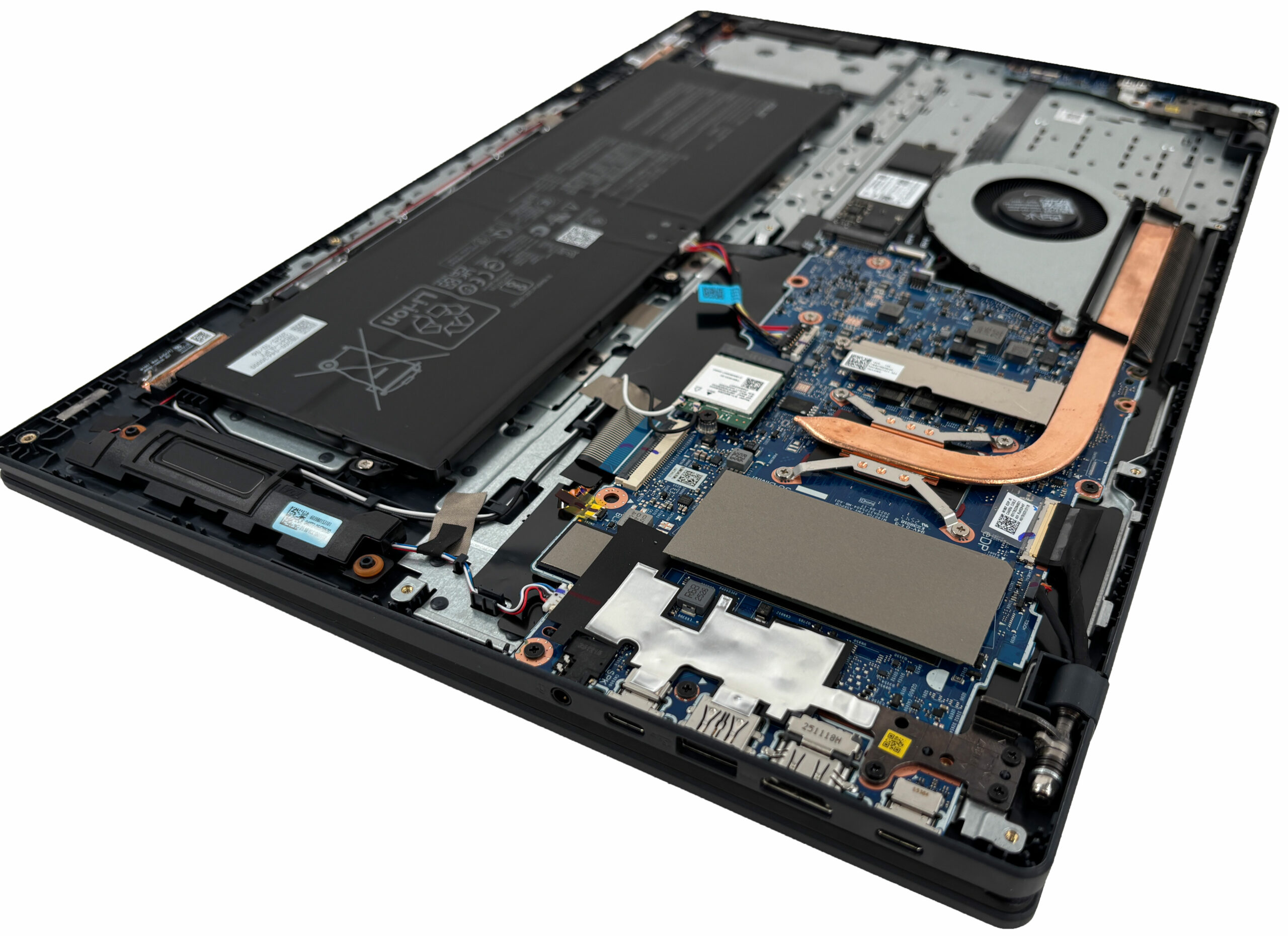
Overall, the Vivobook 18 (M1807) is reasonably easy to maintain. The bottom cover needs careful unclipping, but once inside, the SSD, SODIMM memory, Wi-Fi card, battery, fan, and cooling system are all reachable, with the main upgrade limitations being the single M.2 slot and the partially soldered memory.
Lenovo Legion 5a (15AGP11, Gen 11) in-depth review
At first glance, Lenovo Legion 5a's sleek, understated "Eclipse Black" chassis and premium metal lid suggest a high-end business workstation, perfectly suited for the boardroom. But beneath this professional exterior beats the heart of a ferocious gaming machine. Packing the latest AMD Ryzen AI 9 processor and an NVIDIA RTX 5060, it promises top-tier performance hidden in a surprisingly portable sub-2kg frame. In our testing, this stealthy approach yielded some incredible results, shattering records for its class. But does this relentless pursuit of power in a slim chassis come at too high[...]

Pros
- Stunning 165Hz QHD+ OLED display with perfect colors
- Class-leading RTX 5060 gaming performance for a 15-inch laptop
- Excellent GPU thermal management keeps the system stable
- Sleek, professional design with a fingerprint-resistant finish
- Great keyboard layout featuring full-sized arrow keys
- Future-proof connectivity with two USB4 ports
Cons
- Extremely poor battery life (just over 3 hours)
- CPU runs hot under sustained heavy load
- Highly reflective glossy OLED screen
- No biometric login options (fingerprint or IR)
 Author: Dimitar Stalev

![[August 2026] Amazon Italy: Top 10 Best-Selling Laptops – Apple MacBook Neo Claims the Crown as Budget and Mid-Range Windows Machines Dominate Volume](https://laptopmedia.com/wp-content/uploads/2026/09/Best-Selling-Laptops-IT-Top-10-400x225.jpg)
![[August 2026] Amazon Italy: Top 7 Best-Selling Gaming Laptops – ASUS V16 Claims the #1 Spot Amid Strong Mid-Range Demand](https://laptopmedia.com/wp-content/uploads/2026/09/Best-Selling-Gaming-Laptops-IT-Top-10-400x225.jpg)
![[August 2026] Best-Selling Laptop Brands on Amazon Italy – Lenovo Dominates Market Share and Revenue Leadership](https://laptopmedia.com/wp-content/uploads/2026/09/IT-Best-Brands-400x225.jpg)
![[August 2026] Amazon India: Top 10 Best-Selling Laptops – Apple MacBook Neo Dominates the Charts with Massive Sales Lead](https://laptopmedia.com/wp-content/uploads/2026/09/Best-Selling-Laptops-IN-Top-10-400x225.jpg)
![[August 2026] Amazon India: Top 10 Best-Selling Gaming Laptops – HP Victus 15 Dominates the Market with Massive Unit Lead](https://laptopmedia.com/wp-content/uploads/2026/09/Best-Selling-Gaming-Laptops-IN-Top-10-400x225.jpg)
