How to open Lenovo Legion 7a (16″, Gen 11) – disassembly and upgrade options
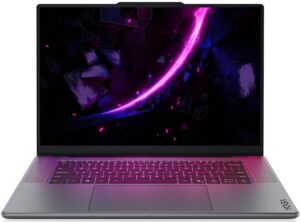
Step 1: Removing the bottom panel
- Power off the laptop and place it on a soft, clean surface.
- Undo the 8 screws securing the bottom panel.
- Keep the two central screws near the hinge side separated, because they are longer than the rest.
- Use a thin plastic pry tool to release the clips around the perimeter. Work especially slowly around the front edge, where the clips are the tightest.
- Lift the bottom cover away from the chassis.
More info: The bottom panel is held very firmly, so patience is important here. Once inside, the layout is clean and service-friendly, with the cooling system in the upper half, the battery at the front, and the upgradeable storage and Wi-Fi module positioned for direct access.
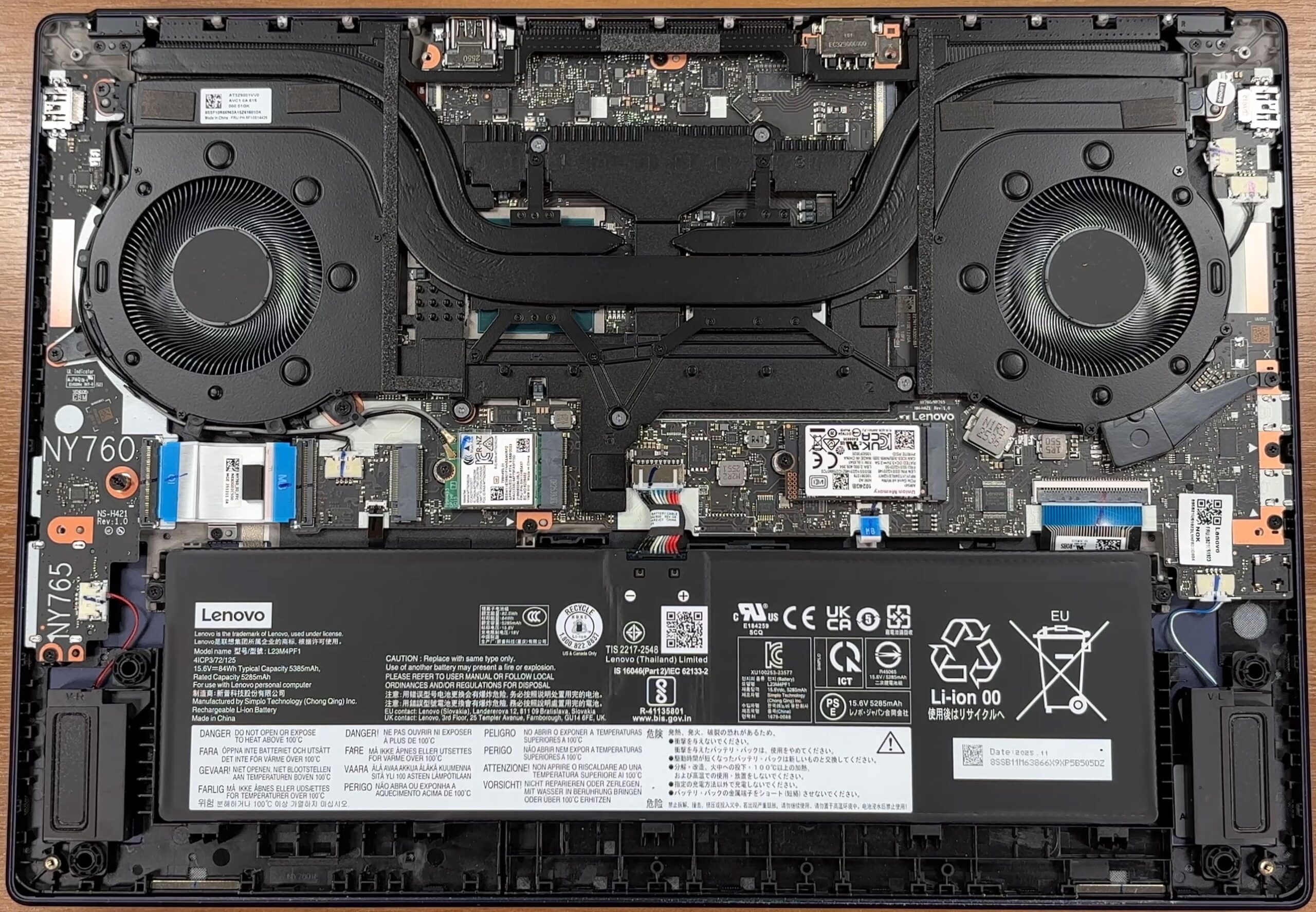
Step 2: Battery removal
- Disconnect the battery connector from the motherboard before touching the SSDs, Wi-Fi card, or other internal components.
- Undo the screws securing the battery pack.
- Lift the battery out of the chassis carefully.
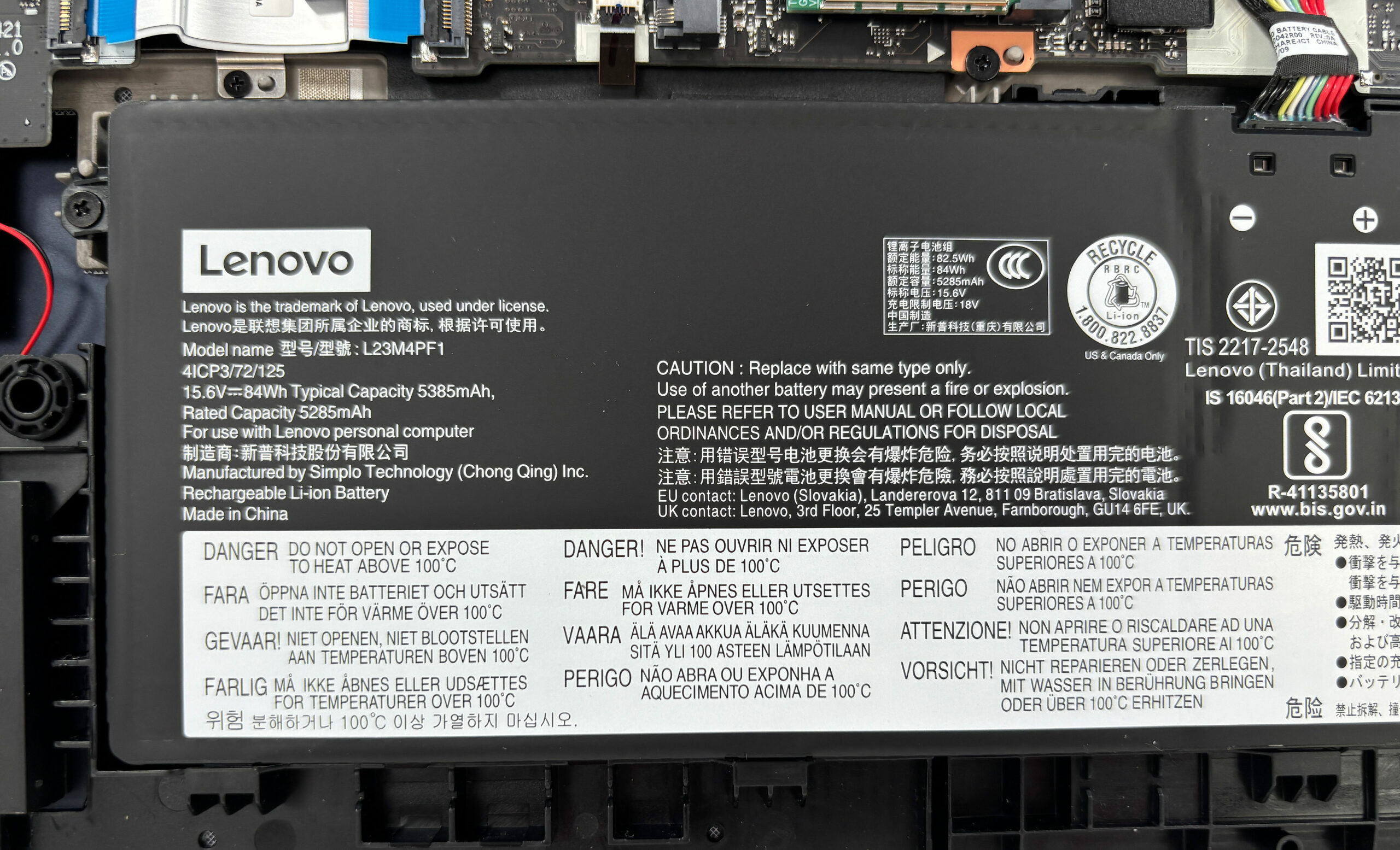
More info: The laptop uses a Lenovo L23M4PF1 battery with a typical capacity of 84Wh. Its connector is easy to spot near the upper edge of the battery, and the pack is replaceable if needed.
Step 3: Memory Upgrade
- The memory is soldered directly to the motherboard.
- There are no SO-DIMM slots, so RAM upgrades are not possible after purchase.
- Our unit is equipped with 32GB of RAM.
More info: The 32GB configuration is comfortable for gaming, content creation, and heavier multitasking, but the chosen memory capacity is permanent, so it should be selected carefully at purchase.
Step 4: Storage Upgrade
- The laptop supports two M.2 NVMe SSDs.
- Our configuration comes with a 1TB Union Memory AM541 M.2 2242 PCIe Gen 4 x4 NVMe SSD as the primary drive.
- The second M.2 slot supports 2280 SSDs, so adding extra storage is possible without replacing the original drive.
- Keep in mind that the secondary slot is wired for PCIe Gen 4 x2, so it is best used for additional capacity rather than maximum SSD performance.
You can buy Gen 4 M.2 SSDs here: Buy from Amazon.com (#CommissionsEarned)
Hint: Don’t forget to check out our Top M.2 SSDs Performance Rankings for insights on the best storage options available.
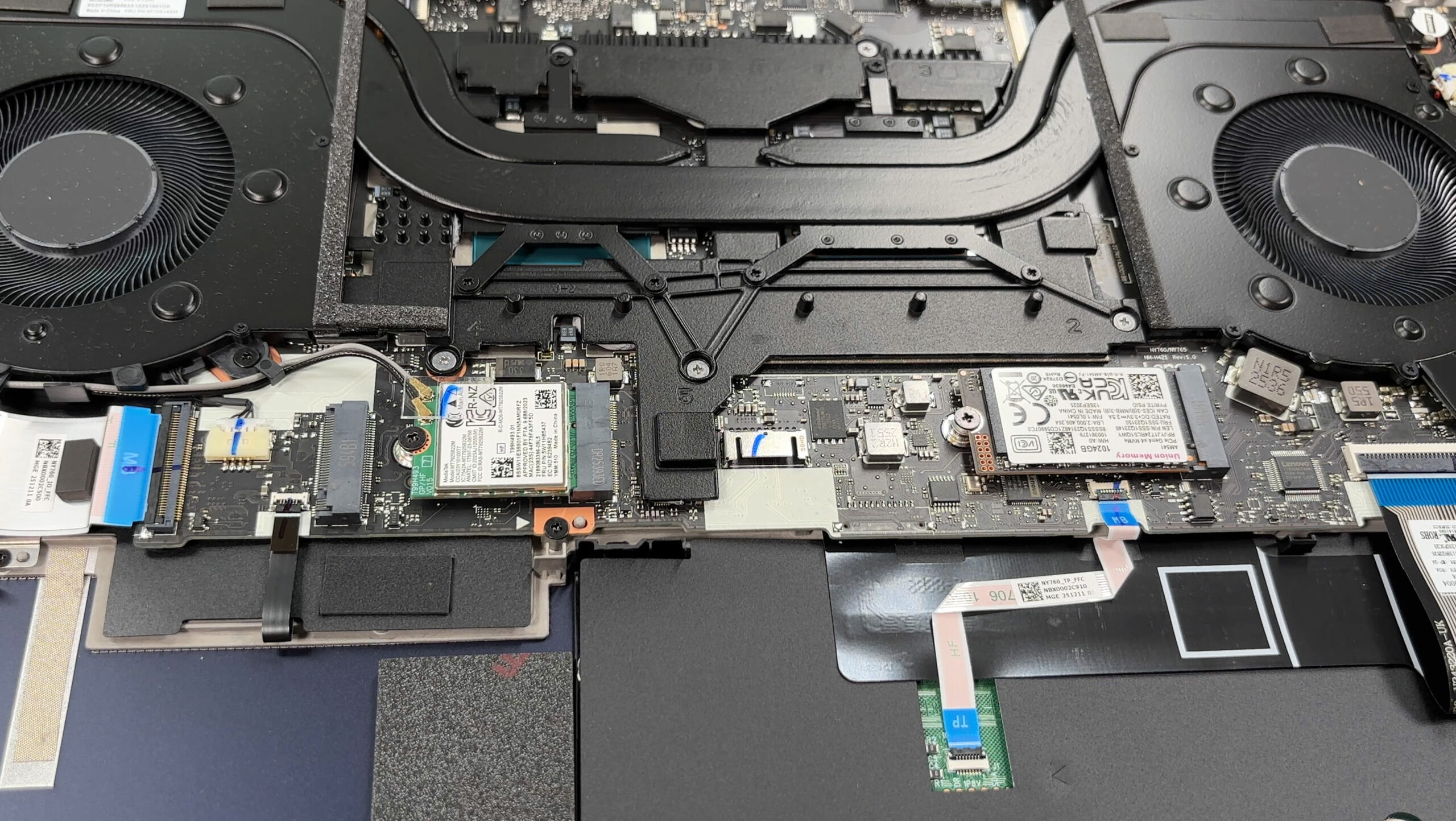
Step 5: Cooling system overview
- The cooling system uses two large fans and a wide shared heat-spreading assembly.
- The CPU and dedicated GPU sit underneath the main cooling module.
- Heat is exhausted toward the rear and sides of the chassis.
- Cleaning the fans is manageable after removing the bottom cover, while repasting requires removing the more complex shared cooling assembly.
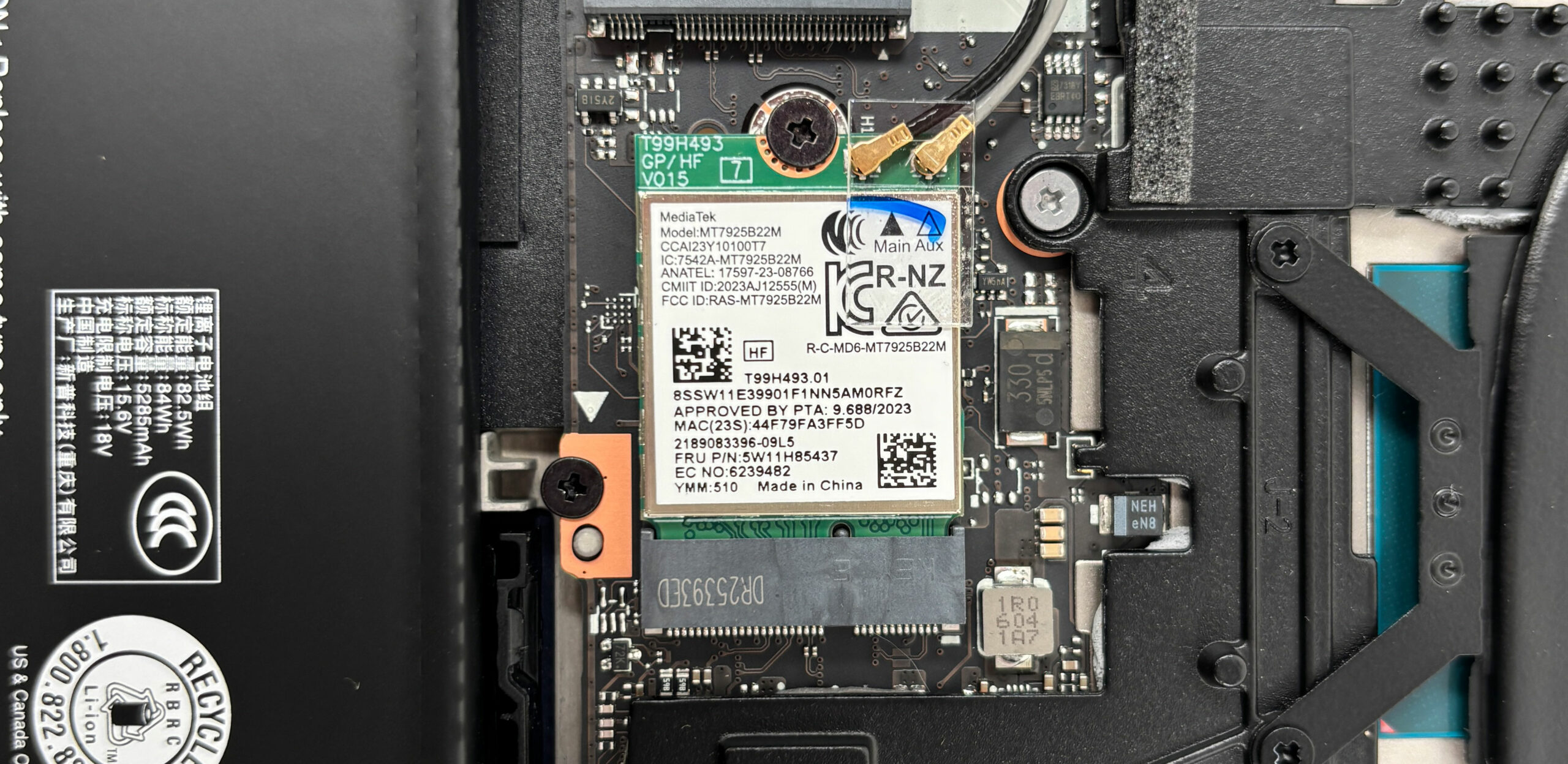
More info: The Wi-Fi card is replaceable. Our configuration uses a MediaTek MT7925B22M module with Wi-Fi 7 and Bluetooth support. It can be removed after disconnecting the two antenna leads and undoing one screw, but the antenna connectors are delicate and should only be handled when necessary.
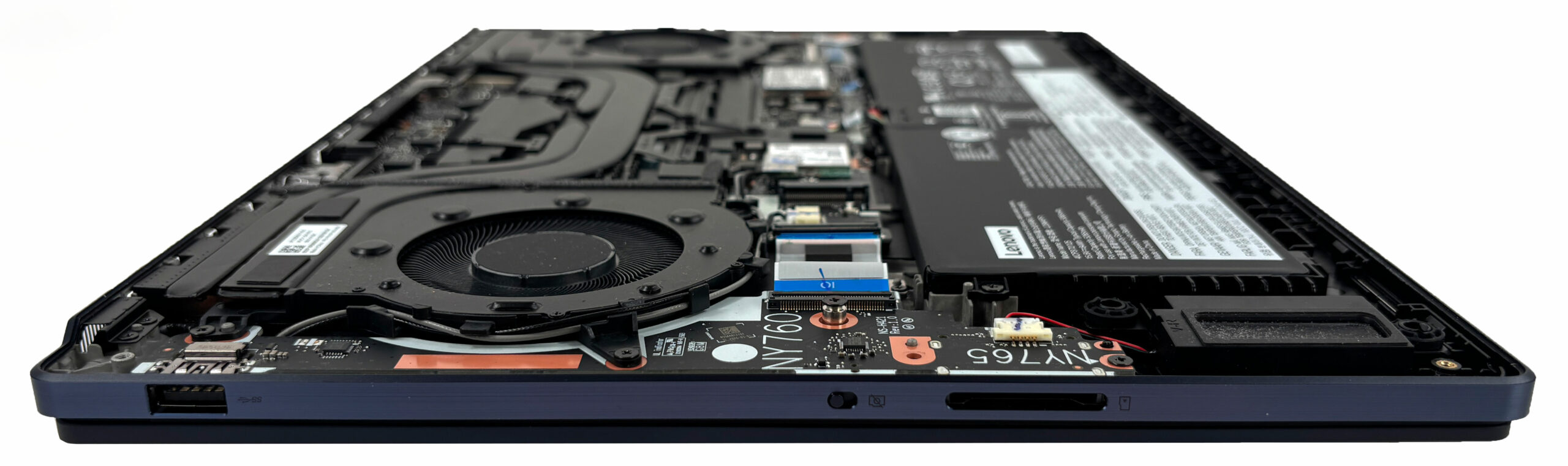
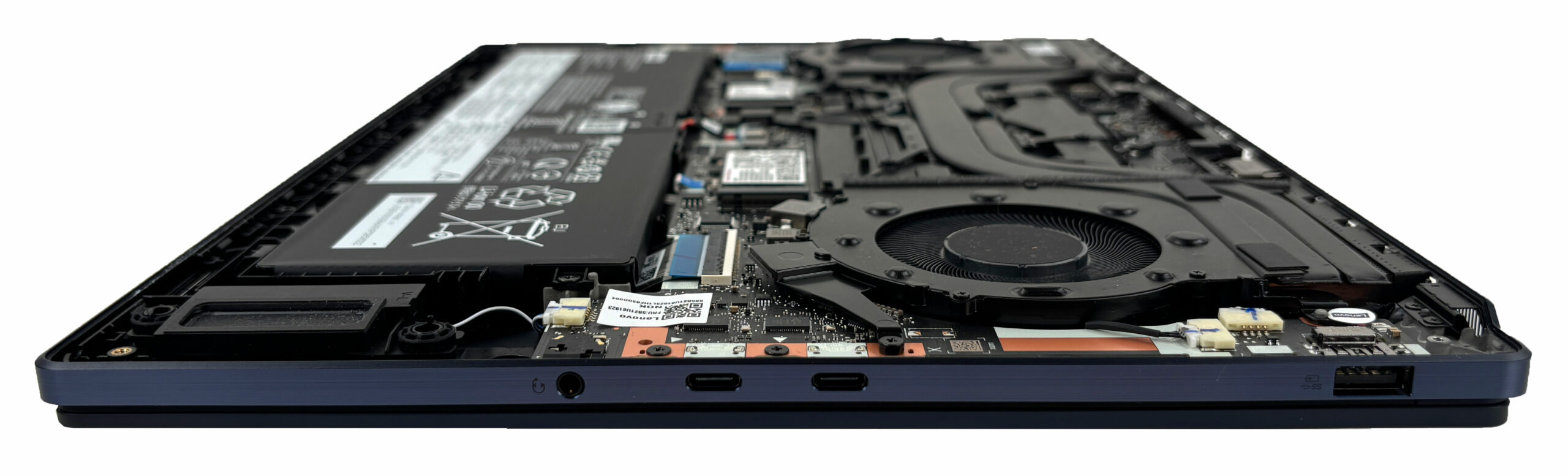
More info: Other accessible parts include the speakers, SSDs, Wi-Fi module, battery, fans, and several cable-connected auxiliary boards. The CPU and GPU are soldered, and RAM upgrades are not possible. Overall, maintenance is fairly easy for cleaning, battery replacement, and storage upgrades, but long-term upgradeability is limited by the soldered memory and the reduced bandwidth of the secondary SSD slot.

Lenovo Yoga Pro 9i Aura Edition (16″, Gen 11) in-depth review
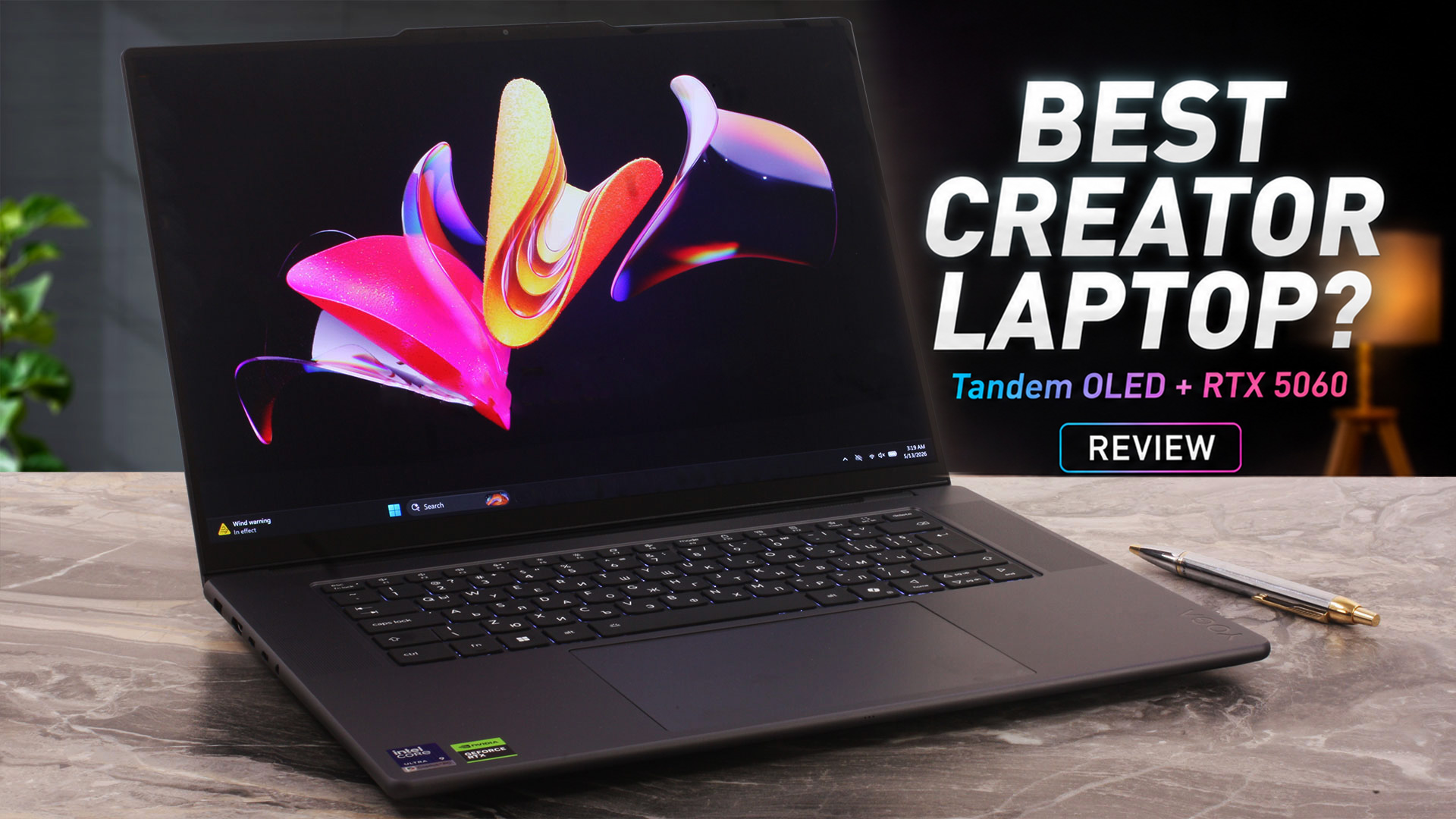
The Lenovo Yoga Pro 9i Aura Edition (16", Gen 11) is designed for users who need serious creator performance without moving to a bulky gaming laptop or a traditional mobile workstation. It combines a premium aluminum chassis, a 16-inch 3.2K Tandem OLED touchscreen, Intel Core Ultra H-series processors, and NVIDIA RTX 50-series graphics in a slim 16-inch body.Our configuration pairs the Intel Core Ultra 9 386H with the GeForce RTX 5060 Laptop GPU, a large 92.5Wh battery, and Lenovo’s huge glass ForcePad with pen support. On paper, this makes it a very capable machine for video editing, ph[...]
Pros
- Outstanding 3.2K Tandem OLED display with 100% DCI-P3 coverage
- Excellent factory color accuracy in sRGB and Display P3 modes
- Very high HDR and SDR brightness for an OLED laptop panel
- Strong sustained CPU performance in long workloads
- RTX 5060 maintains close to 100W under sustained GPU load
- Excellent battery life for a powerful 16-inch OLED laptop
- Premium aluminum build quality
- Practical port selection with Thunderbolt 4, HDMI 2.1, USB-A, and UHS-II SD card reader
- Two M.2 PCIe 4.0 slots, with a free second slot in our unit
- Large glass ForcePad with pen support
- Lenovo Yoga Pen Gen 2 included in the box
Cons
- Soldered RAM with no upgrade options
- Highly reflective glossy OLED screen
- Not PWM-free, although the pulsation amplitude is limited
- CPU runs hot under sustained full load
- GPU performance is lower than in thicker gaming laptops with the same RTX 5060
- No NumPad, despite what some specification listings may suggest
- Wi-Fi module is not a standard removable M.2 card
 Author: Dimitar Stalev

![[August 2026] Amazon Italy: Top 10 Best-Selling Laptops – Apple MacBook Neo Claims the Crown as Budget and Mid-Range Windows Machines Dominate Volume](https://laptopmedia.com/wp-content/uploads/2026/09/Best-Selling-Laptops-IT-Top-10-400x225.jpg)
![[August 2026] Amazon Italy: Top 7 Best-Selling Gaming Laptops – ASUS V16 Claims the #1 Spot Amid Strong Mid-Range Demand](https://laptopmedia.com/wp-content/uploads/2026/09/Best-Selling-Gaming-Laptops-IT-Top-10-400x225.jpg)
![[August 2026] Best-Selling Laptop Brands on Amazon Italy – Lenovo Dominates Market Share and Revenue Leadership](https://laptopmedia.com/wp-content/uploads/2026/09/IT-Best-Brands-400x225.jpg)
![[August 2026] Amazon India: Top 10 Best-Selling Laptops – Apple MacBook Neo Dominates the Charts with Massive Sales Lead](https://laptopmedia.com/wp-content/uploads/2026/09/Best-Selling-Laptops-IN-Top-10-400x225.jpg)
![[August 2026] Amazon India: Top 10 Best-Selling Gaming Laptops – HP Victus 15 Dominates the Market with Massive Unit Lead](https://laptopmedia.com/wp-content/uploads/2026/09/Best-Selling-Gaming-Laptops-IN-Top-10-400x225.jpg)
