How to open Lenovo LOQ 15 (15IPH11) – disassembly and upgrade options
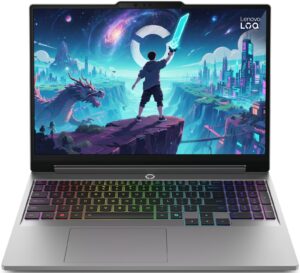
Step 1: Removing the bottom panel
- Power off the laptop and place it on a soft, clean surface.
- Undo the 10 screws securing the bottom panel. Keep the first four screws separated, because they are shorter than the rest.
- Use a thin plastic pry tool to carefully release the clips around the perimeter.
- Work patiently and avoid pushing the tool too deeply inside the chassis, as the clips are tight and internal components sit close to the cover.
- Lift the bottom panel away from the laptop.
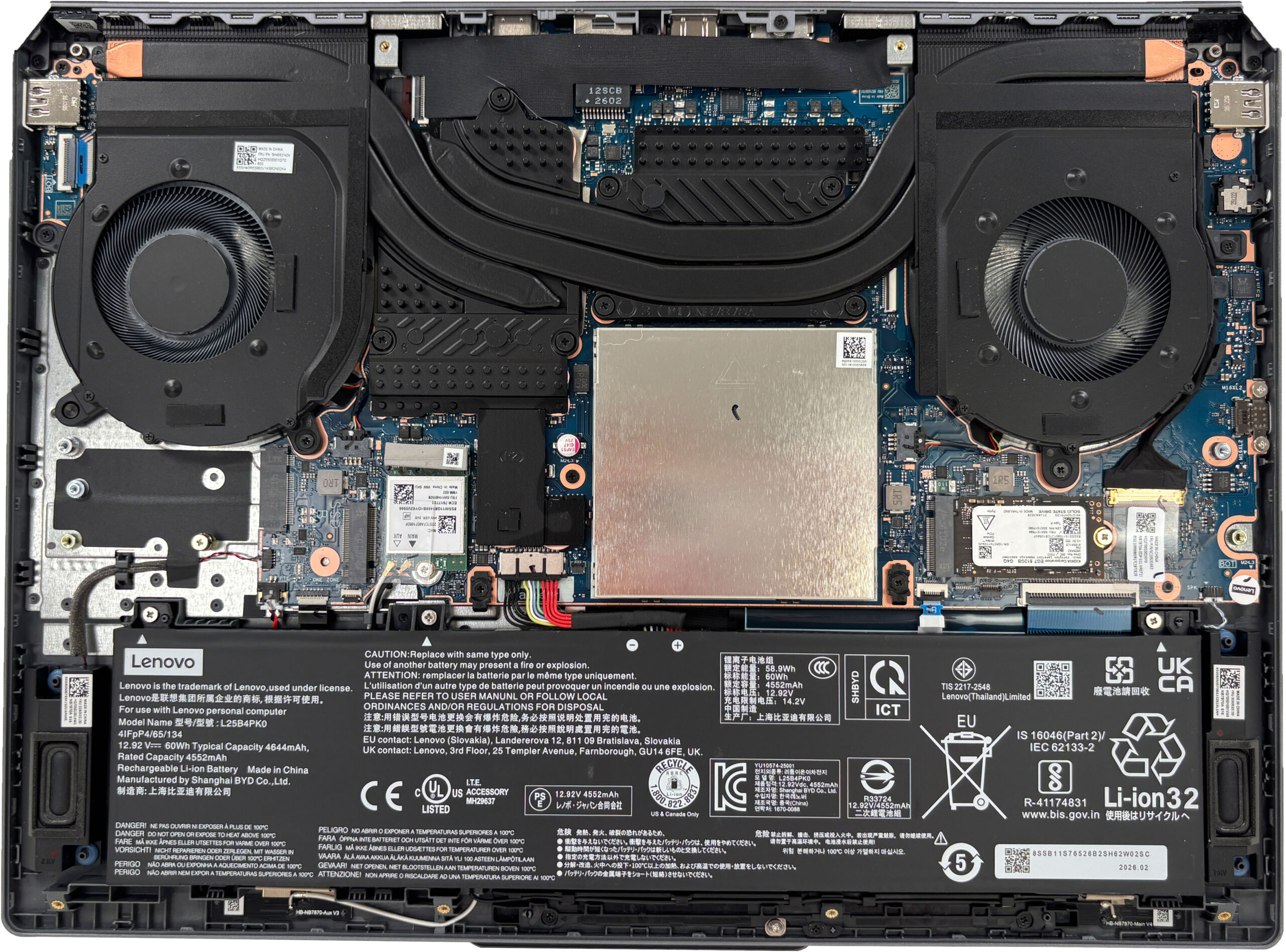
More info: Once inside, the layout is easy to understand, with the battery along the front, the two-fan cooling system at the top, the memory under a metal shield, and the storage and Wi-Fi card positioned for direct access.
Step 2: Battery removal
- Disconnect the battery connector from the motherboard before touching the SSDs, memory, Wi-Fi card, or cooling system.
- Undo the screws securing the battery pack.
- Lift the battery out of the chassis carefully.
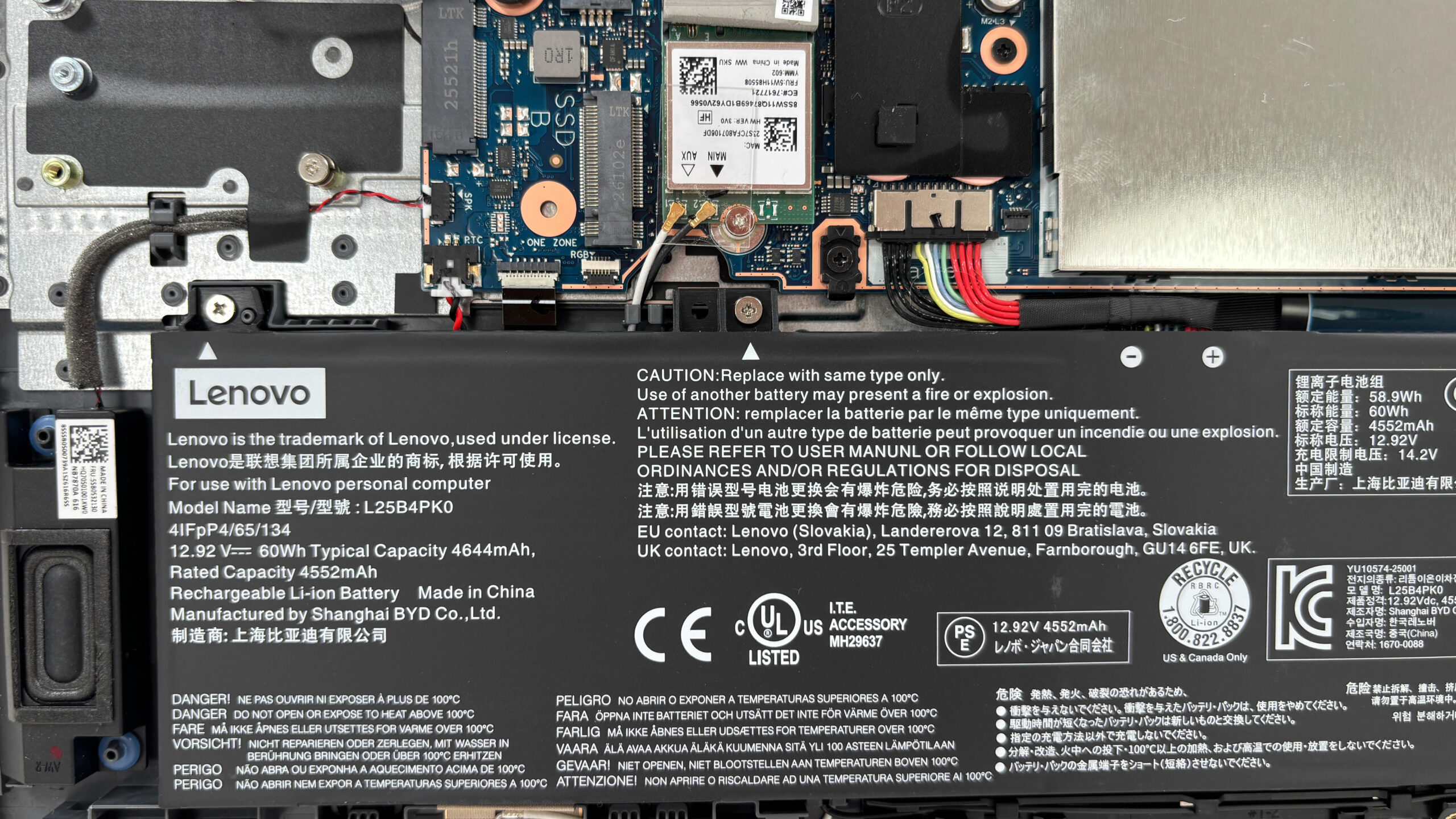
More info: The configuration we ordered uses a Lenovo L25B4PK0 lithium-ion battery with a 60Wh typical capacity. It is a replaceable unit positioned along the front side of the chassis.
Step 3: Memory Upgrade
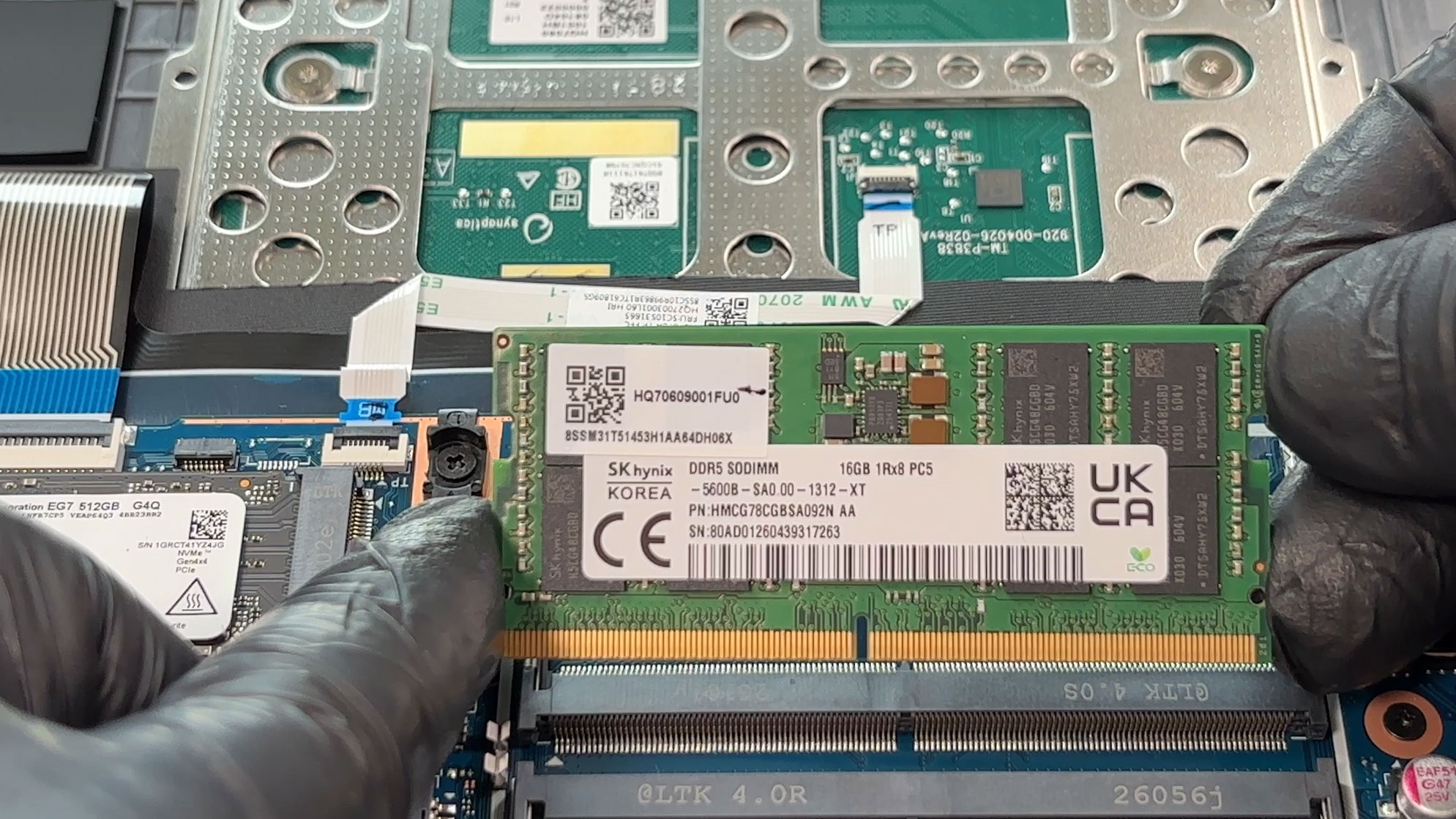
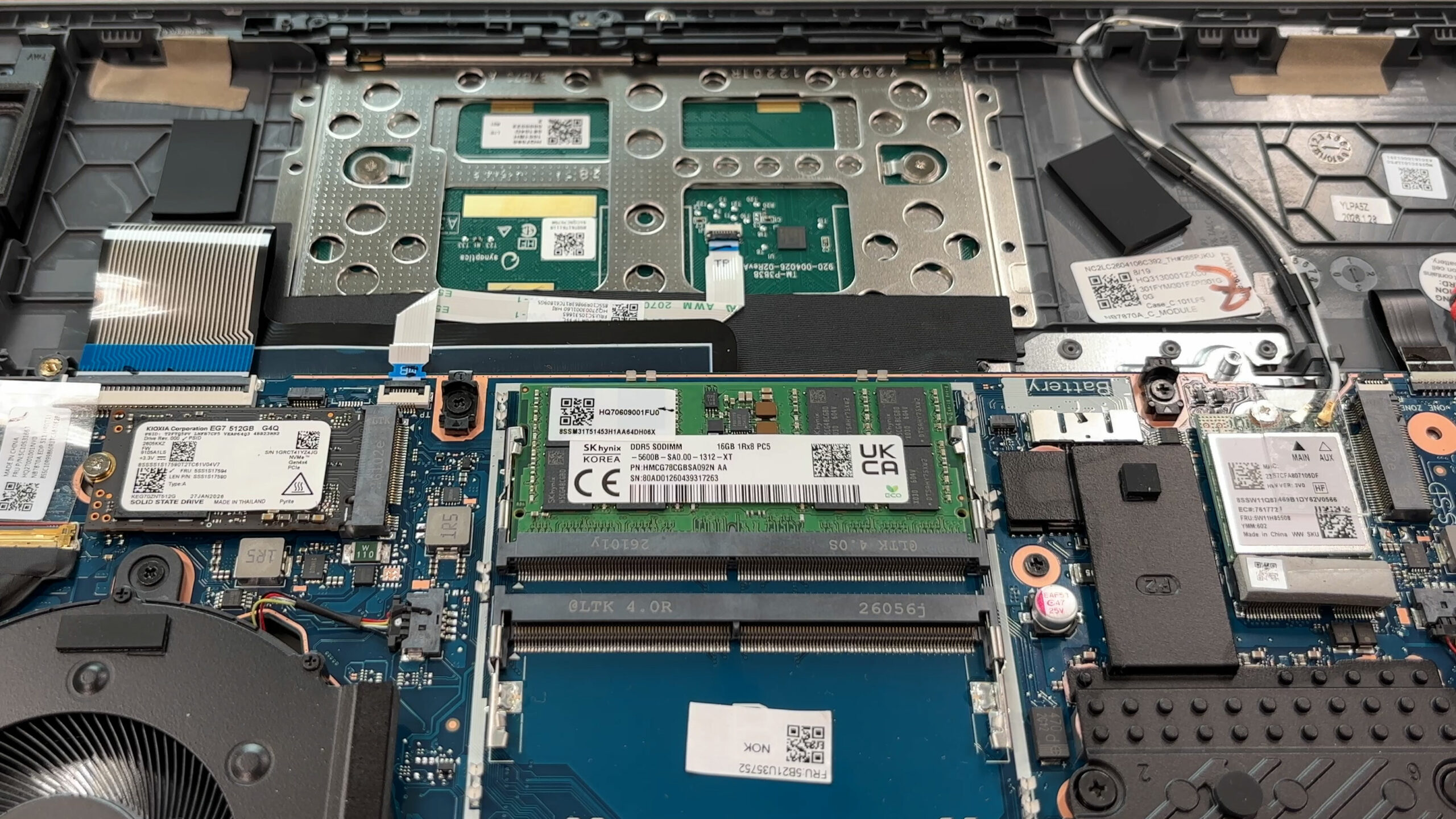
- The memory is located under a metal shielding plate.
- Remove the shield carefully to access the two DDR5 SO-DIMM slots.
- Our configuration comes with one 16GB SK hynix DDR5-5600 module installed.
- The second slot is free, which makes a dual-channel upgrade simple.
- Lenovo officially lists support for up to 32GB of DDR5-5600 memory.
- When reinstalling the RAM shield, align all metal clips correctly before pressing it down. Forcing it at an angle can damage the small retaining points around the slots.
You can buy DDR5 RAM modules here: Buy from Amazon.com (#CommissionsEarned)
Step 4: Storage Upgrade
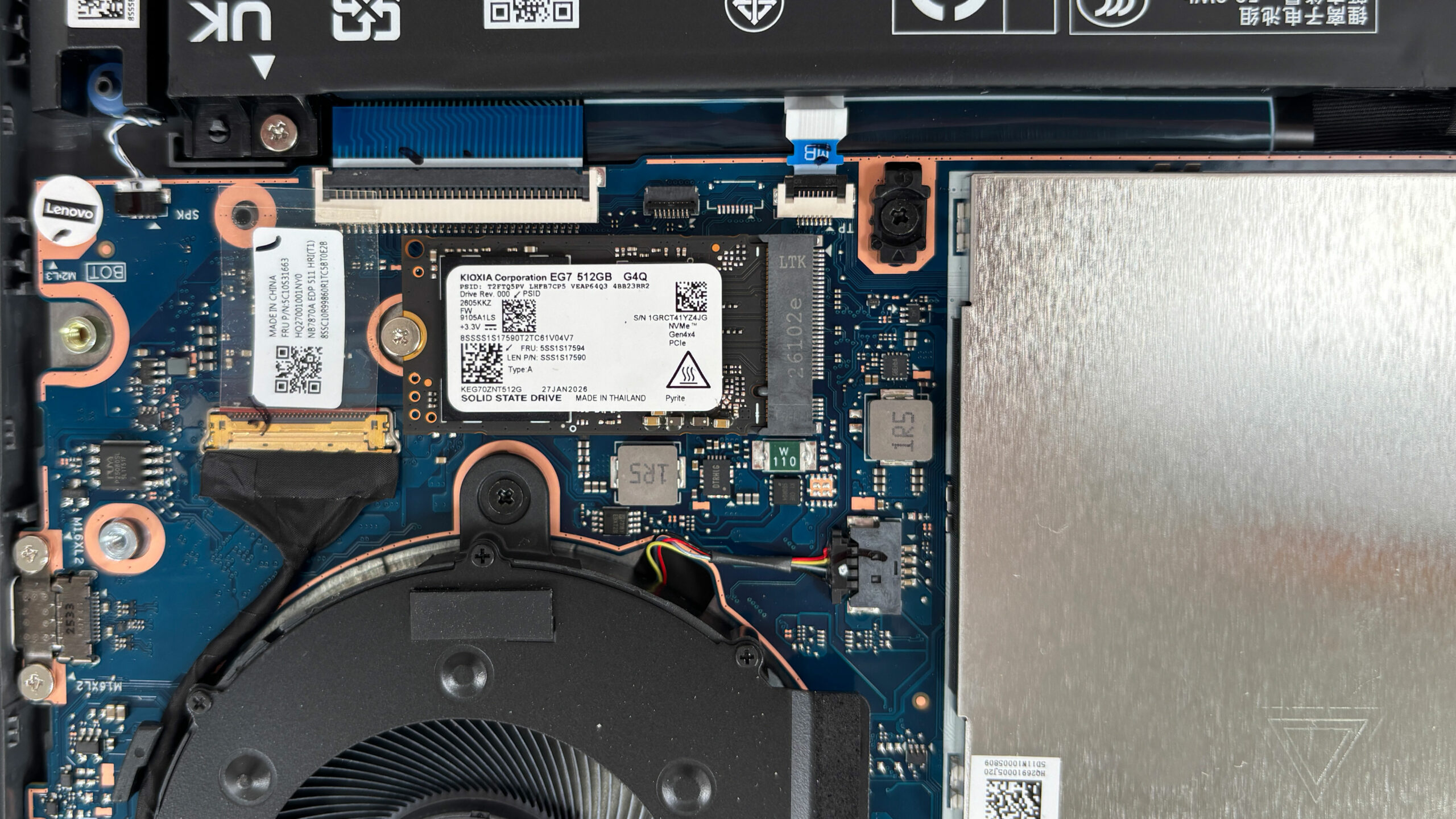
- The laptop has two M.2 slots for NVMe SSDs.
- Our machine comes with a 512GB KIOXIA KEG70ZNT512G LS M.2 2242 NVMe SSD installed in the primary PCIe 4.0 x4 slot.
- The second slot supports M.2 2280 SSDs and is available for storage expansion.
- Keep in mind that the secondary slot is wired for PCIe 4.0 x2, so the fastest SSDs will not reach their full peak benchmark potential there.
- The bottom cover has thermal pads positioned above the SSD zones, so make sure they align correctly during reassembly.
You can buy Gen 4 M.2 SSDs here: Buy from Amazon.com (#CommissionsEarned)
Hint: Don’t forget to check out our Top M.2 SSDs Performance Rankings for insights on the best storage options available.
Step 5: Cooling system overview
- The cooling system uses two fans and a shared heat-pipe layout.
- The assembly covers both the Intel Core Ultra processor and the NVIDIA GeForce RTX 5050 Laptop GPU in our configuration.
- The GPU side gets additional cooling coverage, which makes sense because some configurations can be equipped with the more powerful GeForce RTX 5060 Laptop GPU.
- Basic fan and heatsink cleaning is straightforward once the bottom panel is removed.
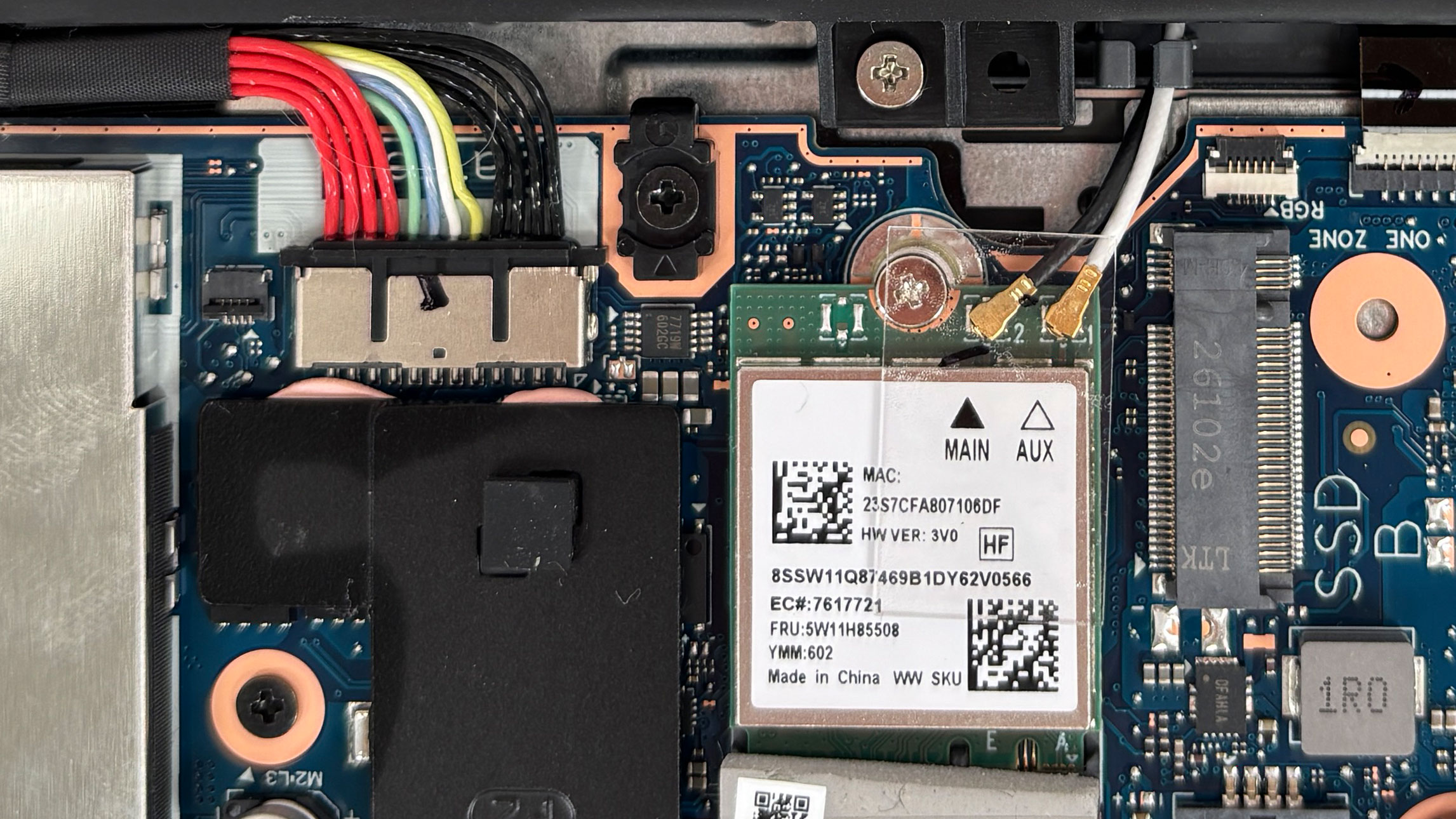
More info: The Wi-Fi card is replaceable. Our configuration uses a Realtek RTL8852BE Wi-Fi 6 module with Bluetooth 5.3, positioned close to the battery connector and the right-side storage area. The antenna leads are accessible, but they should be disconnected and reattached gently.
More info: Other visible serviceable parts include the battery, SSDs, memory modules, Wi-Fi card, fans, and speakers. The touchpad area is also visible from the inside, but it is not something most users will need to touch during normal upgrades or cleaning.
More info: Overall, the Lenovo LOQ 15IPH11 is easy to maintain for its class. The main upgrade parts are replaceable, and the only real limitations are Lenovo’s official 32GB memory ceiling and the secondary SSD slot being limited to PCIe 4.0 x2.
Lenovo LOQ 15 (15IPH11, Gen 11) in-depth review
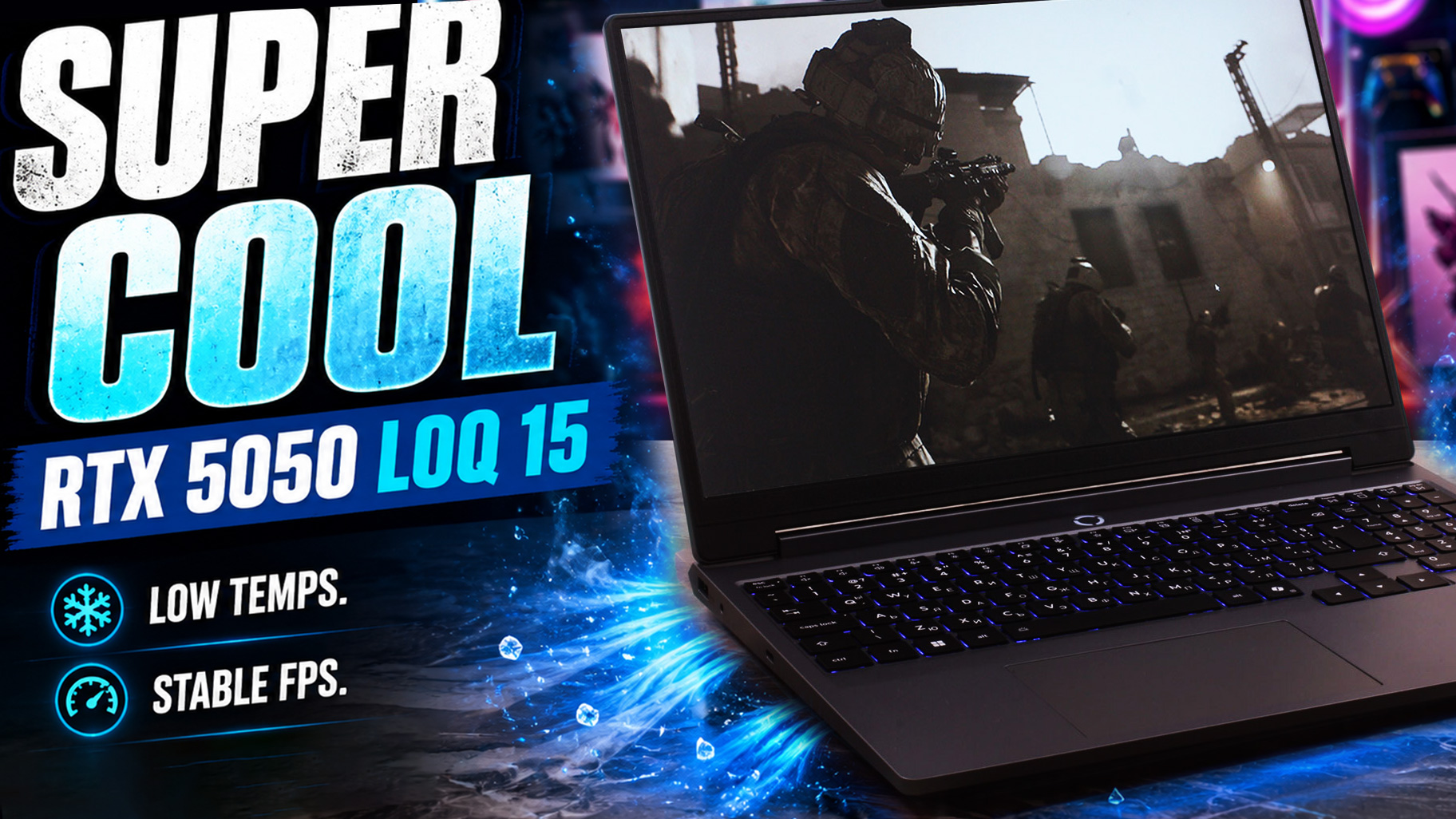
The budget gaming laptop market is usually a minefield of hot, loud, and plasticky machines, but the Lenovo LOQ 15 (Gen 11, 15IPH11) wants to change that narrative.Aimed squarely at budget-conscious gamers who also need a reliable daily driver for school or work, this entry-level machine makes a stellar first impression with its mature, stealthy "Luna Grey" chassis that completely avoids aggressive gaming clichés. But what truly surprised us during our lab tests was the astonishingly cool thermals. The cooling system is so incredibly effective that the CPU and GPU barely break a sweat und[...]
Pros
- Excellent CPU and GPU temperatures under heavy load
- High-wattage RTX 5050 implementation with strong sustained gaming performance
- PWM-free 165Hz IPS display with 99% sRGB coverage
- Very good color accuracy with our Design and Office profile
- Comfortable keyboard with full-sized, separated arrow keys and a NumPad
- Practical rear-port layout with Thunderbolt 4
- Solid-feeling plastic chassis that resists fingerprints well
- Two user-accessible RAM slots and two M.2 SSD slots
Cons
- Secondary M.2 SSD slot is limited to PCIe 4.0 x2 speeds
- Core Ultra 7 355 is not ideal for heavy multi-core workloads
- No fingerprint reader; IR camera availability depends on the configuration
- Wi-Fi 6 only, with no Wi-Fi 6E or Wi-Fi 7 support
 Author: Dimitar Stalev

![[June 2026] Best-Selling Laptop Brands on Amazon Global – Apple’s Unrivaled Dominance in Units and Revenue](https://laptopmedia.com/wp-content/uploads/2026/07/GLOBAL-Best-Brands-400x225.jpg)
![[June 2026] Amazon Global: Top 10 Best-Selling Laptops – Apple’s New MacBook Neo Storms to #1, Reshaping the Market with Affordability](https://laptopmedia.com/wp-content/uploads/2026/07/Best-Selling-Laptops-GLOBAL-Top-10-400x225.jpg)
![[June 2026] Amazon Global: Top 10 Best-Selling Gaming Laptops – Acer’s Nitro V 16S AI Dominates Sales, While ASUS Leads Overall Revenue](https://laptopmedia.com/wp-content/uploads/2026/07/Best-Selling-Gaming-Laptops-GLOBAL-Top-10-400x225.jpg)
![[June 2026] Global Ranking of Best-Selling Laptop GPUs on Amazon – NVIDIA RTX 5060 is the Top-Selling Dedicated GPU](https://laptopmedia.com/wp-content/uploads/2026/07/Best-Selling-GPUs-GLOBAL-Top-10-400x225.jpg)
![[June 2026] Global Ranking of Best-Selling Laptop CPUs on Amazon – Apple M5 Dominates, AMD Ryzen 7 260 Gets Solid Premium Share](https://laptopmedia.com/wp-content/uploads/2026/07/Best-Selling-CPUs-GLOBAL-Top-10-400x225.jpg)
