How to open Lenovo Yoga Pro 9i Aura Edition (16″, Gen 11) – disassembly and upgrade options
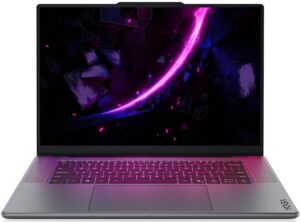
Step 1: Removing the bottom panel
- Power off the laptop and place it on a soft, clean surface.
- Undo the 10 Torx T5 screws securing the bottom panel. All screws are the same length, which makes reassembly easier.
- Use a thin plastic pry tool to carefully release the clips around the edges.
- Work slowly and avoid pushing the tool too deep inside, because the internal layout is dense and the motherboard sits close to the bottom panel.
- Lift the bottom cover away from the chassis.
More info: The bottom cover has thermal pads that help transfer heat away from internal components, so make sure they stay in place during servicing.
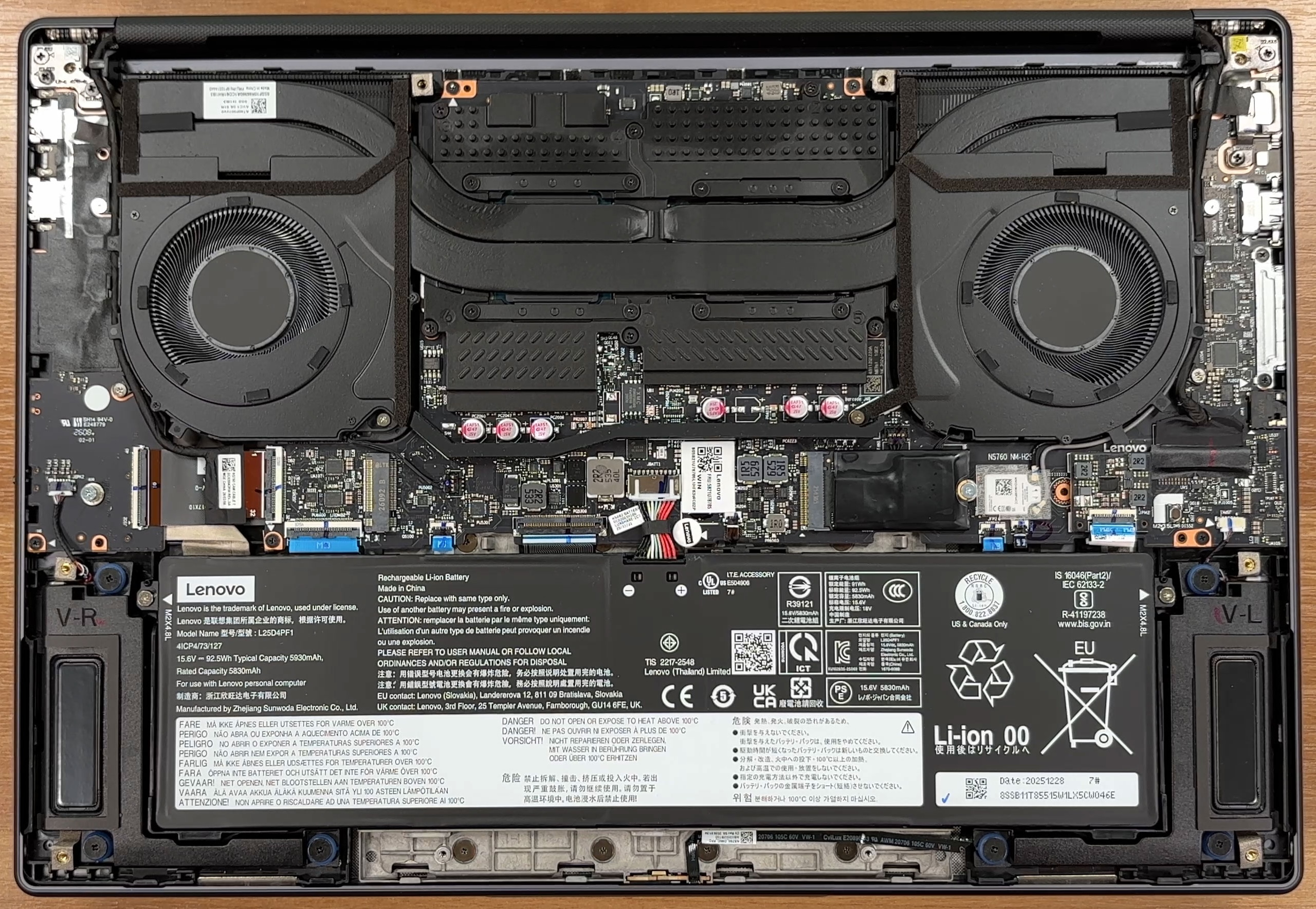
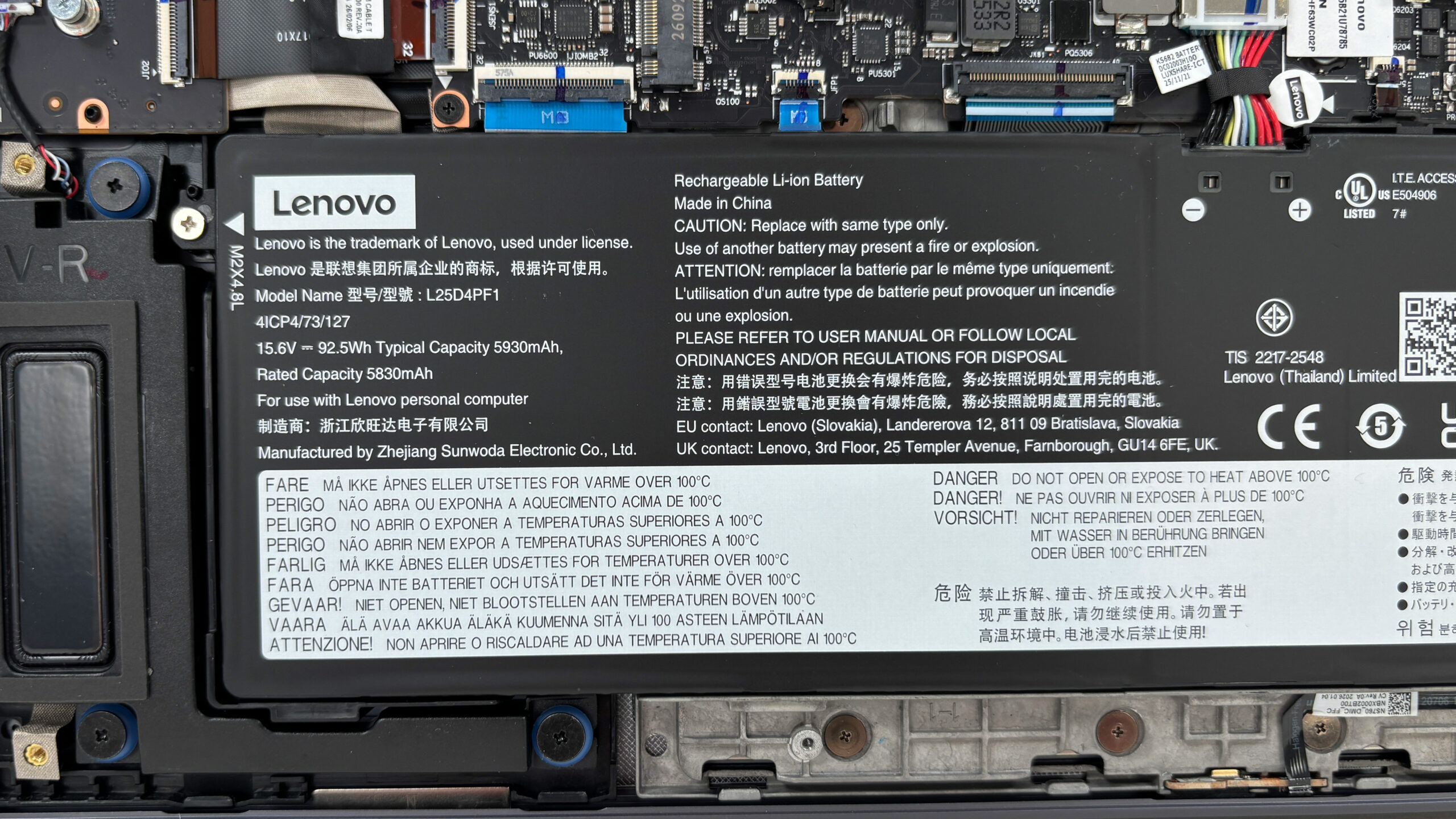
Step 2: Battery removal
- Disconnect the battery connector from the motherboard before touching the SSDs or any other internal component.
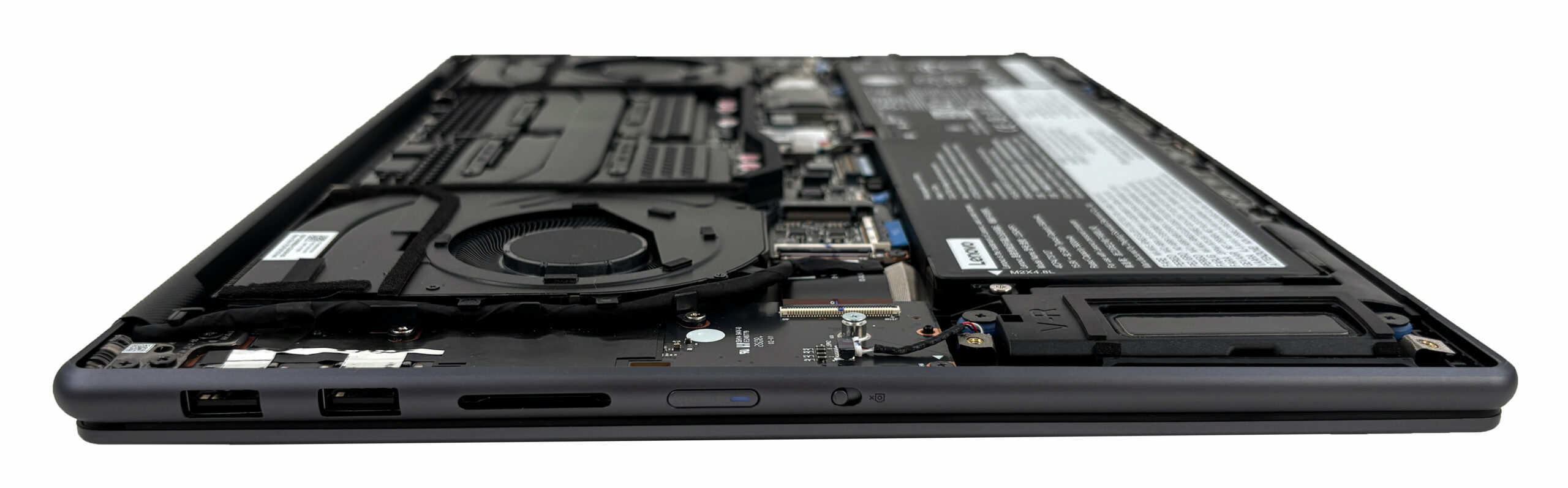
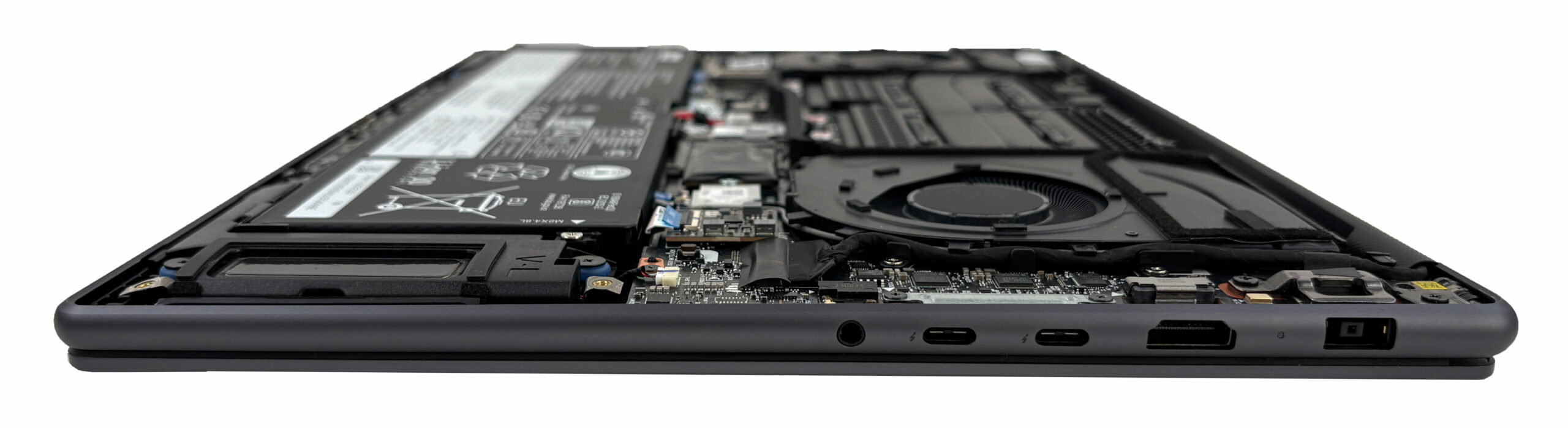
- Loosen the captive screws securing the 92.5Wh battery pack. The screws stay attached to the battery body.
- The battery cable is short, so slightly lifting the pack can make disconnecting and reconnecting it easier.
- Lift the battery out of the chassis carefully.
More info: The 92.5Wh battery is replaceable as a complete unit, but the short cable and dense internal layout require some care during removal.
Step 3: Memory Upgrade
- The memory is soldered directly to the motherboard.
- There are no SO-DIMM slots, so RAM upgrades are not possible after purchase.
- Lenovo offers this model with 32GB or 64GB of LPDDR5X-7467 memory.
- We ordered a configuration with 32GB of soldered RAM.
More info: Since the memory cannot be upgraded later, choosing the right RAM capacity at purchase is important, especially for creator workloads, local AI models, and heavy multitasking.
Step 4: Storage Upgrade
- The laptop has two M.2 PCIe 4.0 x4 slots.
- One slot is intended for shorter 2242 drives, while the longer slot supports 2280 SSDs.
- Our retail unit comes with a 1TB Samsung MZAL81T0HFLB NVMe SSD installed.
- The second M.2 slot is free, so you can add another SSD without replacing the original drive.
- This is especially useful for project files, RAW photos, video footage, games, and local AI models.
You can buy Gen 4 M.2 SSDs here: Buy from Amazon.com (#CommissionsEarned)
Hint: Don’t forget to check out our Top M.2 SSDs Performance Rankings for insights on the best storage options available.
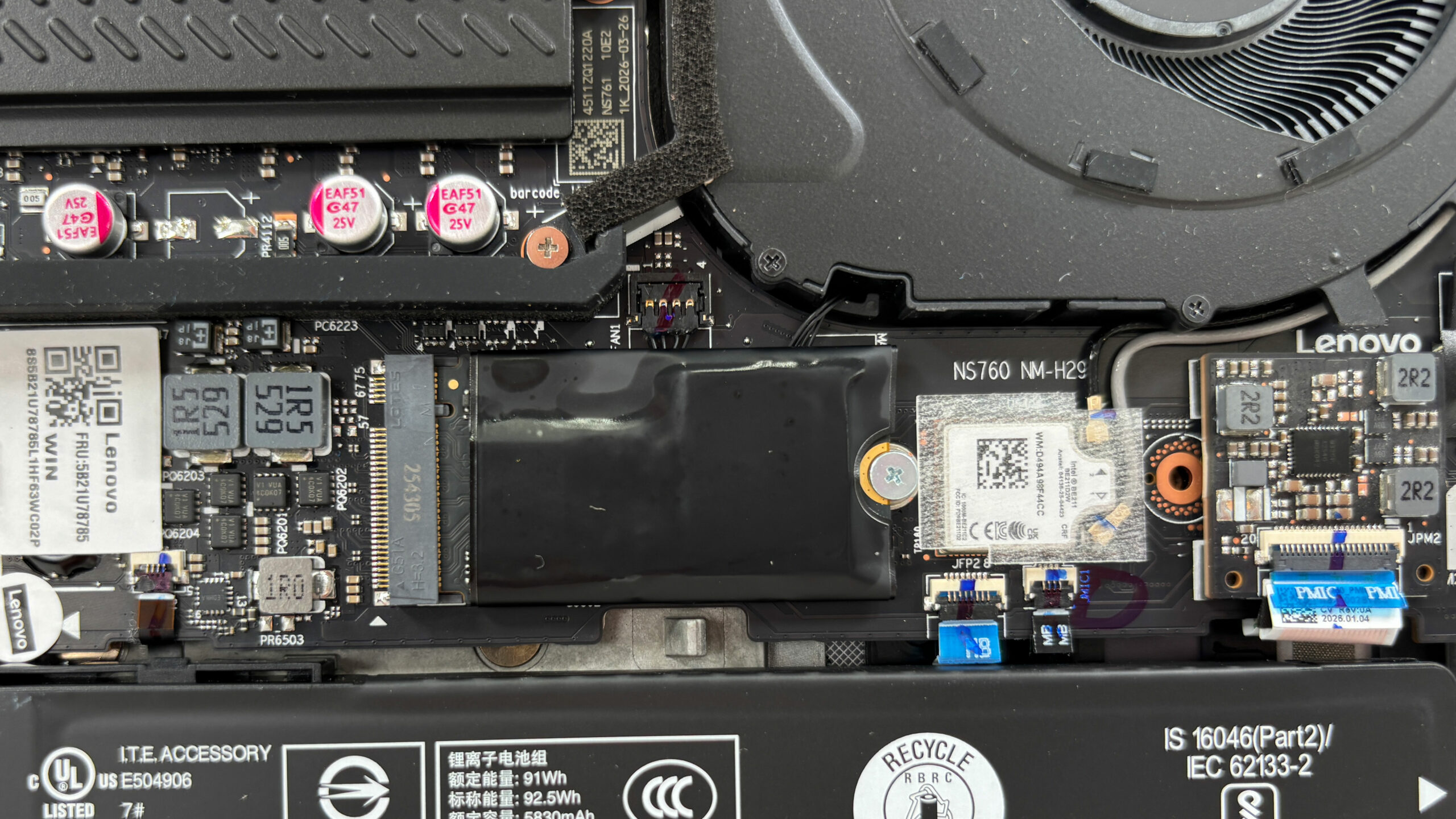
Step 5: Cooling system overview
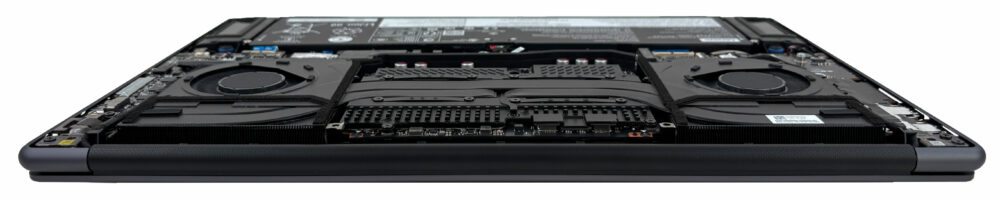
- The cooling system uses two fans and a shared thermal module covering the CPU and GPU side of the board.
- Our configuration is equipped with an Intel Core Ultra 9 386H processor and an NVIDIA GeForce RTX 5060 Laptop GPU.
- With the laptop viewed from below, the processor and soldered memory area are on the right half of the motherboard, while the dedicated GPU area is on the left.
- Fan cleaning should be manageable for experienced users once the bottom cover is removed.
- Repasting is possible in principle, but the compact layout and large shared cooling assembly make it a more advanced procedure.
More info: The Wi-Fi solution sits next to the primary SSD area and is covered by a small protective plastic strip over the antenna connectors. Our configuration uses Intel Wi-Fi 7 BE211 with Bluetooth support, but this is not a standard removable M.2 Wi-Fi card, so wireless upgrades are not part of the usual maintenance path.
More info: In practical terms, the main user-replaceable parts are the SSDs and the battery. The RAM, CPU, GPU, and Wi-Fi solution are soldered to the motherboard. Overall, maintenance is good for basic service and storage expansion, but the soldered memory and non-removable wireless module limit long-term upgrade flexibility.
Lenovo Yoga Pro 9i Aura Edition (16″, Gen 11) in-depth review
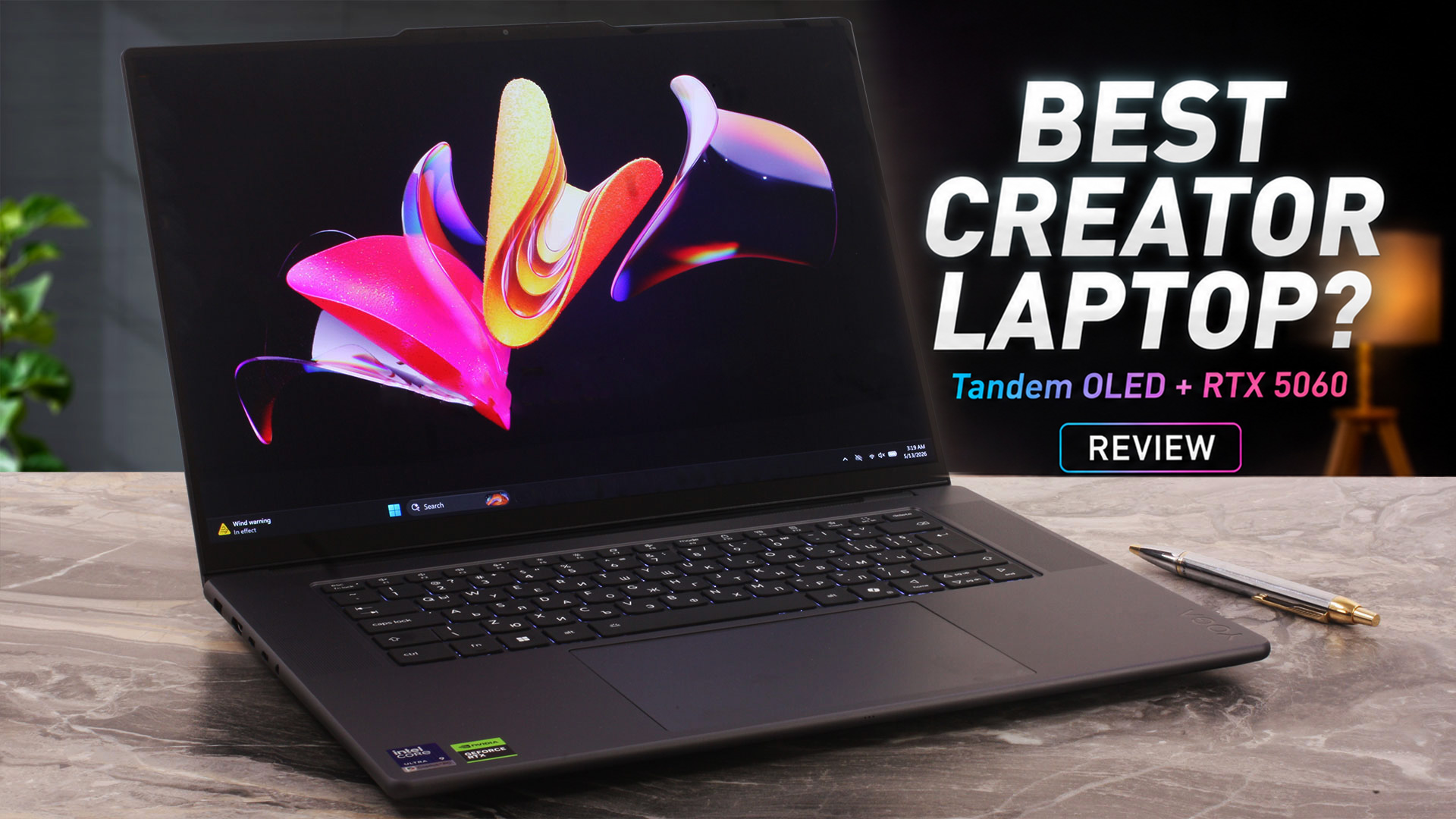
The Lenovo Yoga Pro 9i Aura Edition (16", Gen 11) is designed for users who need serious creator performance without moving to a bulky gaming laptop or a traditional mobile workstation. It combines a premium aluminum chassis, a 16-inch 3.2K Tandem OLED touchscreen, Intel Core Ultra H-series processors, and NVIDIA RTX 50-series graphics in a slim 16-inch body.Our configuration pairs the Intel Core Ultra 9 386H with the GeForce RTX 5060 Laptop GPU, a large 92.5Wh battery, and Lenovo’s huge glass ForcePad with pen support. On paper, this makes it a very capable machine for video editing, ph[...]
Pros
- Outstanding 3.2K Tandem OLED display with 100% DCI-P3 coverage
- Excellent factory color accuracy in sRGB and Display P3 modes
- Very high HDR and SDR brightness for an OLED laptop panel
- Strong sustained CPU performance in long workloads
- RTX 5060 maintains close to 100W under sustained GPU load
- Excellent battery life for a powerful 16-inch OLED laptop
- Premium aluminum build quality
- Practical port selection with Thunderbolt 4, HDMI 2.1, USB-A, and UHS-II SD card reader
- Two M.2 PCIe 4.0 slots, with a free second slot in our unit
- Large glass ForcePad with pen support
- Lenovo Yoga Pen Gen 2 included in the box
Cons
- Soldered RAM with no upgrade options
- Highly reflective glossy OLED screen
- Not PWM-free, although the pulsation amplitude is limited
- CPU runs hot under sustained full load
- GPU performance is lower than in thicker gaming laptops with the same RTX 5060
- No NumPad, despite what some specification listings may suggest
- Wi-Fi module is not a standard removable M.2 card
 Author: Dimitar Stalev

![[August 2026] Best-Selling Laptop Brands on Amazon Japan – Apple Dominates Market Share and Revenue Led by Strong Unit Sales](https://laptopmedia.com/wp-content/uploads/2026/09/CO.JP-Best-Brands-1-400x225.jpg)
![[August 2026] Best-Selling Laptop Brands on Amazon USA – Apple Dominates Market Revenue and Volume Despite Lower Model Diversity](https://laptopmedia.com/wp-content/uploads/2026/09/COM-Best-Brands-1-400x225.jpg)
![[August 2026] Amazon Germany: Top 8 Best-Selling Gaming Laptops – Acer Dominates the Market as the Premium Nitro V 17 AI Takes the #1 Spot](https://laptopmedia.com/wp-content/uploads/2026/09/Best-Selling-Gaming-Laptops-DE-Top-10-1-400x225.jpg)
![[August 2026] Best-Selling Laptop Brands on Amazon France – Apple Dominates Revenue Despite Lenovo and HP Leading in Catalog Breadth and Volume](https://laptopmedia.com/wp-content/uploads/2026/09/FR-Best-Brands-1-400x225.jpg)
![[August 2026] Amazon Italy: Top 10 Best-Selling Laptops – Apple MacBook Neo Claims the Crown as Budget and Mid-Range Windows Machines Dominate Volume](https://laptopmedia.com/wp-content/uploads/2026/09/Best-Selling-Laptops-IT-Top-10-400x225.jpg)
