How to open ASUS Zenbook S 13 OLED (UX5304) – disassembly and upgrade options
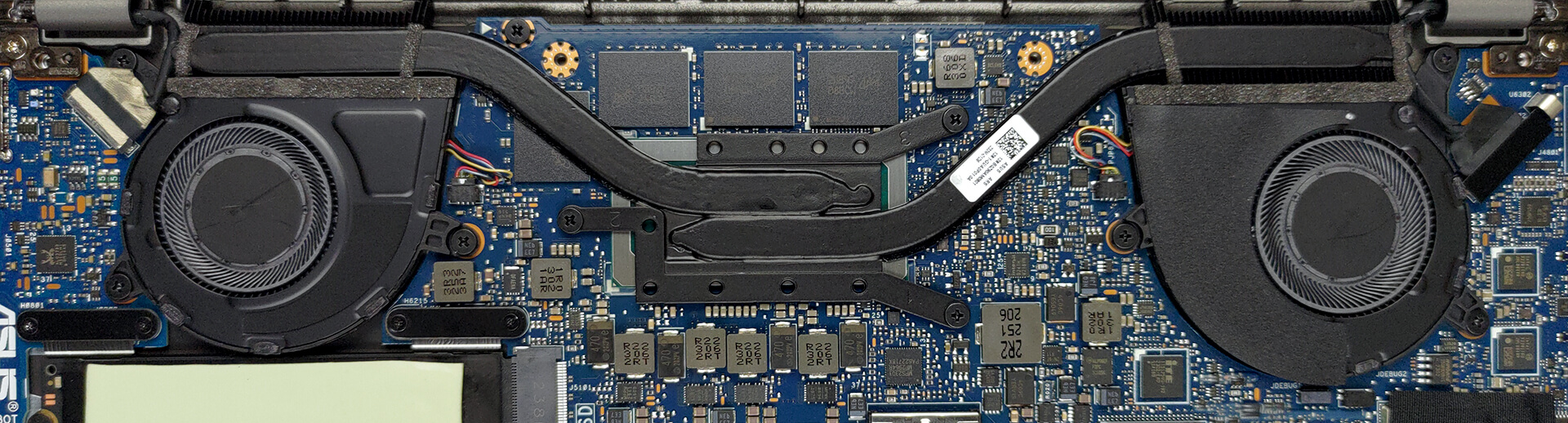
The Zenbook S 13 OLED (UX5304) looks like a tiny gaming device with its two fans. However, the overall thermal capacity of the cooling is quite low, compared to an actual gaming notebook.
Check out all ASUS Zenbook S 13 OLED (UX5304) prices and configurations in our Specs System, or read more in our In-Depth review.
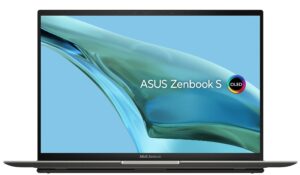
1. Remove the bottom plate
To open this device, you need to undo 11 Torx-head screws. Then, pry the bottom panel with a plastic tool starting from the back.

2. Remove the battery
Inside, we see a 63Wh battery pack. To remove it, unplug the battery connector, and undo the 8 Phillips-head screws that keep it in place.
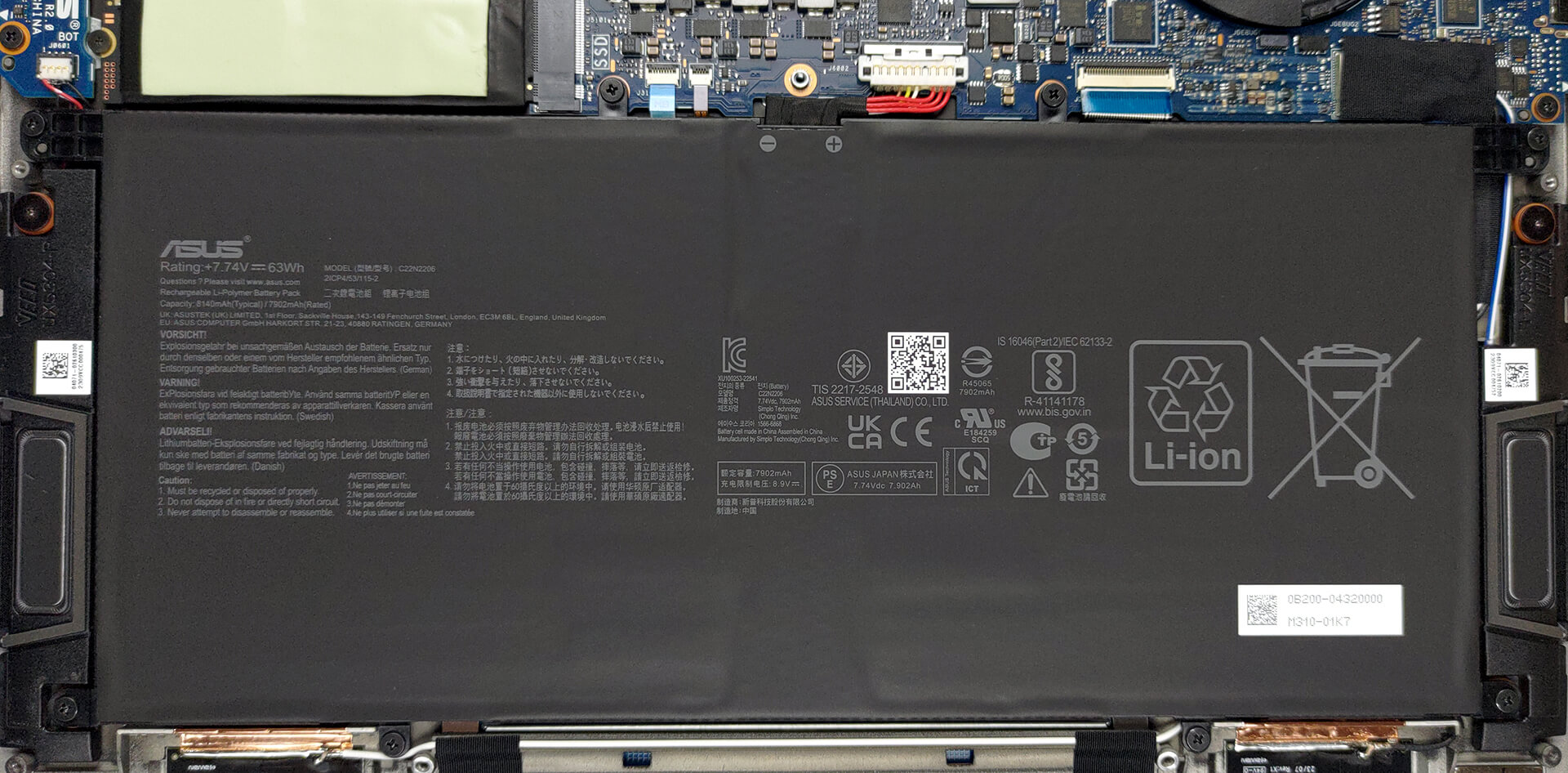
3. Upgrade memory and storage
In terms of memory, you get up to 32GB of LPDDR5 RAM. As for storage, there is one M.2 PCIe x4 slot, which supports Gen 4 SSDs.

4. Cooling system
Cooling-wise, there are two small heat pipes, two tiny fans, and two little heat sinks.
Check out all ASUS Zenbook S 13 OLED (UX5304) prices and configurations in our Specs System, or read more in our In-Depth review.
ASUS Zenbook S 13 OLED (UX5304, 13th Gen Intel) in-depth review
In this world, there are portable laptops, there are thin and light devices, and then - there is the ASUS Zenbook S 13 OLED (UX5304). It is branded as a 1 cm, 1 kg device - the only time a man would brag about such a number.To be honest, ASUS has the right to brag about this one. At least on paper. In this review, we are going to find out if they are right, or if we should strip its bragging rights on the spot.The first thing that is utterly impressive, is that the manufacturer was able to introduce an HDMI connector, and a regular USB Type-A at this thickness. Apple will be baffled. [...]
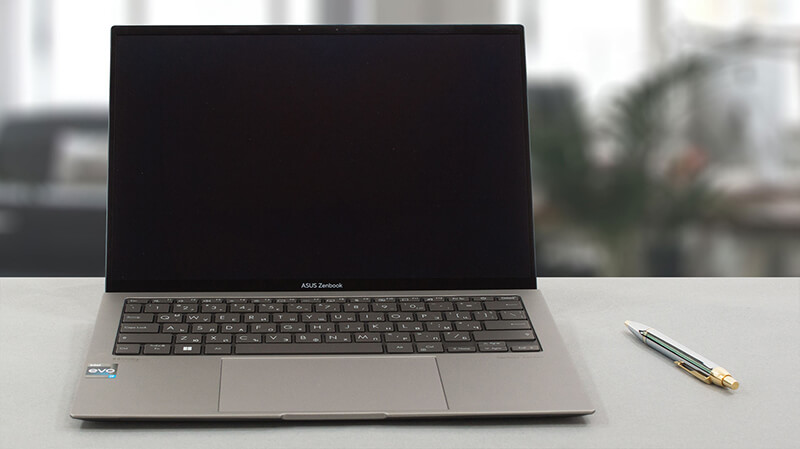
Pros
- Long battery life
- 1-kilo weight, and 10-11mm thickness
- Magnesium-aluminum chassis
- 100% sRGB and DCI-P3 coverage plus accurate color representation (Samsung ATNA33AA05-0 (SDC415B))
- PWM is treated by first-party software (Samsung ATNA33AA05-0 (SDC415B))
- OLED provides True Blacks and crazy fast pixel response times (Samsung ATNA33AA05-0 (SDC415B))
- 2x Thunderbolt 4 + HDMI + USB Type-A
- Gen 4 SSD support
- IR face recognition scanner/li>
Cons
- No SD card slot
- Soldered memory
 Author: Alex Iliev

![[June 2026] Best-Selling Laptop Brands on Amazon Global – Apple’s Unrivaled Dominance in Units and Revenue](https://laptopmedia.com/wp-content/uploads/2026/07/GLOBAL-Best-Brands-400x225.jpg)
![[June 2026] Amazon Global: Top 10 Best-Selling Laptops – Apple’s New MacBook Neo Storms to #1, Reshaping the Market with Affordability](https://laptopmedia.com/wp-content/uploads/2026/07/Best-Selling-Laptops-GLOBAL-Top-10-400x225.jpg)
![[June 2026] Amazon Global: Top 10 Best-Selling Gaming Laptops – Acer’s Nitro V 16S AI Dominates Sales, While ASUS Leads Overall Revenue](https://laptopmedia.com/wp-content/uploads/2026/07/Best-Selling-Gaming-Laptops-GLOBAL-Top-10-400x225.jpg)
![[June 2026] Global Ranking of Best-Selling Laptop GPUs on Amazon – NVIDIA RTX 5060 is the Top-Selling Dedicated GPU](https://laptopmedia.com/wp-content/uploads/2026/07/Best-Selling-GPUs-GLOBAL-Top-10-400x225.jpg)
![[June 2026] Global Ranking of Best-Selling Laptop CPUs on Amazon – Apple M5 Dominates, AMD Ryzen 7 260 Gets Solid Premium Share](https://laptopmedia.com/wp-content/uploads/2026/07/Best-Selling-CPUs-GLOBAL-Top-10-400x225.jpg)

The m.2 slot that allows us to upgrade the ssd is like that in the whole world or only in US? I’m in Italy so for this reason I would like to know about it. Thanks!